

10 Best Enterprise Product Management Tools For 2026

10 Best Enterprise Product Management Software Shortlist


Enterprise product management is different from product management for small or medium-sized businesses, so you need the tools that can handle the workload. Learn more about the best enterprise product management software here to discover the right option for your business model, product specialization, and end users.
If you have general questions about how enterprise product management software works or how to pick the best option for your organization, take a look at my People Also Ask section below. Or, if you’re curious how I prepared this list, see How I Selected the Best Enterprise Product Management Software below.
The CPO Club is reader-supported. We may earn a commission when you click through links on our site — learn more about how we aim to stay transparent.
Why Trust Our Software Reviews
We’ve been testing and reviewing product management software since 2020. As product managers ourselves, we know how critical and difficult it is to make the right decision when selecting software.
We invest in deep research to help our audience make better software purchasing decisions. We’ve tested more than 2,000 tools for different product management use cases and written over 1,000 comprehensive software reviews. Learn how we stay transparent & our software review methodology.
The Best Enterprise Product Management Software Summary
| Tool | Best For | Trial Info | Price | ||
|---|---|---|---|---|---|
| 1 | Best for a collaborative approach to project timelines & calendars | 14-day free trial + free plan available | From $10/user/month (billed annually) | Website | |
| 2 | Best with AI-driven project risk identification | 14-day free trial | From $9/user/month (billed annually) | Website | |
| 3 | Best enterprise product management software with an advanced prioritization and scoring system | Free demo available | Pricing upon request | Website | |
| 4 | Best for visual project management and collaboration | Free plan available | From $8/member/month (billed annually) | Website | |
| 5 | Best for powerful building blocks that evolve team docs | Free trial + free plan + free demo available | From $10/doc maker/month (billed annually) | Website | |
| 6 | Best for cross-department product updates | 14-day free trial available | From $249/month (billed annually) | Website | |
| 7 | Best for driving product innovation with a focus on customer value | 30-day free trial + free demo available | From $59/user/month | Website | |
| 8 | Best for shared workspaces to encourage better team alignment | 30-day free trial + free plan available | From $4.50/user/month (billed annually) | Website | |
| 9 | Best for software usage and behavior data capture | Free plan + 30-day free trial + Free demo available | Pricing upon request | Website | |
| 10 | Best for prioritizing feedback requests from customers | 30-day free trial + free demo available | From $16,000/year | Website |

Best Enterprise Product Management Software Reviews
Here’s a brief description of each enterprise product management software that showcases a tool’s best use case, their noteworthy features, and some pros and cons. I’ve also included screenshots to give you a snapshot of their user interface too.

Wrike
Best for a collaborative approach to project timelines & calendars

Wrike is an enterprise work management platform that combines project planning, Gantt chart timelines, collaborative calendars, workflow automation, and resource management across cross-functional teams.
Who Is Wrike Best For?
Wrike is a strong fit for mid-to-large enterprises with cross-functional teams that need to coordinate complex projects across departments.
Why I Picked Wrike
I've included Wrike in my top picks because its interactive Gantt charts genuinely support team collaboration in a way most timeline tools don't. You can share live timeline snapshots with both internal stakeholders and external clients via secure public links, so everyone is working from the same picture. I also like that when you reschedule a task, all dependent tasks automatically adjust in real time. Pair that with a project calendar that syncs across the platform, and coordinating timelines across multiple teams becomes a lot less chaotic.
Wrike Key Features
- Workflow automation: Build no-code automation rules that trigger task assignments, status changes, and approvals based on custom conditions.
- Workload view: See each team member's assigned tasks and capacity in a single view to spot bottlenecks and rebalance work across the team.
- Custom dashboards: Build role-specific dashboards that surface real-time project data, task statuses, and progress metrics in one place.
- Request forms: Create structured intake forms that automatically route incoming work requests to the right project, folder, or team upon submission.
Pros and Cons
Pros:
- Ease of use + quick setup
- Scales as you grow
- Great collaboration tools
Cons:
- Time tracking is included in Business/Enterprise plans only
- No alerts to warn against unassigned/untagged tasks
New Product Updates from Wrike

Wrike AI Agents Create Full Blueprints and Formatted Items
Wrike’s AI Agent can now create full blueprints (parent items plus subtasks) in one step and generate richer, formatted descriptions. This makes automated workflow creation more complete. For more information, visit Wrike’s official site.
 .
.
Best with AI-driven project risk identification
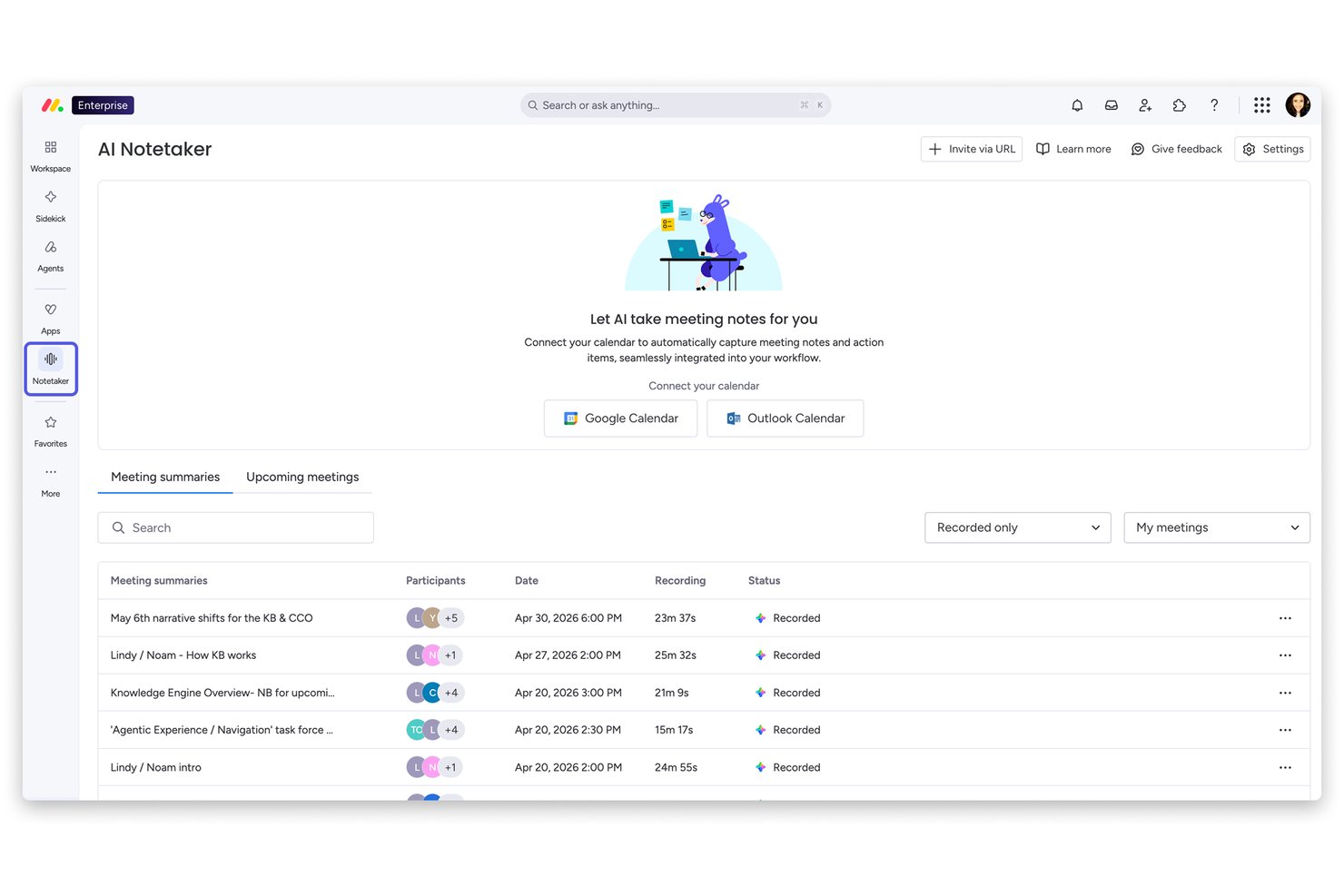
monday AI Workspace is an AI-powered work management platform for enterprise teams that combines portfolio management, cross-team roadmapping, sprint planning, resource tracking, and workflow automation across product, engineering, and business functions.
Who Is monday AI Workspace Best For?
It's a strong fit for mid-to-large organizations running multiple product lines, where product, engineering, and go-to-market teams need a shared platform to stay aligned.
Why I Picked monday AI Workspace
I picked monday AI Workspace as one of the best because of how its Sidekick AI monitors live board data and flags bottlenecks before they compound across teams. My team can plug Claude or ChatGPT directly into our workspaces, giving those AI tools real-time access to project boards so they can flag risks and update statuses automatically. The AI sprint summary in monday dev adds another layer, letting me see where delivery is slipping across multiple product lines at a glance.
monday AI Workspace Key Features
- Portfolio management dashboard: Track progress and health of multiple products or initiatives at an executive level.
- Multi-level permissions: Set granular roles and access rights across workspaces, boards, and dashboards.
- OKR alignment tools: Link projects and tasks to company objectives and key results within dedicated boards.
- Two-way dev tool sync: Sync data with Jira, GitHub, and GitLab to keep delivery status updated in real time.
monday AI Workspace Integrations
monday AI Workspace offers hundreds of native integrations, including Slack, Google Workspace, Microsoft 365, Salesforce, Jira, GitHub, Zoom, Dropbox, HubSpot, and Zendesk. It also supports Zapier and provides an API for custom integrations.
Pros and Cons
Pros:
- Built-in support for hierarchical OKRs
- Configurable portfolio dashboards for executive reporting
- AI automatically flags project bottlenecks and risks
Cons:
- Scenario planning is limited compared to competitors
- Gantt and roadmap features lack advanced dependencies
New Product Updates from monday AI Workspace
monday AI Workspace Adds Human Approval Routing
monday AI Workspace adds a human-in-the-loop approval block to AI Workflows, sending approval requests and routing workflow paths based on responses. For more information, visit monday AI Workspace's official site.
 .
.
airfocus
Best enterprise product management software with an advanced prioritization and scoring system

airfocus is a modular product management platform built for enterprises that combines roadmapping, portfolio management, OKR tracking, capacity planning, and feedback management in a single, customizable workspace.
Who Is airfocus Best For?
airfocus is a strong fit for enterprise product teams that manage multiple products or portfolios and need structured prioritization across large, cross-functional organizations.
Why I Picked airfocus
I've included airfocus in my top picks because its prioritization framework goes well beyond a simple backlog sort. I use custom scoring models with weighted criteria—think RICE, ICE, or fully tailored formulas—to score initiatives against business goals objectively. Priority Poker lets my whole team score items collaboratively in real time, which removes gut-feel bias from roadmap decisions. That kind of structured, data-driven prioritization is what separates airfocus from most enterprise product management tools.
airfocus Key Features
- Portfolio roadmapping: View and manage multiple product roadmaps in a single roll-up view across your entire portfolio.
- OKR tracking: Link roadmap items directly to strategic objectives to keep work connected to company-level goals.
- Feedback portal: Collect and centralize customer and stakeholder feedback in a branded portal, then connect submissions to roadmap items.
- Capacity planning: Allocate team resources across initiatives and track workload against available capacity.
Pros and Cons
Pros:
- Effective collaboration and communication tools
- Very responsive customer support
- Robust prioritization scoring system
Cons:
- Limited customization features
- Occasional bugs with Jira synchronization
New Product Updates from airfocus

airfocus Adds Rich Text Fields, MCP Tools, and Admin Controls
airfocus adds rich text fields with bidirectional Jira sync, Check-in access for the agent and MCP server, an MCP Link Items tool, and admin-only integration management to improve product documentation, AI-assisted planning, and enterprise governance. For more information, visit airfocus’ official site.
 .
.
Miro
Best for visual project management and collaboration

Miro is a visual collaboration platform built around an infinite canvas that supports product roadmapping, wireframing, sprint planning, and cross-functional alignment for enterprise product teams.
Who Is Miro Best For?
Miro is a strong fit for enterprise product teams that work across design, engineering, and strategy and need a shared visual space to align on ideas before moving into execution.
Why I Picked Miro
Miro is one of my top picks because I love how it turns abstract product strategy into something a whole cross-functional team can see and interact with at the same time. My team uses Miro's built-in roadmap templates and timeline views to map out product cycles visually, and the real-time canvas means engineers, designers, and stakeholders are all reacting to the same source of truth. The sticky note clustering and voting features are genuinely useful during prioritization sessions when the team must reach visual consensus.
Miro Key Features
- Wireframing: Build low-fidelity product prototypes on the canvas using a built-in library of UI components.
- Kanban boards: Manage sprint workflows with drag-and-drop Kanban boards that live alongside your broader project canvas.
- Mind mapping: Create branching idea maps to break down product concepts, user journeys, or feature trees visually.
- Miro AI: Generate diagrams, summarize content, and cluster ideas automatically using built-in AI tools.
Pros and Cons
Pros:
- Offers real-time collaboration for remote teams
- Highly scalable
- Provides a wide range of templates
Cons:
- Steep learning curve for advanced features
- Limited customization options
New Product Updates from Miro
Miro Adds Japan Data Residency for Enterprise Customers
Miro has introduced Japan data residency for enterprise customers, offering in-region storage for production data, backups, and metadata, plus in-region compute infrastructure. For more information, visit Miro's official site.

Coda
Best for powerful building blocks that evolve team docs

Coda is a doc-based workspace where product teams build living documents, roadmaps, trackers, and OKR hubs using flexible tables, views, and automations—all within a single connected surface.
Who Is Coda Best For?
Coda is a strong fit for product and cross-functional teams at mid-size to enterprise companies that need highly customizable workspaces beyond what standard docs or project tools offer.
Why I Picked Coda
Coda earns its spot on my shortlist because the building block model genuinely changes how product docs work. Instead of a static spec or a disconnected tracker, I can embed live tables, kanban views, and automated status updates directly inside a product brief. My team uses Coda to link a PRD to a living roadmap table, so decisions and priorities update in context rather than across scattered files. Buttons that trigger status changes or auto-assign tasks inside a doc are a particularly practical touch I don't see replicated elsewhere.
Coda Key Features
- Coda AI: An AI assistant built into docs that summarizes content, generates text, and analyzes table data without leaving your workspace.
- Cross-doc references: Pull live data from other Coda docs into your current one, keeping information connected across multiple team workspaces.
- Timeline view: Visualize tasks and milestones in a Gantt-style timeline directly within a doc alongside other views.
- Granular permissions: Control access at the doc, section, or table level to manage visibility across teams and stakeholders.
Pros and Cons
Pros:
- Easy to use
- Custom-built knowledge hub
- Easily searchable for adding resources
Cons:
- Limited formatting option in docs
- Limited integration options

Best for cross-department product updates

LaunchNotes is a product communication platform that centralizes release notes, roadmaps, and announcements for product, engineering, sales, support, and marketing teams to stay aligned across the product development lifecycle.
Who Is LaunchNotes Best For?
LaunchNotes is a strong fit for product-led companies where keeping go-to-market, support, and engineering teams informed about product changes is a recurring challenge.
Why I Picked LaunchNotes
LaunchNotes is one of my top picks because I love how it solves a problem most enterprise product teams don't realize they have: internal misalignment. When my team ships a feature, LaunchNotes pushes structured announcements across Slack, email, and in-app widgets, so sales, support, and engineering receive the same update. I also rely on its audience segmentation to send tailored updates to specific teams without blasting everyone with irrelevant details. The automated progress updates tied to roadmap stages mean no one has to chase down a product manager to ask what shipped.
LaunchNotes Key Features
- AI writing assistant: Converts raw technical content, like Jira tickets or internal docs, into polished draft announcements.
- Ideas and feedback management: Aggregates customer and internal feedback into a prioritized list of ideas, with an option to make them publicly visible on your LaunchNotes page.
- Digest notifications: Consolidates recent product announcements into summarized email and Slack digest notifications for teams that don't need real-time alerts.
- Unpublished roadmap stages: Lets you manage internal roadmap stages privately and control when they become visible to external stakeholders.
Pros and Cons
Pros:
- Enterprise-grade SOC 2 compliance
- Strong analytics for announcements
- Simple guided onboarding flow
Cons:
- No projected release dates
- Limited workflow automation options

Aha!
Best for driving product innovation with a focus on customer value

Aha! is an end-to-end product management platform that covers strategy, roadmapping, idea management, feature prioritization, and release planning in a single connected workspace.
Who Is Aha! Best For?
Aha! is a strong fit for product managers and product teams at mid-size to large companies who need to connect strategy directly to their product roadmap.
Why I Picked Aha!
Aha! is one of my top picks because I love how it ties customer insight directly to product decisions. Aha! Discovery lets you record and transcribe customer interviews, then uses AI to surface key themes and link them straight to your roadmap. Meanwhile, Aha! Ideas gives you a branded portal where customers submit and vote on feature requests, and you can score those ideas against strategic goals to decide what actually gets built next.
Aha! Key Features
- Visual roadmapping: Build product roadmaps across timeline, Gantt, and kanban views, with each item linked directly to a strategic goal.
- Release management: Plan and track releases with milestones, dependencies, and team capacity visibility across multiple workspaces.
- Capacity planning: Assign work to team members and monitor workload across initiatives to prevent over-allocation.
- Aha! Notebooks: Create and publish PRDs, strategy docs, and meeting notes directly within the platform.
Pros and Cons
Pros:
- Highly configurable tool
- Comes with concierge support and training
- Can accommodate most product management scenarios
Cons:
- Limited automation capabilities
- Limited capacity planning capabilities

Flock
Best for shared workspaces to encourage better team alignment

Flock is a team communication and collaboration platform that combines channel-based messaging, video calling, shared notes, to-dos, and productivity tools to keep distributed teams connected and coordinated.
Who Is Flock Best For?
Flock suits small to mid-sized teams that need a straightforward messaging and collaboration tool without the complexity of larger enterprise platforms.
Why I Picked Flock
I've included Flock in my top picks because its shared channel workspaces give cross-functional teams a single place to centralize discussion, tasks, and files. I particularly like Smart Channels, which let you predefine membership rules so the right people are always in the right conversations automatically. Paired with shared to-dos that convert channel discussions into trackable tasks with due dates, Flock helps teams stay aligned without jumping between separate tools.
Flock Key Features
- Video conferencing: Launch a video call directly from any chat or channel, with screen sharing built in for detailed walkthroughs.
- Announcement channels: Broadcast one-way updates to the entire team so only admins can post, keeping company-wide messages clear and uncluttered.
- Polls: Run anonymous or image-based votes within any channel, with auto-updated results and a downloadable vote tally.
- Process automation: Build automated workflows for recurring processes like IT requests or reimbursement claims, with real-time status updates delivered inside Flock.
Pros and Cons
Pros:
- Interface is very user friendly
- Advanced security features
- Group-specific alerts
Cons:
- No multi-lingual support
- Mobile version lacks some functionality

Pendo
Best for software usage and behavior data capture

Pendo is an AI-powered product analytics and digital adoption platform that gives enterprise product teams visibility into how users interact with their software through usage tracking, session replay, in-app guides, sentiment surveys, and roadmapping tools.
Who Is Pendo Best For?
Pendo is a strong fit for enterprise product teams at mid-to-large SaaS companies who need deep visibility into how users engage with their product.
Why I Picked Pendo
I've included Pendo in my top picks because it captures product usage data without requiring manual event tagging. Most analytics tools need engineering involvement to instrument every click and interaction, but Pendo captures user behavior retroactively across your entire product. I also like the session replay feature, which lets me see exactly how a specific user navigated a workflow before they churned or submitted a support ticket—giving me evidence, not guesswork, for product decisions.
Pendo Key Features
- In-app guides: Create targeted onboarding walkthroughs, tooltips, and announcements that trigger based on specific user segments or behaviors.
- NPS and sentiment surveys: Deploy in-app NPS, CSAT, and PMF surveys to collect user feedback without redirecting users to external forms.
- Product roadmapping: Build and share visual roadmaps that connect planned features to user feedback and business goals.
- Product Engagement Score: A composite metric that rolls up adoption, stickiness, and growth data into a single score for tracking product health.
Pros and Cons
Pros:
- Easy to implement
- Provides internal communication tools
- Reactive refinement for strategy
Cons:
- Onboarding is through video and articles
- Customization is time consuming

Uservoice
Best for prioritizing feedback requests from customers

UserVoice is a customer intelligence platform that collects and consolidates feedback, support tickets, NPS data, and CRM signals to help product teams identify and prioritize what customers actually need.
Who Is UserVoice Best For?
UserVoice is a strong fit for enterprise product teams that need to systematically capture and prioritize customer feedback across large user bases.
Why I Picked UserVoice
I've included UserVoice in my top picks because its revenue-weighted indexing is unlike anything else I've used for feedback prioritization. Instead of treating all requests equally, it ranks ideas by actual customer revenue, retention risk, and demand signals, so you're not just counting votes. I also like the AI Idea Insights feature, which automatically summarizes patterns across hundreds of submissions, and the data enrichment layer that attaches account and revenue data to every single idea. That combination means you can walk into a roadmap conversation with hard numbers, not just a gut feeling.
UserVoice Key Features
- Customer feedback portal: A public-facing portal where customers submit, vote on, and comment on feature ideas directly.
- Feedback segmentation: Filter and slice submitted ideas by customer attributes like plan type, company size, or region.
- Automated status updates: Notify customers automatically when a requested feature ships or changes status.
- Internal idea board: Capture and track product ideas from internal stakeholders separately from customer submissions.
Pros and Cons
Pros:
- Eliminates the need for researchers
- Tools to handle ticket queues
- Organizes feedback into digestible data
Cons:
- Odd log-in process
- Finding archived tickets can be difficult
Other Enterprise Product Management Software
Here are a few more worthwhile options that didn’t make the best enterprise product management software list:
- ProdPad
For idea, feedback, and roadmap management in one
- PivotalTracker
Agile project management tool for developers
- Asana
Platform for cross-functional product management
- Gainsight PX
For tracking user behavior to deliver better outcomes
- JIRA
For adapting to any workflow or process
- Productive
For connecting product ops with financials
- Ignition
For its shareable roadmaps
- Celoxis
For real-time insights into project portfolios
- Scoro
For budgeting resource and time spend
- Craft.io
For managing multiple product lines


Related Product Management Software Reviews
If you still haven't found what you're looking for here, check out these other related tools that we've tested and evaluated:
- Best Product Planning Software
- Best UX Design Tools
- Best Product Development Software
- Best Product Analytics Tools
- Best Idea Management Software
- Best Heatmap Software
How I Evaluate Enterprise Product Management Software
When a CPO needs portfolio-level visibility across dozens of product teams, I evaluate tools in two layers: baseline acceptance criteria and differentiating factors.
Core Functionality (Table Stakes For This List)
When I'm selecting tools for my list, I rank each one on a scale from 0 (does not offer the functionality) to 5 (excels in this area) for each core functionality listed below. Then, I calculate the tool's total score into a percentage. Each tool needs to achieve a minimum total score of 65% to be considered for inclusion.
- Enterprise Roadmapping: I look for multi-layered roadmaps that span products and portfolios, like mapping a platform team's work alongside a customer-facing squad's releases.
- Strategy & OKR Alignment: Each tool should let you link features and initiatives to company-level objectives so a CPO can trace a single epic back to a strategic goal.
- Idea & Feedback Management: I evaluate whether the tool centralizes requests from customers, support tickets, and internal teams into one backlog with voting and segmentation.
- Prioritization Frameworks: Built-in scoring models like RICE or weighted scoring matter here, especially when a product ops team needs to rank hundreds of requests consistently.
- Dev Tool Integrations: I check for bi-directional sync with tools like Jira and Azure DevOps, so roadmap status updates flow automatically as engineering teams ship work.
- Portfolio Reporting & Analytics: Cross-portfolio dashboards that surface delivery health, capacity, and progress give VPs and CPOs the executive-level visibility they need.
Once I have a list of tools that meet this criteria, I consider what sets each platform apart.
Differentiating Factors (What Sets Vendors Apart)
Here's how I compare and contrast different vendors:
Standout Features
I look for tools that tie feature requests to customer accounts and revenue data, so product leaders can quantify the ARR impact of a roadmap decision during planning. Scenario and capacity planning is another differentiator—when a VP needs to model what happens if one team shifts focus mid-quarter, the tool should simulate those trade-offs. I also evaluate stakeholder presentation views, since a CPO presenting to the board needs a very different format than what engineering sees in sprint planning.
Beyond Features
Security and compliance certifications matter at the enterprise level. I check for SOC 2 Type II and data residency options, especially when product teams span multiple regions. Implementation support is equally important. Rolling out a new product management platform to hundreds of users across business units requires dedicated onboarding, training programs, and change management guidance. I also evaluate licensing flexibility, since enterprises often need a mix of full contributor seats for product managers and view-only access for stakeholders reviewing roadmaps.
How To Choose Enterprise Product Management Software
With so many different enterprise product management solutions available, it can be challenging to make decisions on what enterprise product management software is going to be the best fit for your needs.
As you're shortlisting, trialing, and selecting enterprise product management software, consider the following:
- What problem are you trying to solve - Start by identifying the enterprise product management feature gap you're trying to fill to clarify the features and functionality the enterprise product management software needs to provide. Be sure to look for software that offers a full coverage for your complex enterprise needs.
- Who will need to use it - To evaluate cost and requirements, consider who'll be using the software and how many licenses you'll need. You'll need to evaluate if it'll just be the product management professionals, or the whole organization that will require access. When that's clear, it's worth considering if you're prioritizing ease of use for all, or speed for your product management software power users.
- What other tools it needs to work with - Clarify what tools you're replacing, what tools are staying, and the tools you'll need to integrate with, such as accounting, CRM or HR software. You'll need to decide if the tools will need to integrate together, or alternatively, if you can replace multiple tools with one consolidated enterprise product management tool.
- What outcomes are important - Consider the result that the software needs to deliver to be considered a success. Consider what capability you want to gain, or what you want to improve, and how you will be measuring success. For example, an outcome could be the ability to get greater visibility into performance. You could compare enterprise product management software features until you’re blue in the face, but if you aren’t thinking about the outcomes you want to drive, you could be wasting a lot of valuable time.
- How it would work within your organization - Consider the software selection alongside your workflows and delivery methodology. Evaluate what's working well, and the areas that are causing issues that need to be addressed. Remember every business is different — don’t assume that because a tool is popular that it'll work in your organization.
Trends in Enterprise Product Management Software For 2026
Enterprise product management software is rapidly evolving in 2026, reflecting broader technological advancements and highlighting the continuous efforts by product managers to streamline and centralize the entire product lifecycle. These trends focus on enhancing efficiency, fostering innovation, and meeting the growing complexity of product management in large organizations. Here are several specific trends that I believe stand out in the market, each reflecting a unique aspect of the changing demands and opportunities within the enterprise product management space.
Evolving Features and Technology
- Integration with AI and Machine Learning: There's a significant push towards leveraging AI and machine learning to automate routine tasks, enhance decision-making, and predict market trends. Tools are increasingly incorporating AI to offer predictive analytics, automate requirements gathering, and provide intelligent recommendations for product roadmap adjustments.
- Advanced Analytics and Data Visualization Tools: As the need for data-driven decision-making intensifies, software updates are focusing on improving analytics and visualization capabilities. This includes more sophisticated dashboarding, real-time data feeds, and the ability to integrate external data sources for a holistic view of the product lifecycle.
- Enhanced Collaboration and Remote Work Features: Reflecting the shift towards remote and hybrid work models, there's a notable enhancement in features that support collaboration across dispersed teams. This includes improved communication tools, shared workspaces, and real-time editing capabilities.
Novel and Unusual Functionality
- Virtual and Augmented Reality for Product Design: Some of the most innovative tools are experimenting with VR and AR to revolutionize product design and customer experience prototyping. This allows teams to create and test product models in a virtual environment, enhancing creativity and reducing time-to-market.
- Blockchain for Security and Transparency: Blockchain technology is being incorporated to enhance security, intellectual property protection, and transparency throughout the product development process. This includes secure sharing of product designs and transparent tracking of changes and contributions.
Declining in Importance
- Manual Reporting and Documentation Tools: With the rise of automated analytics and reporting, the emphasis on manual tools for these purposes is diminishing. Enterprises prefer solutions that offer automated insights and report generation over traditional, labor-intensive reporting methods.
These trends underscore a broader movement towards more intelligent, integrated, and user-focused enterprise product management software. Moreover, the rapid evolution of features aimed at automating and enhancing decision-making processes reflects the growing complexity and demands of product management in large-scale enterprises.
As organizations continue to navigate these challenges, the tools that offer innovative solutions while streamlining the product lifecycle will be the ones that endure and continue to assist users in keeping up with the ever-changing market.
What Is Enterprise Product Management Software?
Enterprise product management software is a series of tools that help companies develop products within large organizations for a massive amount of users. In general, these tools serve to streamline and centralize the entire product lifecycle, from ideation to distribution, enabling effective collaboration and efficient decision-making.
There’s a lot of overlap between project and product management, and many enterprise-level product management tools can handle both functionalities.
Features of Enterprise Product Management Software
In the complex and fast-paced world of product management, enterprises face unique challenges that demand robust solutions. Enterprise product management software is therefore a critical tool for organizations aiming to navigate these challenges efficiently. This software not only offers the functionality to manage day-to-day tasks, but also provides strategic value by streamlining and centralizing the entire product lifecycle. Here are the most important features to look for when deciding which enterprise product management tool is right for you:
1. Roadmapping and Strategy Planning: This feature allows teams to visualize the product's journey and strategize accordingly. It's essential for aligning the product vision with the business goals, ensuring that every step taken contributes directly to the overarching objectives of the organization.
2. Requirements Management: With this feature, teams can capture, prioritize, and track requirements throughout the product lifecycle. It bridges the gap between idea conception and execution, ensuring that products meet the needs of the users and the business.
3. Workflow and Task Management: This functionality enables the creation and tracking of tasks, workflows, and processes. It's crucial for maintaining efficiency and ensuring that all team members are aligned and working towards common goals.
4. Collaboration Tools: These tools facilitate seamless communication and collaboration across teams and departments. They are key to breaking down silos and fostering a unified approach to product development and management.
5. User Feedback and Insights: By integrating user feedback directly into the product development process, this feature helps ensure that the product meets market needs and addresses user pain points effectively.
6. Data Analytics and Reporting: This offers in-depth insights into product performance, user engagement, and market trends. It's vital for making informed decisions and adapting strategies based on real-world data.
7. Integration Capabilities: The ability to integrate with other tools and systems used by the organization ensures that the product management software can fit seamlessly into the existing ecosystem, enhancing productivity and reducing friction.
8. Security and Compliance: This ensures that all product data is securely managed and that the software complies with relevant industry standards and regulations. It's critical for protecting sensitive information and maintaining trust.
9. Scalability: As enterprises grow, their software needs evolve. Scalability ensures that the product management software can accommodate increasing complexity and a larger number of users without performance degradation.
10. Customization and Flexibility: This allows organizations to tailor the software to their specific needs and processes. It's essential for ensuring that the tool can adapt to the unique challenges and workflows of the business.
Moreover, enterprise versions of product management software are specifically designed to meet the complex needs of large organizations. They offer a level of scalability, security, and functionality that can transform the way products are managed, from conception through to launch and beyond.
By centralizing the entire product lifecycle, these product management tools not only streamline processes, but also enhance collaboration, decision-making, and strategic alignment. This comprehensive approach to product management is invaluable in today's competitive and rapidly changing market, providing the foundation for success and growth.
Benefits of Enterprise Product Management Software
Navigating the intricacies of product management in large-scale organizations requires robust solutions that can streamline operations, enhance collaboration, and drive innovation. This is where enterprise product management software comes in, offering advanced capabilities tailored to meet the demands of complex product ecosystems. Here's a look at five primary benefits enterprise-level product management software brings to users and organizations:
1. Centralized Information Management: This software acts as a single source of truth for all product-related data. It simplifies access to critical information, ensuring that decision-makers and team members alike have the latest data at their fingertips, which in turn reduces errors and accelerates the decision-making process.
2. Improved Strategic Alignment: By providing tools for roadmapping and strategy planning, the software aligns product development efforts with business objectives. This ensures that every product initiative contributes to the overarching goals of the organization, maximizing resource utilization and strategic impact.
3. Enhanced Resource Efficiency: Automating and optimizing workflows reduces time spent on manual tasks. This efficiency allows teams to allocate more resources towards innovation and development, thereby speeding up the product lifecycle and bringing products to market faster.
4. Robust Security Measures: Enterprise software comes equipped with advanced security features to protect sensitive information. This is crucial for maintaining confidentiality, ensuring compliance with regulations, and safeguarding the company's reputation.
5. Customizable and Scalable Solutions: The flexibility to tailor the software according to specific business needs and scale its functionality to accommodate growth is a significant advantage. This adaptability ensures that the software remains a valuable asset as the organization evolves.
Moreover, enterprise versions of product management software stand out from entry-level offerings primarily due to their scalability, advanced security features, and comprehensive support services. These versions of software are designed to handle the complexity and volume of data that large organizations generate and offer more robust integration capabilities with other enterprise systems, such as ERP and CRM platforms. Moreover, enterprise plans often include personalized customer support, training, and consultancy services to ensure that the organization maximizes the value of the software. This level of customization and support is critical for businesses that operate in dynamic markets and need to rapidly adapt to new challenges and opportunities.
Overall, adopting enterprise product management software offers organizations a strategic advantage by enabling them to streamline their product management processes, enhance collaboration across teams, and make informed decisions based on accurate, real-time data. Such tools are not just about managing products; they are about driving business success in an increasingly competitive landscape.
Costs & Pricing for Enterprise Product Management Software
Selecting the right enterprise product management software is a crucial decision for organizations looking to enhance their product lifecycle management capabilities. While most large organizations might automatically select the enterprise-level plan, it is important to select the plan that best aligns with your needs, even if it is a lower tier, to ensure that you are not paying for unnecessary features.
Plans typically range from free versions designed for small teams or startups, to more comprehensive enterprise-level packages that offer advanced features for larger organizations. Here's a breakdown of common plan options and their respective pricing to help guide your decision-making process:
Plan Comparison Table for Enterprise Product management Software
| Plan Type | Average Price | Common Features |
|---|---|---|
| Free | $0 | Basic task management, limited users, essential collaboration tools, basic reporting |
| Basic | $10-20/user/month | Task and project management, unlimited users, enhanced collaboration tools, basic analytics |
| Professional | $20-40/user/month | Advanced project management, custom workflows, integration capabilities, advanced analytics |
| Enterprise | $40+/user/month | Customizable dashboards, advanced security features, dedicated support, comprehensive analytics, integration with enterprise systems |
When considering which plan to select for, it's essential to evaluate your organization's specific needs against the features and limitations of each plan. Consider the scale of your operations, the complexity of your product lifecycle processes, and your budget to make an informed decision that will effectively support your product management goals, enterprise or .
Enterprise Product Management Software Frequently Asked Questions
Whether you’re transitioning from regular product management to enterprise product management or you’re completely new to any type of product management software, you might have questions. Here are some introductory answers to the most frequently asked questions.
What are the benefits of enterprise product management software?
Wondering why product management is important? The benefits of enterprise product management software are that these tools specifically target the needs of larger organizations, including satisfying various levels of customers, prioritizing demands from massive customers, ensuring advanced security, and dealing with slower market feedback.
Addressing these needs allows the software options on this list to increase efficiency, collaboration, and control of product development on a much larger scale.
What are the key features of enterprise product management software?
There are several key features of enterprise-level product management tools, including:
- Remote work support: It’s rare for large organizations to be based in a single city or office, so you need tools that can incorporate employees wherever they happen to be working.
- Flexible Kanban boards: Large projects need more visibility, collaboration, and prioritization to keep people on task. With flexible Kanban boards, teams can reduce waste and increase transparency.
- Enterprise-class security: The more people that work in a company, the higher likelihood of hacking and chances of human error. Enterprise-level security protects web servers, data centers, and networking hubs in the context of an international or massive organization.
- In-context collaboration for teams: This feature ensures your team has consistent, easy access to all the relevant insights for a particular product or project, including meeting recordings and notes.
Stay Up to Date
Have you found an enterprise product management software that works for you on this list? Maybe you’ve realized a regular product management tool is best for you? Whatever you’re looking for, The CPO Club is here to help.
Check out the 10 Best Product Management Software for options targeted towards SMBs. Or, learn about growth strategy with powerful examples to achieve enterprise size. Whatever you need, stay up to date on product management with insights from leaders in the industry when you subscribe to our newsletter.