


Jira vs. Wrike: Detailed Comparison and Expert Reviews for 2026

We review tools independently, and commissions help fund our testing. See our transparency policy, our methodology, or suggest a tool.
Choosing between Jira and Wrike means weighing two very different approaches to product management tools: Jira offers deep customization and agile workflows for technical teams, while Wrike brings flexible project planning and cross-team visibility to the table. If you’re stuck deciding which platform will actually help your team deliver better products—not just manage tasks—you’re not alone. Both tools promise to organize your work, but they solve product management challenges in distinct ways. In this article, you’ll get a side-by-side look at how Jira and Wrike compare on features, usability, pricing, and real-world fit, so you can confidently pick the tool that matches your team’s needs and working style.
Choosing between Jira and Wrike means weighing two very different approaches to product management tools: Jira offers deep customization and agile workflows for technical teams, while Wrike brings flexible project planning and cross-team visibility to the table. If you’re stuck deciding which platform will actually help your team deliver better products—not just manage tasks—you’re not alone. Both tools promise to organize your work, but they solve product management challenges in distinct ways. In this article, you’ll get a side-by-side look at how Jira and Wrike compare on features, usability, pricing, and real-world fit, so you can confidently pick the tool that matches your team’s needs and working style.
Jira


4.4/5
- Free plan + 14-day free trial available
- From $7.91/user/month
Wrike


4.3/5
- Free plan + 14-day free trial + free demo available
- From $10/user/month (billed annually)
Why Trust Our Software Recommendations
6,700+
Reviews
20
Industry experts
16+
Evaluation factors
14
Years
Our team has been testing and reviewing software since 2012. As product managers ourselves, we know how difficult—and important—it is to choose the right software.
For this guide, we evaluated tools using hands-on testing and independent research, scoring tools using our selection criteria.
Our reviews reflect our human editorial judgment, not a sales pitch.
Expert reviewers:
- Andrew LumbySenior TPM
- Cristiano ValimSenior UI/UX Lead
| Jira | Wrike | |
|---|---|---|
| Free Trial | Free plan + 14-day free trial available | Free plan + 14-day free trial + free demo available |
| Pricing | From $7.91/user/month | From $10/user/month (billed annually) |
Jira vs. Wrike Pricing & Hidden Costs
Jira uses a tiered subscription model based on user count and feature access, with separate charges for add-ons and advanced modules. Wrike also offers tiered plans, but bundles more collaboration and reporting features into its higher tiers, and charges extra for specialized add-ons like advanced analytics or integrations. Both tools can introduce hidden costs if your team needs premium support, custom integrations, or expands beyond the included user limits.
To choose the right pricing model, start by mapping your team’s must-have features and estimating how your needs might grow over time. Look closely at which features are included in each tier, and factor in the cost of any add-ons you’ll need for your workflow. It’s also smart to consider how each vendor handles user scaling, contract flexibility, and support—these details can have a big impact on your total cost as your team evolves.
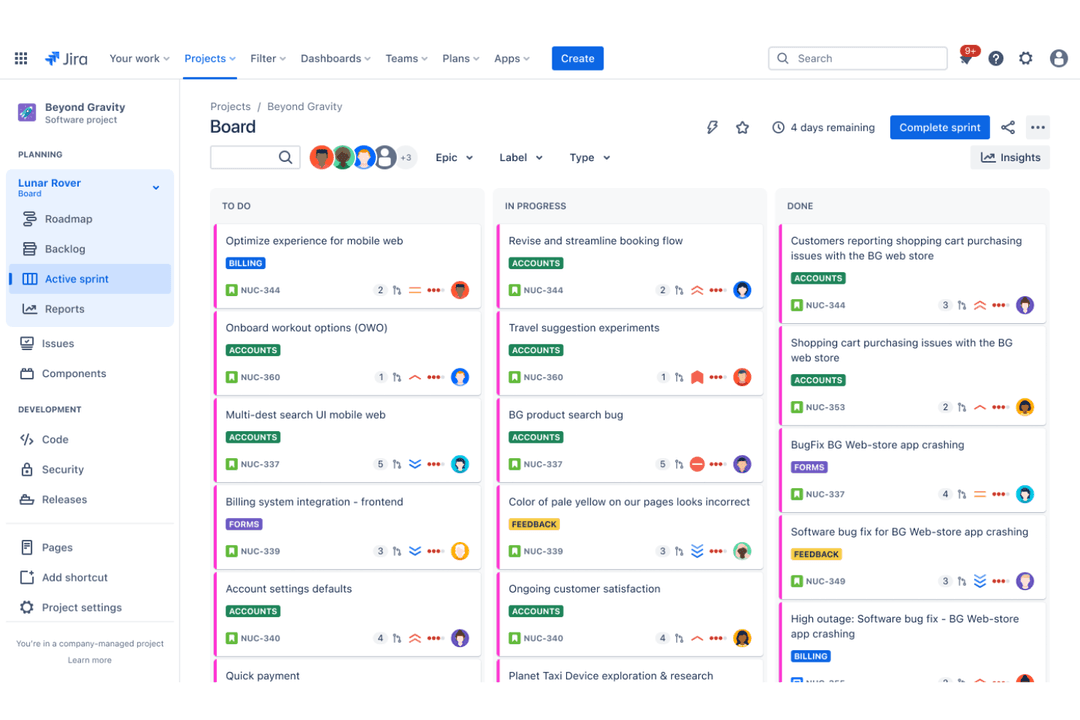
Jira’s customizable workflows and advanced issue tracking help users manage complex product backlogs and prioritize development tasks with precision. In contrast, Wrike’s interactive Gantt charts and built-in document sharing make it easier for users to coordinate schedules and collaborate on deliverables across multiple teams.
| Jira | Wrike | |
|---|---|---|
| API | Yes | Yes |
| Calendar Management | Yes | Yes |
| Collaboration Support | No | Yes |
| Dashboards | Yes | Yes |
| Data Export | Yes | Yes |
| Data Import | Yes | Yes |
| External Integrations | Yes | Yes |
| File Sharing | Yes | Yes |
| Gantt Charts | Yes | Yes |
| Kanban Boards | Yes | Yes |
| Multi-User | Yes | Yes |
| Notifications | Yes | Yes |
| Project Management | Yes | Yes |
| Task Scheduling/Tracking | Yes | Yes |
| Time Management | No | Yes |
| Integration | Jira | Wrike |
|---|---|---|
| IntegrationSlack | Jira✅ | Wrike✅ |
| IntegrationMicrosoft Teams | Jira✅ | Wrike✅ |
| IntegrationGitHub | Jira✅ | Wrike✅ |
| IntegrationSalesforce | Jira✅ | Wrike✅ |
| IntegrationFigma | Jira✅ | Wrike❌ |
| IntegrationAdobe Creative Cloud | Jira❌ | Wrike✅ |
| IntegrationGoogle Drive | Jira✅ | Wrike✅ |
| IntegrationServiceNow | Jira✅ | Wrike❌ |
| IntegrationHubSpot | Jira❌ | Wrike✅ |
| IntegrationAPI | Jira✅ | Wrike✅ |
| IntegrationZapier | Jira✅ | Wrike✅ |
Jira’s GitHub integration lets users automatically link code changes to issues, making it easier to track progress and resolve bugs. Wrike’s Google Drive integration helps users quickly attach, share, and update files within tasks, keeping project assets organized and accessible for everyone involved.
| Factor | Jira | Wrike |
|---|---|---|
| FactorData Encryption | JiraEncrypts data in transit and at rest using industry-standard protocols. | WrikeUses TLS encryption for data in transit and AES-256 for data at rest. |
| FactorRegulatory Compliance | JiraOffers SOC 2, ISO 27001, GDPR, and HIPAA compliance options. | WrikeSupports SOC 2, ISO 27001, GDPR, and CCPA compliance. |
| FactorAccess Controls | JiraProvides granular role-based permissions and SSO integration. | WrikeFeatures customizable user permissions and SSO/SAML support. |
| FactorUptime Guarantee | JiraDelivers a 99.9% uptime SLA for cloud customers. | WrikeMaintains a 99.9% uptime SLA and real-time status monitoring. |
Both Jira and Wrike deliver strong security and compliance, but Jira’s granular access controls and HIPAA support give it an edge for regulated industries. Wrike stands out for its transparent uptime reporting and straightforward compliance documentation, while Jira is often chosen for its advanced permission settings and broader regulatory coverage.
| Factor | Jira | Wrike |
|---|---|---|
| FactorUser Interface | JiraFeatures a dense, customizable interface that can feel overwhelming to new users. | WrikeOffers a clean, intuitive layout with drag-and-drop navigation. |
| FactorOnboarding | JiraProvides guided tours and documentation, but setup can be complex for non-technical teams. | WrikeIncludes interactive tutorials and templates for a faster start. |
| FactorWorkflow Setup | JiraAllows deep workflow customization, which may require admin expertise. | WrikeEnables quick workflow creation with pre-built templates and visual tools. |
| FactorSupport Resources | JiraOffers extensive help articles and community forums, with premium support at higher tiers. | WrikeDelivers in-app chat, a searchable help center, and responsive customer support. |
Wrike is generally easier for new users to pick up, while Jira’s flexibility comes with a steeper learning curve. Wrike’s visual interface and onboarding tools make it approachable for cross-functional teams, whereas Jira’s strength lies in its powerful customization for technical users willing to invest time in setup.
Jira
- It offers powerful Agile project management features for your team.
- You can customize workflows to match your project's unique needs.
- It enhances collaboration with real-time updates and tracking.
- You might find the interface overwhelming if you're new to it.
- It can be too complex for smaller teams or simpler projects.
- You may experience a steep learning curve during onboarding.
Wrike
- Gantt charts: Wrike's interactive Gantt charts provide a visual timeline of tasks and dependencies to track progress.
- Custom workflows: Users can build custom workflows and approval processes to standardize work and ensure consistency.
- Time tracking: The software’s built-in time tracking capabilities allow teams to log hours worked on tasks and monitor productivity.
- Learning curve: Wrike's extensive features and customization options can take time to fully learn and configure.
- Notifications: The high volume of notifications and updates can be overwhelming and difficult to manage.
- Mobile app: The mobile app has limited functionality compared to the web version and can be slow or buggy.
Jira
- Software Development TeamsJira excels in Agile project management, making it perfect for tracking bugs and managing sprints.
- IT DepartmentsYou can manage incident tickets and service requests efficiently with Jira's customizable workflows.
- Tech StartupsJira supports rapid iteration and collaboration, essential for fast-paced startup environments.
- Project ManagersYou can oversee complex projects with Jira's detailed reporting and task management features.
- Agile CoachesJira provides tools for sprint planning and tracking, crucial for guiding Agile teams.
- Cross-functional TeamsJira's integrations and real-time updates enhance collaboration across different departments.
Wrike
- Marketing AgenciesWrike’s proofing, approval, and campaign tracking features support creative workflows.
- IT Project TeamsAdvanced task dependencies and workflow automation help manage technical projects.
- Product DevelopmentCustom dashboards and reporting provide visibility into product roadmaps and releases.
- Professional ServicesTime tracking and resource management support client billing and project delivery.
- Enterprise OperationsGranular permissions and audit trails meet compliance and security needs.
- Remote TeamsReal-time collaboration and document sharing enable distributed workforces.
Who Should Use Jira, and Who Should Use Wrike?
Jira is best for technical product teams, software developers, and organizations in regulated industries that need advanced workflow customization and granular access controls. Wrike is a better fit for cross-functional teams, marketing groups, and businesses that value quick setup, visual project planning, and easy collaboration. If your team thrives on agile methodologies and detailed issue tracking, Jira will feel right at home; if you want a tool that’s approachable for a wide range of users and supports fast-moving projects, Wrike is the smarter pick. Your choice should reflect your team’s technical comfort, project complexity, and appetite for customization versus simplicity.
| Jira | Wrike | |
|---|---|---|
| Agile Support | Jira Built-in agile boards, sprints, and backlog management for software teams. | Wrike Supports agile with add-ons, but focuses more on general project planning. |
| Automation | Jira Advanced automation rules for issue transitions and notifications. | Wrike Automation through visual builders and rule templates. |
| Pricing Model | Jira Charges per user and for add-ons, with separate tiers for features. | Wrike Tiered pricing with bundled features and extra charges for advanced add-ons. |
| User Interface | Jira Dense, technical interface designed for detailed configuration. | Wrike Clean, visual interface designed for broad team adoption. |
| Workflow Customization | Jira Offers advanced, granular workflow and issue type customization. | Wrike Provides visual workflow editing with pre-built templates. |
| Cloud Availability | Each offers a cloud-based platform with mobile apps, regular updates, and 99.9% uptime SLAs for reliable access. |
|---|---|
| Collaborative Tools | Each offers mentions, comments, file attachments, and real-time notifications to keep teams connected and informed. |
| Integration Options | Both integrate with popular tools like Slack, Microsoft Teams, Google Drive, and offer open APIs for custom connections. |
| Reporting and Dashboards | Both provide customizable dashboards and reporting tools for tracking project progress, workload, and key metrics. |
| Task Management | Both let users create, assign, and track tasks with due dates, priorities, and custom fields; Jira uses issues, Wrike uses tasks. |