

Lucidchart vs. Miro: Comparison and Expert Reviews for 2026

We review tools independently, and commissions help fund our testing. See our transparency policy, our methodology, or suggest a tool.
Choosing between Lucidchart and Miro for your product development software stack means weighing Lucidchart’s structured diagramming against Miro’s flexible, visual collaboration. If you’re struggling to pick the right platform, you’re not alone. Each tool brings a distinct approach to product development: Lucidchart excels at turning complex workflows into clear visuals, while Miro energizes remote teams with interactive whiteboards and real-time input.
In this guide, you’ll get a side-by-side comparison, expert reviews, and practical advice to help you choose the best fit for your team’s goals and working style.
Lucidchart
4.5/5
- Free plan + 7-day free trial available
- From $9/month (billed annually)
Miro
4.8/5
- Free plan + 14-day free trial available
- From $8/user/month (billed annually)
Why Trust Our Software Recommendations
6,700+
Reviews
20
Industry experts
16+
Evaluation factors
14
Years
Our team has been testing and reviewing software since 2012. As product managers ourselves, we know how difficult—and important—it is to choose the right software.
For this guide, we evaluated tools using hands-on testing and independent research, scoring tools using our selection criteria.
Our reviews reflect our human editorial judgment, not a sales pitch.
Expert reviewers:
- Andrew LumbySenior TPM
- Cristiano ValimSenior UI/UX Lead


| Lucidchart | Miro | |
|---|---|---|
| Free Trial | Free plan + 7-day free trial available | Free plan + 14-day free trial available |
| Pricing | From $9/month (billed annually) | From $8/user/month (billed annually) |
Lucidchart vs. Miro Pricing & Hidden Costs
Lucidchart uses a tiered subscription model with plans for individuals, teams, and enterprises, each unlocking more advanced features and collaboration options. Miro also offers a tiered approach, with free and paid plans that scale up based on team size, integrations, and security controls. Both platforms may introduce extra costs for premium integrations, advanced admin controls, or increased storage, so it’s important to review what’s included at each level.
To choose the right vendor, map out your team’s current and future needs, think about how many users you’ll have, which integrations are essential, and whether you’ll need advanced security or compliance features. Ask vendors for a detailed breakdown of what’s included in each plan and clarify any limits on users, boards, or exports. This approach helps you avoid surprise costs and ensures you invest in a solution that will scale with your product development process.
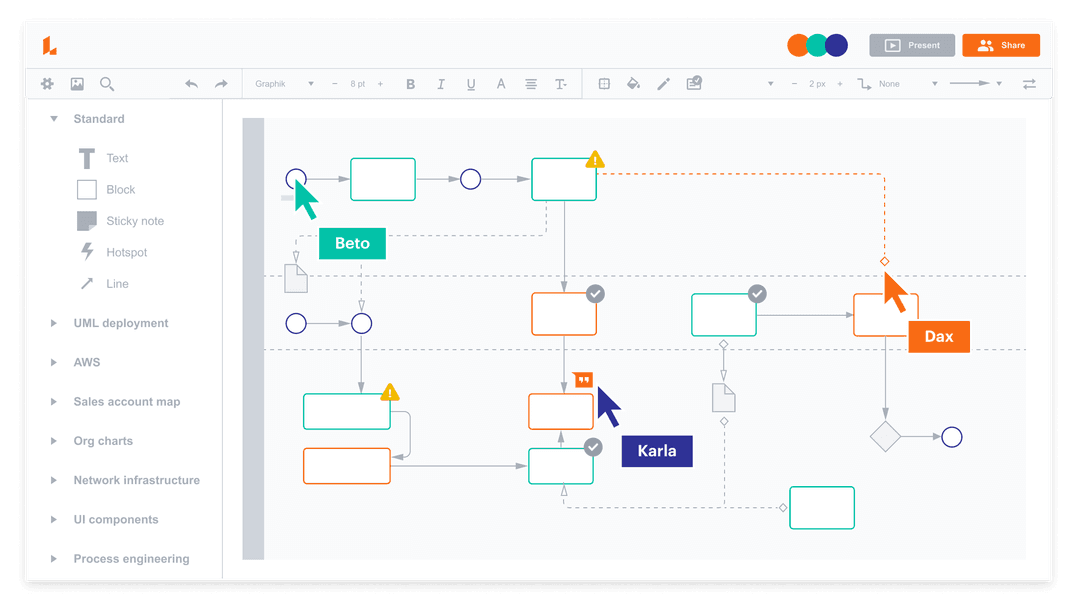
Lucidchart and Miro overlap heavily as visual product development, project management, and collaboration tools, offering core features like real-time editing, shared canvases, drag-and-drop elements, templates, and integrations with tools like Google Workspace, Slack, and Microsoft apps. Both platforms support diagramming (e.g., flowcharts, mind maps) and enable team members to collaborate synchronously with comments, version control, and cloud-based access.
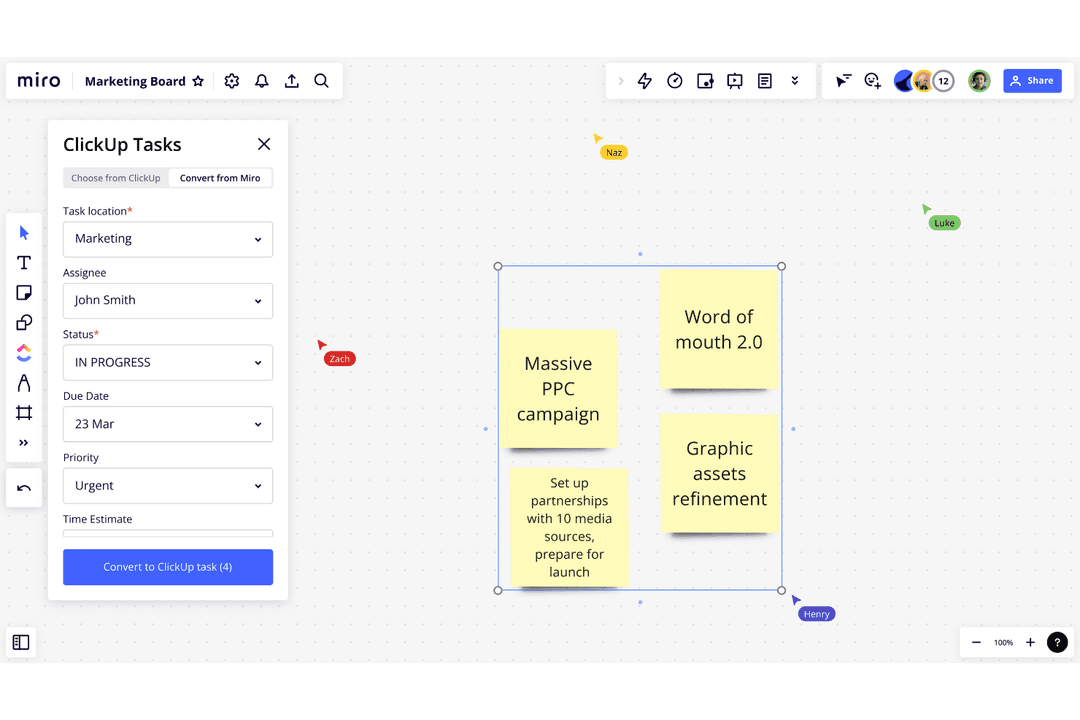
Where they diverge is in their core strengths: Lucidchart stands out with advanced diagramming and data-linked visuals, including automated diagram generation and deep support for technical diagrams like UML or network maps. Miro, by contrast, differentiates itself with an infinite whiteboard canvas built for brainstorming, plus features like built-in video/chat and highly flexible product collaboration spaces that feel closer to a digital workshop than a structured diagram tool.
| Lucidchart | Miro | |
|---|---|---|
| Multi-User | Yes | Yes |
| Integration | Lucidchart | Miro |
| Google Drive | ✅ | ✅ |
| Microsoft Teams | ✅ | ✅ |
| Slack | ✅ | ✅ |
| Atlassian Jira | ✅ | ✅ |
| Confluence | ✅ | ✅ |
| Salesforce | ✅ | ✅ |
| GitHub | ✅ | ✅ |
| Asana | ✅ | ✅ |
| OneDrive | ✅ | ✅ |
| Box | ✅ | ✅ |
| API | ✅ | ✅ |
| Zapier | ✅ | ✅ |
Lucidchart and Miro both cover the most popular integrations for product development teams. Both platforms also provide API and Zapier access, so you can connect to almost any workflow, making either tool a strong fit for most integration needs.
| Factor | Lucidchart | Miro |
| Data Encryption | Encrypts data in transit and at rest using industry-standard protocols (e.g., TLS, AES). | Uses TLS for data in transit and AES-256 encryption for data at rest. |
| Regulatory Compliance | SOC 2 Type II, GDPR, PCI DSS, ISO 27001, ISO 27701, FedRAMP (Moderate), and more. | SOC 2 Type II, GDPR, ISO 27001, and other enterprise-grade certifications. |
| Access Controls | SSO (SAML), SCIM, role-based permissions, domain control, and admin governance tools. | SSO, role-based access controls, enterprise admin controls, and provisioning features. |
| Uptime Guarantee | 99.9% uptime SLA for enterprise customers with redundancy across availability zones. | ~99.9% uptime with publicly available system status reporting. |
| Data Residency | Primarily hosted on AWS with global infrastructure; limited explicit regional residency controls. | Offers regional data residency options (e.g., EU, US) for enterprise customers. |
Both Lucidchart and Miro offer strong enterprise-grade security, including encryption, SSO, and SOC 2 Type II compliance. However, Lucidchart has the broader compliance portfolio, with additional certifications like ISO 27001 and FedRAMP, making it particularly appealing for regulated industries. On the other hand, Miro stands out for its more flexible data residency options and globally distributed infrastructure
| Factor | Lucidchart | Miro |
| User Interface | Features a clean, structured interface focused on diagramming and flowcharts. | Offers a flexible, open canvas that encourages freeform collaboration. |
| Onboarding | Provides guided tutorials and templates to help new users get started quickly. | Uses interactive walkthroughs and templates for fast team onboarding. |
| Real-Time Collaboration | Enables real-time editing, comments, and version history for team alignment. | Supports live collaboration, sticky notes, and voting for dynamic teamwork. |
| Customization | Allows detailed customization of shapes, connectors, and diagrams. | Lets users personalize boards with widgets, images, and integrations. |
| Support | Offers in-app help, knowledge base, and responsive email support. | Delivers live chat, help center, and community forums for quick answers. |
Miro feels more intuitive for creative, collaborative sessions, while Lucidchart shines when you need structure and clarity in your diagrams. Lucidchart’s strengths are its organized interface and detailed customization, while Miro stands out for its interactive canvas and seamless team collaboration.
Lucidchart
- You can easily create complex diagrams with its intuitive drag-and-drop interface.
- Real-time collaboration makes it easy for your team to work together from anywhere.
- It offers a wide range of templates to kickstart your design process quickly.
- Some users find the advanced features require a learning curve.
- You might experience occasional lag with larger projects.
- It lacks some niche design tools found in specialized software.
Miro
- You can easily collaborate with your team in real-time on an infinite canvas.
- Miro makes brainstorming sessions more interactive and engaging.
- Visual tools help your team organize ideas quickly and efficiently.
- Your team might experience lags with large data loads.
- Miro requires a constant internet connection to function properly.
- Some users find the initial setup overwhelming without guidance.
Lucidchart
- Tech StartupsLucidchart helps your team brainstorm and design app architectures with its easy drag-and-drop interface.
- EducationIt offers educators tools to map curricula and collaborate on lesson plans in real-time.
- Marketing TeamsYou can use Lucidchart’s templates to quickly create and share marketing strategies.
- Project ManagersVisualize project timelines and processes with diagrams that keep your team aligned.
- HR DepartmentsCreate organizational charts and training materials that are easy for your team to understand.
- Product DevelopmentHelps you map out product designs and workflows, making collaboration seamless.
Miro
- Creative TeamsMiro's visual tools make brainstorming and concept development intuitive and engaging for your team.
- Agile Project GroupsYou can manage sprints and retrospectives visually, keeping everyone aligned and interactive.
- Product ManagersMiro helps map out product roadmaps and strategies with clarity and ease.
- Remote TeamsCollaboration feels seamless with Miro's real-time features, even when your team is spread out globally.
- Design AgenciesMiro's whiteboarding capabilities enhance your design thinking process and client presentations.
- Tech StartupsFast-paced idea generation and prototyping become effortless with Miro's dynamic workspace.
Who Should Use Lucidchart, And Who Should Use Miro?
Lucidchart is best for technical product teams that need structure and precision, particularly when working on system architecture, process flows, or detailed documentation. Product managers collaborating closely with engineers or IT teams will benefit from its advanced diagramming, data linking, and ability to clearly map complex systems. It’s most valuable in later-stage development, where clarity, accuracy, and formalized workflows are critical.
Miro is better suited for early-stage product development and cross-functional collaboration, where speed and creativity matter more than structure. Product managers, designers, and stakeholders use it for brainstorming, user journey mapping, and workshops to bring idea visualization together. It excels as a shared space for ideation and alignment, helping teams move from rough concepts to defined plans before execution begins.
| Lucidchart | Miro | |
|---|---|---|
| Automation | Lucidchart Strong: data linking, auto-generated diagrams, imports (e.g., SQL, org charts). | Miro Limited: mostly integrations, not true diagram automation. |
| Canvas Type | Lucidchart Structured formatting and page-based programs | Miro Infinite canvas for freeform work. |
| Collaboration Style | Lucidchart Collaborative editing with comments and controlled structure. | Miro Highly interactive sessions (sticky notes, voting, facilitation tools). |
| Core Focus | Lucidchart System design, process mapping, and technical documentation. | Miro Brainstorming, workshops, and product discovery use cases. |
| Diagram Complexity | Lucidchart Advanced technical diagrams (network, UML, data models). | Miro Basic diagramming functionality, not as deep technically. |
| Cloud-Based Access | Lucidchart and Miro are fully cloud-based, so teams can access and update boards or diagrams from anywhere. |
|---|---|
| Drag-and-Drop Interface | Intuitive editors with easy shape, text, and object manipulation. |
| Integration Options | Each platform connects with popular tools like Google Drive, Microsoft Teams, and Slack to fit into existing workflows. |
| Template Library | Both provide extensive template libraries for diagrams, brainstorming, and planning, helping teams start quickly. |
| Version History | Provide revision tracking and the ability to view or restore previous versions. |