

10 Best User Onboarding Software For Retention In 2026

10 Best User Onboarding Software Shortlist


The best user onboarding software helps you create interactive product tours, checklists, and in-app messages that guide users to value—without relying on engineering support. Without it, onboarding often feels clunky or disconnected, leading to drop-off, support tickets, or poor activation rates.
I’ve tested 20+ onboarding tools and know how hard it is to balance customization with ease of use. In this guide, you’ll find platforms that help product teams launch tailored onboarding flows fast, measure engagement, and continuously improve the user journey.
Why Trust Our Software Reviews
We’ve been testing and reviewing product management software since 2020. As product managers ourselves, we know how critical and difficult it is to make the right decision when selecting software.
We invest in deep research to help our audience make better software purchasing decisions. We’ve tested more than 2,000 tools for different product management use cases and written over 1,000 comprehensive software reviews. Learn how we stay transparent & our software review methodology.
The Best User Onboarding Software Comparison Chart
Here is a table with all the tools we just covered in the overviews.
| Tool | Best For | Trial Info | Price | ||
|---|---|---|---|---|---|
| 1 | Best for AI onboarding videos | 10-day free trial + free demo available | From $40/month (billed annually) | Website | |
| 2 | Best for all-in-one online product training | 14-day free trial | Pricing upon request | Website | |
| 3 | Best for instant AI voiceover in onboarding guides | Free plan available | From $29/user/month (billed annually) | Website | |
| 4 | Best for turning support questions into learning | Free plan + free demo available | From $119/month (billed annually) | Website | |
| 5 | Best for creating engaging user onboarding checklists | 14-day free trial + free demo available | From $174/month (billed annually) | Website | |
| 6 | Best for engaging self-serve training modules | Free demo available | Pricing upon request | Website | |
| 7 | Best for personalized user onboarding | 14-day free trial + free demo available | Pricing upon request | Website | |
| 8 | Best for creating how-to onboarding videos | Free 7-day trial + free plan + free demo available | From $18/creator/month (billed annually) | Website | |
| 9 | Best for converting trial users to subscribers | Free demo available | Pricing upon request | Website | |
| 10 | Best user segmentation for personalized onboarding | 14-day free trial + free demo available | From $299/month | Website |

Best User Onboarding Software Reviews
Here’s a brief description of each user onboarding platform to showcase each tool’s best use case and standout features.


TruPeer is an AI-powered screen recording platform that auto-generates onboarding videos, step-by-step documentation, and a searchable knowledge base from a single screen capture.
Who Is TruPeer Best For?
TruPeer is a good fit for product and customer success teams that need to create and distribute onboarding content quickly without relying on technical resources.
Why I Picked TruPeer
I've included TruPeer in my top picks because its knowledge base search functionality gives onboarding teams a direct signal on where users get stuck. When new users repeatedly search the same terms in the knowledge base, that pattern tells my team exactly which steps in the onboarding content need reworking. I also like that TruPeer's vision-led action detection auto-documents every click from a screen recording, so updating a guide after a product change takes minutes, not hours.
TruPeer Key Features
- AI video generation: Converts screen recordings into narrated onboarding video tutorials automatically.
- Multi-language translation: Translates onboarding content into 120+ languages from a single recording.
- Brand kit: Applies your logo, colors, and fonts to all generated guides and videos for consistent onboarding materials.
- Chrome extension: Captures screen activity directly from the browser without additional software installation.
TruPeer Integrations
TruPeer offers a small set of integrations, including monday.com, Make, Medium, Google Analytics, Repurpose.ai, Bigtincan, and more. It also connects with Zapier to share content through automated workflows.
Pros and Cons
Pros:
- AI voiceover replaces manual narration recording
- Supports 30+ language translations instantly
- Auto-generates guides from screen recordings
Cons:
- Chrome extension only, no other browsers
- Limited advanced video editing controls

SkyPrep
Best for all-in-one online product training

SkyPrep's online training software is designed to cater to your organization's onboarding needs by automating training processes and enhancing employee productivity. Tailored for businesses focused on improving team efficiency and knowledge retention, SkyPrep helps solve challenges associated with time-consuming training methods. By streamlining the onboarding process, it empowers you to focus on nurturing talent and driving growth within your team.
Why I Picked SkyPrep
I picked SkyPrep for its unique position as the best all-in-one online product training platform, especially beneficial for those seeking user onboarding solutions. With features like centralized content management and social learning capabilities, SkyPrep allows your team to easily access and share training materials, fostering a collaborative learning environment. The platform's robust reporting analytics provide insights into learner progress, helping you identify areas for improvement and ensuring that your team is on track. This combination of features makes SkyPrep an ideal choice for organizations looking to optimize their onboarding process.
SkyPrep Key Features
In addition to its all-in-one training capabilities, SkyPrep offers several other features that enhance user onboarding experiences:
- User Management: Streamline the onboarding process by managing user roles and permissions within the platform.
- Course Creation: Develop customized courses with multimedia support to engage learners and cater to various learning styles.
- Virtual Classrooms: Facilitate interactive learning sessions with integrated web-conferencing tools.
- Automated Notifications: Keep your team informed with automated reminders and updates on training progress.
SkyPrep Integrations
SkyPrep offers a variety of native integrations to enhance its online training software. Integrations include Google Analytics, HubSpot, LinkedIn, Optimizely, and AddThis, and an API is available for custom integrations.
Pros and Cons
Pros:
- Quick implementation process supports fast onboarding of new users.
- Centralized training materials improve accessibility and learning efficiency.
- Effective course authoring tools enhance training management.
Cons:
- Limited reporting features restrict detailed training analysis.
- Lack of 24-hour customer support can delay issue resolution.

Best for instant AI voiceover in onboarding guides
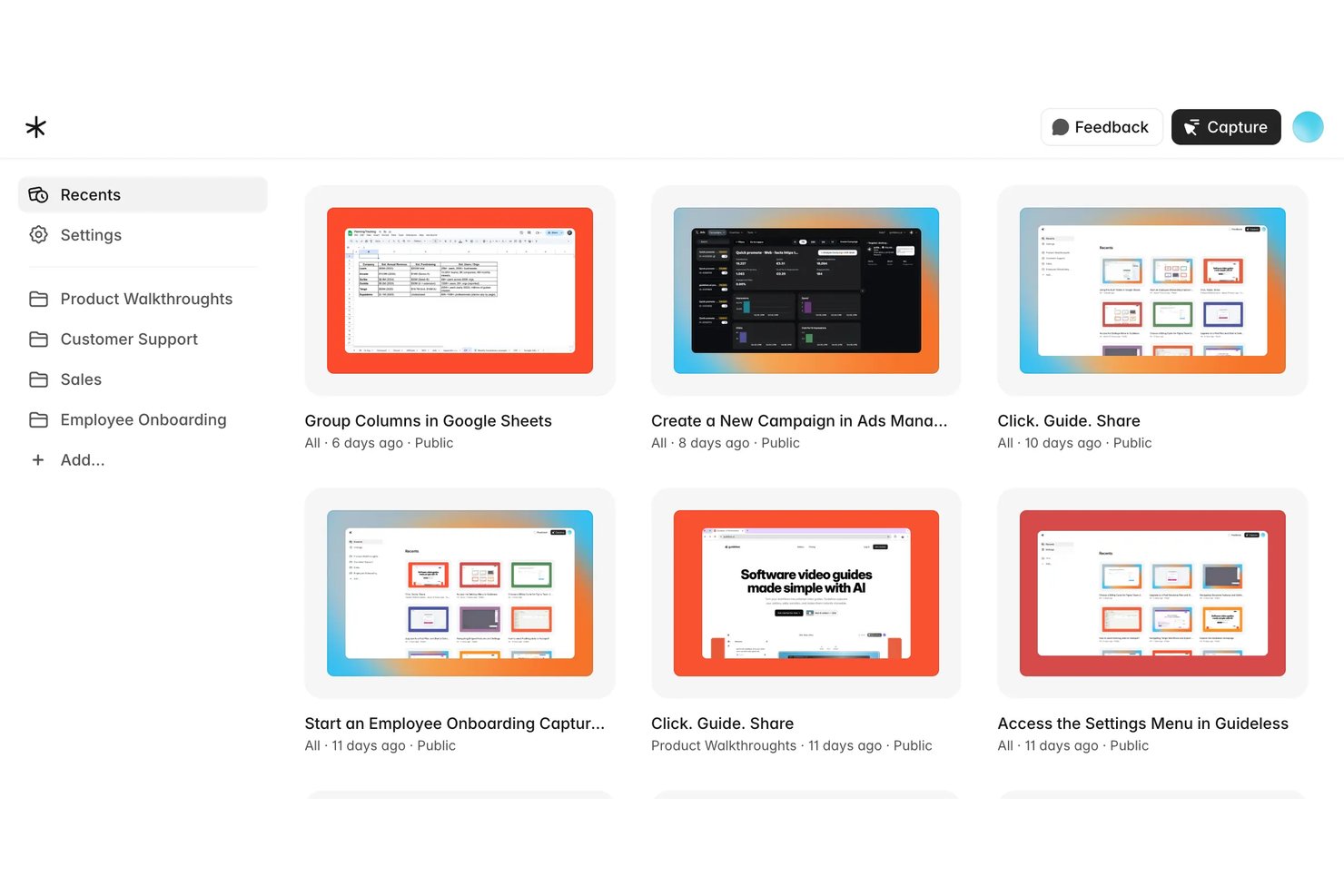
Guideless is a user onboarding solution that enables teams to capture workflows and automatically generate narrated video guides with AI voiceover for web-based products.
Who Is Guideless Best For?
Guideless suits product teams and customer educators who want to quickly create narrated workflow guides without technical setup or manual recordings.
Why I Picked Guideless
I picked Guideless as one of the best because I can instantly turn a product walkthrough into a narrated onboarding guide with natural-sounding AI voices. My team uses Guideless to capture browser workflows, edit scripts, and generate video guides without any recording hassles.
Guideless Key Features
- Chrome extension workflow capture: Instantly records actions taken in your browser for quick guide creation.
- Custom branding and styling: Lets you add company logos and colors to align guides with your brand identity.
- Multilingual voiceover support: Supports AI voice generation in a variety of languages for global product teams.
- Instant MP4 export and embedding: Enables fast sharing of finished workflow guides by link, embedded widget, or video file.
Guideless Integrations
Native integrations are not clearly documented. An API is available for custom integrations.
Pros and Cons
Pros:
- Chrome extension for instant workflow capture
- No manual screen recording required
- AI voiceover supports multiple languages
Cons:
- Limited onboarding analytics and reporting
- No native in-app onboarding overlays

Best for turning support questions into learning

You get a user onboarding platform in TalentLMS that helps you guide new customers from first login to long-term adoption through clear, structured training experiences. If you’re trying to reduce early churn or help trial users reach meaningful product value faster, TalentLMS gives you the tools to deliver personalized, on-brand learning journeys that match each customer’s needs.
Why I Picked TalentLMS
I picked TalentLMS because its branching and segmentation features make it easy to onboard different customer groups with training tailored to their product tier, permissions, or use case. You can turn real customer questions, support tickets, or product feedback into full-onboarding courses using the built-in AI course creator, which helps you close knowledge gaps before they lead to churn. I also like that role-based permissions let you control exactly what each customer type sees, ensuring that onboarding flows stay organized and relevant.
TalentLMS Key Features
Aside from the targeted onboarding and AI-generated course capabilities above, you also get features that help your team deliver smooth and consistent customer learning experiences:
- eCommerce Controls: Provides flexible checkout setups and discount options when selling onboarding programs or premium training.
- Branded Training Environments: Lets you match colors, logos, and certificates to your product, creating onboarding that feels native rather than external.
- Gamification: Engages learners through points, badges, and leaderboards, making the onboarding process interactive and motivating.
- Mobile Learning App: Gives customers the option to complete onboarding steps on the go, reducing friction and keeping momentum.
TalentLMS Integrations
Integrations include BambooHR, Salesforce, Intercom, ADP Workforce Now, Zendesk Chat, Zoom, Microsoft Teams, GoTo, and BigBlueButton.
Pros and Cons
Pros:
- AI course creation turns real user questions into onboarding modules.
- Branches let teams deliver onboarding tailored to product tiers.
- Identifies struggling new users early through structured onboarding data.
Cons:
- Large media onboarding files may require external hosting.
- Onboarding analytics lack deeper funnel breakdown views.
New Product Updates from TalentLMS
TalentLMS Adds Learning Paths, AI Video, and Learner Experience Updates
TalentLMS introduced updates across learning management, content creation, and learner experience, including Learning Paths for Groups, AI video generation in TalentCraft, video bookmarking, and expanded administration tools. For more information, visit TalentLMS’s official site.

Best for creating engaging user onboarding checklists

UserGuiding helps product teams create step-by-step user onboarding walkthroughs without requiring any coding. This helps to simplify the initial steps users need to complete to get up and running in a new software system, eliminating friction and potential frustration.
UserOnboarding transforms your onboarding to-do list into a simple and interactive checklist. A progress bar that indicates how long the checklist is also helps to keep users engaged and motivated to finish the workflow setup.
You can also use UserGuiding's product walkthrough feature to help increase the digital adoption of new product features. This is a savvy option for proactively avoiding user confusion if the changes to your user experience are substantial. In this way, you'll also improve your overall customer success rate for your software system's new features.
Integrations include HubSpot, Google Analytics, Google Tag Manager, Intercom, MixPanel, Segment, Slack, and Woopra.
Paid plans start at $89/month when billed annually.

Absorb
Best for engaging self-serve training modules

Absorb empowers your team with a user-friendly learning management system that enhances the onboarding experience by providing tailored learning paths and automated workflows. It appeals to businesses across various industries, from small enterprises to large corporations, looking to improve employee integration and productivity. By addressing the need for personalized and dynamic training modules, Absorb ensures that your team members are well-equipped and engaged from day one, ultimately reducing turnover and fostering a positive company culture.
Why I Picked Absorb
I picked Absorb for its exceptional capability in delivering engaging, dynamic self-serve training modules, which are crucial for effective user onboarding. The platform's course authoring tool allows you to create interactive and personalized learning paths, catering to the specific needs of your new hires. Additionally, its social learning features foster collaboration and knowledge sharing among employees, enhancing the onboarding experience. With Absorb , you also benefit from advanced analytics that provide insights into learner progress, ensuring that your team receives the support they need to succeed.
Absorb Key Features
In addition to its standout self-serve training modules, Absorb offers several other features that enhance the onboarding process for your team:
- Automated Workflows: Streamline onboarding tasks with automated reminders and notifications that keep new hires on track.
- Mobile Access: Ensure that your team can access training materials anytime and anywhere with mobile-friendly content.
- Gamification: Engage learners by incorporating gamified elements into your training programs, motivating them to complete courses.
- Content Library: Access a vast array of expertly curated courses to supplement your onboarding curriculum.
Absorb Integrations
Integrations include ADP, BambooHR, Namely, Workday, SAP SuccessFactors, UKG Pro, Salesforce, HubSpot, Zoom, and Webex. Additionally, the platform supports custom integrations through APIs and webhooks.
Pros and Cons
Pros:
- Interactive modules engage users and boost retention.
- Comprehensive analytics provide insights into learner progress.
- Gamification elements motivate users and enhance engagement.
Cons:
- Integration with HRIS systems may present challenges.
- Cost may be higher compared to some competitors.
New Product Updates from Absorb

Absorb Adds Department-Level Message Branding
Absorb adds Department Message Branding for custom email branding, contact details, and sender identity by department. This gives multi-tenant portals more control over brand-specific communications. For more information, visit Absorb’s official site.
 .
.
Stonly
Best for personalized user onboarding

Stonly is a knowledge management platform designed to enhance user onboarding and support processes. It empowers organizations to create interactive guides and articles, facilitating self-service for customers and improving support efficiency.
Why I Picked Stonly
I chose Stonly because of its ability to personalize knowledge for users. It offers tailored information that helps customers resolve issues on their own, which can significantly improve their onboarding experience. Additionally, Stonly's AI integration provides reliable assistance, enhancing the overall support experience for both users and agents.
Another reason for picking Stonly is its process automation feature. This simplifies complex procedures and reduces training time for support agents, making it a valuable tool for onboarding new users. By automating repetitive tasks, your team can focus on delivering a better experience to your customers right from the start.
Standout Features
Features include AI integration, which offers accurate responses and assists in ticket summarization and resolution suggestions. Stonly also provides extensive knowledge management tools, such as versioning and user analytics, to help manage information at scale. Additionally, the platform empowers customer self-service, leading to a significant reduction in support tickets and an increase in first-touch resolution rates.
Integrations
Integrations include Slack, Salesforce, Google Sheets, Harvestr, Google BigQuery, Jira Software Cloud, monday.com, Google Docs, Pipedrive, Discord, Microsoft Excel, and Gmail.
Pros and Cons
Pros:
- user-friendly interface
- customization options
- detailed analytics providing insights into user interactions and onboarding
Cons:
- pricing concerns, as some users noticed
- customers need coding knowledge for event tracking and user targeting

Guidde
Best for creating how-to onboarding videos

Guidde is a generative AI app that simplifies the creation of how-to onboarding videos. Its AI is trained to assist in creating clear, instructional content for onboarding customers or new hires. The platform allows users to quickly generate, organize, and distribute video tutorials and guides without needing extensive technical knowledge.
Guidde is particularly useful when you need to create professional onboarding content faster and share it in multiple formats such as a link, MP4, PDF, or HTML, with analytics reports to see the impact. It is also integrated with top tools like Zoom, Slack, Notion, GitLab, Google Drive, Confluence, and more, for easy distribution of video guides.
You’ll find it easy to capture workflows, because the AI automatically breaks the content into step-by-step instructions, adding highlights and callouts in a way that’s engaging and easy to follow. Your team can also use Guidde via the web browser plugin or the desktop app and create spaces for cross-team collaboration.
The platform’s tagging and organization system also helps your team ensure that all videos are easy to find and categorize, reducing the time spent searching for the right content. You can even create customizable spaces for specific customers to tailor their onboarding experience.

Apty
Best for converting trial users to subscribers

Apty is designed to support enterprises in refining their user onboarding and maximizing software adoption. If you're in sectors such as CRM, LMS, ERP, or project management, Apty offers solutions that simplify complex software interactions, making it a suitable choice for those aiming to boost productivity and user engagement. By offering real-time support and analytics, Apty tackles challenges in software adoption, ensuring a smooth onboarding experience for both users and businesses.
Why I Picked Apty
I picked Apty for its unique capability in converting free trial users into paying subscribers, a critical aspect of user onboarding software. Apty excels with its guided workflows and onboarding checklists, which provide structured paths for users to explore software features comprehensively. Additionally, its in-app announcements keep users informed about new features or updates, enhancing engagement. These features, combined with robust analytics, allow you to track user interactions and tailor experiences, ensuring trial users see the full value of your software.
Apty Key Features
In addition to its user onboarding strengths, Apty offers several other features that make it a valuable tool for your team:
- Guided Workflows: Create step-by-step processes that help users navigate complex software applications with ease.
- Onboarding Checklists: Provide users with a clear list of tasks to complete, ensuring they don't miss important steps during onboarding.
- In-App Announcements: Communicate important updates and feature releases directly within the application, keeping users informed and engaged.
- Robust Analytics: Gain insights into user behavior and interactions, allowing you to optimize onboarding processes and improve user engagement.
Apty Integrations
Integrations include Salesforce, Workday, ServiceNow, Microsoft Dynamics, Oracle, SAP, Slack, Zendesk, Jira, and Google Workspace.
Pros and Cons
Pros:
- In-app announcements enhance communication with users.
- Strong analytics tools offer insights into user interactions.
- Seamless integration with popular platforms like Salesforce and Workday.
- In-app announcements enhance communication with users.
- Strong analytics tools offer insights into user interactions.
- Seamless integration with popular platforms like Salesforce and Workday.
- In-app announcements enhance communication with users.
- Strong analytics tools offer insights into user interactions.
- Seamless integration with popular platforms like Salesforce and Workday.
Cons:
- Initial setup can be complex, requiring technical skills.
- Limited features for advanced user onboarding, like surveys.
- Initial setup can be complex, requiring technical skills.
- Limited features for advanced user onboarding, like surveys.
- Initial setup can be complex, requiring technical skills.
- Limited features for advanced user onboarding, like surveys.

Userpilot
Best user segmentation for personalized onboarding

Userpilot is cloud-based software that helps businesses improve product adoption and customer onboarding. Admins can segment users, based on certain attributes or in-app events. They can also create multilingual walkthroughs or add tips and hits to improve the client's overall experience.
The software gets new users up and running faster by offering a personalized user onboarding experience. Enterprises can add custom triggers or conditions and preview them across staging and production environments. To optimize performance, they can also perform A/B testing, set up milestones, and track engagement rates.
This tool integrates with platforms such as Google Analytics, Amplitude, Intercom, and Segment.
Userpilot costs from $249/user/month. A 14-day free trial is also available.
Other User Onboarding Software
Here are a few more that didn’t make the top list but are worth your consideration.
- Userflow
For building a contextual and personalized resource center
- Appcues
For tracking onboarding KPIs
- GUIDEcx
For user onboarding task lists
- Intercom
User onboarding paired with customer support services
- WalkMe
For interactive website walkthroughs
- Pendo
User onboarding software for feature discovery
- Bridge
Skill development tracking for onboarding
- Plotline
Product tours and tutorials for mobile apps
- Intro.js
Lightweight, open source user onboarding library
- Compass
For interactive walkthroughs
- Hopscotch
User onboarding for SaaS companies
- Chameleon
Embedded guidance and design flexibility
- Product Fruits
For AI product tours
- Mitratech Perform
For product onboarding paired with industry upskilling
- iSpring Cloud AI
For rapid online course creation
- Hotjar
Heatmaps and screen recording to track user onboarding flow for product usage optimization
- Customer.io
User onboarding centered around data-driven emails, push notifications, and SMS messages
- Vimeo
Record and share video tutorials for detailed product adoption training and feature tutorials
- Process Street
Process and workflow management that can be used for onboarding clients of professional service providers
- Inline Manual
Digital adoption platform for interactive walkthroughs, tooltips, surveys, and support articles
- Helppier
Easy-to-build welcome messages and product tours with a quickstart template library
- Constructor Tech
For interactive learning environments
- Zumvie
Interactive product demos that don’t require a customer to log in anywhere before getting taking a test drive
- VidGrid
Enterprise video software that can be used for recording, sharing, and embedding product tutorials
- Userlist
SaaS email automation that can be used for various product onboarding messages


Related Product Management Software
If you still haven't found what you're looking for here, check out these tools closely related to user onboarding software, that we've tested and evaluated.
- Best Product Planning Software
- Best UX Design Tools
- Best Product Development Software
- Best Product Analytics Tools
- Best Product Development Software
- Best Product Marketing Tools
How I Evaluate User Onboarding Software
I split my evaluation into two layers: baseline criteria—like no-code flow builders, in-app UI patterns, and segmentation—and differentiators that set the best options apart.
Core Functionality (Table Stakes For This List)
When I'm selecting tools for my list, I rank each one on a scale from 0 (does not offer the functionality) to 5 (excels in this area) for each core functionality listed below. Then, I calculate the tool's total score into a percentage. Each tool needs to achieve a minimum total score of 65% to be considered for inclusion.
- No-Code Flow Builder: I look for a visual editor that lets product managers build and publish walkthroughs, tooltips, and checklists without filing engineering tickets or writing custom CSS.
- In-App UI Patterns: The tool should offer multiple pattern types—tours, modals, hotspots, checklists, banners—so you can match the right format to each activation moment.
- User Segmentation & Targeting: I evaluate whether flows can be triggered by user attributes, in-app behavior, or lifecycle stage, like showing a feature tour only to trial users who haven't activated yet.
- Onboarding Analytics: Each tool should surface funnel metrics, step-level completion rates, and drop-off data so product teams can pinpoint where users stall and iterate on flow design.
- Multi-Platform Support: I check whether onboarding experiences work across web and mobile, since many products today serve users on both and need consistent activation flows in each environment.
- Integrations & Data Sync: The platform should connect with your existing analytics, CRM, and CDP tools—like syncing onboarding events to Amplitude or pulling user properties from Segment.
Once I have a list of tools that meet this criteria, I consider what sets each platform apart.
Differentiating Factors (What Sets Vendors Apart)
Here's how I compare and contrast different vendors:
Standout Features
A/B testing capabilities matter a lot here—being able to test two versions of a welcome tour against each other helps you make data-backed decisions about what drives activation. I also look for built-in microsurveys and NPS prompts, which let you capture qualitative feedback right at the moment a user completes a key step. For teams with a global user base, localization support is worth evaluating closely, since duplicating every flow manually per language gets unmanageable fast.
Beyond Features
Pricing model matters because MAU-based billing can spike costs quickly as your product grows—I evaluate how transparent and scalable each vendor's pricing structure is before recommending it. Implementation effort is another big one; I look at how fast a product team can go from snippet install to a live onboarding flow without pulling in developers. Security and compliance also come into play, especially for teams handling sensitive user data. I check for SOC 2 Type II certification, GDPR readiness, and SSO support as baseline expectations.
How to Choose User Onboarding Software
With so many different user onboarding software solutions available, it can be challenging to make decisions on what user onboarding software is going to be the best fit for your needs.
As you're shortlisting, trialing, and selecting user onboarding software consider the following:
- What problem are you trying to solve - Start by identifying the user onboarding feature gap you're trying to fill to clarify the features and functionality the user onboarding software needs to provide.
- Who will need to use it - To evaluate cost and requirements, consider who'll be using the software and how many licenses you'll need. You'll need to evaluate if it'll just be the product management professionals, or the whole organization that will require access. When that's clear, it's worth considering if you're prioritizing ease of use for all, or speed for your user onboarding software power users.
- What other tools it needs to work with - Clarify what tools you're replacing, what tools are staying, and the tools you'll need to integrate with, such as accounting, CRM or HR software. You'll need to decide if the tools will need to integrate together, or alternatively, if you can replace multiple tools with one consolidated user onboarding tool.
- What outcomes are important - Consider the result that the software needs to deliver to be considered a success. Consider what capability you want to gain, or what you want to improve, and how you will be measuring success.
For example, an outcome could be the ability to get greater visibility into performance. You could compare user onboarding features until you’re blue in the face, but if you aren’t thinking about the outcomes you want to drive, you could be wasting a lot of valuable time. - How it would work within your organization - Consider the software selection alongside your workflows and delivery methodology. Evaluate what's working well, and the areas that are causing issues that need to be addressed.
Remember, every business is different — don’t assume that because a tool is popular that it'll work in your organization.
Trends in User Onboarding Software
The evolution of user onboarding tools reflects significant advancements in technology and a deepening understanding of user needs, with a specific aim towards streamlining the learning curve and boosting user engagement from the first interaction. Here are some key trends I have identified that shed light on the future direction of user onboarding technology.
Trends in User Onboarding Software and Technology
- Increased Use of AI and Machine Learning: There's a noticeable shift towards integrating AI to personalize the onboarding experience. This technology helps in predicting user needs and providing customized guidance, making the onboarding process more efficient and engaging.
- Gamification Elements: Incorporating game-like elements into the onboarding process is rapidly evolving. This approach increases user engagement by making learning fun and rewarding, which is crucial for retaining users beyond the initial stages.
- Integrated Helpdesk Solutions: More companies are integrating helpdesk software like Help Scout and Zendesk to provide real-time support during onboarding. Features like shared inboxes, live chat, and AI-driven chatbots help users resolve issues quickly without leaving the product.
- Self-Service Resource Centers: Businesses are also leveraging knowledge bases, community forums, and automated ticketing systems to empower users to find answers independently. This reduces friction, improves onboarding efficiency, and enhances user retention.
- Advanced Analytics and User Insights: There's a growing emphasis on leveraging data analytics to understand user behavior better. This functionality allows for the continuous improvement of onboarding processes based on actual user interactions and feedback.
- Session Recording and Heatmaps: Session recordings allow teams to see exactly how users navigate the onboarding flow, where they get stuck, and which features they engage with most. Heatmaps provide a visual representation of user interactions, highlighting areas of high engagement and potential drop-off points. By leveraging this data, businesses can optimize onboarding flows, improve UX design, and ensure a more seamless introduction to their product.
Novel and Unusual Functionality
- Voice-Activated Interfaces: An emerging trend is the incorporation of voice commands into user onboarding. This novel approach caters to the growing demand for hands-free navigation and accessibility, providing a more inclusive user experience.
- AR/VR Onboarding Experiences: Augmented Reality (AR) and Virtual Reality (VR) are being explored for more immersive onboarding experiences. This unusual functionality can significantly enhance the understanding of complex software by simulating real-world applications.
Most Important and In-Demand Features
- Interactive Tutorials and Walkthroughs: The demand for interactive tutorials that guide users step-by-step through the software remains high. These features are crucial for reducing the initial learning curve and enhancing user confidence in navigating the software.
- Customization and Personalization: The ability to tailor the onboarding experience to individual user preferences and needs is increasingly important. Customization ensures that users receive relevant information, improving their overall satisfaction and engagement with the software.
Declining Importance and Demand
- Lengthy Text-Based Instructions: There's a declining interest in long, text-based onboarding content. Users prefer quick, visual guides that allow them to start using the software without extensive reading, indicating a shift towards more interactive and engaging formats.
- One-Size-Fits-All Onboarding Processes: Generic onboarding experiences that do not account for different user roles or levels of expertise are becoming less popular. Users expect more tailored experiences that recognize their specific context and goals.
The trends in user onboarding software for 2025 reflect a broader move towards more personalized, engaging, and technologically advanced features. As product management professionals, understanding these trends is essential for selecting and developing onboarding solutions that meet the evolving needs of users, ensuring a smooth and enjoyable introduction to software products.
What is user onboarding Software?
User onboarding software is a tool that helps new users quickly understand and adopt a product by guiding them through key features and tasks. Product managers, growth teams, and UX designers use it to reduce early drop-off, streamline setup, and boost activation rates. It solves common onboarding friction—like unclear UI, lack of guidance, or delayed value realization—by offering interactive tutorials, checklists, and in-app messaging.
Features of User Onboarding Software
When selecting user onboarding software, keep an eye out for the following key features:
- Customizable onboarding flows: Create step-by-step guidance tailored to your product and users, making the first experience clear and comfortable instead of overwhelming.
- Interactive walkthroughs: Provide hands-on, in-app tours that guide users through key features, making learning by doing easy and memorable.
- Progress tracking: Show users how far they’ve come in their onboarding journey, keeping motivation high and making the experience feel achievable.
- Contextual tooltips: Offer timely, relevant tips that appear within the interface when users need them most, helping prevent confusion or stalls.
- User segmentation: Deliver specific onboarding content based on user roles, industries, or needs, so everyone gets the information that suits them best.
- Analytics and reporting: Track onboarding completion rates, user behaviors, and drop-off points so you can continually improve the process and spot friction fast.
- Feedback collection: Let users easily share thoughts or report issues during onboarding, so you can fix problems early and keep people happy.
- Integrations with other tools: Connect your onboarding flow with your CRM, help desk, or analytics platforms, ensuring smoother operations and a connected experience.
Common User Onboarding Software AI Features
Beyond the standard user onboarding software features listed above, many of these solutions are incorporating AI with features like:
- Automatic content suggestions: Enable AI to recommend the best resources, tutorials, or tips based on what a user has done so far, keeping them moving forward confidently.
- Personalized onboarding paths: Automatically adjust onboarding steps based on user behaviors or preferences, creating a more relevant and engaging experience for each user.
- Automated support responses: Let AI chatbots answer user questions instantly within the onboarding flow, reducing wait times and freeing up your support team.
- Predictive drop-off analysis: Use AI to identify which users are most likely to abandon onboarding, so you can proactively intervene with actionable tips or incentives to keep them engaged and less likely to drop-off.
- User sentiment analysis: Let AI assess feedback and interactions to gauge user satisfaction or frustration, helping you quickly address trouble spots before they become bigger issues.
Selecting user onboarding software with these features is essential for creating an engaging, informative, and smooth introduction to any software or application. These features not only help in educating new users, but also in building a strong foundation for their long-term engagement and success with the software, enhancing user satisfaction and retention.
Benefits of User Onboarding Software
Effective onboarding goes beyond a user’s first-run experience—it needs to support ongoing product adoption throughout the customer lifecycle.
According to Krystal Higgins, Lead UX Designer at Google, onboarding should be a continuous process that guides users through different stages of engagement.
Without this, users risk forgetting key features, struggling with adoption, or disengaging over time—a phenomenon known as the forgetting curve.
Onboarding software helps combat this drop-off by providing continuous, adaptive guidance that keeps users engaged and learning. The best tools do more than introduce features—they:
- Familiarize users with the product through interactive walkthroughs and tooltips.
- Teach them how to use it effectively with progressive onboarding flows and spaced learning.
- Convert users into committed customers with timely nudges and feature highlights.
- Guide them continuously with lifecycle emails, product updates, and contextual support.
Higgins points to AirTasker, which allows users to follow tasks before committing, and TurboTax, which reintroduces features when users return after a long break. These strategies prove that onboarding isn’t just for new signups—it’s an ongoing process that keeps users engaged long-term.
Key Benefits of User Onboarding Software
1. Increased User Retention & Product Adoption
Users are more likely to stay engaged when they understand a product’s value early and continue discovering new features over time. Onboarding software reduces friction, encourages exploration, and keeps users returning, leading to higher retention and deeper product adoption.
2. Reduced Support Costs
Providing in-app guidance, self-service resources, and interactive help reduces the need for direct customer support. This minimizes support tickets, lowers operational costs, and allows teams to focus on more complex user needs.
3. Faster Time-to-Value
The faster users grasp key functionalities, the more likely they are to stick with the product. Onboarding software accelerates learning, ensuring users reach their first "aha" moment faster, increasing satisfaction and brand loyalty.
4. Data-Driven Insights for Continuous Improvement
User onboarding software includes analytics and behavior tracking, helping businesses refine their onboarding processes. By analyzing drop-off points, engagement trends, and user feedback, companies can optimize workflows, improve product experiences, and drive innovation.
Costs & Pricing for User Onboarding Software
Choosing the right user onboarding software is a pivotal decision for businesses looking to enhance the experience of new users. With a variety of plan options available, it's important to understand the differences in features, functionalities, and pricing to ensure you select the best fit for your needs.
Pricing and features typically vary based on the size of your user base, the complexity of your onboarding needs, and the level of customization and support you require. Here, we'll explore the common plan options for user onboarding software, providing insights into the average pricing and features included in each to help guide software buyers who may be navigating this landscape for the first time.
Plan Comparison Table for User Onboarding Software
| Plan Type | Average Price | Best For: | Common Features Included |
|---|---|---|---|
| Basic | $50 - $100 per month | Early-stage startups | Access to standard onboarding flows, basic analytics, email support |
| Professional | $100 - $500 per month | Growth-stage startups | Advanced customization options, integration capabilities, enhanced analytics, priority support |
| Enterprise | $500 - $2000+ per month | Mature/enterprise organizations | Full customization and branding, dedicated support and training, advanced integration and analytics, access to all features and premium support |
| Free | $0 | Pre-seed startups | Limited onboarding flows, basic analytics, community support |
When considering which plan to choose, it's essential to evaluate the scale of your needs against the features and support offered by each option. Keep in mind that while a free plan may be appealing for budget-conscious businesses or those with minimal needs, investing in a paid plan can provide valuable advanced features and support that can significantly enhance the user onboarding experience.
User Onboarding Software Frequently Asked Questions
Find answers to common questions other people ask about this topic.
What are the average setup times for user onboarding platforms?
Setup times for user onboarding software usually range from a few hours to several weeks. The timeframe depends on platform complexity, the amount of customization you need, and how many integrations your team implements. For most teams, easy plug-and-play tools can be launched in a day, while more robust solutions that require development input take longer.
How can onboarding be personalized for different user segments?
You can personalize onboarding by creating flows that target roles, use cases, or behaviors within your product. Good onboarding software lets you trigger different steps, tooltips, and messages based on user actions, job titles, or account types. This approach helps users get value faster and reduces drop-off in the early stages.
What metrics should be tracked to measure the success of user onboarding?
Track activation rates, feature adoption, time-to-value, completion rates for onboarding steps, and churn during onboarding. Most onboarding tools include built-in analytics for these metrics. These help you see if new users are finding value and where they’re getting stuck so you can refine the experience.
What integrations should I look for in user onboarding software?
Look for integrations with CRM tools, analytics platforms, support desks, and product communication tools (like Intercom or Slack). These integrations streamline your data, automate messaging, and allow you to trigger onboarding actions based on user activity or support needs.
How do user onboarding tools support A/B testing and experimentation?
Onboarding tools that support A/B testing let you create and compare different flows, screen messages, or walkthroughs. This helps your team learn which content drives better activation or retention and iterate quickly. Many leading platforms have built-in testing features for experiments without development resources.
Can onboarding software help reduce customer support tickets?
Yes, onboarding software can lower support volume by guiding users through common questions and setup tasks before they run into issues. Proactive tooltips, videos, and walkthroughs address frequent user challenges so fewer users need to reach out for help.
How do I choose between no-code and developer-driven onboarding tools?
If you want a fast launch or your team doesn’t have engineering resources, no-code tools are best. Choose developer-driven platforms if you need deep customization, unique UI patterns, or complex integration with your app logic. Weigh your product’s needs, your team’s skills, and desired control when deciding
What's Next?
We have a great guide that goes deeper into product onboarding that shows you five tips you can follow for a successful implementation.
For more industry information—including tools reviews and thought-leadership—subscribe to The CPO Club newsletter.