

monday dev Review: Pros, Cons, Features, and Pricing Explained
In my career, I have used many product management tools, including monday dev. In this thorough review, I will evaluate the tool’s pricing, alternatives, pros and cons, target audience, and more.

We review tools independently, and commissions help fund our testing. See our transparency policy, our methodology, or suggest a tool.
monday dev is a product management tool built for software product and engineering teams that need to connect roadmaps, sprints, and backlogs in one place. If your team wants dev-specific workflows—bug tracking, sprint planning, release management—without the configuration overhead that comes with Jira, monday dev is worth a close look. It gives you a visual, flexible workspace that's easier to tailor to your process without needing a dedicated admin to maintain it.
monday dev Evaluation Summary
4.6/5
- From $9/month (billed annually)
- Free trial available
Why Trust Our Software Recommendations
6,700+
Reviews
20
Industry experts
16+
Evaluation factors
14
Years
Our team has been testing and reviewing software since 2012. As product managers ourselves, we know how difficult—and important—it is to choose the right software.
For this guide, we evaluated tools using hands-on testing and independent research, scoring tools using our selection criteria.
Our reviews reflect our human editorial judgment, not a sales pitch.
Expert reviewers:
- Andrew LumbySenior TPM
- Cristiano ValimSenior UI/UX Lead


monday dev Overview
monday dev offers a highly visual, customizable interface and strong integration options, making it a top pick for teams prioritizing flexibility and ease of onboarding. Its automation features and template library simplify setup, while responsive support helps users get started quickly.
Pricing is competitive for mid-sized teams, though advanced reporting and granular permissions may lag behind some alternatives. If you’re judging options for cross-functional collaboration or need to adapt workflows without heavy admin overhead, monday dev is a strong contender—especially for SaaS, product, and engineering teams seeking a balance of usability and depth.
Pros
- You can create forms that live within your project as a view.
- Its integrated proofing feature allows you to add comments to any attached file.
- Automations are easy to create and require no coding.
Cons
- The Gantt view is not useful to build a project.
- Subtask columns do not replicate task structure, needing more customization.
- Training videos have the old UI, making it confusing when learning the tool.
Is monday dev Right For Your Needs?
Who Would be a Good Fit for monday dev?
monday dev is perfect for agile tech teams in startups and IT departments looking for customizable workflows. Its easy-to-use automations and integrated proofing help your team streamline tasks without needing coding skills. Marketing teams also benefit from its form creation feature, which allows you to gather data directly within projects. If your team thrives on visual project management and needs flexibility, monday dev’s adaptable interface and seamless communication tools make it a strong choice.
- Tech StartupsYou’ll benefit from monday dev’s flexible project views and integrations that cater to fast-paced environments.
- IT DepartmentsUse monday dev’s automation features to reduce repetitive tasks and keep your projects moving efficiently.
- Marketing TeamsYou’ll find value in its form creation and proofing tools, which streamline campaign management.
- Creative Agenciesmonday dev’s visual layout and task comment features enhance collaboration on creative projects.
- Small BusinessesIts user-friendly interface and quick onboarding are ideal for teams needing a scalable solution.
- Project ManagersYou’ll appreciate the customizable dashboards that provide real-time insights into your project’s progress.
Who Would be a Bad Fit for monday dev?
Large enterprises with complex project hierarchies might find monday dev lacking in advanced Gantt chart capabilities. If your team relies heavily on detailed task dependencies and extensive subtask structures, you could encounter limitations. Teams needing a highly detailed, structured approach to project management may struggle with monday dev’s focus on flexibility and visual management rather than depth in hierarchical task planning.
- Large EnterprisesYou might find its Gantt view insufficient for managing complex project hierarchies.
- Construction Companiesmonday dev’s lack of detailed task dependencies can hinder projects with intricate timelines.
- Legal TeamsIts visual and flexible setup may not align with your need for linear, document-heavy workflows.
- Finance DepartmentsYou could find its task tracking less suited to the precise data management your work demands.
- Manufacturing FirmsThe absence of detailed task replication could limit efficiency in your structured processes.
- Engineering TeamsYou’ll miss advanced dependency tracking necessary for technical project planning.
How We Test & Score Tools
We’ve spent years building, refining, and improving our software testing and scoring system. The rubric is designed to capture the nuances of software selection and what makes a tool effective, focusing on critical aspects of the decision-making process.
Below, you can see exactly how our testing and scoring works across seven criteria. It allows us to provide an unbiased evaluation of the software based on core functionality, standout features, ease of use, onboarding, customer support, integrations, customer reviews, and value for money.
Core Functionality (25% of final scoring)
The starting point of our evaluation is always the core functionality of the tool. Does it have the basic features and functions that a user would expect to see? Are any of those core features locked to higher-tiered pricing plans? At its core, we expect a tool to stand up against the baseline capabilities of its competitors.
Standout Features (25% of final scoring)
Next, we evaluate uncommon standout features that go above and beyond the core functionality typically found in tools of its kind. A high score reflects specialized or unique features that make the product faster, more efficient, or offer additional value to the user.
We also evaluate how easy it is to integrate with other tools typically found in the tech stack to expand the functionality and utility of the software. Tools offering plentiful native integrations, 3rd party connections, and API access to build custom integrations score best.
Ease of Use (10% of final scoring)
We consider how quick and easy it is to execute the tasks defined in the core functionality using the tool. High scoring software is well designed, intuitive to use, offers mobile apps, provides templates, and makes relatively complex tasks seem simple.
Onboarding (10% of final scoring)
We know how important rapid team adoption is for a new platform, so we evaluate how easy it is to learn and use a tool with minimal training. We evaluate how quickly a team member can get set up and start using the tool with no experience. High scoring solutions indicate little or no support is required.
Customer Support (10% of final scoring)
We review how quick and easy it is to get unstuck and find help by phone, live chat, or knowledge base. Tools and companies that provide real-time support score best, while chatbots score worst.
Customer Reviews (10% of final scoring)
Beyond our own testing and evaluation, we consider the net promoter score from current and past customers. We review their likelihood, given the option, to choose the tool again for the core functionality. A high scoring software reflects a high net promoter score from current or past customers.
Value for Money (10% of final scoring)
Lastly, in consideration of all the other criteria, we review the average price of entry level plans against the core features and consider the value of the other evaluation criteria. Software that delivers more, for less, will score higher.
Core Features
Visual Boards
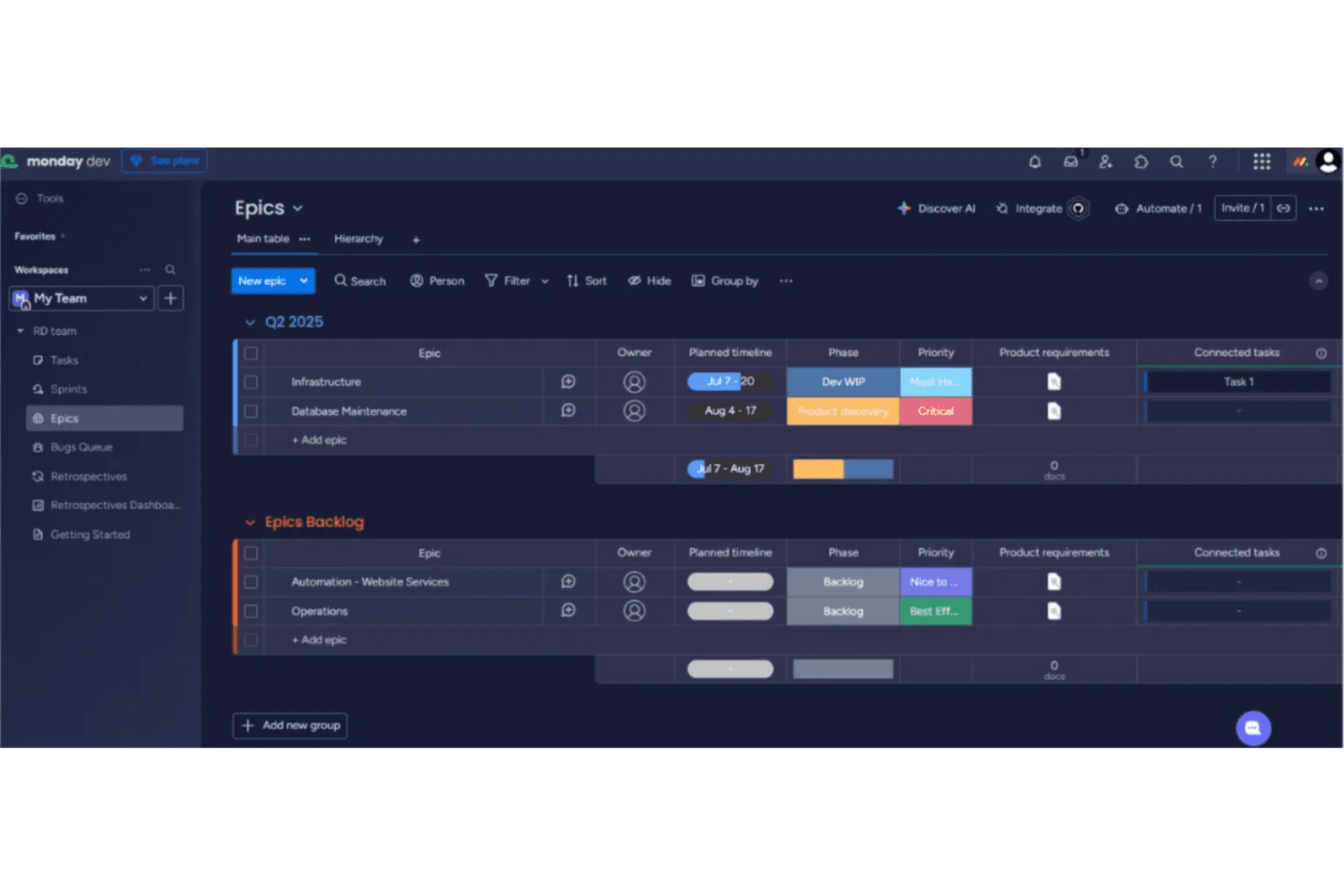
Organize tasks, sprints, and backlogs using drag-and-drop boards. Color-coded statuses and customizable columns make tracking progress easy.
Automations
Set up rules to trigger notifications, status changes, or task assignments. Automations reduce manual updates and keep workflows moving.
AI-Powered Summaries
Generate meeting notes, standup recaps, and task summaries with built-in AI tools. This helps teams quickly share updates and decisions.
Sprint Management
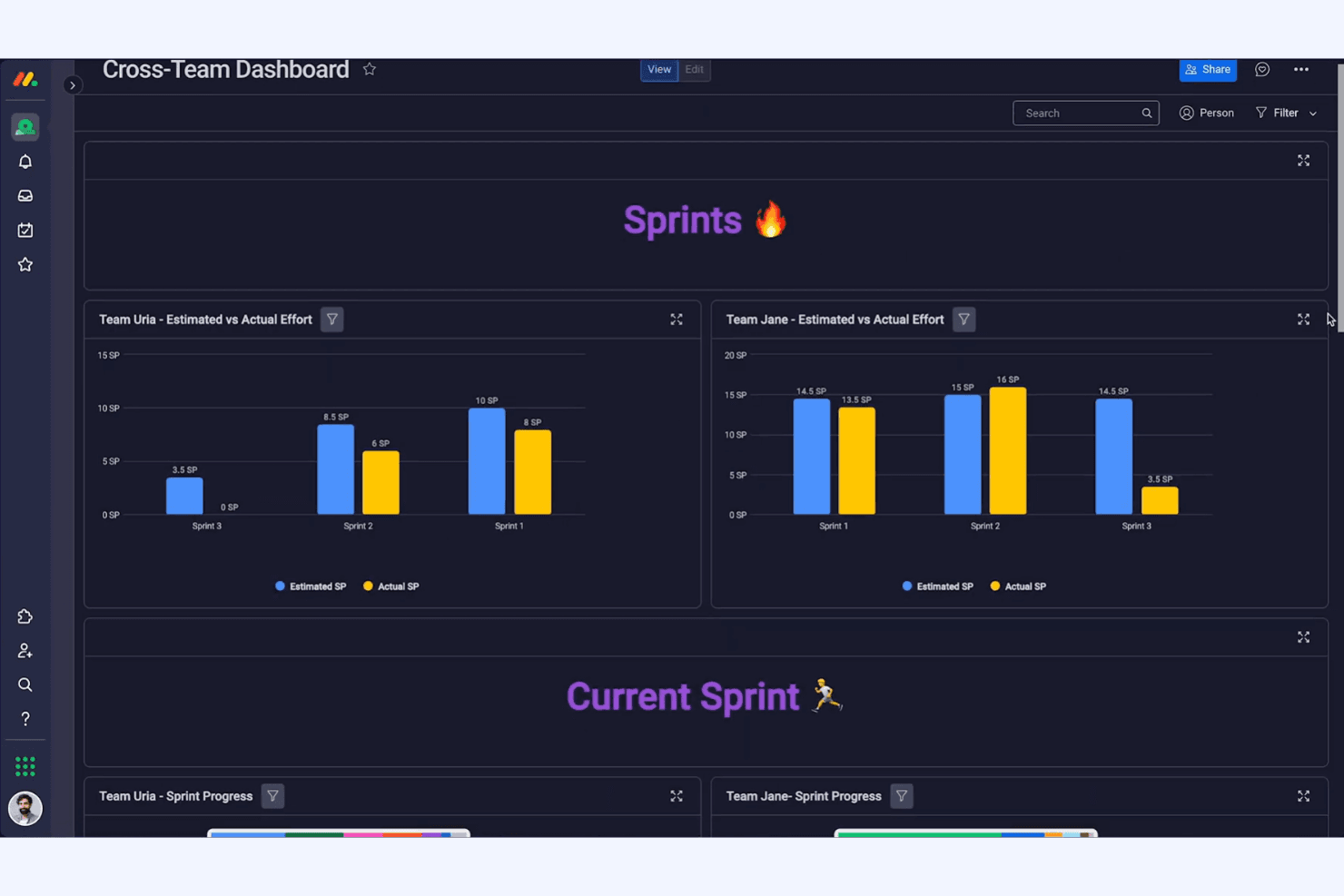
Plan, execute, and review sprints with dedicated templates and tracking tools. Burndown charts and velocity tracking support agile teams.
Custom Dashboards
Build dashboards to visualize project health, team workload, and key metrics. Widgets let you tailor views for different stakeholders.
Backlog Prioritization
Rank and categorize product ideas, bugs, and feature requests in a centralized backlog. Prioritization tools help teams focus on high-impact work.

Ease of Use
monday dev is widely recognized for its intuitive, visually-driven interface that helps new users get started quickly. Drag-and-drop boards, clear status indicators, and guided onboarding make it accessible for both technical and non-technical teams. Users often highlight the ease of customizing workflows and dashboards without coding. While some advanced features require setup, most teams can adapt monday dev to their processes with minimal training, making it a practical choice for fast-moving organizations.
Integrations
monday dev integrates with Slack, Jira, GitHub, Google Drive, Microsoft Teams, Zoom, Dropbox, Salesforce, Zendesk, and Outlook, among others.
It also offers a public API and connects with third-party integration tools like Zapier and Make for expanded automation and connectivity.

monday dev Specs
- A/B Testing: No
- Access Management: Yes
- API: Yes
- Bug Tracking: Yes
- Cloud Deployment: Yes
- Code Transformation: No
- Collaboration Support: Yes
- Data Export: Yes
- Data Import: Yes
- Data Visualization: Yes
- Document Management: No
- External Integrations: Yes
- Form Builder: Yes
- History/Version Control: Yes
- Migration to Cloud: No
- Multi-User: Yes
- Notifications: Yes
- Process Modeling: No
- Re-Platforming: No
- Software Integration: Yes
- Status Notifications: Yes
- Template Designer: Yes
- Third-Party Plugins/Add-Ons: Yes
- Workflow Management: Yes


