

Researching and comparing collaboration tools can be daunting, especially when you're seeking an alternative to Miro and its specific capabilities. You need a solution that fits your team's unique needs, enhances communication, and boosts productivity.
In my experience, product managers often face challenges like dispersed teams, complex projects, and the need for real-time collaboration. That's where the right software comes in. It can help you manage tasks, visualize projects, and keep everyone on the same page.
I've independently tested and reviewed various alternatives to Miro. In this article, I'll share unbiased insights into the best options available. You'll find detailed reviews, highlighting features and benefits tailored to your business challenges. Let's find the perfect fit for your team.
What is Miro?
Miro is a collaboration software designed to enhance teamwork and project management. It's commonly used by professionals like project managers, designers, and educators who need to facilitate communication and idea sharing. Features like real-time collaboration, visual project mapping, and integration with other tools help with keeping your team aligned and efficient. Overall, Miro provides a platform that simplifies complex workflows and boosts team productivity.
Why Trust Our Software Recommendations
6,700+
Reviews
20
Industry experts
16+
Evaluation factors
14
Years
Our team has been testing and reviewing software since 2012. As product managers ourselves, we know how difficult—and important—it is to choose the right software.
For this guide, we evaluated tools using hands-on testing and independent research, scoring tools using our selection criteria.
Our reviews reflect our human editorial judgment, not a sales pitch.
Expert reviewers:
- Andrew LumbySenior TPM
- Cristiano ValimSenior UI/UX Lead


Miro Alternatives Comparison Table
This comparison table summarizes pricing details for my top Miro alternative selections:
| Tool | Best For | Trial Info | Price | ||
|---|---|---|---|---|---|
| 1 | Best for Figma design file handoff | Free plan available | From $16/user/month | Website | |
| 2 | Best for low-fidelity wireframing and flows | Free plan available | From $10/user/month (billed annually) | Website | |
| 3 | Best for EU and Swiss data sovereignty | Free plan + free trial available | From €5/user/month | Website | |
| 4 | Best for AI-driven wireframes to code | Free plan available | From $14/user/month | Website | |
| 5 | Best for facilitated remote workshops | Free demo + free plan available | From $9.99/user/month (billed annually) | Website | |
| 6 | Best for diagram-heavy agile planning | Free plan available | From $5/month (billed annually) | Website | |
| 7 | Best for whiteboarding inside Zoom meetings | Free plan available | Pricing upon request | Website | |
| 8 | Best for private cloud deployment | Free plan available | From $5/member/month (billed annually) | Website | |
| 9 | Best for connecting canvas work to project delivery | Free plan available | Pricing upon request | Website | |
| 10 | Best for live meeting engagement tools | Free plan available | From $24.90/user/month (billed annually) | Website |


We’ve been testing and reviewing product management software since 2020. As product managers ourselves, we know how critical and difficult it is to make the right decision when selecting software. We invest in deep research to help our audience make better software purchasing decisions.
We’ve tested more than 2,000 tools for different product management use cases and written over 1,000 comprehensive software reviews. Learn how we stay transparent & check out our software review methodology.
Best Miro Alternatives Reviews
Below are my detailed summaries of the best Miro alternatives that made it onto my shortlist. My reviews offer a detailed look at the key features, pros & cons, integrations, and ideal use cases of each tool to help you find the best one for you.
 Best for Figma design file handoff
- Free plan available
- From $16/user/month
Visit WebsiteCustomer Rating:4.7/5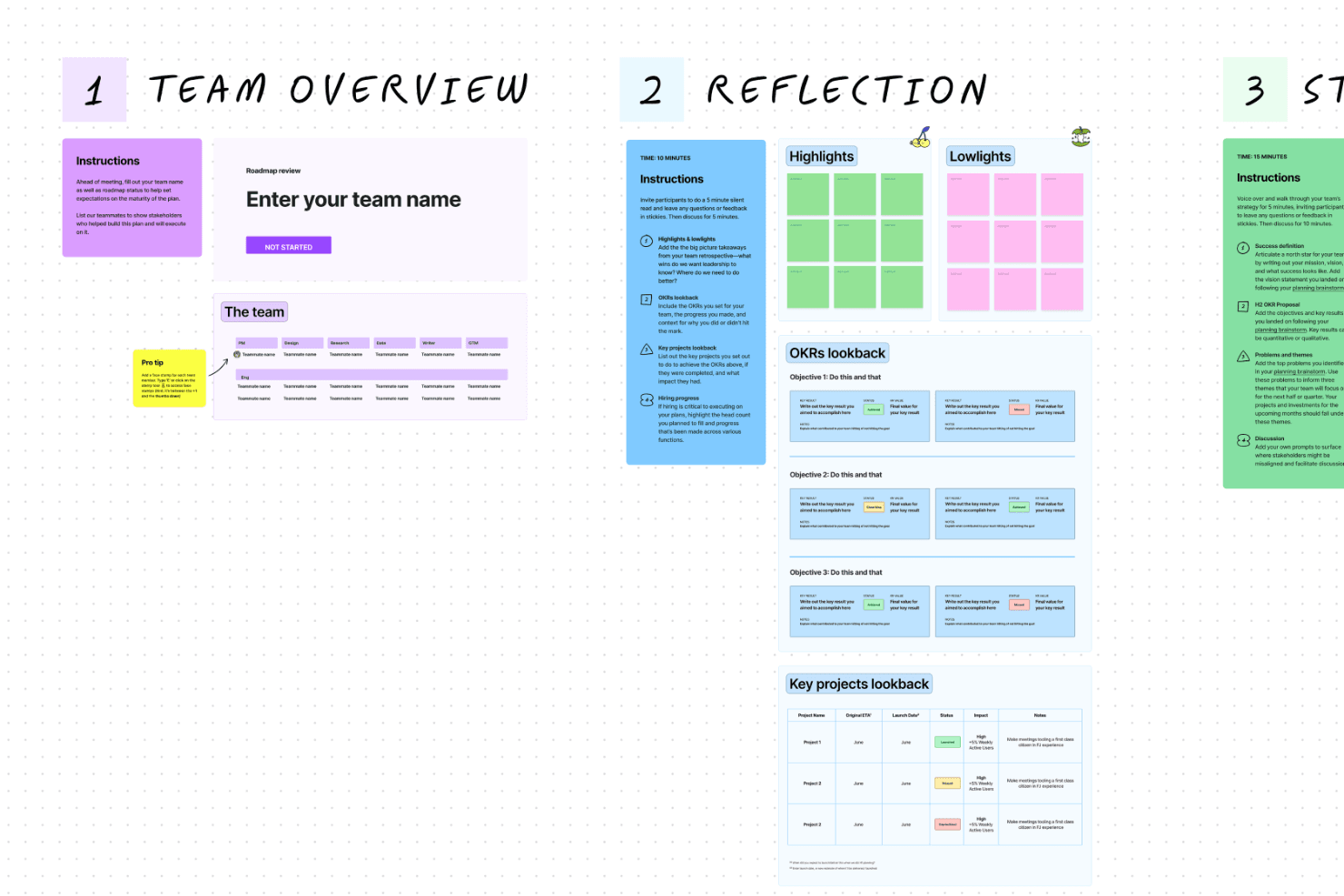
FigJam supports real-time collaboration with visual tools, making it suitable for team brainstorming and design strategy. FigJam is a collaborative online whiteboard for product, design, and business teams that need to run workshops, map ideas, and align stakeholders alongside their Figma workflows.
Who Is FigJam Best For?
Product and design teams that need to present Figma files, gather feedback, and align stakeholders during handoff.
Why FigJam Is a Good Best Miro Alternatives Reviewed
I picked FigJam because it keeps Figma design file handoff connected to collaborative whiteboarding. My team embeds Figma files on FigJam boards, then uses sections, comments, and voting to capture decisions around screens and user flows. During handoff, we can walk engineers and stakeholders through designs without switching between separate review tools.
FigJam Key Features
- Templates: Start boards with pre-built workshop and planning layouts.
- Sticky notes: Add color-coded notes for ideas, feedback, and questions.
- Connectors: Link shapes and objects with directional lines.
- Timer: Set countdowns for focused group activities.
FigJam Integrations
FigJam supports documented integrations with Jira, Asana, Slack, Microsoft Teams, Google Meet, Google Chat, Zoom, Confluence, and Notion, plus Zapier. Figma also provides an open API for custom integrations.
Pros and Cons
Pros:
- Familiar for existing Figma teams
- Design critiques capture comments and votes
- Figma files stay beside workshop discussions
Cons:
- Large boards can become difficult to navigate
- Diagramming feels lighter than Miro
Learn more about FigJam: Best for low-fidelity wireframing and flows
- Free plan available
- From $10/user/month (billed annually)
Visit WebsiteCustomer Rating:4.6/5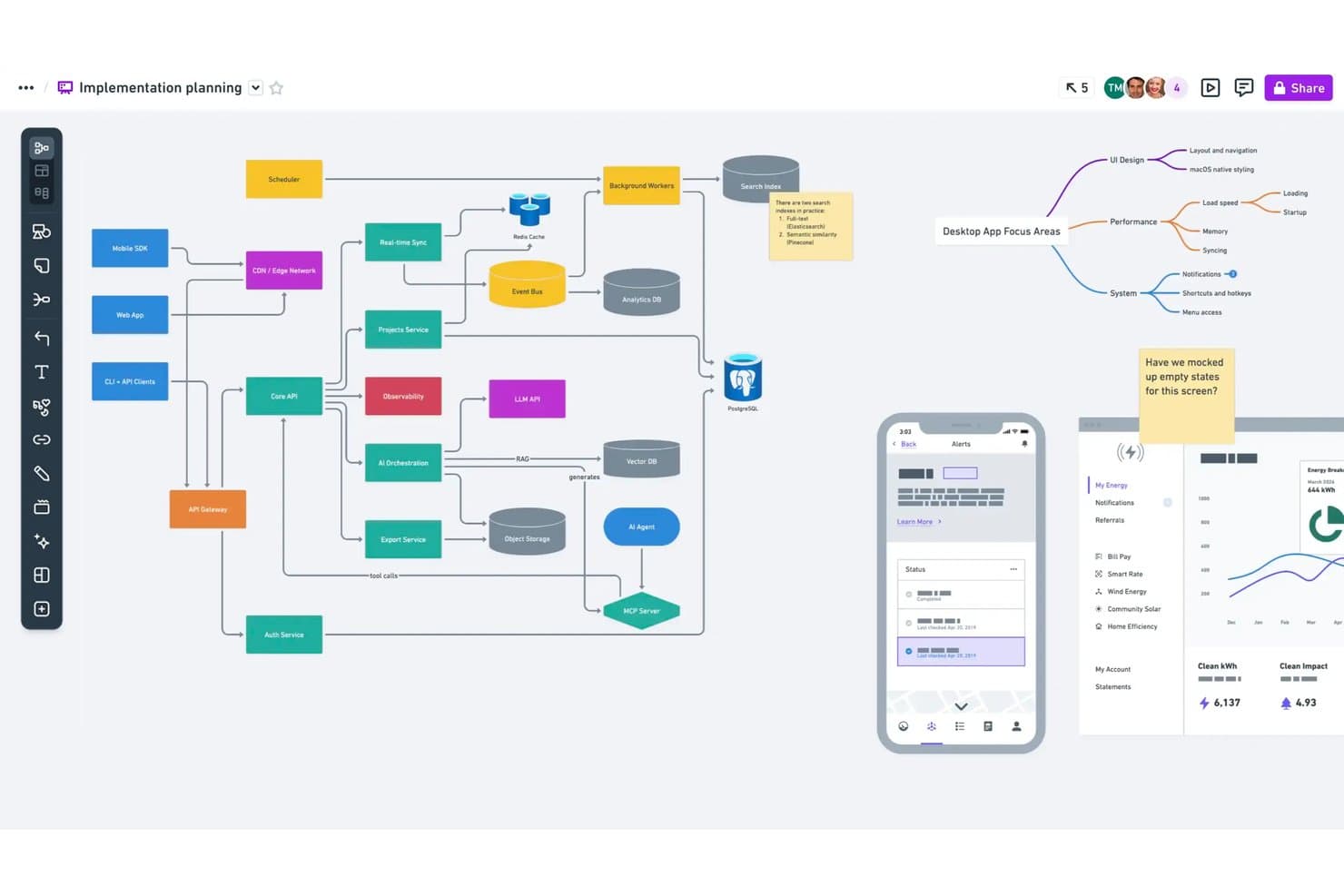
Whimsical supports flowcharts, mind maps, and UI mockups on one board. Whimsical is an online whiteboard platform for product, design, and engineering teams that need a focused workspace for mapping ideas, planning products, and turning early concepts into shared visual plans.
Who Is Whimsical Best For?
Product managers, UX designers, and engineers can use Whimsical to sketch user flows and wireframes before committing to detailed design or development.
Why Whimsical Is a Good Best Miro Alternatives Reviewed
I picked Whimsical because it focuses on low-fidelity wireframing and flows rather than broad visual collaboration. I use its wireframe blocks and flowchart connectors to map onboarding journeys, decision paths, and early product screens before detailed design begins. Its focused canvas helps my team turn discovery ideas into shareable product flows quickly.
Whimsical Key Features
- Real-time collaboration: Edit boards together with teammates.
- Comments: Add feedback directly to canvas objects.
- Presentation mode: Share focused, full-screen walkthroughs.
- Workspace permissions: Control access for teams and guests.
Whimsical Integrations
Whimsical offers integrations with Jira, Linear, GitHub, Slack, Notion, Google Docs, Asana, ClickUp, and Confluence for embedded boards, previews, backlinks, and notifications. Its API is available in beta for custom integrations.
Pros and Cons
Pros:
- Reusable templates speed early discovery
- Clean canvas for product flows
- Fast flowchart and wireframe creation
Cons:
- Limited advanced wireframe customization
- Complex boards can become sluggish
Learn more about Whimsical: Best for EU and Swiss data sovereignty
- Free plan + free trial available
- From €5/user/month
Visit WebsiteCustomer Rating:4.7/5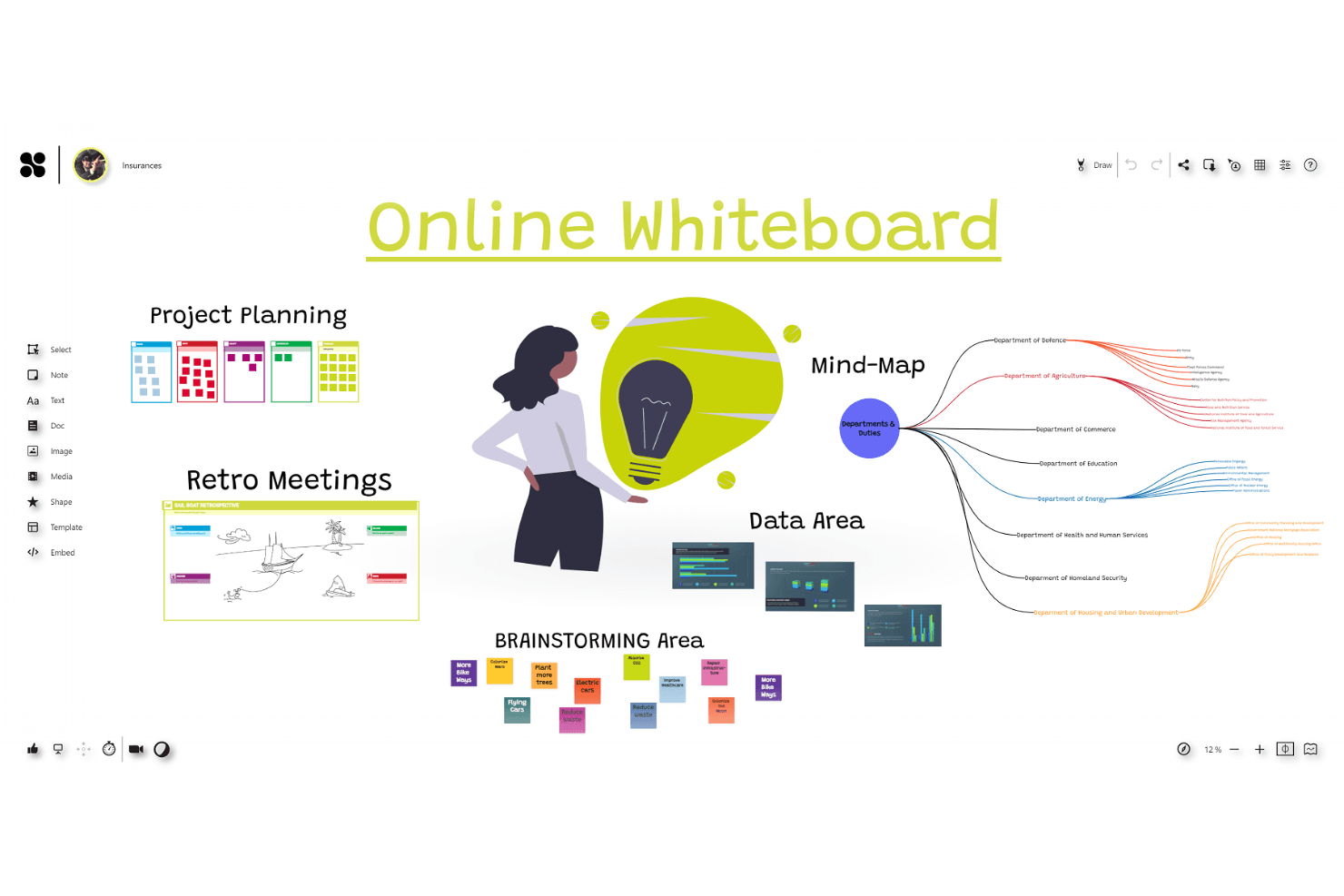
Collaboard offers a secure digital whiteboard experience with tools for mind mapping, retrospectives, and project planning. Collaboard is an online whiteboard for product, design, and distributed teams that need a focused space for workshops, research synthesis, visual planning, and cross-functional decision-making.
Who Is Collaboard Best For?
Collaboard suits EU and Swiss product teams that need collaborative whiteboards with regional data sovereignty and privacy controls.
Why Collaboard Is a Good Best Miro Alternatives Reviewed
I picked Collaboard because it gives my team a privacy-focused online whiteboard for workshops, research synthesis, and product planning. Its EU and Swiss data sovereignty focus helps us keep collaborative work within regional governance expectations. I use it when data residency and privacy controls matter as much as visual collaboration.
Collaboard Key Features
- Templates: Choose from over 150 ready-made workspace templates.
- Timers: Set countdowns for time-bound activities.
- Presentation mode: Keep participants synchronized during presentations.
- Voting and rating: Collect participant votes and ratings on board items.
Collaboard Integrations
Collaboard offers six documented integrations with Jira, Microsoft Teams, Nextcloud, Cisco Webex, Pexip, and Rocket.Chat. It also provides a public API for custom integrations.
Pros and Cons
Pros:
- Responsive customer support earns praise
- Workshop moderation includes voting and timers
- Regional hosting supports data sovereignty
Cons:
- Mind mapping needs further refinement
- Element manipulation can feel clumsy
Learn more about Collaboard: Best for AI-driven wireframes to code
- Free plan available
- From $14/user/month
Visit WebsiteCustomer Rating:4.8/5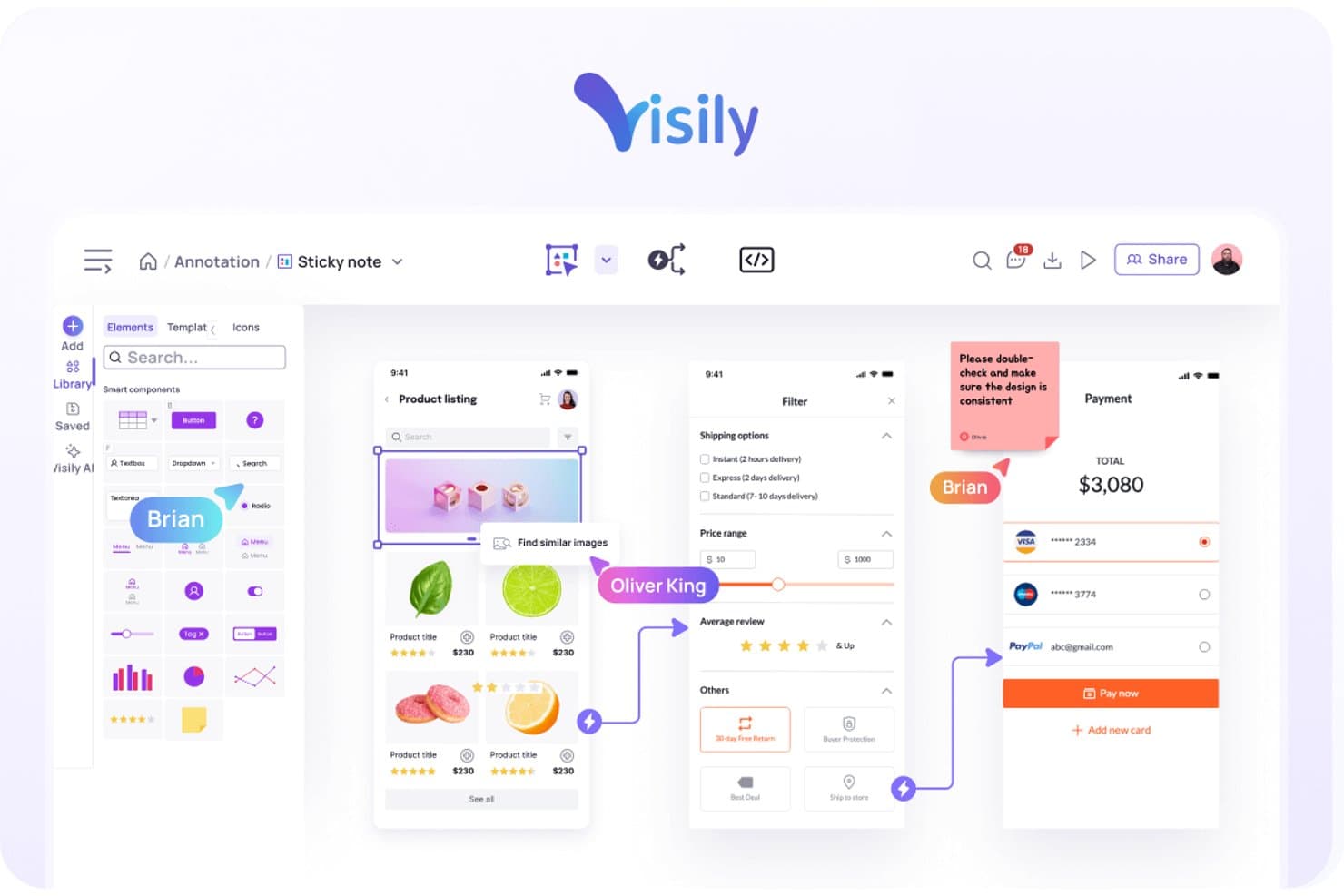
Visily lets users annotate designs with sticky notes and comments. Visily is a visual collaboration platform for product, design, and business teams that turns early ideas into clear product concepts, helping stakeholders align before development begins.
Who Is Visily Best For?
Visily suits product managers, UX designers, and business stakeholders who need to turn rough ideas into shareable wireframes before engineering begins.
Why Visily Is a Good Best Miro Alternatives Reviewed
I picked Visily because its AI-driven wireframes to code workflow turns rough product ideas into shareable interface concepts quickly. I use text prompts, screenshots, and templates to create editable wireframes, then move approved designs toward code for developer review. This helps my team test flows before committing engineering time.
Visily Key Features
- Real-time collaboration: Edit boards together with your team.
- Comments and mentions: Add feedback and tag specific teammates.
- User flow mapping: Connect screens to visualize navigation paths.
- Interactive prototyping: Link screens to demonstrate product interactions.
Visily Integrations
Visily integrates with Slack for link previews, comment notifications, and board updates, and connects with Notion through shareable board, screen, and element links. It also offers an official Figma plugin for importing and exporting designs between Visily and Figma.
Pros and Cons
Pros:
- Moves approved wireframes toward developer review
- Maps product flows with linked interactive prototypes
- Turns text, screenshots, and diagrams into editable screens
Cons:
- Less suited to production-ready visual design
- AI screens need detailed manual refinement
Learn more about Visily: Best for facilitated remote workshops
- Free demo + free plan available
- From $9.99/user/month (billed annually)
Visit WebsiteCustomer Rating:4.6/5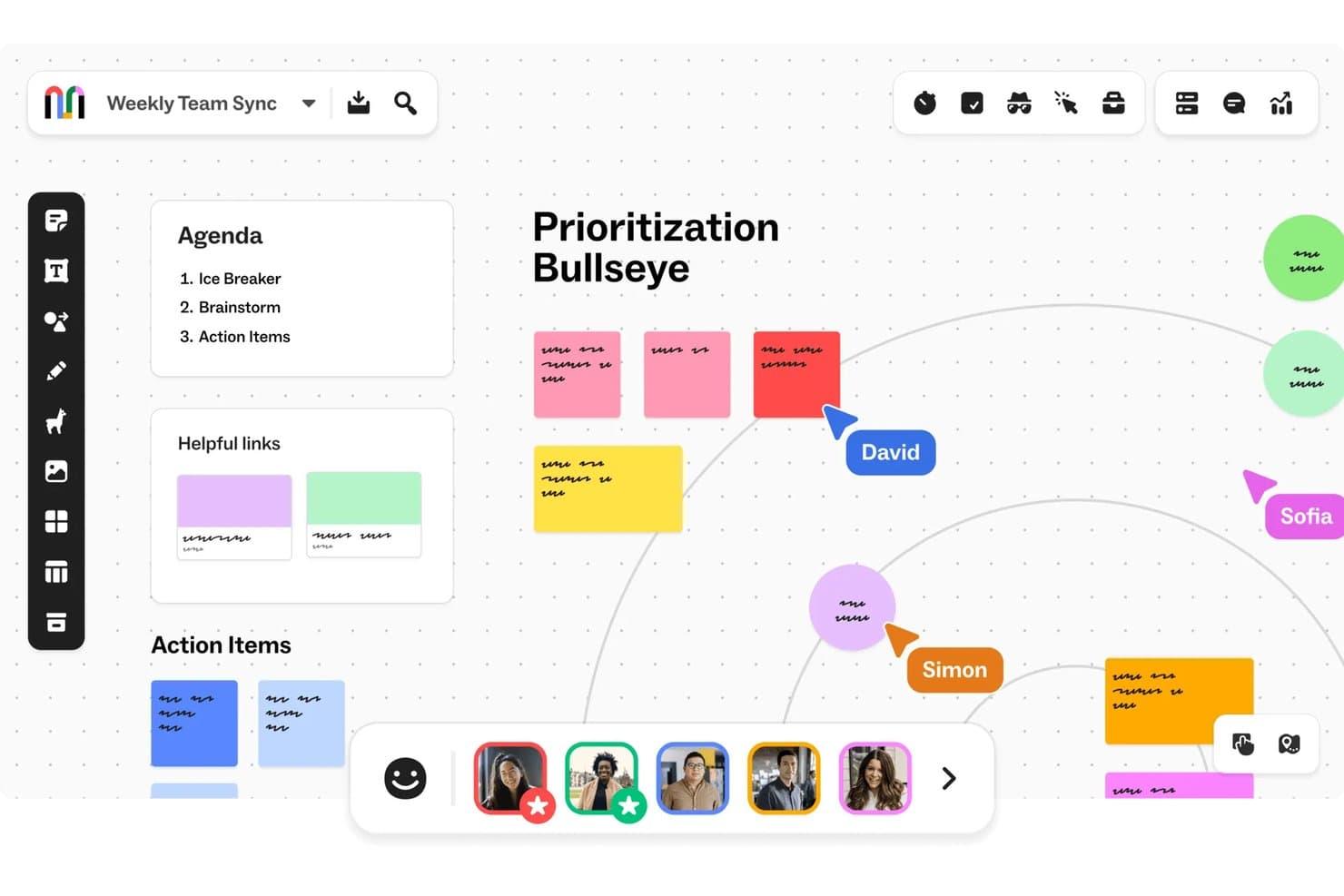
Mural supports real-time collaboration on a Prioritization Bullseye board. Mural is an online whiteboard platform for product teams that brings research, planning, and decision-making into one shared workspace, helping distributed stakeholders turn scattered ideas into aligned product direction.
Who Is Mural Best For?
Mural suits product managers, designers, and workshop facilitators who guide distributed teams through structured remote sessions.
Why Mural Is a Good Best Miro Alternatives Reviewed
I picked Mural because its facilitation tools support structured remote workshops, not just open-ended whiteboarding. I use timers, private voting, and participant summoning to guide discovery sessions, prioritization exercises, and retrospectives. Its workshop templates also give my team a clear sequence for each activity.
Mural Key Features
- Infinite canvas: Arrange text, images, files, and diagrams on an expandable workspace.
- Sticky notes: Capture and color-code ideas directly on the canvas.
- Comments: Leave threaded feedback beside specific canvas objects.
- Integrations: Connect Mural with apps such as Slack, Microsoft Teams, and Jira.
Mural Integrations
Mural integrates with Slack, Microsoft Teams, and Jira, helping product teams connect workshop activities with communication and project workflows.
Pros and Cons
Pros:
- Supports comments, files, and diagrams on one canvas
- Templates provide structured activities for discovery sessions
- Facilitated workshops with timers and private voting
Cons:
- Performance may lag with many participants
- Large boards can become tedious to navigate
Learn more about Mural: Best for diagram-heavy agile planning
- Free plan available
- From $5/month (billed annually)
Visit WebsiteCustomer Rating:4.4/5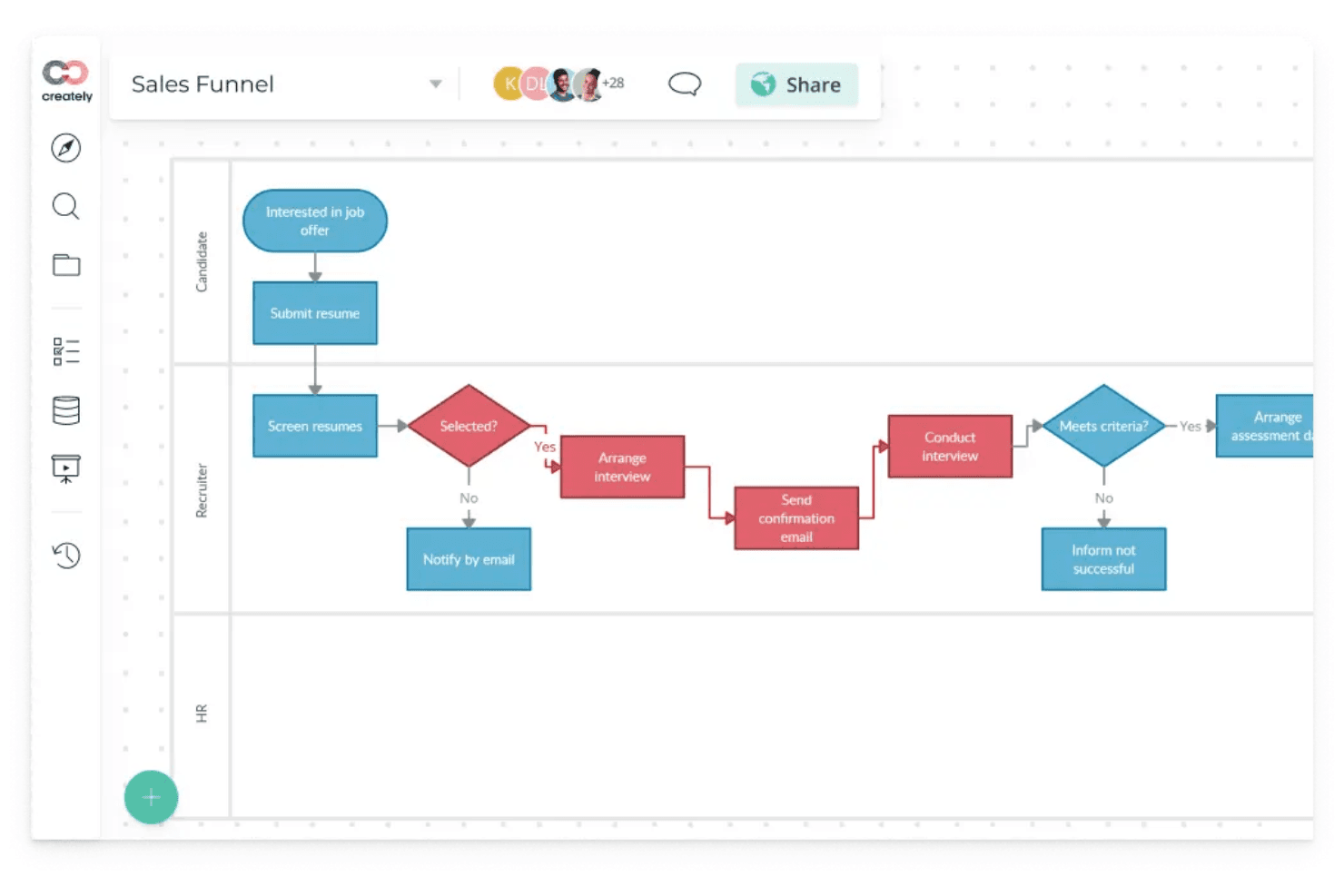
Creately is a tool for teams to create flowcharts, diagrams, and mind maps to plan and organize work more easily. Creately is an online whiteboard and visual collaboration platform for product teams that need to map ideas, workflows, and customer journeys while aligning stakeholders around product decisions.
Who Is Creately Best For?
Product managers and agile teams can use Creately to map workflows, customer journeys, and product decisions in shared visual workspaces.
Why Creately Is a Good Best Miro Alternatives Reviewed
I picked Creately as a Best Miro Alternatives Reviewed option because it supports diagram-heavy agile planning with Kanban boards, sprint workflows, and user story maps. I use its visual workspace to connect requirements, workflows, and process diagrams, so product discussions stay tied to delivery plans. That helps my team move from discovery artifacts to actionable sprint work in one workspace.
Creately Key Features
- Real-time collaboration: Edit canvases together with live cursors and updates.
- Templates: Start with ready-made templates for product, UX, and business diagrams.
- Comments: Add threaded feedback directly to canvas elements.
- Integrations: Connect Creately with tools such as Slack, Google Drive, and Microsoft Teams.
Creately Integrations
Creately offers integrations with Slack, Google Drive, and Microsoft Teams.
Pros and Cons
Pros:
- Offers extensive process diagram templates
- Supports structured user story mapping
- Connects diagrams with agile workflows
Cons:
- Less natural for freeform workshop facilitation
- Large canvases can become visually crowded
Learn more about Creately: Best for whiteboarding inside Zoom meetings
- Free plan available
- Pricing upon request
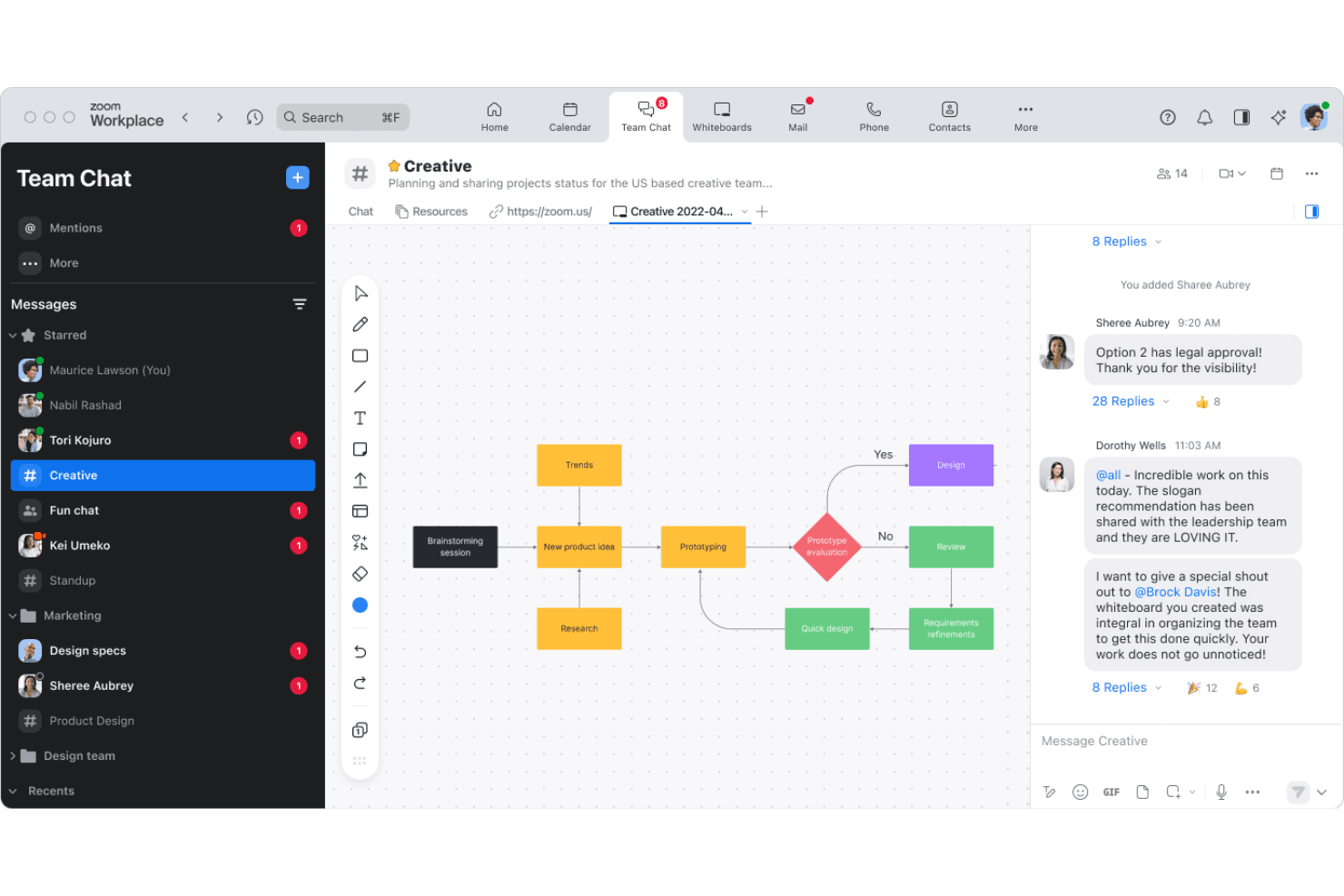
Zoom Whiteboard boosts remote collaboration by letting teams brainstorm and plan visually during Zoom meetings in real time. Zoom Whiteboard is an online collaboration space for product, design, and distributed teams that need to capture ideas, map workflows, and align on decisions without switching away from Zoom.
Who Is Zoom Whiteboard Best For?
Zoom Whiteboard suits product, design, and engineering teams that sketch ideas, map workflows, and make decisions during live Zoom meetings.
Why Zoom Whiteboard Is a Good Best Miro Alternatives Reviewed
I picked Zoom Whiteboard because it is Best for whiteboarding inside Zoom meetings. My team uses its persistent whiteboards, sticky notes, and connectors to capture ideas, map workflows, and record decisions during live discussions. It keeps workshop artifacts connected to the meeting where the decisions happen.
Zoom Whiteboard Key Features
- Pre-built templates: Start sessions with canvases for retrospectives, roadmaps, and journey maps.
- Voting: Add voting sessions to prioritize ideas and proposals.
- Comments: Leave threaded feedback directly on canvas objects.
- Media uploads: Add images, documents, and other files to the canvas.
Zoom Whiteboard Integrations
Zoom Whiteboard offers official integrations with Jira, Asana, Azure DevOps, Google Drive, and Dropbox, letting teams connect work items or add files directly to whiteboards. Asana and Azure DevOps integrations are available through the Zoom Marketplace.
Pros and Cons
Pros:
- Templates support retrospectives and journey mapping
- Persistent canvases preserve work between sessions
- Keeps workshop decisions tied to meetings
Cons:
- Collaboration feels secondary outside Zoom
- Fewer advanced diagramming controls than Miro
Learn more about Zoom Whiteboard: Best for private cloud deployment
- Free plan available
- From $5/member/month (billed annually)
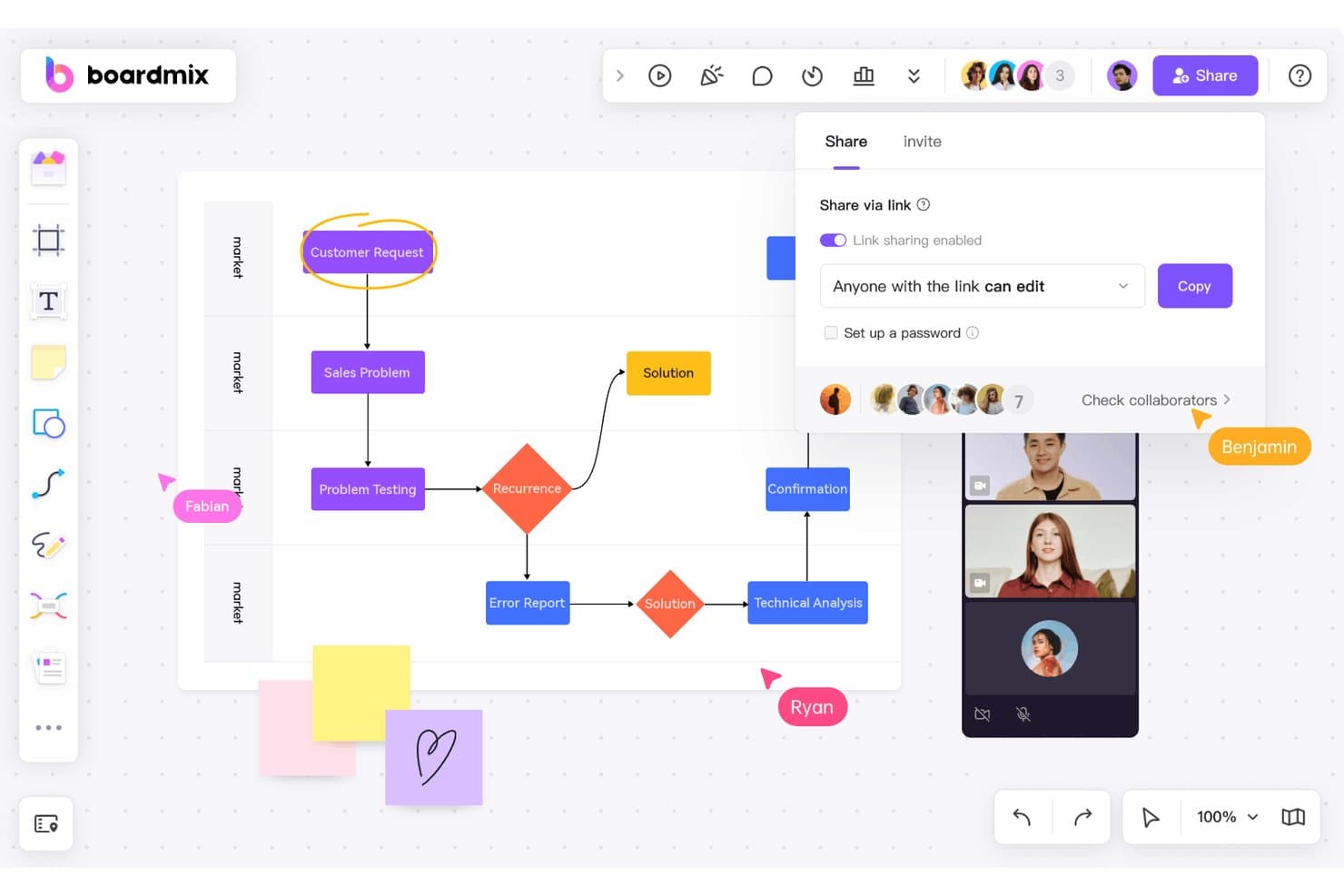
Boardmix lets users share boards and collaborate in real time. Boardmix is an online whiteboard platform for product teams, educators, and businesses that need a flexible space for brainstorming, workshops, planning, and visual collaboration.
Who Is Boardmix Best For?
Boardmix suits organizations that need collaborative whiteboarding with private cloud deployment, especially teams with strict data governance requirements.
Why Boardmix Is a Good Best Miro Alternatives Reviewed
I picked Boardmix because private cloud deployment gives my team tighter control over collaborative boards and workshop data. We use workspace permissions and centralized administration to keep product discovery sessions, customer research, and roadmap planning within our organization’s controlled environment.
Boardmix Key Features
- Mind mapping: Organize ideas into customizable layouts.
- Sticky notes: Add notes to any branch or topic.
- Comments and chat: Discuss ideas directly on the board.
- Video conferencing: Meet with collaborators during sessions.
Boardmix Integrations
Boardmix doesn’t clearly document native integrations with third-party tools. It offers an SDK and secure API integration for connecting Boardmix with internal user management systems, enterprise systems, R&D management systems, and DevOps platforms.
Pros and Cons
Pros:
- Large sessions support hundreds of participants
- Mind maps organize sprawling workshop ideas
- Private cloud supports stricter data governance
Cons:
- Template coverage feels uneven to reviewers
- Dense features can overwhelm new users
Learn more about Boardmix: Best for connecting canvas work to project delivery
- Free plan available
- Pricing upon request
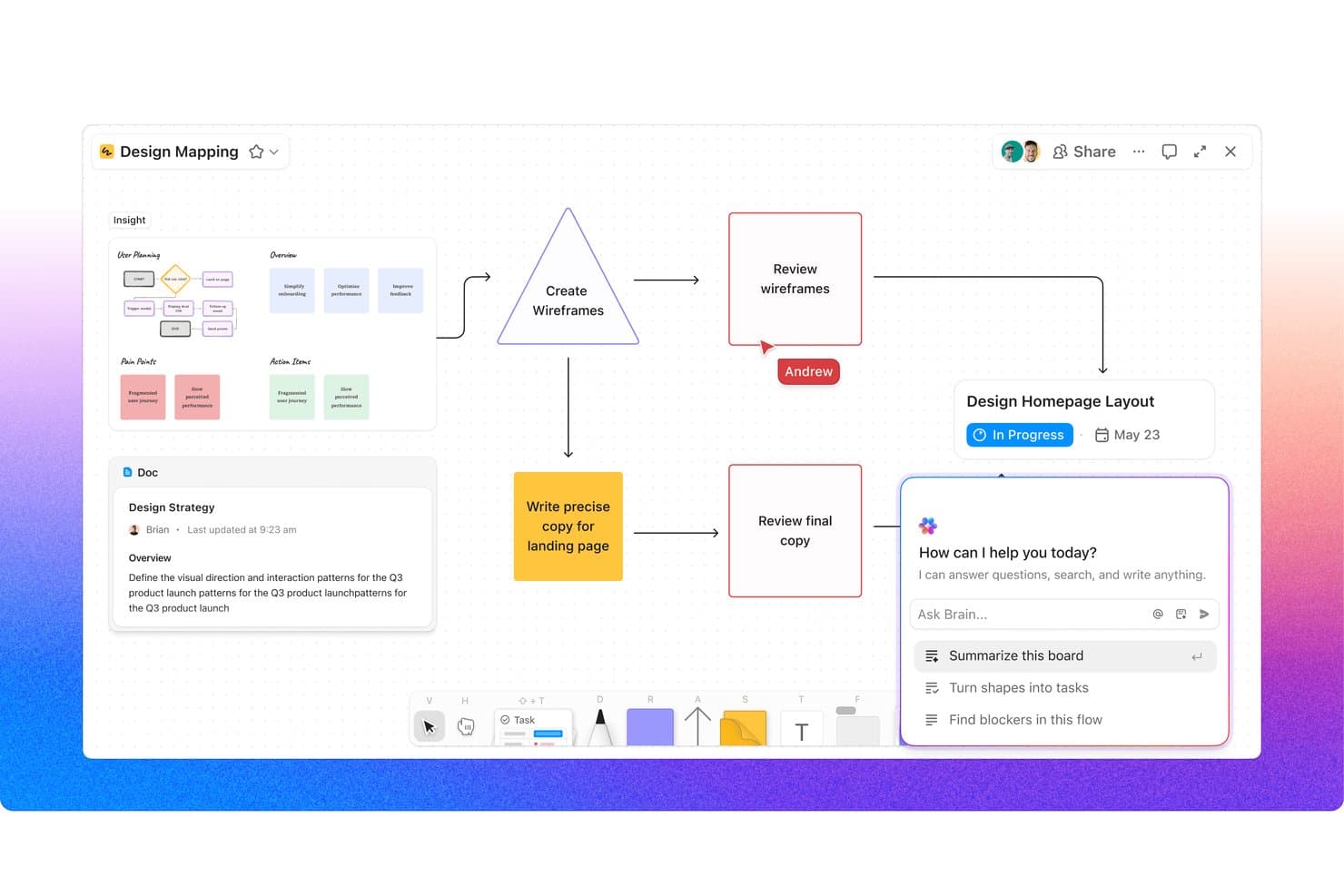
ClickUp Whiteboards connects flowcharts, docs, and AI in one canvas. For product teams that need ideas, research, and plans in one workspace, ClickUp Whiteboards combines visual collaboration with project management to support brainstorming, planning, and decision-making.
Who Is ClickUp Whiteboards Best For?
ClickUp Whiteboards suits product and cross-functional teams that need to turn workshop ideas into assigned, trackable project work.
Why ClickUp Whiteboards Is a Good Best Miro Alternatives Reviewed
I picked ClickUp Whiteboards because it connects canvas work to project delivery. I use shapes, notes, and brainstorming outputs to create ClickUp tasks, then assign owners, due dates, and statuses without leaving the board. That lets my team move from product discovery workshops to trackable delivery work in the same workspace.
ClickUp Whiteboards Key Features
- Templates: Start boards with prebuilt formats for common workshops.
- Connectors: Link ideas with arrows and relationship lines.
- File embeds: Add documents, webpages, and media directly to boards.
- Real-time collaboration: Edit boards together with live cursors and updates.
ClickUp Whiteboards Integrations
Native integrations for ClickUp Whiteboards aren’t separately documented. The surrounding ClickUp workspace supports integrations with Slack, Google Drive, Figma, Microsoft Teams, Miro, and Zoom, and connects with Zapier and the ClickUp API for custom integrations.
Pros and Cons
Pros:
- Supports templates, embeds, and live collaboration
- Connects whiteboards with product delivery workflows
- Converts board ideas into assigned tasks
Cons:
- Large boards can become visually crowded
- Canvas feels less mature than Miro
Learn more about ClickUp Whiteboards: 10Best for live meeting engagement tools
Klaxoon
- Free plan available
- From $24.90/user/month (billed annually)
Visit WebsiteCustomer Rating:4.7/5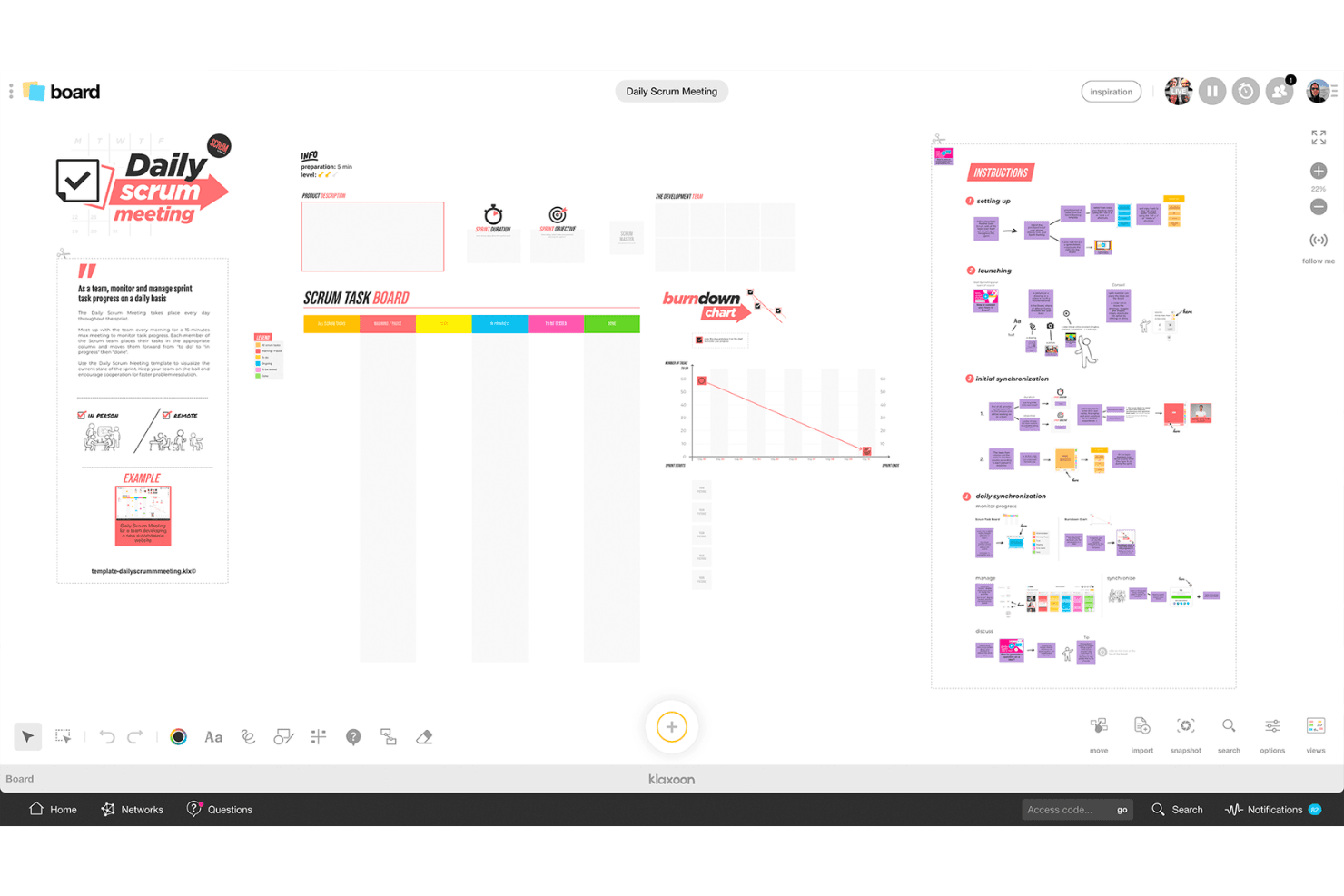
Klaxoon helps teams run interactive meetings with visual boards. Klaxoon is an online whiteboard platform for product teams, facilitators, and distributed businesses that need to structure workshops, gather input, and turn collaborative discussions into clear decisions and actions.
Who Is Klaxoon Best For?
Klaxoon suits facilitators, product leaders, and distributed teams that need lively workshops, quick input, and shared decisions in real time.
Why Klaxoon Is a Good Best Miro Alternatives Reviewed
I picked Klaxoon because its live meeting engagement tools turn workshops into structured, participatory sessions. I use its polls, quizzes, and word clouds to gather reactions quickly, then bring responses into a shared workspace for discussion. Its activity-based format works well when product teams need decisions and documented input during the same meeting.
Klaxoon Key Features
- Ready-made templates: Start workshops with structured formats for mapping, planning, and retrospectives.
- Presentation mode: Turn boards into guided presentations with animated content.
- Time management tools: Add stopwatches and timers to control workshop activities.
- Board customization: Arrange sticky notes, charts, timelines, images, and other widgets.
Klaxoon Integrations
Klaxoon offers native integrations across the Microsoft ecosystem and Google Workspace, plus Jira, Wrike, Adobe Creative Cloud, Okta, Confluence, Dropbox, and Moodle, and connects with Zapier. It also provides an API for custom integrations and workflows.
Pros and Cons
Pros:
- Structured activities turn feedback into decisions
- Timers keep workshop activities on schedule
- Polls and quizzes increase meeting participation
Cons:
- Large boards can feel visually crowded
- Board view changes are hard to find
Learn more about Klaxoon:
Other Miro Alternatives
Here are some additional Miro alternatives that didn’t make it onto my shortlist, but are still worth checking out:
- 11LucidchartBest for technical and data-linked diagrams
- 12LucidsparkBest for agile sprint planning and backlog sync
- 13StormboardBest for agile backlog sync on a whiteboard
- 14MilanoteBest for visual moodboards and creative briefs
- 15BusinessmapBest for turning canvas ideas into delivery work
- 16ConceptboardBest for agile teams in regulated industries
- 17ExcalidrawBest for sketching diagrams without polish pressure
- 18Canva WhiteboardBest for design-led visual collaboration
- 19Confluence WhiteboardsBest for Jira-native agile whiteboarding
How I Evaluate Miro Alternatives
I split my evaluation into three parts. First, core functionality: any alternative must support an infinite shared canvas and real-time multi-user editing—these carry the most weight. Second, I look for standout features like AI-assisted diagramming or private-mode brainstorming. Third, I consider pricing structure and onboarding support.
Core Functionality (Table Stakes For This List)
When I'm selecting tools for my list, I score each one on a scale from 0 (does not offer the functionality) to 5 (excels in this area) for each core functionality listed below. I then convert the total into a percentage to help assess each tool's overall fit, with ** extra weight on any functionalities** I’ve deemed essential.
- Infinite Canvas (Essential): I look for expansive boards that support journey maps, roadmaps, and large workshop canvases without restricting layout or navigation.
- Real-Time Collaboration (Essential): I assess simultaneous editing, live cursors, comments, and reliable updates during remote workshops and planning sessions.
- Templates & Frameworks: I check for ready-made formats covering brainstorming, retrospectives, prioritization, journey mapping, and product roadmaps.
- Diagramming & Shapes: Flowcharts, connectors, sticky notes, and structured shapes should support user flows, service blueprints, and system mapping.
- Third-Party Integrations: I evaluate connections with communication, project management, design, and documentation tools used throughout product discovery and delivery.
- Presentation & Export: I look for live presentation features and clean exports that support stakeholder reviews, workshop records, and decision sharing.
Once I have a list of tools that meet the criteria, I consider what sets each platform apart.
Differentiating Factors (What Sets Vendors Apart)
Here's how I compare and contrast different vendors:
Standout Features
I look for private mode brainstorming because it lets participants add ideas independently before the group sees them. This reduces groupthink during discovery sessions and gives quieter voices equal weight. I also evaluate native story mapping tools that connect directly to backlog prioritization, since generic sticky-note boards require extra work to bridge into sprint planning. Developer handoff mode matters too. Tools like FigJam and Lucidspark handle this differently, but I check whether whiteboard flows can convert into dev-ready specs without manual re-entry.
Beyond Features
I evaluate how deeply a tool syncs with Jira or Azure DevOps, since a one-way import won't keep sprint boards aligned with canvas-level discovery work. Pricing structure matters too—per-user costs add up fast on distributed teams, so I check free-tier limits and enterprise licensing. I also look at SOC 2 compliance and data residency options, especially for teams managing sensitive roadmaps across regions.
Why Look For A Miro Alternative?
While Miro is a good choice of collaboration software, there are a number of reasons why some users seek out alternative solutions. You might be looking for a Miro alternative because…
- You need more advanced security features
- Your team requires better offline capabilities
- You're looking for a tool with lower costs
- You want more customization options
- Your team needs industry-specific integrations
If any of these sound like you, you’ve come to the right place. My list contains several collaboration software options that are better suited for teams facing these challenges with Miro and looking for alternative solutions. Design teams might also consider Framer alternatives for their prototyping and collaboration needs.
Miro Key Features
Miro is an all-in-one visual collaboration platform designed to support a variety of team workflows. Whether you're working remotely or in-person, these standout features enable better facilitation, faster ideation, and smarter planning:
- Real-time collaboration: Bring distributed team members together on a shared board to brainstorm, plan, and iterate without delays.
- Interactive whiteboard: Visualize workflows, mind maps, and diagrams in an intuitive digital space—ideal for replacing traditional tools like Jamboard.
- Template library: Access pre-built frameworks to accelerate common tasks like user journey mapping, sprint planning, and retrospectives.
- Customizable workspace: Adapt boards to your team’s specific needs, adding widgets, tags, and color coding for clarity and alignment.
- Third-party integrations: Connect with everyday tools like Jira, Asana, Slack, and Google Workspace to reduce context switching and improve automation.
- Presentation mode: Share updates with stakeholders by turning boards into structured slide decks—no need for extra presentation software.
- User access controls: Set permissions by role to ensure secure, organized collaboration across departments.
- Analytics and reporting: Use built-in data insights to track engagement and monitor project progress directly within your workspace.
- Mobile access: Edit and comment on boards from anywhere using Miro’s mobile app—ideal for distributed or hybrid teams.
- File management: Upload and organize assets within the board, eliminating the need to toggle between platforms.