

10 Best Free Mood Board Creator in 2026

Free Mood Board Creator Shortlist


A free mood board creator is a digital tool that lets you visually organize ideas, images, and concepts without paying for access, usually through a free plan or trial. If you’re searching for a no-cost or low-cost way to plan your creative process, present concepts, or gather inspiration, finding the right free software can help you bring your vision to life without budget constraints. This list covers our top picks for 2026, so you can compare, test, and choose the tool that best matches your workflow.
Why Trust Our Software Reviews
We’ve been testing and reviewing product management software since 2020. As product managers ourselves, we know how critical and difficult it is to make the right decision when selecting software.
We invest in deep research to help our audience make better software purchasing decisions. We’ve tested more than 2,000 tools for different product management use cases and written over 1,000 comprehensive software reviews. Learn how we stay transparent & our software review methodology.
Best Free Mood Board Creator Summary
This comparison chart summarizes pricing details for my top free mood board creator selections to help you find the best one for your budget and business needs.
| Tool | Best For | Trial Info | Price | ||
|---|---|---|---|---|---|
| 1 | Best for drag-and-drop template speed | Free plan available | From $15/user/month | Website | |
| 2 | Best for automatic live site design analysis | Free plan available | From $16/user/month (billed annually) | Website | |
| 3 | Best for database-driven visual organization | Free plan available | From $10/user/month (billed annually) | Website | |
| 4 | Best for small team brand kit syncing | Free plan + 14-day free trial available | From $10/month (billed annually) | Website | |
| 5 | Best for structured visual storytelling | Free plan available | From $9.99/user/month (billed annually) | Website | |
| 6 | Best for AI-led smart layout grouping | Free plan available | From $5/user/month (billed annually) | Website | |
| 7 | Best for integrated film production planning | Free plan available | From $25/user/month (billed annually) | Website | |
| 8 | Best for open-source visual discovery | Free plan available | Pricing upon request | Website | |
| 9 | Best for generative style reference remixing | 7-day free trial available | From $9.99/month (billed annually) | Website | |
| 10 | Best for interior design material boards | Free plan available | Pricing upon request | Website |
Free Mood Board Creator Reviews
Below are my detailed summaries of the free mood board creator tools that made it onto my shortlist. My reviews offer a detailed look at the features, best use cases, and pricing of each tool to help you find the best one for you.
Canva
Best for drag-and-drop template speed
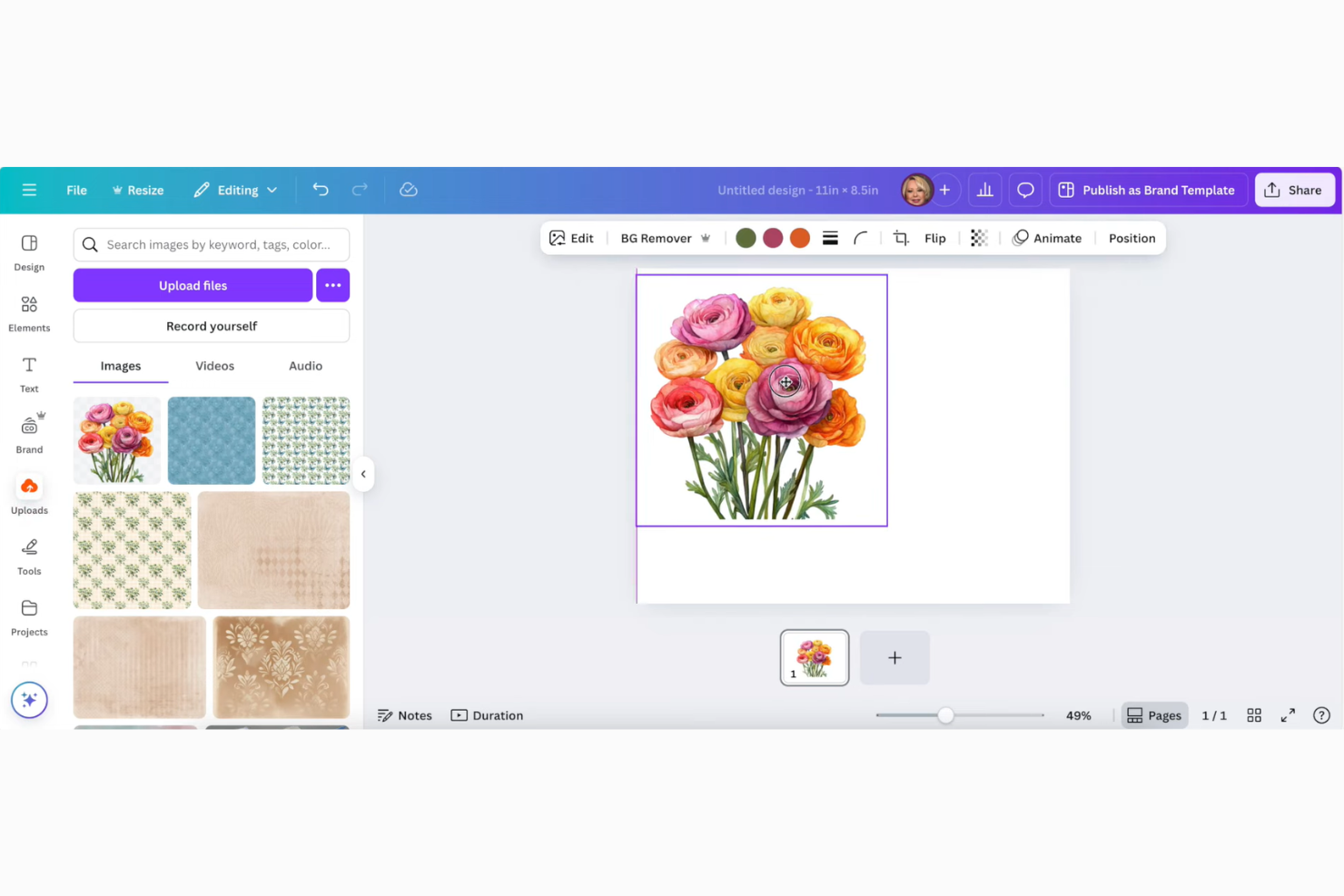
Canva is a web-based design platform that gives you the tools to create beautiful mood boards with pre-built layouts, quick image uploads, and drag-and-drop editing tools.
Who Is Canva Best For?
Creative professionals and marketing teams who want a fast, flexible way to build visual mood boards online.
Why I Picked Canva
I picked Canva as one of the best because I can build mood boards in minutes using their drag-and-drop templates and creative asset library. My team can drop in photos, textures, color swatches, or icons and rearrange them for fast concepting. I also appreciate how quickly I can remix designs by swapping templates without having to start from scratch.
Canva Key Features
- Stock photo and element library: Access thousands of free images, illustrations, and shapes for quick mood board creation.
- Collaboration tools: Invite team members to view, edit, or comment on boards in real time.
- Custom brand kits: Upload your brand colors, fonts, and logos for consistent visuals across all boards.
- Drag-and-drop editor: Arrange textures, color swatches, and design elements easily using an intuitive visual canvas.
Canva Integrations
Canva offers native integrations with Salesforce, Asana, Google Drive, Dropbox, Microsoft OneDrive, and Slack. It supports publishing to platforms like Instagram, Facebook, and X (Twitter), and connects with Zapier. An API is available for custom integrations.
What's Free?
Canva offers a free-forever plan with unlimited mood boards, thousands of free templates, images, and elements. Some premium templates, brand kit features, and advanced export options are only available on paid plans.
Pros and Cons
Pros:
- Unlimited boards with the free plan
- Drag-and-drop support for fast arrangement
- Rich library of free templates and images
Cons:
- Mobile app lacks full web functionality
- No offline editing capability

Figma
Best for automatic live site design analysis
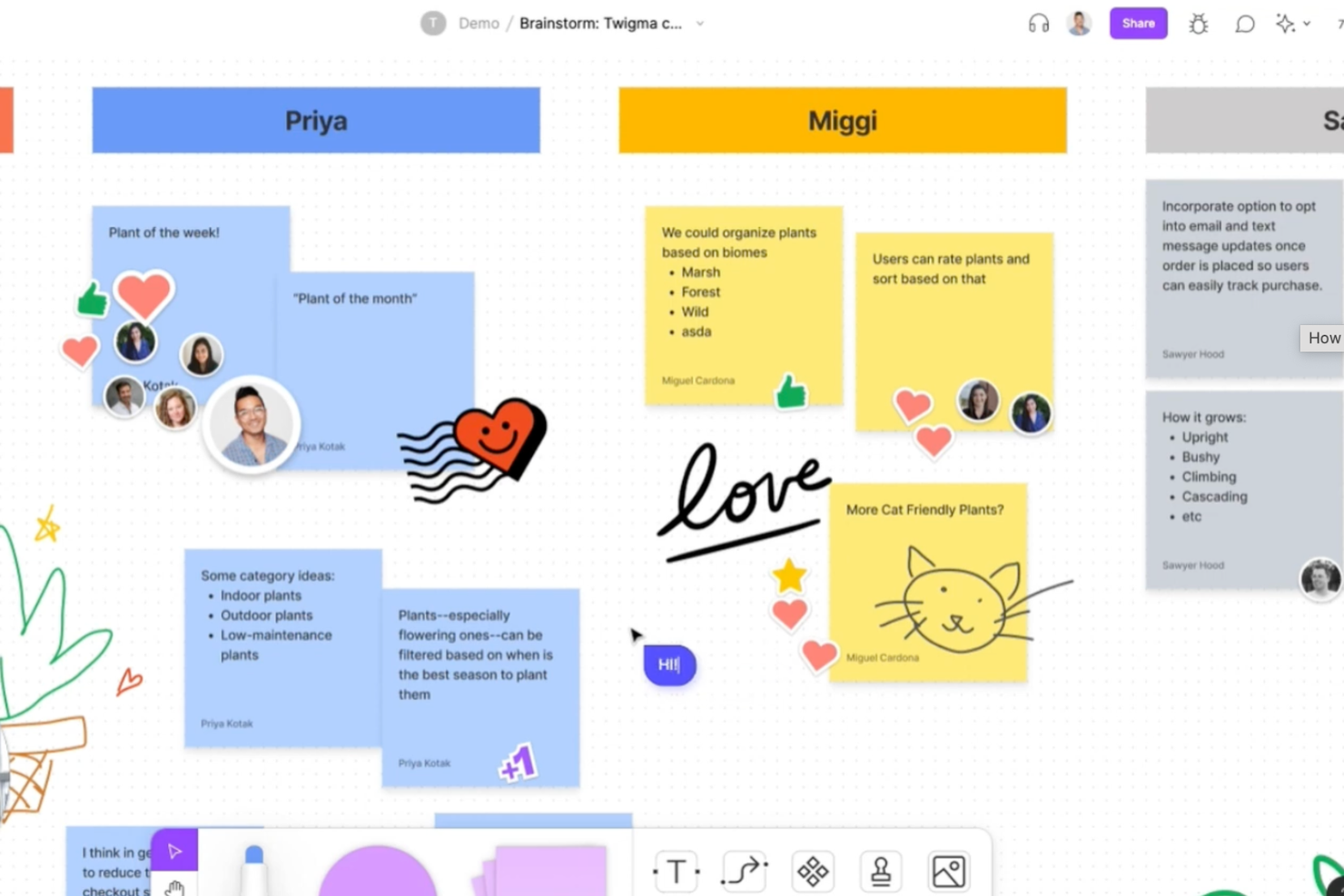
Figma is a web-based design platform that gives your team flexible visual boards, real-time collaboration, and drag-and-drop organization tools to build and manage creative mood boards in a shared workspace.
Who Is Figma Best For?
Figma suits creative professionals and design teams looking for a shared, collaborative space where they can brainstorm visual concepts and build digital mood boards in real time.
Why I Picked Figma
I picked Figma as one of the best because its multiplayer editing lets my team brainstorm and arrange mood board elements together in real time. I like using the ready-made mood board templates and the version history for tracking creative changes.
Figma Key Features
- Real-time multi-user collaboration: Multiple users can edit and comment simultaneously on the same board.
- Extensive template library: Access ready-made mood board templates for quick project starts.
- Drag-and-drop asset support: Easily add images, videos, and design files directly onto boards.
- Version history & rollback: Track creative changes over time and restore previous board iterations whenever needed.
Figma Integrations
Figma offers more than 15 native integrations, including Slack, Google Workspace, Asana, Notion, Jira, Dropbox, Trello, Microsoft Teams, and Zoom. It also provides an API for custom integrations and supports connections through Zapier.
What's Free?
Figma offers a free-forever plan that includes up to three Figma files and unlimited collaborators. Some advanced features, version history, and premium integrations are only available on paid plans.
Pros and Cons
Pros:
- Supports asset drag-and-drop from multiple sources, including PNG
- Real-time collaboration with unlimited viewers
- Allows live site content capture for boards
Cons:
- Learning curve for new users unfamiliar with design tools
- No offline editing for mood boards
Notion
Best for database-driven visual organization
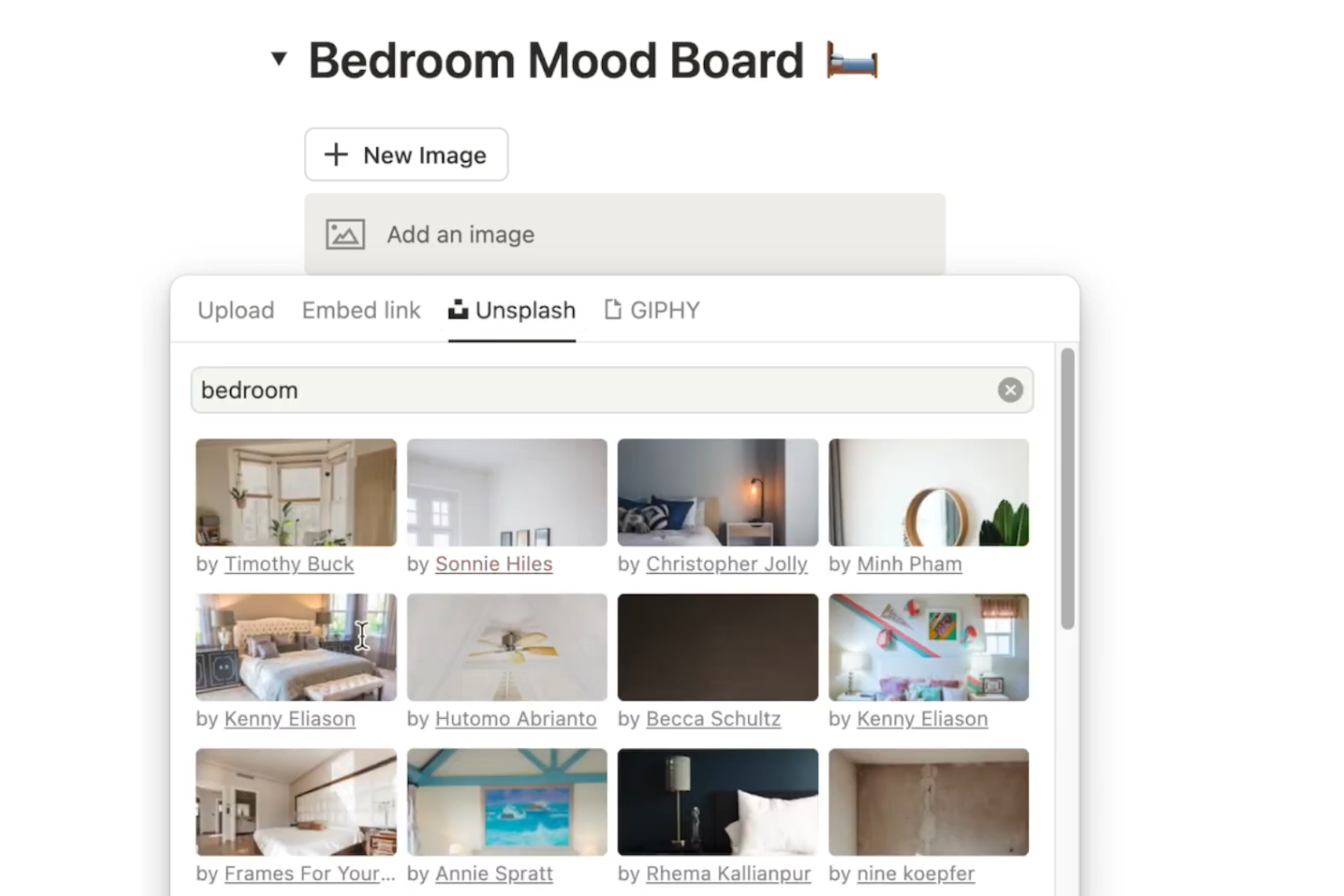
Notion is a workspace platform that offers collaborative mood board templates, image database views, customizable layouts, and drag-and-drop media for building and organizing visual ideas.
Who Is Notion Best For?
Notion suits creative teams or individuals who want to organize mood boards alongside project notes, content calendars, or task databases in a unified workspace.
Why I Picked Notion
I picked Notion because its database-driven approach lets me organize mood board images with custom tags, properties, and gallery views. Using Notion, I can link mood boards to related project docs and tasks, creating a connected visual workspace. The flexible template library lets me duplicate and adapt boards to capture a specific vibe for different creative projects.
Notion Key Features
- Inline image galleries: Add and arrange images directly within any page.
- Real-time collaboration: Team members can simultaneously edit, comment, and contribute to boards.
- Web clipper extension: Save images and content from any website into your mood board.
- Custom database properties: Tag and filter board items by category, status, project, or custom visual tags.
Notion Integrations
Notion offers more than 30 native integrations, including Salesforce, Asana, Slack, Jira, GitHub, Trello, Microsoft Teams, ClickUp, and Google Workspace. It also provides an API for custom integrations.
What's Free?
Notion offers a free-forever plan with unlimited pages, blocks, and up to 10 guests per workspace. File uploads are limited to 5MB per file, and version history is limited to 7 days on the free plan.
Pros and Cons
Pros:
- Free plan includes basic collaboration features for a shared creative vision
- Database views allow custom organization of visuals
- Offers easy image uploads and rearrangement
Cons:
- Free plan up to 10 guests limits large group collaboration
- File upload size is capped on the free plan

Best for small team brand kit syncing
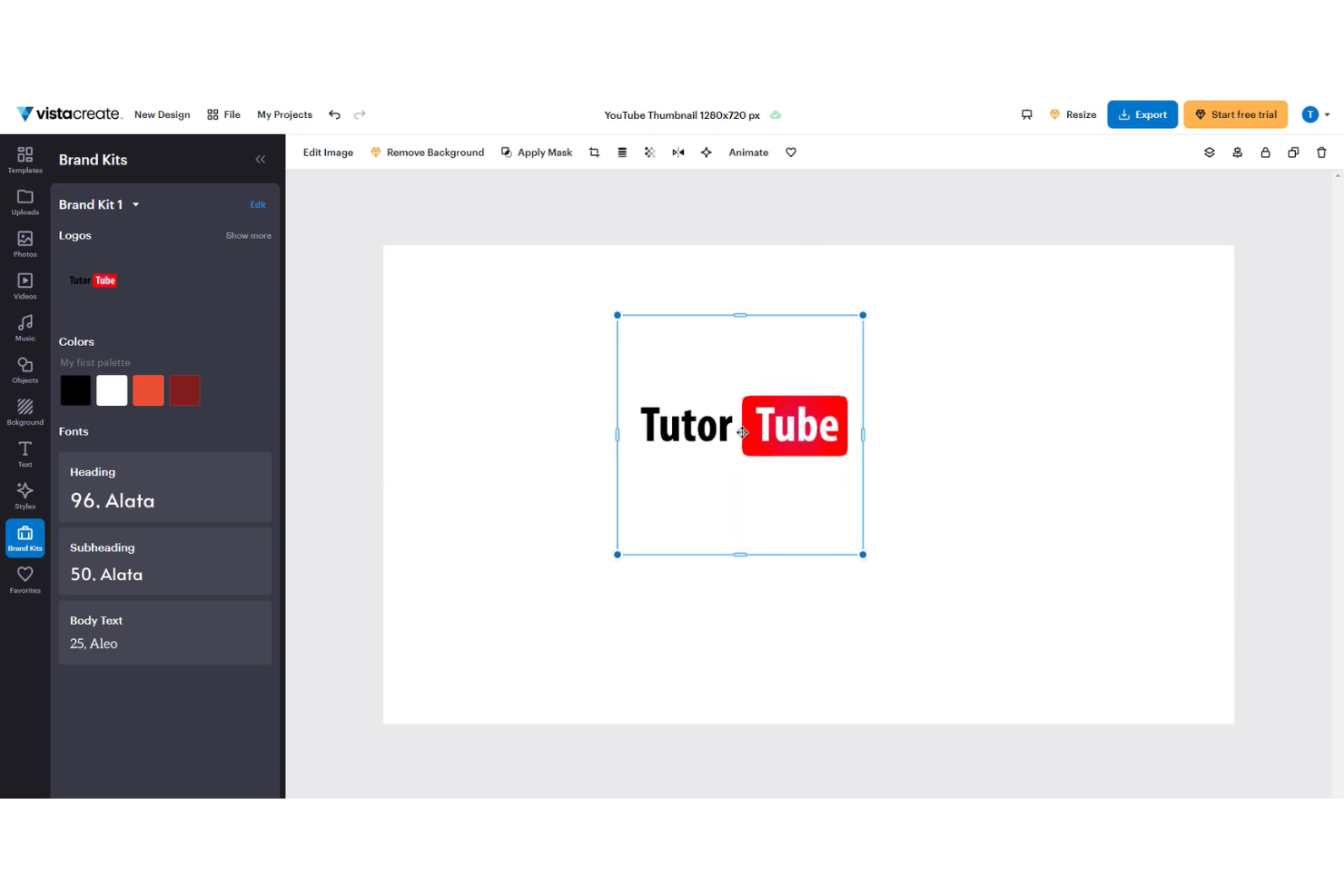
VistaCreate is an online design platform for creating mood boards, custom graphics, and branded social media content with collaborative editing features and asset libraries.
Who Is VistaCreate Best For?
VistaCreate is a fit for small teams, freelancers, or early-stage brands needing collaborative graphic design with built-in asset management.
Why I Picked VistaCreate
I picked VistaCreate as one of the best because I can sync our team’s brand kits and colors directly within mood board projects. My team uses the brand kit management to maintain visual consistency across designs. I also like dragging assets from our shared library straight into collaborative boards.
VistaCreate Key Features
- Template gallery: Choose from hundreds of pre-designed mood board templates.
- Stock photo library: Access a wide range of royalty-free images.
- Animation tool: Add animated objects and backgrounds to boards.
- Brand kit management: Store and apply your custom logos, color palettes, and brand fonts directly to projects.
VistaCreate Integrations
Native integrations are not publicly listed. An API is available for custom integrations.
What's Free?
VistaCreate offers a free-forever plan that includes access to thousands of templates, photos, and design objects. Free users may see watermarks on some premium assets and have limited brand kit functionality.
Pros and Cons
Pros:
- Includes animation and video editing tools
- Offers mood board templates for quick setup
- Extensive library of stock photos and videos
Cons:
- Free plan is limited to 10 members
- Pre-fixed dimensions on canvases

Milanote
Best for structured visual storytelling
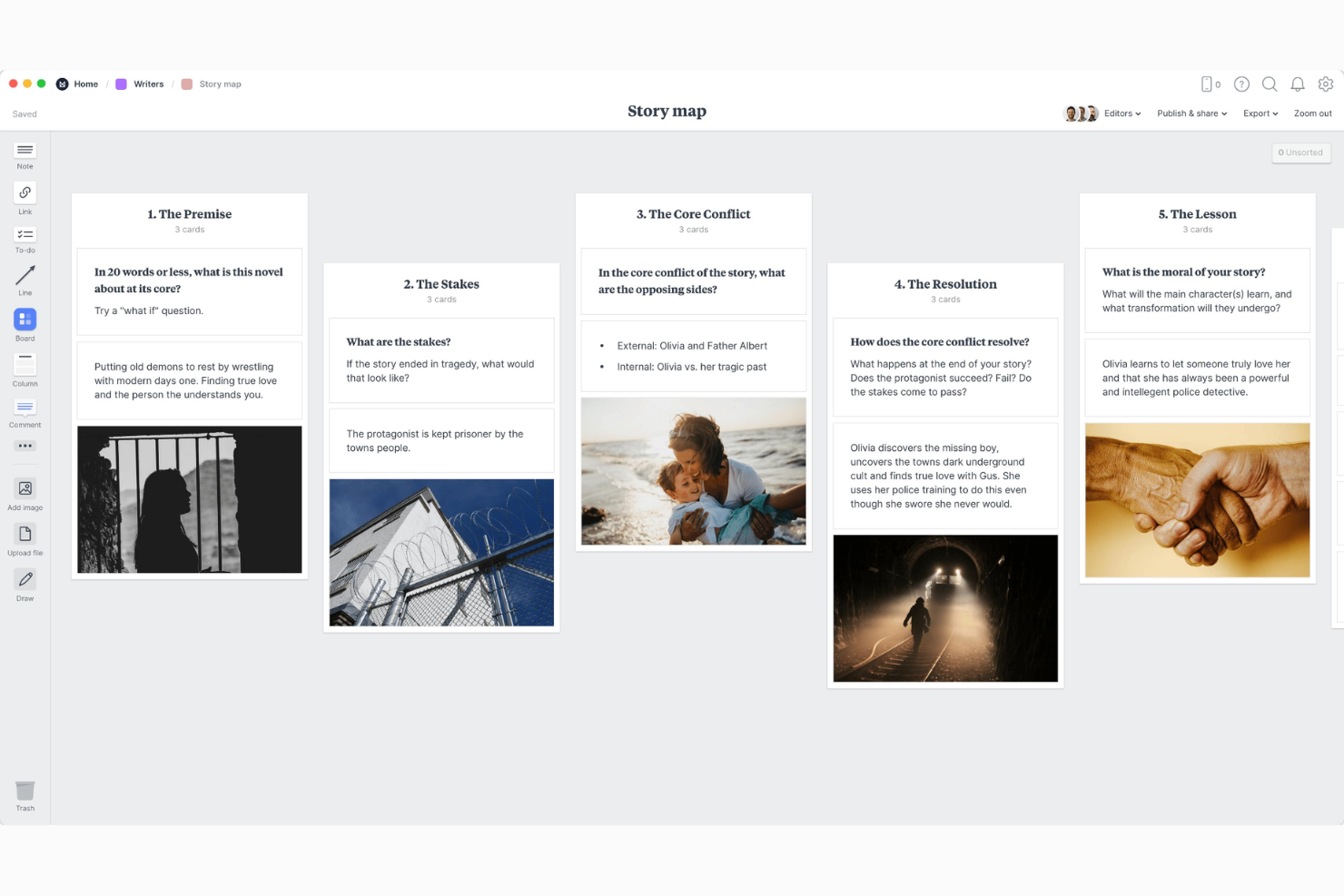
Milanote is a web-based mood board creator that gives your team flexible visual boards, drag-and-drop organization, content linking, and multimedia support for building structured creative projects.
Who Is Milanote Best For?
Creative teams and visual storytellers looking to organize their brand design process, or marketing roles looking for a structured digital mood board workspace.
Why I Picked Milanote
I picked Milanote because it lets me organize images, notes, and links into highly structured layouts that mirror creative workflows. My team uses its drag-and-drop columns, commenting, and storyboarding tools to map out visual narratives for branding and design projects. Its board linking feature lets us connect mood boards into larger presentations, which is perfect for structured visual storytelling.
Milanote Key Features
- Template library: Access a variety of pre-built templates for different types of creative boards, including GIF files.
- Web clipper: Save images and text directly from any website into your mood board.
- Board sharing: Share boards via link for easy collaboration with clients and stakeholders.
- Board hierarchy: Connect multiple mood boards together with sub-boards to structure complex creative projects.
Milanote Integrations
Milanote offers native integrations with Slack, Dropbox, Evernote, Trello, and GIPHY. An API is available for custom integrations.
What's Free?
Milanote offers a free-forever plan with up to 100 notes, images, or links per account and unlimited boards. Some advanced features and unlimited storage require a paid upgrade.
Pros and Cons
Pros:
- Drag-and-drop canvas for unlimited visual boards
- Mood board templates for creative workflows
- Board linking and nested structure capabilities
Cons:
- Export options are mostly image-based only
- Free tier offers only 100 notes, images, or links

Creately
Best for AI-led smart layout grouping
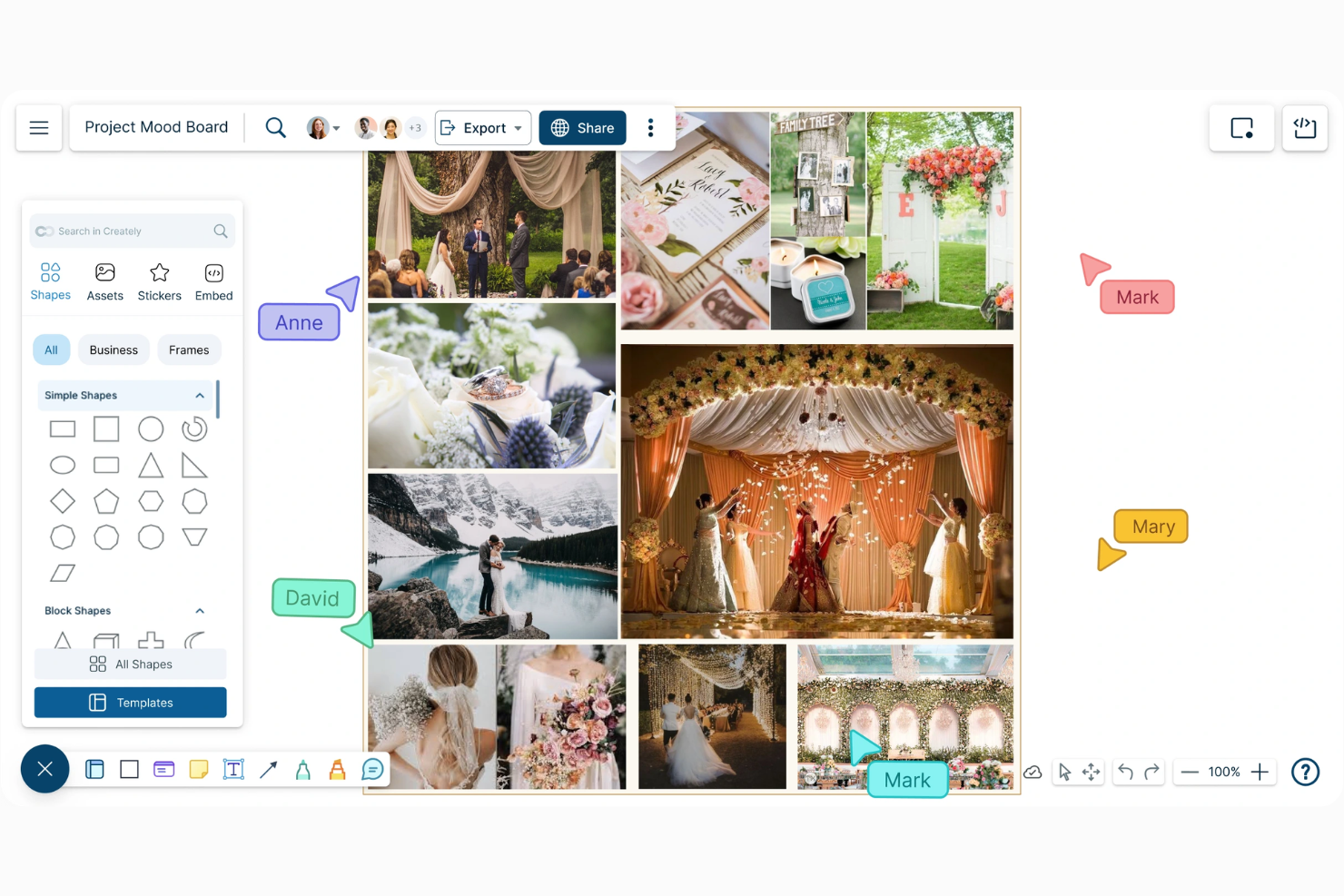
Creately is a visual collaboration platform for building free mood boards, combining drag-and-drop design, diagramming, image library access, and collaborative workspace features.
Who Is Creately Best For?
Creately suits design teams and creative professionals at mid-sized companies who need collaborative mood board creation and visual project organization.
Why I Picked Creately
I picked Creately as one of the best because its AI-led smart layout grouping makes arranging mood board assets automatic and visually coherent. I like how the platform uses AI to identify and group images, text, and design elements as I drop them onto the canvas. My team is able to brainstorm, organize, and revise creative ideas faster thanks to these smart, context-aware layouts.
Creately Key Features
- Smart canvas VIZ: Generate mood board layouts and themed image clusters.
- Infinite canvas: Create expansive mood boards without size limitations.
- Synced databases: Mirror a mood board across multiple workspaces.
- Real-time co-designing: Collaborate simultaneously with team members using live cursors and inline commentary.
Creately Integrations
Creately offers native integrations with Google Workspace, GitHub, Slack, and Confluence, and also provides an API for custom integrations.
What's Free?
Creately offers a free-forever plan with up to 3 collaborators, 5 workspaces, and a 60-item upload limit per file. Some integrations and export options are limited or unavailable on the free plan.
Pros and Cons
Pros:
- Real-time editing with team collaboration features
- Infinite canvas supports large, complex boards
- AI layout groups assets during brainstorming
Cons:
- Item limits on free-tier boards
- Export options are limited on the free tier

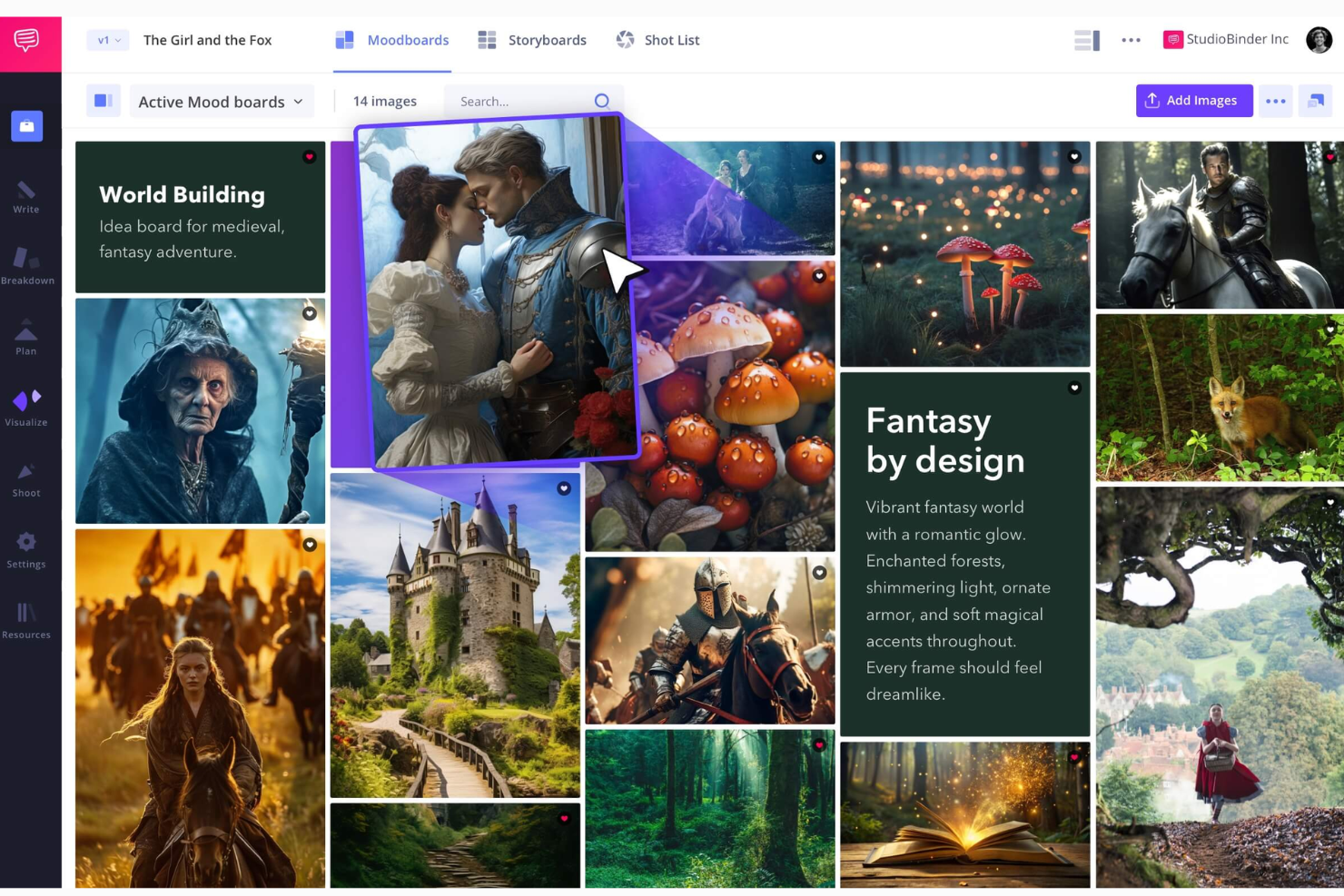
StudioBinder is a cloud-based mood board creator and film production management platform that lets you build visual boards, manage scripts, generate shot lists, and handle scheduling within one centralized workspace.
Who Is StudioBinder Best For?
StudioBinder is a solid match for independent filmmakers, creative agencies, and film production teams who need end-to-end planning and visual pre-production tools.
Why I Picked StudioBinder
I picked StudioBinder as one of the best tools because it connects mood board creation directly with film production planning tools like shot lists, script breakdowns, and scheduling. When I'm building a visual concept, I can attach mood boards to projects and link visuals to specific scenes or production days. I like that I can integrate these assets into the wider process, keeping creative references and planning all in one system.
StudioBinder Key Features
- Shot list integration: Automatically send “tagged” images to your shot list or storyboard.
- Photo uploading: Add images from your device or cloud drives directly to your mood board.
- Built-in image editor and markup: Crop, add filters, and use annotations directly on images.
- Collaborative client sharing: Share mood boards via private links for client feedback, approvals, and inline comments.
StudioBinder Integrations
Native integrations are not clearly documented. StudioBinder does not advertise or provide a list of direct integrations with third-party tools, and API support is not mentioned.
What's Free?
StudioBinder offers a free-forever plan that lets you create unlimited projects and mood boards. The free plan adds a watermark to PDF exports and restricts some advanced production features.
Pros and Cons
Pros:
- Direct image uploads from local drives
- Supports team commenting on boards
- Links mood boards to production schedule
Cons:
- No mobile app for board editing
- PDF exports are watermarked on the free plan
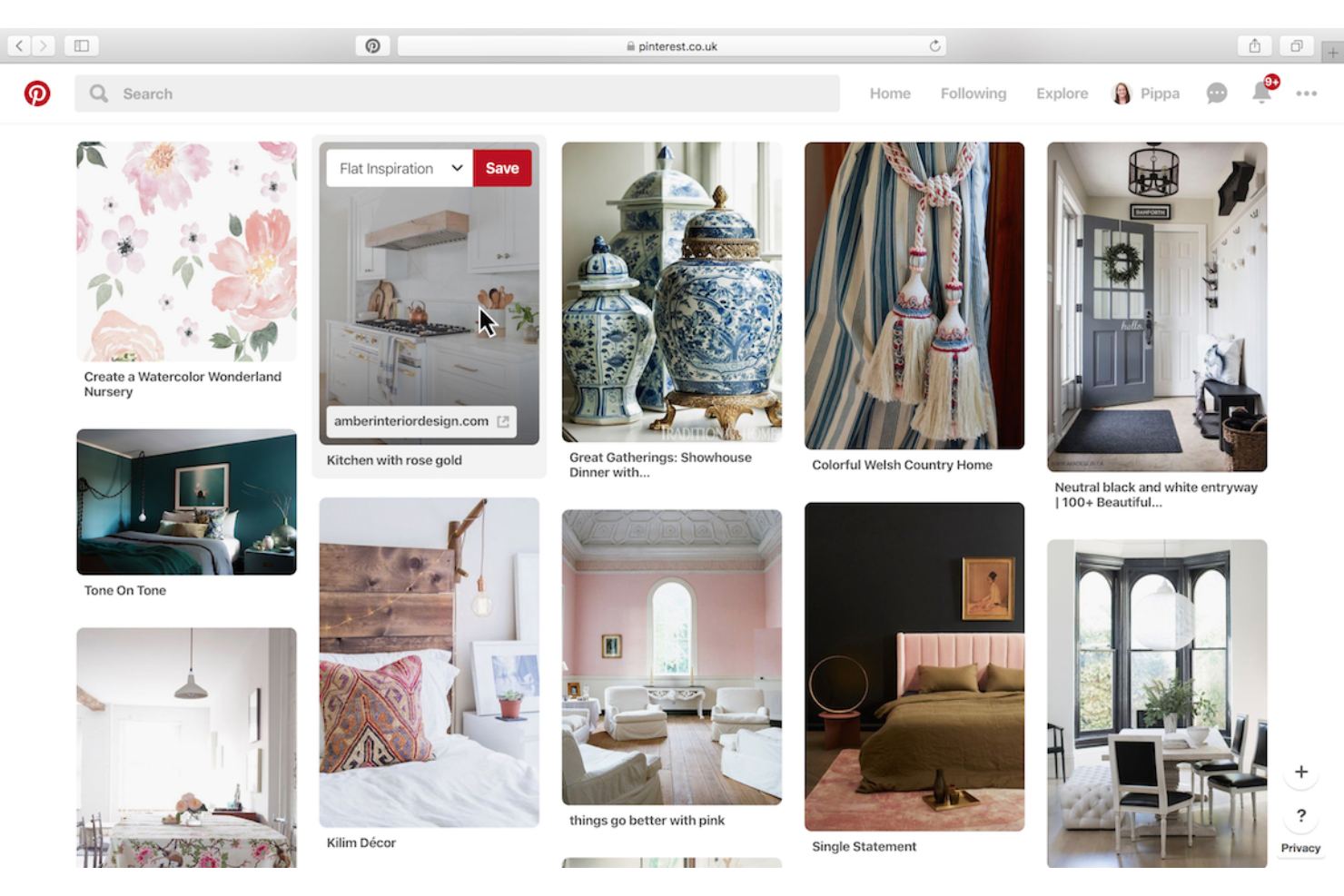
Pinterest is a visual discovery platform that serves as a starting point where you can collect, organize, and curate images from across the internet into digital mood boards.
Who Is Pinterest Best For?
Pinterest is a good fit for creative professionals, marketers, and small teams looking to collect inspiration and organize visual ideas from across the web.
Why I Picked Pinterest
Pinterest earns its spot as one of the best because I can save and organize visuals from across millions of sources online, building mood boards directly from live content. I rely on its open-source visual discovery, using browser pins and community boards to collect inspiration from anywhere. In practice, I frequently search trending visuals, create curated collections, and tap into a vast network of user-generated boards.
Pinterest Key Features
- Board organization: Create multiple boards to categorize and manage different mood board themes.
- Pin upload: Add original content, typography, and personal images directly from your computer or mobile device.
- Collaborative boards: Invite others to contribute pins and ideas to shared boards.
- Visual search & discovery: Search for design inspiration using existing imagery to automatically locate similar patterns, colors, and styles across the platform.
Pinterest Integrations
Pinterest native integrations include Shopify, WooCommerce, VTEX, and Salesforce Commerce Cloud. It also provides an API for custom integrations.
What's Free?
Pinterest offers a free-forever plan with up to 200,000 public boards and pins. Free accounts have limited analytics features compared to business accounts.
Pros and Cons
Pros:
- Community boards help with collaborative mood boarding
- Massive public library for visual inspiration
- Free accounts allow up to 200,000 public boards
Cons:
- Frequent ads can clutter the user experience
- Limited export options for boards and pins

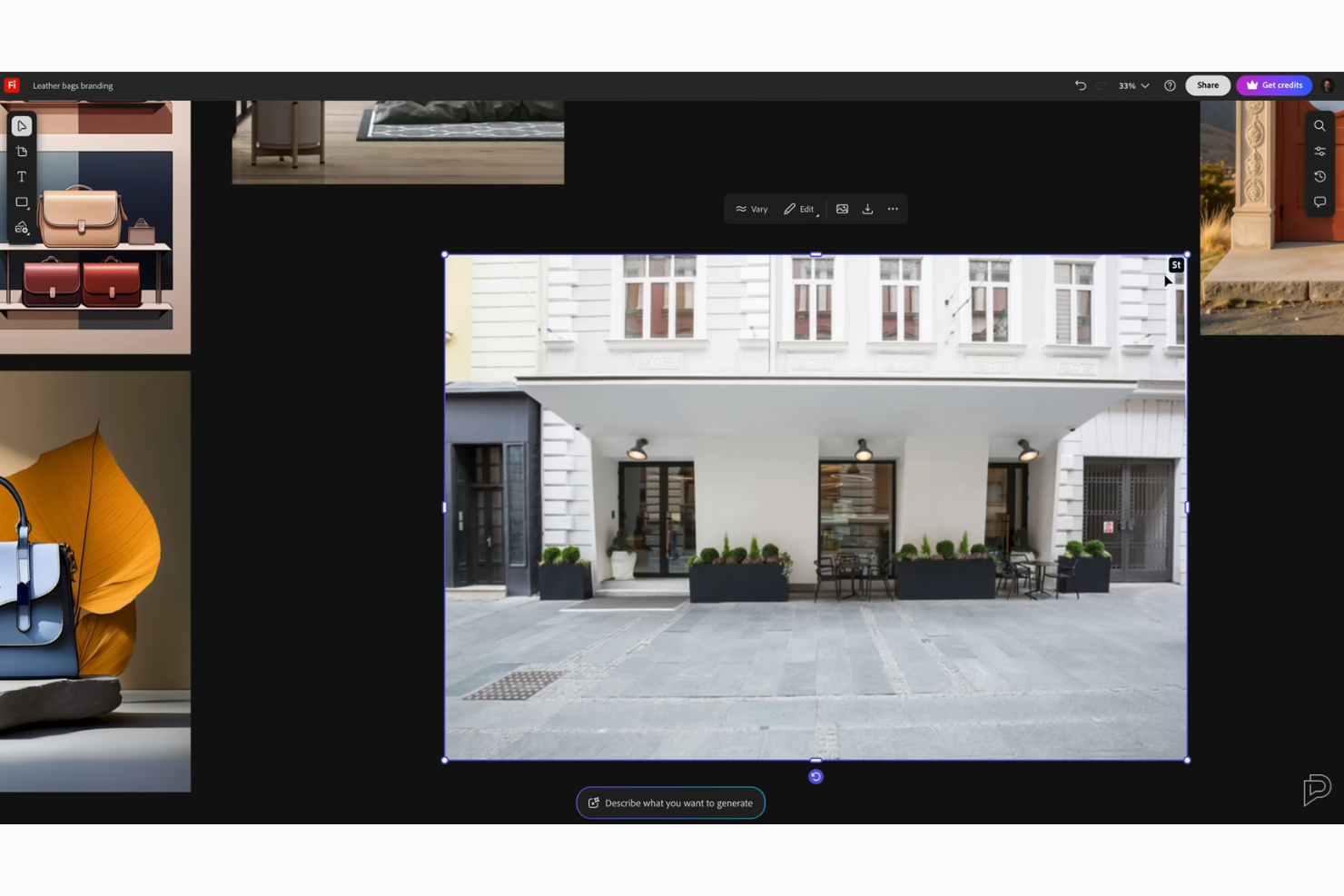
Adobe Firefly Boards is an AI-powered creative mood board solution that lets you generate, collect, remix, and organize visual inspiration, reference images, and style assets for collaborative design projects.
Who Is Adobe Firefly Boards Best For?
Creative professionals and design teams in agencies or studios who want generative remixing and visual asset ideation built into their mood board tool.
Why I Picked Adobe Firefly Boards
I picked Adobe Firefly Boards as one of the best because I can remix style references with generative AI, pulling in new imagery or variations on demand. The ability to generate, organize, and edit visual assets supports the creation of a professional interior design mood board or iterative creative workflow. Using these features, my team can explore style mashups, update references, and collaborate in real time as we develop creative directions.
Adobe Firefly Boards Key Features
- Board templates: Start new mood boards faster with built-in layout options.
- Drag-and-drop uploads: Add images, files, and assets directly onto your board.
- Image pinning: Pin and arrange reference images anywhere on your canvas.
- Generative remixing: Blend style references and generate new visual concepts directly on your canvas.
Adobe Firefly Boards Integrations
Adobe Firefly Boards offer native integrations with Adobe and let you access native AI partner models, including Gemini 3, FLUX models, Luma AI Ray 3, GPT Image, ElevenLabs, and Topaz Astra. An API for custom integrations may be available through the Adobe developer ecosystem.
What's Free?
Adobe Firefly Boards offers a free trial with basic generative AI credits and core mood board features. Usage limits apply to AI generations, and advanced features require an Adobe subscription.
Pros and Cons
Pros:
- Modern interface designed for visual workflows
- Built-in asset organization for mood boards
- AI can generate and remix inspirational images
Cons:
- Limited exporting options
- Integrations with external tools are limited
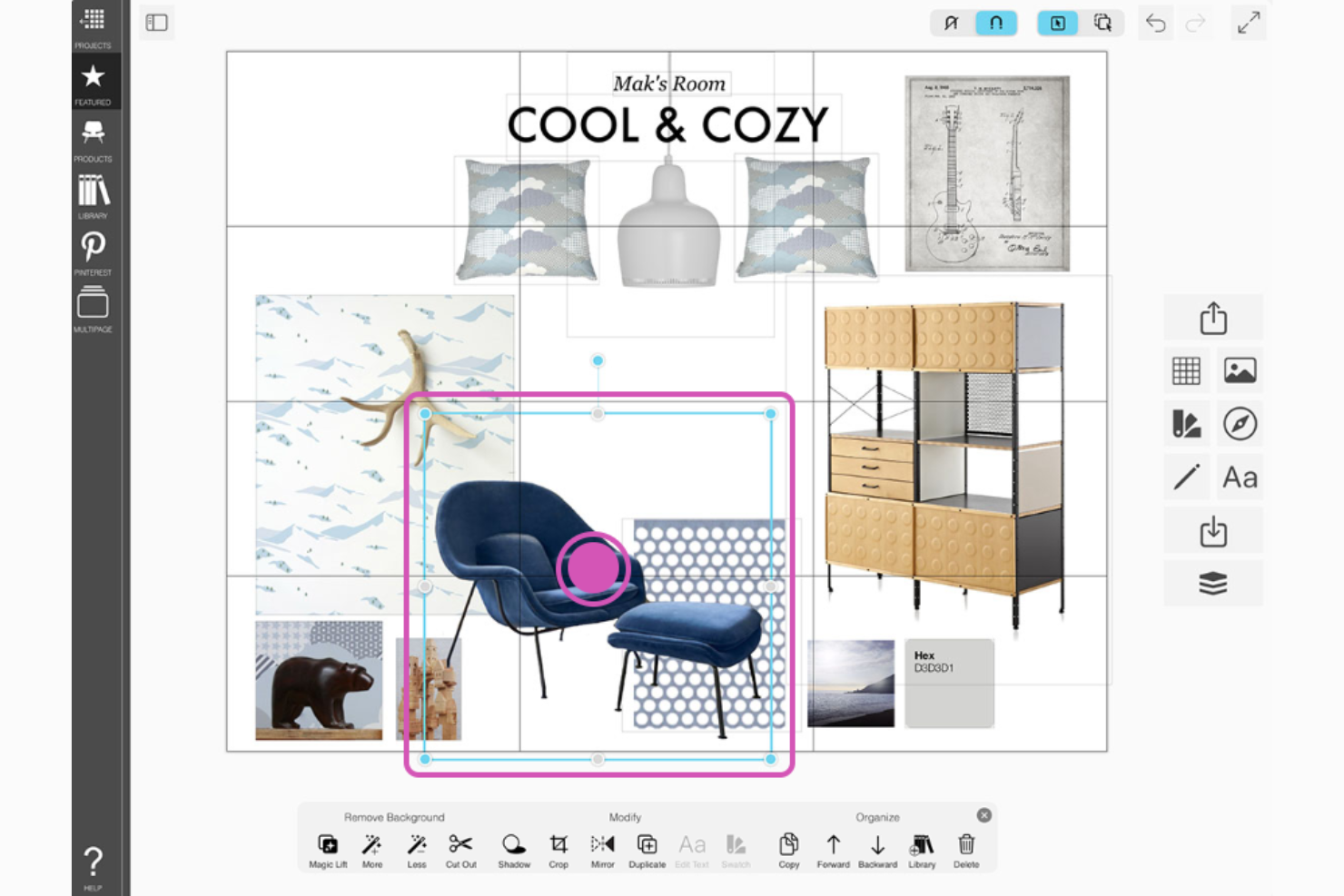
Morpholio Board is a tool for interior design that lets you organize floor plans, material swatches, and room concepts using an extensive library of furniture and decor products.
Who Is Morpholio Board Best For?
Morpholio Board is a fit for interior designers and architecture professionals who want to visually organize and present materials for residential and commercial spaces.
Why I Picked Morpholio Board
I picked Morpholio Board as one of the best mood board creators because I can access an extensive design product library to sample real furniture and materials. The board maker is tailored for interior design, so I can drag curated swatches directly from major brands. I find its powerful search and per-project concept curation especially valuable when mocking up presentation-ready boards for client projects.
Morpholio Board Key Features
- Sketch mode: Add notes, markups, or hand-drawn elements directly to boards.
- Room board generator: Create tailored room scenes for different design concepts.
- Image background removal: Cut out and isolate products or materials from imported photos.
- Design library access: Sample and drag real furniture and swatches directly from major brands onto your canvas.
Morpholio Board Integrations
Native integrations are not clearly documented. An API for custom integrations is not listed.
What's Free?
Morpholio Board offers a limited free version with basic features and watermarking on exports. Advanced tools, collaboration, and full export options require a paid subscription.
Pros and Cons
Pros:
- Advanced sketching and markup tools
- Real vendor catalogs for interior design
- Extensive material and product library
Cons:
- Limited file exporting options on the free version
- Desktop experience is limited to iPad and Mac
Other Free Mood Board Creator
Here are some additional free mood board creator options that didn’t make it onto my shortlist, but are still worth checking out:
- Miro
For multiplayer creative workshops
- Planner 5D
For 2D to 3D spatial visualization
- Bookmarkify
For interactive live website previews


How I Evaluate Free Mood Board Creators
First, I define what counts as free. For mood board creators used in discovery sprints or stakeholder reviews, both a free-forever plan and a free trial of at least 7 days qualify. From there, I split evaluation into core functionality every tool must offer to make the list, and the differentiators that set one option apart from another.
Core Functionality (Table Stakes For This List)
In addition to my free offer requirements, I also use a scoring system to select tools for my list. Here's how it works:
I rank each one on a scale from 0 (does not offer the functionality) to 5 (excels in this area) for each core functionality listed below. Then, I calculate the tool's total score into a percentage. Each tool needs to achieve a minimum total score of 65% to be considered for inclusion.
- Visual Canvas Workspace: I look for a flexible, zoomable canvas where you can freely position images, text boxes, and frames—the kind you'd use to map out a product's visual direction during discovery.
- Image Upload & Import: Each tool should let you pull in visuals from local files, URLs, or stock libraries like Unsplash so you can gather competitor screenshots and UI references in one place.
- Pre-Built Templates: I check for mood board starter templates that save product teams from building layouts from scratch, especially for recurring rituals like persona boards or feature concept reviews.
- Real-Time Collaboration: Product work is cross-functional, so I evaluate whether teammates in design, engineering, and marketing can co-edit or comment on a board at the same time.
- Export & Sharing Options: I look at available export formats (PNG, JPG, PDF) and shareable link options, since product managers routinely attach mood boards to strategy decks or drop them into Slack threads.
- Built-In Design Elements: A usable set of shapes, icons, fonts, and color tools matters—teams shouldn't need a separate design app just to add visual structure or highlight a color palette on a mood board.
Once I have a list of tools that meet the criteria, I consider what sets each platform apart.
Differentiating Factors (What Sets Vendors Apart)
Here's how I compare and contrast different vendors:
Standout Features
Presentation mode is a big differentiator—I look for tools that let you walk stakeholders through a mood board in a guided view without exporting to a separate slide deck. Sticky notes and voting features also add real value during discovery workshops, where product teams need to react to visual concepts and converge on a direction quickly. I also evaluate whether a tool connects to platforms like Jira, Figma, or Slack, since embedding a mood board in an existing workflow beats sharing static files.
Beyond Features
Free plan limits matter a lot here—I check how many boards and collaborators each tool allows, since a cap of one or two boards can stall a discovery sprint fast. Guest access is equally important; product managers regularly share boards with executives or agency partners who shouldn't need their own account. I also evaluate how quickly a non-designer can go from signup to a finished mood board, looking at onboarding resources and template galleries that flatten the learning curve for product teams without formal design training.
How to Choose a Free Mood Board Creation Tool
It’s easy to get bogged down in long feature lists and complex pricing structures. To help you stay focused as you work through your unique software selection process, here’s a checklist of factors to keep in mind:
| Factor | What to Consider |
|---|---|
| Scalability | Will the tool support your team as it grows? Check if you can add more users or projects without switching platforms or losing past work. |
| Integrations | Does it connect with your existing tools (like Google Drive or Slack)? Make sure core workflows won’t be disrupted or force manual rework. |
| Customizability | Can you tailor board layouts, asset libraries, or brand elements to fit your needs, or are you stuck with rigid structures and defaults? |
| Ease of use | Can new team members start quickly, or will they get stuck on complex menus? Review feedback for ease of onboarding and daily navigation. |
| Implementation and onboarding | What resources—guides, training, team support—are available for launch? Consider timelines for rolling out to your entire team. |
| Cost | What’s actually included in the free plan? Beware of hidden limits, paywalls for key features, and future costs if you outgrow the free tier. |
| Security safeguards | Does the tool offer permissions, content privacy, or data storage practices that align with your company’s standards and industry needs? |
| Support availability | How will you access support if stuck? Check if support channels match your hours and urgency needs before you commit. |
What Is a Free Mood Board Creator?
A free mood board creator is a digital tool that lets you visually organize images, colors, and ideas into a single, shareable board without cost. These platforms help individuals and teams brainstorm, explore concepts, and communicate creative direction for projects. Most free mood board creators include features for uploading assets, arranging layouts, and collaborating with others online.
Features of Free Mood Board Creators
Let’s go over the features commonly found in mood board creator tools, and which ones are usually included in free vs. paid plans.
Typically Free Mood Board Creator Features
- Image uploading: Import images from your device or browser to add visual elements directly to your boards for inspiration and planning.
- Drag and drop interface: Move, resize, and arrange images and notes on the board intuitively, making it fast to experiment with different layouts.
- Template access: Start with pre-made templates for specific purposes like branding, event planning, or visual storytelling to save time and spark ideas.
- Basic text tools: Add notes, titles, and labels to clarify your boards and organize themes or concepts visually.
- Real-time collaboration: Invite others to view or edit boards simultaneously, supporting team brainstorming and project sharing online.
- Cloud storage: Save boards online, access your projects from any device, and avoid losing work due to hardware failures.
- Export to image format: Download finished boards as common image files, making it easy to share with stakeholders or embed in other documents.
- Commenting features: Allow collaborators to leave feedback, ask questions, or suggest changes on specific parts of the board.
Typically Paid Mood Board Creator Features
- Brand kit integration: Upload brand colors, fonts, and logos to ensure all boards follow style guidelines automatically, useful for marketing and design teams.
- Premium asset libraries: Access an expanded selection of high-quality stock images, graphics, videos, and icons beyond what’s available on free plans.
- Advanced animation tools: Add animated transitions or dynamic effects to your boards, enhancing presentations for clients or team reviews.
- Custom export options: Download boards in vector, high-resolution, or layered file formats suitable for print or professional design software.
- Multiple workspace management: Organize mood boards across different teams, projects, or clients with dedicated folders and permissions.
- Unlimited projects or boards: Create as many mood boards as needed without hitting limits imposed on free users.
- Priority customer support: Receive faster responses and dedicated help channels for troubleshooting or complex questions.
- Version history and rollback: Track changes made over time and restore previous versions of a board if necessary.
- Integration with external apps: Connect your boards natively with tools like Slack, Google Drive, or project management platforms for smoother workflows.
- Watermark removal: Download or present mood boards without branded watermarks, ensuring a professional appearance for clients and presentations.
Benefits of Free Mood Board Creators
Implementing a free mood board creator provides several benefits for your team and your business. Here are a few you can look forward to:
- Accessible creativity: Free tools remove budget barriers, letting anyone on your team experiment with visual ideas and layouts easily.
- Improved collaboration: Built-in sharing and real-time editing support smooth teamwork and fast feedback across projects or locations.
- Visual idea alignment: Mood boards let you organize and communicate aesthetic concepts quickly, reducing misunderstandings and wasted revisions.
- Convenient asset management: Uploading, storing, and reusing images and brand elements in the cloud keeps project materials organized and ready.
- Rapid prototype creation: Templates and drag-and-drop controls allow fast assembly of mockups or pitches without waiting for a designer.
- Remote project flexibility: Web-based free plans enable board access and editing from anywhere, supporting distributed teams and hybrid work.
- No-risk experimentation: Since there’s no cost commitment, your business can try different tools and workflows to find what suits you best.
Costs and Pricing of Mood Board Creation Tools
I realize you came to this article looking for the best mood board creator options that are available for free. However, since free plans only offer limited features, there's a good chance you'll need to scale your plan up in the future.
The table below summarizes common plans, their average prices, and typical features included in mood board creator tools:
Plan Comparison Table for Mood Board Creator
| Plan Type | Average Price | Common Features |
|---|---|---|
| Free Plan | $0 | Basic image uploads, drag and drop boards, template access, limited storage, single brand kit, and simple sharing. |
| Personal Plan | $3-$29/user/month | More templates, extra storage, watermark removal, expanded export options, and limited premium asset access. |
| Business Plan | $30-50/user/month | Team collaboration, admin controls, optimized brand kits, priority support, advanced templates, and more integrations. |
| Enterprise Plan | $50-100/user/month | Unlimited boards, white-labeling, custom roles, dedicated support, security controls, and workflow automation. |
Free Mood Board Creator FAQs
Here are some answers to common questions about free mood board creation tools:
What limitations should I expect with a free mood board creator?
You’ll usually have limits on storage, export options, and access to premium templates or images. Most free plans also include branding or watermarks, and may restrict collaboration or the number of boards you can create.
Can I use a free mood board creator for commercial projects?
Yes, but always check each tool’s terms of service. Some free plans limit commercial use or require attribution for assets, so review licensing if you plan to share boards with clients or publish them publicly.
How do free mood board creators support team collaboration?
Most free mood board creators let multiple users comment or edit boards together, though you may have restrictions on the number of collaborators or access to advanced sharing features until you upgrade.
Can I transfer my work if I upgrade from free to paid?
Yes, most tools allow you to keep all your existing boards and files when you move to a paid plan, so you won’t lose your work or need to rebuild anything.
Do free mood board creators offer data privacy and security?
Yes, reputable tools provide secure cloud storage and privacy controls, but always review what’s included with the free plan since advanced permission settings and encryption might be reserved for paid tiers.