


UXPin vs. Figma: Comparison & Expert Review For 2026

We review tools independently, and commissions help fund our testing. See our transparency policy, our methodology, or suggest a tool.
UXPin offers an intuitive solution for UX designers seeking to create engaging, interactive prototypes. Figma provides a collaborative platform that's ideal for teams working in real time. While both tools cater to UX design needs, UXPin is known for its advanced prototyping capabilities, whereas Figma shines with its collaborative features.
In this article, we'll compare these UX design tools, examining their features, pros and cons, and pricing to help you determine which is the right fit for your team.
UXPin
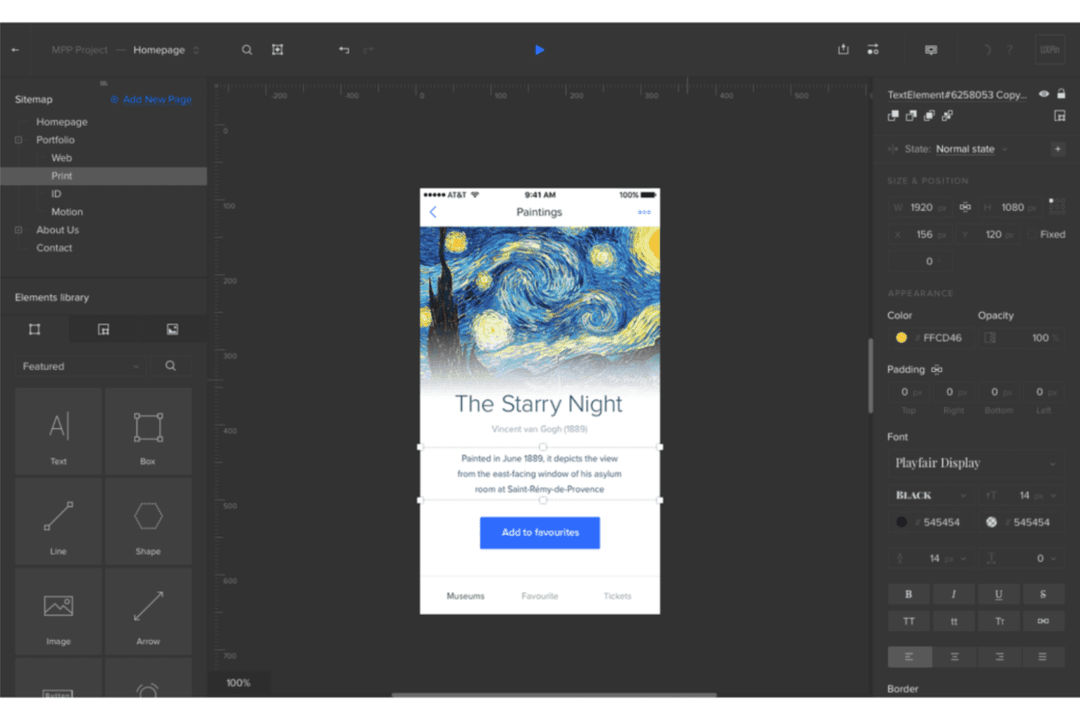
4.2/5
- Free plan available; 14-day free trial
- From $29/user/month (billed annually)
Figma

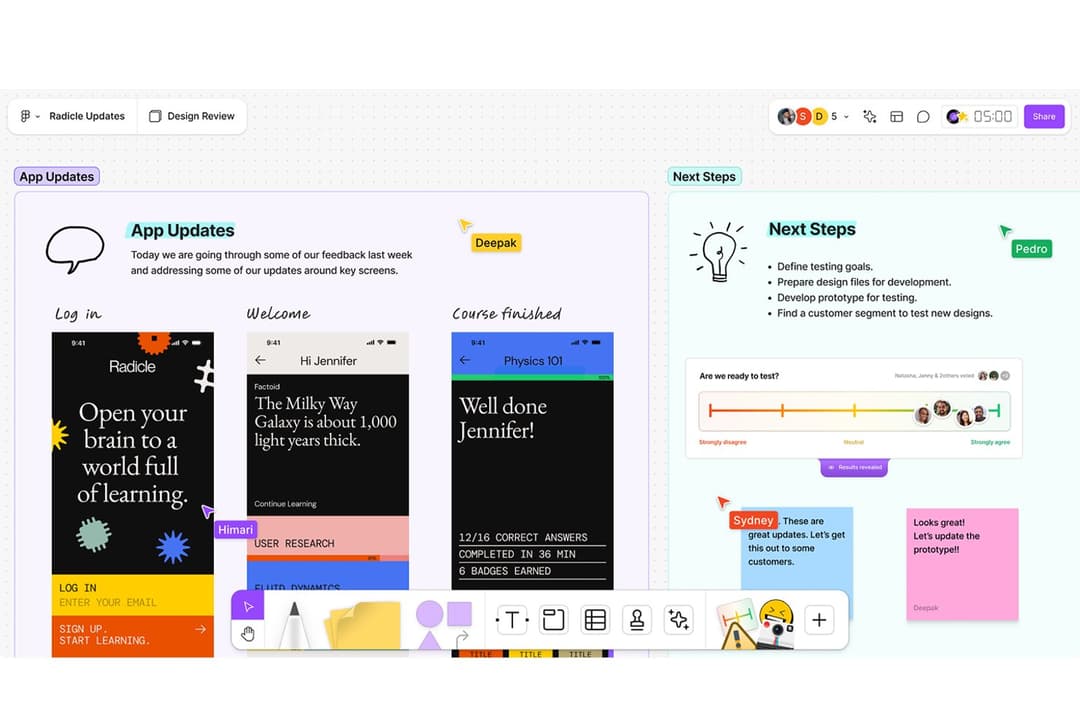
4.7/5
- Free plan available
- From $3/user/month
Why Trust Our Software Recommendations
6,700+
Reviews
20
Industry experts
16+
Evaluation factors
14
Years
Our team has been testing and reviewing software since 2012. As product managers ourselves, we know how difficult—and important—it is to choose the right software.
For this guide, we evaluated tools using hands-on testing and independent research, scoring tools using our selection criteria.
Our reviews reflect our human editorial judgment, not a sales pitch.
Expert reviewers:
- Andrew LumbySenior TPM
- Cristiano ValimSenior UI/UX Lead


| UXPin | Figma | |
|---|---|---|
| Free Trial | Free plan available; 14-day free trial | Free plan available |
| Pricing | From $29/user/month (billed annually) | From $3/user/month |
UXPin vs. Figma Pricing & Hidden Costs
UXPin pricing is structured around tiered plans that cater to different team sizes, with additional costs for accessing advanced features or higher levels of collaboration. Figma pricing also uses a tiered model, but it emphasizes flexibility with its free version for individual users and scalable plans for teams, though costs may rise with increased usage or team collaboration. To select the tool with the right pricing for your needs, evaluate your team's size, feature requirements, and collaboration level to determine which pricing structure aligns best with your workflow and growth plans.
With UXPin’s advanced prototyping, you can create highly interactive and detailed prototypes, making it invaluable for testing user flows in complex applications and conducting early-stage user testing with realistic interactions. Figma’s real-time collaboration feature is great for design teams working remotely, as it allows everyone to contribute and make changes in a shared design space simultaneously. While UXPin excels in creating detailed prototypes that can simulate real product behavior, Figma’s strength lies in fostering smooth team collaboration and rapid iteration during product design cycles.
| UXPin | Figma | |
|---|---|---|
| Multi-User | Yes | Yes |
| Third-Party Plugins/Add-Ons | Yes | Yes |
| Integration | UXPin | Figma |
|---|---|---|
| IntegrationJira | UXPin✅ | Figma✅ |
| IntegrationSlack | UXPin✅ | Figma✅ |
| IntegrationMicrosoft Teams | UXPin❌ | Figma✅ |
| IntegrationTrello | UXPin✅ | Figma✅ |
| IntegrationAdobe XD | UXPin❌ | Figma✅ |
| IntegrationSketch | UXPin✅ | Figma✅ |
| IntegrationNotion | UXPin❌ | Figma✅ |
| IntegrationMiro | UXPin✅ | Figma✅ |
| IntegrationAPI | UXPin✅ | Figma✅ |
| IntegrationPhotoshop Artboard | UXPin✅ | Figma✅ |
| IntegrationZapier | UXPin✅ | Figma✅ |
With UXPin's integration with Jira, you can streamline your design and development workflow by ensuring design updates are synchronized across teams, making it perfect for iterative design processes. Figma's integration with Slack is great for keeping your team informed in real-time, as it allows instant notifications and discussions about design changes. While UXPin enhances development coordination, Figma excels in fostering team communication and collaboration.
| Factor | UXPin | Figma |
|---|---|---|
| FactorData Encryption | UXPinUXPin encrypts data both at rest and in transit to protect sensitive information from unauthorized access. | FigmaFigma uses AES-256 encryption for data at rest and TLS for data in transit, ensuring robust data protection. |
| FactorRegulatory Compliance | UXPinUXPin complies with GDPR regulations, providing tools for data subject requests and data processing agreements. | FigmaFigma adheres to GDPR and CCPA, offering compliance features like data export and deletion capabilities. |
| FactorReliability | UXPinUXPin claims to offer 99.9% uptime and continuous monitoring to ensure service reliability and performance. | FigmaFigma maintains that it also offers high reliability with 99.9% uptime, supported by real-time backup and recovery solutions. |
In terms of security and compliance, both UXPin and Figma offer strong encryption and adhere to major data protection regulations, ensuring your data is safe and compliant. To evaluate these tools, focus on the specific security and compliance features that align with your project requirements, such as encryption standards and regulatory adherence, to determine which vendor meets your team's needs.
| Factor | UXPin | Figma |
|---|---|---|
| FactorUser Interface | UXPinOffers a detailed interface with advanced prototyping tools, suitable for complex designs. | FigmaProvides a clean and intuitive interface, making it accessible for beginners. |
| FactorOnboarding | UXPinProvides guided tutorials, screenshots, and documentation to assist new users. | FigmaOffers an interactive onboarding process with in-app tips and an intuitive user experience. |
| FactorCollaboration | UXPinSupports real-time collaboration, though some setup may be required for team workflows. With UXPin Merge, teams can use live React components as part of their design system, making UXPin a single source of truth that reflects production-ready UI. | FigmaExcels in real-time collaboration, allowing multiple team members to work on the same file instantly. Figma is built for cross-platform workflows—whether on Mac, Windows, or web. |
UXPin's advanced features cater to complex projects, though they may present a learning curve for new users. Figma's user-friendly interface and real-time collaboration capabilities make it ideal for teams seeking quick adaptation and efficient teamwork.
UXPin
- You can create interactive prototypes that mirror real-world applications.
- UXPin supports team collaboration with real-time updates and feedback.
- It offers design systems management to maintain consistency across projects.
- Some users find the learning curve a bit steep initially.
- The interface can be overwhelming for new users with its extensive features.
- It may lack certain customization options that other tools provide.
Figma
- Real-time collaboration supports distributed design teams.
- Extensive plugin library expands core design capabilities.
- Cloud-based access enables instant file sharing and feedback.
- Performance can lag with large, complex design files.
- Advanced vector editing tools are less mature than some peers.
- Limited offline editing restricts work without internet.
UXPin
- Tech StartupsYour team can benefit from UXPin’s real-time collaboration and prototyping features to iterate quickly and efficiently.
- Creative AgenciesUXPin’s design systems management helps your agency maintain brand consistency across various client projects.
- Product Development TeamsYou can utilize UXPin’s interactive prototypes to test and refine user experiences before full-scale development.
- UI/UX DesignersUXPin offers the tools you need to create detailed and interactive designs that meet client expectations.
- Education InstitutionsYour design students can learn industry-standard prototyping and design skills using UXPin’s comprehensive feature set.
- Mid-Sized BusinessesUXPin provides the scalability and collaborative tools your growing teams need for effective design workflows.
Figma
- Remote Product TeamsFigma’s real-time editing and commenting support distributed product teams working across time zones.
- Design AgenciesCloud-based file management and easy client sharing streamline agency-client collaboration.
- Higher EducationBrowser access and free education plans make Figma accessible for student projects.
- StartupsAffordable pricing and rapid prototyping help startups iterate quickly on MVPs.
- Marketing DepartmentsEasy asset export and brand library features support campaign design needs.
- Front-End DevelopersDeveloper handoff tools and inspect mode simplify translating designs to code.
Who Should Use UXPin, and Who Should Use Figma?
In my opinion, UXPin is best for design professionals working on complex, interactive prototypes where advanced features are necessary to test user flows thoroughly. It's ideal for industries that require detailed and high-fidelity designs, such as automotive or aerospace. On the other hand, I believe Figma suits teams that prioritize collaboration and quick iteration, making it perfect for startups or creative agencies. If your team values ease of use and needs a tool that integrates smoothly with other platforms, Figma is likely the better choice.
| UXPin | Figma | |
|---|---|---|
| Collaboration | UXPin UXPin supports collaboration but may require setup for team workflows. | Figma Figma excels in real-time collaboration, allowing instant teamwork on design files. |
| Integrations | UXPin UXPin integrates with tools like Jira and Zapier to support workflow automation and team collaboration. With UXPin Merge, teams can also import React components directly from their codebase, enabling live, code-based prototyping. | Figma Figma integrates with platforms like Slack and Microsoft Teams for real-time communication. While it doesn't support code-based components natively, teams can use third-party plugins to export designs into React code for developer handoff. |
| Pricing | UXPin UXPin uses tiered pricing based on team size and feature access. | Figma Figma offers a flexible pricing model with a free version and scalable team plans. |
| Prototyping Features | UXPin UXPin offers advanced prototyping tools for creating complex interactions and animations. | Figma Figma provides basic prototyping capabilities, suitable for simpler design flows. |
| User Interface | UXPin UXPin caters to advanced users who work with component libraries, UI components, and vector graphics. It’s well-suited for code-based prototyping and offers precise control over typography and layout. | Figma Figma's interface is clean and intuitive, from dropdown menus to user-friendly templates. Its web-based platform supports UI elements, UI kits, and vector graphics, making it easy to create polished, accessible designs. |
| Cross-Platform Access | UXPin and Figma are accessible on both macOS and Windows, allowing your team to work seamlessly from any device, anywhere. |
|---|---|
| Data Security | Both design systems prioritize data security, using encryption and compliance with regulations like GDPR to protect your work. |
| Design Collaboration | Both UXPin and Figma support collaborative design, allowing designers to work together on projects, although Figma does this in real-time, while UXPin may require some setup. |
| Integrations | UXPin and Figma both offer plugins and integrations with popular tools like Slack and Zapier, streamlining your design workflow and communication. |
| User-Friendly Tools | Both tools offer intuitive design tools that cater to beginners and advanced designers, ensuring everyone on your team can contribute effectively while also easily sharing wireframes, high-fidelity prototypes, or facilitating handoff of final products to stakeholders. |