

10 Best Web Design Software To Create Sites In 2026

Best Web Design Software Shortlist


Managing web design projects can be tough, especially when juggling tight deadlines and diverse team needs. You might find yourself overwhelmed by the sheer volume of tasks and coordination required. That's where web design software comes in—it helps you organize, collaborate, and bring your creative ideas to life more efficiently.
In my experience, selecting the right tool can make a significant difference in how smoothly your projects run. I've independently tested and reviewed various software to bring you an unbiased list of top picks.
In this article, you'll find insights into the best web design tools available, focusing on features that cater to your team's unique challenges.
Why Trust Our Software Reviews
We’ve been testing and reviewing product management software since 2020. As product managers ourselves, we know how critical and difficult it is to make the right decision when selecting software.
We invest in deep research to help our audience make better software purchasing decisions. We’ve tested more than 2,000 tools for different product management use cases and written over 1,000 comprehensive software reviews. Learn how we stay transparent & our software review methodology.
Best Web Design Software Summary
This comparison chart summarizes pricing details for my top web design software selections to help you find the best one for your budget and business needs.
| Tool | Best For | Trial Info | Price | ||
|---|---|---|---|---|---|
| 1 | Best for customizable templates | Free plan available | From $17/month | Website | |
| 2 | Best website builder with a freeform canvas | Free plan available | From $10/editor/month (billed annually) | Website | |
| 3 | Best drag-and-drop website builder | Free plan available | From $18/month/user | Website | |
| 4 | Best web design software with robust cross-functional collaboration features | Free plan available | From $3/collab seat/month (billed annually) | Website | |
| 5 | Best for white-labeled website building | 14-day free trial available | From $19/month (billed annually) | Website | |
| 6 | Best for developing responsive mobile-first projects | Not available | Free and open-source | Website | |
| 7 | Best for creating responsive web designs in a real-time visual builder | Free plan available | From $15/month (billed annually) | Website | |
| 8 | Best web design software for rapid prototyping | Free plan + free demo available | From $12/month (billed annually) | Website | |
| 9 | Best for web and mobile application prototyping | Free plan available | From $19/user/month | Website | |
| 10 | Best web design platform with robust CMS features | Free plan available | From $3.25/month (billed biennially) | Website |
Best Web Design Software Review
Below are my detailed summaries of the best web design software that made it onto my shortlist. My reviews offer a detailed look at the key features, pros & cons, integrations, and ideal use cases of each tool to help you find the best one for you.

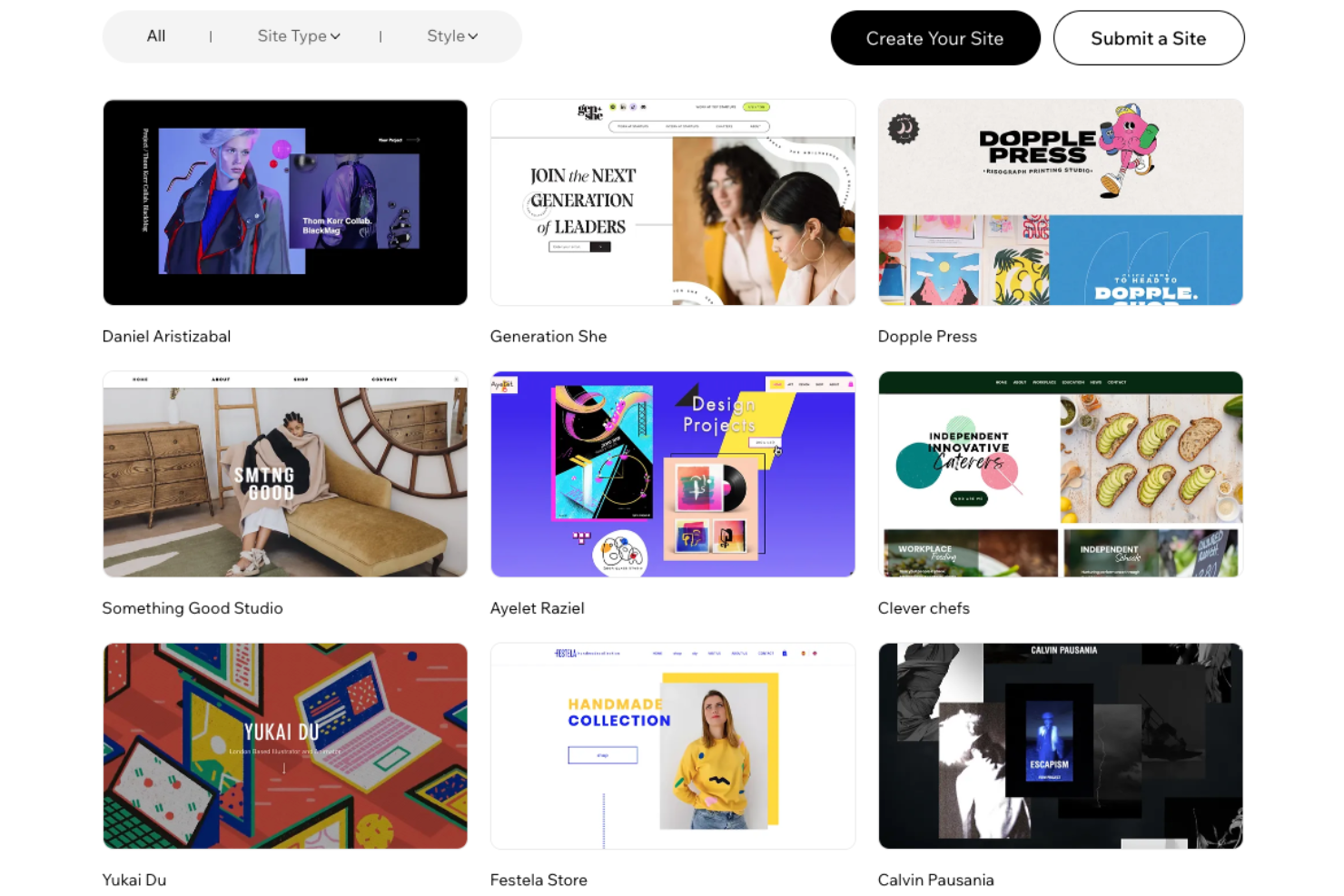
Wix is a versatile web design software that enables you to create and manage your own website without needing any coding skills. With its drag-and-drop editor and a vast selection of customizable templates, you can design a site that reflects your personal or business brand.
Why I picked Wix: Wix has an extensive template library, offering over 800 designer-made options tailored to various industries and styles. This variety allows you to find a design that suits your needs, providing a solid foundation for your website. Additionally, Wix's built-in SEO tools help improve your site's visibility on search engines, making it easier for potential visitors to find you online.
Another notable feature is Wix's App Market, which offers a wide range of applications to enhance your website's functionality. From adding contact forms and live chat to integrating social media feeds, these apps allow you to customize your site to meet your specific requirements.
Wix Standout Features and Integrations
Features include mobile optimization, ensuring your website looks great on any device and advanced design capabilities that let you animate text and images to create a dynamic user experience. Additionally, Wix provides secure hosting, giving you peace of mind that your site is safe and reliable.
Integrations include Google Analytics, Google Ads, Facebook Catalog, Mailchimp, HubSpot, Omnisend, Meta Pixel, Salesforce, Pipedrive, Stripe, PayPal, and QuickBooks.
Pros and Cons
Pros:
- A wide selection of apps and widgets
- User-friendly drag-and-drop editor
- Built-in SEO tools
Cons:
- Storage limits on lower-tier plans
- Can't switch templates without creating a whole new site
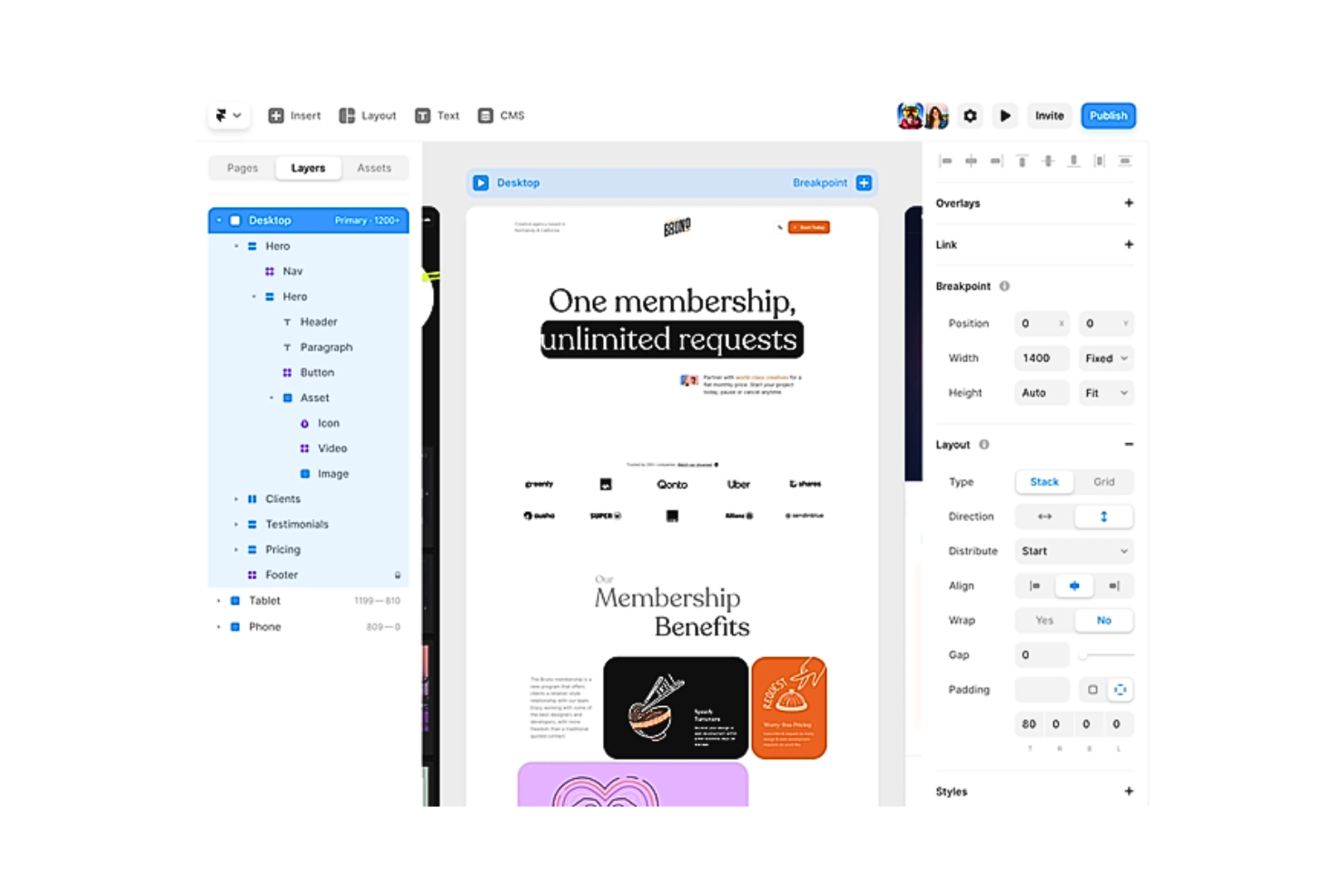
Framer was originally a simple JS library combined with a prototyping tool set. This web design tool has since evolved into an all-in-one platform that helps create rapid no-code prototypes in minutes. Despite being a no-code tool, Framer still supports adding custom code. The software also works as a good learning platform for React and JavaScript since you can easily pull up the code editor and witness the code counterparts of your matching design components.
Why I picked Framer: Framer is one of the most powerful tools for creating responsive website designs, thanks to its huge library of customizable visual assets. Its vector-based interface is somewhat similar to Sketch, but Framer provides a lot of support for advanced animations. The web design tool also makes developer hand-offs easy and accurate using pre-generated React and JavaScript code, ensuring that no design criteria get lost in translation.
Moreover, Framer offers many other features, including Stacks and Grids to organize multiple elements efficiently in layers, Figma Copy Paste to seamlessly transfer Figma designs to Framer, and Breakpoints that allow users to optimize their designs for multiple screen sizes.
Framer Standout Features and Integrations
Features that stand out include its freeform canvas which lends Framer the familiarity of other design platforms like Adobe XD, Sketch, and Figma. It enhances the user’s creativity by allowing them to create unique designs without the constraints of presets or boxed layouts.
Framer also comes with some other features, including Pages and Sections that provide pre-designed pages, headers, footers, navigation bars, etc., to insert into your design, and layout pinning to enable smarter layout designs at scale. You can also use its styling and positioning options to bring out your brand’s essence and visual identity. In addition to this, Framer houses site management and content management systems and offers SEO and performance analytics services.
Integrations include tools like Formspark, HubSpot, Intercom, Logo, Lottie, Mailchimp, Typeform, YouTube, and others.
Pros and Cons
Pros:
- Regular updates for improvements and bug fixes
- Compatibility with React components
- Intuitive and designer-friendly interface
Cons:
- Lacks an integrated solution for language translations
- Steep learning curve due to complex workflows

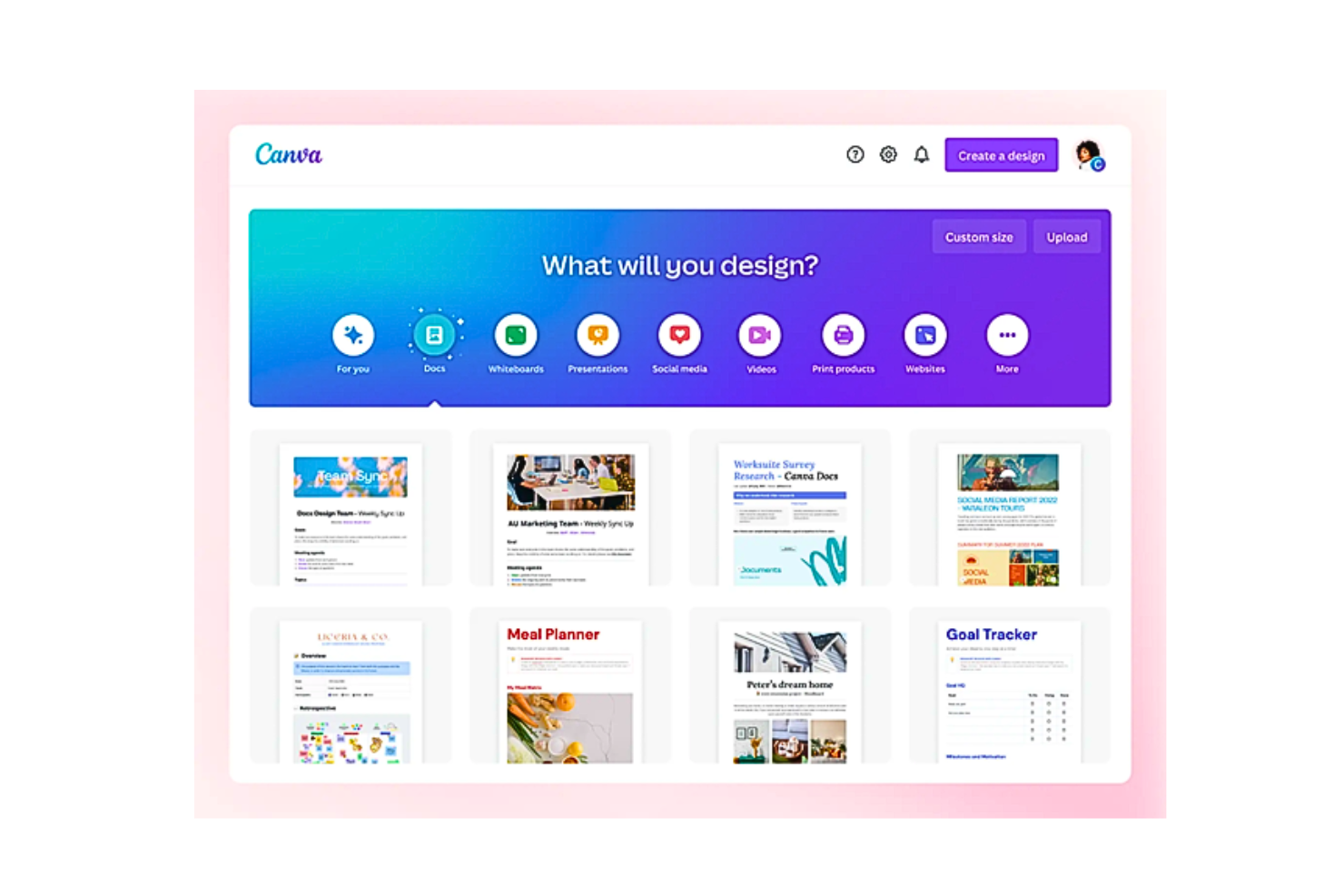
Canva enables you to create visually appealing websites in minutes. It is the perfect platform for beginners with little to no experience. Canva features an easy-to-use drag-and-drop website editor and a vast database of design templates, royalty-free images, and graphics. As a result, your web design process becomes quick, simple, and extremely cost-effective (since you can publish for free!)
You may use Canva online or by downloading the app for your Mac, PC, Chromebook, iOS, or Android device.
Why I picked Canva: Canva offers thousands of free templates and over 250,000 free photos, icons, illustrations, graphics, social media elements, videos, animations, and more that you can easily drag and drop into your website. The platform has other features, such as Styles, to help you find the perfect color and font combinations for image editing. Additionally, Canva features Magic Write, an AI writer & text generator powered by OpenAI.
Additionally, Canva ships a color palette generator to create custom color palettes. Canva also allows you to add brand elements to your sites. Subsequently, Canva stores your logo, brand colors, and fonts in its Brand Kit (available to only Pro users).
Canva Standout Features and Integrations
Features include its Website Insights. It lets you track traffic and engagement right from Canva without integrating your site with any third-party analytics. Canva also provides robust collaborative functionality, using which you can invite unlimited team members to your class space.
Some other features include easy exporting and importing tools, free custom domains, automated saving, password protection, and a one-click background remover feature.
Integrations include 150+ third-party applications, such as Brandfolder, Dropbox, Edgar, Flickr, HubSpot, Later, Mojo AI, Moovely, OneDrive, Pinterest, Slack, Shopify Sync, and others. Additionally, you can use its API and webhooks to create custom integrations.
Pros and Cons
Pros:
- Robust real-time collaboration capabilities for teams
- Easy drag-and-drop editor with clean UI
- A vast library of templates and graphics
Cons:
- Output formats such as .psd (Photoshop’s default) are missing
- Many images are watermarked in the free version

Figma
Best web design software with robust cross-functional collaboration features

Figma is a leader in the web design software space. The platform is cloud-based and promises seamless collaboration. Its “multiplayer” version-controlled design interface is a delight for designers and developers worldwide.
Why I picked Figma: Figma remains unfazed when it comes to effective web design collaboration. Figma’s “multiplayer” enables you to comment and annotate on designs in real time. You can also branch off to iterate on design options and later merge updates using dynamic overlays. The platform comes with other attributes, such as the OpenType feature that enables you to customize your designs with variable fonts.
Additionally, Figma keeps track of the contributors accountable for a project's workflow. On “project pages”, for instance, you can view every project; on “team and organization pages”, you can view every contributor. To view the most recent files that each person has worked on, you simply have to click on their respective user profiles. The software also lets you share files with a live link or embed the link in other tools.
Figma Standout Features and Integrations
Features include the ability to convert static files to interactive web elements. You can connect UI design elements, animate objects, specify interactions, and use GIFs to express motion designs, video elements, and animations. Figma’s library contains reusable components with quick search and drag-and-drop features.
Integrations include more than 30 tools, such as Asana, Bubble, Confluence, Dropbox, Flinto, GitLab, Lingo, Microsoft Teams, Mixpanel, ProtoPie, Storybook, UxTweak, and more. Additionally, you can use its API and webhooks to create custom integrations.
Pros and Cons
Pros:
- Generous free plan
- Auto-layout enables auto-resizing and reduces stretch-to-fill iterations
- Lots of widgets to help run collaborative workspaces
Cons:
- Little laggy on Windows compared to Mac
- Occasional delays in load times


Duda is a platform for building and managing websites with speed and flexibility. It’s designed for teams and agencies that want to design, launch, and maintain sites in one place. The tool helps you create websites that work well across devices while keeping design consistent.
Why I picked Duda: Duda gives you white-label options so your agency can offer websites under your own brand. You can set up templates, manage client permissions, and control access levels. The platform also lets you handle multiple projects at once with team collaboration tools. With its design editor, you can make changes quickly and see results in real time.
Duda Standout Features and Integrations
Features include a drag-and-drop editor that makes site creation easy for you and your team. You can build responsive designs that adjust smoothly across desktop, tablet, and mobile. There are also content collection tools that help you pull in client info faster.
Integrations include Google Analytics, Google Sheets, Google Drive, Dropbox, HubSpot, Mailchimp, Shopify, and Zapier.
Pros and Cons
Pros:
- Flexible client permission settings
- Fast setup for multiple sites
- White-label features for your agency
Cons:
- Harder to customize complex layouts
- Limited advanced design control

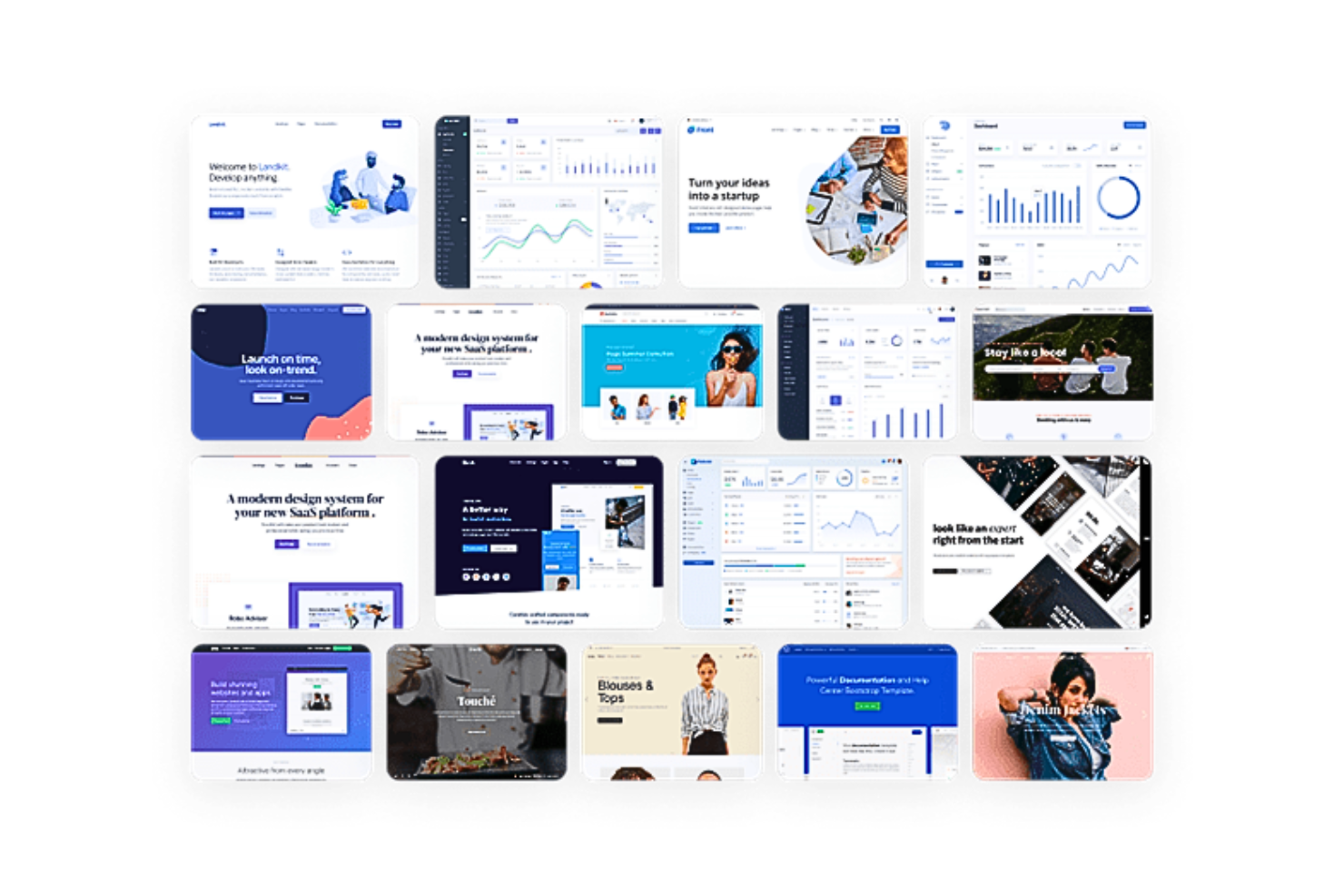
Bootstrap provides reliable HTML, CSS, and JavaScript frameworks for responsive websites. It is an open-source framework that offers cross-platform compatibility. Utilizing pre-built grid systems and components, Bootstrap helps develop mobile-first projects quickly.
Why I picked Bootstrap: Bootstrap enables easy implementation by either installing its Systematically awesome style sheets (Sass) and JavaScript files via package manager or including them via CDN. Using Sass customizations for a modular architecture, you can enable global options like gradients and shadows and write custom CSS with variables, maps and functions.
Moreover, these CSS variables can override global, component, or utility class variables to alter theme styles, colors, and font styles. Bootstrap also has a Utility API, which acts as a feature-rich Sass map that is customizable. Combining these capabilities, Bootstrap is ideal for users seeking full control of site design and development.
Bootstrap Standout Features and Integrations
Features include its assortment of powerful JavaScript plugins that can all be integrated without jQuery. These extensions can add toggleable menus, modals, popovers, tooltips, and off-canvas hidden elements. The JavaScript used in Bootstrap is HTML-first, which means the plugins are added with data attributes in your HTML design.
Additionally, Bootstrap offers an open-source SVG icon library called Bootstrap Icons, featuring more than 1800 glyphs designed to work in any project as SVGs or icon fonts. Both these options permit vector scaling and CSS customization. Bootstrap also has an official Themes Marketplace, rich with new plugins, web elements, documentation, and robust build tools.
Integrations are currently unavailable.
Pros and Cons
Pros:
- Features like grid layouts, padding classes, etc., for mobile-responsiveness
- Default UI for form control with validations
- Pre-built components
Cons:
- Limited customization options and color schemes
- Poor version compatibility

Webflow
Best for creating responsive web designs in a real-time visual builder
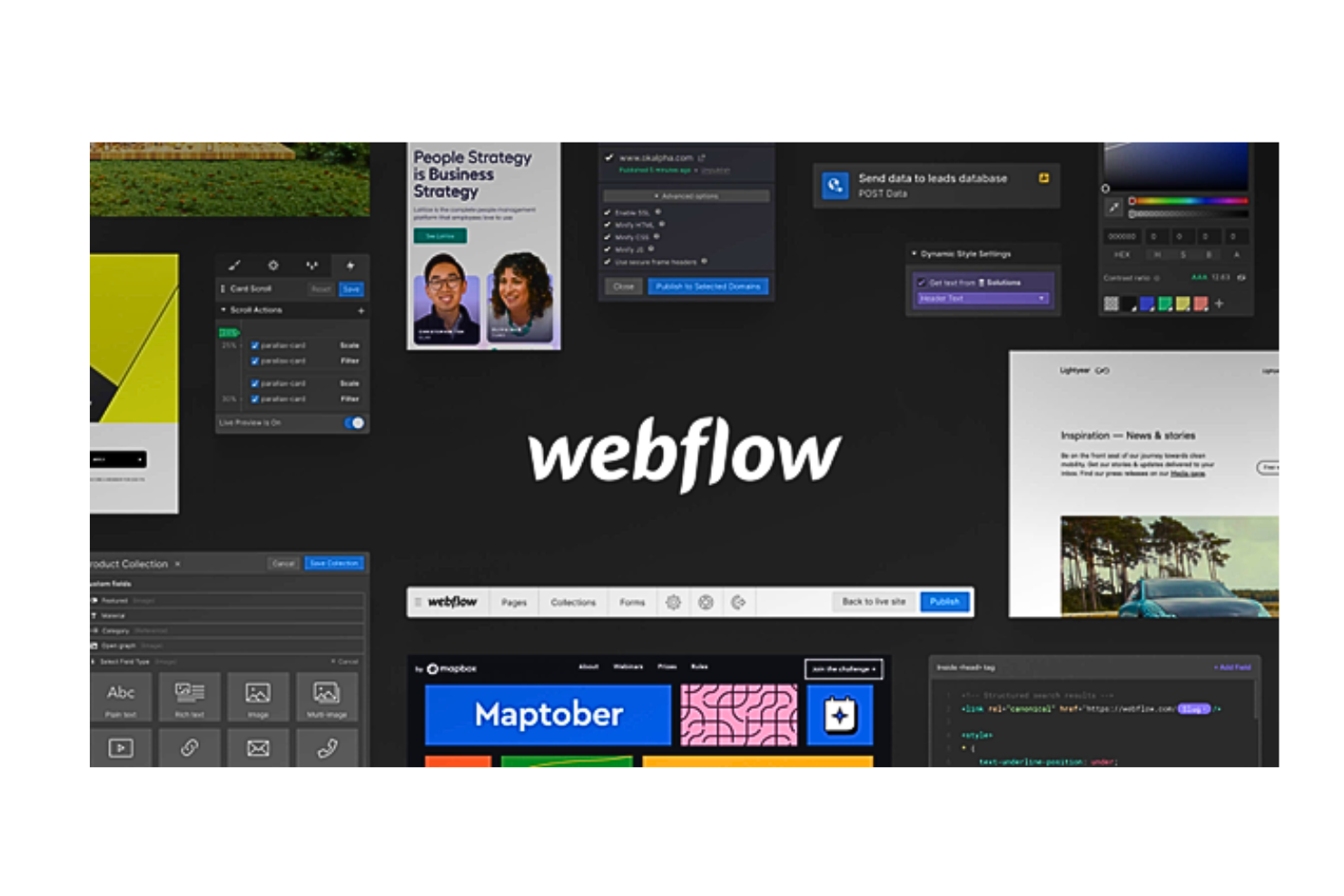
Webflow is a no-code website design software that allows users to design and publish fully responsive websites. The platform ships an intuitive interface built to generate HTML5, CSS3, or JavaScript code for everything from custom layouts to complex animations. With unstyled elements, reusable components, and publish-ready code, Webflow is a comprehensive platform for creating professional web designs.
Why I picked Webflow: With Webflow, you can take control of CSS3, HTML5, and JavaScript code in a completely visual canvas. You can drag in unstyled HTML elements and use the Quick Stack feature to modify website structures quickly. Moreover, Webflow allows you to utilize pre-built reusable components, such as navigation bars, footers, sliders and tabs, to customize designs further.
Moreover, you can create reusable CSS classes for style changing in multiple elements. Additionally, you can alter layouts from flexbox and CSS grids to inline-block and absolute positioning. Fine-tune typography is another exciting feature in Webflow. The platform also supports developers in easily adding any custom code to web designs.
Webflow Standout Features and Integrations
Features include its robust integrations with native CMS and e-commerce products. Using these extensions, you can directly build your website with real content, not dummy data.
Additionally, Webflow has a world-class hosting stack backed by SSL and ISO 27018 certifications. The software also allows you to export code in a ZIP file and is cross-browser compatible.
Integrations include 50+ tools, such as Astroic, Census, Chaty, fluidSEO, HubSpot, Jasper, Memberstack, NoQuestionYet, PageFactory, Typeform, Unspalsh, Vidzflow and more. Additionally, you can use its API and webhooks to create custom integrations.
Pros and Cons
Pros:
- 1000+ responsive pre-designed website templates for beginners
- Features like display panels, modals, etc., make designs more interactive
- Live prototyping through real-time collaboration
Cons:
- Does not have a mobile app
- Occasional limitations on custom code changes


Marvel is a web design software that enables design teams to generate design specs. It is the perfect tool for users seeking to rapidly create wireframes and prototypes without code and give their design thoughts some structure.
Why I picked Marvel: Marvel offers a centralized platform that unifies all aspects of the web design process from wireframing to prototyping, user testing, and finally, handing it off to your developers. It offers robust collaborative features for designing on the go. Users can access Marvel’s vast library with millions of digital assets, stock photos, and icons to draw inspiration.
Moreover, Marvel helps you overcome the complexities of explaining site hierarchy and user journeys in your design mockups to stakeholders; instead, you can display them through interactive online prototypes that require no code. This makes it super easy to build customized web designs that are interpretable for everyone.
Marvel Standout Features and Integrations
Features that stand out include its integrated user testing and research feature, Ballpark. It enables Marvel users to capture high-quality feedback on questions, marketing copy, designs, and prototypes (Sketch and Figma) using tasks and video.
Additionally, the platform’s Handoff tool optimizes the design-to-development process in seconds. With just one click, you can produce CSS, Swift, and Android XML code for your prototypes. Moreover, Marvel enables you to give your team and stakeholders complete visibility and control across all projects, via folders, comments and annotations.
Integrations include 10+ third-party applications, such as Dropbox Paper, Jira, Microsoft, Niice, Sketch, Smartmockups, YouTube, Zeroheight, and others. Marvel also integrates with four tools developed by its proprietary platform, Marvel LABS, including BotBot, Dashboard, Keynote, and Userflows.
Pros and Cons
Pros:
- Team libraries for digital assets and UI kits help maintain design consistency
- Shareable project links for easy access to prototypes
- Clean and simple user interface with auto layout web elements
Cons:
- Does not support group creation within prototypes
- Limited animation features and no offline version

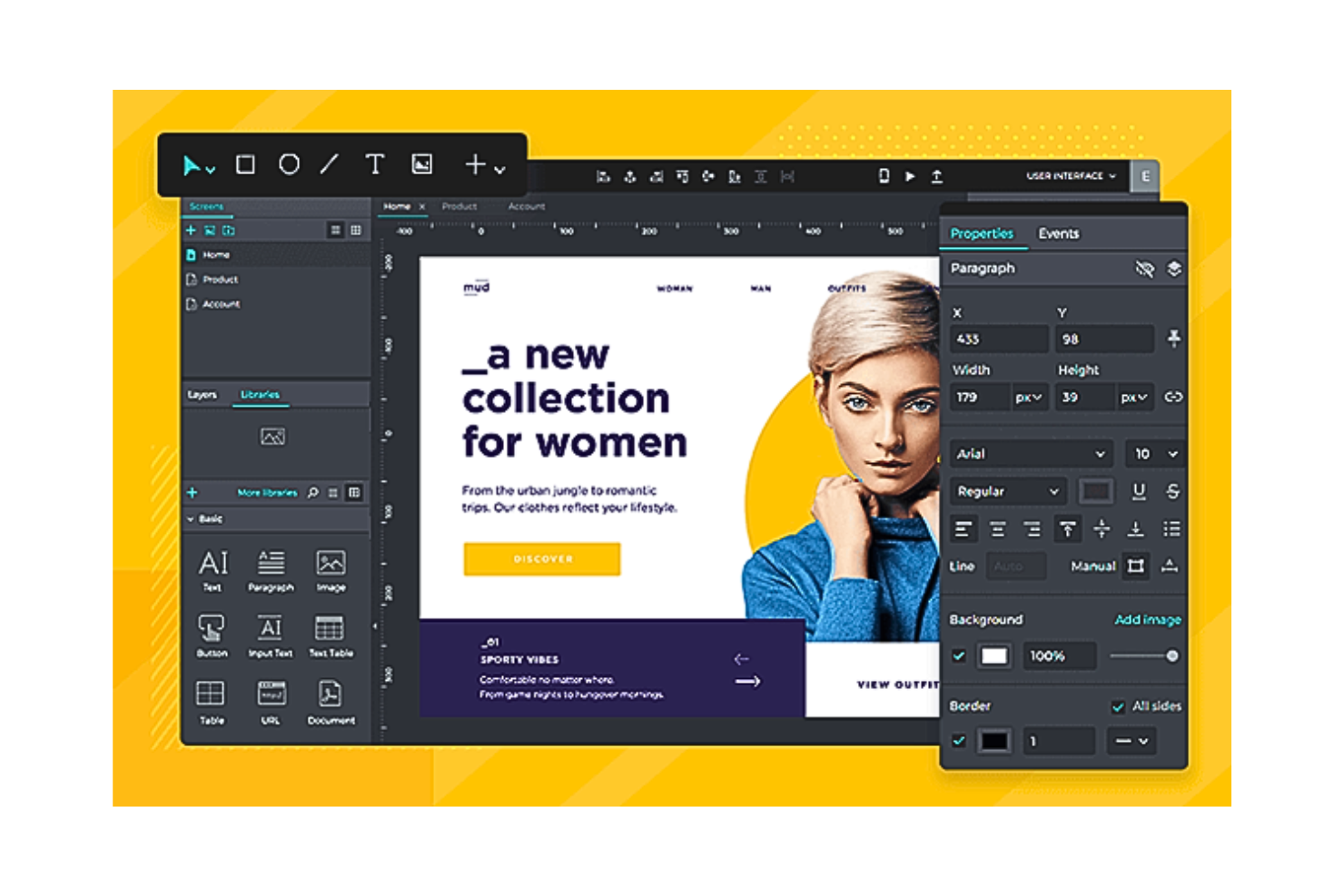
Justinmind is an all-in-one web design platform that generates interactive mockups for online and mobile applications. It also enables interactive graphics, user testing, exchange of feedback in teams, and managing design requirements intuitively. Justinmind is user-friendly for beginners and helps you prototype mobile-first apps for iOS and Android users.
Why I picked Justinmind: Justinmind is ideal for quickly creating first-version mockups, prototypes, and wireframes. The software has pre-installed UI kits that help build flowcharts and wireframe user interfaces for both iOS and Android applications. It also allows you to download extra UI kits that support designing apps for other devices, including the Apple Watch and Google Glass.
Justinmind Standout Features and Integrations
Features include its built-in user-testing heat maps that allow you to understand which sections of your website garner the most impressions and clicks. This is especially helpful for e-commerce sites. Additionally, Justinmind has robust capabilities for creating, managing, and supporting an e-commerce digital storefront.
Justinmind’s iOS and Android emulators are also a great addition to your web design process since they emulate the exact functionalities of your application for user testing, even if you don’t use a mobile device.
Integrations include 10+ third-party applications, such as Adobe XD, Adobe Illustrator, Atlassian Jira, Azure DevOps, Clicktale, Crazy Egg, Figma, Hotjar, Photoshop, Sketch, UserTesting, Validately, and more. Additionally, you can use its API to create custom integrations.
Pros and Cons
Pros:
- Can mock up two or three different UI/UX iterations at once
- Great customer support
- Rapid prototyping
Cons:
- Design sharing and displaying system responses are difficult
- Lacks adequate documentation and tutorials


WordPress is a publishing and design platform that helps individuals and teams build websites and manage content in one place. It’s used by people who want to create sites, publish posts, and organize digital content without needing heavy technical skills. The tool makes it easier to design, update, and maintain websites of any size.
Why I picked WordPress: WordPress lets you create and customize sites while also managing your content in one space. You can design with themes and blocks that give you full control over layouts. The tool also includes features like scheduling, media management, and site analytics. With built-in hosting and security, you don’t have to worry about the technical setup.
WordPress Standout Features and Integrations
Features include site themes that you can adjust for layout and style, media tools that let you upload and organize files, and scheduling that helps you plan content ahead of time. You can also use built-in SEO options to optimize posts. The dashboard keeps everything in one place, allowing you to manage your site with ease.
Integrations include Google Analytics, Mailchimp, WooCommerce, PayPal, Facebook, Twitter, LinkedIn, Stripe, Instagram, and Eventbrite.
Pros and Cons
Pros:
- Flexible customization with blocks
- Easy content scheduling for teams
- Wide range of design templates
Cons:
- Themes vary in customization limits
- Plugins may need frequent updates
Other Web Design Software
Here are some additional web design software options that didn’t make it onto my shortlist, but are still worth checking out:
- Adobe Dreamweaver
For technical front-end developers
- Google Web Designer
For creating animated graphic designs
- Designmodo
Web design software with free hosting
- Zeplin
Web design platform for smooth design hand-offs
- Durable
For rapid AI site creation
- Gamma
For AI-driven content creation
- Squarespace
For creating no-code and lightweight websites
- Vectr
Graphic design software for editing vectors
- Sketch
Web design platform for MacOS users


How I Evaluate Web Design Software
From a freelance designer handing off a Webflow site to a developer, to a small business owner launching an online store with Squarespace over a weekend, web design software sits at the intersection of creative vision and technical execution in ways that look completely different depending on who's holding the mouse. I think about every tool on this list in two layers: what it has to get right just to earn a spot, and what actually makes it the better choice over everything else in the category.
Core Functionality (Table Stakes for This List)
For web design software, the core functionality I test and evaluate is:
- Visual design interface: Every tool needs to let you compose and style page layouts visually, whether that's a true drag-and-drop canvas or a structured WYSIWYG editor. I test how intuitive it is to place elements, adjust spacing, and fine-tune typography without writing code.
- Responsive design controls: I check whether the tool lets you edit layouts at specific breakpoints and preview how pages render on desktop, tablet, and mobile. A homepage that looks polished at 1440px but breaks on an iPhone isn't a finished design.
- Template and component libraries: I look for starter templates that go beyond generic placeholders, plus reusable components like navigation bars, footers, and card layouts that save real time on multi-page builds.
- Asset and media management: Uploading images, swapping fonts, and embedding video should feel straightforward. I evaluate whether the tool handles image optimization automatically and supports custom font uploads or Google Fonts integration.
- Publishing or code export: The design work has to become a live website. I test whether the tool publishes directly to a hosted domain, exports clean HTML/CSS, or provides a clear developer handoff path.
- SEO foundations: I verify that you can edit page titles, meta descriptions, URL slugs, alt text, and heading hierarchy without workarounds. A tool that buries these settings or omits them entirely puts every site it produces at a disadvantage in search.
- Forms and interactive elements: At minimum, I expect a built-in form builder for contact or lead capture, functional navigation menus, and basic interactive states like hover effects on buttons and links.
If a tool can't do these things reliably, it didn't make the cut regardless of what else it offers.
Standout Features (What Separates the Picks)
Beyond the basics, I look for real-time team collaboration, integrated e-commerce tools, AI-powered site or content generation, deep design system support, flexible third-party integrations, and workflow features for client handoff. When a tool saves me hours building multi-page sites, automates accessibility checks, or lets multiple teammates edit simultaneously, that’s the difference-maker.
What I Weigh Beyond Features
I also evaluate who each tool is really built for. A solo bakery owner needs a different solution than a design agency managing 20 client sites. I test pricing transparency, onboarding quality, hosting performance, and learning resources. Community strength, customer support responsiveness, and total cost of ownership all factor in, because a $16/month plan that requires $50 in plugin add-ons tells a different story than the sticker price suggests.
How to Choose Web Design Software
It’s easy to get bogged down in long feature lists and complex pricing structures. To help you stay focused as you work through your unique software selection process, here’s a checklist of factors to keep in mind:
| Factor | What to Consider |
|---|---|
| Scalability | Will the software grow with your team's needs? Consider if it can handle increased traffic or more complex projects as your business expands. |
| Integrations | Does it work with your current tools? Check if it integrates with CMS, analytics, and other tools you rely on. |
| Customizability | Can you tailor it to fit your brand? Look for design flexibility and options to customize templates and layouts. |
| Ease of use | Is it user-friendly for your team? Evaluate the learning curve and if your team can quickly adapt to its interface. |
| Implementation and onboarding | How fast can you start using it? Assess the availability of guides, tutorials, and support during the initial setup. |
| Cost | Does it fit your budget? Compare pricing plans and determine if there are hidden costs or additional fees. |
| Security safeguards | Are your designs and data safe? Ensure it has robust security measures like encryption and regular updates. |
| Support availability | Can you get help when needed? Consider the availability of customer support channels such as chat, email, or phone. |
What Is Web Design Software?
Web design software is a tool that helps create and manage website layouts and designs. These tools are used by designers, developers, and marketing professionals to craft visually appealing and functional websites. Features like drag-and-drop design, template customization, and responsive design support help with creating engaging and user-friendly sites. Overall, these tools make it easier to build websites that meet business needs and enhance user experience.
Features
When selecting web design software, keep an eye out for the following key features:
- Drag-and-drop design: Allows users to easily arrange elements on a page without coding, making design accessible to non-developers.
- Template customization: Offers pre-designed templates that can be modified to match brand aesthetics, saving time on design creation.
- Responsive design support: Ensures websites look good on all devices by automatically adjusting layouts for different screen sizes.
- SEO tools: Helps optimize websites for search engines, improving visibility and attracting more visitors.
- Integration capabilities: Connects with other tools like CMS and analytics, streamlining workflows and data management.
- Collaboration tools: Enables team members to work together on projects in real-time, enhancing productivity and communication.
- Code export options: Provides the ability to export HTML and CSS code for further customization or integration with other platforms.
- E-commerce integration: Supports online selling features, such as shopping carts and payment gateways, for businesses looking to sell products.
- Multilingual support: Allows the creation of websites in multiple languages, catering to a broader audience.
- Security features: Includes measures like data encryption and regular updates to keep websites safe from threats.
Benefits
Implementing web design software provides several benefits for your team and your business. Here are a few you can look forward to:
- Faster design process: Drag-and-drop features and templates speed up the creation of web pages, saving time and effort.
- Improved collaboration: Real-time collaboration tools allow team members to work together efficiently, enhancing communication and output.
- Better user experience: Responsive design ensures your website looks great on any device, improving visitor satisfaction and engagement.
- Increased visibility: Built-in SEO tools help your site rank higher in search results, attracting more visitors.
- Cost savings: By enabling non-developers to create sites, companies save on hiring specialized personnel for web design tasks.
- Enhanced customization: Template customization and code export options allow for greater control over the website's appearance and functionality.
- Scalability: Features like e-commerce integration and multilingual support let your website grow with your business needs.
Costs & Pricing
Selecting web design software requires an understanding of the various pricing models and plans available. Costs vary based on features, team size, add-ons, and more. The table below summarizes common plans, their average prices, and typical features included in web design software solutions:
Plan Comparison Table for Web Design Software
| Plan Type | Average Price | Common Features |
|---|---|---|
| Free Plan | $0 | Basic templates, limited storage, and basic support. |
| Personal Plan | $5-$25/user/month | Custom templates, responsive design, SEO tools, and email support. |
| Business Plan | $25-$75/user/month | Advanced integrations, e-commerce features, priority support, and analytics. |
| Enterprise Plan | $75+/user/month | Custom solutions, dedicated account manager, advanced security, and API access. |
Web Design Software FAQs
Here are some answers to common questions about web design software:
Do I need coding for web design?
Coding is no longer a prerequisite for web design. Many contemporary web design tools provide visual drag-and-drop interfaces and vast collections of pre-built components. As a result, you can embrace the power of no-code development and quickly roll out websites.
However, knowledge of HTML, CSS, and JavaScript code languages can offer more flexibility and customization possibilities for more intricate web designs.
How can I create my own website?
You can create your own website in two ways—either choose a website builder or write code on your own.
If you wish to design, develop, and launch a site quickly, website builder platforms such as Wix, Squarespace, or WordPress are your allies. These platforms streamline the whole process using drag-and-drop tools and pre-designed templates.
However, you can use programs like Adobe Dreamweaver and master HTML, CSS, and JavaScript if you want your site to have greater customization and original designs.
Choosing between speed and total creative freedom can be overwhelming. In such cases, consider your business objectives, available resources, and the intricacy of your desired website.
How do I design for an ecommerce website?
To develop an e-commerce site, you must focus on a user-centric design strategy. You can do so by simplifying navigation, maintaining a clean layout, and enabling quick product searches.
Many would encounter your stores on their mobile phones. As a result, you must prioritize mobile responsiveness for your ecommerce website. You can foster brand trust through high-quality, relevant pictures, detailed product descriptions, and positive customer testimonials. Reducing friction brings down cart abandonment and streamlines your overall user experience.
Analyzing user behavior using analytics over time can further help you improve conversions, modify the design, and optimize your website to its best potential. Poor web design can make your brand a pariah in your niche industry. Check out these product detail page design best practices for nailing your next website.
What’s Next:
If you're in the process of researching web design software, connect with a SoftwareSelect advisor for free recommendations.
You fill out a form and have a quick chat where they get into the specifics of your needs. Then you'll get a shortlist of software to review. They'll even support you through the entire buying process, including price negotiations.