

Wix Review: Pros, Cons, Features and Pricing Breakdown
I’ve put Wix to the test as a web design solution—here’s what you really need to know before diving in, from creative freedom to the quirks that might trip you up.

We review tools independently, and commissions help fund our testing. See our transparency policy, our methodology, or suggest a tool.
Wix is a web design platform for small businesses, creators, and freelancers who need a website they can build, manage, and update without touching code. I'd consider it over Squarespace if design freedom matters to you—Wix lets you place elements anywhere on the canvas, while Squarespace keeps you within its section structure. That difference is bigger than it sounds when you're trying to build something that doesn't look like everyone else's site.
Wix Evaluation Summary
4.4/5
- From $17/month (billed annually)
- Free plan available
Why Trust Our Software Recommendations
6,700+
Reviews
20
Industry experts
16+
Evaluation factors
14
Years
Our team has been testing and reviewing software since 2012. As product managers ourselves, we know how difficult—and important—it is to choose the right software.
For this guide, we evaluated tools using hands-on testing and independent research, scoring tools using our selection criteria.
Our reviews reflect our human editorial judgment, not a sales pitch.
Expert reviewers:
- Andrew LumbySenior TPM
- Cristiano ValimSenior UI/UX Lead


Wix Overview
In my experience, Wix stands out for its intuitive interface, an impressive template library, and clear, transparent pricing. If you’re judging ease of onboarding and creative control against alternatives like Squarespace or WordPress—both of which have a steeper learning curve—I’d select Wix first for small teams or product managers who need quick launches with minimal IT input. While its advanced integrations and custom coding flexibility can lag behind some alternatives, I find Wix outperforms when speed, simplicity, and social media marketing integration matter most—especially for portfolios, business sites, or MVPs where quick iteration is a priority.
Pros
- Drag-and-drop editor supports deep visual customization.
- Hundreds of designer-made templates for rapid site builds.
- Built-in SEO tools guide on-page optimization steps.
Cons
- Exporting or moving your Wix site to another platform isn’t possible.
- Page speed lags on heavily customized or image-heavy sites.
- Advanced design tweaks require custom code or workaround plugins.
Is Wix Right For Your Needs?
Who Would be a Good Fit for Wix?
Wix is a great choice for beginners, individuals, small business owners, and small teams who want an intuitive platform for launching professional websites without coding. Early-stage startups, consultants, freelancers, restaurants, creatives, and nonprofits are going to find value in the simple drag-and-drop builder, attractive templates, and fast setup. Wix’s built-in booking, ecommerce, and marketing tools let you create a site that works for your business goals without needing a big technical team.
- Solo EntrepreneursThe Wix website builder lets solo founders launch business sites quickly with drag-and-drop editing and easy-by-default hosting.
- Creative PortfoliosDesigners and artists can build good-looking portfolios using Wix’s templates without web development skills.
- Restaurants & CafesWix offers menu templates, booking, and order widgets designed for dine-in and take-out businesses.
- Nonprofits & CharitiesSmall nonprofits can create donation pages and event listings with Wix’s built-in apps at an affordable price.
- Consultants & CoachesAppointment booking, paid content, and personal branding are all easy to set up using Wix’s add-ons.
- Local Retail StoresWix supports online store listings, local pickups, and inventory, which make it ideal for small brick-and-mortar retailers.
Who Would be a Bad Fit for Wix?
Wix is less suited for larger organizations, advanced stores, or any business needing highly customized backend systems. If you manage complex workflows, multi-language sites at scale, or need granular control over hosting and integrations, Wix will feel limited. Teams evaluating Wix vs enterprise platforms who need strict compliance or deep developer control are going to find better fits elsewhere.
- Enterprise IT TeamsWix’s infrastructure and security controls don’t meet the standards or customization requirements of enterprise tech departments.
- Large Ecommerce BrandsBig online retailers often need ecommerce features—like advanced inventory, multi-currency, or deep integration—that Wix’s platform can’t fully support at scale.
- SaaS Product CompaniesIf your site needs user login, account management, or custom web app logic, Wix’s platform is too restrictive.
- International CorporatesComplex multi-language, regional hosting, or enterprise-level compliance needs aren’t fully supported by Wix’s platform.
- Regulated IndustriesBanks, financial services, or healthcare companies often need compliance and audit tools not available with Wix.
- Data-Heavy PublishersMedia companies or blogs with very high traffic or custom content workflows will run into scalability limits.
How We Test & Score Tools
We’ve spent years building, refining, and improving our software testing and scoring system. The rubric is designed to capture the nuances of software selection and what makes a tool effective, focusing on critical aspects of the decision-making process.
Below, you can see exactly how our testing and scoring works across seven criteria. It allows us to provide an unbiased evaluation of the software based on core functionality, standout features, ease of use, onboarding, customer support, integrations, customer reviews, and value for money.
Core Functionality (25% of final scoring)
The starting point of our evaluation is always the core functionality of the tool. Does it have the basic features and functions that a user would expect to see? Are any of those core features locked to higher-tiered pricing plans? At its core, we expect a tool to stand up against the baseline capabilities of its competitors.
Standout Features (25% of final scoring)
Next, we evaluate uncommon standout features that go above and beyond the core functionality typically found in tools of its kind. A high score reflects specialized or unique features that make the product faster, more efficient, or offer additional value to the user.
We also evaluate how easy it is to integrate with other tools typically found in the tech stack to expand the functionality and utility of the software. Tools offering plentiful native integrations, 3rd party connections, and API access to build custom integrations score best.
Ease of Use (10% of final scoring)
We consider how quick and easy it is to execute the tasks defined in the core functionality using the tool. High scoring software is well designed, intuitive to use, offers mobile apps, provides templates, and makes relatively complex tasks seem simple.
Onboarding (10% of final scoring)
We know how important rapid team adoption is for a new platform, so we evaluate how easy it is to learn and use a tool with minimal training. We evaluate how quickly a team member can get set up and start using the tool with no experience. High scoring solutions indicate little or no support is required.
Customer Support (10% of final scoring)
We review how quick and easy it is to get unstuck and find help by phone, live chat, or knowledge base. Tools and companies that provide real-time support score best, while chatbots score worst.
Customer Reviews (10% of final scoring)
Beyond our own testing and evaluation, we consider the net promoter score from current and past customers. We review their likelihood, given the option, to choose the tool again for the core functionality. A high scoring software reflects a high net promoter score from current or past customers.
Value for Money (10% of final scoring)
Lastly, in consideration of all the other criteria, we review the average price of entry level plans against the core features and consider the value of the other evaluation criteria. Software that delivers more, for less, will score higher.
Core Features
Drag-and-Drop Editor
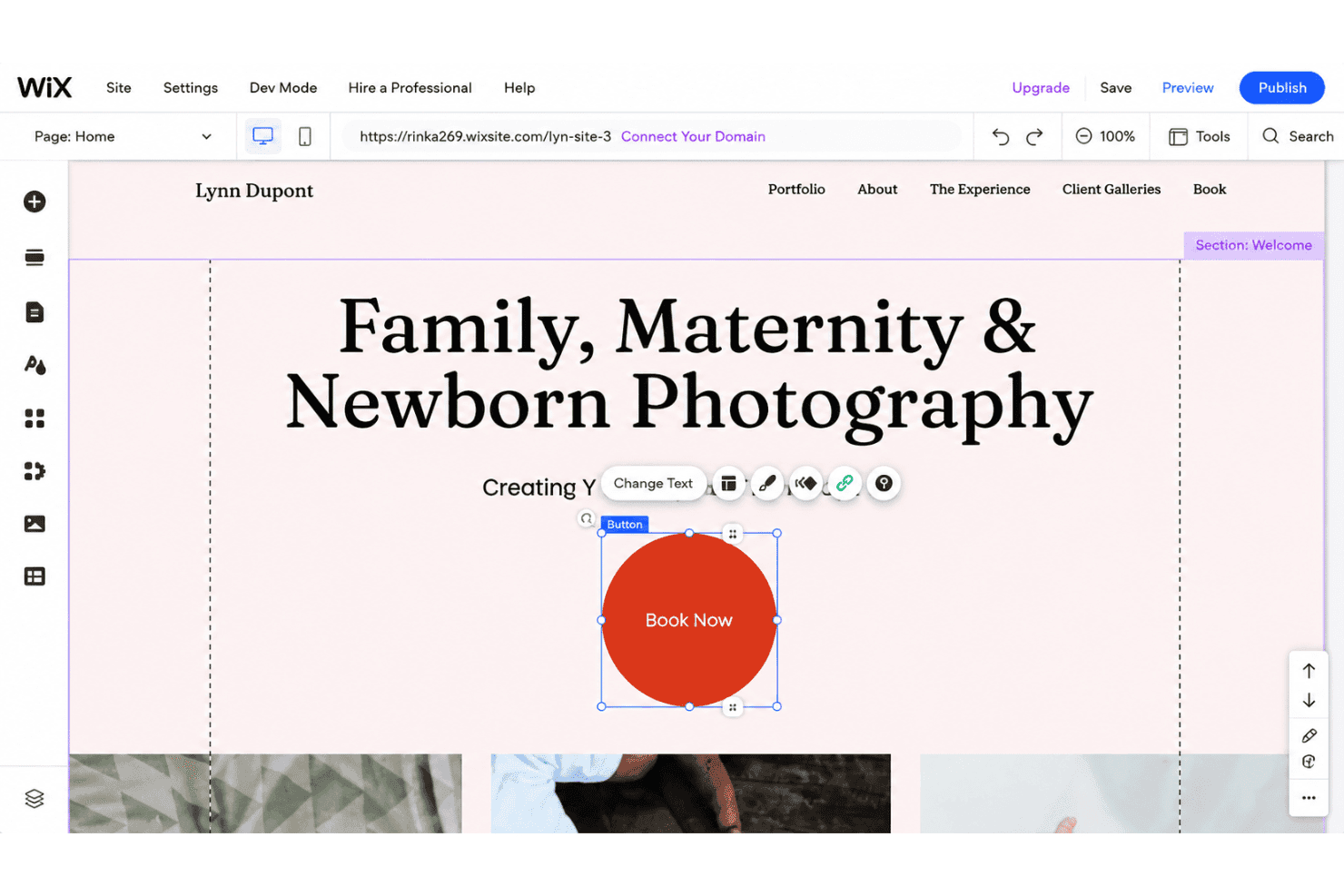
Using the Wix Editor, you can arrange headers, text, media, and widgets visually with pixel-level control. This speeds up site building for non-developers and lets you preview changes instantly.
Responsive Design Tools
Wix automatically adapts layouts for mobile apps and different screen sizes or devices. You can tweak mobile or tablet views separately for best results.
Template Library
Choose from hundreds of pre-designed templates spanning business, portfolio, ecommerce, and more. Each template is customizable, so you can keep the structure but change colors, fonts, and images.
Built-In SEO Optimization
Edit page titles, meta descriptions, and alt text so search engines can improve your rankings—all directly in the site editor. Wix’s SEO Wiz guides you through steps to improve search engine visibility.
App Market
Add advanced functionality with add-ons for forms, booking, blogs, and online stores. These third-party apps plug into your site with a few clicks for email marketing, booking, and other features.
Hosting and Security Included
Your site lives on Wix’s secure infrastructure—no need to shop around for separate hosting providers. Free SSL certificates and regular backups come standard for peace of mind.
Ease of Use
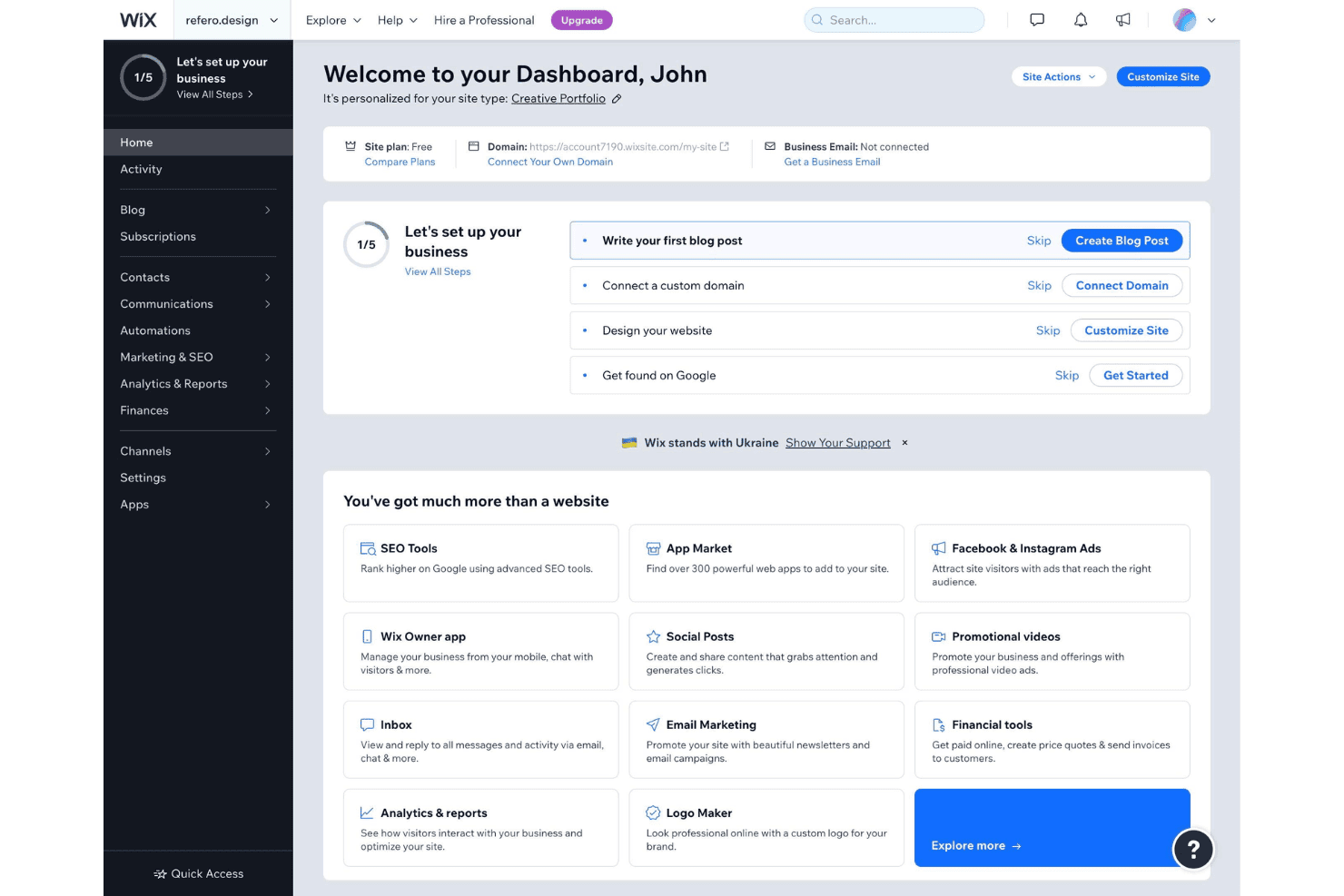
Wix feels user-friendly from the start, thanks to its visual drag-and-drop builder, in-app tutorials, and template selection. I think even first-time web creators migrating from WordPress or building fresh can publish and update content fast—without needing to write a line of HTML—while more advanced users value granular control. Many reviews applaud the simple UI and clear navigation, and I see the step-by-step SEO guides and on-editor support making Wix especially approachable.
Integrations
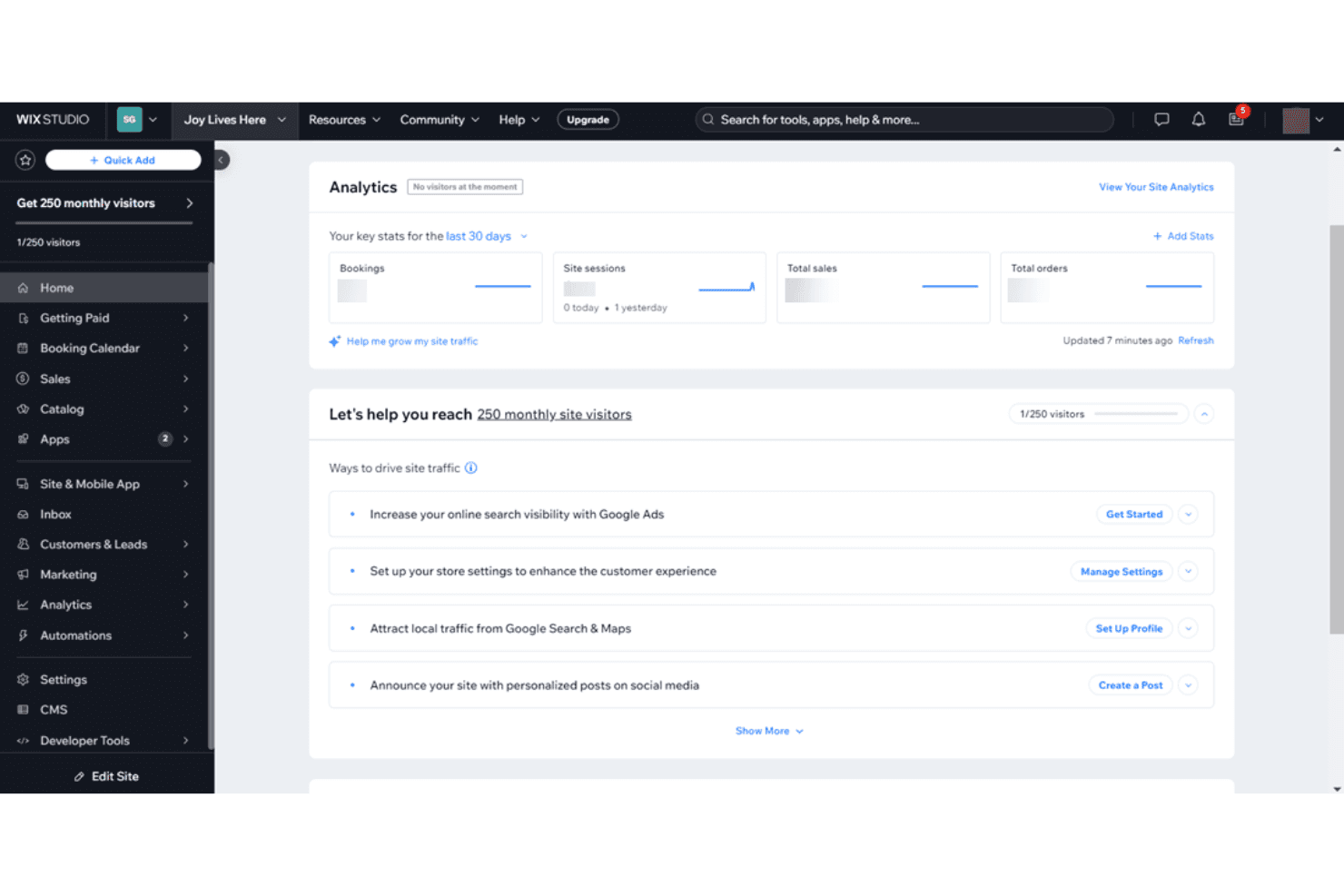
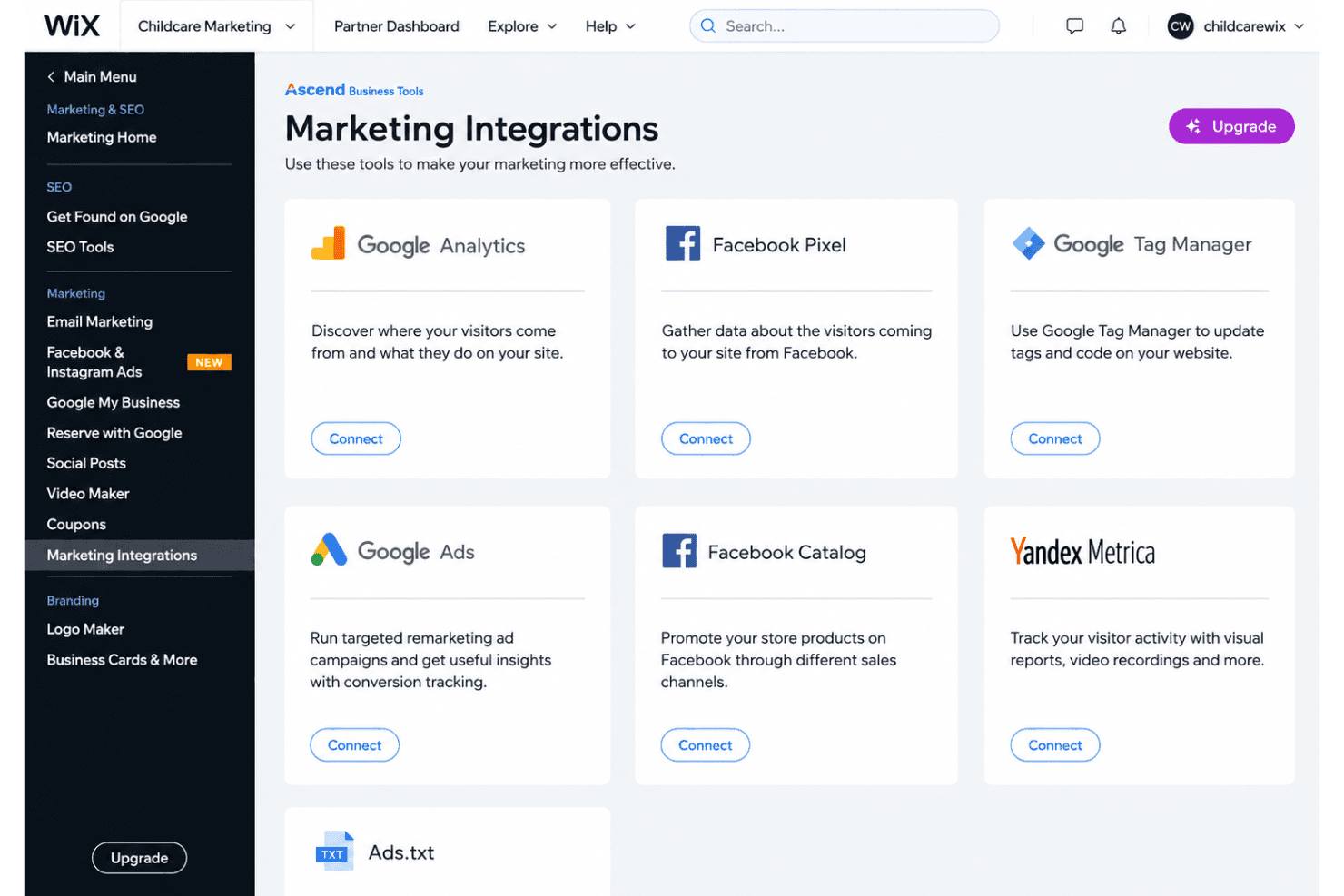
Wix integrates with Google Analytics, WhatsApp, QuickBooks, TikTok Ads, Snapchat Ads, Fera Reviews, Mailchimp, and Shopify, among others.
You can also use the Wix API and connect Wix with wider third-party tools through the Wix App Market and platforms like Zapier.
Wix Specs
- A/B Testing: Yes
- API: Yes
- Data Export: Yes
- Data Import: Yes
- External Integrations: Yes
- Landing Pages: Yes
- Multi-User: Yes
- Third-Party Plugins/Add-Ons: Yes


