

Feeling like Framer just isn’t cutting it for your team? Maybe it's the feature limitations, scaling headaches, or collaboration tools that aren't quite up to scratch. As a product manager or developer, it’s frustrating when the tools you rely on fall short of the vision you’re chasing.
Let’s face it—design is the heartbeat of your product. It’s what sets you apart in a crowded market. You're here because you need something that actually works for your unique challenges, not a one-size-fits-all solution that leaves your team improvising.
The good news? I’ve done the heavy lifting for you. After diving deep into the world of design tools, I’ve uncovered some fantastic Framer alternatives that might just be what you’re looking for. Each option brings something unique to the table, and I’ll walk you through the features, benefits, and even the "watch-outs" to help you make the best decision.
What Is Framer?
Framer is a well-known product design tool for creating interactive prototypes and animations. It's popular among designers, developers, and product managers who value its quick visualization and testing capabilities. With features like collaborative workflows, flexible design tools, and robust prototyping, Framer provides a versatile platform to bring ideas to life. That said, no tool is perfect, and if you’re here, chances are you’re exploring alternatives to better match your team’s specific needs. Don’t worry, we’ve got you covered.
Framer Alternatives Comparison Table
This comparison table summarizes pricing details for my top Framer alternative selections:
| Tool | Best For | Trial Info | Price | ||
|---|---|---|---|---|---|
| 1 | Best for agency-scale client site management | 14-day free trial + free demo available | From $25/month | Website | |
| 2 | Best for freelancers building client sites | 14-day free trial | From $19/month (billed annually) | Website | |
| 3 | Best for agency sites without per-site fees | 7-day free trial | From $20.75/month (billed annually) | Website | |
| 4 | Best for open-source, self-hosted site ownership | Free plan available | From $5/month | Website | |
| 5 | Best for content-heavy sites on a GPL license | Free plan available | From $39/month (billed annually) | Website | |
| 6 | Best for design-to-publish in one workspace | Free plan available | From $16/user/month | Website | |
| 7 | Best for responsive web design with a visual CSS canvas | Free plan available | From $15/month (billed annually) | Website | |
| 8 | Best for building sites with built-in business tools | Free plan available | From $17/month (billed annually) | Website | |
| 9 | Best for full-platform sites beyond marketing pages | Free plan available | From $17/month (billed annually) | Website | |
| 10 | Best for design-team site publishing in Figma | Free plan available | From $16/user/month (billed annually) | Website |


Why Trust Our Software Recommendations
6,700+
Reviews
20
Industry experts
16+
Evaluation factors
14
Years
Our team has been testing and reviewing software since 2012. As product managers ourselves, we know how difficult—and important—it is to choose the right software.
For this guide, we evaluated tools using hands-on testing and independent research, scoring tools using our selection criteria.
Our reviews reflect our human editorial judgment, not a sales pitch.
Expert reviewers:
- Andrew LumbySenior TPM
- Cristiano ValimSenior UI/UX Lead


Best Framer Alternatives Reviews
Below are my detailed summaries of the best Framer alternatives that made it onto my shortlist. My reviews offer a detailed look at the key features, pros & cons, integrations, and ideal use cases of each tool to help you find the best one for you.
 1Best for agency-scale client site management
Duda
- 14-day free trial + free demo available
- From $25/month
Visit WebsiteCustomer Rating:4.6/5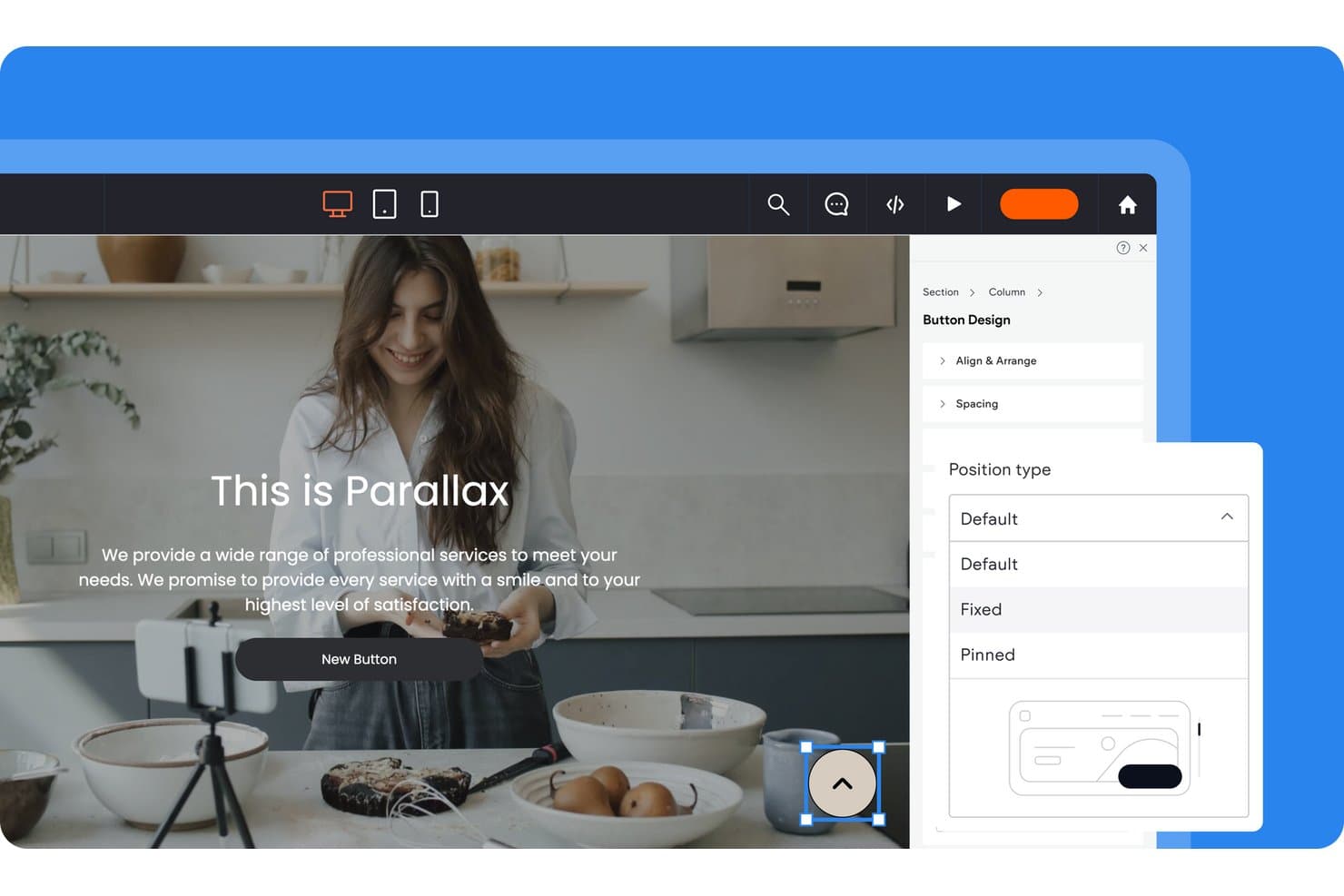
Duda lets users control button position types via a design panel. Duda is a website builder for agencies and freelancers that simplifies creating, managing, and scaling client websites without adding complexity to team workflows.
Who Is Duda Best For?
Web agencies managing multiple client websites that need centralized workflows, reusable templates, and scalable site operations.
Why Duda Is a Good Best Framer Alternatives
I picked Duda because its agency-scale client site management fits teams replacing Framer across multiple websites. I use reusable templates, global sections, and custom widgets to standardize builds while tailoring each client’s pages. Its centralized dashboard and role-based permissions keep publishing, edits, and approvals organized across an active client portfolio.
Duda Key Features
- Responsive editor: Build layouts that adapt across desktop, tablet, and mobile screens.
- SEO tools: Edit page titles, meta descriptions, URLs, and image alt text.
- Ecommerce tools: Add product catalogs, shopping carts, payments, and order management.
- Site analytics: Track visits, traffic sources, and visitor behavior.
Duda Integrations
Duda supports integrations with HubSpot, Mailchimp, Constant Contact, Google Analytics, Google Calendar, PayPal, Google Sheets, Airtable, Notion, and QuickBooks, plus Zapier. Custom plans include REST API access for connecting client websites with CRMs, databases, and other business systems.
Pros and Cons
Pros:
- Role permissions fit agency approval workflows
- Global sections simplify portfolio-wide content updates
- Reusable templates support multi-site client delivery
Cons:
- Advanced customizations can require developer involvement
- Editor feels less flexible than Framer
Learn more about Duda: Best for freelancers building client sites
- 14-day free trial
- From $19/month (billed annually)
Visit WebsiteCustomer Rating:4.6/5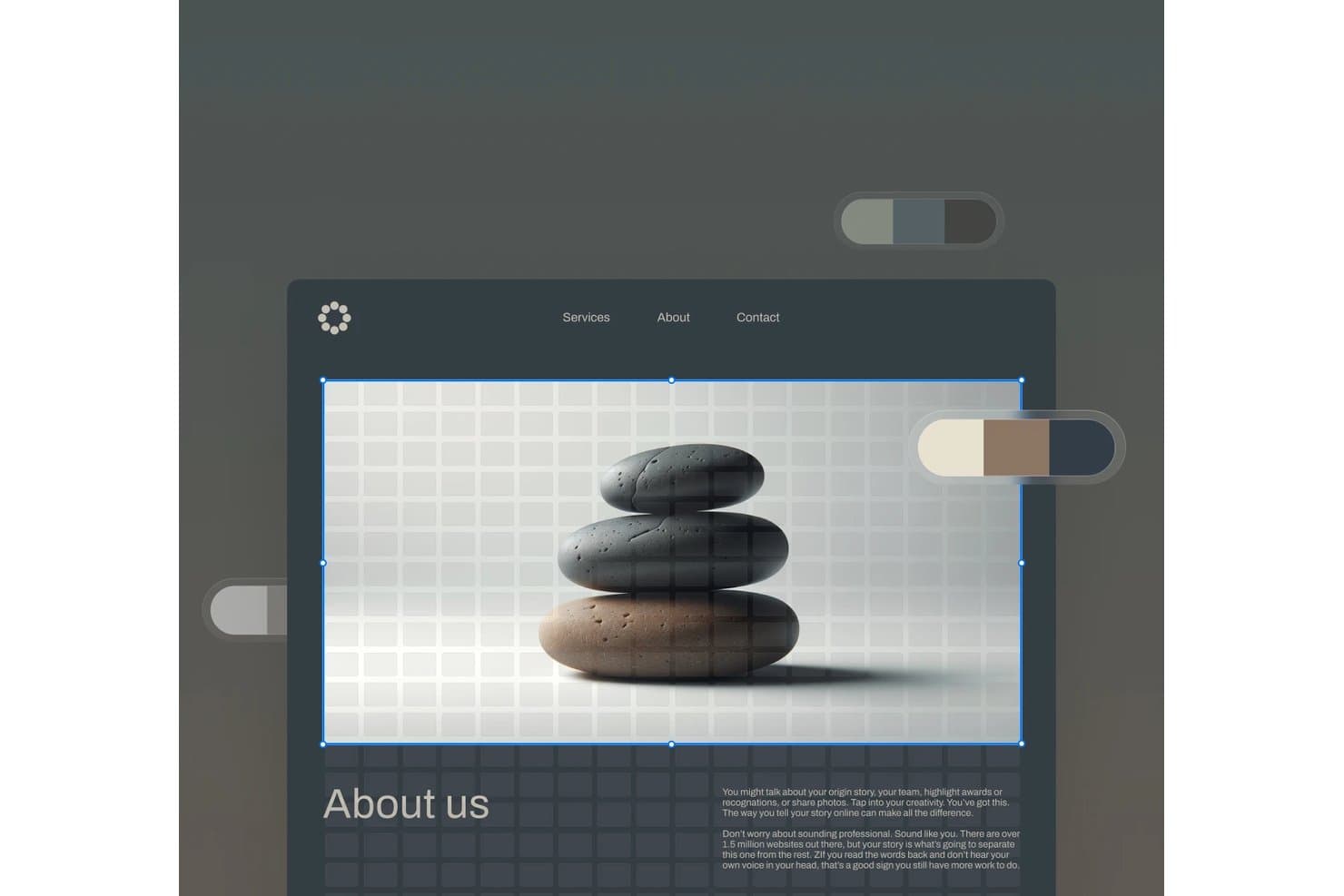
Squarespace lets users edit hero images with a visual drag-and-drop interface. Squarespace is a website builder for freelancers who need polished client sites, flexible templates, and built-in tools for presenting services, publishing content, and managing online business needs.
Who Is Squarespace Best For?
Squarespace suits freelance designers and creative professionals who need polished portfolios and service pages without extensive web development.
Why Squarespace Is a Good Best Framer Alternatives
I picked Squarespace because its polished templates and portfolio layouts help me build client sites that look ready for presentation. I use service pages, project galleries, and built-in content tools to showcase a freelancer’s work without custom development. It’s best for freelancers building client sites.
Squarespace Key Features
- SEO settings: Edit page titles, descriptions, and URL slugs.
- Website analytics: Track traffic, visits, and visitor sources.
- Form blocks: Add contact, newsletter, and signup forms.
- Domain management: Connect or register a custom domain.
Squarespace Integrations
Squarespace offers official integrations with Stripe, PayPal, Square, Google Analytics, Mailchimp, Google Workspace, Instagram, Google Maps, YouTube, and Zapier. It also provides Commerce APIs for custom integrations, with access and permissions varying by plan.
Pros and Cons
Pros:
- Built-in SEO settings support discoverability
- Portfolio layouts showcase visual work clearly
- Polished templates suit client presentations
Cons:
- Editor restricts highly custom layouts
- Less animation freedom than Framer
Learn more about Squarespace: Best for agency sites without per-site fees
- 7-day free trial
- From $20.75/month (billed annually)
Visit WebsiteCustomer Rating:4.6/5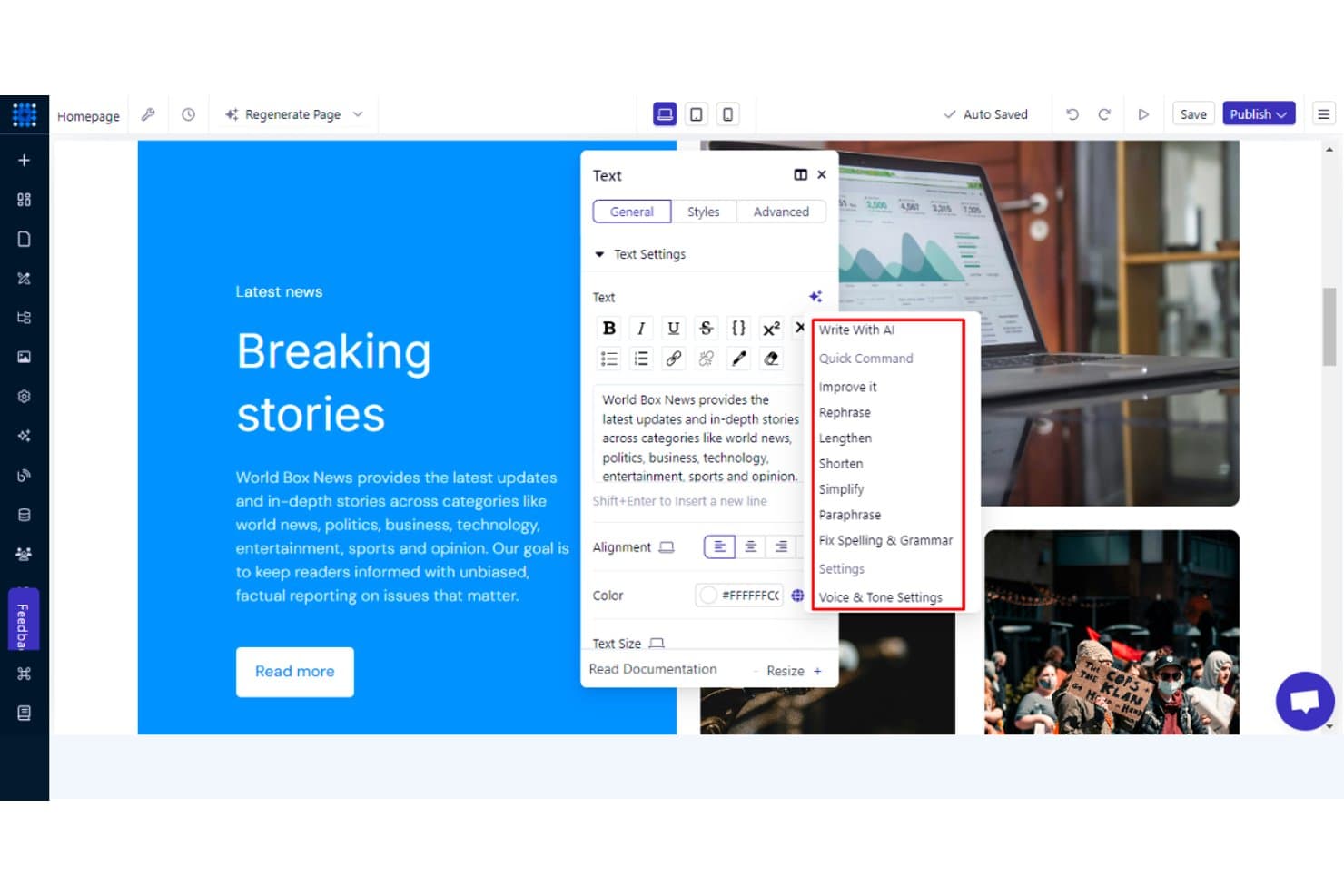
Dorik's AI writing tools help refine and edit webpage text instantly. Dorik is a no-code website builder for agencies and freelancers who need to create polished client sites, manage projects, and reduce the complexity of maintaining multiple websites.
Who Is Dorik Best For?
Dorik suits agencies and freelancers managing multiple client websites who want polished no-code builds without recurring fees for each site.
Why Dorik Is a Good Best Framer Alternatives
I picked Dorik because its white-label tools let my team build branded client websites without per-site fees. I use reusable sections and its CMS to create repeatable agency workflows, then hand clients editing access without exposing the underlying build process. That setup suits agencies managing several brochure sites or client content hubs.
Dorik Key Features
- Drag-and-drop editor: Build pages visually without writing code.
- Responsive controls: Adjust layouts for desktop, tablet, and mobile screens.
- Custom domains: Connect branded domains to published websites.
- SEO settings: Edit page titles, descriptions, and social sharing images.
Dorik Integrations
Dorik supports integrations with MailChimp, ConvertKit, MailerLite, GetResponse, ActiveCampaign, Stripe, PayPal, Shopify, Airtable, and Zapier. It also supports Make, Pabbly Connect, native webhooks, and a Public API for custom CMS integrations.
Pros and Cons
Pros:
- CMS handles client content updates
- Reusable sections support repeatable builds
- White-label handoffs fit agency workflows
Cons:
- Editor can restrict complex layouts
- Ecommerce capabilities remain relatively basic
Learn more about Dorik: Best for open-source, self-hosted site ownership
- Free plan available
- From $5/month
Visit WebsiteCustomer Rating:4.8/5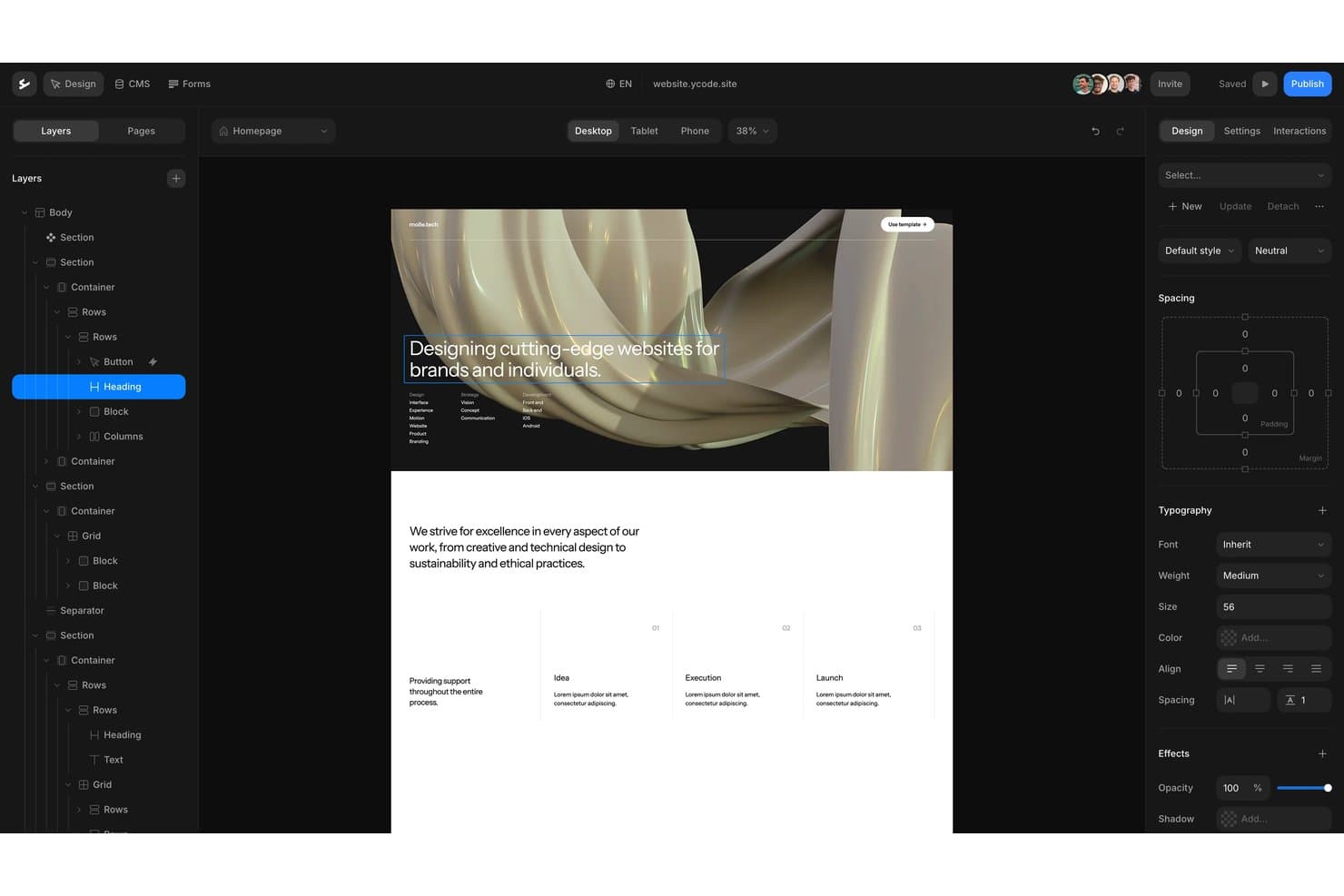
Ycode offers a visual drag-and-drop editor with layered design controls. Ycode is a no-code website builder for teams that need custom, responsive marketing sites and CMS-powered pages without relying on developers for every update.
Who Is Ycode Best For?
Ycode suits product, marketing, and design teams that want to own and self-host their website infrastructure.
Why Ycode Is a Good Best Framer Alternatives
I picked Ycode because it gives my team open-source, self-hosted site ownership instead of locking our website into a hosted platform. We use its visual builder for responsive marketing pages and its CMS for structured content updates. That setup fits teams that need custom websites while keeping control of deployment and site data.
Ycode Key Features
- AI design assistant: Update layouts, spacing, and styles through prompts.
- Reusable components: Create shared components and apply overrides across pages.
- Collection controls: Filter collections, paginate results, and sort dynamic content.
- Custom domains: Connect branded domains to published websites.
Ycode Integrations
Ycode offers native integrations with Airtable, Webflow, Figma, MailerLite, Google Maps, and Mapbox. It also provides REST APIs for custom integrations, while Zapier and Make integrations are planned.
Pros and Cons
Pros:
- Reusable components support consistent responsive pages
- CMS collections support structured content workflows
- Open-source ownership supports self-hosted deployment
Cons:
- Smaller ecosystem than established Framer alternatives
- Self-hosting requires greater technical responsibility
Learn more about Ycode: Best for content-heavy sites on a GPL license
- Free plan available
- From $39/month (billed annually)
Visit WebsiteCustomer Rating:4.3/5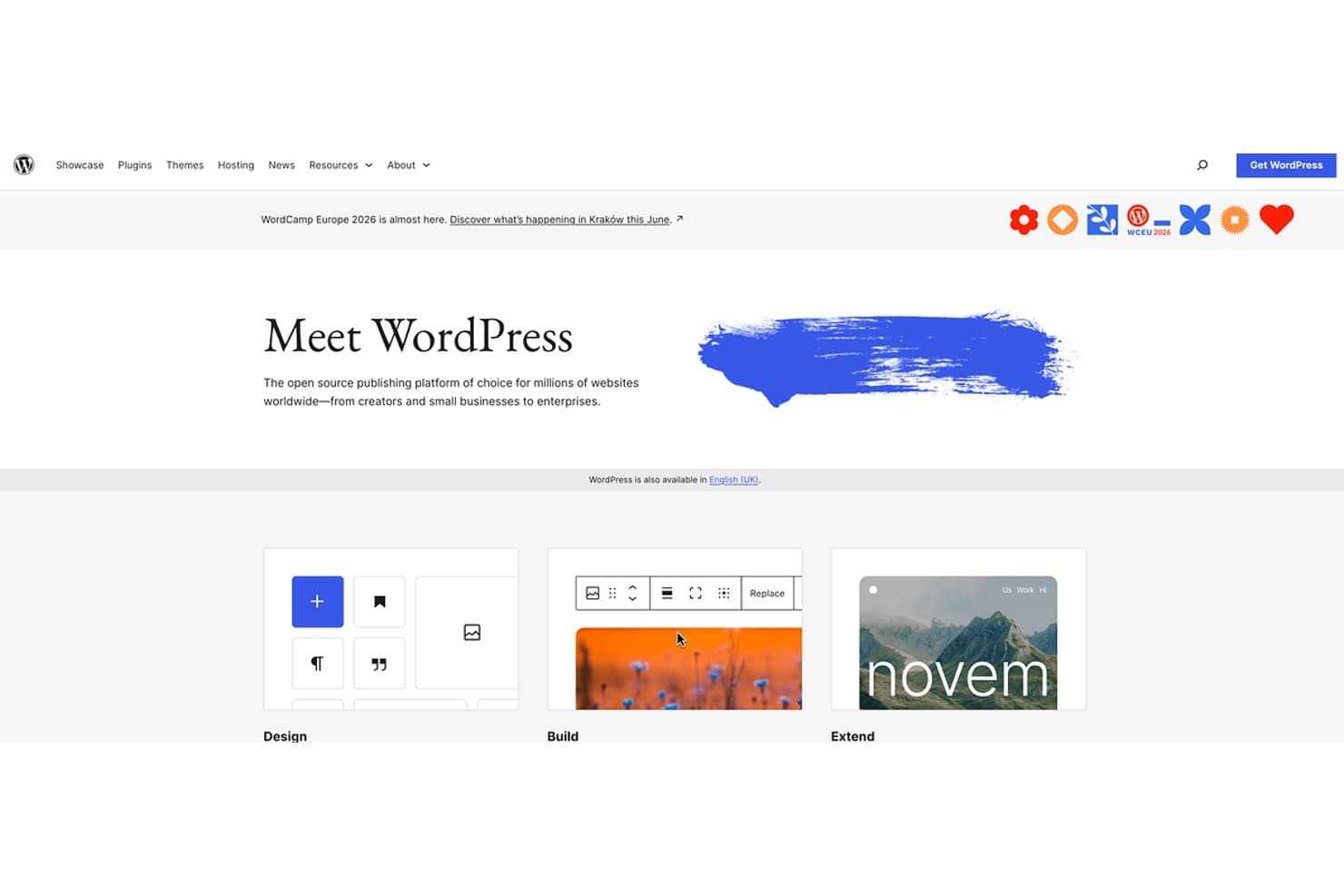
WordPress offers open-source website building for all skill levels. WordPress is a flexible website builder for publishers, businesses, and content teams that need control over site structure, publishing workflows, customization, and long-term growth beyond Framer’s design-focused approach.
Who Is WordPress Best For?
WordPress suits publishers, editorial teams, and businesses that need flexible content management under a GPL license.
Why WordPress Is a Good Best Framer Alternatives
I picked WordPress because it is Best for content-heavy sites on a GPL license. I use custom post types, taxonomies, and revision history to manage editorial sites with structured content. Its role-based permissions also let writers, editors, and developers work within separate publishing responsibilities.
WordPress Key Features
- Block editor: Build pages and posts with reusable content blocks.
- Media library: Upload, organize, and edit images, audio, video, and documents.
- Theme system: Apply and customize website designs with themes.
- Plugin directory: Add functionality through thousands of available plugins.
WordPress Integrations
WordPress has no centralized catalog of native integrations; its plugin directory supports connections with services such as WooCommerce, Mailchimp, and Google Analytics. WordPress also provides a REST API for custom integrations.
Pros and Cons
Pros:
- Revision history protects editorial changes
- Custom post types support structured publishing
- GPL license supports long-term content ownership
Cons:
- Advanced visual layouts often require extra setup
- Plugin maintenance increases security responsibilities
Learn more about WordPress: Best for design-to-publish in one workspace
- Free plan available
- From $16/user/month
Visit WebsiteCustomer Rating:4.7/5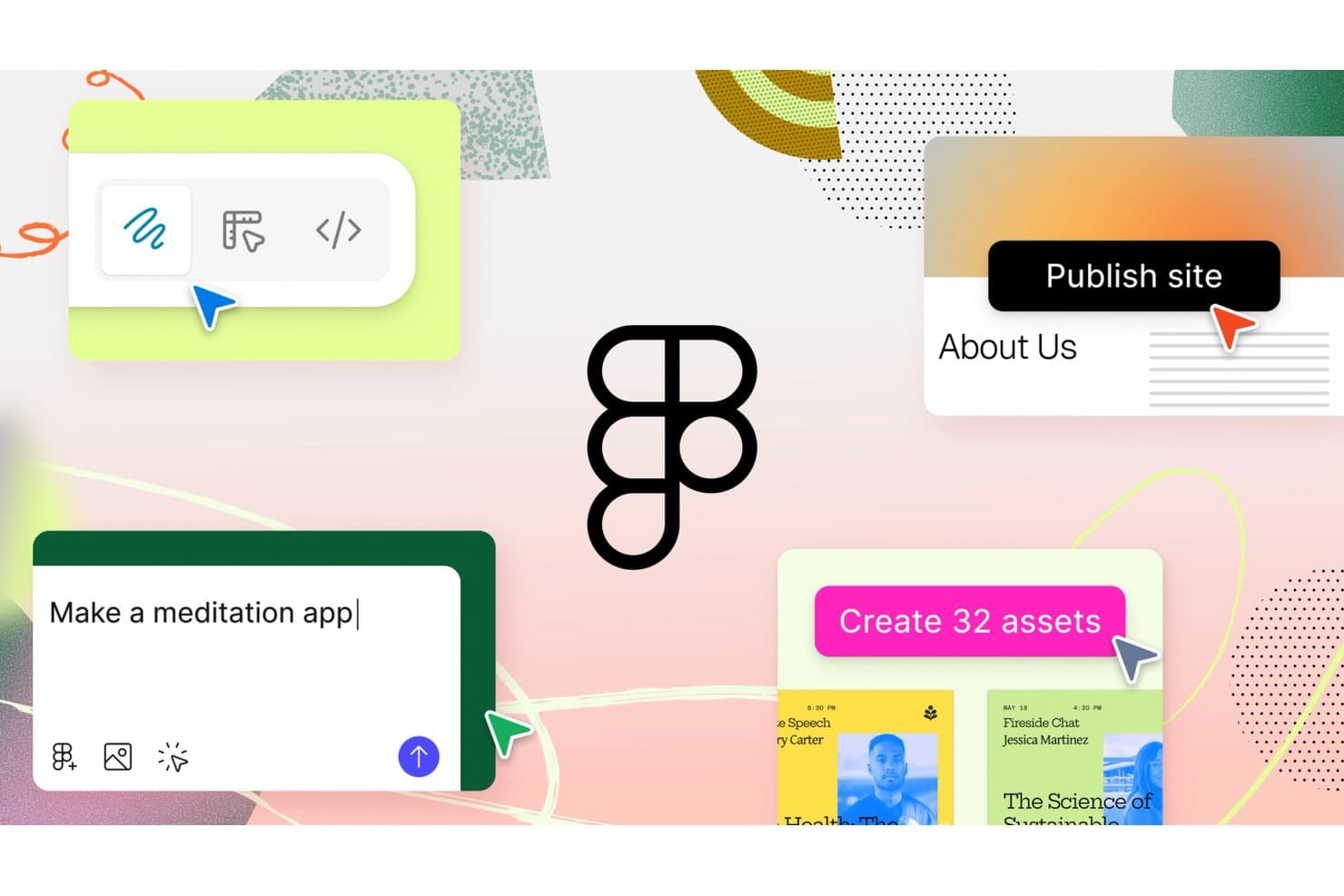
Figma lets users design, prototype, and publish sites with AI prompts. Figma is a collaborative UI/UX design platform for product teams, agencies, and freelancers that brings research, wireframing, prototyping, and developer handoff together to reduce rework and align product decisions.
Who Is Figma Best For?
Figma suits cross-functional product teams that need designers, product managers, and engineers aligned from early concepts through developer handoff.
Why Figma Is a Good Best Framer Alternatives
I picked Figma because I can move from interface concepts to published product experiences in one workspace. My team uses its multiplayer canvas, interactive prototyping, variables, and Dev Mode to connect design decisions with implementation details. That design-to-publish workflow helps us turn Framer alternative evaluations into working, developer-ready product interfaces.
Figma Key Features
- Components: Create reusable interface elements with configurable properties.
- Auto Layout: Arrange layers with responsive spacing and sizing rules.
- Plugins: Extend Figma with tools for design, content, and workflows.
- Version History: Review, restore, and name earlier file versions.
Figma Integrations
Figma offers official integrations with Jira, Slack, Microsoft Teams, Confluence, and Dropbox, plus Zapier for connecting workflows with other tools. It also provides REST and plugin APIs for custom integrations.
Pros and Cons
Pros:
- Components and variables support scalable systems
- Dev Mode connects designs with implementation
- Multiplayer canvas keeps product teams aligned
Cons:
- Large files can feel sluggish over time
- Website publishing requires additional workflow steps
 Best for responsive web design with a visual CSS canvas
- Free plan available
- From $15/month (billed annually)
Visit WebsiteCustomer Rating:4.4/5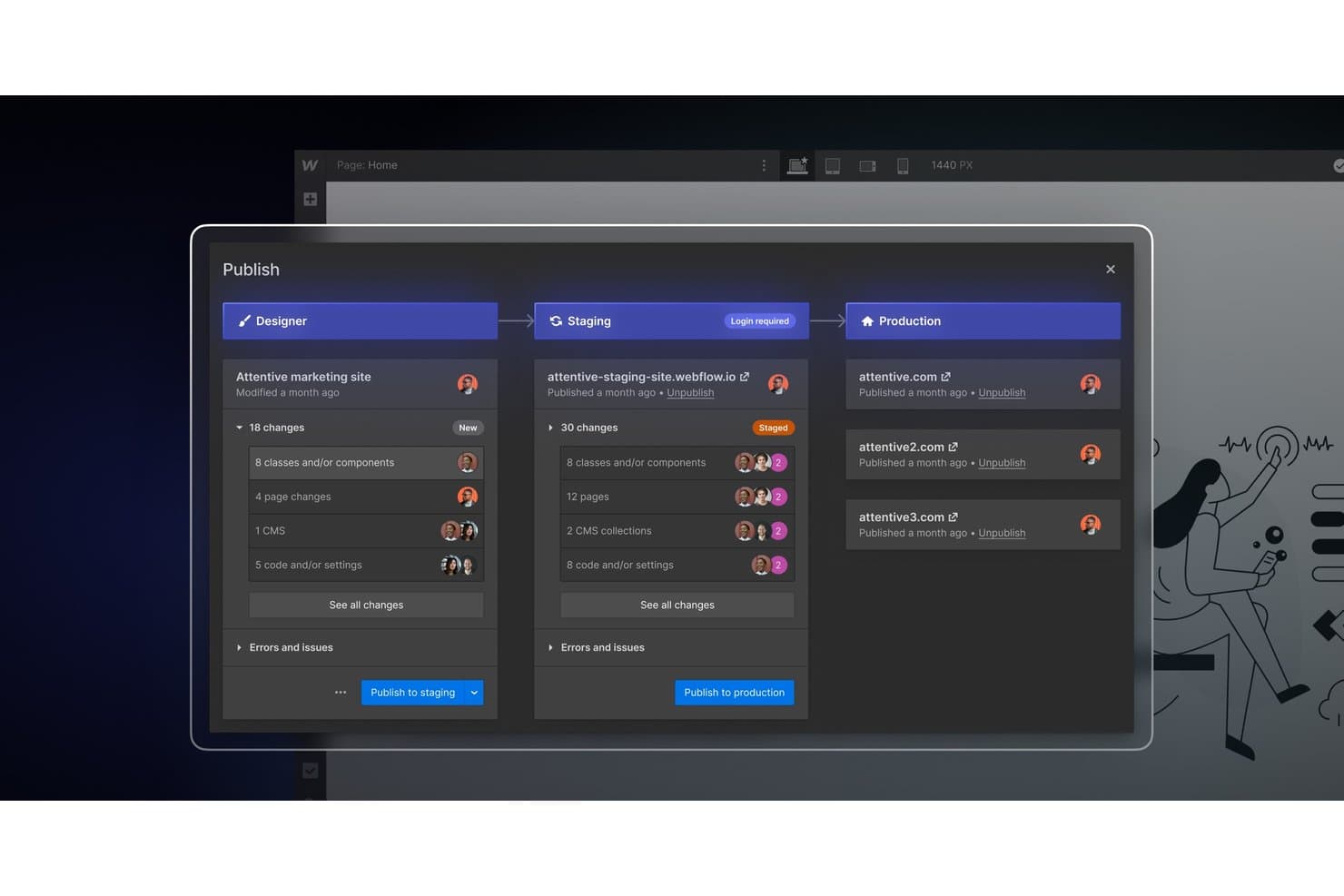
Webflow lets teams publish changes across staging and production environments. Webflow is a visual web design platform for marketing teams, agencies, and designers who need responsive websites without hand-coding every layout, while retaining control over CSS, interactions, and content.
Who Is Webflow Best For?
Webflow suits agencies and in-house creative teams that need to build and maintain responsive marketing sites without handing every layout decision to developers.
Why Webflow Is a Good Best Framer Alternatives
I picked Webflow because its visual CSS canvas gives me direct control over responsive layouts without hand-coding every page. I use Flexbox, CSS Grid, and custom breakpoints to adapt landing pages across screen sizes, then apply interactions for polished product launches and marketing sites.
Webflow Key Features
- CMS collections: Structure and publish dynamic content without code.
- Form handling: Capture submissions directly from website forms.
- SEO controls: Edit page titles, meta descriptions, and sitemap settings.
- Asset management: Upload, organize, and reuse images across projects.
Webflow Integrations
Webflow offers integrations through its official library, including Google Docs, Google Workspace, Airtable, OpenStreetMap, and Storesynk for Shopify-backed ecommerce, plus Zapier. It also provides Data API and Designer APIs for custom integrations.
Pros and Cons
Pros:
- Built-in SEO and form management controls
- Structured CMS supports dynamic marketing content
- Precise responsive layouts through visual CSS controls
Cons:
- Advanced interactions require manual configuration
- Canvas layouts demand CSS understanding
Learn more about Webflow: 8Best for building sites with built-in business tools
Wix
- Free plan available
- From $17/month (billed annually)
Visit WebsiteCustomer Rating:4.2/5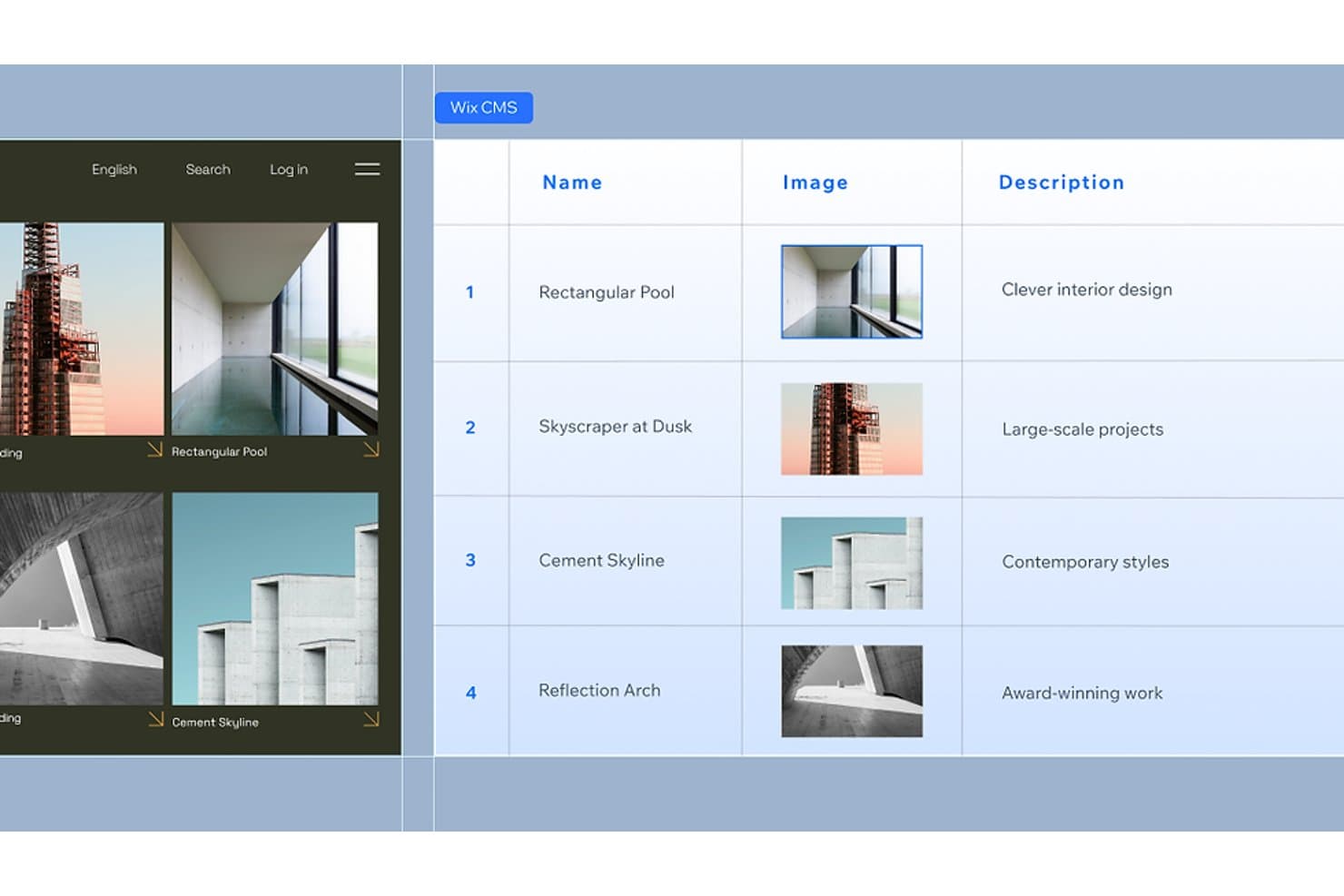
Wix CMS lets users manage structured content with images and descriptions. Wix is a website builder for small businesses, freelancers, and entrepreneurs who need to create a professional online presence without coordinating separate tools for design, content, and business operations.
Who Is Wix Best For?
Wix suits small-business owners and freelancers who want to manage their website, bookings, payments, and marketing from one platform.
Why Wix Is a Good Best Framer Alternatives
I picked Wix as a Best Framer Alternatives option because it is Best for building sites with built-in business tools. I use Wix Bookings for appointments, Wix Payments for checkout, and built-in email marketing to follow up with leads. This helps my team run daily business operations from the same website that presents the brand.
Wix Key Features
- Drag-and-drop editor: Build pages by placing elements exactly where you want them.
- Website templates: Start with professionally designed layouts for different industries.
- SEO tools: Edit metadata, URLs, structured data, and sitemap settings.
- Wix App Market: Add third-party apps for extra website functionality.
Wix Integrations
Wix offers native integrations with Google Analytics, TikTok Pixel, Meta Pixel & CAPI, Google Tag Manager, Google Ads, Amazon, Instagram, Bing, and Google Business Profile, plus marketplace integrations through more than 500 Wix App Market apps. It supports Zapier and provides Wix APIs for custom integrations.
Pros and Cons
Pros:
- SEO controls support ongoing content optimization
- Industry templates shorten website launch time
- Built-in bookings, payments, and marketing tools
Cons:
- Editor can feel cluttered on complex sites
- Less precise visual control than Framer
Learn more about Wix: Best for full-platform sites beyond marketing pages
- Free plan available
- From $17/month (billed annually)
Visit WebsiteCustomer Rating:4.2/5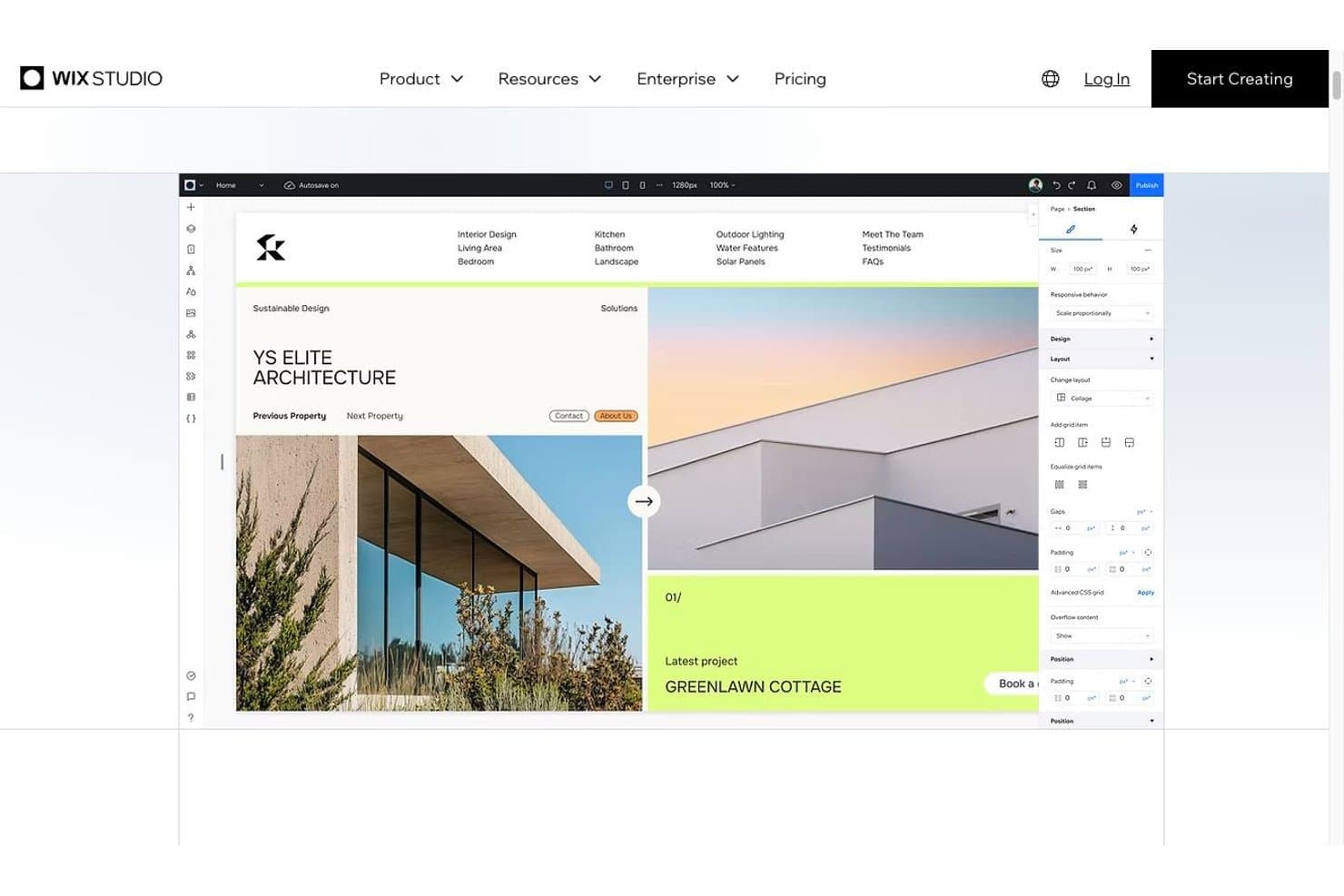
The Wix Studio editor with responsive layout controls Wix Studio is a full-platform web design solution for agencies, freelancers, and businesses that need to build, manage, and scale marketing sites, ecommerce experiences, and custom web projects from one place.
Who Is Wix Studio Best For?
Wix Studio suits agencies and growing businesses that need design, ecommerce, and custom web capabilities in one managed platform.
Why Wix Studio Is a Good Best Framer Alternatives
I picked Wix Studio because it supports full-platform sites beyond marketing pages. I use its responsive grid, custom breakpoints, CMS, and built-in ecommerce tools to create sites that grow from campaign pages into content-rich stores or client portals. That broader scope gives teams a practical Framer alternative when one project needs both polished design and operational features.
Wix Studio Key Features
- Responsive behaviors: Set how elements resize, dock, and reposition across screen sizes.
- Advanced animations: Add scroll effects, hover states, and entrance animations.
- Custom code: Add JavaScript, CSS, and backend logic through the development environment.
- Design library: Save and reuse branded components, sections, and styles.
Wix Studio Integrations
Wix Studio offers native integrations with Google Analytics, TikTok Pixel, Meta Pixel & CAPI, Google Tag Manager, Google Ads, Amazon, Instagram, Bing, and Google Business Profile, plus Zapier. It also provides access to more than 500 marketplace apps and Wix APIs for custom integrations.
Pros and Cons
Pros:
- Reusable design libraries suit agency workflows
- Custom breakpoints support detailed responsive control
- Handles ecommerce and content-rich sites
Cons:
- Advanced customization may require Velo development
- More setup than Framer for quick launches
Learn more about Wix Studio: Best for design-team site publishing in Figma
- Free plan available
- From $16/user/month (billed annually)
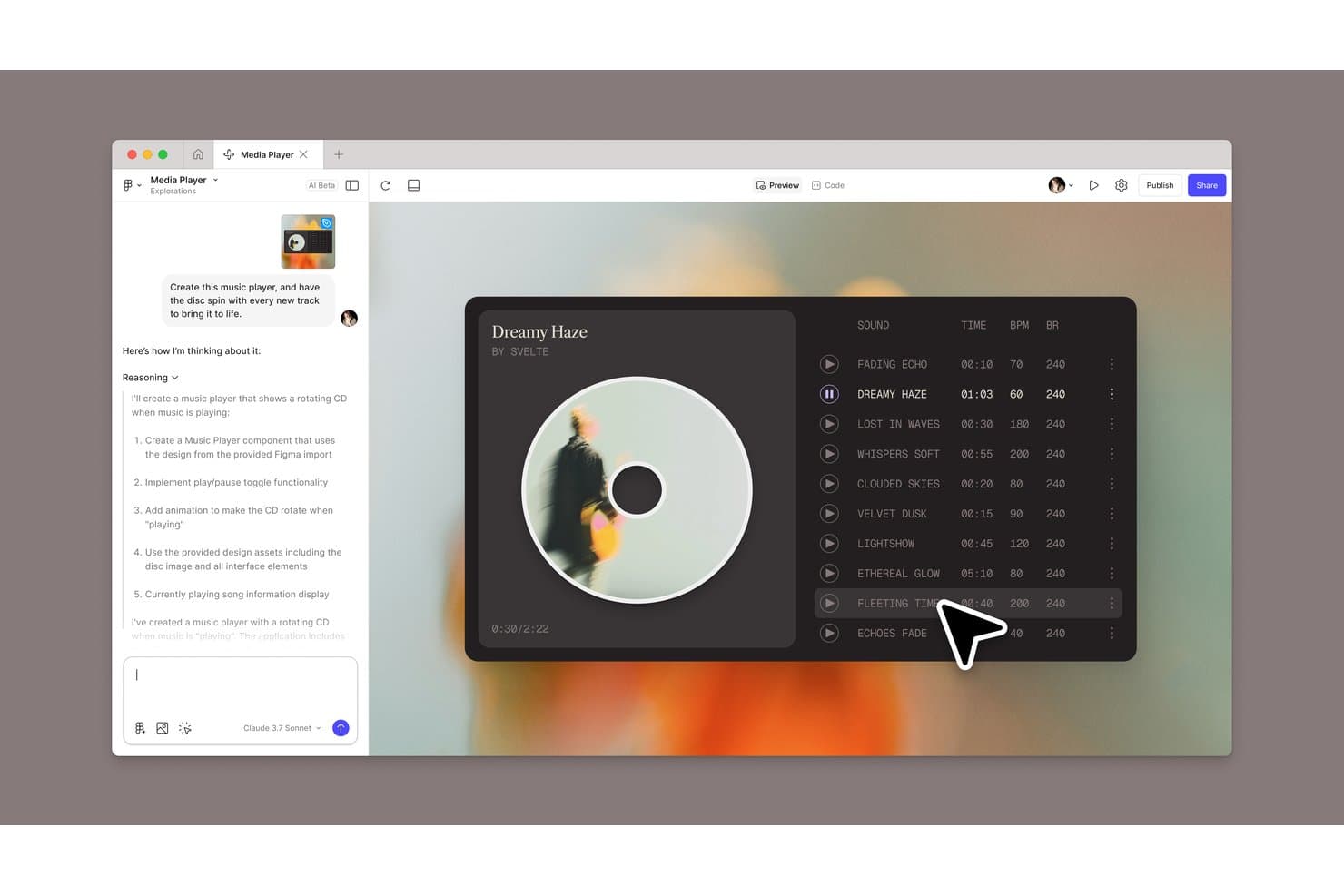
Figma Sites lets users build an AI-generated music player with rotating disc animation. Figma Sites is a website builder for design teams that helps turn Figma designs into responsive, publishable websites without a separate development handoff.
Who Is Figma Sites Best For?
Figma Sites suits product, UX, and brand teams that need to publish responsive websites directly from shared Figma designs.
Why Figma Sites Is a Good Best Framer Alternatives
I picked Figma Sites because it turns shared Figma designs into responsive, publishable websites without a separate development handoff. I like how design teams can move from approved layouts to live site publishing within the same workflow. That makes it especially useful for design-team site publishing in Figma.
Figma Sites Key Features
- Pre-built blocks: Add auto layout components and custom styles to structure pages.
- Preset interactions: Apply marquee scrolling, custom cursors, and hover effects.
- Sites CMS: Create content collections and update text or visuals separately.
- Code and AI customization: Edit site code or generate interactions with AI prompts.
Figma Sites Integrations
Native integrations specific to Figma Sites aren’t clearly documented. Figma’s broader platform supports Jira, Confluence, Slack, Google Workspace, Microsoft Teams, Notion, Asana, Linear, and Zapier, plus the Figma API for custom integrations.
Pros and Cons
Pros:
- Supports custom code alongside visual editing
- Keeps design and publishing in one workflow
- Publishes responsive sites from Figma designs
Cons:
- Advanced interactions may require code edits
- Website features remain newer than Framer’s
Learn more about Figma Sites:
Other Framer Alternatives
Here are some additional Framer alternatives that didn’t make it onto my shortlist, but are still worth checking out:
How I Evaluate Framer Alternatives
I split my evaluation into three parts: core functionality (does it let you build visually and publish responsively—these carry the most weight), standout features like code export quality and AI-assisted design generation, and beyond-features factors like pricing transparency and onboarding for non-design-background teams.
Core Functionality (Table Stakes For This List)
When I'm selecting tools for my list, I score each one on a scale from 0 (does not offer the functionality) to 5 (excels in this area) for each core functionality listed below. I then convert the total into a percentage to help assess each tool's overall fit, with extra weight on any functionalities I’ve deemed essential.
- Visual Website Builder (Essential): I look for flexible canvases, precise layout controls, and no-code editing for marketing, portfolio, and launch pages.
- Responsive Publishing (Essential): I assess breakpoint controls and how well published pages adapt across phones, tablets, and desktop screens.
- Animations & Interactions: I check for custom hover, scroll, click, and transition effects that support polished product storytelling.
- Template Library: I evaluate template variety, customization depth, and starting points for landing pages, portfolios, blogs, and business sites.
- Real-Time Collaboration: I look for shared editing, comments, permissions, and review workflows that support product, design, marketing, and client teams.
- CMS Capabilities: I assess structured collections, reusable fields, and dynamic templates for blogs, case studies, documentation, and other recurring content.
Once I have a list of tools that meet the criteria, I consider what sets each platform apart.
Differentiating Factors (What Sets Vendors Apart)
Here's how I compare and contrast different vendors:
Standout Features
I evaluate code export quality because product teams often need engineering to extend or customize what's built visually. Clean HTML/CSS or React output—like what Webflow and Framer offer—saves weeks of rebuild time. I also check for AI-assisted design generation, which speeds up early concepting when you're exploring landing page directions. Localization support matters too; I look for native multi-language publishing so global teams can launch regional variants without duplicating entire site builds.
Beyond Features
I look at pricing transparency and how costs scale as you add sites, CMS items, or team seats—surprise overages after migrating from Framer defeat the purpose of switching. Cross-functional workflow fit matters too: I check whether a platform supports version history, commenting, and integrations with tools like Figma or Slack so PMs and engineers can collaborate without emailing screenshots. I also evaluate SEO infrastructure, including built-in meta controls, clean markup, and Core Web Vitals performance, since a landing page that loads slowly costs your campaign real conversions.
Why Look for a Framer Alternative?
As I said, no tool has it all, and while Framer is a solid product design choice, there are several reasons why some users seek out alternative solutions. Here are a few examples of why you might be here looking for an alternative:
- Framer’s pricing plans don’t fit your team's budget
- You're seeking more advanced collaboration tools
- It lacks certain integrations your team needs
- You're facing scalability issues with larger projects
If any of these sound like you, you’ve come to the right place. My list contains several product design options that are better suited for teams facing these challenges with Framer and looking for alternative solutions.
Framer Key Features
Here are some of the key features of Framer, to help you contrast and compare what alternative solutions offer:
- Design & Layout: You can design without limitations, using tools similar to Adobe XD and Figma, supporting flexible grids and responsive designs.
- Styling: Apply custom styling to layers with property controls for fills, borders, and shadows, helping your team maintain consistency.
- Figma Import: Import Figma designs directly, preserving layers for easy editing and publishing, which is useful for content management and teams already using Figma.
- Website element import: Bring your coded landing pages and websites into Framer through simply copy and paste whether HTML, CSS or whichever website builder you are currently using.
- AI Tools: Enhance your website content with AI rewrite features to make it more engaging and polished.
- Navigation: Use intuitive tools for linking and organizing content, offering smooth navigation and URL management.
- Real-time collaboration: Work together during the design process in real-time with your team, using specific viewing and editing rights to facilitate collaboration from mockups to export.
- Prototyping: Create interactive prototypes to test and validate your designs before development. Easily build and preview your prototypes on Android and iOS.
- Animations: Add animations to your designs to make them more interactive and visually appealing.
- Component System: Utilize a reusable component system to maintain design consistency across projects.
- Code Export: Export production-ready code, allowing developers to integrate designs directly into projects.
- Free Website hosting and building- Offers scalable and quick setup for custom websites, various website design templates, built-in SEO features and optimization, extensive plugins and integrations, and free publishing.