

Piyasada çok fazla sayıda tasarım aracı bulunuyor. Peki, hangi tasarım aracının sizin için doğru olduğuna nasıl karar verebilirsiniz? Web siteleri, uygulamalar, grafikler veya diğer tasarım projeleri için çeşitli dijital ve fiziksel ürünlere yönelik görsel öğeler, düzenler ve etkileşimler oluşturmak ve bunları geliştirmek istediğinizi biliyorsunuz; bunun için de işinize uygun doğru araca ihtiyacınız var. Size yardımcı olabilirim! Bu yazıda, büyük ve karmaşık ürünleri yönetme deneyimimden ve çok sayıda tasarım aracını yakından tanımış olmamdan yararlanarak işleri sizin için basitleştiriyor ve en iyi tasarım araçlarından oluşan bu seçilmiş listeyi sunuyorum.
Why Trust Our Software Recommendations
6,700+
Reviews
20
Industry experts
16+
Evaluation factors
14
Years
Our team has been testing and reviewing software since 2012. As product managers ourselves, we know how difficult—and important—it is to choose the right software.
For this guide, we evaluated tools using hands-on testing and independent research, scoring tools using our selection criteria.
Our reviews reflect our human editorial judgment, not a sales pitch.
Expert reviewers:
- Andrew LumbySenior TPM
- Cristiano ValimSenior UI/UX Lead


Karşılaştırma Tablosu: Ürün Ekipleri için Tasarım Araçları
Az önce genel bakışlarda ele aldığımız tüm araçları karşılaştırabileceğiniz tabloyu burada bulabilirsiniz.
Score legend (out of 5)
- Excellent4.5–5
- Good4–4.4
- Average3–3.9
- Below average2–2.9
- Poor1–1.9
Sorted by: Default
| Tool | Starting Price | Website | |||||||
|---|---|---|---|---|---|---|---|---|---|
Best for UI inspiration and pattern research | Not rated | Not rated | Not rated | 1 | 1 | 1 | Not rated | $10/month Free plan available | Website |
Best for design on Linux and offline-first teams | 3.3 out of 5 | 3 | 4 | 3 | 3 | 3 | 4 | $11.99/user/month Free plan + free demo available | Website |
Best for AI-generated wireframes without design skills | 3.2 out of 5 | 4 | 2 | 4 | 3 | 4 | 2 | $14/user/month Free plan available | Website |
Best for no-code prototyping with free team access | 3.2 out of 5 | 3 | 3 | 4 | 3 | 3 | 3 | $4.95/user/month Free plan + 30-day free trial + free demo available | Website |
Best for Adobe Creative Cloud design workflows | 3.0 out of 5 | 3 | 3 | 2 | 2 | 4 | 4 | $91.99/month Free trial available | Website |
Best for real-time design and dev collaboration | 4.8 out of 5 | 5 | 5 | 5 | 4 | 5 | 5 | $3/user/month Free plan available | Website |
Best for code-backed interactive prototyping | 4.0 out of 5 | 4 | 5 | 4 | 3 | 5 | 3 | $49/user/month Free plan + 14-day free trial + demo available | Website |
Best for open-source design and code handoff | 3.7 out of 5 | 4 | 4 | 4 | 3 | 3 | 4 | $7/user/month Free plan + 14-day free trial + free demo available | Website |
Best for logic-driven, code-free prototyping | 3.5 out of 5 | 4 | 3 | 3 | 3 | 5 | 3 | $19/user/month Free plan + 10-day trial available | Website |
Best for Mac-native vector and UI design | 3.8 out of 5 | 4 | 4 | 3 | 3 | 4 | 5 | $12/user/month 30-day free trial available | Website |


En İyi Tasarım Aracı İncelemeleri
Aşağıdaki araçların kısa genel bakışlarını kullanarak her bir aracın diğer tasarım araçlarından nasıl ayrıştığını anlayabilirsiniz.
 Best for UI inspiration and pattern research
- Free plan available
- From $10/month (billed annually)

Mobbin shows its web interface with categorized UI elements, screens, and flows that help users browse and filter top app design examples. Mobbin is a design research platform that helps UI/UX designers stay on top of modern design trends. It offers a massive, curated library of screenshots from leading mobile and web apps, letting you explore real-world design patterns for inspiration, validation, and benchmarking.
Why I Picked Mobbin
I picked Mobbin because it makes finding high-quality design inspiration fast and structured. Instead of manually collecting screenshots or browsing countless apps, you can use Mobbin’s searchable library of over 100,000 UI examples to study specific components, flows, and layouts. It’s particularly useful when you need to see how top apps handle onboarding, navigation, or checkout flows, helping you design with greater context and confidence.
Mobbin Key Features
Here are some standout features that make Mobbin a valuable tool for UI and UX design research.
- Curated Design Library: Access thousands of UI patterns from iOS, Android, and web apps.
- Advanced Search and Filters: Quickly find screens, elements, and flows that match your design goals.
- Tagging and Categorization: Browse by app type, UI element, or user flow for efficient discovery.
- Case Studies and Updates: Learn from how leading brands execute interface and UX decisions.
Mobbin Integrations
Integrates with Figma, plus complementary design plugins such as Content Reel, Beautiful Shadow, Unsplash, Freepik, Lummi, RemoveBG, and LottieFiles to enhance your design workflow.
Pros and Cons
Pros:
- Integration support with Figma workflow
- Advanced search and filtering tools
- Extensive library of UI screenshots
Cons:
- Limited verified integration information available
- Subscription-based pricing may limit access
Learn more about Mobbin: Best for design on Linux and offline-first teams
- Free plan + free demo available
- From $11.99/user/month (billed annually)
Visit WebsiteCustomer Rating:4.4/5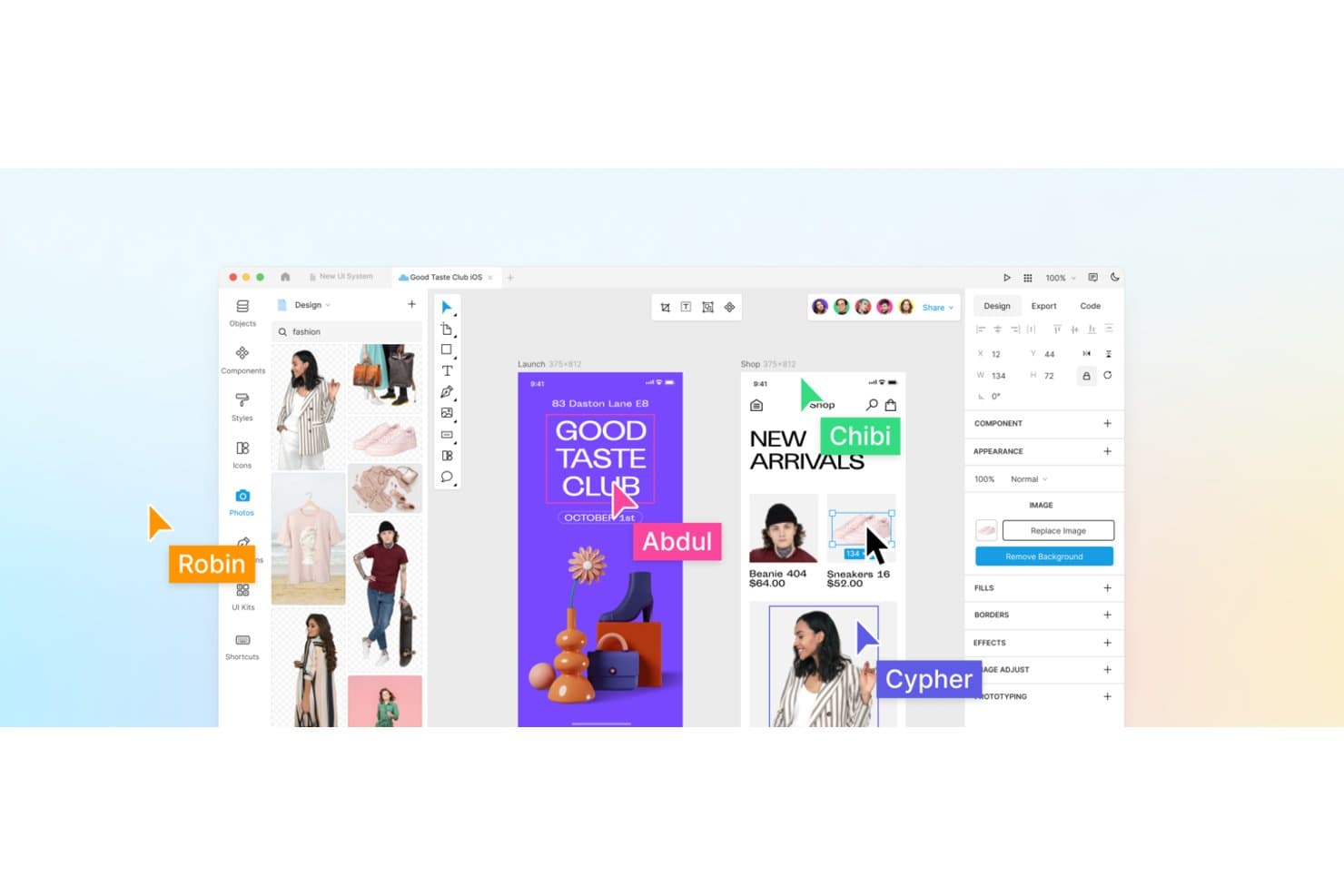
Lunacy supports real-time collaboration with named cursors on shared designs. Lunacy is a native vector design tool for Windows, macOS, and Linux that covers UI/UX design, interactive prototyping, component libraries, and developer handoff—with full offline support and built-in access to Icons8's asset library.
Who Is Lunacy Best For?
Lunacy is a strong fit for product designers and UX/UI designers who need a full-featured, offline-capable design tool that runs natively on Linux.
Why I Picked Lunacy
Lunacy earns its spot on my list because it's the only full-featured vector design tool that runs natively on Linux, making it a real option for teams that can't or won't work browser-first. I love that it supports complete offline workflows without sacrificing prototyping, auto layout, or shared component libraries. Its Bunker mode and private cloud deployment also mean design work stays entirely within your infrastructure, which matters when you're working on sensitive product specs.
Lunacy Key Features
- AI Chat design editing: Connect Claude, Gemini, OpenAI, or Grok models to edit designs directly in the canvas without an API key.
- Component states: Define Default, Hover, Pressed, and Disabled states on components to build interactive, production-ready UI elements.
- Observer mode: Follow a collaborator's canvas view in real time, which is useful for design reviews and walkthroughs with stakeholders.
- Code tab: Inspect CSS, XAML, JSON, or SVG output for any selected layer to give developers accurate, copy-ready specs.
Lunacy Integrations
Lunacy integrates with Claude Desktop and other MCP clients through its local MCP server, plus the Icons8 ecosystem. It has no documented native integrations with Jira, Linear, Slack, or Notion, and no documented public REST API or webhooks.
Pros and Cons
Pros:
- Unlimited viewers support stakeholder feedback
- Strong vector editing and components
- Native Linux and offline workflows
Cons:
- Prototyping lacks conditional logic
- Collaboration caps simultaneous editors
Learn more about Lunacy: Best for AI-generated wireframes without design skills
- Free plan available
- From $14/user/month
Visit WebsiteCustomer Rating:4.8/5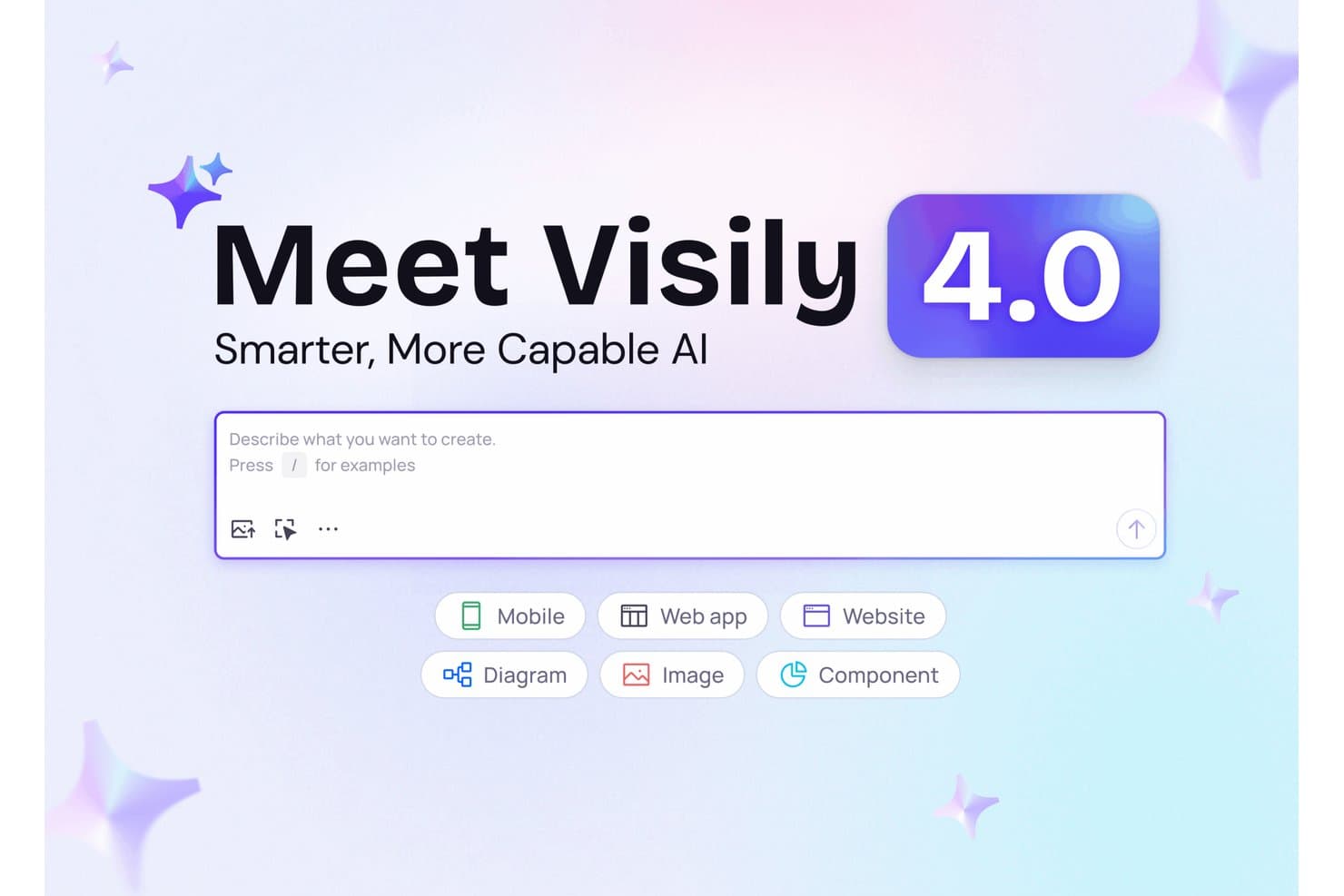
Visily 4.0 lets users generate designs from text prompts instantly. Visily is an AI-powered UI design tool that lets you generate wireframes, mockups, and interactive prototypes from text prompts, screenshots, sketches, and diagrams.
Who Is Visily Best For?
Visily is a strong fit for product managers and non-designers who need to create wireframes and prototypes quickly, without relying on a dedicated design team.
Why I Picked Visily
I picked Visily as one of the best because it's the only tool on this list that lets you generate a full wireframe from a screenshot or a text prompt, with zero design background required. Its AI Auto-Prototype feature then links your screens into a clickable flow automatically, so you're not manually drawing connectors. I also like that it pairs this with a solid Inspect Mode that outputs Tailwind and CSS, meaning the designs you generate are genuinely useful for developer handoff.
Visily Key Features
- Real-time co-editing: Multiple team members can design on the same canvas simultaneously, with cursor chat and live commenting available on paid plans.
- Export to code: Pro and Business users can export designs as React, Vue, or HTML files, with an AI layout option that generates responsive output.
- Visily MCP server: Connects your designs directly to coding agents like Cursor, Claude Code, and Lovable so AI tools can read and build from your screens.
- Workshop and diagramming tools: The canvas includes sticky notes, flowcharts, ERD symbols, freehand drawing, and embedded Google Docs or YouTube for collaborative planning sessions.
Visily Integrations
Visily integrates with Figma, Jira, Notion, and Slack, plus coding tools through its MCP server, including Cursor, Claude Code, and Lovable. It also supports board embeds and browser extensions for Chrome, Edge, and Firefox.
Pros and Cons
Pros:
- Provides detailed developer handoff specifications
- Builds clickable flows with AI automation
- Generates wireframes from screenshots and prompts
Cons:
- Provides immature design system capabilities
- Offers limited vector editing control
Learn more about Visily: Best for no-code prototyping with free team access
- Free plan + 30-day free trial + free demo available
- From $4.95/user/month (billed annually)
Visit WebsiteCustomer Rating:4.5/5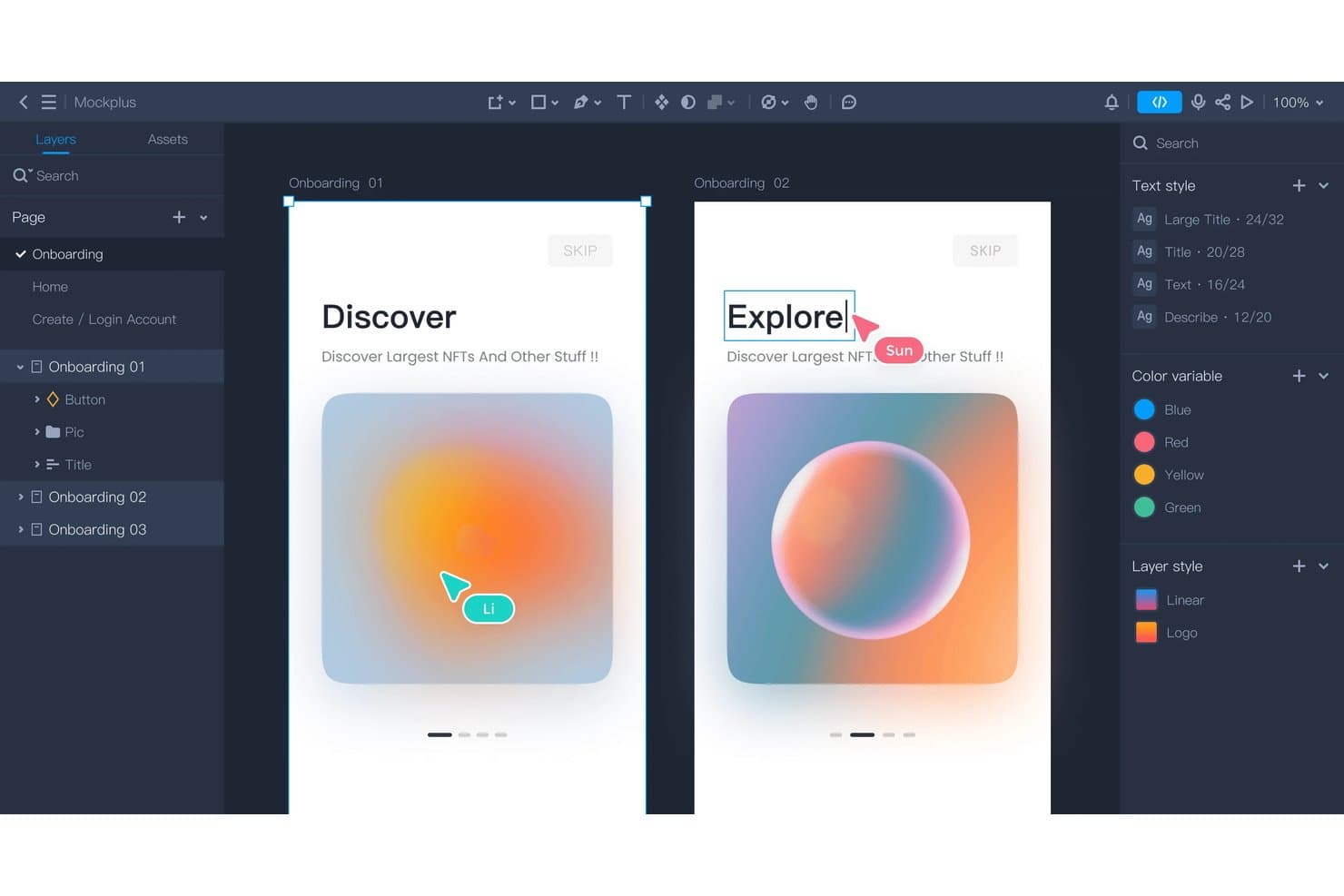
Mockplus supports real-time multiplayer editing across onboarding screens. Mockplus RP is a browser-based wireframing and interactive prototyping tool with drag-and-drop editing, real-time co-editing, reusable component libraries, and Axure file import.
Who Is Mockplus Best For?
Mockplus RP is a strong fit for product managers and non-designer team members who need to build and share interactive prototypes without writing code.
Why I Picked Mockplus
I picked Mockplus RP as one of the best because its free team tier supports up to 10 users with real-time co-editing, which is genuinely rare in this category. I love that non-designers, especially product managers, can build multi-screen interactive prototypes using drag-and-drop without writing a line of code. Its Axure import keeps roughly 95% of interactions editable, making it a practical landing spot for teams migrating off Axure.
Mockplus Key Features
- Axure file import: Import Axure files directly into Mockplus RP, keeping roughly 95% of UI elements and interactions editable.
- State-based interactions: Define component states—hover, pressed, focused, disabled, and custom—to simulate realistic interface behaviors in your prototype.
- On-screen commenting tools: Leave feedback directly on prototype screens using rectangle, circle, line, arrow, and pin markup tools, with @mentions and status filtering.
- Offline prototype export: Download fully interactive prototypes as offline HTML files for sharing or presenting without an internet connection.
Mockplus Integrations
Mockplus connects with Figma, Sketch, Adobe XD, Photoshop, and Axure through plugins or imports. It also offers a Marketplace integration for Jira, plus integrations with Slack, Confluence, and Lark.
Pros and Cons
Pros:
- On-screen comments support focused iteration
- Real-time co-editing suits small teams
- Axure imports preserve editable interactions
Cons:
- Version restoration works page by page
- High-fidelity design spans separate products
Learn more about Mockplus: Best for Adobe Creative Cloud design workflows
- Free trial available
- From CAD $91.99/month
Visit WebsiteCustomer Rating:4.3/5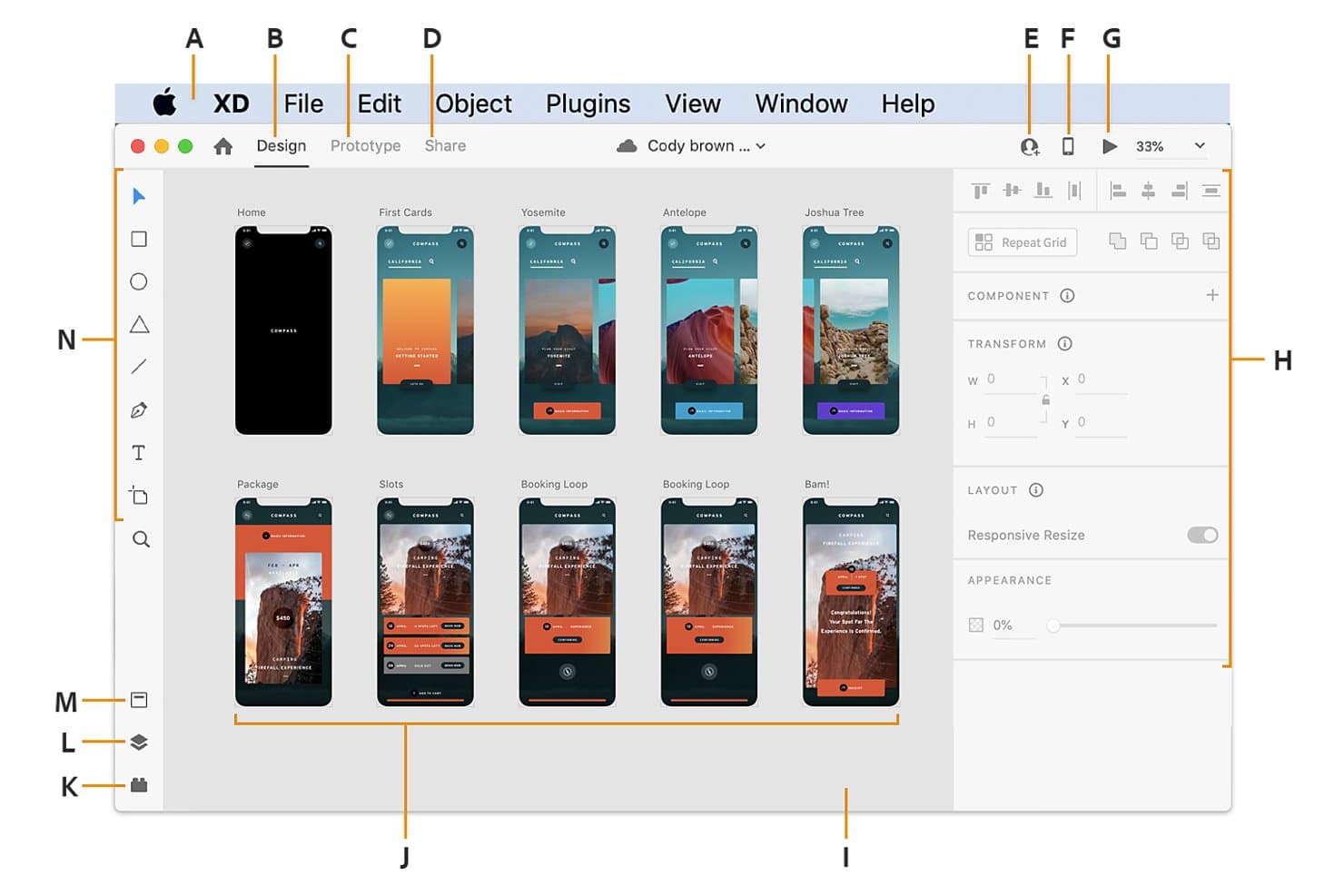
Adobe XD organizes multi-screen app designs in a visual canvas workspace. Adobe XD is a vector-based UI/UX design tool that covers wireframing, high-fidelity mockups, interactive prototyping, and developer handoff specs within a single application.
Who Is Adobe XD Best For?
Adobe XD suits product designers and UX/UI designers who are already embedded in an Adobe Creative Cloud workflow and want prototyping and handoff without switching ecosystems.
Why I Picked Adobe XD
I've included Adobe XD in my top picks because it fits naturally into a Creative Cloud workflow in a way no other design tool does. Moving vectors from Illustrator or frames from Photoshop into XD takes seconds, and CC Libraries keep colors, type styles, and components in sync across every app your team uses. I also think XD's Auto-Animate and component states are genuinely strong for prototyping micro-interactions without duplicating screens.
Adobe XD Key Features
- Repeat Grid: Duplicate any element or group into a grid layout and edit all instances simultaneously, ideal for designing lists, cards, and galleries.
- Multiple user flows: Define separate user flows within a single document, each with its own shareable prototype link for targeted stakeholder review.
- Share mode presets: Publish designs with purpose-built presets for Design Review, Development, User Testing, Presentation, or Custom, each with configurable access controls.
- CSS code snippets in specs: Developer handoff links auto-generate CSS values for dimensions, spacing, colors, and typography directly in the browser-based spec view.
Adobe XD Integrations
Adobe XD has documented integrations with Adobe Photoshop, Illustrator, After Effects, Creative Cloud Libraries, Jira Cloud, Slack, Zoom, and Microsoft Teams. It has no documented public API or webhooks for custom integrations.
Pros and Cons
Pros:
- Browser-based specs support developer handoff
- Advanced prototypes with Auto-Animate and states
- Precise vector editing for scalable interfaces
Cons:
- Beta coediting and version restores undermine collaboration
- Maintenance mode means no new features
 Best for real-time design and dev collaboration
- Free plan available
- From $3/user/month
Visit WebsiteCustomer Rating:4.7/5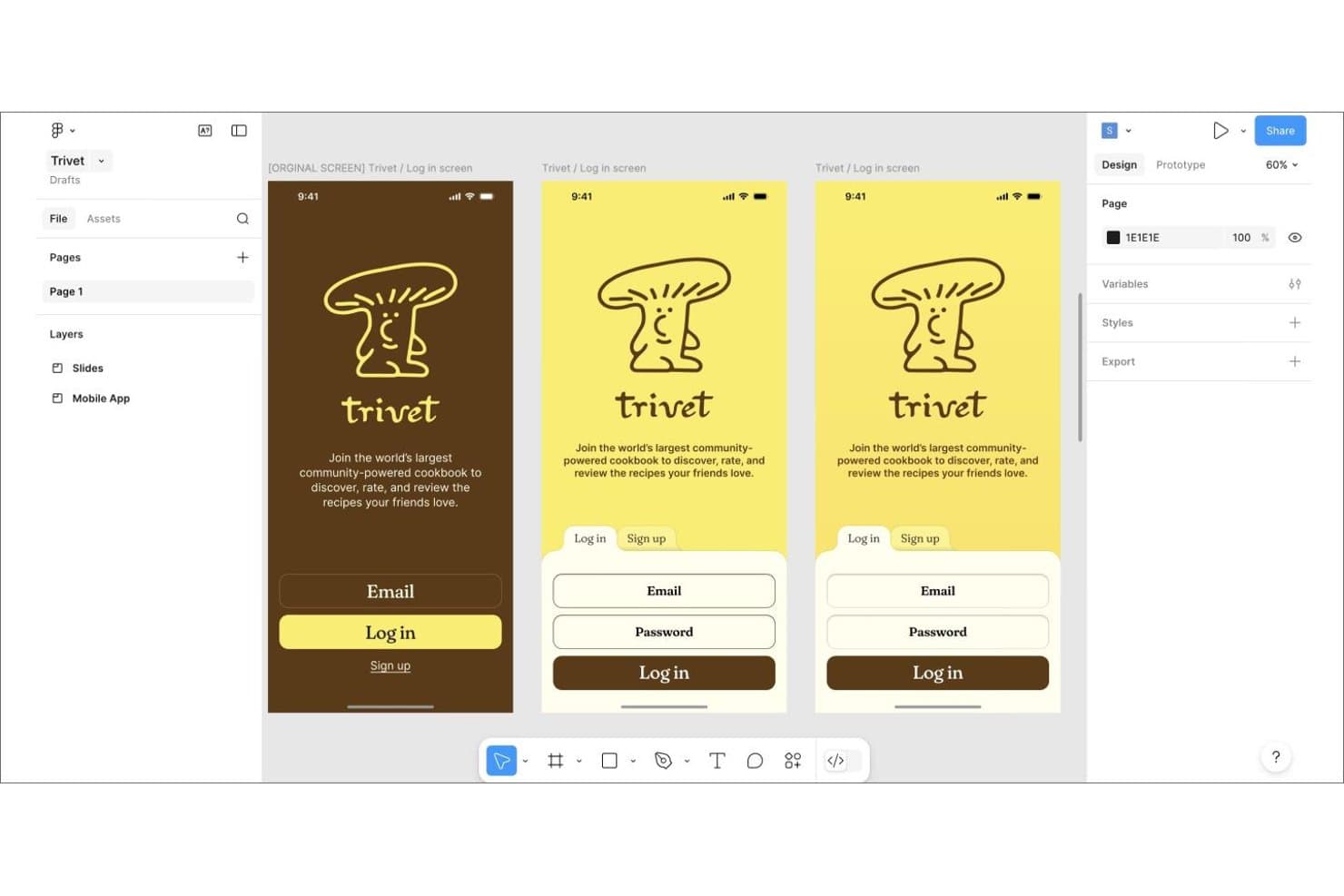
Figma lets users design and iterate mobile app login screens side by side. Figma is a browser-based design tool that combines vector editing, interactive prototyping, design system management, and developer handoff in a single collaborative workspace.
Who Is Figma Best For?
Figma fits cross-functional product teams where designers, product managers, and developers need to work in the same files without juggling separate handoff tools.
Why I Picked Figma
Figma earns its spot on my shortlist because no other design tool collapses the gap between designers and developers the way it does. I love that Dev Mode auto-generates CSS, JSON, and React code directly from design layers, so developers aren't guessing at specs. Live multiplayer cursors and free unlimited viewer seats mean my whole team, including PMs and engineers, can work in the same file without anyone waiting on a handoff document.
Figma Key Features
- FigJam whiteboarding: A built-in digital whiteboard with sticky notes, voting, timers, and 300+ templates for running workshops and brainstorming sessions.
- Figma Make: An AI-powered tool that generates interactive, code-backed prototypes and web apps directly from a prompt or existing design file.
- Design system variables: A token system that supports multiple modes—such as light and dark themes—synced across components and exportable via the REST API.
- Version history and branching: Named version saves with unlimited history on paid plans, plus branch-and-merge workflows for reviewing design changes before updating the main file.
Figma Integrations
Figma offers integrations with Jira, Slack, GitHub, Storybook, and VS Code, plus connectors for Linear, Asana, monday.com, and Notion. Its REST, Plugin, and Widget APIs support custom integrations, and Zapier connects Figma to 9,000+ apps.
Pros and Cons
Pros:
- Design tokens support scalable, themed component systems
- Dev Mode generates implementation-ready design specifications
- Real-time multiplayer editing reduces handoff delays
Cons:
- AI credits constrain heavy prototype generation workflows
- Large files can suffer noticeable performance slowdowns
 Best for code-backed interactive prototyping
- Free plan + 14-day free trial + demo available
- From $49/user/month
Visit WebsiteCustomer Rating:4.2/5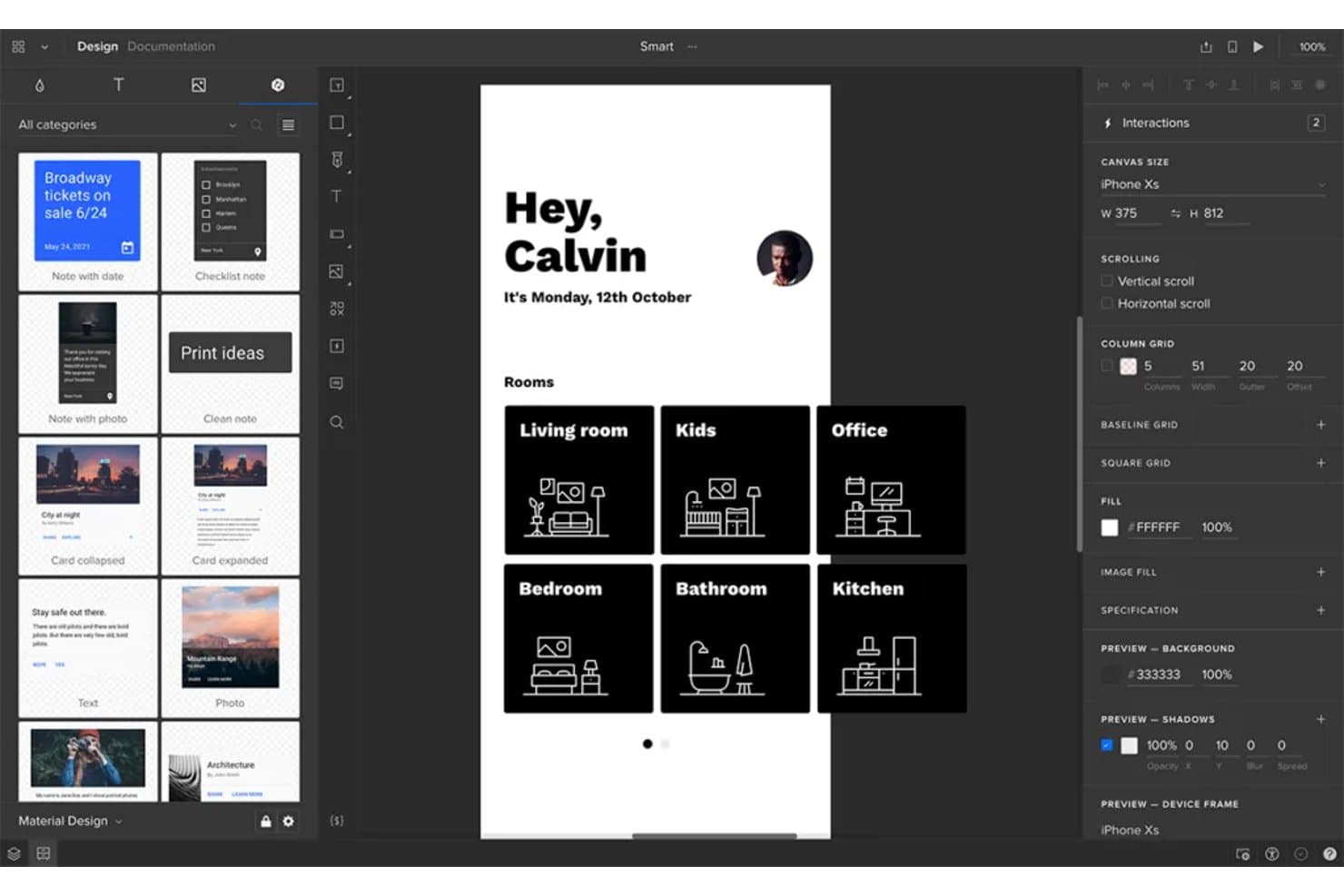
UXPin lets users design and prototype mobile app screens with real interactions. UXPin is a browser-based UX/UI design and prototyping tool that combines vector editing, interactive prototyping, design system management, and code-backed components through its Merge, Forge, and Wire modules.
Who Is UXPin Best For?
UXPin is a strong fit for UX/UI designers and design team leads who need prototypes that behave like the real product, not just look like it.
Why I Picked UXPin
UXPin earns its spot on my shortlist because it's the only design tool where your prototype runs on actual React components, not static drawings of them. I love that Merge pulls in a live component library from Git or Storybook, so a sortable table or date picker in your prototype behaves exactly as it will in production. Pair that with conditional logic, variables, and API request actions, and you're building prototypes that handle real edge cases.
UXPin Key Features
- Real-time collaboration: Co-edit designs live with your team, while unlimited viewers and commenters can review and annotate any prototype without a paid seat.
- Get Code mode: Inspect element dimensions, spacing, colors, and typography, then copy CSS directly from the panel as specs update live with design changes.
- Auto Layout: Set direction, gap, padding, wrapping, and alignment on groups so your designs respond predictably across screen sizes.
- AI-assisted UI generation (Forge): Generate interface designs from a text prompt or uploaded image, using your actual component library rather than generic vector shapes.
UXPin Integrations
UXPin integrates with GitHub, Bitbucket, Storybook, npm, Jira Cloud, Slack, FullStory, StackBlitz, Figma, and Sketch. It has no public API or webhooks, so custom connectivity is limited.
Pros and Cons
Pros:
- Design system governance limits component drift
- Conditional logic handles complex product edge cases
- Code-backed components make prototypes behave realistically
Cons:
- Technical workflows can overwhelm occasional contributors
- Vector tools lag behind visual design specialists
Learn more about UXPin: Best for open-source design and code handoff
- Free plan + 14-day free trial + free demo available
- From $7/user/month
Visit WebsiteCustomer Rating:4.5/5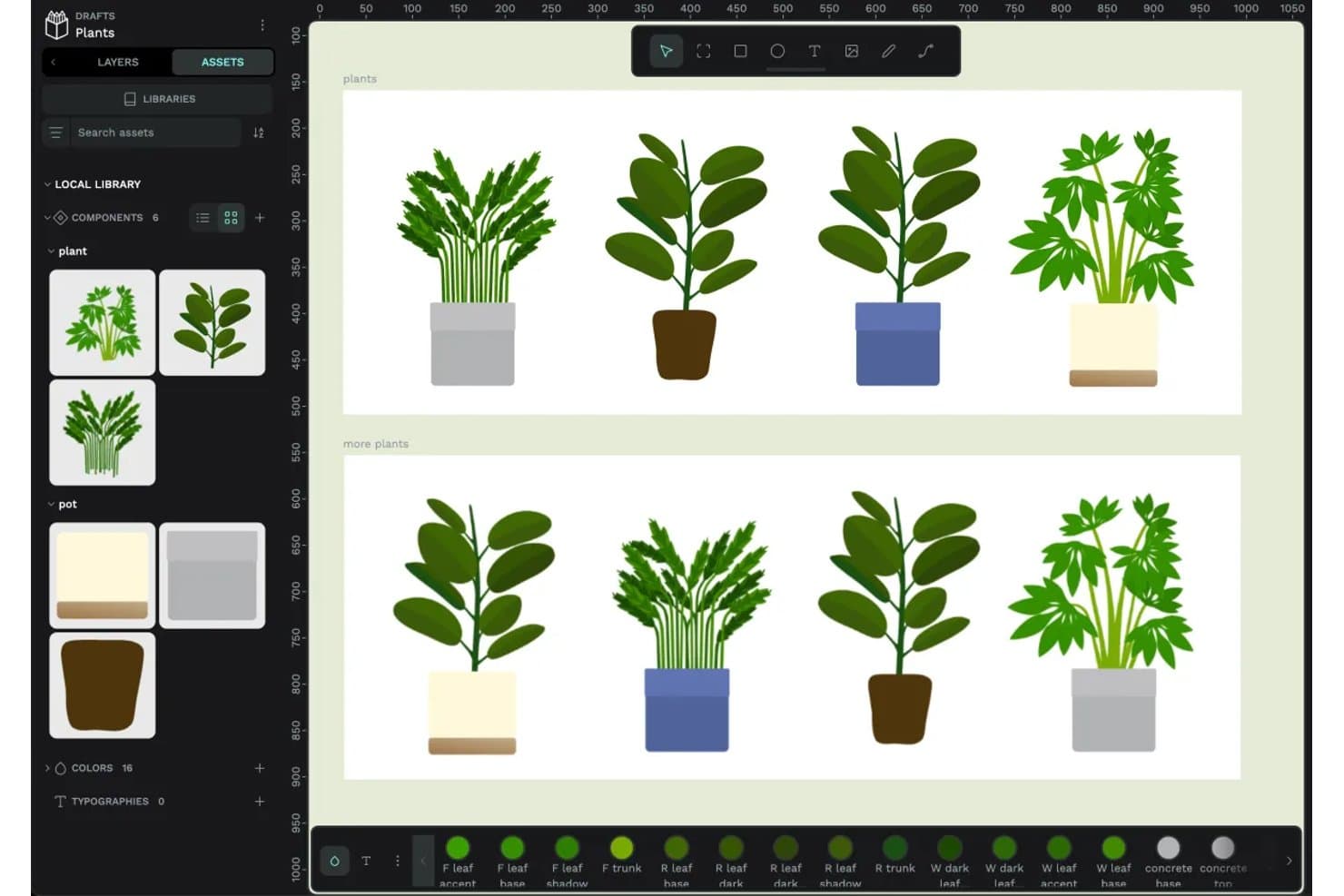
Penpot lets users build and reuse plant components with shared assets. Penpot is an open-source design tool that combines vector editing, interactive prototyping, real-time collaboration, design system management, and developer handoff with native CSS-mirroring layouts and an inspect mode.
Who Is Penpot Best For?
Penpot is a strong fit for design and engineering teams that want full control over their tools—whether through self-hosting, open-source flexibility, or a genuinely code-friendly handoff workflow.
Why I Picked Penpot
I've included Penpot in my top picks because it's the only fully open-source design tool that treats developer handoff as a first-class feature, not an afterthought. Its Flex and CSS Grid layouts mirror how CSS actually works, so what developers see in Inspect mode maps directly to what they'll write in code. I also love the native W3C design tokens, which export to JSON and push to platforms like SwiftUI, Jetpack Compose, and Flutter without a paid plugin.
Penpot Key Features
- Interactive prototyping flows: Define multiple starting points per page, share individual flow links, and use triggers like on-click, mouse enter, and after-delay to connect screens with transitions and overlays.
- Real-time multiplayer editing: Multiple team members can co-edit the same file simultaneously, with threaded comments you can read, reply to, and resolve without leaving design mode.
- Component variants: Group related components by properties like color, size, or state, and switch between variants while preserving overrides.
- MCP server for AI workflows: A free, open-source MCP server lets any AI agent or model read and modify Penpot files, supporting design-to-code and code-to-design directions without additional platform fees.
Penpot Integrations
Penpot offers marketplace integrations through Penpot Hub, including Locofy, Miro, DeepL, Iconify, Lucide, and GitHub, GitLab, Azure DevOps, and Bitbucket connections. Its REST API, webhooks, and MCP Server support custom design, code, and AI workflows.
Pros and Cons
Pros:
- Native tokens support scalable design systems
- CSS-mirroring layouts improve developer handoff
- Open-source control supports self-hosted design operations
Cons:
- Large files can strain browser performance
- Prototypes lack conditional logic and variables
Learn more about Penpot: Best for logic-driven, code-free prototyping
- Free plan + 10-day trial available
- From $19/user/month
Visit WebsiteCustomer Rating:4.2/5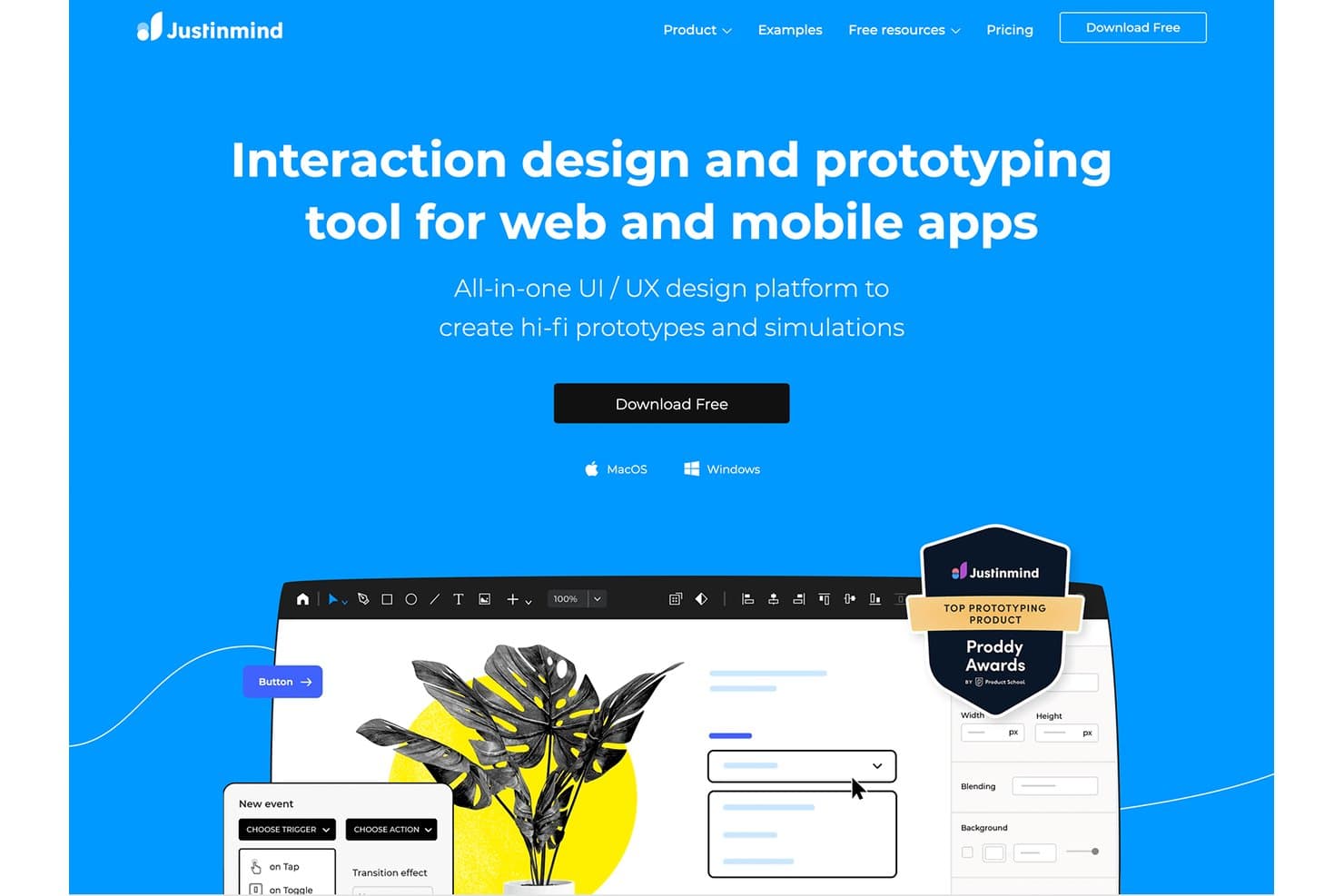
Justinmind lets users build hi-fi prototypes for web and mobile apps. Justinmind is a desktop prototyping and interaction design tool for macOS and Windows that covers wireframing, high-fidelity mockups, logic-driven interactive simulations, and developer handoff specs.
Who Is Justinmind Best For?
Justinmind is a strong fit for UX/UI designers and product managers who need to prototype complex, logic-driven interactions without writing code.
Why I Picked Justinmind
I picked Justinmind as one of the best because its logic-driven prototyping depth is genuinely hard to match. I love that you can build conditions, variables, and expression-based rules that simulate real app behavior, with no code involved. You can even load CSV data through Data Masters to populate data grids and forms dynamically, which is something I rely on when testing realistic user flows before a single line of code is written.
Justinmind Key Features
- Real-time co-editing: Multiple editors can work in the same prototype simultaneously, with element-level locking to prevent conflicting changes.
- Developer handoff view: Developers access exact measurements, spacing, HEX colors, and copyable CSS directly from the prototype without needing design files.
- UI kit library: Over 4,000 pre-built interactive components spanning iOS, Material Design 3, Bootstrap, and other major frameworks are included out of the box.
- User flows diagramming: A dedicated tool for mapping and visualizing user flows is available on Professional plans and above.
Justinmind Integrations
Justinmind offers integrations with Figma, Sketch, Adobe XD, Photoshop, Illustrator, Jira, Azure DevOps, Doors, and Confluence. Its Java API and SDK support custom extensions, while SAML and LDAP support enterprise authentication.
Pros and Cons
Pros:
- Unlimited viewers simplify stakeholder review
- CSV-backed data makes testing realistic
- Logic-driven prototypes simulate real app behavior
Cons:
- Shared libraries lack full version history
- Desktop-only editing limits collaborative access
Learn more about Justinmind: 10Best for Mac-native vector and UI design
Sketch
- 30-day free trial available
- From $12/user/month (billed annually)
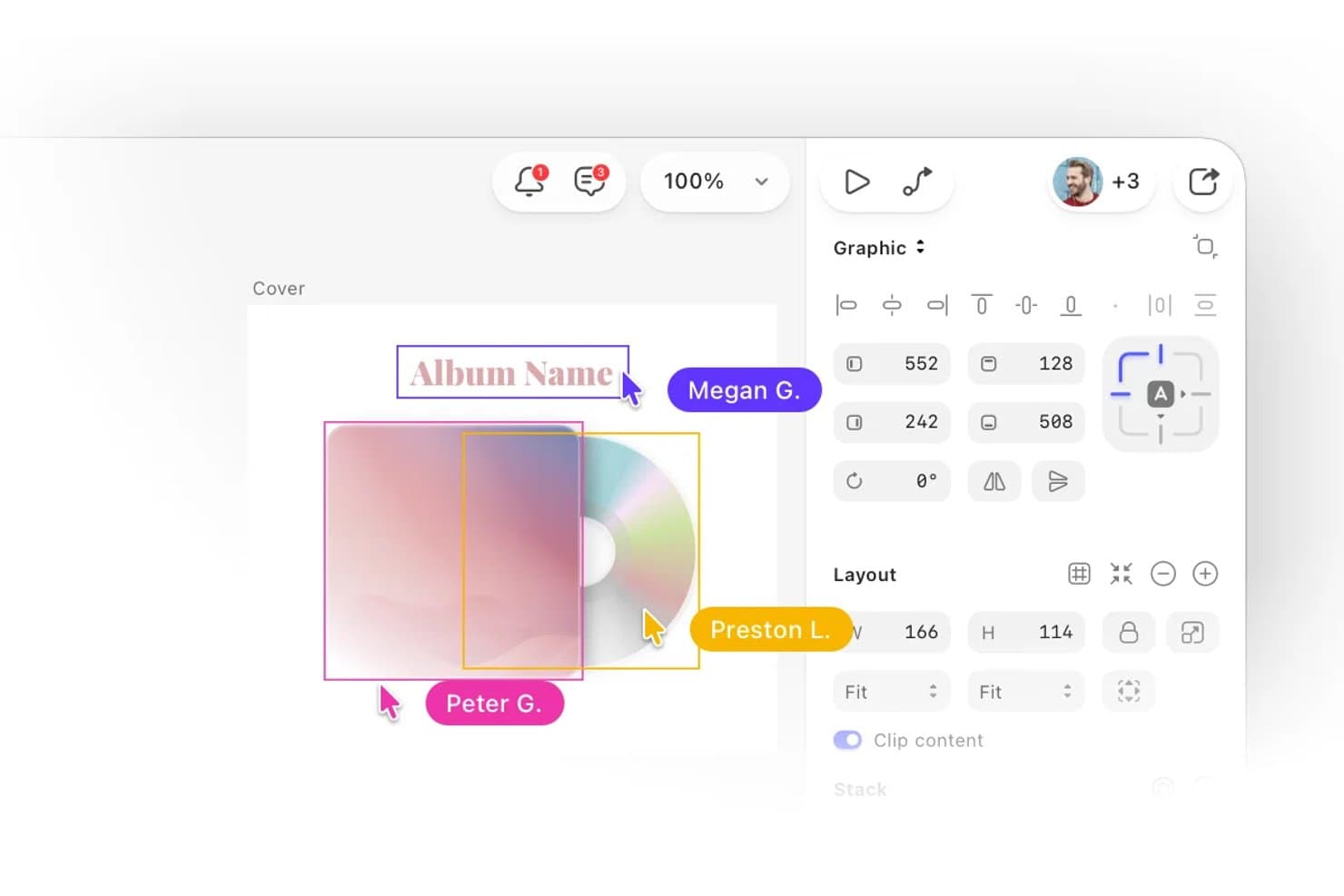
Sketch lets multiple collaborators edit and view designs simultaneously in real time. Sketch is a Mac-native UI design tool built around vector editing, interactive prototyping, reusable component libraries, and browser-based developer handoff.
Who Is Sketch Best For?
Sketch is purpose-built for product designers and UX/UI designers who work on macOS and want a focused, native design environment without the overhead of a platform-first tool.
Why I Picked Sketch
Sketch earns its spot as one of the best on my shortlist because its Mac-native vector engine is genuinely best-in-class. I love how tools like corner smoothing with squircle support, independent per-side border widths, and Oklab/Oklch gradient interpolation give you precision that browser-based editors still can't match. Stacks, Sketch's auto-layout system, handle wrapping, percentage sizing, and negative gaps without the workarounds I've needed elsewhere.
Sketch Key Features
- Smart Animate: Adds easing and timing controls to prototype transitions between frames for smooth, realistic motion.
- Free developer handoff: Lets developers inspect layers, copy CSS values, measure distances, and export assets directly in the browser at no extra cost.
- MCP server integration: Connects Sketch to external AI clients like Claude and Cursor so you can fill content, swap themes, and generate code from your designs.
- Design token export: Exports Color Variables and styles as CSS or JSON, with public auto-updating token URLs that can feed directly into tools like Storybook.
Sketch Integrations
Sketch offers one native integration with Slack, plus integrations with Jira, Notion, GitHub, and Miro through embeds, links, or partners. Its JavaScript plugin API and MCP server support custom workflows with AI clients such as Claude and Cursor.
Pros and Cons
Pros:
- Free browser handoff simplifies developer collaboration
- Mature Symbols and Libraries support design systems
- Mac-native vector editing feels exceptionally polished
Cons:
- Prototyping lacks documented variables and conditional logic
- Editing requires macOS, limiting cross-platform teams
Learn more about Sketch:
Diğer Tasarım Araçları
En iyi tasarım araçları listesine giremeyen birkaç seçenek daha şunlar:
İlgili Ürün Yönetimi Yazılımı İncelemeleri
Burada hâlâ aradığınızı bulamadıysanız, test edip değerlendirdiğimiz şu diğer ilgili araçlara göz atın:
- En İyi Ürün Yönetimi Araçları
- En İyi Ürün Planlama Yazılımları
- En İyi UX Tasarım Araçları
- En İyi Ürün Geliştirme Yazılımları
- En İyi Fikir Yönetimi Yazılımları
- En İyi Isı Haritası Yazılımları
How I Evaluate Design Tools
I split my evaluation into three parts: core functionality (vector editing and interactive prototyping) carries the most weight, followed by standout features like auto-layout engines, then beyond-feature factors such as onboarding support and pricing value.
Core Functionality (Table Stakes for This List)
When I'm selecting tools for my list, I score each one on a scale from 0 (does not offer the functionality) to 5 (excels in this area) for each core functionality listed below. I then convert the total into a percentage to help assess each tool's overall fit, with extra weight on any functionalities I've deemed essential.
- Vector-Based Design Editing (Essential): I check whether the tool supports full path and anchor point editing, not just basic shape insertion. A design tool that only drops rectangles and circles won't get you far when you need custom icons or complex UI elements.
- Interactive Prototyping (Essential): Linking static screens together is table stakes, so I look for conditional logic, micro-interactions, and transitions that let you demo realistic user flows in stakeholder reviews without switching to a separate prototyping app.
- Real-Time Collaboration: I evaluate whether multiple team members can edit the same file at once with live cursors and inline commenting. Tools like Figma and Penpot handle this in-browser, while others still rely on manual file passing.
- Design System Support: Reusable components with variants, shared style tokens, and cross-file library syncing matter here. I look at how easy it is to update a button component once and push that change across every screen in a project.
- Developer Handoff: I check for auto-generated specs, exportable assets, and inspection tools that give engineers exact spacing, color values, and font details. The gap between a design and a shipped product often widens when handoff relies on screenshots and guesswork.
- Version History and File Management: Being able to name checkpoints, compare past iterations side by side, and restore earlier versions keeps your team from losing work during fast-moving sprints. I look at how granular the tracking is and whether branching is supported.
Once I have a list of tools that meet the criteria, I consider what sets each platform apart.
Differentiating Factors (What Sets Vendors Apart)
Here's how I compare and contrast different vendors:
Standout Features
Auto-layout engines separate good design tools from great ones. I look for how each tool handles responsive resizing when you swap content or change screen sizes, since a button that breaks when you edit its label slows every sprint. AI-assisted design generation is another differentiator I evaluate, especially for rapid ideation during discovery. Figma and Sketch both offer plugin ecosystems, but I check whether a tool's marketplace includes practical extensions like data population and accessibility audits that product teams actually use day to day.
Beyond Features
I check how easily non-designers can jump in. A tool loses value fast if your engineers or stakeholders need a paid seat just to leave a comment on a prototype. I also evaluate integration depth with issue trackers like Jira and Linear, since embedding live design files in a ticket keeps context where delivery happens. Vendor support maturity matters too—I look for strong documentation, active community templates, and a consistent update cadence that signals long-term reliability.
Tasarım Araçları Nasıl Seçilir?
Bu kadar çok farklı tasarım çözümü mevcutken, hangi tasarım aracının ihtiyaçlarınıza en uygun olacağına karar vermek zor olabilir.
Tasarım araçlarını kısa listeye alırken, denerken ve seçerken aşağıdakileri göz önünde bulundurun:
- Hangi sorunu çözmeye çalışıyorsunuz - Tasarım aracının sunması gereken özellikleri ve işlevleri netleştirmek için öncelikle gidermeye çalıştığınız tasarım aracı özellik boşluğunu belirleyin.
- Kimlerin kullanması gerekecek - Maliyeti ve gereksinimleri değerlendirmek için yazılımı kimlerin kullanacağını ve kaç lisansa ihtiyaç duyacağınızı göz önünde bulundurun. Erişimin yalnızca ürün tasarımı profesyonelleri için mi gerekeceğini, yoksa tüm kuruluşun mu erişime ihtiyaç duyacağını değerlendirmeniz gerekir. Bu netleştiğinde, herkes için kullanım kolaylığına mı yoksa tasarım aracını ileri düzeyde kullananlar için hıza mı öncelik verdiğinizi düşünmeye değer.
- Hangi diğer araçlarla birlikte çalışması gerekiyor - Hangi araçları değiştirdiğinizi, hangilerini kullanmaya devam edeceğinizi ve muhasebe, CRM veya İK yazılımı gibi hangi araçlarla entegre olmanız gerektiğini netleştirin. Araçların birbiriyle entegre olması gerekip gerekmediğine veya alternatif olarak birden fazla aracı tek bir birleşik tasarım aracıyla değiştirip değiştiremeyeceğinize karar vermeniz gerekir.
- Hangi sonuçlar önemli - Başarılı kabul edilebilmesi için yazılımın sunması gereken sonucu göz önünde bulundurun. Hangi yetkinliği kazanmak veya neyi geliştirmek istediğinizi ve başarıyı nasıl ölçeceğinizi düşünün. Örneğin sonuç, performans hakkında daha fazla görünürlük elde etme becerisi olabilir. Tasarım aracı özelliklerini sabrınız tükenene kadar karşılaştırabilirsiniz, ancak elde etmek istediğiniz sonuçları düşünmüyorsanız çok değerli zamanınızı boşa harcıyor olabilirsiniz.
- Kuruluşunuz içinde nasıl çalışırdı - Yazılım seçimini iş akışlarınız ve teslimat metodolojinizle birlikte değerlendirin. Nelerin iyi çalıştığını ve ele alınması gereken sorunlara yol açan alanları değerlendirin. Her işletmenin farklı olduğunu unutmayın — bir aracın popüler olması, kuruluşunuzda işe yarayacağı anlamına gelmez.
2026 Tasarım Araçlarındaki Eğilimler
Tasarım araçları açısından 2026, ürün tasarımı profesyonellerinin gelişen ihtiyaçlarını yansıtan önemli ilerlemelere ve değişimlere sahne oldu. Bu analiz, yeni eğilimleri öne çıkarmayı; işlevsellikteki iyileştirmelere ve uyarlamalara ve bunların ürün tasarımı alanındaki belirli ihtiyaçları nasıl karşıladığına odaklanmayı amaçlamaktadır.
Tasarım Araçları ve Teknolojisindeki Eğilimler
- Yapay Zekâ ve Makine Öğrenimiyle Entegrasyon: Yapay zekâ ve makine öğrenimi teknolojilerinin tasarım araçlarına entegrasyonu öne çıkan bir eğilim olmuştur. Bu özellikler; öngörücü tasarım önerileri sunmak, rutin görevleri otomatikleştirmek ve daha sezgisel kullanıcı deneyimlerini kolaylaştırmak üzere hızla gelişmektedir. Örneğin görüntü düzenleme araçlarındaki yapay zekâ destekli otomatik düzeltme ve iyileştirme özellikleri, manuel düzenleme süresini önemli ölçüde azaltarak daha akıllı ve yardımcı tasarım teknolojilerine geçişi göstermiştir. P.S., İhtiyaçlarınıza en uygun seçeneği bulmak için derlediğimiz en iyi yapay zekâ tasarım araçları listemize göz atın.
- İş Birliği ve Uzaktan Çalışma Özellikleri: Gelişmiş iş birliği özellikleri, küresel ölçekte uzaktan çalışmaya geçişe yanıt olarak tasarım araçlarının temel unsurlarından biri hâline gelmiştir. Gerçek zamanlı ortak düzenleme, bulut tabanlı dosya paylaşımı ve entegre iletişim araçları önemli güncellemeler alarak ekip çalışmasını daha sorunsuz ve verimli hâle getirmiştir. Bu gelişim, proje bütünlüğünü korurken dağınık bir iş gücünü destekleyen araçlara yönelik artan talebi yansıtmaktadır.
- Yüksek Gerçeklikli Prototipleme Yetenekleri: Tasarım araçlarındaki prototipleme özelliklerinin gelişmişlik düzeyinde belirgin bir artış olmuştur. Animasyonlar, geçişler ve kullanıcı etkileşimi simülasyonlarıyla birlikte daha gerçekçi ve etkileşimli prototipler oluşturma becerisi daha ileri bir seviyeye ulaşmıştır. Bu güncellemeler, tasarımcıların son geliştirme aşamalarından önce kullanıcı deneyimlerini daha doğru biçimde görselleştirme ve test etme ihtiyacını yansıtmaktadır.
- Sürdürülebilirlik ve Kapsayıcılık Özellikleri: Nispeten yeni ve biraz da alışılmadık bir eğilim, tasarımda sürdürülebilirliği ve kapsayıcılığı teşvik etmeyi amaçlayan özelliklerin kullanıma sunulmasıdır. Araçlar artık daha geniş bir kullanıcı kitlesinin erişebileceği ve çevresel etkisi daha düşük tasarımlar oluşturmak için yönergeler ve denetimler sunmaktadır. Bu işlevsellik, tasarım çalışmalarının sosyal ve çevresel sorumluluklarına ilişkin farkındalığın artmasına yanıt olarak ortaya çıkmaktadır.
Gelişen ve Talep Gören Özellikler
- Bulut Tabanlı ve Platformlar Arası Erişilebilirlik: Bulut tabanlı tasarım araçları ve platformlar arası uyumluluk sunan araçlar da ürün tasarımı alanında giderek daha önemli hâle gelmektedir. Bu durum, farklı cihazlar ve işletim sistemleri üzerinden projelere erişme ve projeler üzerinde çalışma esnekliği ihtiyacını yansıtarak modern tasarımcının mobil ve çok yönlü çalışma tarzına uyum sağlamaktadır.
Daha Az Önemli Hâle Gelen Özellikler
- Aşırı Karmaşık Özellik Setleri: Öğrenme eğrisi dik olan karmaşık özelliklerle aşırı yüklenmiş araçlardan uzaklaşma eğilimi dikkat çekmektedir. Tasarımcılar yaratıcılığa daha fazla, hantal yazılım arayüzlerinde gezinmeye ise daha az odaklanmalarını sağlayan araçlar aradıkça sadelik, verimlilik ve kullanım kolaylığı önem kazanmaktadır.
2026 yılındaki tasarım araçları dünyası, ürün tasarımı profesyonellerinin değişen ihtiyaçlarının yönlendirdiği hızlı yenilik ve uyarlama süreciyle şekillenmektedir. Bu trendler gelişmeye devam ederken yalnızca tasarım topluluğundaki mevcut öncelikleri ve zorlukları yansıtmakla kalmaz, aynı zamanda bu alandaki gelecekteki yazılım geliştirme yönüne de işaret eder.
Tasarım Araçları Nedir?
Tasarım araçları, tasarım projelerindeki görsel öğeleri oluşturmak, düzenlemek ve optimize etmek için kullanılan çeşitli yazılımları kapsar. Bu araçlar grafik tasarım yazılımlarından kullanıcı arayüzü tasarım araçlarına kadar uzanır ve tasarımcılara yaratıcı vizyonlarını gerçeğe dönüştürmeleri için ihtiyaç duydukları işlevleri sunar.
Bu tasarım araçlarının sunduğu temel özellikler arasında çizim ve boyama araçları, katmanlar, görüntü düzenleme, tipografi, vektör düzenleme, farklı dosya biçimlerine dışa aktarma ve iş birliği araçları bulunur. Grafik tasarım, web tasarım ekipleri ve diğer yaratıcı profesyoneller fikirlerini görsel olarak ifade etmek için bu araçları kullanır.
Tasarım Araçlarının Özellikleri
Tasarım araçları, tasarımcının vizyonu ile nihai ürün arasındaki köprü görevi görerek yaratıcı süreçte kritik bir rol oynar. Bu araçlar yalnızca tasarım konseptlerinin ilk oluşturulmasını sağlamakla kalmaz, aynı zamanda tamamlanmış prototipe kadar bu konseptlerin görselleştirilmesini ve geliştirilmesini destekler. Bu nedenle doğru özelliklere sahip tasarım araçlarını seçmek, tasarım sürecinin verimliliğini ve kalitesini önemli ölçüde artırabilir. Tasarım geliştirmenin bu kritik aşamalarını kolaylaştıracak tasarım araçlarını seçerken aranması gereken bazı temel özellikler şunlardır.
1. Sezgisel Kullanıcı Arayüzü: Gezinmesi ve anlaşılması kolay bir araçtır. Bu özellik, tasarımcıların yazılımı nasıl kullanacaklarını öğrenmeye zaman harcamak yerine yaratıcı süreçlerine daha fazla odaklanabilmeleri açısından önemlidir.
2. Vektör Düzenleme Özellikleri: Tasarım öğeleri üzerinde hassas kontrol sağlar. Vektör düzenleme, her boyutta kalitesini koruyan ölçeklenebilir tasarımlar oluşturmak için hayati önem taşır ve bu da çok çeşitli uygulamalar açısından kritik bir özelliktir.
3. İş Birliği Özellikleri: Ekip üyeleriyle gerçek zamanlı iş birliğini mümkün kılar. İş birliğine dayalı tasarım yazılımı, birden fazla ekip üyesinin aynı proje üzerinde eş zamanlı çalışmasına ve geri bildirimleri anında paylaşmasına olanak tanıyarak kesintisiz bir iş akışı sağlar. Ayrıca geri bildirimleri verimli bir şekilde uygulamak, iş birliği açısından kritik öneme sahiptir. Tasarım geri bildirimi süreçlerini geliştiren araçları daha ayrıntılı incelemek için ekibinizin iş akışını iyileştirecek en iyi tasarım geri bildirimi araçları hakkındaki blog yazımızı inceleyin.
4. Kapsamlı Varlık Kitaplığı: Önceden hazırlanmış çok çeşitli varlıklar sunar. Geniş bir varlık kitaplığına erişim, gerektiğinde özelleştirilebilen kullanıma hazır öğeler sağlayarak tasarım sürecini önemli ölçüde hızlandırabilir.
5. Yüksek Sadakatli Prototipleme: Etkileşimli prototiplerin oluşturulmasına olanak tanır. Yüksek sadakatli prototipleme, kullanıcı deneyimlerini test etmek ve geliştirmek için kritik öneme sahiptir; böylece nihai ürünün hem işlevsel hem de kullanıcı dostu olması sağlanır.
6. Sürüm Kontrolü: Zaman içindeki değişiklikleri ve revizyonları takip eder. Sürüm kontrolü, bir tasarımın birden fazla yinelemesini yönetmek için vazgeçilmezdir ve tasarımcıların önceki çalışmalarını kaybetmeden farklı yönleri keşfetmelerini sağlar.
7. Diğer Araçlarla Uyumluluk: Kusursuz iş akışı entegrasyonu sağlar. Diğer tasarım ve üretkenlik araçlarıyla dosya entegre edip alışverişi yapabilmek, tasarım sürecinin farklı aşamalarında verimli bir iş akışını sürdürmek için kritik öneme sahiptir.
8. Özelleştirme Seçenekleri: Çalışma alanını ve araçları kişinin ihtiyaçlarına göre uyarlama olanağı sunar. Özelleştirme, tasarımcıların çalışma alanlarını iş akışlarına ve proje gereksinimlerine en uygun şekilde düzenlemelerine olanak tanıyarak verimliliği artırır.
9. Duyarlı Tasarım Özellikleri: Birden fazla cihazda ve ekran boyutunda çalışan tasarımların oluşturulmasını kolaylaştırır. Dijital içeriğe çok çeşitli cihazlardan erişilen bir dünyada bu özellik giderek daha önemli hâle gelmektedir.
10. Kapsamlı Dışa Aktarma Seçenekleri: Çıktı için çok çeşitli dosya biçimlerini destekler. İster baskı, ister web, ister uygulama geliştirme için olsun, nihai ürünü gereken biçimde teslim edebilmek için birden fazla dışa aktarma seçeneğine sahip olmak büyük önem taşır.
Bu özellikler yalnızca görsel açıdan çekici tasarımlar oluşturmaya yardımcı olmakla kalmaz, aynı zamanda tasarımların çeşitli platform ve mecralarda etkili bir şekilde test edilmesini, geliştirilmesini ve sunulmasını sağlar. Amaç, hem bir projenin mevcut ihtiyaçlarını karşılayan hem de gelecekteki projelerin değişen gereksinimlerini destekleyen araçları seçerek tasarım sürecini mümkün olduğunca sorunsuz ve verimli hâle getirmektir.
Tasarım Araçlarının Faydaları
Güçlü tasarım araçlarından yararlanan kullanıcılar iş akışlarını kolaylaştırabilir, iş birliğini geliştirebilir ve yaratıcı vizyonlarını daha yüksek verimlilik ve hassasiyetle hayata geçirebilir. Tasarım araçlarının, pazardaki potansiyel alıcılar açısından özellikle dikkat çekici olan beş temel faydası şunlardır:
1. Artan Verimlilik: Tasarım araçları; şablonlar, sürükle ve bırak arayüzleri ve yüksek kaliteli tasarımlar üretmek için gereken zaman ve çabayı önemli ölçüde azaltan otomasyon gibi özelliklerle birlikte gelir. Bu sayede işletmeler projeleri daha hızlı ve daha az insan gücüyle teslim edebilir.
2. Geliştirilmiş İş Birliği: Modern tasarım araçları genellikle gerçek zamanlı iş birliği özellikleri içerir. Bu özellikler, ekip üyelerinin fiziksel konumlarından bağımsız olarak sorunsuz bir şekilde birlikte çalışmasını sağlar; bu da daha iyi iletişime, daha hızlı karar almaya ve daha bütünlüklü bir nihai ürüne yol açabilir.
3. Geliştirilmiş Doğruluk ve Tutarlılık: Tasarım yazılımları, hassas düzenleme ve yerleşim seçeneklerinin yanı sıra stil kılavuzları ve varlık kitaplıkları sunar. Bunlar, bir markanın görsel kimliği genelinde tutarlılığın korunmasına yardımcı olarak profesyonel görünümü ve marka bilinirliğini geliştirir.
4. Ölçeklenebilirlik: Tasarım araçları sayesinde kuruluşlar, iş akışlarında önemli değişiklikler yapmadan veya yeni yazılımlara ek yatırımda bulunmadan, mevcut ihtiyaçlarına göre tasarım çalışmalarını kolayca artırabilir ya da azaltabilir. Bu da proje gereksinimlerine ve piyasa değişikliklerine uyum sağlamayı kolaylaştırır.
5. Maliyet Tasarrufu: Kuruluşlar, kurum içi ekiplerin profesyonel düzeyde tasarımlar üretmesini sağlayarak maliyetli dış tasarım ajanslarına ve serbest çalışanlara olan bağımlılıklarını azaltabilir. Bu da proje ve operasyon maliyetlerinde uzun vadede önemli tasarruflar sağlar.
Tasarım araçlarının benimsenmesi, hem bireysel kullanıcılar hem de kuruluşlar için önemli avantajlar sunar. Potansiyel tasarım aracı alıcıları için bu faydaları anlamak, pazardaki operasyonel yetenekleri ve rekabet avantajını geliştirecek bilinçli kararlar almak açısından kritik öneme sahiptir.
Tasarım Araçlarının Maliyetleri ve Fiyatlandırması
Tasarım araçları genellikle bireylerden ve küçük ekiplerden büyük işletmelere kadar farklı kullanıcı ihtiyaçlarını karşılamak için çeşitli planlar sunar. Bu planlar hem fiyat hem de sağladıkları özellikler ve yetenekler bakımından farklılık gösterir. Bu nedenle alıcıların her planın neler sunduğunu ve kendi özel gereksinimleriyle ne ölçüde örtüştüğünü anlaması büyük önem taşır.
Aşağıda, bu tür yazılımları kullanmaya yeni başlayanlar için seçim sürecini daha anlaşılır hâle getirmek amacıyla tasarım araçlarında yaygın olarak sunulan plan seçenekleri ve fiyatlandırmaların bir dökümü yer almaktadır.
Tasarım Araçları İçin Plan Karşılaştırma Tablosu
| Plan Türü | Ortalama Fiyat | Yaygın Özellikler |
|---|---|---|
| Plan TürüÜcretsiz | Ortalama Fiyat$0 | Yaygın ÖzelliklerTemel tasarım özellikleri, sınırlı şablonlar, temel araçlar, tek kullanıcı erişimi, temel destek |
| Plan TürüBireysel | Ortalama Fiyat$10 - $30/ay | Yaygın ÖzelliklerGelişmiş tasarım özellikleri, daha fazla şablon, bulut depolama, premium varlıklar, e-posta desteği |
| Plan TürüProfesyonel | Ortalama Fiyat$30 - $60/ay | Yaygın Özelliklerİş birliği araçları, ekip yönetimi, sınırsız bulut depolama, öncelikli destek, gelişmiş analizler |
| Plan Türüİşletme | Ortalama Fiyat$60 - $100+/ay | Yaygın ÖzelliklerGelişmiş güvenlik özellikleri, SSO, özel markalama, özel hesap yöneticisi, kurumsal destek |
| Plan TürüKurumsal | Ortalama FiyatÖzel Fiyatlandırma | Yaygın ÖzelliklerÖzel entegrasyonlar, tüm özelliklere erişim, şirket içi dağıtım seçenekleri, 7/24 destek, eğitim oturumları |
Bir plan seçerken yazılım alıcıları, projelerinin kapsamını, ekiplerinin büyüklüğünü ve tasarım görevlerini etkili bir şekilde yerine getirmek için ihtiyaç duydukları özel özellikleri göz önünde bulundurmalıdır. Yalnızca bütçenize uyan değil, aynı zamanda tasarım süreçlerinizi ve hedeflerinizi de yeterince destekleyen bir plan seçtiğinizden emin olmak için maliyet ile işlevsellik arasında denge kurmanız önemlidir.
Tasarım Araçları Hakkında Sık Sorulan Sorular
Kolaylığınız için yanıtlanmış birkaç popüler soru burada!
Bir tasarım aracını nasıl seçerim?
Bir tasarım aracı seçerken göz önünde bulundurmanız gereken bazı faktörler şunlardır:
- Amaç: Farklı araçların grafik tasarım, web tasarımı veya kullanıcı deneyimi/Kullanıcı Arayüzü tasarımı gibi farklı amaçları olduğundan, bir tasarım aracına hangi amaçla ihtiyaç duyduğunuzu anlayın. Popüler grafik tasarım araçlarından bazıları Canva, Adobe Illustrator, Adobe Photoshop, Adobe Creative Cloud ve Figma’dır.
- Uyumluluk: Tasarım aracının işletim sisteminiz ve diğer yazılımlarla uyumluluğunu kontrol edin.
- Özellikler: Aracın tasarım oluşturmak için gereken tüm temel özellikleri sunduğundan emin olun.
- Fiyat: Tasarım yazılımlarının fiyatları değişiklik gösterir; bu nedenle bir tasarım aracı seçerken bütçenizi belirleyin.
- Kullanıcı Arayüzü: Karmaşık bir arayüz, üretkenliği ve yaratıcılığı engelleyebilir. Kullanımı kolay ve sezgisel bir arayüze sahip araçları tercih edin.
- Müşteri desteği ve topluluk: İyi müşteri desteği ve destekleyici bir topluluk sunan tasarım araçlarını tercih edin. Bu, aracı kullanırken herhangi bir sorunla karşılaşırsanız yardımcı olabilir.
Başka hangi ürün geliştirme yazılımlarını kullanmalıyım?
Denemek isteyebileceğiniz diğer ürün geliştirme yazılımları şunlardır:
Tasarım Araçları ile Ürün Tasarımı Araçları Arasındaki Fark Nedir?
Tasarım araçları ve ürün tasarımı araçları farklı amaçlara hizmet eder, ancak işlevleri örtüşebilir. Figma veya Adobe XD gibi tasarım araçları, tasarımcılar için görsel varlıklar, tel kafesler ve prototipler oluşturmaya odaklanır. Arayüzler oluşturmak ve kullanıcı deneyimlerini test etmek için idealdirler.
Productboard veya Miro gibi ürün tasarımı araçları, ürün geliştirme yaşam döngüsünün tamamını destekler. Bu araçlar görsellerin ötesine geçerek iş akışı yönetimi, kullanıcı geri bildirimlerinin entegrasyonu ve geliştirme ekibine teslim özelliklerini içerir; bu da onları işlevler arası ekipler için vazgeçilmez kılar.
Tasarım araçları görsel oluşturmaya öncelik verirken, ürün tasarımı araçları iş birliğini ve ekiplerin ürün hedefleri doğrultusunda uyumlu hâle gelmesini vurgular. Örneğin, kullanıcı arayüzü bileşenlerini tasarlamak için Figma’yı, geri bildirim toplamak, özelliklere öncelik vermek ve ilerlemeyi yönetmek için ise Productboard’u kullanabilirsiniz.
Doğru aracı seçmek ihtiyaçlarınıza bağlıdır: tasarım araçları görseller oluşturmak için, ürün tasarımı araçları bütünsel ürün planlaması için en uygundur ve her ikisini birlikte kullanmak kapsamlı bir çözüm sağlayabilir.