

As a product manager, you know the importance of having the right tools for prototyping and design. Adobe XD is popular, but it might not fit your team's unique needs. Maybe you're facing challenges with cross-platform and real-time collaboration, pricing, or specific features.
In my experience, finding the right alternative can make a big difference in your workflow and outcomes. I've evaluated various options to help you discover the best fit for your team.
In this article, I'll provide an unbiased review of top Adobe XD alternatives. You'll find insights into features, user experiences, and potential benefits, all aimed at helping you make an informed decision.
What Is Adobe XD?
Adobe XD is a prototyping tool designed for creating user interfaces and experiences. It's widely used by UI/UX designers, product managers, and developers to bring ideas to life. Features like vector design tools, interactive prototypes, and collaboration capabilities help with design precision, team communication, and user testing. Overall, Adobe XD provides a versatile platform for designing and refining digital products.
Why Trust Our Software Recommendations
6,700+
Reviews
20
Industry experts
16+
Evaluation factors
14
Years
Our team has been testing and reviewing software since 2012. As product managers ourselves, we know how difficult—and important—it is to choose the right software.
For this guide, we evaluated tools using hands-on testing and independent research, scoring tools using our selection criteria.
Our reviews reflect our human editorial judgment, not a sales pitch.
Expert reviewers:
- Andrew LumbySenior TPM
- Cristiano ValimSenior UI/UX Lead


Adobe XD Alternatives Comparison Table
This comparison table summarizes pricing details for my top Adobe XD alternative selections:
| Tool | Best For | Trial Info | Price | ||
|---|---|---|---|---|---|
| 1 | Best for design work on Windows, Mac, or Linux | Free plan available | From $11.99/user/month (billed annually) | Website | |
| 2 | Best for drag-and-drop rapid wireframing | Free plan available | From $24.90/user/month (billed annually) | Website | |
| 3 | Best for non-designers wireframing early concepts | Free plan available | From $9/user/month (billed annually) | Website | |
| 4 | Best for code-free prototypes with real data | Free plan available | From $19/user/month | Website | |
| 5 | Best for logic-driven prototypes at enterprise scale | 30-day free trial | From $29/user/month (billed annually) | Website | |
| 6 | Best for multiplayer editing across design teams | Free plan available | From $16/user/month | Website | |
| 7 | Best for designing interactive websites | Free plan available | From $10/month (billed annually) | Website | |
| 8 | Best for prototypes driven by real code components | Free plan + 14-day free trial available | From $29/user/month (billed annually) | Website | |
| 9 | Best for open-source, self-hosted design work | Free plan + 14-day free trial available | From $7/user/month | Website | |
| 10 | Best for offline-first Mac design work | 30-day free trial | From $12/user/month (billed annually) | Website |


Best Adobe XD Alternatives Reviews
Below are my detailed summaries of the best Adobe XD alternatives that made it onto my shortlist. My reviews offer a detailed look at the key features, pros & cons, integrations, and ideal use cases of each tool to help you find the best one for you
 Best for design work on Windows, Mac, or Linux
- Free plan available
- From $11.99/user/month (billed annually)
Visit WebsiteCustomer Rating:4.4/5This rating combines scores from multiple user review sites to reflect overall customer sentiment about the product.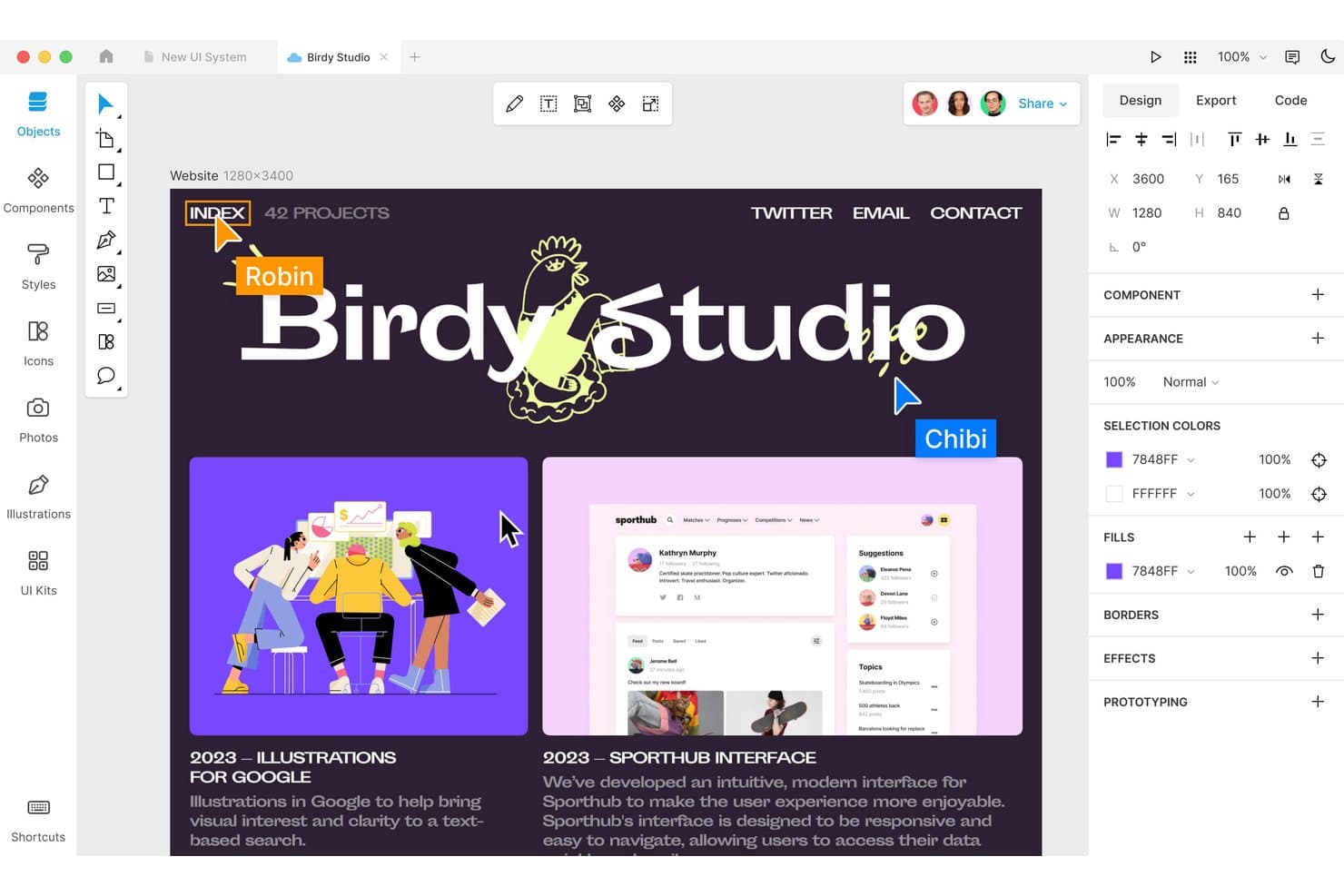
Lunacy lets users design and collaborate in a macOS interface. Lunacy is a UX design tool for product teams that need to create interfaces, prototypes, and visual assets without Adobe XD’s ecosystem or cloud dependence.
Who Is Lunacy Best For?
Lunacy suits UX and product designers who need a cross-platform desktop workspace for interface design, prototyping, and visual assets.
Why Lunacy Is a Good Best Adobe XD Alternatives
I picked Lunacy because it gives my team a desktop UX design workspace on Windows, Mac, and Linux. We use its offline editing and built-in icons, photos, and illustrations to create interface concepts without relying on Adobe XD or a constant internet connection. Its prototyping tools help us turn those screens into testable product flows.
Lunacy Key Features
- Auto layout: Arrange interface elements with responsive spacing and alignment rules.
- Components: Create reusable interface elements with editable instances.
- Real-time collaboration: Invite teammates to edit the same design file together.
- Version history: Review earlier file versions and restore previous designs.
Lunacy Integrations
Lunacy doesn’t have native third-party integrations; Icons8 specifically states that third-party integrations are not currently supported. It imports Figma documents and Sketch files, and its official plugin repository provides an HTTP Automation API for custom integrations.
Pros and Cons
Pros:
- Includes built-in icons, photos, and illustrations
- Supports offline editing with local documents
- Runs natively across Windows, Mac, and Linux
Cons:
- Large projects can experience performance issues
- Mac users report frequent application crashes
Learn more about Lunacy: Best for drag-and-drop rapid wireframing
- Free plan available
- From $24.90/user/month (billed annually)
Visit WebsiteCustomer Rating:4.5/5This rating combines scores from multiple user review sites to reflect overall customer sentiment about the product.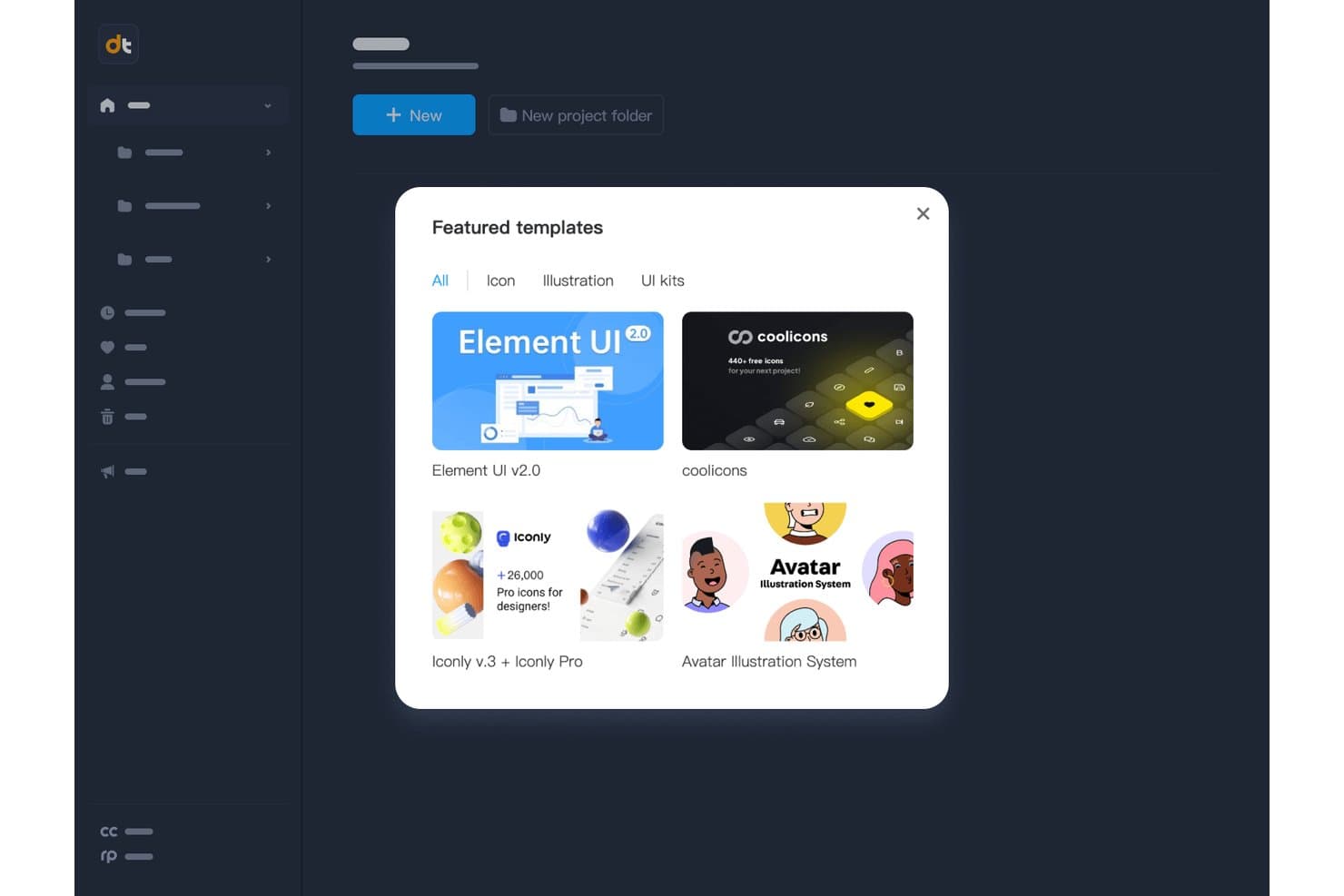
Mockplus offers ready-made UI and icon templates to jumpstart designs. Mockplus is a UX design and prototyping tool for product and design teams that need to turn ideas into testable interfaces, align stakeholders, and move from concepts to validated product decisions.
Who Is Mockplus Best For?
Mockplus suits product managers and UX designers who need to sketch, test, and revise interface ideas before development begins.
Why Mockplus Is a Good Best Adobe XD Alternatives
I picked Mockplus because its drag-and-drop rapid wireframing helps me turn rough product ideas into testable screens quickly. I use its ready-made UI components and interactive hotspots to map onboarding flows, dashboards, and mobile journeys before design handoff. My team can review clickable concepts early and revise layouts before engineering starts.
Mockplus Key Features
- Cross-device preview: Preview prototypes across desktop, tablet, and mobile devices.
- Vector editing: Edit vector shapes directly within the design canvas.
- Axure file import: Import Axure files into Mockplus RP projects.
- Revision history: Review and restore earlier project versions.
Mockplus Integrations
Mockplus documents integrations and workflow connections with Figma, Sketch, Axure, Adobe XD, Photoshop, Slack, Jira, Confluence, and Lark. Native integrations, Zapier support, and an API for custom integrations are not clearly documented.
Pros and Cons
Pros:
- Interactive hotspots support clickable user flows
- Extensive component library accelerates interface creation
- Drag-and-drop wireframing speeds early concept testing
Cons:
- Visual design capabilities trail dedicated design tools
- Complex prototypes require additional workarounds
Learn more about Mockplus: Best for non-designers wireframing early concepts
- Free plan available
- From $9/user/month (billed annually)
Visit WebsiteCustomer Rating:4.3/5This rating combines scores from multiple user review sites to reflect overall customer sentiment about the product.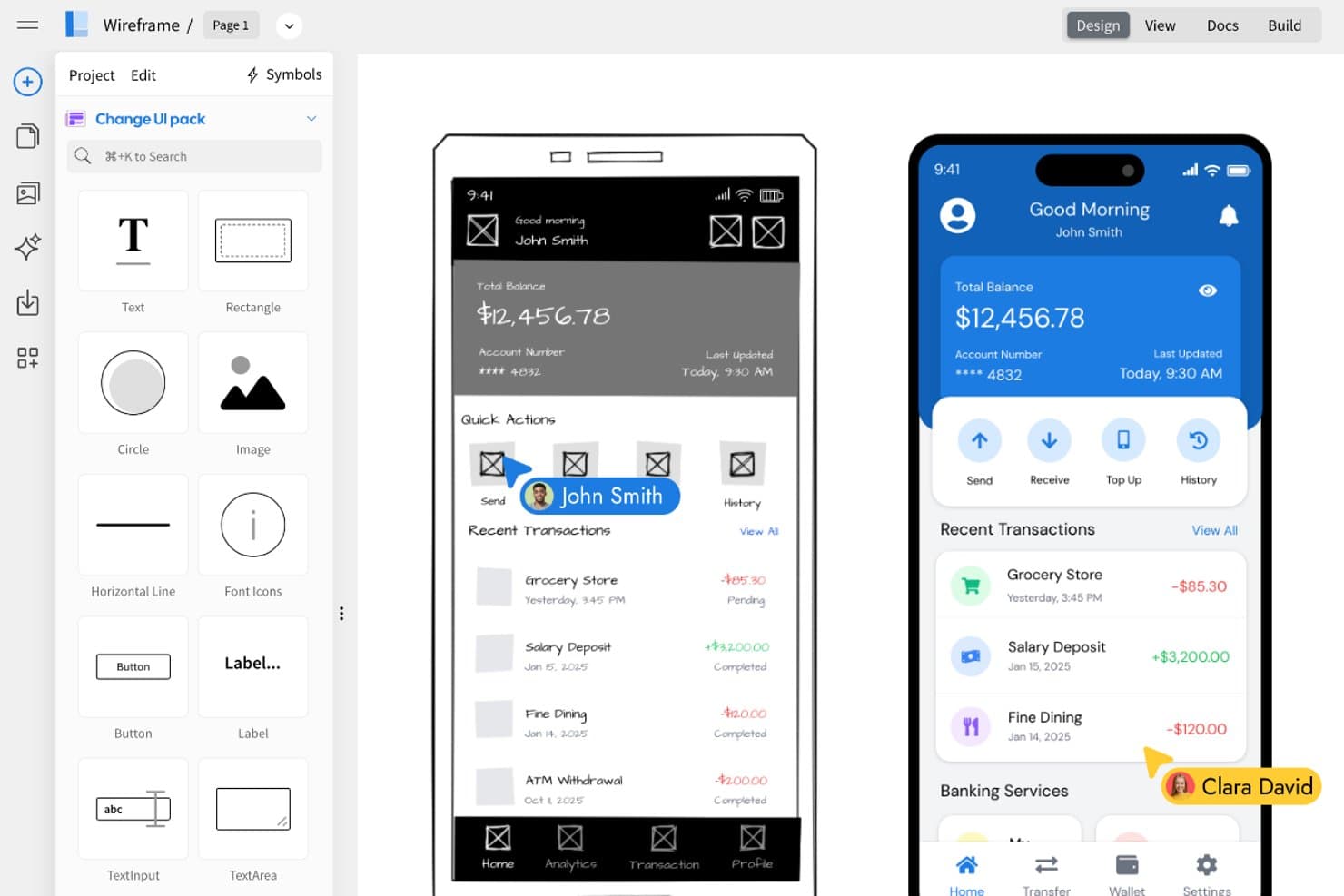
MockFlow lets users convert wireframes into polished UI designs side by side. MockFlow is a UX design tool for product teams, marketers, and business stakeholders who need to turn early ideas into clear wireframes without advanced design skills.
Who Is MockFlow Best For?
MockFlow suits product teams, marketers, and business stakeholders who need to sketch early concepts without advanced design skills.
Why MockFlow Is a Good Best Adobe XD Alternatives
I picked MockFlow because it supports non-designers wireframing early concepts with a dedicated wireframe editor and UI component libraries. My team can sketch a checkout flow, arrange screens, and share the concept for feedback before design or development begins. That focus makes MockFlow a practical choice for Best Adobe XD Alternatives.
MockFlow Key Features
- Sitemap diagrams: Build visual page hierarchies for product structures.
- User flow diagrams: Map navigation paths between screens.
- Mind maps: Organize product ideas and information architecture.
- Export formats: Save project visuals as PNG or PDF files.
MockFlow Integrations
MockFlow offers integrations with Google Drive, Google Docs, Atlassian Jira, Atlassian Confluence, Slack, Microsoft Teams, Microsoft 365, and Trello, helping teams share wireframes within their existing collaboration workflows.
Pros and Cons
Pros:
- Supports early stakeholder feedback through shareable exports
- Includes sitemaps, user flows, and mind maps
- Quick drag-and-drop wireframing for non-designers
Cons:
- Advanced design systems remain outside its focus
- Limited high-fidelity interactions for polished prototypes
Learn more about MockFlow: Best for code-free prototypes with real data
- Free plan available
- From $19/user/month
Visit WebsiteCustomer Rating:4.2/5This rating combines scores from multiple user review sites to reflect overall customer sentiment about the product.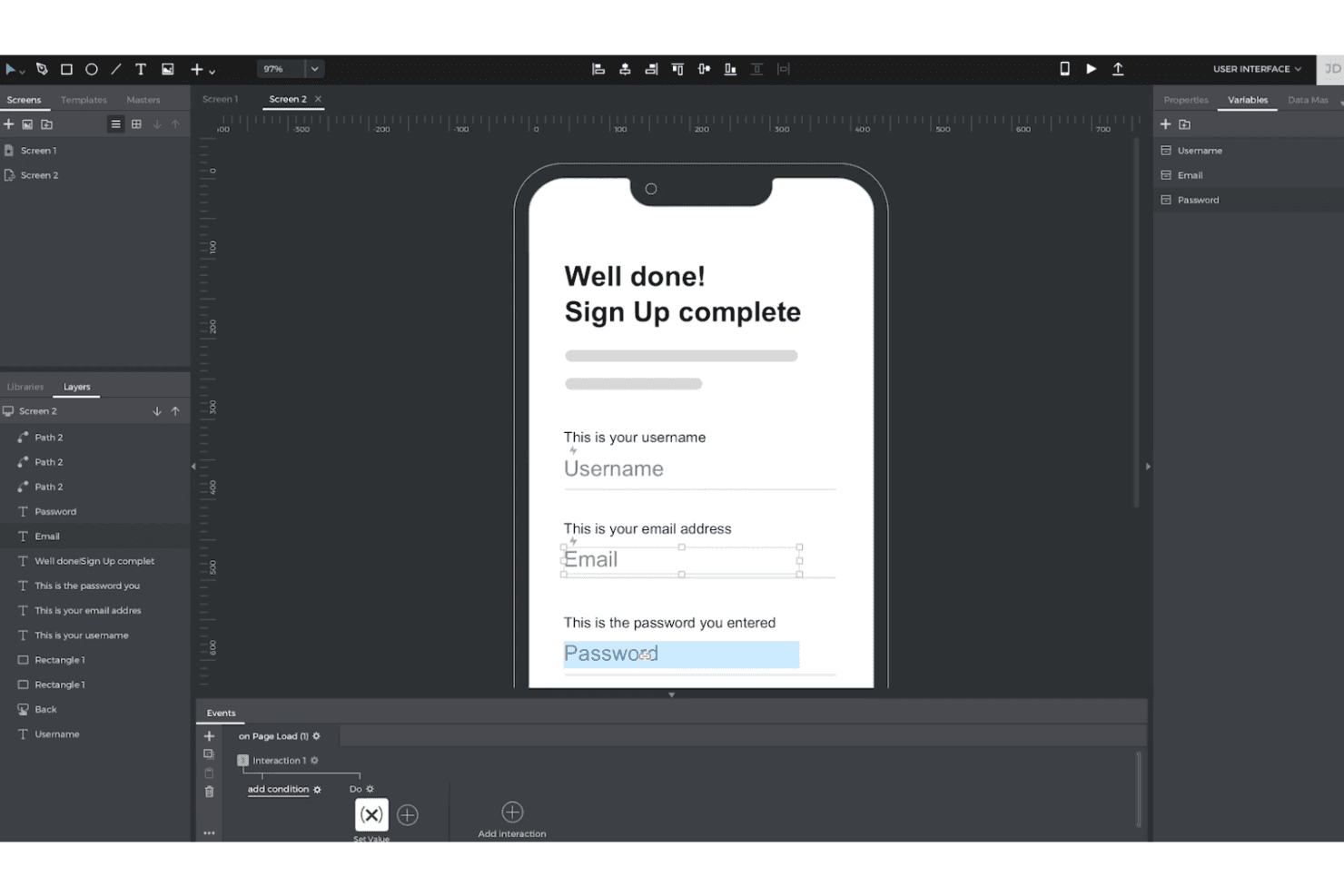
Justinmind lets you create interactive, high-fidelity prototypes with logic and data—no code required. Justinmind gives UX and product teams a visual workspace for designing interactive app and web concepts, clarifying complex user flows, and validating ideas before engineering work begins.
Who Is Justinmind Best For?
Justinmind suits product managers and UX designers who need to test realistic app or website experiences without writing code.
Why Justinmind Is a Good Best Adobe XD Alternatives
I picked Justinmind because it supports code-free prototypes with real data. I use Data Masters to populate product lists, user profiles, and checkout states with realistic records. Conditional interactions then let my team test flows that respond to different inputs before engineering begins.
Justinmind Key Features
- Responsive design: Create layouts for desktop, tablet, and mobile breakpoints.
- UI widget libraries: Add reusable controls, menus, forms, and navigation elements.
- Animations and transitions: Configure page effects, motion, and gesture-based transitions.
- Team collaboration: Share prototypes for browser-based comments and stakeholder review.
Justinmind Integrations
Justinmind has a native Atlassian Jira integration, plus documented integrations or import tools for Sketch, Adobe Creative Cloud, Figma, Confluence, and Azure DevOps. It also provides an API and SDK for custom integrations.
Pros and Cons
Pros:
- Device previews validate responsive mobile interactions
- Advanced conditions simulate complex user journeys
- Real data enables realistic product-flow testing
Cons:
- Complex interaction settings slow first prototypes
- Shared projects lack simultaneous screen co-editing
Learn more about Justinmind: Best for logic-driven prototypes at enterprise scale
- 30-day free trial
- From $29/user/month (billed annually)
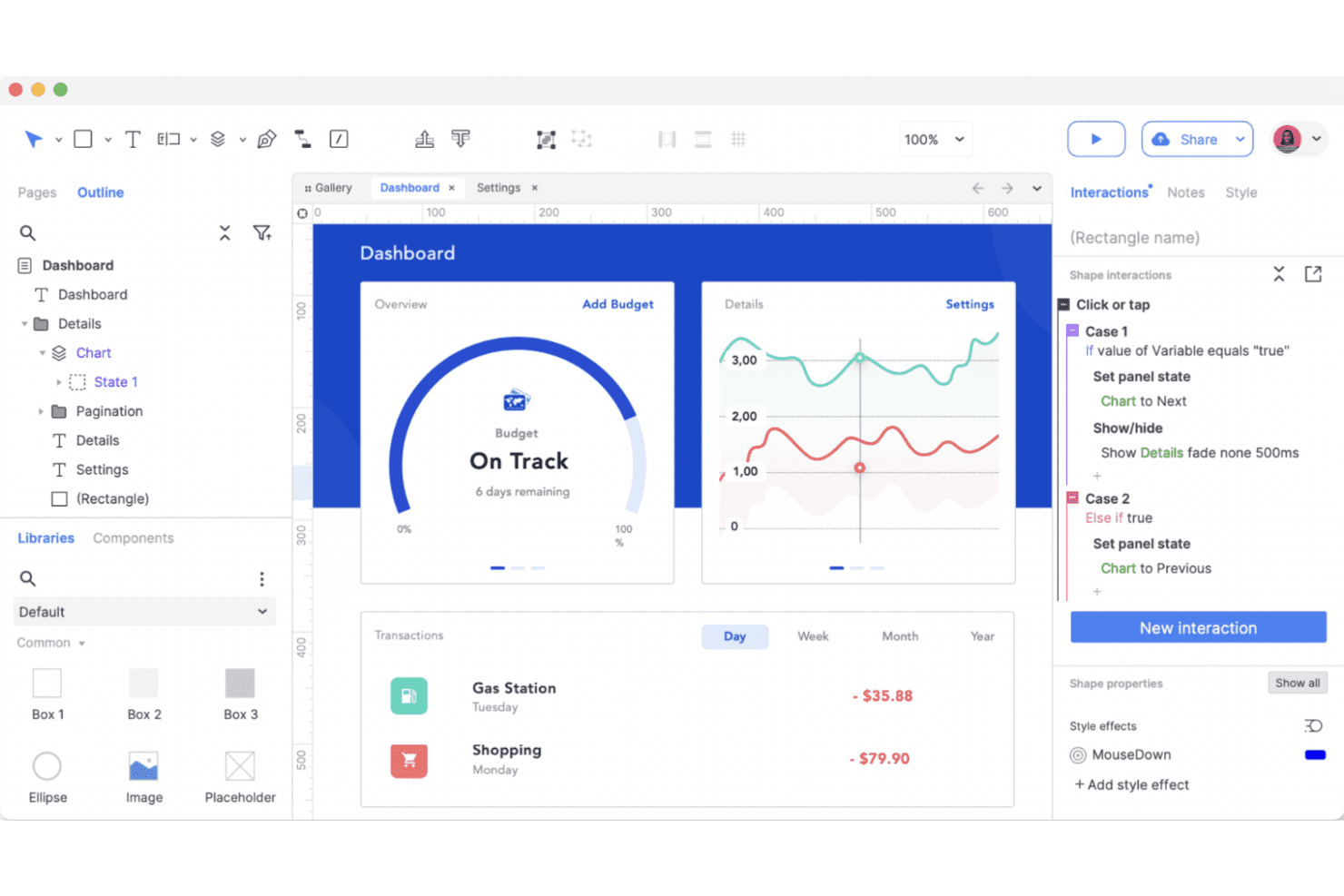
Axure RP brings advanced prototyping to life with powerful logic, interactive states, and condition-based user flows—all without writing code. Axure RP is a UX design and prototyping tool for enterprise product teams that need detailed wireframes, interactive flows, and developer-ready specifications for complex web and software experiences.
Who Is Axure RP Best For?
Axure RP suits UX architects and product designers who need to validate complex, conditional workflows before development.
Why Axure RP Is a Good Best Adobe XD Alternatives
I picked Axure RP because it’s best for logic-driven prototypes at enterprise scale. I use conditional logic, variables, and dynamic panels to model approval workflows, permissions, and complex product states before development. Its adaptive views and generated specifications also help engineering teams understand responsive behavior and interaction rules.
Axure RP Key Features
- Widget libraries: Add reusable interface elements from built-in or custom libraries.
- Repeaters: Create data-driven tables, lists, and grids with sample records.
- Form controls: Add text fields, dropdowns, checkboxes, radio buttons, and buttons.
- Annotations: Attach notes to widgets, pages, and interactions for design handoffs.
Axure RP Integrations
Axure RP connects with Jira, Confluence, Slack, and Microsoft Teams through official apps, including Atlassian Marketplace apps for Jira and Confluence. It also supports official plugins for Figma, Sketch, and Adobe XD to import designs into Axure RP or publish them to Axure Cloud.
Pros and Cons
Pros:
- Generated specifications support developer handoffs
- Repeaters prototype data-heavy interfaces
- Conditional logic models complex product workflows
Cons:
- Visual design feels dated beside newer tools
- Conditional logic takes time to master
Learn more about Axure RP : Best for multiplayer editing across design teams
- Free plan available
- From $16/user/month
Visit WebsiteCustomer Rating:4.7/5This rating combines scores from multiple user review sites to reflect overall customer sentiment about the product.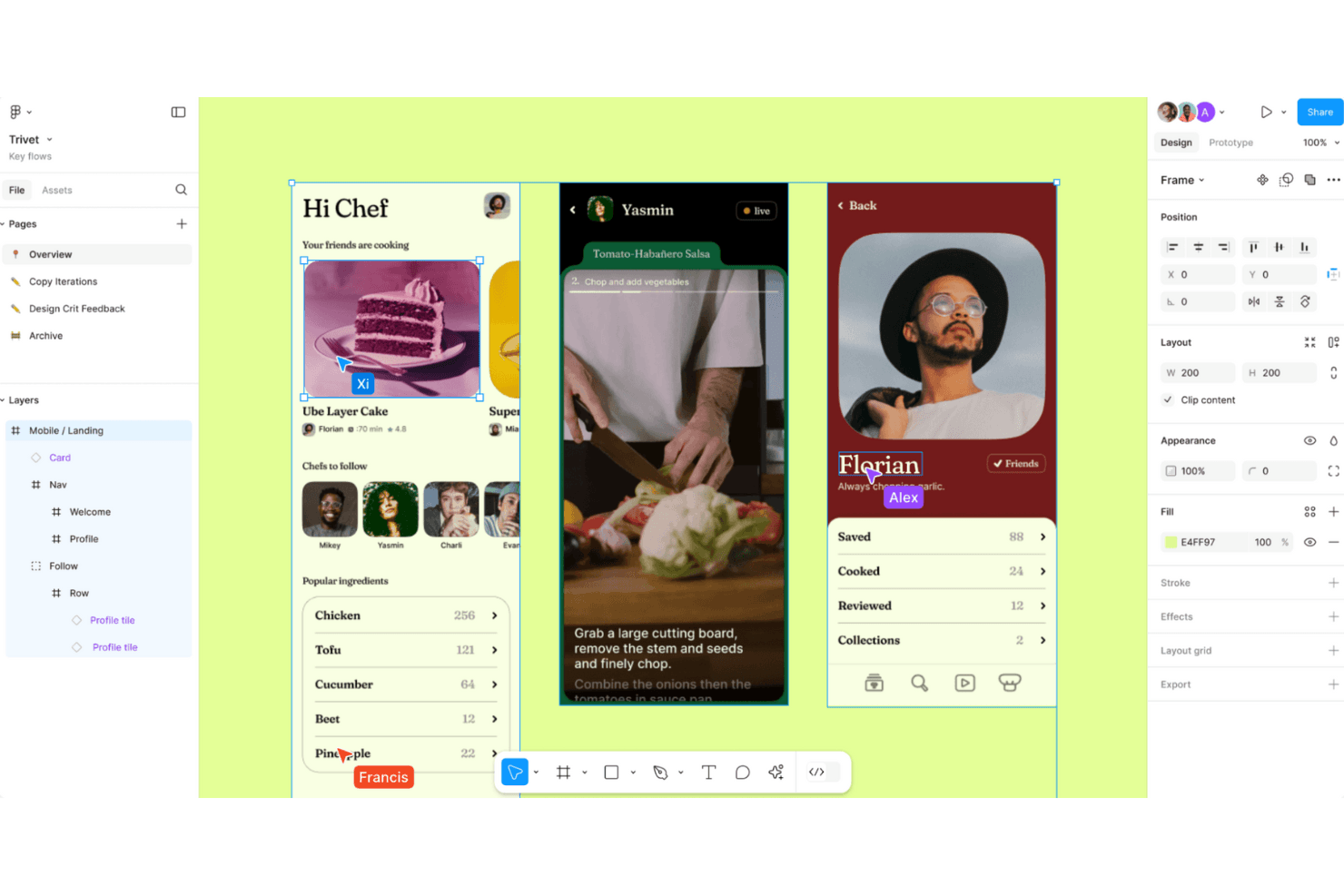
Figma enables fluid UI design and real-time collaboration, empowering teams to build, test, and iterate simultaneously in the browser. Figma is a cloud-based UX design platform for product teams that need to create interfaces, prototypes, and design systems while keeping designers, engineers, and stakeholders aligned.
Who Is Figma Best For?
Product design teams that need real-time collaboration between designers, engineers, and stakeholders across discovery and delivery.
Why Figma Is a Good Best Adobe XD Alternatives
I picked Figma as a leading Adobe XD alternative because its multiplayer editing keeps designers, engineers, and stakeholders in one shared file. My team uses live cursors, comments, and component libraries to refine screens together during design reviews. That collaboration suits distributed product teams that need immediate feedback without passing files between tools.
Figma Key Features
- Auto layout: Arrange and resize interface elements based on content and spacing rules.
- Interactive prototyping: Connect screens and define transitions, overlays, and interactions.
- Variables: Store reusable values for colors, dimensions, and responsive design modes.
- Dev Mode: Inspect designs, view specifications, and access developer handoff details.
Figma Integrations
Figma supports integrations with Jira, Slack, Microsoft Teams, Google Workspace, Notion, Asana, Linear, Zoom, GitLab, and Zapier. It also provides an API for custom integrations and workflows.
Pros and Cons
Pros:
- Variables support scalable design systems
- Browser access simplifies stakeholder review
- Real-time multiplayer editing reduces file handoffs
Cons:
- Advanced prototyping needs third-party workarounds
- Large files can strain browser performance
 Best for designing interactive websites
- Free plan available
- From $10/month (billed annually)
Visit WebsiteCustomer Rating:4.4/5This rating combines scores from multiple user review sites to reflect overall customer sentiment about the product.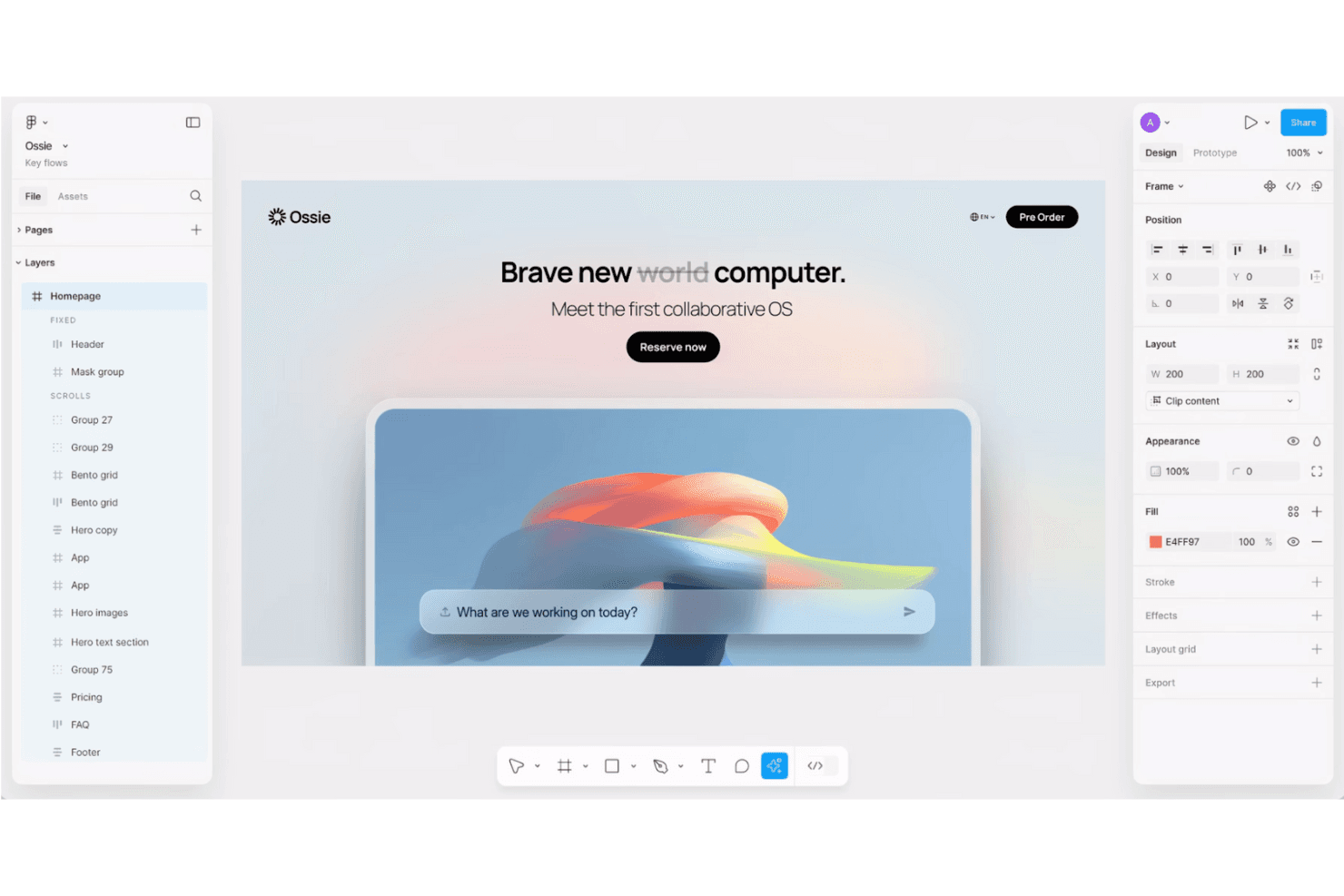
Framer lets you design and publish fully interactive, responsive websites without writing code. Framer is a website design platform for UX designers, product teams, and agencies that need to create polished web experiences, test interactions, and move from design to launch without stitching together multiple tools.
Who Is Framer Best For?
Framer suits UX designers, creative agencies, and product teams that need to prototype polished, responsive websites without a separate development handoff.
Why Framer Is a Good Best Adobe XD Alternatives
I picked Framer because I can turn a UX concept into a responsive, interactive website without leaving the design canvas. I use its visual breakpoints, component variants, and built-in animations to test navigation, hover states, and scroll effects in realistic landing-page prototypes. Framer is a strong Adobe XD alternative when the deliverable must move from interaction design to a published site.
Framer Key Features
- CMS collections: Create and manage structured content for dynamic pages.
- Localization: Translate site content and manage localized page versions.
- SEO settings: Edit metadata, social images, and indexing controls.
- Forms: Build forms and route submissions to email or webhooks.
Framer Integrations
Framer documents connections with Google Tag Manager, Google Analytics, Hotjar, HubSpot Forms, Intercom, Mailchimp, Marketo Forms, Meta Pixel, and Typeform through embeds, scripts, or form components. It also supports custom JavaScript integrations and webhooks for sending form submissions to external services.
Pros and Cons
Pros:
- Supports production-ready CMS content
- Animations render directly in browsers
- Publishes prototypes as responsive websites
Cons:
- Advanced CMS needs workarounds
- Less suited to app-only prototypes
 Best for prototypes driven by real code components
- Free plan + 14-day free trial available
- From $29/user/month (billed annually)
Visit WebsiteCustomer Rating:4.2/5This rating combines scores from multiple user review sites to reflect overall customer sentiment about the product.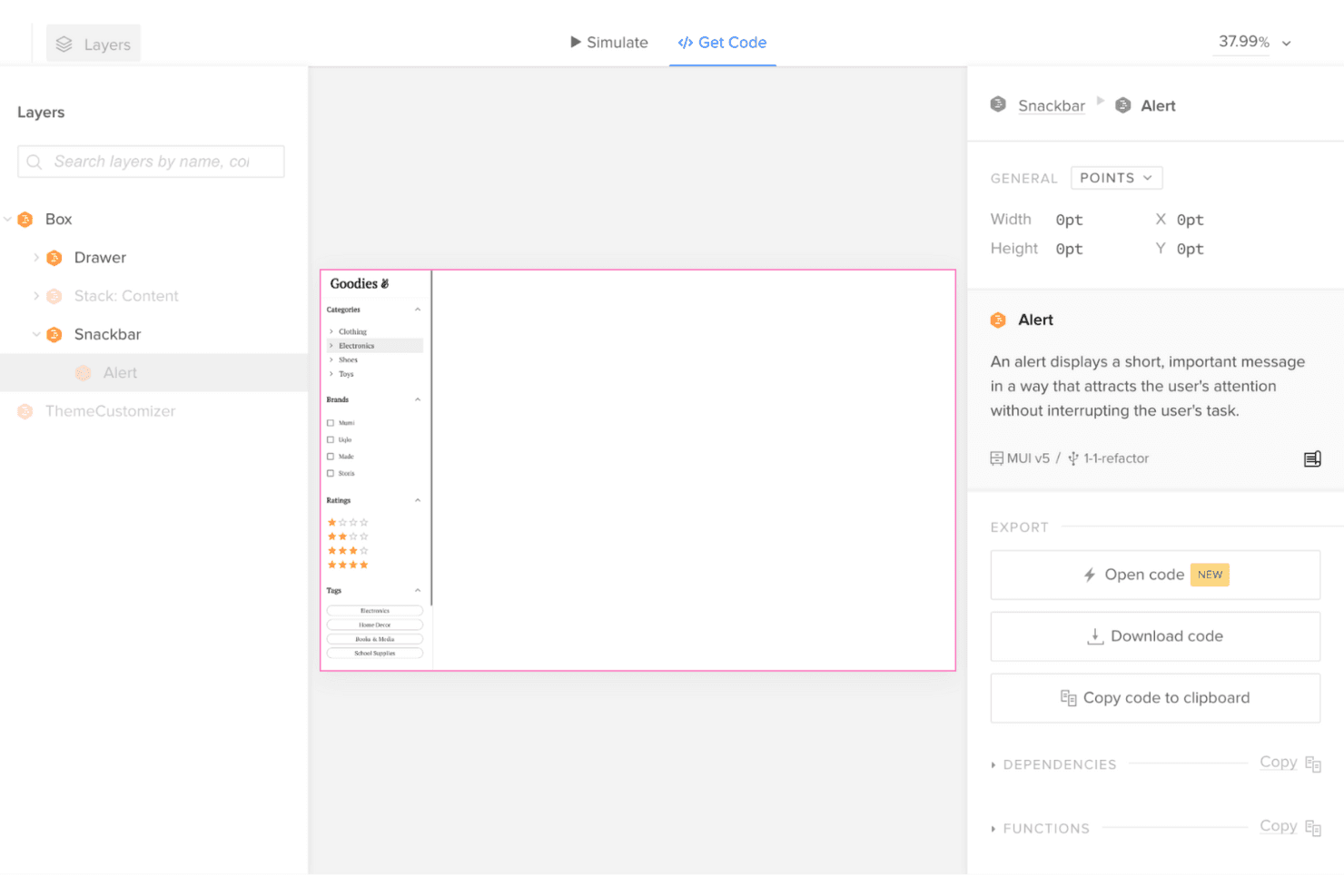
UXPin bridges design and development with interactive prototypes that use real components and exportable production-ready code. UXPin is a UX design platform for product teams that need realistic interface design, faster stakeholder alignment, and fewer handoff gaps when evaluating Adobe XD alternatives.
Who Is UXPin Best For?
UXPin suits product design teams that need engineers and designers to build high-fidelity interfaces from reusable code components.
Why UXPin Is a Good Best Adobe XD Alternatives
I picked UXPin because its “Best for prototypes driven by real code components” positioning fits product teams testing realistic interfaces. My team can build prototypes with reusable code components, then validate states, interactions, and responsive behavior before engineering starts. That helps us catch design and implementation gaps while evaluating Adobe XD alternatives.
UXPin Key Features
- Drag-and-drop editor: Create screens with reusable interface elements.
- Built-in UI libraries: Start designs with Material Design and Bootstrap components.
- Variables: Store and update values across prototype screens.
- Conditional logic: Define rules that control prototype behavior.
UXPin Integrations
UXPin documents integrations with Figma, GitHub, Jira, Slack, Storybook, Photoshop, and Sketch, plus syncing custom Git component libraries.
Pros and Cons
Pros:
- Conditional logic models complex interactions
- Variables support realistic state changes
- Prototypes use reusable code components
Cons:
- Smaller community than Figma
- Code component setup takes technical effort
Learn more about UXPin: Best for open-source, self-hosted design work
- Free plan + 14-day free trial available
- From $7/user/month
Visit WebsiteCustomer Rating:4.5/5This rating combines scores from multiple user review sites to reflect overall customer sentiment about the product.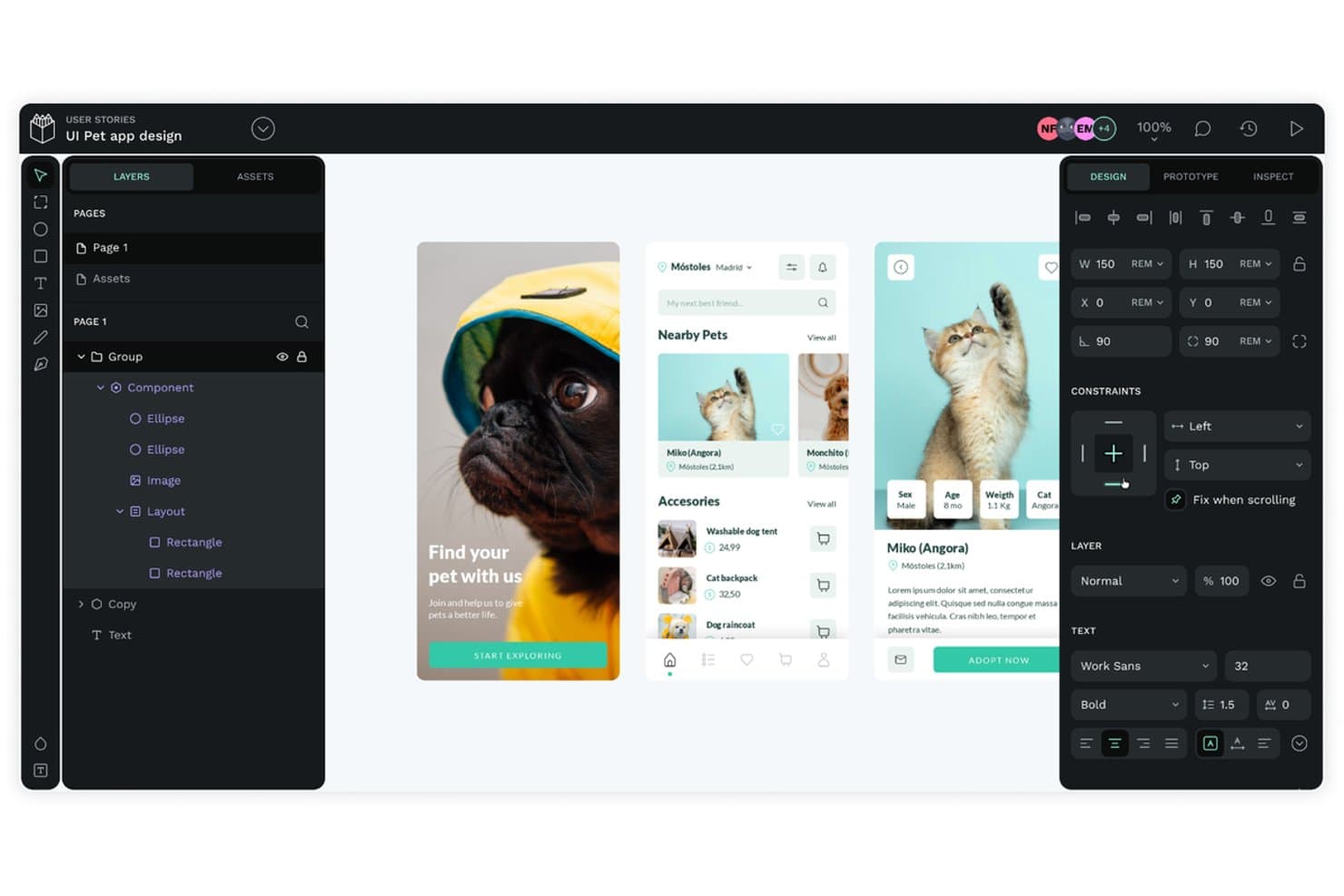
Penpot lets users design mobile app UIs with layers and components. Penpot is a browser-based UX design platform for product teams that need collaborative interface design, prototyping, and developer handoff without Adobe XD’s proprietary workflow.
Who Is Penpot Best For?
Penpot suits product and design teams that need open-source, self-hosted control over interface design and collaboration.
Why Penpot Is a Good Best Adobe XD Alternatives
I picked Penpot because its open-source, self-hosted design work fits teams that need control over their UX environment. My team can deploy it on internal infrastructure, create SVG-based interfaces, and inspect designs with CSS-ready code for developer handoff. That setup suits products with strict data governance or custom hosting requirements.
Penpot Key Features
- Reusable components: Create shared interface elements for consistent product screens.
- Flex Layout: Build responsive layouts with CSS flexbox controls.
- Grid Layout: Arrange interface elements with configurable grid structures.
- Interactive prototypes: Connect screens with transitions and user interactions.
Penpot Integrations
Penpot’s native integrations are not clearly documented. It supports custom connections through plugins, outbound webhooks, access-token API access, and workflows involving GitHub Actions, GitLab CI/CD, and Slack.
Pros and Cons
Pros:
- Flex and grid layouts mirror CSS
- SVG-based workflows support clean developer handoff
- Open-source and self-hosted deployment options
Cons:
- Prototyping interactions remain comparatively limited
- Smaller plugin ecosystem than Figma
Learn more about Penpot: 10Best for offline-first Mac design work
Sketch
- 30-day free trial
- From $12/user/month (billed annually)
Visit WebsiteCustomer Rating:4.5/5This rating combines scores from multiple user review sites to reflect overall customer sentiment about the product.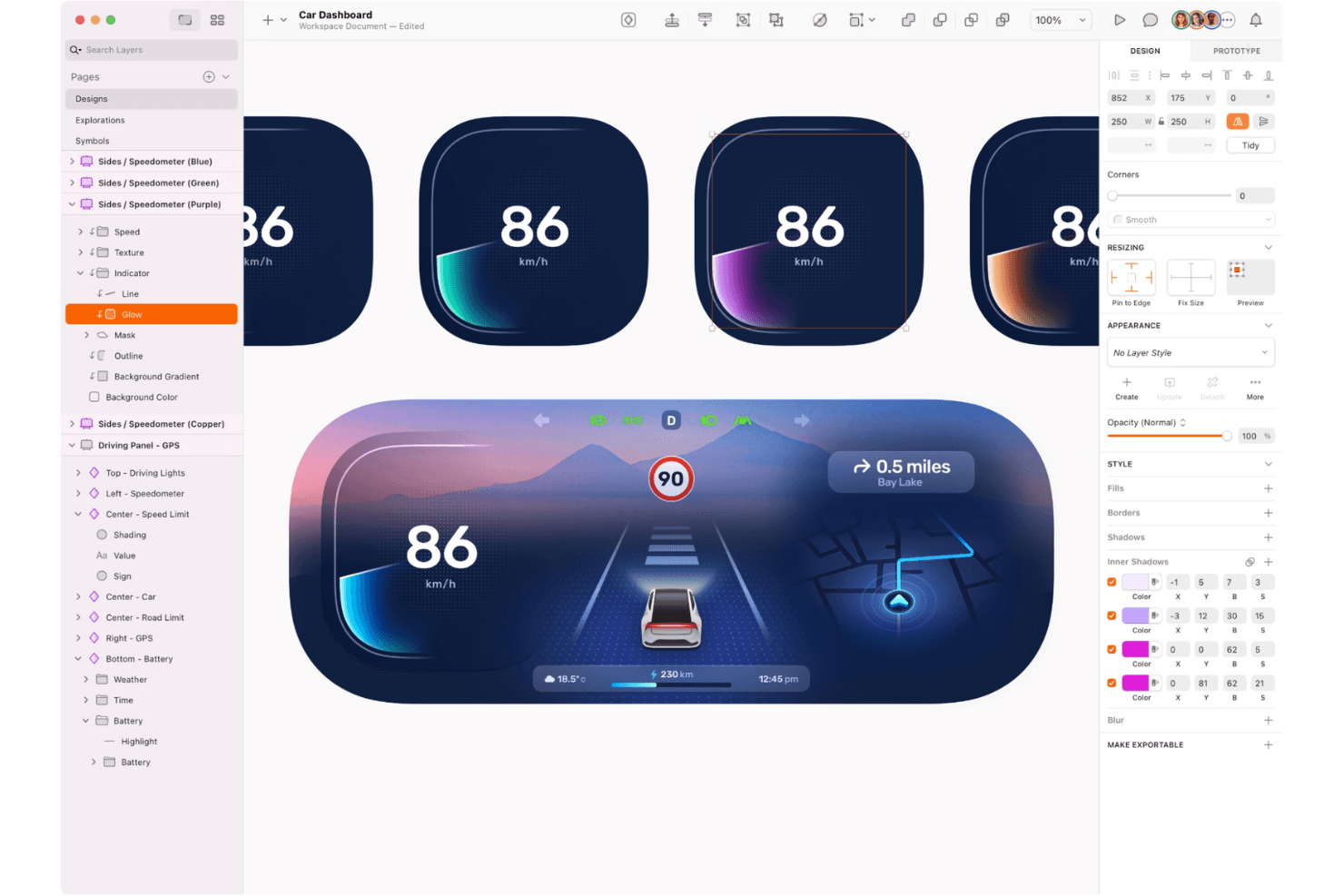
Sketch empowers designers to create stunning user interfaces and interactive prototypes with precision, flexibility, and a smooth macOS-native experience. Sketch is a Mac-focused UX design platform for product designers and teams that need vector design, prototyping, handoff, and collaboration in one alternative to Adobe XD.
Who Is Sketch Best For?
Product designers and UX teams on Mac who need offline access alongside prototyping, collaboration, and developer handoff.
Why Sketch Is a Good Best Adobe XD Alternatives
I picked Sketch because its native Mac app supports offline-first Mac design work without depending on a browser connection. I use its vector tools and offline document storage to refine interface designs during travel or restricted-access sessions. When online, prototyping and developer handoff bring those designs into review and delivery.
Sketch Key Features
- Shared Libraries: Reuse components, text styles, and color variables across documents.
- Smart Layout: Set resizing rules for automatic layer sizing and spacing.
- Layout Grids: Apply column, row, and square grids to design canvases.
- Version History: Review earlier document states and restore previous versions.
Sketch Integrations
Sketch’s official plugin directory lists integrations and plugins for Slack, Notion, Jira, Zeplin, ProtoPie, and Overflow; its Slack app provides rich document and comment previews. Sketch also offers an official JavaScript API for building custom plugins and workflow connections.
Pros and Cons
Pros:
- Developer handoff includes inspectable design specs
- Shared libraries keep interface components consistent
- Offline Mac editing supports travel workflows
Cons:
- Real-time collaboration requires an internet connection
- Mac-first workflows exclude Windows design teams
Other Adobe XD Alternatives
Here are some additional Adobe XD alternatives that didn’t make it onto my shortlist, but are still worth checking out:
- 11MoqupsBest for non-designers reviewing designs with teams
- 12PixsoBest for XD migration with self-hosted deployment
- 13LucidchartBest for mapping flows without design experience
- 14MiroBest for ideation boards that link to clickable flows
- 15ProtoPieBest for sensor-driven, multi-device prototypes
- 16Proto.ioBest for no-code mobile app prototyping
How I Evaluate Adobe XD Alternatives
I split my evaluation into three parts. First, core functionality: any alternative needs to build interactive, clickable prototypes and handle vector-based UI design work—this carries the most weight. Then I look for standout features like advanced prototyping logic. Finally, I consider pricing and licensing value.
Core Functionality (Table Stakes For This List)
When I'm selecting tools for my list, I score each one on a scale from 0 (does not offer the functionality) to 5 (excels in this area) for each core functionality listed below. I then convert the total into a percentage to help assess each tool's overall fit, with extra weight on any functionalities I've deemed essential.
- Interactive Prototyping (Essential): I check whether you can link artboards into clickable flows with triggers, transitions, and overlays that feel close to a real app.
- Vector-Based Design Editing (Essential): I look for a full vector toolkit with boolean operations, pen tools, and layout controls needed to build UI screens from scratch.
- Real-Time Collaboration: Teams need to co-edit files together, so I evaluate live cursors, inline commenting, and how smoothly multiplayer editing handles larger files.
- Design Systems & Components: I look at how each tool manages reusable components, variants, and shared libraries that stay in sync across multiple project files.
- Developer Handoff: Good handoff means auto-generated specs, exportable assets, and style attributes developers can inspect without extra plugins or manual work.
- Cross-Platform Accessibility: I check whether the tool runs on macOS, Windows, and the web browser so mixed-OS teams aren't locked out of the workflow.
Once I have a list of tools that meet the criteria, I consider what sets each platform apart.
Differentiating Factors (What Sets Vendors Apart)
Here's how I compare and contrast different vendors:
Standout Features
Advanced prototyping logic is the first thing I evaluate. Tools that support variables, conditional flows, and expressions let you build prototypes that mimic real app states—like a sign-up form that changes based on user input. That level of fidelity cuts down on miscommunication between product and engineering. I also look for AI-assisted design generation, which speeds up early concepting by producing layout options or copy suggestions you can iterate on instead of starting from a blank canvas. Design token management matters too, especially for teams running multiple products; I check whether a tool lets you govern color, spacing, and typography tokens from one central source so updates propagate without manual file-by-file edits.
Beyond Features
Migration and file compatibility matter a lot when you're leaving Adobe XD. I check whether a tool can import XD, Sketch, and SVG files without breaking auto-layouts or component overrides. Pricing structure is equally important—I look at whether free viewer seats are available for PMs and stakeholders who only need to comment, since per-seat costs add up fast on cross-functional teams. I also evaluate vendor stability, especially release cadence and how a company has handled past platform transitions, because nobody wants to migrate twice.
Why Look For an Adobe XD Alternative?
While Adobe XD is a good choice of prototyping tool, there are a number of reasons why some users seek out alternative solutions. You might be looking for an Adobe XD alternative because…
- You need real-time collaboration features
- Your team requires offline functionality
- You want more advanced animation tools
- Your budget is limited or constrained
- You need better integration with other tools
- Your team prefers a simpler interface
If any of these sound like you, you’ve come to the right place. My list contains several prototyping tool options that are better suited for teams facing these challenges with Adobe XD and looking for alternative solutions, similar to how teams explore Framer alternatives.
Adobe XD Key Features
Here are some of the key features of Adobe XD, to help you contrast and compare what alternative solutions offer:
- Design Tools: Create artboards, manage layers, and edit paths to build layouts that fit your vision.
- Prototyping: Develop interactive prototypes with animations and timed transitions to bring your designs to life.
- Collaboration: Share prototypes with your team, set access permissions, and gather feedback through commenting.
- Accessibility: Utilize color management and keyboard shortcuts to ensure your designs are accessible to all users.
- Design Systems: Manage assets and components through integration with the Adobe Creative Cloud Libraries.
- Cloud Documents: Collaborate on cloud-based documents with real-time co-editing capabilities.
- Integrations: Compatible with various with assets from Photoshop and Illustrator, and use plugins for tools like Jira and Slack.
- Platform Compatibility: Works well across a range of platforms, including Windows, macOS, and Linux, ensuring accessibility regardless of your team's operating system.A browser-based interface also means you can design and collaborate without needing to install software—perfect for teams working across diverse environments or devices.
- Mobile Support: Preview your designs on iOS and Android devices to see how they look on different screens.
- Components and States: Use reusable components and states to maintain consistency and efficiency in your designs.
- Responsive Resize: Adapt your designs to different screen sizes and resolutions with ease.