

Business intelligence platforms are software tools that let you collect, analyze, and visualize data to support smarter business decisions. If you’re comparing the best business intelligence platforms, you’re likely looking for tools that can handle complex data, give you actionable insights, and fit how your team works—not just another dashboard.
The right choice here shapes your ability to track performance, spot trends, and react quickly to real business challenges. In this list, you’ll find options that support different industries, use cases, and team needs so you can pick the solution that moves your business forward in 2026.
Why Trust Our Software Recommendations
6,700+
Reviews
20
Industry experts
16+
Evaluation factors
14
Years
Our team has been testing and reviewing software since 2012. As product managers ourselves, we know how difficult—and important—it is to choose the right software.
For this guide, we evaluated tools using hands-on testing and independent research, scoring tools using our selection criteria.
Our reviews reflect our human editorial judgment, not a sales pitch.
Expert reviewers:
- Andrew LumbySenior TPM
- Cristiano ValimSenior UI/UX Lead


Business Intelligence Platforms Comparison Table
This comparison table summarizes pricing details for my top business intelligence platform selections:
| Tool | Best For | Trial Info | Price | ||
|---|---|---|---|---|---|
| 1 | Best for advanced visual analytics tools | 14-day free trial | Pricing upon request | Website | |
| 2 | Best for scalable cloud data management | 30-day free trial | Pricing upon request | Website | |
| 3 | Best for integrated strategy tracking | Free demo available | Pricing upon request | Website | |
| 4 | Best for scalable multi-tenant analytics | 30-day free trial + free demo available | Pricing upon request | Website | |
| 5 | Best for governed enterprise report distribution | 30-day free trial available | From $11.25/user/month | Website | |
| 6 | Best for governed semantic modeling at scale | 30-day free trial available | From $162.30/month for up to 10 users | Website | |
| 7 | Best for open-source analytical flexibility | 14-day free trial + free plan available | From $100/month | Website | |
| 8 | Best for natural language search analytics | 14-day free trial + free demo available | From $25/user/month (billed annually) | Website | |
| 9 | Best for spreadsheet-style data exploration | 7-day free trial + free demo available | From $300/month | Website | |
| 10 | Best for automated insight discovery | 30-day free trial + free demo available | Pricing upon request | Website |


Best Business Intelligence Platforms Reviews
Below are my detailed summaries of the best business intelligence platforms that made it onto my shortlist. My reviews offer a detailed look at the features, capabilities, and integrations of each platform to help you find the best one for you.
 Best for advanced visual analytics tools
- 14-day free trial
- Pricing upon request
Visit WebsiteCustomer Rating:4.5/5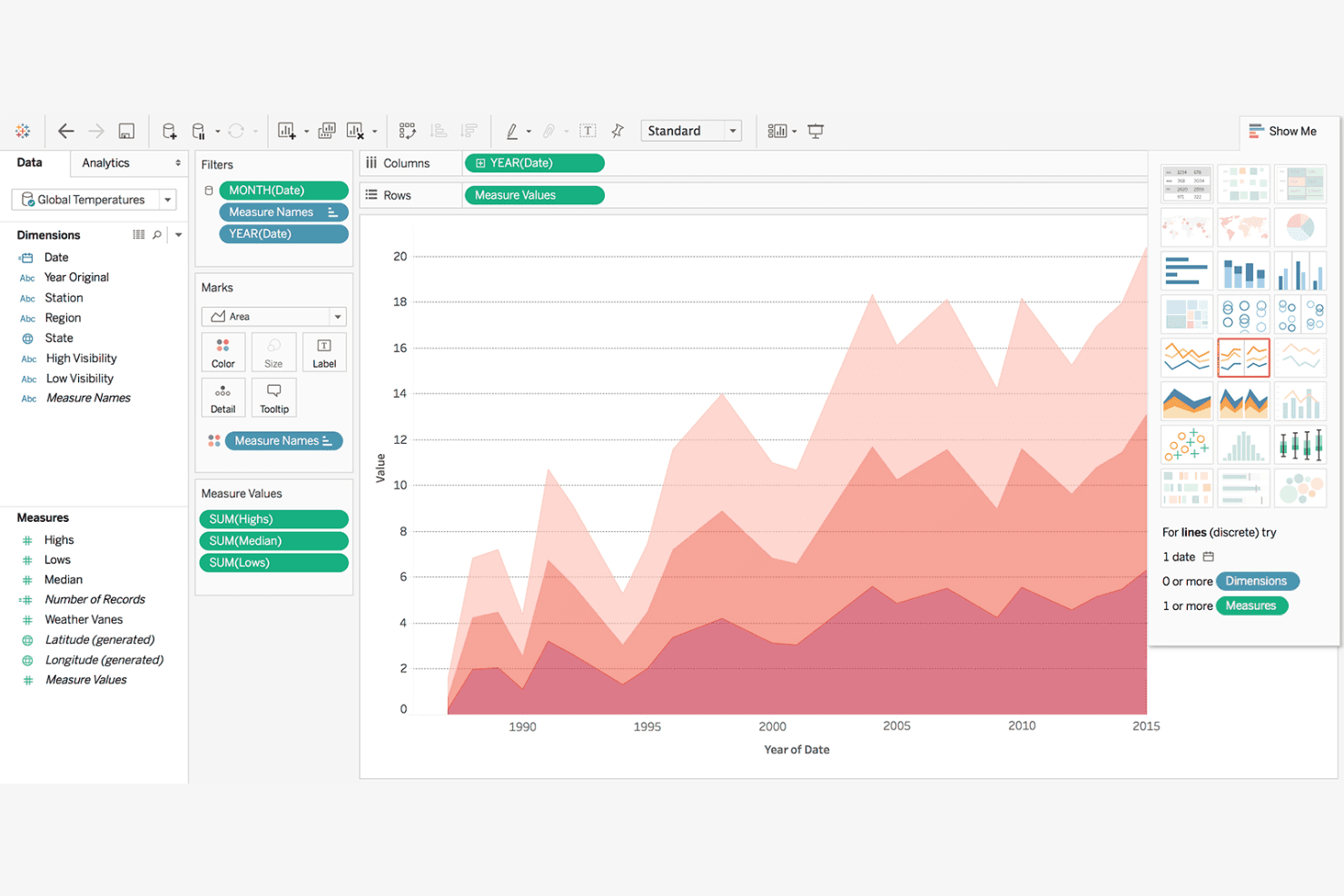
Tableau lets users build layered area charts to visualize temperature trends over time. Tableau is a business intelligence platform built around its VizQL engine, offering interactive dashboards, a deep visualization library, AI-powered metric monitoring via Tableau Pulse, and connectivity to 100+ data sources including all major cloud warehouses.
Who Is Tableau Best For?
Tableau is a strong fit for data and analytics teams that need to build, explore, and share complex visualizations across large, multi-source datasets.
Why I Picked Tableau
Tableau earns its spot on my shortlist because its VizQL engine produces a depth and flexibility of visualization that I haven't seen matched elsewhere. I especially like Tableau Pulse, which surfaces proactive, AI-driven metric insights directly in Slack or Teams—so product teams catch anomalies in release performance without manually refreshing dashboards. Pair that with 20-plus native chart types and 30-plus Exchange visualization extensions, and you have a platform built for genuinely complex, multi-source visual analytics.
Tableau Key Features
- VizQL drag-and-drop canvas: Build fully interactive views by placing fields onto rows and columns without writing a single line of SQL.
- Tableau Prep Builder: A visual, flow-based ETL tool included in Creator licenses for cleaning, reshaping, and aggregating data before publishing.
- Row-level security: Restrict data access at the row level using user filters, data source filters, or entitlements tables to control what each viewer sees.
- Embedding API v3: Publish interactive, secured dashboards directly inside custom web apps or customer-facing products with full interactivity intact.
Tableau Integrations
Tableau offers 100+ native data connectors, including Salesforce, Google BigQuery, Snowflake, Amazon Redshift, Microsoft SQL Server, and PostgreSQL. It also supports Tableau Exchange marketplace connectors, ODBC/JDBC, Tableau Bridge, and Embedding API v3.
Pros and Cons
Pros:
- Embedding dashboards in web apps supported
- Deep AI-driven metric insights available
- Best-in-class interactive data visualizations
Cons:
- No built-in Amplitude or Mixpanel connector
- Advanced analytics require significant training investment
Learn more about Tableau: 2Best for scalable cloud data management
Domo
- 30-day free trial
- Pricing upon request
Visit WebsiteCustomer Rating:4.4/5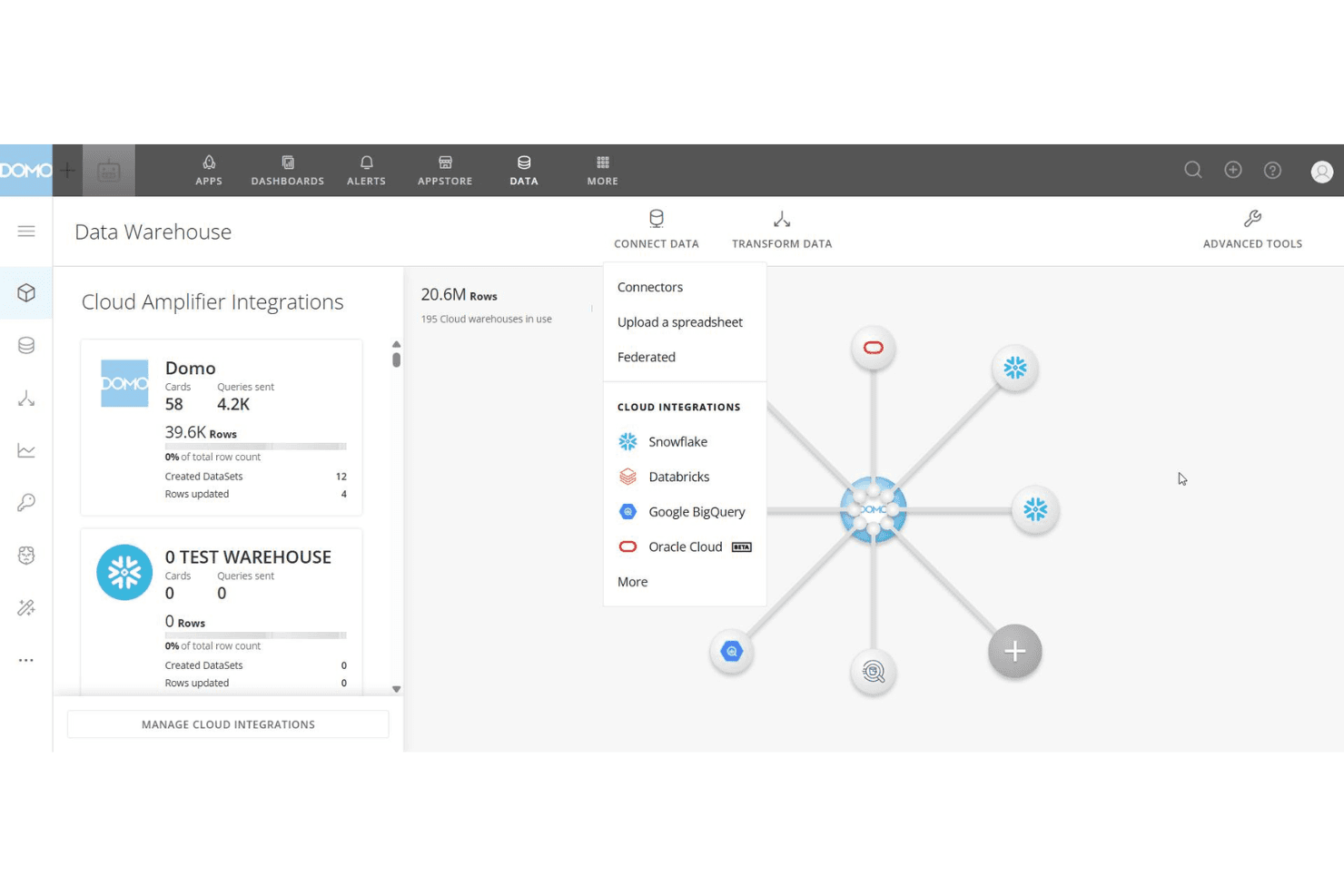
Domo connects to cloud warehouses like Snowflake and BigQuery from one hub. Domo is a cloud-native BI platform that combines data integration across 1,000+ connectors, drag-and-drop dashboard authoring, no-code ETL, and AI-powered querying into a single, unified environment.
Who Is Domo Best For?
Domo is a strong fit for large or scaling organizations that need to give hundreds of users access to data without paying per seat.
Why I Picked Domo
Domo earns its spot on my shortlist because it's built from the ground up for organizations that need to scale data access without scaling their licensing costs. I love that its credit-based model includes unlimited internal users, so when a product team grows from 10 to 100 people, nobody gets locked out of the dashboards. The 1,000+ native connectors plus federated querying against Snowflake and BigQuery mean I can pull live warehouse data without duplicating it, which keeps pipelines clean at scale.
Domo Key Features
- Beast Mode calculated fields: Build custom metrics and KPIs directly within visualizations without modifying the underlying dataset.
- Domo Everywhere embedded analytics: Embed live dashboards into external products, portals, or websites using iFrame or JavaScript SDK with role-based access control.
- Triggered Reports: Automatically distribute dashboard reports to stakeholders the moment a defined alert condition is met.
- Jupyter Workspaces integration: Run Python or R scripts for advanced data preparation and machine learning model development inside Domo's environment.
Domo Integrations
Domo offers 1,000+ native integrations, including Salesforce, Google Analytics, SAP, Snowflake, BigQuery, Databricks, Amazon Redshift, Box, and Dropbox. Its Connector IDE supports custom APIs, while Domo Workbench connects on-premises data.
Pros and Cons
Pros:
- Embedded analytics with granular access control
- 1,000+ connectors for rapid data integration
- Unlimited internal users in all plans
Cons:
- Semantic layer is still maturing compared to peers
- High upfront commitment required for purchase
Learn more about Domo: Best for integrated strategy tracking
- Free demo available
- Pricing upon request
Visit WebsiteCustomer Rating:4.2/5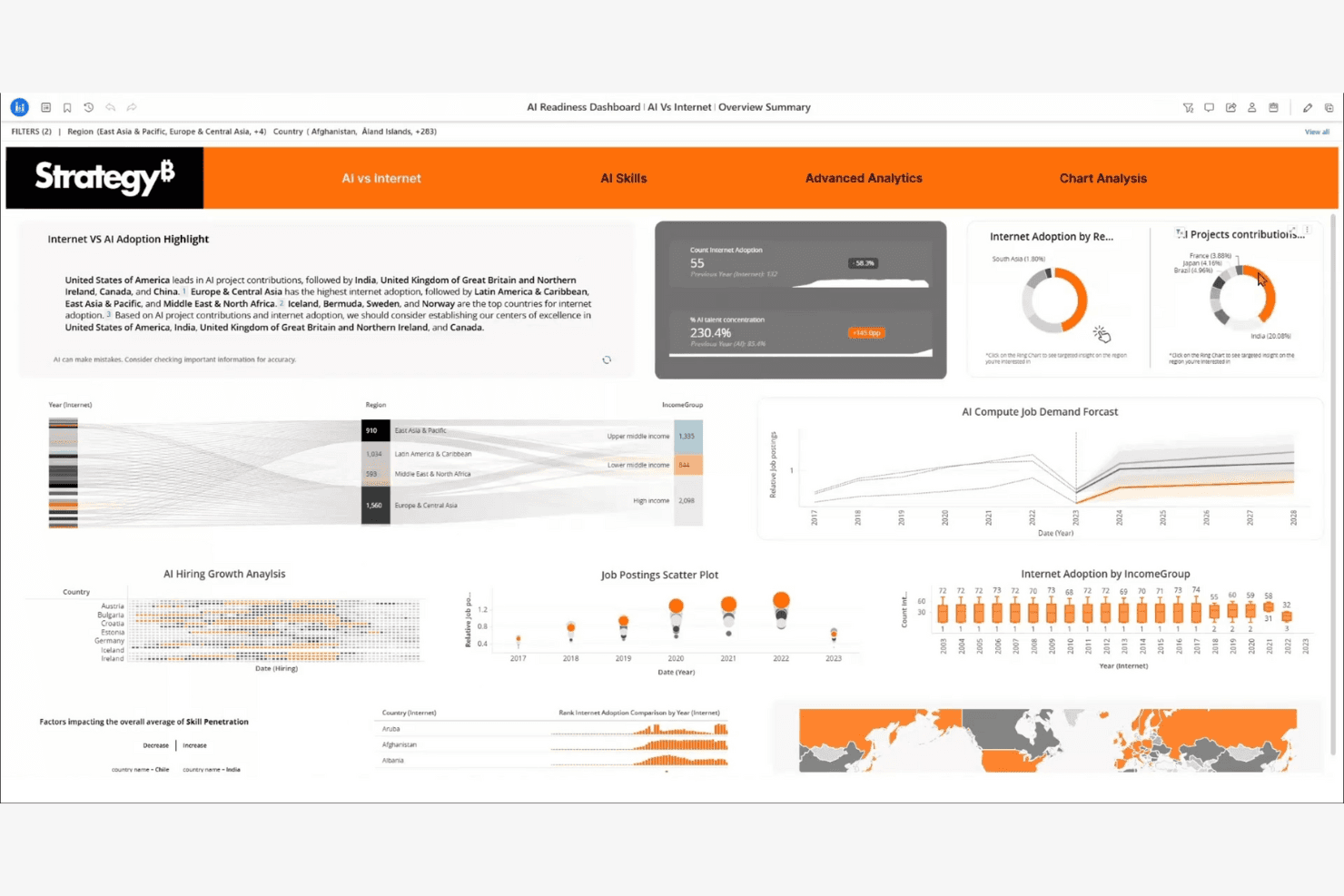
StrategyB visualizes AI readiness metrics across regions and skills. Strategy is an enterprise BI platform built on a universal semantic layer that connects 200+ data sources and delivers governed metrics, AI-powered dashboards, and embedded analytics.
Who Is Strategy Best For?
Strategy is a strong fit for enterprise data and analytics teams that need governed, AI-ready metrics across large, complex organizations.
Why I Picked Strategy
Strategy earns its spot on my shortlist because its Mosaic Universal Semantic Layer is the most mature governed metrics foundation I've seen in enterprise BI, with 35 years of production use at organizations like Pfizer across 27 markets. I'm particularly impressed by how Mosaic lets teams define a metric once and apply it consistently across dashboards, AI agents, and embedded apps, eliminating conflicting numbers across departments. The GitHub-native version control for Mosaic models is a genuine differentiator for teams treating analytics infrastructure with the same rigor as code.
Strategy Key Features
- Auto Answers: A natural language Q&A interface that lets users ask questions in plain language and get instant answers from governed data.
- HyperIntelligence: Surfaces zero-click contextual insights directly in browsers and productivity tools via hover-enabled cards, without leaving your current app.
- Embedding SDK: A no-code, low-code, and pro-code SDK for integrating governed dashboards and visualizations into external web applications.
- Threshold-based alerting: Triggers automated report delivery when specific metric conditions are met, keeping teams informed without manual monitoring.
Strategy Integrations
Strategy offers 200+ native data source connectors, including Snowflake, Google BigQuery, Amazon Redshift, Databricks, Jira Cloud, Google Drive, and Power BI. It also supports custom integrations through its API and mstrio-py package, with Mosaic providing governed connectivity across analytics tools.
Pros and Cons
Pros:
- Embedding SDK enables polished custom analytics apps
- AI-native features for flexible ad hoc analysis
- Enterprise-grade semantic layer ensures consistent metrics
Cons:
- Complex licensing and admin structure for teams
- No built-in cohort or funnel visuals
Learn more about Strategy: Best for scalable multi-tenant analytics
- 30-day free trial + free demo available
- Pricing upon request
Visit WebsiteCustomer Rating:4/5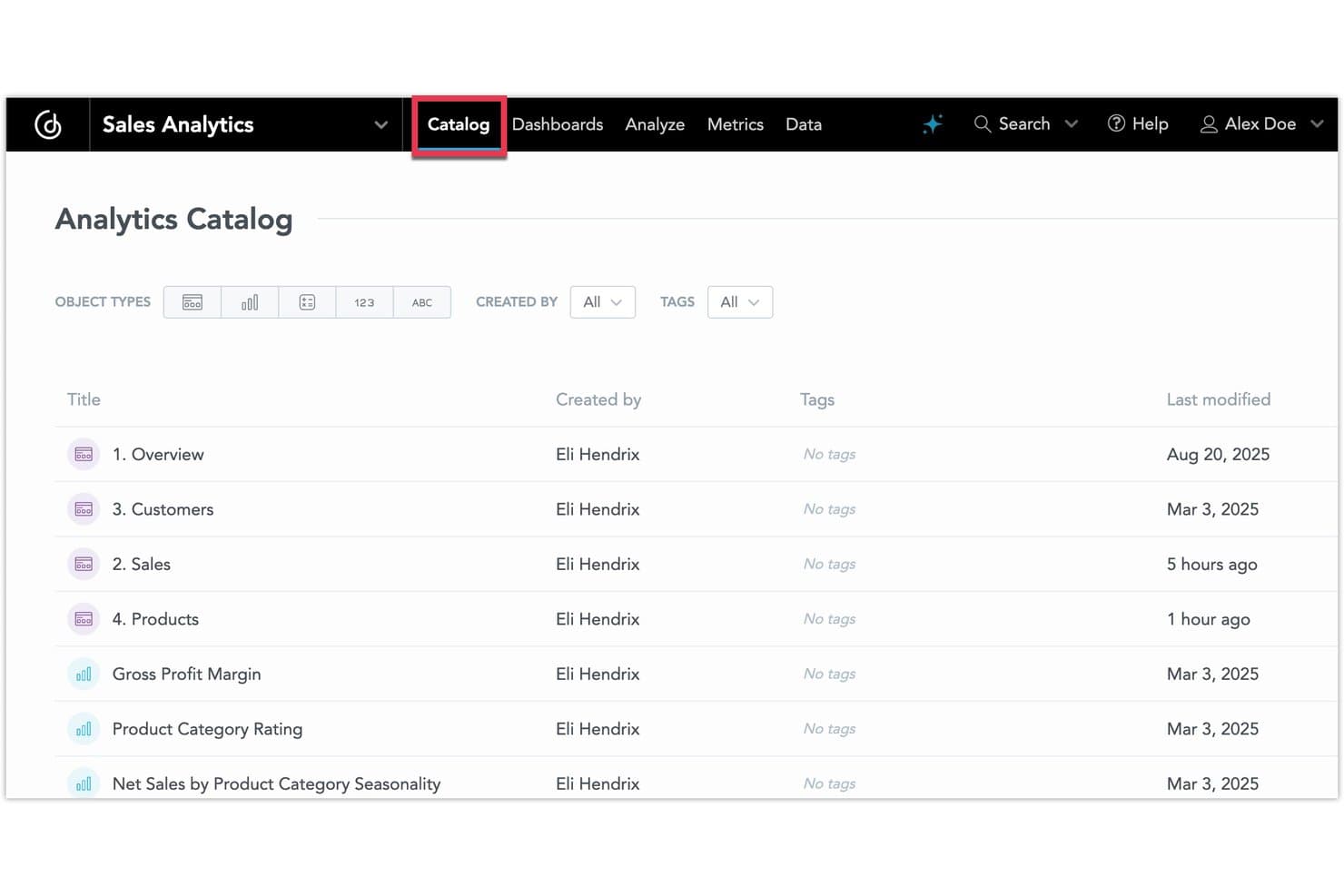
GoodData organizes analytics assets in a browsable catalog view. GoodData is a BI platform built around a centralized semantic layer, offering embedded analytics, multi-tenant workspace management, AI-assisted querying, and analytics-as-code capabilities for teams that need governed, scalable reporting across complex data environments.
Who Is GoodData Best For?
GoodData is a strong fit for SaaS companies and product ops teams that need to deliver governed analytics across many tenants or embed reporting directly into customer-facing products.
Why I Picked GoodData
GoodData earns its spot on my shortlist because of how well its hierarchical workspace architecture handles multi-tenant scale. I love that you can provision thousands of isolated tenant workspaces, cascade metric changes across all of them simultaneously, and enforce permissions without duplicating work per client. Paired with a centralized semantic layer that governs every metric across dashboards, embedded apps, and AI queries, it's purpose-built for SaaS teams delivering analytics at scale.
GoodData Key Features
- AI Assistant: Query your data using plain language, with answers grounded in the semantic layer to prevent inaccurate or inconsistent results.
- Analytics as Code: Define dashboards, metrics, and configurations in JSON/YAML and manage them through Git with full version control and CI/CD support.
- FlexConnect: Build custom connectors to virtually any data source—including REST APIs, streaming data, and NoSQL databases—without vendor assistance.
- Anomaly detection: Automatically surface unexpected shifts and outliers in your metrics, with alerts delivered via email, webhook, or in-app notifications.
GoodData Integrations
GoodData offers 20+ native data-source connectors, including Snowflake, Google BigQuery, Amazon Redshift, Databricks, PostgreSQL, MySQL, Oracle Database, and Microsoft SQL Server. Its REST, Python, and React APIs, plus FlexConnect, support custom integrations with APIs, Kafka, NoSQL, and other sources.
Pros and Cons
Pros:
- Analytics-as-code supports Git and CI/CD
- Advanced semantic layer ensures metric consistency
- Handles thousands of tenant workspaces well
Cons:
- AI Assistant limited to enterprise plans
- No built-in product analytics features
Learn more about GoodData: Best for governed enterprise report distribution
- 30-day free trial available
- From $11.25/user/month
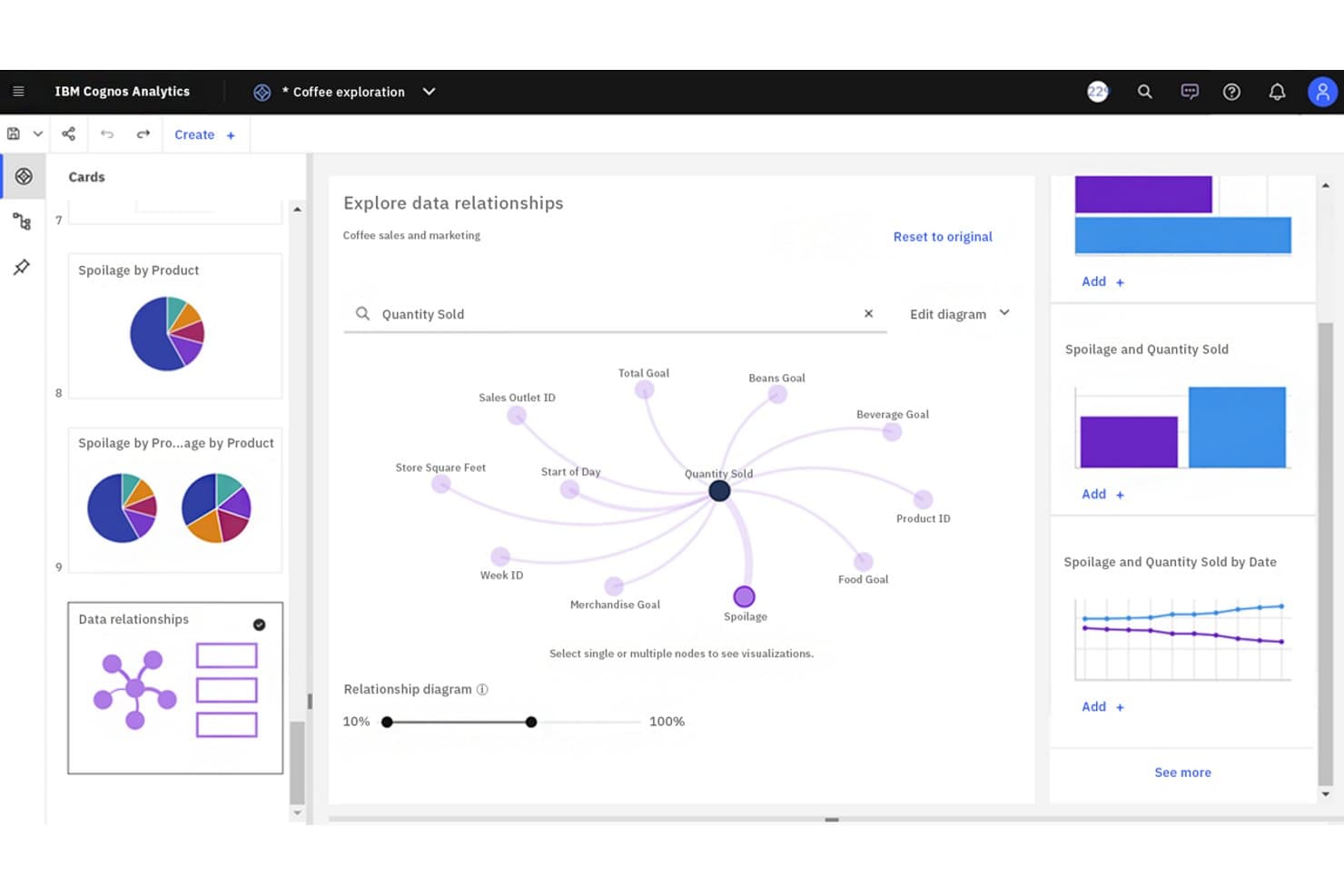
IBM Cognos Analytics lets users visually explore data relationships interactively. IBM Cognos Analytics is an enterprise business intelligence platform that combines AI-assisted reporting, self-service dashboards, and governed data distribution across large organizations.
Who Is IBM Cognos Analytics Best For?
IBM Cognos Analytics is a strong fit for large enterprises with dedicated IT and BI teams that need strict governance over how reports are created, managed, and distributed at scale.
Why I Picked IBM Cognos Analytics
IBM Cognos Analytics earns its spot on my shortlist because of how well it handles governed report distribution at enterprise scale. I've worked with its burst reporting feature, which lets you automatically distribute personalized report snapshots to hundreds of recipients without manual intervention. Its folder-level permission controls and audit trails give IT teams the oversight they need when data access is tightly regulated.
IBM Cognos Analytics Key Features
- AI-assisted data exploration: An integrated AI assistant lets you query your data using natural language and surfaces automated insights and anomaly alerts.
- Dynamic dashboard builder: Drag-and-drop canvas lets you assemble interactive dashboards that update in real time as underlying data sources refresh.
- Multi-source data connectors: Native connectors link directly to relational databases, cloud data warehouses, and spreadsheets without requiring custom middleware.
- Mobile analytics app: A dedicated mobile app delivers interactive reports and dashboards to iOS and Android devices with offline viewing support.
IBM Cognos Analytics Integrations
IBM Cognos Analytics offers native data connectors for relational databases, cloud data warehouses, and spreadsheets. Specific vendor integrations and a total integration count aren't documented.
Pros and Cons
Pros:
- Structured reporting centralizes consistent enterprise metrics
- Folder permissions and audit trails support governance
- Scheduled report bursting personalizes delivery at scale
Cons:
- Large datasets can slow complex reports
- Complex authoring slows advanced report changes
Learn more about IBM Cognos Analytics: Best for governed semantic modeling at scale
- 30-day free trial available
- From $162.30/month for up to 10 users
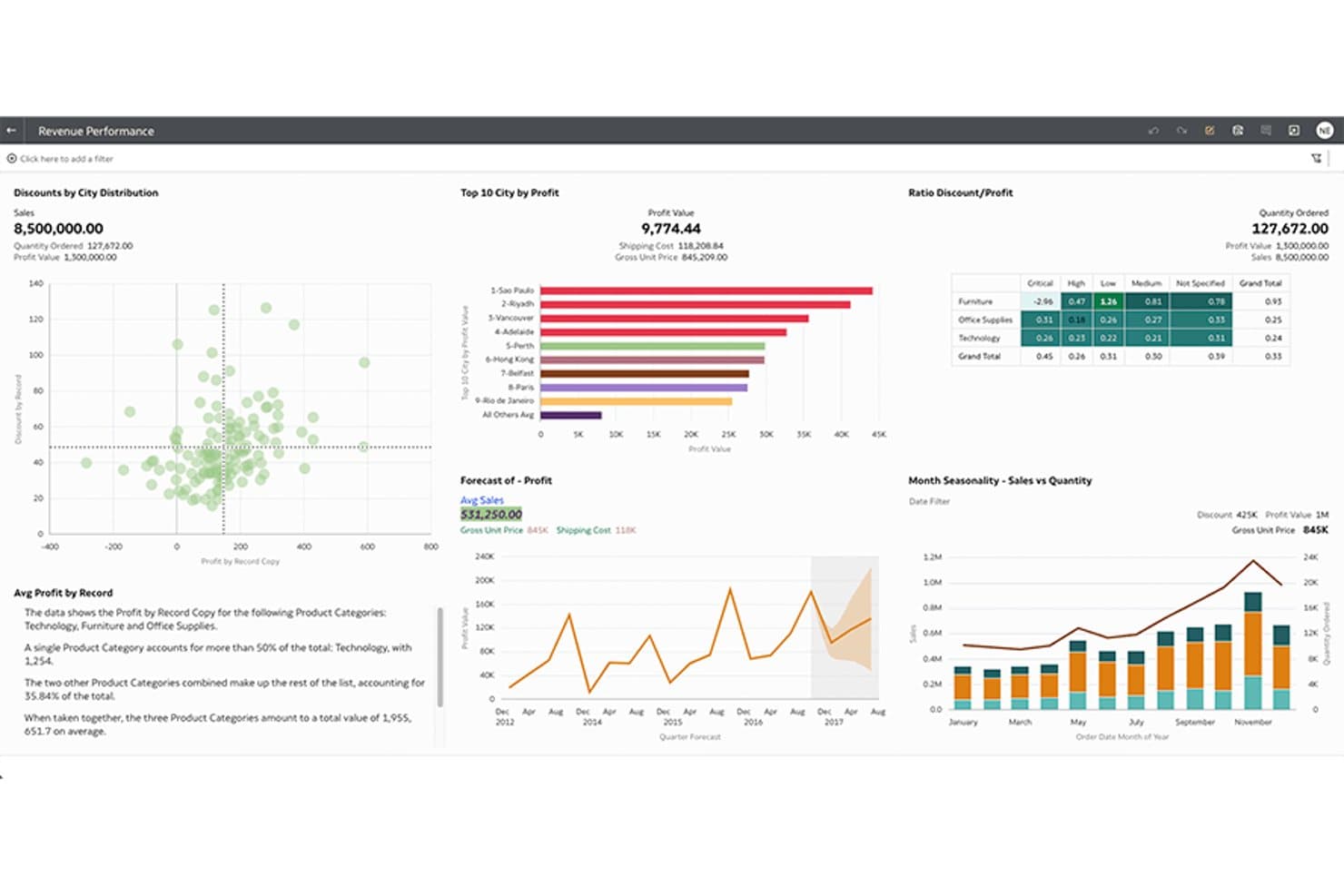
Oracle Analytics Cloud unifies revenue metrics across interactive visual dashboards. Oracle Analytics Cloud is a business intelligence platform that combines semantic modeling, self-service analytics, data visualization, and AI-powered insights in a governed, enterprise-grade environment.
Who Is Oracle Analytics Cloud Best For?
Oracle Analytics Cloud is a strong fit for large enterprises that already run Oracle infrastructure and need centralized governance over their data models.
Why I Picked Oracle Analytics Cloud
Oracle Analytics Cloud earns its spot on my shortlist because of how it handles semantic modeling at enterprise scale. I'm particularly impressed by its reusable semantic model layer, where business definitions like "revenue" or "churn" are defined once and applied consistently across every report and dashboard. The AI-powered augmented analytics features, including automated insights and natural language querying, sit on top of that governed foundation, so your teams get self-service flexibility without breaking data consistency.
Oracle Analytics Cloud Key Features
- Self-service data visualization: Drag-and-drop canvas lets users build charts, dashboards, and reports without writing queries.
- Machine learning integration: Built-in ML models let you train, deploy, and score predictions directly within the platform.
- Mobile analytics app: A native mobile app delivers interactive dashboards and reports on iOS and Android devices.
- Data preparation and enrichment: Built-in data flow tools let users cleanse, blend, and transform data from multiple sources before analysis.
Oracle Analytics Cloud Integrations
Native integrations are not clearly documented for Oracle Analytics Cloud.
Pros and Cons
Pros:
- Built-in data flows prepare blended datasets
- Automated insights surface patterns across dashboards
- Reusable semantic models enforce consistent KPI definitions
Cons:
- Dashboard authoring feels less intuitive than rivals
- Administration can demand Oracle platform expertise
Learn more about Oracle Analytics Cloud : Best for open-source analytical flexibility
- 14-day free trial + free plan available
- From $100/month
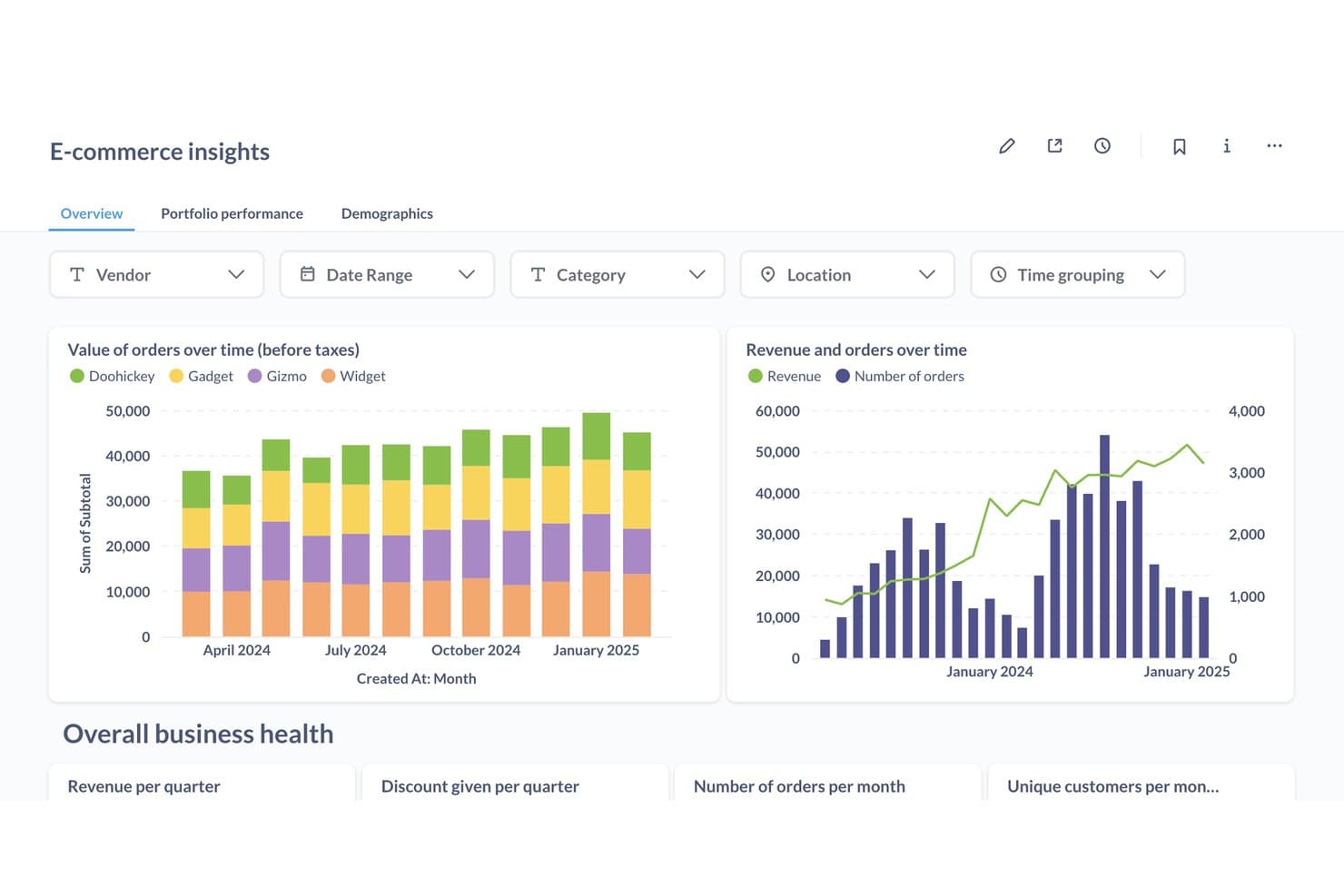
Metabase tracks e-commerce orders and revenue trends in one dashboard. Metabase is an open-source BI platform that lets you connect to databases and warehouses, build interactive dashboards, run ad hoc queries through a visual builder or SQL editor, and explore data with AI-powered natural language querying.
Who Is Metabase Best For?
Metabase is a strong fit for cross-functional product teams that need self-serve dashboards and want the flexibility to self-host or scale on an open-source foundation.
Why I Picked Metabase
I've included Metabase in my top picks because it's one of the few BI platforms where the open-source edition isn't a stripped-down teaser—you get unlimited users, 20+ data connectors, a visual query builder, and AI-powered natural language querying (Metabot) at no cost. I especially like Data Studio, its semantic layer workbench, which lets teams define canonical metrics and business glossary terms so every dashboard pulls from the same source of truth. The Git-based Remote Sync also means you can version-control dashboards and models like code, which I rarely see outside enterprise-tier tools.
Metabase Key Features
- Visual notebook query builder: A no-code interface that lets you build queries, joins, and aggregations by clicking—no SQL required.
- Events and timelines: Annotate dashboards with business events like product launches or releases to add context directly to your charts.
- Threshold-based alerts: Set conditions on any question so Metabase delivers a notification via email, Slack, or webhook when your data hits a defined value.
- Embedded analytics SDK: A React-based SDK that lets you embed white-labeled, interactive dashboards directly into your product for end-user analytics.
Metabase Integrations
Metabase offers 18 official database and warehouse connectors, including BigQuery, Snowflake, PostgreSQL, MySQL, and Microsoft SQL Server. It lacks native SaaS connectors, but supports 11+ community connectors for self-hosted deployments and API-based custom integrations.
Pros and Cons
Pros:
- Git-based analytics version control support
- Visual query builder for non-technical users
- Self-hosting with open-source code available
Cons:
- Cohort and funnel analysis require SQL skills
- No native connectors for SaaS products
Learn more about Metabase: Best for natural language search analytics
- 14-day free trial + free demo available
- From $25/user/month (billed annually)
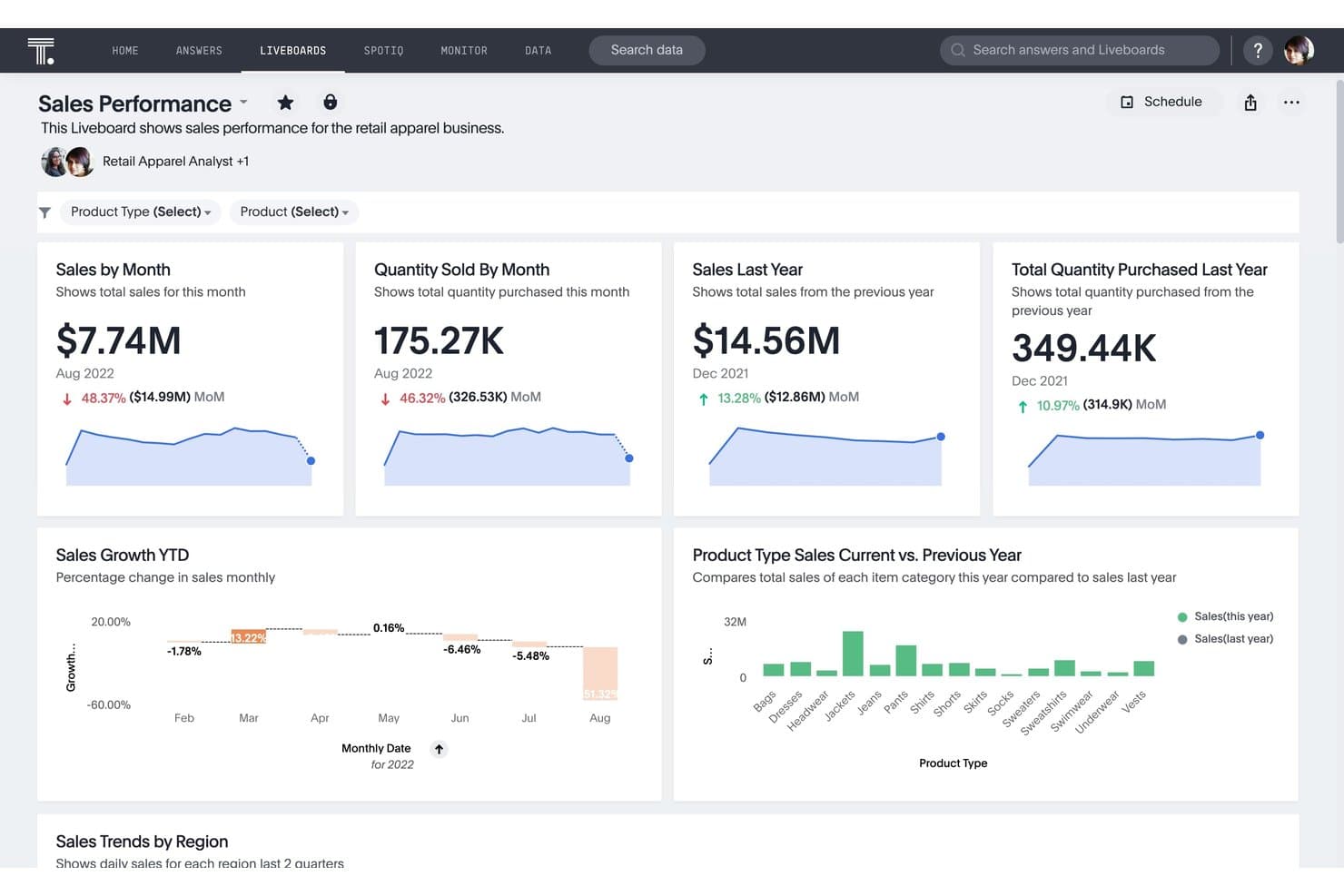
ThoughtSpot tracks sales KPIs and trends in a retail dashboard. ThoughtSpot is a BI platform built around natural language search, AI-powered analytics, and live-query warehouse connectivity, offering interactive Liveboards, automated anomaly detection, and embedded analytics capabilities.
Who Is ThoughtSpot Best For?
ThoughtSpot is a strong fit for data teams and non-technical business users who need to query complex warehouse data without writing SQL.
Why I Picked ThoughtSpot
ThoughtSpot earns its spot on my shortlist because its Relational Search lets anyone on the team type a plain-English question like "which features drove the most engagement last quarter" and get a live, governed answer instantly, no SQL required. I also love SpotIQ, which automatically surfaces anomalies and trend shifts in your Liveboards without you having to know what to look for. Together, these two capabilities make self-serve analysis genuinely accessible across product, ops, and leadership teams.
ThoughtSpot Key Features
- Liveboards: Real-time interactive dashboards with drill-anywhere functionality, cross-filtering, and AI highlights built directly into each view.
- Analyst Studio: A code-first workspace where data teams can write SQL, Python, or R for advanced ad hoc analysis and custom data prep.
- ThoughtSpot Modeling Language (TML): A scriptable format for managing data models, dashboards, and metrics as code, with native GitHub version control.
- Monitor: A multi-channel alerting feature that delivers threshold, scheduled, and attribute-based alerts via email, Slack, Teams, and mobile push.
ThoughtSpot Integrations
ThoughtSpot offers 25+ native data connectors, including Snowflake, Google BigQuery, Amazon Redshift, Databricks, PostgreSQL, MySQL, and Salesforce. Spotter Connectors add Amplitude, Mixpanel, and Heap, while JavaScript SDK and REST APIs support custom embedded analytics integrations.
Pros and Cons
Pros:
- Git-based version control for analytics assets
- Automated anomaly detection surfaces trend shifts
- Natural language search for querying warehouse data
Cons:
- Limited custom or branded visualization options
- No cross-connection joins between databases
Learn more about ThoughtSpot: Best for spreadsheet-style data exploration
- 7-day free trial + free demo available
- From $300/month
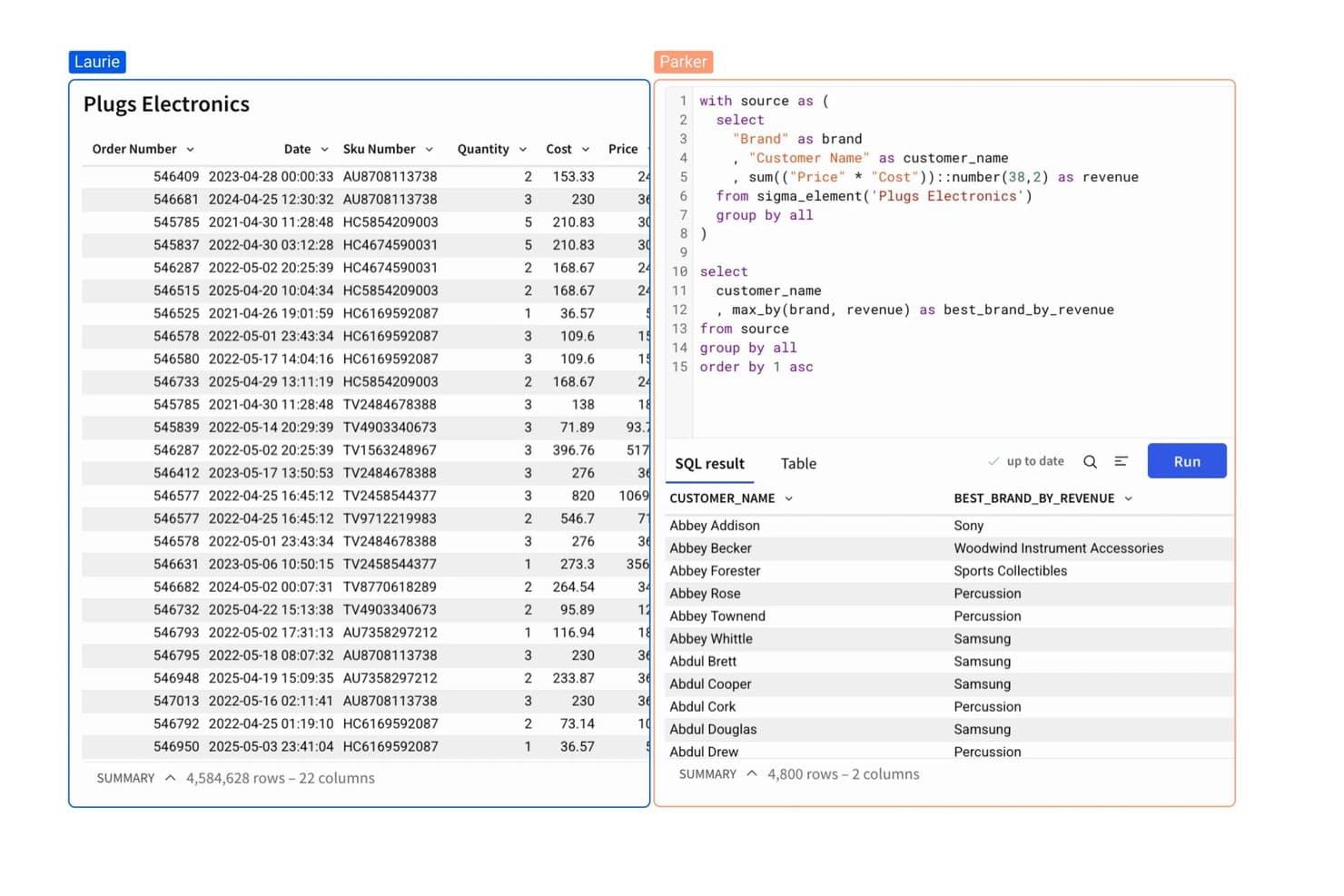
Sigma Computing lets users write SQL to find each customer's top revenue brand. Sigma Computing is a BI platform that combines a spreadsheet-style workbook interface with live cloud warehouse querying, ad hoc exploration, semantic data modeling, AI-powered analysis, and embedded analytics capabilities.
Who Is Sigma Computing Best For?
Sigma Computing is a strong fit for product and operations teams who live in spreadsheets and want to explore warehouse data without relying on a data analyst for every question.
Why I Picked Sigma Computing
Sigma Computing earns its spot on my shortlist because its spreadsheet-style workbook lets product managers explore billions of rows of live warehouse data without writing a single line of SQL. I'm particularly impressed by the Input Tables feature, which supports real-time write-back directly from the UI, making what-if analysis and budget modeling possible without leaving the platform. The Sigma Assistant adds natural language querying on top, converting plain-English questions into fully explorable, live workbooks.
Sigma Computing Key Features
- Semantic layer with Git-based version control: Analytics engineers can define governed metrics, joins, and relationships in YAML and manage changes through branching and CI/CD workflows.
- Multi-channel scheduled exports: Send workbooks, pages, or individual elements to email, Slack, Microsoft Teams, Google Sheets, or cloud storage on a recurring or condition-triggered schedule.
- Sigma Agents: Autonomous agents monitor data thresholds and trigger cross-platform actions in tools like Salesforce and Slack, with a full immutable audit trail.
- Embedded analytics with JWT authentication: Embed white-labeled workbooks into external applications using a React SDK or iFrame, with per-tenant data isolation via RBAC and row-level security.
Sigma Computing Integrations
Sigma has around 10 native data-source connectors, including Snowflake, Google BigQuery, Amazon Redshift, Databricks, PostgreSQL, MySQL, Azure SQL, and AlloyDB. It integrates with dbt Semantic Layer and offers REST API access for custom connections.
Pros and Cons
Pros:
- AI-powered chart explanations and natural language queries
- Native write-back directly from dashboard interface
- Spreadsheet-style analysis on warehouse-scale data
Cons:
- Limited native cohort or retention visualizations
- No direct connection to product analytics tools
Learn more about Sigma Computing: Best for automated insight discovery
- 30-day free trial + free demo available
- Pricing upon request
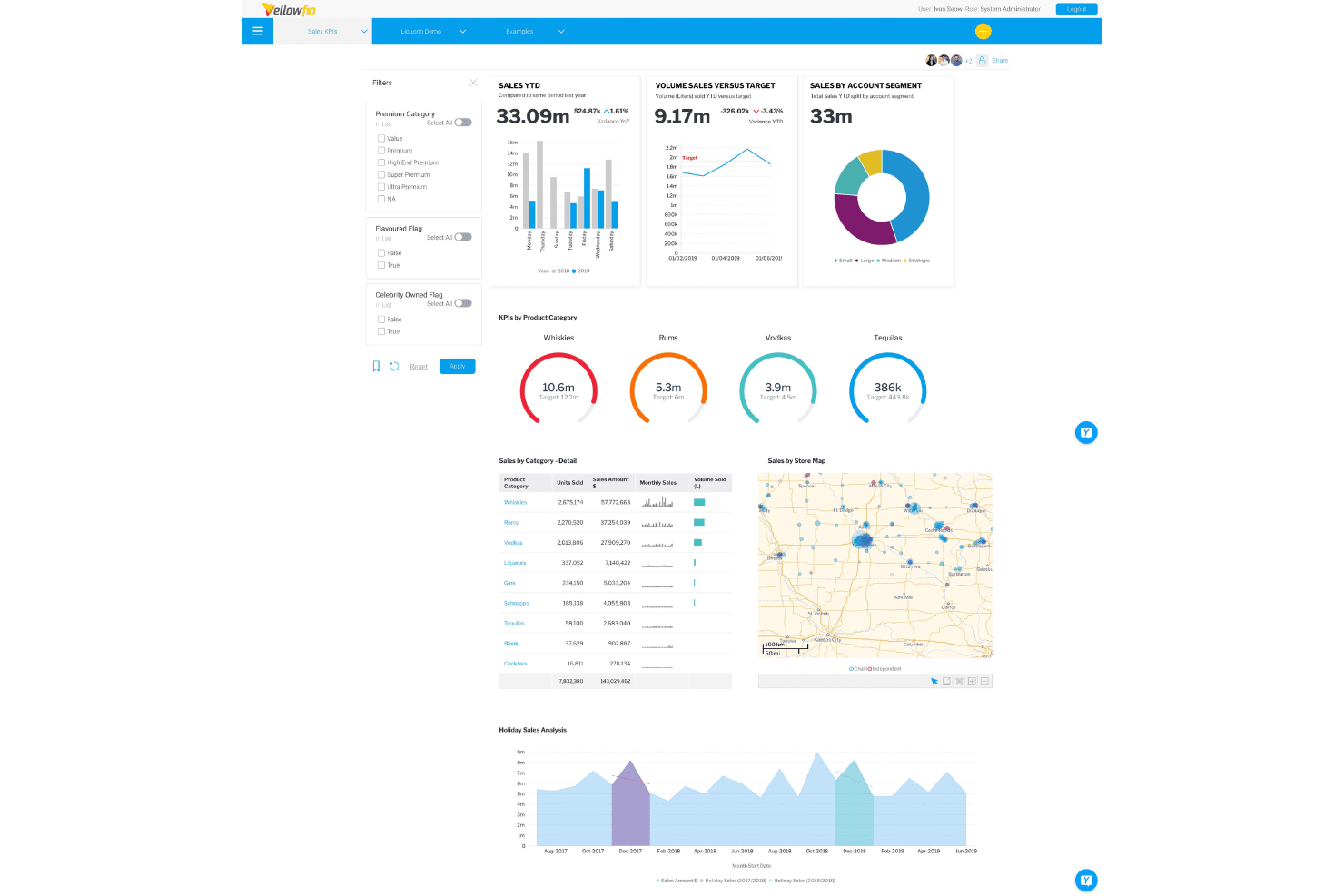
Yellowfin consolidates sales KPIs, charts, and maps into one dashboard. Yellowfin is a BI platform that combines interactive dashboards, 50+ chart types, natural language querying, AI-driven anomaly detection, and embedded analytics into a single suite.
Who Is Yellowfin Best For?
Yellowfin is a strong fit for enterprise teams that need proactive, AI-driven monitoring across consolidated warehouse data—without relying on manual queries to surface what's changing.
Why I Picked Yellowfin
I picked Yellowfin as one of the best because no other tool on this list monitors your data the way Signals does: it continuously scans for anomalies, trend shifts, and outliers you didn't think to look for, then delivers a plain-language explanation of what changed and why. I also like that Signals integrates directly into dashboards, so if a key metric spikes after a release, your team sees the alert in context rather than buried in a separate inbox.
Yellowfin Key Features
- Natural language querying: Ask Yellowfin lets you type plain-language questions and returns best-practice charts automatically, no SQL required.
- Free-form canvas dashboards: A drag-and-drop builder with cross-filtering, drill-through, and action buttons lets you build and share interactive dashboards without coding.
- Data storytelling with Stories and Present: Combine charts, tables, and written context into slide-style narratives designed for sharing insights with non-technical stakeholders.
- Embedded analytics SDK: White-label dashboards, NLQ, and Signals can be embedded into external products via JavaScript API or SDK in under two weeks.
Yellowfin Integrations
Yellowfin supports 200+ data connectors, including Snowflake, Google BigQuery, Amazon Redshift, Salesforce, Google Analytics, Zendesk, and Xero. It also connects through JDBC and ODBC for custom data sources.
Pros and Cons
Pros:
- Natural language queries generate charts instantly
- Free-form dashboard builder supports advanced interactivity
- Finds anomalies automatically with Yellowfin Signals
Cons:
- Large datasets may cause slower performance
- No built-in cohort or funnel analysis
Learn more about Yellowfin:
Other Business Intelligence Platforms
Here are some additional business intelligence platform options that didn’t make it onto my shortlist, but are still worth checking out:
- 11Google Cloud LookerBest for embedded analytics solutions
- 12Zoho AnalyticsBest for self-service dashboard creation
- 13DatabricksBest for governed lakehouse analytics
- 14SAS ViyaBest for governed analytics in regulated industries
- 15TIBCOBest for statistical modeling and ML workflows
- 16Sisense Best for embedding governed analytics in products
- 17Microsoft Power BIBest for Microsoft 365 data workflows
- 18Apache SupersetBest for open-source SQL-driven dashboards
- 19Qlik Cloud AnalyticsBest for analytics with built-in data prep
- 20SpotfireBest for analytics in industrial and scientific BI
How I Evaluate Business Intelligence Platforms
I split my evaluation into three parts, in this order, giving most weight to core functionality: combine sources, build interactive dashboards, and explore KPIs. Next, I consider AI-powered insights, such as churn alerts. Finally, I assess onboarding, support, and pricing value.
Core Functionality (Table Stakes For This List)
When I'm selecting tools for my list, I score each one on a scale from 0 (does not offer the functionality) to 5 (excels in this area) for each core functionality listed below. I then convert the total into a percentage to help assess each tool's overall fit, with extra weight on any functionalities I’ve deemed essential.
- Data Connectivity & Integration (Essential): I assess connections to databases, cloud apps, files, and APIs, plus refresh reliability for unified product and business analysis.
- Dashboards & Visualization (Essential): I look for interactive dashboards with filters, drill-downs, varied charts, and views suited to product, customer, and executive metrics.
- Self-Service Exploration: I check whether nontechnical users can filter, query, and segment data independently for questions about adoption, retention, and usage.
- Data Modeling & Transformation: I evaluate blending, calculated fields, relationships, and transformations that turn raw product and operational data into analysis-ready datasets.
- Automated Reporting: I look for scheduled reports with flexible formats, recipients, delivery channels, and alerts for recurring KPI reviews.
- Sharing & Access Controls: I assess workspace sharing, role-based permissions, and secure access for cross-functional teams reviewing sensitive customer or business data.
Once I have a list of tools that meet the criteria, I consider what sets each platform apart.
Differentiating Factors (What Sets Vendors Apart)
Here's how I compare and contrast different vendors:
Standout Features
I look for a semantic or metrics layer that locks down KPI definitions—like activation rate or retention—so every team pulls from the same source of truth. AI-powered insights matter too; I evaluate whether a platform can surface anomalies or answer plain-language questions without requiring manual query-building. I also check for embedded analytics and reverse ETL, since pushing insights back into tools like Salesforce or Amplitude closes the loop between reporting and action.
Beyond Features
I evaluate how quickly non-technical teammates can build their own reports. A platform with strong templates and low-code query builders means your product marketing or customer success peers stop waiting on data teams for basic retention dashboards. Integration depth matters just as much—I check for native connectors to warehouses like Snowflake and BigQuery alongside product analytics tools like Amplitude, so data doesn't live in silos. I also look at licensing models, since per-seat pricing can quietly balloon when you share dashboards across a cross-functional squad.
How to Choose Business Intelligence Platforms
It’s easy to get bogged down in long feature lists and complex pricing structures. To help you stay focused as you work through your unique software selection process, here’s a checklist of factors to keep in mind:
| Factor | What to Consider |
|---|---|
| FactorScalability | What to ConsiderWill the platform support increasing data, users, or feature sets as your organization grows? Check for hidden costs as your data volume or team size expands. |
| FactorIntegrations | What to ConsiderDoes the platform connect natively to your most important tools and data sources, like CRMs, analytics, and warehouses? Avoid manual processes or data silos. |
| FactorCustomizability | What to ConsiderHow well can you adapt dashboards, reports, and permissions to your team's workflows or KPIs? Beware of rigid structures that slow iteration. |
| FactorEase of use | What to ConsiderCan non-technical users create, access, and interact with dashboards, or is heavy training or ongoing IT support necessary for adoption? |
| FactorImplementation and onboarding | What to ConsiderHow quickly can your team go from signup to actionable dashboards? Look for clear documentation, onboarding resources, and responsive vendor support. |
| FactorCost | What to ConsiderWill the pricing structure fit your usage pattern as you grow? Check if per-user, per-query, or tiered models match how your organization plans to adopt BI. |
| FactorSecurity safeguards | What to ConsiderAre data access controls, SSO, and audit logs available? Confirm the platform supports your company’s data privacy policies and regulatory requirements. |
| FactorSupport availability | What to ConsiderWhat channels are available and when? Does the vendor meet your support needs during implementation and after, especially when time-sensitive reporting is needed? |
What Are Business Intelligence Platforms?
Business intelligence platforms are software tools that help organizations connect, analyze, and visualize data from multiple sources. These platforms allow teams to create reports, interactive dashboards, and automated alerts, making it easier to track performance, uncover trends, and support informed business decisions.
Features of Business Intelligence Platforms
When selecting business intelligence platforms, keep an eye out for the following key features:
- Data integration: Connects with various data sources—databases, cloud services, spreadsheets—so you can combine business data for holistic analysis.
- Dashboarding: Lets users build and customize interactive dashboards that track KPIs, visualize trends, and display real-time updates.
- Data visualization: Provides charts, graphs, and tables to help teams understand patterns, spot outliers, and communicate insights clearly.
- Scheduled reporting: Enables automatic distribution of reports and dashboards to specific users or groups on a recurring basis.
- Role-based access: Manages permissions and restricts data access based on user roles, supporting compliance and security.
- Self-service analytics: Allows non-technical users to explore data, build their own reports, and answer questions without writing code.
- Collaboration tools: Supports commenting, annotation, and dashboard sharing for easier discussion and collective analysis.
- Data modeling: Lets you define measures, dimensions, and custom calculations needed for accurate and meaningful reporting.
- Mobile accessibility: Offers access to dashboards and analytics from smartphones and tablets, so teams can stay informed anywhere.
- Audit trails: Tracks changes, user actions, and report history to maintain transparency and support compliance requirements.
Common Business Intelligence Platforms AI Features
Beyond the standard business intelligence platforms features listed above, many of these solutions are incorporating AI with features like:
- Automated anomaly detection: Continuously scans data for unexpected changes or outliers, alerting teams to issues or opportunities without manual monitoring.
- Natural language querying: Lets users ask questions in plain language and receive instant, AI-generated answers or visualizations, making analytics accessible to everyone.
- Predictive analytics: Uses machine learning models to forecast trends, customer behavior, or business outcomes, helping teams plan ahead with data-driven insights.
- Automated insights generation: Surfaces key trends, correlations, and drivers in your data by generating narrative explanations and recommendations, saving time on manual analysis.
- AI-powered data preparation: Cleans, transforms, and enriches raw data using AI algorithms, reducing manual effort and improving data quality for reporting.
Benefits of Business Intelligence Platforms
Implementing business intelligence platforms provides several benefits for your team and your business. Here are a few you can look forward to:
- Real-time insights: Access up-to-date dashboards and dynamic reports to quickly identify trends and performance issues.
- Data-driven decisions: Use comprehensive data visualizations, integration, and analytics to inform choices and reduce guesswork.
- Greater collaboration: Share dashboards, leave comments, and control access easily for better teamwork and communication.
- Self-service analytics: Empower non-technical users to explore data and generate reports using intuitive, no-code interfaces.
- Enhanced data security: Manage permissions, monitor access, and maintain audit trails to protect sensitive business information.
- Automated reporting: Schedule and distribute reports automatically, saving time on manual work and ensuring consistency.
- Mobile accessibility: View and interact with analytics from any device so your team stays informed, even on the go.
Costs and Pricing of Business Intelligence Platforms
Selecting business intelligence platforms requires an understanding of the various pricing models and plans available. Costs vary based on features, team size, add-ons, and more. The table below summarizes common plans, their average prices, and typical features included in business intelligence platforms solutions:
Plan Comparison Table for Business Intelligence Platforms
| Plan Type | Average Price | Common Features |
|---|---|---|
| Plan TypeFree Plan | Average Price$0 | Common FeaturesBasic dashboards, limited data sources, community support, and restricted sharing. |
| Plan TypePersonal Plan | Average Price$10-$25/user/month | Common FeaturesSingle-user analytics, increased storage, standard reporting tools, and email support. |
| Plan TypeBusiness Plan | Average Price$30-$70/user/month | Common FeaturesMulti-user access, advanced dashboards, scheduled reporting, role-based permissions, and enhanced collaboration. |
| Plan TypeEnterprise Plan | Average Price$80-$150+/user/month | Common FeaturesUnlimited users, custom integrations, advanced security, compliance management, dedicated support, and SLAs. |
Business Intelligence Platforms FAQs
Here are some answers to common questions about business intelligence platforms:
How do business intelligence platforms connect to different data sources?
Business intelligence platforms connect to data sources using built-in connectors, APIs, or database drivers to build secure data pipelines. You can link cloud storage, spreadsheets, databases, and business apps to pull in data automatically, allowing the business intelligence software to keep dashboards and reports up to date.
Can non-technical users build reports and dashboards?
Yes, most BI platforms offer no-code, drag-and-drop interfaces and guided workflows. This powerful self-service analytics setup allows non-technical users to create interactive visualizations and reports without needing to write code or rely on IT support.
What security features should I look for in a business intelligence platform?
Look for role-based access controls, data encryption, audit logs, and compliance certifications. These features help protect sensitive information, improve data management, and ensure only authorized users can access or modify data. Top-tier business intelligence tools will also offer advanced analytics features that maintain these data security protocols across the entire organization.
How long does it take to implement a business intelligence platform?
Implementation time varies, but many platforms offer onboarding resources like product tours, templates, and training videos to maximize operational efficiency quickly. Small teams can often get started with basic data analytics in days, while larger organizations may need several weeks for complex data integration and customization.
What support options are typically available?
Most platforms provide a mix of support channels, including live chat, email, phone, and online knowledge bases to help your team make an informed decision during rollout. Leading vendors recognized by Gartner also offer onboarding webinars, user communities, visual analytics workshops, and dedicated account managers to help teams fully adopt these analytics capabilities.