

The 10 Best Product Portfolio Management Tools In 2026

10 Best Product Portfolio Management Tools Shortlist


With so many different product portfolio solutions available, figuring out which one is right for you is tough. You know you want to evaluate and make decisions about which products or projects to invest in, maintain, enhance, or retire, but need to figure out which tool is best. I've got you! In this post, I'll help make your choice easy, sharing my personal experiences with handling dozens of different products in large portfolios, with my picks of the best product portfolio management tools.
Why Trust Our Software Reviews
We’ve been testing and reviewing product management software since 2020. As product managers ourselves, we know how critical and difficult it is to make the right decision when selecting software.
We invest in deep research to help our audience make better software purchasing decisions. We’ve tested more than 2,000 tools for different product management use cases and written over 1,000 comprehensive software reviews. Learn how we stay transparent & our software review methodology.
The Best Product Portfolio Planning Software Comparison Chart
Here is a table where you can compare the tools we just covered in the overviews.
| Tool | Best For | Trial Info | Price | ||
|---|---|---|---|---|---|
| 1 | Best with AI-driven workflow customization | 14-day free trial | From $12/user/month (billed annually) | Website | |
| 2 | Best real-time reporting dashboards & data visualizations | 14-day free trial + free plan available | From $10/user/month (billed annually) | Website | |
| 3 | Best for dynamic work & complex projects | Free trial + free demo available | From $35/user/month (billed annually) | Website | |
| 4 | Best for product roadmapping with built-in prioritization | Free demo available | Pricing upon request | Website | |
| 5 | Best for centralized product updates | 14-day free trial available | From $249/month (billed annually) | Website | |
| 6 | Best for strategic product roadmapping features | 30-day free trial + free demo available | From $59/user/month | Website | |
| 7 | Best for supplier management features | Free demo available | Pricing available upon request | Website | |
| 8 | Best for risk management and predicting resource bottlenecks | Free demo available | Pricing upon request | Website | |
| 9 | Best for intensive or complex product strategies | 14-day free trial + free demo available | From $36/month (billed annually) | Website | |
| 10 | Best for built-in financial and budget tracking tools | 30-day free trial | Pricing upon request | Website |
Best Product Portfolio Planning Tool Reviews
Here’s a brief description of each of the product portfolio management tools that are featured on this top 10 list.

Best with AI-driven workflow customization
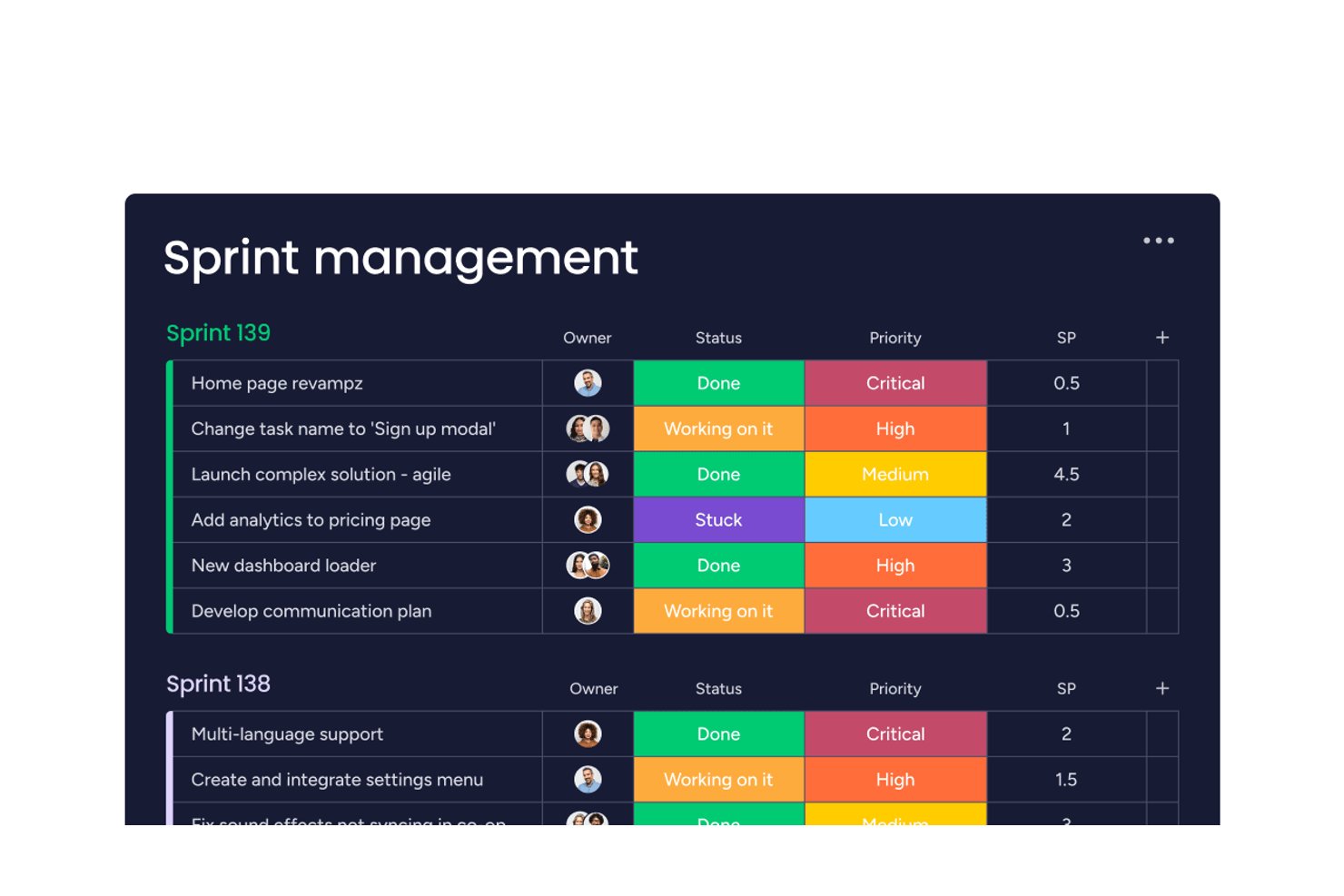
monday AI Workspace is a modular work management platform that combines multi-product roadmapping, portfolio dashboards, resource planning, and AI-powered workflow automation across product and project teams.
Who Is monday AI Workspace Best For?
It's a natural fit for mid-market and enterprise teams that manage work across multiple functions and need a flexible, configurable platform without heavy IT overhead.
Why I Picked monday AI Workspace
I picked monday AI Workspace because the AI Workflow Builder genuinely changes how portfolio teams configure automation: you describe a process in plain language and monday builds the automation logic for you. I also like how AI risk detection surfaces dependency conflicts across active project boards before they escalate into delivery problems. In practice, my team can catch a cross-product risk before it hits a sprint, not after it does.
monday AI Workspace Key Features
- Portfolio dashboard views: Build custom dashboards that consolidate progress and KPIs across multiple projects or products.
- Workload capacity planning: Visualize team allocations and detect resource bottlenecks at a glance.
- Dependency tracking: Link related tasks across boards to surface risks and manage cross-project dependencies.
- Native Jira integration: Sync work items bidirectionally with Jira for comprehensive engineering and delivery visibility.
monday AI Workspace Integrations
monday AI Workspace offers hundreds of native integrations, including Slack, Google Workspace, Microsoft 365, Salesforce, Jira, GitHub, Zoom, Dropbox, HubSpot, and Zendesk. It also supports Zapier and provides an API for custom integrations.
Pros and Cons
Pros:
- Dynamic workload capacity and resource planning
- Customizable portfolio dashboards and views
- AI-driven workflow builder for automations
Cons:
- Advanced reporting requires higher-tier plan
- Limited built-in prioritization frameworks
New Product Updates from monday AI Workspace
monday AI Workspace Adds Human Approval Routing
monday AI Workspace adds a human-in-the-loop approval block to AI Workflows, sending approval requests and routing workflow paths based on responses. For more information, visit monday AI Workspace's official site.
 .
.
Wrike
Best real-time reporting dashboards & data visualizations

Wrike is a work management and project portfolio management platform that covers portfolio planning, cross-functional dashboards, resource management, workflow automation, and AI-driven risk analysis across projects.
Who Is Wrike Best For?
Wrike is a strong fit for mid-size to enterprise teams managing multiple projects simultaneously, particularly in marketing, professional services, and IT.
Why Choose Wrike
Wrike's real-time dashboards give portfolio managers a live, cross-functional view of every project without any manual reporting. The AI-powered insights feature surfaces trends and risks directly on the dashboard, so you don't have to dig through raw data. The calculated custom fields are also a standout: you can build formulas for budget tracking, effort, or KPIs and watch those metrics update automatically as work moves forward.
Wrike Key Features
- Resource workload management: View and adjust team capacity across all active projects from a single workload chart.
- Project intake forms: Build custom request forms that automatically route new projects into the right folder, workflow, or portfolio.
- Interactive Gantt charts: Visualize project timelines, set task dependencies, and adjust schedules by dragging and dropping.
- Workflow automation: Trigger automatic status changes, approvals, and assignments based on conditions you define.
Pros and Cons
Pros:
- Time tracking features provide detailed insights into productivity, aiding in deadline management and operational planning
- Extensive collaboration tools, including document sharing and real-time comments
- Real-time reporting capabilities allow teams to generate data-driven insights, improving resource allocation and project transparency
Cons:
- Certain features, such as proofing and resource management, are only available in higher-tier plans
- Pricing can be higher than average, making it potentially costly for smaller businesses or startups
New Product Updates from Wrike

Wrike AI Agents Create Full Blueprints and Formatted Items
Wrike’s AI Agent can now create full blueprints (parent items plus subtasks) in one step and generate richer, formatted descriptions. This makes automated workflow creation more complete. For more information, visit Wrike’s official site.
 .
.
Best for dynamic work & complex projects

Quickbase is a no-code application development platform that lets teams build custom tools for managing projects, portfolios, workflows, and data across complex, cross-functional operations.
Who Is Quickbase Best For?
Quickbase is a strong fit for mid-sized to enterprise operations, IT, and PMO teams managing multiple complex projects with unique workflows that off-the-shelf tools can't accommodate.
Why I Picked Quickbase
I've included Quickbase in my top picks because no other tool on this list lets you build portfolio management the way your actual workflows run. When my team manages projects with non-standard processes, I use Quickbase's no-code app builder to create custom tracking structures from scratch. I also rely on its dynamic reports and Gantt views to keep multi-layered project portfolios visible across teams. Its Pipeline automation handles the handoffs that would otherwise require manual follow-up.
Quickbase Key Features
- Role-based permissions: Assign field- and table-level access controls so each stakeholder sees only the portfolio data relevant to their role.
- Pre-built app templates: Start with ready-made templates for project tracking and resource planning instead of building from scratch.
- Formula fields: Create calculated fields that auto-generate status flags, budget variances, or priority scores across portfolio records.
- Mobile app: Access and update project and portfolio data from iOS and Android devices without losing functionality.
Pros and Cons
Pros:
- As a low-code platform, it allows for rapid customization of applications, making it adaptable to diverse project needs
- Automated workflows in Quickbase reduce manual task handling, saving time and increasing consistency across project
- Role-based access control maintains data security while allowing for flexible team collaboration
Cons:
- The cost of Quickbase can be high for small teams or startups
- The platform's reporting capabilities, while advanced, can be overwhelming for users unfamiliar with detailed analytics

airfocus
Best for product roadmapping with built-in prioritization

airfocus is an AI-powered product management platform that connects OKRs, prioritization, roadmapping, and portfolio management into a single, customizable workspace for product teams.
Who Is airfocus Best For?
airfocus is a strong fit for product managers and product leaders at mid-sized to enterprise companies who need to align multiple teams around a shared product strategy.
Why I Picked airfocus
I picked airfocus as one of the best because its roadmapping and prioritization features are genuinely built to work together, not bolted on as an afterthought. I particularly like Priority Poker, which lets you run live stakeholder sessions to score and align on backlog items collaboratively, so prioritization decisions have team buy-in baked in. On top of that, custom scoring frameworks like RICE, ICE, and WSJF let you standardize how your team evaluates every item on the roadmap, making it straightforward to defend decisions with data.
airfocus Key Features
- Portfolio views: Roll up multiple roadmaps and workspaces into a single, real-time portfolio view across all product lines and teams.
- OKR and objectives tracking: Link strategic objectives directly to roadmap items to keep team-level work connected to company-wide goals.
- Customer feedback management: Capture, organize, and tag feedback from multiple sources to feed directly into roadmap and prioritization decisions.
- Capacity planning: Map team workload against roadmap timelines to flag resource conflicts and plan sprints or releases more accurately.
Pros and Cons
Pros:
- Airfocus offers a unique prioritization framework with features like Priority Poker, which allows teams to collaboratively decide on feature importance
- The platform's modular nature allows for extensive customization, enabling teams to tailor their workspace according to specific needs
- Airfocus's feedback portal consolidates user insights, aiding in data-driven decision-making
Cons:
- Some users may find the initial setup and configuration time-consuming due to the platform's extensive customization options
- The absence of certain advanced analytics features might not meet the needs of data-driven teams
New Product Updates from airfocus

airfocus Adds Rich Text Fields, MCP Tools, and Admin Controls
airfocus adds rich text fields with bidirectional Jira sync, Check-in access for the agent and MCP server, an MCP Link Items tool, and admin-only integration management to improve product documentation, AI-assisted planning, and enterprise governance. For more information, visit airfocus’ official site.
 .
.
Best for centralized product updates

LaunchNotes is a product communication platform that centralizes release notes, changelogs, roadmaps, and product announcements across internal teams and external customers through multi-channel distribution.
Who Is LaunchNotes Best For?
LaunchNotes suits product managers and product marketing teams at SaaS companies that need a structured way to communicate product changes.
Why I Picked LaunchNotes
I picked LaunchNotes because it pulls release notes, roadmaps, and announcements into a single hub instead of scattering them across Slack threads and email chains. The advanced segmentation feature lets my team push targeted updates to specific user groups, so power users see different context than free-tier customers. Automated progress updates keep engineering, support, and marketing aligned without manually writing internal briefs after every sprint.
LaunchNotes Key Features
- AI writing assistant: Converts raw technical content or Jira tickets into polished, customer-ready announcements in seconds.
- Stage change notifications: Automatically emails subscribers and internal team members when a roadmap item moves between stages.
- Feedback ideas board: Aggregates incoming feedback into a prioritized collection of ideas, viewable privately or publicly on your LaunchNotes page.
- Digest emails: Consolidates recent announcements into scheduled summary emails and Slack notifications for subscribers.
Pros and Cons
Pros:
- SOC 2 Type II security
- Branded, multi-channel announcements
- Intuitive drag-and-drop roadmaps
Cons:
- No workflow automation
- Limited roadmap customization

Aha!
Best for strategic product roadmapping features

Aha! is a product development platform that covers portfolio roadmapping, strategy planning, idea management, and feature prioritization across multiple products and teams.
Who Is Aha! Best For?
Aha! is a strong fit for product managers and product leaders at mid-size to enterprise companies who manage multiple products and need to connect strategy to execution across teams.
Why I Picked Aha!
I included Aha! on my shortlist because its portfolio roadmap capabilities extend beyond basic timelines. I particularly like how you can build strategy-first roadmaps that link goals and initiatives directly to releases across multiple workspaces. That lets my team see exactly how individual feature work ties back to company-level objectives without leaving the platform.
Aha! Key Features
- Idea management: Capture, organize, and score customer and team ideas through a dedicated ideas portal that feeds directly into your product plans.
- Feature prioritization scoring: Assign custom scores to features based on weighted criteria like value, effort, and strategic fit to rank what gets built first.
- Capacity planning: Set team capacity and track workload against planned work across releases to spot resourcing gaps before they become problems.
- Custom reporting dashboards: Build visual reports that pull data across workspaces, releases, and initiatives into a single shareable view.
Pros and Cons
Pros:
- Advanced reporting tools allow for the generation of detailed reports, aiding in performance analysis and strategic planning
- Capacity planning tools help manage team workloads by visualizing resource availability, improving task allocation
- The idea management feature effectively captures and prioritizes customer feedback, supporting informed decision-making
Cons:
- Flexibility can be an issue, as the tool may sometimes be too rigid for quick changes
- Customizing the platform for specific needs can be time-consuming and may require additional effort

Propel
Best for supplier management features

Propel is a cloud-based Product Value Management platform that unifies PLM, QMS, and PIM capabilities—covering new product development, supplier management, quality control, and product information—on a single Salesforce-native system built for manufacturers.
Who Is Propel Best For?
Propel is a strong fit for mid-market and enterprise hardware and consumer goods companies that need to connect product development, quality, and commercial teams in one place.
Why I Picked Propel
I've included Propel in my top picks because its supplier management capabilities go well beyond a basic vendor list. I particularly like that Supplier Corrective Action Requests (SCARs) are built directly into the platform, so when a quality issue surfaces, automated workflows route the problem to the right supplier alongside the full product data record—no email chains needed. Propel also handles supplier qualification and onboarding within the same system your design and engineering teams use, which means component decisions and sourcing risk analysis happen in context, not in a separate tool.
Propel Key Features
- Bill of materials (BOM) management: Create, manage, and share multi-level BOMs across engineering, manufacturing, and sourcing teams within a single record.
- Change order management: Initiate and track engineering change orders (ECOs) and requests (ECRs) with structured approval workflows and full revision history.
- Product quality management: Log and manage nonconformance reports (NCRs) and CAPAs with built-in traceability back to the affected product records.
- AI-powered product insights: Surface trends across product, quality, and supplier data using Propel's AI layer to support portfolio-level decisions.
Pros and Cons
Pros:
- Real-time visibility into product data aids in informed decision-making and reduces workflow bottlenecks
- Propel's cloud-based platform facilitates remote access and collaboration for distributed teams
- Propel offers compliance management tools, which are necessary for many regulated industries
Cons:
- Navigating extensive data or long roadmaps can become cumbersome for larger setups
- The platform's reliance on Salesforce might be a barrier for companies not using Salesforce products

Best for risk management and predicting resource bottlenecks

Planview AdaptiveWork is a product portfolio management platform that combines project planning, resource capacity management, risk tracking, and portfolio roadmapping across teams, programs, and business units.
Who Is Planview AdaptiveWork Best For?
Planview AdaptiveWork is well-suited for mid-to-large enterprises with complex, cross-functional project portfolios that require structured oversight across R&D, IT, and product teams.
Why I Picked Planview AdaptiveWork
I picked Planview AdaptiveWork because its risk management and resource capacity features exceed basic tracking. The risk management module lets you build a formal risk register, log and track issues, and map out mitigation strategies directly within your portfolio view. The capacity planning feature lets you run "what if" scenarios to model how upcoming projects will impact team workload before you commit, so you can spot resource bottlenecks before they cause missed deadlines.
Planview AdaptiveWork Key Features
- Portfolio roadmapping: Build interactive portfolio roadmaps grouped by products, teams, programs, or customers to review and adjust strategy visually.
- Financial management: Track budgets, forecast revenue, and analyze utilization trends across your entire project portfolio from a single interface.
- AI-powered sentiment analysis: Automatically scans project communications to flag potential risks based on team sentiment before they escalate.
- Pre-built dashboards: Access 100+ out-of-the-box reports covering schedule status, financial performance, and resource utilization.
Pros and Cons
Pros:
- Provides advanced reporting and analytics, offering real-time insights
- Financial planning and budgeting features enable precise tracking of financial performance across projects
- Supports comprehensive risk management, allowing early identification and mitigation of potential project
Cons:
- Limited native integrations compared to competitors might complicate workflows for some teams
- The platform's customization options may not meet all niche use-case requirements

ProdPad
Best for intensive or complex product strategies

ProdPad is a product management platform that connects roadmaps, idea management, customer feedback, and OKR tracking into one system built around outcomes-focused product strategy.
Who Is ProdPad Best For?
ProdPad is a strong fit for mid-size to enterprise product teams managing multiple products or complex portfolios with layered strategy and stakeholder visibility needs.
Why I Picked ProdPad
ProdPad is one of my top picks because I love how its OKR framework ties every idea, initiative, and roadmap directly to a measurable strategic objective, which is exactly what complex product portfolios need. I also rely heavily on the Now-Next-Later roadmap format, which forces teams to think in outcomes rather than fixed timelines. The weighted idea scoring lets me rank competing priorities across product lines using custom criteria, so strategic trade-offs are grounded in data rather than opinion.
ProdPad Key Features
- Portfolio view: See every product's roadmap, objectives, and delivery progress together in a single dashboard.
- Signals: AI-powered feedback analysis that groups incoming customer data into themes across your product portfolio.
- Published roadmap views: Create audience-specific roadmap views for executives, customers, or developers from one source of truth.
- Workflow stages: Configure how ideas move through your discovery process, with custom stages and entry criteria.
Pros and Cons
Pros:
- The tool's ability to create customer personas helps in aligning product development with user needs
- The feedback management system allows teams to gather and prioritize stakeholder input
- The dynamic roadmapping feature allows for flexible adjustments, supporting Agile methodologies
Cons:
- Pricing structure may not be ideal for smaller teams with limited budgets
- Lacks advanced reporting features, which may require teams to use additional analytics tools

Best for built-in financial and budget tracking tools

Planview Enterprise One is an enterprise portfolio management platform that covers strategic planning, resource capacity management, financial tracking, and product roadmapping across your entire portfolio.
Who Is Planview Enterprise One Best For?
Planview Enterprise One is well-suited for large enterprises and PMOs managing complex, multi-team portfolios across IT, product, and strategic initiatives.
Why I Picked Planview Enterprise One
I've included Planview Enterprise One in my top picks because its financial planning capabilities go deeper than what most portfolio tools offer. You can set financial targets at the portfolio level, then manage actual spend against those targets using dedicated tools for budgeting, forecasting, and cost tracking. I particularly like the Forecast and Actuals feature, which lets you track real costs against budget within and across portfolios while balancing capital and expense constraints. The Agile Costing feature automatically captures Agile team activity and translates it into cost and capitalization data, giving you a fully auditable record of actual costs without manual reconciliation.
Planview Enterprise One Key Features
- Scenario planning: Model and compare alternative portfolio investments by adjusting resource allocations, funding levels, and priorities across what-if scenarios before committing to a plan.
- Capacity planning: View team availability against demand across your entire portfolio and identify over-allocation before it impacts delivery.
- Product roadmapping: Build and visualize multi-level roadmaps that link strategic initiatives to individual product and program milestones with dependency tracking.
- Demand management: Capture, score, and prioritize incoming work requests in a central intake queue using configurable scoring criteria aligned to strategic goals.
Pros and Cons
Pros:
- Specialized features for enterprise architecture, providing a holistic view of organizational resources and processes
- Scales effectively for large enterprises with complex project portfolios
- Provides strong visualization capabilities, such as Gantt charts and dashboards, which facilitate clear project tracking and reporting
Cons:
- Initial setup and learning curve can be time-consuming, which may delay project kickoff for new users
- High initial investment costs due to custom pricing and the need for executive buy-in may deter smaller organizations
Other Product Portfolio Management Tools
Here are a few more that didn’t make the top list. If you need additional suggestions for handy product portfolio management tools, check these out.
- ClickUp
For nested task hierarchies
- Dragonboat
For dynamic roadmapping
- Craft.io
For visual story mapping
- Planview
For scenario planning
- Planisware
For strategic planning alignment
- Asana
Popular SaaS that’s good for laying out your team’s goals, plans, and responsibilities in one shared space with flexibility and aesthetics.
- Adobe Workfront
For complex product development lifecycles
- Scoro
Good for quickly compiling reports on your products, profitability, team utilization, based on real-time data.
- Productboard
For product evaluation and flexible hierarchies
- Saviom
Good for raising flags with early warning systems in order to resolve product progress bottlenecks quickly.


Related Product Management Software Reviews
If you still haven't found what you're looking for here, check out these other related tools that we've tested and evaluated:
- Best Product Management Tools
- Best Product Planning Software
- Best Product Analytics Tools
- Best Idea Management Software
- Best Product Marketing Tools
How I Evaluate Product Portfolio Management Tools
I evaluate in two layers: the core functionality a portfolio leader needs just to get started, and the differentiators—like scenario planning or financial tracking—that separate good from great.
Core Functionality (Table Stakes For This List)
When I'm selecting tools for my list, I rank each one on a scale from 0 (does not offer the functionality) to 5 (excels in this area) for each core functionality listed below. Then, I calculate the tool's total score into a percentage. Each tool needs to achieve a minimum total score of 65% to be considered for inclusion.
- Multi-Product Roadmapping: I look for a unified view that lets you manage roadmaps across multiple products, with the ability to filter by team, theme, or business unit.
- Strategic Alignment: Each tool should connect initiatives and features to strategic goals or OKRs so a CPO can trace how delivery maps back to portfolio-level strategy.
- Resource & Capacity Planning: I evaluate whether you can allocate teams and budgets across products—for example, shifting engineering capacity from a mature product to a new launch.
- Prioritization Frameworks: Built-in scoring models like RICE or weighted criteria matter here, especially when comparing initiatives across different product lines for funding decisions.
- Portfolio-Level Reporting: Dashboards should consolidate health, progress, and KPIs across the full portfolio rather than forcing you to pull reports product by product.
- Cross-Functional Integrations: I check for native connections to tools like Jira, Azure DevOps, Salesforce, and BI platforms so portfolio data stays current without manual syncing.
Once I have a list of tools that meet the criteria, I consider what sets each platform apart.
Differentiating Factors (What Sets Vendors Apart)
Here's how I compare and contrast different vendors:
Standout Features
Scenario planning is a major differentiator—I look for tools that let you model what happens if you reallocate engineering capacity from a mature product to fund a new market bet. Financial and ROI tracking matters just as much, especially when leadership wants product-level P&L visibility across the portfolio. I also evaluate lifecycle stage management, which helps teams see where each product sits—launch, growth, or sunset—so the overall mix stays balanced.
Beyond Features
Pricing models deserve close attention—I look at whether a vendor offers viewer or stakeholder licenses so your leadership team can access dashboards without inflating per-seat costs. Implementation speed matters too, particularly for large organizations migrating from spreadsheets or disconnected tools. Pre-built portfolio templates for frameworks like SAFe or Lean Portfolio Management can dramatically shorten time-to-value. I also evaluate enterprise readiness: SSO, role-based permissions, and workspace hierarchies that support multi-business-unit structures.
How To Choose Product Portfolio Management Tools
With so many different product portfolio management (PPM) solutions available, it can be challenging to make decisions on what product portfolio management tool is going to be the best fit for your needs.
As you're shortlisting, trialing, and selecting product portfolio management tools, consider the following:
- What problem are you trying to solve - Start by identifying the product portfolio management feature gap you're trying to fill to clarify the features and functionality the product portfolio management tool needs to provide.
- Who will need to use it - To evaluate cost and requirements, consider who'll be using the software and how many licenses you'll need. You'll need to evaluate if it'll just be the product managers, or the whole organization that will require access. When that's clear, it's worth considering if you're prioritizing ease of use for all, or speed for your PPM tool power users.
- What other tools it needs to work with - Clarify what tools you're replacing, what tools are staying, and the tools you'll need to integrate with, such as accounting, CRM or HR software. You'll need to decide if the tools will need to integrate together, or alternatively, if you can replace multiple tools with one consolidated product portfolio management tool.
- What outcomes are important - Consider the result that the software needs to deliver to be considered a success. Consider what capability you want to gain, or what you want to improve, and how you will be measuring success. For example, an outcome could be the ability to get greater visibility into performance. You could compare product portfolio management features until you’re blue in the face, but if you aren’t thinking about the outcomes you want to drive, you could be wasting a lot of valuable time.
- How it would work within your organization - Consider the software selection alongside your workflows and delivery methodology. Evaluate what's working well, and the areas that are causing issues that need to be addressed. Remember every business is different — don’t assume that because a tool is popular that it'll work in your organization.
Trends in Product Portfolio Management Tools
Many product portfolio management (PPM) tools are going through significant transformations, driven by evolving business needs and advancements in technology. Here are several trends that I believe will continue to impact PPM tools and the product management sector as a whole in the future.
- Increased Integration with AI and Machine Learning: There's a noticeable shift towards leveraging artificial intelligence (AI) and machine learning (ML) within PPM tools. These technologies are being used to enhance predictive analytics, automate routine tasks, and provide deeper insights into market trends, risk assessment, and resource optimization. The integration of AI and ML is enabling more informed decision-making and strategic planning, reflecting a trend towards more data-driven management practices.
- Increased Emphasis on Customer-centric Features: There's a growing trend towards incorporating customer feedback and market demand signals directly into PPM tools. Features that facilitate the gathering and analysis of customer insights are becoming crucial for ensuring that product portfolios are closely aligned with customer needs and preferences, highlighting the shift towards more market-driven product development strategies.
- Remote Work Features: As remote work becomes more prevalent, PPM tools are incorporating better collaboration features and support for distributed teams. This includes enhanced communication tools, shared workspaces, and integration with other collaboration platforms. The focus on supporting remote work reflects the changing dynamics of team structures and the need for flexible, accessible tools that facilitate teamwork across locations.
- Sustainability and ESG Factors: An emerging trend is the incorporation of sustainability and Environmental, Social, and Governance (ESG) considerations into product portfolio management. Tools are beginning to offer features that help companies assess and manage the sustainability impact of their products, aligning with growing demands for corporate responsibility and sustainability in business strategies.
- Greater Use of Blockchain for Security and Transparency: Blockchain technology is finding its way into PPM tools to enhance security, transparency, and traceability of transactions and data exchanges within the tool. This innovation addresses growing concerns over data integrity, especially in highly regulated industries.
These trends reflect the evolving landscape of product portfolio management tools, highlighting a shift towards more intelligent, user-friendly, and integrated solutions. As companies navigate the complexities of managing their product portfolios, these tools are becoming indispensable in supporting strategic decision-making, enhancing efficiency, and fostering innovation.
What Are Product Portfolio Management Tools?
Product portfolio management tools are software that help organizations efficiently plan, organize, and analyze their product portfolios. These tools provide a centralized platform for managing a collection of products or projects, allowing businesses to align their product strategies with overall business objectives. Product portfolio management tools typically include features such as portfolio project prioritization, resource allocation, risk management, financial analysis, strategic alignment, lifecycle management, performance tracking, collaboration tools, and scenario planning.
These tools are particularly valuable for large enterprises managing diverse product portfolios or organizations engaging in multiple projects simultaneously. They contribute to strategic decision-making, resource optimization, and the overall success of the organization's product-related initiatives.
Features of Product Portfolio Management Tools
Product portfolio management tools (PPM) serve as a backbone for organizations aiming to strategically plan, analyze, and optimize their array of products to maximize value and align with overarching business goals. When selecting a PPM tool, it is essential to understand which features will allow you to get a comprehensive view of a product's lifecycle, from inception to retirement, and make strategic decisions. Here are some of the most important features to look for when determining which tool will be the best for you:
1. Strategic Alignment: Ensures products align with business strategies. This feature is vital as it helps organizations ensure every product in their portfolio supports their broader strategic objectives, avoiding misallocation of resources on misaligned projects.
2. Portfolio Analysis: Offers in-depth analysis of the product portfolio. It allows companies to evaluate their product mix to identify growth opportunities, assess risks, and determine the balance between new and existing products, ensuring a diversified and balanced portfolio.
3. Resource Allocation: Enables efficient allocation of resources across projects. Proper resource allocation ensures that critical projects receive the necessary funding, manpower, and attention, optimizing the overall return on investment.
4. Market Analysis: Provides tools for analyzing market trends and customer needs. Understanding market dynamics is crucial for positioning products effectively, identifying new opportunities, and reacting to competitive threats.
5. Financial Analysis: Facilitates financial forecasting and profitability analysis. This feature helps in assessing the financial viability of products, forecasting revenues, and analyzing costs, which is essential for prioritizing investments and maximizing profitability.
6. Risk Management: Identifies and manages risks associated with products. By evaluating potential risks early, companies can develop strategies to mitigate them, ensuring the sustainability and success of their product portfolio.
7. Scenario Planning: Allows for the creation of different future scenarios. Scenario planning is essential for preparing for various market conditions, enabling companies to quickly adapt their strategies in response to changes in the external environment.
8. Portfolio Optimization: Helps in optimizing the mix of products for maximum value. This entails selecting the right combination of projects and products to invest in, ensuring that the portfolio is aligned with strategic goals and market demands.
9. Decision Support: Provides data-driven insights to support decision making. Access to real-time data and analytics empowers leaders to make informed decisions about product development, enhancements, and discontinuations.
10. Collaboration and Workflow Management: Facilitates teamwork and streamlines workflows. Effective collaboration and efficient workflows are essential for speeding up time-to-market and ensuring that projects are completed within scope, time, and budget constraints.
Leveraging a PPM equipped with these features empowers organizations to make strategic decisions that align with their business objectives, allocate resources efficiently, capitalize on market opportunities, and mitigate risks. By adopting a tool that offers these capabilities, companies can ensure that they not only survive but thrive in the competitive landscape, driving growth and innovation.
Benefits of Product Portfolio Management Tools
Product portfolio management (PPM) tools are essential for businesses looking to streamline their product development processes and align their portfolios with strategic objectives. Here are five primary benefits that PPM tools provide to users and organizations:
1. Improved Strategic Alignment: By using PPM tools, organizations can align their product development efforts with their overall business strategy, ensuring that every project contributes to their long-term objectives and maximizes business value.
2. Enhanced Decision Making: PPM tools aggregate data from across the portfolio, offering actionable insights that enable managers to make informed decisions regarding which projects to prioritize, continue, or terminate, thus optimizing the product mix.
3. Increased Efficiency: These tools automate and optimize project planning, resource allocation, and scheduling tasks, reducing manual effort and allowing teams to focus on innovation and value creation rather than administrative tasks.
4. Risk Mitigation: With PPM tools, organizations can proactively identify potential risks across their portfolio, allowing them to devise strategies to mitigate these risks before they impact project outcomes or financial performance.
5. Resource Optimization: PPM tools provide a comprehensive overview of all resources, enabling managers to allocate them in a way that maximizes efficiency and minimizes waste, thus ensuring that key projects have the necessary support to succeed.
Adopting a product portfolio management tool can significantly transform how organizations approach product development and portfolio management. For potential buyers, understanding these benefits is crucial in selecting a tool that not only meets their current needs, but also supports their strategic objectives, driving sustained growth and competitive advantage in their respective markets.
Costs & Pricing For Product Portfolio Management Tools
Product portfolio management (PPM) tools offer a variety of plan options tailored to meet the diverse needs of organizations, from startups to large enterprises. These plans are designed to provide scalability, flexibility, and a suite of features that align with different business requirements and budget constraints.
Understanding the common plan types and their pricing structures is essential for selecting a tool that not only fits your organizational needs, but also offers the best value for your investment. Here's a breakdown of some typical plan options and pricing for PPM tools:
Plan Comparison Table for PPM Tools
| Plan Type | Average Price | Common Features |
|---|---|---|
| Free | $0 | Basic portfolio management, limited projects, basic analytics, community support |
| Entry-Level | $10-20/user/month | Enhanced project tracking, advanced analytics, integration with other tools, email support |
| Professional | $20-50/user/month | Unlimited projects, full portfolio management, advanced reporting, priority support |
| Enterprise | $50-100+/user/month | Customizable dashboards, AI-driven insights, premium support, advanced security, API access |
When considering a PPM tool, it's important for buyers to assess both the features and capabilities of each plan as well as how they align with their current and future portfolio management needs. Scalability and the ability to upgrade as your organization grows are also key factors to keep in mind. Remember that you can always scale up your plan—start with a free plan to get your bearings, and then advance through the ranks as your company grows.
Product Portfolio Management Frequently Asked Questions
Find answers to common questions other people ask about this topic.
What is product portfolio management?
Product portfolio management is the process of looking at every product a company offers to see how well it meets company goals. It’s also about envisioning future product strategies for company growth, cost savings, or other goals.
The objective of product portfolio management is to create and execute a comprehensive, lucrative strategy for the entire product line of a company. The aim of good product portfolio management is to improve the strength of the product portfolio as much as possible.
Read more about product portfolio management, who is responsible for it and its benefits.
What's the difference between product management software vs project management software?
Project managers and PMOs use similar software to product managers—the acts of managing products and projects have a lot in common.
While in some cases a general work management tool will suffice, there are product management tools designed specifically for managing a product portfolio. In addition to project management or project portfolio management software features, product tools may include special features. These include things like:
- product roadmaps
- branding tools
- modules for collaborating on the development of new products or launching new product lines
Why use product portfolio management software?
There are plenty of benefits to using product portfolio management tools. Here are just a few stats showing how PPM software benefits product decision-makers, managers, and teams.
- Users of product portfolio software report pipeline value growth, and reductions in project delivery times, of between 25% and 75%.
- Some reports of productivity gains hit 20% or more, saving an average of one day per week.
- 20-50% cycle time reduction with fewer manual tasks, one version of the truth, and real-time design and development collaboration.
- Increases in revenue are tied to successful product selection and improved time to market.
- 21% of IT buyers report the need for a product solution with portfolio management capabilities.
- Products may be up to 2.5X more successful when a portfolio management system is employed.
- Portfolio management solutions lose 13X less money because they hit their strategic initiatives more successfully
What key features are in product portfolio management software?
- Market demand analytics – You’ll want to make informed decisions about your product direction according to key market trends
- Resource allocation and resource management for products (Gantt charts, etc) – Resource capacity will need to be segmented between everything in the portfolio, prioritizing highest impact projects
- Product rebranding tools – Project execution tools for changing up a product branding strategy or messaging
- Product team communication features – Centralize collaborative work management so every team member stays in the loop
- Tools for product development or elimination – Features like time tracking and KPI metrics will inform you whether to keep or scrap a product
- Portfolio-level corporate strategy outline – There should be ways to brainstorm, record, comment on, and approve big picture portfolio strategy
- Product results measurements with big picture dashboards – Simple visualizations for stats like resource utilization per product
- Task management (kanban boards, task lists, due dates, etc) – Plan, assign, and track tasks relating to the development or maintenance of each product
Which teams use product portfolio management software?
Here are a few examples of teams that use this software:
- Web development teams
- IT teams
- Marketing teams
- Sales teams
- Product acquisition teams
- Customer relationship teams
- Market research teams
- Publishing teams
- Professional services companies
What other product management tools can I use?
If a PPM tool isn’t the right fit for your needs, there are plenty of other product management tools out there that might suit you better. Check out some of our other product management tool reviews:
What's Next?
If you're in the process of researching product portfolio management tools, connect with a SoftwareSelect advisor for free recommendations.
You fill out a form and have a quick chat where they get into the specifics of your needs. Then you'll get a shortlist of software to review. They'll even support you through the entire buying process, including price negotiations.