

10 migliori strumenti per strutture schematiche per creare modelli di design nel 2026

10 Elenco dei migliori strumenti per wireframe


Esistono apparentemente innumerevoli soluzioni per la creazione di wireframe, quindi capire quale sia la migliore per te può essere difficile. Vuoi abbozzare e comunicare rapidamente i concetti di progettazione e raccogliere feedback prima di investire risorse significative nel processo di sviluppo, ma devi capire quale strumento sia più adatto alle tue esigenze. Ti aiuto io! In questo articolo semplifico le cose, sfruttando la mia esperienza nella gestione di prodotti diversi e l'utilizzo di decine di strumenti di progettazione differenti per offrirti questo elenco dei migliori strumenti per wireframe.
Perché Fidarsi delle Nostre Recensioni Software
Testiamo e recensiamo software per il product management dal 2020. Come product manager sappiamo quanto sia fondamentale e difficile fare la scelta giusta in termini di software. Investiamo in una ricerca approfondita per aiutare il nostro pubblico a prendere decisioni migliori sugli acquisti di software. Abbiamo testato oltre 2.000 strumenti per diversi casi d’uso e scritto più di 1.000 recensioni approfondite.Scopri come assicuriamo la trasparenza & la nostra metodologia di recensione software.
Tabella comparativa dei migliori software per wireframe
Ecco una tabella che puoi usare per confrontare i software appena illustrati nelle panoramiche.
| Tool | Best For | Trial Info | Price | ||
|---|---|---|---|---|---|
| 1 | Ideale per la generazione di impaginazioni assistita dall'intelligenza artificiale | Piano gratuito + prova gratuita disponibili | A partire da $10/mese (con fatturazione annuale) | Website | |
| 2 | Ideale per team da remoto che creano wireframe in modo asincrono | Piano gratuito disponibile | A partire da $8/utente/mese (con fatturazione annuale) | Website | |
| 3 | Piano gratuito disponibile | A partire da $12/utente/mese (con fatturazione annuale) | Website | ||
| 4 | Piano gratuito disponibile | Da $14/editor/mese | Website | ||
| 5 | Ideale per il passaggio dalla progettazione allo sviluppo a codice aperto | Piano gratuito disponibile | Da $7/editor/mese | Website | |
| 6 | Ideale per i kit di wireframe con trascinamento | Piano gratuito disponibile | Da $16/utente/mese (con fatturazione annuale) | Website | |
| 7 | Ideale per trasformare schizzi a bassa fedeltà in flussi interattivi | Piano gratuito disponibile | A partire da $24.9/utente/mese (con fatturazione annuale) | Website | |
| 8 | Ideale per la collaborazione in tempo reale | Prova gratuita di 14 giorni | A partire da $29/postazione/mese (con fatturazione annuale) | Website | |
| 9 | Ideale per kit e risorse per schemi strutturali | Prova gratuita di 30 giorni | Da $12/utente/mese (con fatturazione annuale) | Website | |
| 10 | Ideale per test di usabilità realistici | Prova gratuita di 30 giorni | A partire da $29/utente/mese (con fatturazione annuale) | Website |

Panoramica delle migliori soluzioni software per wireframe
Ecco una breve descrizione di ciascun sistema per wireframe, per mostrare il caso d’uso migliore di ogni strumento, alcune funzionalità degne di nota e schermate che offrano un’istantanea dell’interfaccia utente.
Framer
Ideale per la generazione di impaginazioni assistita dall'intelligenza artificiale
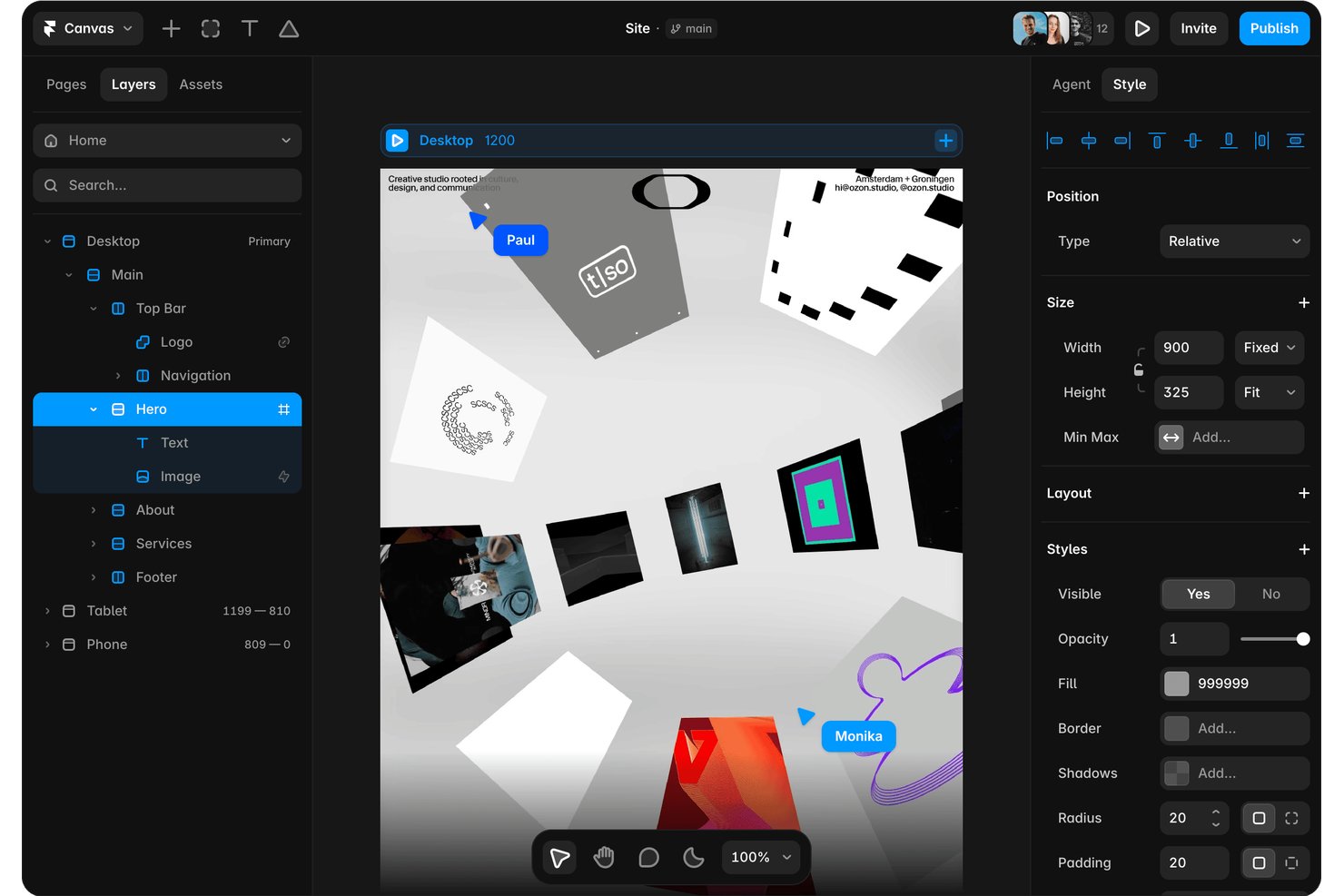
Framer è uno strumento per creare siti web basato sull'intelligenza artificiale e una piattaforma di progettazione che consente di generare impaginazioni modificabili e adattive da istruzioni testuali, creare con un'area di lavoro visiva e pubblicare direttamente dallo stesso strumento.
Per chi è più adatto Framer?
Framer è adatto a designer e professionisti del marketing che vogliono passare da un'istruzione testuale a un sito web pubblicato e modificabile senza dover alternare tra strumenti di progettazione e pubblicazione.
Perché ho scelto Framer
Ho incluso Framer tra le mie migliori scelte perché la sua generazione di impaginazioni tramite intelligenza artificiale consente di passare da un'istruzione testuale a una pagina completamente modificabile e adattiva in un unico strumento, un vero vantaggio quando è necessario visualizzare rapidamente la struttura. Mi piace il fatto che il risultato non sia un'immagine bloccata: ogni livello, punto di interruzione e componente rimane modificabile nell'area di lavoro dopo la generazione da parte dell'intelligenza artificiale. Un agente di revisione verifica inoltre la presenza di problemi di contrasto, testo alternativo mancante e stili incoerenti prima della pubblicazione.
Funzionalità principali di Framer
- Libreria di modelli della community: Accedi a circa 22.000 modelli e componenti gratuiti e a pagamento per iniziare a creare impaginazioni senza partire da zero.
- Controlli adattivi dei punti di interruzione: Modifica le impaginazioni per diverse dimensioni dello schermo direttamente nell'area di lavoro, così la progettazione si adatta senza file separati per dispositivi mobili o tablet.
- Ramificazione e ambiente di prova: Crea rami separati del progetto per testare le modifiche prima di renderle pubbliche, mantenendo intatto il sito principale.
- Raccolte CMS: Crea e popola raccolte di contenuti strutturati per progettare pagine basate sui dati insieme a impaginazioni statiche nello stesso strumento.
Integrazioni di Framer
Framer supporta integrazioni con Claude Code, Codex, Cursor, Slack, GitHub, Notion e altro ancora, oltre a componenti aggiuntivi e a un'API per server per connessioni personalizzate.
Pros and Cons
Pros:
- Le impaginazioni generate dalle istruzioni rimangono completamente modificabili
- Le regolazioni dei punti di interruzione adattivi avvengono nell'area di lavoro
- Le anteprime in tempo reale supportano un rapido riscontro delle parti interessate
Cons:
- L'output ad alta fedeltà limita la fase iniziale di definizione dello schizzo
- Nessuna mappatura visiva dei flussi o specifica per il passaggio in consegna

Miro
Ideale per team da remoto che creano wireframe in modo asincrono
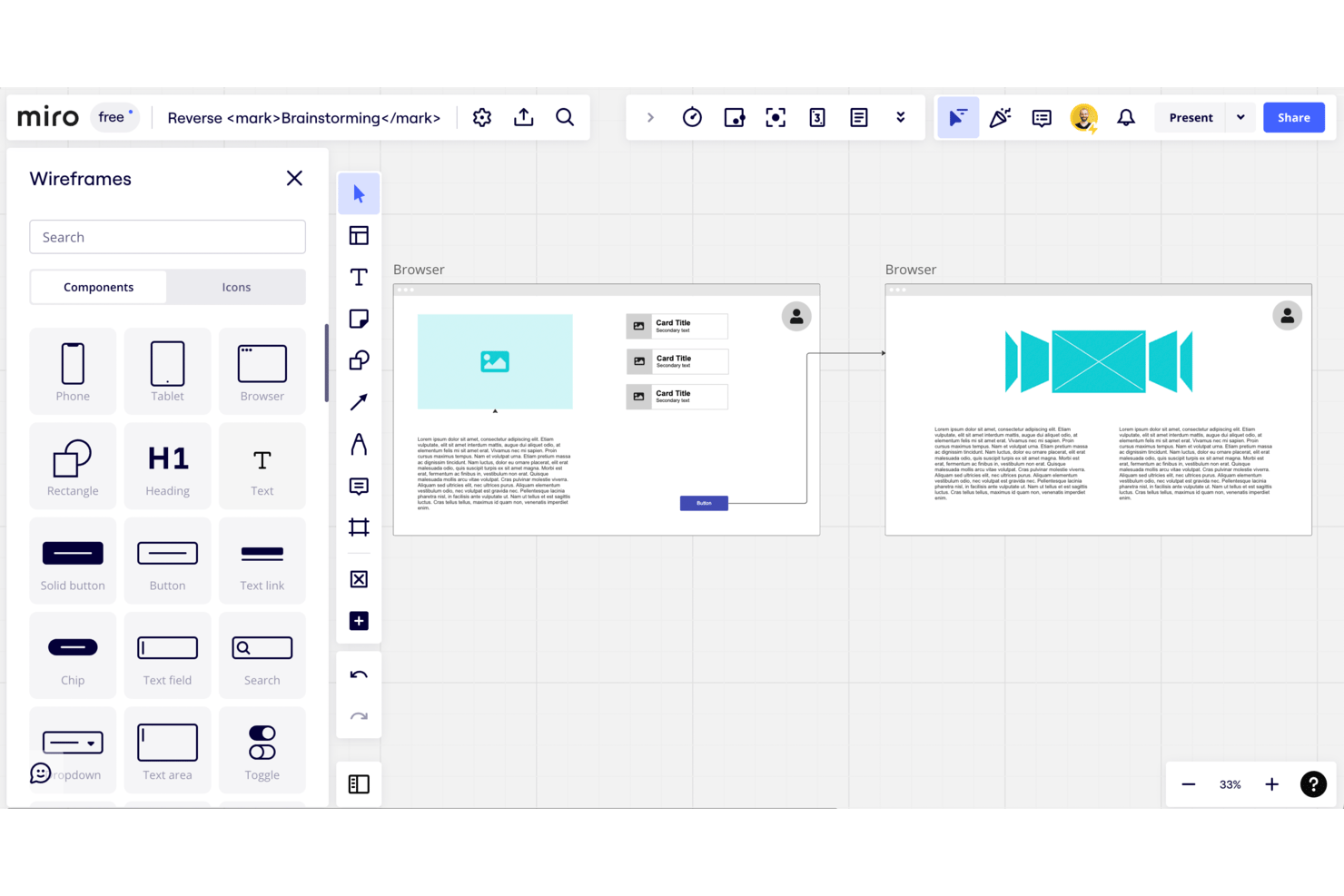
Miro è uno spazio di lavoro visivo che combina wireframing a bassa fedeltà, mappatura dei flussi utente e strumenti di collaborazione in tempo reale su una tela infinita, con generazione di layout basata sull'AI e una libreria integrata di componenti dell'interfaccia utente per il web e i dispositivi mobili.
Per chi è più adatto Miro?
Miro è adatto ai team distribuiti di prodotto e design che devono allineare gli stakeholder sui concetti iniziali senza coordinare gli orari delle riunioni dal vivo.
Perché ho scelto Miro
Miro è entrato nella mia rosa dei preferiti perché la sua collaborazione basata innanzitutto sull'uso asincrono è progettata per i team distribuiti che non possono sempre esaminare insieme i wireframe dal vivo. Mi piace il fatto che commenti, votazioni e allegati siano collegati direttamente ai frame, così uno stakeholder in un fuso orario diverso può lasciare feedback su un flusso di pagamento in tre passaggi senza dover programmare una riunione. L'abbinamento con layout di wireframe generati dall'AI a partire da richieste in linguaggio naturale permette al mio team di passare rapidamente dall'idea a un concetto pronto per la revisione.
Funzionalità principali di Miro
- Generazione di wireframe con l'AI: gli Assistenti AI di Miro trasformano le richieste in linguaggio naturale in layout di wireframe direttamente sulla tela.
- Libreria per la prototipazione: una libreria integrata di componenti dell'interfaccia utente include pulsanti, moduli, icone ed elementi di navigazione sia per il web sia per i dispositivi mobili.
- Sincronizzazione bidirezionale con la gestione dei progetti: Miro sincronizza bidirezionalmente con Jira, Asana, Linear, ClickUp e Azure DevOps nel piano Business.
- Link per la modifica da parte dei visitatori: le bacheche del piano Starter possono essere condivise tramite un link pubblico che consente la modifica senza richiedere un account Miro.
Integrazioni di Miro
Miro offre oltre 250 integrazioni, tra cui Figma, Adobe XD, Jira, Asana, Linear, ClickUp, Azure DevOps, Slack, Google e Microsoft. Il piano Business aggiunge la sincronizzazione bidirezionale con Jira, Asana, Linear, ClickUp e Azure DevOps.
Pros and Cons
Pros:
- Il feedback asincrono rimane collegato ai wireframe
- La generazione basata su richieste crea layout iniziali
- Ricerca, flussi e wireframe condividono un'unica tela
Cons:
- Per il design ad alta fedeltà è necessario un altro strumento
- Le frecce manuali limitano la mappatura dei flussi complessi
New Product Updates from Miro
Miro Adds Japan Data Residency for Enterprise Customers
Miro has introduced Japan data residency for enterprise customers, offering in-region storage for production data, backups, and metadata, plus in-region compute infrastructure. For more information, visit Miro's official site.

Uizard
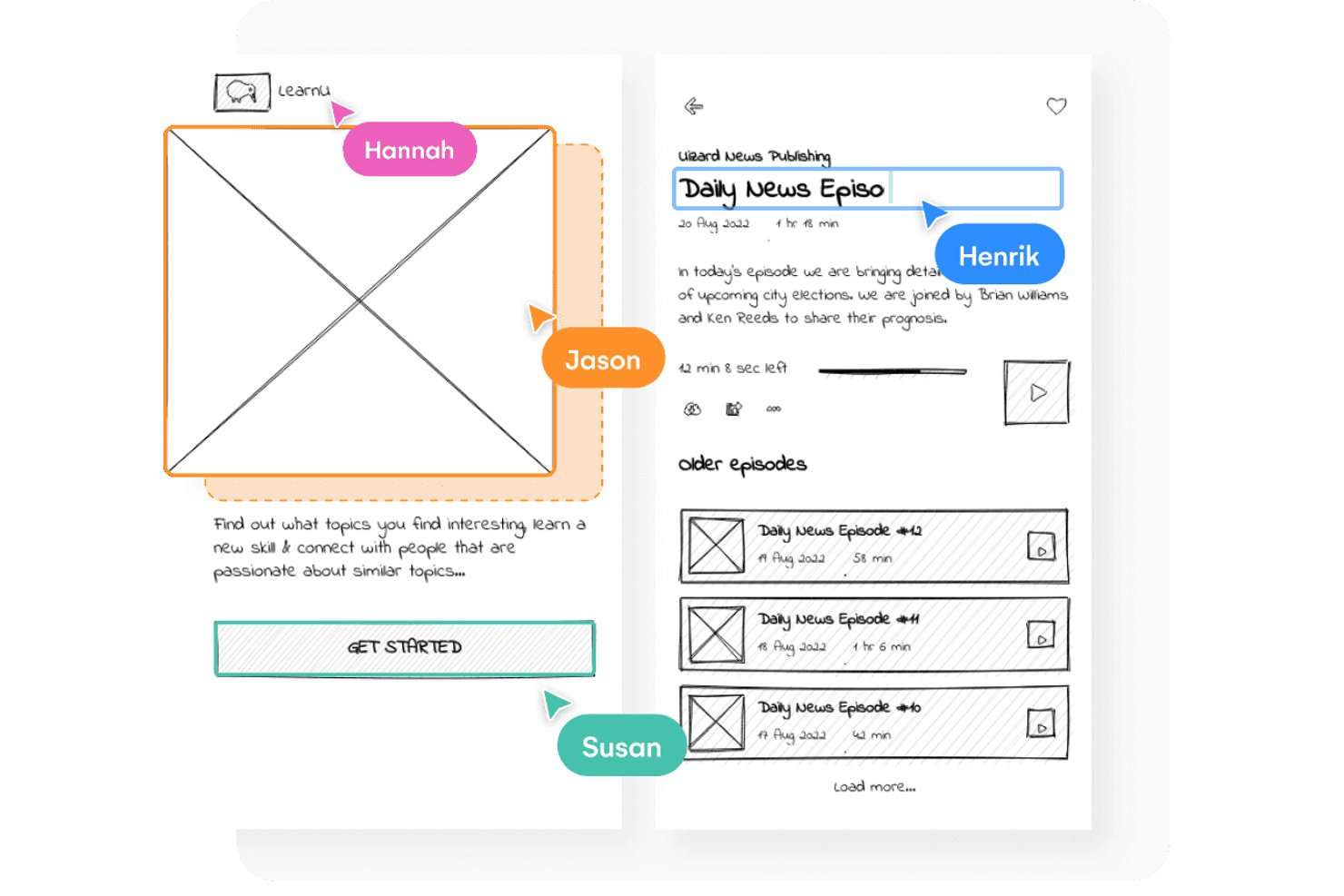
Uizard è uno strumento di wireframing e prototipazione basato su browser che combina la creazione di layout tramite trascinamento con la generazione di design basata sull'intelligenza artificiale, la scansione di schizzi e il passaggio con un clic dai wireframe a bassa fedeltà ai mockup ad alta fedeltà.
Per chi è più indicato Uizard?
Uizard è particolarmente adatto ai product manager e ai fondatori di startup che devono trasformare le idee in wireframe testabili senza affidarsi a un team di progettazione dedicato.
Perché ho scelto Uizard
Uizard si è guadagnato un posto nella mia lista ristretta grazie alla velocità con cui trasforma un'idea approssimativa in un prototipo funzionante e modificabile. Adoro lo Scanner di wireframe, che trasforma uno schizzo disegnato a mano in un design digitale che puoi perfezionare immediatamente, e il passaggio con un clic alla Modalità wireframe, che converte qualsiasi schermata tra bassa e alta fedeltà senza doverla ricostruire. La funzione Autodesigner 2.0 ti permette di descrivere un'app con più schermate in linguaggio naturale e di ottenere un prototipo modificabile in pochi secondi.
Funzionalità principali di Uizard
- Scanner di schermate: Carica una schermata di qualsiasi app o sito web esistente e Uizard la converte in un mockup completamente modificabile che puoi rielaborare da zero.
- Collaborazione multiplayer in tempo reale: Più membri del team possono modificare contemporaneamente la stessa area di lavoro, con un numero illimitato di visualizzatori e commentatori gratuiti in ogni piano.
- Passaggio di consegne agli sviluppatori con React e CSS: Esporta i tuoi design come componenti React e codice CSS direttamente dal piano Pro, fornendo agli sviluppatori un output pronto all'uso.
- Mappe di calore predittive dell'attenzione: Uizard genera mappe di calore basate sull'intelligenza artificiale che mostrano dove è probabile che gli utenti concentrino l'attenzione su una determinata schermata.
Integrazioni di Uizard
Al momento non sono elencate integrazioni native. Supporta l'esportazione in React e CSS, i link pubblici, gli incorporamenti web e le esportazioni in JPG, PNG e PDF.
Pros and Cons
Pros:
- Trasforma gli schizzi a mano in schermate modificabili
- Passa dalla bassa all'alta fedeltà
- Supporta la revisione e i commenti degli stakeholder in tempo reale
Cons:
- Alcuni recensori segnalano la perdita del lavoro
- Il piano gratuito limita i progetti e le schermate

Visily
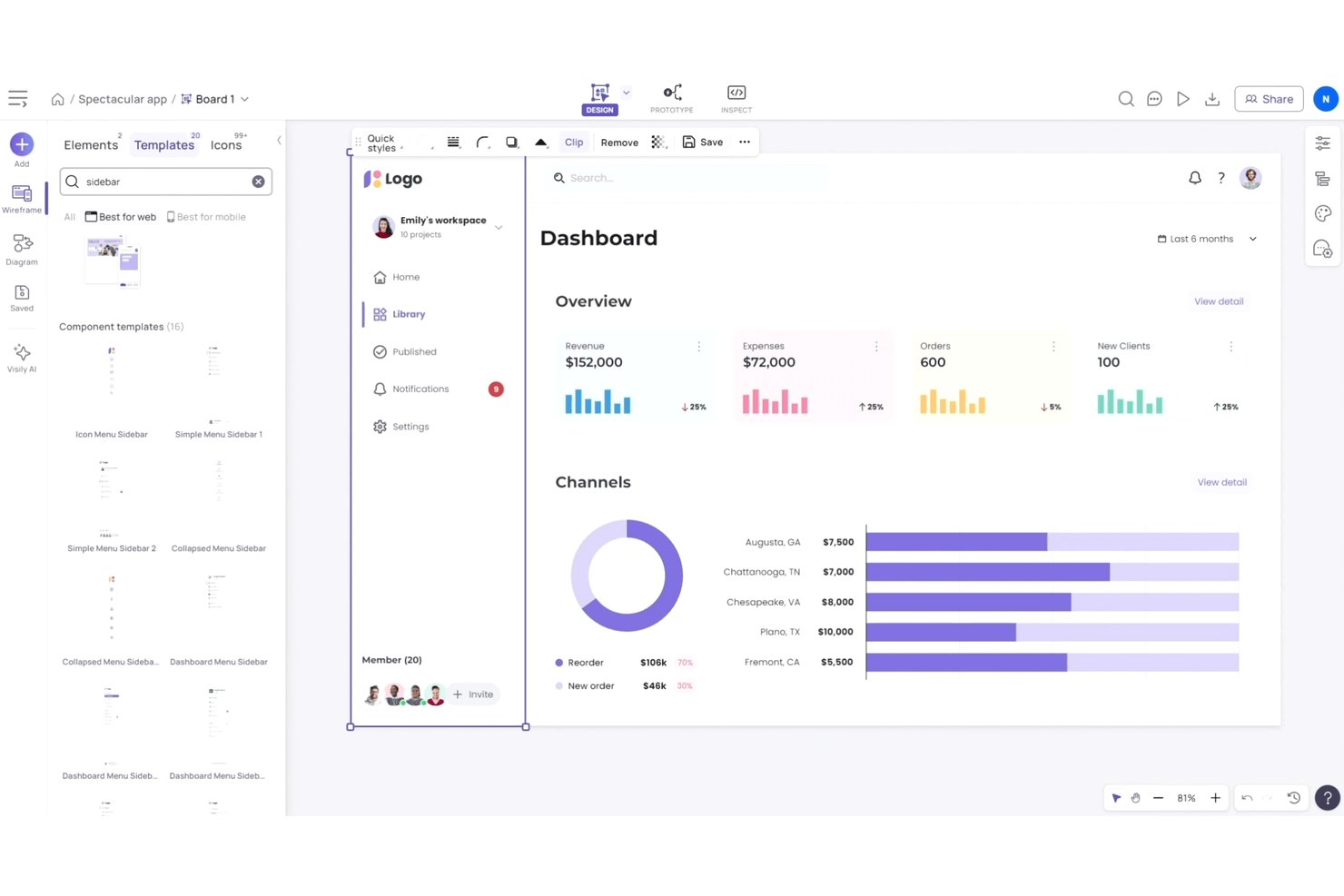
Visily è uno strumento di progettazione preliminare e prototipazione basato sull'IA che consente di generare schermate da prompt testuali, schizzi o schermate acquisite e di passare da risultati a bassa ad alta fedeltà, il tutto senza competenze di progettazione.
Per chi è più adatto Visily?
Visily è particolarmente adatto ai responsabili di prodotto e ai fondatori di startup che devono passare rapidamente dall'idea alla struttura preliminare, senza affidarsi a un designer dedicato.
Perché ho scelto Visily
Ho scelto Visily come uno dei migliori strumenti perché le sue funzionalità di generazione tramite IA riducono concretamente il divario per i responsabili di prodotto e i fondatori che hanno bisogno di strutture preliminari senza avere un designer a disposizione. Puoi incollare la schermata acquisita dell'app di un concorrente o descrivere una schermata in testo semplice, e Visily produce in pochi secondi un layout modificabile. Mi piace anche il fatto che ogni piano, incluso quello gratuito, comprenda un selettore della fedeltà, così puoi passare da uno schizzo approssimativo a bassa fedeltà a un modello grafico ad alta fedeltà senza ricostruire nulla da zero.
Funzionalità principali di Visily
- Co-progettazione in tempo reale: Più membri del team possono modificare contemporaneamente la stessa area di lavoro, con chat tramite cursore e commenti integrati.
- Prototipazione interattiva: Collega le schermate tra loro per creare prototipi cliccabili direttamente all'interno di Visily, disponibile in ogni piano, incluso quello gratuito.
- Importazione ed esportazione da Figma: Importa i file Figma esistenti in Visily o esporta i tuoi progetti Visily in Figma per il passaggio alla produzione, disponibile nei piani Pro e superiori.
- IA per diagrammi: Converti automaticamente diagrammi di flusso e schizzi in schermate dell'interfaccia modificabili, senza ridisegnare manualmente.
Integrazioni di Visily
Visily indica integrazioni con Figma, Notion, Jira e Slack, oltre a un'estensione Figma e a un server MCP.
Pros and Cons
Pros:
- Genera strutture preliminari da prompt, schizzi e schermate acquisite
- Permette di passare da una struttura preliminare a bassa ad alta fedeltà
- Supporta prototipi cliccabili in ogni piano
Cons:
- I risultati complessi dell'IA richiedono una pulizia manuale
- I prototipi e le animazioni complesse rimangono limitati

Penpot
Ideale per il passaggio dalla progettazione allo sviluppo a codice aperto
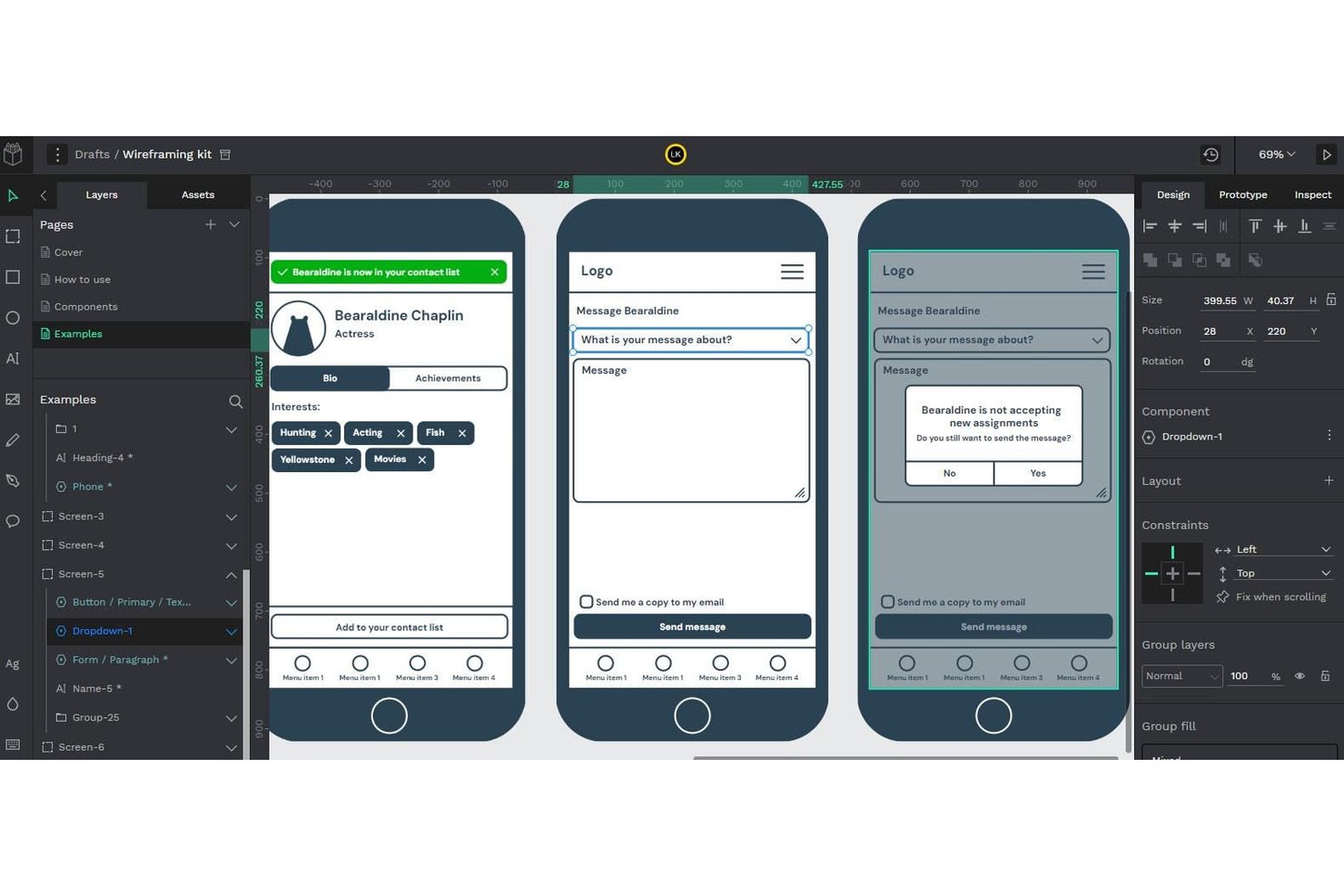
Penpot è una piattaforma di progettazione a codice aperto che include la creazione di bozze strutturali, la progettazione dell'interfaccia utente, la prototipazione interattiva e il passaggio agli sviluppatori tramite strutture CSS Flex/Grid native e una scheda integrata per l'ispezione del codice.
A chi è più adatto Penpot?
Penpot è ideale per i team di progettazione e sviluppo che desiderano uno strumento gratuito, installabile sul proprio server, con passaggio nativo basato su CSS agli sviluppatori e senza costi per singola postazione.
Perché ho scelto Penpot
Penpot si è guadagnato un posto nella mia lista ristretta perché è l'unico strumento per la creazione di bozze strutturali qui recensito in cui progettazione e passaggio agli sviluppatori sono realmente inseparabili fin dall'inizio. Adoro il fatto che la sua area di lavoro utilizzi regole CSS Flex e Grid reali, così quando uno sviluppatore apre la scheda per l'ispezione del codice, legge effettivamente output CSS, HTML e SVG invece di approssimazioni. Questo significa che una bozza strutturale creata in Penpot può passare direttamente alla produzione senza perdite di traduzione tra l'intento progettuale e il codice.
Caratteristiche principali di Penpot
- Modifica multiutente in tempo reale: Più membri del team possono lavorare contemporaneamente sullo stesso file, con una modalità integrata di sola lettura per la revisione da parte degli stakeholder.
- Prototipazione interattiva: Collega le schermate e aggiungi interazioni per simulare il comportamento del prodotto durante i test con gli utenti e le presentazioni agli stakeholder.
- Variabili di progettazione: Definisci e applica variabili di progettazione native a componenti e librerie condivise per mantenere la coerenza del tuo sistema di progettazione.
- Integrazione con MCP Server: Collega qualsiasi agente di IA o LLM ai tuoi file Penpot per supportare flussi di lavoro di conversione da progettazione a codice, da codice a progettazione e di generazione dei componenti.
Integrazioni di Penpot
Penpot supporta le integrazioni tramite il suo MCP Server e i plugin di Penpot Hub. Offre inoltre un'API pubblica e formati CSS, HTML, SVG e JSON aperti per flussi di lavoro personalizzati degli sviluppatori.
Pros and Cons
Pros:
- Le strutture pronte per CSS riducono le discrepanze nel passaggio agli sviluppatori
- Le bozze strutturali si trasformano in prototipi interattivi rifiniti
- L'installazione sul proprio server supporta requisiti più rigorosi in materia di dati
Cons:
- I file di grandi dimensioni possono causare notevoli problemi di prestazioni
- Gli stati avanzati dei prototipi sono ancora meno maturi

Figma
Ideale per i kit di wireframe con trascinamento
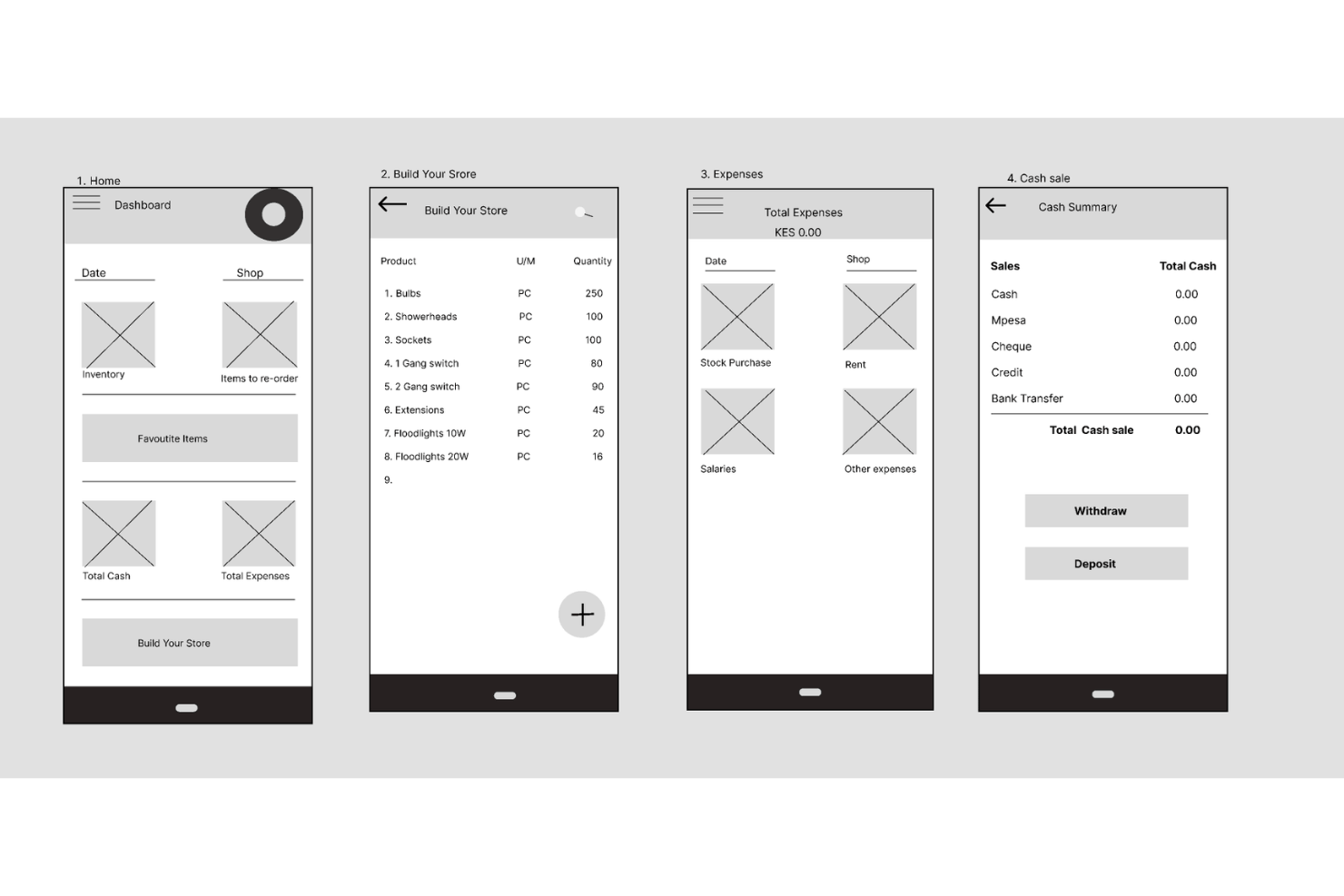
Figma è uno strumento di progettazione basato sul browser che comprende la creazione di wireframe, la prototipazione e il passaggio agli sviluppatori in un'unica area di lavoro, con creazione di layout tramite trascinamento, un'ampia libreria della community di kit di wireframe, modifica collaborativa in tempo reale e generazione di layout assistita dall'IA.
Per chi è più adatto Figma?
Figma è particolarmente adatto ai designer UX/UI e ai team di prodotto interfunzionali che hanno bisogno di un unico strumento per portare i wireframe fino al passaggio agli sviluppatori.
Perché ho scelto Figma
Figma si è guadagnato un posto nella mia lista ristretta perché la libreria della community offre accesso immediato a kit di wireframe pronti per la produzione, inclusi kit di wireframe a bassa fedeltà e kit per dispositivi mobili sia Android sia iOS, così non devi partire da zero. Mi piace anche il fatto che la generazione di wireframe con l'IA consenta di descrivere un layout in un prompt testuale e ottenere in pochi secondi riquadri modificabili. Da lì, Figma Make trasforma quei wireframe statici in flussi utente cliccabili, tutto senza uscire dall'area di lavoro.
Funzionalità principali di Figma
- Modifica collaborativa in tempo reale: Più membri del team possono modificare simultaneamente lo stesso file, con commenti, menzioni e conversazioni audio integrati nell'area di lavoro.
- Passaggio agli sviluppatori con Dev Mode: Gli sviluppatori possono esaminare i progetti, visualizzare le annotazioni, confrontare le modifiche ed esportare direttamente le risorse, con un'estensione per VS Code e MCP Server inclusi.
- Lavagna FigJam: Una lavagna integrata per mappare i flussi utente, creare diagrammi e svolgere le prime sessioni di brainstorming, con votazioni, timer e sessioni aperte di 24 ore per gli ospiti.
- Supporto per la progettazione a più livelli di fedeltà: Puoi passare da layout grezzi a bassa fedeltà, realizzati con forme di base e segnaposto, a prototipi dettagliati e interattivi senza cambiare strumento.
Integrazioni di Figma
Figma si collega a Supabase, Microsoft PowerPoint e altro ancora, oltre a supportare i flussi di lavoro degli sviluppatori tramite l'estensione per VS Code e MCP Server. Le sue API supportano integrazioni personalizzate.
Pros and Cons
Pros:
- I kit riutilizzabili accelerano la creazione iniziale dei wireframe
- I layout a bassa fedeltà si evolvono in prototipi
- La modifica collaborativa supporta il feedback degli stakeholder
Cons:
- La creazione di wireframe può risultare difficile per i principianti
- Alcuni modelli comuni dell'interfaccia utente richiedono un lavoro personalizzato

Mockplus
Ideale per trasformare schizzi a bassa fedeltà in flussi interattivi
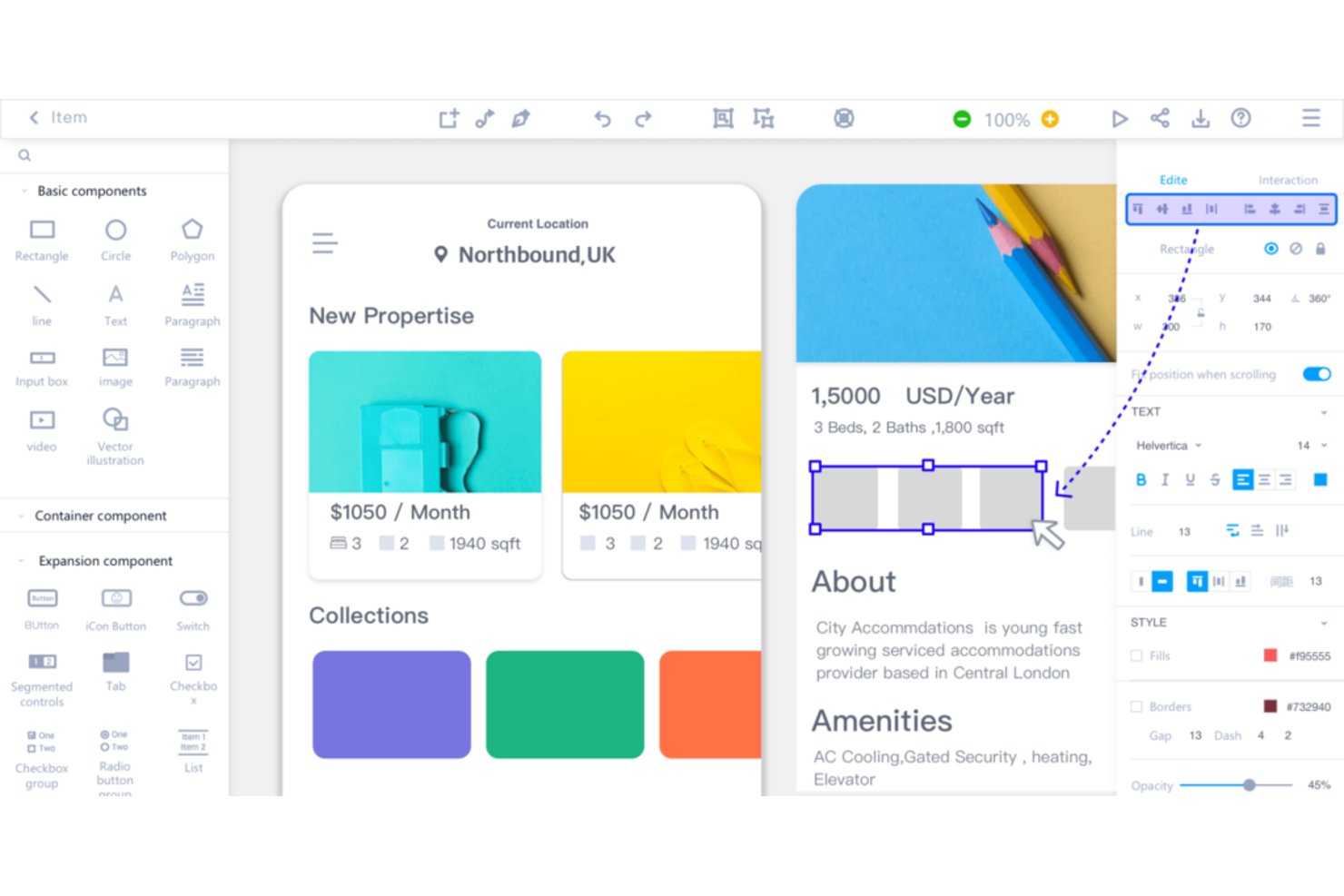
Mockplus RP è uno strumento per la creazione di strutture schematiche e prototipi che supporta design a bassa, media e alta fedeltà su un'unica tela, con un'interfaccia basata sul trascinamento, oltre 3.000 componenti UI e una mappatura dei flussi integrata per Web, iOS e Android.
Per chi è più adatto Mockplus?
Mockplus RP è particolarmente adatto a responsabili di prodotto e professionisti non specializzati nel design che hanno bisogno di passare rapidamente da schizzi concettuali approssimativi a prototipi interattivi e condivisibili.
Perché ho scelto Mockplus
Mockplus RP si è guadagnato un posto nella mia rosa dei preferiti perché è uno dei pochi strumenti per la creazione di strutture schematiche che collega davvero gli schizzi approssimativi ai prototipi interattivi senza costringerti a cambiare strumento durante il processo. Mi piace molto il modo in cui i punti di collegamento connettono gli elementi grafici alle schermate in pochi secondi, consentendoti di mappare visivamente un flusso di inserimento degli utenti o di pagamento prima ancora di definire un singolo pixel. Il diagramma di flusso integrato e la visualizzazione della mappa di navigazione rendono immediatamente chiara a chiunque esamini il prototipo la logica che collega le schermate.
Funzionalità principali di Mockplus
- Tela multi-fedeltà: Progetta prototipi a bassa, media e alta fedeltà su un'unica tela senza cambiare strumento.
- Oltre 3.000 componenti UI: Scegli da una libreria di icone e componenti che include gli stili Web, iOS, Android e Material Design.
- Importazione di file Axure: Importa file Axure RP esistenti mantenendo e rendendo modificabili fino al 95% dei dettagli dell'interfaccia e delle interazioni.
- Preimpostazioni di tavole da disegno responsive: Progetta una sola volta utilizzando preimpostazioni di tavole da disegno specifiche per dispositivo, che adattano le disposizioni a computer desktop, tablet e dispositivi mobili.
Integrazioni di Mockplus
Mockplus RP si integra con Mockplus Cloud e supporta componenti aggiuntivi per Sketch, Photoshop, Adobe XD, Figma e Axure.
Pros and Cons
Pros:
- Collega gli schizzi approssimativi ai flussi interattivi
- Oltre 3.000 componenti velocizzano l'esplorazione dell'interfaccia
- Le importazioni da Axure preservano i dettagli modificabili delle interazioni
Cons:
- Le interazioni avanzate restano limitate per i prototipi complessi
- L'assistenza può essere lenta dopo l'attivazione della licenza

UXPin
Ideale per la collaborazione in tempo reale
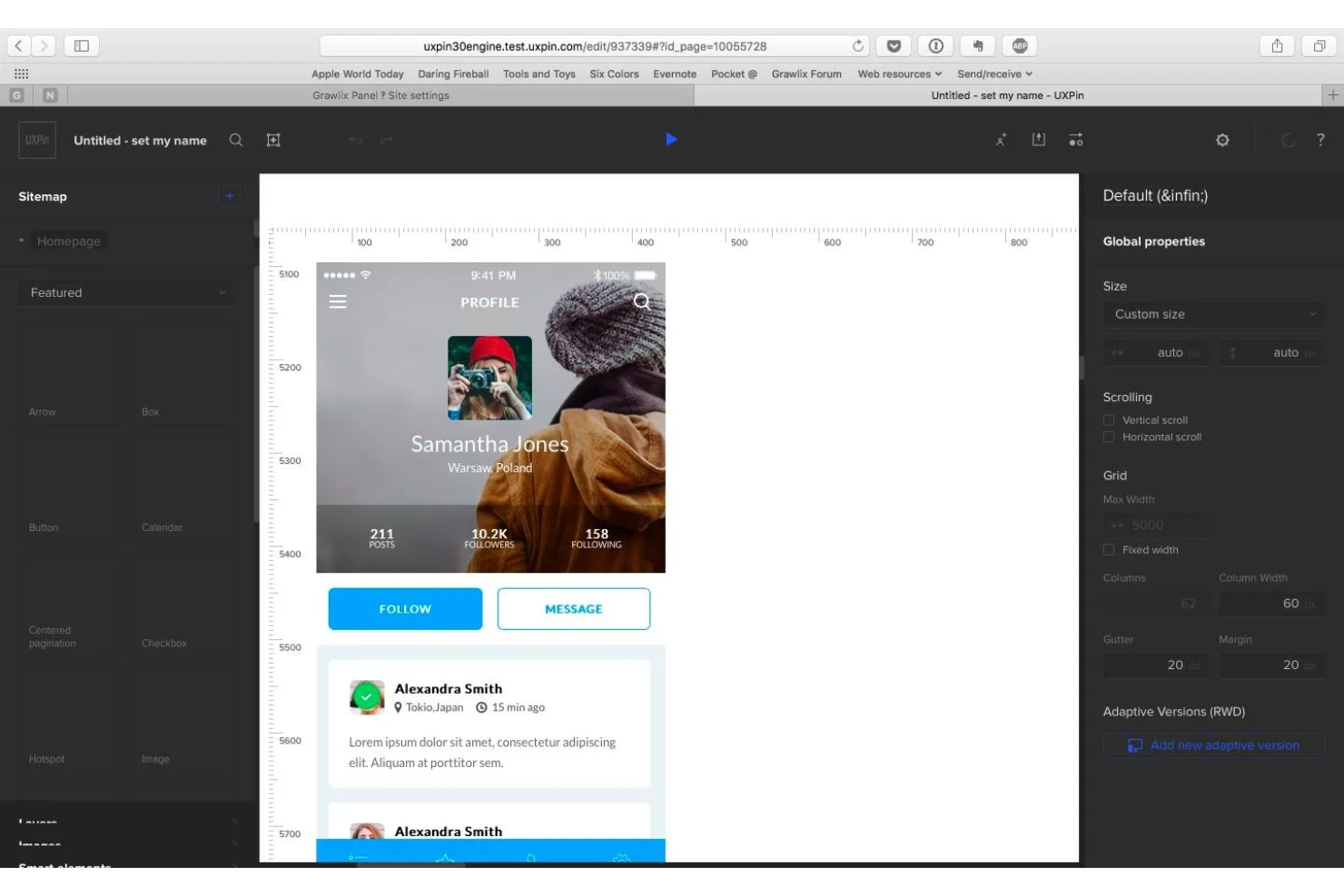
UXPin è uno strumento per wireframing e prototipazione basato su canvas che consente di progettare qualsiasi elemento, dai layout a bassa fedeltà ai prototipi interattivi ad alta fedeltà utilizzando veri componenti React codificati.
Per chi è più adatto UXPin?
UXPin è ideale per designer e sviluppatori UX/UI che lavorano in team interfunzionali e hanno bisogno di modificare i progetti insieme, condividere prototipi live con gli stakeholder e trasferire codice pronto per la produzione.
Perché ho scelto UXPin
UXPin si è guadagnato un posto nella mia selezione perché la collaborazione in tempo reale non è un componente aggiuntivo: è integrata in ogni piano. Apprezzo il fatto che più designer possano lavorare contemporaneamente sulla stessa canvas, con cursori live che mostrano chi sta facendo cosa, mentre gli stakeholder possono lasciare commenti contestuali e avviare flussi di approvazione senza dover disporre di una licenza. Ciò che rende questa funzionalità davvero utile è che i prototipi condivisi sono realizzati con componenti React reali, quindi i feedback del team riguardano qualcosa che si comporta come il prodotto effettivo.
Funzionalità principali di UXPin
- Generazione con Forge AI: Genera interfacce utente da un prompt testuale o da uno screenshot utilizzando componenti React reali, quindi perfezionale tramite conversazione oppure passa alla modifica manuale.
- Canvas multi-fedeltà: Progetta wireframe e layout ad alta fedeltà su un'unica canvas, passando dalla struttura abbozzata ai dettagli di livello produttivo senza cambiare strumento.
- Esportazione del codice per sviluppatori: Esporta codice React/JSX pulito con le dipendenze oppure aprilo direttamente in StackBlitz o CodeSandbox per iniziare subito lo sviluppo.
- Simulatore di daltonismo: Visualizza in anteprima i progetti con diverse deficienze della visione dei colori per individuare i problemi di accessibilità prima del passaggio in sviluppo.
Integrazioni di UXPin
UXPin supporta il plugin di Figma e l'importazione da Sketch, oltre a Storybook nel piano Growth e Git nel piano Enterprise. I file React/JSX esportati si aprono in StackBlitz o CodeSandbox, mentre Forge supporta i modelli di OpenAI e Anthropic.
Pros and Cons
Pros:
- La modifica collaborativa in tempo reale supporta il wireframing condiviso
- I flussi interattivi rispecchiano il comportamento del prodotto in produzione
- I commenti degli stakeholder semplificano le revisioni dei progetti
Cons:
- I flussi di lavoro ad alta fedeltà rallentano gli schizzi rapidi
- I controlli incentrati sul codice possono confondere i principianti

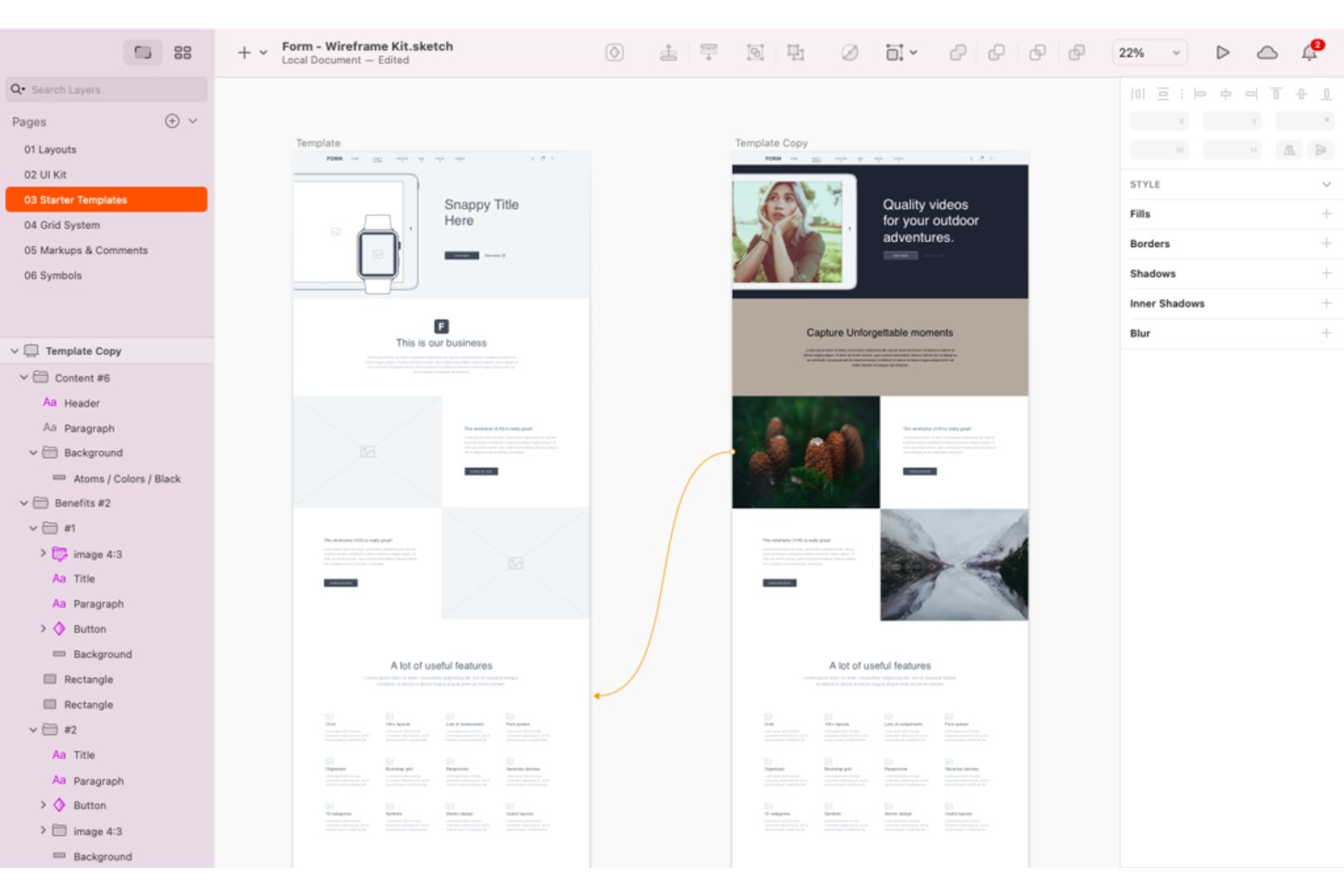
Sketch è uno strumento di progettazione visiva nativo per macOS che supporta la creazione di schemi strutturali, la prototipazione e il passaggio di consegne agli sviluppatori attraverso una tela infinita, librerie di componenti e preimpostazioni di frame per il web, iOS e Android.
Per chi è più adatto Sketch?
Sketch è particolarmente adatto ai team di progettazione UX/UI che lavorano su Mac e desiderano un ambiente di progettazione nativo e veloce, con una vasta libreria di modelli e risorse per i componenti.
Perché ho scelto Sketch
Sketch si è guadagnato un posto nella mia selezione perché offre una vasta libreria di kit per schemi strutturali, preimpostazioni di frame e librerie di componenti condivisibili, che rendono semplice passare da composizioni abbozzate a flussi strutturati senza ricominciare da zero. Apprezzo il fatto che includa preimpostazioni per iOS, Android e web, così non è necessario configurare manualmente le dimensioni delle tavole da disegno per ogni piattaforma. Il suo strumento per la creazione di prototipi supporta inoltre Smart Animate, sovrapposizioni e aree di scorrimento, consentendo di mappare flussi di interazione realistici direttamente nello stesso file.
Funzionalità principali di Sketch
- Modifica collaborativa in tempo reale: più designer possono lavorare contemporaneamente nello stesso file, con la possibilità di passare alla modifica privata offline quando necessario.
- Passaggio di consegne agli sviluppatori: gli sviluppatori possono ispezionare i progetti, scaricare risorse ed esportare token di progettazione senza costi aggiuntivi con qualsiasi piano di abbonamento.
- Anteprime protette da password: condividi pagine o prototipi specifici con le parti interessate utilizzando link di anteprima sicuri e protetti da password.
- Controlli di sicurezza aziendali: SSO, provisioning SCIM e crittografia con chiave propria (BYOK) sono disponibili per i team con requisiti di sicurezza rigorosi.
Integrazioni di Sketch
Sketch offre un'integrazione nativa con Slack. La sua applicazione per browser supporta la visualizzazione, i commenti e il passaggio di consegne agli sviluppatori, mentre l'esportazione dei token supporta i flussi di lavoro dalla progettazione allo sviluppo.
Pros and Cons
Pros:
- Ampia gamma di kit per schemi strutturali e preimpostazioni per dispositivi
- I prototipi supportano flussi di interazione realistici
- Il passaggio di consegne agli sviluppatori preserva l'intento progettuale
Cons:
- L'editor disponibile solo per Mac esclude i team di progettazione che lavorano su Windows
- Il flusso di lavoro ad alta fedeltà rallenta la creazione rapida di schizzi a bassa fedeltà

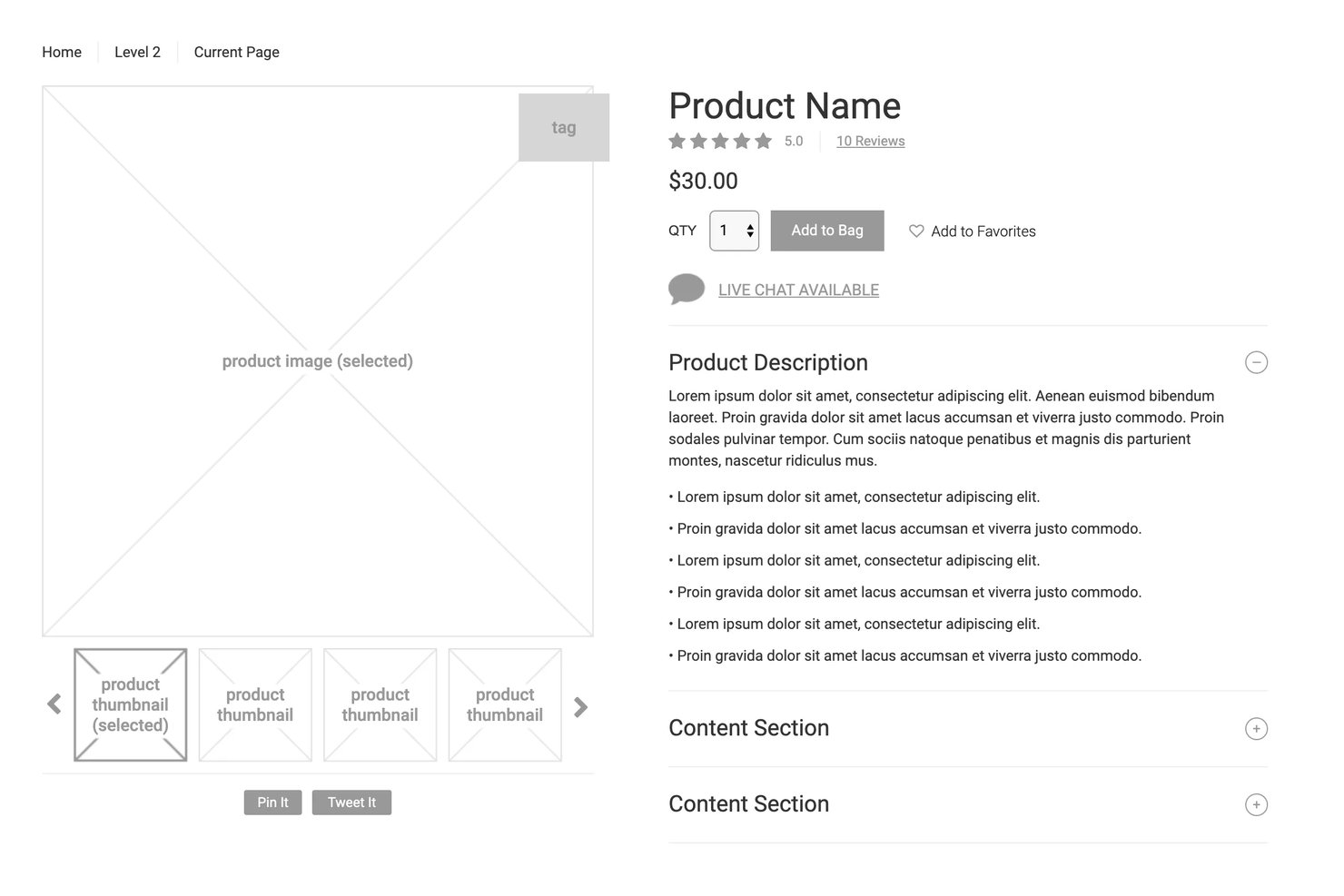
Axure RP è uno strumento desktop per la creazione di wireframe e prototipi che consente di realizzare qualsiasi cosa, dai layout a bassa fedeltà ai prototipi completamente interattivi e basati sulla logica, con interazioni condizionali, diagrammi di flusso e specifiche per il passaggio agli sviluppatori.
Per chi è più adatto Axure RP?
Axure RP è particolarmente indicato per i designer UX e i team di prodotto che devono creare e testare prototipi complessi e basati sulla logica senza scrivere codice.
Perché ho scelto Axure RP
Axure RP si è guadagnato un posto nella mia rosa di strumenti perché è uno dei pochi strumenti per la creazione di wireframe che consente di realizzare prototipi abbastanza realistici da poter eseguire veri test di usabilità. Apprezzo molto la possibilità di aggiungere logica condizionale, variabili e controlli per moduli funzionanti, così che un prototipo si comporti come un prodotto reale. Ciò significa che i partecipanti ai test interagiscono con menu a discesa reali, pannelli dinamici e flussi ramificati invece che con mockup statici, producendo dati sull'usabilità molto più affidabili.
Funzionalità principali di Axure RP
- Viste adattive: Progetta per desktop, tablet e dispositivi mobili su un'unica pagina, con il prototipo che visualizza automaticamente il layout corretto per ogni dispositivo.
- Strumenti per il passaggio agli sviluppatori: Axure Cloud genera automaticamente annotazioni delle misure, ispezione CSS ed esportazione delle risorse, consentendo agli sviluppatori di acquisire direttamente le specifiche.
- Creazione collaborativa con estrazione e reinserimento: I membri del team modificano i file condivisi estraendo singole pagine, con cronologia completa delle versioni e ripristino con un clic.
- Integrazione con Jira e Confluence: Incolla un link di Axure Cloud per visualizzare un prototipo interattivo e attivo direttamente all'interno di un ticket Jira o di una pagina Confluence.
Integrazioni di Axure RP
Axure RP offre sette integrazioni documentate con Jira, Confluence, Slack, Microsoft Teams, Figma, Sketch e Adobe XD. Jira e Confluence supportano prototipi interattivi incorporati, mentre i plugin di progettazione trasferiscono frame o tavole da disegno in Axure RP.
Pros and Cons
Pros:
- I prototipi realistici consentono test di usabilità affidabili
- La logica condizionale rappresenta flussi utente complessi
- Le specifiche pronte per gli sviluppatori riducono l'ambiguità nel passaggio di consegne
Cons:
- L'editor desktop appare datato e sovraffollato
- L'estrazione delle pagine impedisce la modifica condivisa in tempo reale
Hai bisogno dell'aiuto di un esperto per scegliere il software giusto per modelli grafici e prototipazione?
Abbiamo collaborato con Crozdesk.com per offrire a tutti i nostri lettori (sì, proprio a te!) l'accesso ai consulenti software di Crozdesk. Ti basta usare il modulo qui sotto per condividere le tue esigenze e ti contatteranno senza costi né impegno. Verrai quindi abbinato e messo in contatto con un elenco ristretto di fornitori più adatti alla tua azienda e potrai accedere a sconti esclusivi sul software!
Altre opzioni
Ecco altre opzioni che non sono rientrate nell’elenco principale, ma che vale la pena prendere in considerazione.
- Justinmind
Ideale per wireframe cliccabili con logica funzionante
- Moqups
Ideale per strutture schematiche e modelli basati su modelli predefiniti
- Lucidchart
Ideale per mappare insieme wireframe e flussi utente
- Balsamiq
Ideale per la creazione di wireframe con integrazione diretta negli strumenti di sviluppo
- Adobe XD
Ideale per il passaggio di consegne nella progettazione UX nell'ecosistema Adobe
- FluidUI
Ideale per prototipare e condividere wireframe velocemente
- Cacoo
Ideale per il wireframing collaborativo nel cloud
- MockFlow
Ideale per funzionalità assistite dall’IA


Recensioni correlate di strumenti UX
Ecco una raccolta di alcune delle nostre migliori recensioni di software nell'ambito dell'UX e della gestione dei prodotti:
- I migliori strumenti per la gestione dei prodotti
- Il miglior software per la pianificazione dei prodotti
- Il miglior software per lo sviluppo dei prodotti
- I migliori strumenti di analisi dei prodotti
- Il miglior software per la gestione delle idee
- Il miglior software per mappe di calore
Come Valuto gli Strumenti di Wireframing
Divido la mia valutazione in due livelli: le capacità fondamentali che uno strumento deve avere—come una tela drag-and-drop e il collegamento tra schermate—e i fattori differenzianti che distinguono i migliori.
Funzionalità di Base (Requisiti Indispensabili per Questa Lista)
Quando seleziono gli strumenti per la mia lista, valuto ognuno su una scala da 0 (non offre la funzionalità) a 5 (eccelle in quest'area) per ogni funzionalità di base elencata sotto. Poi calcolo il punteggio totale dello strumento come percentuale. Ogni strumento deve raggiungere un punteggio totale minimo del 65% per essere preso in considerazione.
- Editor Canvas Drag-and-Drop: Verifico se è possibile trascinare gli elementi e posizionarli liberamente sulla tela—funzionalità come snap, guide di allineamento e raggruppamento che velocizzano l'organizzazione del layout.
- Libreria di Componenti UI Preconfezionati: Un set solido di componenti pronti all'uso (pulsanti, barre di navigazione, campi modulo, modali) è importante perché ricostruirli ogni volta da zero fa perdere slancio.
- Prototipazione Interattiva & Collegamenti: Controllo se è possibile collegare schermate tramite hotspot cliccabili e transizioni, così gli stakeholder possono esplorare un flusso invece di immaginarlo.
- Collaborazione in Tempo Reale & Condivisione: I team di prodotto devono commentare, co-modificare e condividere link durante la pianificazione degli sprint o le revisioni, quindi verifico come ogni strumento gestisce il lavoro multiutente.
- Supporto a Bassa & Media Fedeltà: Alcuni strumenti permettono solo mockup rifiniti. Cerco flessibilità per iniziare con schizzi grezzi e passare a layout più puliti man mano che le idee si consolidano.
- Opzioni di Esportazione & Consegna: Valuto i formati di esportazione (PNG, PDF, SVG) e le integrazioni con strumenti come Figma, Jira o Confluence che mantengono i wireframe collegati al flusso di lavoro di prodotto.
Una volta individuati gli strumenti che soddisfano questi criteri, considero cosa distingue ogni piattaforma dalle altre.
Fattori Differenzianti (Cosa Distingue i Fornitori)
Ecco come confronto e differenzio i vari fornitori:
Funzionalità Distintive
Il wireframing assistito dall'IA è un grande elemento di distinzione—verifico se uno strumento può generare layout da prompt testuali o schermate, risparmiando ore ai PM nella fase iniziale di ideazione. Anche la mappatura di flussi utente e journey sulla stessa tela dei wireframe è importante, perché permette di visualizzare l'esperienza completa del prodotto senza cambiare strumento. Inoltre, controllo la presenza di test utente integrati che consentono di raccogliere feedback direttamente sui prototipi interattivi prima ancora di scrivere una sola richiesta di sviluppo.
Oltre le Funzionalità
La curva di apprendimento è un fattore fondamentale—la maggior parte dei PM non sono designer formati, quindi valuto quanto rapidamente si può passare da una tela vuota a un prototipo condivisibile. Anche la profondità delle integrazioni è importante: verifico le connessioni native con strumenti come Jira, Confluence e Figma che i team di prodotto già utilizzano quotidianamente. Merita attenzione anche la struttura dei prezzi, in particolare come i fornitori gestiscono i posti editor vs. visualizzatore, dato che spesso i team di prodotto hanno bisogno che gli stakeholder possano rivedere senza acquistare licenze complete.
Come scegliere un software per la creazione di wireframe
Con così tante soluzioni diverse per la creazione di wireframe disponibili, può essere difficile decidere quali strumenti siano più adatti alle tue esigenze.
Mentre crei un elenco ristretto, provi e selezioni gli strumenti per la creazione di wireframe, considera:
- Quale problema stai cercando di risolvere - Inizia identificando la lacuna nelle funzionalità di creazione di wireframe che stai cercando di colmare, per chiarire le caratteristiche e le funzionalità che lo strumento di creazione di wireframe deve offrire.
- Chi dovrà utilizzarlo - Per valutare costi e requisiti, considera chi utilizzerà il software e di quante licenze avrai bisogno. Dovrai valutare se l'accesso sarà necessario solo per i designer UX o per l'intera organizzazione. Quando questo sarà chiaro, vale la pena considerare se stai dando priorità alla facilità d'uso per tutti o alla velocità per gli utenti esperti.
- Con quali altri strumenti deve funzionare - Chiarisci quali strumenti stai sostituendo, quali rimarranno e con quali strumenti dovrai integrarlo, come quelli per la gestione dei prodotti o per i test degli utenti. Dovrai anche decidere se gli strumenti dovranno integrarsi tra loro o, in alternativa, se puoi sostituire più strumenti con un unico strumento di creazione di wireframe consolidato.
- Quali risultati sono importanti - Considera il risultato che il software deve produrre per essere considerato un successo. Quale capacità vuoi acquisire o cosa vuoi migliorare, e come misurerai il successo? Potresti confrontare le funzionalità di diversi strumenti di creazione di wireframe fino allo sfinimento, ma se non pensi ai risultati che vuoi ottenere, potresti sprecare molto tempo prezioso.
- Come funzionerebbe all'interno della tua organizzazione - Considera la scelta del software insieme ai tuoi flussi di lavoro e alla metodologia di distribuzione. Valuta cosa funziona bene e quali aree stanno causando problemi che devono essere affrontati. Ricorda che ogni azienda è diversa: non dare per scontato che, solo perché uno strumento è popolare, funzionerà nella tua organizzazione.
Tendenze negli strumenti di creazione di wireframe
Il panorama degli strumenti di creazione di wireframe sta vivendo trasformazioni significative, guidate dalle esigenze in evoluzione dei designer UX e dei responsabili di prodotto. Gli aggiornamenti, i comunicati stampa e i registri delle versioni degli strumenti più dinamici e popolari offrono una finestra sul futuro della progettazione e dello sviluppo dei prodotti. Ecco una panoramica di queste tendenze:
- Maggiore interattività nei prototipi: Si osserva una chiara tendenza a rendere wireframe e prototipi il più interattivi possibile. Gli strumenti incorporano ora animazioni più avanzate ed elementi dinamici, che consentono ai designer di creare wireframe molto simili al prodotto finale. Ciò risponde alla necessità degli stakeholder di comprendere concretamente i flussi di interazione degli utenti prima dell'inizio dello sviluppo.
- Suggerimenti di progettazione basati sull'intelligenza artificiale: Tra le funzionalità più innovative ci sono i suggerimenti di progettazione e la generazione di contenuti basati sull'intelligenza artificiale. Queste funzionalità utilizzano l'apprendimento automatico per suggerire miglioramenti al layout, generare contenuti testuali e persino proporre elementi di progettazione in base al contesto del wireframe. Questo approccio innovativo mira ad accelerare il processo di creazione dei wireframe e a stimolare la creatività.
- Ideazione assistita dall'intelligenza artificiale: L'intelligenza artificiale può spingersi oltre: molti strumenti offrono la possibilità di trasformare idee abbozzate o richieste testuali in wireframe completamente realizzati, consentendo ai designer di avviare il processo creativo ed esplorare molteplici concetti di progettazione.
- Funzionalità di accessibilità: Sono molto richieste le funzionalità che contribuiscono a garantire che i progetti siano accessibili a tutti gli utenti, comprese le persone con disabilità. Tra queste rientrano strumenti in grado di simulare diverse esperienze utente e fornire feedback sulla conformità agli standard di accessibilità.
- Declino dei wireframe statici: La domanda di strumenti che offrono esclusivamente funzionalità di creazione di wireframe statici sta diminuendo. Con il settore che si orienta verso progetti più interattivi e dinamici, diminuisce la necessità di wireframe statici che non comunicano l'esperienza utente completa.
Con la continua evoluzione degli strumenti di creazione di wireframe, questi diventano sempre più integrati nel processo di progettazione e sviluppo dei prodotti, riflettendo e assecondando le esigenze in cambiamento dei designer UX e dei responsabili di prodotto.
Cosa sono gli strumenti per wireframe?
Gli strumenti per wireframe sono software che aiutano un team di progettazione a creare rappresentazioni preliminari ad alto livello di un prodotto, facilitando le conversazioni sui componenti e sulle funzionalità di alto livello. Grazie a funzionalità come una varietà di elementi di progettazione predefiniti, la funzione di trascinamento e la possibilità di creare strutture di pagina di base, questi strumenti aiutano i team di progettazione a delineare la struttura e il layout fondamentali di un prodotto, fornendo una guida visiva per la progettazione e lo sviluppo successivi.
Funzionalità degli strumenti per wireframe
Individuare le funzionalità giuste in questi strumenti è una parte essenziale del processo di selezione. Ecco le principali funzionalità che cerco nella mia ricerca:
- Funzionalità di collaborazione: consente ai membri del team di lavorare contemporaneamente sui wireframe, condividere feedback direttamente all'interno dello strumento e mantenere tutti gli stakeholder aggiornati.
- Libreria di elementi predefiniti: offre un'ampia gamma di elementi dell'interfaccia utente e icone pronti all'uso, facendo risparmiare tempo e garantendo coerenza tra i wireframe.
- Prototipazione interattiva: consente ai designer di aggiungere interazioni e animazioni ai wireframe, facilitando la visualizzazione dell'esperienza dell'utente finale.
- Controllo delle versioni: tiene traccia delle modifiche e consente di ripristinare le versioni precedenti, una funzione fondamentale per gestire le iterazioni e conservare la cronologia di un progetto.
- Funzionalità di progettazione responsiva: consente di creare wireframe che si adattano a diverse dimensioni dello schermo, garantendo che i progetti siano flessibili e utilizzabili su tutti i dispositivi.
- Opzioni di esportazione e condivisione: offre diversi formati per esportare i wireframe e strumenti per condividerli con gli stakeholder, facilitando la comunicazione e la raccolta di feedback.
- Integrazione con strumenti di progettazione e sviluppo: consente una transizione fluida dalla creazione dei wireframe ai progetti ad alta fedeltà e allo sviluppo, semplificando il processo di creazione del prodotto.
- Funzionalità di test con gli utenti: offre opzioni per condurre test di usabilità con utenti reali direttamente dallo strumento di creazione dei wireframe, contribuendo a convalidare i concetti di design nelle fasi iniziali.
- Iterazione rapida con l'IA: hai perso i file originali o hai bisogno di un formato aggiornato? Alcuni strumenti per la creazione di wireframe basati sull'IA sono ora in grado di convertire i progetti esistenti in wireframe modificabili, consentendo ai designer di iterare più rapidamente modificando gli elementi dell'interfaccia utente esistenti invece di partire da zero, una funzione che consente di risparmiare tempo prezioso.
La scelta di uno strumento per la creazione di wireframe che includa la giusta combinazione di queste funzionalità in base alle proprie esigenze offre una solida base per il processo di sviluppo del prodotto. Queste funzioni non solo semplificano il processo di creazione dei wireframe, ma favoriscono anche la collaborazione, stimolano la creatività e consentono di adottare un approccio alla progettazione più incentrato sull'utente.
Vantaggi del software per wireframe
Gli strumenti per la creazione di wireframe svolgono un ruolo fondamentale nelle prime fasi della progettazione di prodotti digitali, consentendo a utenti e organizzazioni di sviluppare e perfezionare le proprie idee in modo efficiente. Questi strumenti offrono diversi vantaggi, tra cui:
- Processo di progettazione semplificato: gli strumenti per la creazione di wireframe semplificano il processo di ideazione e perfezionamento dei progetti, consentendo ai designer di visualizzare rapidamente le idee e apportare modifiche. Questa efficienza consente di risparmiare tempo prezioso nelle prime fasi dello sviluppo del prodotto, permettendo ai team di concentrarsi sul perfezionamento dei concetti e delle funzionalità.
- Collaborazione migliorata: questi strumenti sono spesso dotati di funzionalità che supportano la collaborazione in tempo reale, la raccolta di feedback e la condivisione. Ciò facilita il lavoro di squadra, indipendentemente dalla posizione dei membri, e garantisce che tutti gli stakeholder possano contribuire al processo di progettazione, favorendo un approccio più inclusivo e completo allo sviluppo del prodotto.
- Comunicazione chiara delle idee: fornendo una rappresentazione visiva della struttura e delle funzionalità di un prodotto, gli strumenti per la creazione di wireframe aiutano gli utenti a esprimere le proprie idee in modo più efficace. Questa chiarezza è essenziale per allineare i membri del team e gli stakeholder su una visione comune, facilitando il processo decisionale e riducendo le incomprensioni.
- Revisioni convenienti: apportare modifiche ai wireframe è significativamente meno costoso e richiede meno tempo rispetto alla revisione di prodotti completamente sviluppati. Questa flessibilità consente ai team di sperimentare approcci diversi e perfezionare i propri progetti senza preoccuparsi delle conseguenze di importanti revisioni successive nel processo di sviluppo.
- Esperienza utente migliorata: consentendo di effettuare test e raccogliere feedback dagli utenti nelle fasi iniziali, gli strumenti per la creazione di wireframe permettono ai designer di identificare e risolvere i problemi di usabilità prima che vengano incorporati nel prodotto. Questa attenzione all'esperienza utente fin dall'inizio porta a prodotti finali di maggiore qualità, in grado di soddisfare meglio le esigenze del pubblico di riferimento.
Con la continua evoluzione del panorama digitale, questi strumenti rimarranno indispensabili per chiunque desideri sviluppare prodotti non solo tecnicamente validi, ma anche profondamente allineati alle esigenze degli utenti e agli obiettivi aziendali.
Costi & prezzi degli strumenti per wireframe
Gli strumenti per la creazione di wireframe offrono generalmente una varietà di piani e opzioni di prezzo. Queste vanno dagli strumenti gratuiti per la creazione di wireframe destinati a designer singoli e piccoli progetti, ai piani a pagamento per team più grandi che collaborano ad applicazioni complesse. Comprendere la struttura e i costi medi di questi piani aiuta a scegliere quello più adatto ai requisiti del progetto e ai vincoli di budget.
Tabella di confronto dei piani per gli strumenti per wireframe
Di seguito è riportata una tabella che illustra i prezzi e le strutture dei piani comunemente disponibili negli strumenti per la creazione di wireframe:
| Tipo di piano | Prezzo medio | Funzionalità comuni |
|---|---|---|
| Gratuito | $0 | Funzionalità di base per la creazione di wireframe, Modelli limitati, Singolo utente |
| Individuale | $10 - $20/mese | Funzionalità avanzate per la creazione di wireframe, Più modelli, Singolo utente |
| Team | $40 - $100/mese | Strumenti di collaborazione, Modelli illimitati, Accesso multiutente |
| Aziendale | Prezzo personalizzato | Funzionalità di sicurezza avanzate, Assistenza dedicata, Modelli personalizzabili, Utenti illimitati |
Quando valutano quale piano scegliere, gli acquirenti di software dovrebbero ponderare l'ambito dei loro progetti rispetto alle funzionalità e ai limiti di ciascun piano. Scegli un piano che non solo soddisfi le tue esigenze attuali, ma offra anche spazio per la crescita man mano che i tuoi progetti si espandono.
Domande frequenti sugli strumenti per wireframe
Ecco le risposte alle domande più comuni che altre persone pongono su questo argomento.
Che cos'è un wireframe?
Un wireframe è uno schema o un modello che aiuta te e i tuoi colleghi a riflettere sulla struttura di ciò che state creando, che si tratti di pagine web, app mobili o applicazioni web sofisticate. Il wireframe contribuisce a spostare l’attenzione su importanti considerazioni strutturali, come il layout, l’architettura delle informazioni e le funzionalità di alto livello.
Quali sono i vantaggi dell'utilizzo degli strumenti per wireframe?
Gli strumenti per wireframe vengono comunemente utilizzati da designer e sviluppatori per creare progetti preliminari o modelli di interfacce digitali, come siti web o app mobili. Tra i vantaggi dell’utilizzo degli strumenti per wireframe troviamo:
- Visualizzazione delle idee: i wireframe forniscono una rappresentazione visiva di idee e concetti, aiutando designer e clienti a comprendere meglio la struttura complessiva e il layout di un sito web o di un’app.
- Comunicazione: i wireframe fungono da strumento di comunicazione tra designer, sviluppatori e clienti. Offrono un modo chiaro e conciso per trasmettere idee e concetti.
- Risparmio di tempo: creando wireframe, i designer possono testare rapidamente diverse idee di design e layout, senza dover ricorrere alla programmazione. Questo può far risparmiare tempo nel lungo periodo, poiché è possibile apportare modifiche prima dell’inizio del processo di sviluppo.
- Convenienza economica: i wireframe sono un modo conveniente per creare un prototipo di un design prima di investire nel processo di sviluppo. Ciò consente ai designer di individuare e correggere tempestivamente i potenziali problemi, riducendo al minimo la necessità di costose revisioni in seguito.
- Test degli utenti: i wireframe possono essere utilizzati per condurre test con gli utenti, consentendo ai designer di raccogliere feedback sul design e apportare le modifiche necessarie prima di passare alla fase di sviluppo.
- Collaborazione: gli strumenti per wireframe offrono spesso funzionalità di collaborazione, consentendo a più membri del team di lavorare simultaneamente allo stesso progetto. Questo può aumentare l’efficienza e la produttività, oltre a favorire il lavoro di squadra e la comunicazione.
Quali sono le funzionalità principali degli strumenti per wireframe?
Ecco le funzionalità da cercare quando valuti gli strumenti per wireframe.
- Trascinamento: la possibilità di aggiungere o spostare facilmente gli elementi dell’interfaccia utente, così che i designer possano creare e modificare facilmente i wireframe
- Elementi interattivi: la possibilità per gli utenti di creare prototipi interattivi in cui i colleghi possono fare clic e testare gli aspetti del design
- Strumenti per feedback e collaborazione: funzionalità che consentono ai membri del team di aggiungere commenti, allegare file e annotare i design
- Livelli di fedeltà: la possibilità di creare diversi tipi di wireframe, da quelli a bassa fedeltà a quelli ad alta fedeltà
- Cronologia delle revisioni: accesso semplice alle versioni precedenti del design, oltre alla possibilità di ripristinarle se necessario
- Strumenti di presentazione: conversione di wireframe di base in presentazioni professionali per i clienti
- Modelli: componenti e simboli standard che possono essere riutilizzati per velocizzare il processo di creazione del wireframe e del design
- Componenti aggiuntivi: la possibilità di aggiungere funzionalità installando plugin software, widget ed estensioni
Quando dovrei creare un wireframe?
I wireframe sono il primo passaggio nel processo di progettazione di risorse digitali come app o siti web. Offrono una visualizzazione essenziale dell’aspetto che avrà il prodotto. I progettisti e gli ingegneri dell’interfaccia utente li utilizzano per tradurre le idee sul prodotto in rappresentazioni visive che possono essere discusse e migliorate.
I wireframe vengono utilizzati ampiamente nello sviluppo di ogni tipo di prodotto. Anche se l’articolo è un prodotto del mondo reale, probabilmente avrà componenti digitali associati, come un negozio online o un’app per i premi riservata agli iscritti. Questo rende la creazione di wireframe un passaggio essenziale nella progettazione dei prodotti di oggi.
Qual è la differenza tra un wireframe e un prototipo?
Un wireframe e un prototipo sono entrambi modi visivi per rappresentare l’aspetto che avrà il prodotto. Sebbene a volte vengano confusi, ecco 3 differenze principali tra loro.
- A differenza dei prototipi, i wireframe sono più veloci da realizzare poiché hanno una bassa fedeltà.
- Il wireframe mostra solo una visione di livello molto elevato, mentre il prototipo mostra una versione più vicina al prodotto finale.
- Un wireframe utilizza elementi strutturali come segnaposto visivi, mentre il prototipo incorpora il design finale.
Per saperne di più su ciò che li differenzia, leggi il nostro articolo sul confronto tra prototipazione e creazione di wireframe.
Che cos'è l'UX dei wireframe?
L’UX dei wireframe è il blocco costitutivo della progettazione del software. Rappresenta visivamente il punto in cui compariranno i diversi blocchi di dati su una schermata. In questa fase non include elementi di branding o di design ed è pensata soltanto per comunicare una disposizione di base degli elementi.
Qual è il prossimo passo?
Se stai cercando strumenti per la creazione di wireframe, contatta un consulente di SoftwareSelect per ricevere consigli gratuiti.
Compili un modulo e fai una breve conversazione durante la quale entreranno nel dettaglio delle tue esigenze. Dopodiché riceverai una lista ristretta di software da valutare. Ti assisteranno persino durante l'intero processo di acquisto, comprese le negoziazioni sul prezzo.