

Free wireframing tools are software platforms that let you create digital sketches and prototypes for websites or apps without requiring payment, either through a free plan or a free trial. If you’re searching for ways to map out user flows, share ideas visually, or collaborate on early-stage designs without budget constraints, you need options that don’t lock essential features behind a paywall. This list will help you quickly compare the top free wireframing tools available in 2026, so you can choose the right fit for your team’s workflow, collaboration style, and project needs.
Why Trust Our Software Recommendations
6,700+
Reviews
20
Industry experts
16+
Evaluation factors
14
Years
Our team has been testing and reviewing software since 2012. As product managers ourselves, we know how difficult—and important—it is to choose the right software.
For this guide, we evaluated tools using hands-on testing and independent research, scoring tools using our selection criteria.
Our reviews reflect our human editorial judgment, not a sales pitch.
Expert reviewers:
- Andrew LumbySenior TPM
- Cristiano ValimSenior UI/UX Lead


Free Wireframing Tools Comparison Table
While all of the wireframing tools in my list have free offerings, they also have paid plans should you wish to upgrade:
| Tool | Best For | Trial Info | Price | ||
|---|---|---|---|---|---|
| 1 | Best for real-time team collaboration | Free plan available | From $3/user/month | Website | |
| 2 | Best for AI-powered wireframe generation | Free plan available | From $14/user/month | Website | |
| 3 | Best for low-fidelity brainstorming sessions | 14-day free trial | From $16/user/month (billed annually) | Website | |
| 4 | Best for rapid ideation with UI packs | Free plan available | From $9/user/month (billed annually) | Website | |
| 5 | Best for accessibility-ready designs | Free plan available; 14-day free trial | From $29/user/month (billed annually) | Website | |
| 6 | Best for infinite canvas collaboration | Free plan + 14-day free trial available | From $8/user/month (billed annually) | Website | |
| 7 | Best for high-fidelity interactive previews | Free plan available | From $10/month (billed annually) | Website | |
| 8 | Best for open-source design workflows | Free plan + 14-day free trial available | From $7/user/month | Website | |
| 9 | Best for macOS-native design workflows | 30-day free trial | From $12/user/month (billed annually) | Website | |
| 10 | Best for advanced logic and conditions | 30-day free trial | From $29/user/month (billed annually) | Website |


Best Free Wireframing Tools Reviews
Below are my detailed summaries of the free wireframing tools that made it onto my shortlist. My reviews offer a detailed look at the features, best use cases, and pricing of each tool to help you find the best one for you.
 Best for real-time team collaboration
- Free plan available
- From $3/user/month
Visit WebsiteCustomer Rating:4.7/5
Figma canvas displays multi-screen UI designs with a layers panel, assets, and prototype previews. Figma is a cloud-based design platform built for teams that need to collaborate on wireframes and prototypes in real time. It’s especially useful for product teams, UX designers, and agencies who want to co-create, comment, and iterate together from anywhere. If you’re looking for a free wireframing tool that supports live teamwork and feedback, Figma stands out for its multiplayer editing and sharing features.
Who Is Figma Best For?
Figma is a strong fit for distributed product and UX teams that need to collaborate on wireframes and prototypes in real time.
Why I Picked Figma
I picked Figma because its real-time collaboration features set it apart from other free wireframing tools. With multiplayer editing, I can see teammates’ changes instantly and leave comments directly on wireframes, which makes group feedback and iteration much faster. The browser-based platform means everyone can access and contribute to projects without worrying about software installs or version mismatches. For teams that need to co-create wireframes and prototypes together, Figma’s live collaboration and sharing tools are hard to beat.
Figma Key Features
Some other features in Figma make it a versatile choice for free wireframing beyond real-time collaboration:
- Component libraries: Create and reuse design elements across multiple projects to keep wireframes consistent.
- Auto layout: Arrange and resize frames and objects automatically for responsive wireframe designs.
- Version history: Access and restore previous versions of your wireframes at any time.
- Plugin support: Extend functionality with a wide range of community and official plugins for wireframing and prototyping.
Figma Integrations
Integrations include Slack, Jira, Microsoft Teams, Notion, Asana, Dropbox, Trello, Confluence, GitLab, and more.
What's Free?
Figma offers a free-forever plan that includes unlimited personal files, unlimited collaborators on public files, and up to three Figma and three FigJam files per workspace. The free plan limits team collaboration to two editors and does not include advanced prototyping or admin features
Pros and Cons
Pros:
- Large plugin library for added functionality
- Extensive free wireframe templates available
- Real-time collaboration supports unlimited editors
Cons:
- Advanced prototyping features require paid plan
- No offline editing in the free version
 Best for AI-powered wireframe generation
- Free plan available
- From $14/user/month
Visit WebsiteCustomer Rating:4.8/5
Visily dashboard shows AI-generated wireframes with templates, components, and editable layouts. If you want to speed up wireframing with AI, Visily is worth a look. This tool appeals to product teams and non-designers who need to turn ideas, screenshots, or text prompts into wireframes quickly. Visily’s AI-powered features help teams jump from concept to interactive wireframe with minimal manual effort.
Who Is Visily Best For?
Visily is a strong fit for product managers, founders, and early-stage teams who want to generate wireframes from text, images, or sketches using AI.
Why I Picked Visily
I picked Visily because its AI-powered wireframe generation stands out for teams that want to move from idea to wireframe with minimal manual work. The tool lets you create wireframes from text prompts, screenshots, or even hand-drawn sketches, which is especially useful for non-designers or teams working quickly. I also appreciate that Visily’s AI can suggest layouts and UI components based on your input, helping you get started even if you’re not sure where to begin. These features make it a practical choice for anyone looking for a free wireframing tool that leverages AI to accelerate the design process.
Visily Key Features
Some other features make Visily a flexible option for teams exploring free wireframing tools:
- Collaboration tools: Multiple users can comment, edit, and share feedback in real time within the same project.
- Template library: Access a wide range of pre-built templates for web and mobile app wireframes.
- Component management: Organize, reuse, and customize UI components across different projects.
- Export options: Export wireframes to PNG, PDF, or shareable links for easy stakeholder review.
Visily Integrations
Integrations include Figma, Notion, Slack, Jira, Google SSO, Okta, and more.
What's Free?
Visily offers a free-forever plan with unlimited projects and unlimited editors. Some advanced features, export options, and priority support are only available on paid plans.
Pros and Cons
Pros:
- Built-in component management and reuse
- Large template library for web and mobile
- AI generates wireframes from text or images
Cons:
- Mobile app wireframing options are less extensive
- Occasional AI misinterpretation of complex inputs
Learn more about Visily: Best for low-fidelity brainstorming sessions
- 14-day free trial
- From $16/user/month (billed annually)
Visit WebsiteCustomer Rating:4.3/5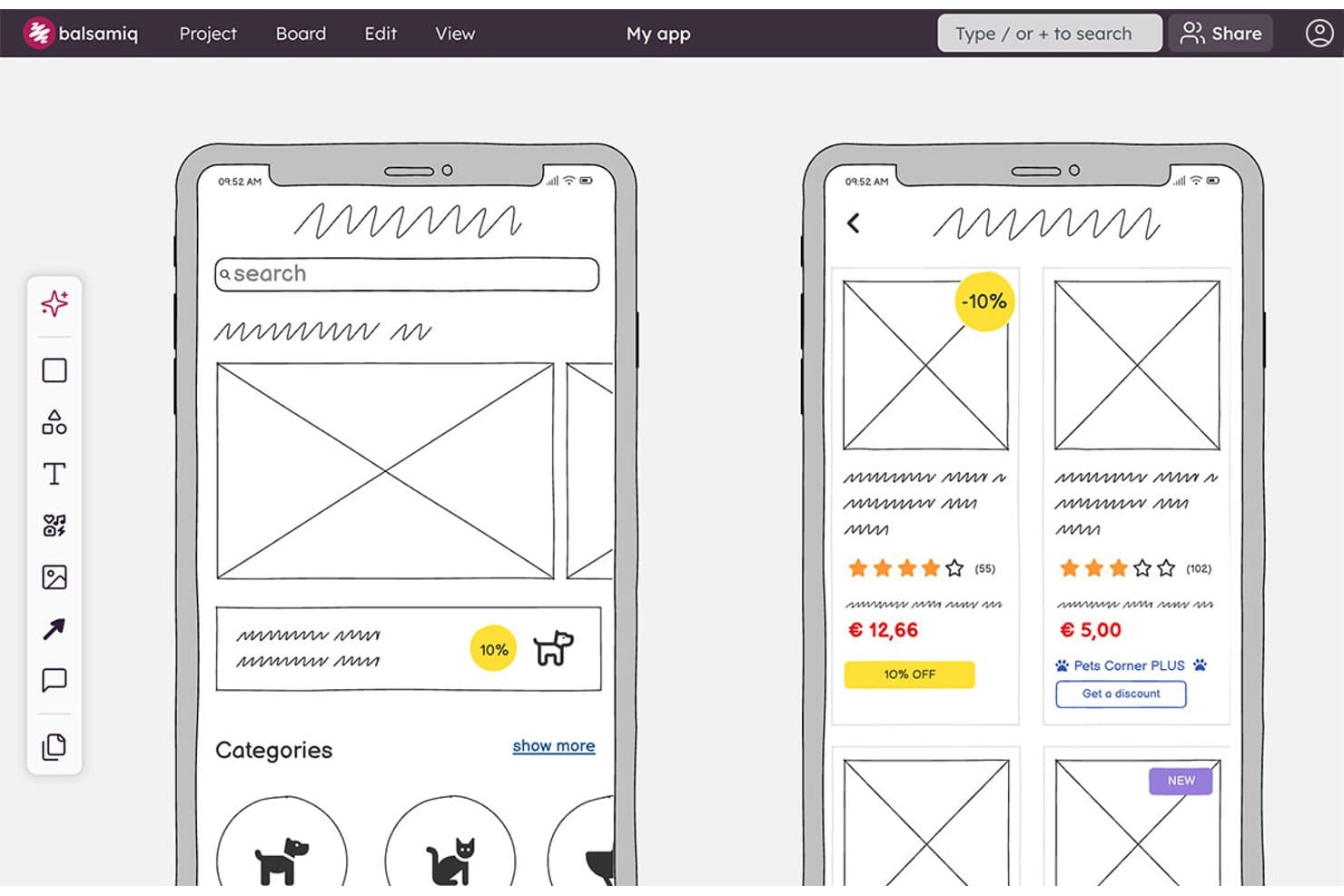
Balsamiq lets users wireframe mobile app screens with product cards and categories. Balsamiq is a browser-based wireframing and prototyping tool with a deliberately low-fidelity UI library, reusable components, clickable board links, AI wireframe generation, real-time collaboration, and Jira and Confluence integrations.
Who Is Balsamiq Best For?
Product managers and UX/UI designers who need to align stakeholders around rough concepts before development.
Why I Picked Balsamiq
I picked Balsamiq for Best Free Wireframing Tools because it keeps brainstorming focused on structure instead of visual polish. Its deliberately low-fidelity UI library, smart guides, and 1–12 column grids help me sketch flows quickly before development. I also use Alternates to compare concepts on one board, while AI can turn a prompt or hand-drawn sketch into an editable wireframe.
Balsamiq Key Features
- Public Review Links: Share boards with non-logged-in viewers who can comment.
- Threaded Comments: Add replies, , reactions, and resolved comment threads.
- Jira And Confluence Apps: Embed editable boards and prototypes in connected workspaces.
- Export Formats: Download projects as interactive PDFs, PNGs, or BMPR files.
Balsamiq Integrations
Balsamiq offers native integrations with Jira and Confluence, including Cloud and Data Center apps. It also supports embedding in Notion and project sharing through Slack.
What's Free?
Balsamiq offers a 14-day free trial, with no credit card required. It doesn’t have a free-forever plan, and you’ll need a paid subscription afterward to continue editing your projects.
Pros and Cons
Pros:
- Stakeholders can comment without accounts
- Clickable flows support early usability validation
- Deliberately low-fidelity for focused brainstorming
Cons:
- Shared components require template duplication
- No permanent free plan
Learn more about Balsamiq: Best for rapid ideation with UI packs
- Free plan available
- From $9/user/month (billed annually)
Visit WebsiteCustomer Rating:4.3/5
MockFlow editor shows drag-and-drop UI components, templates, and layout building tools. If you need to quickly turn ideas into wireframes, MockFlow is built for speed and flexibility. The platform’s unique UI packs let product teams and designers swap in ready-made components for different platforms and styles. MockFlow is a strong fit for anyone who wants to move from brainstorming to visual concepts without getting bogged down in setup.
Who Is MockFlow Best For?
MockFlow suits product teams and UX designers who need to rapidly ideate and prototype using a wide variety of pre-built UI packs.
Why I Picked MockFlow
I picked MockFlow because its rapid ideation capabilities stand out for teams who need to move quickly from concept to wireframe. The platform’s UI packs let you instantly switch between design systems and device types, which is especially useful for cross-platform projects. I also appreciate the built-in brainstorming and sitemap tools that help structure early-stage ideas before you commit to detailed wireframes. These features make MockFlow a strong choice for anyone prioritizing speed and flexibility in their free wireframing workflow.
MockFlow Key Features
Some other features in MockFlow that stand out for free wireframing include:
- Version history: Track and restore previous versions of your wireframes at any time.
- Commenting and feedback tools: Collect input from collaborators directly on wireframes for faster iteration.
- Export options: Download wireframes in multiple formats, including PNG, PDF, and HTML.
- Wireframe sharing: Share projects with team members or stakeholders using secure, permission-based links.
MockFlow Integrations
Integrations include Trello, Slack, Microsoft Teams, Microsoft Office 365, Atlassian Jira, Atlassian Confluence, Google Docs, Google Meet, Figma, and Visual Studio.
What's Free?
MockFlow offers a free-forever plan that allows one user and one project at a time. Some advanced features, UI packs, and integrations are only available on paid plans.
Pros and Cons
Pros:
- Version history included in the free plan
- Built-in sitemap and user flow tools
- Large library of UI packs for fast prototyping
Cons:
- No advanced animation or interaction features
- Free plan limits number of projects
Learn more about MockFlow: Best for accessibility-ready designs
- Free plan available; 14-day free trial
- From $29/user/month (billed annually)
Visit WebsiteCustomer Rating:4.2/5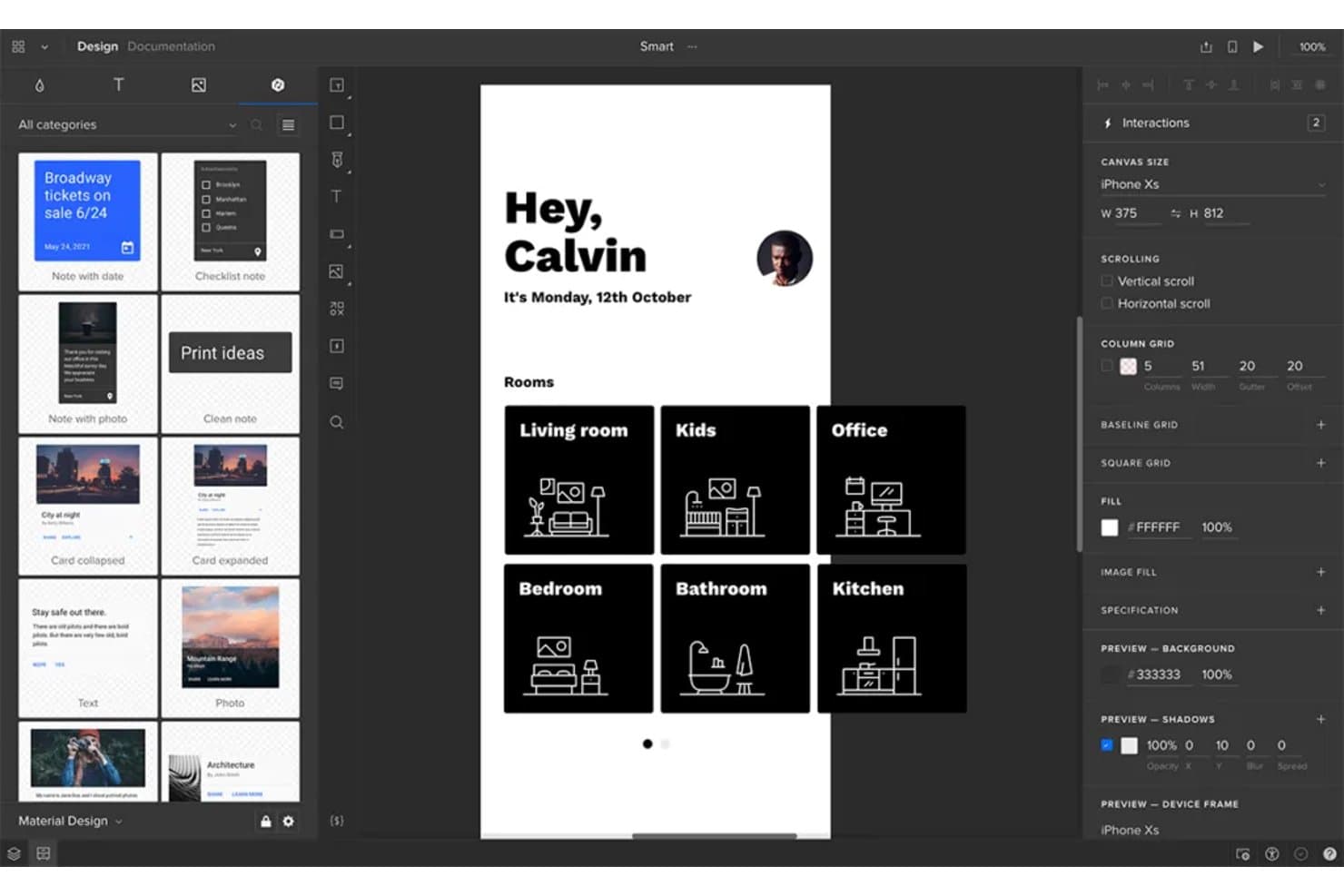
UXPin lets users design and prototype mobile app wireframes interactively. UXPin is a wireframing and interactive prototyping platform with layout grids, Auto Layout, reusable components, clickable flows, conditional logic, and HTML, CSS, and JavaScript-based rendering.
Who Is UXPin Best For?
UXPin suits UX/UI designers who need accessible, interactive prototypes that connect early wireframes with realistic product experiences.
Why I Picked UXPin
I picked UXPin because its wireframes support accessibility checks before development begins. I use the built-in WCAG contrast checker and color blindness simulator to catch visibility issues, then validate flows with interactive form controls and conditional logic.
UXPin Key Features
- Layout grids: Use column, baseline, and square grids with custom margins and gutters.
- Auto Layout: Set direction, spacing, padding, alignment, wrapping, and resizing rules.
- Reusable components: Create components and share styles across projects through team libraries.
- Export options: Export designs as PNG, PDF, or HTML with sitemap and documentation options.
UXPin Integrations
UXPin offers native integrations with Figma, Sketch, Jira Cloud, Slack, and FullStory, plus developer connections through Git, Storybook, and npm.
What's Free?
UXPin offers a 14-day free trial with access to all features and no credit card required. It doesn’t list a free-forever plan on its current pricing page, so you’ll need a paid Core, Growth, or Enterprise plan after the trial ends.
Pros and Cons
Pros:
- Stakeholders can review without creating accounts
- Functional form controls validate flows early
- Built-in WCAG contrast and color blindness checks
Cons:
- Free plan limits ongoing project work
- Interface feels technical for occasional users
Learn more about UXPin: 6Best for infinite canvas collaboration
Miro
- Free plan + 14-day free trial available
- From $8/user/month (billed annually)
Visit WebsiteCustomer Rating:4.8/5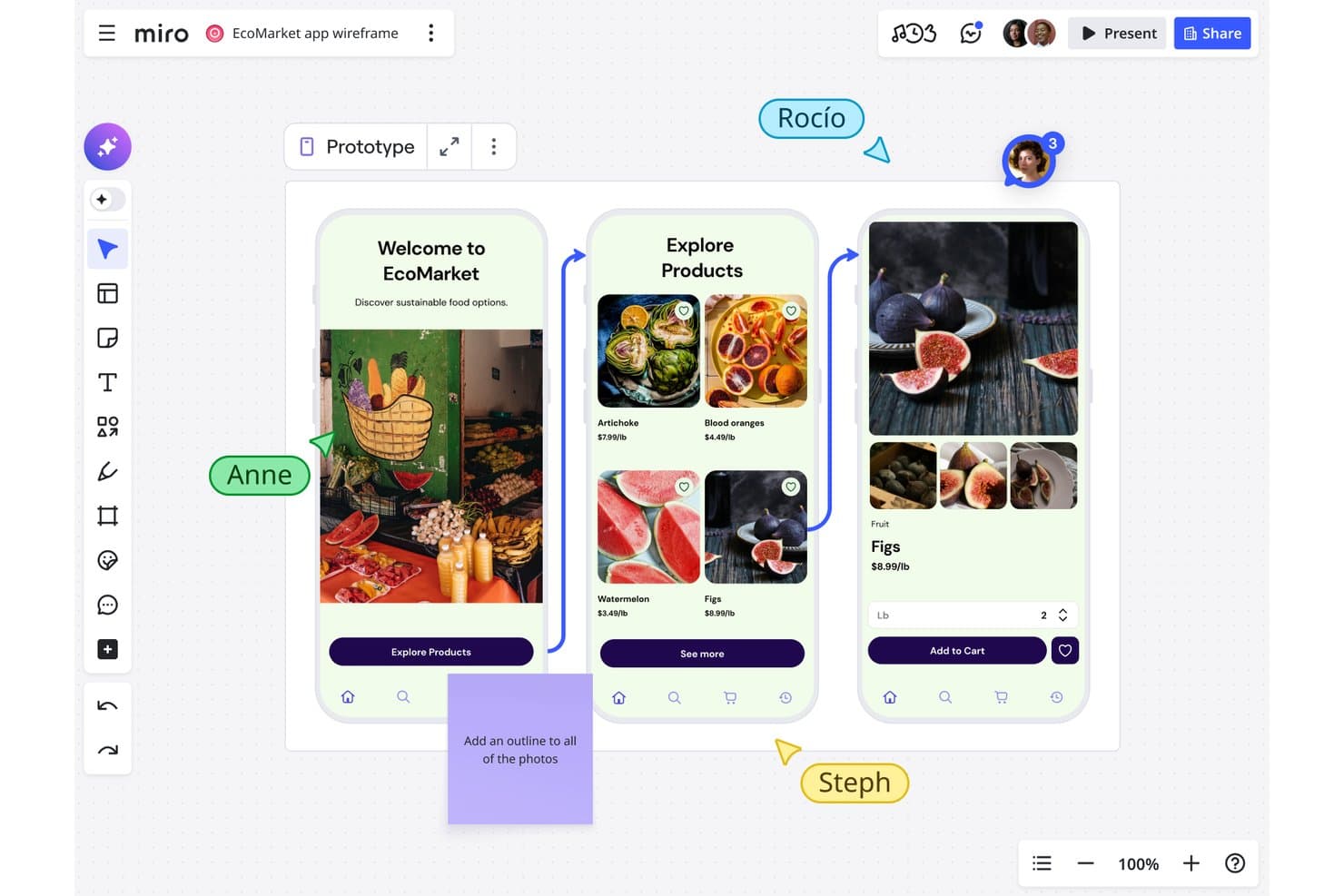
Miro lets users collaboratively wireframe mobile app flows in real time. Miro is a free wireframing and visual collaboration platform with a Prototyping Library, drag-and-drop UI components, templates, object linking, and real-time co-editing.
Who Is Miro Best For?
Miro suits product managers and startup teams that need to sketch ideas, map user flows, and collaborate on an infinite canvas.
Why I Picked Miro
I picked Miro because its infinite canvas collaboration keeps wireframes, user flows, research, and journey maps together. I use the free Prototyping Library to arrange device frames, interface components, and icons into static layouts. Live cursors, comments, and presentation mode help my team review screens with stakeholders, although clickable prototypes require the Business plan.
Miro Key Features
- Object linking: Connect objects to frames, boards, or external URLs.
- Smart guides: Align objects and maintain consistent spacing automatically.
- Wireframe templates: Start with prebuilt layouts for apps, websites, and landing pages.
- Grid app: Organize interface content in grids with up to 2,500 cells.
Miro Integrations
Miro offers 250+ integrations, including Microsoft 365, Google Workspace, Slack, Adobe, Figma, Confluence, Jira, and Notion. Its REST API and SDKs support custom integrations.
What's Free?
Miro offers a free-forever plan with unlimited team members and up to three editable boards. A 14-day trial is also available, while advanced features require a paid plan.
Pros and Cons
Pros:
- Static prototyping library supports quick layouts
- Real-time co-editing supports stakeholder reviews
- Infinite canvas connects flows and research
Cons:
- Three editable boards restrict ongoing projects
- Clickable prototypes require a paid plan
 Best for high-fidelity interactive previews
- Free plan available
- From $10/month (billed annually)
Visit WebsiteCustomer Rating:4.4/5
Framer design view displays interactive UI screens with animation controls and layout editing. Framer is a browser-based design platform built for teams that need high-fidelity, interactive wireframes and prototypes. It’s especially appealing to product designers and UX professionals who want to create realistic previews with advanced animations and interactions. If you’re looking to move beyond static wireframes and show stakeholders exactly how a product will feel, Framer offers the tools to make that possible.
Who Is Framer Best For?
Framer is a strong fit for product designers and UX teams at startups or digital agencies who need to create high-fidelity, interactive previews for web and mobile projects.
Why I Picked Framer
I picked Framer because it stands out for delivering high-fidelity interactive previews, which is rare among free wireframing tools. Framer lets you build wireframes that go far beyond static layouts by supporting advanced animations, transitions, and interactive components right in the browser. I appreciate that you can create clickable prototypes that closely mimic the final user experience, making it easier to communicate design intent to stakeholders. For teams that need to test and showcase realistic product flows without leaving the wireframing stage, Framer offers a unique advantage.
Framer Key Features
Some other features that make Framer a versatile option for free wireframing include:
- Component library: Access a collection of pre-built UI elements to speed up wireframe creation.
- Team collaboration: Invite team members to comment and co-edit projects in real time.
- Version history: Review and restore previous iterations of your wireframes as your project evolves.
- Mobile preview: View and test your wireframes directly on mobile devices for accurate feedback.
Framer Integrations
Integrations include Formspark, Hotjar, HubSpot, Intercom, Mailchimp, Marketo, Meta Pixel, Typeform, Google Analytics, and more.
What's Free?
Framer offers a free-forever plan that allows unlimited projects but limits you to two editors per team. Some advanced features and export options are only available on paid plans.
Pros and Cons
Pros:
- Mobile device preview for accurate testing
- Extensive library of pre-built UI components
- Interactive prototypes support advanced animations
Cons:
- No offline desktop application available
- Free plan limits to two editors
 Best for open-source design workflows
- Free plan + 14-day free trial available
- From $7/user/month
Visit WebsiteCustomer Rating:4.5/5
Penpot interface shows component-based UI design with layout controls and collaborative editing panels. Penpot is an open-source wireframing and design platform built for teams that value transparency and flexibility. It’s a strong choice for designers and developers who want full control over their workflows and data. If you’re looking for a free tool that supports collaborative design without vendor lock-in, Penpot stands out.
Who Is Penpot Best For?
Penpot is a good fit for design and development teams seeking an open-source, self-hosted wireframing solution that supports collaborative workflows and data ownership.
Why I Picked Penpot
I picked Penpot because it’s the only open-source wireframing tool that truly supports collaborative design without locking teams into a proprietary ecosystem. Its self-hosting option gives organizations full control over their data and security, which is rare among free design tools. I also appreciate how Penpot’s SVG-based design system makes it easy for designers and developers to work together on the same platform. For teams that prioritize transparency and flexibility in their workflows, Penpot offers a unique alternative to closed-source solutions.
Penpot Key Features
Some other features make Penpot stand out as a free wireframing tool:
- Component libraries: Create, reuse, and share design components across projects for consistency.
- Team workspaces: Organize projects and assets in shared spaces for easy team access.
- Interactive prototyping: Link wireframes and add interactions to simulate user flows.
- Export options: Export designs to SVG, PNG, or PDF formats for handoff or documentation.
Penpot Integrations
Integrations include GitHub, GitLab, Bitbucket, Slack, and more.
What's Free?
Penpot offers a free-forever plan with unlimited users and projects. Some advanced features and support options may be reserved for paid plans, but core wireframing and design tools are fully accessible without time limits.
Pros and Cons
Pros:
- SVG-based design for developer handoff
- Unlimited projects and users on free plan
- Fully open-source with self-hosting option
Cons:
- Performance can lag with large files
- Fewer templates compared to commercial tools
Learn more about Penpot: Best for macOS-native design workflows
- 30-day free trial
- From $12/user/month (billed annually)
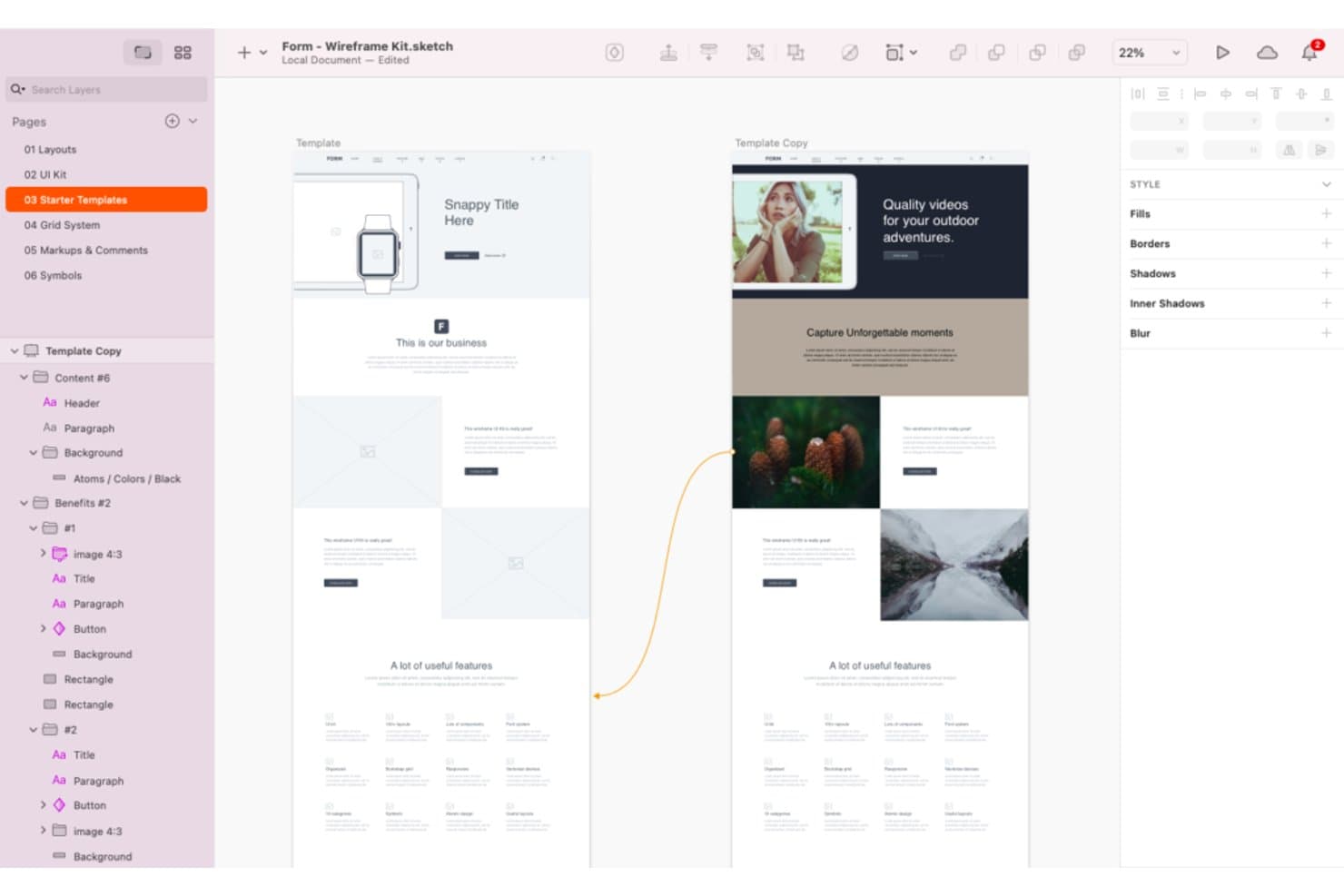
Sketch offers a wide range of wireframing tools and templates. Sketch is a wireframing and interface design platform with vector tools, frames, reusable Symbols and Libraries, interactive prototypes, real-time collaboration, and developer handoff.
Who Is Sketch Best For?
Sketch suits UX/UI designers and freelance product teams that work primarily on macOS.
Why I Picked Sketch
I picked Sketch because it brings macOS-native design workflows to wireframing with precise Frames, Stacks, grids, and vector tools. I use Symbols and Libraries to build reusable navigation, form, and card components across product concepts. Its hotspots, overlays, scrolling areas, and Smart Animate transitions let me test user flows before development begins.
Sketch Key Features
- Browser previews: Share password-protected prototype and page links with expiration dates.
- Developer handoff: Let developers inspect designs, copy values, and download assets in a browser.
- Threaded comments: Pin, mention, and resolve feedback on canvases or prototypes.
- Command Bar: Insert or swap design elements from a keyboard-driven menu.
Sketch Integrations
Sketch supports integrations with Slack, Jira, Notion, GitHub, Miro, and Zeplin through plugins, embeds, link sharing, or ContentSync. Its Sketch MCP Server connects with Claude, Cursor, VS Code, and Codex for custom workflows.
What's Free?
Sketch doesn’t offer a free-forever plan, but it provides a 30-day free trial without requiring a credit card. After the trial, you’ll need a paid subscription, while developers and other collaborators can still access shared files through free viewer and handoff tools.
Pros and Cons
Pros:
- Prototype flows include overlays and scrolling
- Reusable components keep wireframes consistent
- Mac-native workflows support offline design
Cons:
- No free-forever plan for ongoing editing
- Mac-only editing excludes mixed-OS teammates
Learn more about Sketch: 10Best for advanced logic and conditions
Axure RP
- 30-day free trial
- From $29/user/month (billed annually)
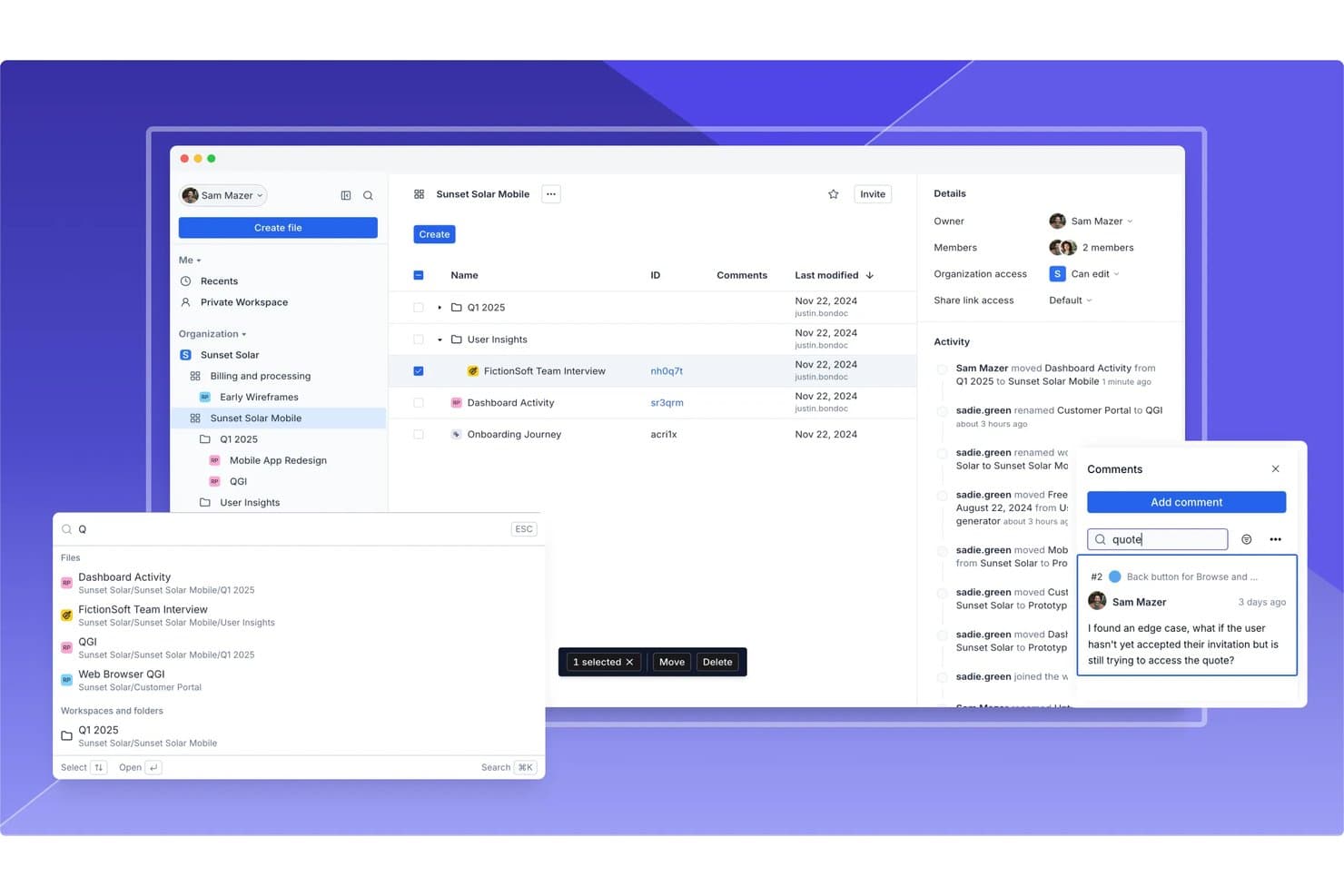
Axure RP supports team collaboration with comments, activity logs, and file sharing. Axure RP is a desktop wireframing and prototyping tool with widget libraries, adaptive views, flow diagrams, working forms, dynamic panels, reusable components, and cloud publishing.
Who Is Axure RP Best For?
Product managers and UX teams building complex, testable user flows will value Axure RP’s conditions, variables, and dynamic panels.
Why I Picked Axure RP
I picked Axure RP because it is best for advanced logic and conditions, even when a wireframe needs to behave like a working product. I use variables, conditional actions, and dynamic panels to test filtered tables, multi-step forms, and responsive states before development. Its 30-day fully functional trial lets me evaluate these workflows without committing upfront.
Axure RP Key Features
- Adaptive views: Create desktop, tablet, and phone layouts on one page.
- Working forms: Add text fields, dropdowns, and radio buttons to wireframes.
- Reusable components: Apply shared widget groups across pages with local overrides.
- Cloud publishing: Share hosted prototypes with reviewers through access-controlled links.
Axure RP Integrations
Axure RP offers documented integrations with Jira, Confluence, Slack, Microsoft Teams, Figma, Sketch, and Adobe XD. It also supports connections with third-party usability testing services.
What's Free?
Axure RP offers a fully functional 30-day free trial, not a free-forever plan. After the trial ends, you’ll need a paid plan to continue using the software.
Pros and Cons
Pros:
- Creates functional forms and filtered tables
- Supports reusable components across projects
- Models complex user flows without code
Cons:
- Desktop authoring limits live team collaboration
- Takes longer to learn than simpler tools
Learn more about Axure RP :
Other Free Wireframing Tools
Here are some additional free wireframing tool options that didn’t make it onto my shortlist, but are still worth checking out:
- 11draw.ioBest for Google Drive integration
- 12LucidchartBest for cross-functional wireframe review and sharing
- 13JustinmindBest for interactive prototyping features
- 14CanvaBest for drag-and-drop visual editing
- 15WhimsicalBest for wireframing within PM tool workflows
- 16MockplusBest for component-based design systems
- 17UizardBest for AI sketch-to-wireframe conversion
- 18Proto.ioBest for mobile app wireframe previews
- 19MoqupsBest for browser-based project sharing
How I Evaluate Free Wireframing Tools
First, I define what counts as free. A tool qualifies with a free-forever plan or a trial of at least 14 days with full core wireframing and collaboration access. For sprint flow mapping, I weigh core functionality most, like creating layouts and arranging elements; standout features, like ticket integrations; and beyond-feature factors, like free-plan limits for ongoing use.
Core Functionality (Table Stakes For This List)
In addition to my free plan requirements, I use a scoring system to select tools for my list. I score each one on a scale from 0 (does not offer the functionality) to 5 (excels in this area) for each core functionality listed below, based on what's available on the free plan. I then convert the total into a percentage to help assess each tool's overall fit, with extra weight on any functionalities I've deemed essential.
- Wireframe Creation Tools (Essential): I look for shapes, grids, and interface elements that let a team map a signup screen or dashboard at low to mid fidelity.
- Drag-and-Drop Editing (Essential): I assess how easily you can place, resize, and rearrange elements to explore layout changes without code or manual coordinates.
- Real-Time Collaboration: I check whether teammates can review, comment on, or edit a wireframe together during a flow-mapping session.
- Reusable Templates and Components: I look for customizable templates or reusable elements that help teams build recurring screens, such as forms or navigation bars.
- Export and Sharing: I assess whether you can share a review link or export a wireframe for stakeholder feedback outside the tool.
- Interactivity and Linking: I check whether you can link screens to map a simple user journey, such as moving from sign-up to confirmation.
Once I have a list of tools that meet the criteria, I consider what sets each platform apart.
Differentiating Factors (What Sets Vendors Apart)
Here's how I compare and contrast different vendors:
Standout Features
I check whether a tool offers a click-through preview mode so PMs can walk stakeholders through a flow without switching apps. Presentation mode in Figma or Balsamiq, for example, turns static screens into a guided narrative. I also evaluate commenting with @mentions, because feedback pinned to a specific element keeps sprint conversations focused and traceable.
Beyond Features
I evaluate whether a tool lets PMs share view-only links that don't require reviewers to create an account—crucial when a VP needs to approve a flow between meetings. I also check free-plan caps on projects and collaborators, since a PM juggling multiple product initiatives will hit those limits fast. Tools like Figma and Penpot handle stakeholder review links well, but their free tiers differ on how many files or editors you can sustain long-term. Speed to a presentable output matters too: pre-built UI kits help PMs without design training produce clean wireframes within a single sprint cycle.
How to Choose Free Wireframing Tools
It’s easy to get bogged down in long feature lists and complex pricing structures. To help you stay focused as you work through your unique software selection process, here’s a checklist of factors to keep in mind:
| Factor | What to Consider |
| Scalability | Will the tool support your team as it grows? Check user limits, project caps, and upgrade paths. |
| Integrations | Does the tool connect with your existing design, dev, or project management stack? Confirm native integrations. |
| Customizability | Can you adapt the tool’s workspace, templates, or workflows to match your team’s process? |
| Ease of use | How quickly can new users become productive? Look for intuitive navigation and minimal onboarding friction. |
| Implementation and onboarding | What resources are needed to get started? Consider training, migration, and support for first-time users. |
| Cost | Are there hidden costs as your needs grow? Review free plan limits and what triggers a paid upgrade. |
| Security safeguards | Does the tool offer adequate data protection for your organization? Check for encryption, access controls, and compliance. |
| Support availability | What support channels are available if you run into issues? Look for live chat, email, or community forums. |
What Are Free Wireframing Tools?
Free wireframing tools are software applications that let users create visual blueprints or mockups of digital interfaces without requiring payment. These tools help teams plan layouts, map user flows, and communicate design ideas early in a project. Free wireframing tools typically offer core features like drag-and-drop elements, basic interactivity, and collaboration, making them accessible for individuals or small teams with limited budgets.
Features
Let’s go over the features commonly found in wireframing tools, and which ones are usually included in free vs. paid plans.
Typically Free Wireframing Tool Features
- Drag-and-drop editor: Lets users quickly place and arrange interface elements on a canvas without coding, making it easy to sketch out ideas visually.
- Basic shape and UI libraries: Provides a set of standard components like buttons, input fields, and icons to help users build wireframes faster.
- Multiple page or screen support: Allows users to create and organize several wireframes within a single project, supporting multi-screen flows.
- Simple linking or interactivity: Enables clickable hotspots or links between screens to simulate basic navigation and user flows.
- Real-time collaboration: Lets multiple users view and edit wireframes together, supporting teamwork and feedback in the same workspace.
- Commenting and feedback tools: Offers the ability to leave notes or comments directly on wireframes, streamlining communication with stakeholders.
- Cloud-based access: Stores projects online so users can access and edit wireframes from any device with an internet connection.
- Export to image or PDF: Allows users to save wireframes as images or PDFs for sharing outside the platform or including in presentations.
Typically Paid Wireframing Tool Features
- Advanced prototyping and animation: Supports complex transitions, micro-interactions, and animated flows to better simulate real user experiences.
- Design handoff tools: Provide developers with code snippets, specs, and asset downloads to simplify the transition from design to development.
- Version history and rollback: Tracks changes over time and allows users to revert to previous versions of a wireframe if needed.
- Custom asset libraries: Lets teams create and manage their own reusable components, ensuring consistency across projects.
- User testing integration: Enables direct collection of user feedback or analytics on interactive prototypes within the tool.
- Role-based permissions: Allows admins to control who can view, edit, or comment on projects, supporting larger teams and sensitive projects.
- Integration with third-party tools: Connects with project management, design, or development platforms to fit into broader workflows.
- Offline editing: Lets users work on wireframes without an internet connection, syncing changes when back online.
- Priority customer support: Offers faster response times and dedicated support channels for paid users.
- Custom branding: Allows organizations to add their own logos, colors, or domains to the wireframing workspace for a branded experience.
Benefits
Implementing free wireframing tools provides several benefits for your team and your business. Here are a few you can look forward to:
- Lower upfront costs: Free plans let teams start designing without budget approval or financial risk, making them accessible for startups and small businesses.
- Faster idea validation: Drag-and-drop editors and basic UI libraries help teams quickly visualize concepts and iterate on designs before development begins.
- Improved collaboration: Real-time editing, commenting, and cloud-based access enable multiple stakeholders to contribute feedback and stay aligned throughout the design process.
- Accessible learning curve: Simple interfaces and built-in templates make it easy for new users to get started, even without prior design experience.
- Remote and flexible access: Cloud-based storage and browser-based tools allow users to work from anywhere and on any device.
- Easy sharing and feedback: Export options and public or private sharing links make it simple to gather input from clients, teammates, or external reviewers.
- Supports agile workflows: The ability to create, update, and share wireframes quickly fits well with iterative, agile project management approaches.
Costs and Pricing
I realize you came to this article looking for the best wireframing tool options that are available for free. However, since free plans only offer limited features, there's a good chance you'll need to scale your plan up in the future.
The table below summarizes common plans, their average prices, and typical features included in wireframing tools:
Plan Comparison Table for Wireframing Tools
| Plan Type | Average Price | Common Features |
| Free Plan | $0 | Basic wireframing, limited users, simple UI libraries, basic sharing, and cloud storage. |
| Personal Plan | $5-$15/user/month | Unlimited projects, more UI assets, export options, priority support, and limited integrations. |
| Business Plan | $15-$30/user/month | Team collaboration, advanced prototyping, version history, design handoff, and third-party integrations. |
| Enterprise Plan | $30-$60/user/month | Custom branding, role-based permissions, improved security, dedicated support, and compliance features. |
Free Wireframing Tools FAQs
Here are some answers to common questions about free wireframing tools:
Can I use free wireframing tools for commercial projects?
Yes, most free wireframing tools allow you to use their platform for commercial projects. However, always review the tool’s terms of service to confirm there are no restrictions on commercial use or requirements to credit the tool in your deliverables.
What are the main limitations of free wireframing tools?
Free wireframing tools often limit the number of projects, users, or export options available. Advanced features like developer handoff, version history, and integrations with other software are usually reserved for paid plans.
How secure are free wireframing tools for sensitive projects?
Security varies by provider, but most reputable free wireframing tools offer basic safeguards like encrypted connections and password-protected sharing. For highly sensitive projects, check for compliance certifications and advanced security features, which may only be available on paid plans.
Can I collaborate with others in real time using free wireframing tools?
Yes, many free wireframing tools support real-time collaboration, allowing multiple users to edit and comment on wireframes simultaneously. Some tools may limit the number of collaborators or require all users to create accounts.
Is it easy to upgrade from a free plan to a paid plan?
Yes, most wireframing tools make it simple to upgrade from a free plan to a paid plan. Your existing projects and data are typically retained, and you gain access to additional features immediately after upgrading.