

AI wireframing tools use artificial intelligence to help you create, edit, and refine digital wireframes faster and with less manual effort. If you’re searching for the best AI wireframing tools, you’re likely looking to speed up your design process, reduce repetitive tasks, and improve team collaboration—without sacrificing quality or control.
With so many options available, it’s easy to get lost in feature lists and marketing claims. This guide cuts through the noise, helping you quickly compare top solutions so you can choose the right tool for your workflow, team, and project goals.
Why Trust Our Software Recommendations
6,700+
Reviews
20
Industry experts
16+
Evaluation factors
14
Years
Our team has been testing and reviewing software since 2012. As product managers ourselves, we know how difficult—and important—it is to choose the right software.
For this guide, we evaluated tools using hands-on testing and independent research, scoring tools using our selection criteria.
Our reviews reflect our human editorial judgment, not a sales pitch.
Expert reviewers:
- Andrew LumbySenior TPM
- Cristiano ValimSenior UI/UX Lead


AI Wireframing Tools Comparison Table
This comparison table summarizes pricing details for my top AI wireframing tool selections:
| Tool | Best For | Trial Info | Price | ||
|---|---|---|---|---|---|
| 1 | Best for real-time collaborative editing | Free plan available | From $8/user/month (billed annually) | Website | |
| 2 | Best for drag-and-drop components | Free plan available | From $10/user/month (billed annually) | Website | |
| 3 | Best for sketching ideas before going digital | Free plan available | From $39/month (billed annually) | Website | |
| 4 | Best for combining AI with a manual design canvas | Free plan available | From $14/user/month | Website | |
| 5 | Best for AI wireframes tied to your design system | Free plan + 14-day free trial available | From $29/user/month (billed annually) | Website | |
| 6 | Best for open-source, self-hosted AI design workflows | Free plan + 14-day free trial available | From $7/user/month | Website | |
| 7 | Best for ideation with built-in UI kits | Free plan available | From $9/user/month (billed annually) | Website | |
| 8 | Best for generating multiple variants from prompts | Free plan available | From $12/month (billed annually) | Website | |
| 9 | Best for Figma and React component exports | Free plan available | From $14/month | Website | |
| 10 | Best for wireframing from AI coding tool handoff | 14-day free trial available | From $12/month (billed annually) | Website |


AI Wireframing Tools Reviews
Below are my detailed summaries of the best AI wireframing tools that made it onto my shortlist. My reviews offer a detailed look at the features, best use cases, and integrations of each tool to help you find the best one for you.
 1Best for real-time collaborative editing
Miro
- Free plan available
- From $8/user/month (billed annually)
Visit WebsiteCustomer Rating:4.8/5This rating combines scores from multiple user review sites to reflect overall customer sentiment about the product.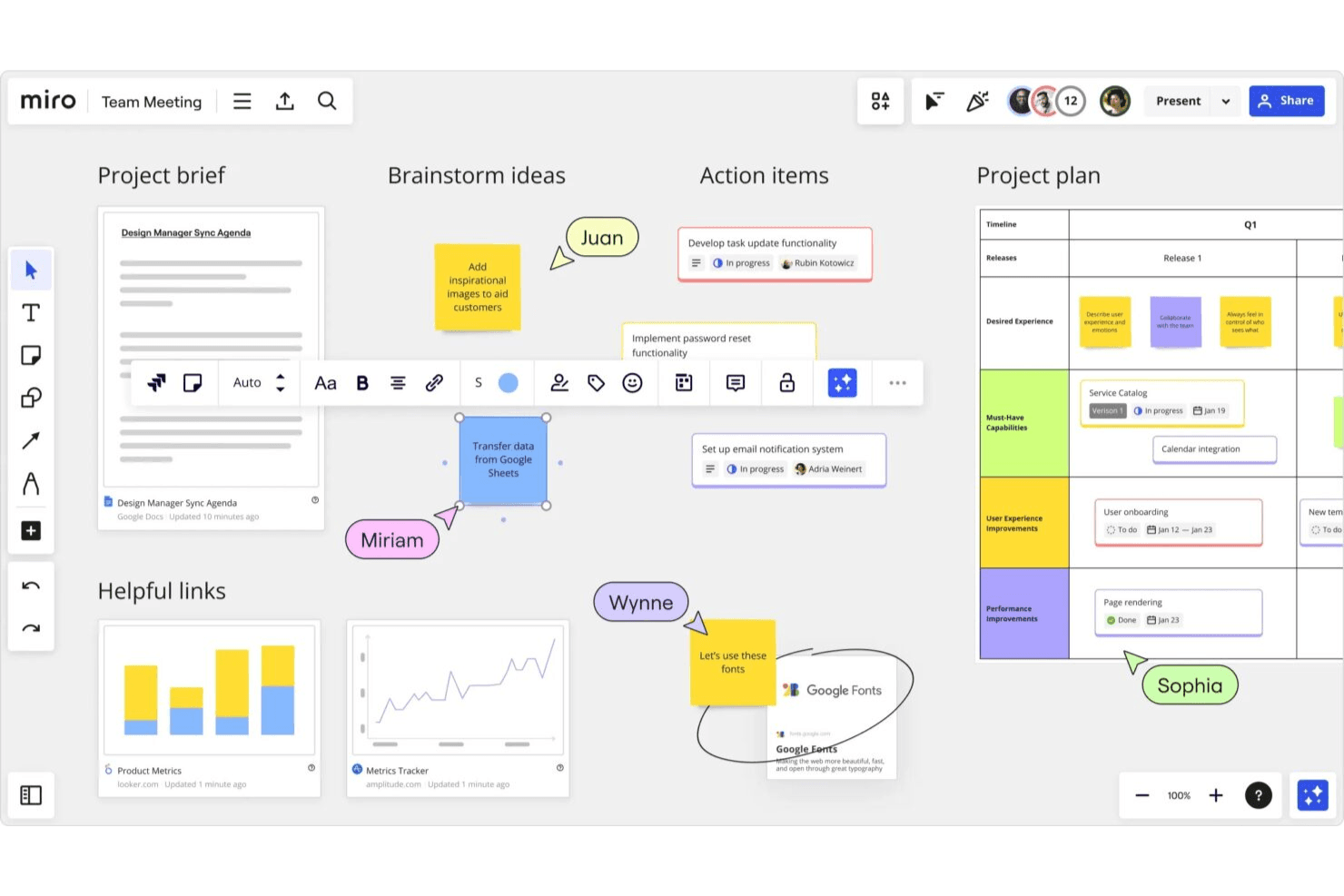
Miro enables teams to turn ideas into structured wireframes fast. Miro is a collaborative whiteboarding and visual workspace platform that combines AI wireframe generation, drag-and-drop editing, a 4,700+ shape component library, and clickable prototype creation from text prompts, sketches, or screenshots.
Who Is Miro Best For?
Miro is a strong fit for cross-functional product teams—especially product managers and designers—who need to wireframe, collaborate, and iterate together in real time.
Why I Picked Miro
Miro earns its spot as one of the best on my shortlist because real-time collaboration is genuinely baked into every stage of the wireframing process, not bolted on after the fact. I love that multiple teammates can co-edit a prototype live, drop comments directly on screens, and run voting sessions without ever leaving the canvas. What makes it especially useful is that your wireframes sit alongside sticky notes, PRDs, and research findings on the same board, so the AI can pull from that context when generating screens.
Miro Key Features
- Screenshot-to-prototype conversion: Drop any screenshot onto the board and Miro rebuilds its text, buttons, and layout as fully editable prototype elements.
- PRD and doc-to-wireframe generation: Generate prototype screens directly from PRDs, sticky notes, Confluence docs, or Notion pages already on your board.
- MCP server code handoff: Coding agents like Cursor and Claude Code can read your prototype screens alongside briefs and user stories to generate working code.
- AI usability review: Miro reviews your prototype and flags usability gaps before you move into real user testing.
Miro Integrations
Miro supports 250+ integrations, including Figma, Adobe XD, Confluence, Notion, Jira, Asana, and Linear. Its MCP server supports prototype-to-code handoff with coding agents.
Pros and Cons
Pros:
- Converts screenshots into editable screens
- Supports live co-editing and voting
- Turns PRDs into editable prototypes
Cons:
- AI credits limit repeated screen generation
- Prototype fidelity trails dedicated design tools
 Best for drag-and-drop components
- Free plan available
- From $10/user/month (billed annually)
Visit WebsiteCustomer Rating:4.6/5This rating combines scores from multiple user review sites to reflect overall customer sentiment about the product.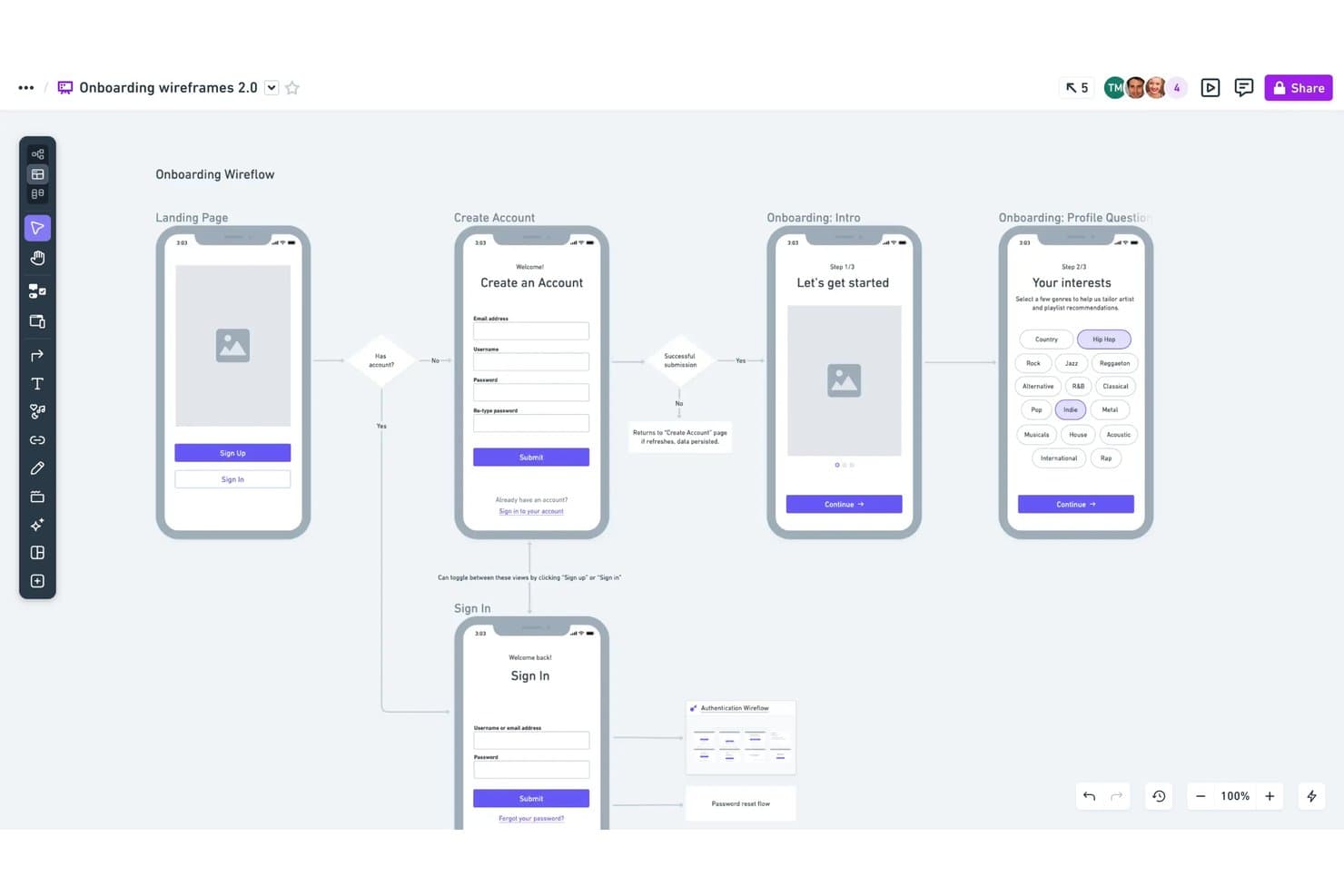
Whimsical lets users map onboarding flows with linked wireframe screens. Whimsical is an AI wireframing tool that combines text-to-wireframe generation, a drag-and-drop component editor, and real-time collaboration with support for flowcharts, mind maps, and docs in a single workspace.
Who Is Whimsical Best For?
Whimsical suits product managers and UX designers who want a fast, low-fidelity wireframing workspace where drag-and-drop components, flowcharts, and docs all live in one place.
Why I Picked Whimsical
Whimsical earns its spot on my shortlist because its drag-and-drop component system is genuinely one of the best I've seen for low-fidelity wireframing. Every component comes with adjustable properties and states, so I can switch a button from default to hover or toggle a phone frame between iOS and Android without leaving the canvas. I also like that the Claude-powered AI generates editable wireflows, not just static screens, so I can prompt a full user journey and then reshape individual frames by hand.
Whimsical Key Features
- Text-to-wireflow generation: Describe a full user journey in a prompt and Whimsical's Claude-powered AI builds connected multi-screen wireflows you can edit directly on the canvas.
- Configurable device frames: Choose from browser, phone, tablet, and smartwatch frames with toggleable iOS and Android variants to match your target platform.
- One-workspace multi-artifact support: Create wireframes, flowcharts, mind maps, and docs in a single shared board without switching tools.
- MCP and coding-agent integration: Connect Whimsical to Claude Code, Cursor, or Codex to generate wireframes from external agents and turn them into working prototypes.
Whimsical Integrations
Whimsical integrates with Claude, ChatGPT, Claude Code, Cursor, Codex, Grok, GitHub, Linear, Jira, Notion, and Figma. Its MCP support connects AI coding agents to Whimsical for generating wireframes and building prototypes.
Pros and Cons
Pros:
- Real-time collaboration across every plan
- Adjustable component states and properties
- Editable AI-generated wireflows
Cons:
- Screenshot conversion requires external tools
- Deliberately limited to low-fidelity output
Learn more about Whimsical: Best for sketching ideas before going digital
- Free plan available
- From $39/month (billed annually)
Visit WebsiteCustomer Rating:4.6/5This rating combines scores from multiple user review sites to reflect overall customer sentiment about the product.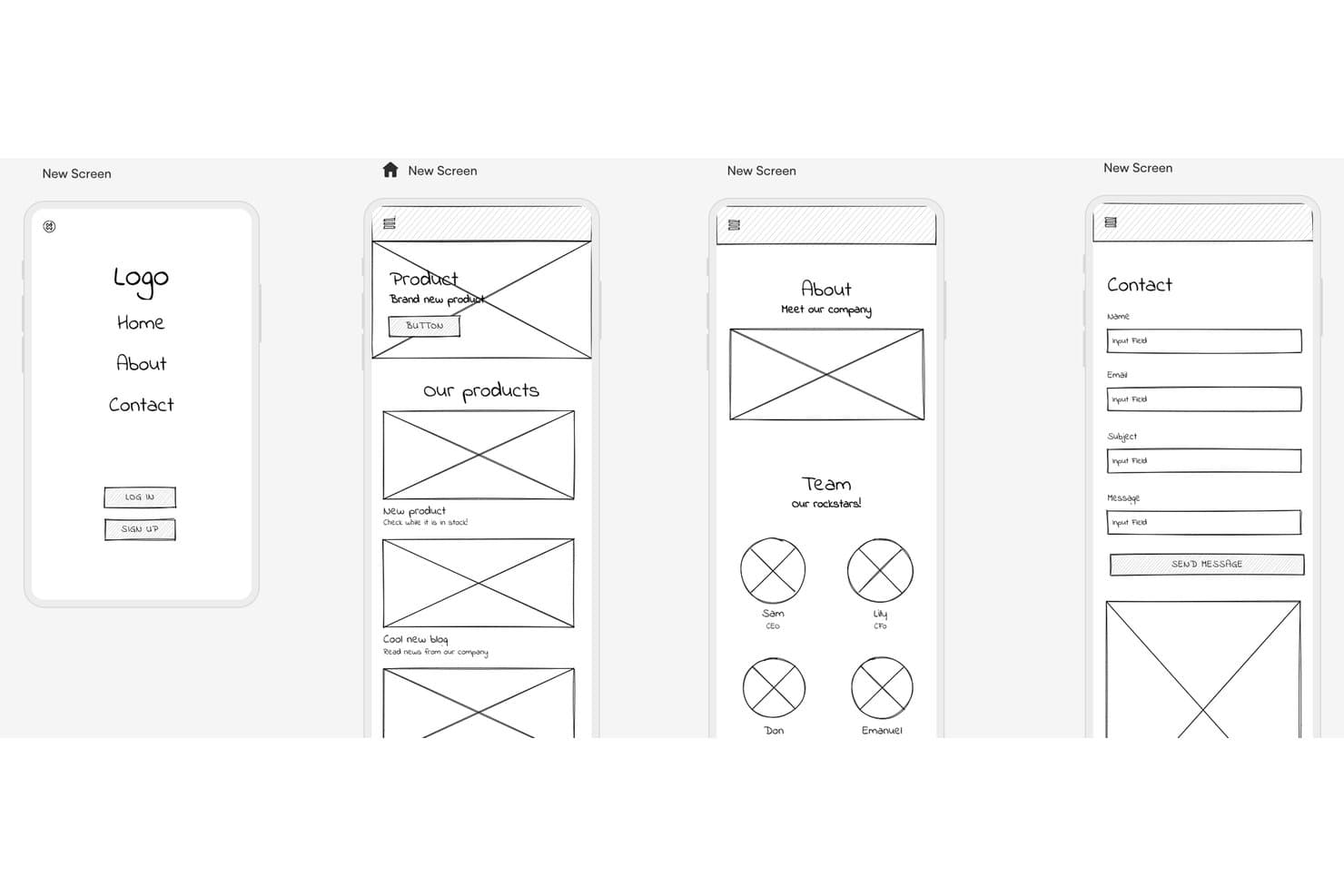
Uizard lets users wireframe multi-screen mobile apps quickly. Uizard is an AI wireframing tool that generates multi-screen prototypes from text prompts, hand-drawn sketches, and screenshots, with a built-in component library, one-click wireframe mode, and real-time collaboration.
Who Is Uizard Best For?
Uizard is a great fit for product managers and startup founders who need to turn rough ideas into shareable prototypes fast, without a design background.
Why I Picked Uizard
I've included Uizard in my top picks because its Wireframe Scanner is genuinely one of a kind: you photograph a paper sketch or whiteboard drawing, and Uizard converts it into an editable digital mockup in seconds. I love that Wireframe Mode lets you toggle between a polished mockup and a bare-bones wireframe with one click, so you can stay in rough-concept territory as long as you need. Autodesigner 2.0 also lets you generate multi-screen prototypes from a text prompt, which keeps the momentum going from first idea to shareable flow.
Uizard Key Features
- Autodesigner 2.0: A chat-style AI generator that builds multi-screen editable prototypes from text prompts on paid plans.
- Screenshot Scanner: Converts screenshots of existing apps or websites into editable mockups for quick remixing.
- Clickable prototypes: Links screens together with interactions so you can share a working flow without leaving the tool.
- Real-time collaboration: Lets multiple users edit simultaneously, with commenting and unlimited free viewers on every plan.
Uizard Integrations
Uizard has a Figma Community plugin for importing designs, plus image-based screen imports from Adobe and Sketch. Native integrations and a public API aren’t clearly documented.
Pros and Cons
Pros:
- Switches between polished mockups and wireframes
- Generates multi-screen prototypes from text prompts
- Converts paper sketches into editable wireframes
Cons:
- Exports lack layers and full-project code
- Screenshot conversions can deviate noticeably
Learn more about Uizard: Best for combining AI with a manual design canvas
- Free plan available
- From $14/user/month
Visit WebsiteCustomer Rating:4.8/5This rating combines scores from multiple user review sites to reflect overall customer sentiment about the product.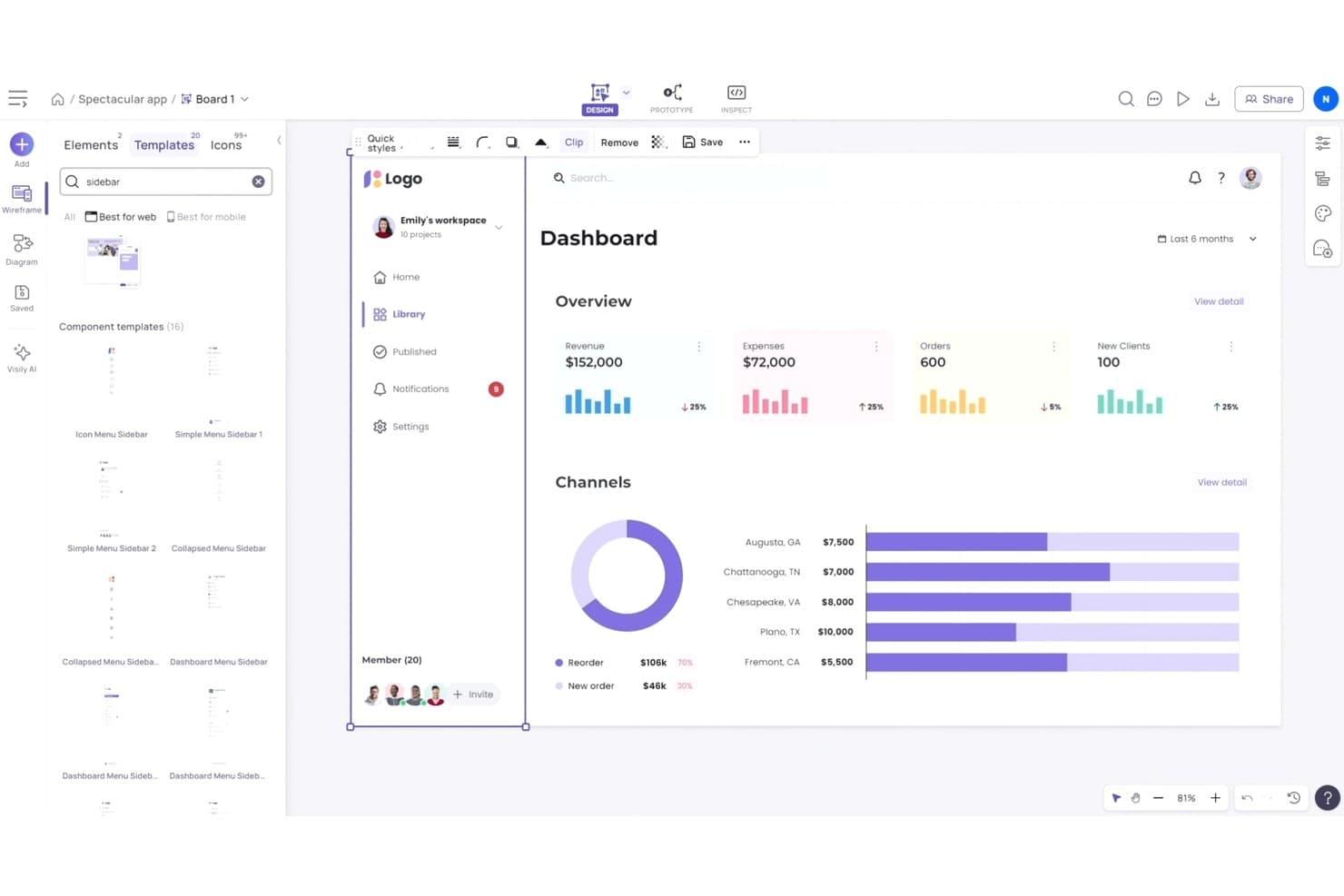
Visily lets users browse and apply sidebar templates to wireframes. Visily is an AI wireframing tool that generates editable screens from text prompts, screenshots, sketches, and diagrams, paired with a free-form drag-and-drop canvas, a 1,500+ template library, and built-in prototyping and code export.
Who Is Visily Best For?
Visily is a strong fit for product managers and startup founders who need to move quickly from written requirements to shareable screens without relying on a dedicated designer.
Why I Picked Visily
I've included Visily in my top picks because it's the only tool where AI generation and hands-on canvas editing feel like equals rather than one bolting onto the other. I love that you can paste a screenshot of a competitor's app and get a fully editable wireframe in minutes, then jump straight into manual drag-and-drop to reshape it without spending a single AI credit. Plan Mode is also genuinely useful: it surfaces follow-up questions and proposes a structured screen plan before generating anything, which keeps requirements grounded before pixels appear.
Visily Key Features
- AI Chat Assistant: Generates UI screens, components, and diagrams from text prompts, image references, and canvas context within a shared design group that keeps styles consistent across screens.
- Sketch-to-wireframe conversion: Upload a hand-drawn sketch and Visily converts it into a fully editable digital wireframe you can refine on the canvas.
- AI Auto-Prototype: Automatically detects logical connections between screens and elements to build a clickable, previewable prototype without spending AI credits.
- Export to code: Exports designs as React, Vue, or HTML—with an AI layout mode that produces responsive code and a static mode that's free to use.
Visily Integrations
Visily connects with Figma through its plugin, captures webpages through a Chrome extension, and supports MCP connections to Cursor, Claude Code, Codex, and Lovable. It also exports designs to React, Vue, and HTML.
Pros and Cons
Pros:
- Builds clickable prototypes without extra credits
- Balances AI generation with manual control
- Converts screenshots into editable wireframes
Cons:
- Manual positioning replaces automatic layout controls
- AI edits regenerate entire screens
Learn more about Visily: Best for AI wireframes tied to your design system
- Free plan + 14-day free trial available
- From $29/user/month (billed annually)
Visit WebsiteCustomer Rating:4.2/5This rating combines scores from multiple user review sites to reflect overall customer sentiment about the product.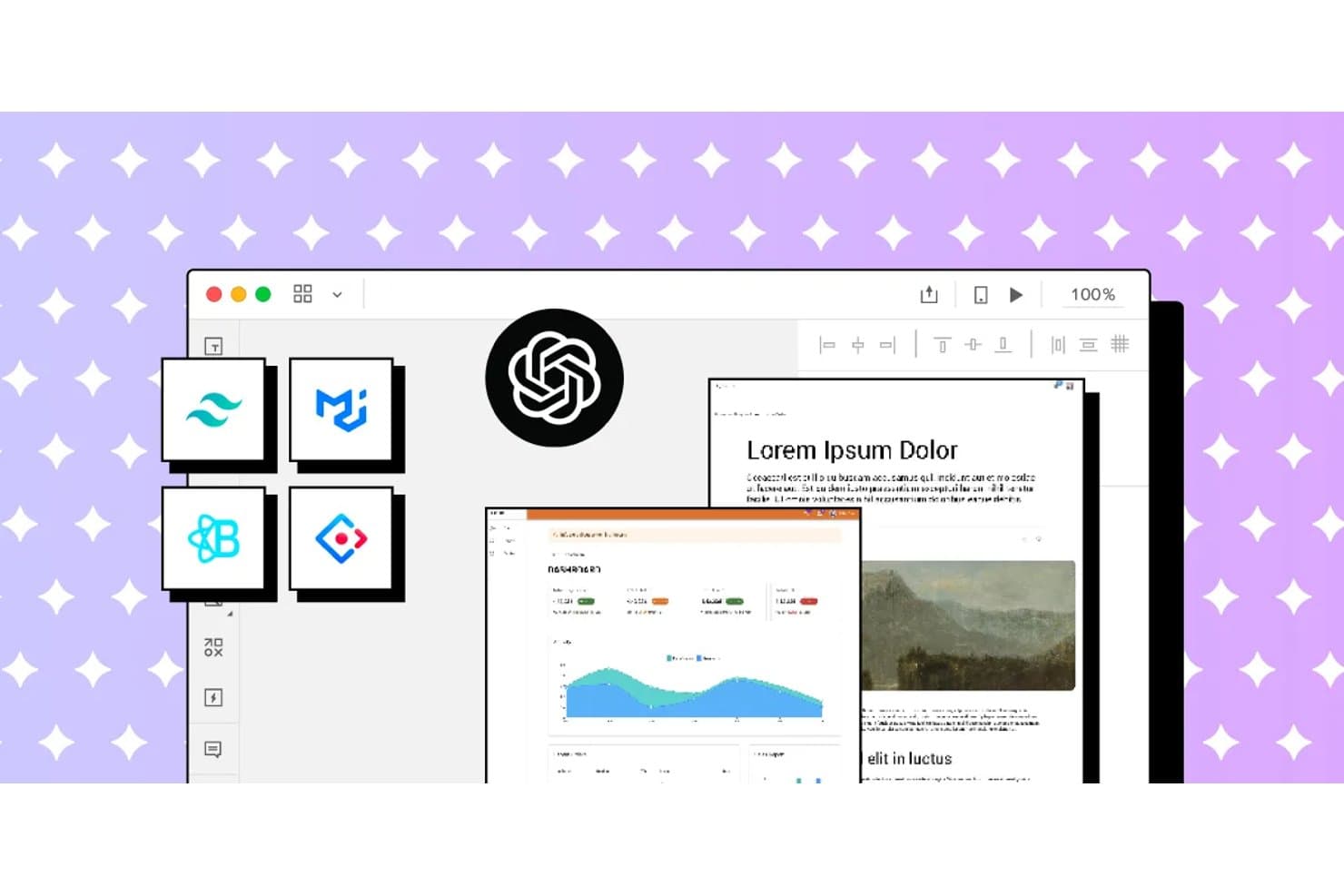
UXPin integrates AI and design system tools for rapid wireframing. UXPin is a browser-based AI wireframing and prototyping tool that generates UI from text prompts, sketches, and URLs using real, code-backed React components drawn from your existing design system.
Who Is UXPin Best For?
UXPin is a strong fit for UX designers and front-end developers who need AI-generated wireframes that stay in sync with a production React component library.
Why I Picked UXPin
I picked UXPin as one of the best because it's the only AI wireframing tool I've seen that generates UI from real, code-backed React components rather than static shapes. When you prompt Forge with a layout idea or upload a sketch, it builds screens using your actual design system, whether that's MUI, shadcn/ui, or a custom library synced via Storybook. The JSX it produces goes straight to developers without translation, and Wire can export the whole thing as a runnable Vite + React app.
UXPin Key Features
- URL-to-UI generation: Paste any live URL and Forge reconstructs its layout using your design system's components.
- UX Review scoring: Forge scores selected screens for clarity, hierarchy, consistency, and accessibility, with written observations.
- Advanced prototyping logic: Add variables, expressions, conditional logic, and external data sources like JSON or Google Sheets to any prototype.
- Spec mode for handoff: Developers inspect elements to copy dimensions, colors, auto-generated CSS, and JSX directly from the canvas.
UXPin Integrations
UXPin integrates with Storybook, Git, Figma, Sketch, Slack, Jira, FullStory, npm, CodeSandbox, and StackBlitz. Storybook and Git support depends on the plan, while Figma connects through UXPin’s plugin.
Pros and Cons
Pros:
- Supports interactive logic beyond static wireframes
- Preserves design-system rules during AI generation
- Generates screens with production React components
Cons:
- Higher-fidelity output complicates early rough concepts
- AI struggles with large multi-screen prompts
Learn more about UXPin: Best for open-source, self-hosted AI design workflows
- Free plan + 14-day free trial available
- From $7/user/month
Visit WebsiteCustomer Rating:4.5/5This rating combines scores from multiple user review sites to reflect overall customer sentiment about the product.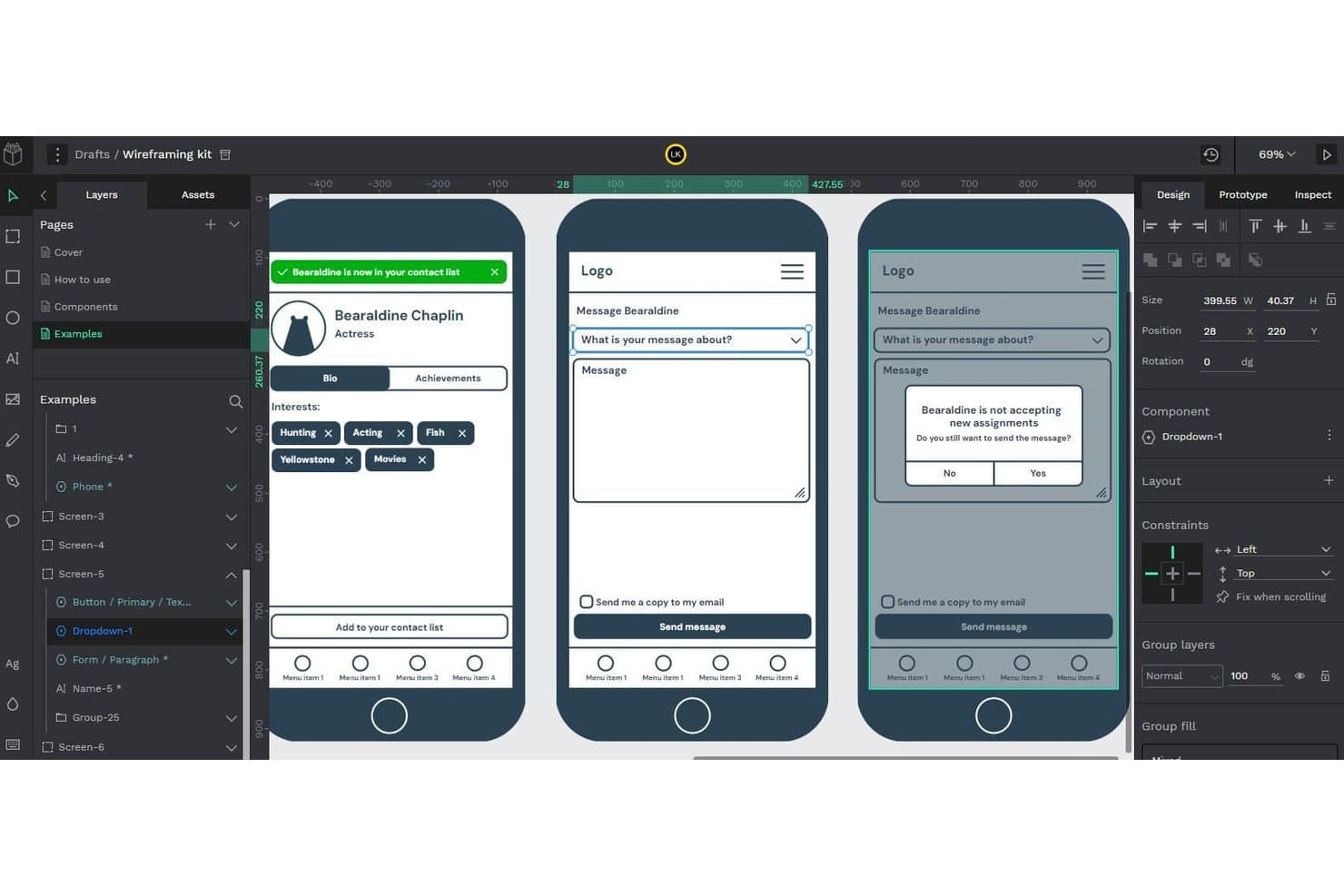
Penpot lets users build and preview interactive wireframe flows. Penpot is an open-source, browser-based design and prototyping tool that supports wireframing, component libraries, real-time collaboration, and AI-assisted design workflows via its MCP Server integration.
Who Is Penpot Best For?
Penpot is a strong fit for design and engineering teams that need full control over their tools, data, and AI workflows through self-hosting.
Why I Picked Penpot
I've included Penpot in my top picks because it's the only open-source tool on this list that lets you connect your own LLM to a live design file via the Penpot MCP Server, keeping AI traffic within infrastructure you control. I particularly like that the MCP Server can generate new screens directly from your existing design system, so outputs inherit your real tokens and components. For teams where data sovereignty isn't negotiable, that self-hosted AI workflow is genuinely hard to replicate with a closed platform.
Penpot Key Features
- Flex and CSS grid layout: Design responsive frames using web-standard CSS Flex and Grid, so your layouts map directly to how developers will build them.
- Real-time multiplayer editing: Multiple team members can work in the same file simultaneously, with comments available in both design and view mode.
- Native design tokens (W3C DTCG format): Create, apply, and export design tokens as JSON, with full support for themes and variants across your design system.
- Inspect mode with CSS export: View measurements, copy CSS snippets, and export assets from a read-only view built for developer handoff.
Penpot Integrations
Penpot integrates with Claude Desktop, Claude Code, Cursor, VS Code, OpenAI Codex, and GitHub Copilot through its MCP Server, plus Figma and Storybook through documented workflows. It also provides REST API, webhooks, and an open Plugins API for custom integrations.
Pros and Cons
Pros:
- CSS-based layouts improve developer handoff
- Design-system tokens guide generated screens
- Self-hosted AI workflows protect design data
Cons:
- MCP workflow remains experimental and constrained
- AI wireframing requires external agent setup
Learn more about Penpot: Best for ideation with built-in UI kits
- Free plan available
- From $9/user/month (billed annually)
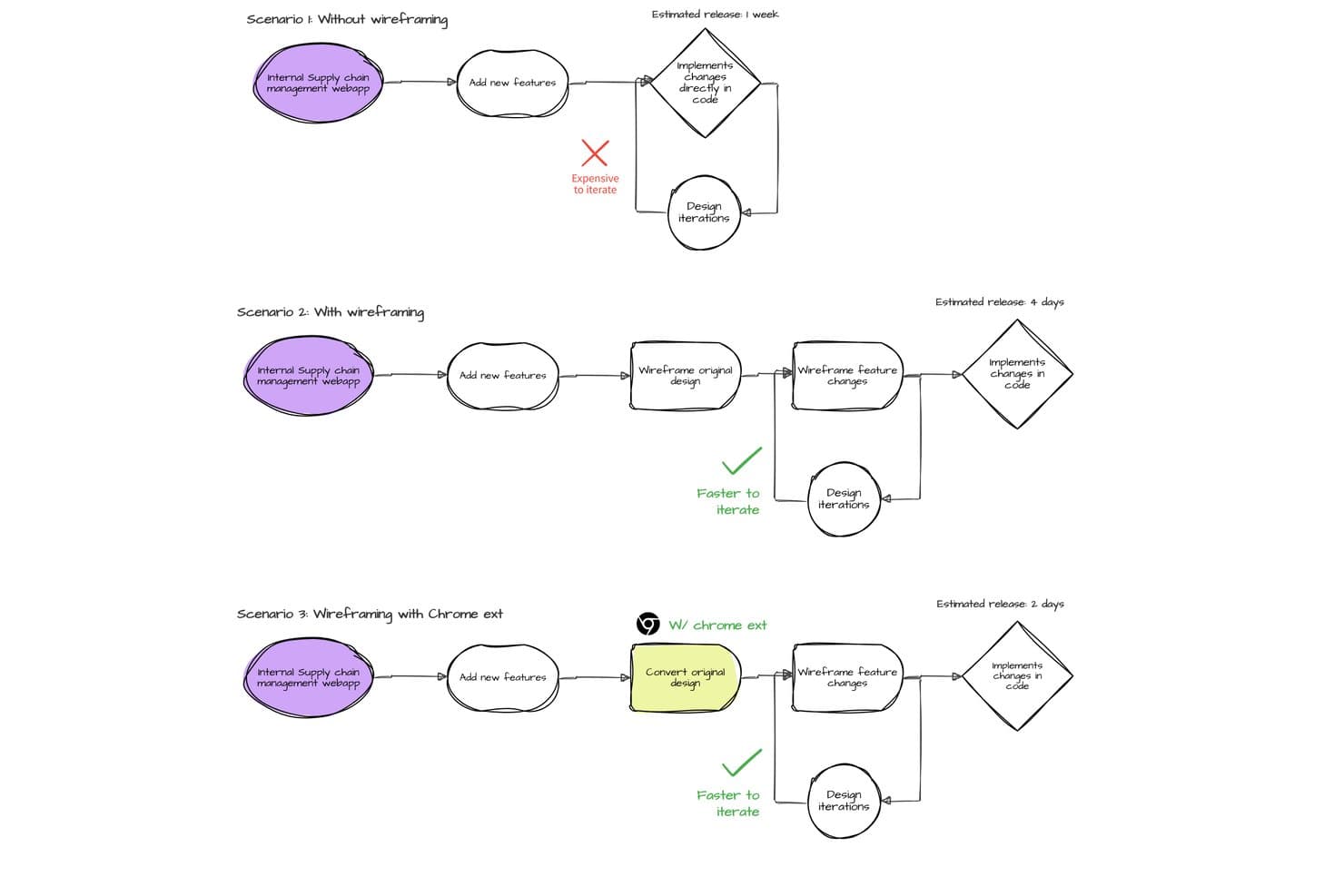
MockFlow compares wireframing workflows to show faster iteration and release times. MockFlow is an AI wireframing tool that lets you generate editable wireframes from text prompts, screenshots, URLs, and hand-drawn sketches, with an extensive built-in UI kit library spanning web, mobile, desktop, and enterprise design systems.
Who Is MockFlow Best For?
MockFlow is a strong fit for product managers and startup founders who need to go from rough idea to structured wireframe fast, without depending on a dedicated designer.
Why I Picked MockFlow
MockFlow earns its spot on my shortlist because of its sheer depth of built-in UI kits, covering everything from iOS and Android to enterprise design systems like Salesforce Lightning and SAP UI. I love that you can sketch a rough idea, generate a multi-screen wireframe with Mida, and then instantly switch the style from sketchy lo-fi to hi-fi without rebuilding anything. The Concept Builders feature is a standout for ideation: AI collaborators like "Onboarding Flow Designer" remember context across a session, making early-stage exploration feel structured rather than scattered.
MockFlow Key Features
- Screenshot and URL to wireframe: Upload a screenshot or paste a live URL and MockFlow converts it into an editable wireframe you can build on immediately.
- Multi-screen AI generation: Describe a flow and Mida produces multiple linked screens at once, with one design system applied consistently across all of them.
- Real-time co-editing with comments: Team members can edit boards simultaneously, leave pinned comments with video replies, and apply design suggestions in one click.
- Code export in multiple frameworks: Build mode outputs production-ready code in React, Tailwind, TypeScript, Bootstrap, and more, with AI prompt export for tools like Claude Code and Cursor.
MockFlow Integrations
MockFlow offers 20+ connectors on Max, including Slack, Jira, Confluence, Trello, Notion, GitHub, Linear, Google Drive, Google Docs, and Microsoft Teams. It also supports Figma, Cursor, VS Code, MCP servers, and an API for custom integrations.
Pros and Cons
Pros:
- Editable Figma and code handoff preserve structure
- Extensive enterprise and mobile UI kits
- Text prompts generate linked multi-screen flows
Cons:
- Complex prototypes lack advanced transitions
- Precise multi-selection and resizing feel awkward
Learn more about MockFlow: Best for generating multiple variants from prompts
- Free plan available
- From $12/month (billed annually)
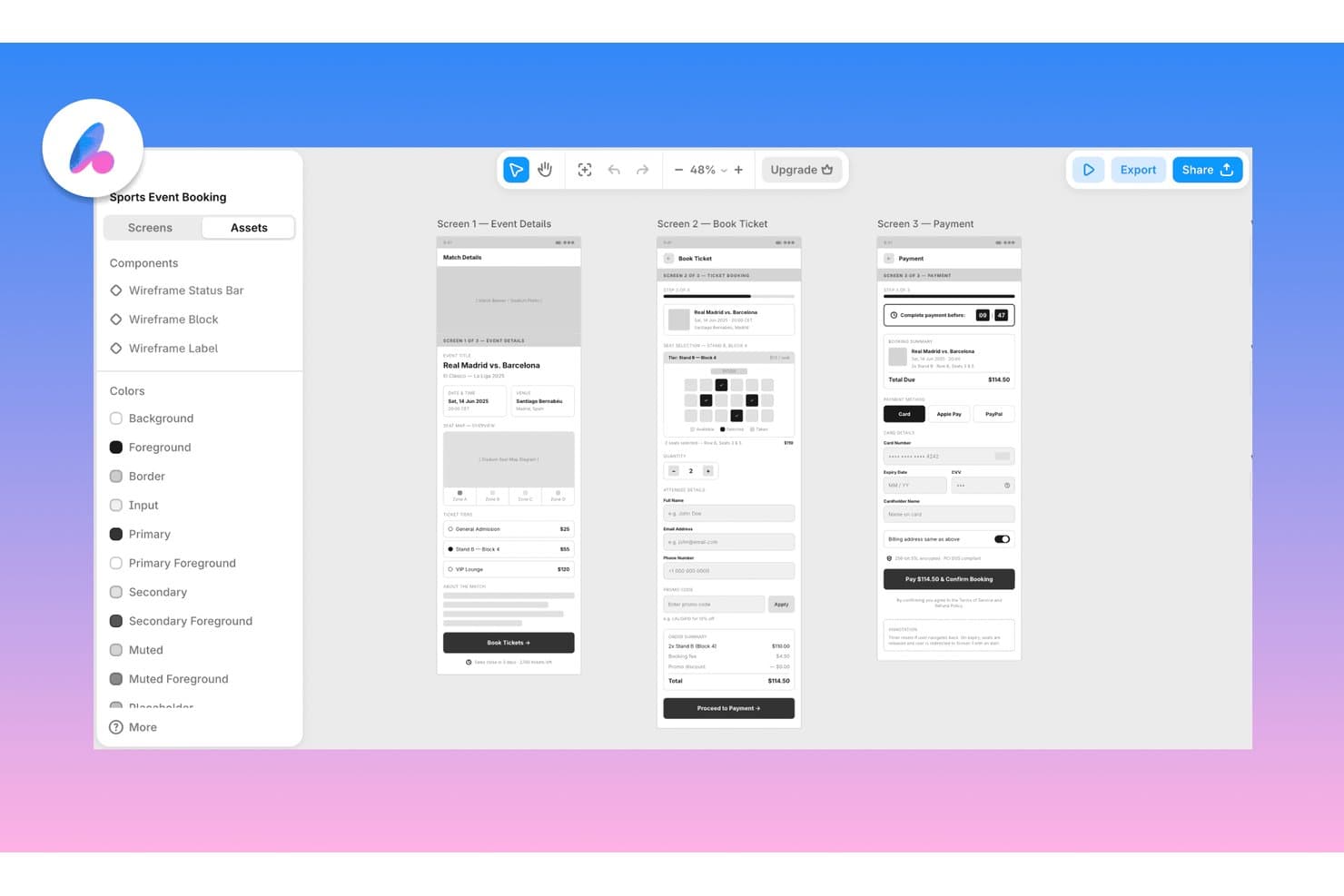
Banani lets users wireframe multi-screen app flows with AI assistance. Banani is a browser-based AI wireframing tool that generates multi-screen flows and design variants from text prompts, PRDs, sketches, screenshots, and Figma links, with export to Figma, HTML/CSS, and AI coding agents.
Who Is Banani Best For?
Banani is a strong fit for product managers and founders who need to go from idea to multi-screen design fast, without relying on a dedicated designer.
Why I Picked Banani
I've included Banani in my top picks because it's the only tool I've used that generates multiple distinct layout variants from a single prompt, giving you real design directions to compare rather than one output to accept or reject. Feed it a PRD and the AI agent autonomously plans and builds every screen in the flow, keeping components and tokens consistent across the lot. I also like that it accepts sketches and screenshots as inputs, so you can get from a napkin idea to a reviewable multi-screen prototype in minutes.
Banani Key Features
- Fidelity switching: Toggle between low-, mid-, and high-fidelity output, or convert a desktop layout to mobile, without leaving the tool.
- Design system generator: Build a complete set of styles, tokens, and components from a prompt or reference, then export directly to Figma or code.
- MCP export to coding agents: Push your designs to AI coding agents like Claude Code, Cursor, and Codex through a model context protocol connection.
- Sketch and screenshot input: Upload a hand-drawn sketch or screenshot and the AI converts it into an editable wireframe you can expand into a full flow.
Banani Integrations
Banani integrates with Figma and AI coding agents Claude Code, Cursor, and Codex through MCP. Enterprise plans support custom integrations, but no public API is documented.
Pros and Cons
Pros:
- Converts sketches into editable wireframes
- Turns PRDs into connected screen flows
- Generates multiple layout variants
Cons:
- Live collaboration features remain unclear
- Traditional component library is absent
Learn more about Banani:
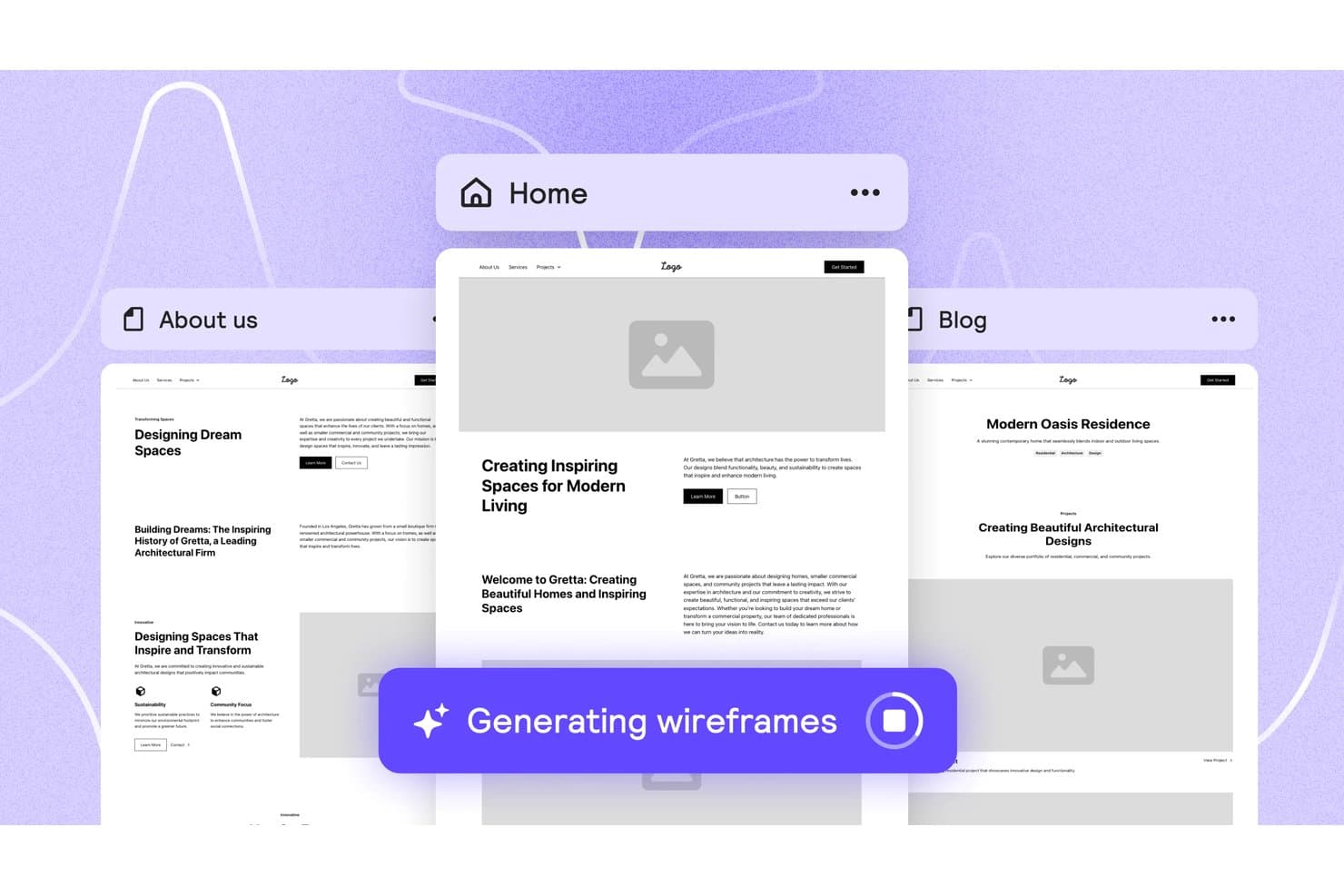
Relume auto-generates multi-page wireframes from a single prompt. Relume is an AI wireframing and website-building tool that generates sitemaps, multi-page wireframes, and styled design concepts from a text brief, with exports to Figma, Webflow, and React.
Who Is Relume Best For?
Relume is a strong fit for designers and front-end developers who want to move from a text brief to export-ready Figma or React components without starting from scratch.
Why I Picked Relume
I picked Relume as one of the best because its Figma and React export pipeline is genuinely built for handoff, not just output. When I generate a wireframe, the Figma plugin imports it as editable auto-layout with variables and variants intact, and the React export uses Tailwind CSS and shadcn/ui, so it drops cleanly into Next.js or Astro without cleanup. I also love that the same project exports to both formats from one place, which cuts a real step out of the design-to-dev workflow.
Relume Key Features
- Brief-to-sitemap generation: Relume takes a text brief, uploaded files, or URLs and turns them into a multi-page sitemap with sections mapped out before wireframing begins.
- Style guide builder: After wireframing, you can apply colors, typography, spacing, and button styles across every page in one step to produce a styled design concept.
- Component shuffling and variant swapping: You can swap a section's component for an alternative variant or shuffle it entirely while keeping the existing copy in place.
- Relume Library MCP: Paid plans include an MCP server that lets AI editors like Cursor, Windsurf, and VS Code pull React components directly from the Relume library.
Relume Integrations
Relume integrates with Figma, Webflow, React, HTML, and Claude Design, plus MCP connectivity for Cursor, Claude, Windsurf, and VS Code. No public API is documented.
Pros and Cons
Pros:
- Styled concepts support faster stakeholder validation
- Curated components keep layouts consistent
- Briefs become multi-page wireframes quickly
Cons:
- Component-bound editing limits freeform changes
- No sketch or screenshot conversion
Learn more about Relume: Best for wireframing from AI coding tool handoff
- 14-day free trial available
- From $12/month (billed annually)
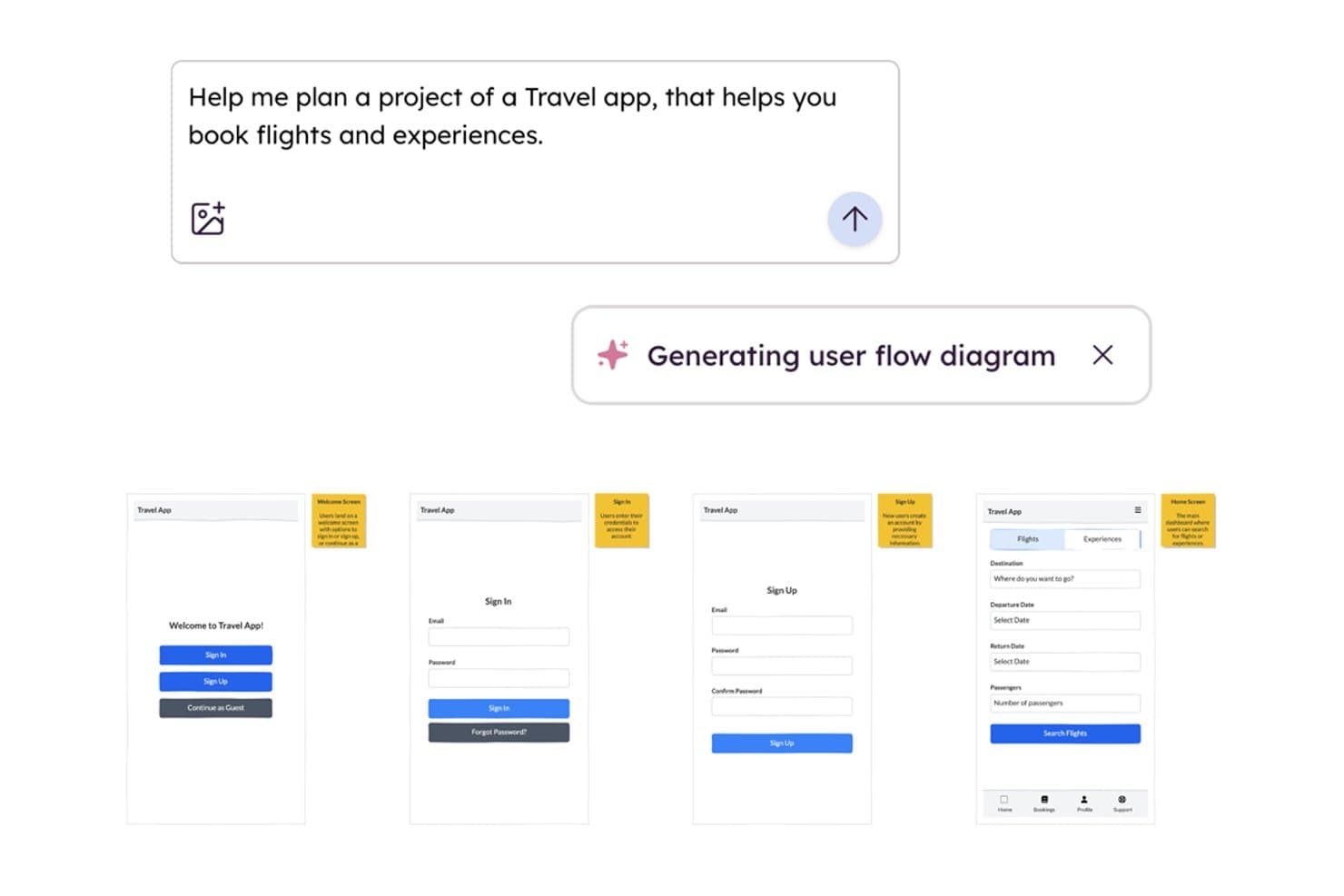
Balsamiq AI generates wireframe user flows from a text prompt. Balsamiq is a low-fidelity AI wireframing tool that converts screenshots, sketches, text prompts, and front-end code into editable wireframes, with built-in collaboration, clickable HTML prototypes, and an MCP server for handoff to AI coding tools.
Who Is Balsamiq AI Best For?
Balsamiq AI is a strong fit for product managers and startup founders who need to move fast from idea to testable concept without a design background.
Why I Picked Balsamiq AI
I picked Balsamiq AI because its MCP server makes it the clearest path from wireframe to AI-assisted development I've seen. Once your screens are ready, tools like Cursor or Claude can read the boards directly, generate user stories, write QA plans, and flag missing states like error or empty screens. I also like the code-to-wireframe feature: paste in React or HTML and get an editable wireframe back, which makes it easy to reverse-engineer existing front-ends before iterating.
Balsamiq AI Key Features
- Screenshot-to-wireframe conversion: Upload a screenshot of any app or website and Balsamiq AI converts it into a set of editable wireframe elements in roughly 30 seconds.
- Alternates: Create and manage multiple layout variations of a single wireframe to compare ideas or gather stakeholder feedback without duplicating entire boards.
- Clickable HTML prototype generation: Select your wireframe screens and generate a functional HTML prototype where buttons, sliders, and navigation work as expected.
- AI credit pooling: Monthly AI credits are shared across your entire workspace, so teams can distribute usage flexibly rather than each editor working from a fixed individual quota.
Balsamiq AI Integrations
Balsamiq AI offers native integrations with Jira and Confluence, plus Slack sharing. Its MCP server connects boards to Claude, ChatGPT, Cursor, VS Code, and Codex for AI-assisted development handoff.
Pros and Cons
Pros:
- Generates clickable prototypes from low-fidelity screens
- Reverse-engineers front-end code into wireframes
- Converts screenshots and sketches into wireframes
Cons:
- No direct Figma or Sketch export
- Deliberately stops short of high-fidelity design
Learn more about Balsamiq AI:
Other AI Wireframing Tools
Here are some additional AI wireframing tools options that didn’t make it onto my shortlist, but are still worth checking out:
- 11Mockitt DesignBest for turning PRDs into multi-screen prototypes
- 12FramerBest for wireframe-to-live-site in one canvas
- 13MockplusBest for team wireframing without design skills
- 14UXMagicBest for sketching to screen with PRD input
- 15Figma MakeBest for prompt-to-prototype in the Figma ecosystem
- 16Jeda.aiBest for wireframing from docs and PRD uploads
How I Evaluate AI Wireframing Tools
To make this list, a tool's AI must handle real wireframing work, like generating prompt-based layouts or converting sketches into screens. From there, I evaluate three things. Core functionality carries most weight, like editing elements and exporting wireframes. Then I look at standout features, like design system awareness, and how well the tool fits your team's workflow.
Core Functionality (Table Stakes For This List)
When I'm selecting tools for my list, I score each one on a scale from 0 (does not offer the functionality) to 5 (excels in this area) for each core functionality listed below. I then convert the total into a percentage to help assess each tool's overall fit, with extra weight on any functionalities I’ve deemed essential.
- AI Wireframe Generation (Essential): I assess whether prompts, sketches, or screenshots become usable multi-screen layouts with minimal structural cleanup.
- Drag-and-Drop Editing (Essential): I look for free movement, resizing, alignment, layering, and grouping when refining generated screens or building a flow manually.
- UI Component Library: The library should cover buttons, forms, navigation, cards, and mobile patterns for quick screen assembly.
- Multi-Fidelity Output: I check whether teams can move from rough blocks to styled, near-prototype screens without rebuilding the flow.
- Export and Handoff: I assess exports and sharing for images, PDFs, design files, or code while retaining useful structure for handoff.
- Real-Time Collaboration: I look for co-editing, comments, presence, and version history when product, design, and engineering review a wireframe.
Once I have a list of tools that meet the criteria, I consider what sets each platform apart.
Differentiating Factors (What Sets Vendors Apart)
Here's how I compare and contrast different vendors:
Standout Features
I look for PRD-to-wireframe import, where a tool parses user stories or requirement docs into structured screens. This saves hours of manual translation during discovery sprints. I also evaluate AI style variation generation, which produces multiple layout options from one prompt so teams can compare concepts quickly. Smart layout suggestions matter too. I check whether the AI flags usability issues as you edit, like flagging a CTA buried below the fold.
Beyond Features
I evaluate how fast a tool moves from prompt to something I can put in front of stakeholders. A concept that's testable in minutes rather than hours changes the pace of product discovery. I also check how well each tool fits into an existing toolchain—whether it exports to Figma or connects to Jira for PRD-to-wireframe workflows. Data privacy matters too, especially for pre-launch products. I look for clear policies on whether customer designs train the AI, since that's a dealbreaker for teams in regulated industries.
How to Choose AI Wireframing Tools
It’s easy to get bogged down in long feature lists and complex pricing structures. To help you stay focused as you work through your unique software selection process, here’s a checklist of factors to keep in mind:
| Factor | What to Consider |
|---|---|
| FactorScalability | What to ConsiderWill the tool support your team as it grows? Consider user limits, project caps, and collaboration needs for future expansion. |
| FactorIntegrations | What to ConsiderDoes the tool connect with your existing stack (e.g., Jira, Figma, Slack)? Check for native integrations, not just API or Zapier options. |
| FactorCustomizability | What to ConsiderCan you adapt templates, components, or workflows to fit your process? Assess how much you can tailor the tool to your team’s needs. |
| FactorEase of use | What to ConsiderHow quickly can new users become productive? Look for intuitive navigation, clear labeling, and minimal training requirements. |
| FactorImplementation and onboarding | What to ConsiderWhat resources are available for setup and training? Evaluate the availability of tutorials, onboarding guides, and customer support during rollout. |
| FactorCost | What to ConsiderAre pricing tiers transparent and predictable? Watch for hidden fees, user-based pricing, or feature gating that could impact your budget. |
| FactorSecurity safeguards | What to ConsiderDoes the tool meet your organization’s security standards? Check for SSO, data encryption, and compliance with relevant regulations. |
| FactorSupport availability | What to ConsiderWhat support channels are offered, and during what hours? Consider if you need 24/7 support, live chat, or dedicated account management. |
What Are AI Wireframing Tools?
AI wireframing tools are software platforms that use artificial intelligence to help users quickly generate, edit, and refine digital wireframes for websites or applications. These tools automate layout creation, suggest web design elements, and often interpret text prompts to produce visual structures. They are designed for product teams, designers, and developers who want to accelerate early-stage design and collaborate more efficiently on user interface concepts.
Features of AI Wireframing Tools
When selecting AI wireframing tools, keep an eye out for the following key features:
- AI-generated layouts: Automatically create wireframe structures from text prompts or requirements, saving time on manual design.
- Drag-and-drop component library: Access a wide range of pre-built UI elements that can be quickly placed and arranged on the canvas.
- Real-time collaboration: Allow multiple users to work on the same wireframe simultaneously, with live updates and commenting.
- Version history: Track changes, compare previous iterations, and revert to earlier versions as needed.
- Export options: Download wireframes in various formats such as PNG, PDF, or SVG for sharing or further editing.
- Template gallery: Start projects with ready-made wireframe templates for common page types like a landing page and home page.
- Integration capabilities: Connect with other tools like project management, documentation, or design platforms to centralize workflows.
- Feedback and annotation tools: Enable stakeholders to leave comments, suggestions, or markups directly on wireframes.
- Responsive design support: Design wireframes that adapt to different screen sizes and devices, previewing layouts for mobile, tablet, and desktop.
- Access controls: Manage user permissions to ensure the right people can view, edit, or comment on wireframes.
Benefits of AI Wireframing Tools
Implementing AI wireframing tools provides several benefits for your team and your business. Here are a few you can look forward to:
- Faster design iteration: AI-generated layouts and templates help teams quickly explore multiple design options without starting from scratch.
- Improved collaboration: Real-time editing and commenting features enable designers, developers, and stakeholders to work together easily.
- Consistent user interfaces: Pre-built component libraries and templates promote design consistency across projects and teams.
- Reduced manual effort: Automated wireframe generation from text prompts minimizes repetitive tasks and accelerates early-stage design.
- Easier stakeholder feedback: Built-in annotation and sharing tools make it simple for stakeholders to review and provide input directly on wireframes.
- Better integration with workflows: Native integrations with project management and design tools help teams keep wireframing connected to the broader product development process.
- Enhanced version control: Version history features allow teams to track changes, compare iterations, and revert to previous designs as needed.
Costs and Pricing of AI Wireframing Tools
Selecting AI wireframing tools requires an understanding of the various pricing models and plans available. Costs vary based on features, team size, add-ons, and more. The table below summarizes common plans, their average prices, and typical features included in AI wireframing tools solutions:
Plan Comparison Table for AI Wireframing Tools
| Plan Type | Average Price | Common Features |
|---|---|---|
| Plan TypeFree Plan | Average Price$0 | Common FeaturesBasic wireframing tools, limited AI features, single user access, and basic export options. |
| Plan TypePersonal Plan | Average Price$5-$15/user/month | Common FeaturesFull AI wireframing, expanded component libraries, more export formats, and limited integrations. |
| Plan TypeBusiness Plan | Average Price$15-$30/user/month | Common FeaturesTeam collaboration, advanced integrations, version history, priority support, and admin controls. |
| Plan TypeEnterprise Plan | Average Price$30-$60/user/month | Common FeaturesCustom integrations, enhanced security, dedicated account management, onboarding support, and SLA guarantees. |
AI Wireframing Tools FAQs
Here are some answers to common questions about AI wireframing tools:
Can AI wireframing tools replace traditional design software?
No, AI wireframing tools are not a full replacement for traditional design software. They accelerate early-stage ideation and layout creation, but most teams still use dedicated design tools for detailed UI work, prototyping, and final asset production.
How accurate are AI-generated wireframes?
AI-generated wireframes are generally accurate for basic layouts and standard UI patterns. However, they may require manual adjustments for complex workflows, unique branding, or highly customized interfaces. Always review and refine AI outputs before sharing with stakeholders.
Do AI wireframing tools require design experience?
No, most AI wireframing tools are designed for both designers and non-designers. Their intuitive interfaces and AI-driven suggestions help users with limited design experience create functional wireframes, though design knowledge can improve results.
Are AI wireframing tools secure for sensitive projects?
Yes, many AI wireframing tools offer security features like data encryption, SSO, and compliance with privacy standards. Always review a vendor’s security documentation and confirm it meets your organization’s requirements before using it for sensitive projects.
Can I collaborate with my team in real time using these tools?
Yes, most AI wireframing tools support real-time collaboration. Multiple users can edit, comment, and review wireframes simultaneously, making it easier to gather feedback and iterate quickly with distributed teams.
What file formats can I export wireframes to?
Most AI wireframing tools allow you to export wireframes in formats like PNG, PDF, and SVG. Some also support sharing via web links or direct integration with other design and project management platforms. Always check export options before choosing a tool.