

Managing product development is no easy feat. Tight deadlines, shifting priorities, and the need for clear communication across your team can make it overwhelming. If you're using ClickUp, you might feel like it’s not quite built with product managers in mind. Maybe it’s missing features for product road mapping, doesn't offer seamless integration with your dev tools, or struggles to align cross-functional teams. Whatever the reason, exploring alternative product or project management software could help you streamline workflows, enhance collaboration, and bring your product vision to life.
That’s why I've put together, tested, and reviewed the top software options to help you find the best fit for your team. This article will guide you through the top alternatives, highlighting their strengths and how they can address your specific challenges plus details like pros & cons, pricing, and more. Here are my top software picks.
What Is ClickUp?
ClickUp is a product management tool designed to help teams organize tasks, projects, and workflows. It's generally used by project managers, team leaders, and professionals who need to coordinate activities across various departments. It provides value by offering a centralized platform for task management, collaboration, and communication. Features like task tracking, to-do lists, project timelines, and team collaboration support your efforts to manage projects efficiently and keep everyone on the same page. In some cases, ClickUp can be a great fit and ultimately help you and your team stay organized and productive.
ClickUp Alternatives Comparison Table
Curious about ClickUp’s pricing and how it compares to other software options out there? This comparison table summarizes pricing details for my top ClickUp alternative selections.
| Tool | Best For | Trial Info | Price | ||
|---|---|---|---|---|---|
| 1 | Best for tailored workflows | Free plan + 15-day trial + demo available | From $4/user/month (billed annually) | Website | |
| 2 | Best for automating complex workflows | Free plan + 14-day trial + demo available | From $10/user/month (billed annually) | Website | |
| 3 | Best for integrating docs and tasks | Free plan + free trial + free demo available | From $10/user/month | Website | |
| 4 | Best for enterprise-grade security | Free plan + trial + demo available | From $10.99/user/month (billed annually) | Website | |
| 5 | Best for client-focused teams | Free plan + 14-day free trial + free demo available | From $9.99/user/month (billed annually) | Website | |
| 6 | Best for resource scheduling and capacity planning | 30-day free trial + demo available | From $7/user/month | Website | |
| 7 | Best for AI-driven scheduling | Free trial available | From $19/user/month (billed annually) | Website | |
| 8 | Best for integrated CRM features | Free plan + free trial + free demo available | From $39/user/month | Website | |
| 9 | Best for visual task tracking | Free plan + free trial available | From $5/user/month (billed annually) | Website | |
| 10 | Best for marketing project management | Free demo available | From $49/user/month | Website |


Why Trust Our Software Reviews
We’ve been testing and reviewing product management software since 2020. As product managers ourselves, we know how critical and difficult it is to make the right decision when selecting software. We invest in deep research to help our audience make better software purchasing decisions.
We’ve tested more than 2,000 tools for different product management use cases and written over 1,000 comprehensive software reviews. Learn how we stay transparent & check out our software review methodology.
Best ClickUp Alternatives Reviews
Below are my detailed summaries of the best ClickUp alternatives that made it onto my shortlist. These reviews offer a detailed look at the key features, pros & cons, integrations, and ideal use cases for each tool to help you find the best one for you.
 Best for tailored workflows
- Free plan + 15-day trial + demo available
- From $4/user/month (billed annually)
Visit WebsiteCustomer Rating:4.3/5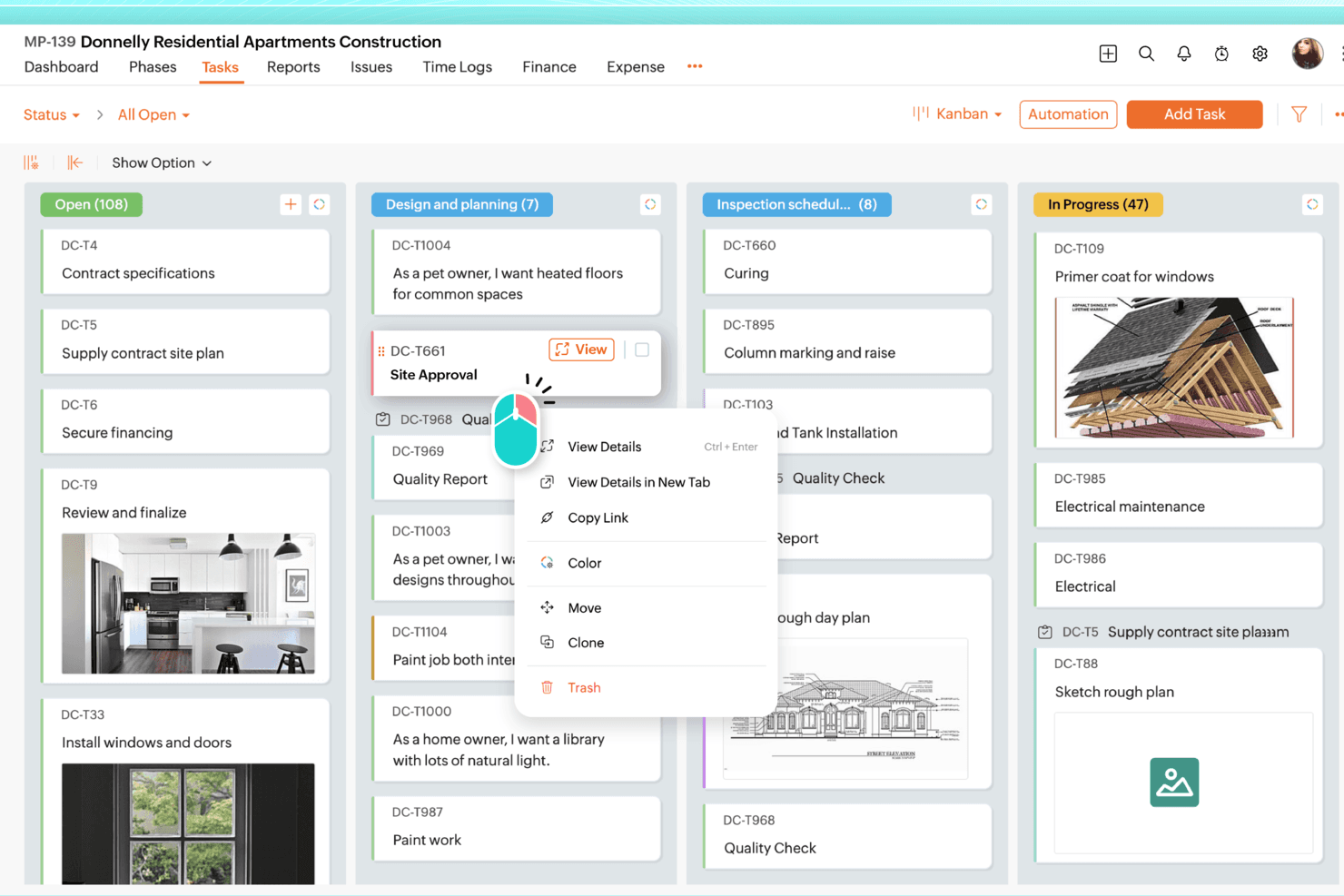
Zoho Projects organizes tasks across stages using a Kanban board view. Zoho Projects is a structured project management tool that suits teams who need Gantt charts, task hierarchies, workflow automation, and deep customization without the sprawling complexity that makes some tools hard to adopt.
Who Is Zoho Projects Best For?
Zoho Projects is a strong fit for teams already in the Zoho ecosystem who want structured project planning with deep workflow customization at an affordable price.
Why I Picked Zoho Projects
I picked Zoho Projects as one of the best ClickUp alternatives because it lets teams tailor workflows at a granular level without rebuilding everything from scratch. I particularly like how Blueprints let you define exactly what happens at each task-status transition, automatically reassigning work, updating fields, and alerting the right people. Pair that with custom modules for capturing industry-specific data, and you get a structure that bends to your process rather than forcing your team to adapt to the tool.
Zoho Projects Key Features
- Portfolio dashboard: View project, task, and issue status across all your projects in one place, including budget health and project ownership.
- Gantt chart scheduling: Plan timelines, visualize dependencies, and reschedule tasks directly from the Gantt view.
- Resource management: Review and redistribute team workload by checking user allocation before assigning tasks.
- Zoho ecosystem integrations: Connect natively with Zoho CRM, Zoho Desk, Zoho Books, and Zoho Sprints to manage work across your existing tools.
Zoho Projects Integrations
Zoho Projects offers 50+ marketplace integrations, including Slack, Microsoft Teams, GitHub, Bitbucket, Jira, Google Calendar, Zoho Sprints, and Zoho WorkDrive. It also provides a REST API, webhooks, Zoho Flow, and Zapier.
Pros and Cons
Pros:
- Portfolio dashboards track project budget health
- Gantt dependencies support structured project schedules
- Blueprints automate status-driven task handoffs
Cons:
- Workflow setup can overwhelm new administrators
- Large-project Gantt interactions can feel sluggish
Learn more about Zoho Projects: Best for automating complex workflows
- Free plan + 14-day trial + demo available
- From $10/user/month (billed annually)
Visit WebsiteCustomer Rating:4.3/5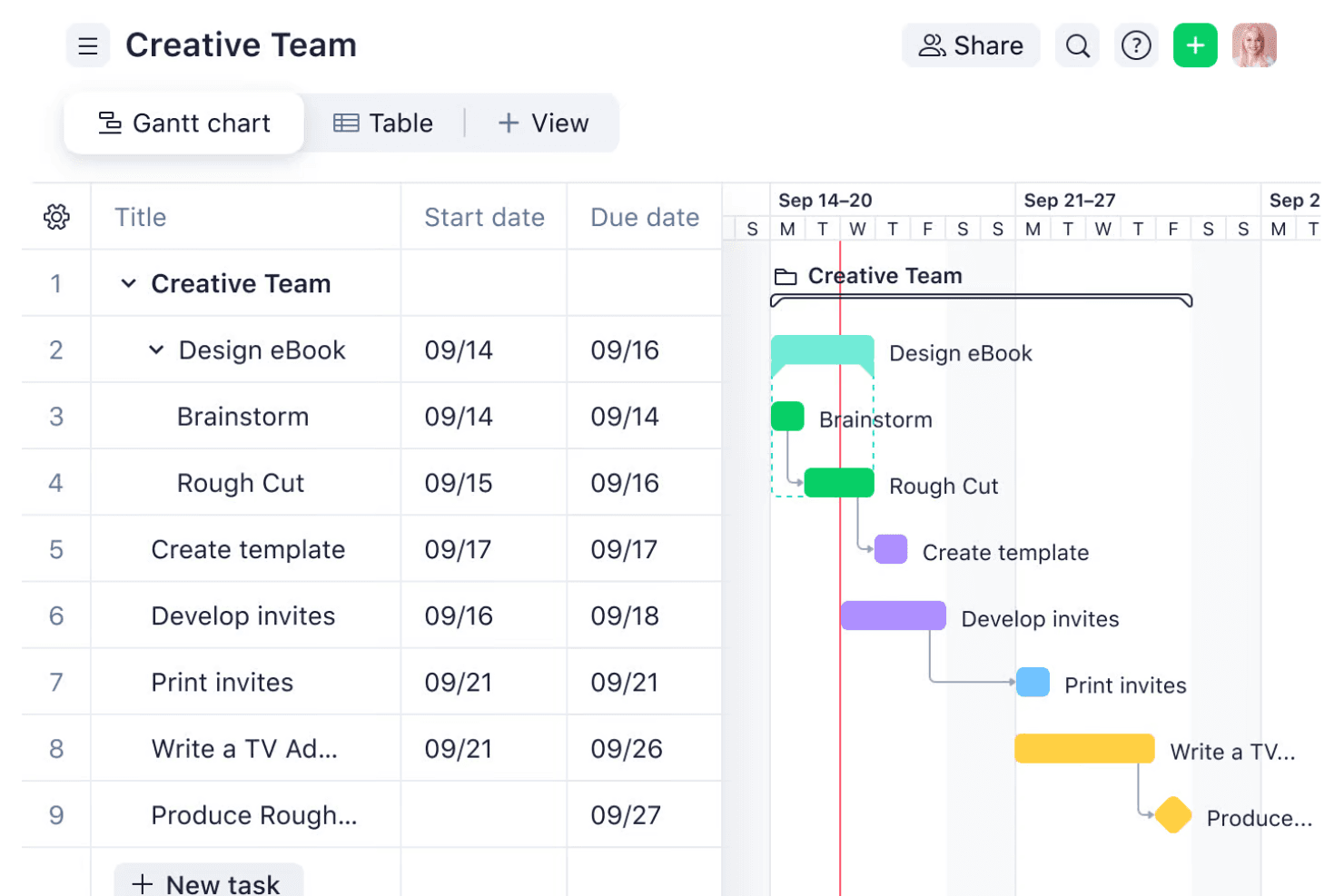
Wrike visualizes project tasks and timelines using a Gantt chart view. Wrike is a work management platform built for cross-functional teams that need to plan, track, and automate complex projects across multiple departments without losing visibility into who owns what.
Who Is Wrike Best For?
Wrike suits cross-functional teams and operations managers who need to standardize intake, automate multi-step workflows, and track work across departments from a single platform.
Why I Picked Wrike
I picked Wrike for its ability to automate complex, multi-step workflows that span multiple teams without things falling apart mid-process. I love how its no-code WHEN–IF–THEN automation rules can trigger full project blueprints, route approvals, and reassign tasks automatically based on form submissions. In practice, that means my team can set up a request form for incoming work, and Wrike handles the rest: creating tasks, assigning owners, and kicking off the right approval chain.
Wrike Key Features
- Gantt chart with dependencies: View tasks on an interactive timeline with finish-to-start, start-to-start, finish-to-finish, and start-to-finish dependency types that automatically reschedule linked active tasks when dates shift.
- Workload charts: See allocated effort by team member or project across daily, weekly, or monthly periods to spot capacity gaps and reassign tasks without leaving the platform.
- OKR template: Organize objectives, key results, action items, and deliverables in a structured workspace, assign tasks under each key result, and track progress as subtasks are completed.
- Time tracking: Log hours worked at the task level from the Business plan onward, with time data available for reporting and export to your finance system.
Wrike Integrations
Wrike offers 400+ pre-built native integrations, including Salesforce, HubSpot, Slack, Zoom, and Adobe, plus an open REST API and Wrike Integrate for custom integrations and workflow automation.
Pros and Cons
Pros:
- Gantt dependencies keep shifting schedules aligned
- Workload charts expose cross-project capacity gaps
- Automates request routing and approval workflows
Cons:
- Reports often need exports or manual workarounds
- Configuring spaces and dashboards can feel overwhelming
 Best for integrating docs and tasks
- Free plan + free trial + free demo available
- From $10/user/month
Visit WebsiteCustomer Rating:4.6/5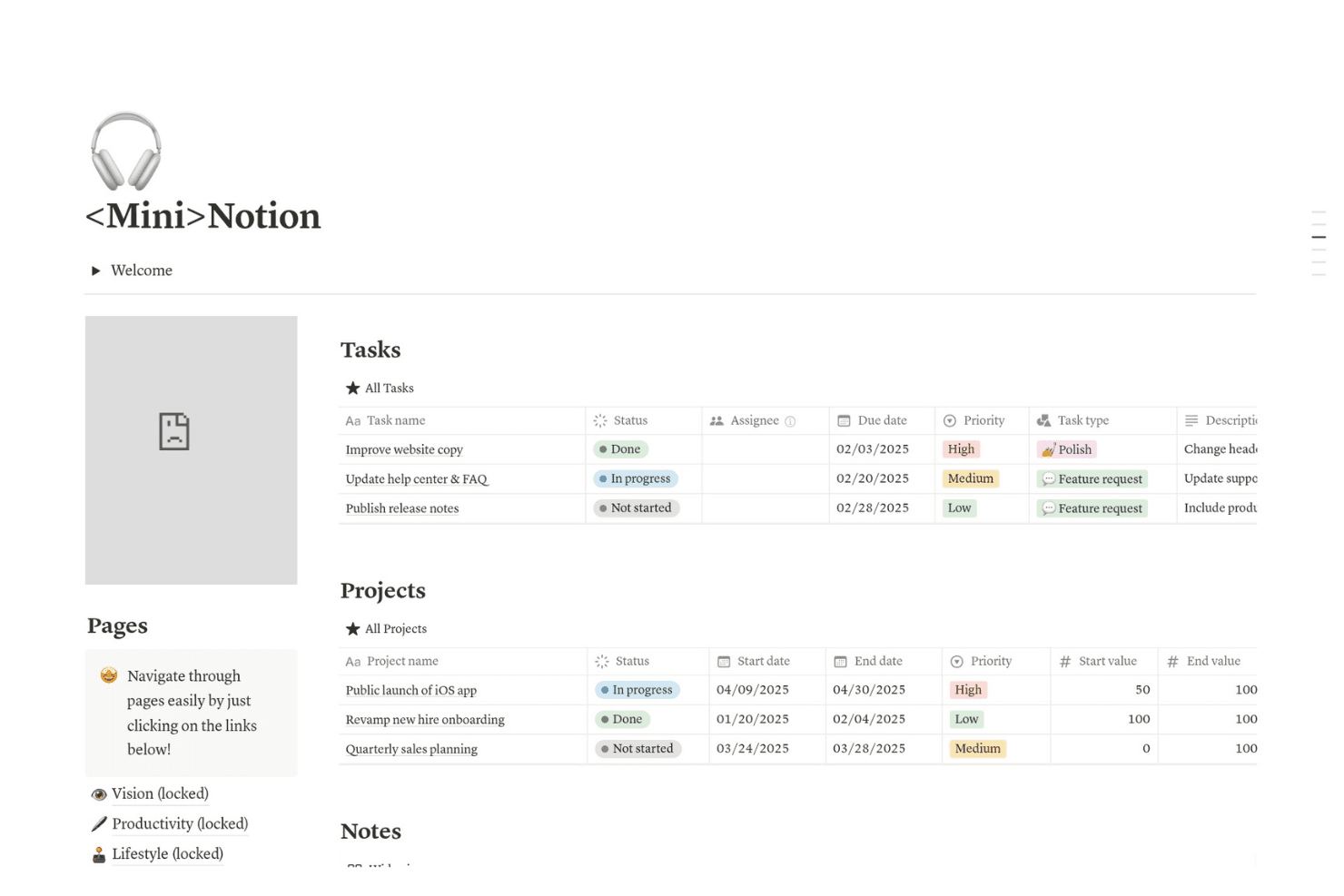
Mini>Notion organizes tasks, projects, and notes in one dashboard. Notion is an all-in-one workspace that lets product managers, project teams, and operations leads connect their docs, wikis, and task databases in a single environment—making it a strong fit if you're tired of context-switching between your planning tools and your documentation.
Who Is Notion Best For?
Notion is a great fit for product and operations teams that want their docs, wikis, and project tracking in one place instead of spread across separate tools.
Why I Picked Notion
I picked Notion as one of the best ClickUp alternatives because it genuinely closes the gap between project tracking and documentation in a way most tools don't. Where ClickUp keeps tasks and docs in separate worlds, Notion lets me build a sprint database that links directly to the spec pages, PRDs, and meeting notes that inform that work. I especially like how project databases support subtasks, dependencies, and multiple views like timeline and board, all within the same workspace where my team's wikis and product context already live.
Notion Key Features
- Database automations: Automatically trigger actions in your databases when conditions are met, such as updating a property, sending a Slack notification, or assigning a task.
- AI Autofill: Populates database properties like user stories, key results, and project updates using AI based on existing workspace context.
- Forms: Collect structured input from anyone—including people outside Notion—and route responses directly into a connected database.
- Granular database permissions: Set page-level access within databases based on assignee or owner, available on Business and above.
Notion Integrations
Notion integrates with Slack, GitHub, Jira, Google Drive, Microsoft Teams, Linear, Asana, Figma, and Amplitude. It also offers an API, webhooks, MCP, SDK, Workers, and External Agents API; managed Jira and GitHub syncs are read-only in Notion.
Pros and Cons
Pros:
- Keeps collaboration close to shared project context
- Adapts project tracking through linked database views
- Keeps project tasks beside specifications
Cons:
- Falls short on workload and time tracking
- Requires setup before workflows feel coherent
Learn more about Notion: Best for enterprise-grade security
- Free plan + trial + demo available
- From $10.99/user/month (billed annually)
Visit WebsiteCustomer Rating:4.4/5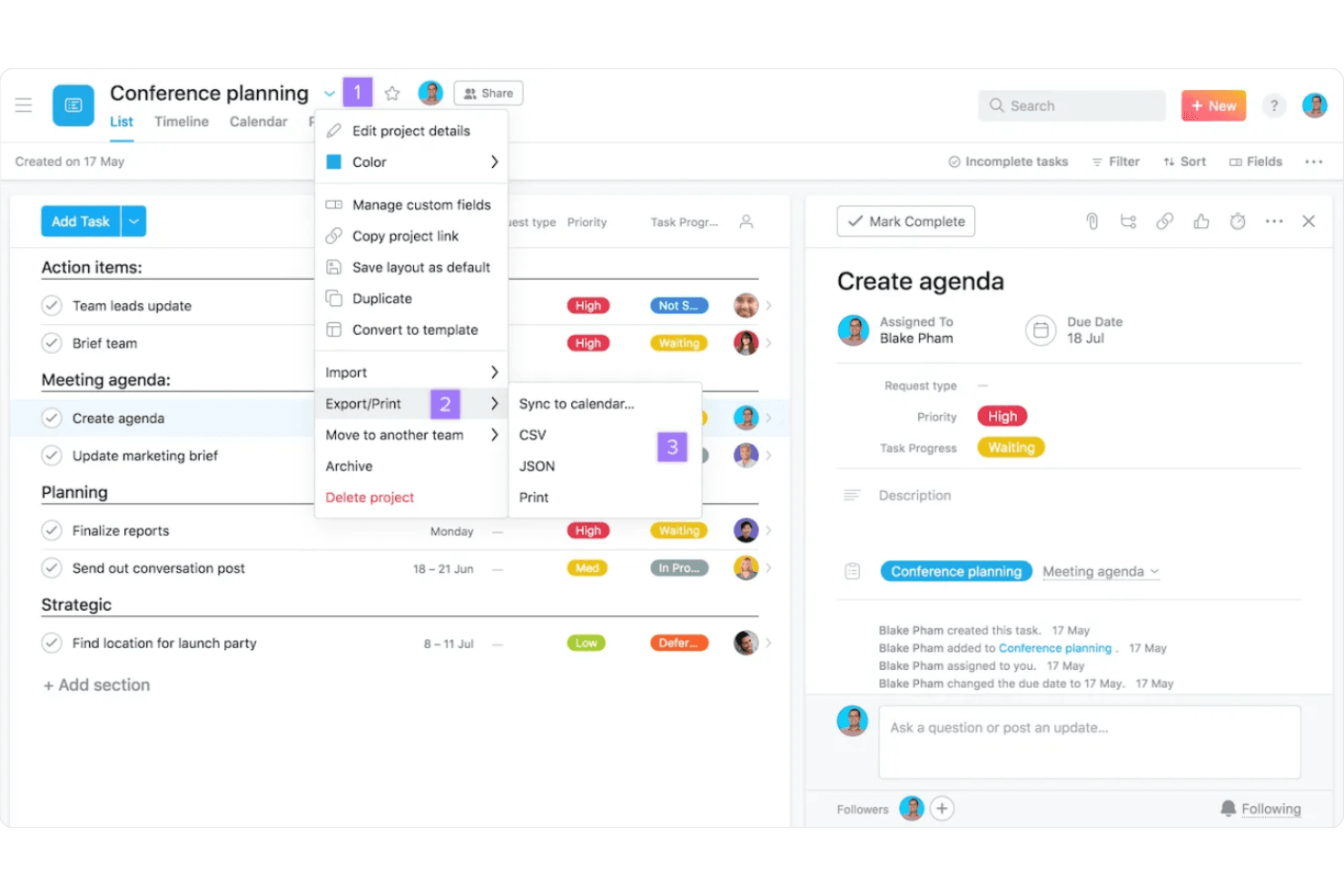
Asana lets users export projects as CSV, JSON, or print. Asana is a work management platform that connects tasks, goals, and cross-team workflows in one place, making it a strong fit for product managers and operations teams who need to track work from individual tasks all the way up to strategic objectives.
Who Is Asana Best For?
Asana is a strong fit for cross-functional teams that need to connect daily work to strategic goals, especially where security and compliance requirements make vendor certifications non-negotiable.
Why I Picked Asana
Asana earns its spot on my shortlist because its security and compliance credentials are genuinely hard to match in this category. I'm talking about SOC 2 Type II, ISO/IEC 27001, HIPAA, GDPR, and FERPA certifications, plus SCIM provisioning and SAML SSO at the Enterprise tier. If your organization operates under strict data governance requirements, Asana also offers data residency in four regions, with EU-based AI processing available for teams that need it.
Asana Key Features
- Work Graph: Connects tasks, projects, goals, people, and dependencies in a shared context so work stays linked across your entire organization.
- AI Studio: A no-code workflow builder that lets you create AI-powered automations for intake, routing, classification, and reporting.
- Two-way Jira sync: Syncs tasks, comments, and custom fields between Asana and Jira Cloud in both directions on eligible plans.
- Goal and OKR tracking: Links individual tasks and projects to company and team objectives, with progress updating automatically as work gets completed.
Asana Integrations
Asana offers 400+ native, first-party integrations, including Jira Cloud, Slack, Microsoft Teams, Google Drive, Salesforce, GitHub, Tableau, and Power BI. It also provides a REST API, webhooks, and app components for custom integrations.
Pros and Cons
Pros:
- Tasks can span projects without duplication
- Goals link execution with company objectives
- Enterprise-grade compliance supports regulated teams
Cons:
- Automations skip subtasks beyond the first level
- Notifications can bury priority updates
 Best for client-focused teams
- Free plan + 14-day free trial + free demo available
- From $9.99/user/month (billed annually)
Visit WebsiteCustomer Rating:4.5/5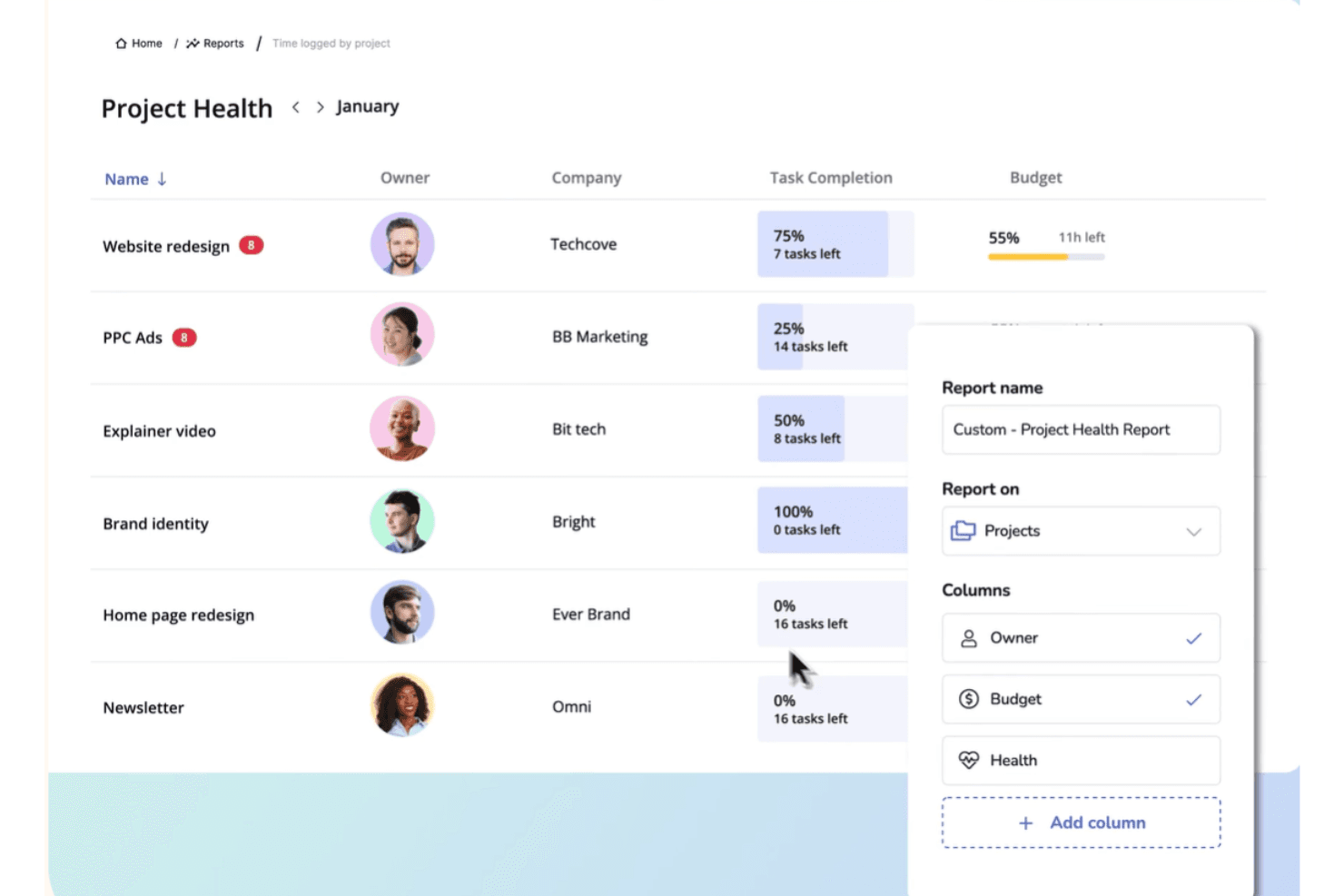
Teamwork lets users build custom project health reports by month. Teamwork.com is a project management platform built for client-facing teams—agencies, consultancies, and service businesses—that need to track tasks, manage budgets, log billable time, and collaborate with clients in one place.
Who Is Teamwork.com Best For?
Teamwork.com is a strong fit for agencies and service teams that need to track billable hours, manage client deliverables, and monitor project profitability in one place.
Why I Picked Teamwork
I picked Teamwork as one of the best ClickUp alternatives because it's purpose-built for client-facing teams that need to track billable hours and project profitability in one place. I love how it connects time logs directly to client invoices and budget dashboards, so my team can see exactly where hours are going on a live project. Its built-in retainer and cost-rate management means I can track margin by client without stitching together a separate tool.
Teamwork Key Features
- ClickUp workspace importer: Migrates your entire ClickUp workspace into Teamwork.com in one step, mapping spaces, folders, lists, tasks, subtasks, and comments automatically.
- Workload and capacity planning: Displays team workloads and available capacity in real time so you can spot resourcing risks and reassign work before deadlines slip.
- Proofs: Manages client review cycles from initial upload through revisions to final sign-off, keeping feedback and approvals in one place.
- Customizable dashboards: Gives every team member a visual overview of project progress, time, and health metrics, with shared dashboards available on higher-tier plans.
Teamwork.com Integrations
Teamwork.com offers 150+ integrations, including native Slack, Microsoft Teams, Google Calendar, HubSpot, Salesforce, QuickBooks Online, Xero, and NetSuite connections. It supports API access, webhooks, marketplace integrations, Unito for Jira and GitHub syncing, and Zapier.
Pros and Cons
Pros:
- Client feedback stays linked to project tasks
- Capacity views flag workload and resourcing risks
- Project budgets tie billable time to profitability
Cons:
- Sprint planning and backlog tracking feel limited
- Large projects can make screens feel cluttered
Learn more about Teamwork: Best for resource scheduling and capacity planning
- 30-day free trial + demo available
- From $7/user/month
Visit WebsiteCustomer Rating:4.4/5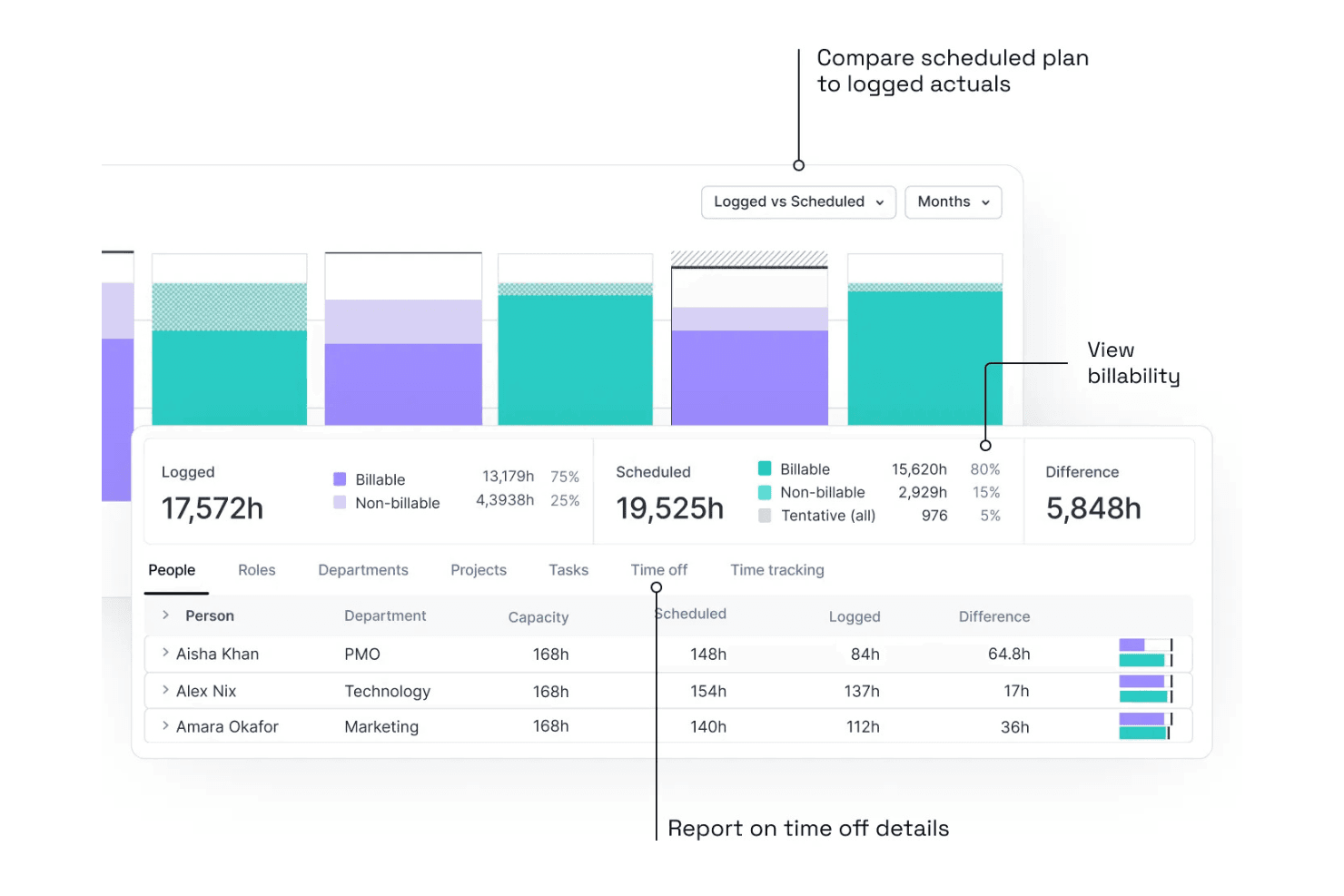
Float compares scheduled hours to logged actuals with billability breakdowns. Float is a resource scheduling and capacity planning tool built for operations teams and project managers who need clear visibility into who's working on what, how much capacity their team has, and whether projects are tracking to budget.
Who Is Float Best For?
Float is a strong fit for operations teams and project managers who need a clear, visual picture of team capacity and resource allocation across multiple projects.
Why I Picked Float
I picked Float as one of the best because it does something ClickUp doesn't: it puts resource scheduling and capacity planning at the center of how you manage work. I love how Float's visual schedule lets me see, at a glance, who's over capacity, who has bandwidth, and how allocations shift across projects when priorities change. Its people-operations dashboard tracks utilization and capacity versus demand in real time, so I'm never guessing whether my team can absorb new work before I commit to a timeline.
Float Key Features
- Project phases and milestones: Organize project plans into phases, milestones, and tasks to track progress alongside resource allocations.
- Time tracking with prefilled timesheets: Auto-populate timesheets from scheduled allocations so team members can confirm or adjust planned hours rather than log from scratch.
- Role-based access controls: Assign permissions across Account Owner, Admin, Resource Manager, Project Manager, and Member roles, with scope limited to specific people or projects.
- REST API with CSV import: Connect Float to external systems via a REST API or bulk-import people, clients, projects, phases, and tasks using a CSV script.
Float Integrations
Float offers native integrations with Google Calendar and Outlook Calendar, plus integrations with ClickUp, Jira, Linear, and Slack. It also provides a REST API supporting JSON and XML, and is available on Zapier.
Pros and Cons
Pros:
- Budget dashboards track utilization and margins
- Visual scheduling shifts allocations across projects
- Live capacity flags prevent overbooking
Cons:
- Large schedules can become cluttered
- Limited task workflows versus ClickUp
Learn more about Float: Best for AI-driven scheduling
- Free trial available
- From $19/user/month (billed annually)
Visit WebsiteCustomer Rating:4.2/5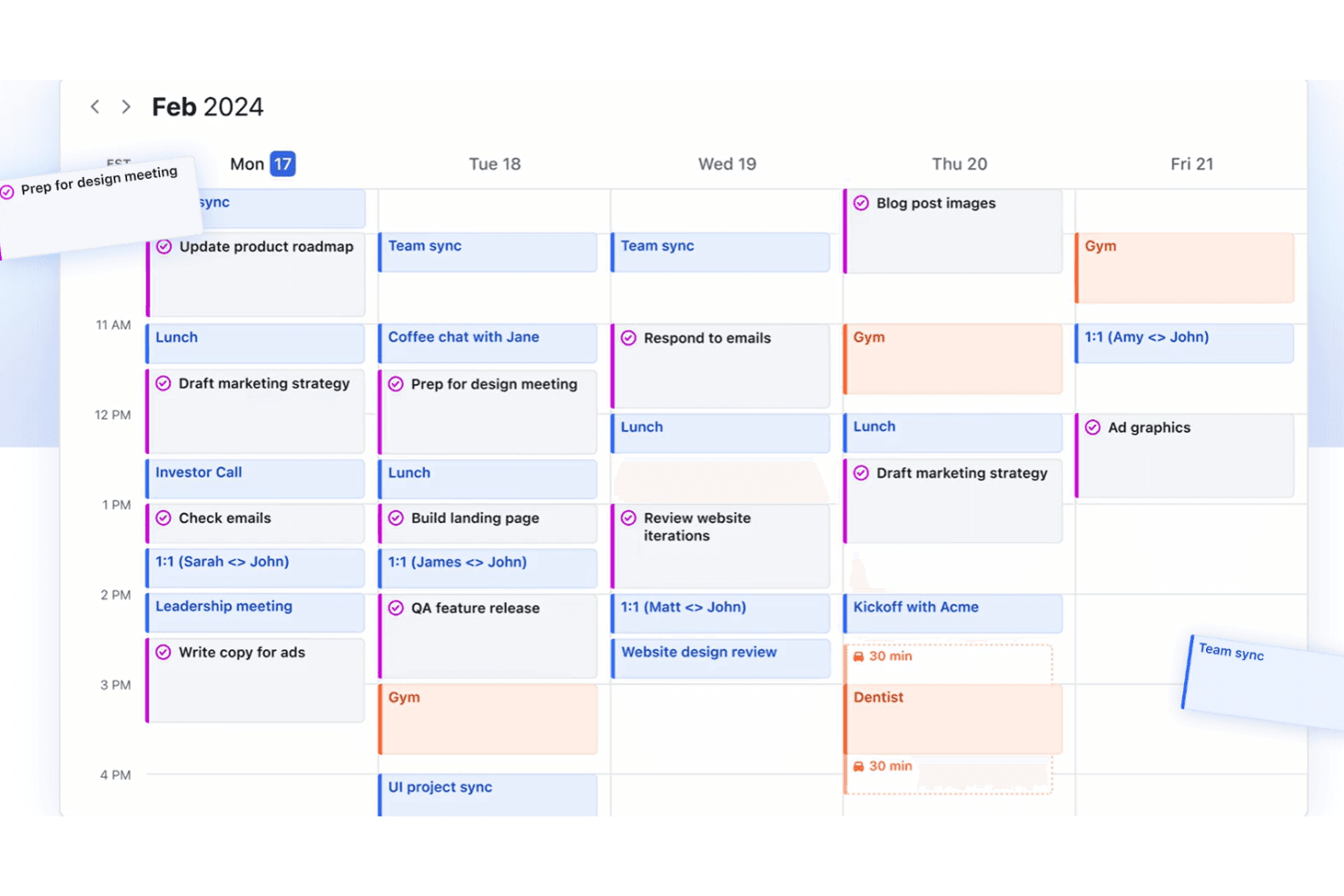
Motion organizes tasks and meetings into a smart weekly calendar view. Motion is an AI-powered productivity platform that blends task management, project planning, calendar scheduling, and meeting tools into one workspace—making it a strong fit for teams who want less manual planning overhead.
Who Is Motion Best For?
Motion works well for teams and individuals who want AI to handle the heavy lifting of scheduling, so they can focus on the work itself rather than managing their calendar.
Why I Picked Motion
I picked Motion as one of the best ClickUp alternatives because its AI scheduler does something I genuinely haven't seen elsewhere: it time-blocks your tasks directly onto your calendar and continuously re-optimizes your day as meetings run long or priorities shift. When a deadline moves, Motion doesn't just notify you, it replans your whole schedule automatically. I also love that the AI Project Manager can generate a full project, with tasks, assignees, stages, and deadlines, straight from a description.
Motion Key Features
- AI meeting notetaker: Motion automatically joins Zoom, Google Meet, and Microsoft Teams calls to record, transcribe, and summarize meetings, then extracts action items and schedules them as tasks.
- Workflow templates: Teams can build reusable project templates with predefined stages, tasks, and assignee placeholders to standardize repeatable work.
- Customizable dashboards: Create workspace-, project-, or team-level dashboards with number, pie, column, and line charts to track progress, bottlenecks, and workload.
- Multi-calendar consolidation: Motion syncs Google, Outlook, and iCloud calendars into a single interface so you can plan tasks alongside all your existing events.
Motion Integrations
Motion offers native integrations with Google Calendar, Microsoft Outlook 365, Zoom, Google Meet, Microsoft Teams, iCloud Calendar, and Gmail. It also supports an API and Zapier, but lacks native ClickUp, Notion, and Google Sheets integrations.
Pros and Cons
Pros:
- Meeting notes turn action items into tasks
- AI flags project delays before deadlines slip
- Tasks automatically replan around shifting calendars
Cons:
- No true subtasks for nested work
- Project views can feel cluttered
Learn more about Motion: Best for integrated CRM features
- Free plan + free trial + free demo available
- From $39/user/month
Visit WebsiteCustomer Rating:4.3/5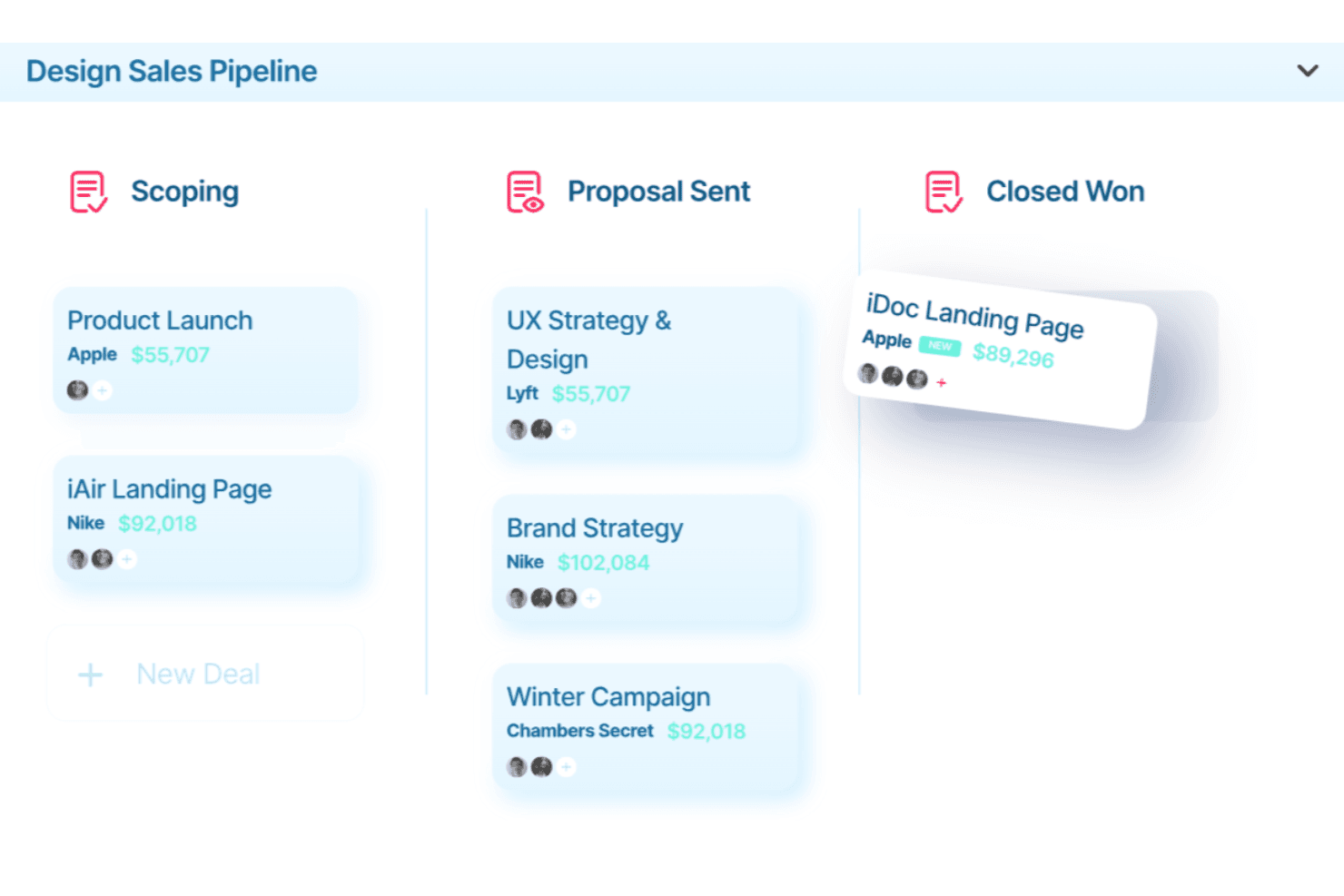
Ravetree organizes deals across pipeline stages with values and teams. Ravetree is a work management platform built for agencies and professional-services teams that need project management, CRM, resource planning, time tracking, and billing in a single connected system.
Who Is Ravetree Best For?
Ravetree is a strong fit for agencies and professional-services teams that manage client relationships, project delivery, and billing in one place.
Why I Picked Ravetree
I picked Ravetree as one of the best ClickUp alternatives because its native CRM is genuinely built into the same system as your projects, not bolted on. When a deal closes, you can automatically spin up a project from a linked template, with the client's rate card, contacts, and billing details already attached. I also appreciate the retainer management, where budget tracking, recurring invoices, and time logging all stay connected without any manual handoff between tools.
Ravetree Key Features
- Resource utilization view: See capacity across your whole team by person, day, week, or month, with time-off and unscheduled work factored in.
- Sprint burndown chart: Track completed and remaining work in a sprint or epic using Story Points, time estimates, or number of work items.
- Multi-stage file approvals: Route project files through configurable approval workflows, including sign-off from external clients.
- Custom request forms: Let team members or clients submit work requests through tailored forms with required fields and automated approval workflows.
Ravetree Integrations
Ravetree offers native integrations with QuickBooks, Xero, Google Calendar, Outlook Calendar, HubSpot, Stripe, Box, Dropbox, Google Drive, and OneDrive. Its OpenAPI-described API supports custom integrations.
Pros and Cons
Pros:
- Reviewers praise responsive onboarding support
- Tracks phase budgets, time, and billing
- Connects client records with project delivery
Cons:
- Mobile functionality trails the desktop experience
- Reviewers report occasional bugs and glitches
Learn more about Ravetree: Best for visual task tracking
- Free plan + free trial available
- From $5/user/month (billed annually)
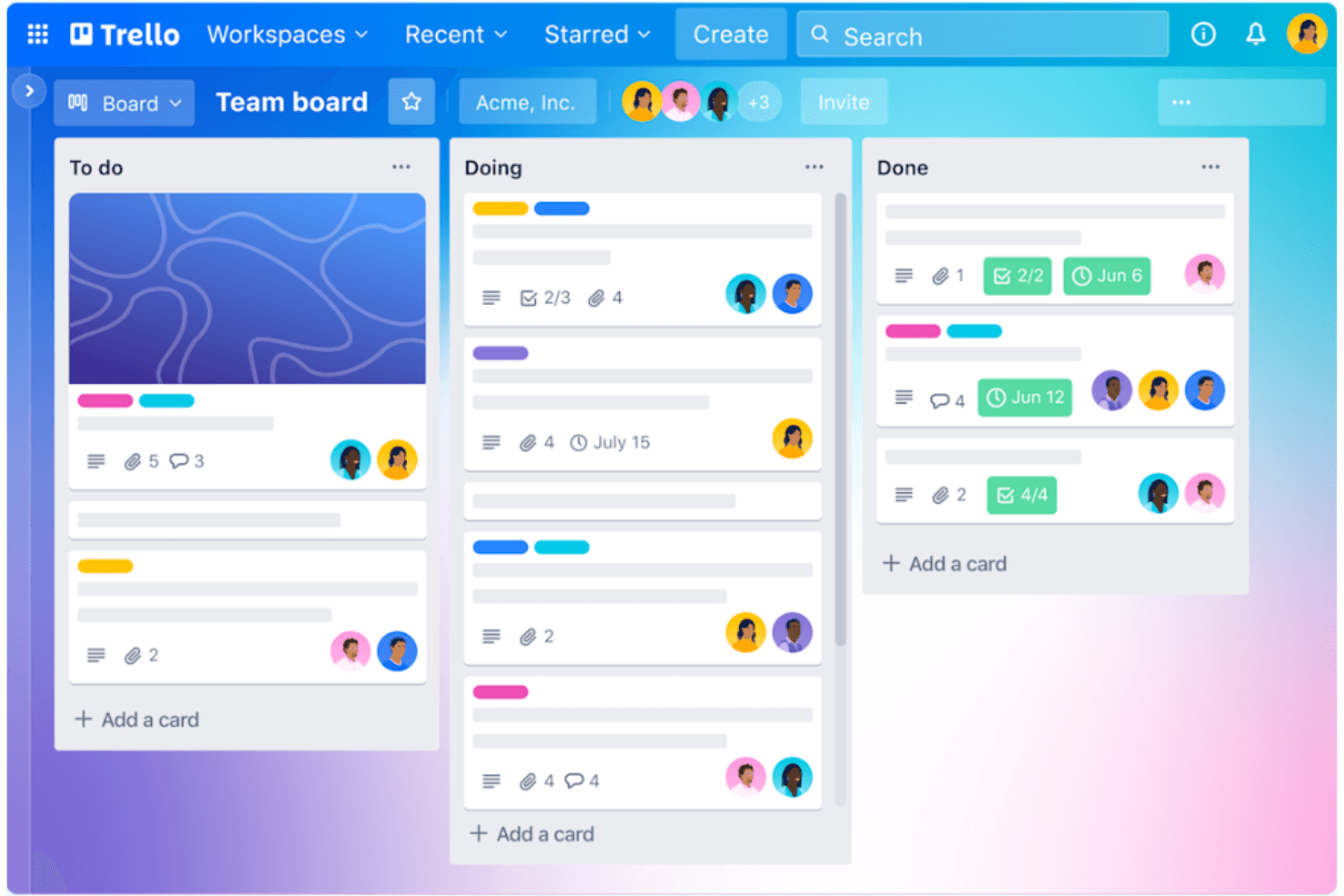
Trello organizes tasks across To Do, Doing, and Done boards. Trello is a Kanban-style work management tool from Atlassian that suits project managers and team leads who want a lightweight, visual alternative to ClickUp for organizing tasks, tracking progress, and coordinating cross-functional work without a steep learning curve.
Who Is Trello Best For?
Trello is a strong fit for project managers and team leads who want to get work organized quickly without spending days configuring a tool.
Why I Picked Trello
I picked Trello as one of the best ClickUp alternatives because its Kanban boards make visual task tracking genuinely effortless to scan at a glance. I love how cards move across lists with a simple drag-and-drop, and the Butler automation quietly handles repetitive actions like reassigning cards or posting Slack updates when a card changes status. The Dashboard view gives me a real-time read on where work stands across a board without having to open every card.
Trello Key Features
- Card mirroring: Lets you view and edit the same card across multiple boards, so work stays aligned without duplication.
- Advanced checklists: Breaks cards into subtasks with individual assignees and due dates, giving each checklist item its own owner and deadline.
- Custom Fields: Adds structured data fields to cards—like dropdowns, numbers, or dates—to match Trello's layout to your specific workflow.
- Butler automation rules: Triggers sequences of actions automatically when set conditions are met, such as moving a card, assigning a member, or posting a Slack message.
Trello Integrations
Trello offers 236 marketplace integrations, including Slack, Jira Cloud, Miro, Microsoft Teams, Gmail, and Google Drive. Its REST API and webhooks support custom integrations and workflow connections.
Pros and Cons
Pros:
- Butler automates recurring reminders and assignments
- Teams can set up boards quickly
- Kanban cards make progress easy to scan
Cons:
- No native task dependencies or deeper hierarchy
- Large projects can crowd boards quickly
Learn more about Trello: Best for marketing project management
- Free demo available
- From $49/user/month
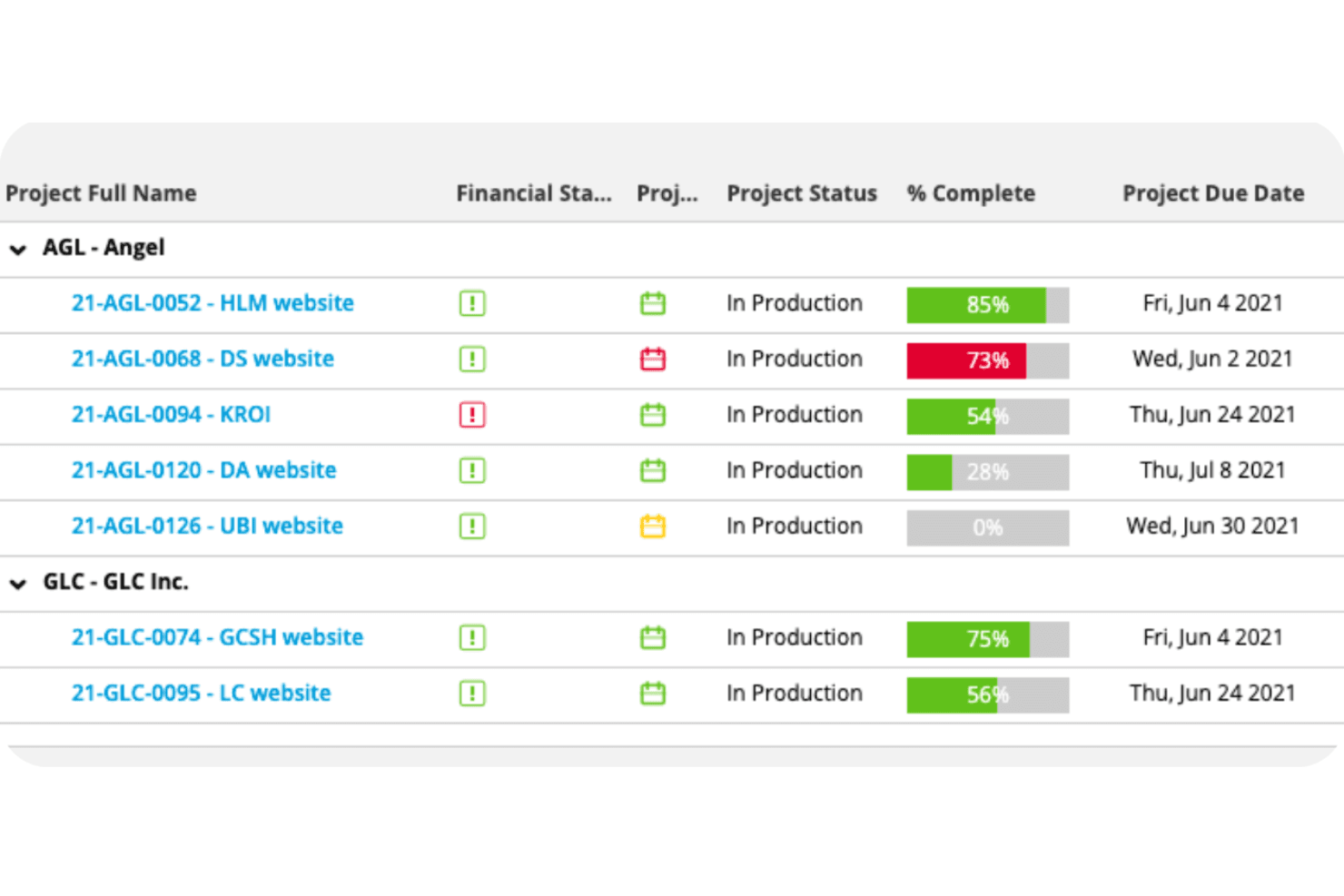
Workamajig tracks project completion and due dates across clients. Workamajig is an agency management platform built for creative and marketing teams that brings project management, time tracking, resource scheduling, and financial operations into a single system.
Who Is Workamajig Best For?
Workamajig is a strong fit for creative and marketing agencies that need project management and financial operations running in the same system.
Why I Picked Workamajig
I picked Workamajig as one of the best because it's the rare tool that ties marketing project management directly to financial operations. I love that estimates built in the project planning stage become live budgets, so my team can track labor costs, vendor spend, and profitability without switching to a separate accounting system. The resource scheduling view also shows staff availability and utilization across departments, which makes it easy to assign work without overloading anyone.
Workamajig Key Features
- Project intake forms: Collect project requests through customizable intake forms with custom fields, client portals, and vendor portals.
- Change order tracking: Log scope changes through change requests and change-order estimates that automatically update project budgets.
- Digital proofing: Preview and annotate deliverables, compare files side by side, track version history, and route content for approval.
- Sales CRM with pipeline management: Manage leads through customizable sales stages and convert won opportunities directly into project estimates.
Workamajig Integrations
Workamajig offers native integrations with Google Calendar, iCal, Outlook/Exchange, Slack, AvidXchange, Avalara, and Plaid. It also supports REST and JSON APIs, CSV import/export, and Zapier.
Pros and Cons
Pros:
- Client feedback stays beside deliverables
- Financial reports surface project profitability
- Project budgets stay tied to tracked costs
Cons:
- Frequent project updates require many navigation steps
- Schedules offer grids and gantt, not boards
Learn more about Workamajig: 11Best for intuitive Gantt chart planning
GanttPRO
- 14-day free trial + free demo available
- From $7/user/month (billed annually)
Visit WebsiteCustomer Rating:4.8/5
GanttPRO helps teams plan projects, manage tasks, and track progress. GanttPRO is designed for teams who need clear visual planning and real-time project tracking. It appeals to project managers and professionals looking for a straightforward way to coordinate tasks, set dependencies, and manage workloads with maximum clarity.
Who Is GanttPRO Best For?
Project managers and team leads who want fast, visual project planning for cross-functional collaboration.
Why GanttPRO Is a Good ClickUp Alternative
I picked GanttPRO because teams that need precise timeline control get a purpose-built tool, not a Gantt view bolted onto a general task manager. The critical path feature is what I find most useful—it automatically highlights which tasks directly threaten your delivery date, so you can focus attention where it actually matters. I also appreciate the auto-scheduling feature, which recalculates task timelines automatically when dependencies shift. For teams that regularly share project status with stakeholders, the shareable public URL with dynamic or static snapshots is a practical way to present schedules without exporting anything manually.
GanttPRO Key Features
- Workload management: View and rebalance each team member's task load directly from the project timeline.
- Baseline tracking: Save a project snapshot and compare it against current progress to measure schedule variance.
- Board view: Switch between Gantt, Kanban-style board, and list views within the same project.
- Time logs: Log hours spent on individual tasks and generate team-wide time reports filtered by user, project, or date.
GanttPRO Integrations
GanttPRO offers native integrations with Jira, Google Drive, and Slack, and provides an API for custom integrations.
Pros and Cons
Pros:
- Clear workload visualization per user or group
- Baseline tracking for schedule variance analysis
- Gantt dependencies update timelines automatically
Cons:
- No built-in document management system
- Limited custom statuses and field options
Learn more about GanttPRO: Best for customizable workflow automations
- Free plan + 14-day free trial + free demo available
- From $9/user/month (billed annually)
Visit WebsiteCustomer Rating:4.6/5
monday.com helps teams manage projects with flexible workflows. If you need a project management platform that lets you shape workflows to match how your team works, monday.com is worth a look. Its visual boards, flexible layouts, and broad integration options make it ideal for teams who want to organize projects their own way and track progress clearly.
Who Is monday.com Best For?
Teams in marketing, operations, or IT at small to mid-sized businesses looking for customizable and highly visual project tracking.
Why monday.com Is a Good ClickUp Alternative
I picked monday.com largely because of how far you can push its automation builder without needing any technical background. You can set up multi-step automations that trigger actions across boards—like automatically assigning tasks, updating statuses, and notifying teammates when a deadline shifts. I also appreciate the recipe-based automation system, where you define conditions and outcomes in plain language, which makes it easy to replicate how your team actually works. For teams that found ClickUp's automation setup too complex or rigid, monday.com gives you that same power with a much lower barrier to entry.
monday.com Key Features
- Workload view: See how tasks are distributed across your team members in a single visual layout.
- Custom dashboards: Build project dashboards using widgets that display timelines, charts, and task progress.
- Board templates: Start projects quickly using pre-built templates for sprints, launches, and more.
- Time tracking: Log time directly on tasks to monitor how long work actually takes.
monday.com Integrations
monday.com offers hundreds of integrations through its built-in integrations and marketplace, including tools like Slack, Salesforce, HubSpot, Google Workspace, Microsoft Teams, Trello, Zendesk, Dropbox, Outlook, and Zoom. It also supports Zapier and provides an API for custom integrations.
Pros and Cons
Pros:
- Templates available for specialized business processes
- Color-coded boards help with visual project tracking
- Workflow automations can be layered and complex
Cons:
- Automation limits require upgrades for larger teams
- No granular permissions at the task level
Learn more about monday AI Workspace: Best for spreadsheet-style project tracking
- 30-day free trial + demo available
- From $9/user/month (billed annually)
Visit WebsiteCustomer Rating:4.4/5
Smartsheet is a spreadsheet-based project management platform for teams. Smartsheet is a project management platform designed for teams that prefer the familiarity and flexibility of working in a spreadsheet environment. It’s a great fit for operations leaders, project managers, and analysts who need to coordinate complex projects while tracking details with precision.
Who Is Smartsheet Best For?
Project managers or operations teams in mid-sized businesses who rely on spreadsheet-like tools to track tasks, resources, and timelines.
Why Smartsheet Is a Good ClickUp Alternative
I picked Smartsheet because of how it handles complex project data in a grid format that feels instantly familiar to anyone comfortable in Excel or Google Sheets. The grid view lets you sort, filter, and group rows across massive datasets without losing sight of task relationships, which is something ClickUp's more visual layouts don't replicate as well. I also appreciate how Smartsheet's cross-sheet formulas and cell linking work—you can pull live data between sheets to build consolidated rollup views without duplicating information. For teams managing multi-phase projects or detailed tracking across departments, that level of data precision is hard to match.
Smartsheet Key Features
- Gantt charts: Visualize project timelines and dependencies across tasks in a drag-and-drop interface.
- Automated workflows: Set trigger-based alerts, approval requests, and update reminders without manual follow-up.
- Resource management: View team capacity and allocate work based on availability across active projects.
- Dashboards: Build real-time reporting views using widgets that pull live data from multiple sheets.
Smartsheet Integrations
Smartsheet offers native integrations with Google Workspace, Microsoft Teams, Salesforce, Jira, Docusign, Box, Slack, and Tableau. It also connects with Zapier and supports an API for custom integrations.
Pros and Cons
Pros:
- Sheet linking supports multi-project rollups
- Powerful cross-sheet formulas for project data
- Spreadsheet layout familiar to Excel users
Cons:
- Dashboards lack deeper customization options
- Limited task hierarchy compared to ClickUp
Learn more about Smartsheet: 14Best for time tracking needs
Hubstaff
- 14-day free trial + demo available
- Pricing upon request
Visit WebsiteCustomer Rating:4.5/5
Hubstaff tracks projects, tasks, and productivity for managing remote teams effectively. Hubstaff is a time-tracking and productivity management tool designed for teams that need precise monitoring of work hours and activities. Its main users include remote teams and businesses that require accurate time tracking and reporting.
Why Hubstaff is a good ClickUp alternative: Hubstaff offers detailed time-tracking capabilities, making it ideal for businesses focused on monitoring employee productivity. It features GPS tracking and online timesheets, which support remote work management. You can also generate detailed reports to analyze productivity trends. These tools help you keep track of your team's work hours efficiently.
Standout features & integrations:
Features include GPS tracking, online timesheets, and productivity reporting. You can easily manage remote teams with location-based tracking. Hubstaff also allows for easy payroll processing, saving you time on manual calculations.
Integrations include QuickBooks, Trello, Slack, Asana, Jira, PayPal, Xero, FreshBooks, Salesforce, and Basecamp.
Pros and Cons
Pros:
- Great for remote teams
- Easy payroll processing
- Detailed productivity reports
Cons:
- Not ideal for small teams
- Limited project management features
Learn more about Hubstaff: 15Best for teams seeking user-driven features
Hive
- Free plan + 14-day trial + demo available
- From $5/user/month
Visit WebsiteCustomer Rating:4.5/5
Hive adapts to user needs with custom layouts, messaging, and automated workflows. Hive is a project management tool designed to help teams plan, execute, and track projects efficiently. It serves a diverse user base, including marketing, operations, and design teams, by consolidating tasks, deadlines, and communications into one platform.
Why Hive is a good ClickUp alternative: Hive's development is driven by user feedback, ensuring the platform evolves to meet your team's specific needs. Features like customizable project layouts, real-time messaging, and automated workflows enhance collaboration and productivity. Additionally, Hive's flexible project hierarchies and integration capabilities allow your team to tailor the workspace to fit your unique processes.
Standout features & integrations:
Features include project templates that let you set up repeatable workflows, time tracking to monitor how long tasks take, and proofing and approvals to manage feedback on creative assets. These tools help your team work more efficiently and keep everyone on the same page.
Integrations include Google Drive, Slack, Zoom, Salesforce, Microsoft Teams, Jira, Dropbox, OneDrive, Box, and Asana.
Pros and Cons
Pros:
- Flexible project hierarchies
- User-driven feature development
- Customizable project layouts
Cons:
- Advanced features may require additional setup
- Slight learning curve for new users
Learn more about Hive:
Other ClickUp Alternatives
Here are some additional ClickUp alternatives that didn’t make it onto my shortlist, but are still worth checking out:
- 16KantataBest for client-focused project delivery
- 17BasecampBest for simple team collaboration
- 18RocketlaneBest for client onboarding workflows
- 19Hub Planner by MilientBest for resource scheduling
- 20ScoroBest for managing projects and billing together
- 21ProWorkflowBest for time-tracking integration
- 22Tempo Portfolio ManagerBest for Agile teams
- 23TeamGanttBest for intuitive Gantt chart planning
How I Evaluate ClickUp Alternatives
I evaluate ClickUp alternatives across two layers: the baseline—roadmapping, sprints, backlog management—each tool must clear, and the differentiators that separate the best from the rest.
Core Functionality (Table Stakes For This List)
When I'm selecting tools for my list, I rank each one on a scale from 0 (does not offer the functionality) to 5 (excels in this area) for each core functionality listed below. Then, I calculate the tool's total score into a percentage. Each tool needs to achieve a minimum total score of 65% to be considered for inclusion.
- Roadmapping & Planning: I look for timeline or Gantt views where you can map quarterly initiatives, set dependencies between milestones, and drag releases across dates.
- Task & Backlog Management: Every tool should let you create user stories, assign custom fields like priority or effort, and sort a backlog by sprint or theme.
- Agile Workflow Support: I check whether the platform supports Kanban boards alongside sprint planning, including story points, burndown charts, and velocity tracking.
- Multiple Work Views: Product teams need to shift between boards, lists, calendars, and timelines depending on the audience—standup vs. stakeholder review, for example.
- Collaboration & Docs: I evaluate whether teams can comment on tasks, mention teammates, attach files, and co-edit embedded docs or wikis without leaving the platform.
- Integrations & Automations: The tool should connect to engineering and design apps like GitHub, Jira, or Figma, and offer rule-based automations for recurring workflows.
Once I have a list of tools that meet this criteria, I consider what sets each platform apart.
Differentiating Factors (What Sets Vendors Apart)
Here's how I compare and contrast different vendors:
Standout Features
Prioritization frameworks like RICE or MoSCoW make a real difference when your backlog has dozens of competing feature requests. I look for tools that let you score and rank items directly inside the backlog view. Stakeholder-facing portals also matter—being able to share a clean, read-only roadmap with leadership or customers without exposing sprint-level details saves time and reduces noise. I also evaluate whether the tool can aggregate customer feedback and link it to specific roadmap items, so prioritization decisions are grounded in real user input.
Beyond Features
Migration support matters when you're switching from ClickUp—I check whether a platform offers import tools, pre-built product management templates, or dedicated onboarding help to shorten the transition. Pricing structure is another factor I evaluate closely, especially how tiers handle guest or viewer seats for stakeholders who only need roadmap access. I also consider how well each tool scales across multiple product lines, since teams managing a single product have very different workspace needs than orgs running a full product portfolio.
Why Look for a ClickUp Alternative?
While a ClickUp alternative is a good software choice for product management, there are several reasons why some users seek out alternative solutions. For example, you might be looking for a ClickUp alternative because of the following:
- It lacks specific industry features
- It’s too project management-focused
- It's too complex for small teams
- You need better integration options
- It's not available in your region
- You're looking for more affordable pricing
- You need stronger data security compliance
If any of these sound like you, you’ve come to the right place. My list contains several product management options that are better suited for teams facing these challenges with ClickUp and looking for alternative solutions.
ClickUp Alternative Key Features
Here are some of the key features of ClickUp alternatives, to help you contrast and compare what alternative solutions offer:
- Task management: Organize your work with task lists, due dates, and priorities to keep everything on track.
- Time tracking: Monitor how much time you and your team spend on tasks to manage productivity.
- Multiple views: Choose from lists, boards, calendar formats, and more and build customizable task overviews.
- Automation: Set up rules to automate repetitive actions and save time on routine tasks.
- Dashboards: Create custom dashboards to get a visual overview of your project's status and important metrics.
- Integrations: Connect with other tools you use to keep your workflows connected and efficient.
- Templates: Use pre-designed templates to start new projects quickly without setting up everything from scratch.
- Collaboration tools: Use features like comments, attachments, and mentions to communicate with your team in context.
- Reporting and analytics: Generate reports to analyze project performance and make informed decisions.
- Custom fields: Add additional data fields to tasks to capture all the information your team needs. It looks like your message might be incomplete. Could you please provide more details or let me know how I can assist you further?