

GanttPRO Review: Pros, Cons, Features, and Pricing Explained
GanttPRO stands out for its intuitive Gantt chart interface and balanced feature set, making it ideal for teams seeking straightforward, visual project roadmapping without overwhelming complexity.

We review tools independently, and commissions help fund our testing. See our transparency policy, our methodology, or suggest a tool.
GanttPRO is a product management roadmap tool built around Gantt chart-style timeline planning, task dependencies, and milestone tracking. It's worth a close look if your team needs to map out project schedules and resource workloads without configuring a platform from scratch. If you've looked at monday.com and found it too flexible for your needs—requiring too much setup before it's actually usable—GanttPRO gets you to a working roadmap much faster, with Gantt-focused structure built in from the start.
GanttPRO Evaluation Summary
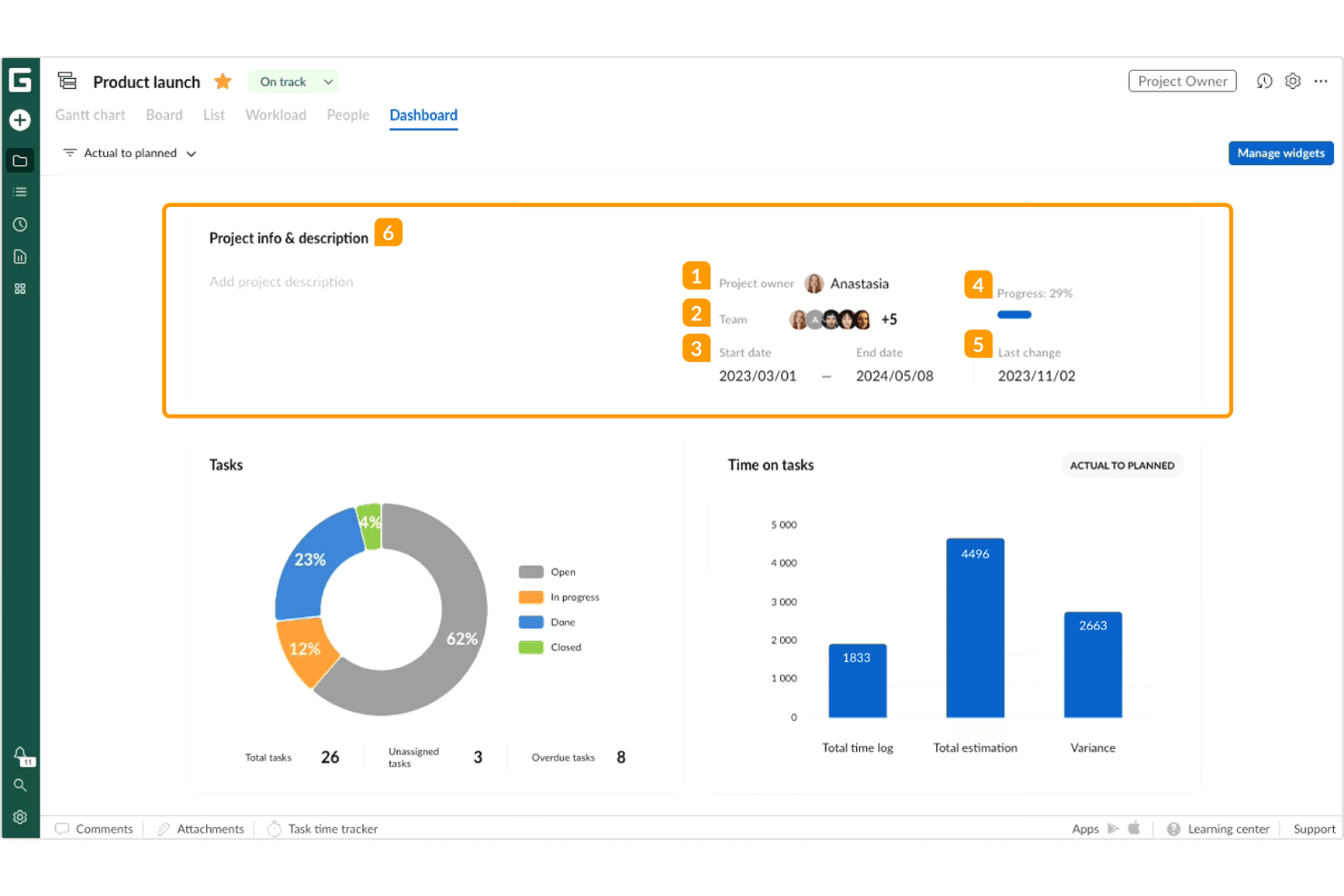
4.8/5
- From $7/user/month (billed annually)
- 14-day free trial
Why Trust Our Software Recommendations
6,700+
Reviews
20
Industry experts
16+
Evaluation factors
14
Years
Our team has been testing and reviewing software since 2012. As product managers ourselves, we know how difficult—and important—it is to choose the right software.
For this guide, we evaluated tools using hands-on testing and independent research, scoring tools using our selection criteria.
Our reviews reflect our human editorial judgment, not a sales pitch.
- Andrew LumbySenior TPM
- Cristiano ValimSenior UI/UX Lead
GanttPRO Overview
When judging GanttPRO as a product management roadmap tool, its intuitive interface, customizable dashboards, and straightforward onboarding set it apart for teams new to structured planning. The pricing is competitive for the feature set, and support is responsive. While integrations are somewhat limited compared to some alternatives, the intuitive task management and timeline controls make it easy to select for teams prioritizing clarity over customization. GanttPRO is best suited for small to mid-sized teams that want a clear, accessible roadmap tool without a steep learning curve or overwhelming configuration options.
Pros
- Visual Gantt charts make timeline planning transparent.
- Workload management helps balance team assignments.
- Export options support sharing roadmaps with stakeholders.
Cons
- Limited advanced reporting for product portfolio analysis.
- No built-in idea backlog or prioritization frameworks.
- The mobile app lacks full roadmap editing capabilities.
Is GanttPRO Right For Your Needs?
Who Would be a Good Fit for GanttPRO?
GanttPRO is a strong choice for teams that need visual project timelines, clear task dependencies, and straightforward workload management. Its interface and export options make it especially useful for organizations that value transparency and need to share plans with stakeholders. GanttPRO works best for small to mid-sized companies, project-driven departments, and roles that prioritize visual planning over complex portfolio management or deep customization.
- Marketing TeamsGanttPRO’s timeline view helps coordinate campaign schedules and deliverables.
- Construction FirmsVisual dependencies and resource allocation support complex project phases.
- SMB Product ManagersSimple roadmap sharing and task tracking fit lean product teams.
- Event PlannersDrag-and-drop scheduling streamlines event logistics and vendor coordination.
- AgenciesClient-facing exports and workload balancing aid in managing multiple projects.
- Education DepartmentsSemester planning and resource assignments benefit from Gantt chart clarity.
Who Would be a Bad Fit for GanttPRO?
GanttPRO may not suit organizations that require advanced portfolio analytics, deep integration with other enterprise tools, or highly specialized product management frameworks. Large enterprises, highly regulated industries, and teams needing mobile-first solutions may find its limitations restrictive compared to more complex or niche platforms.
- Enterprise ITLacks advanced reporting and integration with enterprise resource planning.
- Healthcare ProvidersDoes not support compliance tracking or regulated workflow documentation.
- Large Product PortfoliosLimited portfolio management features for multi-product organizations.
- Mobile-First TeamsMobile apps do not offer full roadmap editing or collaboration.
- Financial ServicesNo built-in risk management or audit trail features.
- Hardware EngineeringMissing advanced dependency mapping and version control for hardware projects.
How We Test & Score Tools
We’ve spent years building, refining, and improving our software testing and scoring system. The rubric is designed to capture the nuances of software selection and what makes a tool effective, focusing on critical aspects of the decision-making process.
Below, you can see exactly how our testing and scoring works across seven criteria. It allows us to provide an unbiased evaluation of the software based on core functionality, standout features, ease of use, onboarding, customer support, integrations, customer reviews, and value for money.
Core Functionality (25% of final scoring)
The starting point of our evaluation is always the core functionality of the tool. Does it have the basic features and functions that a user would expect to see? Are any of those core features locked to higher-tiered pricing plans? At its core, we expect a tool to stand up against the baseline capabilities of its competitors.
Standout Features (25% of final scoring)
Next, we evaluate uncommon standout features that go above and beyond the core functionality typically found in tools of its kind. A high score reflects specialized or unique features that make the product faster, more efficient, or offer additional value to the user.
We also evaluate how easy it is to integrate with other tools typically found in the tech stack to expand the functionality and utility of the software. Tools offering plentiful native integrations, 3rd party connections, and API access to build custom integrations score best.
Ease of Use (10% of final scoring)
We consider how quick and easy it is to execute the tasks defined in the core functionality using the tool. High scoring software is well designed, intuitive to use, offers mobile apps, provides templates, and makes relatively complex tasks seem simple.
Onboarding (10% of final scoring)
We know how important rapid team adoption is for a new platform, so we evaluate how easy it is to learn and use a tool with minimal training. We evaluate how quickly a team member can get set up and start using the tool with no experience. High scoring solutions indicate little or no support is required.
Customer Support (10% of final scoring)
We review how quick and easy it is to get unstuck and find help by phone, live chat, or knowledge base. Tools and companies that provide real-time support score best, while chatbots score worst.
Customer Reviews (10% of final scoring)
Beyond our own testing and evaluation, we consider the net promoter score from current and past customers. We review their likelihood, given the option, to choose the tool again for the core functionality. A high scoring software reflects a high net promoter score from current or past customers.
Value for Money (10% of final scoring)
Lastly, in consideration of all the other criteria, we review the average price of entry level plans against the core features and consider the value of the other evaluation criteria. Software that delivers more, for less, will score higher.
Core Features
Interactive Gantt Charts
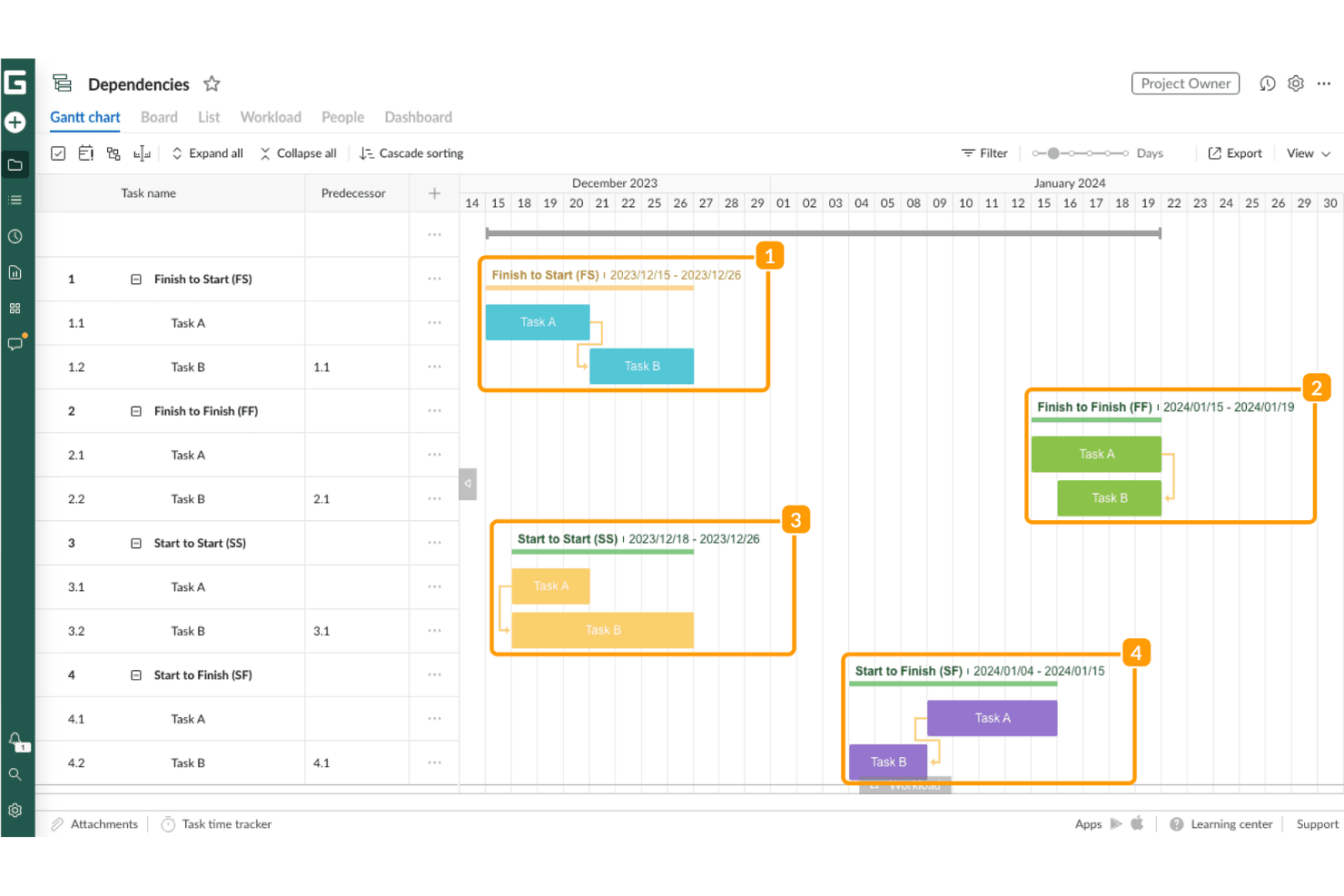
Create, edit, and visualize project timelines with drag-and-drop tasks and dependencies.
Workload Management
Monitor team assignments and reallocate resources to prevent overload or underutilization, helping improve overall time management across projects.
Task Dependencies and Auto Scheduling
Set task and subtask relationships and let GanttPRO automatically recalculate timelines when changes occur, including tracking the critical path for better project planning.
Board View
Switch to a Kanban-style board for task tracking and status updates alongside the regular Gantt chart view.
Collaboration Tools
You can use a variety of collaboration features like commenting on tasks, attaching files, and receiving real-time notifications to support effective team collaboration and keep everyone aligned.
Export and Sharing Options
Export project plans to PDF, PNG, XLSX, or XML, or share a dynamic link with stakeholders.
Ease of Use
GanttPRO is widely recognized for its clean user interface and intuitive navigation, making it approachable for users new to Gantt charts or project roadmapping. Drag-and-drop scheduling, clear task dependencies, and visual workload indicators reduce friction make for an extremely user-friendly project management tool. Many users highlight the minimal setup required to get started and the clarity of its timeline views, which helps teams quickly align on project status without extensive onboarding or training.
Integrations
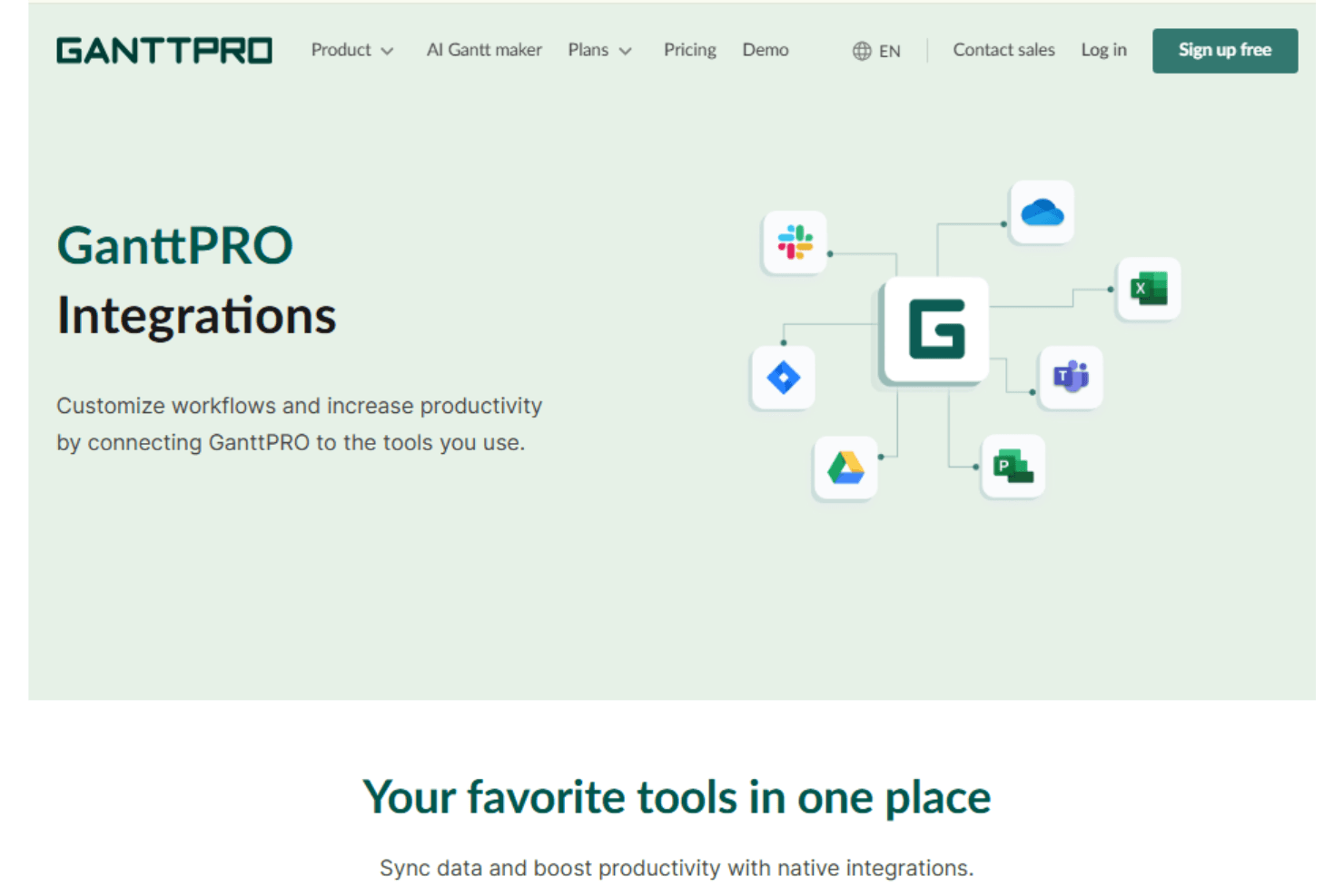
GanttPRO integrates with Slack, Google Drive, Jira Cloud, OneDrive, Microsoft Project, Microsoft Teams, and Microsoft Excel.
GanttPRO also offers an open API for custom integrations and connecting with third-party tools.
GanttPRO Specs
- API: Yes
- Batch Permissions & Access: Yes
- Budgeting: Yes
- Calendar Management: Yes
- Collaboration Support: Yes
- Contact Management: Yes
- Contact Sharing: Yes
- Customer Management: Yes
- Dashboard: Yes
- Dashboards: Yes
- Data Export: Yes
- Data Import: Yes
- Data Visualization: Yes
- Dependency Tracking: Yes
- Document Sharing: Yes
- Expense Tracking: Yes
- External Integrations: Yes
- File Sharing: Yes
- Gantt Charts: Yes
- Kanban Boards: Yes
- Multi-User: Yes
- Notifications: Yes
- Project Management: Yes
- Resource Management: Yes
- Scheduling: Yes
- Task Scheduling/Tracking: Yes
- Third-Party Plugins/Add-Ons: Yes
- Time Management: Yes
- Travel Management: Yes
- Workflow Management: Yes


