

Asana Review: Pros, Cons, Features & Pricing
What’s Next? Don’t forget to subscribe to our newsletter for more product management resources and guides, plus the latest podcasts, interviews, and other insights from industry leaders and experts.

We review tools independently, and commissions help fund our testing. See our transparency policy, our methodology, or suggest a tool.
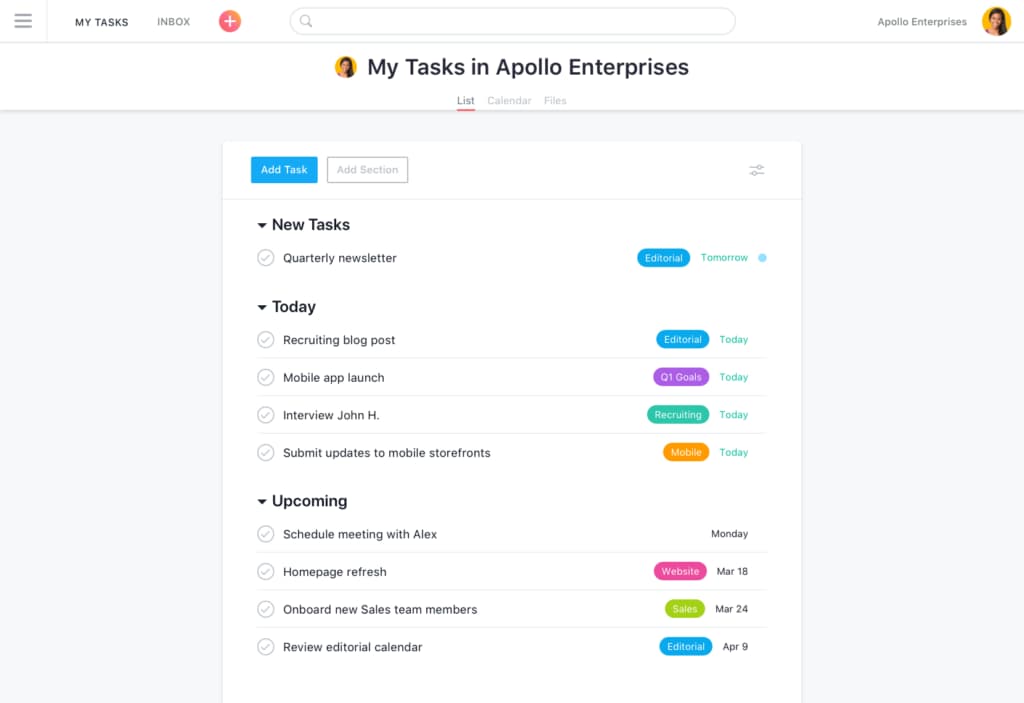
Asana is a product management tool for cross-functional teams that need to coordinate work across projects, track tasks, and keep deliverables visible to everyone involved. I'd consider it if your team wants more structure and visibility than a tool like Notion offers, without the engineering-heavy setup that comes with Jira—especially when your stakeholders include people from product, design, and marketing who need to stay aligned without a steep learning curve.
Asana Evaluation Summary
4.4/5
- From $10.99/user/month (billed annually)
- Free plan available
Why Trust Our Software Recommendations
6,700+
Reviews
20
Industry experts
16+
Evaluation factors
14
Years
Our team has been testing and reviewing software since 2012. As product managers ourselves, we know how difficult—and important—it is to choose the right software.
For this guide, we evaluated tools using hands-on testing and independent research, scoring tools using our selection criteria.
Our reviews reflect our human editorial judgment, not a sales pitch.
Expert reviewers:
- Andrew LumbySenior TPM
- Cristiano ValimSenior UI/UX Lead


Asana Overview
Asana excels with its intuitive design and robust features, making it the go-to choice for teams seeking efficient project management.
Pros
- You can easily track your team's progress with Asana's intuitive task management.
- The customizable project views let your team work in the way that suits them best.
- Asana's collaboration tools keep your team connected and coordinated.
Cons
- You might find the notifications overwhelming if not managed properly.
- Asana can feel complex for smaller projects or teams.
- Some users report that advanced features require a learning curve.
Is Asana Right For Your Needs?
Who Would be a Good Fit for Asana?
Asana is ideal for tech startups, creative agencies, and marketing teams that thrive on collaboration and flexibility. If your team values visual project tracking and needs to manage complex workflows, Asana’s customizable project views and task management features are a perfect match. It’s especially useful for teams that need to stay connected and coordinated across various projects, enabling them to meet tight deadlines efficiently.
- Tech StartupsAsana’s flexibility and robust task management help your team adapt quickly to change and scale projects efficiently.
- Creative AgenciesYour team can benefit from Asana’s visual project tracking to manage design and content workflows smoothly.
- Marketing TeamsAsana’s collaboration tools keep your team aligned, making campaign planning and execution more efficient.
- Remote TeamsAsana connects your team with its collaboration features, keeping everyone on the same page despite the distance.
- Product DevelopmentThe customizable task management lets your team manage product roadmaps and feature releases seamlessly.
- Nonprofit OrganizationsAsana helps your team coordinate volunteers and manage projects effectively with its user-friendly interface.
Who Would be a Bad Fit for Asana?
Small businesses or teams with straightforward projects might not need Asana’s extensive features. If your team prefers minimalistic tools or has limited tech resources, you might find Asana’s functionalities overwhelming. It’s also not ideal for industries that require specialized project management tools with niche capabilities, as Asana focuses on general project tracking and management.
- Small BusinessesYou might find Asana’s features too complex for simple, straightforward tasks and projects.
- FreelancersYou could be overwhelmed by Asana’s extensive capabilities if you manage tasks solo.
- Retail OperationsYou might not need Asana’s detailed project management for straightforward daily operations.
- Manufacturing TeamsYou might find Asana’s digital focus doesn’t align well with hands-on, physical workflow needs.
- Customer ServiceYou could struggle with Asana’s complexity if your focus is on quick, direct customer interactions.
- Non-Project-Based RolesYou might not benefit from Asana if your work doesn’t involve structured project planning.
How We Test & Score Tools
We’ve spent years building, refining, and improving our software testing and scoring system. The rubric is designed to capture the nuances of software selection and what makes a tool effective, focusing on critical aspects of the decision-making process.
Below, you can see exactly how our testing and scoring works across seven criteria. It allows us to provide an unbiased evaluation of the software based on core functionality, standout features, ease of use, onboarding, customer support, integrations, customer reviews, and value for money.
Core Functionality (25% of final scoring)
The starting point of our evaluation is always the core functionality of the tool. Does it have the basic features and functions that a user would expect to see? Are any of those core features locked to higher-tiered pricing plans? At its core, we expect a tool to stand up against the baseline capabilities of its competitors.
Standout Features (25% of final scoring)
Next, we evaluate uncommon standout features that go above and beyond the core functionality typically found in tools of its kind. A high score reflects specialized or unique features that make the product faster, more efficient, or offer additional value to the user.
We also evaluate how easy it is to integrate with other tools typically found in the tech stack to expand the functionality and utility of the software. Tools offering plentiful native integrations, 3rd party connections, and API access to build custom integrations score best.
Ease of Use (10% of final scoring)
We consider how quick and easy it is to execute the tasks defined in the core functionality using the tool. High scoring software is well designed, intuitive to use, offers mobile apps, provides templates, and makes relatively complex tasks seem simple.
Onboarding (10% of final scoring)
We know how important rapid team adoption is for a new platform, so we evaluate how easy it is to learn and use a tool with minimal training. We evaluate how quickly a team member can get set up and start using the tool with no experience. High scoring solutions indicate little or no support is required.
Customer Support (10% of final scoring)
We review how quick and easy it is to get unstuck and find help by phone, live chat, or knowledge base. Tools and companies that provide real-time support score best, while chatbots score worst.
Customer Reviews (10% of final scoring)
Beyond our own testing and evaluation, we consider the net promoter score from current and past customers. We review their likelihood, given the option, to choose the tool again for the core functionality. A high scoring software reflects a high net promoter score from current or past customers.
Value for Money (10% of final scoring)
Lastly, in consideration of all the other criteria, we review the average price of entry level plans against the core features and consider the value of the other evaluation criteria. Software that delivers more, for less, will score higher.
Core Features
Task Management
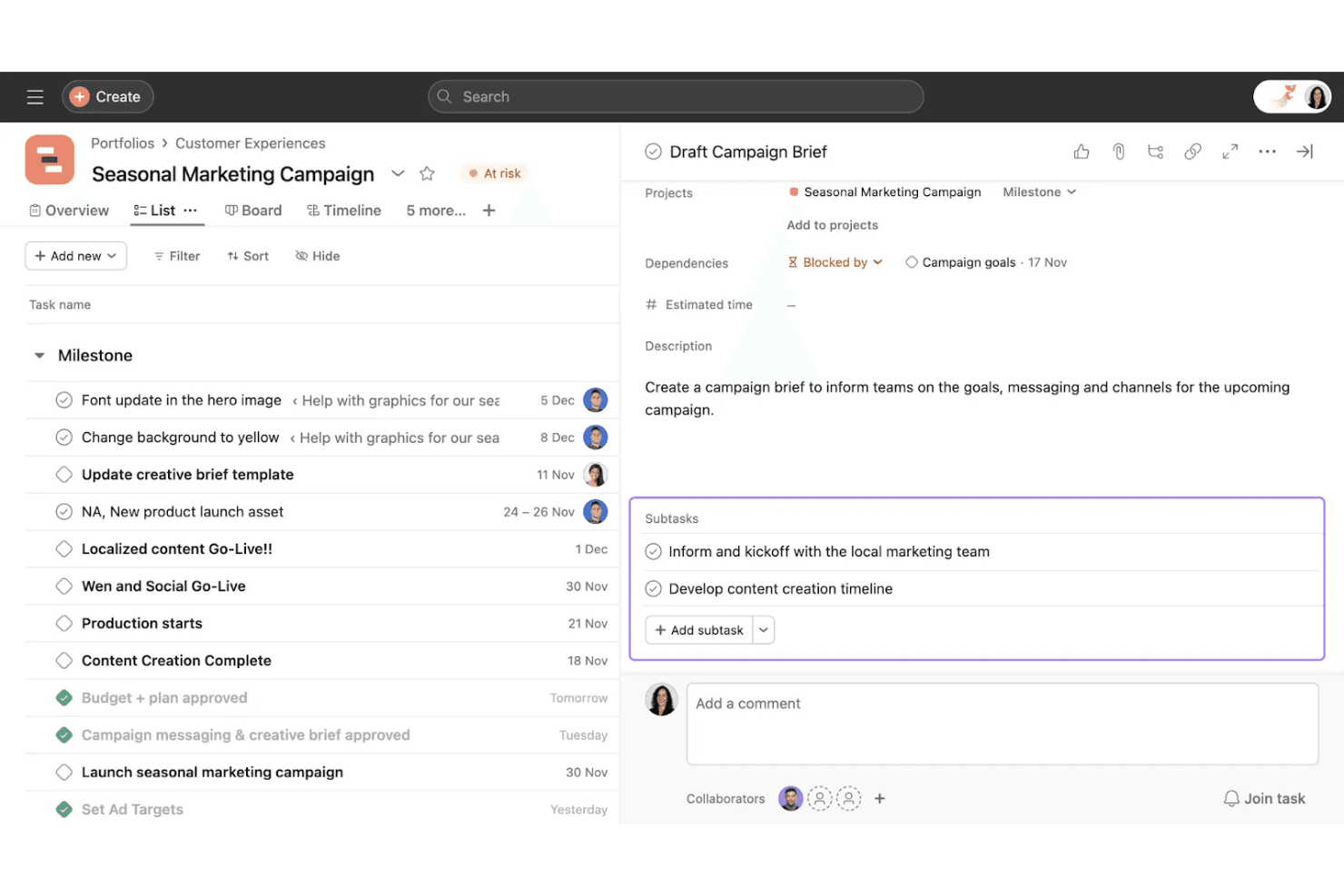
Asana helps you organize your work into clear tasks with due dates, assignees, and priorities. You can break projects into smaller pieces so your team knows exactly what to do next.
Project Views
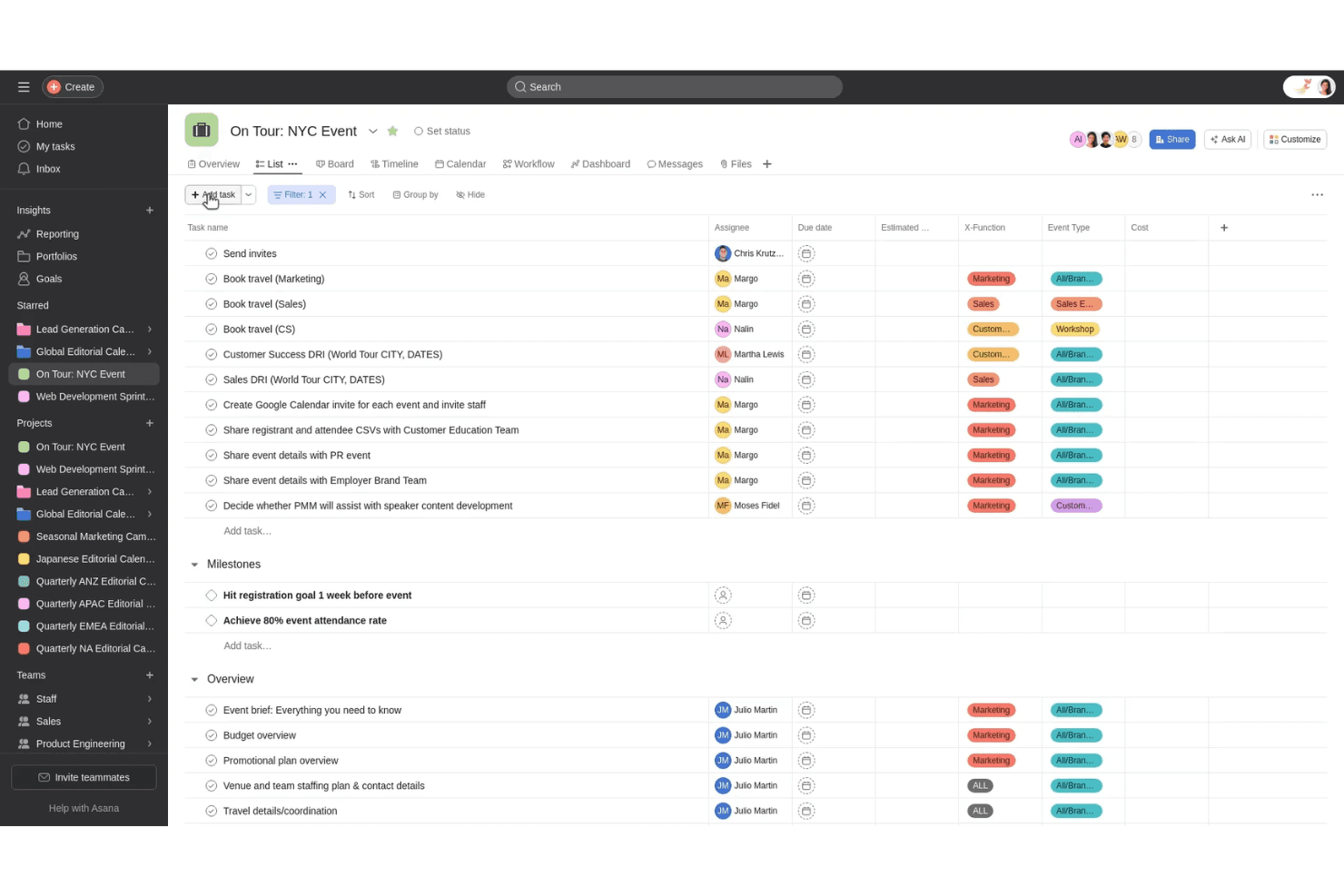
Switch between list, board, timeline, or calendar views to manage projects in the way that suits your workflow. Each view keeps your team aligned and your goals visible.
Automation
You can automate repetitive steps like task assignments or status updates. This saves time and reduces manual work across your projects.
Goal Tracking
Set company or team goals and link them to projects for easy progress tracking. This keeps everyone focused on the outcomes that matter.
Collaboration Tools
Asana lets your team comment, share files, and tag others directly within tasks. You can keep all communication in one place and avoid scattered emails.
Reporting and Dashboards
View real-time insights with built-in reporting tools. You can track project progress, identify blockers, and share results quickly.
Ease of Use
Asana offers an intuitive interface that makes organizing and tracking work simple for any team. You can navigate between projects, views, and tasks easily, even if you’re new to project management tools. Its clean layout and drag-and-drop functionality help you focus on completing tasks instead of figuring out the software.
Integrations
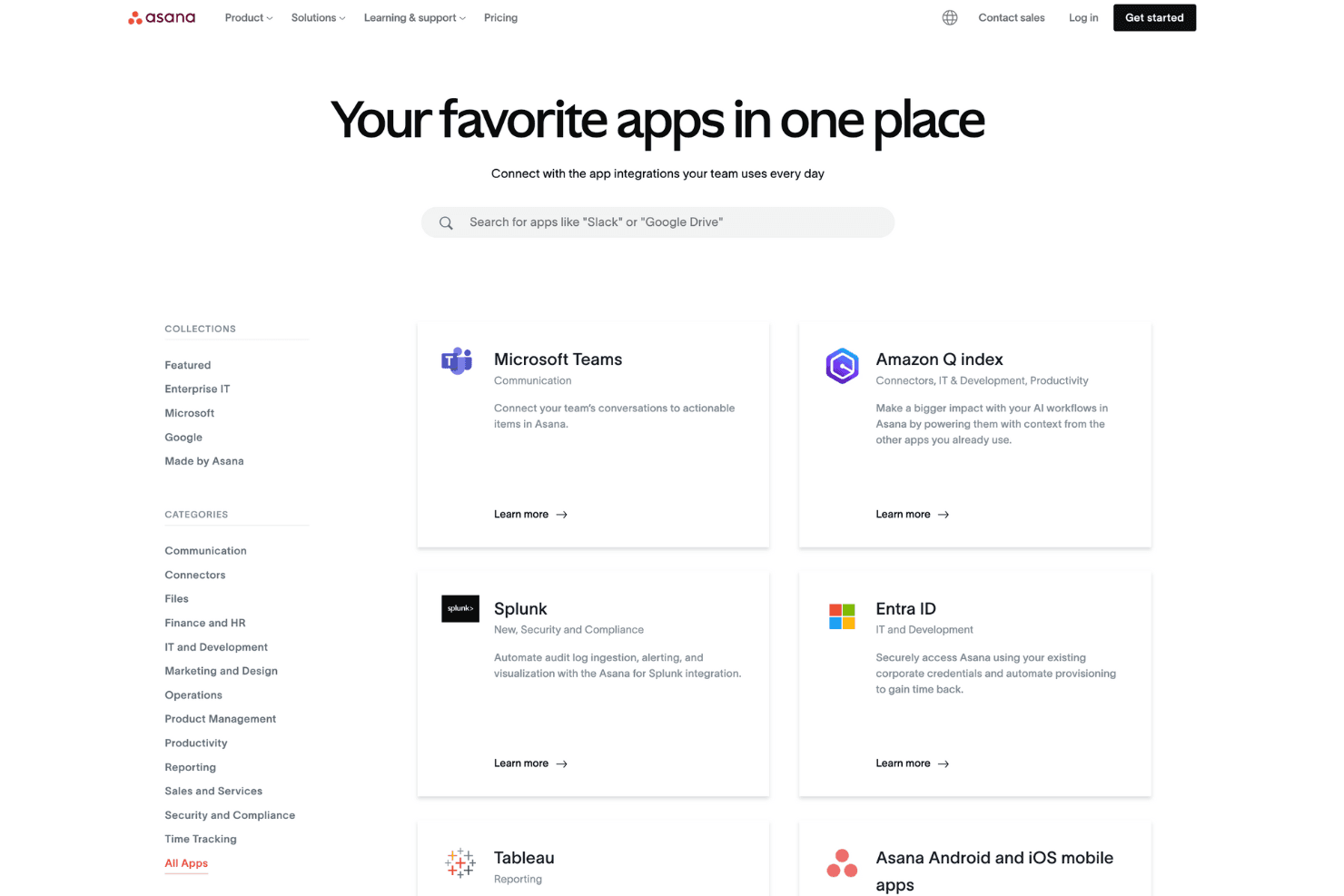
Asana integrates natively with Slack, Microsoft Teams, Google Drive, Dropbox, Jira, Zendesk, Salesforce, GitHub, Box and Tableau.
It also offers a full API and connects with third-party tools like Zapier.
Asana Specs
- API: Yes
- Batch Permissions & Access: Yes
- Budgeting: Yes
- Calendar Management: Yes
- Collaboration Support: Yes
- Contact Management: Yes
- Contact Sharing: No
- Customer Management: No
- Dashboard: Yes
- Dashboards: Yes
- Data Export: Yes
- Data Import: Yes
- Data Visualization: Yes
- Dependency Tracking: Yes
- Document Sharing: Yes
- Expense Tracking: Yes
- External Integrations: Yes
- File Sharing: Yes
- Gantt Charts: Yes
- Kanban Boards: Yes
- Multi-User: Yes
- Notifications: Yes
- Project Management: Yes
- Resource Management: No
- Scheduling: Yes
- Task Scheduling/Tracking: Yes
- Third-Party Plugins/Add-Ons: Yes
- Time Management: Yes
- Travel Management: No
- Workflow Management: Yes
Alternatives to Asana


Asana FAQs
What's Next?
Don't forget to subscribe to our newsletter for more product management resources and guides, plus the latest podcasts, interviews, and other insights from industry leaders and experts.