

Motion Review: Pros, Cons, Features, and Pricing Explained
Motion stands out for automating task and calendar management, making it ideal for busy teams, but may not suit those needing advanced project tracking or deep customization.

We review tools independently, and commissions help fund our testing. See our transparency policy, our methodology, or suggest a tool.
Motion is an AI-powered product management tool that automatically schedules tasks, projects, and meetings into your calendar based on priorities and deadlines. I'd consider it if your team struggles to match available time to actual work. It's a stronger fit than Asana when your problem isn't just task visibility—it's finding space to do the work. Motion builds your schedule for you, something Asana leaves entirely up to you.
Motion Evaluation Summary
4.2/5
- From $19/user/month (billed annually)
- Free trial available
Why Trust Our Software Recommendations
6,700+
Reviews
20
Industry experts
16+
Evaluation factors
14
Years
Our team has been testing and reviewing software since 2012. As product managers ourselves, we know how difficult—and important—it is to choose the right software.
For this guide, we evaluated tools using hands-on testing and independent research, scoring tools using our selection criteria.
Our reviews reflect our human editorial judgment, not a sales pitch.
Expert reviewers:
- Andrew LumbySenior TPM
- Cristiano ValimSenior UI/UX Lead


Motion Overview
If you're judging Motion against other product management tools, I think its AI-powered scheduling and auto-prioritization set it apart for teams who want less manual planning. The interface is clean and the learning curve is gentle, but integrations are limited compared to some alternatives. Motion pricing is mid-range, and support is responsive. I'd suggest Motion is best for small teams and midsize teams who want to automate daily planning and keep tasks visible in their calendars. If you're selecting a productivity tool for fast-moving environments where priorities shift often, Motion's automation can be a real advantage.
Pros
- Motion AI auto-scheduling keeps tasks and meetings prioritized.
- Combines calendar, task, and project management in one place.
- AI meeting notetaker generates action items and summaries.
Cons
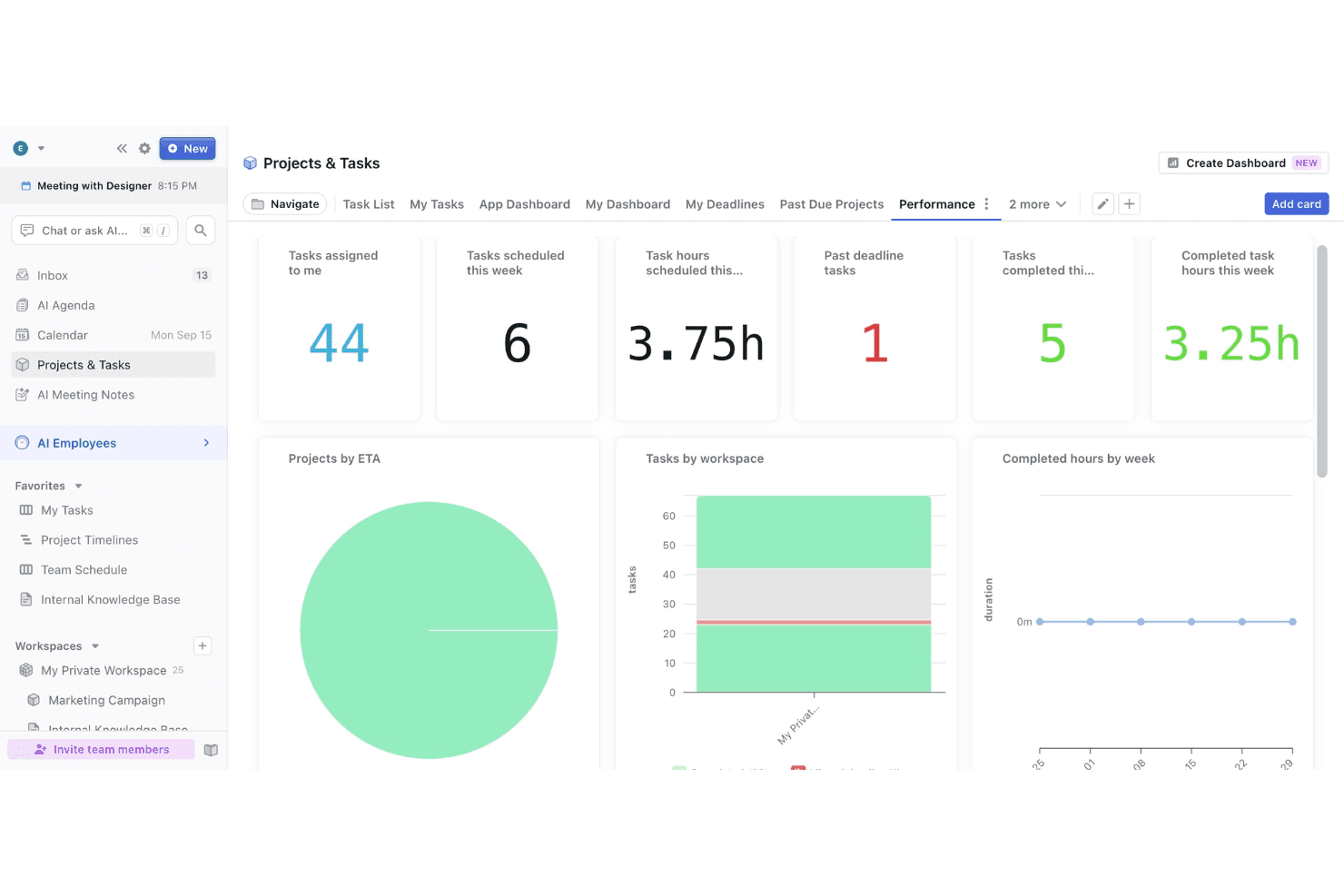
- Limited advanced reporting and analytics for projects.
- Mobile app features lag behind desktop version.
- Some users report slow or unresponsive customer support.
Is Motion Right For Your Needs?
Who Would be a Good Fit for Motion?
Motion is a strong choice for teams and professionals who need to automate daily planning, keep tasks visible, and adapt quickly to shifting priorities. Its AI-driven scheduling features, integrated calendar, and meeting notetaker make it especially useful for fast-paced environments, client-facing roles, and teams that juggle meetings and project work. If your workflow depends on staying organized and reducing manual planning, this productivity app's functionality is likely to deliver real value.
- Small AgenciesMotion's auto-scheduling and unified calendar help manage multiple client projects.
- Remote TeamsAI-driven task prioritization keeps distributed team members aligned and focused.
- Sales DepartmentsIntegrated meeting notetaker and action items support follow-ups and accountability.
- Consulting FirmsCombining project, task, and meeting management streamlines client deliverables.
- Startup FoundersAutomated daily planning helps founders juggle meetings and execution.
- Executive AssistantsCentralized scheduling and task tracking simplify supporting busy executives.
Who Would be a Bad Fit for Motion?
Motion isn't ideal for organizations that need deep project analytics, highly specialized workflows, or extensive integrations with other business systems. If your team relies on granular reporting, complex dependencies, or industry-specific compliance, you may find Motion's functionality limiting compared to more specialized tools.
- Large EnterprisesLacks advanced reporting and analytics needed for enterprise-scale oversight.
- Product DevelopmentLimited support for complex dependencies and agile workflows.
- Construction FirmsDoesn't offer industry-specific compliance or resource management features.
- IT DepartmentsMissing integrations with ITSM and ticketing systems.
- Marketing AgenciesNo built-in campaign tracking or creative asset management.
- Legal TeamsLacks document management and legal workflow automation.
How We Test & Score Tools
We’ve spent years building, refining, and improving our software testing and scoring system. The rubric is designed to capture the nuances of software selection and what makes a tool effective, focusing on critical aspects of the decision-making process.
Below, you can see exactly how our testing and scoring works across seven criteria. It allows us to provide an unbiased evaluation of the software based on core functionality, standout features, ease of use, onboarding, customer support, integrations, customer reviews, and value for money.
Core Functionality (25% of final scoring)
The starting point of our evaluation is always the core functionality of the tool. Does it have the basic features and functions that a user would expect to see? Are any of those core features locked to higher-tiered pricing plans? At its core, we expect a tool to stand up against the baseline capabilities of its competitors.
Standout Features (25% of final scoring)
Next, we evaluate uncommon standout features that go above and beyond the core functionality typically found in tools of its kind. A high score reflects specialized or unique features that make the product faster, more efficient, or offer additional value to the user.
We also evaluate how easy it is to integrate with other tools typically found in the tech stack to expand the functionality and utility of the software. Tools offering plentiful native integrations, 3rd party connections, and API access to build custom integrations score best.
Ease of Use (10% of final scoring)
We consider how quick and easy it is to execute the tasks defined in the core functionality using the tool. High scoring software is well designed, intuitive to use, offers mobile apps, provides templates, and makes relatively complex tasks seem simple.
Onboarding (10% of final scoring)
We know how important rapid team adoption is for a new platform, so we evaluate how easy it is to learn and use a tool with minimal training. We evaluate how quickly a team member can get set up and start using the tool with no experience. High scoring solutions indicate little or no support is required.
Customer Support (10% of final scoring)
We review how quick and easy it is to get unstuck and find help by phone, live chat, or knowledge base. Tools and companies that provide real-time support score best, while chatbots score worst.
Customer Reviews (10% of final scoring)
Beyond our own testing and evaluation, we consider the net promoter score from current and past customers. We review their likelihood, given the option, to choose the tool again for the core functionality. A high scoring software reflects a high net promoter score from current or past customers.
Value for Money (10% of final scoring)
Lastly, in consideration of all the other criteria, we review the average price of entry level plans against the core features and consider the value of the other evaluation criteria. Software that delivers more, for less, will score higher.
Core Features
AI Auto-Scheduling Tool
Motion automatically prioritizes and schedules tasks and meetings based on deadlines and availability, keeping your Motion calendar current without manual adjustments.
Task and Project Management
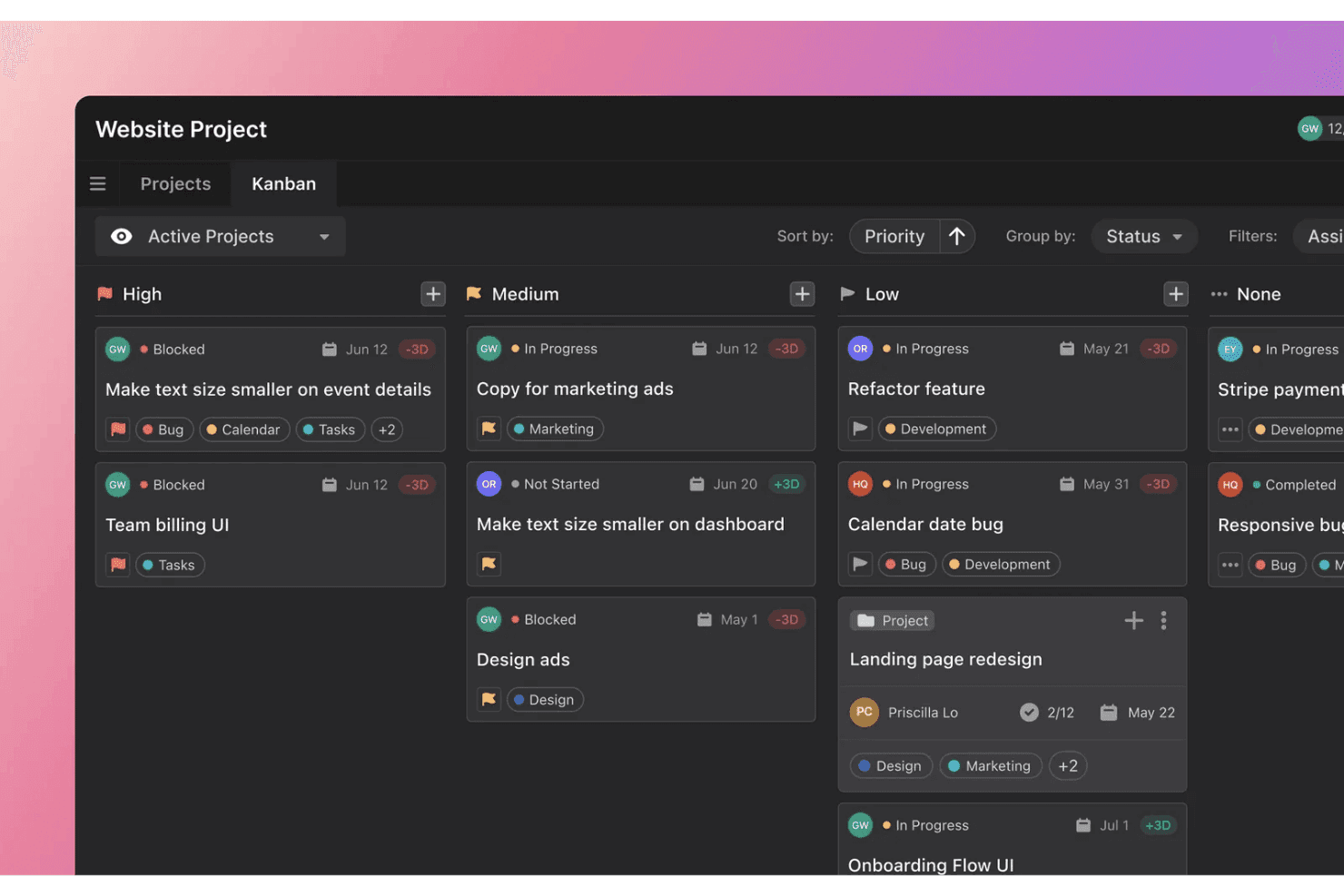
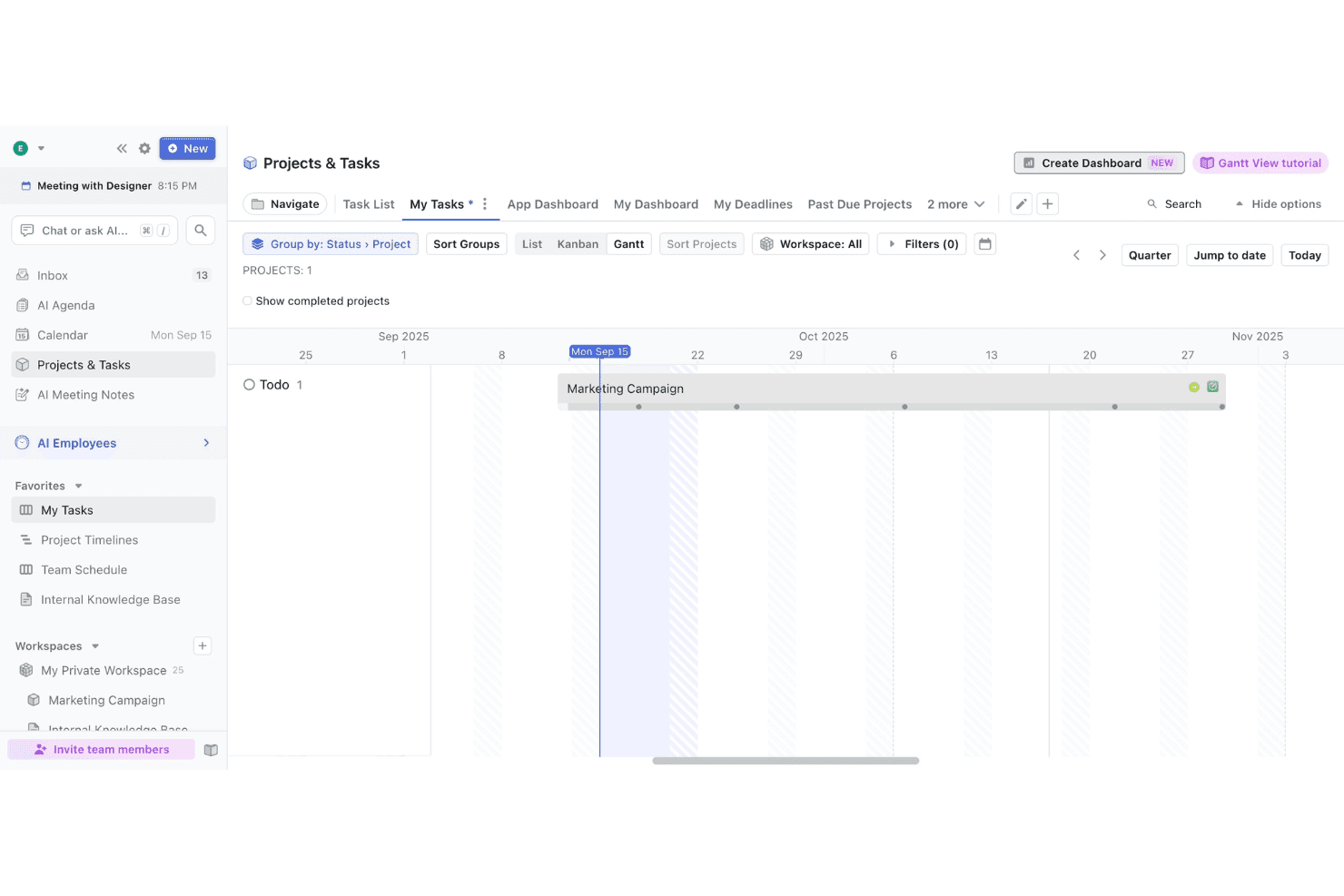
Create, assign, and track tasks within projects. Visual Kanban boards and to-do lists help teams organize work and monitor progress toward each due date.
Integrated Calendar
Motion merges your tasks and meetings into one unified calendar view, making it easy to see your entire workload and allocate focus time at a glance.
AI Meeting Notetaker
Automatically records meetings, generates summaries, and creates action items, reducing manual note-taking and ensuring accountability across work hours.
Recurring Tasks
Set up tasks and subtasks that repeat on custom schedules for ongoing work, useful for regular check-ins, reports, or real-time maintenance activities.
Personalized Daily Planner
Motion generates a daily agenda tailored to your priorities and deadlines, giving you a clear, actionable plan every morning that adapts as you go.
Ease of Use
Motion is one of the most user-friendly task management tools I've tried, thanks to its clean interface and intuitive navigation. Users often mention how quickly they can get started, with AI-driven features like auto-scheduling and daily planning reducing manual setup. The drag-and-drop Kanban boards and unified calendar make it easy to visualize work. However, some users note that advanced features can feel hidden, especially for those managing complex projects. Overall, the learning curve is minimal for most teams.
Integrations
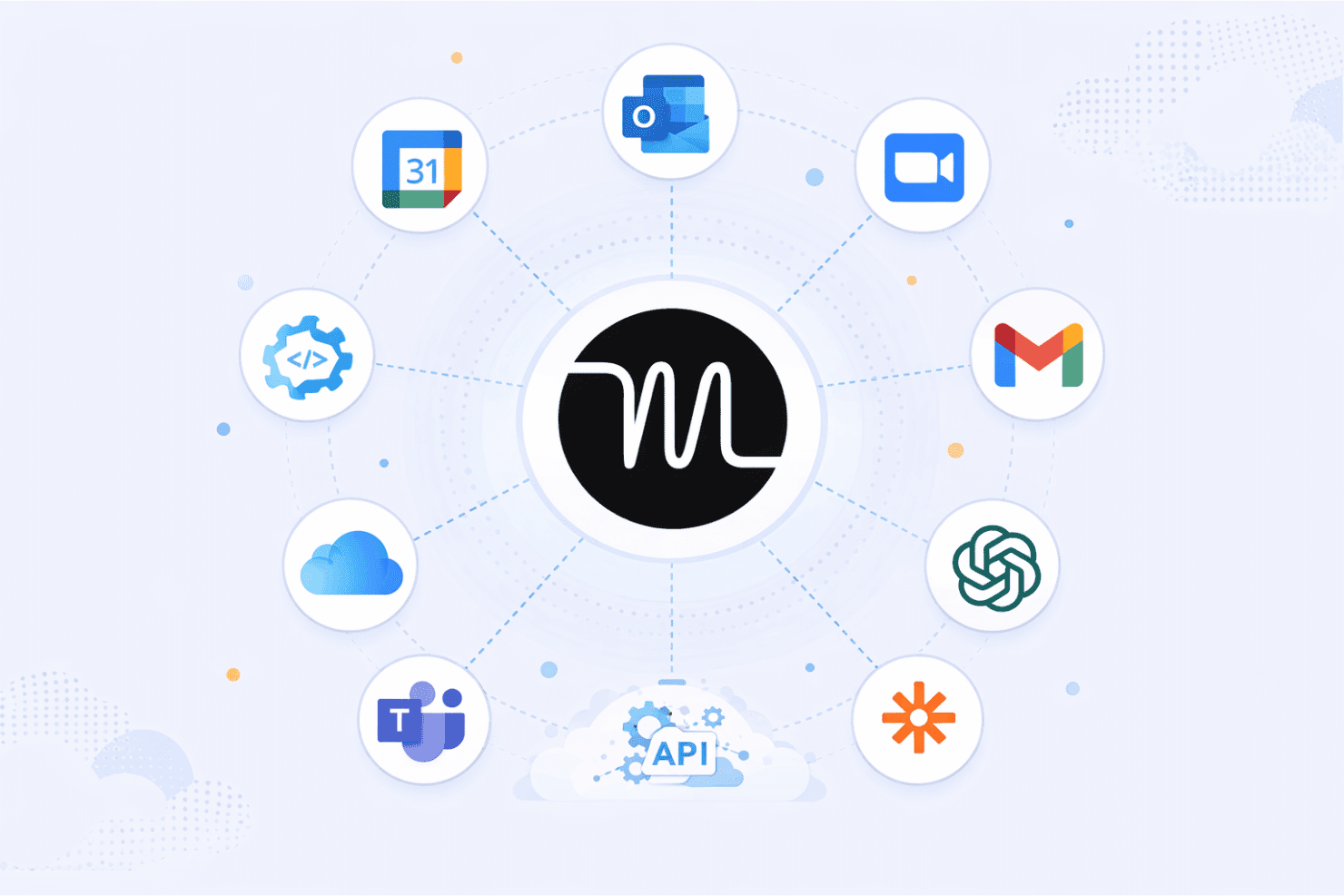
Motion integrates with Google Calendar, Microsoft Outlook, Zoom, Gmail, Zapier, Microsoft Teams, and OpenAI, among others. The Motion app also connects with iCloud for personal calendar syncing and supports booking links for meeting scheduling.
Motion also offers an API and connects with third-party integration tools like Zapier and similar automation services.
Motion Specs
- A/B Testing: No
- AI Integration: Yes
- Analytics: No
- API: Yes
- Calendar Management: No
- Comparative Reporting: No
- Custom Reports: Yes
- Dashboard: Yes
- Data Export: No
- Data Import: No
- Data Mining: No
- Data Visualization: No
- External Integrations: Yes
- Forecasting: No
- Historical Data Analysis: No
- Multi-User: Yes
- Notifications: Yes
- Process Reporting: Yes
- Real-time Alerts: Yes
- Scenario Planning: No
- Scheduling: No
- Sentiment Analysis: No
- SEO: No
- Time Series Modeling: No
- Workflow Management: Yes


