

10 mejores herramientas para crear esquemas de diseño en 2026

10 Selección de las mejores herramientas de maquetas
- 3. Uizard


Hay aparentemente innumerables soluciones para crear maquetas, por lo que resulta difícil determinar cuál es la mejor para ti. Quieres esbozar y comunicar rápidamente conceptos de diseño y recopilar comentarios antes de invertir recursos importantes en el proceso de desarrollo, pero necesitas averiguar qué herramienta se adapta mejor a tus necesidades. ¡Yo te ayudo! En esta publicación simplifico las cosas aprovechando mi experiencia gestionando productos diversos y utilizando docenas de herramientas de diseño diferentes para ofrecerte esta selección de las mejores herramientas de maquetas.
Por Qué Confiar en Nuestras Reseñas de Software
Llevamos revisando y probando software de gestión de productos desde 2020. Como product managers, sabemos lo crucial y complicado que es tomar la decisión correcta al seleccionar software. Invertimos en investigación profunda para ayudar a nuestra audiencia a tomar mejores decisiones de compra de software. Hemos probado más de 2,000 herramientas para distintos casos de uso y escrito más de 1,000 reseñas exhaustivas. Conozca cómo mantenemos la transparencia & nuestra metodología de reseñas de software.
Tabla comparativa del mejor software para crear maquetas
Aquí tienes una tabla que puedes utilizar para comparar el software que acabamos de analizar en las reseñas generales.
| Tool | Best For | Trial Info | Price | ||
|---|---|---|---|---|---|
| 1 | Ideal para la generación de diseños asistida por IA | Plan gratuito + prueba gratuita disponible | Desde $10/mes (facturado anualmente) | Website | |
| 2 | Ideal para equipos remotos que crean wireframes de forma asíncrona | Hay un plan gratuito disponible | Desde $8/usuario/mes (facturado anualmente) | Website | |
| 3 | Plan gratuito disponible | Desde $12/usuario/mes (facturado anualmente) | Website | ||
| 4 | Ideal para personas sin conocimientos de diseño que crean estructuras alámbricas con IA | Plan gratuito disponible | Desde $14/editor/mes | Website | |
| 5 | Ideal para la entrega de diseño a desarrollo de código abierto | Plan gratuito disponible | Desde $7/editor/mes | Website | |
| 6 | Ideal para kits de wireframes mediante arrastrar y soltar | Plan gratuito disponible | Desde $16/usuario/mes (facturado anualmente) | Website | |
| 7 | La mejor opción para la colaboración en tiempo real | Prueba gratuita de 14 días | Desde $29 por asiento/mes (facturado anualmente) | Website | |
| 8 | Ideal para kits y recursos de estructuras alámbricas | Prueba gratuita de 30 días | Desde $12/usuario/mes (facturado anualmente) | Website | |
| 9 | Ideal para pruebas de usabilidad realistas | Prueba gratuita de 30 días | Desde $29/usuario/mes (facturado anualmente) | Website | |
| 10 | Ideal para wireframes interactivos con lógica funcional | Plan gratuito disponible | Desde $19/usuario/mes | Website |

Análisis del mejor software para crear maquetas
Aquí tienes una breve descripción de cada sistema para crear maquetas, con el fin de mostrar el caso de uso más adecuado de cada herramienta, algunas funciones destacadas y capturas de pantalla que ofrecen una visión general de la interfaz de usuario.
Framer
Ideal para la generación de diseños asistida por IA
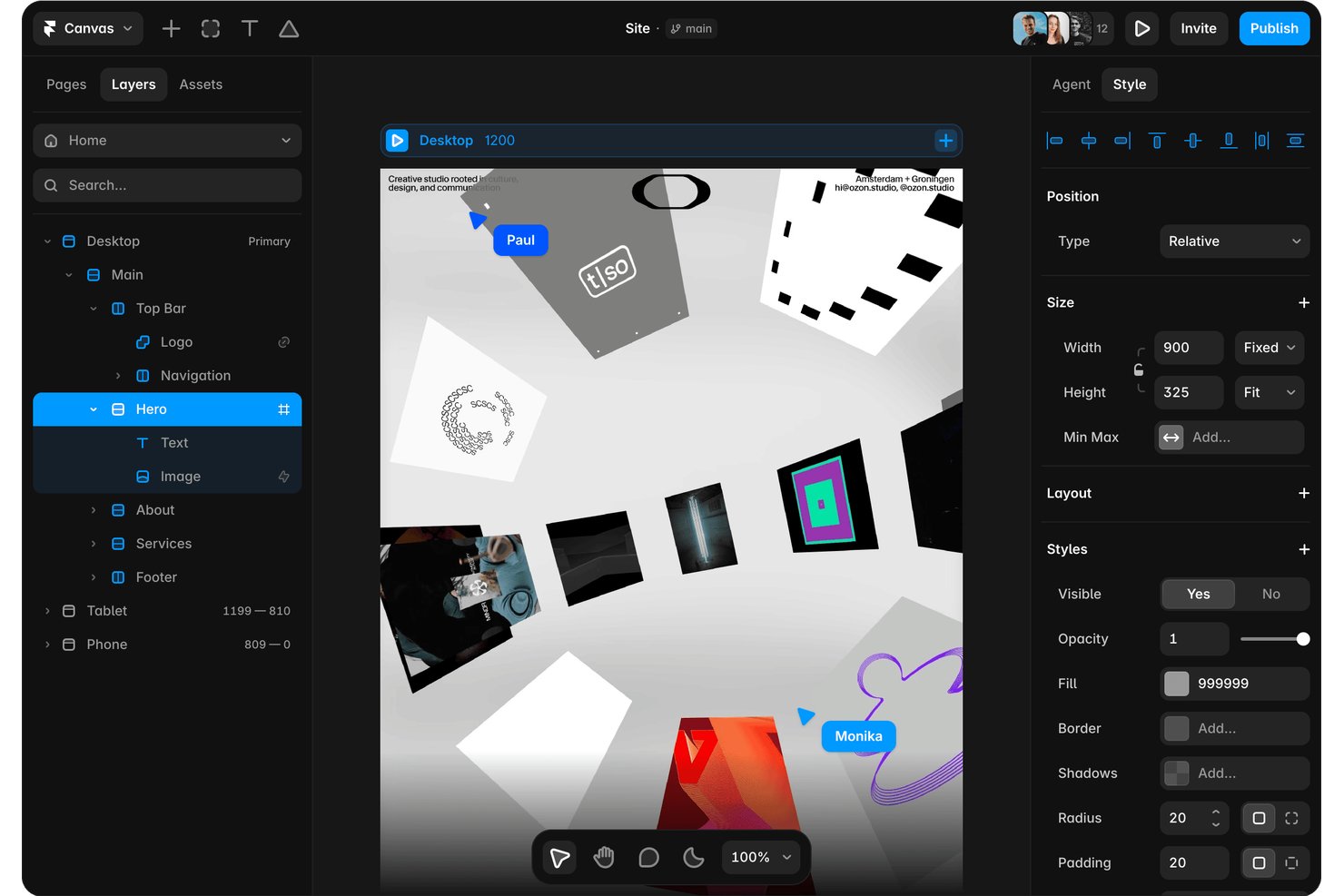
Framer es un creador de sitios web y una plataforma de diseño con IA que te permite generar diseños editables y adaptables a partir de indicaciones de texto, crear con un lienzo visual y publicar directamente desde la misma herramienta.
¿Para quién es mejor Framer?
Framer es ideal para diseñadores y especialistas en marketing que quieren pasar de una indicación de texto a un diseño de sitio web activo y editable sin tener que alternar entre herramientas de diseño y publicación.
Por qué elegí Framer
He incluido Framer entre mis principales opciones porque su generación de diseños con IA te lleva de una indicación de texto a una página totalmente editable y adaptable en una sola herramienta, lo que supone una verdadera ventaja cuando necesitas visualizar la estructura rápidamente. Me gusta que el resultado no sea una imagen bloqueada: cada capa, punto de quiebre y componente sigue siendo editable en el lienzo después de que la IA lo genera. Un agente de revisión también comprueba si hay problemas de contraste, texto alternativo faltante y estilos incoherentes antes de publicar.
Características principales de Framer
- Biblioteca de plantillas de la comunidad: Accede a aproximadamente 22.000 plantillas y componentes gratuitos y de pago para comenzar diseños sin tener que crearlos desde cero.
- Controles de puntos de quiebre adaptables: Ajusta los diseños para distintos tamaños de pantalla directamente en el lienzo, de modo que tu diseño se adapte sin necesidad de archivos independientes para móviles o tabletas.
- Bifurcación y entorno de pruebas: Crea ramas independientes de tu proyecto para probar cambios antes de publicarlos, manteniendo intacto tu sitio principal.
- Colecciones de CMS: Crea y completa colecciones de contenido estructurado para diseñar páginas basadas en datos junto con diseños estáticos en la misma herramienta.
Integraciones de Framer
Framer admite integraciones con Claude Code, Codex, Cursor, Slack, GitHub, Notion y más, además de complementos y una API de servidor para conexiones personalizadas.
Pros and Cons
Pros:
- Los diseños generados mediante indicaciones siguen siendo totalmente editables
- Los ajustes de los puntos de quiebre adaptables se realizan en el lienzo
- Las vistas previas en tiempo real permiten recibir rápidamente comentarios de las partes interesadas
Cons:
- El resultado de alta fidelidad limita los bocetos iniciales
- No incluye mapas de flujos visuales ni especificaciones para la entrega

Miro
Ideal para equipos remotos que crean wireframes de forma asíncrona
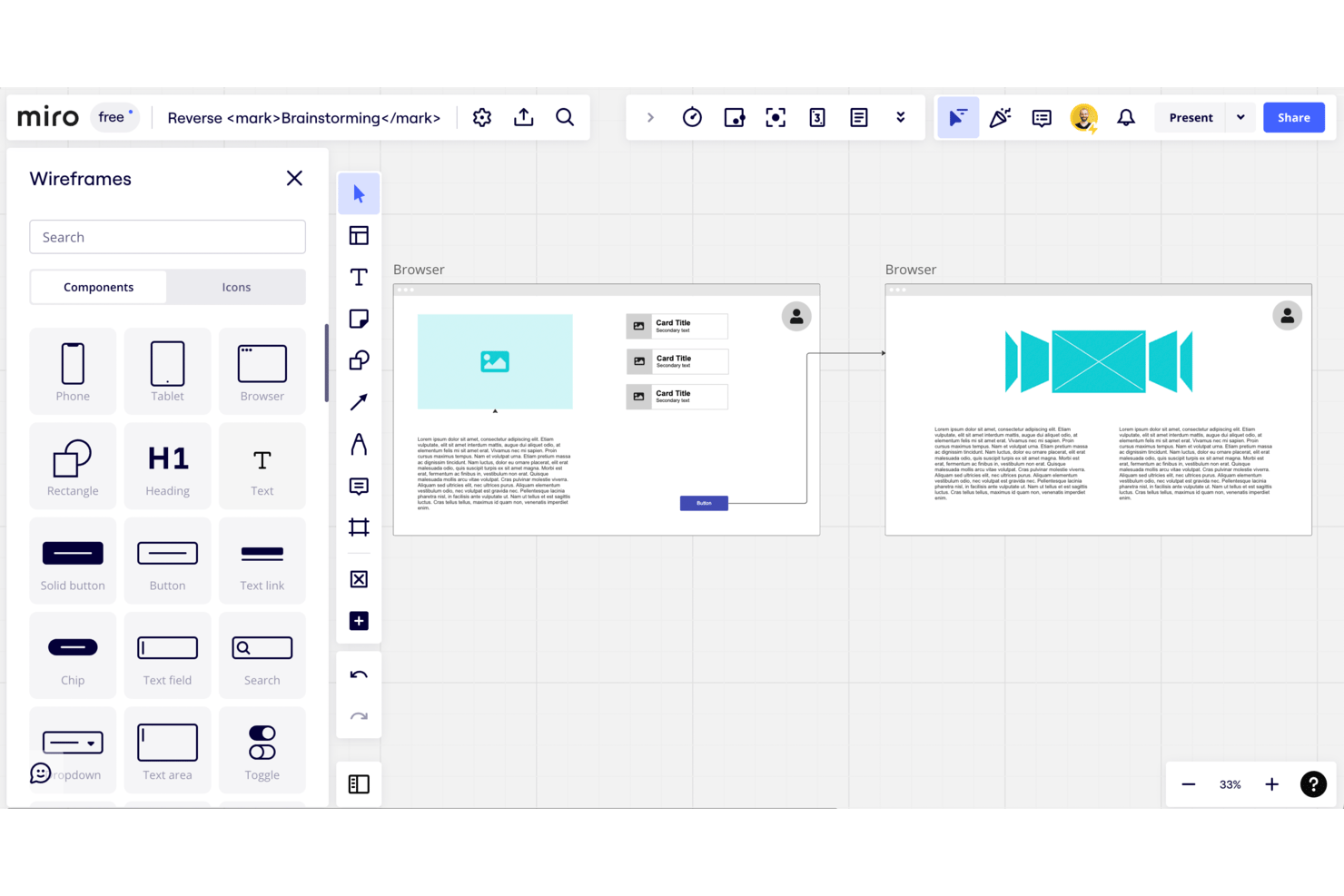
Miro es un espacio de trabajo visual que combina creación de wireframes de baja fidelidad, mapeo de flujos de usuario y herramientas de colaboración en tiempo real en un lienzo infinito, con generación de diseños impulsada por IA y una biblioteca integrada de componentes de interfaz de usuario para la web y dispositivos móviles.
¿Para quién es mejor Miro?
Miro es ideal para equipos distribuidos de producto y diseño que necesitan alinear a las partes interesadas en torno a conceptos iniciales sin coordinar horarios para reuniones en directo.
Por qué elegí Miro
Miro ocupa un lugar en mi lista de opciones principales porque su colaboración centrada en el trabajo asíncrono está diseñada para equipos distribuidos que no siempre pueden revisar los wireframes juntos en directo. Me encanta que los comentarios, las votaciones y los archivos adjuntos se vinculen directamente a los marcos, de modo que una parte interesada en otra zona horaria pueda dejar comentarios sobre un flujo de pago de tres pasos sin programar una reunión. Combinar esto con diseños de wireframes generados por IA a partir de instrucciones en lenguaje natural permite a mi equipo pasar rápidamente de la idea a un concepto que se puede revisar.
Características principales de Miro
- Generación de wireframes con IA: Los asistentes de IA de Miro convierten instrucciones en lenguaje natural en diseños de wireframes directamente en el lienzo.
- Biblioteca de prototipado: Una biblioteca integrada de componentes de interfaz de usuario incluye botones, formularios, iconos y elementos de navegación tanto para la web como para dispositivos móviles.
- Sincronización bidireccional con la gestión de proyectos: Miro se sincroniza bidireccionalmente con Jira, Asana, Linear, ClickUp y Azure DevOps en el plan Business.
- Enlaces de edición para visitantes: Los tableros del plan Starter se pueden compartir mediante un enlace público que permite editarlos sin necesidad de tener una cuenta de Miro.
Integraciones de Miro
Miro ofrece más de 250 integraciones, incluidas Figma, Adobe XD, Jira, Asana, Linear, ClickUp, Azure DevOps, Slack, Google y Microsoft. El plan Business añade sincronización bidireccional con Jira, Asana, Linear, ClickUp y Azure DevOps.
Pros and Cons
Pros:
- Los comentarios asíncronos permanecen vinculados a los wireframes
- La generación basada en instrucciones crea diseños iniciales
- La investigación, los flujos y los wireframes comparten un mismo lienzo
Cons:
- El diseño de alta fidelidad requiere otra herramienta
- Las flechas manuales limitan el mapeo de flujos complejos
New Product Updates from Miro
Miro Adds Japan Data Residency for Enterprise Customers
Miro has introduced Japan data residency for enterprise customers, offering in-region storage for production data, backups, and metadata, plus in-region compute infrastructure. For more information, visit Miro's official site.

Uizard
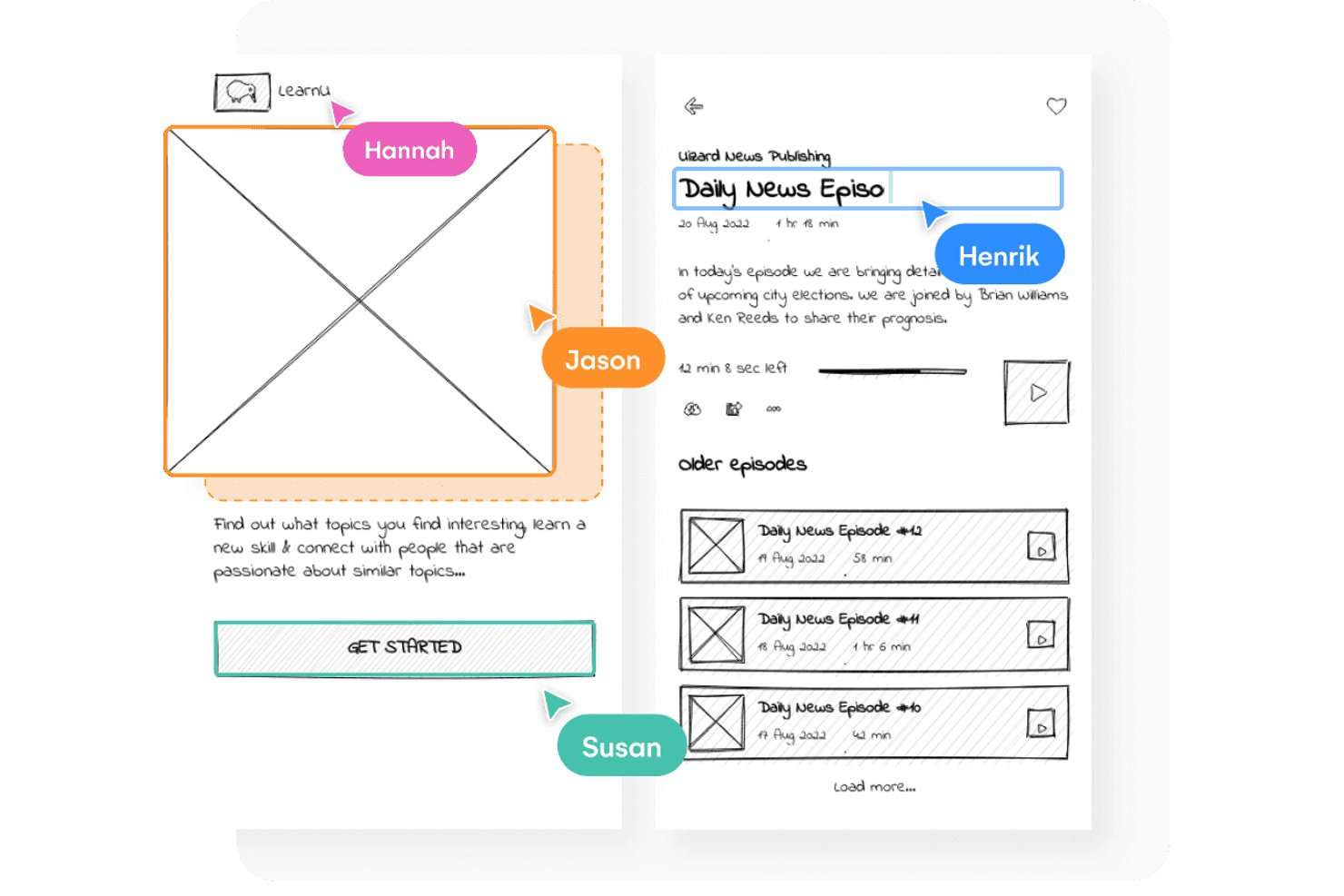
Uizard es una herramienta de creación de esquemas y prototipos basada en el navegador que combina la creación de diseños mediante arrastrar y soltar con la generación de diseños basada en IA, el escaneo de bocetos y el cambio con un solo clic entre esquemas de baja fidelidad y maquetas de alta fidelidad.
¿Para quién es mejor Uizard?
Uizard es una excelente opción para gerentes de producto y fundadores de startups que necesitan convertir ideas en esquemas comprobables sin depender de un equipo de diseño dedicado.
Por qué elegí Uizard
Uizard ocupa un lugar en mi lista de favoritos por la rapidez con la que convierte una idea preliminar en un prototipo funcional y editable. Me encanta el Escáner de esquemas, que convierte un boceto dibujado a mano en un diseño digital que puedes perfeccionar de inmediato, y el cambio con un solo clic al Modo de esquema, que alterna cualquier pantalla entre baja y alta fidelidad sin tener que volver a crearla. La función Autodiseñador 2.0 te permite describir una aplicación con varias pantallas en texto sencillo y obtener un prototipo editable en cuestión de segundos.
Funciones clave de Uizard
- Escáner de capturas de pantalla: Sube cualquier captura de pantalla existente de una aplicación o sitio web y Uizard la convierte en una maqueta totalmente editable que puedes modificar desde cero.
- Colaboración multijugador en tiempo real: Varios miembros del equipo pueden editar el mismo lienzo simultáneamente, con un número ilimitado de espectadores y comentaristas gratuitos en todos los planes.
- Transferencia para desarrolladores con React y CSS: Exporta tus diseños como componentes de React y código CSS directamente desde el plan Pro, proporcionando a los desarrolladores resultados listos para usar.
- Mapas de calor de atención predictiva: Uizard genera mapas de calor basados en IA que muestran dónde es probable que los usuarios centren su atención en cualquier pantalla.
Integraciones de Uizard
Actualmente no se indican integraciones nativas. Admite la exportación a React y CSS, enlaces públicos, inserciones web y exportaciones en JPG, PNG y PDF.
Pros and Cons
Pros:
- Convierte bocetos hechos a mano en pantallas editables
- Alterna entre baja y alta fidelidad
- Admite la revisión y los comentarios de las partes interesadas en tiempo real
Cons:
- Algunos usuarios informan de pérdida de trabajo
- El nivel gratuito limita los proyectos y las pantallas

Visily
Ideal para personas sin conocimientos de diseño que crean estructuras alámbricas con IA
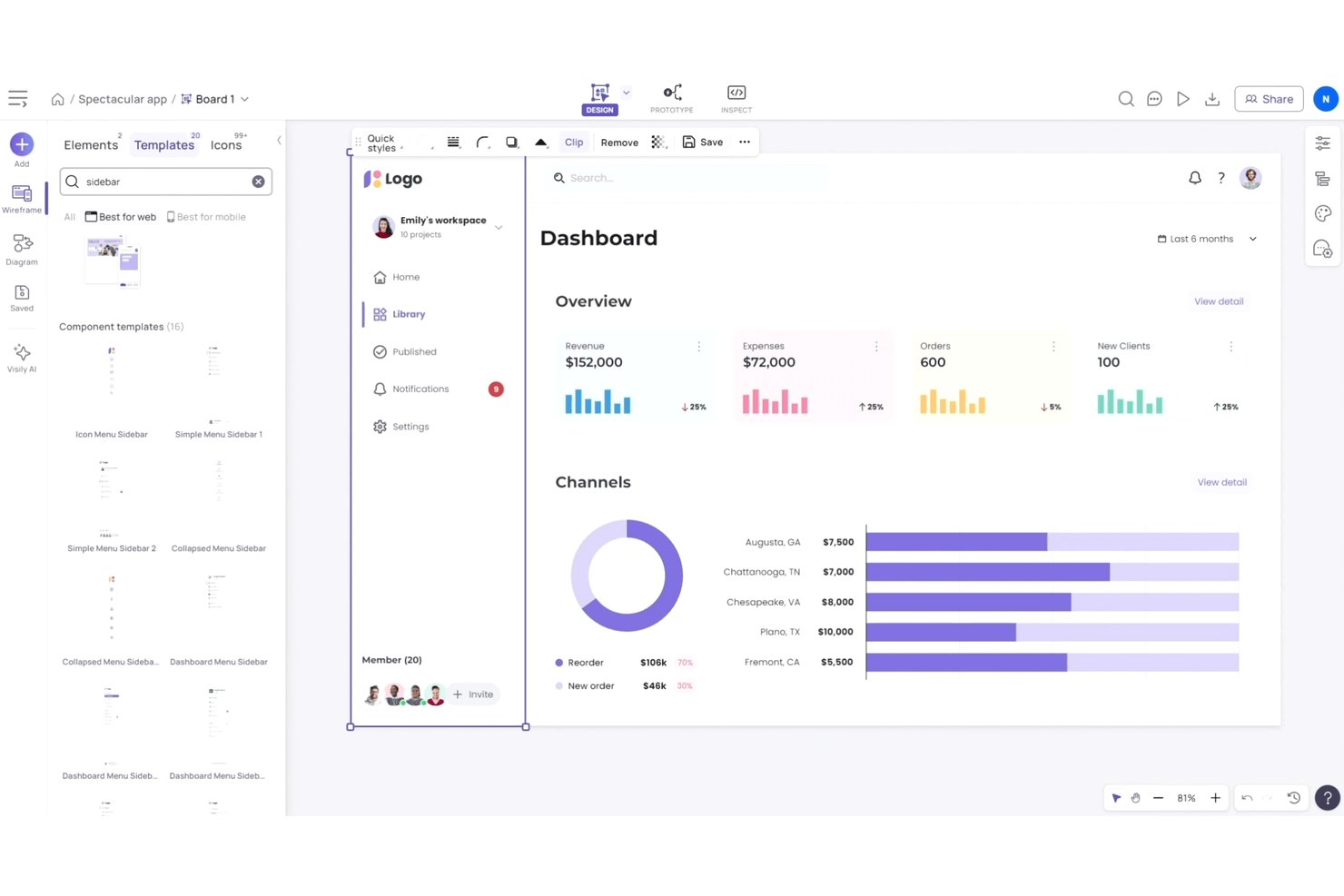
Visily es una herramienta de creación de estructuras alámbricas y prototipos impulsada por IA que permite generar pantallas a partir de indicaciones de texto, bocetos o capturas de pantalla, y alternar entre resultados de baja y alta fidelidad, todo ello sin conocimientos previos de diseño.
¿Para quién es más adecuado Visily?
Visily es una opción excelente para gerentes de producto y fundadores de startups que necesitan pasar rápidamente de la idea a la estructura alámbrica, sin depender de un diseñador dedicado.
Por qué elegí Visily
Elegí Visily como una de las mejores opciones porque sus funciones de generación mediante IA realmente reducen la brecha para los gerentes de producto y fundadores que necesitan crear estructuras alámbricas sin tener un diseñador disponible. Puedes pegar una captura de pantalla de la aplicación de un competidor o describir una pantalla con texto sencillo, y Visily produce un diseño editable en cuestión de segundos. También me gusta que todos los planes, incluido el nivel gratuito, incorporen un selector de fidelidad, de modo que puedas pasar de un boceto aproximado de baja fidelidad a una maqueta de alta fidelidad sin tener que reconstruir nada desde cero.
Características principales de Visily
- Codiseño en tiempo real: Varios miembros del equipo pueden editar simultáneamente el mismo lienzo, con chat mediante el cursor y comentarios integrados.
- Creación de prototipos interactivos: Vincula pantallas para crear prototipos en los que se puede hacer clic directamente en Visily, disponible en todos los planes, incluido el gratuito.
- Importación y exportación de Figma: Importa archivos existentes de Figma a Visily o exporta tus diseños de Visily a Figma para entregarlos a producción, disponible en los planes Pro y superiores.
- Diagram AI: Convierte automáticamente diagramas de flujo y bocetos en pantallas de interfaz editables, sin necesidad de volver a dibujarlos manualmente.
Integraciones de Visily
Visily incluye integraciones con Figma, Notion, Jira y Slack, además de un complemento de Figma y un servidor MCP.
Pros and Cons
Pros:
- Genera estructuras alámbricas a partir de indicaciones, bocetos y capturas de pantalla
- Permite alternar entre estructuras alámbricas de baja y alta fidelidad
- Admite prototipos en los que se puede hacer clic en todos los planes
Cons:
- Los resultados complejos de la IA requieren limpieza manual
- Los prototipos y las animaciones complejos siguen siendo limitados

Penpot
Ideal para la entrega de diseño a desarrollo de código abierto
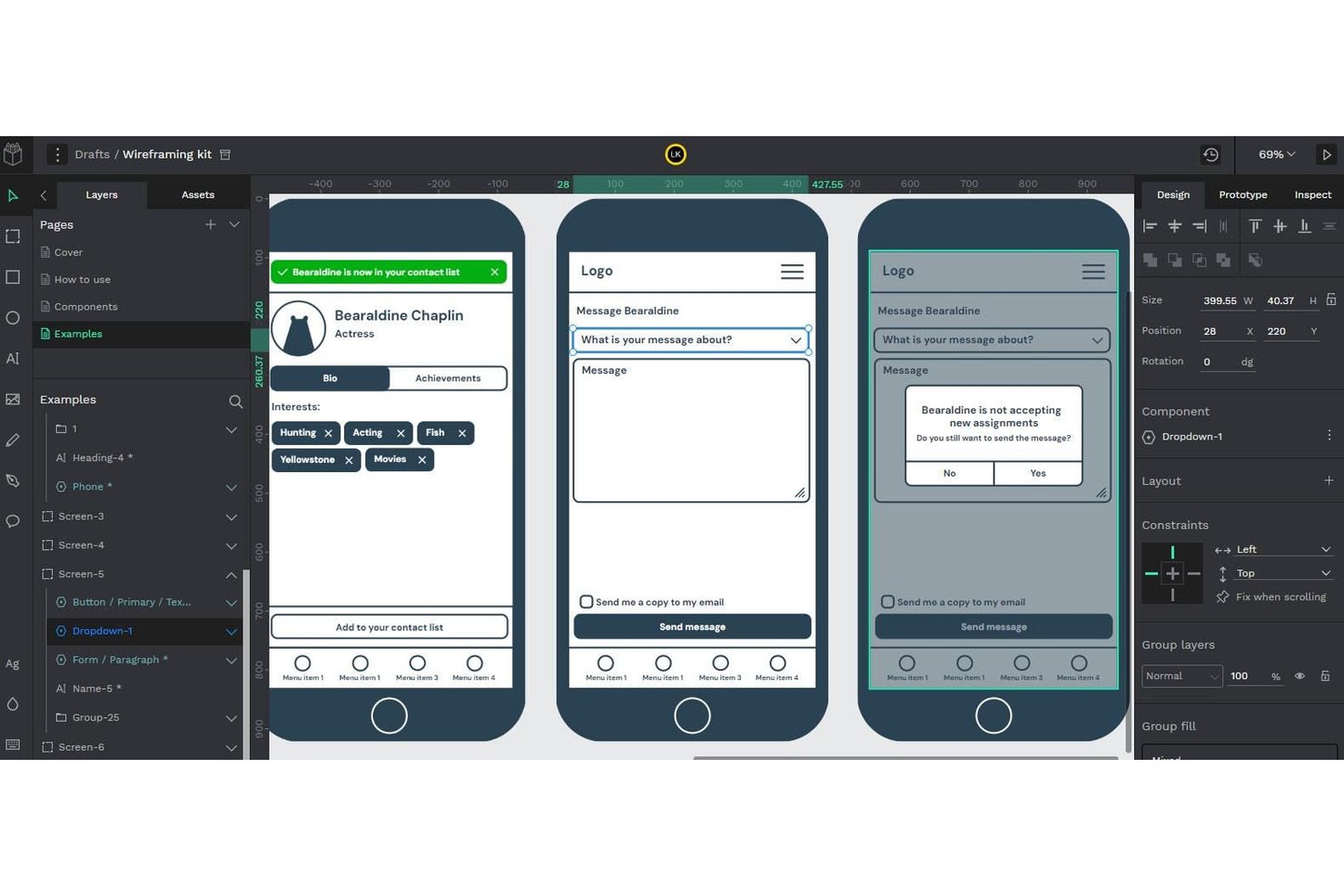
Penpot es una plataforma de diseño de código abierto que abarca la creación de estructuras alámbricas, el diseño de interfaces de usuario, la creación de prototipos interactivos y la entrega a desarrollo mediante diseños nativos de CSS Flex/Grid y una pestaña integrada para inspeccionar el código.
¿Para quién es mejor Penpot?
Penpot es una excelente opción para equipos de diseño y desarrollo que buscan una herramienta gratuita y autohospedable, con entrega nativa basada en CSS y sin costes por usuario.
Por qué elegí Penpot
Penpot se gana un lugar en mi lista final porque es la única herramienta de creación de estructuras alámbricas de aquí en la que el diseño y la entrega a desarrollo están realmente unidos desde el principio. Me encanta que su lienzo utilice reglas reales de CSS Flex y Grid, de modo que, cuando un desarrollador abre la pestaña para inspeccionar el código, está leyendo resultados reales de CSS, HTML y SVG en lugar de aproximaciones. Esto significa que una estructura alámbrica creada en Penpot puede pasar directamente a producción sin pérdidas de traducción entre la intención del diseño y el código.
Características principales de Penpot
- Edición multiusuario en tiempo real: Varios miembros del equipo pueden trabajar simultáneamente en el mismo archivo, con un modo integrado de solo lectura para la revisión de las partes interesadas.
- Creación de prototipos interactivos: Enlaza pantallas y añade interacciones para simular el comportamiento del producto durante las pruebas con usuarios y las demostraciones para las partes interesadas.
- Tokens de diseño: Define y aplica tokens de diseño nativos en componentes y bibliotecas compartidas para mantener la coherencia en todo tu sistema de diseño.
- Integración con el servidor MCP: Conecta cualquier agente de IA o LLM a tus archivos de Penpot para facilitar flujos de trabajo de diseño a código, de código a diseño y de generación de componentes.
Integraciones de Penpot
Penpot admite integraciones mediante su servidor MCP y los complementos de Penpot Hub. También ofrece una API pública y formatos abiertos de CSS, HTML, SVG y JSON para flujos de trabajo personalizados de desarrollo.
Pros and Cons
Pros:
- Los diseños preparados para CSS reducen las discrepancias en la entrega a desarrollo
- Las estructuras alámbricas evolucionan hasta convertirse en prototipos interactivos pulidos
- El autohospedaje permite cumplir requisitos de datos más estrictos
Cons:
- Los archivos grandes pueden provocar problemas de rendimiento perceptibles
- Los estados avanzados de los prototipos siguen siendo menos maduros

Figma
Ideal para kits de wireframes mediante arrastrar y soltar
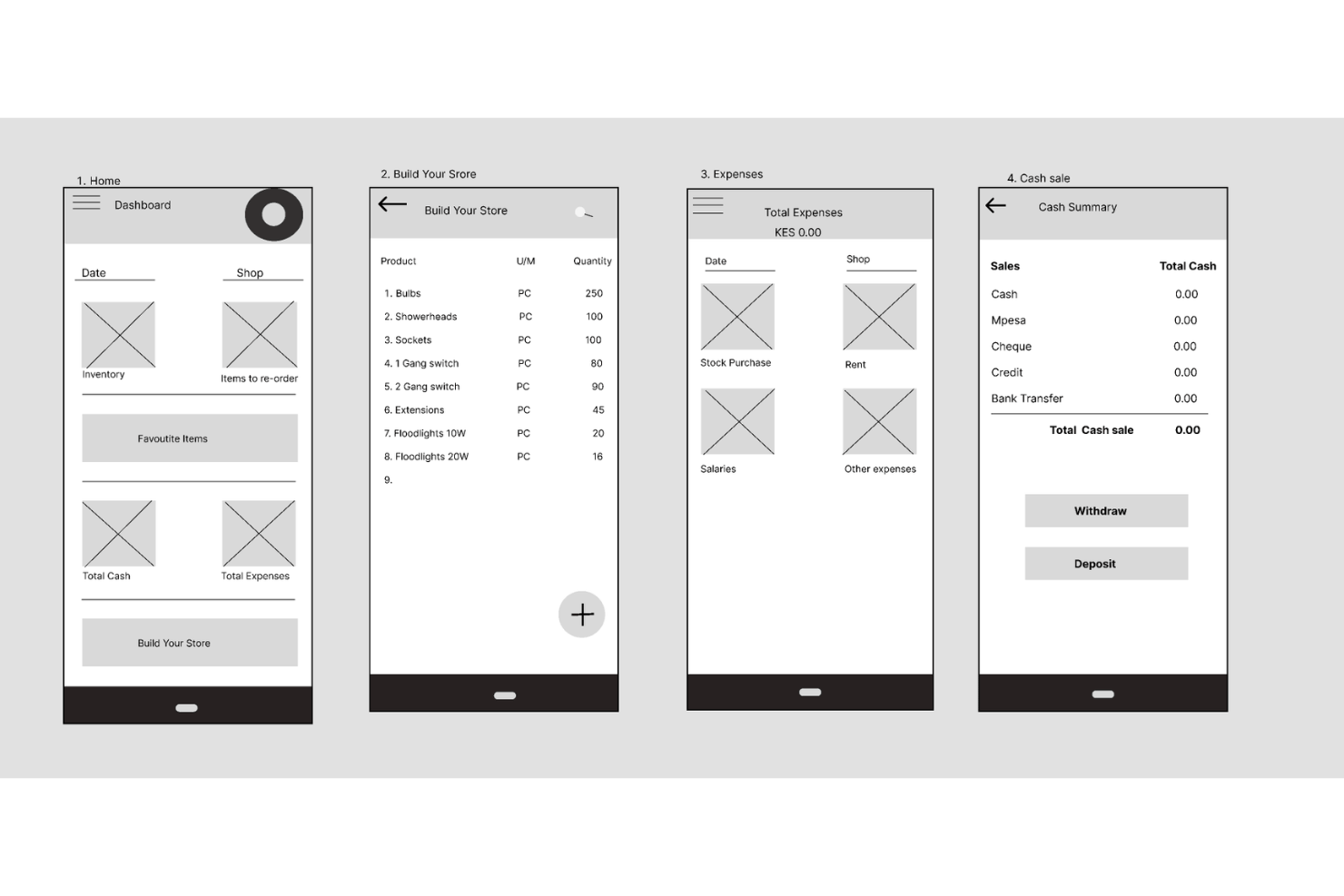
Figma es una herramienta de diseño basada en el navegador que abarca la creación de wireframes, la creación de prototipos y la entrega a desarrolladores en un solo lienzo, con creación de diseños mediante arrastrar y soltar, una gran biblioteca comunitaria de kits de wireframes, edición colaborativa en tiempo real y generación de diseños asistida por IA.
¿Para quién es mejor Figma?
Figma es una excelente opción para diseñadores de UX/UI y equipos de producto multifuncionales que necesitan una sola herramienta para llevar los wireframes desde el inicio hasta la entrega a desarrolladores.
Por qué elegí Figma
Figma ocupa un lugar en mi lista de favoritos porque la biblioteca de la comunidad ofrece acceso instantáneo a kits de wireframes listos para producción, incluidos kits de wireframes de baja fidelidad y kits móviles tanto para Android como para iOS, así que no tienes que empezar desde cero. También me encanta que la generación de wireframes mediante IA te permite describir un diseño en una instrucción de texto y obtener marcos editables en cuestión de segundos. A partir de ahí, Figma Make convierte esos wireframes estáticos en flujos de usuario en los que se puede hacer clic, todo sin salir del lienzo.
Funciones principales de Figma
- Edición colaborativa en tiempo real: Varios miembros del equipo pueden editar el mismo archivo simultáneamente, con comentarios, menciones y conversaciones de audio integradas en el lienzo.
- Entrega a desarrolladores con Dev Mode: Los desarrolladores pueden inspeccionar diseños, consultar anotaciones, comparar cambios y exportar recursos directamente, con una extensión de VS Code y un servidor MCP incluidos.
- Pizarra de FigJam: Una pizarra integrada para mapear flujos de usuario, crear diagramas y realizar lluvias de ideas iniciales, con votaciones, temporizadores y sesiones abiertas de 24 horas para invitados.
- Compatibilidad con diseños de múltiples niveles de fidelidad: Puedes pasar de diseños preliminares de baja fidelidad con formas básicas y marcadores de posición a prototipos detallados e interactivos sin cambiar de herramienta.
Integraciones de Figma
Figma se conecta con Supabase, Microsoft PowerPoint y otras herramientas, además de integrarse con flujos de trabajo de desarrollo mediante su extensión de VS Code y su servidor MCP. Sus API admiten integraciones personalizadas.
Pros and Cons
Pros:
- Los kits reutilizables aceleran la creación inicial de wireframes
- Los diseños de baja fidelidad evolucionan hasta convertirse en prototipos
- La edición colaborativa permite recibir comentarios de las partes interesadas
Cons:
- La creación de wireframes puede resultar difícil para principiantes
- Algunos patrones comunes de interfaz requieren trabajo personalizado

UXPin
La mejor opción para la colaboración en tiempo real
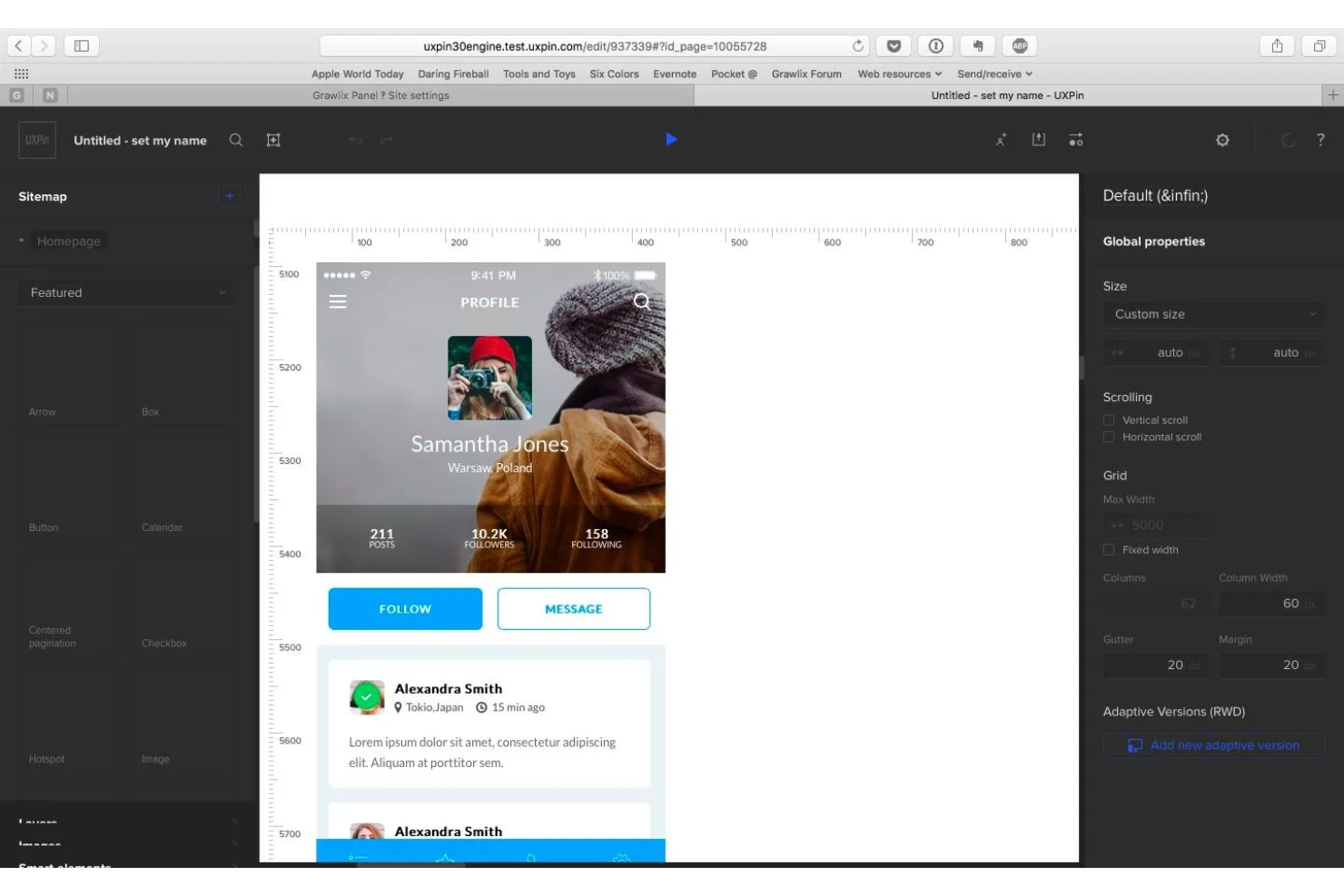
UXPin es una herramienta de creación de bocetos estructurales y prototipos basada en un lienzo que permite diseñar desde diseños de baja fidelidad hasta prototipos interactivos de alta fidelidad utilizando componentes React reales con código.
¿Para quién es más adecuado UXPin?
UXPin es una opción excelente para diseñadores y desarrolladores de UX/UI que trabajan en equipos multifuncionales y necesitan editar diseños conjuntamente, compartir prototipos activos con las partes interesadas y entregar código listo para producción.
Por qué elegí UXPin
UXPin se gana un lugar en mi lista de favoritos porque la edición colaborativa en tiempo real no es un complemento: está integrada en todos los planes. Me encanta que varios diseñadores puedan trabajar simultáneamente en el mismo lienzo, con cursores activos que muestran quién está haciendo qué, mientras las partes interesadas dejan comentarios contextuales y activan flujos de aprobación sin necesidad de tener una licencia. Lo que hace que esto sea realmente útil es que esos prototipos compartidos se crean a partir de componentes React reales, por lo que los comentarios de tu equipo se centran en algo que se comporta como el producto real.
Características principales de UXPin
- Generación con IA de Forge: Genera interfaces de usuario a partir de una indicación de texto o una captura de pantalla utilizando componentes React reales, y luego itera mediante conversación o cambia a la edición manual.
- Lienzo de fidelidad múltiple: Diseña bocetos estructurales y diseños de alta fidelidad en un mismo lienzo, pasando de una estructura preliminar a un nivel de detalle de producción sin cambiar de herramienta.
- Exportación de código para desarrolladores: Exporta código React/JSX limpio con sus dependencias, o ábrelo directamente en StackBlitz o CodeSandbox para utilizarlo de inmediato en el desarrollo.
- Simulador de daltonismo: Previsualiza los diseños con distintas deficiencias de la visión cromática para detectar problemas de accesibilidad antes de la entrega.
Integraciones de UXPin
UXPin admite el complemento de Figma y la importación desde Sketch, además de Storybook en Growth y Git en Enterprise. El React/JSX exportado se abre en StackBlitz o CodeSandbox, mientras que Forge admite modelos de OpenAI y Anthropic.
Pros and Cons
Pros:
- La edición colaborativa en tiempo real facilita la creación compartida de bocetos estructurales
- Los flujos interactivos reflejan el comportamiento en producción
- Los comentarios de las partes interesadas simplifican las revisiones de diseño
Cons:
- Los flujos de trabajo de alta fidelidad ralentizan los bocetos rápidos
- Los controles centrados en el código pueden abrumar a los principiantes

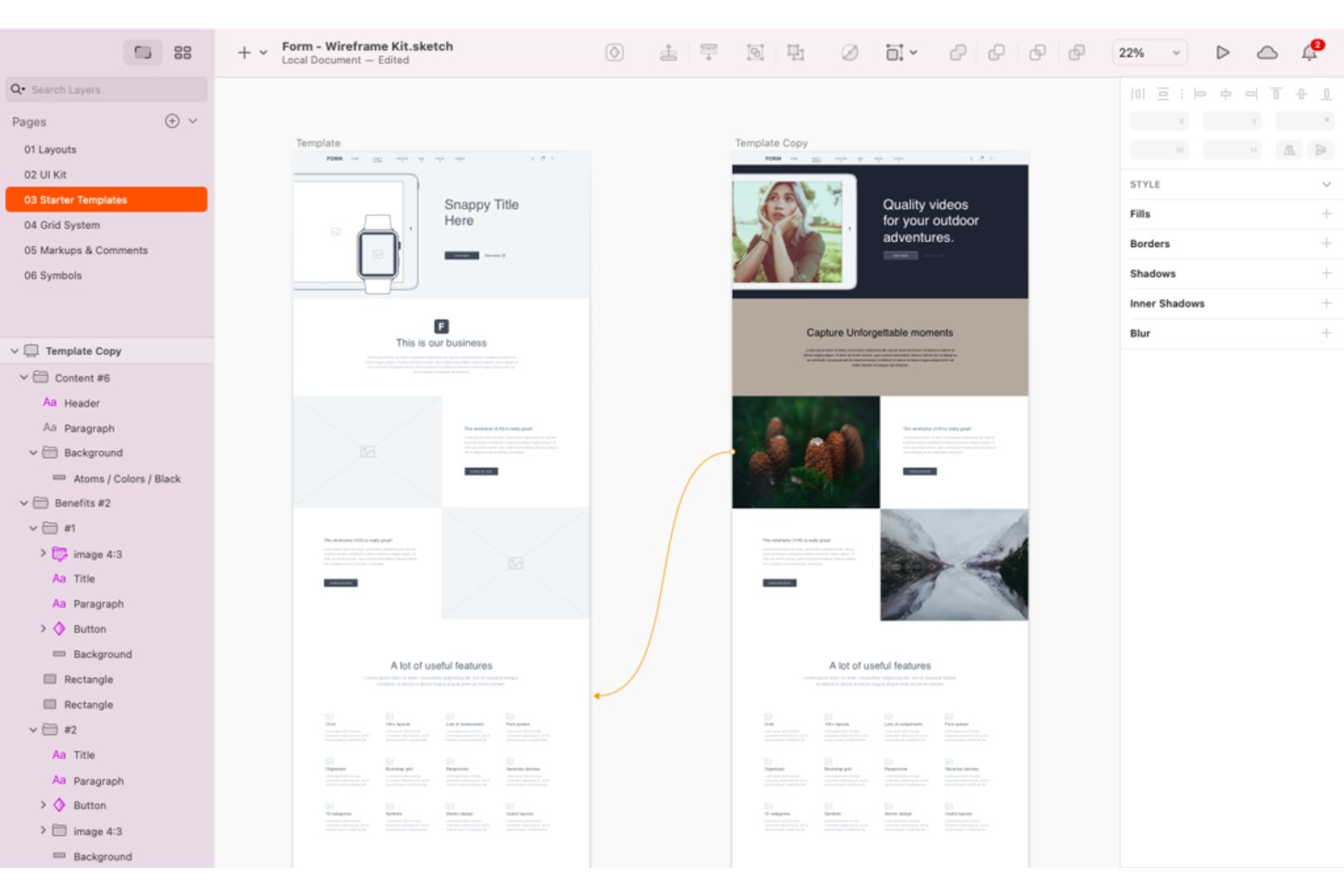
Sketch es una herramienta de diseño visual nativa de macOS que admite la creación de estructuras alámbricas, prototipos y la transferencia a desarrolladores mediante un lienzo infinito, bibliotecas de componentes y preajustes de marcos para web, iOS y Android.
¿Para quién es más adecuado Sketch?
Sketch es una excelente opción para equipos de diseño de UX/UI que trabajan con Mac y buscan un entorno de diseño nativo y rápido, con una amplia biblioteca de plantillas y recursos de componentes.
Por qué elegí Sketch
Sketch ocupa un lugar en mi lista de favoritos gracias a su amplia biblioteca de kits de estructuras alámbricas, preajustes de marcos y bibliotecas de componentes compartibles, lo que facilita pasar de diseños preliminares a flujos estructurados sin empezar desde cero. Me encanta que incluya de serie preajustes para iOS, Android y la web, por lo que no es necesario configurar manualmente el tamaño de las mesas de trabajo para cada plataforma. Su creador de prototipos también admite Smart Animate, superposiciones y áreas de desplazamiento, lo que permite representar flujos de interacción reales directamente dentro del mismo archivo.
Características principales de Sketch
- Edición colaborativa en tiempo real: Varios diseñadores pueden trabajar simultáneamente en el mismo archivo, con la opción de cambiar a la edición privada sin conexión cuando sea necesario.
- Transferencia a desarrolladores: Los desarrolladores pueden inspeccionar diseños, descargar recursos y exportar tokens de diseño sin coste adicional en cualquier plan de suscripción.
- Vistas previas protegidas con contraseña: Comparte páginas o prototipos específicos con las partes interesadas mediante enlaces de vista previa seguros y protegidos con contraseña.
- Controles de seguridad empresarial: SSO, aprovisionamiento SCIM y cifrado con clave propia (BYOK) están disponibles para equipos con estrictos requisitos de seguridad.
Integraciones de Sketch
Sketch ofrece integración nativa con Slack. Su aplicación para navegador admite la visualización, los comentarios y la transferencia a desarrolladores, mientras que la exportación de tokens facilita los flujos de trabajo de diseño a desarrollo.
Pros and Cons
Pros:
- Amplia variedad de kits de estructuras alámbricas y preajustes para dispositivos
- Los prototipos admiten flujos de interacción realistas
- La transferencia a desarrolladores conserva la intención del diseño
Cons:
- El editor exclusivo para Mac deja fuera a los equipos de diseño que trabajan con Windows
- El flujo de trabajo de alta fidelidad ralentiza la creación rápida de bocetos de baja fidelidad

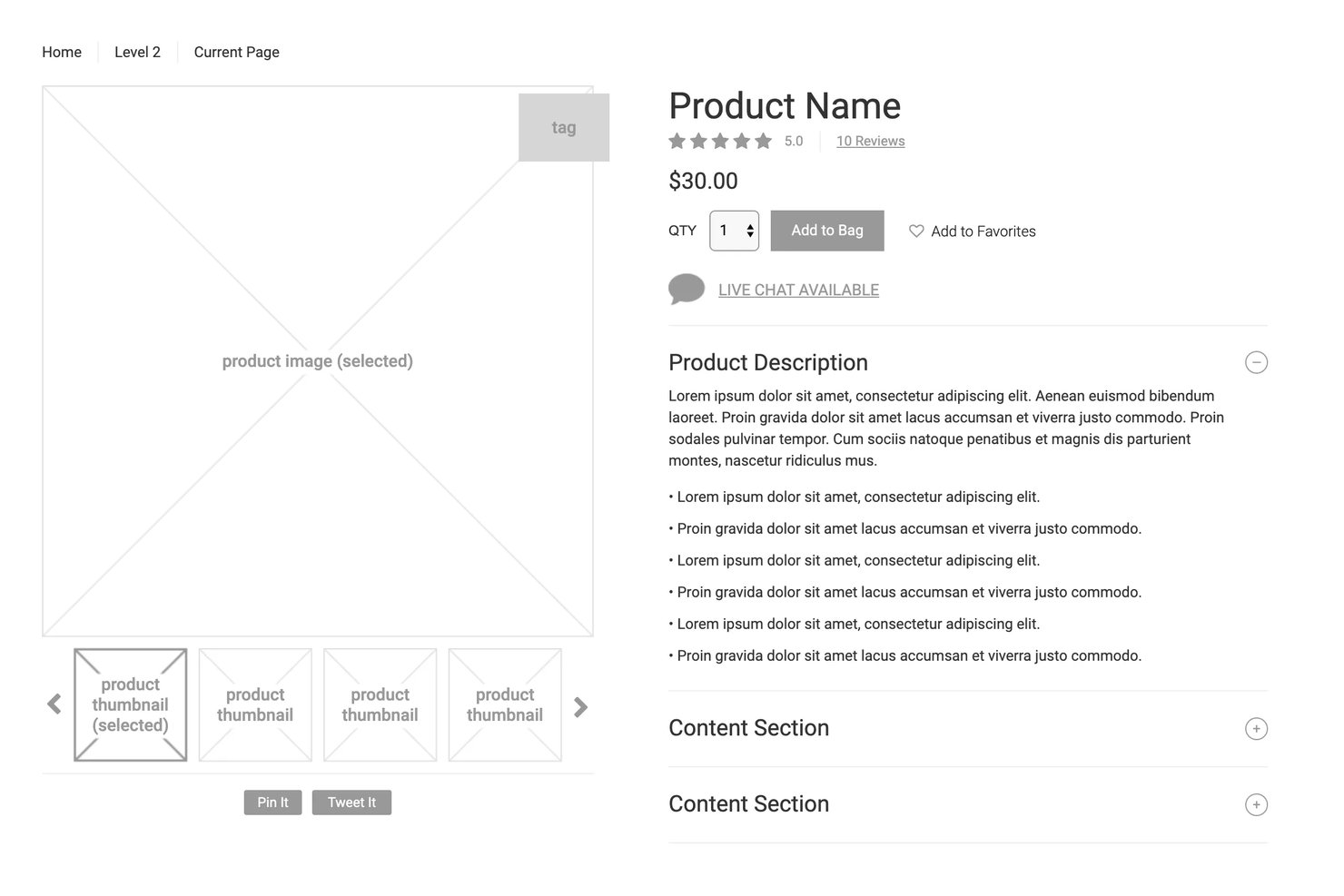
Axure RP es una herramienta de escritorio para crear wireframes y prototipos que permite desarrollar desde diseños de baja fidelidad hasta prototipos totalmente interactivos y basados en lógica, con interacciones condicionales, diagramas de flujo y especificaciones para la entrega a desarrolladores.
¿Para quién es más adecuado Axure RP?
Axure RP es una opción excelente para diseñadores de UX y equipos de producto que necesitan crear y probar prototipos complejos y basados en lógica sin escribir código.
Por qué elegí Axure RP
Axure RP ocupa un lugar en mi lista de favoritos porque es una de las pocas herramientas de creación de wireframes que permite crear prototipos lo bastante realistas como para realizar pruebas de usabilidad reales. Me encanta que puedas incorporar lógica condicional, variables y controles de formulario funcionales para que un prototipo se comporte como un producto activo. Esto significa que los participantes de las pruebas interactúan con menús desplegables reales, paneles dinámicos y flujos ramificados en lugar de maquetas estáticas, lo que produce datos de usabilidad mucho más fiables.
Funciones principales de Axure RP
- Vistas adaptables: Diseña para escritorio, tableta y móvil en una sola página, con el prototipo mostrando automáticamente el diseño correcto según el dispositivo.
- Herramientas para la entrega a desarrolladores: Axure Cloud genera automáticamente anotaciones, inspección de CSS y exportación de recursos para que los desarrolladores puedan consultar las especificaciones directamente.
- Coautoría mediante extracción y registro: Los miembros del equipo editan archivos compartidos extrayendo páginas individuales, con un historial de versiones completo y restauración con un solo clic.
- Integración con Jira y Confluence: Pega un enlace de Axure Cloud para mostrar un prototipo interactivo y activo directamente dentro de un ticket de Jira o una página de Confluence.
Integraciones de Axure RP
Axure RP ofrece siete integraciones documentadas con Jira, Confluence, Slack, Microsoft Teams, Figma, Sketch y Adobe XD. Jira y Confluence permiten insertar prototipos interactivos, mientras que los complementos de diseño transfieren marcos o mesas de trabajo a Axure RP.
Pros and Cons
Pros:
- Los prototipos realistas permiten realizar pruebas de usabilidad fiables
- La lógica condicional representa flujos de usuario complejos
- Las especificaciones listas para desarrolladores reducen la ambigüedad en la entrega
Cons:
- El editor de escritorio parece anticuado y recargado
- La extracción de páginas impide la coedición en directo

Justinmind
Ideal para wireframes interactivos con lógica funcional
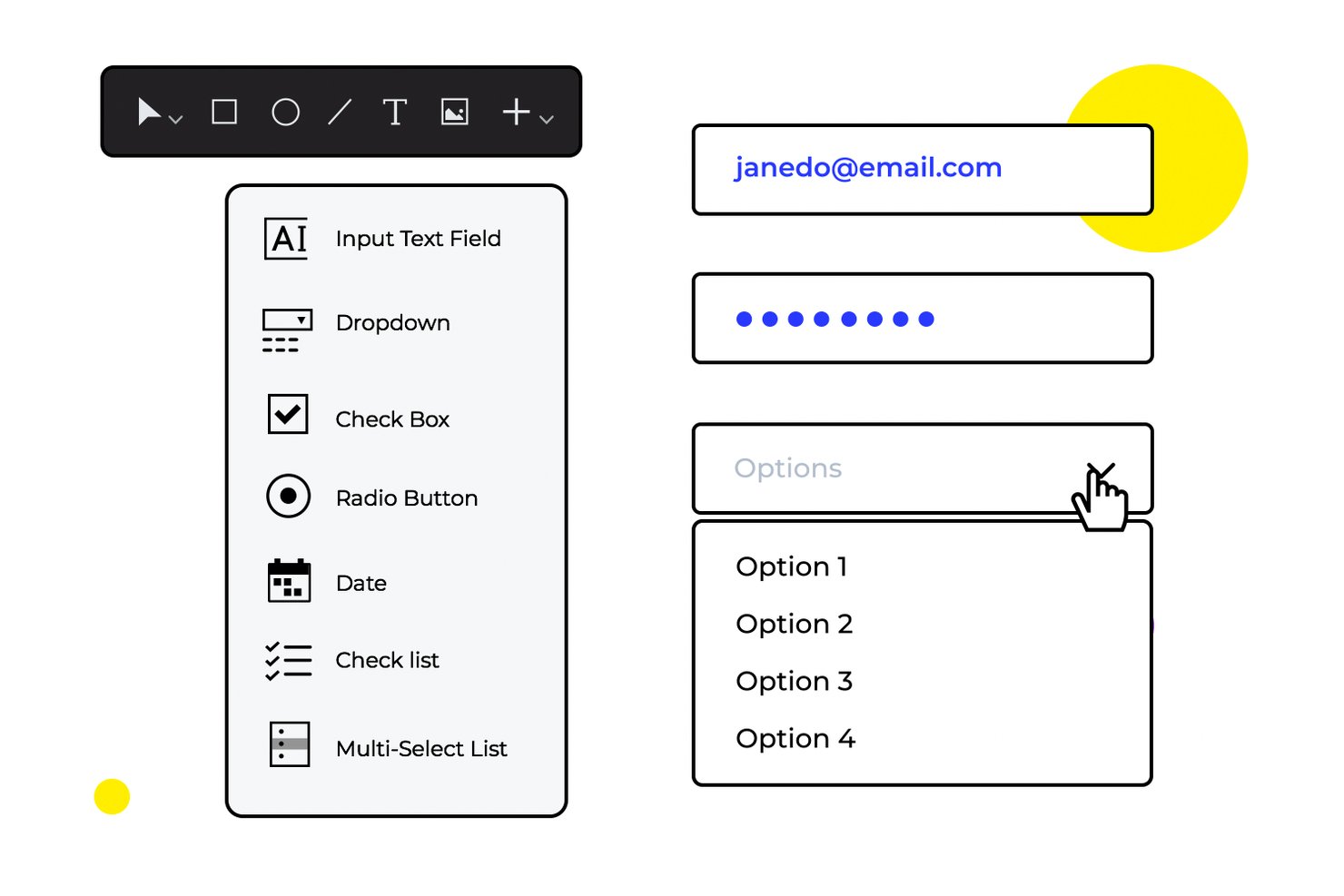
Justinmind es una herramienta de creación de wireframes y prototipos para macOS y Windows que abarca desde wireframes de baja fidelidad hasta simulaciones interactivas de alta fidelidad, con creación de diseños mediante arrastrar y soltar, lógica condicional, formularios funcionales y creación de prototipos basados en datos.
¿Para quién es más adecuado Justinmind?
Justinmind es una excelente opción para diseñadores de UX/UI que necesitan crear y probar prototipos interactivos con lógica real, no solo pantallas estáticas.
Por qué elegí Justinmind
Justinmind ocupa un lugar destacado en mi lista porque permite configurar lógica condicional, validación de formularios funcionales y listas basadas en datos directamente dentro del prototipo, sin necesidad de transferirlo a otra herramienta. Me gusta especialmente que se pueda importar un archivo CSV mediante Data Masters y observar cómo la cuadrícula de datos se completa en la simulación, lo que hace que las revisiones con las partes interesadas resulten mucho más convincentes que una maqueta estática. Esta profundidad de lógica funcional, integrada directamente en la capa de creación de wireframes, es lo que lo distingue.
Funciones principales de Justinmind
- Compatibilidad con diseños de varias fidelidades: Permite cambiar entre wireframes de baja fidelidad en blanco y negro y una interfaz de usuario de alta fidelidad con animaciones y transiciones, todo dentro de un mismo proyecto.
- Elementos maestros y plantillas inteligentes: Permite definir grupos de componentes reutilizables, como encabezados y pies de página, para que una sola edición actualice todas las pantallas que los utilizan.
- Edición colaborativa y comentarios en tiempo real: Los miembros del equipo pueden editar simultáneamente y dejar comentarios encadenados fijados a componentes específicos, con etiquetas y categorías de color.
- Kits de interfaz de usuario multiplataforma: Ofrece acceso a bibliotecas de componentes específicas para dispositivos iOS y Android, además de diseños web adaptables, para crear prototipos en distintas plataformas sin empezar desde cero.
Integraciones de Justinmind
Justinmind se integra con Jira y Azure DevOps Boards, y ofrece complementos para Sketch, Adobe XD y Figma. También proporciona una API y un SDK para complementos personalizados.
Pros and Cons
Pros:
- Los wireframes interactivos incluyen lógica condicional
- Las cuadrículas de datos simulan flujos de trabajo de productos realistas
- Admite prototipos de baja y alta fidelidad
Cons:
- La instalación de escritorio limita la colaboración centrada en el navegador
- La interfaz puede resultar poco fluida durante la navegación
¿Necesitas ayuda experta para seleccionar el software adecuado de maquetas y prototipos?
Nos hemos asociado con Crozdesk.com para ofrecer a todos nuestros lectores (sí, ¡a ti!) acceso a los asesores de software de Crozdesk. Solo tienes que utilizar el formulario siguiente para compartir tus necesidades y se pondrán en contacto contigo sin coste ni compromiso. A continuación, te pondrán en contacto con una selección de proveedores que mejor se adapten a tu empresa, y podrás acceder a descuentos exclusivos en software.
Otras opciones
Estas son algunas opciones más que no llegaron a la lista principal, pero que merece la pena considerar.
- Moqups
Ideal para wireframes y maquetas basadas en plantillas
- Lucidchart
Ideal para crear mapas de esquemas alámbricos y flujos de usuario en conjunto
- Balsamiq
Ideal para crear esquemas visuales que se integran directamente con las herramientas de desarrollo
- Adobe XD
Ideal para la entrega del diseño de experiencias de usuario dentro del ecosistema de Adobe
- FluidUI
Ideal para prototipar y compartir wireframes rápidamente
- Cacoo
Ideal para wireframes colaborativos en la nube
- MockFlow
Ideal para funciones asistidas por IA
- NinjaMock
Ideal para crear bocetos de interfaz en minutos


Análisis relacionados de herramientas de UX
Aquí tienes una recopilación de algunos de nuestros principales análisis de software en el ámbito de la UX y la gestión de productos:
- Mejores herramientas de gestión de productos
- Mejor software de planificación de productos
- Mejor software de desarrollo de productos
- Mejores herramientas de analítica de productos
- Mejor software de gestión de ideas
- Mejor software de mapas de calor
Cómo evalúo las herramientas de wireframing
Divido mi evaluación en dos capas: las capacidades esenciales que una herramienta debe tener—como un lienzo de arrastrar y soltar y la vinculación de pantallas—y los diferenciadores que distinguen a las mejores.
Funcionalidad básica (criterios esenciales para esta lista)
Cuando selecciono herramientas para mi lista, clasifico cada una en una escala de 0 (no ofrece la funcionalidad) a 5 (destaca en esta área) para cada funcionalidad básica enumerada a continuación. Luego, calculo la puntuación total de la herramienta en porcentaje. Cada herramienta necesita lograr un puntaje total mínimo del 65% para ser considerada para su inclusión.
- Editor de lienzo de arrastrar y soltar: Evalúo si puedes tomar elementos y ubicarlos libremente en un lienzo—elementos como el ajuste, las guías de alineación y la agrupación que aceleran el trabajo de maquetación.
- Biblioteca de componentes UI preconstruidos: Un buen conjunto de componentes listos para usar (botones, barras de navegación, campos de formulario, modales) es importante porque rehacerlos desde cero cada vez ralentiza el proceso.
- Prototipado interactivo y vinculación: Verifico si puedes enlazar pantallas con hotspots clicables y transiciones, para que las partes interesadas puedan recorrer un flujo en vez de imaginarlo.
- Colaboración y compartir en tiempo real: Los equipos de producto necesitan comentar, coeditar y compartir enlaces durante la planificación de sprints o sesiones de revisión, así que analizo cómo cada herramienta maneja el trabajo multiusuario.
- Soporte para baja y media fidelidad: Algunas herramientas te obligan a trabajar solo con maquetas pulidas. Busco flexibilidad para empezar con bocetos básicos y pasar a maquetados más limpios a medida que las ideas maduran.
- Opciones de exportación y entrega: Evalúo los formatos de exportación (PNG, PDF, SVG) y las integraciones con herramientas como Figma, Jira o Confluence que mantienen los wireframes conectados con tu flujo de trabajo de producto.
Una vez que tengo una lista de herramientas que cumplen los criterios, considero qué distingue a cada plataforma.
Factores diferenciadores (qué distingue a los proveedores)
Así es como comparo y contrasto diferentes proveedores:
Características destacadas
El wireframing asistido por IA es un gran diferenciador—analizo si una herramienta puede generar diseños a partir de indicaciones de texto o capturas de pantalla, lo que ahorra horas a los PM en las primeras fases de ideación. También es importante el mapeo de flujos de usuario y recorridos en el mismo lienzo que tus wireframes, ya que permite visualizar toda la experiencia del producto sin cambiar de herramienta. Además, reviso si cuenta con pruebas de usuario integradas que permitan recopilar comentarios directamente sobre prototipos interactivos antes de crear una sola tarea de desarrollo.
Más allá de las características
La curva de aprendizaje es una consideración importante: la mayoría de los PM no son diseñadores capacitados, por lo que evalúo qué tan rápido alguien puede pasar de un lienzo en blanco a un prototipo compartible. La profundidad de la integración también importa: verifico las conexiones nativas con herramientas como Jira, Confluence y Figma que los equipos de producto ya utilizan a diario. La estructura de precios merece atención, especialmente cómo los proveedores gestionan los asientos de editor versus espectador, ya que los equipos de producto a menudo necesitan que los interesados revisen sin pagar licencias completas.
Cómo elegir software para crear maquetas
Con tantas soluciones diferentes para crear maquetas disponibles, puede resultar difícil decidir qué herramientas se adaptan mejor a tus necesidades.
Al elaborar una lista, probar y seleccionar herramientas para crear maquetas, ten en cuenta lo siguiente:
- Qué problema intentas resolver - Empieza por identificar la carencia en la funcionalidad de creación de esquemas que intentas cubrir para aclarar las características y funcionalidades que debe proporcionar la herramienta de creación de esquemas.
- Quién tendrá que utilizarla - Para evaluar el coste y los requisitos, considera quién utilizará el software y cuántas licencias necesitarás. Tendrás que evaluar si solo la necesitarán los diseñadores de UX o si toda la organización deberá tener acceso. Cuando esto esté claro, conviene considerar si estás priorizando la facilidad de uso para todos o la velocidad para los usuarios avanzados.
- Con qué otras herramientas debe funcionar - Aclara qué herramientas estás sustituyendo, cuáles se mantienen y con cuáles tendrás que integrarla, como el software de gestión de productos o de pruebas de usuarios. También tendrás que decidir si las herramientas deberán integrarse entre sí o, como alternativa, si puedes sustituir varias herramientas por una única herramienta consolidada de creación de esquemas.
- Qué resultados son importantes - Considera el resultado que debe ofrecer el software para que se considere un éxito. ¿Qué capacidad quieres obtener o qué quieres mejorar, y cómo medirás el éxito? Podrías comparar las características de distintas herramientas de creación de esquemas hasta el agotamiento, pero si no estás pensando en los resultados que quieres impulsar, podrías estar desperdiciando mucho tiempo valioso.
- Cómo funcionaría dentro de tu organización - Considera la selección del software junto con tus flujos de trabajo y tu metodología de entrega. Evalúa qué funciona bien y qué áreas están causando problemas que deben abordarse. Recuerda que cada empresa es diferente: no des por hecho que, porque una herramienta sea popular, funcionará en tu organización.
Tendencias en las herramientas de creación de esquemas
El panorama de las herramientas de creación de esquemas está experimentando transformaciones notables, impulsadas por las necesidades cambiantes de los diseñadores de UX y los gestores de productos. Las actualizaciones, los comunicados de prensa y los registros de versiones de las herramientas más populares y que evolucionan con mayor rapidez ofrecen una ventana al futuro del diseño y el desarrollo de productos. Este es un resumen de estas tendencias:
- Mayor interactividad en los prototipos: Existe una clara tendencia a hacer que los esquemas y prototipos sean lo más interactivos posible. Ahora las herramientas incorporan animaciones más avanzadas y elementos dinámicos, lo que permite a los diseñadores crear esquemas que imitan fielmente el producto final. Esto responde a la necesidad de que las partes interesadas comprendan de forma tangible los flujos de interacción de los usuarios antes de que comience el desarrollo.
- Sugerencias de diseño basadas en IA: Algunas de las funciones más novedosas incluyen sugerencias de diseño y generación de contenido basadas en IA. Estas funciones utilizan el aprendizaje automático para sugerir mejoras de diseño, generar contenido textual e incluso proponer elementos de diseño según el contexto del esquema. Este enfoque innovador pretende acelerar el proceso de creación de esquemas y potenciar la creatividad.
- Ideación asistida por IA: La IA puede llevarse un paso más allá, ya que muchas herramientas ofrecen la posibilidad de transformar ideas preliminares o indicaciones de texto en esquemas completamente desarrollados, lo que permite a los diseñadores iniciar su proceso creativo y explorar múltiples conceptos de diseño.
- Funciones de accesibilidad: Hay una gran demanda de funciones que ayuden a garantizar que los diseños sean accesibles para todos los usuarios, incluidas las personas con discapacidad. Esto incluye herramientas capaces de simular diversas experiencias de usuario y proporcionar comentarios sobre el cumplimiento de las normas de accesibilidad.
- Declive de los esquemas estáticos: La demanda de herramientas que solo ofrecen capacidades para crear esquemas estáticos está disminuyendo. A medida que el sector avanza hacia diseños más interactivos y dinámicos, disminuye la necesidad de esquemas estáticos que no transmiten toda la experiencia del usuario.
A medida que las herramientas de creación de esquemas siguen evolucionando, se vuelven más esenciales para el proceso de diseño y desarrollo de productos, ya que reflejan y se adaptan a las necesidades cambiantes de los diseñadores de UX y los gestores de productos.
¿Qué son las herramientas de creación de esquemas?
Las herramientas de creación de esquemas son programas que ayudan a un equipo de diseño a crear planos generales de un producto, facilitando las conversaciones sobre sus componentes y su funcionalidad de alto nivel. Al incorporar funciones como una variedad de elementos de diseño prediseñados, la funcionalidad de arrastrar y soltar y la posibilidad de crear estructuras de página básicas, estas herramientas ayudan a los equipos de diseño a definir la estructura y la disposición básicas de un producto, proporcionando una guía visual para el diseño y el desarrollo posteriores.
Funciones de las herramientas de creación de esquemas
Identificar las funciones adecuadas de estas herramientas es una parte esencial del proceso de selección. Estas son las principales funciones que busco en mi investigación:
- Funciones de colaboración: Permite a los miembros del equipo trabajar simultáneamente en las estructuras alámbricas, compartir comentarios directamente dentro de la herramienta y mantener informadas a todas las partes interesadas.
- Biblioteca de elementos prediseñados: Proporciona una amplia variedad de elementos de interfaz de usuario e iconos listos para usar, lo que ahorra tiempo y garantiza la coherencia entre las estructuras alámbricas.
- Prototipado interactivo: Permite a los diseñadores añadir interacciones y animaciones a las estructuras alámbricas, lo que facilita la visualización de la experiencia del usuario final.
- Control de versiones: Realiza un seguimiento de los cambios y permite volver a versiones anteriores, algo crucial para gestionar las iteraciones y conservar el historial de un proyecto.
- Capacidades de diseño adaptable: Permite crear estructuras alámbricas que se adaptan a diferentes tamaños de pantalla, garantizando que los diseños sean flexibles y utilizables en todos los dispositivos.
- Opciones de exportación y uso compartido: Ofrece diversos formatos para exportar estructuras alámbricas y herramientas para compartirlas con las partes interesadas, facilitando la comunicación y los comentarios.
- Integración con herramientas de diseño y desarrollo: Permite pasar sin problemas de las estructuras alámbricas a diseños de alta fidelidad y al desarrollo, agilizando el proceso de creación del producto.
- Funcionalidad de pruebas de usuario: Proporciona opciones para realizar pruebas de usabilidad con usuarios reales directamente desde la herramienta de creación de estructuras alámbricas, lo que ayuda a validar los conceptos de diseño desde las primeras etapas.
- Iteración rápida con IA: ¿Has perdido tus archivos originales o necesitas un formato actualizado? Algunas herramientas de creación de estructuras alámbricas con IA ya pueden convertir diseños existentes en estructuras alámbricas editables, lo que permite a los diseñadores iterar más rápido modificando elementos de interfaz de usuario existentes en lugar de empezar desde cero, una herramienta muy útil para ahorrar tiempo.
Seleccionar una herramienta de creación de estructuras alámbricas que reúna la combinación adecuada de estas funciones para satisfacer tus necesidades te proporciona una base sólida para el proceso de desarrollo de tu producto. Estas funcionalidades no solo agilizan el proceso de creación de estructuras alámbricas, sino que también fomentan la colaboración, mejoran la creatividad y permiten adoptar un enfoque de diseño más centrado en el usuario.
Ventajas del software de creación de estructuras alámbricas
Las herramientas de creación de estructuras alámbricas desempeñan un papel crucial en las primeras etapas del diseño de productos digitales, ya que permiten a los usuarios y las organizaciones conceptualizar y desarrollar sus ideas de forma eficiente. Estas herramientas ofrecen diversas ventajas, entre ellas:
- Proceso de diseño optimizado: Las herramientas de creación de estructuras alámbricas simplifican el proceso de crear e iterar diseños, permitiendo a los diseñadores visualizar rápidamente las ideas y realizar ajustes. Esta eficiencia ahorra un tiempo valioso durante las primeras etapas del desarrollo del producto y permite a los equipos centrarse en perfeccionar los conceptos y las funcionalidades.
- Colaboración mejorada: Estas herramientas suelen incluir funciones que permiten la colaboración, los comentarios y el uso compartido en tiempo real. Esto facilita que los equipos trabajen juntos, independientemente de su ubicación, y garantiza que todas las partes interesadas puedan contribuir al proceso de diseño, fomentando un enfoque más inclusivo y completo del desarrollo de productos.
- Comunicación clara de las ideas: Al proporcionar una representación visual de la estructura y las funcionalidades de un producto, las herramientas de creación de estructuras alámbricas ayudan a los usuarios a expresar sus ideas de forma más eficaz. Esta claridad es esencial para alinear a los miembros del equipo y a las partes interesadas en torno a una visión común, facilitando la toma de decisiones y reduciendo los malentendidos.
- Revisiones rentables: Realizar cambios en las estructuras alámbricas es considerablemente menos costoso y requiere menos tiempo que revisar productos completamente desarrollados. Esta flexibilidad permite a los equipos experimentar con distintos enfoques y perfeccionar sus diseños sin preocuparse por las implicaciones de realizar cambios importantes más adelante en el proceso de desarrollo.
- Mejora de la experiencia del usuario: Al permitir realizar pruebas de usuario y obtener comentarios desde las primeras etapas, las herramientas de creación de estructuras alámbricas permiten a los diseñadores identificar y resolver problemas de usabilidad antes de que queden integrados en el producto. Este enfoque centrado en la experiencia del usuario desde el principio conduce a productos finales de mayor calidad que satisfacen mejor las necesidades del público objetivo.
A medida que el entorno digital siga evolucionando, estas herramientas continuarán siendo indispensables para cualquiera que desee desarrollar productos que no solo sean técnicamente viables, sino que también estén profundamente alineados con las necesidades de los usuarios y los objetivos empresariales.
Costes y precios de las herramientas de creación de estructuras alámbricas
Las herramientas de creación de estructuras alámbricas suelen ofrecer diversos planes y opciones de precios. Estas van desde herramientas gratuitas de creación de estructuras alámbricas para diseñadores individuales y proyectos pequeños hasta planes de pago para equipos grandes que colaboran en aplicaciones complejas. Comprender las estructuras y los costes medios de estos planes te ayudará a seleccionar el que mejor se adapte a los requisitos de tu proyecto y a las limitaciones de tu presupuesto.
Tabla comparativa de planes de las herramientas de creación de estructuras alámbricas
A continuación se muestra una tabla que resume los precios y las estructuras de los planes que suelen encontrarse en las herramientas de creación de estructuras alámbricas:
| Tipo de plan | Precio medio | Características habituales |
|---|---|---|
| Gratuito | $0 | Funciones básicas de creación de esquemas, Plantillas limitadas, Un solo usuario |
| Individual | $10 - $20/mes | Funciones avanzadas de creación de esquemas, Más plantillas, Un solo usuario |
| Equipo | $40 - $100/mes | Herramientas de colaboración, Plantillas ilimitadas, Acceso para varios usuarios |
| Empresa | Precios personalizados | Funciones de seguridad avanzadas, Soporte dedicado, Plantillas personalizables, Usuarios ilimitados |
Al considerar qué plan elegir, los compradores de software deben sopesar el alcance de sus proyectos frente a las funciones y limitaciones de cada plan. Opta por un plan que no solo se ajuste a tus necesidades actuales, sino que también ofrezca margen para crecer a medida que tus proyectos se amplíen.
Preguntas frecuentes sobre herramientas de wireframes
Aquí tienes las respuestas a las preguntas habituales que hacen otras personas sobre este tema.
¿Qué es un wireframe?
Un wireframe es un esquema o plano que te ayuda a ti y a tus compañeros a pensar en la estructura de lo que estáis creando, ya sean páginas web, aplicaciones móviles o aplicaciones web sofisticadas. El wireframe ayuda a centrar la atención en aspectos estructurales importantes, como el diseño, la arquitectura de la información y la funcionalidad de alto nivel.
¿Cuáles son las ventajas de utilizar herramientas de wireframes?
Los diseñadores y desarrolladores suelen utilizar las herramientas de wireframes para crear diseños preliminares o planos de interfaces digitales, como sitios web o aplicaciones móviles. Algunas de las ventajas de utilizar herramientas de wireframes son las siguientes:
- Visualización de ideas: los wireframes proporcionan una representación visual de ideas y conceptos, lo que ayuda a diseñadores y clientes a comprender mejor la estructura general y el diseño de un sitio web o una aplicación.
- Comunicación: los wireframes sirven como medio de comunicación entre diseñadores, desarrolladores y clientes. Proporcionan una forma clara y concisa de transmitir ideas y conceptos.
- Ahorro de tiempo: al crear wireframes, los diseñadores pueden probar rápidamente distintas ideas de diseño y distribuciones sin necesidad de programar. Esto puede ahorrar tiempo a largo plazo, ya que los cambios pueden realizarse antes de que comience el proceso de desarrollo.
- Rentabilidad: los wireframes son una forma rentable de crear un prototipo de un diseño antes de invertir en el proceso de desarrollo. Esto permite a los diseñadores identificar y solucionar posibles problemas desde el principio, minimizando la necesidad de realizar revisiones costosas más adelante.
- Pruebas con usuarios: los wireframes pueden utilizarse para realizar pruebas con usuarios, lo que permite a los diseñadores recopilar comentarios sobre el diseño y realizar los cambios necesarios antes de pasar a la fase de desarrollo.
- Colaboración: las herramientas de wireframes suelen ofrecer funciones de colaboración, lo que permite que varios miembros del equipo trabajen simultáneamente en el mismo proyecto. Esto puede aumentar la eficiencia y la productividad, además de fomentar el trabajo en equipo y la comunicación.
¿Cuáles son las características clave de las herramientas de wireframes?
Estas son las características que debes buscar al evaluar herramientas de wireframes.
- Arrastrar y soltar: la posibilidad de añadir o mover elementos de la interfaz de usuario fácilmente, para que los diseñadores puedan crear y modificar wireframes con facilidad
- Elementos interactivos: la posibilidad de crear prototipos interactivos en los que los compañeros puedan hacer clic y probar distintos aspectos del diseño
- Herramientas de comentarios y colaboración: funciones que permiten a los miembros del equipo añadir comentarios, adjuntar archivos y hacer anotaciones en los diseños
- Niveles de fidelidad: la opción de crear distintos tipos de wireframes, desde los de baja fidelidad hasta los de alta fidelidad
- Historial de revisiones: acceso sencillo a versiones anteriores del diseño, además de la posibilidad de restaurarlas si es necesario
- Herramientas de presentación: convierte wireframes básicos en presentaciones profesionales para presentarlas a los clientes
- Plantillas: componentes y símbolos estándar que pueden reutilizarse para acelerar el proceso de creación de wireframes y diseños
- Complementos: la posibilidad de añadir funcionalidades adicionales instalando complementos de software, widgets y extensiones
¿Cuándo debería crear un wireframe?
Los wireframes son el primer paso en el proceso de diseño de recursos digitales, como aplicaciones o sitios web. Ofrecen una visualización básica de cómo será el producto. Los diseñadores y los ingenieros de interfaces de usuario los utilizan para convertir las ideas del producto en representaciones visuales que pueden debatirse y mejorarse.
Los wireframes se utilizan ampliamente para desarrollar todo tipo de productos. Incluso si el artículo es un producto del «mundo real», probablemente tendrá componentes digitales asociados, como una tienda online o una aplicación de recompensas para miembros. Esto convierte la creación de wireframes en un paso esencial del diseño de productos actual.
¿Cuál es la diferencia entre un wireframe y un prototipo?
Un wireframe y un prototipo son formas visuales de representar cómo será el producto. Aunque a veces se confunden, estas son sus tres diferencias principales.
- A diferencia de los prototipos, los wireframes se crean más rápido, ya que son de baja fidelidad.
- El wireframe solo muestra una vista de muy alto nivel, mientras que el prototipo muestra una versión más cercana al producto final.
- Un wireframe utiliza elementos estructurales como marcadores de posición visuales, mientras que el prototipo incorpora el diseño final.
Para obtener más información sobre sus diferencias, lee nuestro artículo sobre prototipos frente a wireframes.
¿Qué es la UX de un wireframe?
La UX de un wireframe es el elemento fundamental del diseño de software. Representa visualmente dónde aparecerán los distintos bloques de datos en una pantalla. En este punto no incluye la marca ni el diseño, ya que solo pretende transmitir una disposición básica de los elementos.
¿Qué viene después?
Si estás investigando herramientas de creación de wireframes, contacta gratuitamente con un asesor de SoftwareSelect para recibir recomendaciones.
Rellenas un formulario y mantienes una breve conversación en la que profundizan en los detalles de tus necesidades. Después recibirás una lista breve de programas que podrás revisar. Incluso te ayudarán durante todo el proceso de compra, incluidas las negociaciones de precios.