
VisualSitemaps Review: Pros, Cons, Features, and Pricing
VisualSitemaps stands out for automating visual site mapping, making it ideal for UX teams needing fast, clear overviews—though it may lack depth for advanced design workflows.

We review tools independently, and commissions help fund our testing. See our transparency policy, our methodology, or suggest a tool.
VisualSitemaps is web design software that helps you generate, visualize, and audit sitemaps for any website. I think it’s a go-to tool if you need a faster way to map site structure, spot design inconsistencies, or collaborate with non-technical teams—especially when manual methods slow you down. Compared to Slickplan, you’ll find VisualSitemaps does a better job with automated visual crawling and bulk page capture, which means less manual work and quicker insights when you’re working with larger, more complex sites.
VisualSitemaps Evaluation Summary
4.8/5
- From $22/month (billed annually)
- Free plan available
Why Trust Our Software Recommendations
6,700+
Reviews
20
Industry experts
16+
Evaluation factors
14
Years
Our team has been testing and reviewing software since 2012. As product managers ourselves, we know how difficult—and important—it is to choose the right software.
For this guide, we evaluated tools using hands-on testing and independent research, scoring tools using our selection criteria.
Our reviews reflect our human editorial judgment, not a sales pitch.
- Andrew LumbySenior TPM
- Cristiano ValimSenior UI/UX Lead
VisualSitemaps Overview
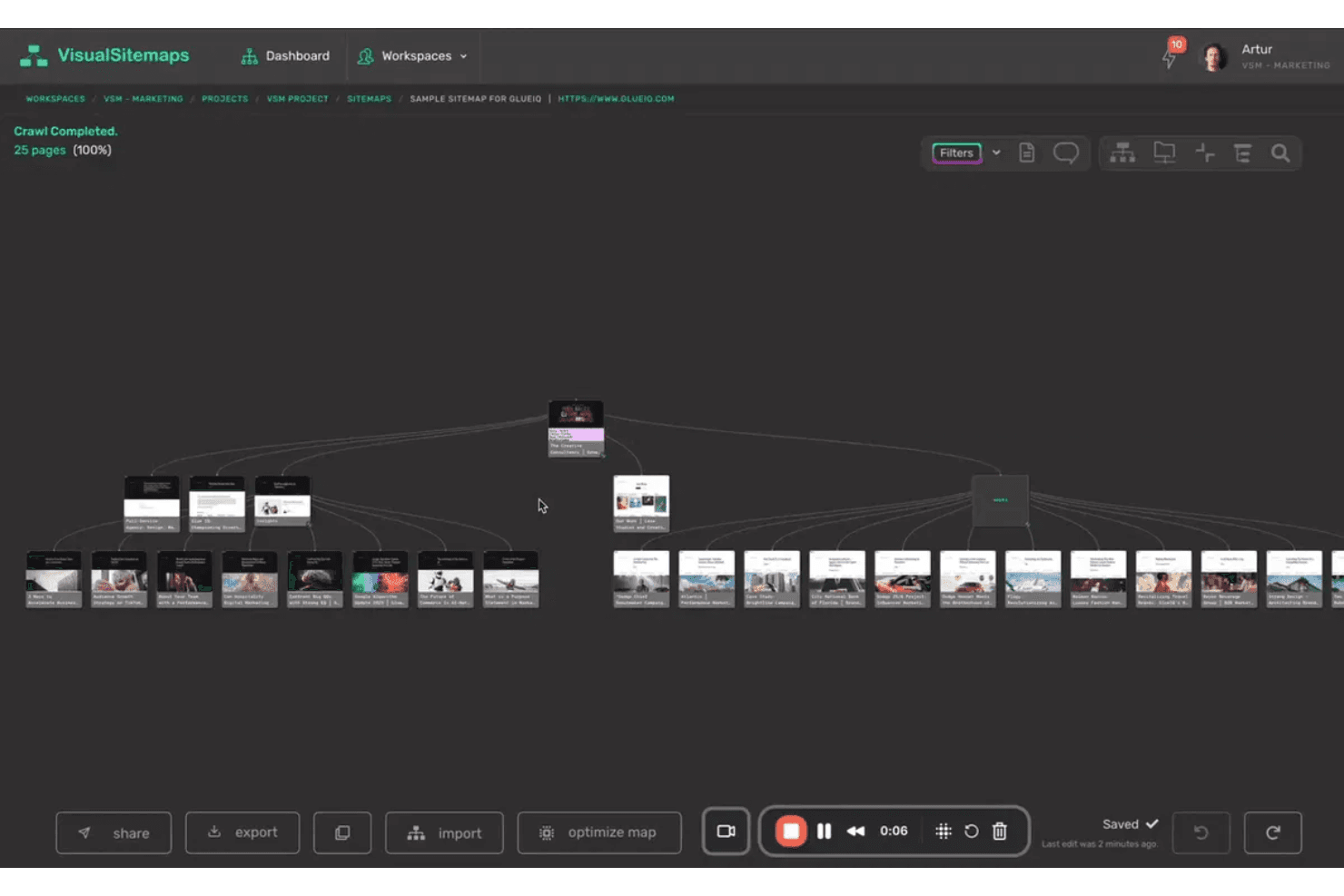
VisualSitemaps offers a fast, intuitive way to generate visual sitemaps, making it easy to judge site structure at a glance. Its automated crawling, simple interface, and quick onboarding set it apart for teams needing rapid insights. While it lacks deep prototyping or advanced integrations, its pricing is fair for the value provided.
If you’re selecting a UX design tool for visual mapping and site audits, VisualSitemaps is a strong contender, especially for environments prioritizing speed and clarity.
Pros
- Exports sitemaps as PDF, PNG, or CSV for sharing.
- Handles large and complex site structures without manual mapping.
- Automatically generates visual sitemaps from live websites.
Cons
- No built-in user testing or analytics capabilities.
- Limited annotation and collaboration features for team feedback.
- Does not support interactive prototyping or wireframing.
Is VisualSitemaps Right For Your Needs?
Who Would be a Good Fit for VisualSitemaps?
VisualSitemaps is best suited for teams and organizations that need to quickly visualize, audit, or present website structures without manual mapping. Its automated crawling, export options, and ability to handle large sites make it valuable for teams working with complex web properties or multiple client sites.
If your work involves site audits, redesigns, or stakeholder presentations, VisualSitemaps can save time and provide clear, shareable outputs.
- Ecommerce ManagersAudits product category structures for large online stores.
- Higher EducationDocuments sprawling university websites for governance and planning.
- Enterprise IT TeamsMaps extensive internal portals or intranets for documentation.
- UX ConsultantsVisualizes site architecture for stakeholder presentations and recommendations.
- Marketing DepartmentsQuickly audits large sites for SEO and content planning.
- Digital AgenciesAutomates sitemap creation for client pitches and redesign projects.
Who Would be a Bad Fit for VisualSitemaps?
VisualSitemaps is less suitable for teams needing advanced design, prototyping, or user testing features. If your workflow depends on interactive wireframes, in-depth collaboration, or analytics, you’ll find the tool limited. It’s also not ideal for small sites, app design, or teams focused on iterative UX research.
- Content CreatorsDoes not support editorial workflow or content planning tools.
- StartupsLimited value for teams with single, static landing pages.
- User Research TeamsMissing built-in user testing or analytics features.
- Product Design TeamsNo prototyping or wireframing tools for iterative design.
- Small BusinessesOverkill for simple sites with few pages.
- App DevelopmentLacks support for mobile app flows or screen mapping.
How We Test & Score Tools
We’ve spent years building, refining, and improving our software testing and scoring system. The rubric is designed to capture the nuances of software selection and what makes a tool effective, focusing on critical aspects of the decision-making process.
Below, you can see exactly how our testing and scoring works across seven criteria. It allows us to provide an unbiased evaluation of the software based on core functionality, standout features, ease of use, onboarding, customer support, integrations, customer reviews, and value for money.
Core Functionality (25% of final scoring)
The starting point of our evaluation is always the core functionality of the tool. Does it have the basic features and functions that a user would expect to see? Are any of those core features locked to higher-tiered pricing plans? At its core, we expect a tool to stand up against the baseline capabilities of its competitors.
Standout Features (25% of final scoring)
Next, we evaluate uncommon standout features that go above and beyond the core functionality typically found in tools of its kind. A high score reflects specialized or unique features that make the product faster, more efficient, or offer additional value to the user.
We also evaluate how easy it is to integrate with other tools typically found in the tech stack to expand the functionality and utility of the software. Tools offering plentiful native integrations, 3rd party connections, and API access to build custom integrations score best.
Ease of Use (10% of final scoring)
We consider how quick and easy it is to execute the tasks defined in the core functionality using the tool. High scoring software is well designed, intuitive to use, offers mobile apps, provides templates, and makes relatively complex tasks seem simple.
Onboarding (10% of final scoring)
We know how important rapid team adoption is for a new platform, so we evaluate how easy it is to learn and use a tool with minimal training. We evaluate how quickly a team member can get set up and start using the tool with no experience. High scoring solutions indicate little or no support is required.
Customer Support (10% of final scoring)
We review how quick and easy it is to get unstuck and find help by phone, live chat, or knowledge base. Tools and companies that provide real-time support score best, while chatbots score worst.
Customer Reviews (10% of final scoring)
Beyond our own testing and evaluation, we consider the net promoter score from current and past customers. We review their likelihood, given the option, to choose the tool again for the core functionality. A high scoring software reflects a high net promoter score from current or past customers.
Value for Money (10% of final scoring)
Lastly, in consideration of all the other criteria, we review the average price of entry level plans against the core features and consider the value of the other evaluation criteria. Software that delivers more, for less, will score higher.
Core Features
Automated Site Crawling
VisualSitemaps scans live websites to generate visual sitemaps automatically. This saves time and ensures up-to-date site structure mapping.
Visual Sitemap Generation
The tool creates interactive, high-fidelity sitemaps with page thumbnails. Users can quickly spot structural issues or content gaps.
Export Options
Export sitemaps as PDF, PNG, or CSV for sharing with stakeholders. This makes it easy to include sitemaps in reports or presentations.
Real-Time Collaboration
Work simultaneously with team members on the same page, with instant updates and live cursors. This feature enhances teamwork by enabling seamless communication and reducing version conflicts.
Password-Protected Crawling
Crawl and map private or staging sites by entering credentials. This is useful for auditing pre-launch or internal environments.
Bulk URL Import
Import a list of URLs to generate a sitemap from specific pages. This feature is valuable for partial site audits or focused reviews.
Ease of Use
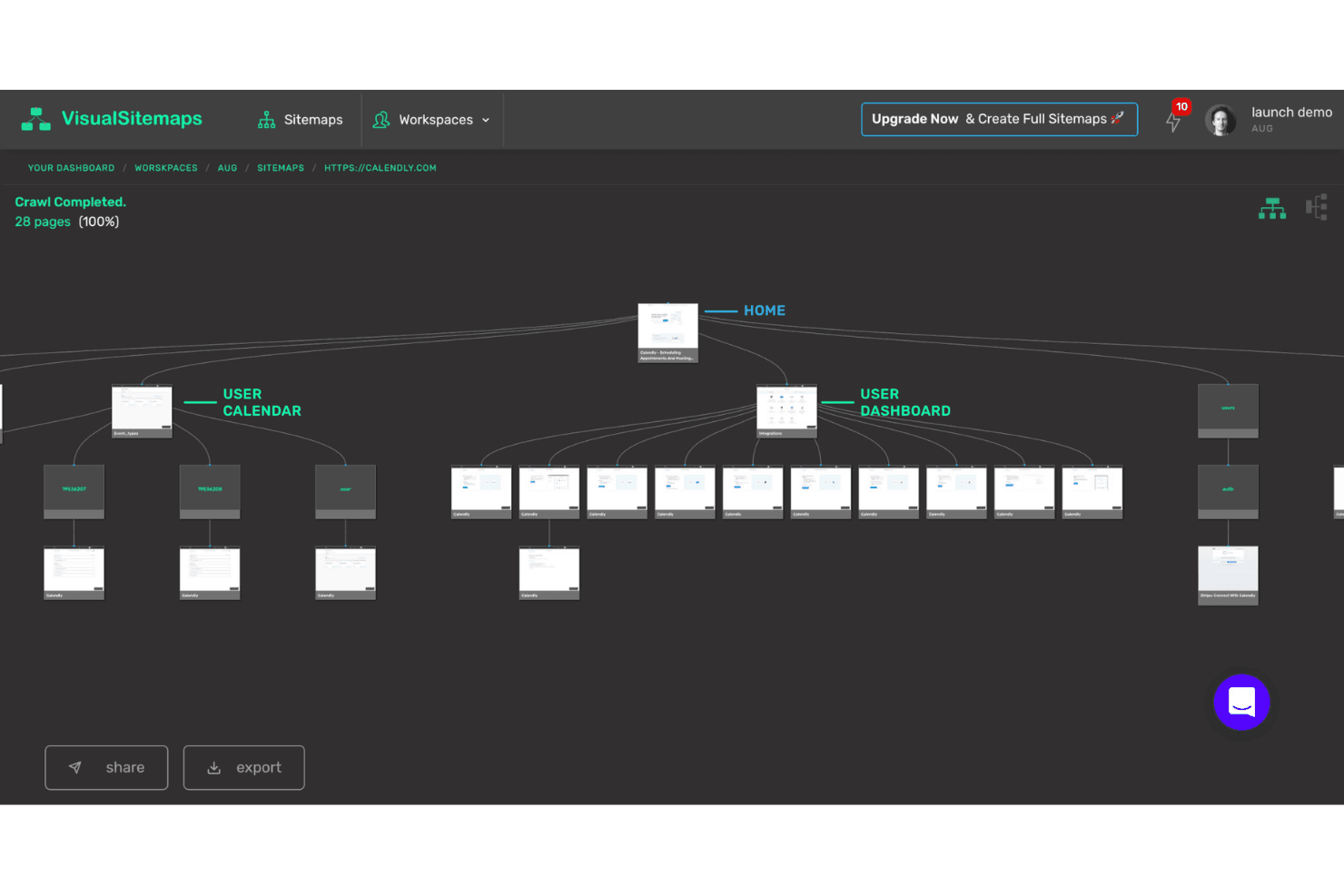
VisualSitemaps is highly user-friendly, with a straightforward interface that lets users generate sitemaps in just a few clicks. Most users report that onboarding is quick, thanks to automated crawling and clear visual outputs. The platform avoids clutter and unnecessary features, focusing on core mapping tasks. Even non-technical team members can navigate and export sitemaps easily, making it accessible for a wide range of roles involved in UX and site audits.
Integrations
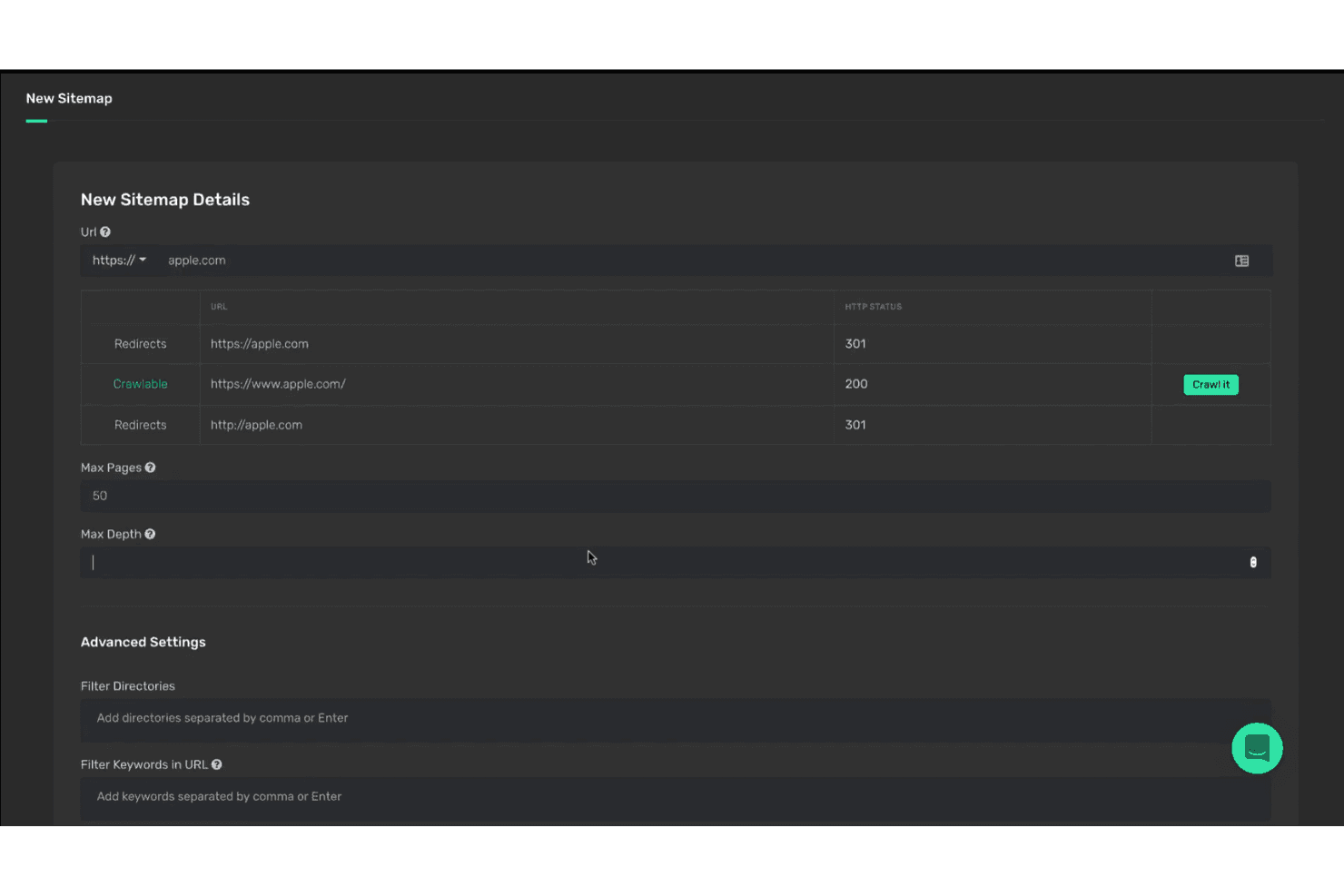
VisualSitemaps integrates with Google Drive, Figma, and Adobe Illustrator and supports exporting to PDF, PNG, CSV, XML, and JSON, as well as connecting with AI models like OpenAI, Gemini, Anthropic, and Grok.
VisualSitemaps also offers an API and supports "Bring Your Own Keys" for AI model integrations, but does not connect with third-party integration tools like Zapier.
VisualSitemaps Specs
- A/B Testing: Yes
- API: No
- Data Export: Yes
- Data Import: Yes
- External Integrations: Yes
- Multi-User: Yes
- Third-Party Plugins/Add-Ons: No


