


Jira vs. Asana: Detailed Comparison and Expert Reviews for 2026

We review tools independently, and commissions help fund our testing. See our transparency policy, our methodology, or suggest a tool.
Choosing between Jira and Asana means weighing two distinct approaches to product management tools: Jira gives you deep customization and agile workflows, while Asana offers intuitive task tracking and team-friendly collaboration. If you’re struggling to pick the right fit, you’re not alone—many teams face the same challenge when their needs outgrow basic to-do lists and they want a tool that truly supports their product goals. Both product management tools promise to boost productivity, but they shine in different ways.
This guide breaks down their strengths, weaknesses, and real-world use cases so you can confidently decide which platform will help your team deliver better products, faster.
Jira
4.4/5
- Free plan available
- From $8.48/user/month
Asana
4.4/5
- Free plan available
- From $10.99/user/month (billed annually)
Why Trust Our Software Recommendations
6,700+
Reviews
20
Industry experts
16+
Evaluation factors
14
Years
Our team has been testing and reviewing software since 2012. As product managers ourselves, we know how difficult—and important—it is to choose the right software.
For this guide, we evaluated tools using hands-on testing and independent research, scoring tools using our selection criteria.
Our reviews reflect our human editorial judgment, not a sales pitch.
Expert reviewers:
- Andrew LumbySenior TPM
- Cristiano ValimSenior UI/UX Lead


| Jira | Asana | |
|---|---|---|
| Free Trial | Free plan available | Free plan available |
| Pricing | From $8.48/user/month | From $10.99/user/month (billed annually) |
Jira vs. Asana Pricing & Hidden Costs
Jira uses a tiered, per-user pricing model, with plans scaling from free (up to 10 users) to premium and enterprise tiers that unlock advanced features like cross-team planning, analytics, and higher automation limits. Asana also follows a per-user tiered model, but many core capabilities—like timelines, reporting dashboards, and advanced automation—are only available on paid plans, which can significantly increase costs as teams grow.
Both tools introduce additional costs beyond the base subscription, but in different ways. Jira often requires paid add-ons from the Atlassian Marketplace or upgrades to access advanced functionality and higher automation limits, while Asana monetizes through feature gating, paid add-ons (like AI, timesheets, and budgeting), and higher-tier plans for portfolio and goal management.
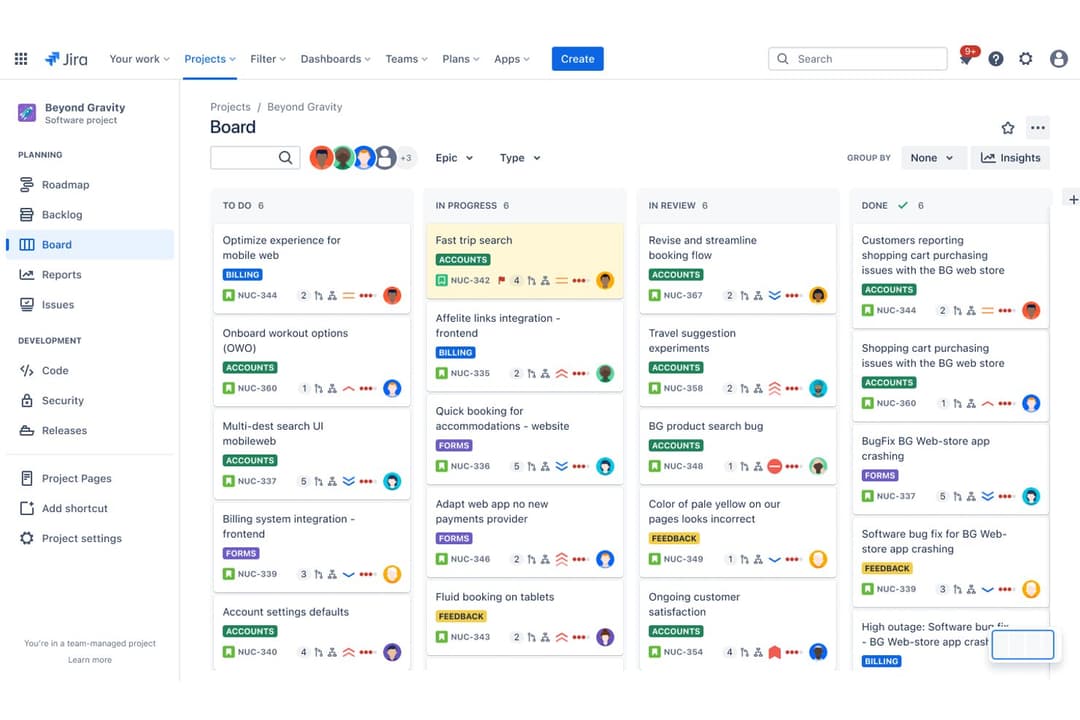
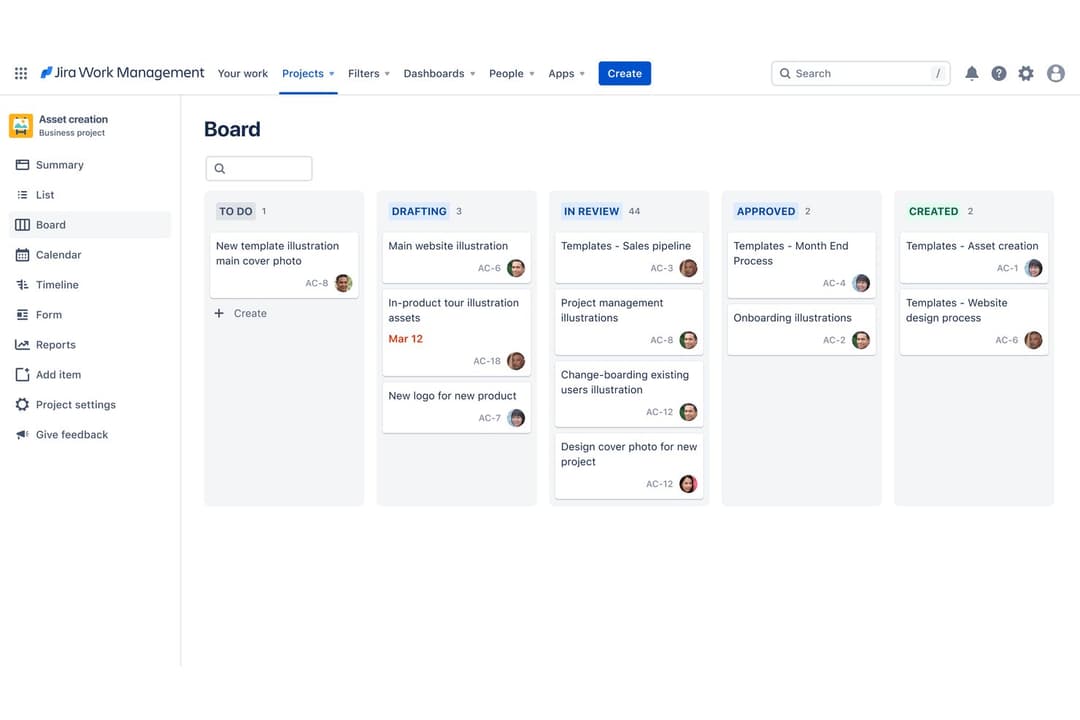
Jira and Asana share a strong foundation of core product management features. Both platforms support task and project tracking, customizable workflows, multiple project views (like Kanban boards and timelines), and team collaboration through comments, file sharing, and integrations with tools like Slack or Google Drive. These overlapping capabilities make either tool viable for planning roadmaps, managing backlogs, and coordinating cross-functional work.
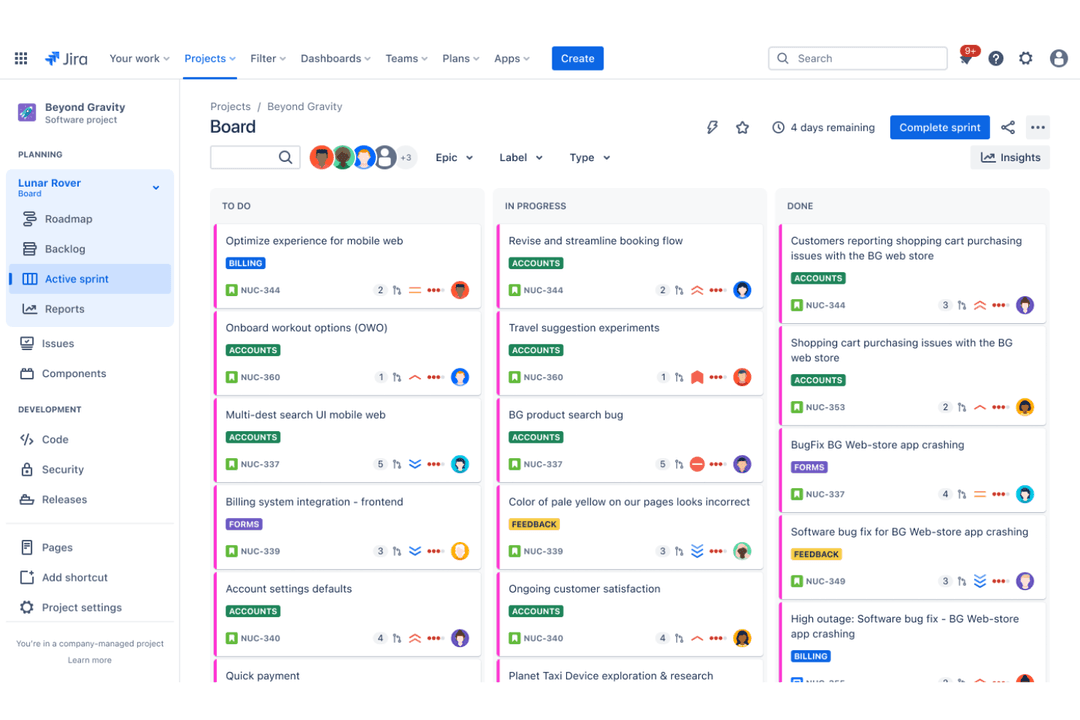
Where they diverge is in their specialization. Jira stands out with deeply built-in Agile tooling—like sprint planning, backlog management, and advanced reporting (e.g., burndown and velocity charts)—making it especially powerful for product teams working closely with engineering. Asana, on the other hand, differentiates itself with a more intuitive interface and strong cross-functional collaboration features, including visual project views and portfolio-level tracking that make it easier for non-technical stakeholders to stay aligned.
| Jira | Asana | |
|---|---|---|
| API | Yes | Yes |
| Calendar Management | Yes | Yes |
| Collaboration Support | No | Yes |
| Dashboards | Yes | Yes |
| Data Export | Yes | Yes |
| Data Import | Yes | Yes |
| External Integrations | Yes | Yes |
| File Sharing | Yes | Yes |
| Gantt Charts | Yes | Yes |
| Kanban Boards | Yes | Yes |
| Multi-User | Yes | Yes |
| Notifications | Yes | Yes |
| Project Management | Yes | Yes |
| Task Scheduling/Tracking | Yes | Yes |
| Time Management | No | Yes |
| Integration | Jira | Asana |
| Slack | ✅ | ✅ |
| Microsoft Teams | ✅ | ✅ |
| GitHub | ✅ | ✅ |
| Google Drive | ✅ | ✅ |
| Salesforce | ✅ | ✅ |
| Figma | ✅ | ✅ |
| Bitbucket | ✅ | ✅ |
| Adobe Creative Cloud | ✅ | ✅ |
| Zendesk | ✅ | ✅ |
| Trello | ✅ | ✅ |
| API | ✅ | ✅ |
| Zapier | ✅ | ✅ |
Jira and Asana both offer extensive integration ecosystems that cover the most commonly used workplace tools, including Slack, Microsoft Teams, Google Drive, GitHub, and Salesforce. Both platforms also support APIs and Zapier, allowing teams to build custom integrations or connect with a wide range of third-party apps beyond their native offerings.
While each tool has integrations that align with its core use cases, there is significant overlap in what they support. Jira is often used alongside development tools, and Asana is commonly paired with collaboration and creative platforms, but in practice, both tools are flexible enough to integrate into most existing tech stacks without major limitations.
| Factor | Jira | Asana |
| Data Encryption | Encrypts data in transit and at rest using industry-standard protocols. | Uses TLS 1.2+ for data in transit and AES-256 for data at rest. |
| Regulatory Compliance | Offers SOC 2, ISO 27001, GDPR, and HIPAA compliance for enterprise plans. | Meets SOC 2, ISO 27001, and GDPR standards, with HIPAA on select plans. |
| Access Controls | Provides granular user permissions, SSO, and two-factor authentication. | Supports SSO, two-factor authentication, and detailed admin controls. |
| Uptime Guarantee | Delivers 99.9% uptime SLA for premium customers. | Maintains 99.9% uptime SLA for enterprise customers. |
| Data Residency | Allows data residency options in select regions for enterprise users. | Offers data residency in the EU and US for enterprise plans. |
Both Jira and Asana deliver strong security and compliance, but Jira’s granular access controls and broader compliance certifications give it a slight edge for highly regulated teams. Asana stands out for its straightforward admin controls and reliable uptime, while Jira’s flexibility and enterprise-grade compliance make it a top choice for organizations with strict security needs.
| Factor | Jira | Asana |
| User Interface | Offers a powerful but complex interface with many customization options. | Features a clean, intuitive interface that’s easy to navigate for new users. |
| Onboarding | Requires more time to learn, especially for non-technical teams. | Provides guided onboarding and helpful templates for a quick start. |
| Setup Process | Involves detailed configuration to match workflows and permissions. | Allows fast setup with pre-built project templates and simple settings. |
| Task Management | Supports advanced task dependencies and custom workflows. | Makes task creation, assignment, and tracking straightforward and visual. |
| Customer Support | Offers extensive documentation and community forums, with premium support available. | Delivers responsive support and a robust help center for all users. |
Asana is easier to pick up and use right away, while Jira’s depth and customization come with a steeper learning curve. Asana’s approachable design and quick onboarding make it ideal for teams seeking simplicity, while Jira’s flexibility rewards those willing to invest time in setup and training.
Jira
- It offers powerful Agile project management features for your team.
- You can customize workflows to match your project's unique needs.
- It enhances collaboration with real-time updates and tracking.
- You might find the interface overwhelming if you're new to it.
- It can be too complex for smaller teams or simpler projects.
- You may experience a steep learning curve during onboarding.
Asana
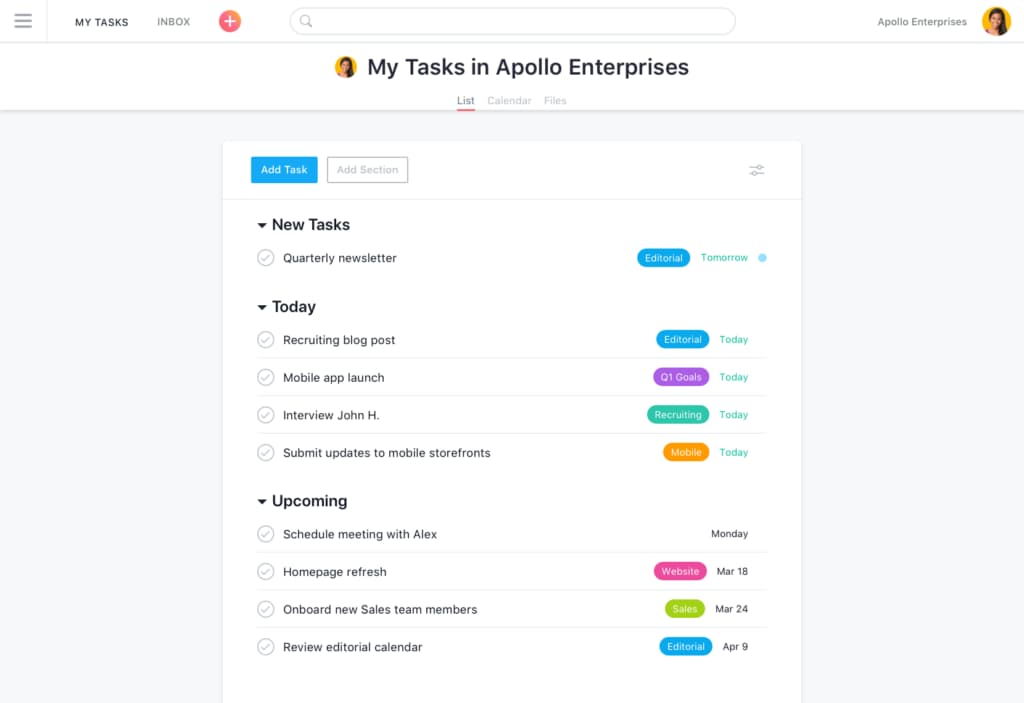
- You can easily track your team's progress with Asana's intuitive task management.
- The customizable project views let your team work in the way that suits them best.
- Asana's collaboration tools keep your team connected and coordinated.
- You might find the notifications overwhelming if not managed properly.
- Asana can feel complex for smaller projects or teams.
- Some users report that advanced features require a learning curve.
Jira
- Software Development TeamsJira excels in Agile project management, making it perfect for tracking bugs and managing sprints.
- IT DepartmentsYou can manage incident tickets and service requests efficiently with Jira's customizable workflows.
- Tech StartupsJira supports rapid iteration and collaboration, essential for fast-paced startup environments.
- Project ManagersYou can oversee complex projects with Jira's detailed reporting and task management features.
- Agile CoachesJira provides tools for sprint planning and tracking, crucial for guiding Agile teams.
- Cross-functional TeamsJira's integrations and real-time updates enhance collaboration across different departments.
Asana
- Tech StartupsAsana’s flexibility and robust task management help your team adapt quickly to change and scale projects efficiently.
- Creative AgenciesYour team can benefit from Asana’s visual project tracking to manage design and content workflows smoothly.
- Marketing TeamsAsana’s collaboration tools keep your team aligned, making campaign planning and execution more efficient.
- Remote TeamsAsana connects your team with its collaboration features, keeping everyone on the same page despite the distance.
- Product DevelopmentThe customizable task management lets your team manage product roadmaps and feature releases seamlessly.
- Nonprofit OrganizationsAsana helps your team coordinate volunteers and manage projects effectively with its user-friendly interface.
Who Should Use Jira, and Who Should Use Asana?
Jira is the go-to choice for software development teams, technical product managers, and organizations in regulated industries that need advanced workflows, granular permissions, and deep integration with development tools.
Asana is best for cross-functional teams, marketing groups, and fast-moving organizations that want a user-friendly platform for managing projects, tasks, and collaboration without a steep learning curve.
If your team thrives on structure, customization, and agile methodologies, Jira will serve you well. If you value simplicity, quick onboarding, and visual task management, Asana is the smarter pick.
| Jira | Asana | |
|---|---|---|
| Automation | Jira Advanced automation with custom triggers and integrations. | Asana Easy-to-use automation with rule-based actions and templates. |
| Documentation | Jira Integrates tightly with Confluence for documentation. | Asana No native equivalent; relies on integrations for documentation. |
| Reporting & Analytics | Jira Offers detailed agile reports, burndown charts, and velocity tracking. | Asana Provides visual dashboards and progress tracking for tasks and projects. |
| Target Audience | Jira Built for software development and technical teams. | Asana Designed for general business, marketing, and cross-functional teams. |
| Workflow Customization | Jira Highly customizable workflows for complex processes and agile teams. | Asana Simple, pre-built workflows designed for quick setup and use. |
| Cloud-Based Access | Jira and Asana are cloud-based, allowing teams to access projects and tasks from anywhere with an internet connection. |
|---|---|
| Collaboration Tools | Each platform supports team collaboration with @mentions, shared projects, and real-time notifications. |
| Integration Options | Both offer a wide range of integrations with popular tools like Slack, Google Drive, and Microsoft Teams. |
| Security Standards | Both platforms meet industry security standards, offering encryption, SSO, and compliance with major regulations. |
| Task Management | Both let you create, assign, and track tasks with due dates, attachments, and comments. |