Bir mobil uygulama projesini yönetmek bunaltıcı olabilir. Sıkışık teslim tarihleri, karmaşık kullanıcı gereksinimleri ve ekibinizle etkili bir şekilde iş birliği yapma gerekliliğiyle karşı karşıya kalırsınız. Mobil uygulama tasarım yazılımları, web tasarımını ve prototip oluşturmayı kolaylaştıran araçlar sunarak bu zorlukları basitleştirmeye yardımcı olur.
Deneyimlerime göre doğru yazılımı seçmek iş akışınızda önemli bir fark yaratabilir. Bu nedenle, tarafsız bir en iyi seçenekler listesi sunmak için çeşitli seçenekleri test edip inceledim.
Bu makalede her aracın kendine özgü özellikleri ve ekibinize nasıl fayda sağlayabilecekleri hakkında bilgiler bulacaksınız. İster iş birliği, ister maket oluşturucularla prototip oluşturma ya da kullanıcı testi özellikleri arıyor olun, aradığınızı bulmanıza yardımcı olacağım. Günümüzde mevcut olan en iyi mobil uygulama tasarım yazılımlarına göz atalım.
Why Trust Our Software Recommendations
6,700+
Reviews
20
Industry experts
16+
Evaluation factors
14
Years
Our team has been testing and reviewing software since 2012. As product managers ourselves, we know how difficult—and important—it is to choose the right software.
For this guide, we evaluated tools using hands-on testing and independent research, scoring tools using our selection criteria.
Our reviews reflect our human editorial judgment, not a sales pitch.
Expert reviewers:
- Andrew LumbySenior TPM
- Cristiano ValimSenior UI/UX Lead


Mobil Uygulama Tasarım Yazılımları Karşılaştırma Tablosu
Bu karşılaştırma tablosu, en iyi mobil uygulama tasarımı yazılımı seçimlerim için fiyatlandırma ayrıntılarını özetlemektedir:
Score legend (out of 5)
- Excellent4.5–5
- Good4–4.4
- Average3–3.9
- Below average2–2.9
- Poor1–1.9
Sorted by: Default
| Tool | Starting Price | Website | |||||||
|---|---|---|---|---|---|---|---|---|---|
Best for cross-functional design handoff | 4.7 out of 5 | 5 | 5 | 5 | 5 | 3 | 5 | $3/user/month Free plan available | Website |
Best for AI-generated wireframes without design skills | 3.2 out of 5 | 3 | 4 | 4 | 3 | 2 | 3 | $14/user/month Free plan available | Website |
Best for prototyping mobile apps from scratch | 3.2 out of 5 | 3 | 4 | 3 | 4 | 3 | 2 | $4.95/user/month Free plan + 30-day free trial + free demo available | Website |
Best for code-backed mobile design systems | 4.2 out of 5 | 5 | 3 | 5 | 4 | 3 | 5 | $49/user/month Free plan + 14-day free trial + demo available | Website |
Best for Adobe Creative Cloud prototyping | 3.2 out of 5 | 4 | 2 | 3 | 4 | 3 | 3 | $91.99/month Free trial available | Website |
Best for open-source app UI and dev handoff | 3.2 out of 5 | 2 | 4 | 4 | 4 | 1 | 4 | $7/user/month Free plan + 14-day free trial + free demo available | Website |
Best for functional wireframes with working forms | 3.7 out of 5 | 4 | 4 | 3 | 4 | 4 | 3 | $19/user/month Free plan + 10-day trial available | Website |
Best for macOS-native UI design | 3.8 out of 5 | 3 | 4 | 5 | 5 | 2 | 4 | $12/user/month Free plan + 30-day free trial available | Website |
Best for logic-driven mobile wireframing | 3.2 out of 5 | 5 | 2 | 3 | 4 | 2 | 3 | $29/user/month Free plan + 30-day free trial available | Website |
Best for sensor-driven interaction prototyping | 3.5 out of 5 | 5 | 2 | 4 | 2 | 5 | 3 | $25/user/month Free plan + free demo available | Website |


En İyi Mobil Uygulama Tasarım Yazılımları İncelemesi
Aşağıda kısa listeme giren en iyi mobil uygulama tasarım yazılımları hakkındaki ayrıntılı özetlerimi bulabilirsiniz. İncelemelerim, size en uygun olanı bulmanıza yardımcı olmak için her aracın temel özelliklerine, artılarına & eksilerine, entegrasyonlarına ve ideal kullanım alanlarına ayrıntılı bir bakış sunuyor.
 Best for cross-functional design handoff
- Free plan available
- From $3/user/month
Visit WebsiteCustomer Rating:4.7/5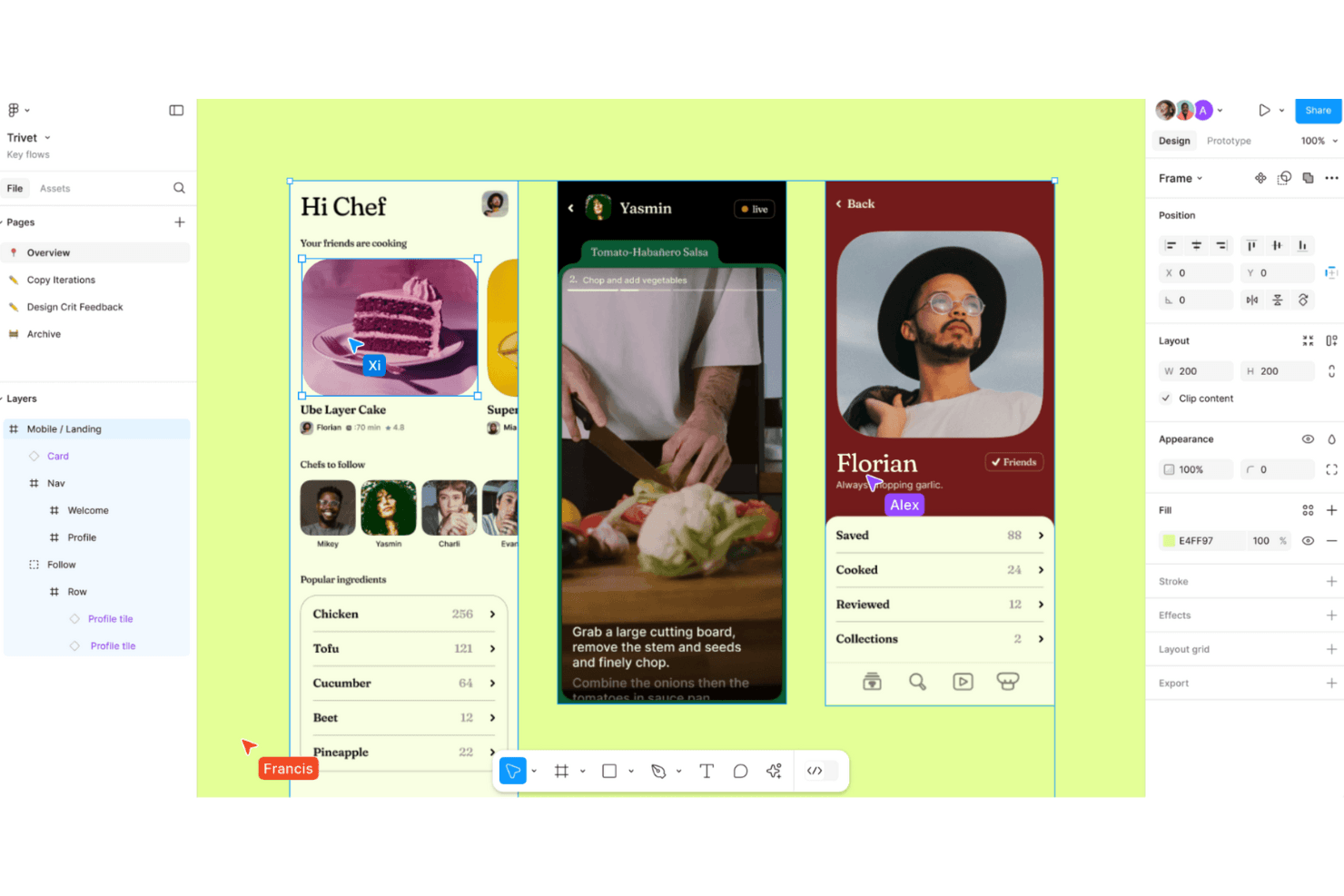
Figma enables collaborative design workflows with real-time editing and prototyping for seamless creativity. Figma is a browser-based UI design tool that combines screen design, interactive prototyping, design system management, and developer handoff in a single collaborative environment.
Who Is Figma Best For?
Figma is a strong fit for cross-functional product teams where designers, product managers, and developers need to collaborate on app design without switching tools.
Why I Picked Figma
Figma earns its spot on my shortlist because no other tool collapses the gap between design and development the way it does. Dev Mode generates iOS and Android code snippets directly from your design layers, and Code Connect maps those layers to real production components in your codebase. I also love that product managers, QA, and other stakeholders can comment and inspect specs without needing a paid seat, which makes cross-functional handoff genuinely frictionless.
Figma Key Features
- Smart Animate: Automatically animates matching layers between frames to create realistic transitions, parallax effects, and touch gestures in prototypes.
- Interactive components: Switch between component variants automatically, reducing the number of frames needed to represent animated states.
- Variable modes: Define and apply multiple themes, such as light and dark mode, across your designs using a single set of variables.
- Figma Mirror: View and play desktop frames on a real iOS or Android device in real time through the Figma mobile app.
Figma Integrations
Figma connects with Slack, Jira, Notion, Google Workspace, GitHub, and Storybook, with a VS Code extension for developer workflows. Its REST API, plugins, webhooks, Code Connect, and MCP Server support custom design-to-development integrations.
Pros and Cons
Pros:
- Developer specs connect designs to implementation
- Prototypes support complex conditional user flows
- Real-time multiplayer keeps app reviews aligned
Cons:
- Mobile app cannot edit design files
- Large files can cause noticeable performance slowdowns
 Best for AI-generated wireframes without design skills
- Free plan available
- From $14/user/month
Visit WebsiteCustomer Rating:4.8/5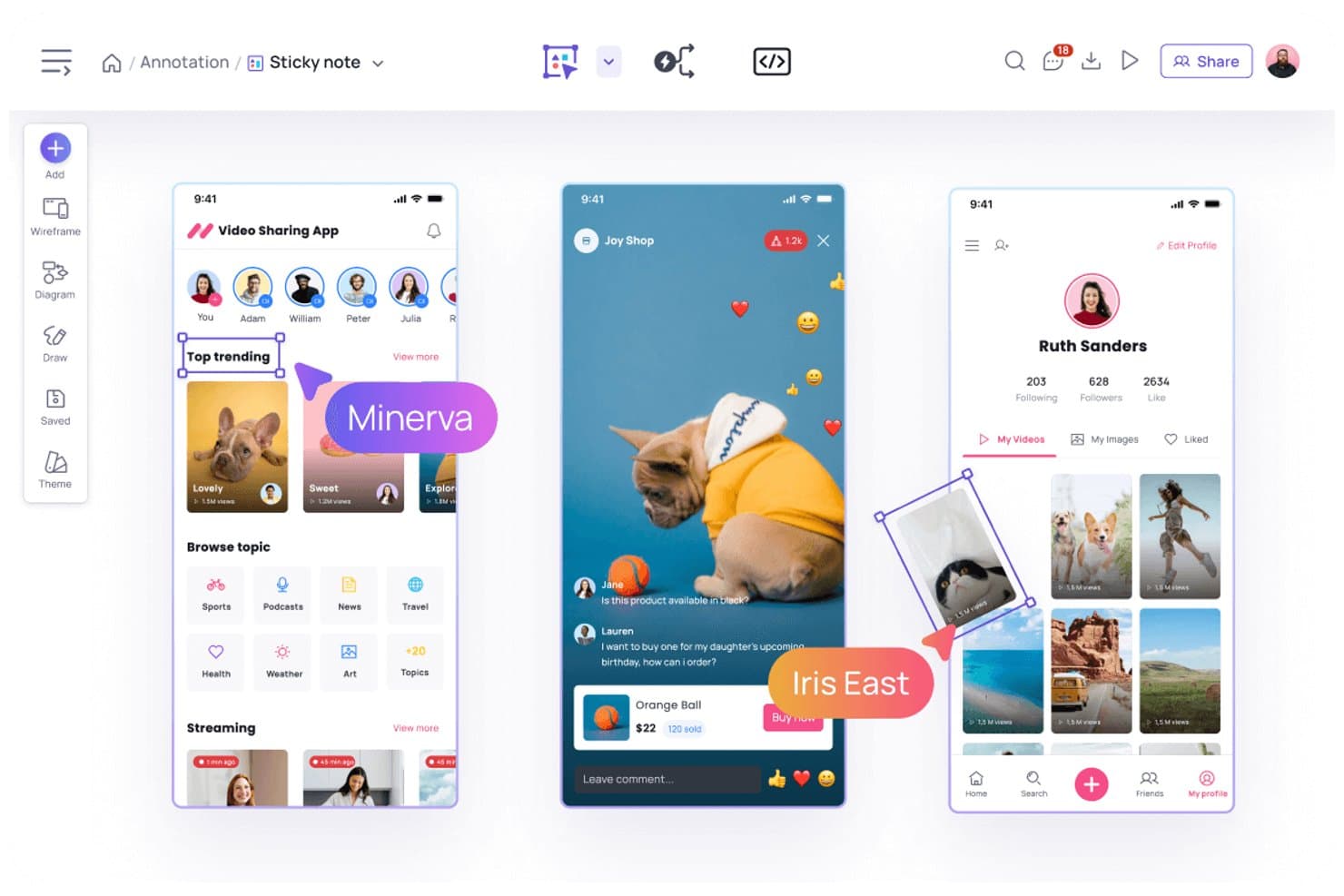
Visily lets users annotate designs with sticky notes and comments. Visily is a browser-based AI design tool that lets you create mobile and web app wireframes, mockups, and interactive prototypes using text prompts, screenshots, sketches, or templates.
Who Is Visily Best For?
Visily is a strong fit for product managers and non-designers who need to turn ideas into wireframes and prototypes quickly, without relying on a dedicated design team.
Why I Picked Visily
I picked Visily as one of the best because it's the only tool on my list where you can go from a rough sketch or a screenshot to a structured mobile wireframe in seconds, no design background required. I love how the AI UI Design Generator handles multiple input types: paste in a screenshot of an existing app, describe a screen in plain text, or draw a rough diagram, and Visily converts it into an editable wireframe. Auto-Prototype then links those screens into a clickable flow automatically, without any manual wiring.
Visily Key Features
- Fidelity switching: Toggle between high-fidelity and low-fidelity views instantly, keeping all elements in place while only the visual style changes.
- Smart Components: Prebuilt, editable UI elements—like nav bars, cards, tables, and charts—that can be broken down into individual parts or populated with CSV data.
- Real-time collaboration: Co-edit boards simultaneously with teammates using cursor chat, commenting, emoji reactions, and follower mode.
- Inspect Mode: View element specs, CSS and Tailwind properties, pixel spacing, and exportable assets directly from any design board.
Visily Integrations
Visily offers integrations with Figma, Jira, Slack, and Notion. Its MCP server connects to Claude Code, Codex, Cursor, Gemini CLI, ChatGPT, and Lovable for developer handoff.
Pros and Cons
Pros:
- Inspect Mode provides detailed developer specifications
- Auto-Prototype creates linked mobile app flows
- AI converts screenshots and sketches into wireframes
Cons:
- Manual adjustments replace missing auto-layout capabilities
- No native device-specific mobile simulators
Learn more about Visily: Best for prototyping mobile apps from scratch
- Free plan + 30-day free trial + free demo available
- From $4.95/user/month (billed annually)
Visit WebsiteCustomer Rating:4.5/5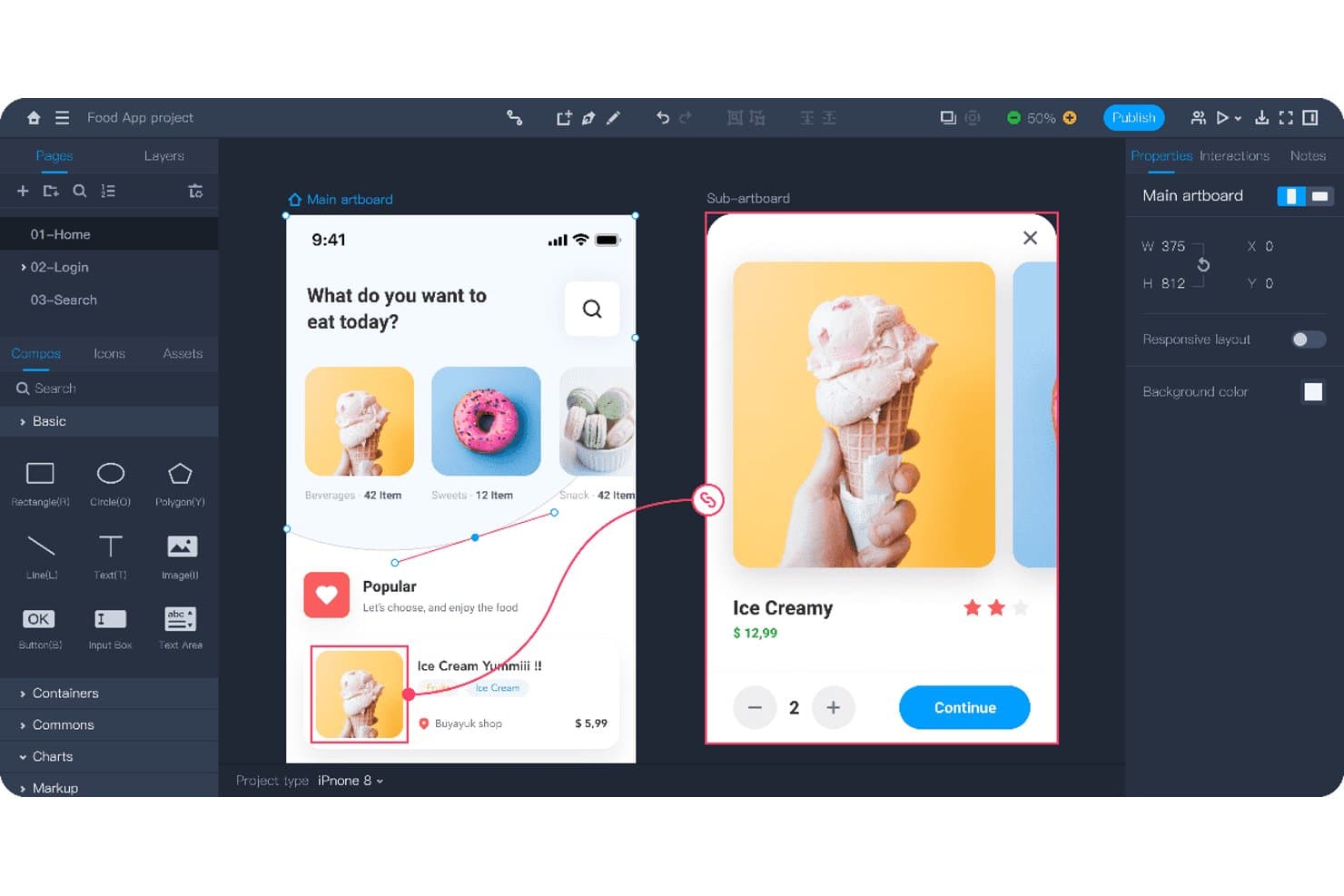
Mockplus lets users design and prototype mobile app screens interactively. Mockplus RP is a browser-based prototyping and wireframing tool that combines drag-and-drop screen design, interactive prototype building, flowcharts, and real-time team collaboration across web, iOS, and Android projects.
Who Is Mockplus Best For?
Mockplus RP is a strong fit for UX/UI designers who need to go from blank canvas to testable mobile prototype without a steep learning curve or a high price tag.
Why I Picked Mockplus
I picked Mockplus RP as one of the best because it's built specifically for taking a mobile app from zero to testable prototype, and it shows in the details. I love that preset iOS, Android, and Material Design artboards let you skip the blank-canvas friction, while a library of 3,000+ UI components means you're building real screens, not placeholders. Component states (hover, pressed, selected, and custom) combined with tap, swipe, and slide gesture interactions let me simulate actual mobile UX flows without writing a line of code.
Mockplus Key Features
- Flowchart and sitemap builder: Drag-and-drop user flow and sitemap diagrams that connect directly to your artboards.
- Axure import: Import existing Axure projects with up to 95% of details preserved and fully editable in Mockplus RP.
- Real-time co-editing: Teams of up to 10 users can design together simultaneously on the free plan, with comments and activity feeds included.
- QR code preview sharing: Share prototypes instantly via QR code so stakeholders can review designs on a real mobile device.
Mockplus RP Integrations
Through Mockplus Cloud, Mockplus RP integrates with Figma, Sketch, Adobe XD, Photoshop, Axure, Slack, Jira, Confluence, and Lark. No public API or GitHub integration is documented.
Pros and Cons
Pros:
- Axure imports preserve editable details
- Real-time co-design supports stakeholder feedback
- Rapid screen creation from templates
Cons:
- Design systems need separate product
- Prototype logic requires rebuilding in code
Learn more about Mockplus: Best for code-backed mobile design systems
- Free plan + 14-day free trial + demo available
- From $49/user/month
Visit WebsiteCustomer Rating:4.2/5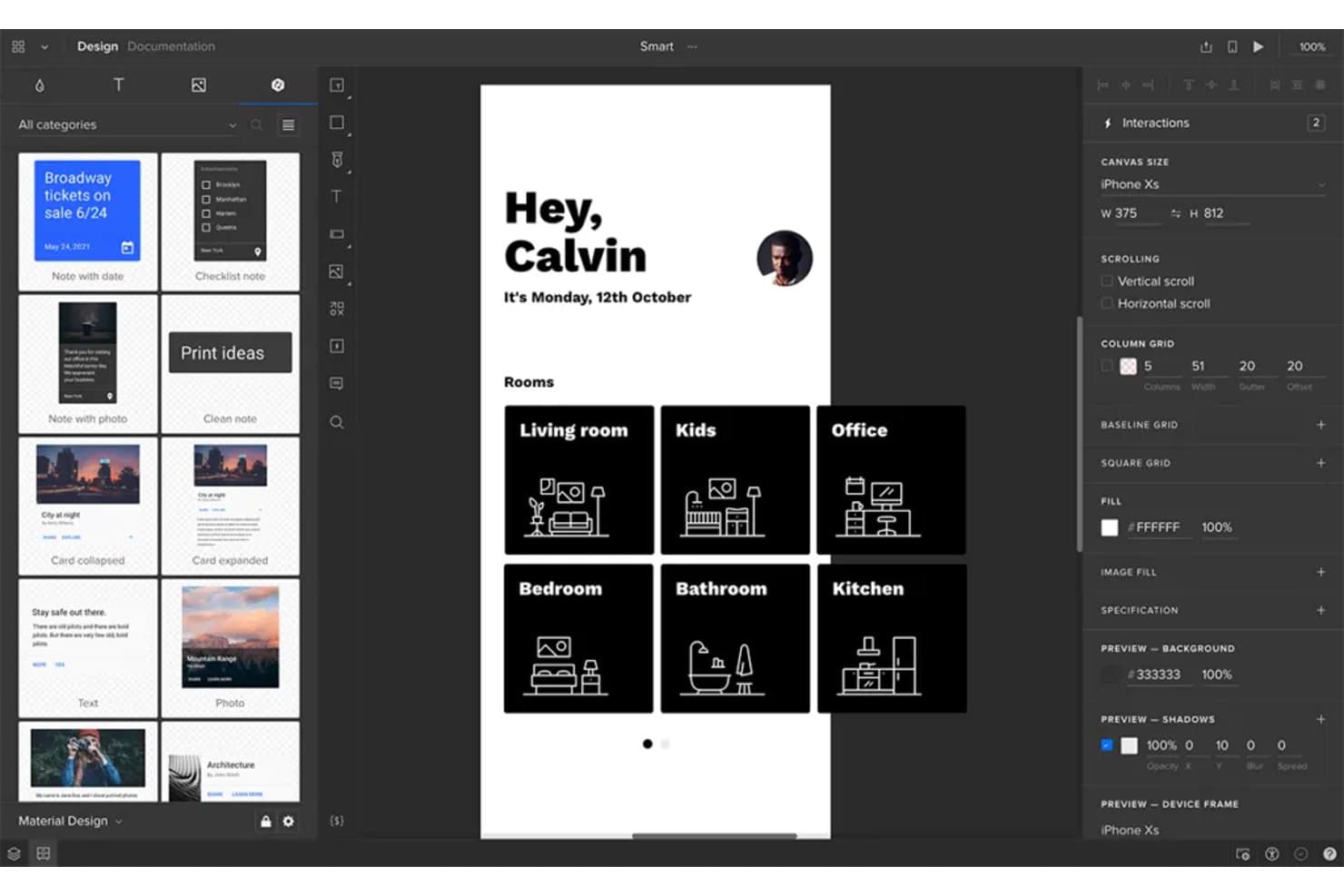
UXPin lets users design and prototype mobile app screens visually. UXPin is a browser-based mobile app design tool that combines wireframing, high-fidelity prototyping, and code-backed design systems built on real React components synced from Git, Storybook, or npm.
Who Is UXPin Best For?
UXPin is a strong fit for UX/UI designers and front-end developers who need design systems backed by real production components.
Why I Picked UXPin
UXPin earns its spot on my shortlist because it's the only mobile app design tool where your prototypes run on actual production React components, not vector replicas. I love how Merge pulls components directly from Git, Storybook, or npm so your design system and codebase stay in sync by default. When a developer updates a component, every design instance updates too, which eliminates the drift that makes most handoffs painful.
UXPin Key Features
- Mobile gesture triggers: UXPin supports tap, swipe, press and hold, touch down, and touch up interactions for building realistic mobile prototypes.
- UXPin Mirror: Scan a QR code to preview live prototypes on real iOS or Android devices, with the canvas updating on your phone as you edit.
- Conditional logic and variables: Set up if/else interactions, regex validation, and expressions to create prototypes that respond dynamically to user input.
- Developer handoff specs: UXPin auto-generates CSS, dimensions, and element notes that developers can inspect and copy directly from a shared preview link.
UXPin Integrations
UXPin integrates with Storybook, npm, Figma, Sketch, Jira, Slack, FullStory, StackBlitz, and CodeSandbox. Enterprise plans add Git integration for GitHub and Bitbucket.
Pros and Cons
Pros:
- Live device previews update as designs change
- Advanced logic models real app behavior
- Production components keep prototypes aligned with code
Cons:
- Design tokens remain limited beyond colors
- React-centric workflows limit native mobile coverage
Learn more about UXPin: Best for Adobe Creative Cloud prototyping
- Free trial available
- From CAD $91.99/month
Visit WebsiteCustomer Rating:4.3/5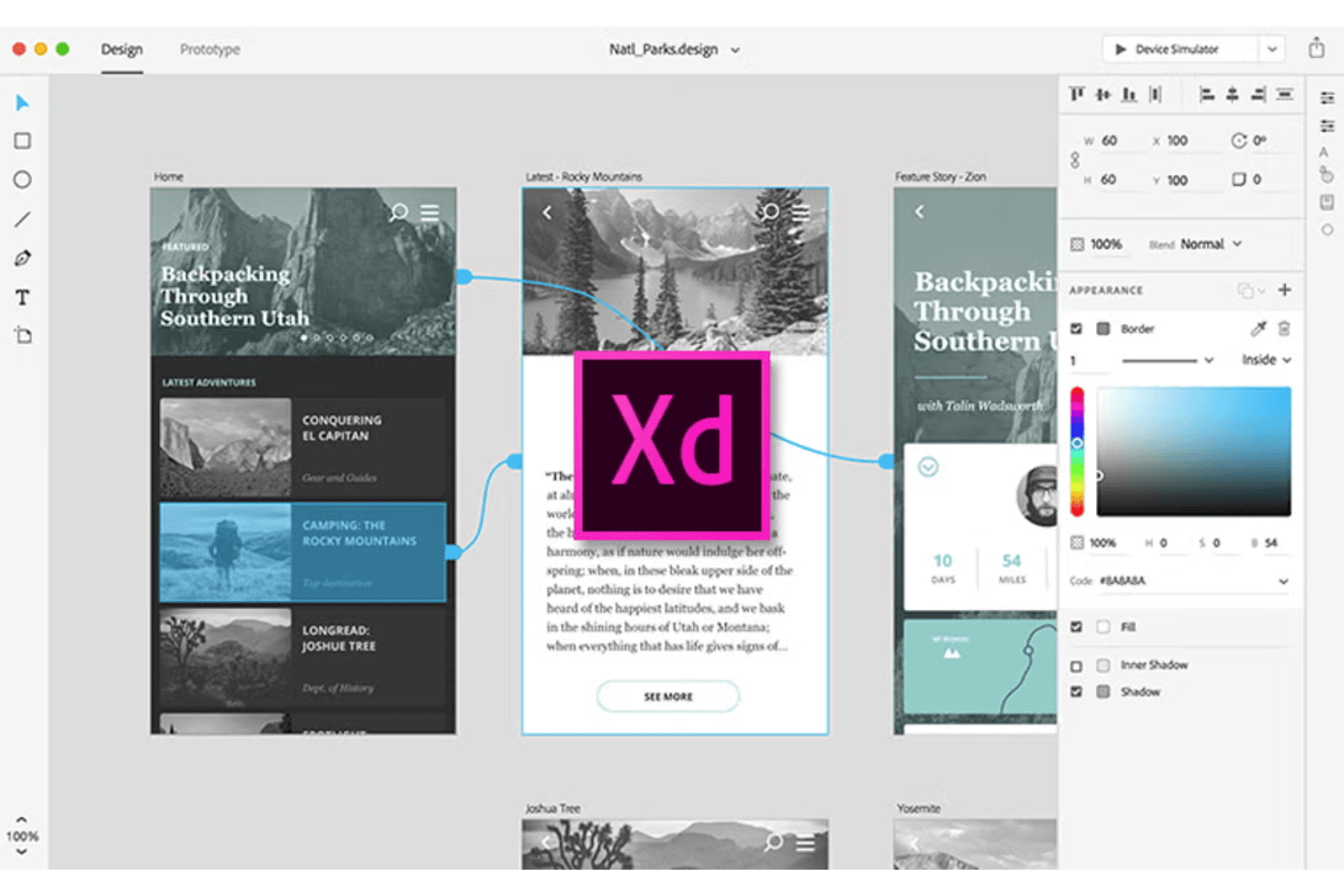
Adobe XD supports UI/UX design with interactive prototypes. Adobe XD is a desktop-based UI/UX design tool that covers screen design, interactive prototyping, component libraries, and developer handoff within the Adobe Creative Cloud ecosystem.
Who Is Adobe XD Best For?
Adobe XD fits UX/UI designers and product designers who are already working within the Adobe Creative Cloud ecosystem and want a familiar, fast tool for building interactive prototypes.
Why I Picked Adobe XD
I picked Adobe XD as one of the best because it's the natural home for prototyping when your team already lives in Creative Cloud. Auto-Animate lets you wire up micro-interactions between artboards using matched layer names, so swipe gestures and ripple effects feel close to native without extra tooling. Component states add Hover and Toggle behaviors automatically, which means interactive flows come together fast when you're validating a mobile UI before handing off specs.
Adobe XD Key Features
- UI kits: Access pre-built iOS, Android, and Windows UI kits directly from the File menu to jump-start mobile screen design.
- Repeat grid: Select any element or group and tile it into a repeatable grid pattern, then drag to resize rows and columns instantly.
- Multiple flows: Organize and share distinct user flows from a single document without creating separate prototype files.
- Live mobile preview: Connect iOS or Android devices via USB to see your designs update in real time as you edit on desktop.
Adobe XD Integrations
Documented integrations include Photoshop, Illustrator, After Effects, Creative Cloud Libraries, and Adobe Asset Link. Marketplace plugins connect Adobe XD with Jira, Slack, and Zoom, while third-party plugins support code export.
Pros and Cons
Pros:
- Multiple flows simplify stakeholder review
- Live USB previews expose mobile behavior early
- Auto-Animate supports native-feeling microinteractions
Cons:
- Collaboration lacks presence indicators and granular permissions
- Maintenance mode limits long-term product viability
 Best for open-source app UI and dev handoff
- Free plan + 14-day free trial + free demo available
- From $7/user/month
Visit WebsiteCustomer Rating:4.5/5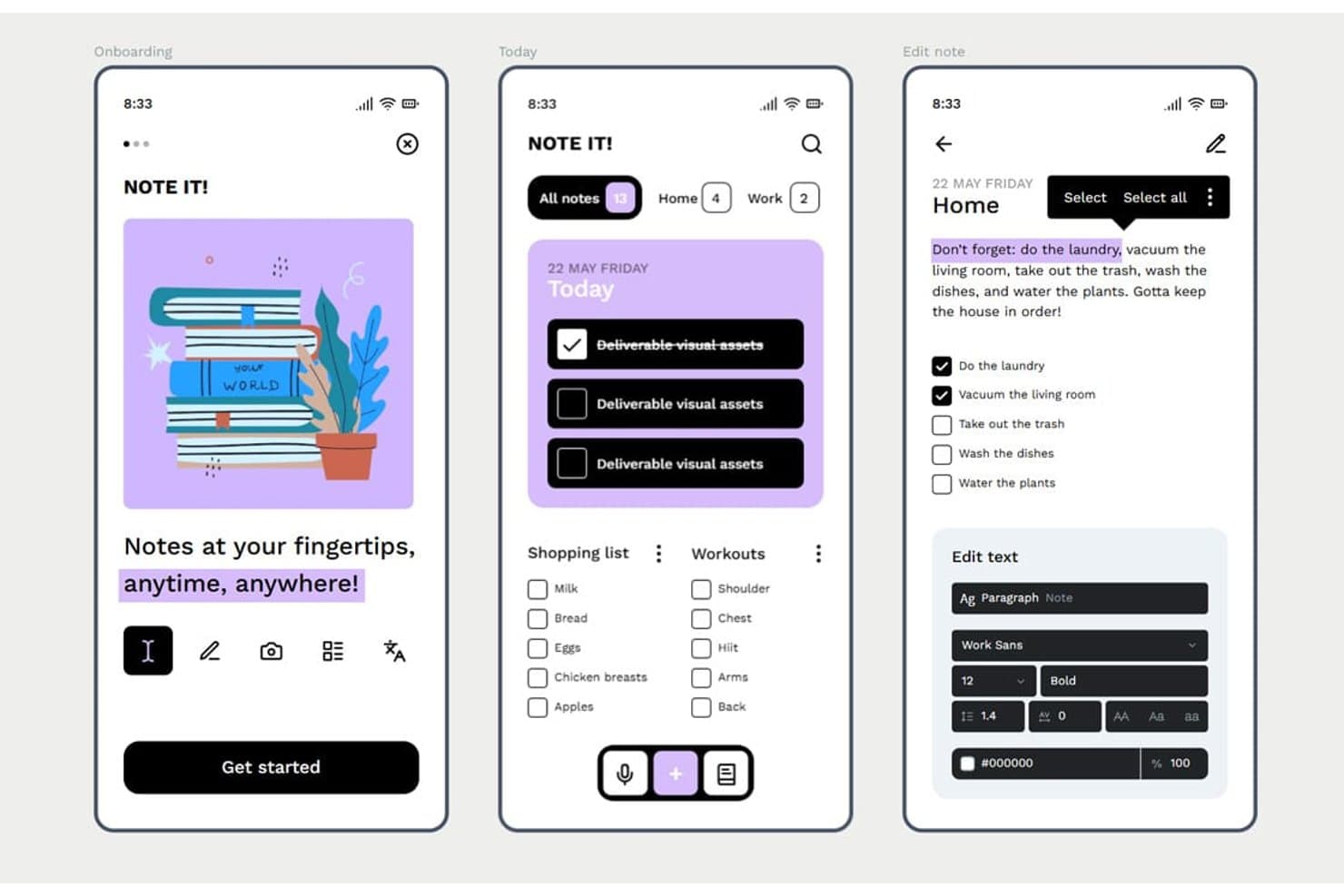
Penpot lets users design mobile app screens with rich text and task UIs. Penpot is an open-source, browser-based UI design tool that offers vector editing, Flex and CSS Grid layout, component libraries with design tokens, interactive prototyping, and developer handoff through an Inspect mode and Code tab.
Who Is Penpot Best For?
Penpot is a strong fit for UX/UI designers and front-end developers who need a free, open-source design tool with CSS-native layouts and built-in developer handoff.
Why I Picked Penpot
I've included Penpot in my top picks because it's the only open-source design tool with native CSS Flex and Grid layouts, which means the specs your developers see in the Code tab map directly to how they'll build the UI. I also like that design tokens follow the W3C DTCG format, so a color or spacing change in a token set cascades across components automatically. That combination of layout fidelity and token-driven components makes Penpot a strong fit for teams maintaining a mobile UI design system alongside a live codebase.
Penpot Key Features
- Boolean operations: Combine, subtract, intersect, or exclude vector shapes to build custom UI elements and icons directly on the canvas.
- Shared component libraries: Publish design assets across files and teams so all collaborators always pull from the same up-to-date components.
- Multiplayer editing with comments: Edit files simultaneously with teammates and leave threaded comments with replies, notifications, and read/unread tracking.
- Version history with pinned saves: Manually pin named versions alongside autosaved history to restore or preview earlier states of a file.
Penpot Integrations
Penpot supports integrations with GitHub, GitLab, Slack, and Storybook through its REST/RPC APIs and webhooks. It also offers a free, open-source MCP server for design-to-code workflows and custom integrations.
Pros and Cons
Pros:
- Native tokens support consistent design systems
- CSS-native layouts simplify developer handoff
- Open-source design control
Cons:
- No adaptive mobile device previewing
- Prototyping lacks gestures and conditional logic
Learn more about Penpot: Best for functional wireframes with working forms
- Free plan + 10-day trial available
- From $19/user/month
Visit WebsiteCustomer Rating:4.2/5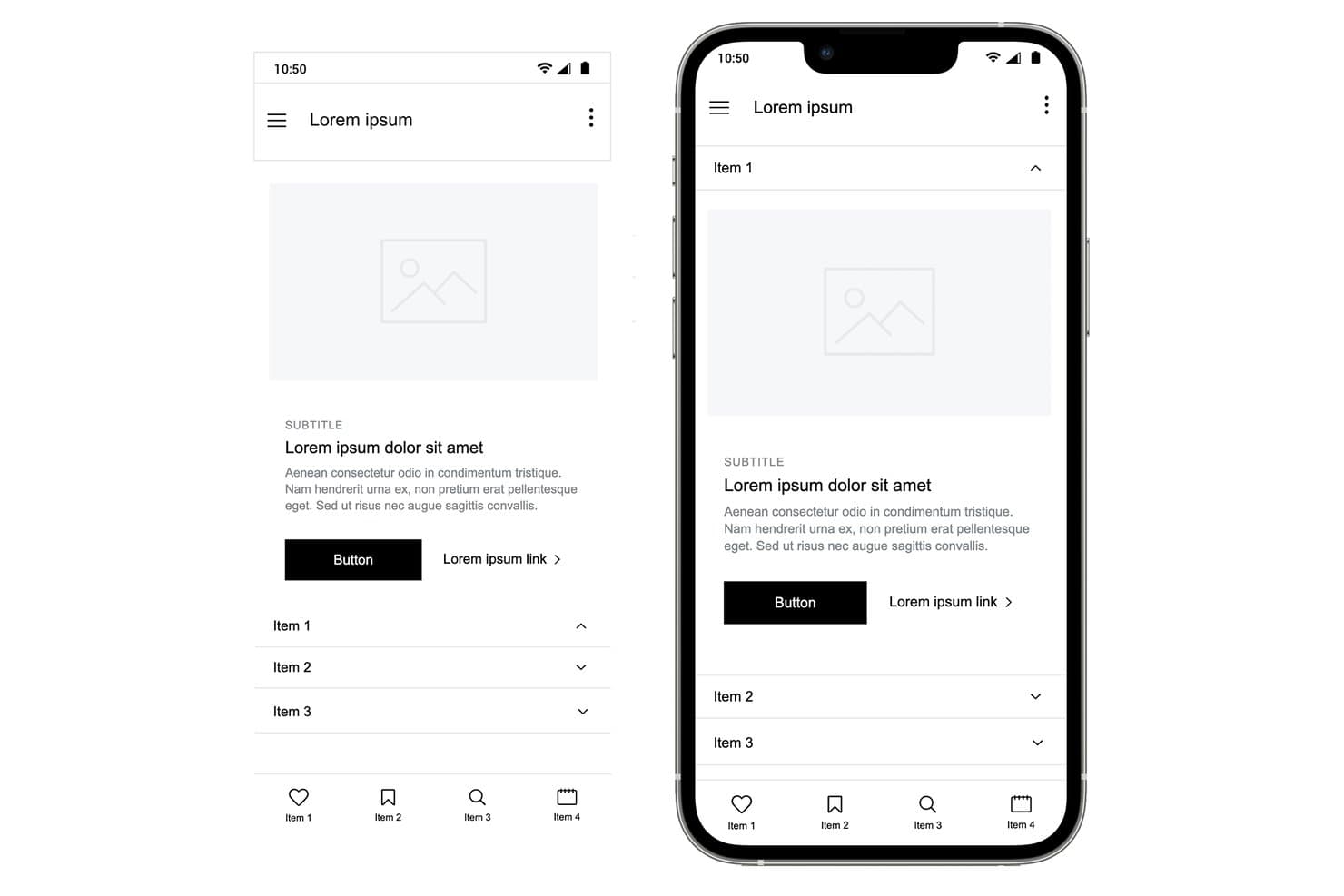
Justinmind lets users design mobile wireframes with accordion menus and nav bars. Justinmind is a desktop-based UI design and prototyping tool for web and mobile apps that covers wireframing, interactive prototyping, user flows, and developer handoff specifications.
Who Is Justinmind Best For?
Justinmind is a strong fit for UX designers and product managers who need to prototype realistic, data-driven interactions—especially working forms—without writing code.
Why I Picked Justinmind
I picked Justinmind as one of the best because its functional wireframing capabilities go well beyond basic click-through prototypes. I love that you can build form fields with real validation logic, populate data grids from a CSV file using Data Masters, and wire up conditional business rules, all without writing a single line of code. In practice, that means my team can simulate a working loan application or onboarding flow that behaves like the real thing before any developer writes a line of code.
Justinmind Key Features
- iOS and Android UI kits: Access 4,000+ prebuilt components for iOS and Android, including an iOS 18 UI library and current device frames like iPhone 16 and Galaxy S25.
- Mobile gesture support: Wire up tap, swipe, pinch, scroll, and rotate interactions to simulate native mobile app behavior in your prototype.
- On-device preview app: Use the Justinmind Viewer app on iPhone, iPad, or Android to test your prototype live via QR code scanning.
- Figma and Sketch import: Bring in existing design files from Figma or Sketch and continue building your prototype without starting from scratch.
Justinmind Integrations
Justinmind offers native integrations with Jira and Azure DevOps, plus the Justinmind+ for Confluence add-on. It also supports Figma and Sketch imports and provides an API/SDK for custom integrations.
Pros and Cons
Pros:
- Mobile gestures and device previews improve validation
- CSV-backed data grids support realistic testing
- Functional forms simulate real app logic
Cons:
- Advanced interactions require higher-tier plans
- Desktop-only editing limits distributed design collaboration
Learn more about Justinmind: Best for macOS-native UI design
- Free plan + 30-day free trial available
- From $12/user/month (billed annually)
Visit WebsiteCustomer Rating:4.5/5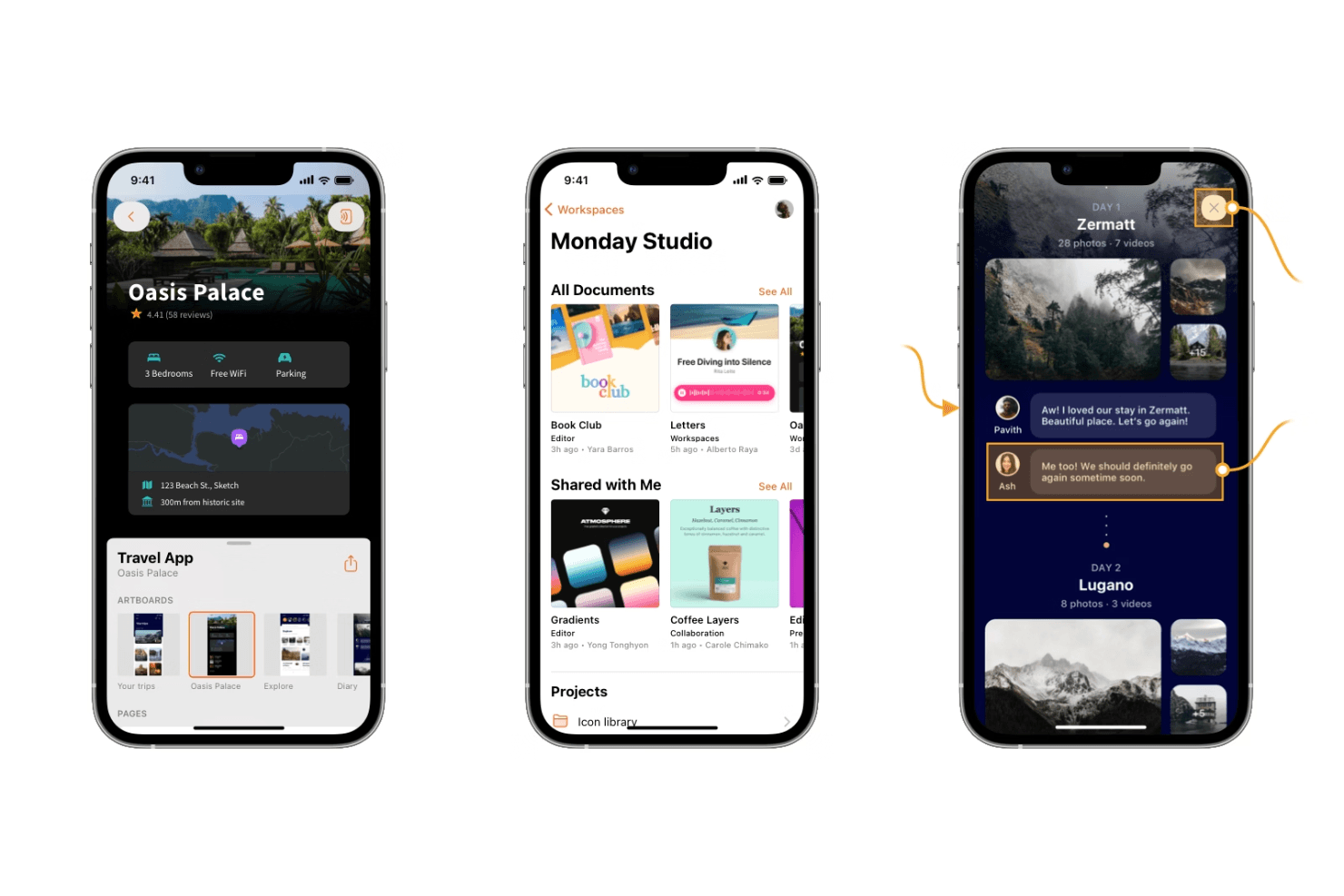
Sketch offers powerful design tools for creating sleek, modern mobile interfaces. Sketch is a macOS-native UI design tool that combines vector editing, auto-layout, interactive prototyping, design system management, and developer handoff in a single offline-capable editor.
Who Is Sketch Best For?
Sketch is the go-to choice for UI and product designers who work primarily on macOS and build iOS-focused mobile app interfaces.
Why I Picked Sketch
Sketch earns its spot on my shortlist because it's the most refined macOS-native editor available for UI design work. I love how Stacks auto-layout handles padding, distribution, and wrapping natively in the Mac app, which speeds up building mobile screens considerably. The vector tools, smooth corners, and P3 color support also make iOS-style UI feel genuinely native to design in Sketch.
Sketch Key Features
- Free developer handoff: Developers can inspect layers, copy CSS and SwiftUI color values, measure between elements, and export assets directly in the browser—no paid seat required.
- MCP server with AI integration: A built-in, local-only MCP server connects Sketch to Claude, Cursor, and other AI coding tools, letting agents read frames and generate implementation-ready code.
- Workspace Libraries with admin controls: Admins can manage who updates or uses a shared component library and control when updates roll out across the team.
- Design tokens export: Color Variables, Layer Styles, and Text Styles can be exported as CSS or JSON, or shared via a live public token link that stays current automatically.
Sketch Integrations
Sketch offers integrations with Slack, Jira, Notion, Zeplin, ProtoPie, Principle, Proto.io, and Origami, plus an open JavaScript API for custom extensions.
Pros and Cons
Pros:
- Private AI supports design-to-code workflows
- Free developer handoff supports unlimited developers
- Native offline Mac editor
Cons:
- No Android preview app complicates testing
- Mac-only editor limits cross-platform teams
 Best for logic-driven mobile wireframing
- Free plan + 30-day free trial available
- From $29/user/month (billed annually)
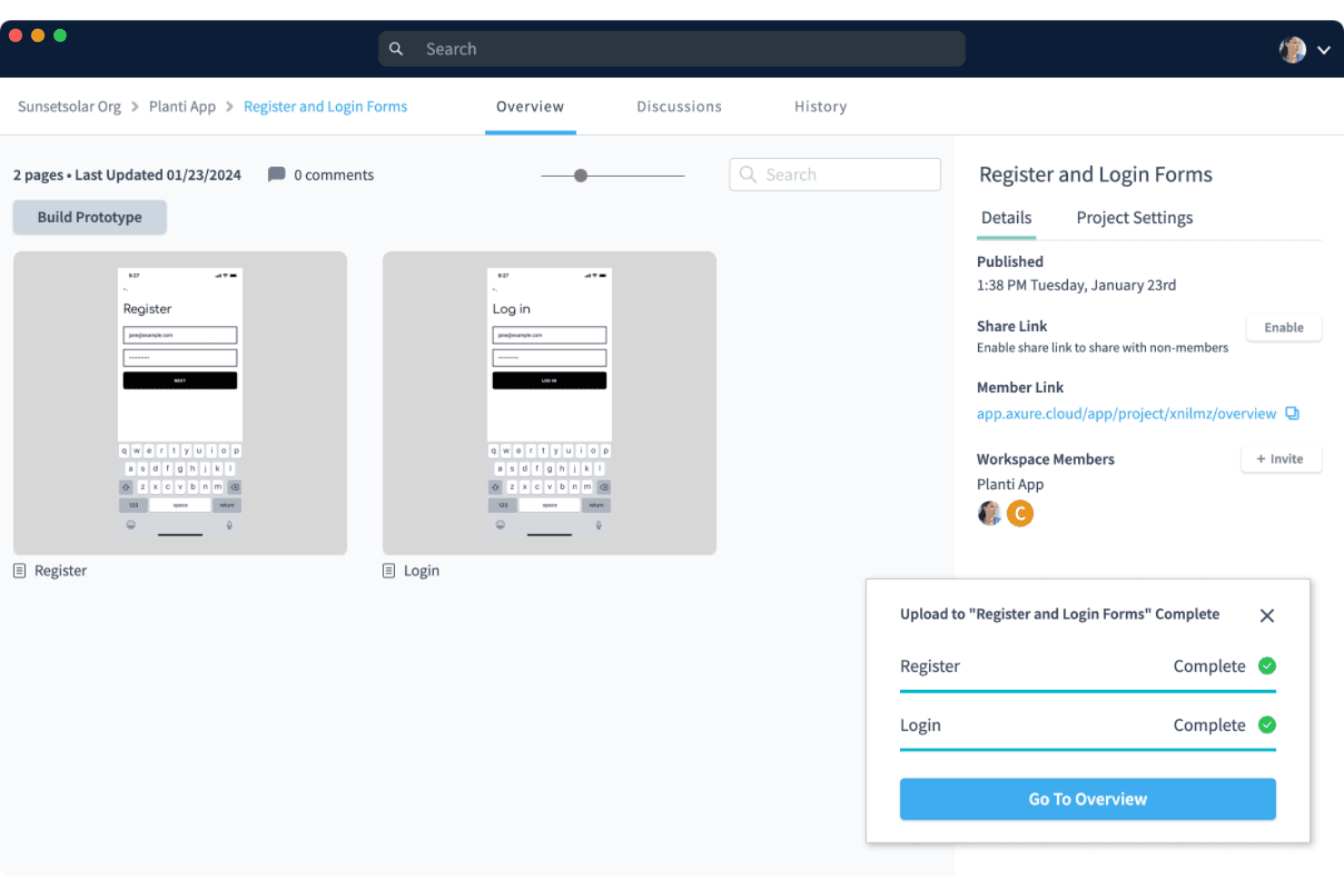
Axure RP supports wireframing and prototyping with a clean, user-friendly interface for building interactive designs. Axure RP is a desktop-based wireframing and prototyping tool that lets you build interactive mockups using conditional logic, variables, dynamic panels, and adaptive views for multiple screen sizes.
Who Is Axure RP Best For?
Axure RP is a strong fit for UX designers and product designers who need to prototype complex, logic-driven mobile app flows without writing code.
Why I Picked Axure RP
I've included Axure RP in my top picks because no other tool on this list matches its depth of interaction logic for mobile wireframing. I can build dynamic panels with multiple states to simulate swipeable carousels or conditional nav flows, add real variables, and wire up working form inputs without touching code. For complex mobile app flows where click-through prototypes simply don't cut it, Axure RP handles the logic that other tools can't.
Axure RP Key Features
- Adaptive views: Create alternate versions of a single page for different screen sizes, with device presets for iOS, Android, and desktop that auto-display the correct view in the browser.
- Free reviewer accounts: Stakeholders and developers can view, comment on, and inspect prototypes at no extra cost, with access to redlines, measurements, and CSS via Axure Cloud Inspect.
- Repeater widgets: Build data-driven tables and grids that users can sort and filter directly within a running prototype.
- Check-in/check-out team authoring: Team plan users can check out pages to edit offline, then check in with notes, with automatic style merging and full version history.
Axure RP Integrations
Axure RP has seven documented integrations, including Jira, Confluence, Slack, Microsoft Teams, Figma, Sketch, and Adobe XD. These support prototype embedding, activity notifications, and importing or hosting design content in Axure Cloud.
Pros and Cons
Pros:
- Adapts layouts across multiple screen sizes
- Supports working forms and filterable data
- Simulates complex mobile flows without code
Cons:
- Mobile previews lack native OS simulation
- Requires desktop installation for authoring
Learn more about Axure RP : 10Best for sensor-driven interaction prototyping
ProtoPie
- Free plan + free demo available
- From $25/user/month
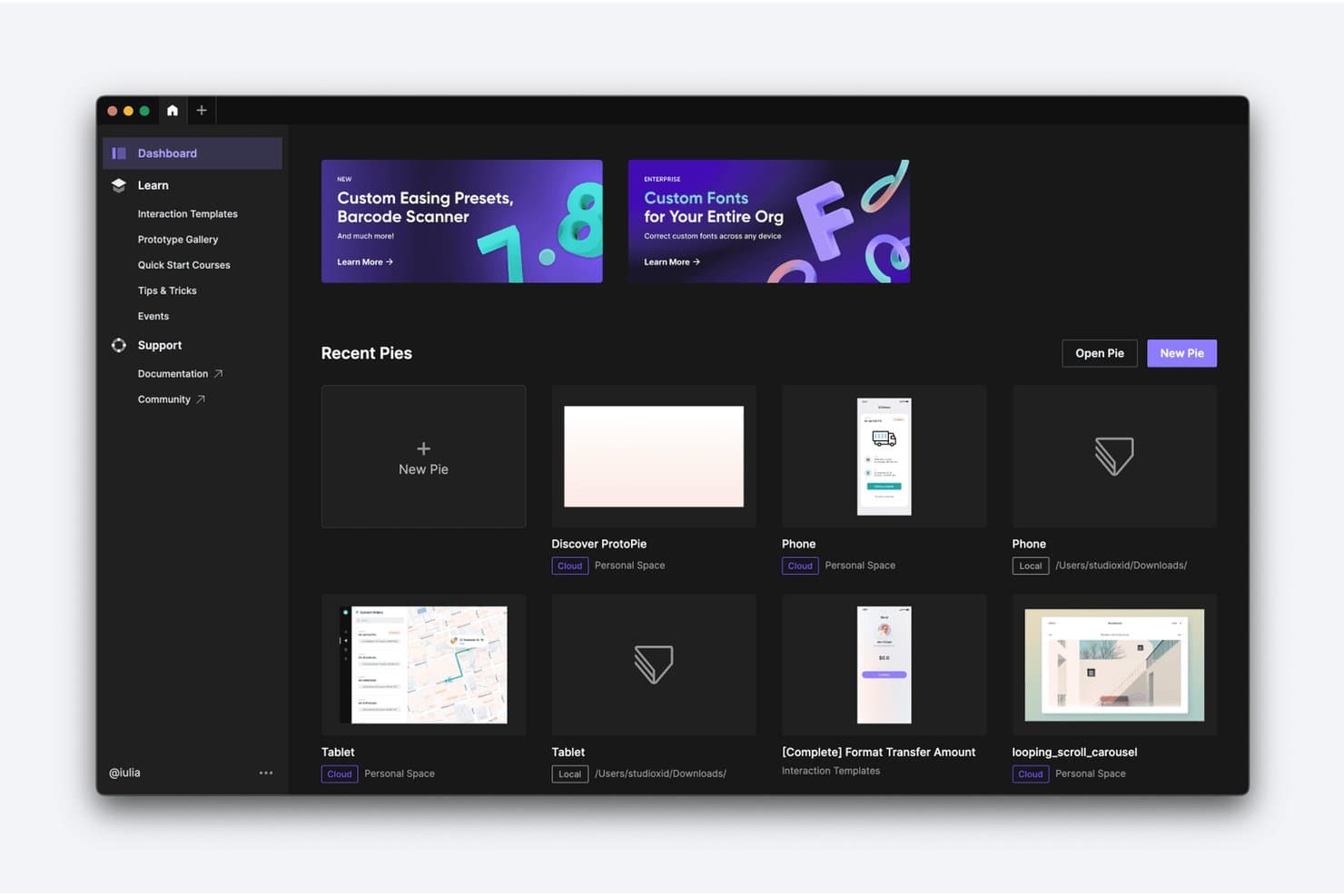
ProtoPie lets users manage and organize prototypes from a central dashboard. ProtoPie is a high-fidelity interactive prototyping tool that lets you layer conditional logic, variables, device sensors, voice triggers, and multi-device communication onto screens imported from Figma, Sketch, or Adobe XD.
Who Is ProtoPie Best For?
ProtoPie is a strong fit for UX and product designers who need to prototype gesture-based, sensor-driven, or multi-device interactions that standard design tools can't replicate.
Why I Picked ProtoPie
ProtoPie earns its spot on my shortlist because no other tool I've tested comes close for sensor-driven interaction prototyping. I've used it to build prototypes that respond to a phone's gyroscope and compass in real time, something Figma's prototyping simply can't do. Its conditional logic and variable system let you wire up branching flows and error states that behave like the real app, and the free Player app delivers those interactions on an actual iOS or Android device, sensors included.
ProtoPie Key Features
- Multi-device communication: Link two or more devices running ProtoPie Player so they send and receive data from each other in real time during prototype testing.
- ProtoPie MCP: Exports your prototype's triggers, variables, and formulas as structured data that AI coding agents like Cursor and Claude Code can read directly.
- Interaction recordings: Auto-generates frame-by-frame playback of user flows, capturing easing, delay, and layer properties so developers can inspect every interaction detail.
- ProtoPie Connect add-on: Connects prototypes to external hardware, APIs, and platforms like Unity and Unreal for testing interactions beyond standard mobile screens.
ProtoPie Integrations
ProtoPie integrates with Figma, Sketch, and Adobe XD through plugins, plus Claude Code, Cursor, VS Code, and Codex through ProtoPie MCP. ProtoPie Connect supports APIs, Unity, Unreal, Arduino, and custom Socket.IO plugins.
Pros and Cons
Pros:
- Frame-by-frame handoff clarifies motion behavior
- Conditional logic models complex app states
- Sensor prototypes behave authentically on devices
Cons:
- Complex interaction setup demands practice
- Screen design requires importing elsewhere
Learn more about ProtoPie:
Diğer Mobil Uygulama Tasarım Yazılımları
İşte kısa listeme girmeyen ancak yine de göz atmaya değer bazı ek mobil uygulama tasarım yazılımı seçenekleri:
- 11Proto.ioBest for pre-dev app behavior simulation
- 12FramerBest for AI-assisted web-to-app design iteration
- 13MockFlowBest for wireframe-to-dev token handoff
- 14BalsamiqBest for early-stage mobile app wireframing
- 15Fluid UIBest for quick stakeholder feedback on mobile flows
- 16MarvelBest for in-prototype usability testing
- 17UizardBest for AI-generated app screen mockups
- 18PrincipleBest for USB-mirrored iOS animation prototyping
- 19MoqupsBest for wireframing without design experience
- 20Origami StudioBest for near-native iOS interaction prototyping
How I Evaluate Mobile App Design Software
I split my evaluation into three parts, with the most weight on core functionality: creating mobile screens, linking realistic flows, and previewing them on devices. Next, I look for standout features such as design tokens. Finally, I consider beyond-feature fit, including onboarding, support, and pricing as teams grow.
Core Functionality (Table Stakes For This List)
When I'm selecting tools for my list, I score each one on a scale from 0 (does not offer the functionality) to 5 (excels in this area) for each core functionality listed below. I then convert the total into a percentage to help assess each tool's overall fit, with extra weight on any functionalities I’ve deemed essential.
- Screen Design (Essential): I look for precise layout and editing controls to create connected mobile screens, from a simple sign-up form to a complex settings page.
- Interactive Prototyping (Essential): I assess whether flows can represent realistic taps, gestures, transitions, and states, such as validation errors in a registration flow.
- Design Systems: I check for reusable components and shared styles, and whether updates carry through screens so interface patterns stay consistent.
- Developer Handoff: I look for inspectable measurements, specs, and exportable assets that help developers build screens as designed.
- Real-Time Collaboration: I consider how teams can co-edit, comment, and review the same file while discussing a flow or screen.
- Device Preview: I check whether interactive designs can be previewed on mobile device sizes or screens to assess layouts and behavior.
Once I have a list of tools that meet the criteria, I consider what sets each platform apart.
Differentiating Factors (What Sets Vendors Apart)
Here's how I compare and contrast different vendors:
Standout Features
I look for auto-layout engines that adapt components when content or screen sizes change, since a button that breaks when its label grows from "Save" to "Save and Continue" signals a brittle design system. Version history with branching is equally important—I check whether a team can fork a flow, test a redesigned onboarding sequence, and merge or roll back without overwriting production files. I also evaluate each tool's plugin and API ecosystem, because connecting design data to issue trackers or code repositories cuts repetitive handoff work.
Beyond Features
I check how each tool fits into sprint-based workflows—whether it connects to Jira, Slack, or GitHub so design updates flow into tickets without manual re-linking. Scaling matters too: a three-person startup needs fast, low-overhead licensing, while a 50-seat product org needs permission tiers and governed design libraries. I also evaluate onboarding quality, because a tool that ships strong templates and docs gets cross-functional teammates contributing faster than one that assumes deep design fluency.
Mobil Uygulama Tasarım Yazılımı Nasıl Seçilir?
Uzun özellik listeleri ve karmaşık fiyatlandırma yapılarına kendinizi kaptırmanız kolaydır. Kendinize özgü yazılım seçim sürecinizi yürütürken odaklanmanıza yardımcı olmak için aklınızda bulundurmanız gereken faktörleri içeren bir kontrol listesi hazırladım:
| Faktör | Dikkat Edilmesi Gerekenler |
| Ölçeklenebilirlik | Yazılımın ekibinizle birlikte büyüyebildiğinden emin olun. Performans sorunları yaşamadan artan kullanıcı, proje ve karmaşıklık sayılarını destekleyen çözümleri arayın. |
| Entegrasyonlar | Aracın, ekibinizin kullandığı proje yönetimi araçları, iletişim platformları ve geliştirme ortamları gibi diğer yazılımlarla entegre olup olmadığını kontrol edin. |
| Özelleştirilebilirlik | Arayüzü ve özellikleri iş akışınıza uyacak şekilde uyarlamanıza olanak tanıyan araçları arayın. Özel bileşenler veya şablonlar oluşturmanıza izin veren seçenekleri değerlendirin. |
| Kullanım Kolaylığı | Ekibinizin hızlıca öğrenebileceği kullanıcı dostu bir arayüze sahip yazılımları seçin. Sürükle ve bırak işlevi ile sezgisel gezinme gibi özellikleri arayın. |
| Bütçe | Hem başlangıç maliyetlerini hem de uzun vadeli giderleri değerlendirin. Fiyatlandırmanın bütçenizle uyumlu olduğundan emin olun ve özelliklerin maliyeti haklı çıkarıp çıkarmadığını değerlendirin. |
| Güvenlik Önlemleri | Verilerinizi korumak için yazılımın sektörel güvenlik standartlarına uyduğundan emin olun. Veri şifreleme, kullanıcı kimlik doğrulaması ve düzenli güncellemeler gibi özellikleri arayın. |
| İş Birliği | Aracın ekip iş birliğini ne kadar iyi desteklediğini değerlendirin. Ekip çalışmasını geliştirmek için gerçek zamanlı düzenleme, yorum yapma ve geri bildirim seçeneklerini arayın. |
| Destek | Müşteri desteğinin bulunabilirliğini ve kalitesini değerlendirin. 7/24 yardım, kapsamlı belgeler ve aktif topluluk forumları sunan seçenekleri arayın. |
Mobil Uygulama Tasarım Yazılımlarındaki Trendler
Araştırmam sırasında farklı mobil uygulama tasarım yazılımı sağlayıcılarından sayısız ürün güncellemesi, basın bülteni ve sürüm günlüğü derledim. Takip ettiğim yeni trendlerden bazıları şunlar:
- Gerçek zamanlı iş birliği: Ekiplerin konumdan bağımsız olarak giderek daha fazla gerçek zamanlı birlikte çalışması gerekiyor. Figma gibi yazılımlar, birden fazla kullanıcının tasarımları aynı anda düzenlemesine olanak tanıyarak iş birliğini daha verimli hâle getiriyor ve yanlış anlaşılmaları azaltıyor.
- Artırılmış gerçeklik (AR) entegrasyonu: Tasarım araçlarında AR özellikleri giderek daha yaygın hâle geliyor ve tasarımcıların sürükleyici deneyimler oluşturmasına olanak tanıyor. Bu trend, ürünleri gerçek ortamlarda görselleştirmenin faydalı olduğu perakende ve oyun gibi sektörleri destekliyor.
- Sesli kullanıcı arayüzü (VUI) tasarımı: Sesle etkinleştirilen cihazların popülerliği arttıkça araçlar da VUI tasarımını destekleyecek şekilde uyarlanıyor. Örneğin Adobe XD, sesli etkileşimlerin prototiplerini oluşturmak için özellikler içeriyor ve tasarımcıların daha kapsayıcı ve modern kullanıcı deneyimleri oluşturmasına yardımcı oluyor.
- Tasarım sistemleri yönetimi: Artık daha fazla araç, tasarım sistemlerini yönetmek ve sürdürmek için özellikler sunuyor ve projeler arasında tutarlılık sağlıyor. UXPin, ekiplerin tasarım öğelerini tek tip ve güncel tutmasına yardımcı olan tasarım sistemi kitaplıkları sunuyor.
- Yapay zekâ destekli tasarım önerileri: Yapay zekâ; tasarım iyileştirmeleri önermede, maketler oluşturmada ve tekrarlayan görevleri otomatikleştirmede rol oynamaya başlıyor. Bazı araçlar, tasarımcıların düzenleri ve renk şemalarını optimize etmesine yardımcı olmak için yapay zekâyı kullanıyor; böylece zamandan tasarruf sağlanıyor ve yaratıcılık artırılıyor.
Mobil Uygulama Tasarım Yazılımı Nedir?
- Gerçek zamanlı iş birliği: Tasarımları güncellemek, geri bildirim sağlamak ve sürüm kontrolü sorunlarını önlemek için Mac, Windows veya mobil cihazlar gibi farklı platformlarda ekip arkadaşlarınızla eş zamanlı çalışın.
- Etkileşimli prototipleme: Uygulama davranışını taklit eden dinamik prototiplerle kullanıcı etkileşimlerini simüle edin. InVision gibi araçlar, kullanılabilirliği test etmeyi ve sürecin erken aşamalarında paydaş geri bildirimi almayı kolaylaştırır.
- Tasarım sistemleri yönetimi: Projeler arasında ölçeklenebilen yeniden kullanılabilir bileşen, yazı tipi ve tasarım şablonlarından oluşan merkezi kitaplıklarla görsel ve işlevsel tutarlılığı koruyun.
- Sürükle ve bırak arayüzü: Kodlama deneyimi olmayan kullanıcılar için ideal olan bu özellik, tasarımcıların düzenler oluşturmasına ve öğeleri görsel olarak değiştirmesine olanak tanır; böylece Android veya Apple cihazları için tasarım yaparken erişilebilirlik sağlar.
- Artırılmış gerçeklik entegrasyonu: Dijital öğelerin gerçek dünyayla nasıl etkileşime girdiğini önizleyerek sürükleyici uygulama deneyimleri oluşturun. Bu özellik özellikle ürün önizlemeleri veya konum tabanlı uygulamalar için kullanışlıdır.
- Sesli kullanıcı arayüzü tasarımı: Ses öncelikli deneyimlerin yükselişine uyum sağlamak için sesli etkileşimleri doğrudan mobil uygulamanızın kullanıcı arayüzü içinde tasarlayın ve test edin.
- Gelişmiş animasyon araçları: Uygulamanın kullanıcı girişlerine nasıl yanıt vereceğini görselleştirmeye yardımcı olan geçişler, hareketler ve animasyonlarla tasarımları hayata geçirin.
- Kullanıcı testi özellikleri: Kullanılabilirliği değerlendirmek ve kullanıma sunmadan önce sorunlu noktaları belirlemek için test kullanıcılarından gerçek zamanlı içgörüler toplayın. Bu, hem web tasarımını hem de mobil akışları geliştirmek için gereklidir.
- Yapay zekâ destekli tasarım önerileri: Tekrarlayan görevleri otomatikleştirmek, düzenleri iyileştirmek ve akıllı önerilerle yaratıcılığa ilham vermek için yerleşik zekâdan yararlanın.
- Tasarım varlıklarını dışa aktarma: Tasarım platformunuz ile üretim ortamı arasındaki uyumu sağlamak için dosyaları ve tasarım öğelerini geliştiricilere kolayca aktarın; bu işlem App Store, Google Play veya kurum içi dağıtım için geçerli olabilir.
Mobil Uygulama Tasarım Yazılımının Özellikleri
Mobil uygulama tasarım yazılımı seçerken aşağıdaki temel özelliklere dikkat edin:
- Sezgisel arayüz: Tasarımcıların uzun bir öğrenme sürecine ihtiyaç duymadan hızlıca prototip oluşturmasını ve yineleme yapmasını sağlar.
- Platformlar arası uyumluluk: Kullanıcıların hem iOS hem de Android için aynı anda tasarım yapmasına olanak tanıyarak geliştirme sürecini kolaylaştırır.
- Gerçek zamanlı iş birliği: Daha hızlı geri bildirim ve yineleme için birden fazla kullanıcının aynı proje üzerinde birlikte çalışmasını destekler.
- Duyarlı tasarım araçları: Düzenlerin farklı ekran boyutlarına ve cihaz yönlerine otomatik olarak uyarlanmasını sağlar.
- Bileşen kitaplıkları: Tutarlılığı korumak ve tasarım sürecini hızlandırmak için yeniden kullanılabilir kullanıcı arayüzü öğeleri sunar.
- Etkileşimli prototipleme: Tasarımcıların kod yazmadan uygulama etkileşimlerini ve kullanıcı akışlarını simüle etmesini sağlar.
- Sürüm kontrolü: Tasarım değişikliklerini izler ve gerektiğinde önceki sürümlere geri dönülmesine olanak tanır.
- Geliştiriciye teslim araçları: Tasarımdan geliştirmeye geçişi kolaylaştırmak için tasarım özelliklerini ve varlıklarını oluşturur.
- Üçüncü taraf entegrasyonları: İş akışını geliştirmek için Slack, Jira veya kullanılabilirlik testi platformları gibi diğer araçlara bağlanır.
- Bulut depolama ve senkronizasyon: Tasarımlara herhangi bir cihazdan erişilmesini sağlar ve çalışmaları otomatik olarak yedekler.
Mobil Uygulama Tasarım Yazılımının Faydaları
Mobil uygulama tasarım yazılımını uygulamak ekibiniz ve işletmeniz için çeşitli faydalar sağlar. Yararlanabileceğiniz bazı avantajlar şunlardır:
- Geliştirilmiş iş birliği: Gerçek zamanlı düzenleme özellikleri, ekibinizin nerede olduğundan bağımsız olarak verimli bir şekilde birlikte çalışmasını sağlar.
- Daha hızlı prototipleme: Sürükle ve bırak arayüzleri ile etkileşimli uygulama prototipleme araçları, uygulama tasarımlarını hızlıca oluşturup test etmenizi sağlar.
- Tutarlı tasarım: Tasarım sistemleri yönetimi, tüm projelerinizin aynı görünümü ve hissi korumasını sağlar.
- Geliştirilmiş yaratıcılık: Yapay zekâ destekli tasarım önerileri ve gelişmiş animasyon araçları yeni fikirlerin ortaya çıkmasına ve mevcut tasarımların geliştirilmesine yardımcı olur.
- Daha iyi kullanıcı etkileşimi: Kullanıcı testi özellikleri, hedef kitlenizde karşılık bulan tasarımlar oluşturmak için geri bildirim toplamanıza olanak tanır.
- Artırılmış erişilebilirlik: Sesli kullanıcı arayüzü tasarımı gibi özellikler, uygulamalarınızı daha kapsayıcı ve modern hâle getirir.
- Sorunsuz geliştirme teslimi: Tasarım varlıklarını kolayca dışa aktararak tasarımdan mobil uygulama geliştirmeye sorunsuz bir geçiş sağlar.
Mobil Uygulama Tasarım Yazılımının Maliyetleri ve Fiyatlandırması
Mobil uygulama tasarım yazılımı seçmek, mevcut çeşitli fiyatlandırma modellerinin ve planların anlaşılmasını gerektirir. Maliyetler özelliklere, ekip büyüklüğüne, eklentilere ve daha fazlasına göre değişir. Aşağıdaki tablo, mobil uygulama tasarım yazılımı çözümlerindeki yaygın planları, ortalama fiyatlarını ve genellikle sunulan özellikleri özetlemektedir:
Mobil Uygulama Tasarım Yazılımı İçin Plan Karşılaştırma Tablosu
| Plan Türü | Ortalama Fiyat | Yaygın Özellikler |
| Ücretsiz Plan | $0 | Temel prototipleme, sınırlı depolama ve topluluk desteği. |
| Kişisel Plan | $5-$25/kullanıcı/ ay | Gelişmiş prototipleme, özel şablonlar ve e-posta desteği. |
| İşletme Planı | $25-$50/ kullanıcı/ay | Ekip iş birliği araçları, tasarım sistemleri yönetimi ve öncelikli destek. |
| Kurumsal Plan | $50-$100/ kullanıcı/ay | Özel entegrasyonlar, özel hesap yönetimi ve gelişmiş güvenlik özellikleri. |
Mobil Uygulama Tasarım Yazılımı SSS
Mobil uygulama tasarım yazılımı hakkında sık sorulan bazı soruların yanıtları:
Mobil uygulamalar için tasarım yaparken dikkate alınması gereken temel faktör nedir?
Temel faktör sadeliktir. Tasarımınız, yoğun bir yönlendirmeye ihtiyaç duymadan kullanıcıların anlayabileceği sezgisel ve kolay bir yapıya sahip olmalıdır. Açık bir gezinme yapısına odaklanın ve uygulamanın kullanıcıların beklediği şekilde çalışmasını sağlayın. Bu, kullanıcı memnuniyetini artırmaya ve hayal kırıklığını azaltmaya yardımcı olur.
Bir uygulama geliştiricisi ile uygulama tasarımcısı arasındaki fark nedir?
Uygulama geliştiricisi, uygulamanın hızlı, güvenli ve verimli olması için uygulamayı oluşturmaya odaklanır. Tasarımcı ise uygulamanın görsel açıdan çekici ve kolay gezinilebilir olmasını sağlar. Kullanıcı ihtiyaçlarını ve beklentilerini karşılayan başarılı bir uygulama oluşturmak için her iki rol de çok önemlidir.
Bir müşterinin uygulamasını geliştirmeden önce sorulması gereken beş önemli soru nelerdir?
Uygulamanın amacı, istenen özellikler, hedef kitle, bütçe ve tasarımla ilgili kısıtlamalar hakkında sorular sorun. Bu unsurları anlamak, tasarımı müşteri beklentileriyle uyumlu hâle getirmenize ve uygulamanın amaçlanan işlevi etkili bir şekilde yerine getirmesini sağlamanıza yardımcı olur.
Doğru mobil uygulama tasarım yazılımını nasıl seçersiniz?
Bir mobil uygulama tasarım aracı seçerken kullanım kolaylığı, sunulan özellikler, entegrasyon olanakları ve ölçeklenebilirlik gibi faktörleri göz önünde bulundurun. Yazılımın özel ürün tasarımı ihtiyaçlarınızı karşılama kapasitesini değerlendirin ve tasarım ekibiniz içinde iş birliğini desteklediğinden emin olun.
Mobil uygulama tasarımında karşılaşılan yaygın zorluklar nelerdir?
Yaygın zorluklar arasında farklı cihazlarda tutarlı bir kullanıcı deneyimini sürdürmek, uygulama performansını güvence altına almak ve tasarımı sezgisel tutmak yer alır. Kullanıcı beklentilerini karşılamak için estetik ile işlevselliği dengelemek de önemlidir.
Mobil uygulama tasarım yazılımı ekip iş birliğini nasıl geliştirebilir?
Birçok araç, ekip üyelerinin tasarımlar üzerinde aynı anda çalışmasına olanak tanıyan gerçek zamanlı iş birliği özellikleri sunar. Bu özellikler iletişim hatalarını azaltır ve tasarım sürecini hızlandırır; böylece herkesin uyum içinde olması ve etkili bir şekilde katkıda bulunması sağlanır.