

As a product manager, you face constant pressure to bring ideas to life quickly and effectively. Mockup generators can help your team visualize concepts without the need for complex design tools. They make communicating ideas easier and gathering feedback early in the process.
I've independently tested and reviewed various mockup generators to find the best ones that cater to your needs. I focus on unbiased, well-researched insights to guide you.
In this article, you'll discover top picks to enhance your workflow and help your team create mockups efficiently. Whether you're looking for user-friendly options or advanced features, you'll find something that suits your requirements.
Why Trust Our Software Recommendations
6,700+
Reviews
20
Industry experts
16+
Evaluation factors
14
Years
Our team has been testing and reviewing software since 2012. As product managers ourselves, we know how difficult—and important—it is to choose the right software.
For this guide, we evaluated tools using hands-on testing and independent research, scoring tools using our selection criteria.
Our reviews reflect our human editorial judgment, not a sales pitch.
Expert reviewers:
- Andrew LumbySenior TPM
- Cristiano ValimSenior UI/UX Lead


Comparison Table: Mockup Generators
This comparison table summarizes pricing details for my top mockup generator selections.
| Tool | Best For | Trial Info | Price | ||
|---|---|---|---|---|---|
| 1 | Best for UI mockup-to-dev handoff in one tool | Free plan available | From $24.90/user/month (billed annually) | Website | |
| 2 | Best for AI-assisted wireframing with team feedback | Free plan available | From $9/user/month (billed annually) | Website | |
| 3 | Best for functional UI mockups with dev handoff | Free plan available | From $19/user/month | Website | |
| 4 | Best for AI photo effects and lifestyle mockups | Not available | From $15/month | Website | |
| 5 | Best for wireframing with Jira and Confluence | Free plan available | From $9/user/month (billed annually) | Website | |
| 6 | Best for beginners making device mockups | Free trial + free plan available | From $144/user/year (billed annually) | Website | |
| 7 | Best for design-to-dev handoff in one workspace | Free plan available | From $3/user/month | Website | |
| 8 | Best for non-designer UI mockups with AI input | Free plan available | From $14/user/month | Website | |
| 9 | Best for marketing-focused device and brand mockups | Free plan + demo available | From $12.25/user/month (billed annually) | Website | |
| 10 | Best for custom typography | Free plan available | From $14/month (billed annually) | Website |


Best Mockup Generators Reviews
Below are my detailed summaries of the best mockup generator that made it onto my shortlist. My reviews offer a detailed look at the key features, pros & cons, integrations, and ideal use cases of each tool to help you find the best one for you.
 Best for UI mockup-to-dev handoff in one tool
- Free plan available
- From $24.90/user/month (billed annually)
Visit WebsiteCustomer Rating:4.5/5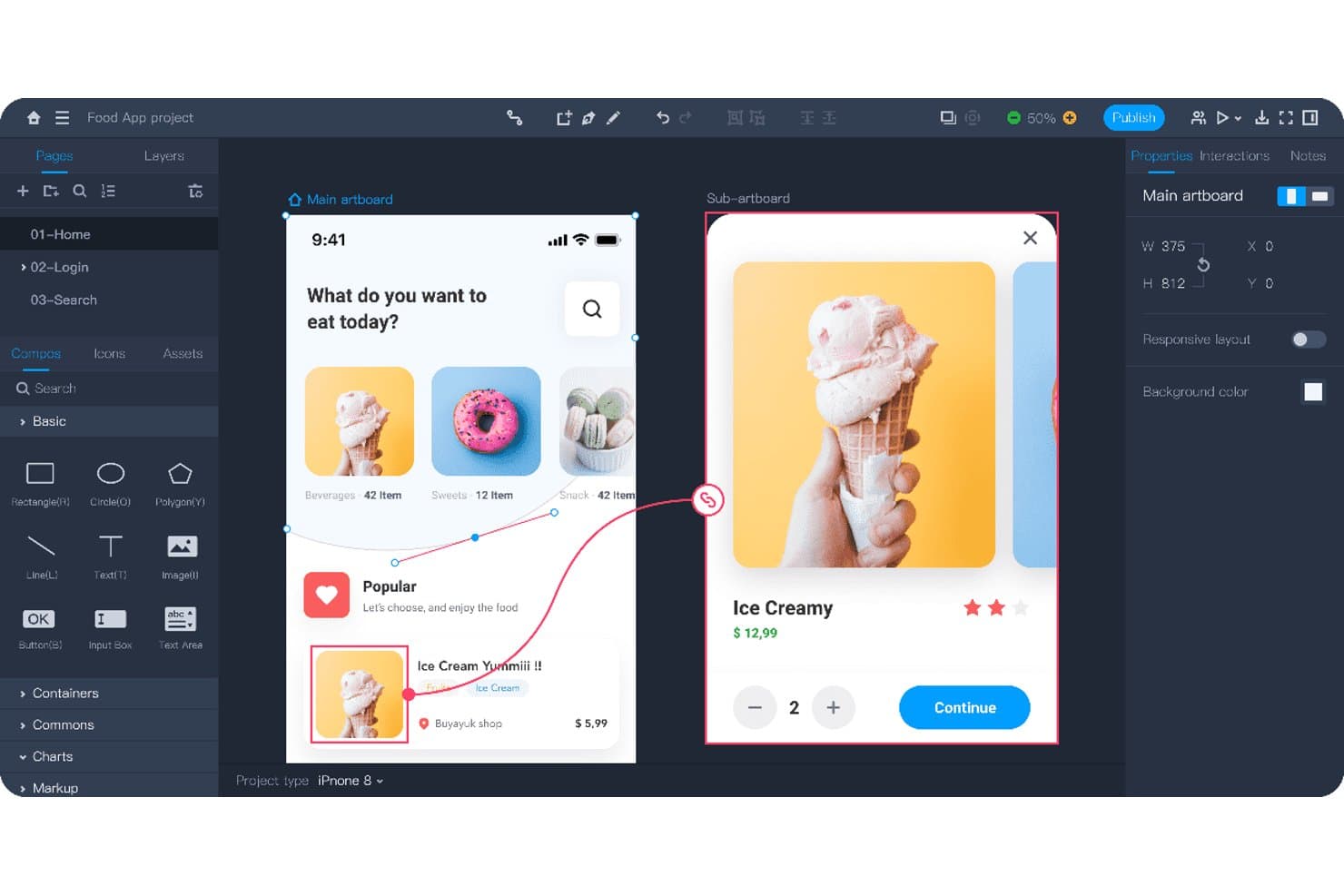
Mockplus lets users design interactive app prototypes with linked screens. Mockplus RP is a browser-based UI mockup and prototyping tool that covers wireframing, interactive prototype building, and developer handoff specs in a single editor.
Who Is Mockplus Best For?
Mockplus is a strong fit for product managers and UX/UI designers who need to move a concept from wireframe to interactive prototype to developer handoff without switching tools.
Why I Picked Mockplus
I've included Mockplus in my top picks because it keeps the entire UI mockup workflow in one place, from low-fi wireframe through interactive prototype to developer handoff with auto-generated specs and code snippets. I particularly like its Drag-to-Interact system, which lets you wire up gestures, animations, and overlay behaviors without touching code. That handoff layer, where CSS, Swift, and other code snippets generate automatically, is what makes it genuinely useful when your designs need to reach a dev team fast.
Mockplus Key Features
- Drag-to-Interact system: Wire up gestures, animations, and overlay behaviors between artboards by dragging connection lines directly on the canvas.
- Real-time co-editing: Team plan members can edit the same prototype simultaneously, with changes visible live across all collaborators.
- Axure RP import: Import Axure files with interactions and UI details intact, making it easy to migrate existing projects without rebuilding from scratch.
- Perpetual license option: Buy Mockplus RP with a one-time payment and get lifetime updates, rather than committing to an annual subscription.
Mockplus Integrations
Mockplus integrates with Figma, Sketch, Adobe XD, Photoshop, Axure, Slack, Jira, Confluence, and Lark. It also syncs with Mockplus Cloud for design review and developer handoff.
Pros and Cons
Pros:
- Real-time co-editing supports team reviews
- Axure imports preserve interactions
- One-tool wireframe-to-handoff workflow
Cons:
- Browser exports can misrender large files
- UI-only mockups exclude marketing scenes
Learn more about Mockplus: Best for AI-assisted wireframing with team feedback
- Free plan available
- From $9/user/month (billed annually)
Visit WebsiteCustomer Rating:4.3/5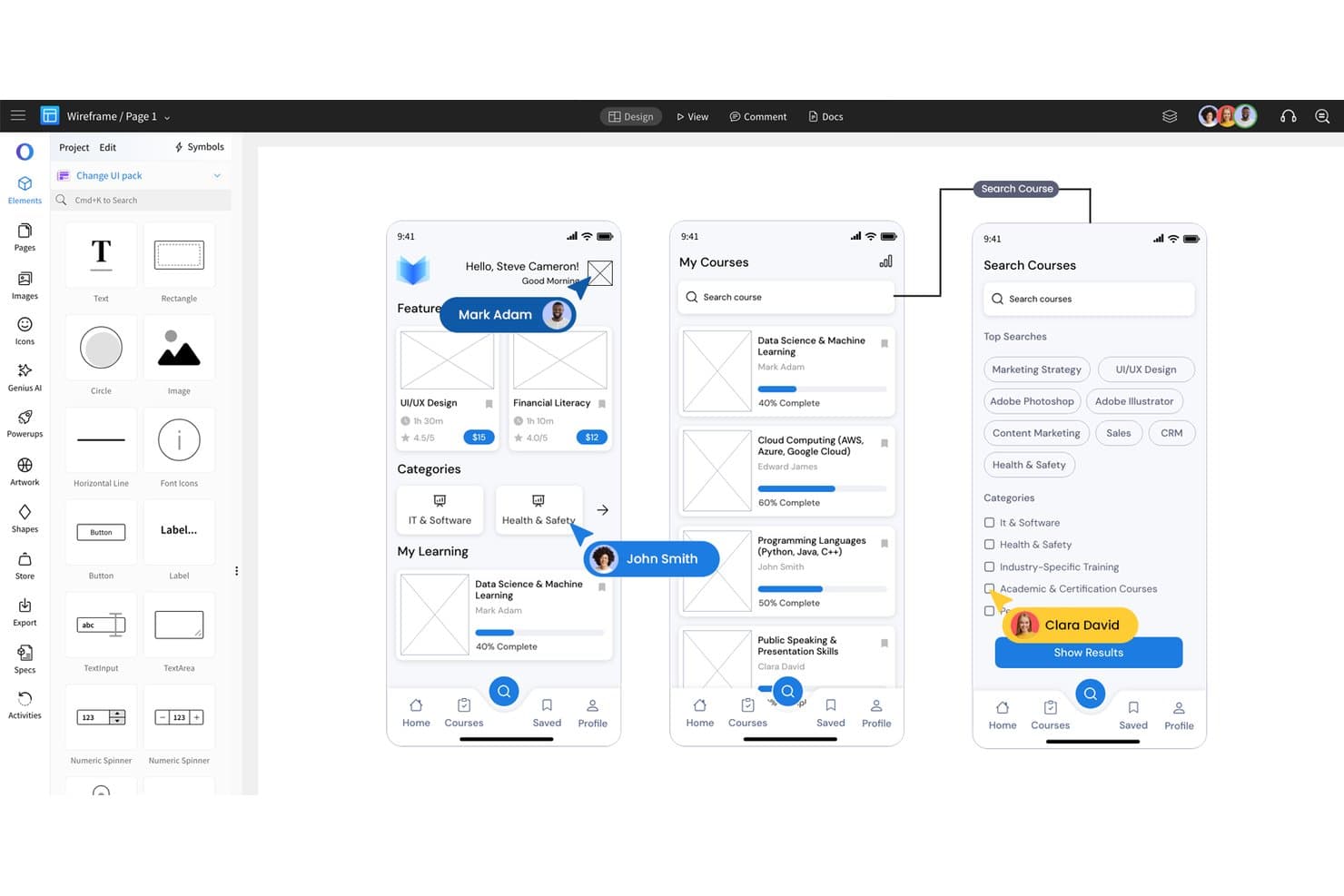
MockFlow lets users design mobile app wireframes with drag-and-drop UI elements. MockFlow is a wireframing and UI mockup platform that combines AI-assisted wireframe generation, interactive prototyping, a broad library of UI kits and templates, and built-in team collaboration tools.
Who Is MockFlow Best For?
MockFlow is a strong fit for product managers and cross-functional teams who need to move quickly from concept to stakeholder-ready wireframe without a steep learning curve.
Why I Picked MockFlow
MockFlow earns its spot on my shortlist because of how well it pairs AI-assisted wireframe generation with structured team feedback. I love that you can paste a URL or screenshot and get an editable wireframe in seconds, then immediately open it up for threaded comments and real-time co-editing with reviewers who never need a paid seat. Its AI design review feature also generates a report on your wireframe before it ever reaches a stakeholder.
MockFlow Key Features
- Interactive prototyping: Add click, hover, and scroll triggers to wireframe elements to create clickable flows, modals, and dropdown states for stakeholder walkthroughs.
- Build Mode code export: Generate production-ready code in React, Vue, Next.js, Tailwind, iOS, and Android directly from your wireframes on the Max plan.
- Reusable symbols and master pages: Define shared components, headers, and footers once, then sync them automatically across every page in your project.
- Board Connectors: Pull live data from tools like Jira, Linear, Asana, Notion, and GitHub directly into your wireframe boards to build kanbans and timelines from real project data.
MockFlow Integrations
MockFlow offers native integrations across 20+ business apps, including Figma, Jira, Confluence, Trello, Slack, Microsoft Teams, Google Meet, Google Docs, Google Drive, and GitHub. Its Board Connectors can pull live data from connected tools into whiteboards.
Pros and Cons
Pros:
- Broad UI kits speed early concepting
- Threaded feedback supports stakeholder review
- AI converts screenshots into editable wireframes
Cons:
- High-fidelity visual design remains limited
- No photorealistic device or packaging scenes
Learn more about MockFlow: Best for functional UI mockups with dev handoff
- Free plan available
- From $19/user/month
Visit WebsiteCustomer Rating:4.2/5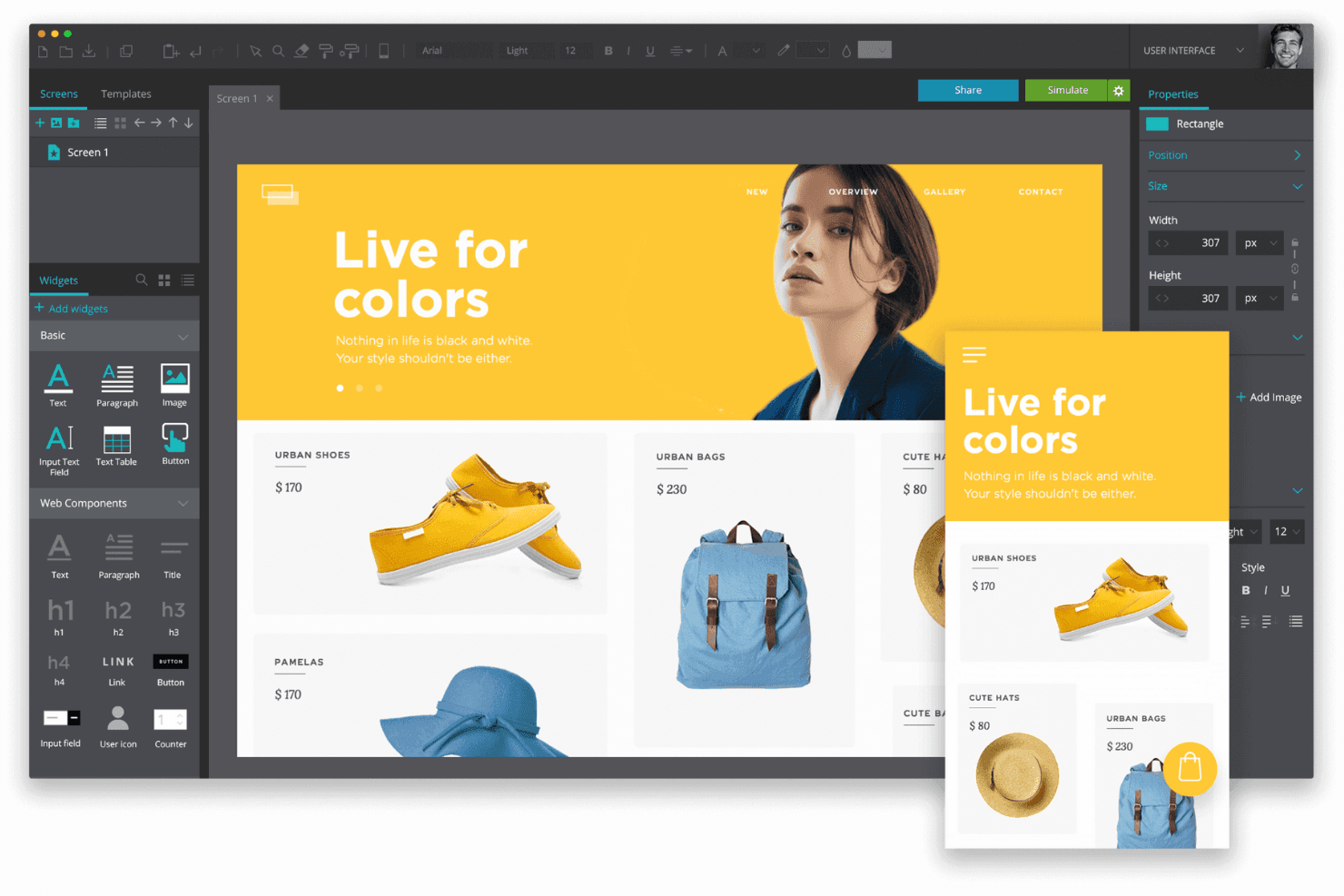
Justinmind helps product teams design and prototype responsive web and mobile interfaces. Justinmind is a desktop wireframing and interactive prototyping tool for web and mobile apps, covering everything from low-fidelity layouts to high-fidelity functional simulations with working forms, conditional logic, and device-frame previews.
Who Is Justinmind Best For?
Justinmind is a strong fit for UX/UI designers and product teams who need to build and share interactive, functional UI mockups that developers can actually hand off from.
Why I Picked Justinmind
I've included Justinmind in my top picks because it's built for functional UI mockups that go far beyond static screens. I love that you can wire up working forms with validation logic, conditions, and variables so stakeholders interact with a prototype that behaves like a real product. Developers can then inspect CSS, pull measurements, and generate spec documents in one click, which makes the handoff concrete rather than a guessing game.
Justinmind Key Features
- Device frame previews: Test and present prototypes inside regularly updated device frames, including iPhone 16, Pixel 9, and Galaxy S25, directly in the browser.
- 4,000+ interactive UI components: Access free UI kits spanning iOS, Android, Material Design, Bootstrap, Salesforce Lightning, and more for fast screen-building.
- CSV data import: Pull real data from .csv files into Data Masters to populate grids, lists, and forms with realistic content during prototyping.
- Figma and Sketch import: Bring in existing design files as editable layers, so you can continue building and adding interactions without starting from scratch.
Justinmind Integrations
Justinmind has native integrations with Jira, Azure DevOps Boards, and Confluence, plus imports from Figma, Sketch, Adobe Photoshop, Illustrator, and XD. Its Java/Eclipse plugin SDK supports custom integrations.
Pros and Cons
Pros:
- Developer-ready specs and measurements
- Thousands of reusable UI components
- Functional prototypes with working forms
Cons:
- No photorealistic product mockup scenes
- Desktop app limits browser-based collaboration
Learn more about Justinmind:
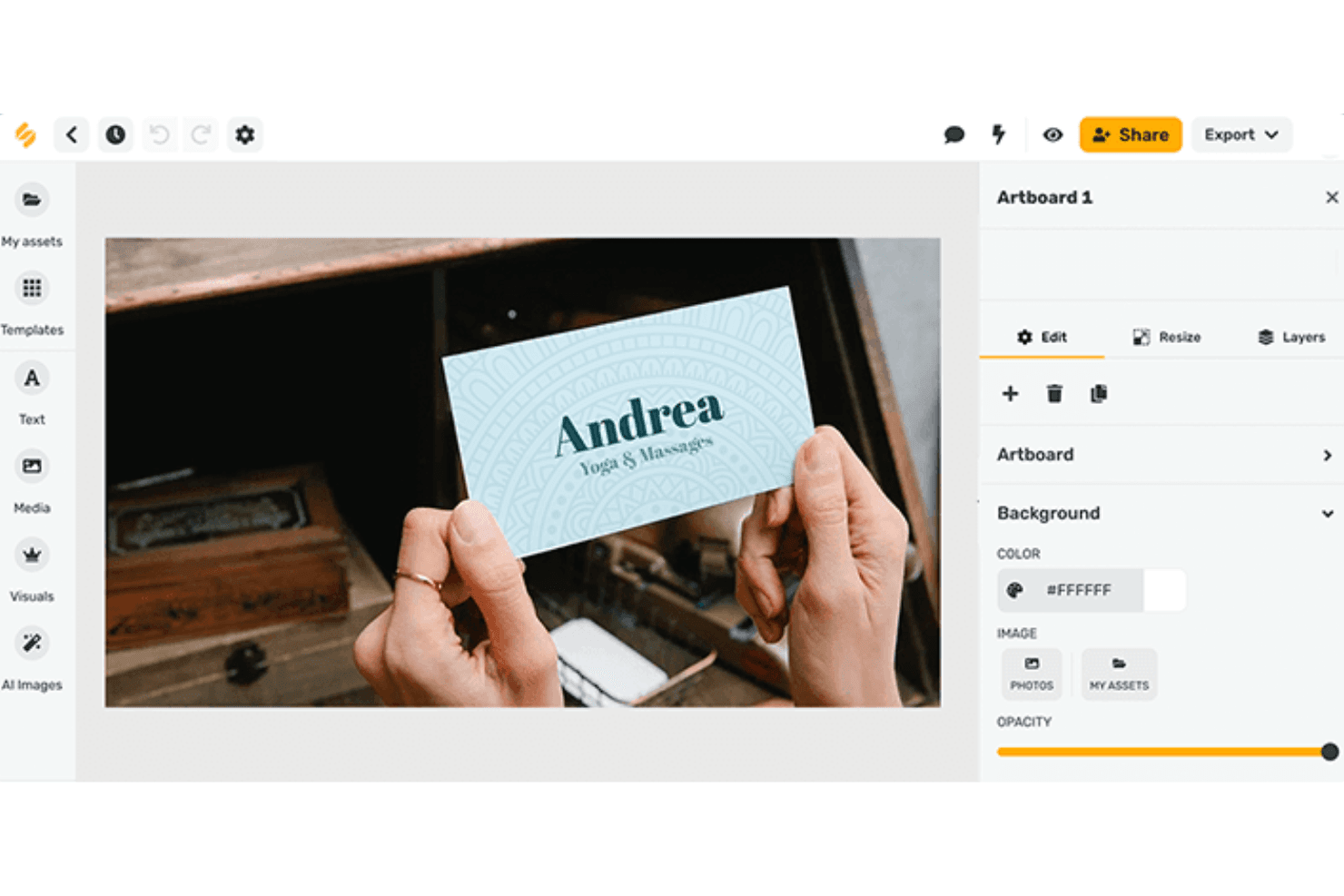
Picsart AI Mockup Generator offers intuitive design creation with intuitive tools, customizable templates, and smart AI features. Picsart is an AI creative platform with photo and video editing, AI image generation, and a dedicated mockup generator for apparel, packaging, merchandise, and outdoor advertising visuals.
Who Is Picsart Best For?
Picsart is a strong fit for marketing and brand teams that need photorealistic lifestyle, apparel, and product mockups without hiring a photographer or designer.
Why I Picked Picsart
I picked Picsart as one of the best because its AI Mockup Generator handles lifestyle and product visuals that would otherwise require a photoshoot. Upload a logo, choose a template, and you get photorealistic mockups across apparel, packaging, and outdoor ads. I'm also impressed by the Flow workspace, which turns a single upload into seven outdoor ad mockups (bus shelter, subway, billboard) plus short video clips with city motion and audio.
Picsart Key Features
- AI Mockup Generator: Upload a logo or design and place it on apparel, packaging, accessories, or promotional materials in seconds.
- Bulk editing: Process up to 100 images at once with consistent brand settings applied across the batch.
- Brand kits: Store brand colors, fonts, and logos in dedicated kits to keep visuals consistent across every project.
- Real-time co-editing in Flow: Work on mockup projects simultaneously with teammates, with live cursors, cursor chat, and threaded comments.
Picsart Integrations
Picsart connects with Slack, WhatsApp, and Telegram through AI agents, plus Google Ads and Meta Ads. Enterprise plans include APIs and editor SDKs for custom integrations; Zapier and Make are also supported.
Pros and Cons
Pros:
- Bulk editing supports repeatable campaign production
- Outdoor advertising mockups include matching videos
- Photorealistic lifestyle and product mockups
Cons:
- AI generations consume nonrefundable credits
- No dedicated wireframing or prototyping tools
Learn more about Picsart: Best for wireframing with Jira and Confluence
- Free plan available
- From $9/user/month (billed annually)
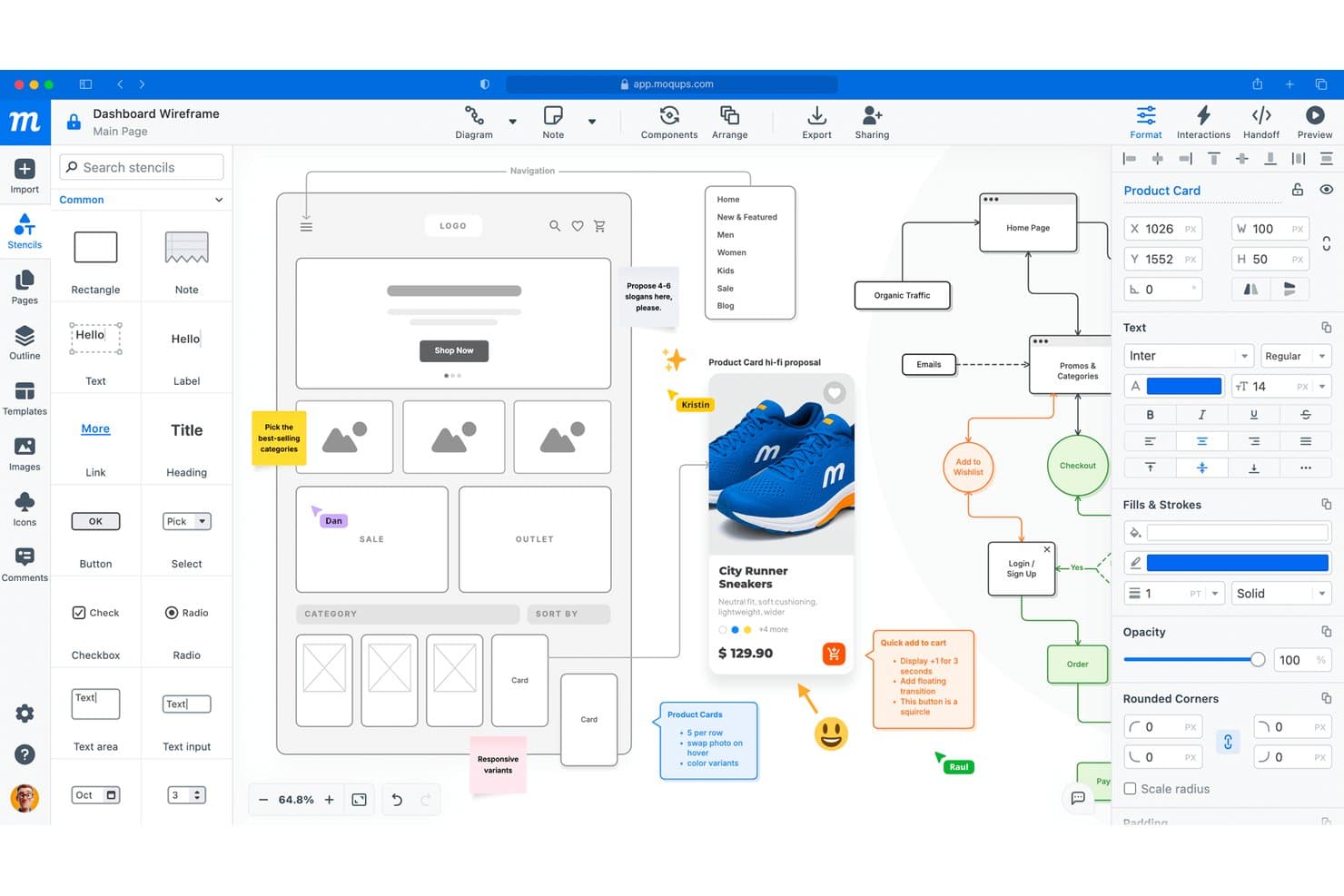
Moqups lets users wireframe, annotate, and collaborate in one canvas. Moqups is a browser-based wireframing and prototyping tool that combines UI mockups, flowcharts, diagrams, and interactive prototypes in a single workspace.
Who Is Moqups Best For?
Moqups is a strong fit for product managers and UX designers who need to wireframe, prototype, and diagram in one place—especially teams already working in Jira or Confluence.
Why I Picked Moqups
I've included Moqups in my top picks because it's the only wireframing tool I've found that lets you embed live mockups directly into Jira issues and Confluence pages, keeping your designs and tickets in sync without switching tabs. I also love that it covers wireframes, flowcharts, user flows, and interactive prototypes in one workspace, so a product manager can sketch a user journey and hand it to a designer without exporting anything.
Moqups Key Features
- Webpage-to-wireframe import: A Chrome and Firefox extension converts any live webpage or selected area into an editable Moqups layout, in either high-fidelity or grayscale low-fidelity style.
- Interactive prototyping: Add click, hover, or double-click triggers to objects that link pages or open URLs, then preview the full flow without leaving the browser.
- Developer handoff panel: Inspect any element to see its coordinates, size, fonts, and colors, and copy ready-to-use CSS or JSX directly from the panel.
- Multi-format export: Export pages as PNG (up to 3x resolution), password-protected PDF, or an offline interactive HTML viewer that preserves comments and prototype interactions.
Moqups Integrations
Moqups has documented integrations with Jira, Confluence, Figma, Google Drive, Dropbox, Box, Slack, and Trello. It also supports Balsamiq imports, but no public API is advertised.
Pros and Cons
Pros:
- Developer handoff includes CSS and JSX specs
- Wireframes, diagrams, and prototypes share one workspace
- Editable webpage imports accelerate concept exploration
Cons:
- No native prompt-to-wireframe generation
- No photorealistic device or packaging scenes
Learn more about Moqups: Best for beginners making device mockups
- Free trial + free plan available
- From $144/user/year (billed annually)
Visit WebsiteCustomer Rating:4.7/5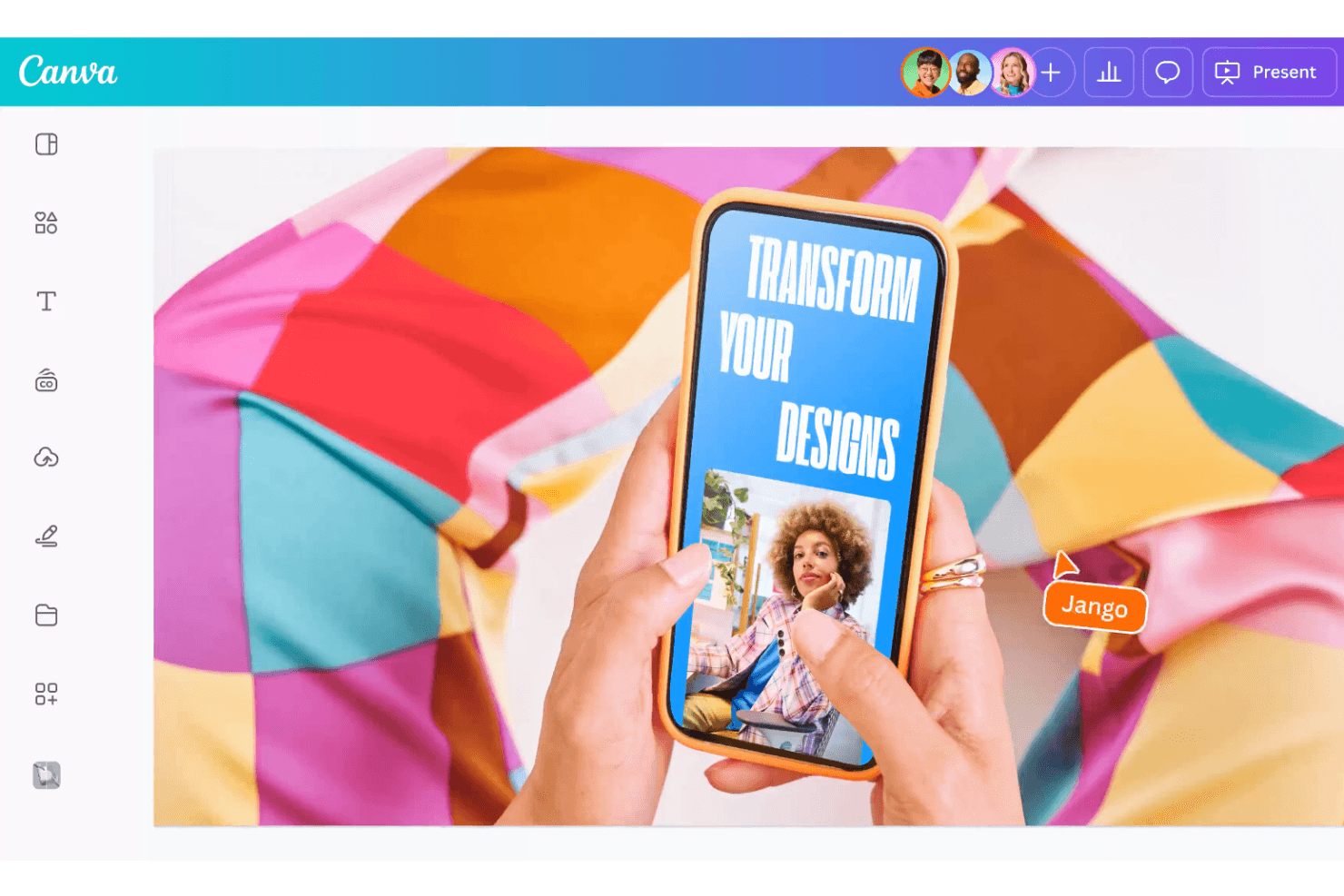
Canva makes transforming your designs easier with intuitive drag-and-drop tools and vibrant customization options. Canva is a drag-and-drop design platform with a dedicated mockup generator that covers device screens, apparel, packaging, and custom photo-based surfaces.
Who Is Canva Best For?
Canva is a great fit for marketers, freelancers, and non-designers who need polished device and product mockups without a steep learning curve.
Why I Picked Canva
Canva earns its spot as one of the best on my shortlist because its drag-and-drop mockup workflow genuinely removes the barrier for non-designers. I love that you can drop a screenshot directly onto a phone, laptop, or lifestyle scene and get a photorealistic device mockup without touching a single setting. The built-in AI Mockup Generator takes this further, turning an uploaded image into a finished mockup in one click.
Canva Key Features
- Custom mockup templates: Upload your own photo and Canva scans it for flat surfaces, letting you drop in a design and swap it out later with "Detach image."
- Video mockup support: Place video content directly onto device templates, available on both desktop and mobile.
- Brand Kit: Store your fonts, colors, and logos in a centralized kit so every mockup stays on-brand without manual setup each time.
- Multi-format export: Download finished mockups as PNG, SVG, PDF Print (300 dpi with CMYK), GIF, or 4K MP4, depending on your plan.
Canva Integrations
Canva offers marketplace integrations with Figma, OneDrive, Instagram, Facebook, LinkedIn, YouTube, and Mailchimp through its Apps Marketplace. Its developer platform and API support custom apps and integrations.
Pros and Cons
Pros:
- Video mockups support richer product presentations
- Huge mockup template variety speeds exploration
- Photorealistic device scenes need no setup
Cons:
- Precision controls trail dedicated design tools
- Busy custom photos can look less polished
Learn more about Canva: Best for design-to-dev handoff in one workspace
- Free plan available
- From $3/user/month
Visit WebsiteCustomer Rating:4.7/5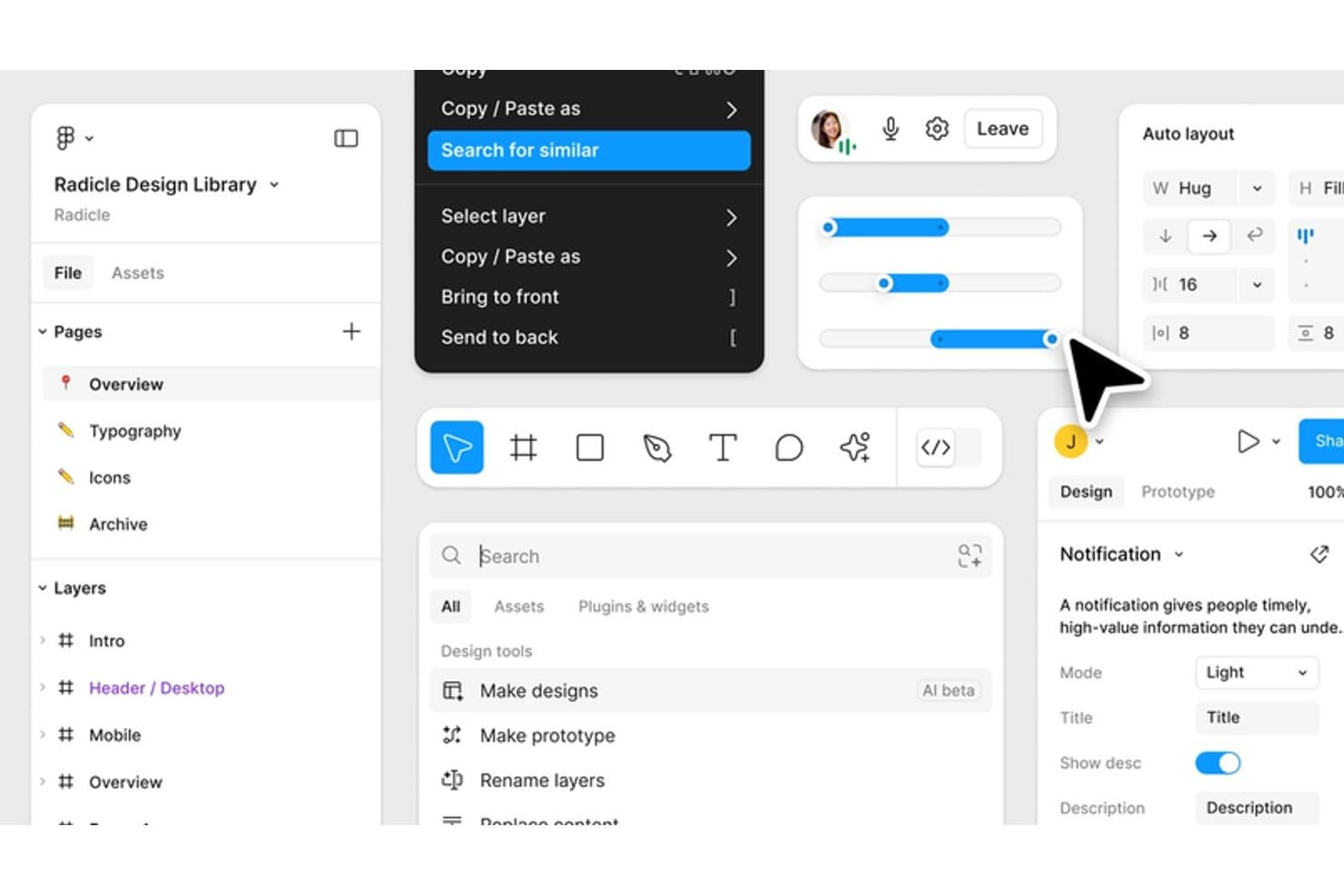
Figma lets users search for similar components via right-click menu. Figma is a browser-based design platform that combines UI mockup creation, interactive prototyping, AI-assisted design generation, and developer handoff tools in a single collaborative workspace.
Who Is Figma Best For?
Figma is a strong fit for UX/UI designers and product teams who need to move from mockup to developer handoff without switching tools.
Why I Picked Figma
Figma earns its spot on my shortlist because it's the only tool where mockup creation and developer handoff genuinely live in the same workspace. I love that Dev Mode lets developers inspect every layer, pull CSS or iOS/Android snippets, and compare changes side by side, all without a separate handoff file. Figma Make also lets me turn a rough prompt or existing design into a working, code-backed prototype in minutes.
Figma Key Features
- Real-time multiplayer editing: Multiple team members can work in the same file at once, with changes visible to everyone instantly.
- Figma Community device mockup library: Access 4,700+ free device mockup templates for phones, tablets, laptops, and more, with drag-and-drop placeholder support.
- Interactive prototyping: Add click, hover, and scroll interactions with Smart Animate transitions and conditional logic to create testable, shareable prototypes.
- Multi-format export: Export designs as PNG, JPG, SVG, or PDF at custom scales, with color profile options and bulk export support.
Figma Integrations
Figma has native integrations with Jira, Confluence, Linear, Productboard, Slack, VS Code, Storybook, GitHub, Maze, and UserTesting. It also offers an open REST API, plugin and widget ecosystem, and Zapier.
Pros and Cons
Pros:
- Real-time stakeholder feedback and review
- Granular component and layer customization
- Polished UI mockups and prototypes
Cons:
- Large files can introduce lag
- No native photorealistic product scenes
 Best for non-designer UI mockups with AI input
- Free plan available
- From $14/user/month
Visit WebsiteCustomer Rating:4.8/5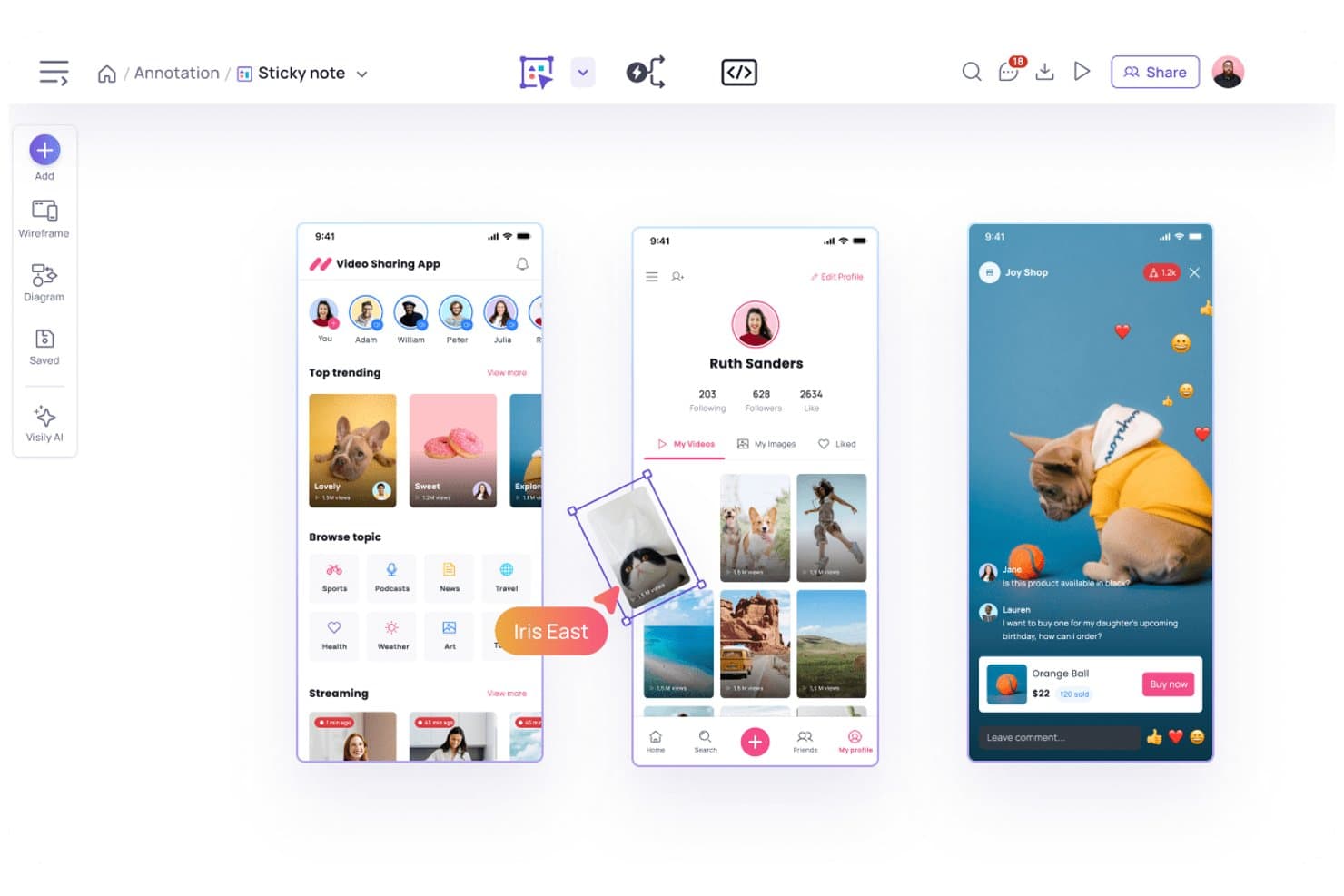
Visily lets users create and annotate mobile app mockups visually. Visily is an AI-powered wireframing and UI mockup tool that lets you generate editable screens from text prompts, screenshots, and hand-drawn sketches, with prototyping and real-time collaboration built in.
Who Is Visily Best For?
Visily is a strong fit for product managers and startup teams who need to turn ideas into clickable UI mockups without relying on a dedicated designer.
Why I Picked Visily
I picked Visily as one of the best because it genuinely removes the design skill barrier from UI mockup creation. I love how its text-to-design feature turns a plain-language description into full, editable screens, including navigation and content blocks, without touching a single design tool setting. Its screenshot-to-design input is equally practical: upload a screenshot of an existing app, and Visily converts it into a wireframe you can rework from scratch.
Visily Key Features
- Sketch-to-design conversion: Upload a photo of a hand-drawn sketch and Visily turns it into an editable wireframe you can refine on the canvas.
- Interactive prototyping: Auto-Prototype links your screens into clickable flows with swipe, hover, and overlay interactions, no manual linking required.
- Real-time co-design: Multiple team members can edit the same canvas simultaneously, with comment threads, follower mode, and granular workspace permissions.
- Export to code: Pro and Business plans let you export designs as React, TypeScript, Tailwind, and shadcn/ui code via the MCP server or direct export.
Visily Integrations
Visily offers native integrations with Figma, Jira, Notion, Slack, and Google for design handoff, embedded boards, collaboration, and invitations. Pro and Business plans also include an MCP server for connecting AI coding agents.
Pros and Cons
Pros:
- Supports real-time feedback across product teams
- Automatically links screens into clickable prototypes
- Converts text, screenshots, and sketches into editable mockups
Cons:
- AI edits can redraw entire screens unexpectedly
- Cannot create photorealistic device or product scenes
Learn more about Visily: Best for marketing-focused device and brand mockups
- Free plan + demo available
- From $12.25/user/month (billed annually)
Visit WebsiteCustomer Rating:4.5/5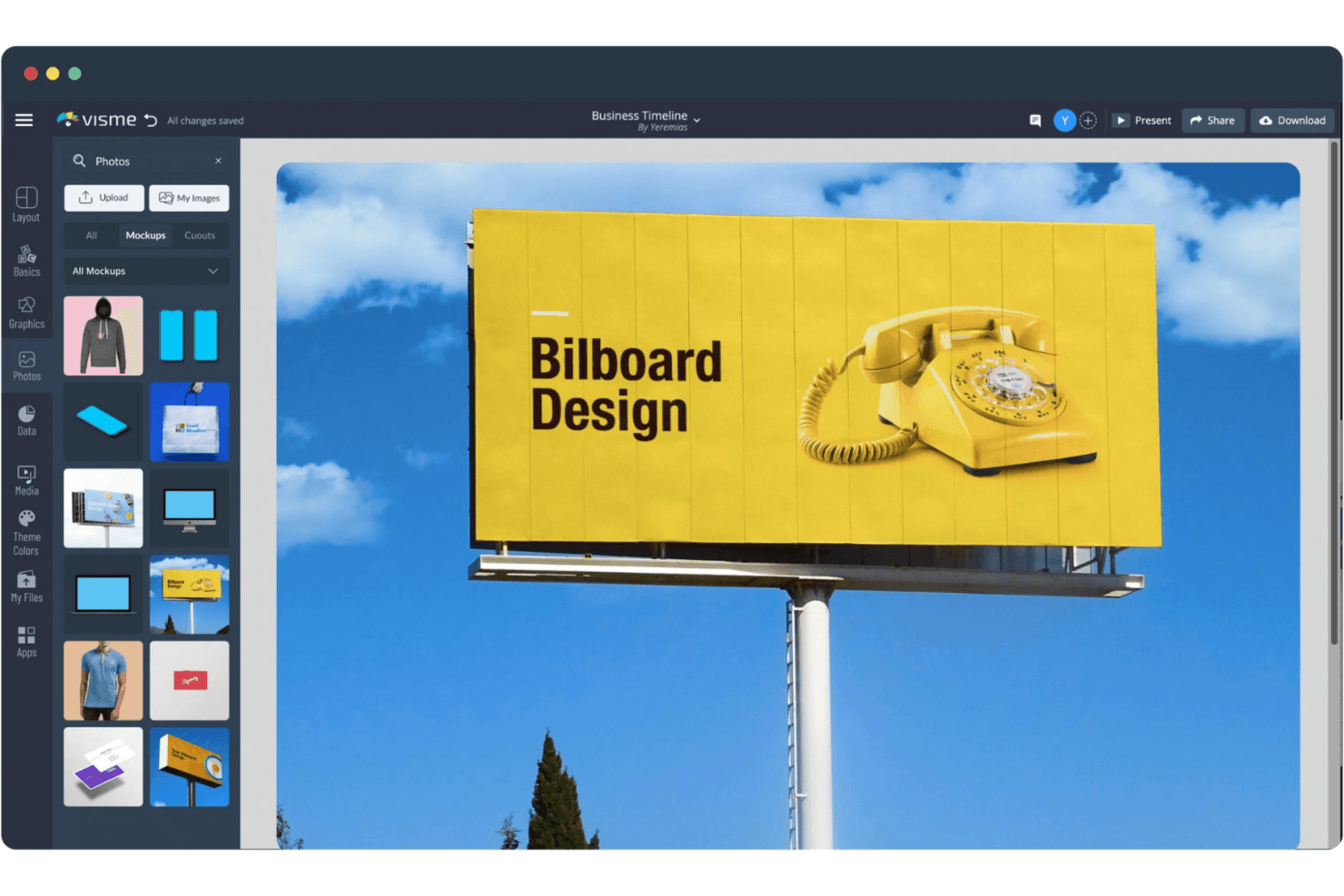
Visme's Mockup Generator lets you create stunning, realistic mockups with customizable templates and a drag-and-drop editor. Visme is a browser-based mockup generator that lets you create realistic device, apparel, packaging, and print mockups using a drag-and-drop editor and a large library of pre-built templates.
Who Is Visme Best For?
Visme suits marketing and brand teams that need polished device, packaging, and apparel mockups without a steep design learning curve.
Why I Picked Visme
Visme earns its spot on my shortlist because its mockup library covers the full range of marketing asset types in one place: device screens, branded apparel, packaging, and print collateral. I love that you can drop a real app screenshot directly onto an iPhone or MacBook frame and get a polished, perspective-correct image in minutes. The built-in Brand Kit also lets marketing teams lock in fonts, colors, and logos so every mockup stays on-brand without extra back-and-forth.
Visme Key Features
- AI image generator: Create custom images from a text prompt using Visme's built-in Dreamscape-powered AI tool, without leaving the editor.
- Real-time co-editing and commenting: Teammates and clients can edit projects and leave comments simultaneously, with Slack notifications for new activity.
- Multi-asset export formats: Export finished mockups as JPG, PNG, PDF, PPTX, MP4, or GIF depending on your plan.
- Whiteboards: Use built-in whiteboards for brainstorming and mind-mapping sessions directly within the platform.
Visme Integrations
Visme offers native integrations with Google Drive, Dropbox, OneDrive, Slack, monday.com, Unsplash, and GIPHY. It also supports Zapier.
Pros and Cons
Pros:
- Real-time comments support stakeholder feedback
- Brand Kit keeps marketing mockups consistent
- Covers devices, apparel, packaging, and print
Cons:
- Reported lag affects larger projects
- Doesn’t support interactive UI prototyping
Learn more about Visme:
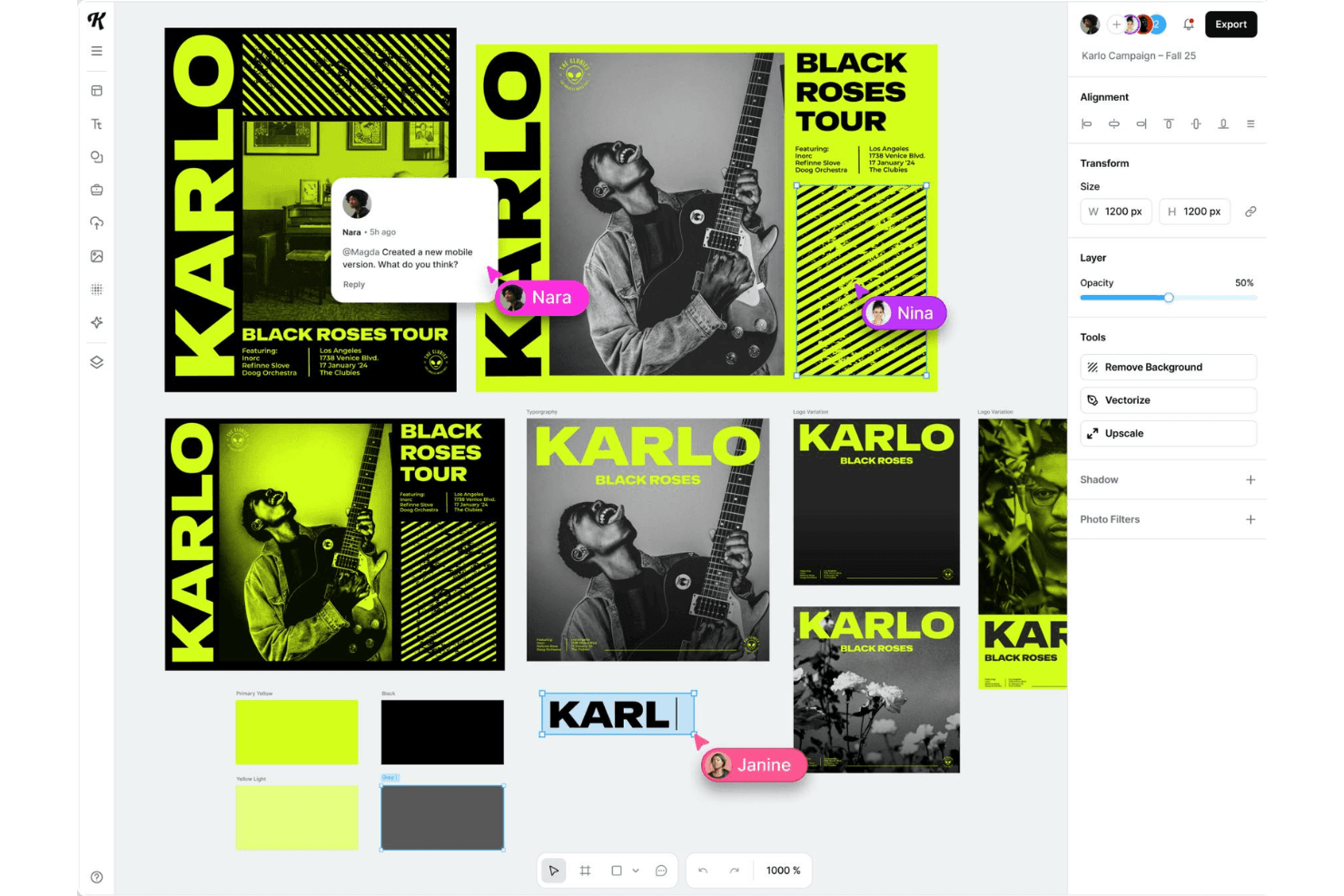
Kittl Mockup Generator streamlines mockup design with background removal, vectorization, and upscaling tools for crisp, professional visuals. Kittl is a browser-based design platform that combines a product mockup generator, vector and typography editor, AI image and video generation, and a template library spanning apparel, packaging, drinkware, and marketing visuals.
Who Is Kittl Best For?
Kittl is a strong fit for freelance designers, brand teams, and print-on-demand sellers who need polished product mockups paired with deep typography and vector editing tools.
Why I Picked Kittl
Kittl earns its spot as one of the best on my shortlist because of how deep its typography toolset actually goes. With 1,400+ fonts including exclusive Monotype typefaces, layered text effects like 3D shadows, arch and wave distortions, and glyph-level control over ligatures and swashes, I've seen it produce type treatments that would take far longer in other tools. Pair that with live-linked canvas mockups across apparel, packaging, and drinkware categories, and your type-heavy designs update across every product view instantly.
Kittl Key Features
- Bulk mockup creation: Upload a design once and preview it across thousands of product variants, then select and download multiple colors and styles in one batch.
- Real-time co-editing: Invite collaborators by email or shareable link, with live presence avatars and instant syncing across editor and viewer roles.
- Brand feature: Store logos, colors, fonts, and graphics in a brand kit and apply them to any template in a single click.
- Print-ready export: Download designs at up to 10,800 px at 300 DPI in PNG, JPEG, SVG, PDF, or MP4, with CMYK support for print production files.
Kittl Integrations
Kittl offers integrations with Printful, Pinterest, Dropbox, and Pexels, plus apps for QR Code, GIF Maker, POD Presets, Search Content, and Bulk Mockups.
Pros and Cons
Pros:
- Print-ready exports with live-linked mockups
- Bulk previews across thousands of products
- Deep typography controls for branded mockups
Cons:
- AI token limits can frustrate users
- Limited support for digital product mockups
Learn more about Kittl:
Other Mockup Generators
Here are some additional mockup generator options that didn’t make it onto my shortlist, but are still worth checking out:
- 11RotatoBest for 3D device mockup videos
- 12Magnific DesignerBest for AI mockups from a 50,000+ template library
- 13BalsamiqBest for lo-fi wireframes without design skills
- 14PacdoraBest for packaging mockups with dieline exports
- 15UizardBest for AI-driven UI mockups without design skills
- 16Artboard StudioBest for AI-generated product and apparel scenes
- 17MockeyBest for AI-generated device mockups
- 18RecraftBest for prompt-to-mockup without design skills
- 19MediamodifierBest for print and packaging mockup libraries
- 20Mockuuups StudioBest for intuitive drag-and-drop device scenes
How I Evaluate Mockup Generators
I split my evaluation into three parts, with the most weight on core tasks: create editable mockups and share them for feedback. Next, I look for distinguishing features like AI-generated device scenes. Finally, I consider factors beyond features, including pricing, onboarding, support, and security.
Core Functionality (Table Stakes For This List)
When I'm selecting tools for my list, I score each one on a scale from 0 (does not offer the functionality) to 5 (excels in this area) for each core functionality listed below. I then convert the total into a percentage to help assess each tool's overall fit, with extra weight on any functionalities I’ve deemed essential.
- Visual Mockup Creation (Essential): I assess whether a tool can produce clear mockups for product screens, packaging, or campaign concepts that teams can present and discuss.
- Element Customization (Essential): I look for control over text, images, colors, and layout, such as adjusting a screen concept to reflect feedback.
- Templates and Assets: I consider the range of ready-made UI layouts, device frames, and scenes available for starting different mockup projects.
- Export and Sharing: I check whether teams can export usable images or share links to circulate a concept with stakeholders.
- Collaboration and Feedback: I evaluate whether people can view, comment on, or edit a mockup together during a design review.
Once I have a list of tools that meet the criteria, I consider what sets each platform apart.
Differentiating Factors (What Sets Vendors Apart)
Here's how I compare and contrast different vendors:
Standout Features
I look for AI mockup generation that turns a text prompt or screenshot into a usable layout, since PMs often need a shareable concept before a designer is available. Developer handoff specs matter just as much—I check whether a tool auto-generates redlines and code snippets so engineering doesn't wait on manual documentation. I also evaluate built-in user testing integration, which lets teams validate a prototype flow with real users before committing development resources.
Beyond Features
I check whether non-designers—PMs, founders, marketers—can jump in without training, since a tool that only designers understand slows every review cycle. Integration with your existing stack matters just as much; native connections to Jira, Slack, or Figma mean mockups stay linked to tickets and conversations instead of living in a silo. I also look at how licensing scales, because a per-seat model that works for a three-person team can get expensive fast at twenty.
How to Choose a Mockup Generator
It’s easy to get bogged down in long feature lists and complex pricing structures. To help you stay focused as you work through your unique software selection process, here’s a checklist of factors to keep in mind:
| Factor | What to Consider |
| Scalability | Ensure the tool can grow with your needs, accommodating more projects or users as your team expands. Look for flexible plans and the capacity to handle large volumes. |
| Integrations | Check if it integrates with tools you already use, like Adobe or Slack. Smooth integrations with your existing tech stack can save time and enhance workflow efficiency for your team. |
| Customizability | Look for tools that allow you to tailor templates and designs to fit your brand's unique style. Custom options can enhance creativity and brand consistency. |
| Ease of Use | Choose a user-friendly interface that minimizes the learning curve. An intuitive design helps your team start creating quickly without needing extensive training. |
| Budget | Assess whether the pricing aligns with your financial constraints. Consider the long-term value and whether the features justify the cost for your organization. |
| Security Safeguards | Ensure the tool offers data protection and complies with industry standards. Security measures protect sensitive design assets and maintain client trust. |
| Support | Evaluate the level of customer support available, such as live chat or a knowledge base. Reliable support can resolve issues quickly and keep your projects on track. |
| Feature Set | Determine if the tool provides essential features like high-resolution exports and diverse templates. A detailed feature set can meet varied design needs. |
Trends in Mockup Generators
In my research, I sourced countless product updates, press releases, and release logs from different mockup generator vendors. Here are some of the emerging trends I’m keeping an eye on:
- AI-Driven Design: AI is being used to automate design processes, making it easier to create mockup images quickly. Tools like Picsart AI Mockup Generator are incorporating AI to enhance creativity with features like automatic image generation and background removal.
- 3D Mockups: There's a growing demand for 3D mockups to provide a more immersive experience. Rotato is leading in this area by allowing users to create dynamic 3D presentations that bring products to life.
- Real-Time Collaboration: As remote work becomes more common, real-time collaboration features are in demand. Tools are adding capabilities that let teams work together on projects simultaneously, improving productivity and creativity.
- Customizable Typography: The ability to customize text styles is becoming more important. Many tools are focusing on typography features, allowing users to create unique text elements that enhance their designs.
- High-Resolution Exports: High-quality exports are essential for professional presentations and print materials. Vendors are improving their export options to ensure designs maintain clarity and detail, catering to businesses that need top-notch visuals.
What Is a Mockup Generator?
A mockup generator is a tool used to create visual representations of products or designs. Designers, marketers, and product managers typically use these tools to visualize concepts and present ideas to clients or stakeholders. Features like AI-driven design, 3D mockups, and real-time collaboration help with creating engaging and professional visuals quickly and efficiently. Overall, these tools enhance creativity and improve communication by providing clear and attractive visual content.
Features of Mockup Generators
When choosing a mockup generator, it’s worth focusing on features that help you bring your designs to life across various formats—from t-shirt mockups to business cards, hoodies, stickers, and more.
- AI-generated design support: Save time and boost creativity with AI that helps generate polished visuals and suggest mockup styles tailored to your content.
- 3D mockup creation: Perfect for showcasing products like packaging or devices, 3D mockups add depth and motion to your presentations—great for creating immersive real-life previews.
- Collaborative workspace: Tools with real-time collaboration let your team co-edit projects, which improves both productivity and the user experience.
- Custom typography options: Go beyond standard fonts with customizable text elements—ideal for specific or niche branding-focused items like book mockups, tote bags, or promotional posters.
- High-resolution output: Whether you're exporting a flat lay t-shirt mockup or prepping a print-ready business card, you’ll want crisp detail and image clarity for professional results.
- Diverse mockup templates: A variety of pre-built templates can help speed up the creative process and provide visual inspiration.
- Drag-and-drop editing tools: Quickly test design ideas, swap backgrounds, or adjust layout elements without needing advanced skills.
- Background removal tools: Useful for cleaning up product shots or isolating graphics, this feature helps you keep the focus on what matters.
- Image upscaling: HD upscaling tools sharpen and enhance your visuals, making them ready for high-impact presentations or large-scale prints.
- Learning resources: Look for platforms with tutorials, demos, and creative guides—especially helpful if you're just starting out or want to level up your design skills.
Benefits of Mockup Generator Tools
A mockup generator could provide several benefits for your team and your business. Here are a few you can look forward to:
- Enhanced creativity: AI-driven design features help teams quickly generate innovative ideas and explore new design possibilities.
- Improved collaboration: Real-time collaboration tools allow team members to work together efficiently, leading to better project outcomes.
- Time savings: Features like drag-and-drop functionality and template variety speed up the design process, allowing teams to focus on other tasks.
- Professional quality: High-resolution exports ensure that mockups are crisp and clear, making them suitable for client presentations and marketing materials.
- Brand consistency: Customizable typography and design elements help maintain a consistent brand image across all visual content.
- Cost-effective solutions: Mockup generators reduce the need for expensive design software and resources by offering essential features at a lower cost.
- Enhanced training and support: Access to training resources helps teams quickly learn and make the most of the tool, increasing overall productivity.
Costs and Pricing of Mockup Generators
Selecting a mockup generator tool requires an understanding of the various pricing models and plans available. Costs vary based on features, team size, add-ons, and more. The table below summarizes common plans, their average prices, and typical features included in mockup generator solutions:
Plan Comparison Table for Mockup Generators
| Plan Type | Average Price | Common Features |
| Free Plan | $0 | Access to basic templates, limited exports, and a watermark on designs. |
| Personal Plan | $5-$25/user/ month | Access to premium templates, high-resolution exports, and basic customization options. |
| Business Plan | $30-$75/ user/month | Team collaboration features, advanced customization, high-resolution exports, and priority support. |
| Enterprise Plan | $100+/user/ month | Full feature access, unlimited exports, dedicated account manager, custom integrations, and enhanced security. |
Mockup Generator FAQs
Here are some answers to common questions about mockup generators:
How to use a mockup generator?
To use a mockup generator, start by selecting a template that fits your needs. Upload your design and adjust it using the available tools. Customize elements like text and colors to align with your brand. Once you’re satisfied, download the final mockup for use in presentations or marketing.
Which is the best free mockup generator without a watermark?
Mockey is often recommended as the best free mockup generator without watermarks. It allows you to create mockups and download them without any branding. While many free platforms exist, they usually add watermarks to the final product, making Mockey a standout choice.
Is mockup AI free?
Yes, Mockup AI offers free options for creating mockups. You can use its drag-and-drop tool to customize designs and export high-resolution images without any cost. It’s a great way to experiment with AI-driven design without committing to a paid plan.
What makes a good mockup?
A good mockup successfully integrates creative scene setting with realistic design inclusion. It should highlight the product’s features and make it appealing to potential clients or stakeholders. Quality mockups enhance presentations and marketing materials by providing a clear visual representation.
Can mockup generators improve team collaboration?
Yes, many mockup generators include features that enhance team collaboration. Real-time editing and sharing options allow multiple users to work on the same project simultaneously. This can lead to more efficient workflows and better communication among team members.
How often do mockup generators update their templates?
Mockup generators typically update their templates regularly to keep up with design trends and user demands. Updates may include new categories, styles, and features to offer more variety and creativity. Staying current with these updates can help you maintain a fresh and relevant design portfolio.