

Mockups play a big role when you’re developing ideas, sharing concepts, or shaping a project. Finding a simple way to create them can make the entire process easier. AI mockup generators help automate repetitive design tasks, allowing you to focus on the aspects that truly require your attention.
In my experience, AI features like automatic layout suggestions and realistic rendering can transform how you approach mockup creation. You need reliable solutions that understand your requirements and adapt to your workflow.
In this article, I’ll share my unbiased review of the best AI mockup generators on the market. You’ll discover tools that can enhance your team's productivity and creativity. Let's dive into the options that can make your design process more effective.
Why Trust Our Software Recommendations
6,700+
Reviews
20
Industry experts
16+
Evaluation factors
14
Years
Our team has been testing and reviewing software since 2012. As product managers ourselves, we know how difficult—and important—it is to choose the right software.
For this guide, we evaluated tools using hands-on testing and independent research, scoring tools using our selection criteria.
Our reviews reflect our human editorial judgment, not a sales pitch.
Expert reviewers:
- Andrew LumbySenior TPM
- Cristiano ValimSenior UI/UX Lead


AI Mockup Generator Comparison Table
This comparison table summarizes pricing details for my top AI mockup generator selections:
| Tool | Best For | Trial Info | Price | ||
|---|---|---|---|---|---|
| 1 | Best for all-in-one mockup editing and brand kits | Free trial + free plan available | From $144/user/year (billed annually) | Website | |
| 2 | Best for product and packaging mockups at scale | Free plan available | From $3.99/user/month (billed annually) | Website | |
| 3 | Best for ecommerce product shots with scene generation | Free plan available | From $24.50/month (billed annually) | Website | |
| 4 | Best for e-commerce and branding with 3D mockups | Not available | From $15/month | Website | |
| 5 | Best for brand kit-driven merch mockup creation | Free plan available | From $14/month (billed annually) | Website | |
| 6 | Best for art-to-mockup conversion in one canvas | Free plan available | From $10/month (billed annually) | Website | |
| 7 | Best for photo-to-mockup templates in a full editor | 7-day free trial | From $14/month | Website | |
| 8 | Best for free AI mockups with wide range of templates | Free plan available | From $5.7/month (billed annually) | Website | |
| 9 | Best for batch-generating ecommerce product visuals | Free plan available | From $5/month | Website | |
| 10 | Best for scaling product mockups via API or bulk | Free plan available | From $19/month | Website |


Best AI Mockup Generator Reviews
Below are my detailed summaries of the best AI mockup generators that made it onto my shortlist. My reviews offer a detailed look at the key features, pros & cons, integrations, and ideal use cases of each tool to help you find the best one for you.
 Best for all-in-one mockup editing and brand kits
- Free trial + free plan available
- From $144/user/year (billed annually)
Visit WebsiteCustomer Rating:4.7/5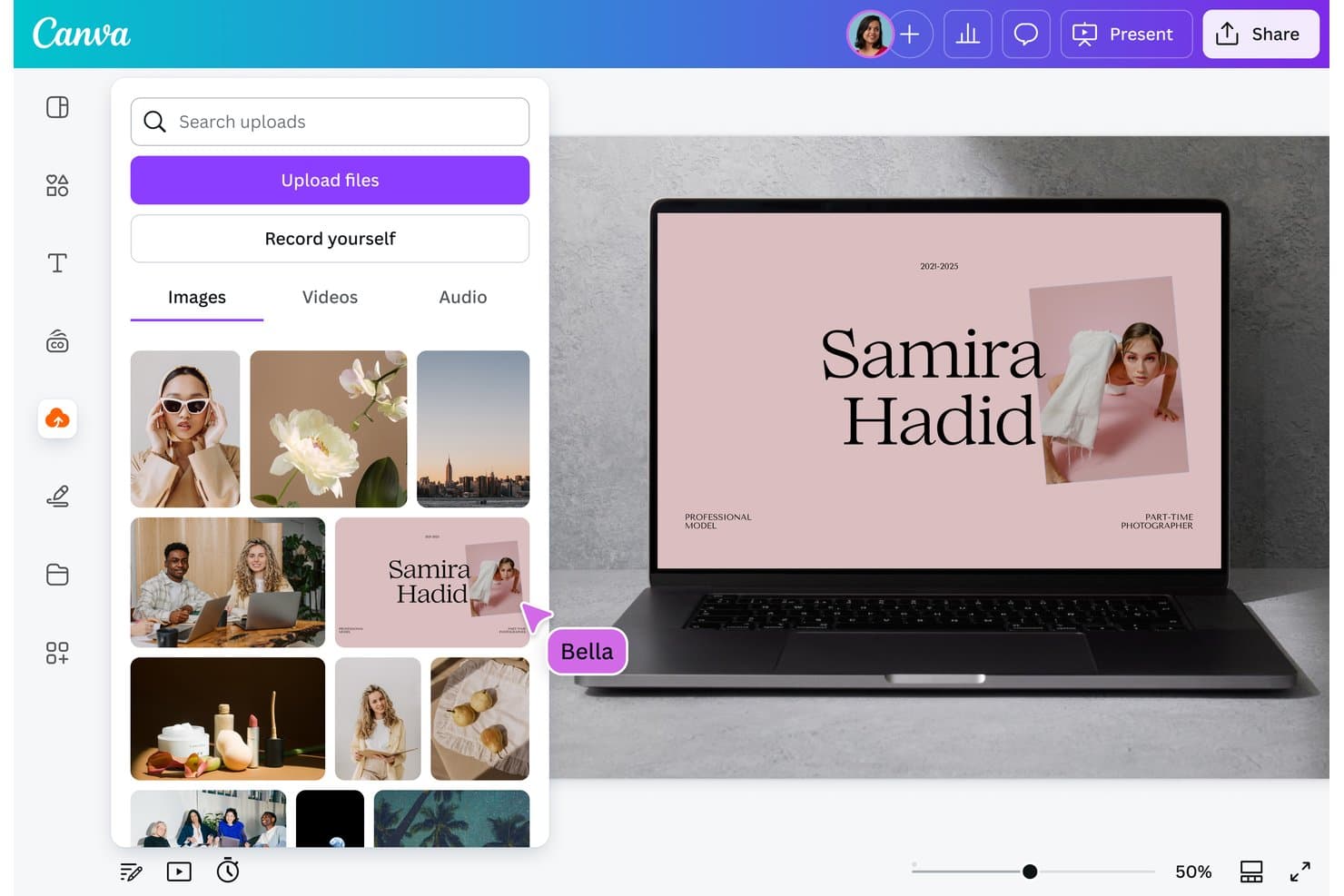
Canva lets users upload images to build AI-generated mockup designs. Canva is a visual design platform with an AI-assisted mockup generator, an extensive device and product scene library, and a full suite of editing tools spanning image generation, brand kits, and bulk content creation.
Who Is Canva Best For?
Canva is a strong fit for marketing and brand teams that need to produce polished, on-brand mockup visuals without juggling multiple design tools.
Why I Picked Canva
Canva earns its spot on my shortlist because it pulls mockup creation, editing, and brand management into a single workspace. I love that Brand Kits carry your fonts, colors, and logo into every mockup automatically, which keeps a product launch campaign visually consistent across dozens of assets. The surface-detection feature also lets me drop a design onto any uploaded photo, turning a clean desk shot into a branded device mockup without a separate tool.
Canva Key Features
- Dream Lab image generator: Enter a text prompt to generate four AI image variations you can use as custom mockup scenes or product backgrounds.
- Bulk Create: Upload a CSV or spreadsheet to auto-populate design placeholders across hundreds of mockup layouts in one pass.
- Magic Eraser and Magic Edit: Remove or replace specific elements within a photo directly inside the Canva editor, without a separate tool.
- Version history: Access and restore up to 1,000 saved design versions, with per-editor avatars showing who made each change.
Canva Integrations
Canva has marketplace integrations via its Apps Marketplace, including Figma to Canva, Brandfetch, OneDrive, Mailchimp, Instagram, Facebook, LinkedIn, and YouTube. It also offers Connect API, App SDK, Admin API, and an official n8n node for custom integrations.
Pros and Cons
Pros:
- Full editor polishes stakeholder-ready mockups
- Brand kits keep mockups visually consistent
- Extensive device and product scene library
Cons:
- Mockup colors can appear dull
- AI relies on templates, not prompts
Learn more about Canva: Best for product and packaging mockups at scale
- Free plan available
- From $3.99/user/month (billed annually)
Visit WebsiteCustomer Rating:4.4/5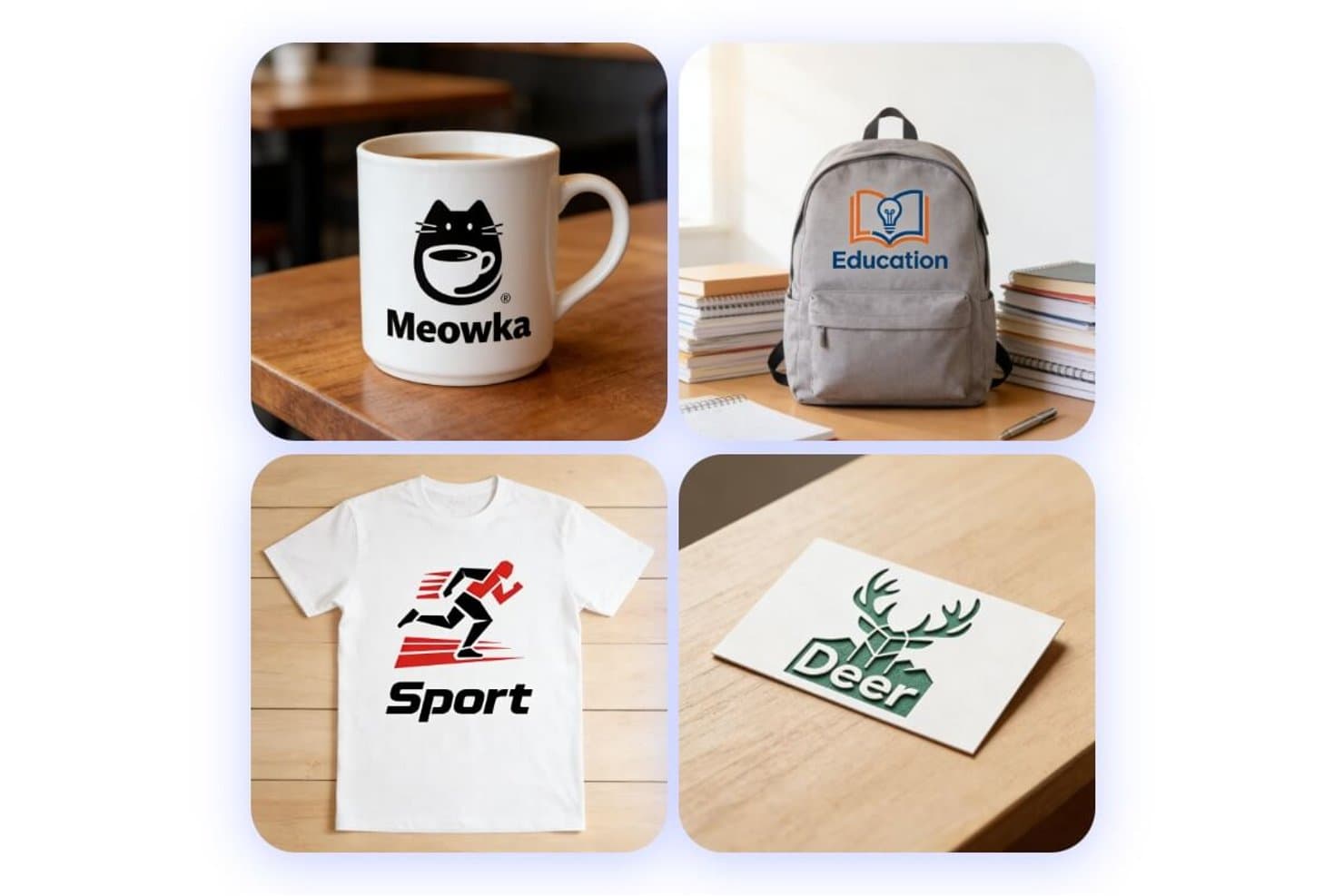
Fotor generates diverse product mockups from text prompts. Fotor is an AI mockup generator that covers product, packaging, apparel, and logo mockups through prompt-based generation, batch variation output, and a suite of e-commerce product photography tools.
Who Is Fotor Best For?
Fotor is a strong fit for marketing and e-commerce teams that need to produce high-volume product, packaging, and logo mockups without a dedicated design resource.
Why I Picked Fotor
I picked Fotor as one of the best because its packaging pipeline goes well beyond simple template swaps: you can feed it a sketch, a dieline, or a product photo and get back a fully rendered 3D mockup of bags, cans, bottles, or boxes in one pass. I also love that the batch variation tool auto-generates style, color, and theme alternatives in a single run, which is exactly what you need when testing packaging concepts across SKUs at scale.
Fotor Key Features
- AI model selector: Choose from multiple image generation models—including Flux, GPT Image 2, Gemini, and Seedream—to match your preferred output style.
- Dieline-to-3D conversion: Upload a flat dieline and Fotor automatically folds and renders it into a fully 3D packaging mockup.
- Virtual Model tool: Place products on AI-generated human models for apparel and product photography without a physical shoot.
- AI video mockup: Animate any static mockup image with camera movement, lighting effects, and auto-generated sound using Seedance 2.0.
Fotor Integrations
Fotor doesn't have any native integrations. Its API supports custom image-generation integrations, although it doesn't offer a dedicated mockup endpoint.
Pros and Cons
Pros:
- Realistic fabric folds and shadows
- Batch variations support SKU testing
- Dielines become rendered 3D packaging
Cons:
- Free exports interrupt with advertising
- High-resolution generations can run slowly
Learn more about Fotor: Best for ecommerce product shots with scene generation
- Free plan available
- From $24.50/month (billed annually)
Visit WebsiteCustomer Rating:4.4/5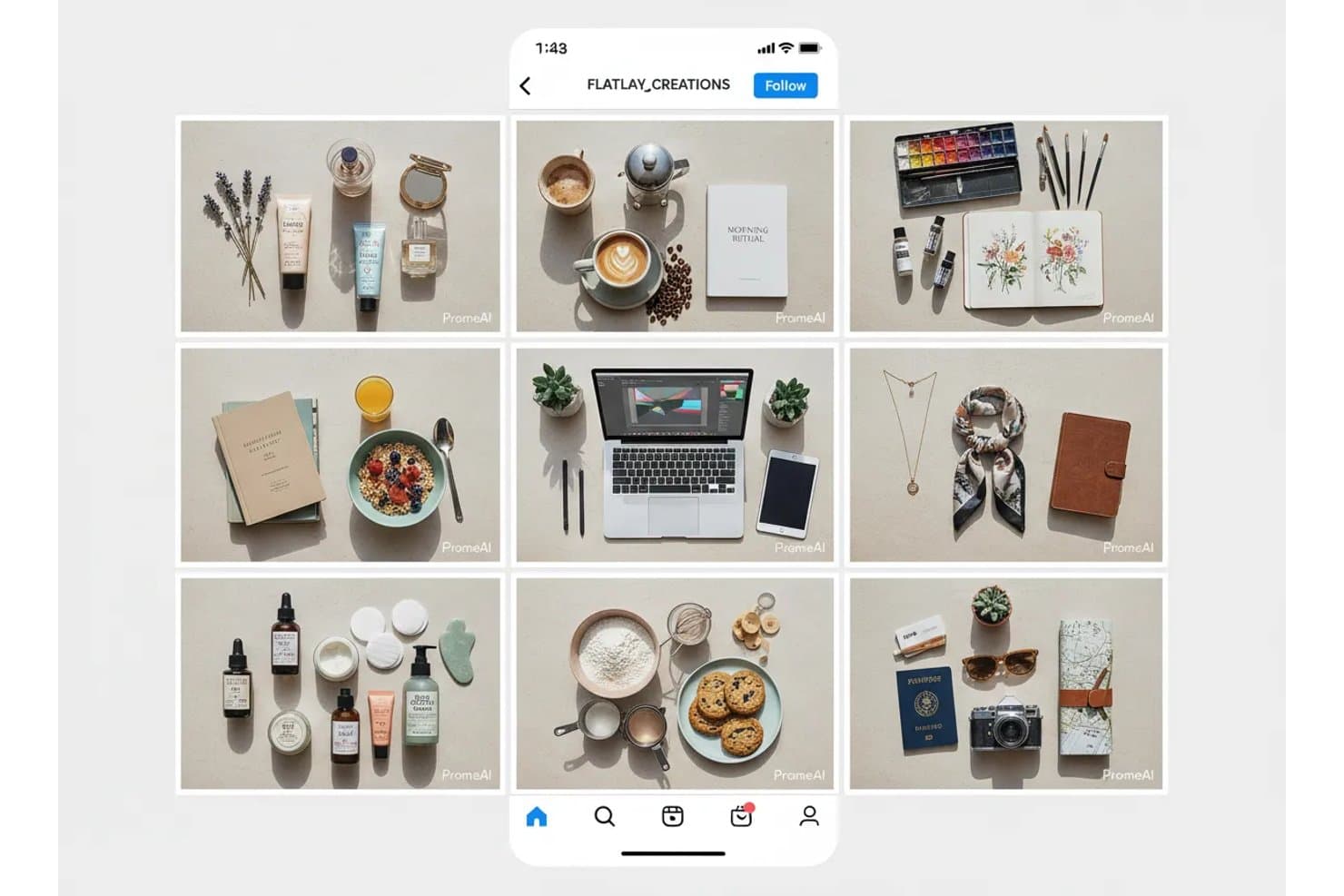
PromeAI generates styled flatlay mockups across multiple niches. PromeAI is an AI image generation platform that combines product mockup creation, background generation, sketch-to-render conversion, and batch variation tools for physical products, logos, and furniture.
Who Is PromeAI Best For?
PromeAI is a strong fit for ecommerce sellers and marketing teams who need fast, realistic product shots without a photography budget.
Why I Picked PromeAI
I picked PromeAI as one of the best because its Background Diffusion tool does something I genuinely find impressive: it generates a fully lit, styled scene around your product while leaving every pixel of the original untouched, including logos and label text. That makes it a strong option for ecommerce teams building out Amazon or Shopify listings without a photography budget. The Batch Processing for SKUs feature lets you apply one background style across an entire product catalog in one click, which is a real advantage when you're managing dozens of variants.
PromeAI Key Features
- Sketch rendering: Converts hand-drawn sketches, design drafts, or 3D model files (.obj, .fbx, .stl, .3ds) into photoreal renders across styles like realistic, anime, and concept art.
- Image Variation tool: Uploads one image and generates three variations, with controls for similarity level and two generation models—Creavity for bolder results and ExactNew for closer matches.
- Magic Editor: Edits images using a text prompt, with resolution options up to 4K and a choice of AI models including GPT Image 2 and Seedream 5.0 Pro.
- HD Upscaler: Enlarges images in repeated steps up to 8K resolution, with outputs available at 2K, 4K, or 8K.
PromeAI Integrations
PromeAI doesn't have any native integrations with Figma, Jira, Notion, or other documented tools. No public API is available for custom integrations; it supports image uploads and .obj, .fbx, .stl, and .3ds files within the platform.
Pros and Cons
Pros:
- Batch variations support catalog production
- Fast mockups need little experience
- Realistic product scenes preserve label details
Cons:
- Device and app-screen mockups remain unavailable
- Fine-tuning often misses intended results
Learn more about PromeAI:
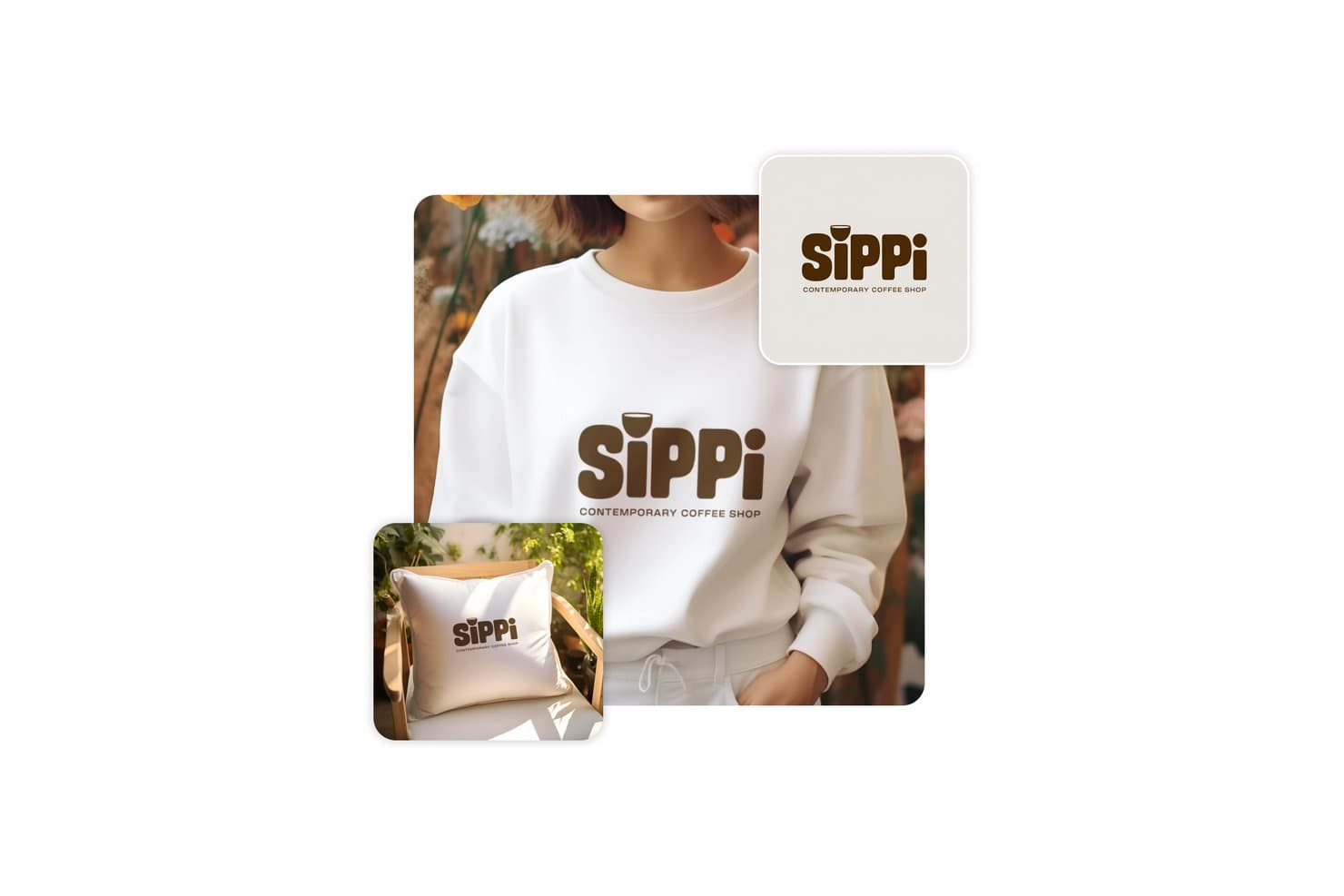
Picsart lets users apply branded logos to mockup products instantly. Picsart is a broad AI creative platform that includes an AI mockup generator for physical products, letting you create 3D hyper-realistic scenes for apparel, packaging, merchandise, and signage alongside AI image generation, video tools, and brand asset management.
Who Is Picsart Best For?
Picsart is a strong fit for marketing and e-commerce teams that need fast, polished product visuals for ads, social media, and online storefronts.
Why I Picked Picsart
I picked Picsart as one of the best because it's the strongest tool on my list for turning physical product designs into polished, 3D hyper-realistic marketing visuals. I love how the Flow templates can generate 10 distinct scenes from a single packaging upload, covering studio, kitchen, grocery, and lifestyle contexts in one run. The Variation Generator also lets me produce bulk ad variations from a CSV, keeping branding consistent across every output.
Picsart Key Features
- AI product image generator: Turns a phone photo of your product into a polished ad visual—static, carousel, or animated—in under 60 seconds.
- Sketch-to-3D render: Converts a hand-drawn sketch into a 3D render with adjustable material, lighting, and background settings.
- Variation Generator: Generates bulk design variations from a template plus a CSV or XLSX file, keeping layout, branding, and color palette consistent.
- AI agents: Assigns specialist agents—like Theo for product scenes—that work from your files and brand context to deliver first variations in under five minutes.
Picsart Integrations
Picsart offers documented integrations with Figma, Shopify, and Google Drive, plus APIs and SDKs for custom connections. AI agents can also receive briefs through Slack, WhatsApp, and Telegram.
Pros and Cons
Pros:
- Converts sketches into adjustable 3D renders
- Generates consistent batch variations from CSV
- Produces realistic packaging and storefront scenes
Cons:
- Typography and vector controls remain basic
- Cannot create device or app-screen mockups
Learn more about Picsart: Best for brand kit-driven merch mockup creation
- Free plan available
- From $14/month (billed annually)
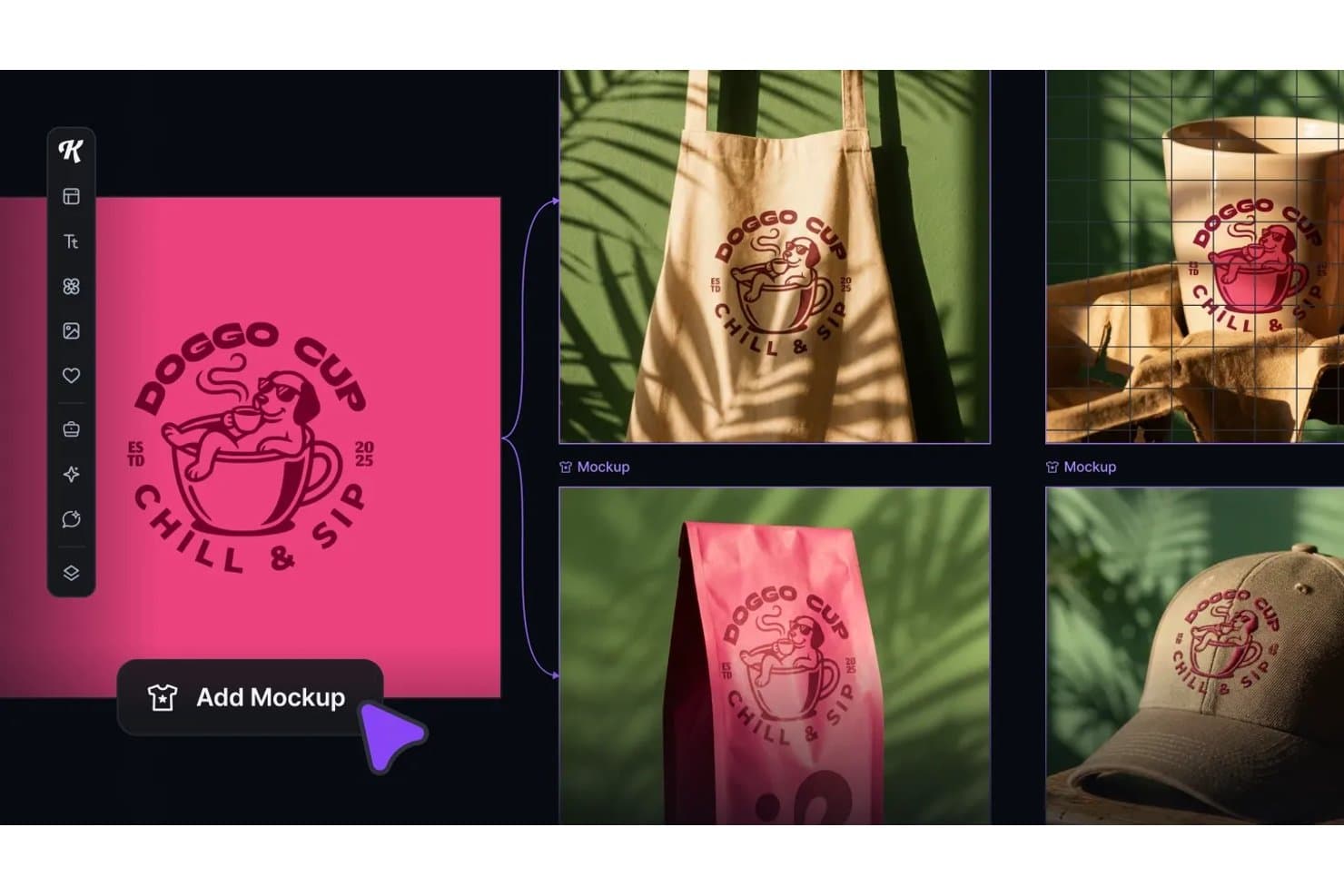
Kittl lets users instantly preview designs across product mockups. Kittl is a browser-based AI mockup generator that combines a template library, live-linked mockups, preset AI workflows, and a full vector editor to create product visuals, merch mockups, and marketing assets.
Who Is Kittl Best For?
Kittl is a strong fit for marketing and brand teams, POD sellers, and small business owners who need to produce merch mockups, packaging visuals, and social content without a dedicated design team.
Why I Picked Kittl
I've included Kittl in my top picks because its Brand Studio feature automatically pulls your brand colors, fonts, and logo from a URL and applies them across every mockup and AI workflow you run. I love how the Swap Scene workflow drops a product straight into a photorealistic scene, complete with matched shadows and lighting, without any prompt writing. Pair that with live-linked mockups that refresh the moment your design changes, and you've got a genuinely fast loop for merch and packaging visuals.
Kittl Key Features
- AI Workflows: Hundreds of preset, prompt-free workflows—like Swap Scene and Change Product Colorway—generate polished product visuals without manual prompt writing.
- Kittl Flows: Chain artboards, mockups, AI image boards, and video boards on a single canvas to batch-generate and export full asset sets in one pass.
- Mockup-to-video generation: Kittl Video converts any design, photo, or mockup into a short AI-generated clip, with a dedicated UGC Studio for product videos.
- Multi-model AI access: Choose from 30+ AI models—including Recraft V4, Flux 1.1 Pro, and Google Veo 3.1—with token costs shown upfront before each generation runs.
Kittl Integrations
Kittl lists integrations with Shopify, Printify, Printful, WooCommerce, Google Drive, Dropbox, Pinterest, Meta Ads, Google Ads, and TikTok. No public REST API is documented, but Kittl offers an MCP connector for Claude, ChatGPT, and Cursor.
Pros and Cons
Pros:
- Photorealistic scenes need minimal prompting
- Live-linked mockups update with design changes
- Brand Studio applies assets across mockups
Cons:
- Token rules complicate AI generation planning
- Merch focus limits app-screen mockups
Learn more about Kittl: Best for art-to-mockup conversion in one canvas
- Free plan available
- From $10/month (billed annually)
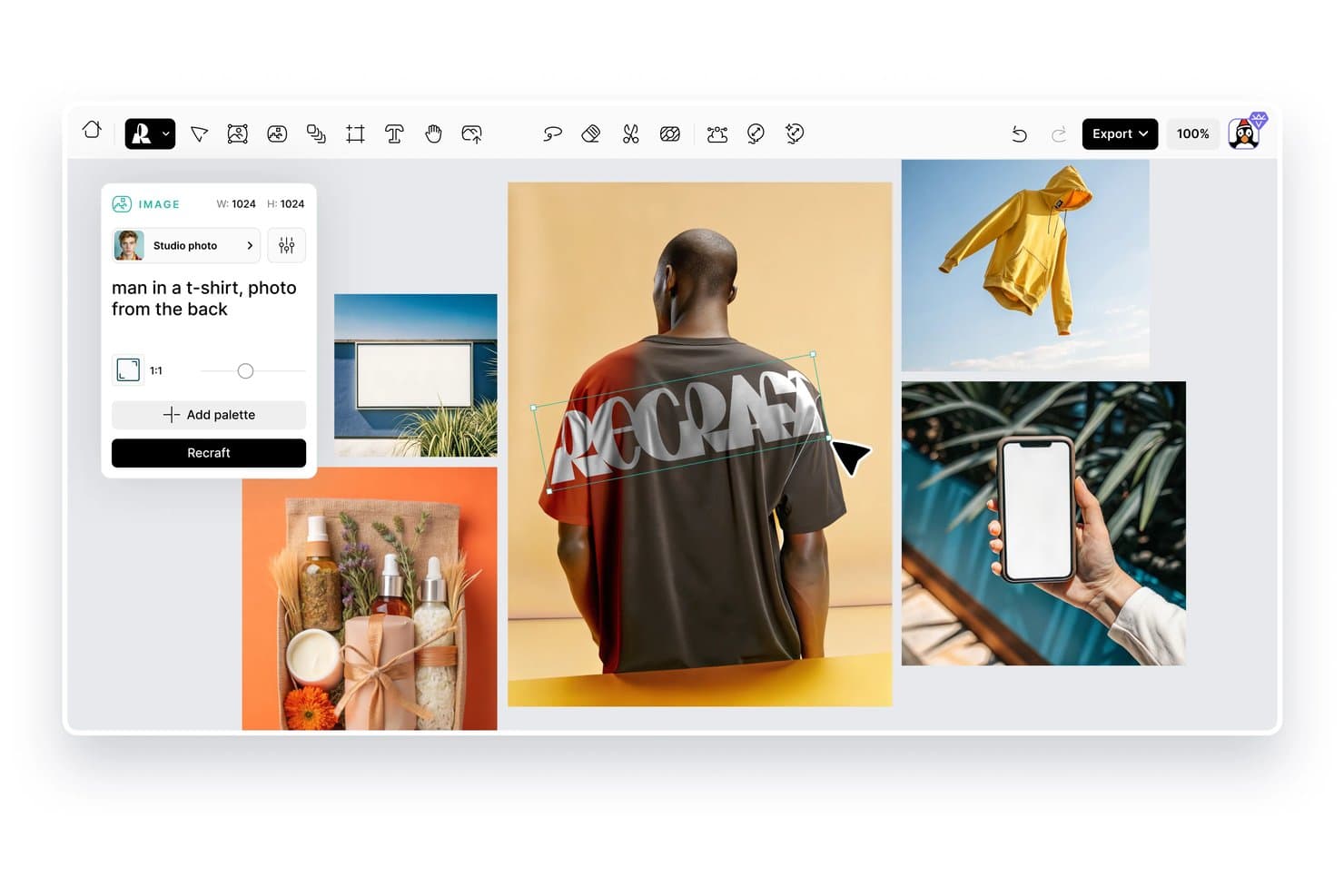
Recraft lets users generate AI mockup images with custom text prompts. Recraft is an AI image and mockup generation platform that lets you create product mockups from text prompts, pre-made templates, or by converting existing photos, all within a single web-based canvas alongside vector, image, and video generation tools.
Who Is Recraft Best For?
Recraft fits UI/UX designers and brand teams who want to generate artwork, vectors, and product mockups in a single canvas without switching tools.
Why I Picked Recraft
I picked Recraft as one of the best because it lets you generate artwork and mock it up in the same canvas, which removes the back-and-forth between creation and presentation tools. What I especially like is the "Convert to mockup" feature: you can generate a product photo, then immediately convert it into a mockup frame with AI Blend applying realistic shading that follows the surface's folds and lighting.
Recraft Key Features
- Pre-made mockup collections: Four curated scene collections—Apparel, Packaging, Devices, and Outdoor ads—let you quickly place designs into category-specific mockup frames.
- Blend modes and texture controls: Sixteen standard blend modes, a texture toggle, and tiling options (None, Repeat, Mirror) control how your design sits on the mockup surface.
- Print-ready export: Export mockups as CMYK TIFF files at up to 300 DPI, alongside PNG, JPG, SVG, and PDF formats for both screen and print use.
- Figma and Framer plugins: Generate images, remove backgrounds, vectorize, and upscale directly inside Figma or Framer, with usage drawing from your Recraft credits.
Recraft Integrations
Recraft offers integrations with Figma, Framer, Google Docs, Google Slides, and Chrome. It also provides an API with Model Context Protocol support for custom integrations.
Pros and Cons
Pros:
- Exports print-ready CMYK TIFF files
- Applies shading across folds and surfaces
- Converts product photos into realistic mockups
Cons:
- Automated variation generation is currently unavailable
- Pre-made scene collections remain relatively limited
Learn more about Recraft: Best for photo-to-mockup templates in a full editor
- 7-day free trial
- From $14/month
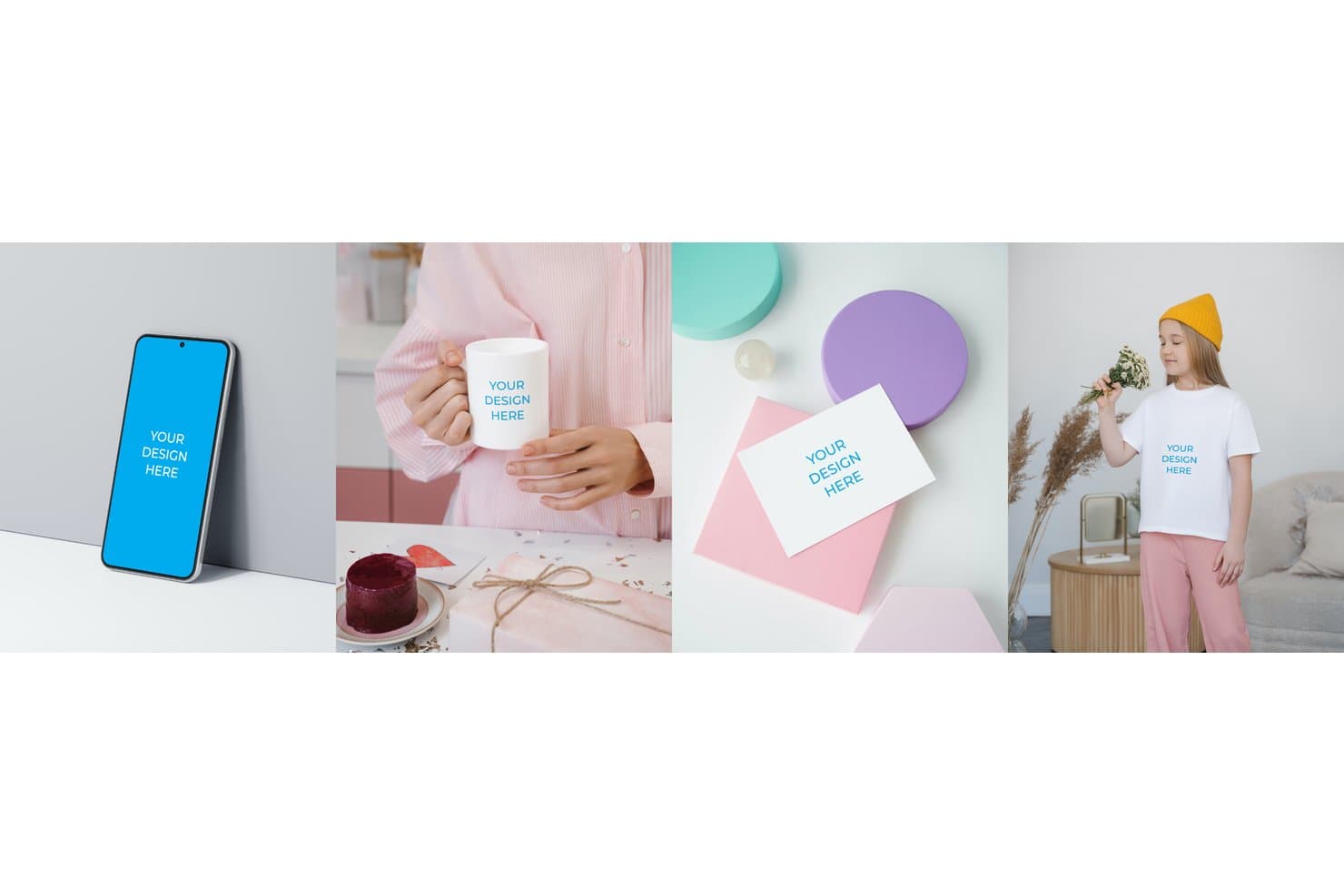
Smartmockups lets users apply designs to phones, mugs, cards, and shirts. Smartmockups, now built into Canva as Canva Mockups, is a photo-to-mockup tool that lets you place designs onto device, apparel, packaging, and print templates using an AI-assisted surface detection system inside a full design editor.
Who Is Smartmockups Best For?
Smartmockups, now built into Canva, is a strong fit for marketing and brand teams who need polished product mockups without a dedicated design background.
Why I Picked Smartmockups
I picked Smartmockups as one of the best because it's built directly into Canva's editor, which means you can take a photo of your own product, let the AI detect the surface, drag your design on, and adjust lighting, shadows, and color balance without leaving the tool. I love that the template library covers devices, apparel, packaging, and print in one place. That's a genuinely wide range for a single editor.
Smartmockups Key Features
- Brand Kit integration: Store brand colors, logos, and palettes so every mockup stays on-brand without manual adjustments.
- Bulk design creation: Swap designs across multiple mockups at once using the Replace Across Designs and bulk creation tools.
- Direct social publishing: Publish finished mockups straight to social media, newsletters, or ecommerce platforms from within the editor.
- Magic Edit: Apply text-prompted color, texture, or background changes to any mockup using Canva's AI editing tool.
Smartmockups Integrations
Smartmockups, now Canva Mockups, is a first-party Canva app with custom integration support through Canva’s Connect API and App SDK. Canva also documents an n8n integration and 100+ marketplace business tool connections.
Pros and Cons
Pros:
- Includes lighting, shadows, and color controls
- Covers devices, packaging, apparel, and print
- Turns product photos into mockup templates
Cons:
- Mockup variations require manual duplication and editing
- Doesn’t generate complete scenes from text prompts
Learn more about Smartmockups: Best for free AI mockups with wide range of templates
- Free plan available
- From $5.7/month (billed annually)
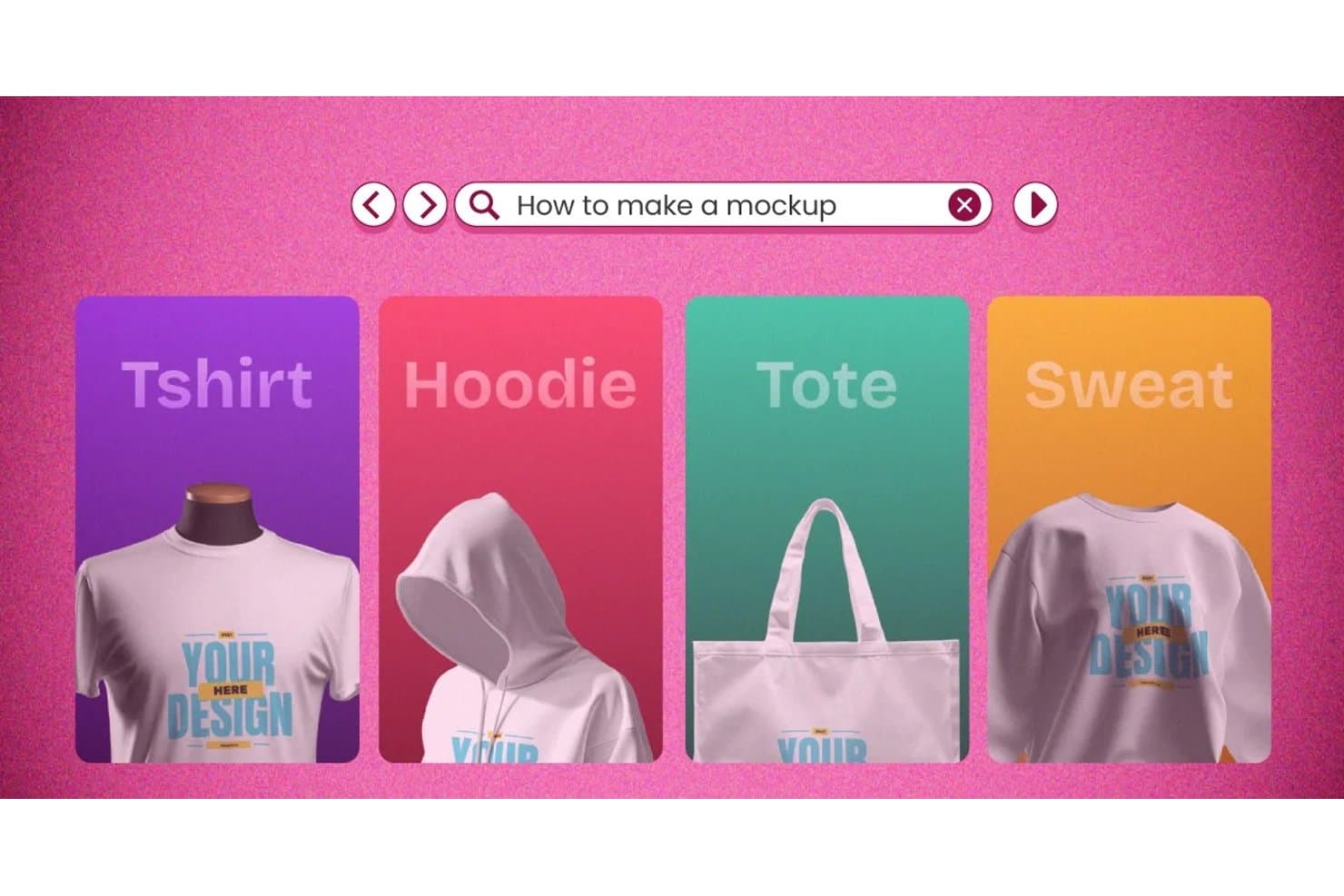
Mockey lets users create mockups for tees, hoodies, totes, and sweatshirts. Mockey is a browser-based AI mockup generator that covers product photography, apparel, packaging, devices, and 3D scenes—with tools for prompt-to-mockup generation, multi-angle variation, AI Photoshoot, and video mockup output.
Who Is Mockey Best For?
Mockey is a strong fit for marketing and brand teams, print-on-demand sellers, and ecommerce businesses that need product mockups fast without a design background.
Why I Picked Mockey
Mockey earns its spot on my shortlist because no other tool I've tested comes close to its sheer template volume: 30,000+ across 60+ product types, updated weekly. I love that you can generate 12 angle variations from a single upload using Multi Shot in about 30 seconds, which is a real advantage when building out a product launch asset set. The AI Photoshoot feature also lets you drop a product image into a generated studio scene using just a text prompt, no photographer required.
Mockey Key Features
- AI Photoshoot: Drop a product image into an AI-generated studio scene using a text prompt, no photography setup required.
- 3D mockup rendering: Rotate, retexture, and animate 3D product models across apparel, packaging, and more, with PNG or MP4 export.
- Bulk mockup generation: Apply one design to up to 50 templates at once, available on paid plans.
- Figma plugin: Access Mockey's template library and AI tools directly inside Figma to generate and download mockups without switching apps.
Mockey Integrations
Mockey offers integrations through the Figma plugin and Shopify App Store app. It has no documented public API, Zapier integration, or direct connections to product management tools.
Pros and Cons
Pros:
- Creates product scenes from a single image
- Generates 12 angle variations in about 30 seconds
- 30,000-plus templates across 60-plus product types
Cons:
- AI mockups can require manual cleanup
- Exports lack vector and layered file formats
Learn more about Mockey: Best for batch-generating ecommerce product visuals
- Free plan available
- From $5/month
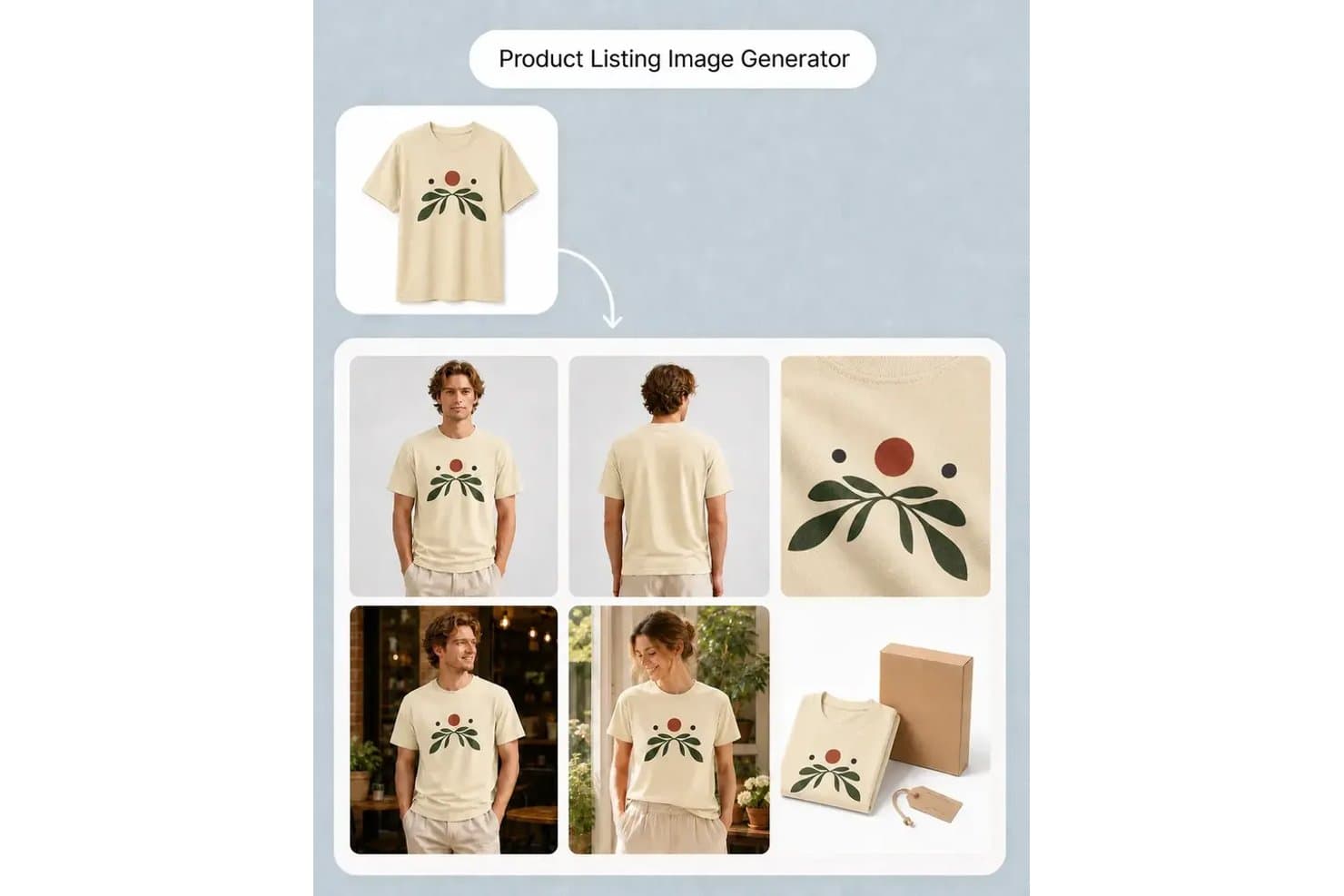
MockupLabs generates product listing images with multiple model views. MockupLabs is an AI-powered product visual studio that generates photo-based product mockups, batch color variations, listing image sets, and short product videos from uploaded photos or text prompts.
Who Is MockupLabs Best For?
MockupLabs is a strong fit for ecommerce sellers and print-on-demand brands that need to generate large volumes of product visuals without a professional photography setup.
Why I Picked MockupLabs
I've included MockupLabs in my top picks because its Batch Mockup tool genuinely sets it apart for high-volume ecommerce catalog work. I can feed in up to 300 product photos, apply multiple designs and colorways, preview every combination before committing, and walk away with up to 1,200 listing-ready images in one job. Batch Recolor extends that same logic across full product galleries, keeping front, back, and lifestyle shots consistent across every colorway.
MockupLabs Key Features
- AI Image Generator: Creates product scenes, ad visuals, and campaign images from text prompts or product reference photos directly on a shared canvas.
- Image to Video: Converts product photos or finished mockups into short clips using motion templates like rotations, reveals, and light sweeps.
- Product Try-On: Places apparel and accessories onto models using AI, so you can show fit and styling without a physical photoshoot.
- Background and object remover: Strips backgrounds or unwanted elements from product photos to prepare clean assets for mockup work.
MockupLabs Integrations
MockupLabs doesn't have any native integrations. Its Shopify App Store app provides a marketplace integration; no public API or connections to Figma, Jira, Notion, or Linear are documented.
Pros and Cons
Pros:
- Recoloring keeps galleries visually consistent
- Product photos preserve realistic folds and lighting
- Batch generation scales across product catalogs
Cons:
- Some reviewers reported crashes and pixelation
- Device mockups require supplied screenshots
Learn more about MockupLabs: Best for scaling product mockups via API or bulk
- Free plan available
- From $19/month
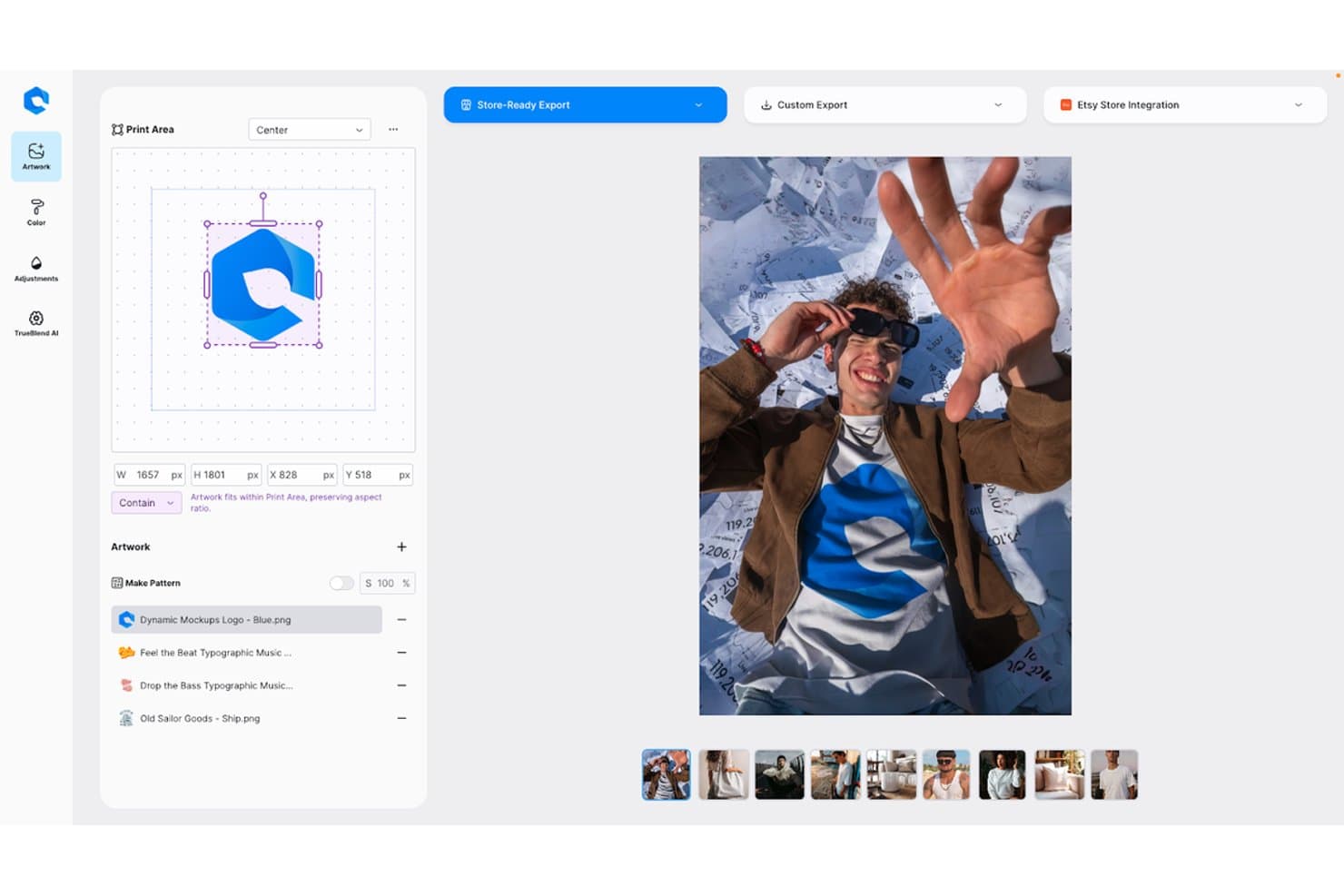
Dynamic Mockups lets users place logos on apparel mockups with AI precision. Dynamic Mockups is an AI mockup generator built for physical product visuals, combining a large scene and template library, bulk rendering, AI lifestyle scene generation, and a REST API for automating large-scale mockup production.
Who Is Dynamic Mockups Best For?
Dynamic Mockups is a strong fit for ecommerce sellers, print-on-demand brands, and marketing teams that need to produce high volumes of polished product visuals fast.
Why I Picked Dynamic Mockups
I picked Dynamic Mockups as one of the best because its bulk rendering and API capabilities genuinely set it apart for high-volume product mockup workflows. I love that a single
create_batch_renderAPI call can turn 200 source designs into 12,000 finished mockup images in a weekend, with each render clocking in at under a second. MockAnything AI adds another layer: you type a prompt, and it generates a photorealistic lifestyle scene around your product while leaving your original artwork untouched.Dynamic Mockups Key Features
- MockAnything AI image input: Upload a supplier photo or phone shot, and the tool maps your design onto it automatically, producing a polished mockup without any manual setup.
- Layouts: Hundreds of pre-sized social posts, story pins, and ad templates let you export channel-ready visuals directly from the editor.
- Lookbooks: Build branded, shareable product links or PDFs for client pitches, with notifications when recipients open them or request quotes.
- Stitch AI: Generates embroidered product mockups alongside DST machine files and production sheets with stitch counts, ready for physical production.
Dynamic Mockups Integrations
Dynamic Mockups offers native integrations with Etsy, Shopify, and WordPress/WooCommerce. It also supports Zapier and Make, plus a REST API with JavaScript, Python, Laravel, and Rails libraries for custom integrations.
Pros and Cons
Pros:
- Product scenes suit ecommerce campaigns
- AI preserves original artwork during scene changes
- Bulk rendering scales product variations quickly
Cons:
- No app-screen or UI mockups
- AI models can look visibly artificial
Learn more about Dynamic Mockups:
How I Evaluate AI Mockup Generators
To make this list, a tool's AI needs to handle real product visualization work, like generating scenes from prompts or uploads and creating variations. From there, I evaluate three things. Core functionality carries most weight, like editing layouts and exporting files. Then I look at standout features, like design system consistency, and beyond features, like data privacy and IP ownership.
Core Functionality (Table Stakes For This List)
When I'm selecting tools for my list, I score each one on a scale from 0 (does not offer the functionality) to 5 (excels in this area) for each core functionality listed below. I then convert the total into a percentage to help assess each tool's overall fit, with extra weight on any functionalities I’ve deemed essential.
- AI Mockup Generation (Essential): I look for realistic mockups from prompts, uploads, or templates, such as packaging concepts placed in relevant product scenes.
- Product Scene Library (Essential): I assess scene variety across devices, packaging, merchandise, and environments for presentations, validation, and ecommerce visuals.
- Customization Controls: I check whether teams can adjust backgrounds, colors, angles, lighting, and layouts after generating a mockup.
- Export And File Formats: I look for common image formats, resolution controls, and output suited to presentations, ecommerce pages, social content, or print.
- Brand Asset Integration: I evaluate uploads, smart placement, resizing, and consistent use of logos, product artwork, and brand assets across mockups.
- Batch Variation Generation: I check whether one design can produce varied scenes, compositions, or product colors for stakeholder reviews and creative exploration.
Once I have a list of tools that meet the criteria, I consider what sets each platform apart.
Differentiating Factors (What Sets Vendors Apart)
Here's how I compare and contrast different vendors:
Standout Features
I look for image-to-mockup conversion because product teams often start with rough sketches or screenshots. A tool that turns those into polished visuals saves a full design cycle. I also evaluate requirement parsing, where a tool ingests a PRD or user story and generates relevant screens. That bridges the gap between product specs and visual output without waiting on a designer's availability.
Version history matters too. I check whether teams can compare prompt iterations side by side and revert when a direction doesn't land during stakeholder review.
Beyond Features
I check whether generated mockups and uploaded assets stay under your team's ownership, especially when product visuals involve unreleased packaging or branding. Some vendors explicitly exclude user content from model training, while others don't. I also evaluate how each tool fits into existing workflows—native connections to Figma or Jira mean a mockup goes straight into a design file or ticket instead of sitting in a downloads folder. For teams where product managers create mockups without a designer, onboarding quality matters: guided templates and prompt suggestions cut adoption time considerably.
How to Choose an AI Mockup Generator
It’s easy to get bogged down in long feature lists and complex pricing structures. To help you stay focused as you work through your unique software selection process, here’s a checklist of factors to keep in mind:
| Factor | What to Consider |
|---|---|
| FactorScalability | What to ConsiderWill the tool grow with your team's needs? Consider if it can handle increasing workloads and larger projects without a drop in performance. |
| FactorIntegrations | What to ConsiderDoes it connect with your existing tools? Ensure compatibility with design software like Adobe XD, Figma, or Slack for workflow integration. |
| FactorCustomizability | What to ConsiderCan you tailor the tool to your processes? Look for options to adjust templates and design elements to suit your brand's unique style. |
| FactorCustomizability | What to ConsiderCan you tailor the tool to your processes? Look for options to adjust templates and design elements to suit your brand's unique style. |
| FactorEase of Use | What to ConsiderIs the interface intuitive for your team? Evaluate if the tool is straightforward enough for new users to pick up quickly without extensive training. |
| FactorImplementation and Onboarding | What to ConsiderHow simple is the setup process? Check if the vendor offers training resources, interactive guides, or support during the initial rollout. |
| FactorCost | What to ConsiderDoes the pricing fit your budget? Compare the cost against the features offered, and check for any hidden fees or necessary add-ons. |
| FactorSecurity Safeguards | What to ConsiderDoes the tool protect your data? Verify that it uses encryption, regular updates, and complies with relevant data protection regulations. |
| FactorSupport Availability | What to ConsiderIs help available when you need it? Consider the vendor's support hours, response times, and available channels like chat or email for assistance. |
What are AI Mockup Generators?
AI mockup generators are tools that use artificial intelligence to automate the creation of design mockups, making it easier and faster for users to produce high-quality visuals. Designers, marketers, and product managers typically use these tools to enhance their workflow and improve design efficiency.
Features like automatic layout generation, smart design suggestions, and real-time collaboration help with creating polished and professional mockups effortlessly. Overall, these tools provide users with the ability to produce visually appealing designs with less manual effort.
Features
When selecting an AI mockup generator, keep an eye out for the following key features:
- Automatic layout generation: Uses AI to build initial layouts that reduce manual setup and help you move from concept to mockup faster.
- Smart design suggestions: Reviews your artwork and offers visual improvements so your final designs feel more polished.
- Real-time collaboration: Allows multiple users to contribute at once, which supports better coordination across your team.
- Template library: Provides a variety of mockup formats you can customize, including options where you can adjust fonts or brand elements.
- AI-driven image enhancement: Uses AI image generator technology to upgrade image quality so your mockups appear sharp and clear.
- Custom branding capabilities: Let you add logos, colors and fonts so every mockup reflects your brand identity.
- High-resolution export options: Produce print-ready output in formats that maintain detail and clarity.
- Intelligent element placement: Positions elements automatically so your designs look balanced with minimal adjustments.
- User-friendly interface: Helps beginners and experienced designers work efficiently without a steep learning curve.
- Integration with design tools: Connects with your preferred design software so you can move projects between tools with ease.
Benefits
Implementing an AI mockup generator provides several benefits for your team and your business. Here are a few you can look forward to:
- Time savings: AI-driven features like automatic layout generation reduce the time spent on manual design tasks, allowing your team to focus on other priorities.
- Improved design quality: Smart design suggestions and AI-driven image enhancements lead to more polished and professional visuals.
- Enhanced collaboration: Real-time collaboration features enable team members to work together effectively, improving project outcomes and team cohesion.
- Consistent branding: Custom branding capabilities ensure that your designs maintain brand consistency across all projects.
- Increased productivity: With AI handling repetitive tasks, your team can produce more designs in less time, boosting overall productivity.
- Accessible design process: User-friendly interfaces and intelligent element placement make the design process more accessible, even for team members with less design experience.
- Cost efficiency: By reducing the need for extensive manual design work, AI mockup generators can help lower design costs and improve budget management.
Costs & Pricing
Selecting an AI mockup tool requires an understanding of the various pricing models and plans available. Costs vary based on features, team size, add-ons, and more. The table below summarizes common plans, their average prices, and typical features included in AI mockup generator solutions:
Plan Comparison Table for AI Mockup Generators
| Plan Type | Average Price | Common Features |
|---|---|---|
| Plan TypeFree Plan | Average Price$0 | Common FeaturesAccess to basic templates, limited exports, and basic design tools. |
| Plan TypePersonal Plan | Average Price$5-$25/user/month | Common FeaturesAccess to premium templates, high-resolution exports, and basic collaboration. |
| Plan TypeBusiness Plan | Average Price$30-$60/user/month | Common FeaturesAdvanced collaboration tools, custom branding options, and priority support. |
| Plan TypeEnterprise Plan | Average Price$70-$150/user/month | Common FeaturesDedicated account manager, advanced security features, and full customization |
AI Mockup Generator FAQs
Here are some answers to common questions about AI mockup generators:
Can AI mockup generators integrate with my existing tools?
Yes, many AI mockup generators can integrate with popular design platforms like Adobe XD, Figma, and Sketch. This makes it easier to import your graphics or export a mockup image into the tools your team already uses. Some platforms also support PNG or JPG downloads for social media, product promotions or presentations. Before choosing a mockup tool, review whether it connects smoothly with your preferred workflow or free online mockup generator. Testing the integration during a trial period can help entrepreneurs and graphic designers confirm that the process fits their daily tasks.
How do AI mockup generators handle data security?
AI mockup generators often include standard security features such as encryption and authentication to protect your uploaded artwork. If you regularly create mockup templates for items like t-shirts, hoodies, iPhone scenes or business card designs, it is important to choose a platform that prioritizes data protection. Review the vendor’s policy and check how often they update their systems, especially if you work with clients who expect strong security practices.
Can I customize templates in AI mockup generators?
Yes, most free AI mockup generator tools allow you to customize templates to match your brand style. You can modify layout elements, swap colors and upload artwork for t-shirt mockups, hoodies, business card designs or other product visuals. Many tools support editing without requiring advanced design skills, making it easy for entrepreneurs to create eye-catching content. Customization options also help teams produce content for photoshoots or social media while maintaining consistent branding across all mockup images.