

10 Best Trello Alternatives in 2026

Best Trello Alternatives Shortlist


Managing product development across separate apps for specs, roadmaps, and sprint tracking creates friction and lost context. The best Trello alternatives solve this by connecting product strategy, PRDs, feedback, and execution into one fluid pipeline.
Whether you need relational databases, native roadmapping, or unified doc collaboration, this guide breaks down the top platforms built to help product leaders ship faster with fewer tools.
What Is Trello?
Trello is a visual project management software that organizes to-do lists using boards, lists, and cards. Teams use Trello to map out workflows, track project progress, and collaborate on everything from feature launches to marketing campaigns. Its flexible Kanban-style layout makes it useful for daily task tracking, but product leaders often seek more advanced options when they need to connect broader strategy, planning, and documentation in one place.
Compare the Best Trello Alternatives
Compare pricing and specs, side by side, for the Trello alternatives that made it onto my shortlist.
| Tool | Best For | Trial Info | Price | ||
|---|---|---|---|---|---|
| 1 | Best for building relational databases | Free plan + free demo + 14-day trial available | From $20/user/month | Website | |
| 2 | Best for strategy-to-sprint product planning | Free demo + 30-day trial available | From $59/user/month (billed annually) | Website | |
| 3 | Best for client-facing product delivery and billing | Free demo + 14-day trial available | From $9.99/user/month (billed annually) | Website | |
| 4 | Best for consolidating docs, tasks, and goals | Free plan available | From $7/user/month (billed annually) | Website | |
| 5 | Best for managing enterprise product portfolios | Free plan + free demo + 14-day trial available | From $10/user/month (billed annually) | Website | |
| 6 | Best for linking product PRDs to roadmaps | Free plan + free demo + 30-day trial available (Business Plan only) | From $10/user/month | Website | |
| 7 | Best for tracking cross-functional feature launch plans | Free plan available | From $10.99/user/month (billed annually) | Website | |
| 8 | Best for native time tracking and chat option | Free plan + free demo + 14-day trial available | From $5/user/month (billed annually) | Website | |
| 9 | Best for scaled agile and sprint planning | Free plan + free demo + 14-day trial available | From $9.05/user/month | Website | |
| 10 | Best for enterprise strategic capacity planning | Free demo available | Pricing upon request | Website |


Why Trust Our Software Reviews
We’ve been testing and reviewing product management software since 2020. As product managers ourselves, we know how critical and difficult it is to make the right decision when selecting software.
We invest in deep research to help our audience make better software purchasing decisions. We’ve tested more than 2,000 tools for different product management use cases and written over 1,000 comprehensive software reviews. Learn how we stay transparent & our software review methodology.
Trello Alternatives Reviews
Below are my detailed summaries of the best Trello alternatives that made it onto my shortlist. My reviews offer a detailed look at the features, best use cases, and integrations of each platform to help you find the best one for you.
Airtable
Best for building relational databases
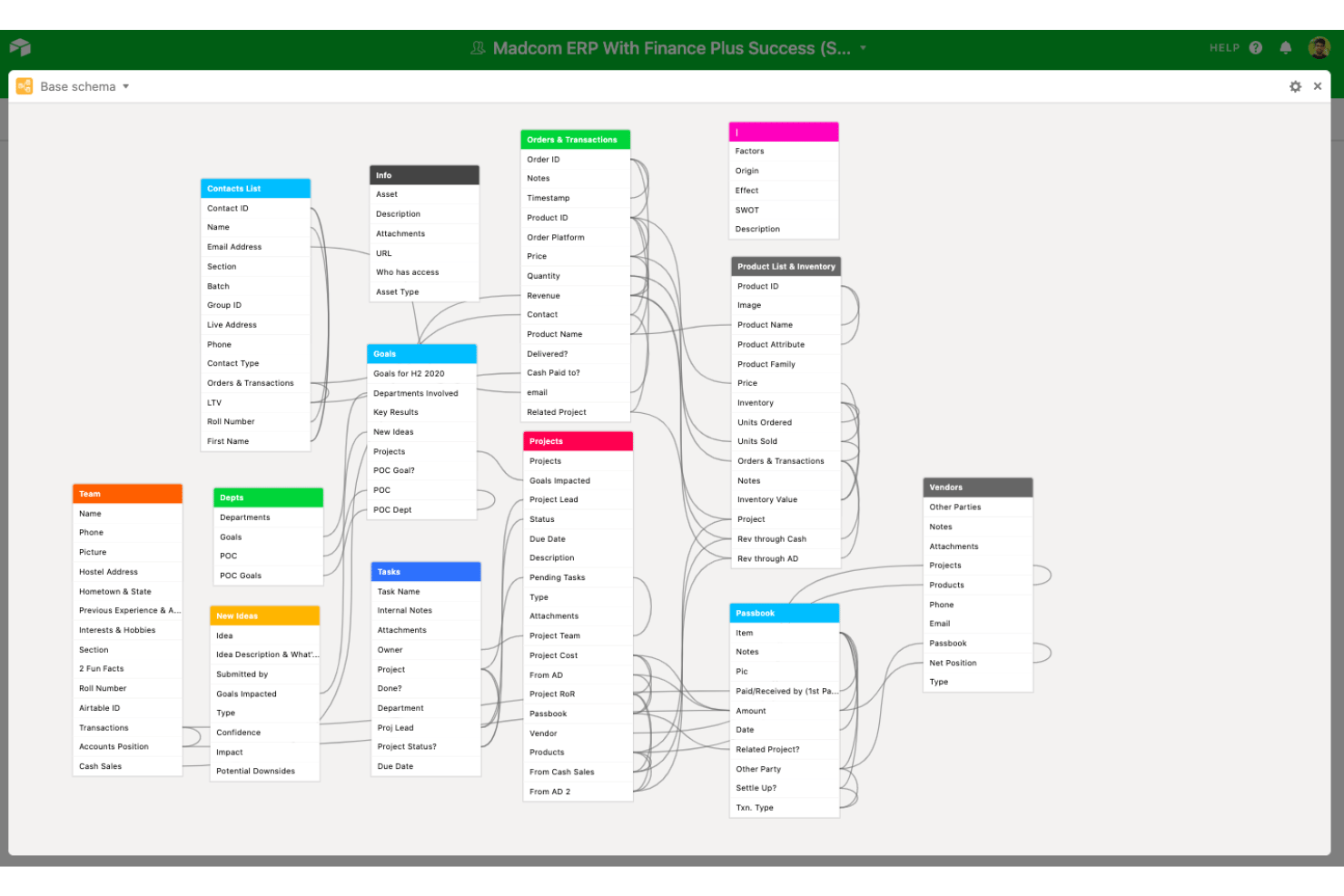
Airtable gives product, operations, and project teams a flexible workspace for organizing, visualizing, and connecting information to plan and coordinate work in one place.
Who Is Airtable Best For?
Airtable is a good fit for product and operations teams in midsize to large organizations who need a flexible way to organize and link complex data.
Why Airtable Is a Good Trello Alternative
I picked Airtable as one of my top choices because it provides a level of data modeling that standard Kanban boards in Trello cannot replicate. You can link records across tables—connecting user stories, bug reports, customer feedback, and release dates into a relational database tailored to your exact workflow.
Airtable Key Features
- Automations: Build custom triggers and actions to automate repetitive tasks right within your workspace.
- Interface designer: Create tailored dashboards and views for different users without writing code.
- Real-time collaboration: Edit bases, comment, and manage updates with teammates at the same time.
- App marketplace: Add extensions for charts, reporting, time tracking, and other specialized workflows.
Airtable Integrations
Airtable integrates with Box, Jotform, Tableau, Stripe, Slack, Google Workspace, and Microsoft Teams. It connects with Zapier and has an API for custom integrations.
Pros and Cons
Pros:
- Offers flexible data views beyond Kanban
- Customization options for workflows and dashboards
- Builds complex relational project databases
Cons:
- Relational setup requires upfront planning
- Advanced features come with a steep learning curve

Aha!
Best for strategy-to-sprint product planning
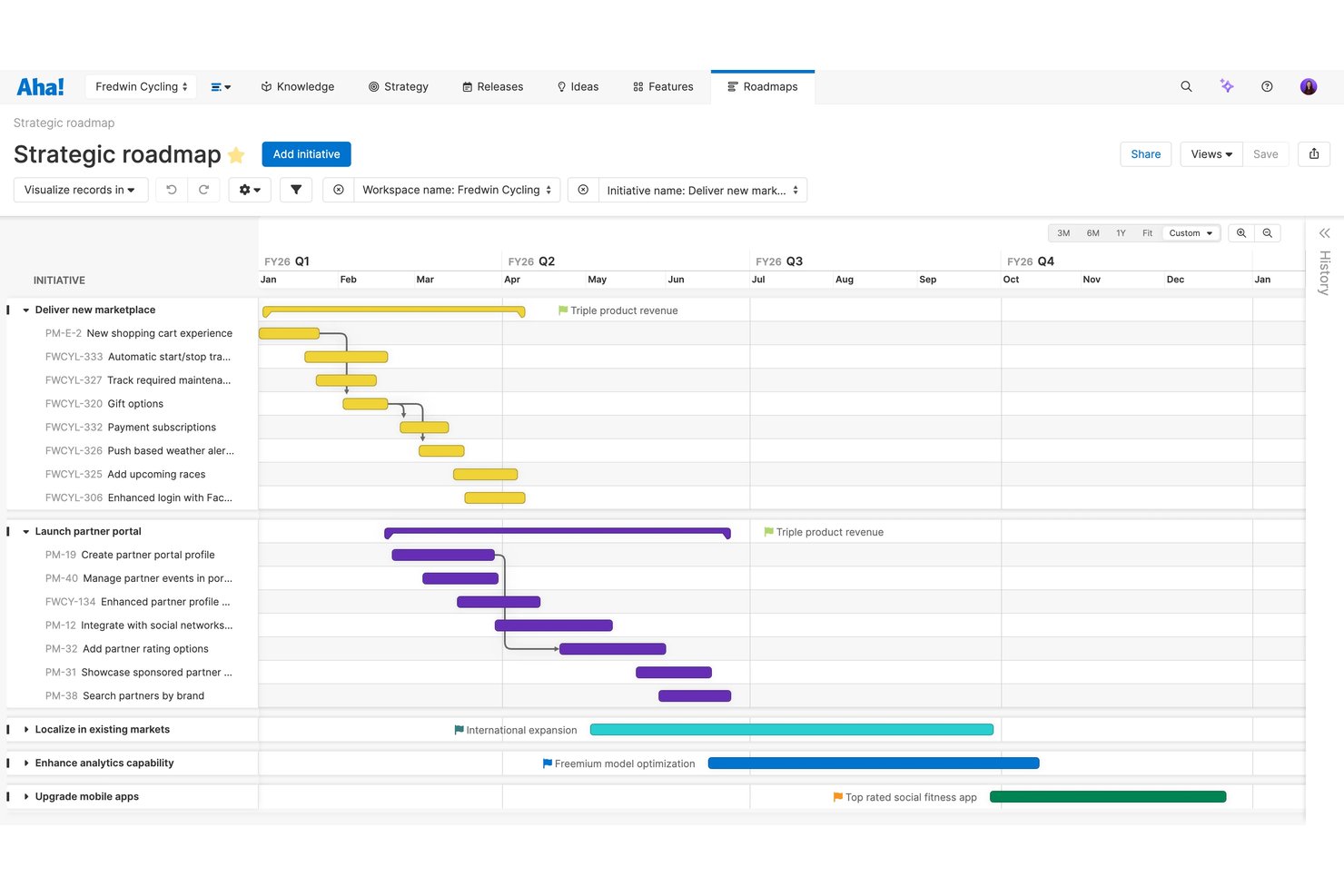
Aha! is a product management platform that brings together strategy, idea capture, visual roadmaps, and sprint planning for software teams, product leaders, and organizations rolling out complex product portfolios.
Who Is Aha! Best For?
Aha! is a strong fit for product managers at growing software companies who need to align strategy with actionable delivery plans.
Why Aha! Is a Good Trello Alternative
Unlike Trello's general-purpose task management, Aha! is built specifically for product management. I like that it enables product leaders to capture user feedback, set strategic objectives, score backlog items, and translate vision into actionable sprint boards and visual roadmaps.
Aha! Key Features
- Ideas portal: Collect, review, and prioritize feedback from internal teams and external users in a centralized workspace.
- Custom workflow templates: Define and automate unique product workflows to match how your team manages product development.
- Advanced reporting and analytics: Build detailed reports and custom dashboards to visualize progress, performance, and product portfolio insights.
- Prioritization scorecards: Rank backlog features using customizable Value vs. Effort scoring matrices.
Aha! Integrations
Aha! offers native integrations with Jira, Azure DevOps, Salesforce, and Slack. An API for custom integrations is also available.
Pros and Cons
Pros:
- Custom dashboards track portfolio performance visually
- Capacity planning helps balance resource allocation
- Connects strategy, roadmap, and sprint planning
Cons:
- No native support for kanban card checklists
- Interface feels overwhelming for new users
Best for client-facing product delivery and billing
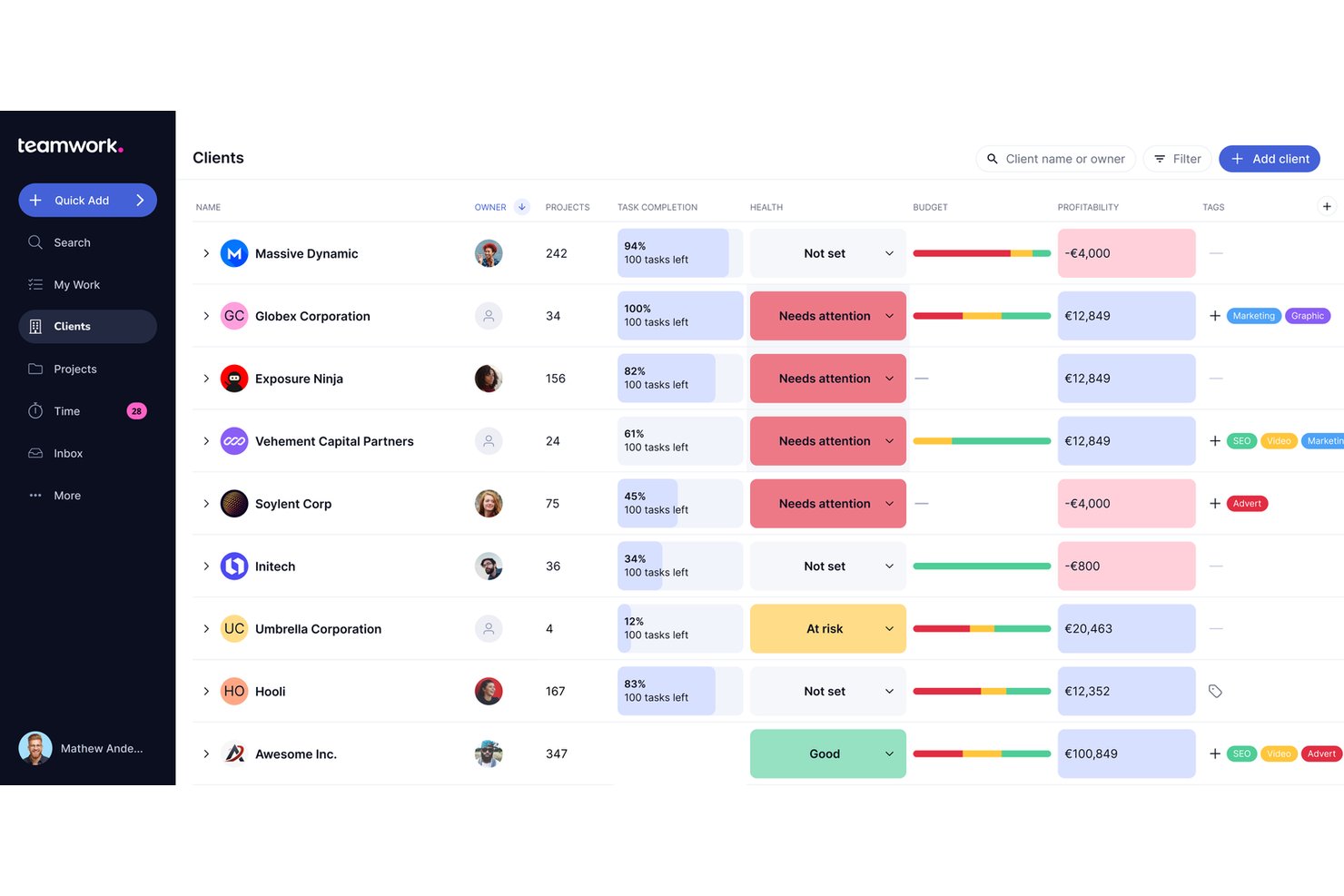
Teamwork.com gives product managers and client-focused teams a workspace for project planning, resource management, and delivering multi-stage projects with clear task assignments, timelines, and budget tracking.
Who Is Teamwork.com Best For?
Teams managing client projects who need project planning, task assignments, billing, and visibility into multi-stage project delivery.
Why Teamwork.com Is a Good Trello Alternative
I picked Teamwork.com because it handles client-facing project work that needs advanced task assignments, phased project timelines, and budget tracking. Its built-in time tracking and billing tools keep client projects on schedule and invoices accurate. Collaboration features make it simple to manage multi-stage delivery with full client visibility.
Teamwork.com Key Features
- Gantt chart planning: Build and adjust project timelines visually with interactive Gantt charts.
- Custom project templates: Create reusable templates to standardize project setup across your team.
- Document management: Store, organize, and collaborate on files directly within your projects.
- Automated task workflows: Set up automation rules to trigger actions when project tasks reach certain statuses.
Teamwork.com Integrations
Teamwork.com offers native integrations with Slack, Google Drive, Microsoft 365, Dropbox, HubSpot, Xero, QuickBooks, and Zapier. An API is available for custom integrations.
Pros and Cons
Pros:
- Advanced task dependencies and workload tracking
- Visual Gantt charts for timeline management
- Built-in billing and invoicing for client projects
Cons:
- Initial setup is often more complex than card-based tools
- Resource management requires frequent manual updates
ClickUp
Best for consolidating docs, tasks, and goals
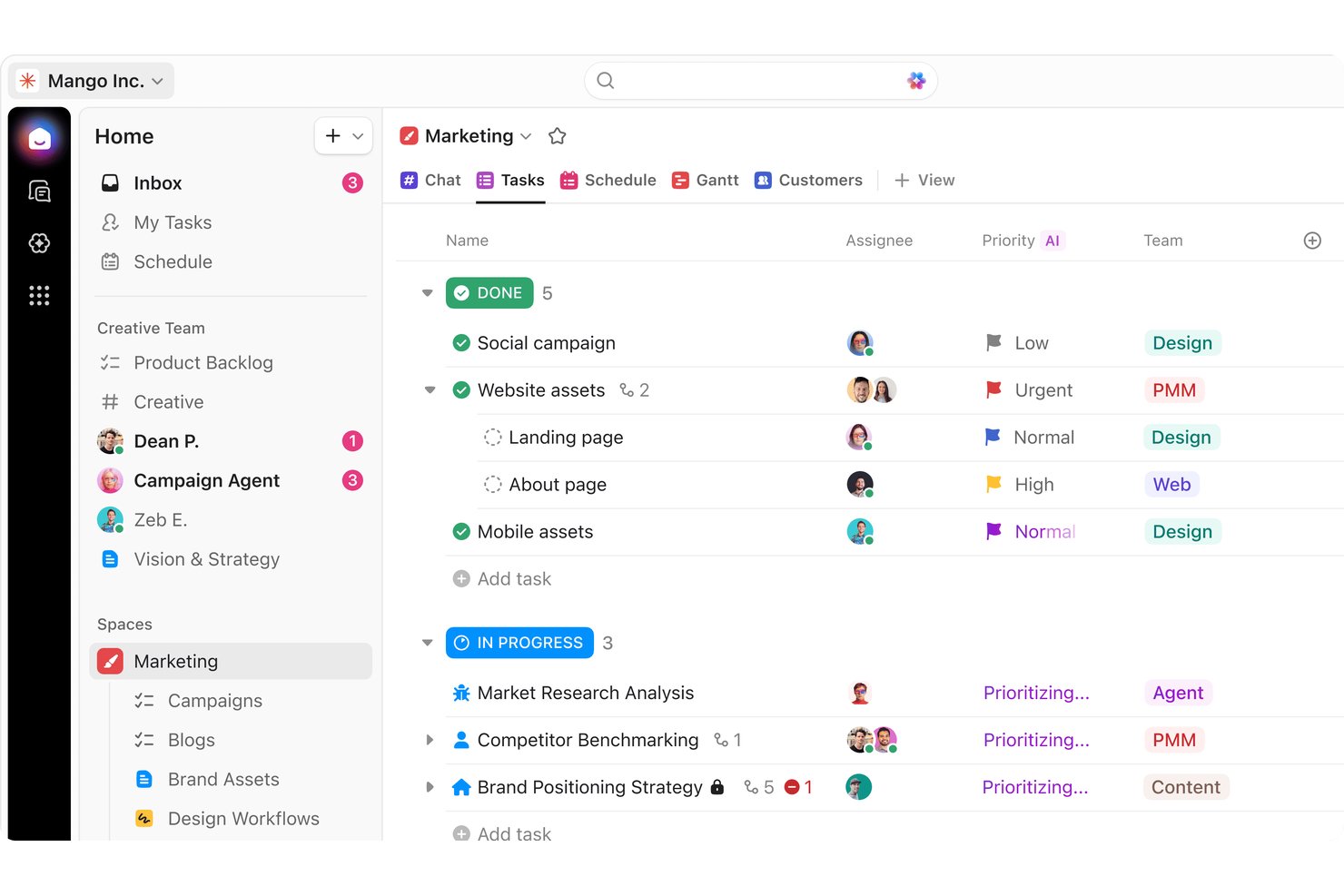
ClickUp is a product planning platform for teams and organizations that want to keep docs, tasks, and project goals connected in one place, making it easier for product managers and cross-functional teams to organize and align their work.
Who Is ClickUp Best For?
ClickUp is a strong choice for product managers and cross-functional teams that need to keep docs, tasks, and project goals closely connected.
Why ClickUp Is a Good Trello Alternative
I picked ClickUp as a top Trello alternative because it combines document editing, task tracking, and OKR management inside one app. Its native Docs feature allows product managers to embed live specs and requirements directly into action items, while integrated goal tracking keeps team progress aligned in real time.
ClickUp Key Features
- Custom views: Create and save lists, calendars, Kanban views, and Gantt charts for different workflows.
- Automated sprint management: Roll over unfinished work and clear completed backlog items automatically.
- Time tracking: Log hours directly within tasks and generate time reports for unlimited projects.
- Dashboards: Build interactive dashboards to visualize project metrics, workload, and priorities in real time.
ClickUp Integrations
ClickUp integrates with Slack, Google Drive, Dropbox, Zoom, Microsoft Teams, OneDrive, Zapier, and offers an API for custom connections.
Pros and Cons
Pros:
- Dashboards visualize progress and team workloads
- Automation builder reduces routine manual updates
- Links docs, tasks, and goals in one workspace
Cons:
- Notifications can overwhelm when managing multiple projects
- Performance slows with very large workspaces
New Product Updates from ClickUp
ClickUp Adds Meetings Hub, Super Agent Templates, and ZoomInfo Integration
ClickUp adds a searchable Meetings Hub, new ways to clone and template Super Agents, and a ZoomInfo integration through the App Center. These updates improve meeting retrieval, agent reuse, and access to sales intelligence. For more information, visit ClickUp’s official site.
Wrike
Best for managing enterprise product portfolios
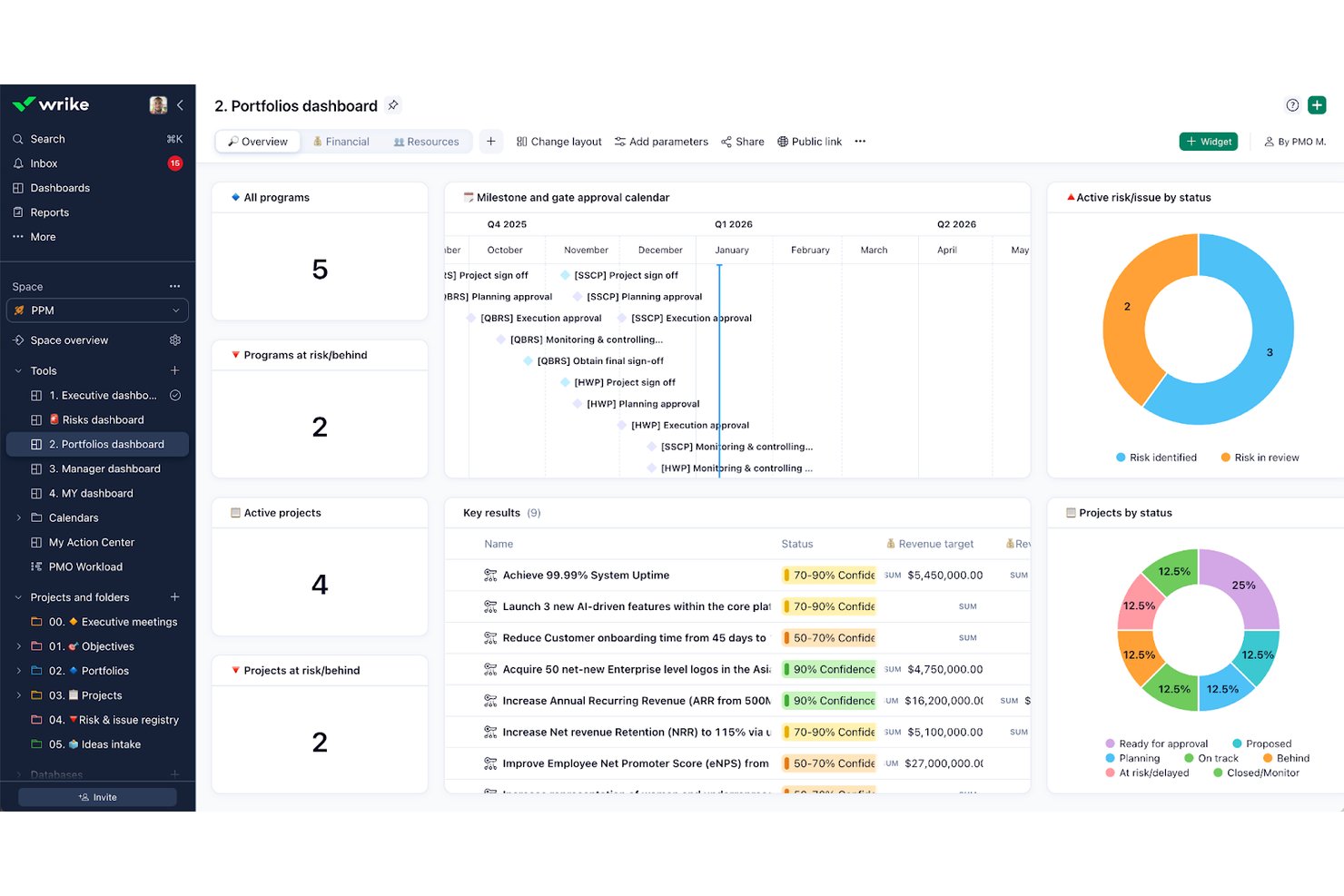
Wrike is a work management platform designed for organizations overseeing multiple products or teams, offering advanced tools for planning, visibility, and cross-functional collaboration across complex product portfolios.
Who Is Wrike Best For?
Wrike is a good fit for large organizations and enterprises that need to coordinate multiple teams and complex project portfolios.
Why Wrike Is a Good Trello Alternative
Wrike is a strong Trello alternative for enterprise teams that have outgrown simple visual boards. It offers structured multi-folder task hierarchies, real-time portfolio reporting, and advanced workload management, enabling cross-functional teams to balance capacity and track complex dependencies at scale.
Wrike Key Features
- Gantt charts: Visualize tasks, dependencies, and milestones with interactive Gantt charts.
- Custom request forms: Collect and organize project intake with configurable forms for standardized submissions.
- Built-in time tracking: Track the time each team member spends on specific tasks directly within the platform.
- Document version control: Store, share, and manage project files with automated version history and access controls.
Wrike Integrations
Wrike integrates with hundreds of tools like Power BI, Salesforce, Slack, GitHub, Adobe Creative Cloud, and Zoom. It also offers an API for custom integrations.
Pros and Cons
Pros:
- Real-time reporting at portfolio level
- Built-in time tracking for tasks
- Advanced Gantt charts for portfolio planning
Cons:
- Permission settings often require manual adjustment
- Interface is not user-friendly
New Product Updates from Wrike

Wrike Activity Reports Add Actor Type Details
Wrike’s Activity Report now displays actor type details, helping admins identify whether changes came from the UI, Automation, Wrike Agents, API, or AI via MCP. For more information, visit Wrike's official site.

Notion
Best for linking product PRDs to roadmaps
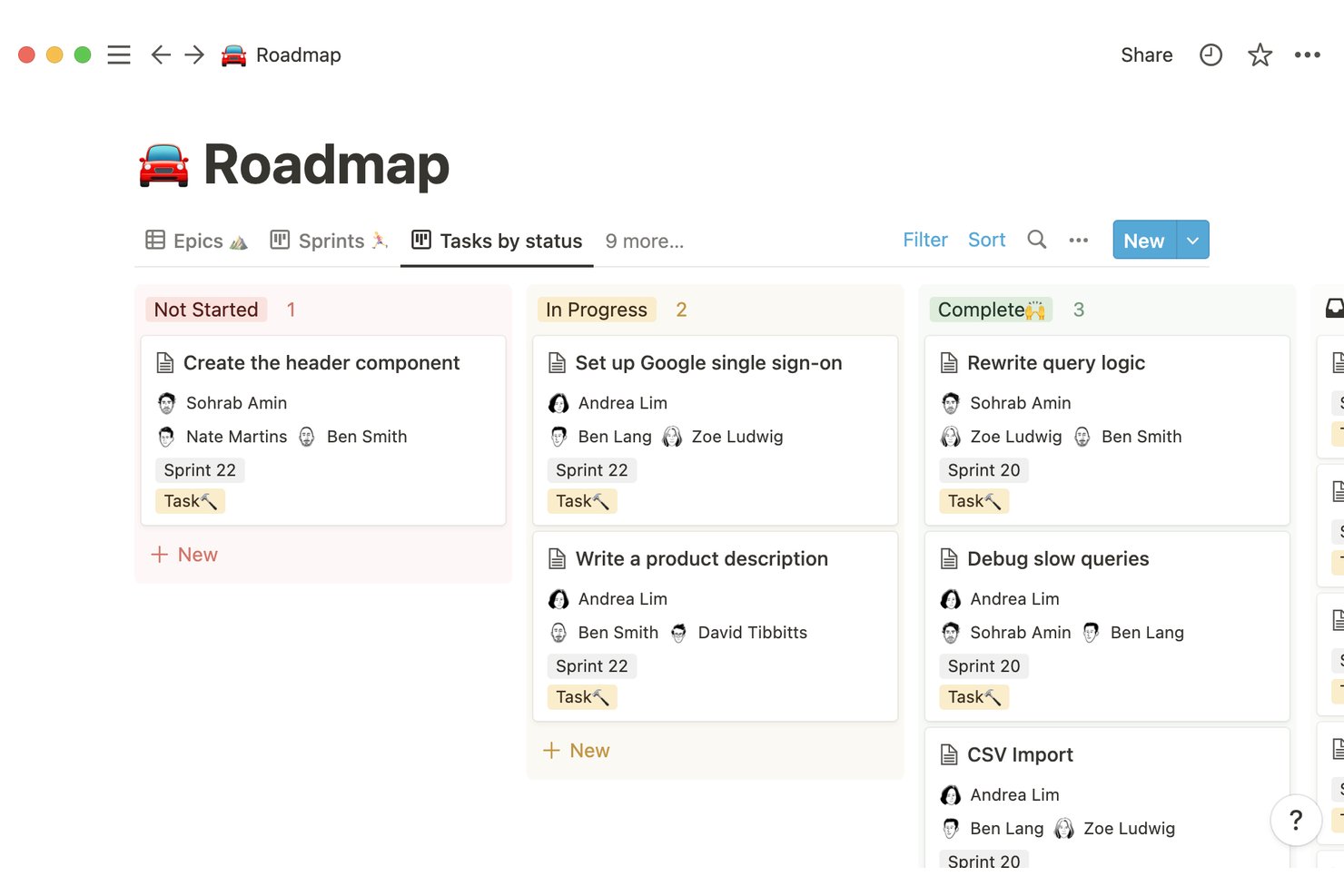
Notion is a flexible digital workspace for teams that want customizable workflows, doc collaboration, and linked knowledge bases in their product planning process. Product managers and cross-functional teams can adapt Notion to match their specific planning, documentation, and communication needs.
Who Is Notion Best For?
Notion is a strong fit for cross-functional product teams who need adaptable connected documentation, planning, and knowledge sharing in one place.
Why Notion Is a Good Trello Alternative
I picked Notion because of its ease of use. I can link product requirements documents to roadmaps, making it easy to connect context to plans. My team uses its database and page-linking features to tie detailed project specs to broader timelines. The flexibility helps us edit docs, update roadmaps, and keep everything organized in one place.
Notion Key Features
- Database views: Visualize projects, tasks, and timelines as boards, calendars, or tables for flexible planning.
- Permission controls: Set granular access for pages and databases to manage sharing within teams.
- Template gallery: Use and customize pre-built templates for product specs, sprint planning, and release notes.
- Inline comments: Add comments directly within documents and databases for easy feedback and discussion.
Notion Integrations
Notion offers native integrations with Slack, GitHub, Jira, Asana, Google Drive, Figma, and Zoom. It also connects with Zapier and provides an API for custom integrations.
Pros and Cons
Pros:
- Supports various database views for planning
- Offers flexible page linking and document organization
- Connects project specs directly to roadmaps
Cons:
- Can feel unstructured for task-heavy workflows
- No native kanban automation features
Asana
Best for tracking cross-functional feature launch plans
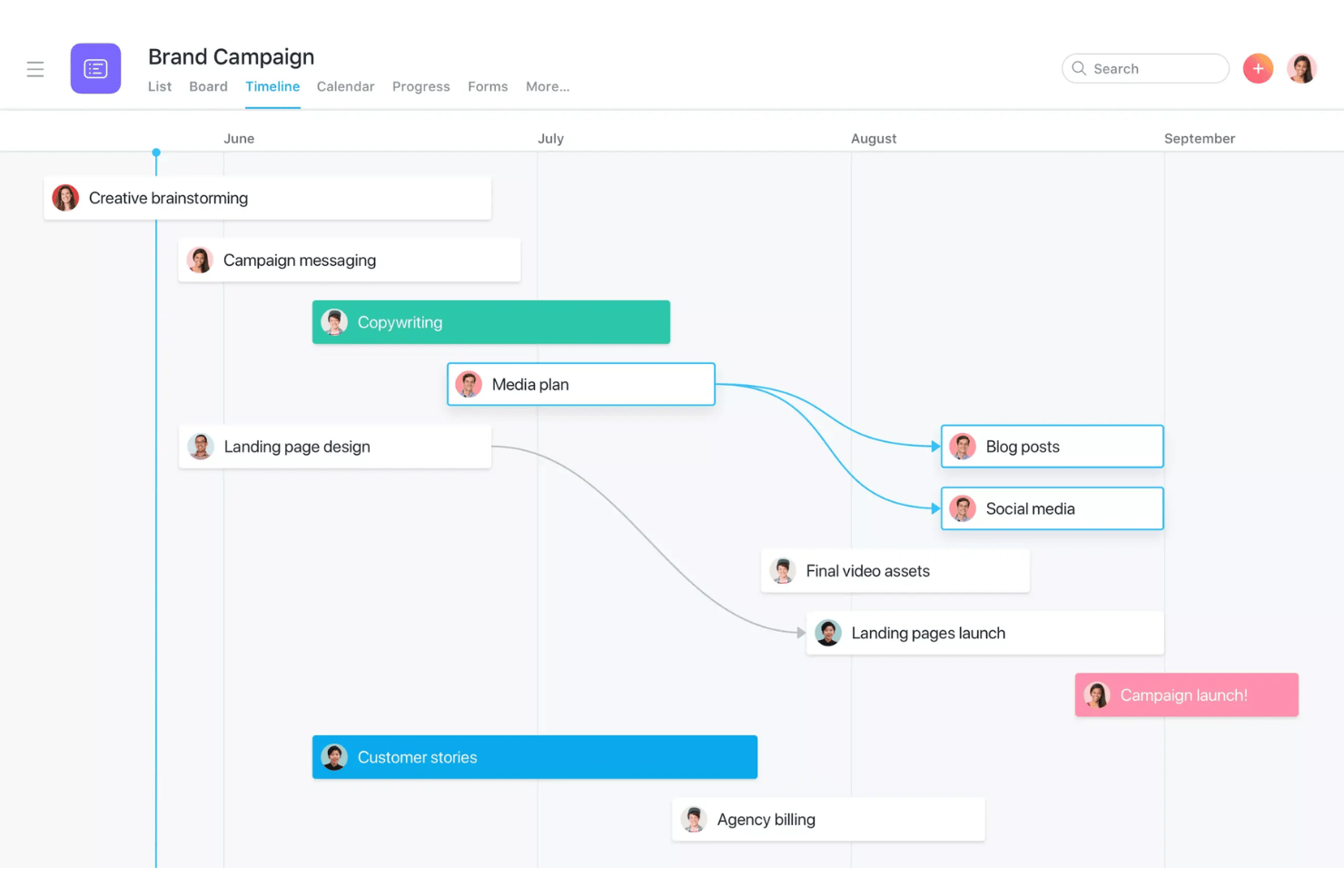
Asana is a project management software that helps product teams, marketing leads, and cross-functional groups organize projects, track deliverables, and manage complex workflows in one platform, making it easier to keep everyone focused on shared product priorities and schedules.
Who Is Asana Best For?
Asana is a great fit for small teams who work cross-functionally and need to coordinate project timelines and manage feature launches.
Why Asana Is a Good Trello Alternative
I picked Asana as one of the best because it helps teams coordinate cross-functional feature launches using detailed project timelines, customizable workflows, and clear task dependencies. I can map every stage of our launch plan and keep every stakeholder on track, which is something Trello doesn’t handle well for larger, multi-team projects.
Asana Key Features
- Custom fields: Add specific details to tasks to track status, priority, or any data you want.
- Workload management: Visualize team capacity and reallocate work to avoid overloading people.
- Timeline view: Use a drag-and-drop Gantt chart to map out projects and dependencies visually.
- Automated workflows: Set up rules to automate routine actions like handoffs, status changes, or notifications.
Asana Integrations
Asana offers native integrations with Slack, Google Drive, Microsoft Teams, Dropbox, Salesforce, Jira Cloud, Zoom, GitHub, Adobe Creative Cloud, and Box. It also connects with Zapier and offers an API for custom integrations.
Pros and Cons
Pros:
- Project dependencies help coordinate complex launches
- Custom fields allow tailored task tracking
- User-friendly interface makes it easy to use
Cons:
- Permissions granularity sometimes lacks flexibility
- Notification volume can overwhelm active users
Hive
Best for native time tracking and chat option
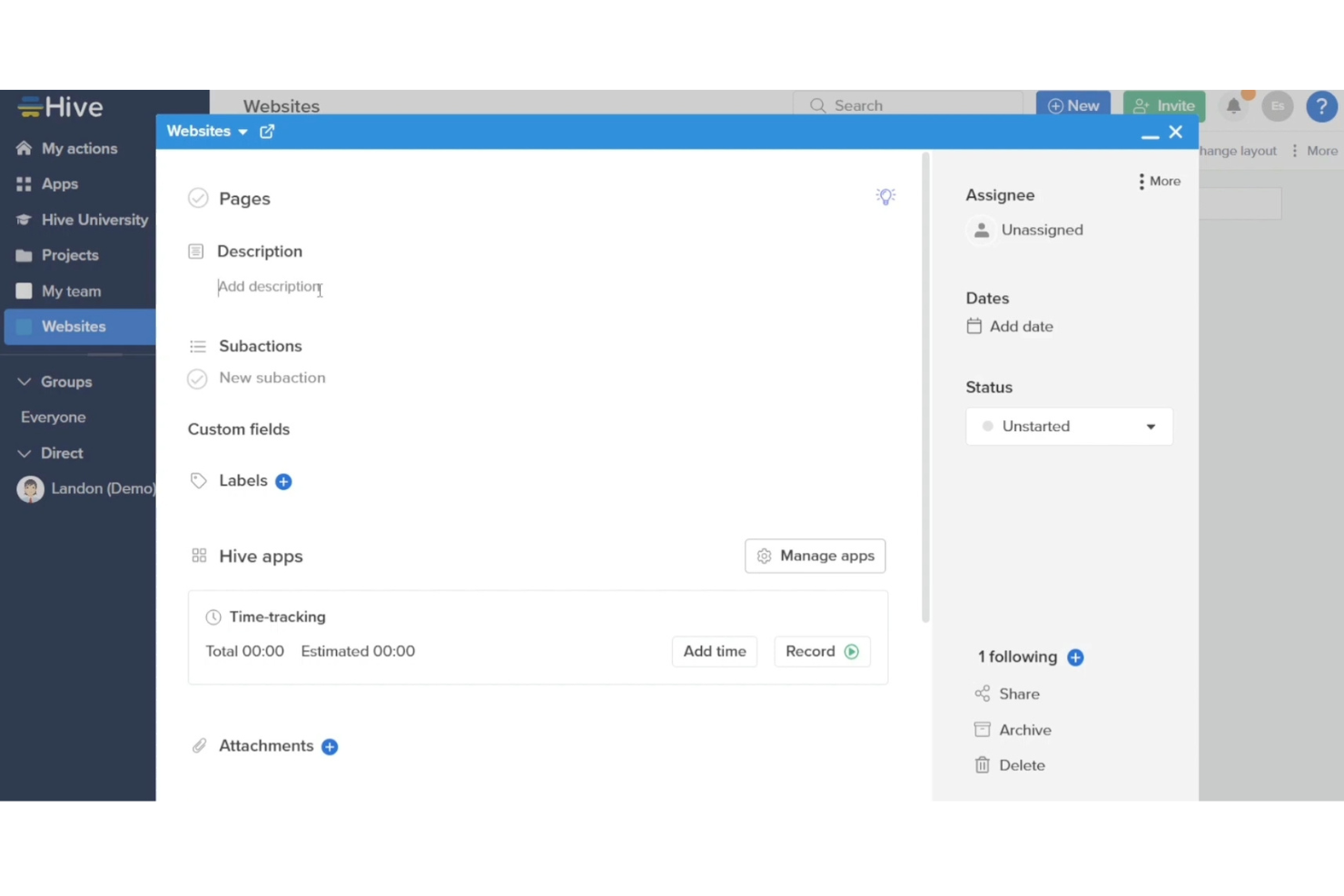
Hive is a project planning platform designed for teams that want centralized task management, flexible workflows, and real-time collaboration in fast-paced environments. It’s a good fit for product managers who need visibility and structure across complex initiatives.
Who Is Hive Best For?
Hive suits cross-functional teams in fast-paced companies that need a central workspace for project tracking, time management, and real-time communication.
Why Hive Is a Good Trello Alternative
I picked Hive as one of the best Trello alternatives because it combines task management with built-in chat and timesheets, reducing the need to run separate apps for team messaging and time logging. It allows product managers to track feature development times directly on cards while holding project discussions in adjacent channels.
Hive Key Features
- Gantt chart view: Visualize project timelines and task dependencies for complex initiatives.
- Customizable project templates: Standardize workflows by creating and reusing tailored project setups.
- Automated task assignments: Automatically assign tasks based on triggers, project rules, or workflow needs.
- Proofing and approvals: Review, annotate, and approve digital assets directly within the project workspace.
Hive Integrations
Hive offers 1000+ integrations with tools like Google Drive, Dropbox, Slack, Zoom, Microsoft Teams, OneDrive, Salesforce, Box, and GitHub. It connects with Zapier and offers an API for custom integrations.
Pros and Cons
Pros:
- Automated workflows handle recurring assignments
- In-app chat reduces switching between tools
- Native timesheets track team hours within tasks
Cons:
- Notification overload reported in active workspaces
- Interface can feel cluttered with many projects

Jira
Best for scaled agile and sprint planning
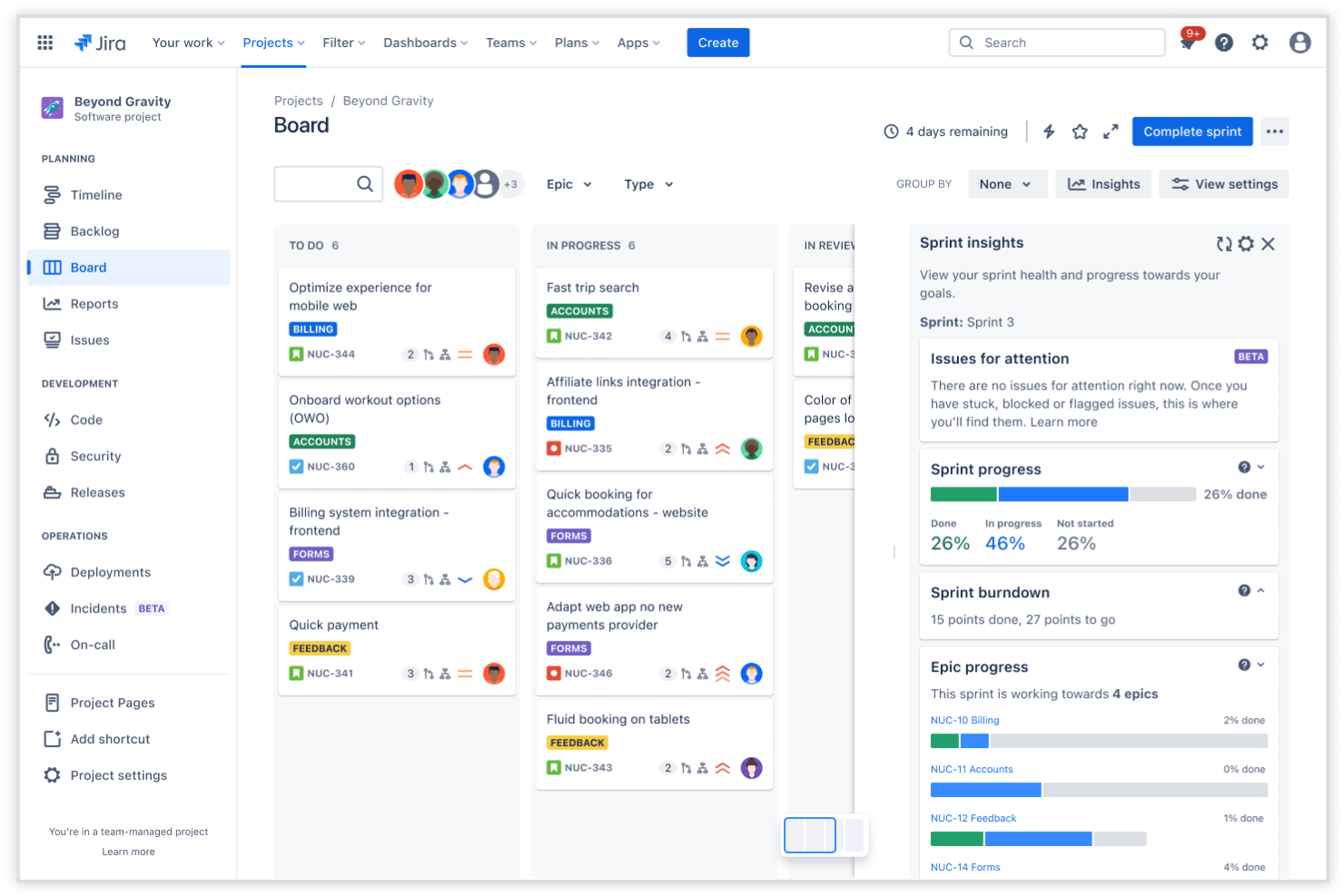
Jira is a project planning tool built for product teams who need to manage complex workflows, coordinate across cross-functional groups, and keep iterative work on track at scale.
Who Is Jira Best For?
Jira is a solid option for product and engineering teams in medium to large organizations managing complex, iterative workflows.
Why Jira Is a Good Trello Alternative
While both tools are owned by Atlassian, Jira is tailored for software development. It provides deep backlog grooming tools, burndown charts, version release tracking, and granular dev-level workflows that go far beyond Trello's basic capabilities.
Jira Key Features
- Custom issue types: Create and categorize issues tailored to your team’s workflow needs.
- Advanced automation engine: Set up rule-based triggers to automate repetitive tasks across projects.
- Granular permissions: Manage user access at the project, issue, and field level for better control.
- Built-in reporting dashboards: Visualize project data with configurable charts and agile reports.
Jira Integrations
Jira offers 200+ built-in integrations like Confluence, GitHub, Slack, and Salesforce. It also integrates with Zapier and offers a native REST API for custom connections.
Pros and Cons
Pros:
- Supports detailed role and permission settings
- Offers advanced backlog prioritization tools
- Handles complex workflows across multiple squads
Cons:
- UI feels overwhelming for new users
- Setup for agile frameworks can be complex
Best for enterprise strategic capacity planning
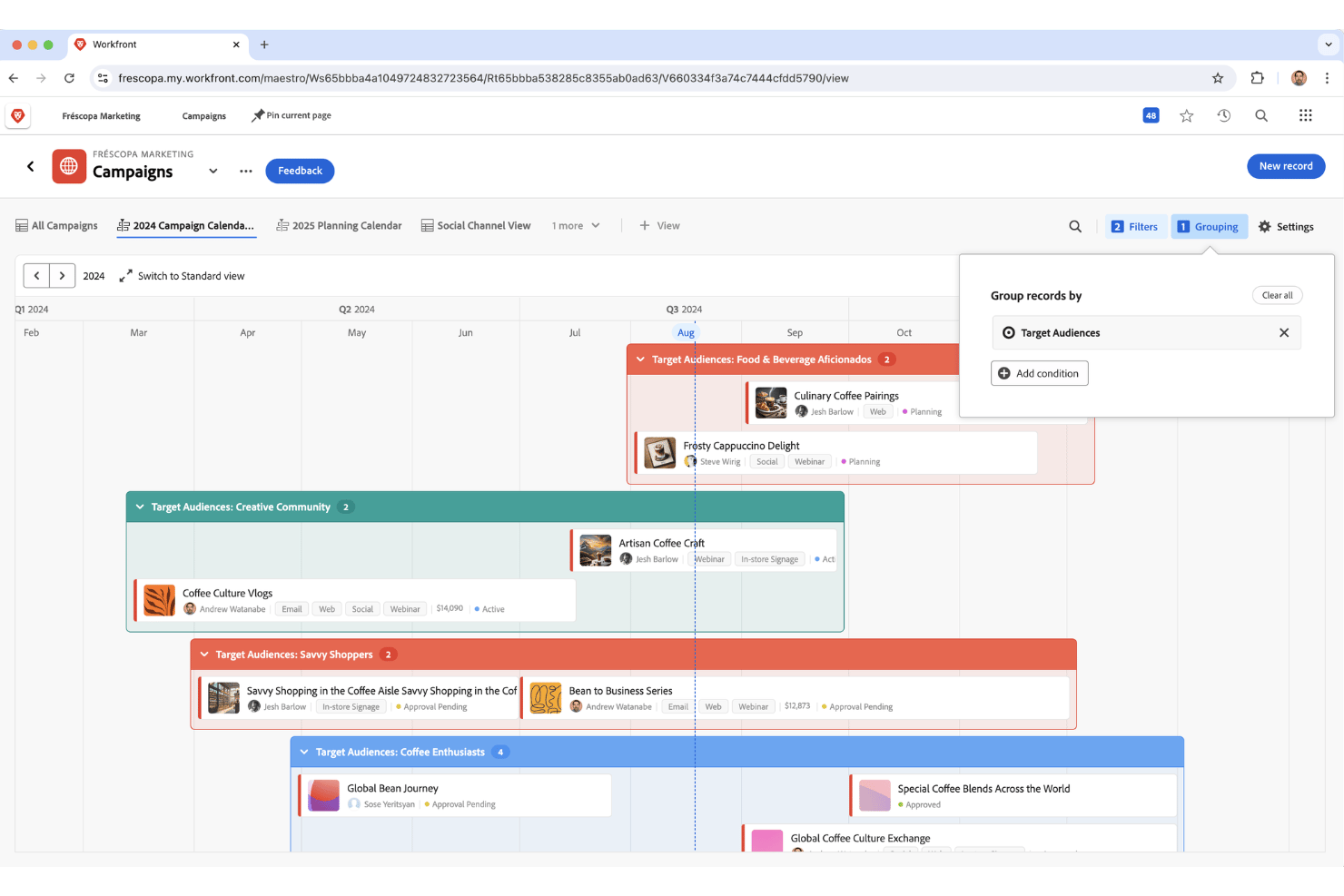
Adobe Workfront is a work management platform designed for large organizations that need to manage complex project portfolios, support cross-functional collaboration, and bring structure to resource planning across multiple teams.
Who Is Adobe Workfront Best For?
Workfront is a strong fit for large organizations with complex portfolios that need advanced work management and resource planning across departments.
Why Adobe Workfront Is a Good Trello Alternative
Adobe Workfront provides enterprise-grade governance and strategic resource modeling that lightweight tools cannot match. It gives leadership real-time visibility into workforce capacity, budget allocations, and portfolio health across global business units.
Adobe Workfront Key Features
- Automated workflows: Create repeatable workflow templates with configurable triggers and rules for task management.
- Document management: Store, share, and collaborate on files within each project or task.
- Time tracking: Log hours directly on tasks to keep resource usage visible and accurate.
- Project portfolio dashboards: Track progress, risks, and project health across your portfolio in real time.
Adobe Workfront Integrations
Adobe Workfront offers native integrations with Adobe Creative Cloud, Jira, Microsoft Teams, Slack, Salesforce, Google Drive, OneDrive, Box, and Dropbox. It also offers an API for custom integrations.
Pros and Cons
Pros:
- Real-time dashboards across multiple teams
- Scenario planning for resource allocation decisions
- Enterprise-level project portfolio management tools
Cons:
- Setup and training require significant time investment
- Interface and workflows can feel overwhelming
Other Trello Alternatives
Here are some additional trello alternatives options that didn’t make it onto my shortlist, but are still worth checking out:
- Quickbase
For building no-code workflow apps at scale
- monday.com
For cross-team product workflows and roadmaps
- Smartsheet
For spreadsheet-style product release tracking
- Zoho Projects
For project tracking within the Zoho suite
- Nifty
For automated milestone tracking tied to tasks
- Miro
For visual product discovery and wireframing
- Coda
For building product specs with embedded databases
- Linear
For engineering-led sprint and roadmap planning
- Shortcut
For scaling issue tracking alongside roadmaps
- Businessmap
For Kanban-to-portfolio OKR alignment


How I Evaluate Trello Alternatives
I split my evaluation into two layers: core functionality every tool must cover, and differentiating factors that set vendors apart. Core functionality means the Kanban boards, task management, and collaboration tools you'd expect any Trello alternative to offer. Differentiating factors—like roadmapping, sprint planning, or built-in docs—are what I look for when matching a tool to how a specific product team actually works.
Core Functionality (Table Stakes for This List)
When I'm selecting tools for my list, I rank each one on a scale from 0 (does not offer the functionality) to 5 (excels in this area) for each core functionality listed below. I then calculate the tool's total score into a percentage, using 75% as a benchmark to help assess its overall fit for the list.
- Kanban boards: I check whether boards support drag-and-drop columns, WIP limits, swimlanes, and custom fields that let teams model real workflows.
- Multiple project views: Teams need more than one lens on their work, so I look for at least board, list, timeline, and calendar views with per-project switching.
- Task management: I evaluate how each tool handles subtasks, dependencies, recurring tasks, and custom fields—the basics for tracking a feature from PRD to release.
- Team collaboration: Real-time comments, file sharing, and guest access matter here, especially for cross-functional teams that include external stakeholders.
- Workflow automation: I look for a native rule builder that supports multi-step triggers and conditional logic, like auto-assigning QA tasks when a dev marks a card done.
- Integrations and API: The tool should connect to the CRM, communication, and collaboration apps your team already uses—Slack, GitHub, Google Workspace—and offer an open API for custom workflows.
Once I have a list of tools that meet the criteria, I consider what sets each platform apart.
Differentiating Factors (What Sets Vendors Apart)
Here's how I compare and contrast different vendors:
Standout Features
Product roadmapping is where I start. I look for dedicated roadmap views with release milestones and dependency tracking, not just a Kanban board relabeled as a "roadmap." Built-in docs matter too—tools like Notion let you embed PRDs right next to tasks, which cuts the context-switching that kills momentum during sprint planning. I also evaluate each tool's dashboards for burndown charts, workload heatmaps, and cycle time widgets that give portfolio-level visibility without a separate BI tool.
Beyond Features
I check how easily each tool imports Trello boards, cards, and attachments. A clean migration matters because lost checklists or broken comments slow adoption. I also evaluate how each platform handles cross-functional access. Product teams need to share roadmaps with executives and loop in designers or support leads without paying for full seats. Tools like monday.com and Asana offer guest or viewer roles, while others gate that access behind higher-tier plans. Integration depth with developer tools like GitHub and Figma is another factor I weigh, since two-way syncs keep product and engineering aligned without manual status updates.
Why Look For a Trello Alternative?
While Trello is a good choice of product planning software, there are a number of reasons why some users seek out alternative solutions. Teams typically look for alternative solutions when they hit specific operational limits:
- You require native product roadmapping and timeline views
- You want built-in document collaboration directly alongside tasks
- You outgrew basic Kanban tools as your primary workflow engine
- You need advanced automation to handle complex, multi-stage processes
- You manage multiple projects and cross-functional teams with varied permission needs
- You want deeper, native integrations with specialized developer and design tools
Trello Alternatives Key Features
Here are some of the key features of Trello alternatives to help you contrast and compare what alternative solutions offer:
- Kanban boards: Organize work visually with boards and cards that support swimlanes, WIP limits, and customizable fields for real-world workflows.
- Multiple project views: Switch between board, list, calendar, and timeline views to see projects from different perspectives and tailor your planning approach.
- Task management: Track work with subtasks, dependencies, and recurring tasks to support everything from high-level planning to detailed delivery.
- Team collaboration: Enable real-time comments, file sharing, and guest access so cross-functional teams and stakeholders can contribute and stay informed.
- Workflow automation: Build automated rules with multi-step triggers and conditional logic to reduce manual work across projects.
- Integrations and API: Connect to tools like Slack, GitHub, Google Workspace, and Figma to create all-in-one workflows and sync information across platforms.
- Roadmapping: Plan product releases and map dependencies with roadmap views to share upcoming work and delivery timelines with the team.
- Built-in documentation: Create and store documents, wikis, or product specs with tasks to keep all context and planning details in one place.
- Advanced reporting: Use visual dashboards featuring charts, workload views, and cycle time reports that surface progress and bottlenecks for all stakeholders.
- Import and migration tools: Bring over boards, cards, and attachments from Trello or other platforms without data loss.
Costs and Pricing of Trello Alternatives
Selecting Trello alternatives requires an understanding of the various pricing models and plans available. Costs vary based on features, team size, add-ons, and more. The table below summarizes common plans, their average prices, and typical features included in Trello alternatives:
Plan Comparison Table for Trello Alternatives
| Plan Type | Average Price | Common Features |
|---|---|---|
| Free Plan | $0 | Basic Kanban boards, limited project views, core task management, simple collaboration, and basic integrations. |
| Personal Plan | $5–$10/user/month | Unlimited boards, multiple project views, advanced task management, limited automation, and file attachments. |
| Business Plan | $10–$25/user/month | Advanced automation, timeline and calendar views, guest access, detailed reporting, and enhanced integrations. |
| Enterprise Plan | $20–$40/user/month | Custom roles and permissions, advanced security controls, priority support, premium integrations, and audit logs. |