

Wireframing software helps UX and product teams create low-fidelity layouts that map out a website or app’s structure, content, and user flow, without getting bogged down in visual design details. It’s the blueprint stage of design, where speed and clarity matter most.
You're here because you've done your homework, or you've used Balsamiq enough to know it’s a solid wireframing tool. It’s quick, easy to pick up, and great for sketch-style mockups. But you might be feeling its limitations.
Maybe you're craving more interactivity, richer prototyping features, or real-time collaboration with your team. Maybe you’ve run into the frustration of needing high-fidelity designs or smoother handoff to developers. Either way, you're ready to see what else is out there—and we're here to help you make a smart decision.
We’ve independently tested and reviewed a wide range of wireframing tools—from Balsamiq to its most advanced and niche competitors. This guide cuts through the noise to help you:
- Find tools that fit your workflow better
- Overcome specific pain points that Balsamiq doesn’t address
- Make informed trade-offs based on features, usability, and price
Let’s get into it.
What Is Balsamiq?
Balsamiq is a wireframing tool that helps you create quick, low-fidelity mockups of your designs. It's commonly used by UX designers, product managers, and developers who need to visualize and iterate on design concepts. Drag-and-drop elements, pre-built UI components, and a simple interface help with creating and sharing wireframes quickly. Overall, Balsamiq provides a straightforward way to translate ideas into visual formats that your team can easily understand and discuss.
Why Trust Our Software Recommendations
6,700+
Reviews
20
Industry experts
16+
Evaluation factors
14
Years
Our team has been testing and reviewing software since 2012. As product managers ourselves, we know how difficult—and important—it is to choose the right software.
For this guide, we evaluated tools using hands-on testing and independent research, scoring tools using our selection criteria.
Our reviews reflect our human editorial judgment, not a sales pitch.
Expert reviewers:
- Andrew LumbySenior TPM
- Cristiano ValimSenior UI/UX Lead


Comparison Table: Balsamiq Alternatives
This comparison table summarizes pricing details for my top Balsamiq alternative selections.
| Tool | Best For | Trial Info | Price | ||
|---|---|---|---|---|---|
| 1 | Best for mind maps linked to wireframes | Free plan available | From $10/user/month (billed annually) | Website | |
| 2 | Best for non-designers building AI wireframes | Free plan available | From $14/user/month | Website | |
| 3 | Best for Mac-native UI design and handoff | 30-day free trial | From $12/user/month (billed annually) | Website | |
| 4 | Best for no-code interactive prototyping | 30-day free trial | From $29/user/month (billed annually) | Website | |
| 5 | Best for diagramming without an internet connection | Free plan available | Free to use | Website | |
| 6 | Best for wireframes that scale to full handoff | Free plan available | From $3/user/month | Website | |
| 7 | Best for spec annotations and dev handoff | Free plan available | From $24.90/user/month (billed annually) | Website | |
| 8 | Best for UI planning across screens and flows | Free plan available | From $9/user/month (billed annually) | Website | |
| 9 | Best for prototyping with real code components | Free plan + 14-day free trial available | From $29/user/month (billed annually) | Website | |
| 10 | Best for high-fidelity prototypes | Free plan available | From $19/user/month | Website |


We’ve been testing and reviewing product management software since 2020. As UX designers ourselves, we know how critical and difficult it is to make the right decision when selecting software. We invest in deep research to help our audience make better software purchasing decisions.
We’ve tested more than 2,000 tools for different product management use cases and written over 1,000 comprehensive software reviews. Learn how we stay transparent and check out our software review methodology.
Best Balsamiq Alternatives Reviews
Below are my detailed summaries of the best Balsamiq alternatives that made it onto my shortlist. My reviews offer a detailed look at the key features, pros & cons, integrations, and ideal use cases of each tool to help you find the best one for you
 Best for mind maps linked to wireframes
- Free plan available
- From $10/user/month (billed annually)
Visit WebsiteCustomer Rating:4.6/5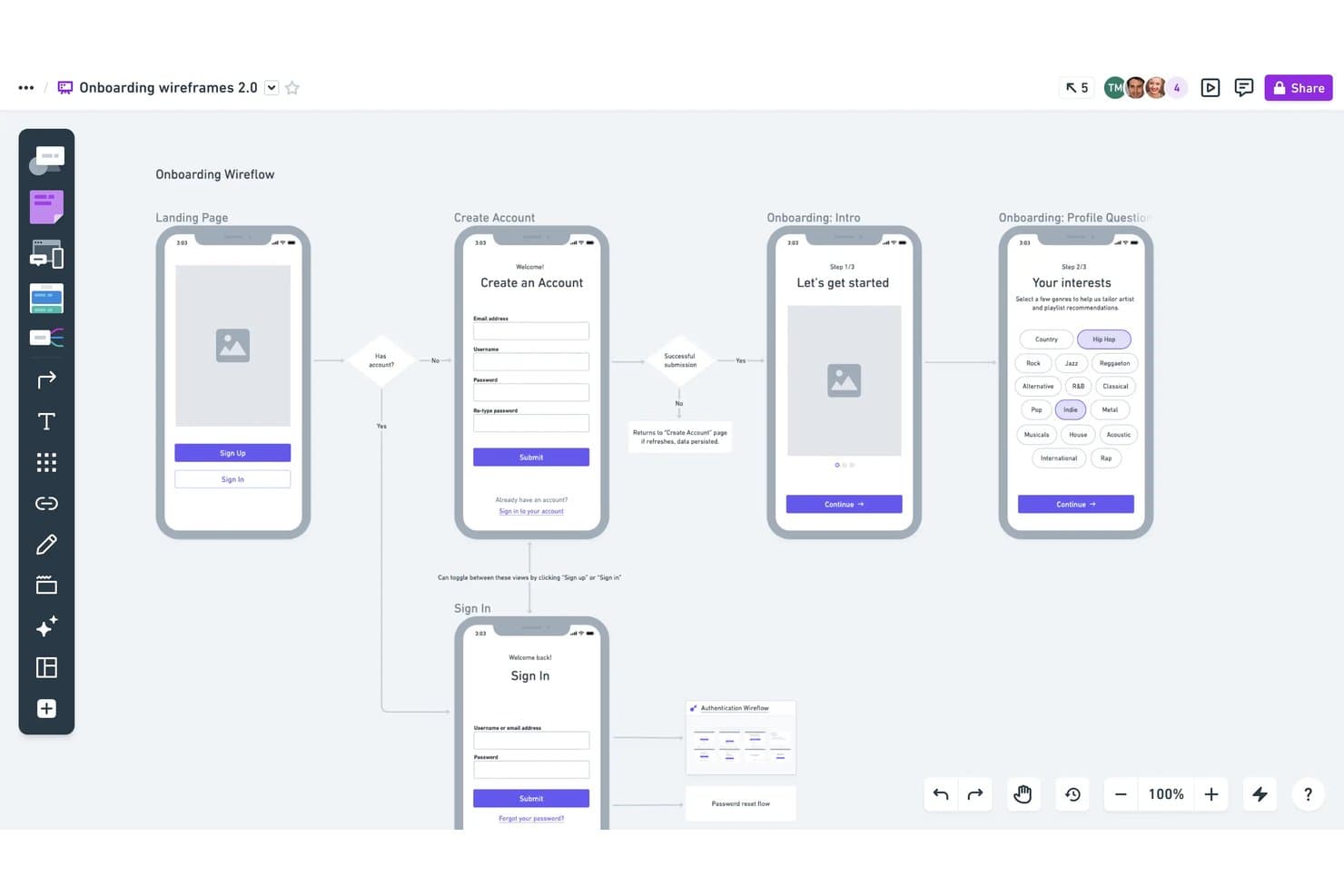
Whimsical lets users build annotated wireframe flows with logic. Whimsical is a visual workspace for product managers, designers, and founders who need to create wireframes, map user flows, and align teams around early product ideas.
Who Is Whimsical Best For?
Whimsical suits distributed product teams that need a shared space for collaborative mind mapping and visual brainstorming.
Why Whimsical Is a Good Best Balsamiq Alternatives
I picked Whimsical because it’s best for mind mapping during early product discovery. I use its branching maps and collapsible nodes to connect customer problems, hypotheses, and feature ideas before sketching wireframes. Shared editing lets my team turn those maps into interface flows during the same workshop.
Whimsical Key Features
- Wireframe templates: Start designs with prebuilt layouts for common screens and product flows.
- UI component library: Add buttons, inputs, cards, menus, and other interface elements.
- Image uploads: Place images directly on wireframes for realistic visual references.
- Board exports: Download boards as PDF, PNG, or SVG files for sharing.
Whimsical Integrations
Whimsical supports integrations with Jira, Confluence, Google Docs, ClickUp, Asana, Notion, Slack, GitHub, Linear, and Canva. It also offers a beta API for custom integrations.
Pros and Cons
Pros:
- Real-time cursors support focused workshop collaboration
- Wireframe templates speed early interface exploration
- Branching mind maps connect discovery to flows
Cons:
- Larger planning sessions can feel canvas-restricted
- Too basic for detailed UI specifications
Learn more about Whimsical: Best for non-designers building AI wireframes
- Free plan available
- From $14/user/month
Visit WebsiteCustomer Rating:4.8/5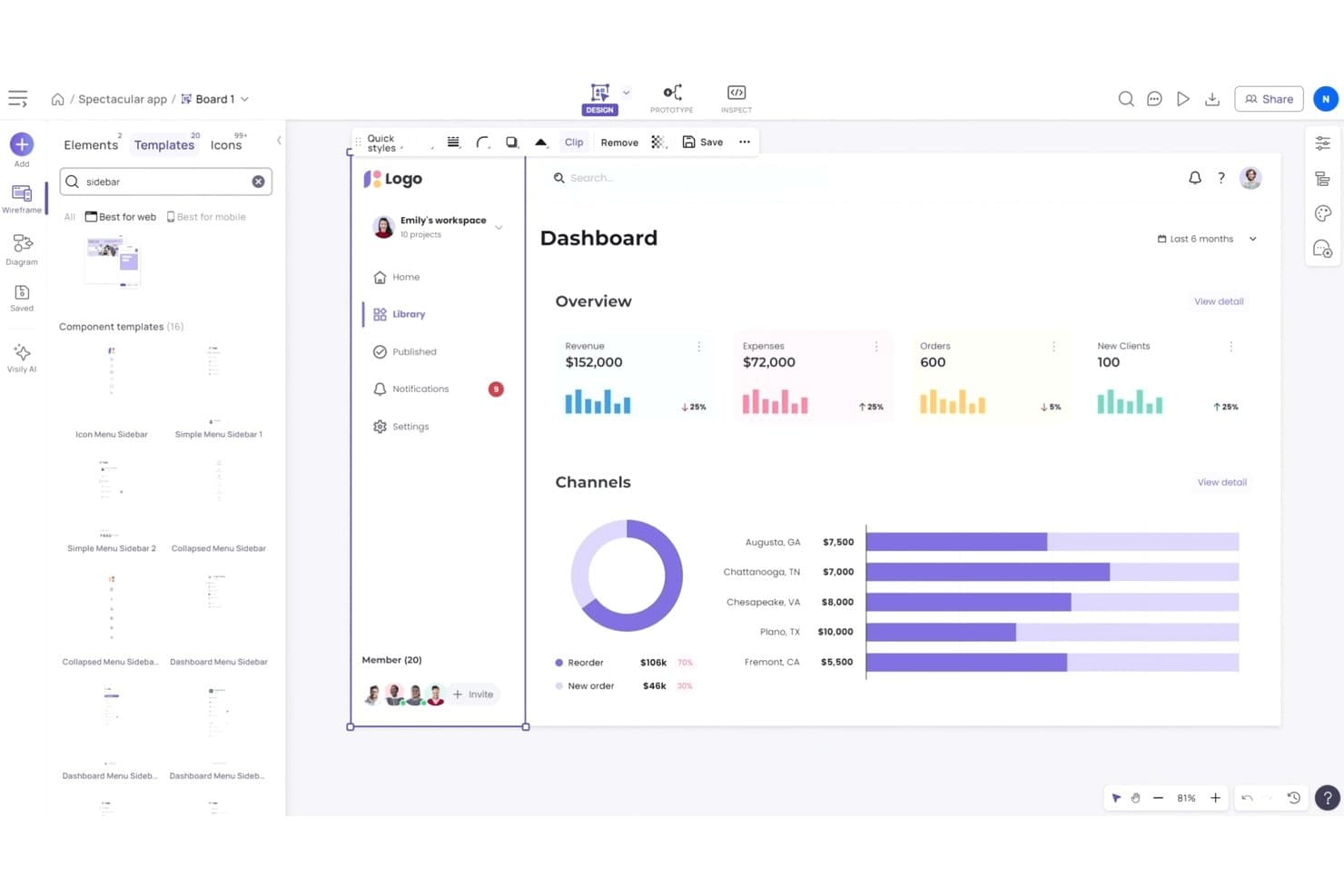
Visily offers ready-made sidebar and dashboard UI templates. Visily is an AI wireframing platform for product managers, founders, and business teams who need to turn ideas into clear product concepts without advanced design skills.
Who Is Visily Best For?
Visily suits product managers and founders who need to turn early product ideas into AI-generated wireframes without design expertise.
Why Visily Is a Good Best Balsamiq Alternatives
I picked Visily because it’s best for non-designers building AI wireframes. I use text prompts to create initial screens, then refine layouts with its AI design assistant. Screenshot-to-design conversion also helps my team turn existing product references into editable wireframes for early discovery.
Visily Key Features
- UI component library: Add editable interface elements from a reusable library.
- Wireframe templates: Start projects with prebuilt templates for common product screens.
- Interactive prototyping: Connect screens to map user flows and simulate navigation.
- Team collaboration: Invite teammates to review designs and leave comments.
Visily Integrations
Visily offers official integrations with Slack and Figma, plus a Jira app through the Atlassian Marketplace. It also supports MCP connections with Claude Code, Codex, Cursor, Gemini CLI, Antigravity, Kiro, ChatGPT, and Lovable.
Pros and Cons
Pros:
- Interactive prototypes clarify stakeholder feedback
- Screenshots become editable starting points
- Text prompts produce high-fidelity wireframes quickly
Cons:
- Diagram logic can produce unreliable flows
- AI edits can regenerate whole screens
Learn more about Visily: Best for Mac-native UI design and handoff
- 30-day free trial
- From $12/user/month (billed annually)
Visit WebsiteCustomer Rating:4.5/5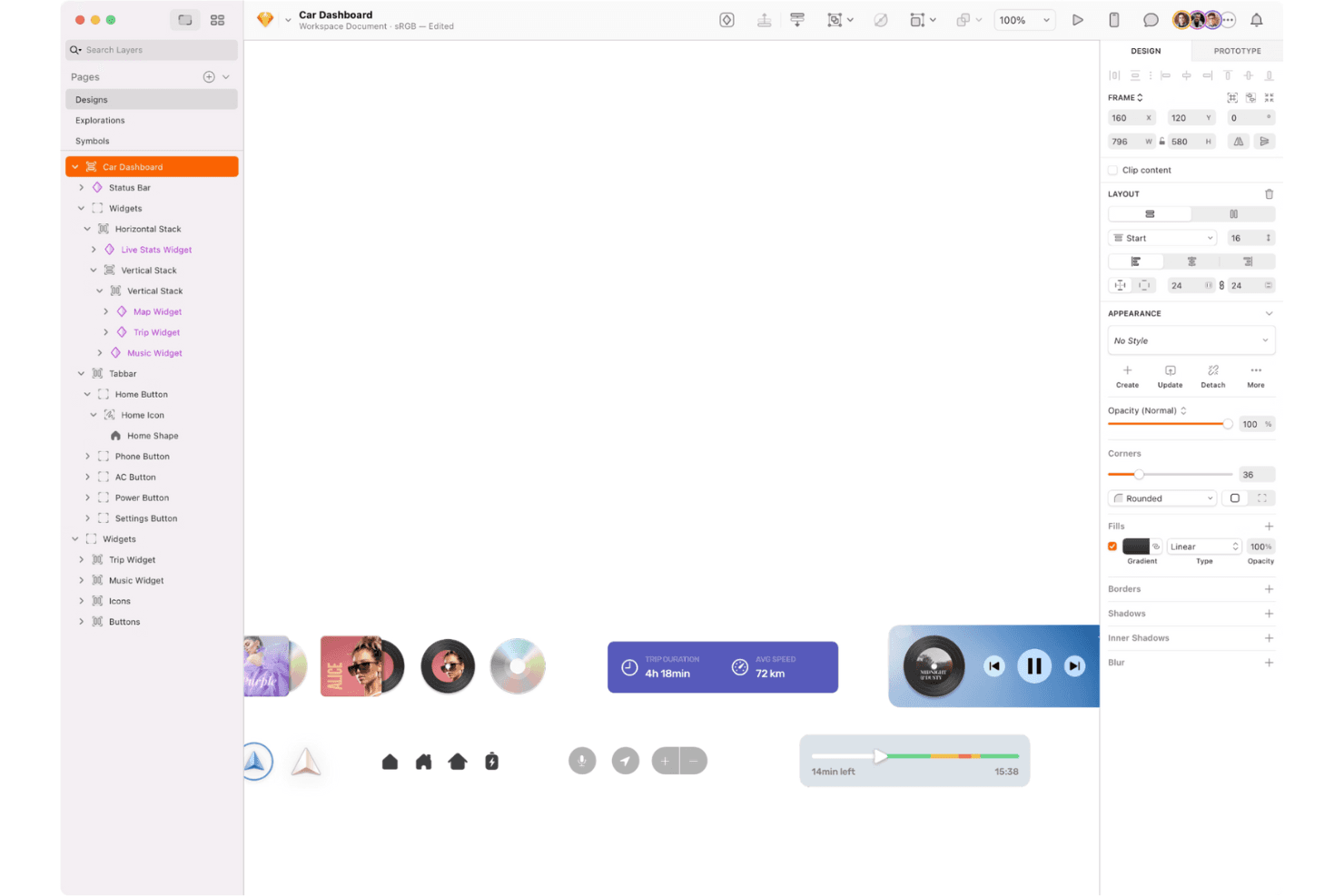
Sketch is a macOS design toolkit for vector editing, layouts, and interactive prototyping. Sketch is a macOS-first UI design and wireframing platform for product teams that need to turn early concepts into polished interfaces, align stakeholders, and maintain consistent design systems.
Who Is Sketch Best For?
Sketch suits macOS-based product design teams creating interfaces, wireframes, prototypes, and shared design systems.
Why Sketch Is a Good Best Balsamiq Alternatives
I picked Sketch because its Best for macOS design tools positioning fits teams moving from wireframes to polished product screens. I use Symbols and shared Libraries to keep navigation, forms, and recurring interface patterns consistent across flows. Its prototyping tools let my team connect those screens and test realistic user journeys before development.
Sketch Key Features
- Artboards: Create separate canvases for screens, device sizes, and user flows.
- Vector editing: Draw and adjust interface elements with precise paths and shapes.
- Text styles: Save reusable typography settings for headings, labels, and body copy.
- Smart Layout: Set resizing rules that adapt layers when content changes.
Sketch Integrations
Sketch offers plugins and integrations with Slack, Notion, Jira, Zeplin, ProtoPie, Overflow, Frontify, and Google Sheets. It also provides an officially supported JavaScript API and file-format specification for custom integrations.
Pros and Cons
Pros:
- Vector editing supports polished handoff-ready screens
- Reusable Symbols keep interface patterns consistent
- macOS-native workflows feel fast and polished
Cons:
- Polished interfaces take longer than quick wireframes
- Mac-only design editing limits platform flexibility
 Best for no-code interactive prototyping
- 30-day free trial
- From $29/user/month (billed annually)
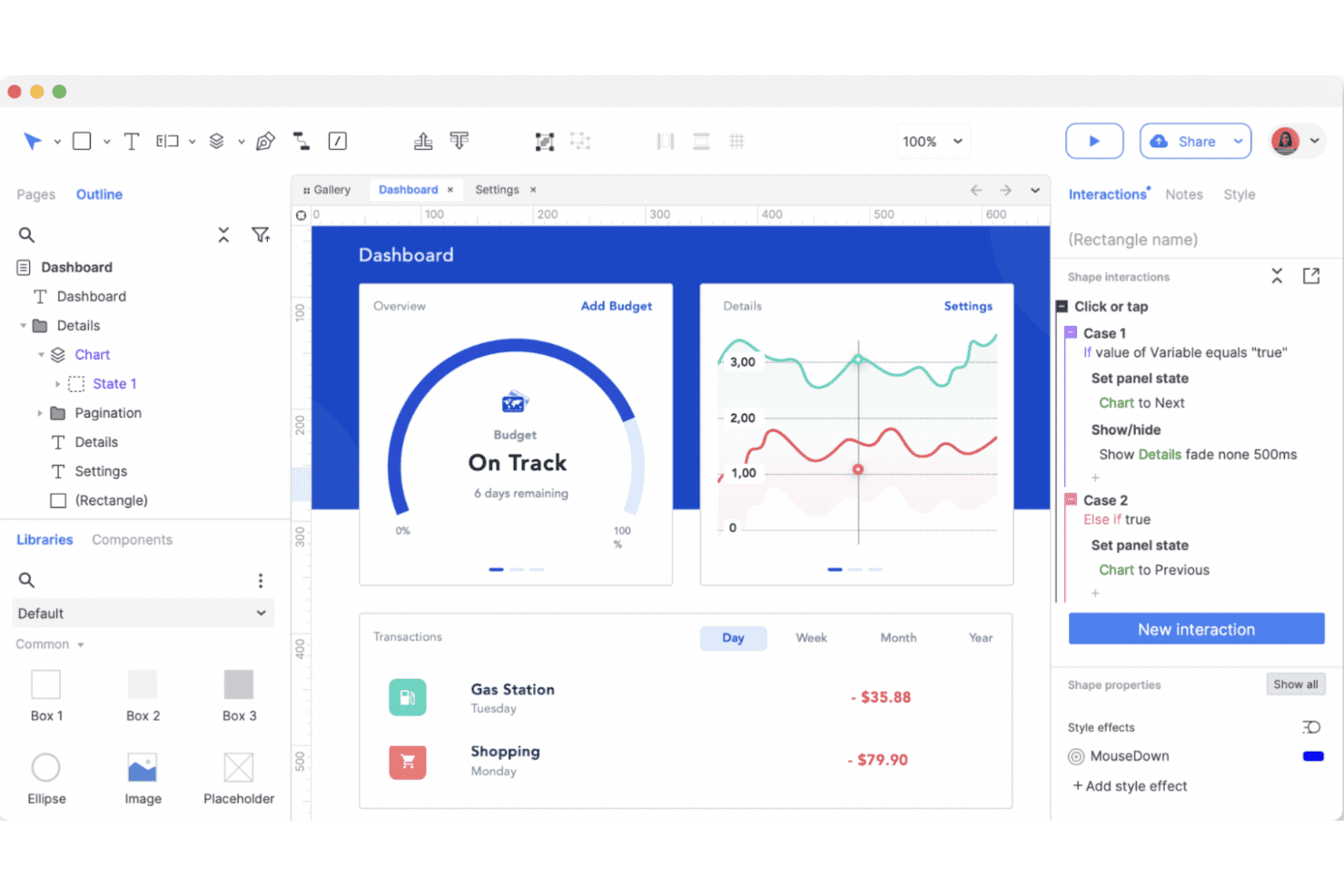
Axure RP is a prototyping tool for building interactive designs and complex user flows. Axure RP is a wireframing and prototyping platform for product managers, UX designers, and enterprise teams that need to clarify complex requirements, test workflows, and align stakeholders before development.
Who Is Axure RP Best For?
Product managers and UX designers at mid-size to enterprise organizations can use Axure RP to model complex interactions before development.
Why Axure RP Is a Good Best Balsamiq Alternatives
I picked Axure RP because it’s built for Best for dynamic UX design. I use dynamic panels, conditional logic, and variables to prototype branching workflows, validation states, and personalized dashboards without writing production code. That lets my team test realistic interactions before engineering commits to implementation.
Axure RP Key Features
- Adaptive views: Create layouts that adjust across screen sizes and devices.
- Widget libraries: Add reusable interface elements from built-in or custom libraries.
- Page notes: Document requirements, decisions, and implementation details beside designs.
- Team projects: Manage shared files and track changes across collaborative design work.
Axure RP Integrations
Axure RP offers official integrations and plugins for Jira, Confluence, Slack, Microsoft Teams, Figma, Sketch, and Adobe XD. Jira and Confluence connections use Atlassian Marketplace apps, Slack and Microsoft Teams provide Axure Cloud activity notifications, and Figma, Sketch, and Adobe XD support design imports.
Pros and Cons
Pros:
- Documentation stays alongside design decisions
- Adaptive views support responsive prototypes
- Conditional logic models realistic workflows
Cons:
- Large projects can become difficult to manage
- Advanced interactions demand extra setup
Learn more about Axure RP : Best for diagramming without an internet connection
- Free plan available
- Free to use
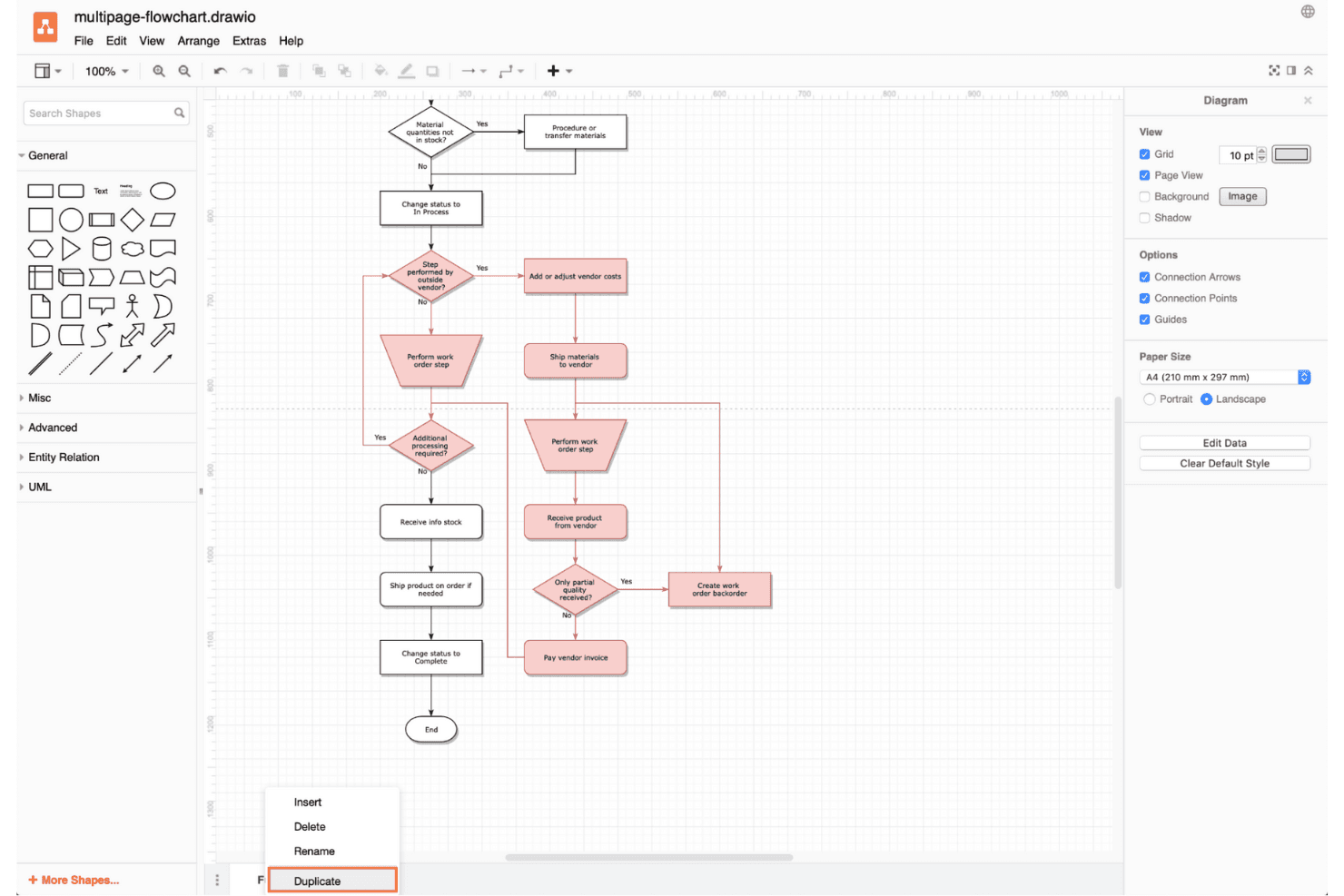
Draw.io is a flexible diagramming tool for creating flowcharts and visualizing complex ideas offline. draw.io is a flexible diagramming and wireframing tool for product teams that need to map user flows, sketch interfaces, and align stakeholders without adopting a dedicated design suite.
Who Is draw.io Best For?
draw.io suits product managers, analysts, and engineers who need to create and edit diagrams locally without relying on a cloud workspace.
Why draw.io Is a Good Best Balsamiq Alternatives
I picked draw.io because its offline diagramming supports wireframe work without requiring a cloud workspace. I use its UI shape libraries and connectors to map screens, user flows, and system relationships locally. The desktop app also lets my team save diagrams as editable files for review and version control.
draw.io Key Features
- Layers: Organize wireframe elements into separate, manageable levels.
- Templates: Start designs with prebuilt wireframe and flowchart layouts.
- Hyperlinks: Link shapes to screens, pages, or external resources.
- Export formats: Save wireframes as PNG, SVG, PDF, or image files.
draw.io Integrations
draw.io supports integrations with Google Drive, GitHub, GitLab, Microsoft OneDrive, SharePoint, Microsoft 365, Notion, and Google Workspace apps, including Google Docs, Sheets, and Slides. Atlassian Marketplace apps also integrate draw.io with Confluence and Jira, while additional third-party integrations support platforms such as VS Code, MediaWiki, Nextcloud, and Wiki.js.
Pros and Cons
Pros:
- Exports designs as editable vector files
- Connects wireframes to broader system diagrams
- Supports offline diagramming and local file storage
Cons:
- Lacks Balsamiq’s focused low-fidelity workflow
- Interface feels complex for simple wireframes
Learn more about draw.io: Best for wireframes that scale to full handoff
- Free plan available
- From $3/user/month
Visit WebsiteCustomer Rating:4.7/5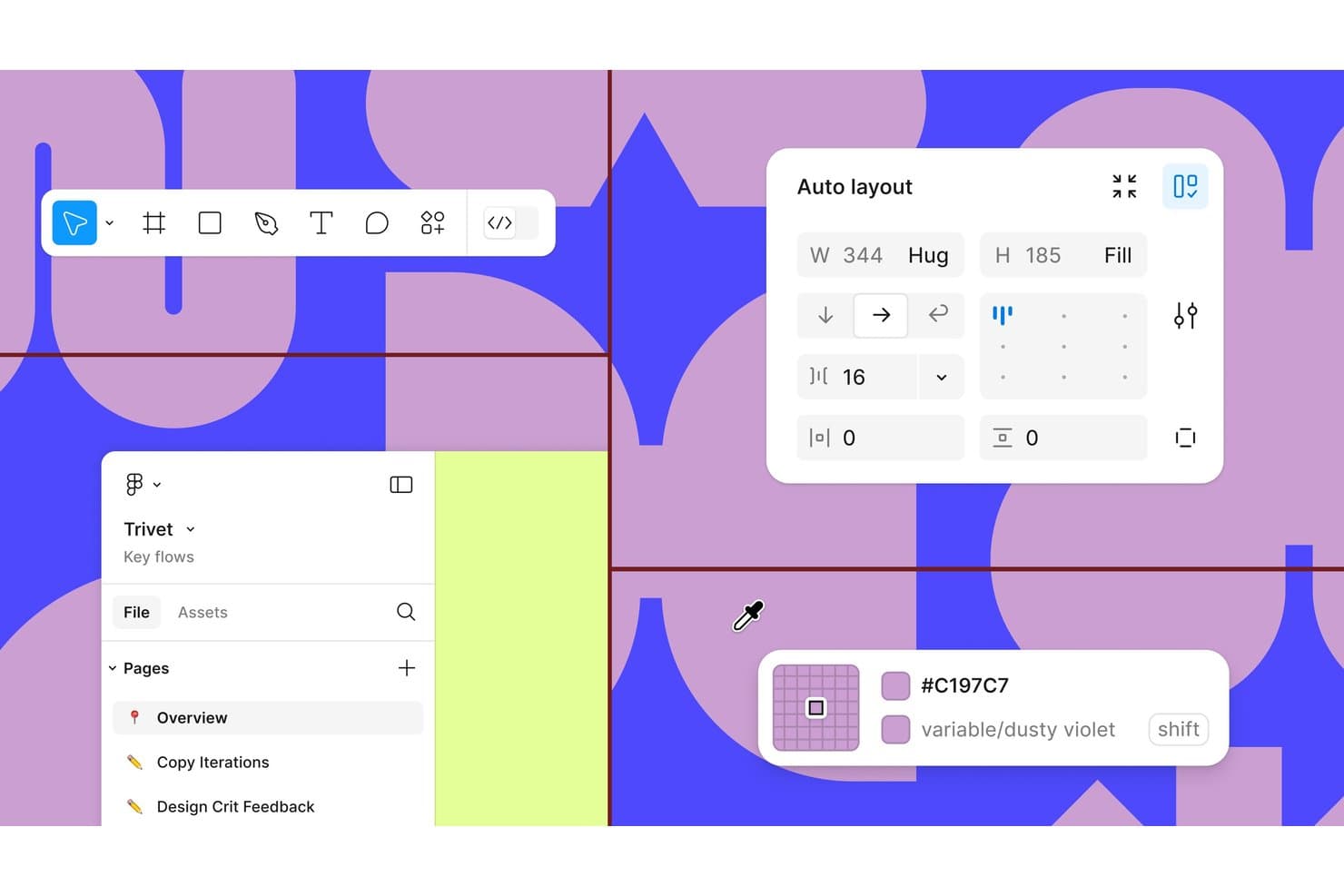
Figma offers auto layout, color variables, and multi-page project organization. Figma is a collaborative UX design platform for product managers, designers, and engineers who need to turn ideas into prototypes, align on interfaces, and resolve feedback before development.
Who Is Figma Best For?
Figma fits distributed product teams that need shared design files, live feedback, and handoffs without installing desktop software.
Why Figma Is a Good Best Balsamiq Alternatives
I picked Figma because its browser-based design supports live multiplayer editing, comments, and shared design files. I use interactive prototypes to test user flows, then hand approved screens to engineers through Dev Mode. This makes it practical when a Balsamiq alternative needs closer collaboration across discovery, design, and delivery.
Figma Key Features
- Auto Layout: Arrange designs that adapt to changing content.
- Components And Variants: Create reusable interface elements with multiple states.
- Variables: Define reusable values for colors, spacing, and modes.
- Plugins: Add tools for accessibility checks, content, and workflows.
Figma Integrations
Figma’s official integration catalog includes Jira, Slack, Microsoft Teams, Google Workspace, Notion, Asana, Linear, Trello, Maze, Zeplin, and Zapier. Figma also provides an API for custom integrations.
Pros and Cons
Pros:
- Components and variables support scalable interfaces
- Interactive prototypes test flows before engineering
- Browser-based multiplayer editing supports live critique
Cons:
- Large files can feel sluggish sometimes
- Interface complexity can overwhelm quick wireframing
 Best for spec annotations and dev handoff
- Free plan available
- From $24.90/user/month (billed annually)
Visit WebsiteCustomer Rating:4.5/5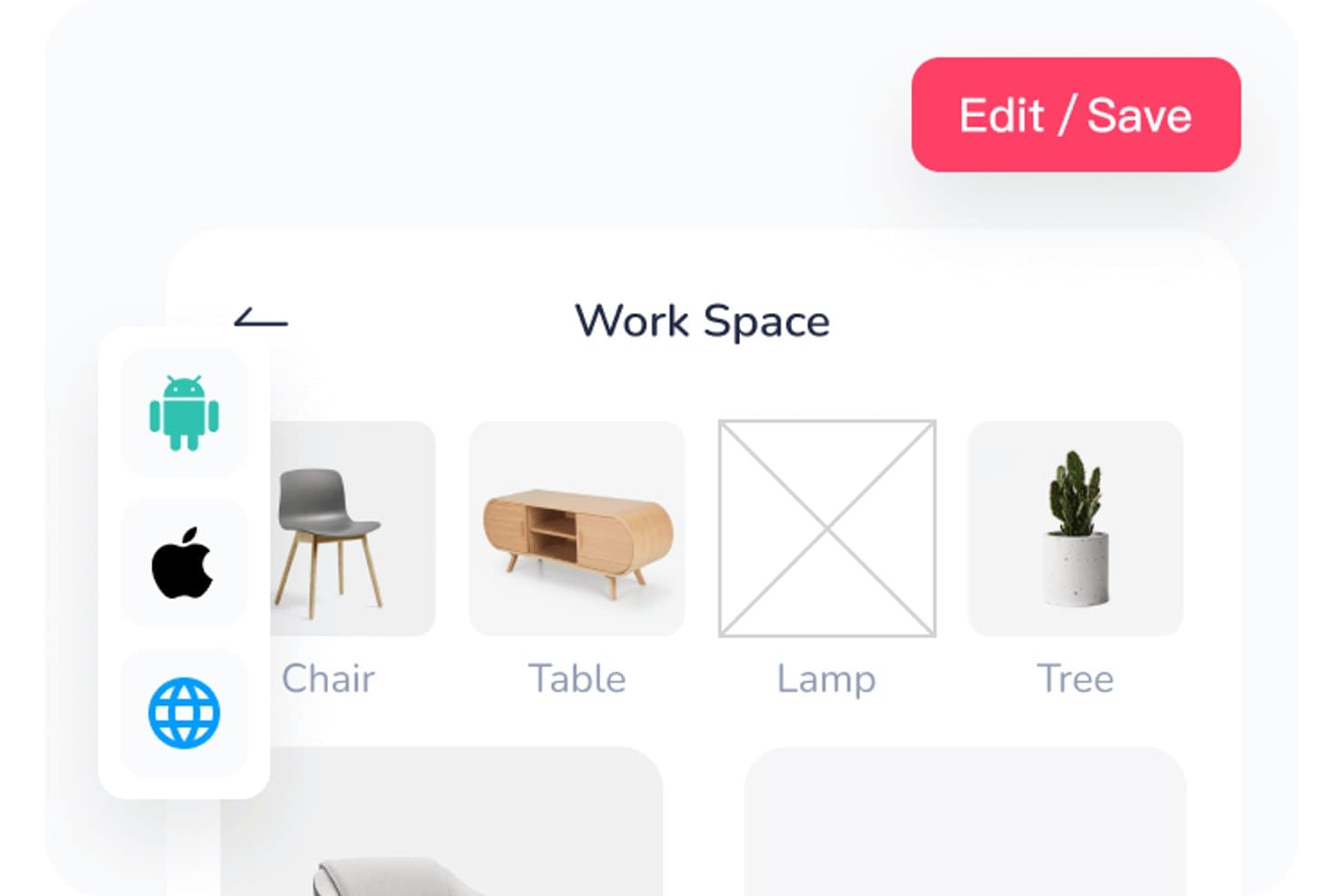
Mockplus lets users organize workspace assets in a visual grid layout. Mockplus is a no-code prototyping platform for product managers, designers, and teams that need to turn ideas into interactive product concepts, test user flows, and align stakeholders before development.
Who Is Mockplus Best For?
Mockplus suits product managers and UX designers who need to validate user flows quickly before development.
Why Mockplus Is a Good Best Balsamiq Alternatives
I picked Mockplus because I use its interactive prototypes to test complete user flows before development. Reusable components and shared libraries help my team build consistent screens quickly, while transitions and interactions reveal navigation issues that static Balsamiq wireframes can miss. It fits rapid validation of dashboards, mobile apps, and onboarding journeys.
Mockplus Key Features
- Vector editing tools: Create custom shapes with pen, pencil, Bézier, and Boolean tools.
- Axure file import: Import Axure files directly into Mockplus.
- Cross-device preview: Preview prototypes across phones, tablets, and desktop screens.
- Revision history: Review and restore earlier prototype versions.
Mockplus Integrations
Mockplus RP integrates with Mockplus Cloud for online collaboration, design inspection, and developer handoff. Through Mockplus Cloud, teams can connect workflows with Figma, Sketch, Axure, Adobe XD, Photoshop, Slack, Jira, Confluence, and Lark.
Pros and Cons
Pros:
- Cross-device previews support device-specific validation
- Reusable components speed repeated screen creation
- Interactive transitions test complete user flows
Cons:
- Complex prototypes become difficult to manage
- Responsive behavior requires additional manual work
Learn more about Mockplus: Best for UI planning across screens and flows
- Free plan available
- From $9/user/month (billed annually)
Visit WebsiteCustomer Rating:4.3/5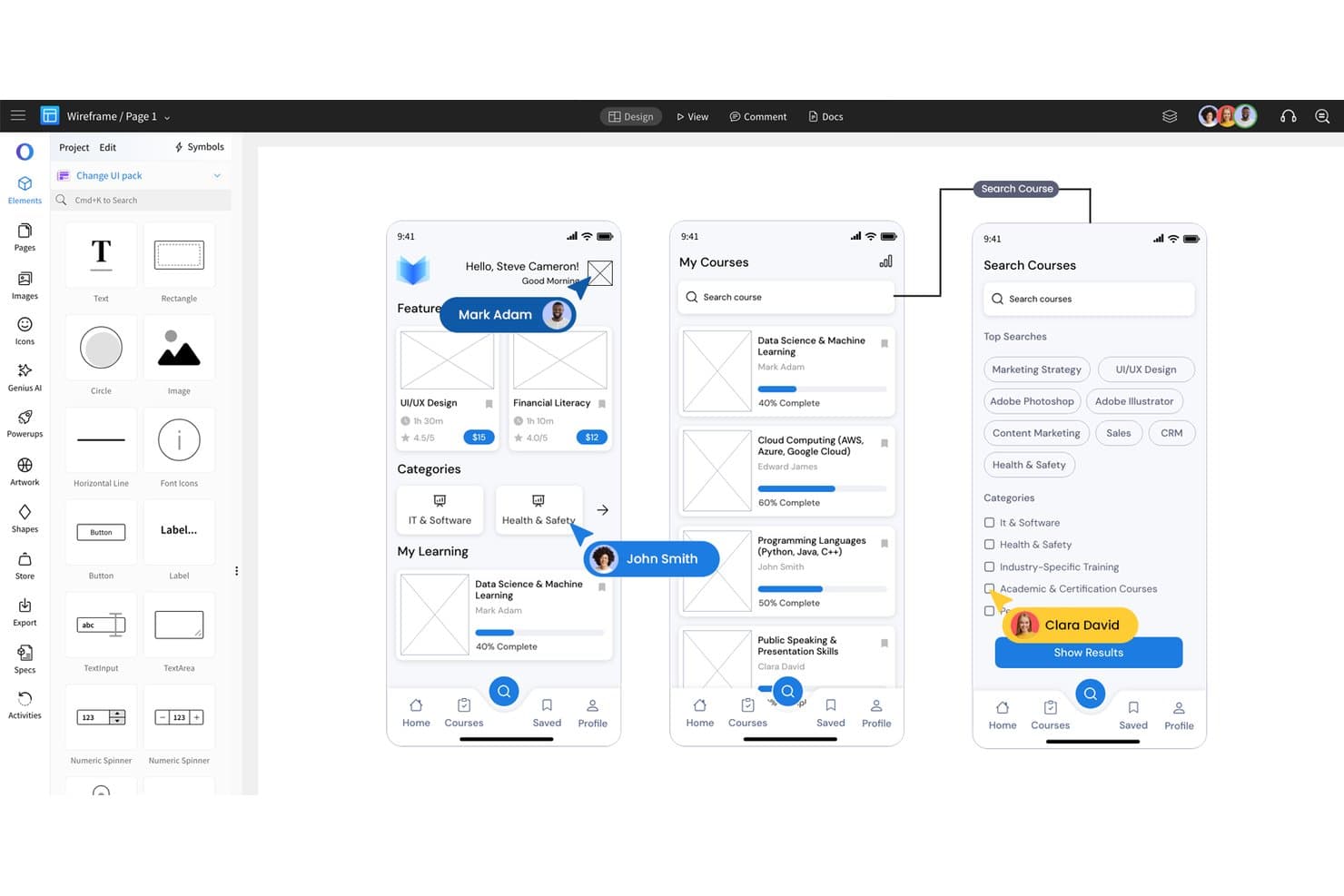
MockFlow lets users design mobile app wireframes with drag-and-drop UI elements. MockFlow is a UI design platform for product managers, designers, and teams that need to turn early ideas into wireframes, prototypes, and clearer product requirements.
Who Is MockFlow Best For?
Product managers and UX teams that need to map user flows, sketch interfaces, and align stakeholders before development begins.
Why MockFlow Is a Good Best Balsamiq Alternatives
I picked MockFlow because I use it to turn early product ideas into structured user interfaces. Its wireframing and prototyping tools help my team map user flows, test screen sequences, and clarify product requirements before development. I also use those artifacts to align product, design, and engineering stakeholders around the intended experience.
MockFlow Key Features
- UI component packs: Choose from ready-made elements for websites, web apps, and mobile apps.
- Real-time co-editing: Edit the same design with teammates simultaneously.
- Comments: Add feedback directly to specific design areas.
- Version history: Review earlier design versions and restore previous work.
MockFlow Integrations
MockFlow offers native integrations with Slack, Microsoft Teams, Microsoft Word through Microsoft 365, Google Drive, Atlassian Jira, and Atlassian Confluence. It also supports a Trello Power-Up for adding MockFlow designs to Trello workflows.
Pros and Cons
Pros:
- Version history simplifies design revisions
- Real-time co-editing supports stakeholder workshops
- Extensive UI component packs speed wireframing
Cons:
- Large projects can make navigation cumbersome
- Advanced prototypes require more specialized tools
Learn more about MockFlow: Best for prototyping with real code components
- Free plan + 14-day free trial available
- From $29/user/month (billed annually)
Visit WebsiteCustomer Rating:4.2/5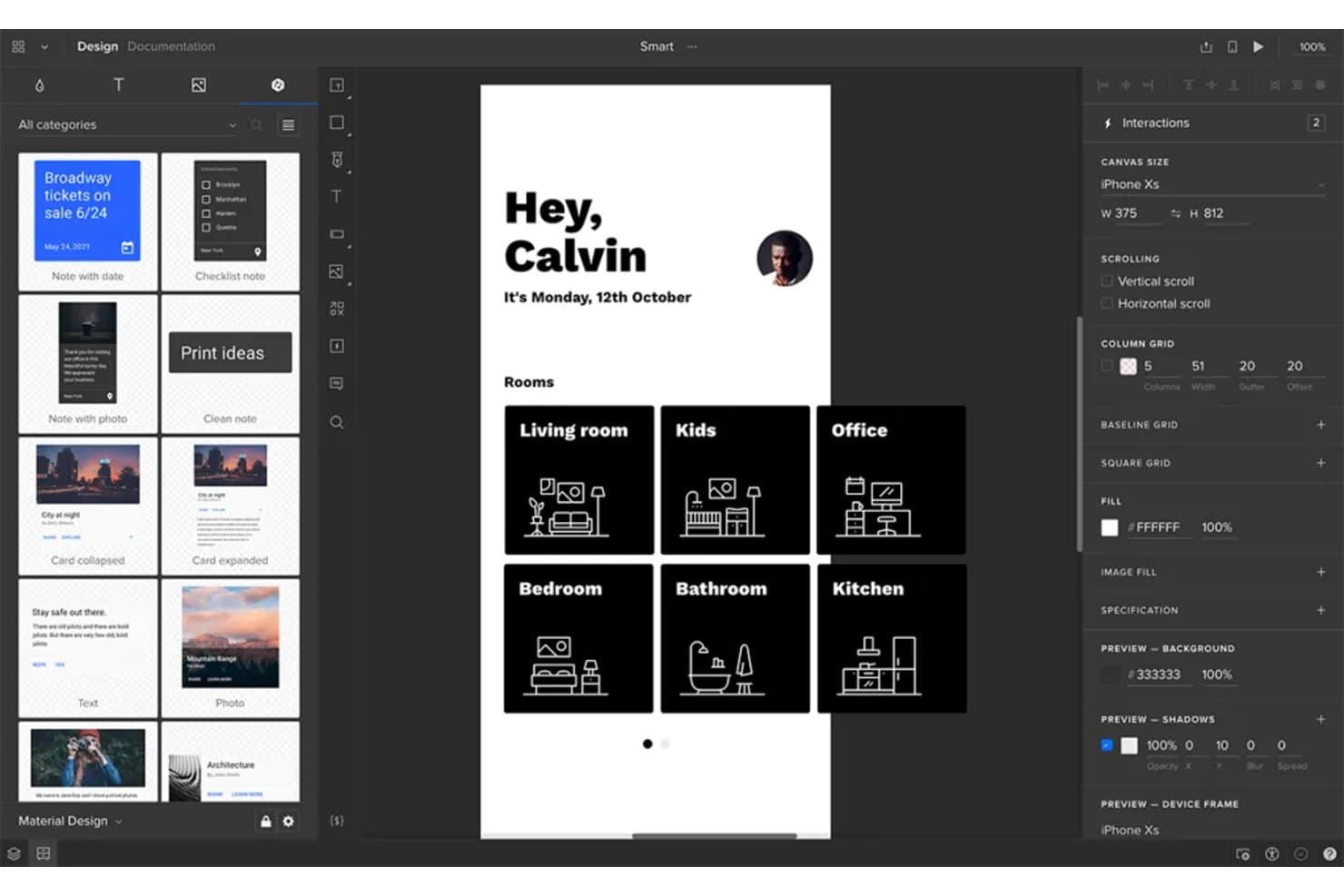
UXPin lets users design and prototype mobile app screens interactively. UXPin is a UX design and prototyping platform for product teams that need realistic, testable interfaces to align stakeholders, validate ideas, and reduce rework before development.
Who Is UXPin Best For?
UXPin suits product designers and frontend engineers who need to prototype interfaces with reusable, production-like code components.
Why UXPin Is a Good Best Balsamiq Alternatives
I picked UXPin because it supports prototyping with real code components, not just visual mockups. I use its reusable component libraries, states, and interactions to test production-like interfaces before development. That helps my team validate complex flows, such as account setup or checkout, with prototypes that behave closer to the finished product.
UXPin Key Features
- Responsive layouts : Set breakpoints and preview designs across screen sizes.
- Variables : Define reusable values for text, colors, and component properties.
- Conditional logic : Configure if-then rules for dynamic prototype behavior.
- Team collaboration : Add comments and review designs within shared projects.
UXPin Integrations
UXPin lists integrations with Storybook, Git, Jira, Slack, FullStory, Figma, Sketch, Adobe Fonts, and Google Fonts. Storybook and Git integrations let teams bring code-based components into UXPin, while Jira and Slack support collaboration and handoff.
Pros and Cons
Pros:
- Variables and logic support complex flows
- Real code components reduce handoff ambiguity
- Prototypes behave like production interfaces
Cons:
- Advanced features can overwhelm early ideation
- More setup than quick Balsamiq wireframes
Learn more about UXPin: Best for high-fidelity prototypes
- Free plan available
- From $19/user/month
Visit WebsiteCustomer Rating:4.2/5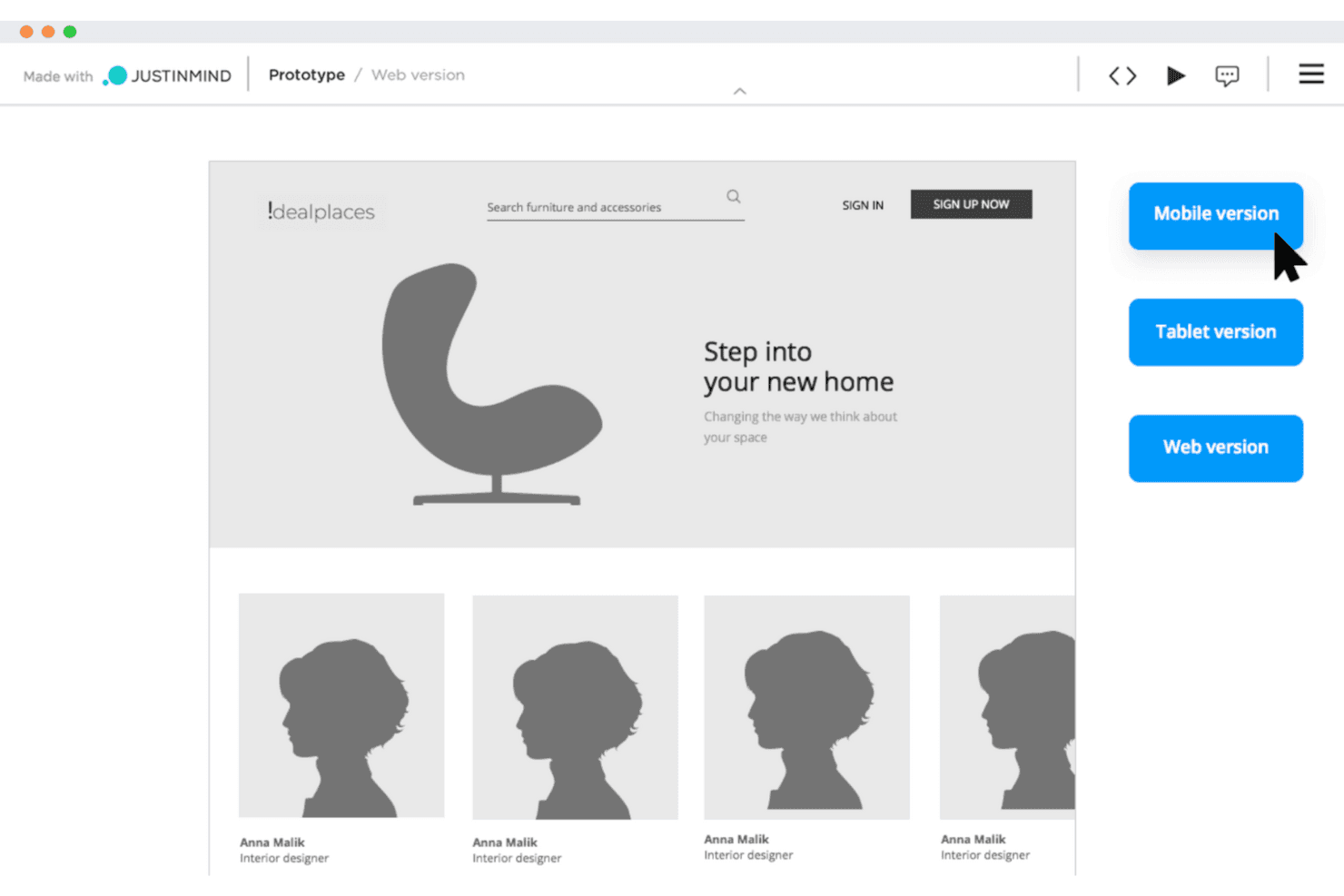
Justinmind lets UX teams build interactive wireframes to test designs early. Justinmind is a UX design and prototyping platform for product teams that need to validate complex web or mobile workflows, align stakeholders, and reduce rework before development.
Who Is Justinmind Best For?
UX designers and product managers who need realistic, interactive prototypes to test detailed web and mobile experiences before development.
Why Justinmind Is a Good Best Balsamiq Alternatives
I picked Justinmind because it supports high-fidelity prototypes that closely mirror finished web and mobile products. I use interactive forms, dynamic panels, conditional logic, and data-driven lists to test multi-step flows such as onboarding or checkout. This helps my team validate detailed behaviors before engineering begins.
Justinmind Key Features
- UI libraries: Start designs with reusable interface assets and templates.
- Master screens: Apply shared layouts across multiple prototype screens.
- Comments: Collect and organize stakeholder feedback within projects.
- Version control: Save and review earlier prototype versions.
Justinmind Integrations
Justinmind offers a native integration with Atlassian Jira, plus official integrations and plugins for Sketch, Adobe Creative Cloud, Figma, Confluence, and Microsoft Azure DevOps. Its API and SDK support custom plugins, deliverables, and internal-tool integrations.
Pros and Cons
Pros:
- Reusable master screens reduce prototype rework
- Tests forms, lists, and data-driven states
- Simulates conditional flows without production code
Cons:
- Large prototypes can become difficult to manage
- Heavy for quick wireframe sketching
Learn more about Justinmind:
Other Balsamiq Alternatives
Here are some additional Balsamiq alternatives that didn’t make it onto my shortlist, but are still worth checking out:
How I Evaluate Balsamiq Alternatives
I split my evaluation into three parts. First, core functionality: any alternative must let you create multi-screen wireframes and link them into navigable, clickable flows—this carries the most weight. Second, I look for standout features like AI-assisted wireframing or developer handoff modes. Third, I consider onboarding simplicity and pricing transparency.
Core Functionality (Table Stakes For This List)
When I'm selecting tools for my list, I score each one on a scale from 0 (does not offer the functionality) to 5 (excels in this area) for each core functionality listed below. I then convert the total into a percentage to help assess each tool's overall fit, with extra weight on any functionalities I’ve deemed essential.
- Wireframing Tools (Essential): I assess multi-screen layouts, placeholders, grids, and reusable elements for mapping early product concepts.
- Prototyping (Essential): I look for linked screens, navigation paths, overlays, and states that support realistic user-flow testing.
- UI Component Library: I check for customizable buttons, forms, menus, icons, and templates that support consistent interface planning.
- Real-Time Collaboration: I evaluate shared editing, comments, and review workflows for product, design, engineering, and stakeholder discussions.
- Export And Sharing: I look for shareable links, common export formats, and handoff options for reviews and implementation.
- Version History: I check whether teams can restore earlier designs, compare iterations, and recover changes during rapid product discovery.
Once I have a list of tools that meet the criteria, I consider what sets each platform apart.
Differentiating Factors (What Sets Vendors Apart)
Here's how I compare and contrast different vendors:
Standout Features
I look for AI-assisted wireframing that turns a text prompt into a usable layout. This matters when a PM needs to explore three onboarding variants before a stakeholder review and has an hour to do it. I also evaluate developer handoff modes—tools like Figma and Zeplin offer dedicated spec views with spacing, color tokens, and exportable assets that reduce back-and-forth with engineers. Requirements annotations are equally important; I check whether you can attach acceptance criteria directly to a wireframe element instead of maintaining a separate spec document.
Beyond Features
I evaluate how quickly a PM can go from sign-up to a shareable wireframe. Tools like Whimsical and Miro offer guided onboarding that gets non-designers productive in minutes, while others assume prior design experience. Pricing transparency matters too—I check whether free tiers let small teams validate fit before committing, and whether per-seat costs stay reasonable as the team grows. I also look at integration depth with tools like Jira or Confluence, since embedding a clickable prototype inside a sprint ticket cuts context-switching during backlog refinement.
Why Look For A Balsamiq Alternative?
While Balsamiq is a good choice of wireframing tools, there are a number of reasons why some users seek out alternative solutions. You might be looking for a Balsamiq alternative because…
- You need more interactive prototyping features
- Your team requires real-time collaboration tools
- You want a tool that supports high-fidelity designs
- You need a solution with offline capabilities
- Your team uses devices not supported by Balsamiq
- You want more customization options for your designs
If any of these sound like you, you’ve come to the right place. My list contains several wireframing tool options that are better suited for teams facing these challenges with Balsamiq and looking for alternative solutions.
Balsamiq Key Features
Balsamiq offers essential tools for early-stage product design and UI design, making it a reliable choice for teams developing web design concepts or experimenting with new ideas. Here’s what you can expect:
- Drag-and-drop interface: Quickly build wireframes by dragging elements from the UI library into your canvas. This is ideal for fast ideation in your design workspace.
- UI control library: Access a wide range of ready-made components that align with common patterns in design systems, helping you maintain consistency across projects.
- Quick draw feature: Use simple keyboard shortcuts to sketch layouts and interactions efficiently during the early stages of design.
- Low-fidelity design: Focus on structure and functionality rather than polish. The hand-drawn look encourages rapid iteration and clear communication during previews.
- Collaboration tools: Share wireframes with team members or stakeholders to gather input and revise your designs based on real-time feedback.
- Export options: Save your wireframes in formats like PNG or PDF, or use them as a visual reference when translating your layout to HTML.
Balsamiq is particularly useful for designers who value clarity and speed during early concept development, especially in planning UI and web design projects.