

10 migliori software per la gestione dei prodotti per 2026

Migliori Software di Product Management Shortlist


I migliori strumenti di product management aiutano i product manager a dare priorità alle roadmap, allineare i team e tenere informati gli stakeholder—senza aggiungere altro caos.
Con una pressione costante dal backlog e la necessità di aggiornamenti in tempo reale, gli strumenti devono essere affidabili, flessibili e capaci di semplificare collaborazione e comunicazione.
Dopo ampi test pratici e sfruttando la mia esperienza come product manager, ho selezionato i migliori software di product management che ti aiutano veramente a rimanere concentrato e a consegnare risultati.
Perché Fidarsi delle Nostre Recensioni Software
Testiamo e recensiamo software per il product management dal 2020. Come product manager sappiamo quanto sia fondamentale e difficile fare la scelta giusta in termini di software. Investiamo in una ricerca approfondita per aiutare il nostro pubblico a prendere decisioni migliori sugli acquisti di software. Abbiamo testato oltre 2.000 strumenti per diversi casi d’uso e scritto più di 1.000 recensioni approfondite.Scopri come assicuriamo la trasparenza & la nostra metodologia di recensione software.
Riepilogo dei Migliori Software di Product Management
| Tool | Best For | Trial Info | Price | ||
|---|---|---|---|---|---|
| 1 | Ideale per collegare il feedback ai risultati | Demo gratuita disponibile | Prezzi su richiesta | Website | |
| 2 | Il miglior software modulare per la gestione del prodotto | Piano gratuito + demo gratuita disponibile | Da $7/utente/mese (fatturato annualmente) | Website | |
| 3 | Ideale per la pianificazione del prodotto con feedback degli utenti | Piano gratuito disponibile | Da $19/mese | Website | |
| 4 | Le migliori analisi per la gestione dei prodotti | Prova gratuita di 14 giorni + piano gratuito disponibile | Da $10/utente/mese (fatturato annualmente) | Website | |
| 5 | Ideale per la gestione di più prodotti e team | Demo gratuita disponibile | Prezzo su richiesta | Website | |
| 6 | Ideale per note di rilascio e tabelle di marcia basate su Jira | Prova gratuita di 30 giorni + piano gratuito disponibile | A partire da $1.10/utente/mese | Website | |
| 7 | Ideale per collaborazione e visualizzazione flessibili nella gestione del prodotto | Piano gratuito disponibile | Da $8/membro/mese (fatturato annualmente) | Website | |
| 8 | Ideale per aziende in cui le applicazioni web sono il prodotto principale | Demo gratuita disponibile | Prezzo su richiesta | Website | |
| 9 | Ideale per la collaborazione di team e il brainstorming | Piano gratuito disponibile | Da $3/editor/mese (fatturazione annuale) | Website | |
| 10 | Ideale per approfondimenti sull’allineamento del team | Piano gratuito disponibile | Da $7/al mese per maker | Website |


Recensioni dei Migliori Software di Product Management
Leggi informazioni più dettagliate su ogni strumento, le loro funzionalità distintive e i prezzi iniziali.

Ideale per collegare il feedback ai risultati
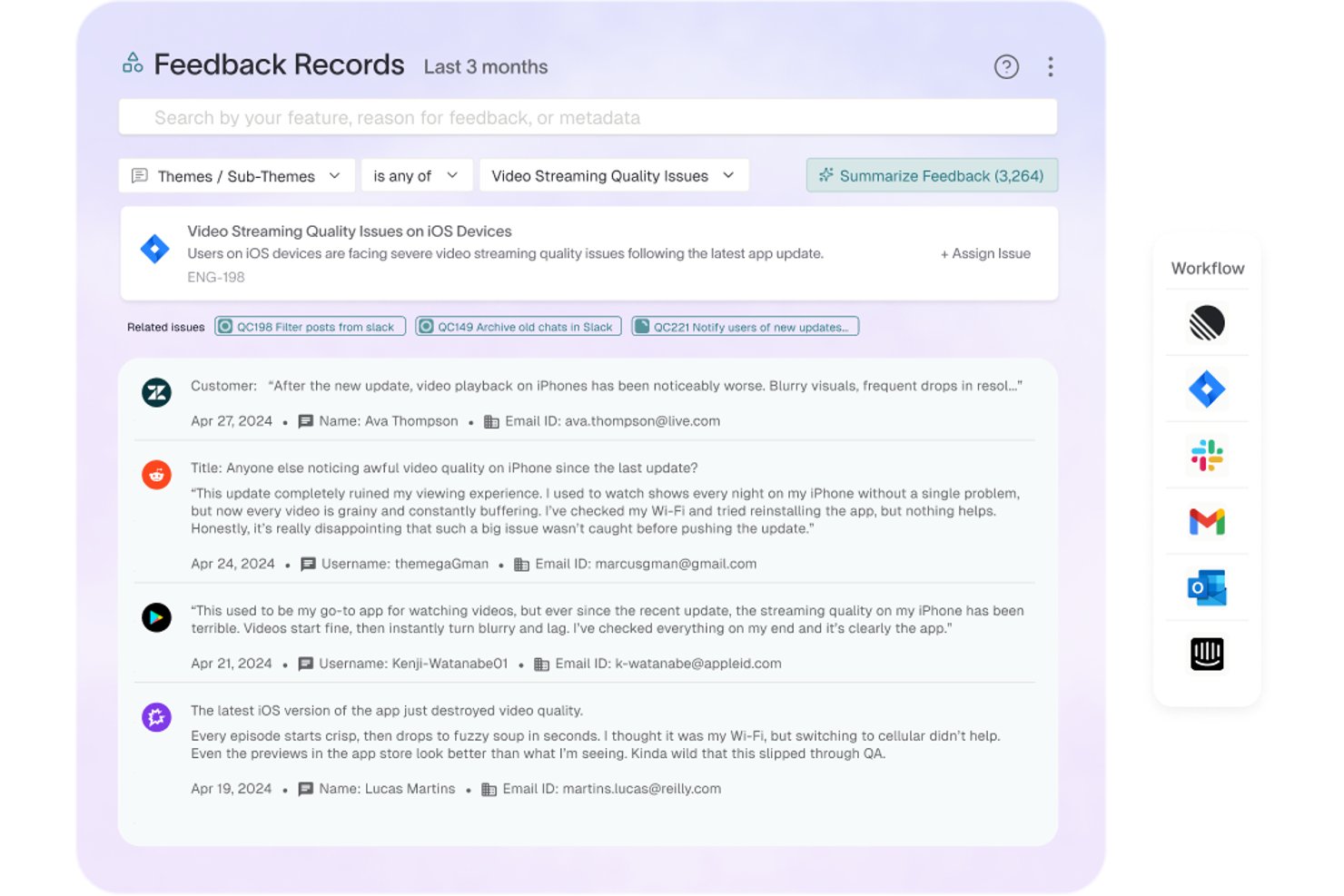
Enterpret è una piattaforma di intelligence sul feedback dei clienti che aggrega segnali da oltre 50 fonti, applica la classificazione tassonomica basata sull'IA e collega ogni feedback ai dati sull'account del cliente e sui ricavi.
Per chi è più adatto Enterpret?
Enterpret è adatto ai team di prodotto di aziende SaaS di medie e grandi dimensioni che gestiscono grandi volumi di feedback dei clienti provenienti da più canali.
Perché ho scelto Enterpret
Ho scelto Enterpret come una delle soluzioni migliori perché il suo Grafo del contesto cliente collega ogni feedback all'account, allo stato della trattativa e ai dati sui ricavi sottostanti. Quando interrogo Wisdom AI in linguaggio naturale, ottengo segnali ponderati in base ai ricavi che posso portare direttamente in una discussione sulla pianificazione del prodotto, non solo il conteggio grezzo dei temi. La tassonomia adattiva mantiene automaticamente aggiornate le categorie, così non devo dedicare tempo alla classificazione manuale.
Caratteristiche principali di Enterpret
- Acquisizione del feedback da oltre 50 fonti: Centralizza i dati provenienti da piattaforme come Zendesk, Intercom, Salesforce, Slack e dai negozi di app.
- Gestione della tassonomia adattiva: Organizza automaticamente il feedback in categorie dinamiche che si evolvono con l'emergere di nuovi segnali.
- Integrazioni dei flussi di lavoro con Slack: Consente di condividere e discutere istantaneamente le informazioni direttamente nei canali del team.
- OS degli agenti per l'automazione dei flussi di lavoro: Permette di creare e attivare flussi di lavoro automatizzati per indirizzare le informazioni del feedback verso strumenti come Jira o Linear.
Integrazioni di Enterpret
Enterpret offre integrazioni native con Zendesk, Intercom, Salesforce, Gong, Slack, Qualtrics, Linear, Jira, Google Play Store e Apple App Store. È disponibile un'API per le integrazioni personalizzate.
Pros and Cons
Pros:
- L'IA individua automaticamente i temi del feedback ponderati in base ai ricavi
- La tassonomia adattiva riduce il lavoro di categorizzazione manuale
- Collega direttamente i segnali del feedback alle decisioni di prodotto
Cons:
- La configurazione richiede un'impostazione significativa delle fonti di dati
- Non è uno strumento completo per la pianificazione della roadmap o la gestione del backlog
ClickUp
Il miglior software modulare per la gestione del prodotto
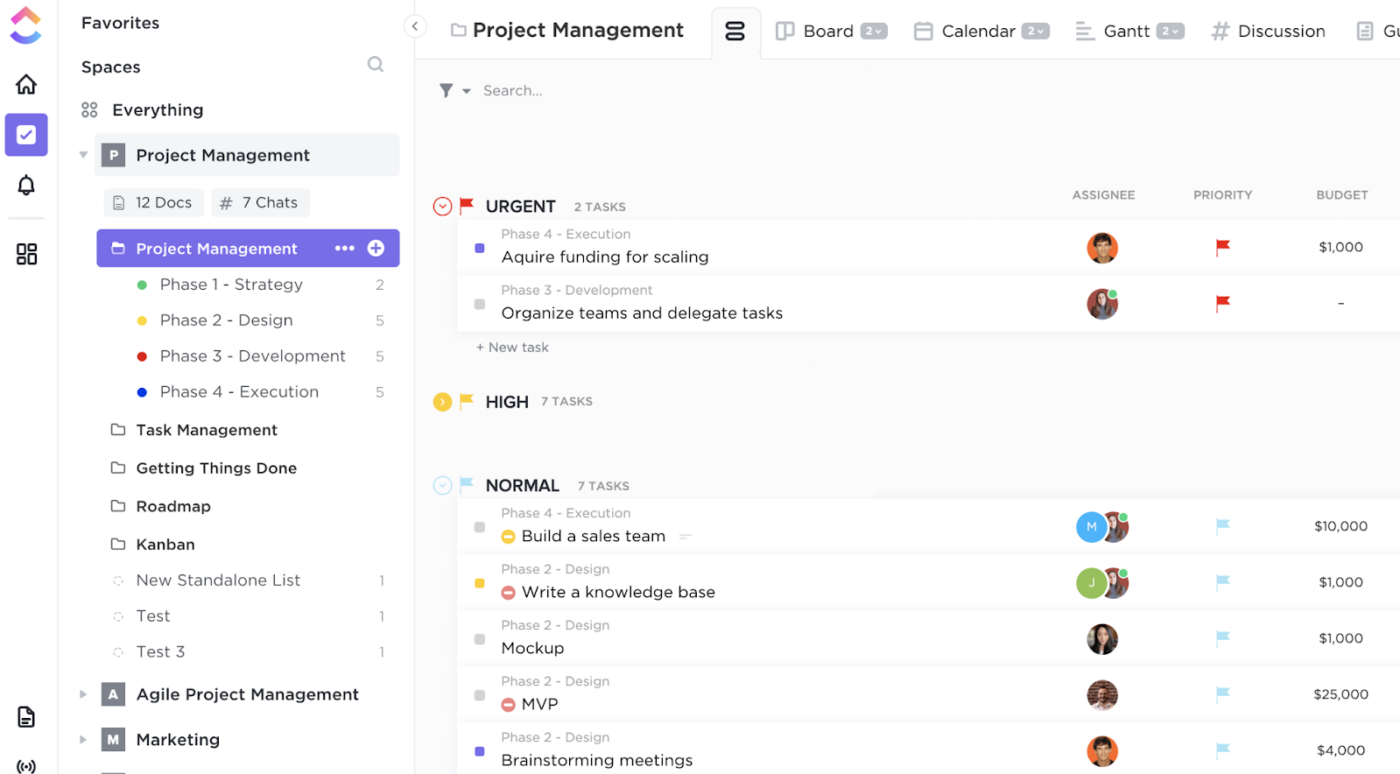
ClickUp riunisce attività, documenti, obiettivi e collaborazione in un unico spazio di lavoro progettato per i team che gestiscono prodotti complessi. I product manager e i team cross-funzionali che necessitano di flussi di lavoro personalizzabili e di una visibilità approfondita sull'avanzamento dei progetti lo troveranno particolarmente utile. La sua struttura flessibile aiuta a organizzare tutto, dalle richieste di nuove funzionalità alla pianificazione degli sprint, in un'unica piattaforma.
Per chi è ClickUp?
ClickUp supporta i team di gestione prodotto e progetto, dalle piccole aziende alle realtà enterprise, che necessitano di strumenti modulari per gestire i flussi di lavoro nello sviluppo dei prodotti. Si adatta alle aziende di vari settori che richiedono pianificazione flessibile, definizione delle priorità e coordinamento cross-funzionale all'interno di una piattaforma unificata di gestione del lavoro.
Perché ho scelto ClickUp
Ho scelto ClickUp perché il suo approccio all-in-one risponde all'esigenza di centralizzare le attività di product management. La piattaforma consente di gestire le attività, creare e condividere documentazione, fissare e monitorare obiettivi senza dover cambiare continuamente strumento. Trovo particolarmente utile la possibilità di collegare direttamente i documenti alle attività e agli obiettivi, mantenendo così visibili a tutti i requisiti di prodotto e lo stato di avanzamento. Questa struttura unificata aiuta i team di prodotto a restare allineati e riduce la complessità della gestione di sistemi separati e disconnessi.
Funzionalità principali di ClickUp
Altre funzionalità di ClickUp a supporto dei team di prodotto includono:
- Viste personalizzate: Scegli tra visualizzazioni a elenco, board, Gantt o calendario per visualizzare i processi secondo le tue esigenze.
- Automazioni: Imposta automazioni basate su regole per gestire azioni ripetitive come aggiornamenti di stato, assegnazione delle attività o notifiche.
- Monitoraggio del tempo: Monitora il tempo dedicato alle attività direttamente in piattaforma per tenere sotto controllo il carico di lavoro del team e le scadenze dei progetti.
- Mind Map: Crea mappe mentali visuali per fare brainstorming sulle idee di prodotto, pianificare funzionalità o mappare i percorsi utente.
Integrazioni ClickUp
Le integrazioni includono Slack, Google Drive, Dropbox, Figma, GitHub, Outlook, Google Calendar, Zoom, Microsoft Teams e Zapier.
Pros and Cons
Pros:
- Flussi di lavoro altamente personalizzabili per i team di prodotto
- Documenti e wiki integrati per i requisiti
- Funzionalità native per la gestione agile e degli sprint
Cons:
- L'ampiezza delle funzionalità può essere troppo impegnativa per i nuovi utenti
- Reportistica avanzata limitata senza componenti aggiuntivi
New Product Updates from ClickUp
ClickUp Adds Meetings Hub, Super Agent Templates, and ZoomInfo Integration
ClickUp adds a searchable Meetings Hub, new ways to clone and template Super Agents, and a ZoomInfo integration through the App Center. These updates improve meeting retrieval, agent reuse, and access to sales intelligence. For more information, visit ClickUp’s official site.

Canny
Ideale per la pianificazione del prodotto con feedback degli utenti
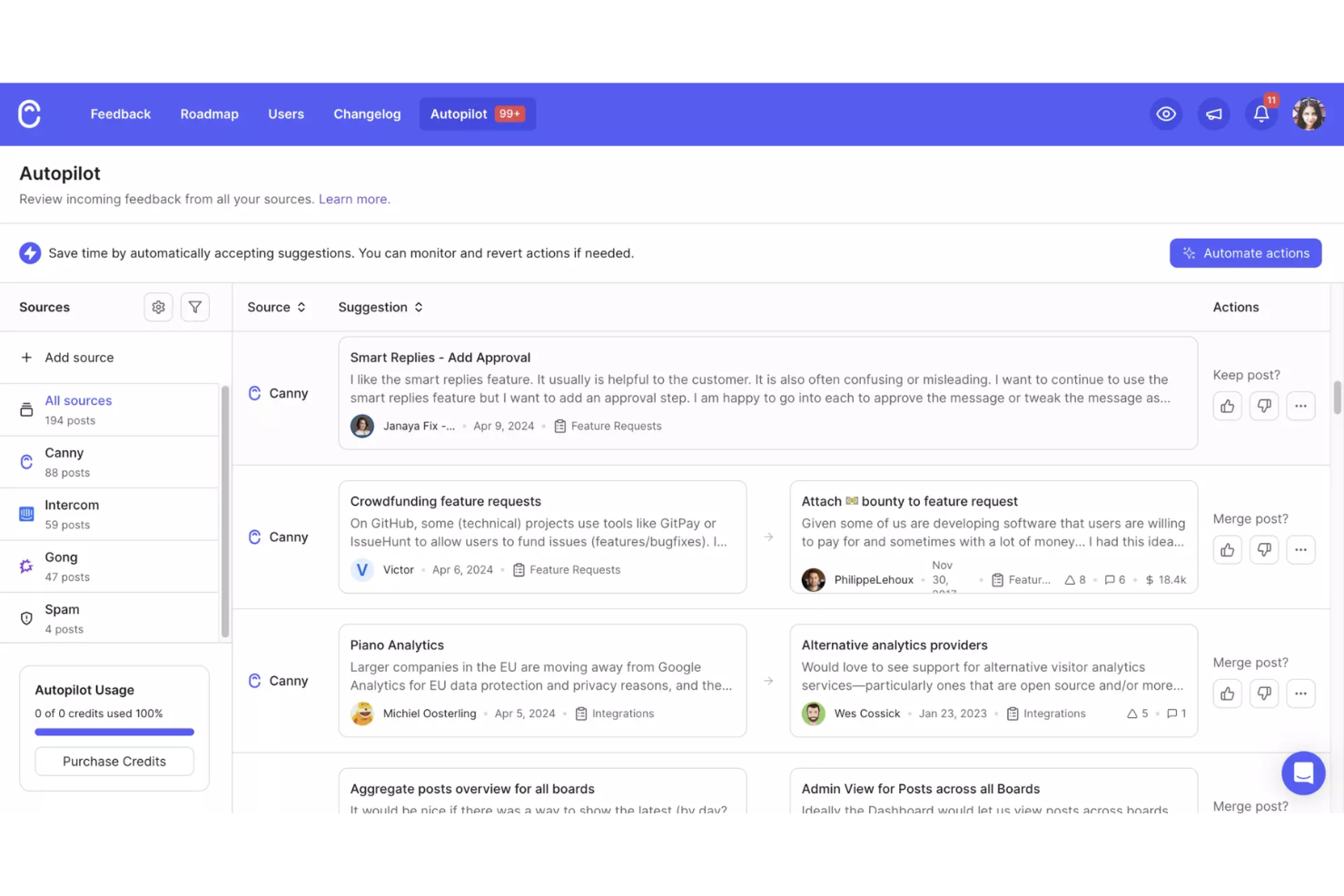
Canny offre ai team di prodotto uno spazio dedicato per raccogliere, organizzare e dare priorità ai feedback degli utenti in un unico posto. È particolarmente utile per le aziende SaaS e i product manager digitali che vogliono prendere decisioni basate sui dati riguardo a cosa sviluppare successivamente. Collegando direttamente i feedback alla roadmap di prodotto, Canny aiuta a chiudere il cerchio con gli utenti e a mantenere il team concentrato sulle funzionalità a maggiore impatto.
Per chi è ideale Canny?
Canny supporta i team di prodotto e di customer experience di organizzazioni piccole e medie che hanno bisogno di un metodo strutturato per integrare i feedback degli utenti nelle decisioni di pianificazione. Si adatta alle aziende orientate al miglioramento iterativo del prodotto e alla definizione di priorità in base ai contributi dei clienti su canali digitali.
Perché ho scelto Canny
Canny si distingue per la sua attenzione alla raccolta centralizzata dei feedback e alla definizione delle priorità delle funzionalità, fondamentale per i team di prodotto che gestiscono input degli utenti su larga scala. La piattaforma permette di raccogliere feedback da diversi canali e organizzarli in una singola bacheca strutturata, facilitando l'individuazione delle tendenze e delle richieste ricorrenti. Apprezzo il modo in cui Canny collega direttamente i feedback alla roadmap di prodotto, così da poter dare priorità alle funzionalità in base alla reale domanda degli utenti. Questo approccio aiuta i product manager a prendere decisioni trasparenti e basate sui dati, mantenendo tutti gli stakeholder aggiornati su ciò che arriverà in futuro.
Funzionalità chiave di Canny
Oltre a sfruttare i feedback degli utenti per la pianificazione del prodotto, Canny offre una suite di funzionalità che potenziano le tue capacità di gestione del prodotto.
- Gestione dei feedback: Raccogli e organizza i feedback degli utenti in un luogo centralizzato, consentendo al tuo team di pianificare al meglio i miglioramenti del prodotto.
- Analisi degli utenti: Utilizza un monitoraggio dettagliato per comprendere meglio bisogni e preferenze dei clienti, permettendo decisioni più informate.
- Collaborazione: Favorisci l'interazione tra i membri del team permettendo di commentare e votare le richieste di funzionalità, creando un ambiente collaborativo.
- Roadmap pubblica: Crea e condividi una roadmap pubblica che tiene la community informata sulle nuove funzionalità e sugli sviluppi previsti.
Integrazioni di Canny
Le integrazioni includono Jira, GitHub, ClickUp, Linear, Azure DevOps, Asana, Intercom, Zendesk, Salesforce e HubSpot.
Pros and Cons
Pros:
- Il changelog tiene gli utenti informati sugli aggiornamenti
- La funzione 'vota per conto' cattura fonti di feedback offline
- I filtri di segmentazione selezionano i feedback in base agli attributi degli utenti
Cons:
- Le integrazioni richiedono piani di livello superiore
- Nessuna gestione incorporata di task o sprint
Wrike
Le migliori analisi per la gestione dei prodotti
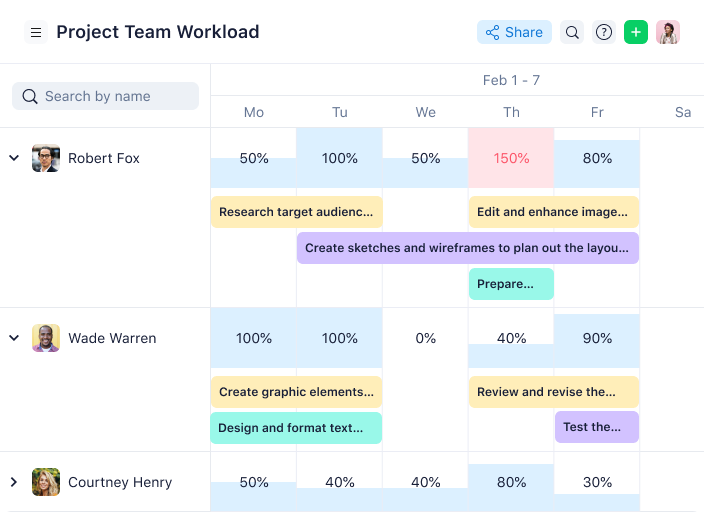
Per i team alla ricerca di una soluzione versatile per la gestione dei prodotti, Wrike offre una piattaforma che semplifica i flussi di lavoro e migliora la collaborazione. Progettato per soddisfare le esigenze di diversi settori e dimensioni di team, Wrike mette a disposizione strumenti come moduli di richiesta personalizzati, diagrammi di Gantt e analisi avanzate per supportare una gestione dei progetti completa. Che tu lavori nel marketing, nell'IT o nei servizi professionali, l'integrazione di Wrike con applicazioni popolari come Microsoft, Google e Salesforce può semplificare i tuoi processi e migliorare la visibilità dei progetti.
Per chi è ideale Wrike?
Wrike supporta team di prodotto e di analisi, dalle piccole aziende alle grandi imprese, che necessitano di strumenti strutturati per la gestione dei prodotti, la pianificazione e il monitoraggio delle prestazioni. Si adatta a imprese di tutti i settori che richiedono analisi integrate all'interno di flussi di lavoro progettuali e di prodotto più ampi.
Perché ho scelto Wrike
Ho scelto Wrike per le sue eccezionali capacità di analisi nella gestione del prodotto, fondamentali per qualsiasi team orientato a decisioni basate sui dati. Grazie a dashboard personalizzabili, Wrike ti permette di monitorare metriche chiave come i costi di acquisizione clienti e i tassi di abbandono, offrendo approfondimenti per ottimizzare le strategie di prodotto. L'inserimento di dati in tempo reale e l'automazione guidata dall'intelligenza artificiale migliorano la capacità del tuo team di comprendere il comportamento dei clienti, aumentando coinvolgimento e performance. Queste funzionalità, unite a bacheche Kanban e diagrammi di Gantt, rendono Wrike uno strumento versatile per gestire progetti complessi e raggiungere l'idoneità del prodotto per il mercato.
Caratteristiche principali di Wrike
Oltre alle sue capacità di analisi, Wrike offre una serie di funzionalità progettate per migliorare l'esperienza di gestione del prodotto.
- Strumenti di collaborazione visiva: Wrike Whiteboard fornisce una piattaforma solida per il brainstorming di squadra e la pianificazione visiva dei progetti.
- Moduli di richiesta dinamici: Automatizza la ricezione delle richieste e garantisce che tutte le informazioni necessarie vengano raccolte fin dall'inizio dal richiedente.
- Pianificazione delle risorse: Utilizza strumenti come i diagrammi di Gantt e i grafici del carico di lavoro per stimare le necessità e gestire efficacemente l'allocazione delle risorse.
- Gestione dello sforzo: Valuta lo sforzo richiesto dai compiti per facilitare l'assegnazione e la previsione della consegna dei progetti, assicurando che il tuo team resti nei tempi.
Integrazioni Wrike
Le integrazioni includono Klaxoon, QuickBooks, Skyvia, Power BI, Tableau, Google Sheets, Miro, Salesforce, Microsoft Teams e Zoom.
Pros and Cons
Pros:
- Offre solidi standard di sicurezza con certificazione ISO/IEC 27001
- Comunicazione migliorata grazie a solidi strumenti di collaborazione
- La revisione dei documenti in tempo reale semplifica il controllo degli asset
Cons:
- L'accesso per gli ospiti richiede licenze aggiuntive a pagamento
- Le opzioni di modifica in blocco per i compiti sono limitate
New Product Updates from Wrike

Wrike Activity Reports Add Actor Type Details
Wrike’s Activity Report now displays actor type details, helping admins identify whether changes came from the UI, Automation, Wrike Agents, API, or AI via MCP. For more information, visit Wrike's official site.

airfocus
Ideale per la gestione di più prodotti e team
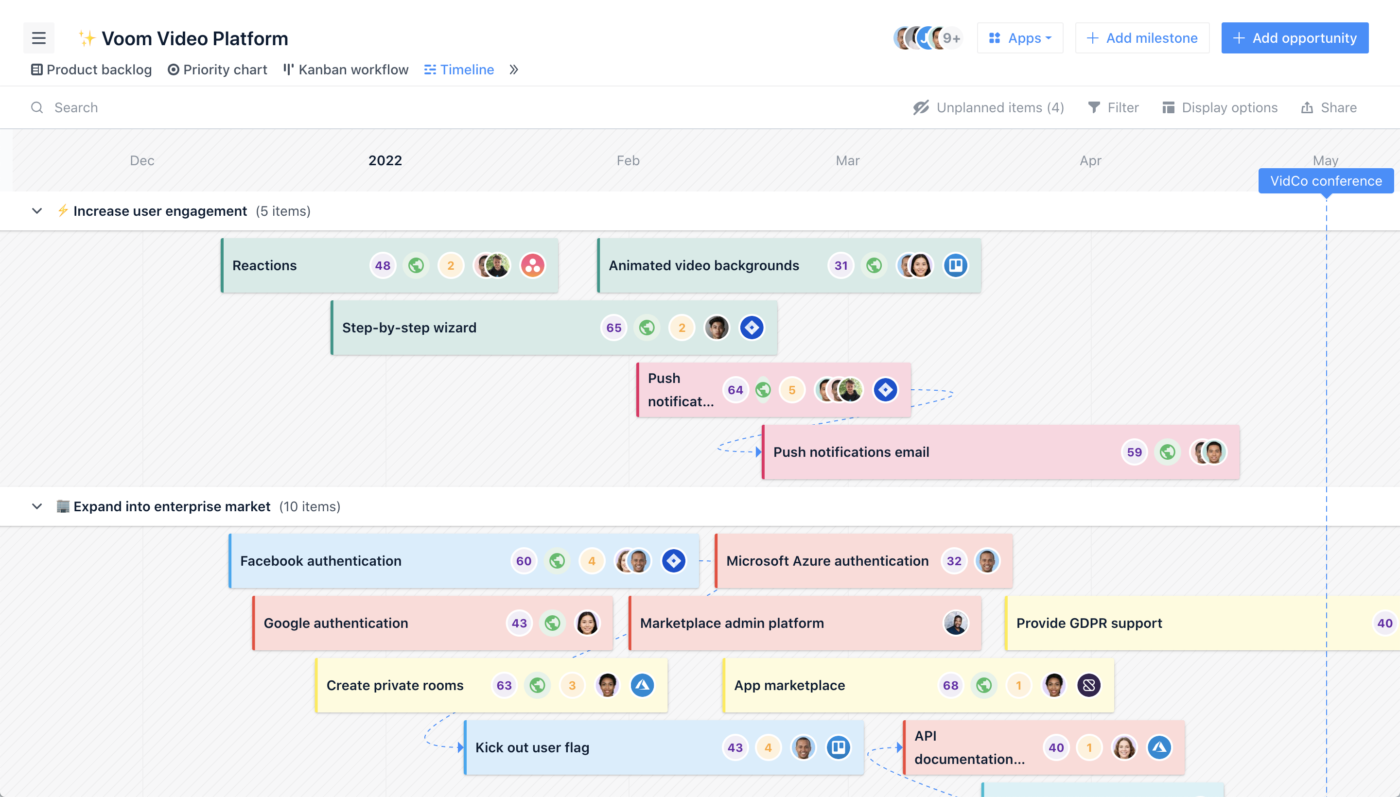
Per chi cerca uno strumento che migliori la collaborazione del team e semplifichi il processo di roadmapping, airfocus si distingue come una piattaforma strategica di product management. Progettato per soddisfare le esigenze dei team di prodotto, integra i flussi di lavoro in un'unica fonte di verità, garantendo allineamento e visibilità a tutti i livelli. Le sue funzionalità personalizzabili, come roadmap dinamiche e approfondimenti supportati dall'intelligenza artificiale, facilitano una comunicazione efficace con gli stakeholder, rendendolo una risorsa indispensabile per migliorare le strategie di prodotto.
Per chi è più adatto airfocus?
airfocus supporta i responsabili di prodotto e portfolio in aziende di medie e grandi dimensioni che necessitano di una prioritizzazione strutturata attraverso più prodotti e team. È ideale per le aziende con processi di pianificazione trasversali che richiedono framework decisionali centralizzati e allineamento tra diversi gruppi di prodotto distribuiti.
Perché ho scelto airfocus
Ho scelto airfocus perché eccelle nella gestione di più prodotti e team, offrendo funzionalità studiate appositamente per queste esigenze. Con la sua Priority Poker, puoi coinvolgere il tuo team nella prioritizzazione collaborativa, assicurando che l'opinione di tutti abbia valore nelle decisioni. Le roadmap personalizzabili permettono di adattare la strategia su vari prodotti, allineando gli sforzi del team e mantenendo l'attenzione sugli obiettivi chiave. Inoltre, il suo strumento di pianificazione della capacità consente l'allocazione delle risorse in tempo reale, aiutandoti a gestire i carichi di lavoro del team in modo efficace e assicurando che nessun progetto rimanga indietro.
Caratteristiche principali di airfocus
Oltre ai suoi punti di forza nella gestione di più prodotti e team, airfocus offre una gamma di funzionalità che soddisfano diverse esigenze di product management.
- Feedback & Insights: Centralizza i feedback dei clienti da varie fonti, permettendoti di ottenere insight utili per la discovery di prodotto.
- Obiettivi & OKR: Integra obiettivi e risultati chiave con roadmap e flussi di lavoro, per migliorare l'allineamento del team e monitorare efficacemente i progressi.
- Portal: Offre un portale personalizzato per condividere roadmap e raccogliere facilmente i feedback degli utenti.
- Capacity Planning: Consente l'allocazione delle risorse in tempo reale, aiutando il team a gestire i carichi di lavoro in modo efficiente e garantendo che nessun progetto resti indietro.
Integrazioni di airfocus
Le integrazioni includono Jira, Trello, Asana, Azure DevOps, Shortcut, Microsoft Planner, GitHub, Linear, Salesforce e Microsoft Teams.
Pros and Cons
Pros:
- La workspace modulare si adatta ai processi specifici del team
- La matrice di prioritizzazione supporta modelli di scoring personalizzati
- Il feedback portal centralizza i contributi di utenti e stakeholder
Cons:
- La versione mobile non offre tutte le funzionalità della web app
- Le funzionalità di modifica di massa non sono ancora completamente sviluppate
New Product Updates from airfocus

airfocus Adds Rich Text Fields, MCP Tools, and Admin Controls
airfocus adds rich text fields with bidirectional Jira sync, Check-in access for the agent and MCP server, an MCP Link Items tool, and admin-only integration management to improve product documentation, AI-assisted planning, and enterprise governance. For more information, visit airfocus’ official site.
 .
.
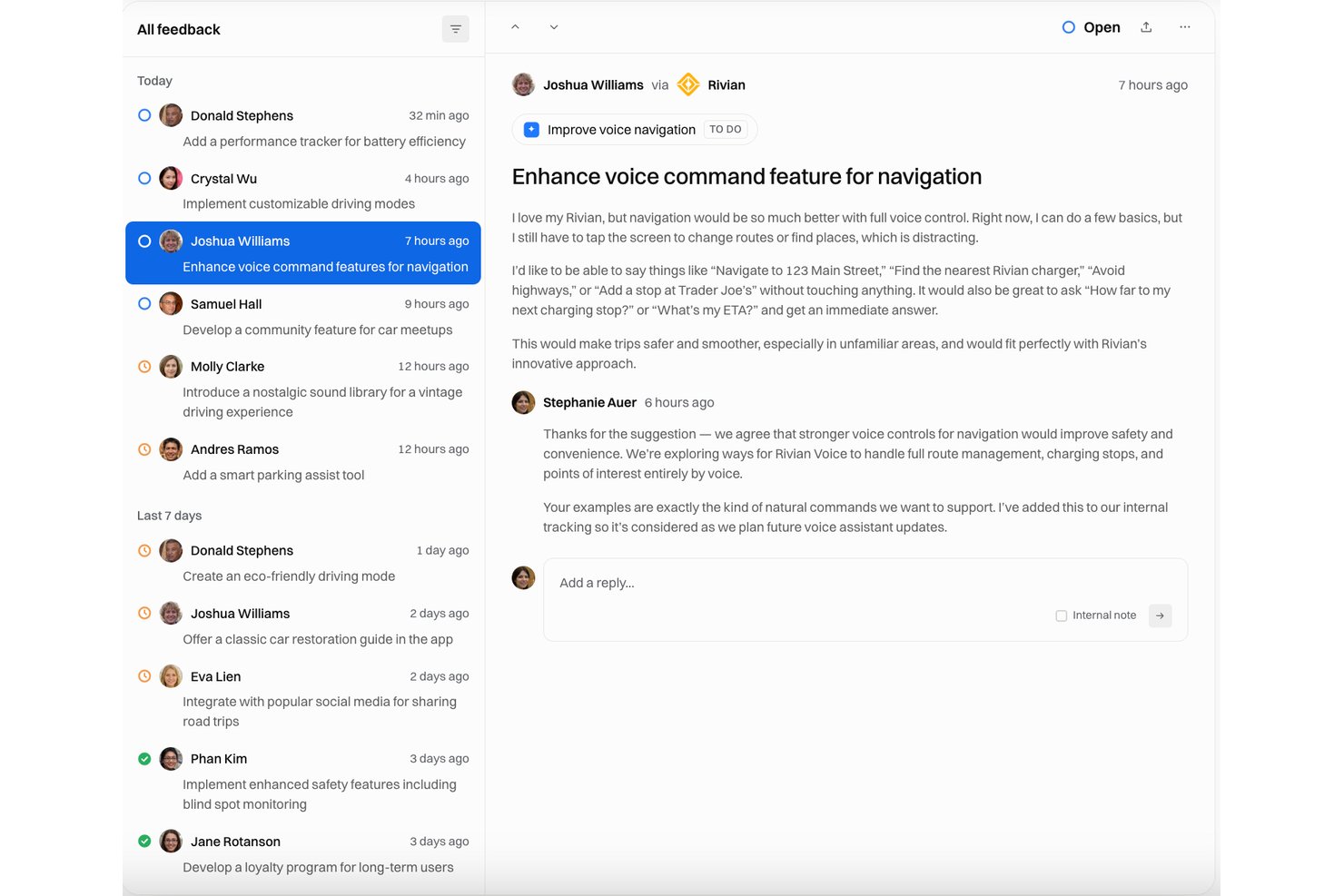
Released è uno strumento di comunicazione dei prodotti nativo di Jira che consente ai team di pubblicare note di rilascio generate dall'IA, registri delle modifiche personalizzati con il proprio marchio e tabelle di marcia pubbliche specifiche per il pubblico direttamente dalle segnalazioni di Jira.
Per chi è più adatto Released?
Released è una soluzione particolarmente adatta ai responsabili di prodotto e ai team operativi di prodotto delle aziende che utilizzano Jira Cloud e devono comunicare rilasci e tabelle di marcia agli stakeholder esterni senza aggiungere un altro strumento al proprio insieme di strumenti.
Perché ho scelto Released
Released si è guadagnato un posto nella mia selezione perché risolve un problema concreto dei responsabili di prodotto: trasformare le segnalazioni Jira chiuse in note di rilascio curate e rivolte ai clienti senza riscritture manuali. Mi piace il fatto che l'IA elabori le bozze delle note direttamente dalle segnalazioni Jira usando il tono del tuo marchio e che poi le pubblichi in pochi minuti in un registro delle modifiche ospitato. Le visualizzazioni della tabella di marcia specifiche per il pubblico si aggiornano direttamente da Jira, così posso condividere una sequenza temporale chiara rivolta ai clienti senza esporre i dettagli delle segnalazioni interne.
Funzionalità principali di Released
- Visualizzazioni della tabella di marcia specifiche per il pubblico: Crea diverse visualizzazioni della tabella di marcia pubbliche, protette da password o accessibili solo su invito, personalizzate per clienti, dirigenti o partner.
- Casella di posta dei riscontri con votazione: Centralizza i riscontri provenienti da portali, moduli e Slack, consentendo agli utenti di votare le idee e le richieste relative alle funzionalità.
- Integrazione con Jira Product Discovery: Collega direttamente i riscontri e le idee dei clienti a Jira Product Discovery per semplificare la gestione dell'elenco delle attività arretrate.
- Pubblicazione su Confluence e Slack: Pubblica automaticamente note di rilascio e aggiornamenti nelle pagine Confluence e nei canali Slack.
Integrazioni di Released
Released offre integrazioni native con Jira Cloud, Jira Product Discovery, Confluence e Slack.
Pros and Cons
Pros:
- L'IA elabora le bozze delle note di rilascio dalle segnalazioni Jira
- Pubblica istantaneamente visualizzazioni della tabella di marcia specifiche per il pubblico
- Non è necessaria alcuna riscrittura manuale delle segnalazioni chiuse
Cons:
- Funziona solo con i profili Jira Cloud
- L'ambito ristretto limita i flussi di lavoro più ampi dei responsabili di prodotto

Miro
Ideale per collaborazione e visualizzazione flessibili nella gestione del prodotto
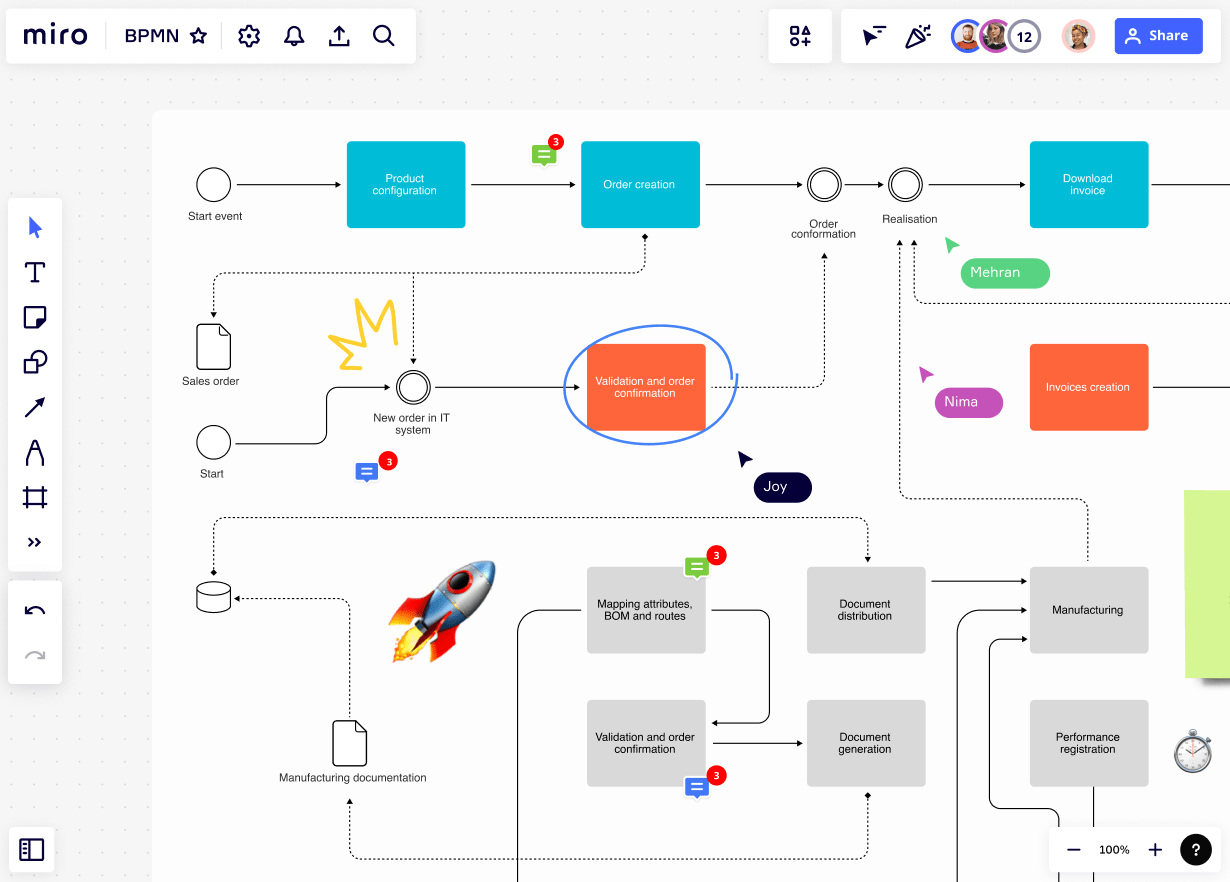
Immagina una piattaforma dove le tue esigenze di product management sono unificate, permettendoti di concentrarti su innovazione e collaborazione. Miro si distingue come uno strumento versatile per product manager, ingegneri, designer e leader aziendali, offrendo uno spazio centralizzato per tutto, dal brainstorming alla creazione di roadmap. Le sue funzionalità alimentate dall'IA e oltre 250 integrazioni aiutano il team a dare priorità, pianificare ed eseguire con precisione, rendendolo una scelta ideale per qualsiasi organizzazione che desidera migliorare il proprio flusso di lavoro di sviluppo prodotto e offrire soluzioni orientate al cliente.
Per chi è migliore Miro?
Miro supporta team di prodotto, design e cross-funzionali, dalle piccole aziende fino alle grandi imprese che necessitano di strumenti di collaborazione flessibili e di pianificazione visiva per la gestione del prodotto. È adatto a team che lavorano su ideazione, sviluppo di roadmap e allineamento strategico, che beneficiano di spazi visivi condivisi per coordinare il lavoro tra i vari contributori.
Perché ho scelto Miro
Ho scelto Miro per la sua eccezionale capacità di favorire la collaborazione flessibile e la visualizzazione nella gestione del prodotto. Con il suo AI Innovation Workspace, Miro consente al tuo team di co-creare roadmap e dare priorità alle funzionalità, offrendo capacità di collaborazione sia in tempo reale che asincrona che facilitano il lavoro di squadra. Il supporto della piattaforma alle metodologie Agile e agli strumenti per decisioni basate sui dati garantisce l'efficienza del processo di sviluppo prodotto. La suite di funzionalità di Miro, tra cui la mappatura del customer journey e i workshop di design, lo rende la scelta ideale per i team che vogliono potenziare la collaborazione e stimolare l'innovazione negli sforzi di gestione del prodotto.
Caratteristiche principali di Miro
Oltre alle sue capacità di collaborazione e visualizzazione flessibili, Miro offre una suite di funzionalità che migliorano ulteriormente l'esperienza di gestione del prodotto.
- Canvas Infinito: Offre spazio illimitato per consentire al tuo team di fare brainstorming e organizzare idee in modo visivo, adattandosi a qualsiasi esigenza collaborativa.
- Libreria di Template: Propone oltre 300 template personalizzabili per avviare i tuoi progetti e ottimizzare il tuo flusso di lavoro.
- Note adesive e strumenti di disegno: Semplificano il processo di cattura delle idee e di creazione di rappresentazioni visive, facilitando la comprensione di concetti complessi.
- Modalità Presentazione: Ti permette di raccontare storie visive e presentare le tue strategie di prodotto in modo efficace agli stakeholder.
Integrazioni di Miro
Le integrazioni includono Microsoft Teams, Jira, Slack, Confluence, Google Workspace, GitHub, Azure DevOps, Asana, Trello e Zoom.
Pros and Cons
Pros:
- Collaborazione in tempo reale per workshop di squadra dal vivo
- Ampia libreria di template per framework di prodotto
- Strumenti di voto e timer per sessioni strutturate
Cons:
- Le prestazioni possono diminuire con board grandi e complessi
- Gestione delle attività limitata per backlog di prodotto
New Product Updates from Miro
Miro Adds Japan Data Residency for Enterprise Customers
Miro has introduced Japan data residency for enterprise customers, offering in-region storage for production data, backups, and metadata, plus in-region compute infrastructure. For more information, visit Miro's official site.

QA Wolf
Ideale per aziende in cui le applicazioni web sono il prodotto principale
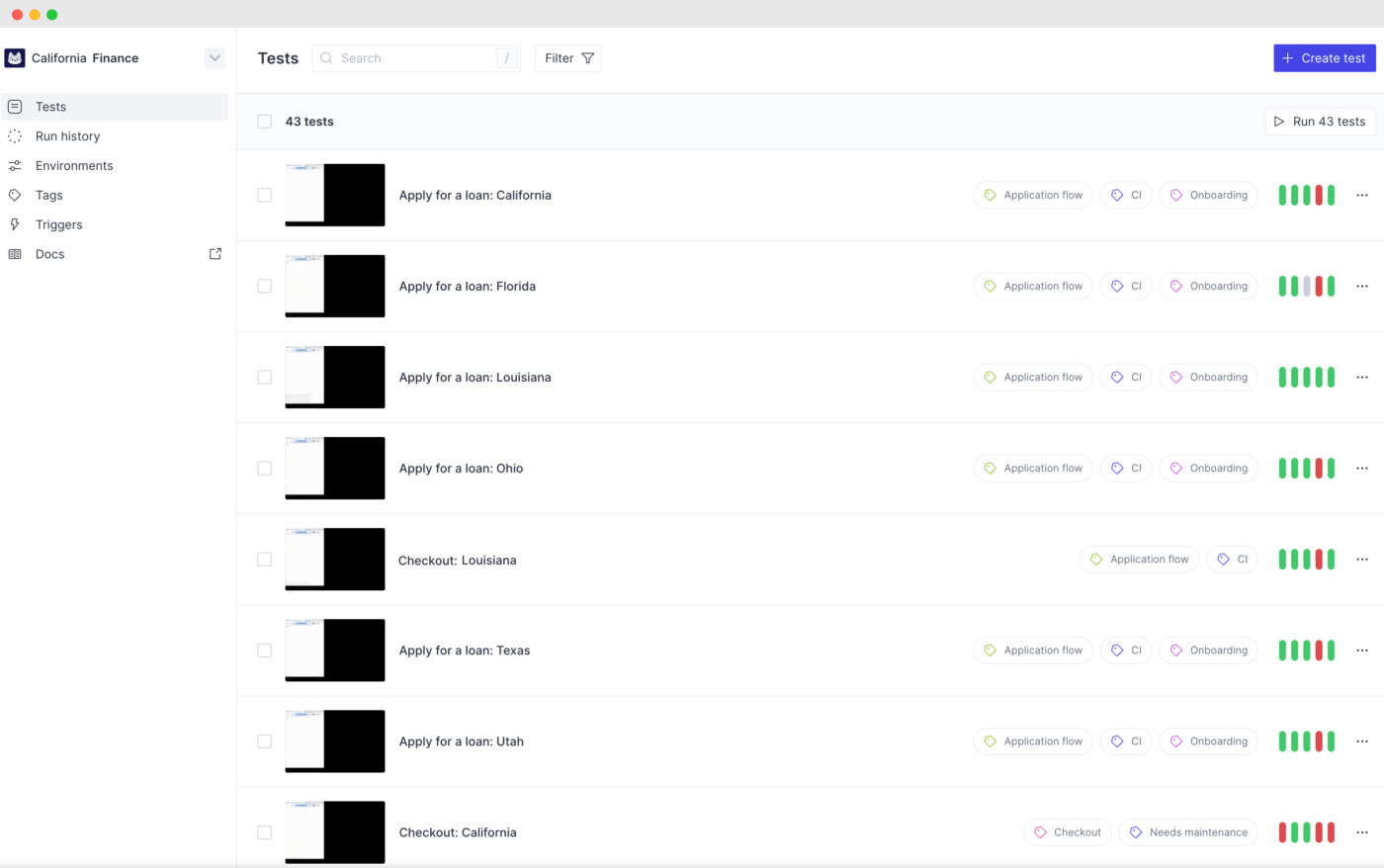
QA Wolf offre un servizio completamente gestito di test automatizzati end-to-end, pensato per i team di prodotto e ingegneria che desiderano rilasciare con sicurezza. È particolarmente utile per aziende SaaS e team di prodotti digitali che necessitano di una copertura di test affidabile senza dover dedicare risorse interne alla manutenzione dei test. Se cerchi una soluzione che unisca automazione e supporto esperto, QA Wolf si distingue occupandosi sia della creazione che della gestione continua dei test.
Per chi è ideale QA Wolf?
QA Wolf supporta i team di assurance della qualità e ingegneria in organizzazioni di piccole e medie dimensioni dove le applicazioni web sono il prodotto principale. Si adatta a realtà che richiedono flussi di lavoro di testing strutturati e integrati nei cicli di sviluppo per mantenere qualità e affidabilità nei rilasci.
Perché ho scelto QA Wolf
Ciò che distingue QA Wolf è la combinazione di test automatizzati end-to-end con il supporto pratico di esperti, particolarmente preziosa per i team di prodotto che vogliono concentrarsi sullo sviluppo delle funzionalità invece che sulla manutenzione delle suite di test. Ho scelto QA Wolf perché offre un servizio gestito in cui il loro team crea, esegue e mantiene i test automatizzati, evitando di dover allocare risorse interne per la manutenzione. La piattaforma fornisce inoltre report dettagliati sui test e avvisi in tempo reale, aiutando i team a individuare i problemi prima che raggiungano la produzione. Questo approccio è ideale per le organizzazioni che necessitano di una copertura di test affidabile, ma vogliono evitare l’onere di gestirla internamente.
Funzionalità principali di QA Wolf
Oltre alla creazione e manutenzione gestita dei test, ho trovato degne di nota anche queste caratteristiche:
- Esecuzioni illimitate dei test: Esegui quanti test automatizzati vuoi, senza limiti all’utilizzo.
- Esecuzione parallela dei test: Lancia più test contemporaneamente per accelerare i cicli di feedback.
- Dashboard di copertura dei test: Visualizza quali parti della tua applicazione sono coperte dai test automatici.
- Notifiche via Slack ed email: Ricevi avvisi istantanei sui risultati dei test direttamente nei tuoi canali di comunicazione.
Integrazioni di QA Wolf
Le integrazioni includono Jira, Asana, Linear e ClickUp.
Pros and Cons
Pros:
- Il servizio gestito elimina il carico della manutenzione dei test
- Esecuzioni illimitate di test supportano deployment frequenti
- L’esecuzione parallela accelera i feedback per i rilasci
Cons:
- Nessuna creazione self-service dei test per i team
- Manca di analisi integrate sulle tendenze dei test
New Product Updates from QA Wolf

QA Wolf Adds Real Media Testing for iOS Apps
QA Wolf introduces real media testing for iOS apps using camera and microphone inputs. This update improves test reliability for real-world use cases. For more information, visit QA Wolf’s official site.
 .
.
FigJam
Ideale per la collaborazione di team e il brainstorming
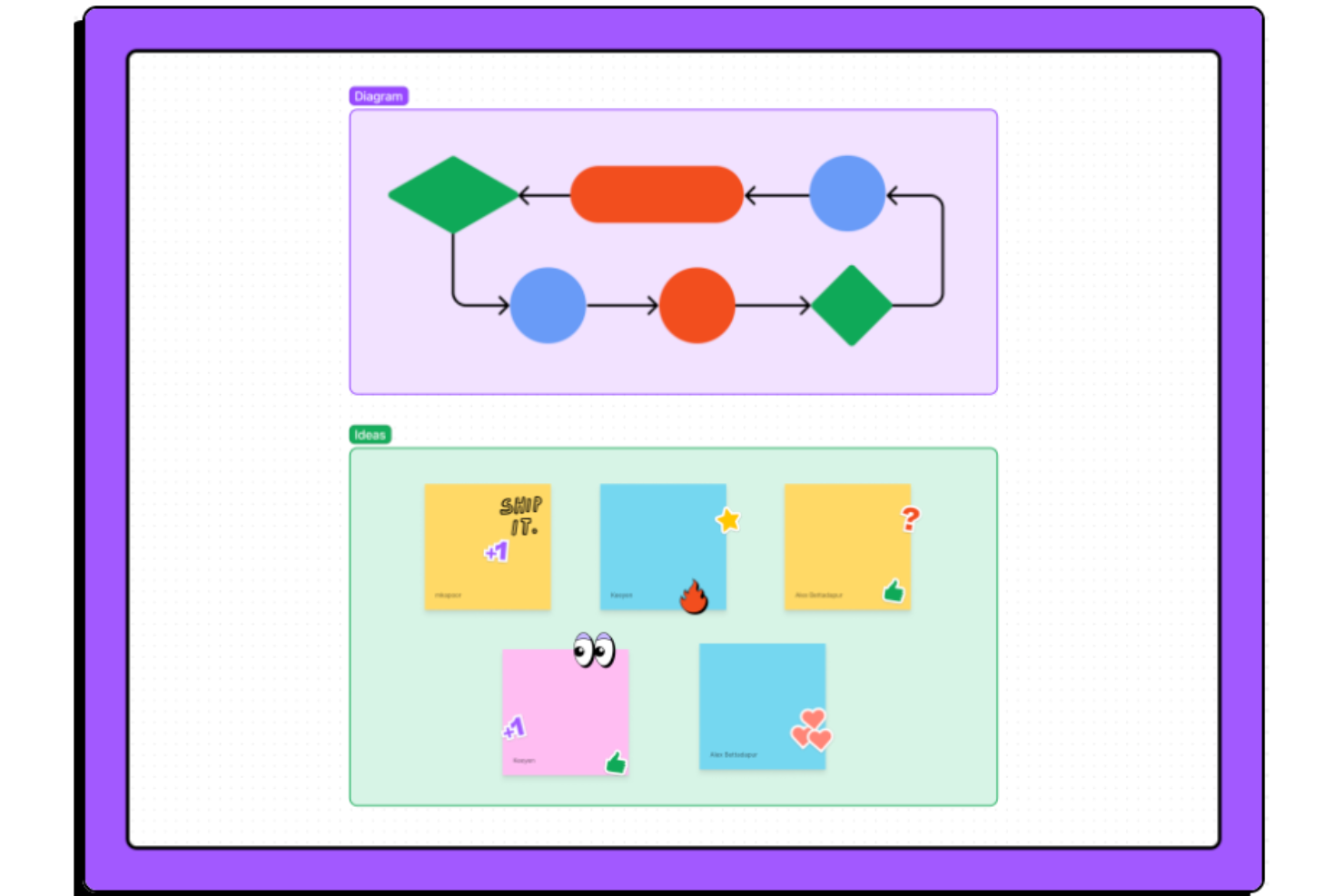
FigJam offre ai team di prodotto una lavagna digitale pensata per una collaborazione rapida e visiva nella pianificazione del prodotto e nei workshop. È particolarmente utile per i team che vogliono disegnare flussi utente, condurre retrospettive o raccogliere feedback in uno spazio condiviso. I widget interattivi e i post-it di FigJam aiutano a trasformare le idee iniziali in piani strutturati senza uscire dall'ecosistema Figma.
Per chi è FigJam?
FigJam supporta team di prodotto, design e cross-funzionali, dalle piccole aziende fino alle organizzazioni enterprise, che necessitano di spazi strutturati per la collaborazione e il brainstorming. È adatto ai team di diversi settori che richiedono ideazione visiva e coinvolgimento di gruppo in tempo reale per sviluppare concetti di prodotto, pianificare e allinearsi come team.
Perché ho scelto FigJam
Quando i team di prodotto hanno bisogno di uno spazio collaborativo per la pianificazione e i workshop, la lavagna interattiva di FigJam si distingue. I suoi post-it trascinabili, gli strumenti di votazione e i modelli pronti all'uso rendono facile condurre sessioni di brainstorming o mappare insieme i flussi di prodotto. Mi piace che i widget e i timbri di FigJam aiutino i team a raccogliere velocemente feedback e a dare priorità alle idee in tempo reale. La connessione senza soluzione di continuità con Figma significa anche che si può passare dall'ideazione al design senza cambiare piattaforma.
Funzionalità principali di FigJam
Altre funzionalità di FigJam che i team di prodotto potrebbero trovare utili includono:
- Chat Audio: Avvia conversazioni vocali dal vivo direttamente sulla lavagna per discussioni rapide.
- Strumento Timer: Imposta un conto alla rovescia per mantenere workshop e attività nei tempi previsti.
- Anteprime dei link: Incolla link a file o risorse e visualizza anteprime istantanee sulla lavagna.
- Emoji e reazioni: Usa reazioni visive per dare feedback o mettere in evidenza idee durante le sessioni.
Integrazioni di FigJam
Le integrazioni includono Slack, Microsoft Teams, Zoom, Jira, Asana, Trello, Notion, Confluence, Google Workspace e Productboard.
Pros and Cons
Pros:
- I widget interattivi supportano rituali agili di prodotto
- L'integrazione con Figma consente il passaggio diretto al design
- Le votazioni e le reazioni semplificano la definizione delle priorità di team
Cons:
- Nessuna gestione integrata di task o backlog
- La ricerca nella lavagna è limitata per progetti di grandi dimensioni

Chisel
Ideale per approfondimenti sull’allineamento del team
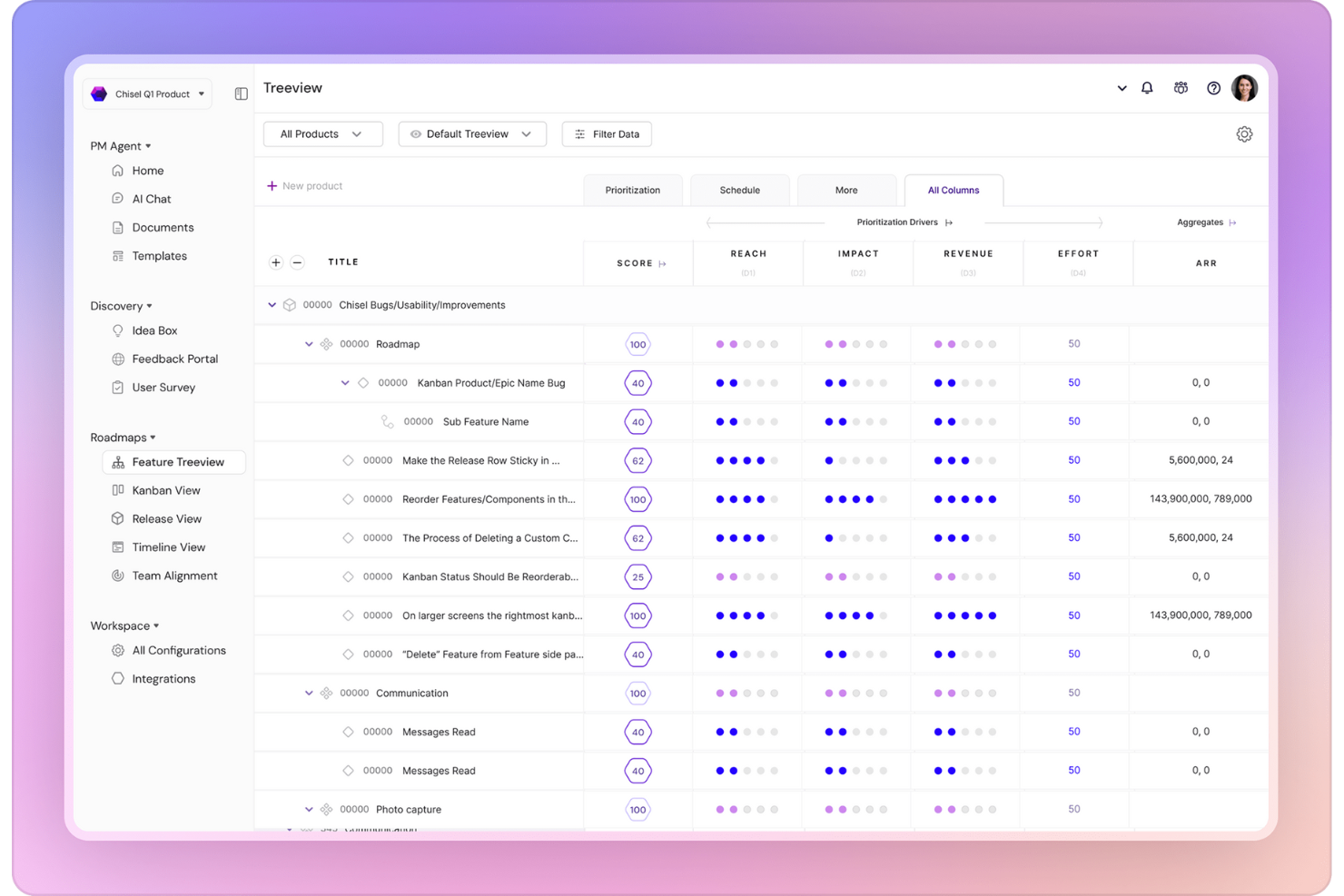
Chisel riunisce roadmap, raccolta di feedback e allineamento del team in un'unica piattaforma progettata per product manager e team interfunzionali. È particolarmente utile per le organizzazioni che vogliono collegare direttamente le intuizioni dei clienti alle decisioni di prodotto e mantenere tutti aggiornati. Con Chisel, puoi dare priorità alle funzionalità, raccogliere input dagli stakeholder e visualizzare la tua strategia di prodotto in tempo reale.
Per chi è più adatto Chisel?
Chisel supporta i team di leadership di prodotto e interfunzionali in organizzazioni di piccole e medie dimensioni che necessitano di informazioni strutturate per migliorare l'allineamento del team. È adatto a aziende con processi di pianificazione collaborativi che richiedono una piattaforma condivisa per chiarire priorità, roadmap e decisioni strategiche.
Perché ho scelto Chisel
Ciò che distingue Chisel è l'approccio unificato alla gestione del prodotto, che combina roadmap, feedback e allineamento del team in uno spazio di lavoro unico. Ho scelto Chisel perché ti consente di collegare i feedback dei clienti direttamente alle funzionalità nella tua roadmap, così puoi dare priorità in base a dati reali. Il board di allineamento del team aiuta i product manager a visualizzare dove si posizionano gli stakeholder sulle decisioni chiave, facilitando la costruzione del consenso. Questa combinazione di feedback collegati, prioritizzazione e strumenti di allineamento rende Chisel una scelta solida per i team che desiderano mantenere strategia, esecuzione e comunicazione strettamente integrate.
Caratteristiche principali di Chisel
Altre funzionalità che i team di prodotto potrebbero trovare utili in Chisel includono:
- Roadmap ad albero: Visualizza le iniziative di prodotto e le dipendenze in un formato gerarchico di roadmap.
- Gestione dei rilasci: Pianifica, traccia e gestisci i rilasci di prodotto con bacheche dedicate.
- Spazi di lavoro personalizzabili: Crea spazi di lavoro separati per diversi prodotti o team all'interno dello stesso account.
- Monitoraggio degli obiettivi: Collega funzionalità e attività di prodotto a obiettivi aziendali specifici per un migliore allineamento.
Integrazioni Chisel
Le integrazioni includono Jira e Azure DevOps.
Pros and Cons
Pros:
- Le roadmap ad albero visualizzano chiaramente le dipendenze
- La bacheca di allineamento del team traccia il sentiment degli stakeholder
- Il portale dei feedback raccoglie e organizza gli input degli utenti
Cons:
- Nessuno strumento integrato per la comunicazione con i clienti
- Non è possibile creare automazioni personalizzate dei flussi di lavoro
Altri Software di Product Management
Ecco altri software di product management che non sono entrati nella lista principale. Ti incoraggio a sperimentare anche queste ottime alternative!
- LaunchNotes
Ideale per aggiornamenti di prodotto centralizzati
- Shortcut
Ideale per team che utilizzano metodologie Agile
- Jira
Ideale per lo sviluppo di prodotti digitali come app e strumenti SaaS
- Bonsai Agency Software
Ideale per la gestione di prodotto e aziendale
- Sprig
Ideale per raccogliere e analizzare feedback e comportamenti degli utenti su larga scala con l’AI
- Confluence
Ideale per l’ampia varietà di modelli di collaborazione per il prodotto
- ProdPad
Ideale per la gestione completa del prodotto
- Ravetree
Ideale per il monitoraggio dell'utilizzo in tempo reale
- Visor
Ideale per la collaborazione nella gestione di progetti
- Reveall
Il miglior software di product management per la product discovery
- UserGuiding
Ideale per gestire l’adozione del prodotto
- Productive
Ideale per la gestione dei progetti durante l'intero ciclo di vita del prodotto
- Peoplebox.ai
Ideale per la collaborazione
- Ignition
Ideale per funzionalità complete di go-to-market
- Dragonboat
Ideale per collegare lo sviluppo prodotto agli OKR
- Walling
Ideale per organizzare visivamente idee e attività di progetto
- Craft.io
Migliore per best practice leader di settore integrate
- Zeda.io
Ideale per intuizioni basate sull'intelligenza artificiale
- Planview
Ideale per organizzazioni aziendali
- Jama Software
Ideale per la gestione dei requisiti e la tracciabilità
- PathPro
Ideale per la votazione e prioritizzazione delle funzionalità


Come Valuto gli Strumenti di Product Management
Divido la mia valutazione in due livelli: ciò che uno strumento deve assolutamente offrire—come la creazione di roadmap e la sincronizzazione con Jira—e i fattori differenzianti, come strumenti basati su AI o portali per i clienti, che distinguono un prodotto dall'altro.
Funzionalità di Base (Requisiti Minimi per questa Lista)
Quando seleziono gli strumenti per la mia lista, valuto ciascuno su una scala da 0 (non offre la funzionalità) a 5 (eccelle in quest'area) per ogni funzionalità di base elencata di seguito. Poi calcolo il punteggio totale dello strumento in percentuale. Ogni strumento deve raggiungere un punteggio minimo totale del 75% per poter essere considerato.
- Pianificazione e Visualizzazione della Roadmap: Valuto se uno strumento offre diverse visualizzazioni della roadmap—timeline, Kanban, Now-Next-Later—e se si possono condividere versioni su misura con dirigenti o team tecnici.
- Backlog di Funzionalità e Idee: Un backlog ben strutturato necessita di gerarchia (epic, funzionalità, sotto-attività), campi personalizzati e mappatura delle dipendenze così che i PM possano suddividere le iniziative più grandi in elementi consegnabili.
- Framework di Prioritizzazione: Controllo la presenza di modelli di punteggio integrati come RICE o matrici valore-sforzo, e se i team possono creare framework personalizzati ponderati che riflettano il loro processo decisionale.
- Aggregazione dei Feedback: Strumenti come Productboard e Aha! raccolgono feedback da ticket di supporto, chiamate di vendita e portali—cerco questa raccolta multi-fonte collegata direttamente agli elementi nel backlog.
- Allineamento della Strategia e degli OKR: Valuto come uno strumento collega gli obiettivi di alto livello alle singole funzionalità, così da poter risalire ogni voce della roadmap all'obiettivo di business che la giustifica.
- Integrazioni con Strumenti di Sviluppo: La sincronizzazione bidirezionale con strumenti come Jira, Linear o Azure DevOps è importante qui—valuto se le modifiche di stato e gli aggiornamenti dei campi si riflettono in tempo reale in entrambe le direzioni.
Una volta individuati gli strumenti che soddisfano questi criteri, considero ciò che rende unica ogni piattaforma.
Fattori Differenzianti (Cosa Distingue i Fornitori)
Ecco come confronto e metto a confronto i diversi fornitori:
Funzionalità Distintive
Le analisi basate su AI possono far risparmiare ore ai PM raggruppando automaticamente i temi del feedback o suggerendo punteggi di priorità basati su andamenti storici. Valuto anche i portali orientati ai clienti, dove gli utenti inviano idee e votano sulle richieste—questo chiude il cerchio tra il team di prodotto e i clienti. La gestione del rilascio è un altro elemento che considero, in particolare gli strumenti che includono generazione automatica del changelog e coordinamento dei lanci, così che i PM non debbano coordinare aggiornamenti tramite chat o fogli di calcolo.
Oltre le Funzionalità
I modelli di prezzo variano molto in questo settore—alcuni strumenti fanno pagare per editor e consentono l'accesso gratuito ai soli visualizzatori, mentre altri fanno pagare ogni utente indipendentemente dal ruolo. Questa distinzione è fondamentale quando i tuoi stakeholder in vendita, supporto e leadership devono poter vedere la roadmap. Valuto anche il time-to-value: se uno strumento offre template, supporto alla migrazione e onboarding guidato così da rendere il team di PM produttivo in pochi giorni, non mesi. Le aziende più grandi dovrebbero verificare la presenza di certificazioni SOC 2 Type II, SSO/SAML e provisioning SCIM, soprattutto in caso di distribuzione su più team di prodotto.
Come Scegliere un Software di Product Management
Con così tante soluzioni diverse di product management disponibili, può essere difficile decidere quale software di product management sia il più adatto alle tue esigenze.
Quando valuti, provi e selezioni i software di product management, considera:
- Quale problema stai cercando di risolvere?: Inizia identificando la lacuna nelle funzionalità di gestione prodotto che vuoi colmare per chiarire quali caratteristiche e funzionalità il software di product management deve offrire.
- Chi dovrà utilizzarlo?: Per valutare costi e requisiti, considera chi userà il software e di quante licenze o utenti avrai bisogno. Dovresti anche valutare se lo strumento sarà riservato ai product manager o se saranno necessari accessi anche ad altri reparti del tuo team. Considera quanto siano importanti facilità d’uso e velocità di messa in funzione per gli utenti del tuo prodotto di gestione.
- Con quali altri strumenti deve funzionare?: Determina quali strumenti intendi sostituire, quali rimarranno e quali dovranno essere integrati, come comunicazione, CRM, supporto clienti, software di sviluppo o vendite. Decidi se dovrai integrare i tuoi strumenti attuali con il nuovo software di gestione prodotto o, in alternativa, se puoi sostituire più soluzioni con un unico strumento consolidato.
- Quali risultati sono importanti?: Considera il risultato che il software deve garantire per poter essere considerato un successo. Rifletti su quali capacità vuoi acquisire o migliorare e su come misurerai i risultati ottenuti. Ad esempio, un risultato potrebbe essere ottenere maggiore visibilità sulle tempistiche di consegna delle funzionalità o sulle performance generali del team. Tieni a mente gli obiettivi mentre valuti le diverse opzioni, così da dare priorità al massimo impatto per il tuo team.
- Come funzionerebbe all’interno della tua organizzazione?: Considera i tuoi workflow e la metodologia di delivery attuali. Chiarisci cosa sta già funzionando e quali sono le aree problematiche da risolvere. Ricorda, ogni team è diverso, quindi non dare per scontato che uno strumento diffuso sia adatto alla tua organizzazione.
Metodologia di valutazione per software di Product Management
Per valutare i software di product management, ho sviluppato una metodologia completa che prevedeva la prova di diversi strumenti in differenti casi d’uso. Ogni software è stato valutato secondo una griglia composta da sette aspetti fondamentali, a ciascuno dei quali è stato assegnato un punteggio ponderato. Questi punteggi sono stati poi sommati per ottenere una valutazione finale a stelle di ciascun prodotto.
- Funzionalità principali del software di Product Management (20% del punteggio finale):
- Questo criterio ha riguardato le funzionalità essenziali come pianificazione della roadmap, gestione delle attività e strumenti di collaborazione.
- Ho verificato la capacità di ciascun software di gestire queste funzionalità centrali in diversi scenari, dai piccoli team ai grandi lanci di prodotto.
- Funzionalità aggiuntive distintive (20% del punteggio finale):
- Qui ho valutato la presenza di funzioni innovative come l’integrazione con l’IA, analisi avanzate sugli utenti o capacità di collaborazione uniche.
- Ho considerato quanto queste funzionalità contribuissero all’efficacia complessiva e alla differenziazione del software.
- Facilità d’uso (10% del punteggio finale):
- L’attenzione si è concentrata sull’interfaccia utente e sull’esperienza complessiva.
- Ho valutato quanto fosse intuitivo e facile navigare nel software, includendo la complessità delle sue funzionalità e il livello di apprendimento necessario.
- Onboarding (10% del punteggio finale):
- Ho valutato il processo di onboarding, compresa la disponibilità e qualità di materiali formativi, modelli e tour interattivi.
- La facilità con cui i nuovi utenti potevano iniziare a utilizzare efficacemente il software è stata una considerazione chiave.
- Integrazioni (10% del punteggio finale):
- La facilità con cui i nuovi utenti potevano iniziare a utilizzare efficacemente il software è stata una considerazione chiave.
- Supporto clienti (10% del punteggio finale):
- Ciò ha riguardato la reattività, disponibilità e utilità del team di assistenza.
- Ho inoltre esaminato la varietà di canali di supporto offerti, come live chat, email e assistenza telefonica.
- Rapporto qualità-prezzo (10% del punteggio finale):
- Ho confrontato il prezzo del software rispetto alle sue funzionalità e prestazioni.
- Questo ha comportato una riflessione su quanto il software offrisse un buon ritorno sull’investimento, con particolare attenzione alle piccole e medie imprese.
- Recensioni dei clienti (10% del punteggio finale):
- Ho analizzato i feedback dei clienti provenienti da varie piattaforme di recensioni.
- Mi sono concentrato sulla soddisfazione generale, sulle lodi specifiche e sulle critiche ricorrenti per comprendere le esperienze d’uso reali.
I punteggi di ciascun software in queste categorie sono stati calcolati in base alle loro prestazioni, ponderati secondo l'importanza di ciascun criterio e poi sommati per fornire una valutazione complessiva a stelle. Questo approccio metodico ha garantito una valutazione equilibrata e approfondita, offrendo una visione chiara dei punti di forza e di debolezza di ciascun strumento di gestione prodotto.
Che cos'è un software di Product Management?
Gli strumenti di product management sono strumenti specializzati o suite di applicazioni che aiutano aziende e team di prodotto a pianificare, sviluppare e gestire efficacemente i loro prodotti durante l'intero ciclo di vita.
Questi strumenti possono supportare attività come generazione di idee, pianificazione del prodotto, collaborazione, comunicazione e monitoraggio dei progressi. Forniscono inoltre un hub centrale per product manager, designer, sviluppatori e altri stakeholder per collaborare, semplificare i flussi di lavoro e prendere decisioni informate.
Il software di product management spesso include funzionalità per il design e la prototipazione, sviluppo del prodotto, pianificazione della roadmap, gestione delle attività, documentazione, collaborazione del team e integrazione con altri strumenti per ottimizzare l’intero processo di gestione del prodotto.
Tendenze nel software di Product Management
Il software di product management si sta evolvendo rapidamente, introducendo nuove funzionalità che stanno ridefinendo il modo in cui i product manager pianificano, sviluppano e commercializzano i prodotti. Queste tendenze riflettono la risposta del settore alle esigenze in evoluzione dei product manager, con particolare attenzione allo sviluppo centrato sul cliente e all’efficienza operativa.
Integrazione dell'IA
Gli strumenti basati sull'intelligenza artificiale, come Zeda.io, forniscono feedback approfonditi dai clienti e guidano le decisioni di sviluppo del prodotto. Questa tendenza è fondamentale per creare roadmap di prodotto orientate ai ricavi sulla base di intuizioni dei clienti e dell'intelligenza di prodotto.
Gestione dell'Innovazione
Il software di gestione dell'innovazione sta diventando imprescindibile tra gli strumenti dei product manager. Poiché i team di prodotto danno sempre maggiore priorità all’innovazione continua e all’ideazione, queste piattaforme aiutano a catturare, organizzare e valutare nuove idee da dipendenti, clienti e stakeholder. Integrandosi con strumenti di roadmap e gestione del ciclo di vita del prodotto, il software di gestione dell'innovazione garantisce che i concetti promettenti non si perdano, ma vengano coltivati e valutati sistematicamente. Questa tendenza evidenzia il passaggio verso pipeline di innovazione strutturate e supportate dai dati, allineate con gli obiettivi strategici e le esigenze dei clienti.
Focalizzazione sulla cybersecurity
Con l’aumento degli attacchi informatici, i product manager sono sempre più responsabili di garantire la sicurezza informatica dei loro prodotti durante tutto il ciclo di vita. Questa tendenza riflette la crescente attenzione alla sicurezza dei dati nel product management.
Intelligenza emotiva nel product management
L’importanza dell’intelligenza emotiva nel product management è in aumento, con una crescente attenzione all’empatia, alla collaborazione del team e alla gestione degli stakeholder. Il software di product management con funzionalità come strumenti collaborativi e analisi dei feedback può aiutare a favorire una comprensione più profonda delle emozioni di clienti e team.
Work is just a bunch of humans getting together.

Maggiore attenzione alla collaborazione da remoto
Con l’incremento del lavoro da remoto, cresce la richiesta di funzionalità che supportino la collaborazione a distanza. Questo include strumenti per brainstorming virtuale, pianificazione remota degli sprint e raccolta di feedback online, consentendo ai team di lavorare efficacemente ovunque si trovino. L’implementazione di piattaforme di digital adoption diventa il prossimo passo per garantire che i membri dei team possano adattarsi rapidamente ai nuovi strumenti di collaborazione da remoto.
Maggiore attenzione alla sostenibilità
Gli strumenti di product management stanno anche iniziando a includere funzionalità che aiutano a pianificare e monitorare l’impatto ambientale di un prodotto. Questa tendenza è guidata dall’importanza crescente della responsabilità aziendale e della sostenibilità nello sviluppo del prodotto.
Man mano che la gestione del prodotto continua a evolversi, queste tendenze non stanno soltanto ridefinendo gli strumenti e i software utilizzati, ma anche il modo in cui le persone affrontano lo sviluppo e la gestione dei prodotti. I product manager devono adattarsi a questi cambiamenti sfruttando nuove tecnologie e metodologie per restare competitivi ed efficaci.
Caratteristiche del Software di Product Management
Quando scegli strumenti di gestione del prodotto, presta attenzione alle seguenti funzionalità principali:
- Controllo delle versioni: Tieni traccia delle modifiche a requisiti, piani o roadmap per sapere sempre cosa è cambiato, chi lo ha cambiato e quando. È come avere un pulsante “annulla” per la strategia del tuo prodotto.
- Funzionalità di roadmapping: Pianifica la visione del tuo prodotto, le tempistiche e le tappe fondamentali in un unico luogo. Questa funzionalità permette di vedere chiaramente la direzione del prodotto e assicurarsi che tutta la squadra lavori verso lo stesso obiettivo.
- Gestione delle attività: Organizza, assegna e monitora le attività per non lasciare nulla indietro. Puoi dare priorità al lavoro, impostare scadenze e tenere tutto il team responsabile grazie a un sistema di gestione delle attività efficiente.
- Strumenti di collaborazione: Favorisci la comunicazione grazie a chat integrate, commenti e condivisione di file. Questi spazi collaborativi aiutano tutti a restare aggiornati, condividere feedback istantanei ed evitare le interminabili catene di email.
- Raccolta e prioritizzazione delle idee: Raccogli le idee dal tuo team e dagli stakeholder, poi classificale per valore, impatto e fattibilità. È un modo pratico per distinguere tra i sogni da "forse un giorno" e quelle funzionalità indispensabili da realizzare subito.
- Analisi e reportistica: Monitora i progressi, i feedback degli utenti e le metriche di prodotto tramite dashboard e report visivi. Con questa funzionalità puoi individuare tendenze, prendere decisioni basate sui dati e mostrare i risultati con prove concrete.
- Capacità di integrazione: Collega il tuo strumento di product management ad altre piattaforme come Jira, Slack o sistemi di raccolta feedback clienti. Le integrazioni evitano doppioni di lavoro e creano un flusso realmente unificato.
- Gestione dei feedback degli utenti: Raccogli, organizza e analizza i feedback degli utenti per determinare i passi successivi. Questo aiuta il prodotto a evolversi in base ai reali bisogni e desideri delle persone.
- Pianificazione del rilascio e del lancio: Coordina ogni lancio di prodotto tramite timeline, gestione delle risorse e tracciamento dei progressi. Riduci il panico dell’ultimo minuto e gestisci i lanci GTM con semplicità.
- Permessi e controlli di sicurezza: Assicurati che ogni membro del team abbia accesso alle giuste informazioni e proteggi i dati sensibili. In questo modo puoi collaborare senza temere fughe di dati o modifiche accidentali.
Vantaggi del Software di Product Management
Il software di gestione del prodotto offre una serie di vantaggi che aiutano gli utenti a gestire in modo efficiente ed efficace il ciclo di vita di un prodotto. Comprendere questi vantaggi è essenziale per scegliere la soluzione più adatta alle proprie necessità. Questi vantaggi includono:
- Collaborazione migliorata: Questo software favorisce un migliore lavoro di squadra e assicura che tutti siano allineati sugli obiettivi di prodotto, portando a uno sviluppo più coeso.
- Analisi basate sui dati: Analizzando le prestazioni del prodotto e i dati di mercato, le aziende possono prendere decisioni strategiche che rispecchiano le esigenze dei clienti e le tendenze del mercato.
- Produttività aumentata: Il software di product management riduce i carichi di lavoro manuali, consentendo ai team di concentrarsi su aspetti più critici dello sviluppo e dell’innovazione.
- Gestione del rischio: L’individuazione precoce dei rischi permette di affrontarli in modo proattivo, riducendo le probabilità di ritardi di prodotto o sforamenti di budget.
- Sviluppo orientato al cliente: Integrare direttamente il feedback dei clienti nel processo di sviluppo aiuta a realizzare un prodotto che risponde alle richieste del mercato e alle aspettative degli utenti.
- Integrazione ottimizzata: Migliora la funzionalità dell’ecosistema software già in uso sincronizzandolo perfettamente con piattaforme di design, dati e collaborazione. Queste integrazioni assicurano passaggi di consegne fluidi, dati centralizzati e flussi di lavoro coerenti, aiutando i product manager a colmare i divari tra strumenti e reparti.
Il software di gestione del prodotto è uno strumento prezioso che non solo semplifica varie fasi dello sviluppo, ma garantisce anche che i prodotti siano realizzati in linea con le esigenze del mercato e le aspettative dei clienti. Questi vantaggi contribuiscono alla creazione di prodotti di successo e alla crescita generale dell’organizzazione.
Costi e Prezzi del Software di Product Management
Scegliere il piano e il prezzo giusto per un software di product management significa trovare quel punto di equilibrio tra ottenere tutte le funzionalità di cui il team ha bisogno al prezzo più adeguato. Ecco una panoramica delle tipiche opzioni di piano per i software di gestione del prodotto e delle funzioni generalmente offerte da ogni fascia:
Tabella di Confronto dei Piani per il Software di Product Management
| Tipo di piano | Prezzo medio | Ideale per | Funzionalità comuni |
|---|---|---|---|
| Starter/Base | $0 - $15 al mese | Startup nelle prime fasi che cercano il product-market fit | - Funzionalità base di gestione del prodotto - Progetti e utenti limitati - Strumenti essenziali di collaborazione |
| Professional | $15 - $50 al mese | Startup in fase di crescita | - Funzionalità avanzate come la pianificazione a roadmap - Progetti illimitati - Strumenti di collaborazione avanzati, integrazioni di base |
| Business | $50 - $100 al mese | Organizzazioni mature, aziende che ampliano il proprio portafoglio prodotti | - Accesso completo alle funzionalità - Analisi avanzate - Integrazioni complete - Livelli di sicurezza superiori |
| Enterprise | Prezzo personalizzato | Grandi aziende | - Funzionalità personalizzate - Supporto dedicato - Sicurezza avanzata - Opzioni di scalabilità |
| Gratis | $0 | Founder che realizzano i loro primi MVP | - Accesso limitato alle funzionalità - Adatto a piccoli team o uso individuale |
Ogni piano in genere soddisfa diverse esigenze aziendali, offrendo funzionalità più avanzate e opzioni di personalizzazione nei livelli di prezzo più alti. Le opzioni gratuite, sebbene limitate nelle funzionalità, rappresentano solitamente un buon punto di partenza per piccoli team o individui che vogliono esplorare le soluzioni di software per la gestione del prodotto.
Quando valuti questi piani, ti consiglio di analizzare le tue esigenze specifiche, come la dimensione del team, la complessità dei prodotti e le integrazioni necessarie. Bilanciare questi fattori con il budget ti aiuterà a scegliere il piano più appropriato.
Domande Frequenti sul Software di Product Management
Trova risposte alle domande comuni che altri utenti pongono su questo argomento.
Software di Product Management vs Software di Project Management
Il software di product management è focalizzato sulla definizione della visione di prodotto, la raccolta dei requisiti, la prioritizzazione delle funzionalità e la guida dei prodotti dalla fase di ideazione al lancio. Il software di project management, invece, aiuta i team a pianificare, assegnare compiti e monitorare l’esecuzione dei progetti. Se hai bisogno di gestire una roadmap di prodotto, i feedback degli stakeholder e le richieste di funzionalità insieme ai rilasci, uno strumento di product management è la scelta migliore.
Queste soluzioni software supportano le metodologie Agile e Waterfall?
Sì, la maggior parte degli strumenti di product management consente di gestire sia i flussi di lavoro Agile che quelli Waterfall. Puoi creare backlog, sprint e bacheche kanban per Agile oppure impostare una pianificazione basata su milestone per Waterfall. Molte piattaforme permettono anche di combinare i metodi e di adattare i processi man mano che cambiano le esigenze del team.
Cos'è il feature flagging nella gestione del prodotto?
Il feature flagging, noto anche come feature toggling o feature flags, è una tecnica di sviluppo software e gestione di prodotto che permette di abilitare o disabilitare determinate funzionalità o capacità all’interno di un’applicazione o di un prodotto software. Consente ai team di prodotto di controllare il rilascio e la visibilità di funzionalità specifiche per segmenti di utenti diversi o in base a condizioni differenti. Questo approccio è particolarmente prezioso negli ambienti di sviluppo Agile e di distribuzione continua.
Il software per feature flagging offre ai product manager le funzionalità necessarie per controllare i progetti e ridurre il rischio dei rilasci di nuove funzionalità.
Come gestiscono questi strumenti il ciclo di vita del prodotto dall’ideazione al ritiro?
Molte piattaforme di gestione prodotto offrono funzionalità che supportano tutte le fasi del ciclo di vita del prodotto. Alcune potrebbero focalizzarsi su una o più fasi, ma ecco alcuni degli strumenti utili per ciascuna fase:
- Fase di Ideazione: Board per le idee e matrici di priorità per organizzare e selezionare le idee.
- Fase di Sviluppo: Strumenti per l’assegnazione delle attività e il monitoraggio delle tempistiche garantiscono il rispetto delle scadenze.
- Fase di Lancio: Strumenti di marketing integrati e pianificatori di lancio assicurano un rollout senza intoppi.
- Fase di Maturità: Dashboard di analisi e strumenti di raccolta feedback per miglioramenti continui.
- Fase di Ritiro: Sistemi di gestione del workflow aiutano a dismettere i prodotti in modo efficace.
Queste funzionalità specifiche permettono ai team di affrontare efficacemente ogni fase, assicurando che i prodotti evolvano in risposta alle richieste del mercato e agli obiettivi interni.
Questi strumenti aiutano con l’analisi di mercato e la ricerca sui concorrenti?
Certamente, alcuni strumenti di product management offrono integrazioni con piattaforme di data analytics e strumenti di ricerca online. Altri includono funzionalità di raccolta feedback e analisi integrate. Questo significa che puoi raccogliere, analizzare e monitorare le tendenze di mercato, le preferenze dei clienti e le attività dei concorrenti direttamente all’interno del software di gestione del prodotto. Grazie a questi strumenti, i product manager possono prendere decisioni più informate, identificare opportunità di mercato e sviluppare strategie davvero in linea con la concorrenza.
Quali controlli di sicurezza e accesso sono presenti nei principali strumenti di product management?
La maggior parte dei migliori strumenti di gestione prodotto prevede permessi basati sui ruoli, single sign-on (SSO) e audit trail. Puoi gestire chi visualizza o modifica determinate board, proteggere dati utente sensibili e impostare integrazioni con i sistemi di autenticazione aziendali per mantenere le informazioni al sicuro.
Esistono diversi tipi di software di product management?
Alcuni software di product management sono suite tutto-in-uno, come molte delle suite elencate sopra. Tuttavia, esistono anche numerosi strumenti specializzati che si focalizzano su specifiche aree della pianificazione, ricerca, sviluppo o strategia di prodotto.
Ecco un elenco di alcuni tipi di strumenti per sviluppare, prioritizzare, progettare e pianificare prodotti:
- OKR Software & Tools – Sviluppa e monitora obiettivi e risultati chiave per il ciclo di vita del prodotto.
- Strumenti di prototipazione – Progetta prototipi di prodotto con poca o nessuna conoscenza di codice.
- Strumenti di wireframing – Crea wireframe per app o siti web tramite funzionalità drag-and-drop.
- Strumenti per feedback dei clienti – Raccogli feedback dei clienti e valutali in base alla priorità.
- Strumenti di roadmap – Visualizza il futuro del tuo prodotto con strumenti di roadmap di prodotto.
- Strumenti di flowchart – Visualizza idee, brainstorming o percorsi cliente tramite diagrammi di flusso online.
- Strumenti per backlog – Registra, monitora e gestisci tutti gli elementi di backlog del tuo prodotto.
- Strumenti di analisi – Scopri come sta performando il tuo prodotto e ricava insight azionabili.
- Strumenti per portfolio di prodotto – Gestisci più progetti di prodotto contemporaneamente in un’unica piattaforma centrale.
- Strumenti di gestione prodotto Agile – Per workflow di prodotto Agile che privilegiano velocità e iterazione.
- Software per product adoption – Aiuta utenti e clienti a sfruttare al massimo il tuo prodotto con wiki, wizard e walkthrough.
Come supportano le piattaforme di product management i team remoti o asincroni?
Questi strumenti offrono collaborazione in tempo reale, thread di commenti, notifiche e accesso cloud. Puoi taggare i colleghi, condividere aggiornamenti e mantenere tutti allineati indipendentemente da dove o quando lavorano. Molti includono integrazioni con Slack, email e videochiamate per semplificare la comunicazione e mantenerla contestuale.
Cosa c’è dopo?
Quale pensi sia il miglior software per lo sviluppo del prodotto e perché? Come utilizzi le user story per concentrare il focus sul prodotto e la prioritizzazione delle funzionalità? Ritieni sia meglio usare uno strumento tutto-in-uno oppure preferisci una raccolta di software per lo sviluppo prodotto?
Non dimenticare di iscriverti alla nostra newsletter per altre risorse e guide sulla gestione del prodotto, oltre agli ultimi podcast, interviste e approfondimenti da leader ed esperti del settore.