

The best FigJam alternatives give you flexible whiteboarding tools that support complex brainstorming, visual project planning, and real-time collaboration without the feature gaps or integration limits you may be facing now.
If you’ve struggled with limited template variety, difficulty connecting with your preferred project management or design platforms, or an interface that slows down fast-moving discussions, the right alternative can remove these roadblocks.
After testing and comparing multiple platforms firsthand, I’ve identified options that adapt to different workflows, integrate smoothly with other tools, and help teams turn ideas into actionable plans faster.
What Is FigJam?
FigJam is a collaborative online whiteboard built by Figma for real-time brainstorming, diagramming, and workshop facilitation.
It’s used by product managers, designers, and team leads to map user flows, outline product roadmaps, and run interactive planning sessions. The platform combines intuitive drag-and-drop tools like sticky notes, shapes, connectors, and voting features. It also offers live multi-user editing, making it easy to capture and organize ideas visually. With integrations into Figma and other work management tools, FigJam helps teams turn unstructured discussions into actionable plans without losing context.
Why Trust Our Software Recommendations
6,700+
Reviews
20
Industry experts
16+
Evaluation factors
14
Years
Our team has been testing and reviewing software since 2012. As product managers ourselves, we know how difficult—and important—it is to choose the right software.
For this guide, we evaluated tools using hands-on testing and independent research, scoring tools using our selection criteria.
Our reviews reflect our human editorial judgment, not a sales pitch.
Expert reviewers:
- Andrew LumbySenior TPM
- Cristiano ValimSenior UI/UX Lead


Comparison Table: FigJam Alternatives
This comparison table summarizes pricing details for my top FigJam alternative selections.
| Tool | Best For | Trial Info | Price | ||
|---|---|---|---|---|---|
| 1 | Best for linking diagrams inside docs | Free plan available | From $10/user/month (billed annually) | Website | |
| 2 | Best for diagram-led visual collaboration | Free plan available | From $5/month (billed annually) | Website | |
| 3 | Best for agile teams syncing boards to Jira | Free plan + 30-day free trial available | From $10/user/month | Website | |
| 4 | Best for whiteboarding inside Zoom Meetings | Free plan available | Pricing upon request | Website | |
| 5 | Best for EU-hosted whiteboard compliance | Free plan + free trial available | From €5/user/month | Website | |
| 6 | Best for remote team collaboration | Free plan + 14-day free trial available | From $8/user/month (billed annually) | Website | |
| 7 | Best for live facilitation and session tools | Free plan available | From $24.90/user/month (billed annually) | Website | |
| 8 | Best for structured workshop facilitation | Free demo + free plan available | From $9.99/user/month (billed annually) | Website | |
| 9 | Best for AI-assisted boards | Free plan + 7-day free trial + free demo available | From $9/month (billed annually) | Website | |
| 10 | Best for brainstorming and diagramming in one suite | Free plan available; 7-day free trial | From $9/month (billed annually) | Website |


Best FigJam Alternatives Reviews
Below are my detailed summaries of the best FigJam alternatives that made it onto my shortlist. My reviews offer a detailed look at the key features, pros & cons, integrations, and ideal use cases of each tool to help you find the best one for you.
 Best for linking diagrams inside docs
- Free plan available
- From $10/user/month (billed annually)
Visit WebsiteCustomer Rating:4.6/5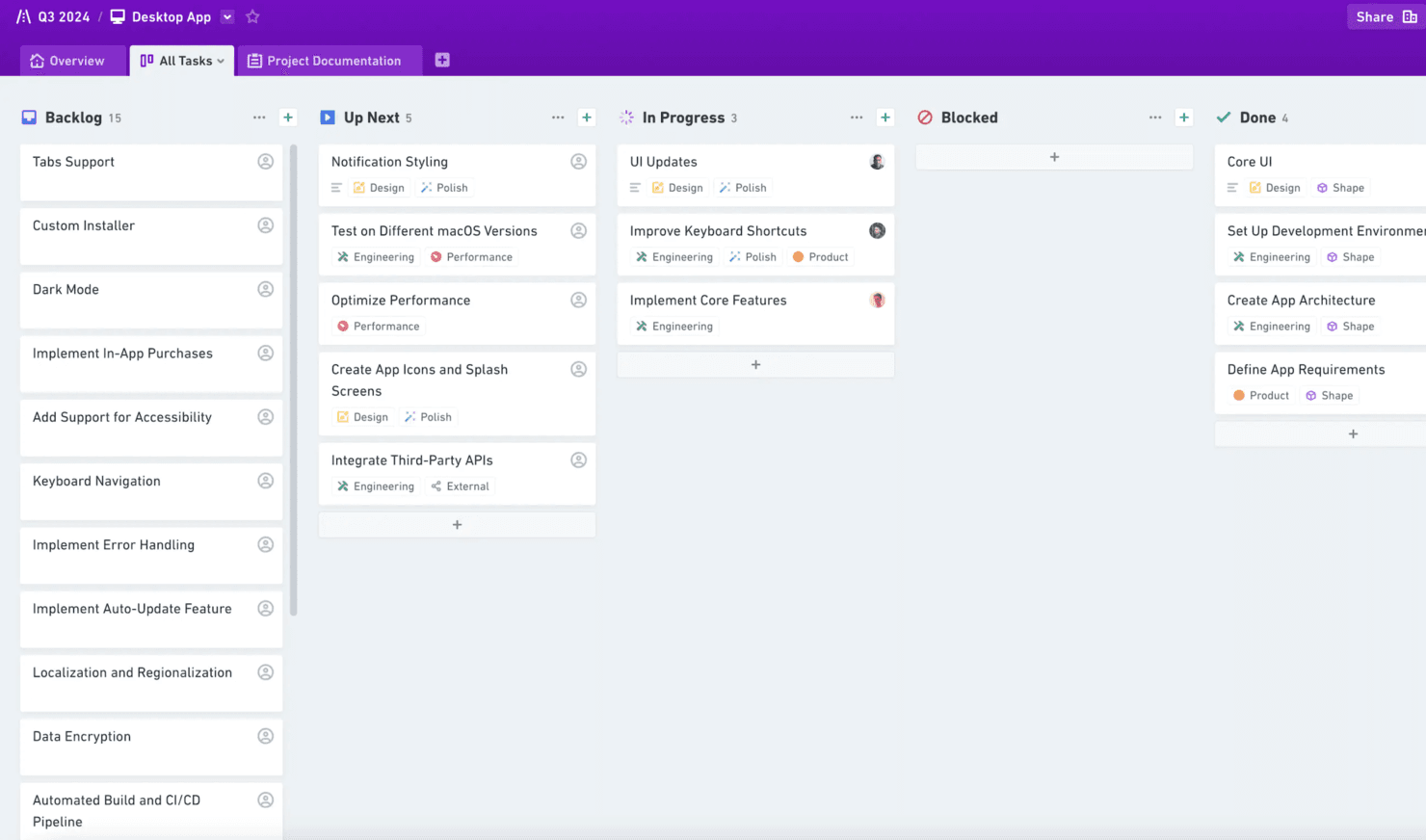
Whimsical helps create flowcharts, wireframes, and mind maps for teams. Whimsical is an online whiteboard for product teams that combines diagrams, flowcharts, wireframes, and documents to clarify ideas, align stakeholders, and keep product decisions connected.
Who Is Whimsical Best For?
Product teams that need to connect diagrams, wireframes, and flowcharts directly to planning documents and product decisions.
Why Whimsical Is a Good Best FigJam Alternatives Reviewed
I picked Whimsical because I can link flowcharts, wireframes, and diagrams directly inside product documents. My team uses those connected visuals to explain decisions, map user flows, and keep planning discussions tied to the source diagram. It’s a strong choice when linking diagrams inside docs matters.
Whimsical Key Features
- Real-time collaboration: Edit boards together with your team.
- Comments: Add feedback directly to specific canvas items.
- Version history: Review and restore earlier board versions.
- Templates: Start quickly with pre-built workspace layouts.
Whimsical Integrations
Whimsical offers integrations for embedding or linking files with Jira, Google Docs, ClickUp, Asana, Confluence, Notion, GitHub, Slack, Linear, and Canva. It also provides a beta API for custom integrations.
Pros and Cons
Pros:
- Mind maps support quick product discovery
- Flowcharts and wireframes share one workspace
- Diagrams link directly inside product documents
Cons:
- Wireframing components remain less advanced
- Large canvases can become slow
Learn more about Whimsical: Best for diagram-led visual collaboration
- Free plan available
- From $5/month (billed annually)
Visit WebsiteCustomer Rating:4.4/5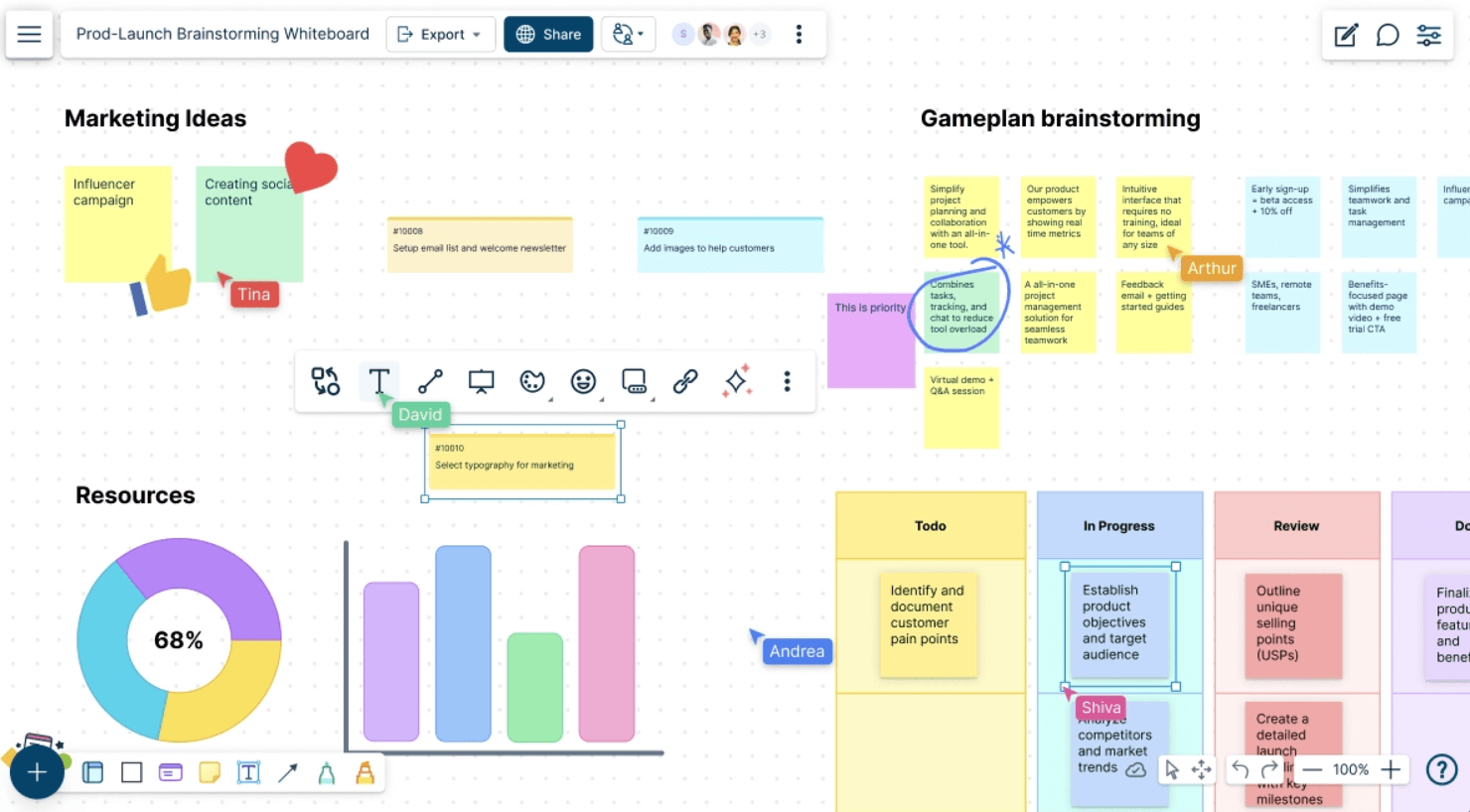
Creately helps teams with diagramming, planning, and project management. Creately is a visual collaboration platform for product, design, and business teams that need to map ideas, processes, and customer journeys while aligning stakeholders around decisions and plans.
Who Is Creately Best For?
Product managers, designers, and business analysts who need to map processes, workflows, and customer journeys with cross-functional teams.
Why Creately Is a Good Best FigJam Alternatives Reviewed
I picked Creately because its diagram-led visual collaboration supports structured product work beyond an open canvas. I use flowcharts, customer journey maps, and process diagrams to turn discovery discussions into clear artifacts. Real-time editing and comments help my team refine workflows while stakeholders review the same visual model.
Creately Key Features
- Templates: Start with ready-made templates for common business diagrams.
- Data fields: Add structured information to visual elements.
- Integrations: Connect Creately with tools such as Slack and Google Drive.
- Export options: Download workspaces in formats including PNG, SVG, PDF, and CSV.
Creately Integrations
Creately integrates with Slack and Google Drive, helping teams share diagrams and coordinate visual work across existing workflows.
Pros and Cons
Pros:
- Real-time co-editing supports stakeholder reviews
- Data fields add context to diagrams
- Structured diagramming suits process-heavy product work
Cons:
- Some diagram edits require extra steps
- Large diagrams can load slowly
Learn more about Creately: Best for agile teams syncing boards to Jira
- Free plan + 30-day free trial available
- From $10/user/month
Visit WebsiteCustomer Rating:4.3/5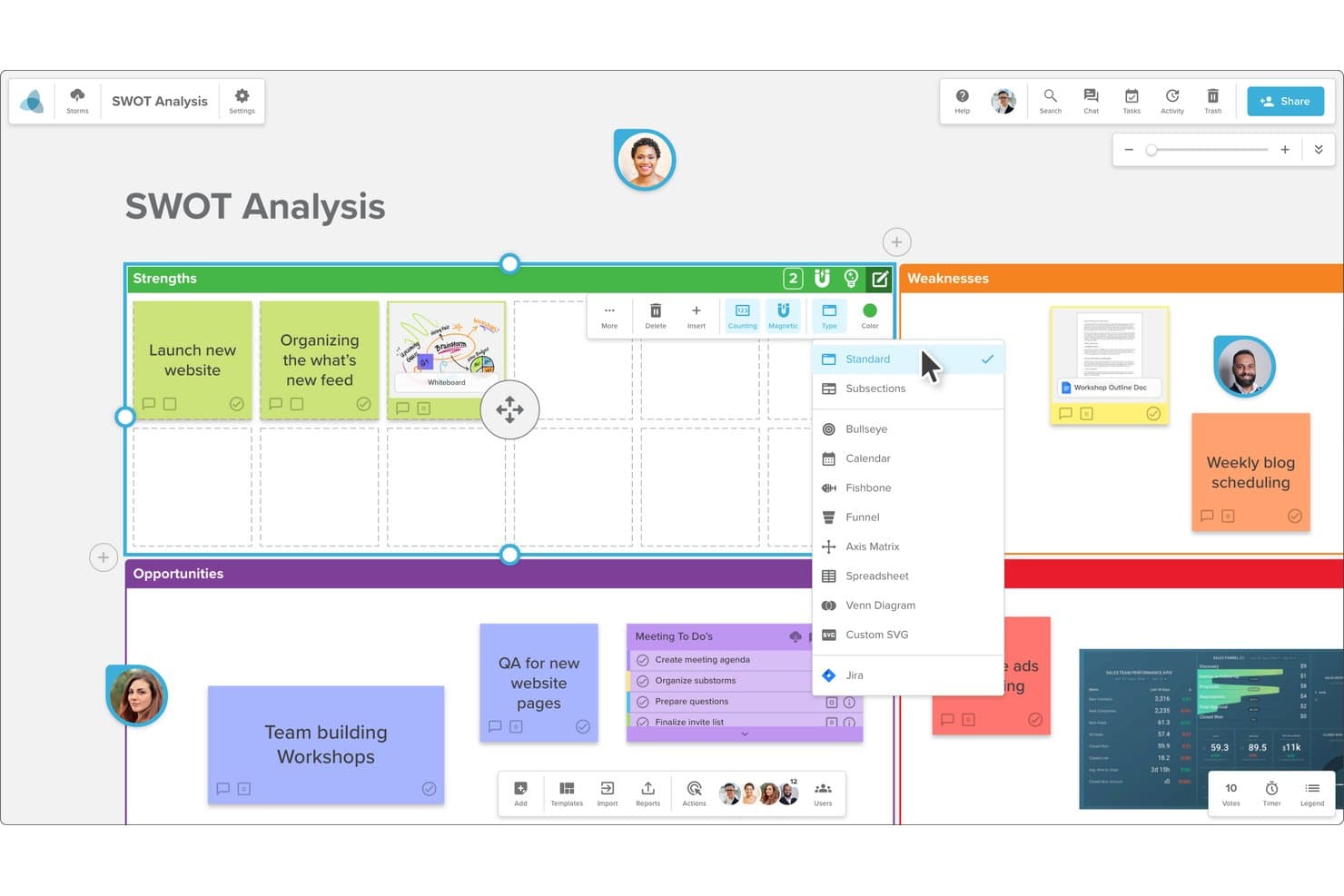
Stormboard lets users switch between multiple board layout types. Stormboard is an online whiteboard for product and agile teams that combines visual collaboration, structured brainstorming, and project planning in one workspace.
Who Is Stormboard Best For?
Agile product teams that need collaborative boards connected to Jira for shared planning and delivery visibility.
Why Stormboard Is a Good Best FigJam Alternatives Reviewed
I picked Stormboard because it connects structured brainstorming with project planning for agile teams syncing boards to Jira. My team uses visual workspaces to shape ideas, organize priorities, and keep delivery discussions tied to Jira work. That link helps us carry decisions from collaborative discovery into product execution.
Stormboard Key Features
- Real-time collaboration: Edit boards together with live updates.
- File attachments: Add documents, images, and links to board items.
- Voting: Let participants vote on ideas and priorities.
- Comments: Discuss individual board items with threaded feedback.
Stormboard Integrations
Stormboard offers integrations with Microsoft Teams, Google Drive, Jira, Rally, Azure DevOps, Webex, Zoom, Slack, Dropbox, and Box. It also connects with Zapier and provides an API for custom integrations.
Pros and Cons
Pros:
- Customizable templates support repeatable workshops
- Jira-linked boards support delivery planning
- Structured brainstorming with voting and comments
Cons:
- Fixed whiteboard options limit design control
- Large groups can cause noticeable lag
Learn more about Stormboard: Best for whiteboarding inside Zoom Meetings
- Free plan available
- Pricing upon request
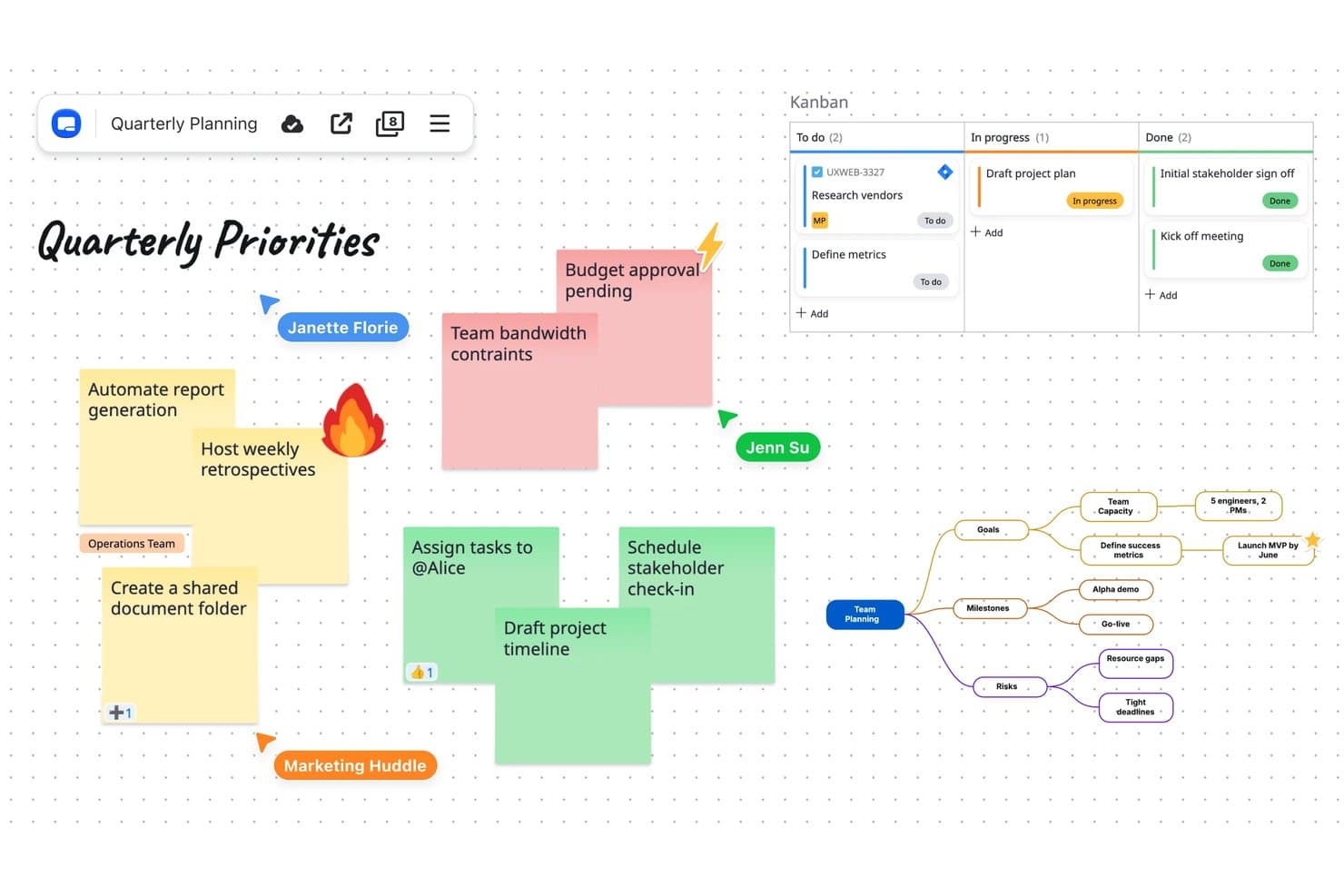
Zoom Whiteboard combines sticky notes, Kanban, and mind maps on one canvas. Zoom Whiteboard is a collaborative online whiteboard for product teams, facilitators, and distributed businesses that need to turn workshops, discovery sessions, and planning discussions into shared visual work.
Who Is Zoom Whiteboard Best For?
Zoom Whiteboard suits product teams and facilitators who need to sketch, map ideas, and make decisions during Zoom Meetings.
Why Zoom Whiteboard Is a Good Best FigJam Alternatives Reviewed
I picked Zoom Whiteboard because my team can open a board directly inside Zoom Meetings and sketch ideas while discussing them. We use co-annotation for live feedback, then keep the board for follow-up planning after the call. It fits teams that want whiteboarding inside Zoom Meetings.
Zoom Whiteboard Key Features
- Templates: Start boards with layouts for workshops, retrospectives, and planning.
- Sticky notes: Add, color-code, and arrange text notes on the canvas.
- Shapes and connectors: Create diagrams with shapes, lines, arrows, and connectors.
- Comments: Leave threaded comments on board content for asynchronous review.
Zoom Whiteboard Integrations
Zoom Whiteboard works inside Zoom Meetings for collaborative sessions. Native integrations beyond the Zoom ecosystem, Zapier, and API support are not clearly documented.
Pros and Cons
Pros:
- Keeps boards available for follow-up planning
- Supports live co-annotation during discussions
- Opens directly during Zoom Meetings
Cons:
- Advanced whiteboarding depth trails FigJam capabilities
- Best value depends on Zoom adoption
Learn more about Zoom Whiteboard: Best for EU-hosted whiteboard compliance
- Free plan + free trial available
- From €5/user/month
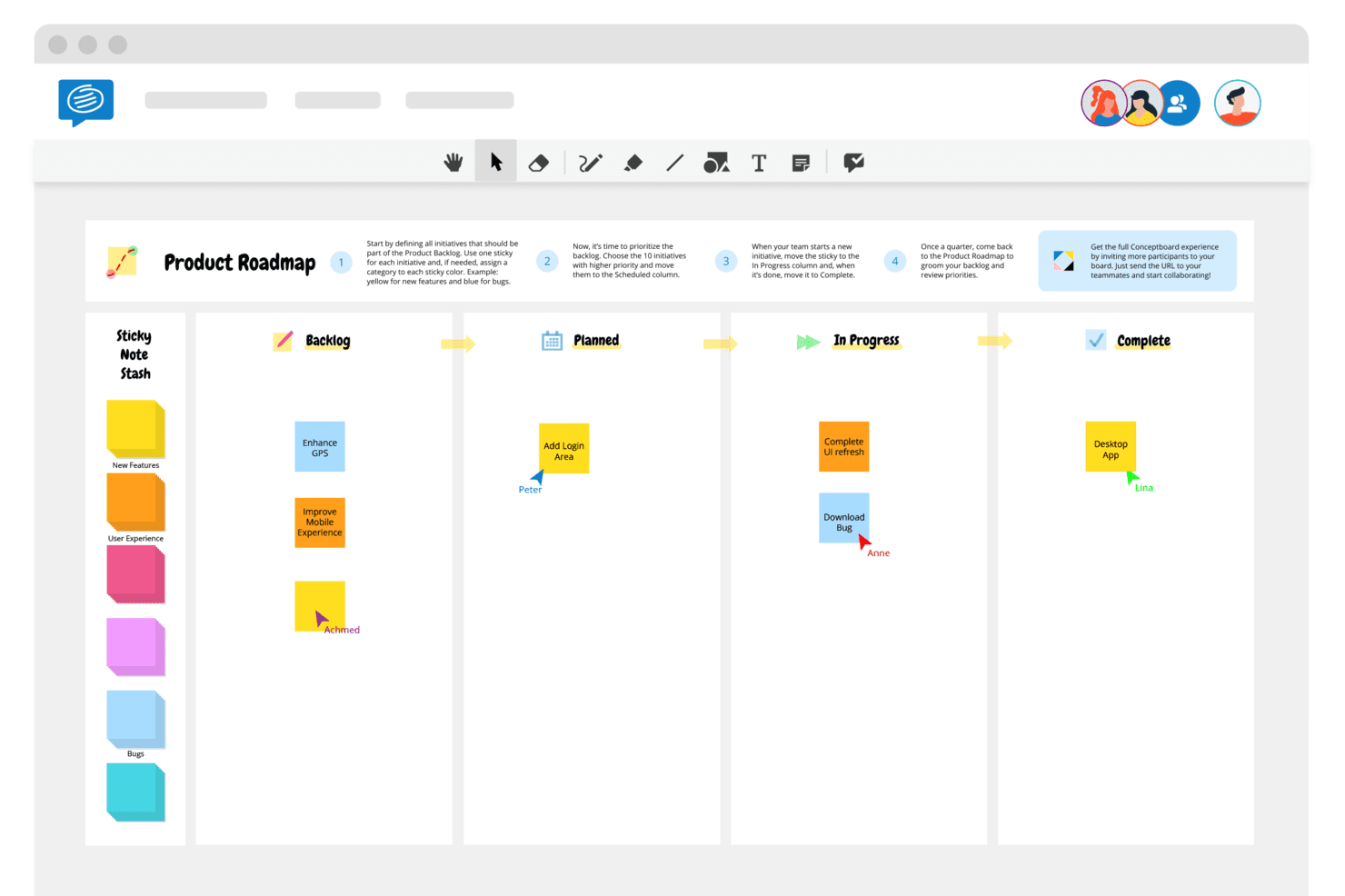
Conceptboard is for remote teams to collaborate and share feedback. Conceptboard is a collaborative whiteboard platform for product teams, facilitators, and distributed businesses that need a flexible space for workshops, visual planning, customer research, and cross-functional decision-making.
Who Is Conceptboard Best For?
Conceptboard suits distributed product teams that need collaborative whiteboarding with EU-hosted data and privacy-conscious workflows.
Why Conceptboard Is a Good Best FigJam Alternatives Reviewed
I include Conceptboard because it’s best for EU-hosted whiteboard compliance. I use its EU-based hosting, GDPR-focused controls, and private board permissions for customer workshops involving sensitive research. My team can invite external participants while keeping project discussions within controlled workspaces.
Conceptboard Key Features
- Infinite canvas: Build large diagrams, journey maps, and planning spaces.
- Board templates: Start workshops and planning sessions from prebuilt layouts.
- Comments: Add threaded feedback directly to board objects.
- Presentation mode: Guide participants through selected board areas.
Conceptboard Integrations
Conceptboard offers integrations with Azure, Jira, Microsoft Teams, Webex, and Confluence, with availability varying by plan and deployment.
Pros and Cons
Pros:
- Presentation mode guides facilitated sessions
- Large canvases fit complex journey maps
- EU-hosted data residency supports GDPR-sensitive workshops
Cons:
- Connectivity dependence disrupts live collaboration
- Performance can suffer on larger boards
Learn more about Conceptboard: 6Best for remote team collaboration
Miro
- Free plan + 14-day free trial available
- From $8/user/month (billed annually)
Visit WebsiteCustomer Rating:4.8/5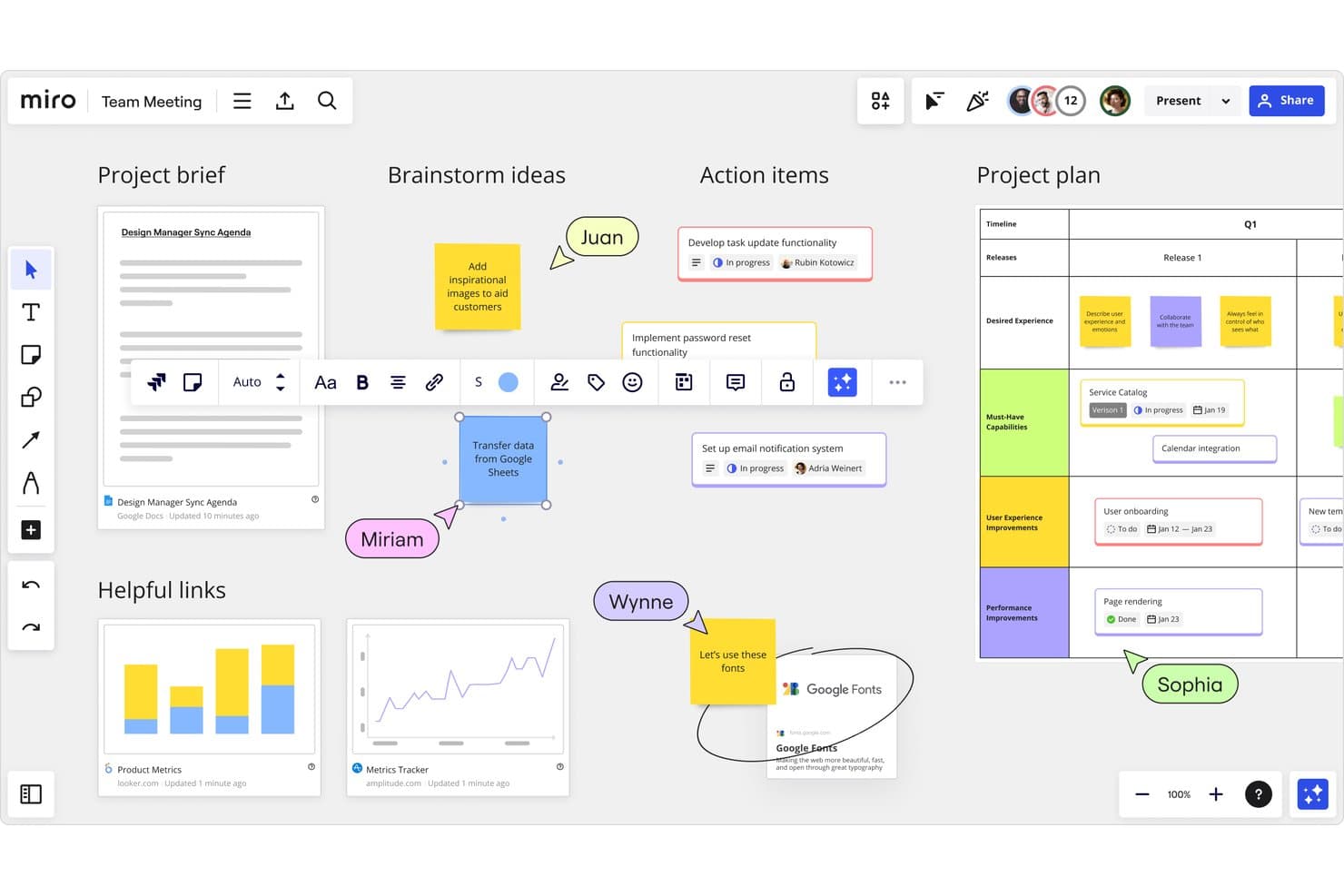
Miro supports real-time team collaboration across boards and project plans. Miro is an online whiteboard for product teams that brings research, strategy, workshops, and planning into one visual workspace, helping distributed teams align on decisions and turn ideas into actionable plans.
Who Is Miro Best For?
Miro suits distributed product, design, and engineering teams that need a shared visual workspace for workshops, discovery, planning, and alignment.
Why Miro Is a Good Best FigJam Alternatives Reviewed
I picked Miro for remote team collaboration because its shared canvas keeps distributed teams aligned during discovery workshops and roadmap planning. My team uses real-time cursors, comments, voting, and timers to run structured sessions without losing decisions across time zones. Its presentation mode helps us guide stakeholders through research findings and priorities.
Miro Key Features
- Infinite canvas: Create expansive boards for mapping ideas, workflows, and research.
- Templates: Start sessions with ready-made canvases for common product activities.
- Diagramming tools: Build flowcharts, mind maps, wireframes, and process diagrams.
- File uploads: Add images, documents, spreadsheets, and other project files to boards.
Miro Integrations
Miro offers marketplace integrations with Jira, Slack, Google Drive, Microsoft Teams, Google Meet, Zoom, Confluence, Trello, Asana, and Dropbox. It also provides an API for custom integrations and connects with Zapier.
Pros and Cons
Pros:
- Presentation mode guides stakeholder reviews
- Infinite canvas handles complex product maps
- Supports structured remote workshops
Cons:
- Board performance drops with heavy content
- Large boards become difficult to navigate
 Best for live facilitation and session tools
- Free plan available
- From $24.90/user/month (billed annually)
Visit WebsiteCustomer Rating:4.7/5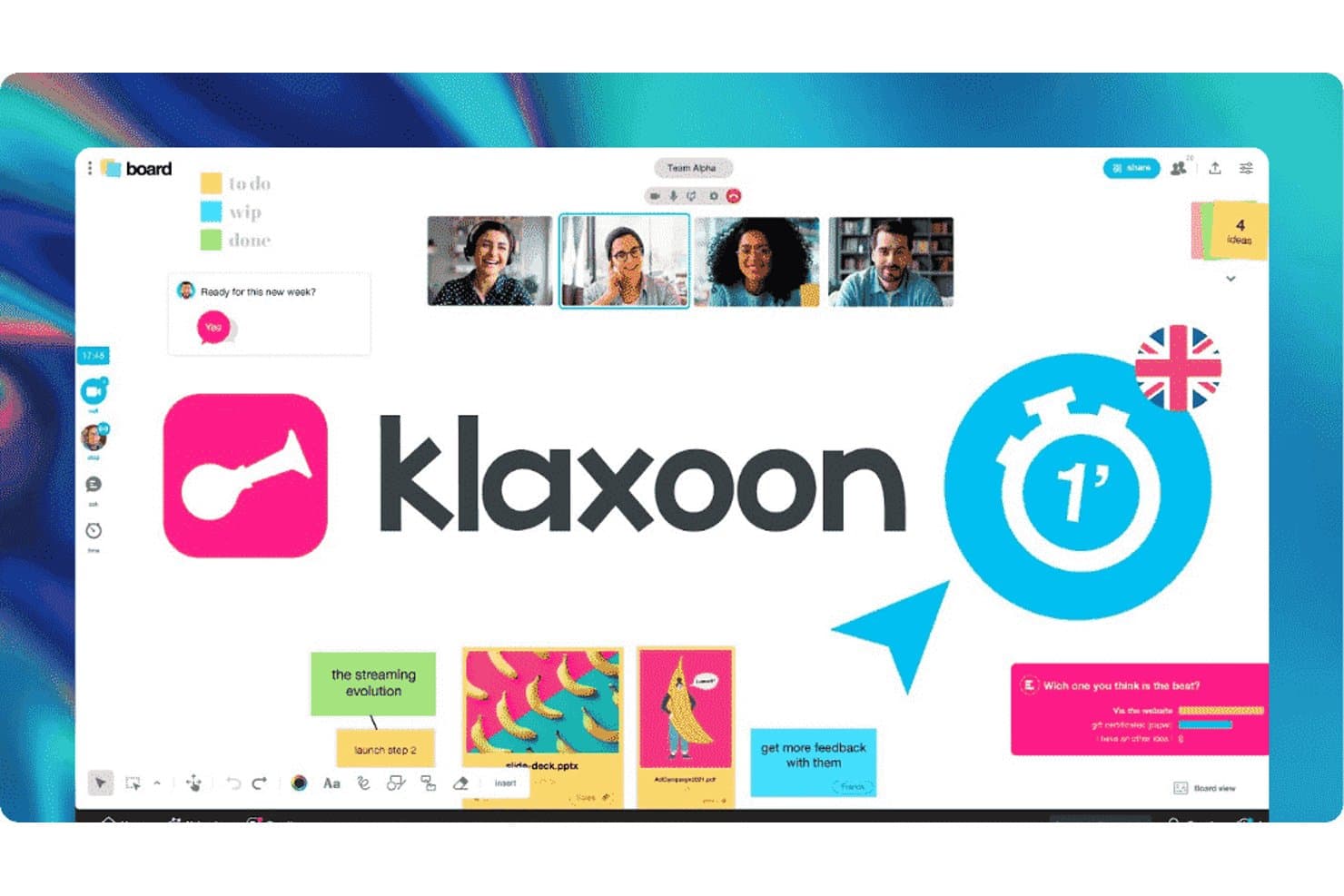
Klaxoon lets teams collaborate with boards, video, and sticky notes. Klaxoon is an online whiteboard platform for product teams that combines visual collaboration with structured workshops, helping facilitators guide discovery sessions, align stakeholders, and turn scattered ideas into clear decisions.
Who Is Klaxoon Best For?
Klaxoon suits product managers and facilitators who run collaborative workshops, retrospectives, and decision-making sessions with distributed stakeholders.
Why Klaxoon Is a Good Best FigJam Alternatives Reviewed
I picked Klaxoon because it’s best for live facilitation and session tools. My team uses its workshop activities, timers, voting, and feedback tools to guide discovery sessions without losing momentum. We can move from brainstorming to prioritization in one facilitated workspace, then capture decisions for product follow-up.
Klaxoon Key Features
- Infinite canvas: Arrange text, images, links, and files on a flexible visual workspace.
- Templates: Start boards with prebuilt formats for mapping, planning, and analysis.
- File imports: Add documents and images directly to a board for shared review.
- Access controls: Set participant permissions and manage board access for collaborators.
Klaxoon Integrations
Klaxoon offers native integrations across the Microsoft ecosystem, Google Workspace, Jira, Wrike, Confluence, Adobe Creative Cloud, Dropbox, and Moodle, plus Zapier. Klaxoon also provides an API for custom integrations and workflows.
Pros and Cons
Pros:
- Packaged activities guide structured facilitation
- Polls and quizzes keep meetings participatory
- One code supports entire workshops
Cons:
- Advanced features need better tutorials
- Switching between session activities feels restrictive
Learn more about Klaxoon: Best for structured workshop facilitation
- Free demo + free plan available
- From $9.99/user/month (billed annually)
Visit WebsiteCustomer Rating:4.6/5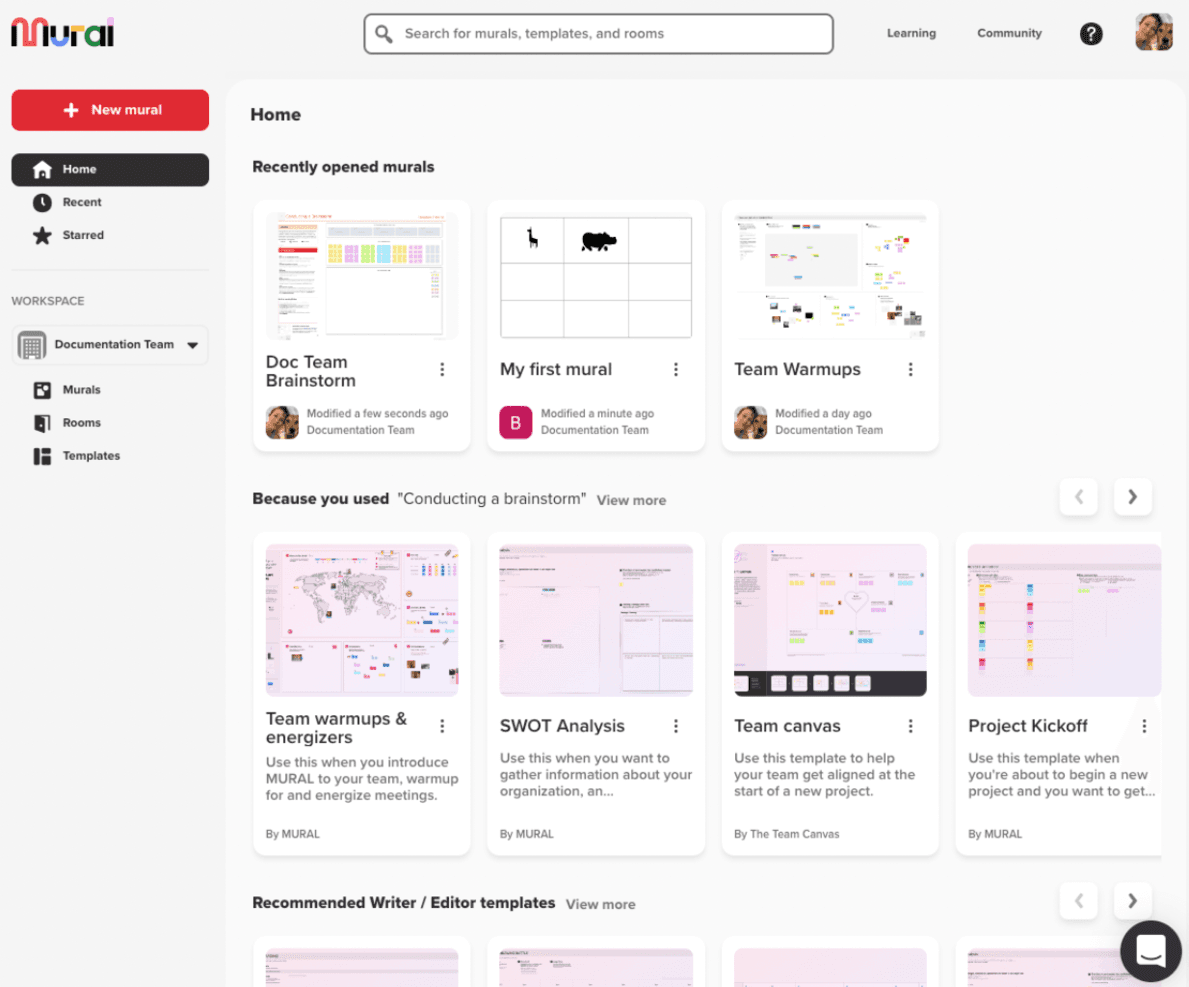
Mural helps teams brainstorm and collaborate across multiple business sectors. Mural is an online whiteboard for product teams that need to run remote discovery sessions, map customer insights, align stakeholders, and turn workshop outputs into clear next steps.
Who Is Mural Best For?
Mural suits product managers, researchers, and facilitators who run structured workshops with distributed, cross-functional teams.
Why Mural Is a Good Best FigJam Alternatives Reviewed
I picked Mural because its facilitator tools turn online whiteboards into structured workshops. I use timed activities, private mode, voting, and the summon feature to guide groups through research synthesis and prioritization. My team can capture decisions in templates, then organize workshop outputs into clear next steps.
Mural Key Features
- Infinite canvas: Arrange text, images, diagrams, and other content across a flexible workspace.
- Sticky notes: Add, color-code, group, and organize notes on the canvas.
- Comments: Leave threaded feedback directly on specific mural elements.
- File uploads: Add images, PDFs, and other files to support workshop activities.
Mural Integrations
Mural’s documented integrations include Microsoft Teams, Asana, Azure DevOps, Confluence, Figma, Jira, Linear, Slack, and Zoom, and it connects with Zapier. Mural also provides an API for custom integrations.
Pros and Cons
Pros:
- Private mode and voting support candid decisions
- Templates support research synthesis and prioritization
- Facilitator controls keep workshops on track
Cons:
- New participants need orientation before workshops
- Large murals can feel visually crowded
Learn more about Mural: Best for AI-assisted boards
- Free plan + 7-day free trial + free demo available
- From $9/month (billed annually)
Visit WebsiteCustomer Rating:4.5/5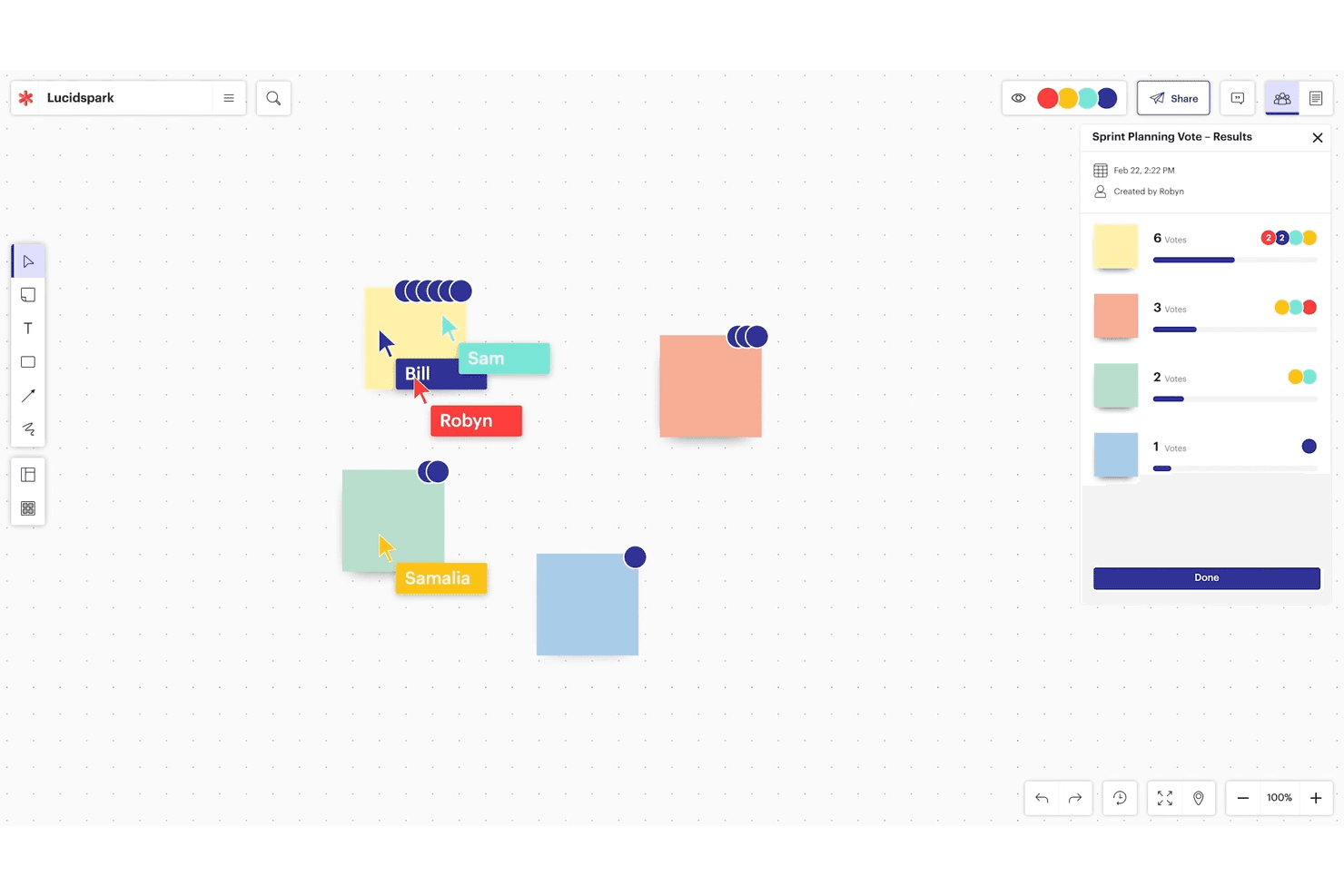
Lucidspark is for real-time brainstorming and Agile team collaboration. Lucidspark is an online whiteboard for product teams that supports collaborative workshops, user journey mapping, brainstorming, and visual planning when FigJam feels too limited.
Who Is Lucidspark Best For?
Product managers and cross-functional teams can use Lucidspark to turn workshops, research, and planning sessions into AI-assisted visual boards.
Why Lucidspark Is a Good Best FigJam Alternatives Reviewed
I picked Lucidspark because its AI-assisted boards help my team turn messy workshops into clear product decisions. We use AI to generate ideas, summarize sticky notes, and group feedback by themes after discovery sessions. That gives us a practical starting point for prioritization without manually sorting every contribution.
Lucidspark Key Features
- Infinite canvas: Arrange diagrams, notes, and frameworks across an expandable workspace.
- Templates: Start sessions with ready-made canvases for retrospectives, roadmaps, and user journeys.
- Voting: Let participants vote on ideas, questions, or priorities directly on the board.
- Timer: Set visible countdowns to keep workshops and group activities on schedule.
Lucidspark Integrations
Lucidspark supports documented integrations with Slack, Microsoft Office, Google Workspace, Asana, Jira Cloud, Confluence, Figma, Microsoft Teams, Zoom, Loom, and Zight. Availability varies by plan, with some integrations limited to Team, Enterprise, or FedRAMP accounts.
Pros and Cons
Pros:
- Voting and timers guide decisions
- Breakout boards support focused workshops
- AI groups ideas into themes
Cons:
- Busy boards can overwhelm new users
- Some basic workshop templates are missing
Learn more about Lucidspark: Best for brainstorming and diagramming in one suite
- Free plan available; 7-day free trial
- From $9/month (billed annually)
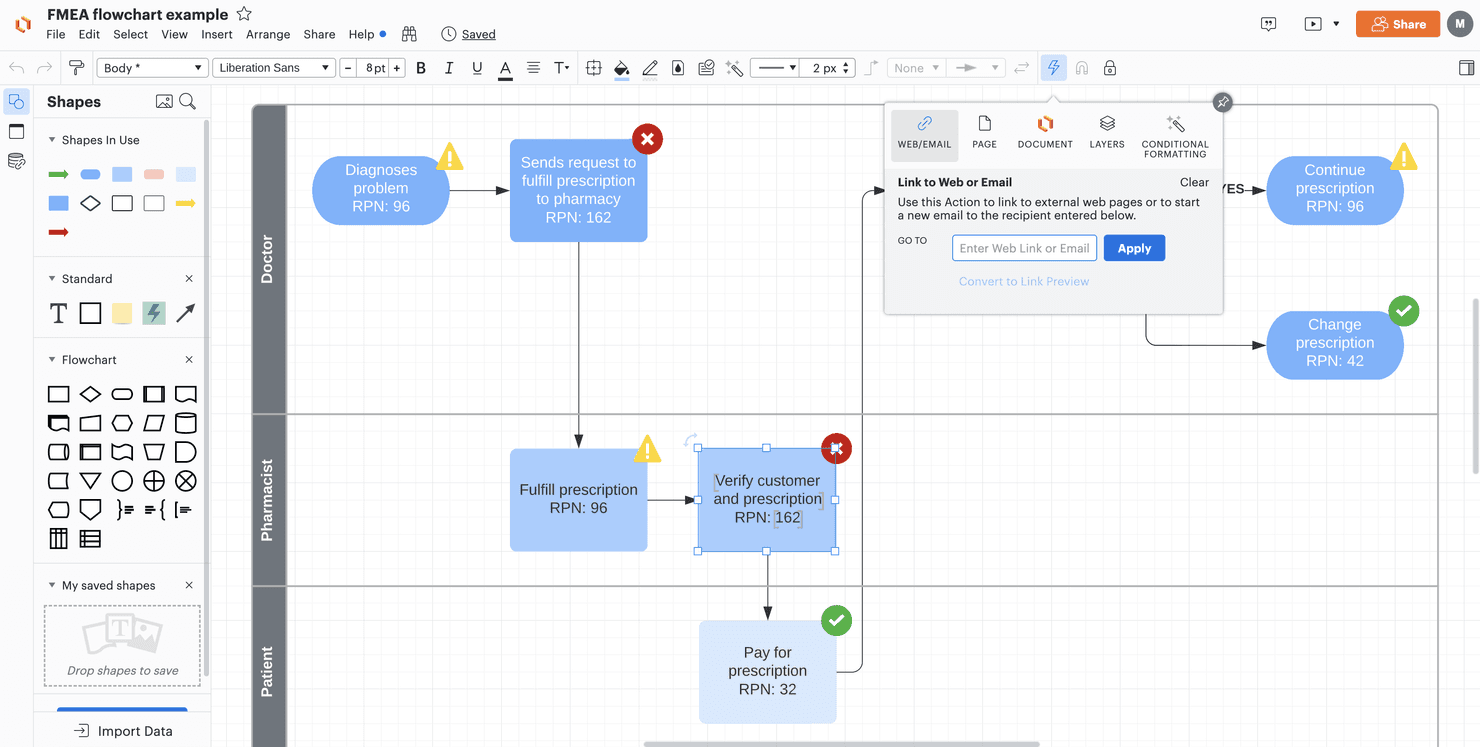
Lucid Visual Collaboration Suite helps teams brainstorm and manage projects. Lucid Visual Collaboration Suite is an online whiteboard and visual collaboration platform for product teams that need to turn scattered ideas, user flows, and workshop input into shared plans and diagrams.
Who Is Lucid Visual Collaboration Suite Best For?
Product managers, designers, and facilitators can use Lucid Visual Collaboration Suite to turn workshop ideas into customer journeys, process maps, and aligned product plans.
Why Lucid Visual Collaboration Suite Is a Good Best FigJam Alternatives Reviewed
I picked Lucid Visual Collaboration Suite because it combines brainstorming and diagramming in one suite. My team uses Lucidspark for workshop notes and affinity mapping, then moves ideas into Lucidchart for user flows, journey maps, and process diagrams. That handoff keeps discovery artifacts connected to product planning.
Lucid Visual Collaboration Suite Key Features
- Templates : Start sessions with pre-built canvases for common team activities.
- Comments and mentions : Add feedback and notify specific collaborators on the canvas.
- Presentation mode : Guide stakeholders through selected canvas content.
- Integrations : Connect work with tools such as Slack, Google Drive, and Microsoft Teams.
Lucid Visual Collaboration Suite Integrations
Lucid Visual Collaboration Suite supports integrations with Slack, Google Drive, and Microsoft Teams.
Pros and Cons
Pros:
- Comments keep asynchronous feedback tied to artifacts
- Templates accelerate journey mapping and process design
- Detailed diagrams support complex product workflows
Cons:
- Large diagrams can experience slower loading times
- Complex canvases become harder to navigate
Learn more about Lucid Visual Collaboration Suite:
Other FigJam Alternatives
Here are some additional FigJam alternatives that didn’t make it onto my shortlist, but are still worth checking out:
- 11BluescapeBest for defense-grade canvas security
- 12Canva WhiteboardBest for whiteboarding within a design suite
- 13LucidchartBest for data-linked diagramming at scale
- 14CacooBest for diagramming on a shared canvas
- 15Confluence WhiteboardsBest for Jira-connected canvas brainstorming
Related Reviews
How I Evaluate a FigJam Alternative
I split my evaluation into three parts. First, core functionality: any alternative must support a shared infinite canvas and real-time multi-user editing—this carries the most weight. Second, I look for standout features like AI-assisted ideation or embedded video huddles. Third, I consider pricing model and guest access friction.
Core Functionality (Table Stakes For This List)
When I'm selecting tools for my list, I score each one on a scale from 0 (does not offer the functionality) to 5 (excels in this area) for each core functionality listed below. I then convert the total into a percentage to help assess each tool's overall fit, with extra weight on any functionalities I’ve deemed essential.
- Infinite Canvas (Essential): I look for a shared space that expands as teams map a user journey, explore flows, or group workshop ideas.
- Real-Time Editing (Essential): I assess how clearly people can edit together, see collaborators’ presence, and follow updates during live planning.
- Sticky Notes & Shapes: I check for notes, shapes, text, and drawing tools that help a team sort research themes or sketch a process.
- Workshop Templates: I look for ready-to-use formats for activities such as retrospectives, brainstorming, and journey mapping.
- Async Feedback: I consider whether comments or reactions attach to board content, so teammates can review decisions after a workshop.
- Facilitation Tools: I check for tools such as voting, timers, or cursor-following to guide a group through prioritization and discussion.
Once I have a list of tools that meet the criteria, I consider what sets each platform apart.
Differentiating Factors (What Sets Vendors Apart)
Here's how I compare and contrast different vendors:
Standout Features
I check whether a tool offers AI-assisted ideation that can cluster sticky notes or generate starter content. This cuts workshop prep time, especially when synthesizing large discovery sessions. Video huddles embedded in the canvas matter too. Switching between a conferencing app and the board breaks focus during live prioritization. Tools like Miro and FigJam handle this differently, so I evaluate how natural the in-canvas chat feels. I also look at granular permission controls, since cross-functional workshops often include external stakeholders who need view-only or frame-limited access.
Beyond Features
I evaluate how easily non-technical guests can join a live session without creating an account, since discovery workshops often include clients or executives who won't install another app. Pricing structure matters too—per-editor models suit small teams, but a free-viewer tier decides whether your whole product org can actually access the board. I also check integration depth with tools like Jira, Figma, and Slack, because a two-way sync turns a whiteboard into a living artifact instead of a one-off brainstorm.
Why Look For A FigJam Alternative?
While FigJam is a good choice of whiteboard software, there are a number of reasons why some users seek out alternative solutions. You might be looking for a FigJam alternative because…
- You need more advanced integration options
- Your team requires offline access
- You want a tool with enhanced security features
- Your projects demand more customization
- You need better support for large teams
- Your team operates in regions with limited FigJam access
If any of these sound like you, you’ve come to the right place. My list contains several whiteboard software options that are better suited for teams facing these challenges with FigJam and looking for alternative solutions.
FigJam Key Features
Here are some of the key features of FigJam, to help you contrast and compare what alternative solutions offer:
- Real-time Collaboration: Enables your team to work together seamlessly in a digital workspace.
- Templates and Widgets: Offers customizable options to boost your team's productivity.
- Integration with Figma: Works smoothly with Figma’s design tools for cohesive workflows.
- User Roles: Supports various roles, including designers and product managers, to fit your team's needs.
- Community Resources: Provides access to events and a resource library for best practices.
- Sticky Notes: Allows you to jot down and ideate quickly.
- Drawing Tools: Includes freehand drawing options to sketch and annotate ideas.
- Infinite Canvas: Gives your team unlimited space to brainstorm and plan projects.
- Voting and Emojis: Lets your team vote on ideas and express thoughts creatively.
- Audio Chat: Facilitates communication with built-in voice chat for more dynamic collaboration.