

In qualità di responsabile di prodotto, conosci l'importanza di avere gli strumenti giusti per la prototipazione e la progettazione. Adobe XD è molto diffuso, ma potrebbe non soddisfare le esigenze specifiche del tuo team. Potresti incontrare difficoltà nella collaborazione multipiattaforma e in tempo reale, nei prezzi o in relazione a funzionalità specifiche.
Nella mia esperienza, trovare l'alternativa giusta può fare una grande differenza nel flusso di lavoro e nei risultati. Ho valutato diverse opzioni per aiutarti a trovare quella più adatta al tuo team.
In questo articolo, fornirò una recensione imparziale delle principali alternative ad Adobe XD. Troverai informazioni sulle funzionalità, sulle esperienze degli utenti e sui potenziali vantaggi, tutte pensate per aiutarti a prendere una decisione consapevole.
Che cos'è Adobe XD?
Adobe XD è uno strumento di prototipazione progettato per creare interfacce ed esperienze utente. È ampiamente utilizzato da progettisti UI/UX, responsabili di prodotto e sviluppatori per trasformare le idee in realtà. Funzionalità come gli strumenti di progettazione vettoriale, i prototipi interattivi e le capacità di collaborazione aiutano a garantire precisione nella progettazione, comunicazione del team e test degli utenti. Nel complesso, Adobe XD offre una piattaforma versatile per progettare e perfezionare prodotti digitali.
Perché fidarsi dei nostri consigli sui software
6,700+
Reviews
20
Industry experts
16+
Evaluation factors
14
Years
Il nostro team testa e recensisce software dal 2012. In quanto product manager noi stessi, sappiamo quanto sia difficile — e importante — scegliere il software giusto.
Per questa guida, abbiamo valutato gli strumenti attraverso test pratici e ricerche indipendenti, assegnando un punteggio agli strumenti in base ai nostri criteri di selezione.
Le nostre recensioni riflettono il nostro giudizio editoriale umano, non un discorso di vendita.
Revisori esperti:
- Andrew LumbySenior TPM
- Cristiano ValimSenior UI/UX Lead


Tabella di confronto delle alternative ad Adobe XD
Questa tabella di confronto riassume i dettagli sui prezzi delle mie principali alternative ad Adobe XD:
| Tool | Best For | Trial Info | Price | ||
|---|---|---|---|---|---|
| 1 | Ideale per lavorare alla progettazione su Windows, Mac o Linux | Piano gratuito disponibile | A partire da $11.99/utente/mese (fatturato annualmente) | Website | |
| 2 | Ideale per la creazione rapida di wireframe con trascinamento | Piano gratuito disponibile | A partire da $24.9/utente/mese (con fatturazione annuale) | Website | |
| 3 | Ideale per i non designer che creano wireframe dei primi concetti | Piano gratuito disponibile | A partire da $9/utente/mese (con fatturazione annuale) | Website | |
| 4 | Ideale per prototipi senza codice con dati reali | Piano gratuito disponibile | A partire da $19/utente/mese | Website | |
| 5 | Ideale per prototipi basati sulla logica su scala aziendale | Piano gratuito disponibile | A partire da $29/utente/mese (con fatturazione annuale) | Website | |
| 6 | Ideale per la modifica collaborativa tra team di progettazione | Piano gratuito disponibile | A partire da $16/utente/mese | Website | |
| 7 | Ideale per progettare siti web interattivi | Piano gratuito disponibile | A partire da $10/mese (con fatturazione annuale) | Website | |
| 8 | La soluzione migliore per prototipi basati su componenti di codice reali | Piano gratuito + prova gratuita di 14 giorni disponibile | Da $49/utente/mese | Website | |
| 9 | Bedst til redigering med flere brugere på tværs af designteams | Gratis abonnement tilgængeligt | Fra $16/bruger/måned (faktureres årligt) | Website | |
| 10 | Ideale per la progettazione su Mac orientata innanzitutto all'uso offline | Prova gratuita di 30 giorni | A partire da $12/utente/mese (con fatturazione annuale) | Website |


Recensioni delle migliori alternative ad Adobe XD
Di seguito trovi i miei riepiloghi dettagliati delle migliori alternative ad Adobe XD incluse nel mio elenco. Le mie recensioni offrono uno sguardo approfondito alle funzionalità principali, ai pro e contro, alle integrazioni e ai casi d’uso ideali di ogni strumento, per aiutarti a trovare quello più adatto a te
 Ideale per lavorare alla progettazione su Windows, Mac o Linux
- Piano gratuito disponibile
- A partire da $11.99/utente/mese (fatturato annualmente)
Visit WebsiteCustomer Rating:4.4/5This rating combines scores from multiple user review sites to reflect overall customer sentiment about the product.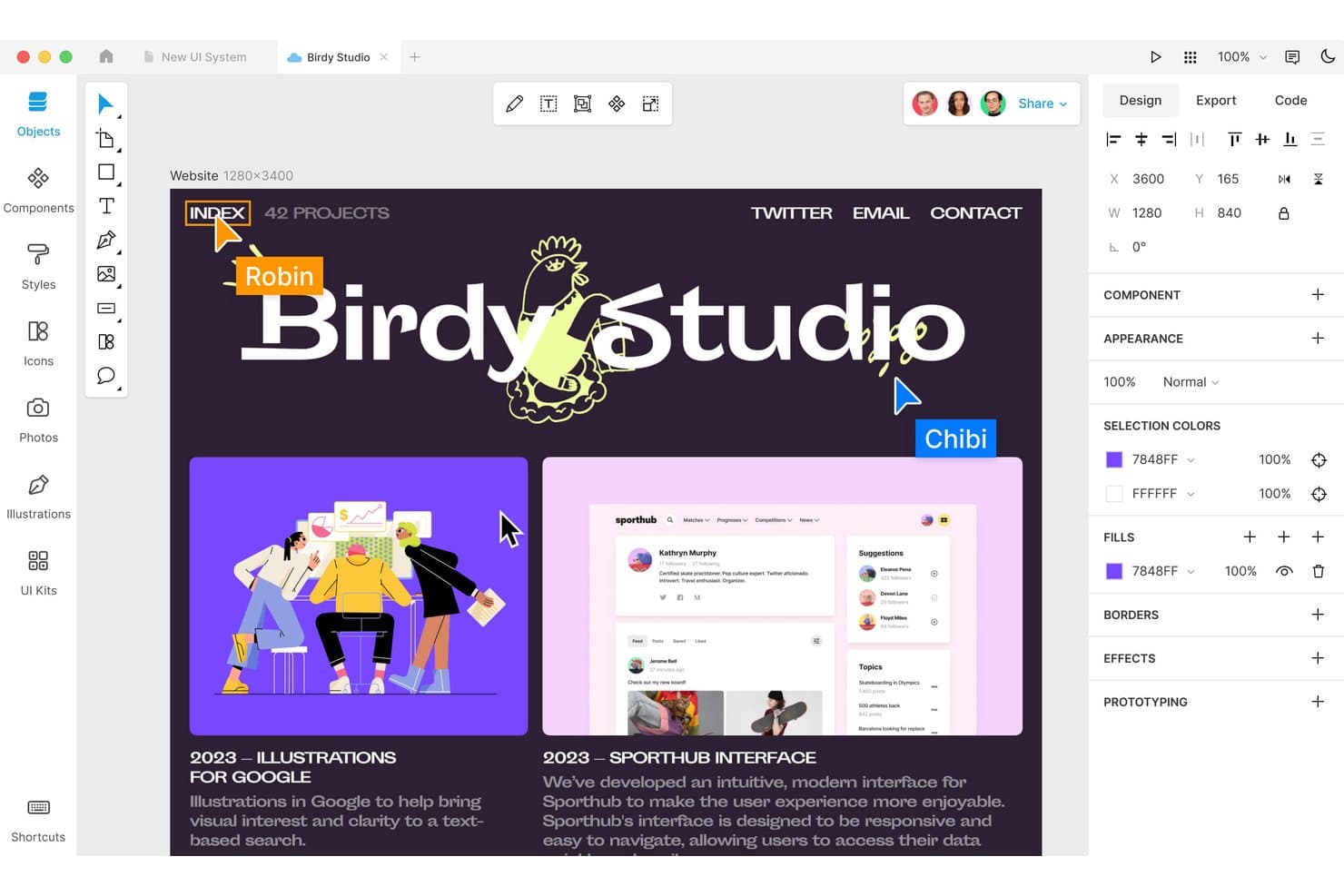
Lunacy consente agli utenti di progettare e collaborare in un'interfaccia macOS. Lunacy è uno strumento di progettazione UX per i team di prodotto che devono creare interfacce, prototipi e risorse visive senza l'ecosistema o la dipendenza dal cloud di Adobe XD.
Per chi è più adatto Lunacy?
Lunacy è adatto ai progettisti UX e ai progettisti di prodotto che hanno bisogno di un ambiente di lavoro multipiattaforma per computer desktop dedicato alla progettazione di interfacce, alla prototipazione e alle risorse visive.
Perché Lunacy è una buona alternativa ad Adobe XD
Ho scelto Lunacy perché offre al mio team un ambiente di lavoro per computer desktop dedicato alla progettazione UX su Windows, Mac e Linux. Utilizziamo la modifica non in linea e le icone, le foto e le illustrazioni integrate per creare concetti di interfaccia senza dipendere da Adobe XD o da una connessione Internet costante. I suoi strumenti di prototipazione ci aiutano a trasformare queste schermate in flussi di prodotto testabili.
Funzionalità principali di Lunacy
- Layout automatico: Dispone gli elementi dell'interfaccia con regole reattive per la spaziatura e l'allineamento.
- Componenti: Crea elementi dell'interfaccia riutilizzabili con istanze modificabili.
- Collaborazione in tempo reale: Invita i membri del team a modificare insieme lo stesso file di progettazione.
- Cronologia delle versioni: Esamina le versioni precedenti dei file e ripristina i progetti precedenti.
Integrazioni di Lunacy
Lunacy non dispone di integrazioni native di terze parti; Icons8 specifica che le integrazioni di terze parti non sono attualmente supportate. Importa documenti Figma e file Sketch, mentre il suo archivio ufficiale di componenti aggiuntivi offre un'API di automazione HTTP per integrazioni personalizzate.
Pros and Cons
Pros:
- Funziona nativamente su Windows, Mac e Linux
- Supporta la modifica non in linea con documenti locali
- Include icone, foto e illustrazioni integrate
Cons:
- Gli utenti Mac segnalano frequenti arresti anomali dell'applicazione
- I progetti di grandi dimensioni possono presentare problemi di prestazioni
Learn more about Lunacy: Ideale per la creazione rapida di wireframe con trascinamento
- Piano gratuito disponibile
- A partire da $24.9/utente/mese (con fatturazione annuale)
Visit WebsiteCustomer Rating:4.5/5This rating combines scores from multiple user review sites to reflect overall customer sentiment about the product.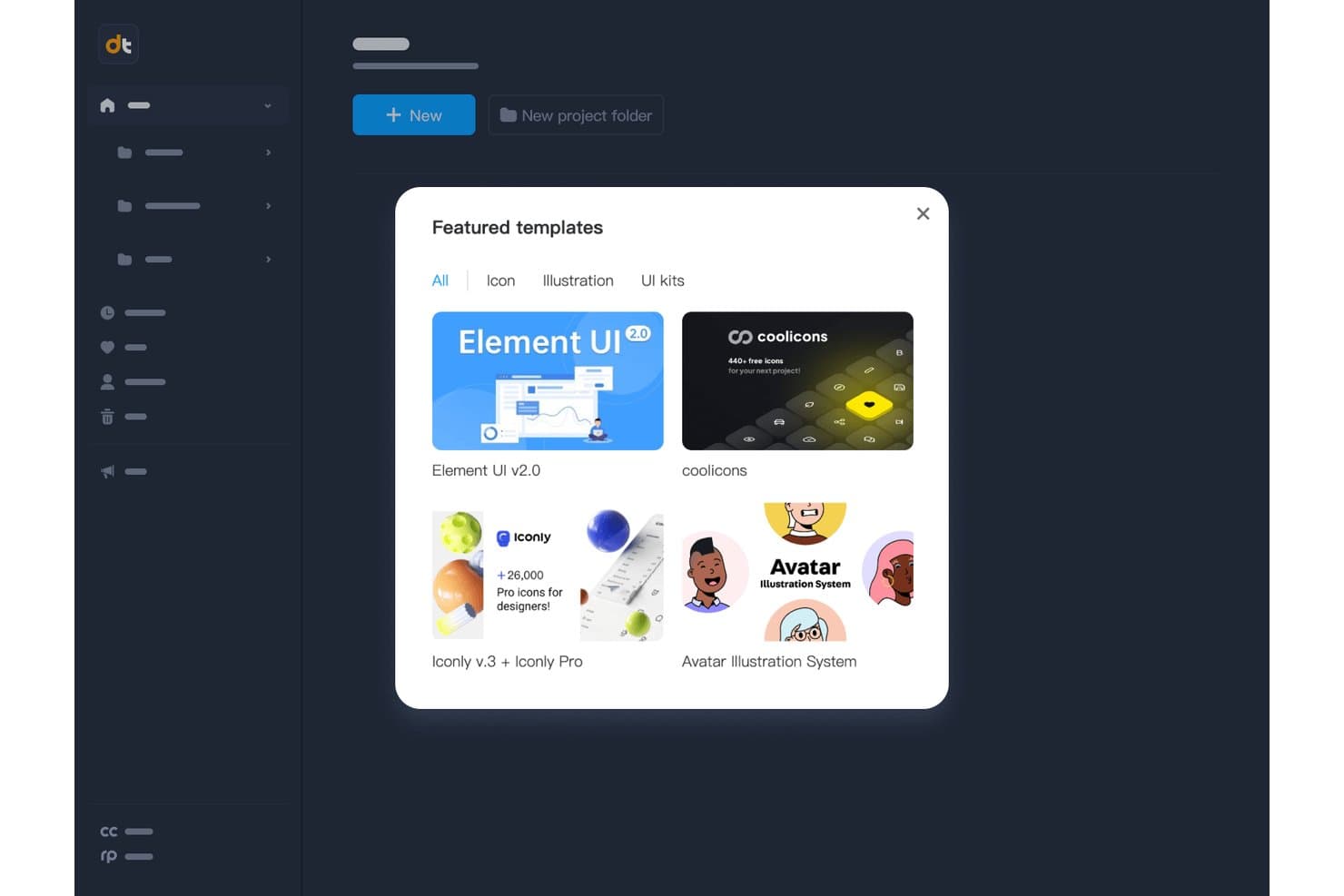
Mockplus offre modelli di interfaccia utente e icone già pronti per avviare rapidamente i progetti. Mockplus è uno strumento per la progettazione UX e la prototipazione destinato ai team di prodotto e progettazione che devono trasformare le idee in interfacce testabili, allineare gli stakeholder e passare dai concetti a decisioni di prodotto convalidate.
Per chi è più adatto Mockplus?
Mockplus è adatto ai responsabili di prodotto e ai designer UX che devono abbozzare, testare e rivedere le idee per le interfacce prima dell'inizio dello sviluppo.
Perché Mockplus è una valida alternativa ad Adobe XD
Ho scelto Mockplus perché la sua funzionalità di creazione rapida di wireframe con trascinamento mi aiuta a trasformare velocemente le idee iniziali di prodotto in schermate testabili. Utilizzo i suoi componenti UI già pronti e i punti interattivi per mappare i flussi di inserimento degli utenti, i cruscotti e i percorsi sui dispositivi mobili prima del passaggio alla progettazione. Il mio team può esaminare in anticipo i concetti cliccabili e rivedere le impaginazioni prima dell'inizio del lavoro degli sviluppatori.
Funzionalità principali di Mockplus
- Anteprima su più dispositivi: Visualizza in anteprima i prototipi su computer desktop, tablet e dispositivi mobili.
- Modifica vettoriale: Modifica direttamente le forme vettoriali all'interno della tela di progettazione.
- Importazione di file Axure: Importa i file Axure nei progetti Mockplus RP.
- Cronologia delle revisioni: Esamina e ripristina le versioni precedenti del progetto.
Integrazioni di Mockplus
Mockplus documenta le integrazioni e i collegamenti del flusso di lavoro con Figma, Sketch, Axure, Adobe XD, Photoshop, Slack, Jira, Confluence e Lark. Le integrazioni native, il supporto di Zapier e un'API per le integrazioni personalizzate non sono documentati chiaramente.
Pros and Cons
Pros:
- La creazione di wireframe con trascinamento velocizza i test dei concetti iniziali
- L'ampia libreria di componenti accelera la creazione delle interfacce
- I punti interattivi supportano i flussi utente cliccabili
Cons:
- I prototipi complessi richiedono ulteriori soluzioni alternative
- Le funzionalità di progettazione visiva sono inferiori a quelle degli strumenti di design dedicati
Learn more about Mockplus: Ideale per i non designer che creano wireframe dei primi concetti
- Piano gratuito disponibile
- A partire da $9/utente/mese (con fatturazione annuale)
Visit WebsiteCustomer Rating:4.3/5This rating combines scores from multiple user review sites to reflect overall customer sentiment about the product.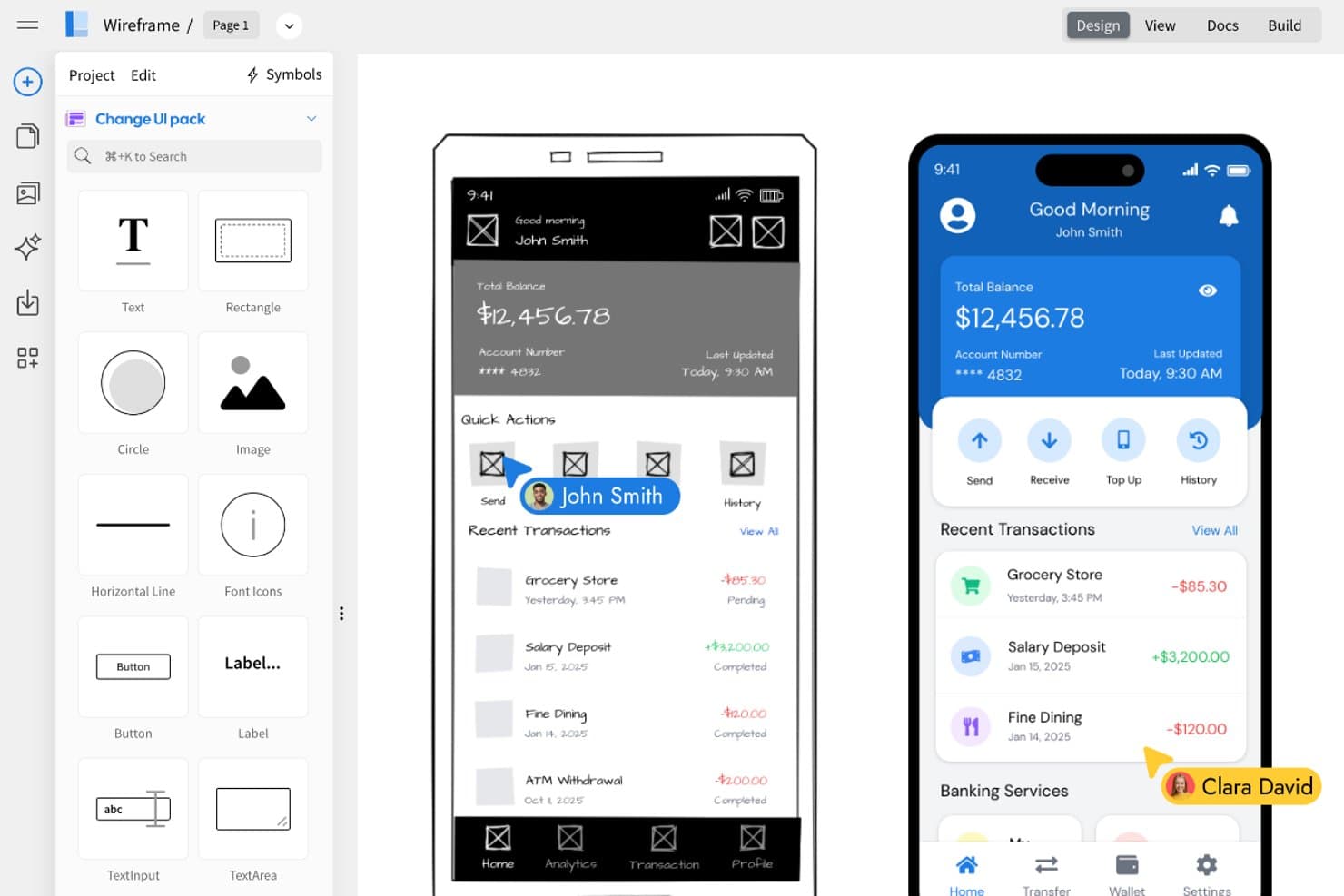
MockFlow consente agli utenti di trasformare i wireframe in progetti UI rifiniti affiancati. MockFlow è uno strumento di progettazione UX per team di prodotto, professionisti del marketing e stakeholder aziendali che hanno bisogno di trasformare le idee iniziali in wireframe chiari senza competenze avanzate di progettazione.
Per chi è più adatto MockFlow?
MockFlow è adatto a team di prodotto, professionisti del marketing e stakeholder aziendali che hanno bisogno di abbozzare i primi concetti senza competenze avanzate di progettazione.
Perché MockFlow è una buona alternativa ad Adobe XD
Ho scelto MockFlow perché consente ai non designer di creare wireframe dei primi concetti grazie a un editor dedicato per wireframe e a librerie di componenti dell'interfaccia utente. Il mio team può abbozzare un flusso di checkout, disporre le schermate e condividere il concetto per raccogliere feedback prima dell'inizio della progettazione o dello sviluppo. Questa attenzione rende MockFlow una scelta pratica come alternativa ad Adobe XD.
Caratteristiche principali di MockFlow
- Diagrammi della mappa del sito: Crea gerarchie visive delle pagine per le strutture dei prodotti.
- Diagrammi dei flussi utente: Mappa i percorsi di navigazione tra le schermate.
- Mappe mentali: Organizza le idee sul prodotto e l'architettura delle informazioni.
- Formati di esportazione: Salva gli elementi visivi del progetto come file PNG o PDF.
Integrazioni di MockFlow
MockFlow offre integrazioni con Google Drive, Google Docs, Atlassian Jira, Atlassian Confluence, Slack, Microsoft Teams, Microsoft 365 e Trello, aiutando i team a condividere i wireframe nei flussi di collaborazione già esistenti.
Pros and Cons
Pros:
- Creazione rapida di wireframe tramite trascinamento per i non designer
- Include mappe del sito, flussi utente e mappe mentali
- Supporta il feedback iniziale degli stakeholder tramite esportazioni condivisibili
Cons:
- Interazioni ad alta fedeltà limitate per prototipi rifiniti
- I sistemi di progettazione avanzati esulano ancora dal suo ambito
Learn more about MockFlow: Ideale per prototipi senza codice con dati reali
- Piano gratuito disponibile
- A partire da $19/utente/mese
Visit WebsiteCustomer Rating:4.2/5This rating combines scores from multiple user review sites to reflect overall customer sentiment about the product.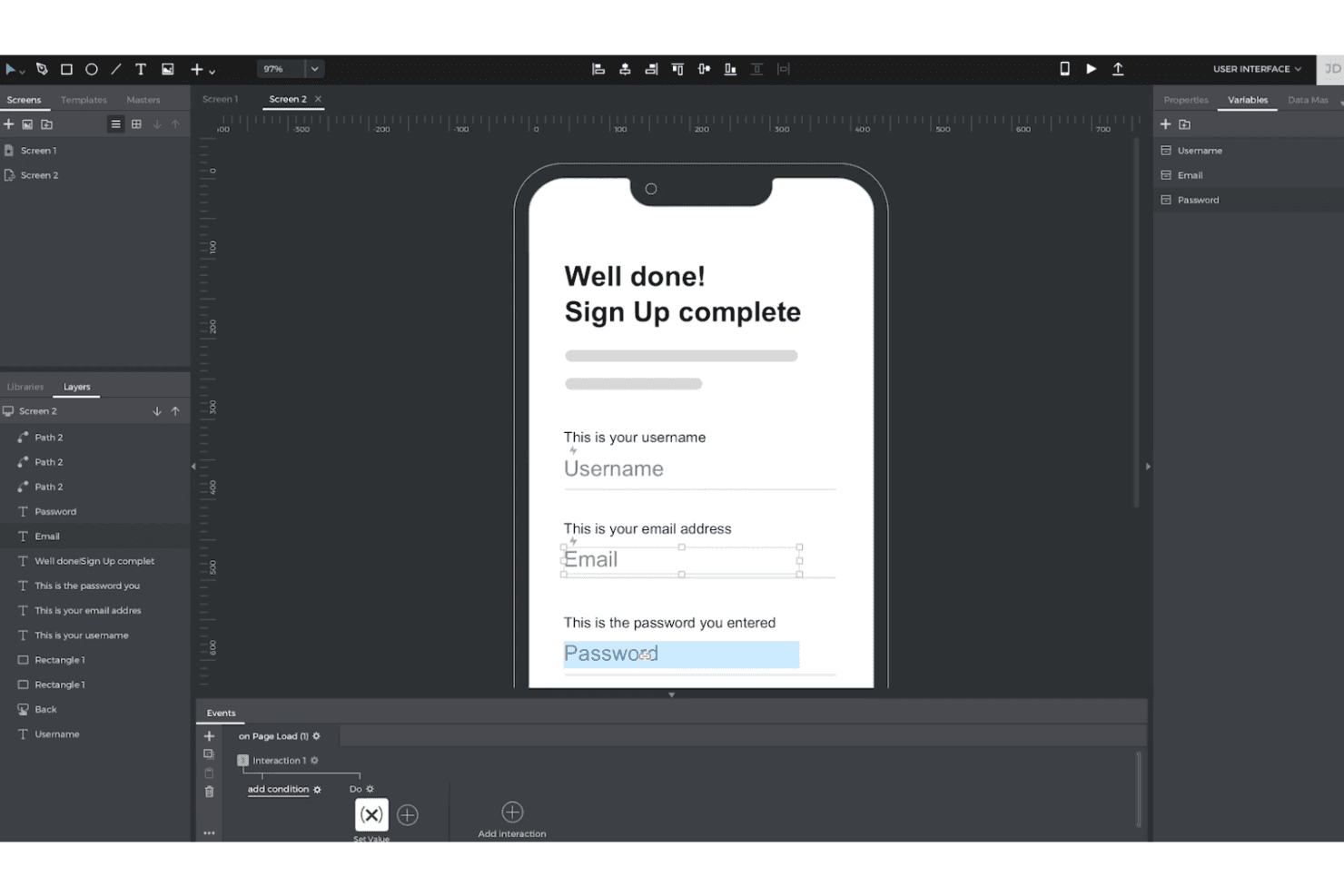
Justinmind consente di creare prototipi interattivi ad alta fedeltà con logica e dati, senza bisogno di codice. Justinmind offre ai team UX e di prodotto uno spazio di lavoro visivo per progettare concetti interattivi di app e siti web, chiarire flussi utente complessi e convalidare le idee prima dell'inizio del lavoro di sviluppo.
Per chi è più adatto Justinmind?
Justinmind è adatto ai responsabili di prodotto e ai designer UX che devono testare esperienze realistiche di app o siti web senza scrivere codice.
Perché Justinmind è una delle migliori alternative ad Adobe XD
Ho scelto Justinmind perché supporta prototipi senza codice con dati reali. Utilizzo Data Masters per popolare elenchi di prodotti, profili utente e stati di pagamento con record realistici. Le interazioni condizionali consentono poi al mio team di testare flussi che reagiscono a input diversi prima dell'inizio dello sviluppo.
Funzionalità principali di Justinmind
- Design responsivo: Crea layout per i punti di interruzione di desktop, tablet e dispositivi mobili.
- Librerie di widget dell'interfaccia utente: Aggiungi controlli, menu, moduli ed elementi di navigazione riutilizzabili.
- Animazioni e transizioni: Configura effetti di pagina, movimenti e transizioni basate sui gesti.
- Collaborazione tra team: Condividi i prototipi per consentire commenti basati sul browser e la revisione da parte degli stakeholder.
Integrazioni di Justinmind
Justinmind dispone di un'integrazione nativa con Atlassian Jira, oltre a integrazioni documentate o strumenti di importazione per Sketch, Adobe Creative Cloud, Figma, Confluence e Azure DevOps. Offre inoltre un'API e un SDK per integrazioni personalizzate.
Pros and Cons
Pros:
- I dati reali consentono di testare flussi di prodotto realistici
- Le condizioni avanzate simulano percorsi utente complessi
- Le anteprime dei dispositivi convalidano le interazioni adattive sui dispositivi mobili
Cons:
- Nei progetti condivisi manca la modifica simultanea dello schermo
- Le impostazioni complesse delle interazioni rallentano la creazione dei primi prototipi
Learn more about Justinmind: Ideale per prototipi basati sulla logica su scala aziendale
- Piano gratuito disponibile
- A partire da $29/utente/mese (con fatturazione annuale)
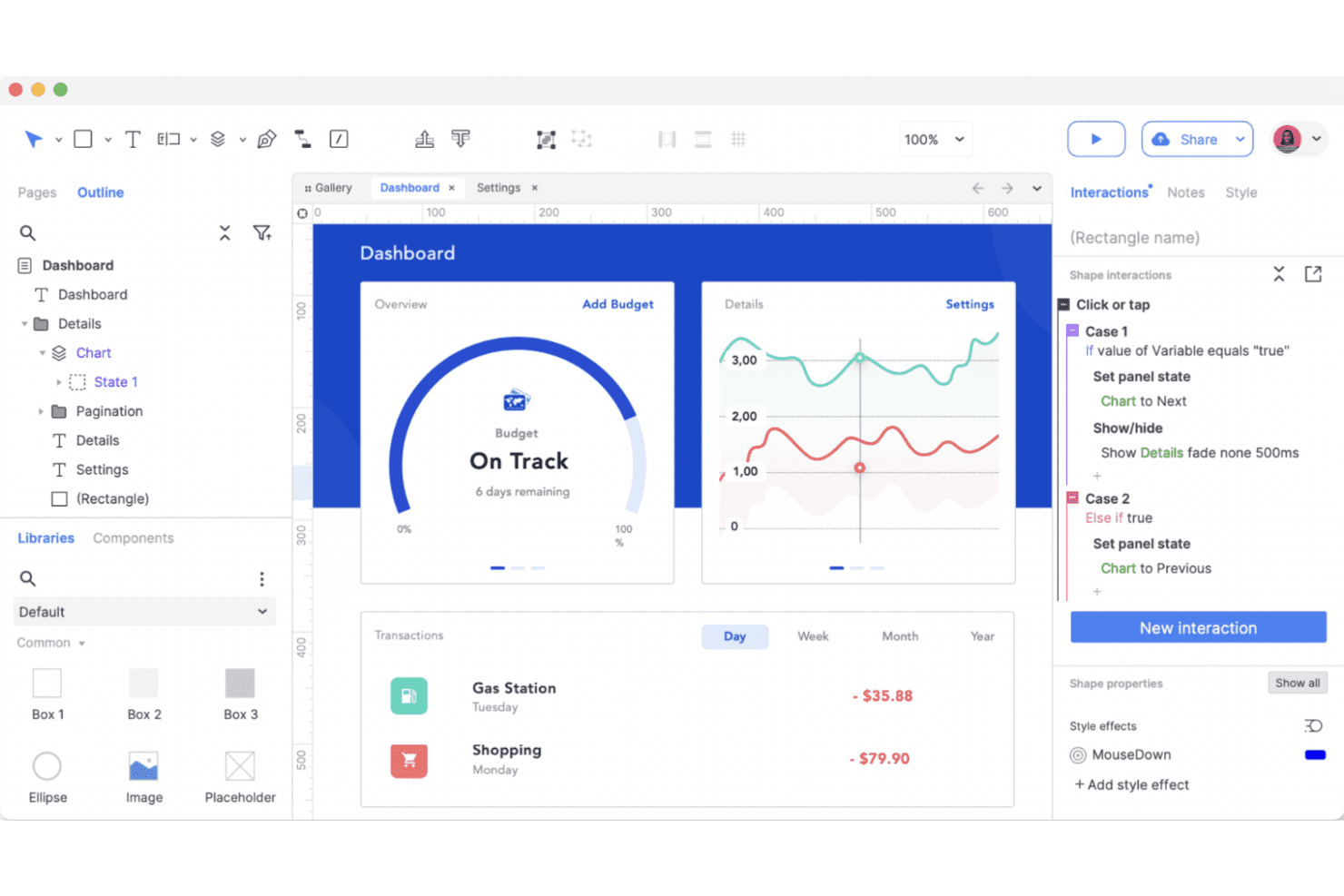
Axure RP dà vita alla prototipazione avanzata con una logica potente, stati interattivi e flussi utente basati su condizioni, il tutto senza scrivere codice. Axure RP è uno strumento di progettazione UX e prototipazione per i team aziendali che si occupano di prodotti e necessitano di wireframe dettagliati, flussi interattivi e specifiche pronte per gli sviluppatori per esperienze web e software complesse.
Per chi è più adatto Axure RP?
Axure RP è adatto agli architetti UX e ai product designer che devono convalidare flussi di lavoro complessi e condizionali prima dello sviluppo.
Perché Axure RP è una buona alternativa ad Adobe XD
Ho scelto Axure RP perché è ideale per i prototipi basati sulla logica su scala aziendale. Utilizzo la logica condizionale, le variabili e i pannelli dinamici per modellare flussi di approvazione, autorizzazioni e stati complessi dei prodotti prima dello sviluppo. Le sue visualizzazioni adattive e le specifiche generate aiutano inoltre i team di sviluppo a comprendere il comportamento responsivo e le regole di interazione.
Funzionalità principali di Axure RP
- Librerie di widget: Aggiungi elementi dell'interfaccia riutilizzabili dalle librerie integrate o personalizzate.
- Ripetitori: Crea tabelle, elenchi e griglie basati sui dati con record di esempio.
- Controlli dei moduli: Aggiungi campi di testo, menu a discesa, caselle di controllo, pulsanti di opzione e pulsanti.
- Annotazioni: Allega note a widget, pagine e interazioni per i passaggi di consegna del progetto.
Integrazioni di Axure RP
Axure RP si connette a Jira, Confluence, Slack e Microsoft Teams tramite app ufficiali, incluse le app del Marketplace Atlassian per Jira e Confluence. Supporta inoltre plugin ufficiali per Figma, Sketch e Adobe XD per importare i progetti in Axure RP o pubblicarli su Axure Cloud.
Pros and Cons
Pros:
- La logica condizionale modella flussi di lavoro complessi dei prodotti
- I ripetitori consentono di prototipare interfacce ricche di dati
- Le specifiche generate supportano i passaggi di consegna agli sviluppatori
Cons:
- La logica condizionale richiede tempo per essere padroneggiata
- Il design visivo appare datato rispetto agli strumenti più recenti
Learn more about Axure RP : Ideale per la modifica collaborativa tra team di progettazione
- Piano gratuito disponibile
- A partire da $16/utente/mese
Visit WebsiteCustomer Rating:4.7/5This rating combines scores from multiple user review sites to reflect overall customer sentiment about the product.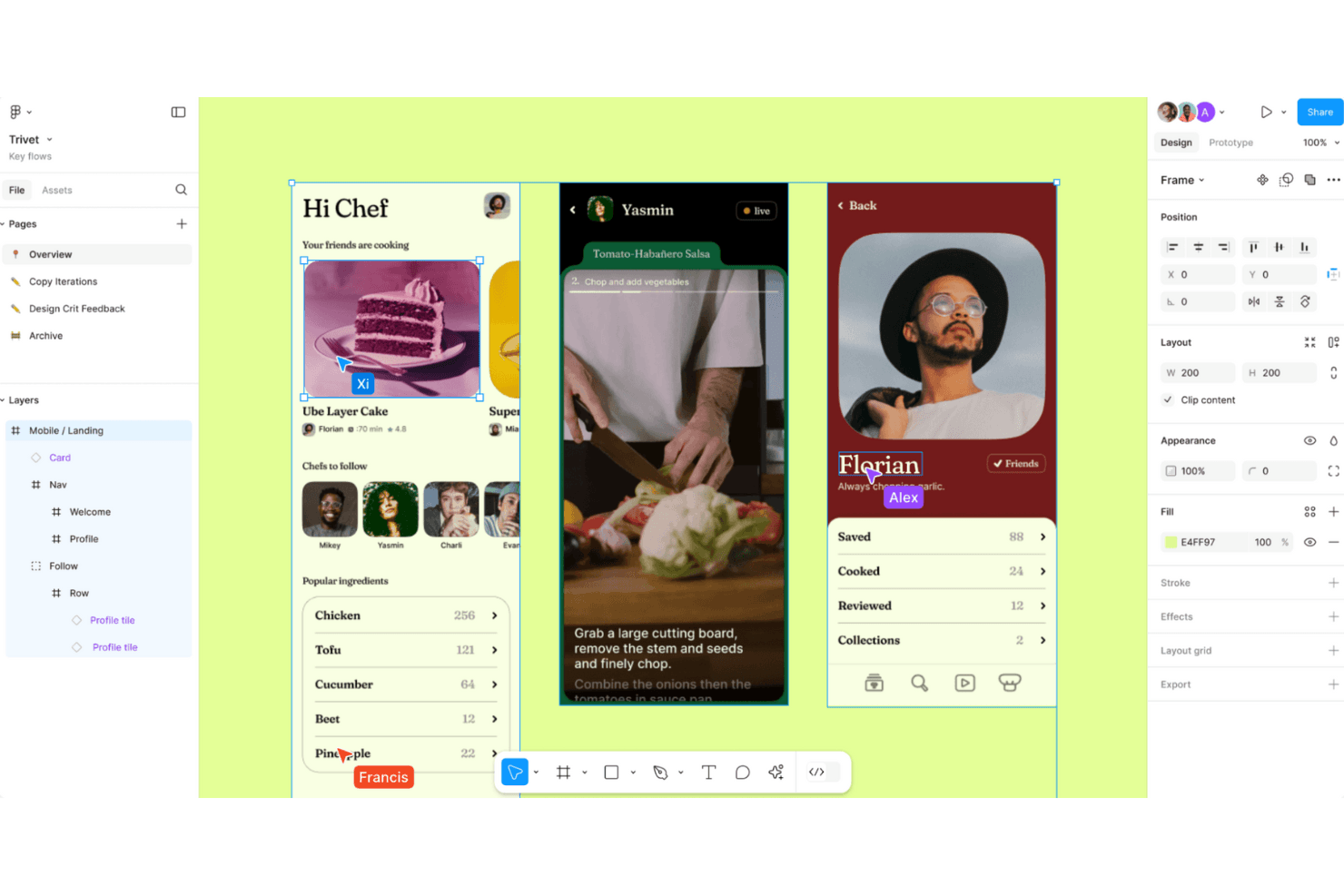
Figma consente una progettazione fluida dell'interfaccia utente e la collaborazione in tempo reale, permettendo ai team di creare, testare e perfezionare simultaneamente nel browser. Figma è una piattaforma di progettazione UX basata sul cloud per i team di prodotto che devono creare interfacce, prototipi e sistemi di progettazione, mantenendo allineati designer, ingegneri e parti interessate.
Per chi è più adatto Figma?
Team di progettazione del prodotto che necessitano di una collaborazione in tempo reale tra designer, ingegneri e parti interessate durante le fasi di scoperta e realizzazione.
Perché Figma è una valida alternativa ad Adobe XD
Ho scelto Figma come una delle principali alternative ad Adobe XD perché la modifica collaborativa consente a designer, ingegneri e parti interessate di lavorare nello stesso file condiviso. Il mio team utilizza cursori in tempo reale, commenti e librerie di componenti per perfezionare insieme le schermate durante le revisioni del design. Questa collaborazione è adatta ai team di prodotto distribuiti che necessitano di feedback immediati senza trasferire file tra diversi strumenti.
Funzionalità principali di Figma
- Layout automatico: Dispone e ridimensiona gli elementi dell'interfaccia in base al contenuto e alle regole di spaziatura.
- Prototipazione interattiva: Collega le schermate e definisce transizioni, sovrapposizioni e interazioni.
- Variabili: Memorizza valori riutilizzabili per colori, dimensioni e modalità di progettazione adattiva.
- Modalità sviluppatore: Consente di esaminare i design, visualizzare le specifiche e accedere ai dettagli per il passaggio agli sviluppatori.
Integrazioni di Figma
Figma supporta integrazioni con Jira, Slack, Microsoft Teams, Google Workspace, Notion, Asana, Linear, Zoom, GitLab e Zapier. Offre inoltre un'API per integrazioni e flussi di lavoro personalizzati.
Pros and Cons
Pros:
- La modifica collaborativa in tempo reale riduce il trasferimento dei file
- L'accesso tramite browser semplifica la revisione da parte delle parti interessate
- Le variabili supportano sistemi di progettazione scalabili
Cons:
- I file di grandi dimensioni possono ridurre le prestazioni del browser
- La prototipazione avanzata richiede soluzioni alternative di terze parti
 Ideale per progettare siti web interattivi
- Piano gratuito disponibile
- A partire da $10/mese (con fatturazione annuale)
Visit WebsiteCustomer Rating:4.4/5This rating combines scores from multiple user review sites to reflect overall customer sentiment about the product.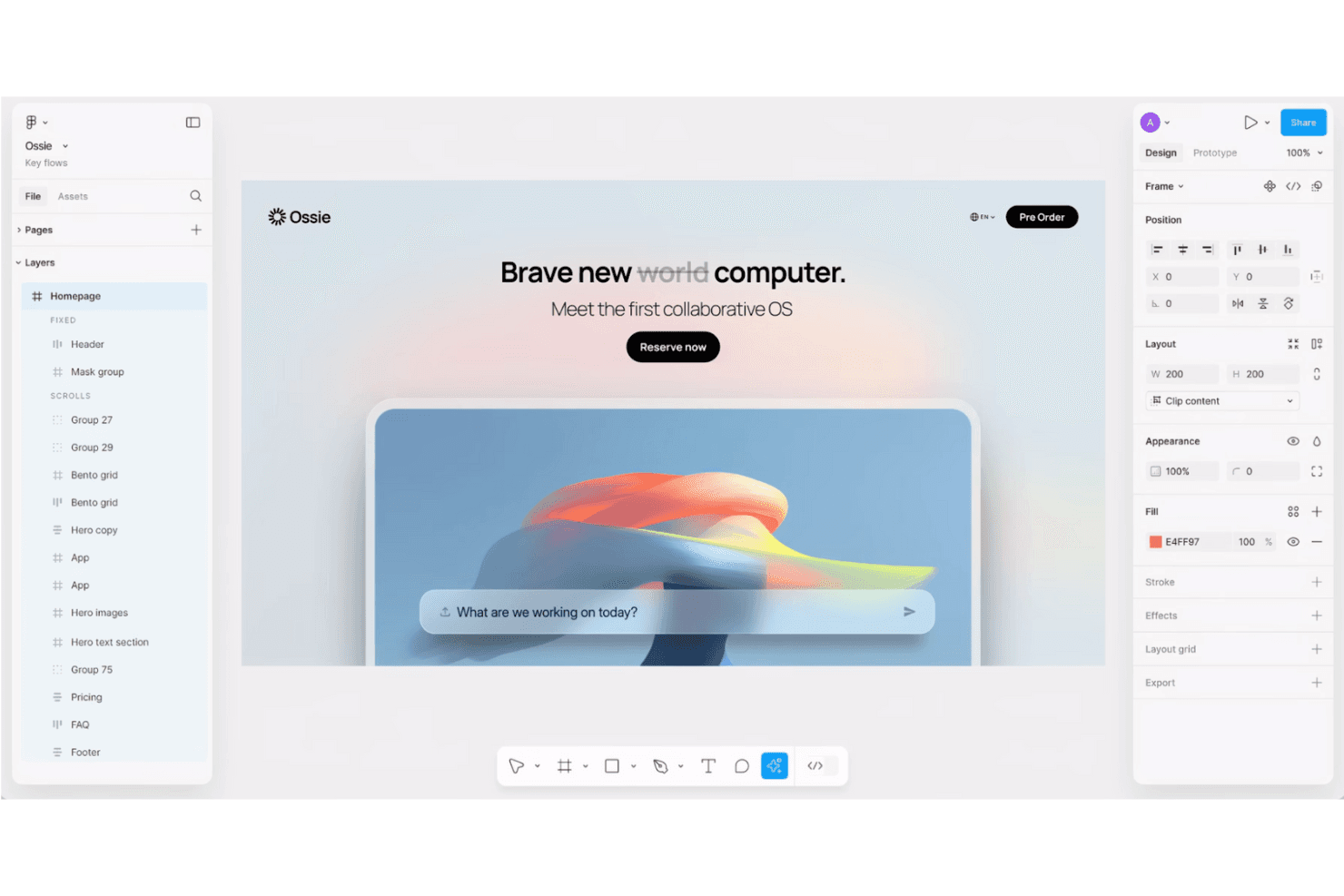
Framer consente di progettare e pubblicare siti web completamente interattivi e responsivi senza scrivere codice. Framer è una piattaforma per la progettazione di siti web destinata ai designer UX, ai team di prodotto e alle agenzie che devono creare esperienze web curate, testare le interazioni e passare dalla progettazione al lancio senza dover combinare più strumenti.
A chi è più adatto Framer?
Framer è adatto ai designer UX, alle agenzie creative e ai team di prodotto che devono prototipare siti web curati e responsivi senza un passaggio separato allo sviluppo.
Perché Framer è una valida alternativa ad Adobe XD
Ho scelto Framer perché posso trasformare un concetto UX in un sito web responsivo e interattivo senza uscire dalla tela di progettazione. Utilizzo i suoi breakpoint visivi, le varianti dei componenti e le animazioni integrate per testare la navigazione, gli stati al passaggio del mouse e gli effetti di scorrimento in prototipi realistici di pagine di destinazione. Framer è una valida alternativa ad Adobe XD quando il risultato deve passare dalla progettazione delle interazioni a un sito pubblicato.
Funzionalità principali di Framer
- Raccolte CMS: Crea e gestisci contenuti strutturati per pagine dinamiche.
- Localizzazione: Traduci i contenuti del sito e gestisci le versioni localizzate delle pagine.
- Impostazioni SEO: Modifica i metadati, le immagini per i social e i controlli di indicizzazione.
- Moduli: Crea moduli e inoltra gli invii tramite e-mail o webhook.
Integrazioni di Framer
Framer documenta le connessioni con Google Tag Manager, Google Analytics, Hotjar, HubSpot Forms, Intercom, Mailchimp, Marketo Forms, Meta Pixel e Typeform tramite incorporamenti, script o componenti per moduli. Supporta inoltre integrazioni JavaScript personalizzate e webhook per inviare gli invii dei moduli a servizi esterni.
Pros and Cons
Pros:
- Pubblica i prototipi come siti web responsivi
- Le animazioni vengono visualizzate direttamente nei browser
- Supporta contenuti CMS pronti per la produzione
Cons:
- Meno adatto ai prototipi destinati esclusivamente alle app
- Il CMS avanzato richiede soluzioni alternative
 La soluzione migliore per prototipi basati su componenti di codice reali
- Piano gratuito + prova gratuita di 14 giorni disponibile
- Da $49/utente/mese
Visit WebsiteCustomer Rating:4.2/5This rating combines scores from multiple user review sites to reflect overall customer sentiment about the product.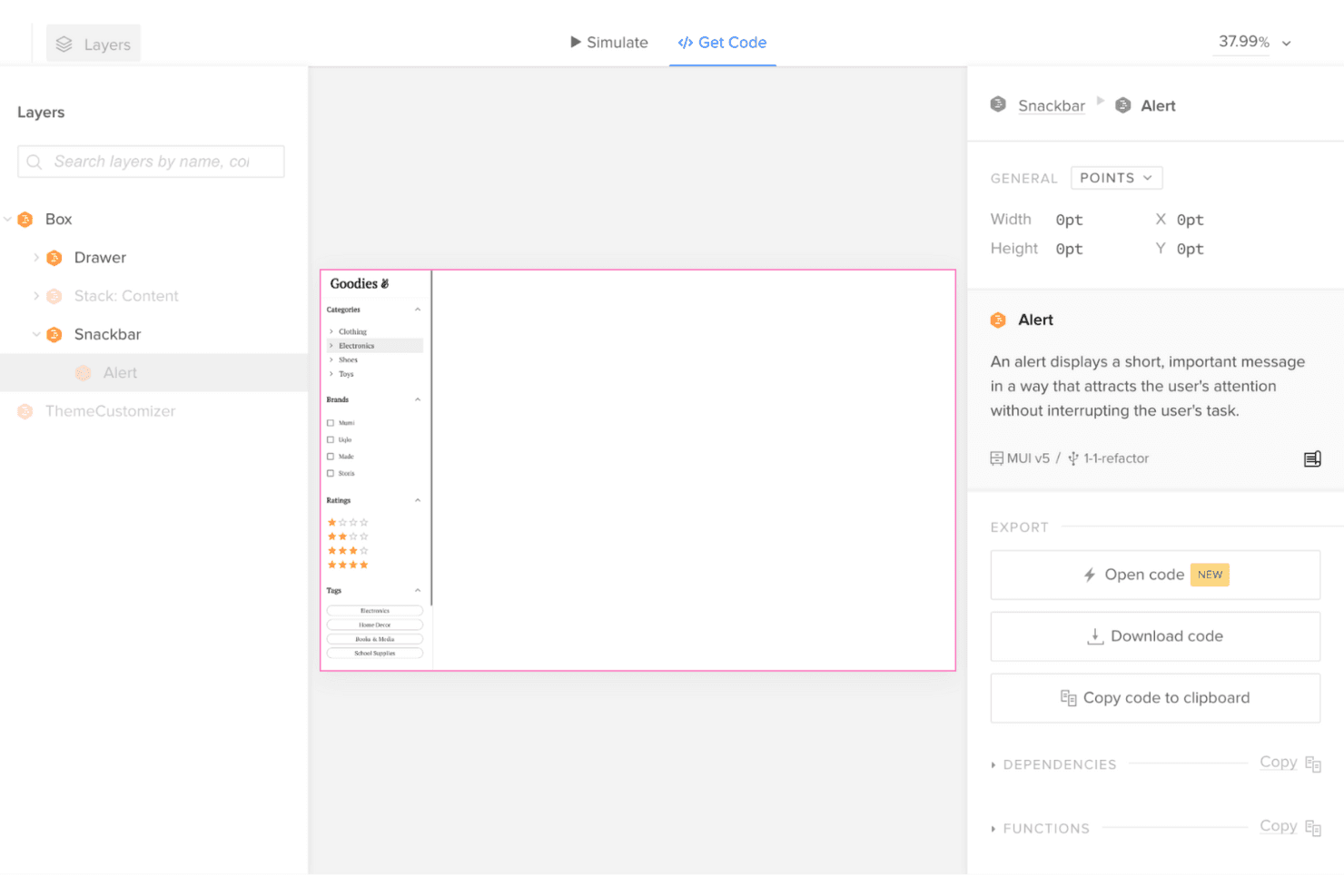
UXPin collega progettazione e sviluppo con prototipi interattivi che utilizzano componenti reali e codice esportabile pronto per la produzione. UXPin è una piattaforma di progettazione UX per i team di prodotto che hanno bisogno di una progettazione realistica delle interfacce, di un più rapido allineamento degli stakeholder e di meno lacune nel passaggio di consegne quando valutano alternative ad Adobe XD.
Per chi è più adatto UXPin?
UXPin è adatto ai team di progettazione dei prodotti che hanno bisogno che ingegneri e progettisti realizzino interfacce ad alta fedeltà a partire da componenti di codice riutilizzabili.
Perché UXPin è una buona alternativa ad Adobe XD
Ho scelto UXPin perché il suo posizionamento come “La soluzione migliore per prototipi basati su componenti di codice reali” è adatto ai team di prodotto che testano interfacce realistiche. Il mio team può creare prototipi con componenti di codice riutilizzabili, quindi convalidare stati, interazioni e comportamento responsivo prima dell'inizio dello sviluppo. Questo ci aiuta a individuare le lacune nella progettazione e nell'implementazione mentre valutiamo alternative ad Adobe XD.
Funzionalità principali di UXPin
- Editor con trascinamento: Crea schermate con elementi dell'interfaccia riutilizzabili.
- Librerie UI integrate: Inizia i progetti con i componenti di Material Design e Bootstrap.
- Variabili: Memorizza e aggiorna i valori nelle diverse schermate del prototipo.
- Logica condizionale: Definisci regole che controllano il comportamento del prototipo.
Integrazioni di UXPin
UXPin documenta le integrazioni con Figma, GitHub, Jira, Slack, Storybook, Photoshop e Sketch, oltre alla sincronizzazione delle librerie di componenti Git personalizzate.
Pros and Cons
Pros:
- I prototipi utilizzano componenti di codice riutilizzabili
- Le variabili supportano cambiamenti realistici dello stato
- La logica condizionale modella interazioni complesse
Cons:
- La configurazione dei componenti di codice richiede competenze tecniche
- Comunità più piccola rispetto a Figma
Learn more about UXPin: Bedst til redigering med flere brugere på tværs af designteams
- Gratis abonnement tilgængeligt
- Fra $16/bruger/måned (faktureres årligt)
Visit WebsiteCustomer Rating:4.5/5This rating combines scores from multiple user review sites to reflect overall customer sentiment about the product.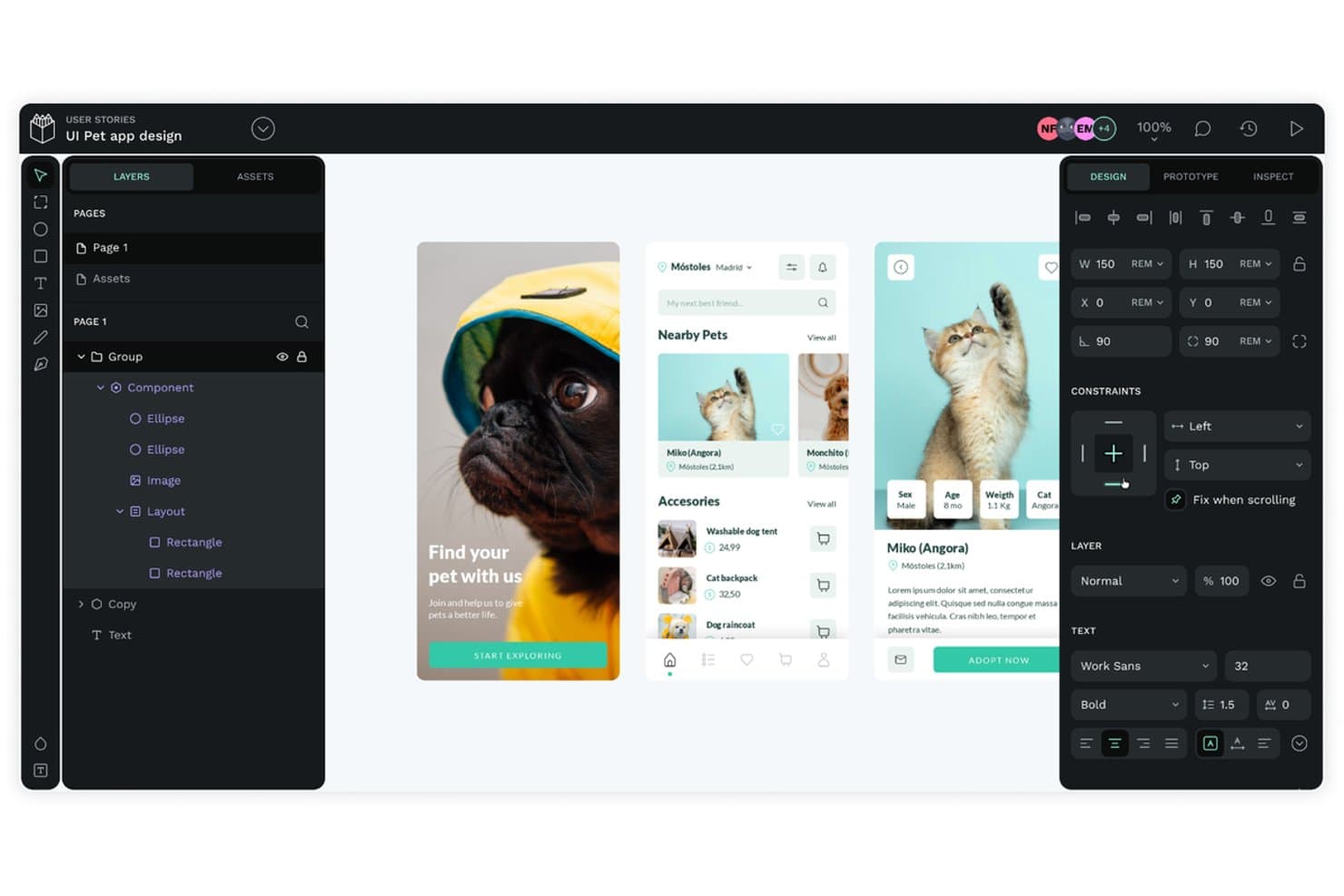
Figma muliggør flydende brugerfladedesign og samarbejde i realtid, så teams kan opbygge, teste og iterere samtidigt i browseren. Figma er en skybaseret UX-designplatform til produktteams, der har brug for at skabe grænseflader, prototyper og designsystemer, samtidig med at designere, ingeniører og interessenter holdes afstemt.
Hvem er Figma bedst til?
Produktdesignteams, der har brug for samarbejde i realtid mellem designere, ingeniører og interessenter på tværs af opdagelse og levering.
Hvorfor Figma er et godt alternativ til Adobe XD
Jeg valgte Figma som et førende alternativ til Adobe XD, fordi redigering med flere brugere holder designere, ingeniører og interessenter i én fælles fil. Mit team bruger markører i realtid, kommentarer og komponentbiblioteker til at finpudse skærmbilleder sammen under designgennemgange. Dette samarbejde passer til distribuerede produktteams, der har brug for øjeblikkelig feedback uden at sende filer mellem forskellige værktøjer.
Vigtige funktioner i Figma
- Automatisk layout: Arranger og tilpas størrelsen på grænsefladeelementer baseret på regler for indhold og afstand.
- Interaktiv prototyping: Forbind skærmbilleder, og definer overgange, overlejringer og interaktioner.
- Variabler: Gem genanvendelige værdier for farver, dimensioner og responsive designtilstande.
- Udviklertilstand: Inspicer designs, se specifikationer, og få adgang til detaljer om overdragelse til udviklere.
Integrationer i Figma
Figma understøtter integrationer med Jira, Slack, Microsoft Teams, Google Workspace, Notion, Asana, Linear, Zoom, GitLab og Zapier. Det tilbyder også en API til tilpassede integrationer og arbejdsgange.
Pros and Cons
Pros:
- Redigering med flere brugere i realtid reducerer behovet for at overdrage filer
- Adgang via browser forenkler interessenters gennemgang
- Variabler understøtter skalerbare designsystemer
Cons:
- Store filer kan belaste browserens ydeevne
- Avanceret prototyping kræver løsninger fra tredjeparter
Learn more about Penpot: 10Ideale per la progettazione su Mac orientata innanzitutto all'uso offline
Sketch
- Prova gratuita di 30 giorni
- A partire da $12/utente/mese (con fatturazione annuale)
Visit WebsiteCustomer Rating:4.5/5This rating combines scores from multiple user review sites to reflect overall customer sentiment about the product.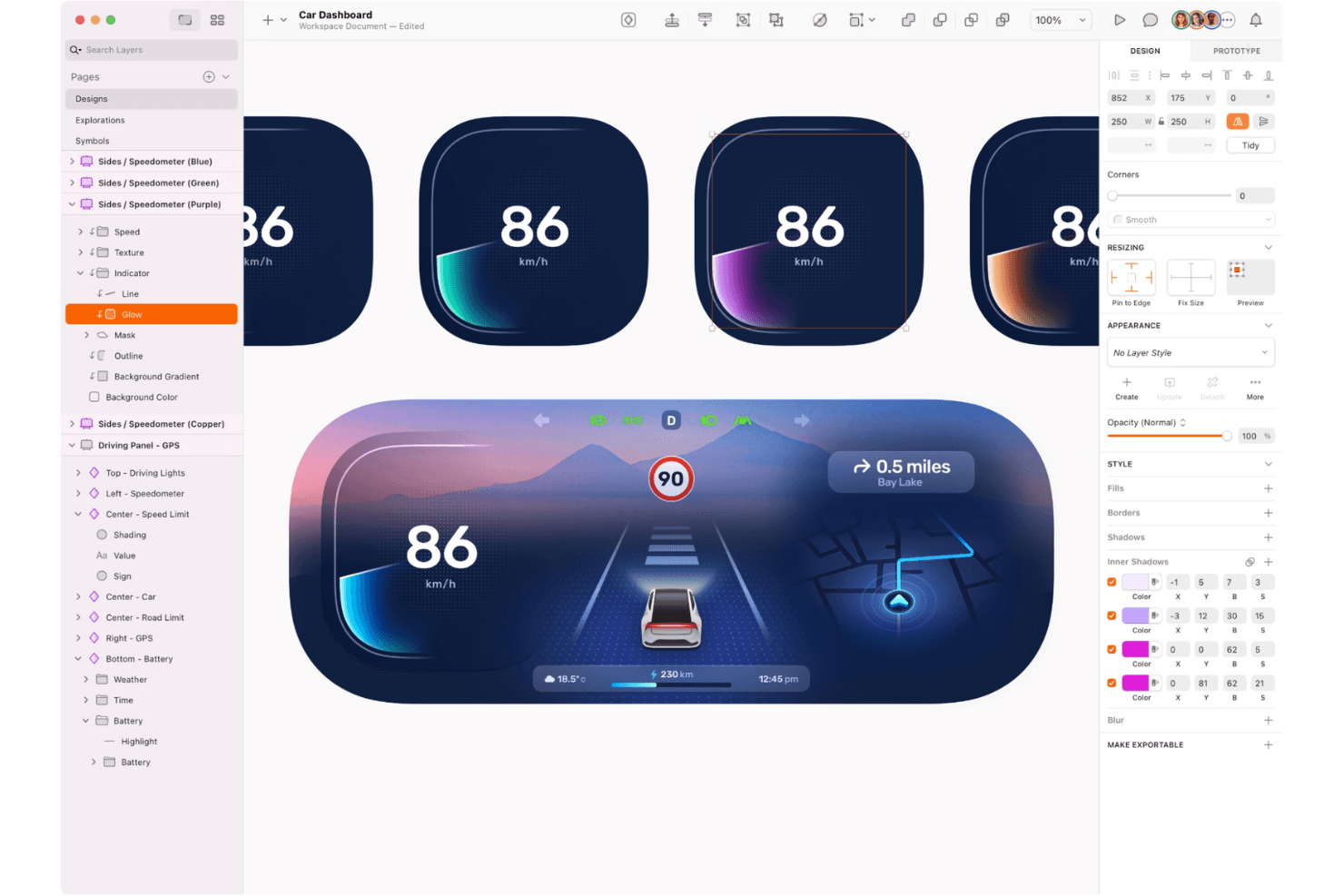
Sketch consente ai designer di creare interfacce utente straordinarie e prototipi interattivi con precisione, flessibilità e un'esperienza fluida nativa di macOS. Sketch è una piattaforma di progettazione UX incentrata su Mac per designer e team di prodotto che hanno bisogno di progettazione vettoriale, prototipazione, passaggio in consegna e collaborazione in un'unica alternativa ad Adobe XD.
Per chi è più adatto Sketch?
Designer di prodotto e team UX su Mac che hanno bisogno di accesso offline insieme a prototipazione, collaborazione e passaggio in consegna agli sviluppatori.
Perché Sketch è una buona alternativa ad Adobe XD
Ho scelto Sketch perché la sua app nativa per Mac supporta un flusso di progettazione su Mac orientato innanzitutto all'uso offline, senza dipendere dalla connessione a un browser. Utilizzo i suoi strumenti vettoriali e l'archiviazione offline dei documenti per perfezionare i progetti delle interfacce durante i viaggi o nelle sessioni con accesso limitato. Quando è online, la prototipazione e il passaggio in consegna agli sviluppatori portano questi progetti alla revisione e alla realizzazione.
Funzionalità principali di Sketch
- Librerie condivise: Riutilizza componenti, stili di testo e variabili di colore tra i documenti.
- Layout intelligente: Imposta regole di ridimensionamento per definire automaticamente le dimensioni e la spaziatura dei livelli.
- Griglie di layout: Applica griglie a colonne, righe e quadrate alle tavole di progettazione.
- Cronologia delle versioni: Esamina gli stati precedenti dei documenti e ripristina le versioni precedenti.
Integrazioni di Sketch
La directory ufficiale dei plugin di Sketch elenca integrazioni e plugin per Slack, Notion, Jira, Zeplin, ProtoPie e Overflow; la sua app per Slack offre anteprime dettagliate di documenti e commenti. Sketch offre inoltre un'API JavaScript ufficiale per creare plugin personalizzati e collegamenti ai flussi di lavoro.
Pros and Cons
Pros:
- La modifica offline su Mac supporta i flussi di lavoro in viaggio
- Le librerie condivise mantengono coerenti i componenti dell'interfaccia
- Il passaggio in consegna agli sviluppatori include specifiche di progettazione ispezionabili
Cons:
- I flussi di lavoro incentrati su Mac escludono i team di progettazione che usano Windows
- La collaborazione in tempo reale richiede una connessione a Internet
Altre alternative ad Adobe XD
Ecco alcune alternative aggiuntive ad Adobe XD che non sono state incluse nel mio elenco, ma che vale comunque la pena prendere in considerazione:
- 11MoqupsIdeale per i non progettisti che esaminano i progetti insieme alle squadre
- 12PixsoLa soluzione migliore per la migrazione da XD con implementazione autogestita
- 13LucidchartIdeale per mappare i flussi senza esperienza di progettazione
- 14MiroIdeale per schede di ideazione che collegano a flussi cliccabili
- 15ProtoPieIdeale per prototipi multi-dispositivo basati su sensori
- 16Proto.ioIdeale per la prototipazione di app mobili senza codice
Come valuto le alternative ad Adobe XD
Divido la mia valutazione in tre parti. Innanzitutto, le funzionalità principali: qualsiasi alternativa deve essere in grado di creare prototipi interattivi e cliccabili e di gestire attività di progettazione dell'interfaccia utente basate su vettori: questo è l'aspetto con il peso maggiore. Poi cerco funzionalità distintive, come una logica avanzata per la prototipazione. Infine, considero il valore offerto da prezzi e licenze.
Funzionalità principali (requisiti fondamentali per questo elenco)
Quando seleziono gli strumenti da inserire nel mio elenco, assegno a ciascuno un punteggio su una scala da 0 (non offre la funzionalità) a 5 (eccelle in quest'area) per ogni funzionalità principale riportata di seguito. Poi converto il totale in una percentuale per contribuire a valutare l'idoneità complessiva di ciascuno strumento, attribuendo un peso aggiuntivo a tutte le funzionalità che ho ritenuto essenziali.
- Prototipazione interattiva (essenziale): verifico se è possibile collegare le tavole da disegno in flussi cliccabili con attivatori, transizioni e sovrapposizioni che risultino simili a quelle di un'app reale.
- Modifica di progetti basati su vettori (essenziale): cerco un kit completo di strumenti vettoriali con operazioni booleane, strumenti penna e controlli del layout necessari per creare schermate dell'interfaccia utente da zero.
- Collaborazione in tempo reale: i team devono poter modificare insieme i file, quindi valuto i cursori in tempo reale, i commenti in linea e la fluidità con cui la modifica multiutente gestisce i file più grandi.
- Sistemi di progettazione e componenti: osservo come ogni strumento gestisce componenti riutilizzabili, varianti e librerie condivise che rimangono sincronizzate tra più file di progetto.
- Passaggio agli sviluppatori: un buon passaggio significa disporre di specifiche generate automaticamente, risorse esportabili e attributi di stile che gli sviluppatori possano esaminare senza plugin aggiuntivi o attività manuali.
- Accessibilità multipiattaforma: verifico se lo strumento funziona su macOS, Windows e nel browser web, in modo che i team che utilizzano sistemi operativi diversi non siano esclusi dal flusso di lavoro.
Una volta ottenuto un elenco di strumenti che soddisfano i criteri, considero ciò che distingue ogni piattaforma.
Fattori distintivi (ciò che differenzia i fornitori)
Ecco come confronto e distinguo i diversi fornitori:
Funzionalità distintive
La logica avanzata per la prototipazione è il primo aspetto che valuto. Gli strumenti che supportano variabili, flussi condizionali ed espressioni consentono di creare prototipi che imitano gli stati reali di un'app, come un modulo di registrazione che cambia in base all'input dell'utente. Questo livello di fedeltà riduce le incomprensioni tra il team di prodotto e quello tecnico. Cerco anche funzionalità di generazione dei progetti assistita dall'intelligenza artificiale, che accelerano la fase iniziale di ideazione producendo opzioni di layout o suggerimenti per i testi da perfezionare, invece di partire da una tela vuota. Anche la gestione dei token di progettazione è importante, soprattutto per i team che gestiscono più prodotti; verifico se uno strumento consente di amministrare i token relativi a colori, spaziatura e tipografia da un'unica fonte centrale, in modo che gli aggiornamenti si propaghino senza dover modificare manualmente ogni singolo file.
Oltre le funzionalità
La migrazione e la compatibilità dei file sono molto importanti quando si abbandona Adobe XD. Verifico se uno strumento è in grado di importare file XD, Sketch e SVG senza compromettere i layout automatici o le sostituzioni dei componenti. Anche la struttura dei prezzi è altrettanto importante: valuto se sono disponibili postazioni gratuite per la visualizzazione destinate ai responsabili di progetto e agli stakeholder che hanno bisogno solo di commentare, poiché i costi per postazione aumentano rapidamente nei team interfunzionali. Valuto inoltre la stabilità del fornitore, in particolare la frequenza dei rilasci e il modo in cui un'azienda ha gestito le transizioni di piattaforma in passato, perché nessuno vuole dover effettuare la migrazione due volte.
Perché cercare un'alternativa ad Adobe XD?
Sebbene Adobe XD sia una buona scelta come strumento di prototipazione, ci sono diversi motivi per cui alcuni utenti cercano soluzioni alternative. Potresti cercare un'alternativa ad Adobe XD perché…
- Hai bisogno di funzionalità di collaborazione in tempo reale
- Il tuo team richiede funzionalità senza connessione
- Desideri strumenti di animazione più avanzati
- Il tuo budget è limitato o ristretto
- Hai bisogno di una migliore integrazione con altri strumenti
- Il tuo team preferisce un'interfaccia più semplice
Se ti riconosci in una di queste situazioni, sei nel posto giusto. Il mio elenco contiene diverse opzioni di strumenti di prototipazione più adatte ai team che affrontano queste difficoltà con Adobe XD e cercano soluzioni alternative, proprio come i team che valutano le alternative a Framer.
Funzionalità principali di Adobe XD
Ecco alcune delle funzionalità principali di Adobe XD, per aiutarti a confrontare ciò che offrono le soluzioni alternative:
- Strumenti di progettazione: Crea tavole da disegno, gestisci i livelli e modifica i tracciati per realizzare layout in linea con la tua visione.
- Prototipazione: Sviluppa prototipi interattivi con animazioni e transizioni temporizzate per dare vita ai tuoi progetti.
- Collaborazione: Condividi i prototipi con il tuo team, imposta le autorizzazioni di accesso e raccogli feedback tramite i commenti.
- Accessibilità: Utilizza la gestione del colore e le scorciatoie da tastiera per garantire che i tuoi progetti siano accessibili a tutti gli utenti.
- Sistemi di progettazione: Gestisci risorse e componenti tramite l'integrazione con le librerie di Adobe Creative Cloud.
- Documenti cloud: Collabora su documenti basati sul cloud con funzionalità di co-modifica in tempo reale.
- Integrazioni: Compatibile con vari asset di Photoshop e Illustrator e con plugin per strumenti come Jira e Slack.
- Compatibilità con le piattaforme: Funziona bene su un'ampia gamma di piattaforme, tra cui Windows, macOS e Linux, garantendo l'accessibilità indipendentemente dal sistema operativo del tuo team. Un'interfaccia basata sul browser consente inoltre di progettare e collaborare senza dover installare software: la soluzione ideale per i team che lavorano su ambienti o dispositivi diversi.
- Supporto per dispositivi mobili: Visualizza in anteprima i tuoi progetti sui dispositivi iOS e Android per vedere come appaiono su schermi diversi.
- Componenti e stati: Utilizza componenti e stati riutilizzabili per mantenere coerenza ed efficienza nei tuoi progetti.
- Ridimensionamento reattivo: Adatta facilmente i tuoi progetti a diverse dimensioni e risoluzioni dello schermo.