Figma Bewertung 2026: Vorteile, Nachteile, Hauptfunktionen und Preisgestaltung


Figma is a cloud-based web design software for designers and product teams who want to collaborate on interface mockups and prototypes in real time. I think you’ll get the most out of Figma if you need to let multiple people co-edit designs, quickly iterate with feedback, and hand off to development without messy file versions. Compared to Sketch, Figma makes cross-team collaboration much smoother because everything happens in the browser—no downloads or complicated file syncing required.
Figma Evaluation Summary

- From $16/user/month (billed annually)
- Free plan available
Warum Sie unseren Software-Bewertungen vertrauen können
Seit 2020 testen und bewerten wir Software für Produktmanager. Als Produktmanager wissen wir selbst, wie kritisch und schwierig es ist, beim Softwarekauf die richtige Entscheidung zu treffen. Wir investieren in intensive Recherchen, um unserer Zielgruppe bessere Entscheidungen zu ermöglichen. Wir haben über 2.000 Tools für verschiedene Produktmanagement-Anwendungsfälle getestet und mehr als 1.000 umfassende Softwarebewertungen geschrieben.Erfahren Sie, wie wir Transparenz gewährleisten & unsere Software-Bewertungsmethodik.
Figma Overview
When judging Figma against other UX design tools, its real-time collaboration, intuitive interface, and browser-based access set it apart for distributed teams. Pricing is competitive, especially for startups and growing teams, and onboarding is straightforward with built-in tutorials.
While offline functionality and advanced vector editing lag behind some competitors, Figma’s plugin ecosystem and integration options make it a top pick for teams prioritizing speed and collaboration. It’s best suited for organizations that value cloud-based workflows, frequent feedback, and easy handoff between design and development. For solo designers needing deep offline work, it may be less ideal.
pros
-
Real-time collaboration supports distributed design teams.
-
Extensive plugin library expands core design capabilities.
-
Cloud-based access enables instant file sharing and feedback.
cons
-
Performance can lag with large, complex design files.
-
Advanced vector editing tools are less mature than some peers.
-
Limited offline editing restricts work without internet.
-

Zoho Sprints
Visit WebsiteThis rating combines scores from multiple user review sites to reflect overall customer sentiment about the product.4.2 -
Wrike
Visit WebsiteThis rating combines scores from multiple user review sites to reflect overall customer sentiment about the product.4.3 -
monday AI Workspace
Visit WebsiteThis rating combines scores from multiple user review sites to reflect overall customer sentiment about the product.4.6




Wie wir Tools testen & bewerten
Wir haben jahrelang unser System für Softwaretests und -bewertungen aufgebaut, verfeinert und verbessert. Unser Bewertungsraster wurde entwickelt, um die Feinheiten bei der Auswahl von Software und die Effektivität eines Tools einzufangen, wobei der Fokus auf den entscheidenden Aspekten des Entscheidungsprozesses liegt. Nachfolgend sehen Sie genau, wie unser Test- und Bewertungssystem anhand von sieben Kriterien funktioniert. Dadurch können wir eine objektive Bewertung der Software auf Basis von Kernfunktionen, herausragenden Merkmalen, Benutzerfreundlichkeit, Onboarding, Kundensupport, Integrationen, Kundenbewertungen und Preis-Leistungs-Verhältnis bieten.
Kernfunktionalität (25% der Endbewertung)
Der Ausgangspunkt unserer Bewertung ist stets die Kernfunktionalität des Tools. Verfügt das Tool über die grundlegenden Funktionen, die ein Benutzer erwarten würde? Sind einige dieser Kernfunktionen nur in höheren Tarifen verfügbar? Im Kern erwarten wir, dass ein Tool den grundlegenden Fähigkeiten seiner Wettbewerber standhält.
Herausragende Merkmale (25% der Endbewertung)
Als nächstes bewerten wir seltene Alleinstellungsmerkmale, die über die übliche Kernfunktionalität solcher Tools hinausgehen. Eine hohe Bewertung spiegelt spezialisierte oder einzigartige Funktionen wider, die das Produkt schneller, effizienter oder für den Nutzer wertvoller machen. Wir prüfen außerdem, wie einfach sich das Tool mit anderen, typischen Werkzeugen im Technologie-Stack integrieren lässt, um seine Funktionalität und seinen Nutzen zu erweitern. Tools mit vielen nativen Integrationen, Drittanbieter-Anbindungen und API-Zugang für Individualisierungen erzielen die besten Ergebnisse.
Benutzerfreundlichkeit (10% der Endbewertung)
Wir berücksichtigen, wie schnell und einfach sich Aufgaben der Kernfunktionalität mit dem Tool umsetzen lassen. Software mit hoher Punktzahl ist gut gestaltet, intuitiv zu bedienen, bietet mobile Apps, Vorlagen und macht vergleichsweise komplexe Aufgaben einfach.
Onboarding (10% der Endbewertung)
Wir wissen, wie wichtig eine schnelle Akzeptanz durch Teams für eine neue Plattform ist. Deshalb bewerten wir, wie leicht sich das Tool mit minimaler Schulung erlernen und nutzen lässt. Wir prüfen, wie schnell ein Teammitglied ohne Vorerfahrung eingerichtet ist und starten kann. Lösungen mit guter Bewertung setzen nur wenig oder keine Unterstützung voraus.
Kundensupport (10% der Endbewertung)
Wir prüfen, wie schnell und einfach Hilfe per Telefon, Live-Chat oder Wissensdatenbank verfügbar ist. Tools und Unternehmen mit Echtzeit-Support schneiden am besten ab, während Chatbots am schlechtesten bewertet werden.
Kundenbewertungen (10% der Endbewertung)
Zusätzlich zu unseren eigenen Tests und Bewertungen betrachten wir den Net Promoter Score aktueller und ehemaliger Kunden. Wir prüfen deren Wahrscheinlichkeit, sich erneut für das Tool zu entscheiden. Eine hohe Bewertung spiegelt einen hohen Net Promoter Score wider.
Preis-Leistungs-Verhältnis (10% der Endbewertung)
Abschließend vergleichen wir alle anderen Kriterien mit dem durchschnittlichen Einstiegspreis und den Kernfunktionen und bewerten das Gesamtergebnis. Software, die mehr für weniger bietet, erhält eine höhere Bewertung.
Core Features
Real-Time Collaboration
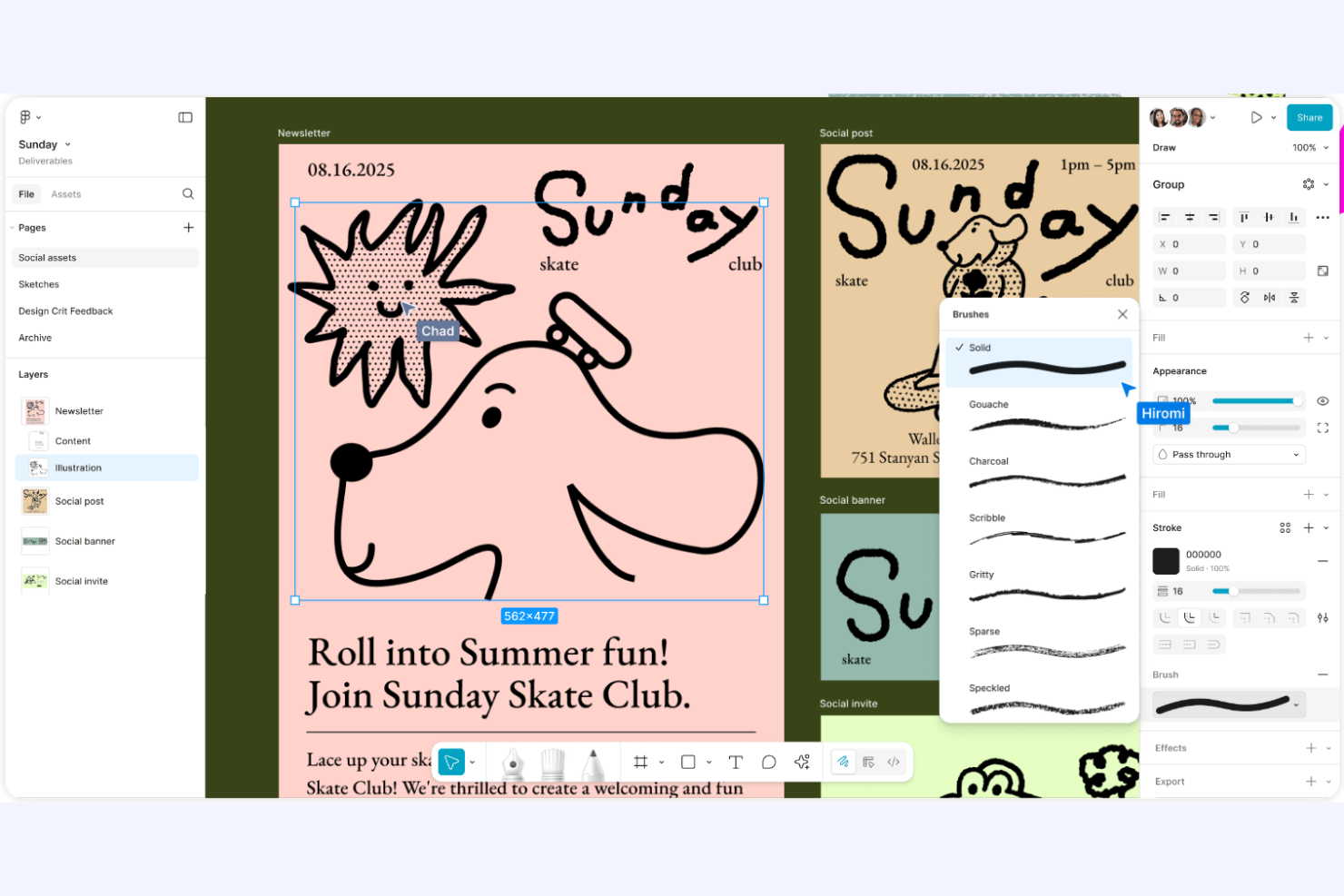
Multiple users can design, comment, and edit files simultaneously. This supports fast feedback and teamwork across distributed teams.
Prototyping
Create interactive flows and clickable prototypes without leaving the design file. Preview and share user journeys for quick stakeholder review.
Design Systems
Build and maintain reusable components, styles, and assets in shared libraries. This keeps branding and UI consistent across projects.
Version History
Access a detailed timeline of file changes and restore previous versions. Teams can track edits and recover work if needed.
Developer Handoff
Inspect mode lets developers view CSS, measurements, and assets directly from the design file. This reduces miscommunication and speeds up implementation.
Commenting and Feedback
Stakeholders can leave contextual comments directly on designs. This centralizes feedback and streamlines review cycles.
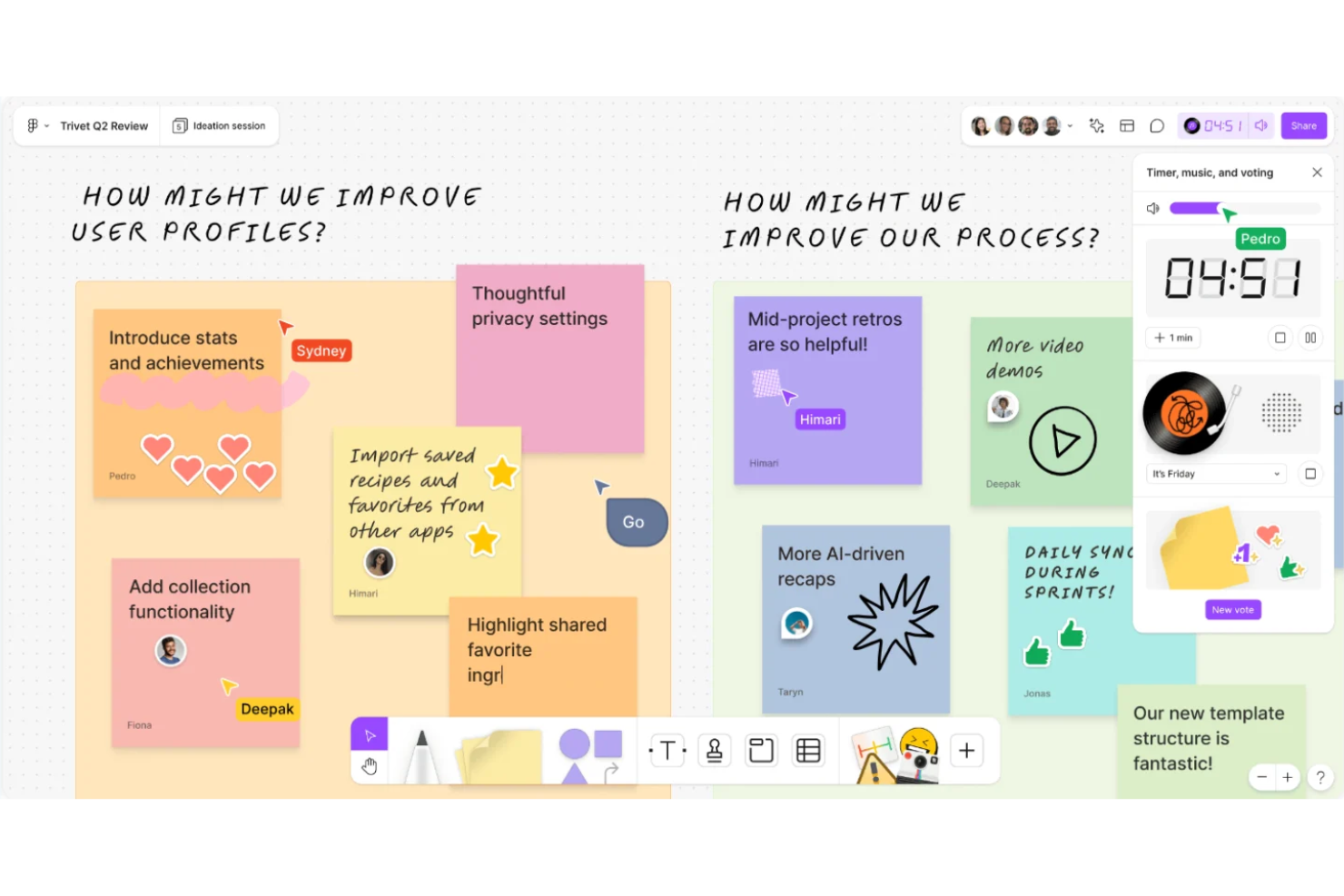
Ease of Use
Figma is widely recognized for its intuitive interface and low barrier to entry, making it accessible for both new and experienced designers. The browser-based platform eliminates installation hassles, and built-in tutorials help users get started quickly. Features like drag-and-drop editing, contextual menus, and real-time collaboration reduce friction in daily workflows.
Many users highlight how easy it is to share files and gather feedback, which speeds up project cycles and keeps teams aligned.
Integrations
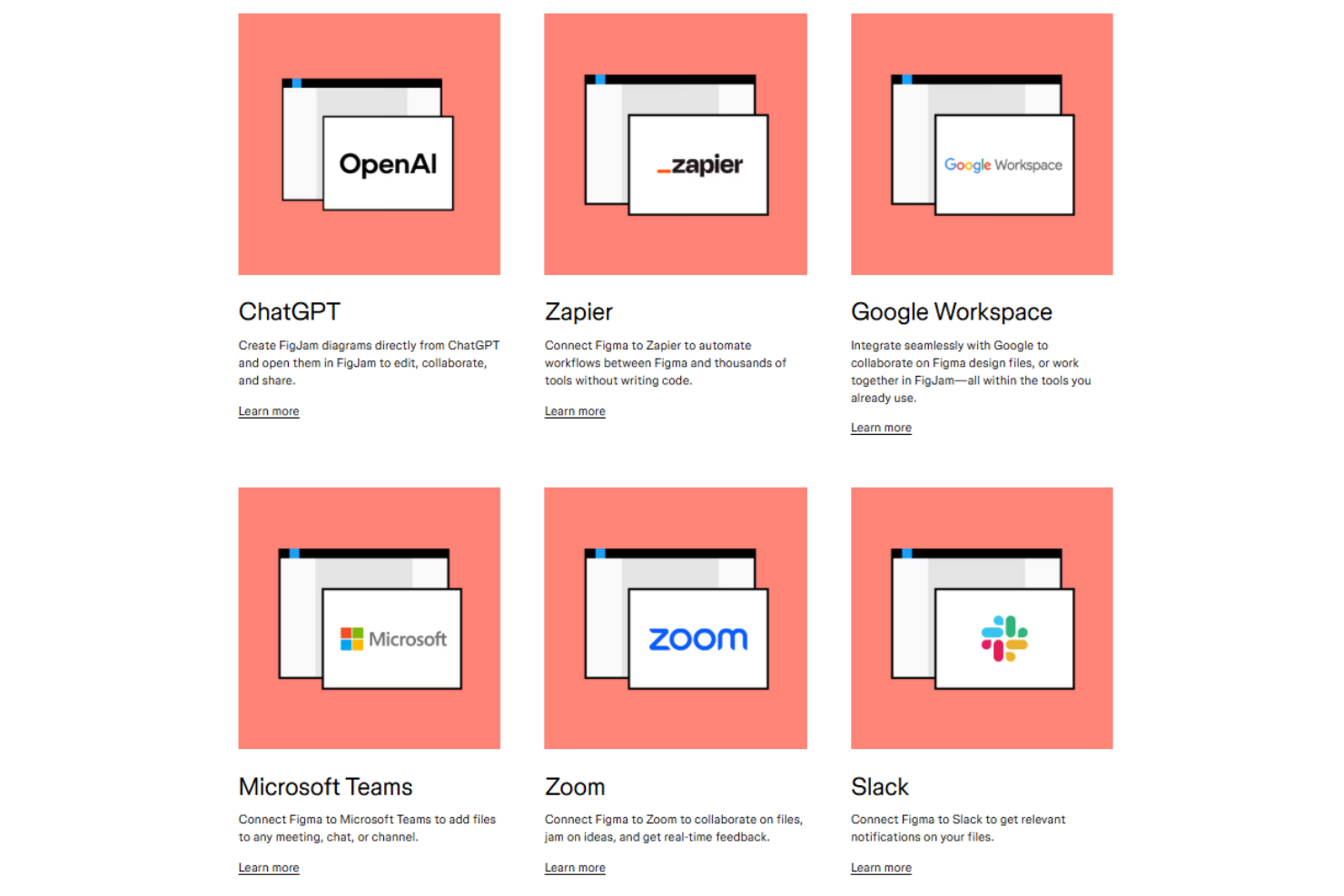
Figma integrates with Slack, Jira, Zeplin, Notion, Trello, Dropbox, Microsoft Teams, GitHub, Asana, and Maze, among others.
Figma also offers a public API and connects with third-party integration tools for expanded workflow automation and customization.
Figma Specs
- CAD Tools
- Data Export
- Data Import
- Multi-User
- Pixel Graphics
- Third-Party Plugins/Add-Ons
- Vector File Support
- Video