

Als Produktmanager stehen Sie ständig vor der Herausforderung, Designanforderungen und die Zusammenarbeit im Team miteinander in Einklang zu bringen. Figma ist vielleicht Ihr bevorzugtes Tool, aber es passt nicht immer zu den Anforderungen jedes Unternehmens. Möglicherweise benötigen Sie eine Alternative mit speziellen Funktionen, besseren Preisen oder einer verbesserten Integration in Ihre bestehende Software.
Bei meinen Erfahrungen mit dem Testen und Bewerten von Software habe ich mehrere Figma-Alternativen gefunden, die Ihren individuellen Anforderungen gerecht werden könnten. Ich möchte eine unvoreingenommene Bewertung bieten und mich darauf konzentrieren, was diese Tools leisten und wie sie Ihr Team unterstützen können.
In diesem Artikel führe ich Sie durch die besten Optionen und stelle Funktionen, Benutzerfreundlichkeit und Preise vor. Mein Ziel ist es, Ihnen dabei zu helfen, ein Tool zu finden, das zu den Zielen Ihres Teams passt und Ihren Designprozess verbessert.
Was ist Figma?
Figma ist ein UX-Designtool zum Erstellen von Benutzeroberflächen und Prototypen. Es ist bei Designern, Produktmanagern und Entwicklern beliebt, die seine Funktionen für die Zusammenarbeit schätzen. Zusammenarbeit in Echtzeit, Vektorbearbeitung und Prototyping-Funktionen helfen Ihnen und Ihrem Team, effizient und kreativ zu arbeiten. Der größte Wert von Figma liegt in seiner Fähigkeit, Teamarbeit zu erleichtern und den Designprozess zu optimieren.
Warum nach einer Figma-Alternative suchen?
Warum nach einer Figma-Alternative suchen?
Figma ist eine beliebte webbasierte Plattform für UI-Design und kollaboratives Design, aber sie ist nicht für jeden die perfekte Lösung. Einige Teams und Freiberufler suchen nach Figma-Konkurrenten, wenn sie:
- Offline-Zugriff für die Arbeit im Homeoffice oder mit mobilen Apps benötigen
- Eine günstigere Preisgestaltung oder eine kostenlose Version für kleine Unternehmen und Start-ups benötigen
- Erweiterte Animationswerkzeuge für UI-Design und interaktive Prototypen wünschen
- Bessere Funktionen für die Übergabe an Entwickler benötigen
- Eine Benutzeroberfläche mit einer einfacheren Lernkurve bevorzugen
- Spezifische Anforderungen an die Datenkonformität haben oder innerhalb eines bestimmten Betriebssystems arbeiten müssen
Wenn Ihnen diese Herausforderungen bekannt vorkommen, könnte es sinnvoll sein, andere Alternativen zu Designtools zu prüfen. Die Optionen auf meiner Liste wurden entwickelt, um Designteams und Stakeholdern eine effizientere Zusammenarbeit zu ermöglichen – ohne die Einschränkungen, die sie mit Figma erlebt haben.
Warum Sie unseren Software-Empfehlungen vertrauen können
6,700+
Reviews
20
Industry experts
16+
Evaluation factors
14
Years
Unser Team testet und bewertet Software seit 2012. Als Produktmanager wissen wir selbst, wie schwierig – und wichtig – es ist, die richtige Software auszuwählen.
Für diesen Leitfaden haben wir Tools mithilfe von praktischen Tests und unabhängiger Recherche bewertet und dabei unsere Bewertungskriterien angewendet.
Unsere Bewertungen spiegeln unser menschliches redaktionelles Urteilsvermögen wider, keine Verkaufsstrategie.
Expertenprüfer:
- Andrew LumbySenior TPM
- Cristiano ValimSenior UI/UX Lead


Vergleichstabelle der Figma-Alternativen
Nutzen Sie diese Vergleichstabelle, um die Preisinformationen meiner besten Figma-Alternativen zu vergleichen.
| Tool | Best For | Trial Info | Price | ||
|---|---|---|---|---|---|
| 1 | Am besten für KI-generierte Bildschirme aus Text oder Bildern | Kostenloser Plan verfügbar | Ab $14/Nutzer/Monat | Website | |
| 2 | Am besten für die Offline-orientierte Erstellung von Prototypen mit Desktopanwendungen | Kostenloser Tarif verfügbar | Ab $24.90/Benutzer/Monat (jährlich abgerechnet) | Website | |
| 3 | Am besten für Webdesign ohne die Übergabe an Entwickler geeignet | Kostenloser Tarif verfügbar | Ab 14 $/Monat (jährliche Abrechnung) | Website | |
| 4 | Am besten für die Planung der Benutzeroberfläche vor der Übergabe an die Gestaltung geeignet | Kostenloser Tarif verfügbar | Ab $9/Benutzer/Monat (jährlich abgerechnet) | Website | |
| 5 | Am besten geeignet für das Entwerfen mit produktionsreifen React-Komponenten | Kostenloser Tarif + 14-tägige kostenlose Testversion verfügbar | Ab $29/Benutzer/Monat (jährlich abgerechnet) | Website | |
| 6 | Am besten für interaktive Website-Prototypen geeignet | Kostenloser Tarif verfügbar | Ab $10/Monat (jährlich abgerechnet) | Website | |
| 7 | Am besten für logikgesteuerte No-Code-Prototypen geeignet | 30-tägige kostenlose Testversion | Ab $29/Benutzer/Monat (jährlich abgerechnet) | Website | |
| 8 | Am besten für selbst gehostetes Open-Source-Design geeignet | Kostenloser Tarif + 14-tägige kostenlose Testversion verfügbar | Ab $7/Benutzer/Monat | Website | |
| 9 | Am besten für native macOS-Design-Workflows geeignet | 30-tägige kostenlose Testversion | Ab $12/Nutzer/Monat (jährlich abgerechnet) | Website | |
| 10 | Am besten für die Übergabe von Design an Entwicklung mit KI-Programmieragenten geeignet | Kostenloser Tarif verfügbar | Ab $13.75/Projekt/Monat (jährlich abgerechnet) | Website |


Bewertungen der besten Figma-Alternativen
Im Folgenden finden Sie meine ausführlichen Zusammenfassungen der besten Figma-Alternativen, die es in meine Auswahlliste geschafft haben. Meine Bewertungen bieten einen detaillierten Überblick über die wichtigsten Funktionen, Vor- & Nachteile, Integrationen und idealen Anwendungsfälle jedes Tools, damit Sie die beste Option für sich finden.
 Am besten für KI-generierte Bildschirme aus Text oder Bildern
- Kostenloser Plan verfügbar
- Ab $14/Nutzer/Monat
Visit WebsiteCustomer Rating:4.8/5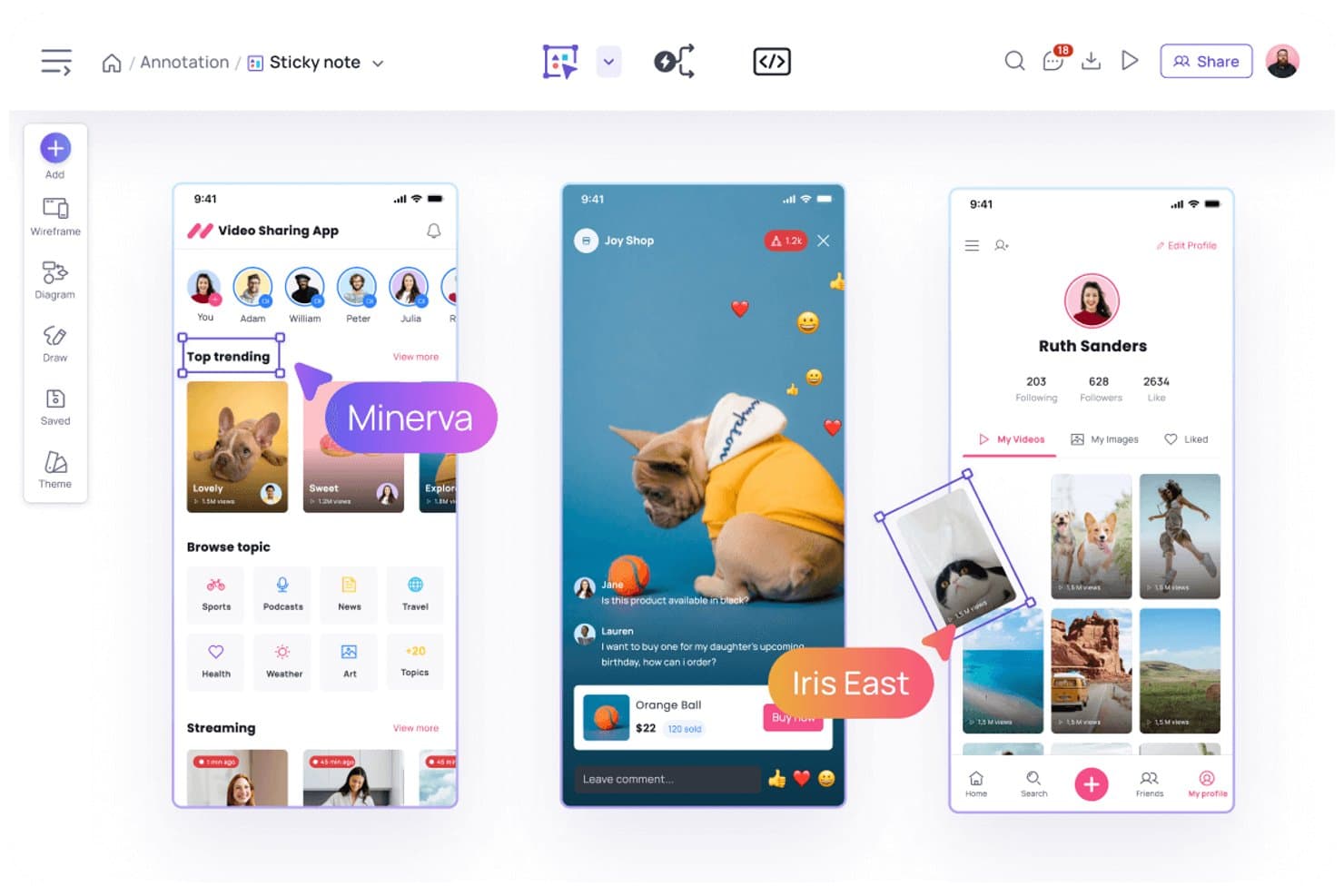
Visily ermöglicht es Benutzern, Designs mit Haftnotizen und Kommentaren zu versehen. Visily ist eine KI-gestützte UX-Design- und Prototyping-Plattform für Produktteams, Gründer und geschäftliche Stakeholder, die frühe Ideen ohne fortgeschrittene Designkenntnisse in nutzbare Benutzeroberflächen umsetzen müssen.
Für wen eignet sich Visily am besten?
Produktmanager und UX-Teams können während der frühen Entdeckungsphase schriftliche Ideen oder Referenzbilder in bearbeitbare Konzepte für Benutzeroberflächen umwandeln.
Warum ich Visily ausgewählt habe
Ich habe Visily als eines der besten Tools für KI-generierte Bildschirme aus Text oder Bildern ausgewählt. Ich verwende Text-Prompts, um bearbeitbare Drahtmodelle zu erstellen, und verfeinere anschließend Layouts für Produktkonzepte, ohne mit einer leeren Arbeitsfläche beginnen zu müssen. Die Funktion zur Umwandlung von Screenshots in Designs hilft meinem Team außerdem dabei, Referenzen von Wettbewerbern oder alte Bildschirme in brauchbare Entwürfe für Benutzeroberflächen umzuwandeln.
Wichtigste Funktionen von Visily
- Bibliothek für UI-Komponenten: Füge wiederverwendbare Elemente der Benutzeroberfläche zu Drahtmodellen und Prototypen hinzu.
- Interaktives Prototyping: Verknüpfe Bildschirme, um anklickbare Produktabläufe zu erstellen.
- Designvorlagen: Beginne Projekte mit vorgefertigten Vorlagen für gängige Produktmuster.
- Teamzusammenarbeit: Lade Teammitglieder ein, Designs zu kommentieren und zu überprüfen.
Integrationen von Visily
Visily bietet dokumentierte Integrationen mit Slack und Notion sowie ein offizielles Figma-Plugin für die bidirektionale Übertragung von Designs. Außerdem werden MCP-Verbindungen über Plugins für Tools wie Cursor, Claude Code, Codex, Gemini CLI, Antigravity und Kiro unterstützt.
Pros and Cons
Pros:
- Generiert bearbeitbare Drahtmodelle aus Text-Prompts
- Konvertiert Screenshots in brauchbare Entwürfe für Benutzeroberflächen
- Unterstützt klickbare Prototypen und wiederverwendbare Komponenten
Cons:
- Werkzeuge für visuelles Design mit hoher Detailtreue bleiben eingeschränkt
- Komplexe Designsysteme erfordern manuelle Überarbeitung
Learn more about Visily: Am besten für die Offline-orientierte Erstellung von Prototypen mit Desktopanwendungen
- Kostenloser Tarif verfügbar
- Ab $24.90/Benutzer/Monat (jährlich abgerechnet)
Visit WebsiteCustomer Rating:4.5/5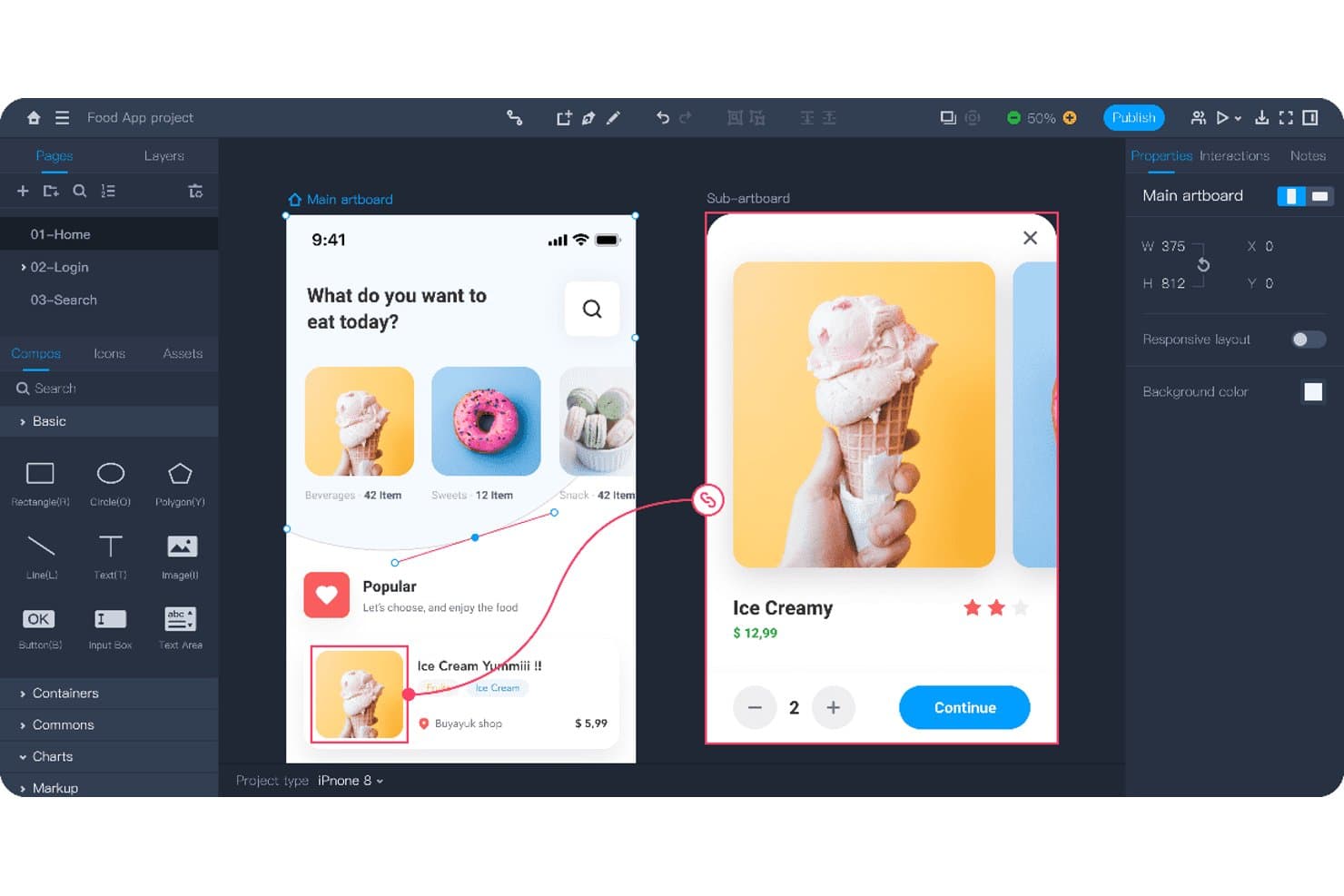
Mockplus ermöglicht es Benutzern, interaktive App-Abläufe mit verknüpften Bildschirmen zu prototypisieren. Mockplus ist ein Werkzeug für UX-Design und die Erstellung von Prototypen für Produktteams, die Ideen in interaktive Mockups umsetzen, Nutzerabläufe testen und Designer, Entwickler und Stakeholder zusammenbringen müssen, ohne auf Figma angewiesen zu sein.
Für wen eignet sich Mockplus am besten?
Mockplus eignet sich für Produktteams und UX-Designer, die Prototypen auf dem Desktop erstellen und für konzentriertes Arbeiten offline darauf zugreifen müssen.
Warum ich Mockplus ausgewählt habe
Ich habe Mockplus für die Offline-orientierte Erstellung von Prototypen mit Desktopanwendungen ausgewählt, weil ich interaktive Abläufe entwerfen und testen kann, ohne auf eine Browserverbindung angewiesen zu sein. Der Desktop-Arbeitsbereich unterstützt klickbare Prototypen, die Verknüpfung von Bildschirmen und Interaktionszustände zum lokalen Testen von App-Abläufen. Ich nutze es, um Produktkonzepte auf Reisen, in Workshops oder bei Sitzungen in Netzwerken mit eingeschränktem Zugriff zu überprüfen.
Wichtige Funktionen von Mockplus
- Editor mit Ziehen und Ablegen: Erstellen Sie Bildschirme, indem Sie Elemente direkt auf der Arbeitsfläche platzieren.
- Komponenten und Symbole: Fügen Sie wiederverwendbare Benutzeroberflächenelemente aus integrierten Bibliotheken hinzu.
- Notizen und Flussdiagramme: Dokumentieren Sie Anforderungen und bilden Sie Nutzerabläufe innerhalb von Projekten ab.
- Kommentare und Anmerkungen: Fügen Sie Feedback mit Markierungen und Formen direkt zu Designs hinzu.
Integrationen von Mockplus
Mockplus dokumentiert Integrationen mit Figma, Sketch, Axure, Adobe XD, Photoshop, Slack, Jira, Confluence und Lark, obwohl es sich bei einigen davon eher um Designimporte oder Verbindungen für die Zusammenarbeit als um native Mockplus-RP-Integrationen handelt. Die Jira-Integration ist außerdem über den Atlassian Marketplace verfügbar.
Pros and Cons
Pros:
- Funktioniert offline über dedizierte Desktopanwendungen
- Unterstützt klickbare Prototypen und Interaktionszustände
- Enthält Flussdiagramme, Notizen und Anmerkungen
Cons:
- Die Zusammenarbeit wirkt weniger browserbasiert als bei Figma
- Fortgeschrittenes Benutzeroberflächendesign erfordert mehr manuelle Einrichtung
Learn more about Mockplus: Am besten für Webdesign ohne die Übergabe an Entwickler geeignet
- Kostenloser Tarif verfügbar
- Ab 14 $/Monat (jährliche Abrechnung)
Visit WebsiteCustomer Rating:4.4/5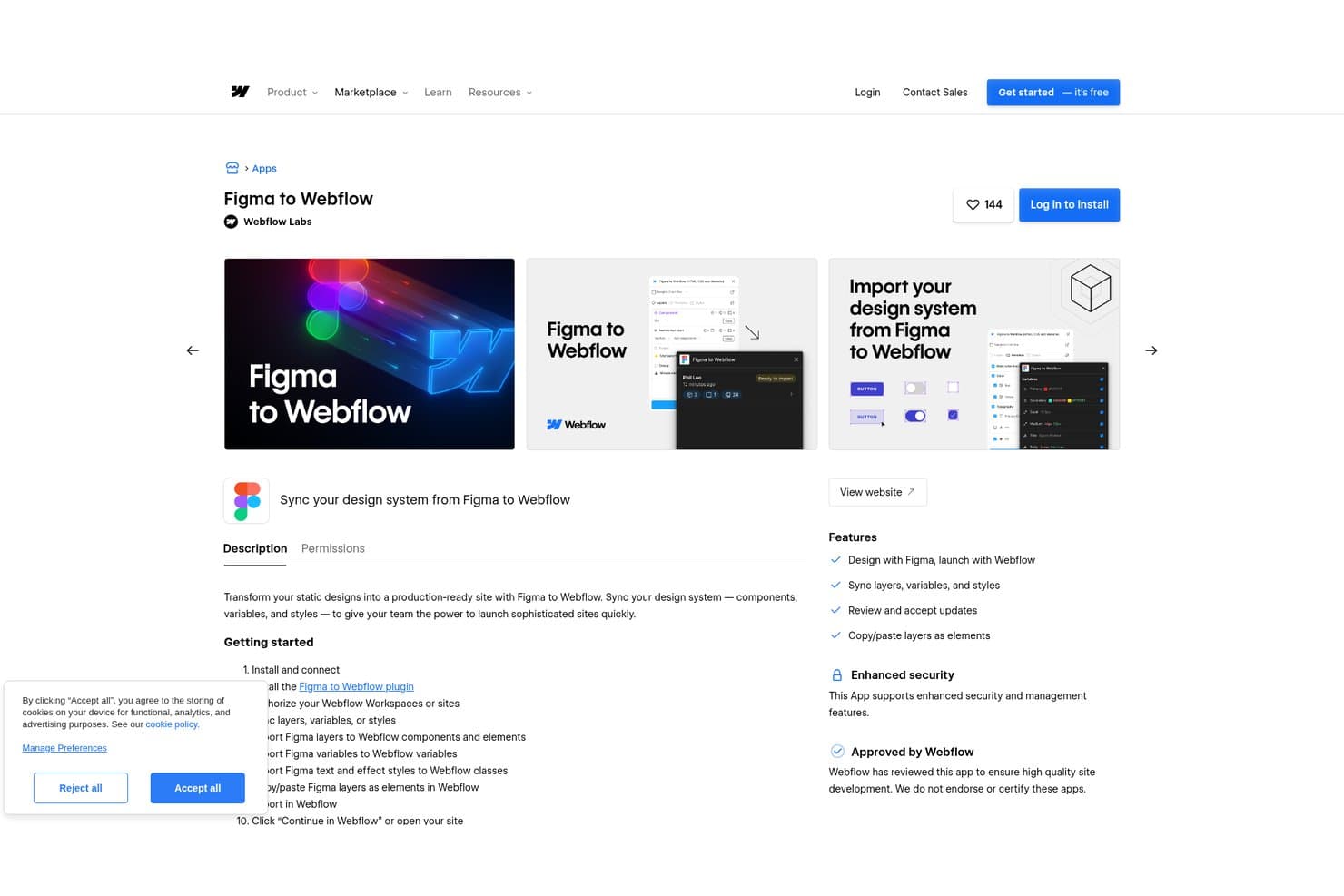
Mit Webflow können Nutzer Figma-Designsysteme direkt mit Webflow synchronisieren. Webflow ist eine visuelle Webdesign-Plattform für Produkt-, Marketing- und UX-Teams, die responsive Websites erstellen, Ideen testen und ausgereifte Erlebnisse veröffentlichen müssen, ohne auf die Übergabe an Entwickler angewiesen zu sein.
Für wen ist Webflow am besten geeignet?
Webflow eignet sich für Start-ups und schlanke Marketingteams, die ausgereifte, responsive Websites veröffentlichen müssen, ohne bei jeder Aktualisierung zusätzliche Entwicklungsarbeit zu verursachen.
Warum ich Webflow ausgewählt habe
Ich habe Webflow ausgewählt, weil es Website-Design ohne die Übergabe an Entwickler ermöglicht. Ich nutze die visuelle Arbeitsfläche, die Steuerelemente für responsive Layouts und wiederverwendbare Komponenten, um UX-Konzepte in ausgereifte, produktionsbereite Seiten umzusetzen. Die Interaktionen und das CMS helfen meinem Team, responsive Abläufe zu überprüfen und echte Inhalte direkt im Browser zu veröffentlichen.
Wichtige Funktionen von Webflow
- Formularübermittlungen: Antworten aus veröffentlichten Website-Formularen sammeln und verwalten.
- Einbettungen von benutzerdefiniertem Code: HTML, CSS und JavaScript zu unterstützten Website-Bereichen hinzufügen.
- SEO-Steuerelemente: Seitentitel, Meta-Beschreibungen, Slugs und Einstellungen für die Indexierung bearbeiten.
- Seitensuche: Durchsuchbare Inhaltsindizes zu veröffentlichten Websites hinzufügen.
Webflow-Integrationen
Webflow unterstützt Marktplatz-Integrationen mit Airtable, Google Docs und Google Workspace sowie Zapier. Außerdem bietet es eine Daten-API für benutzerdefinierte Integrationen, einschließlich CMS, Formularen, Assets, E-Commerce, Webhooks und der Veröffentlichung von Websites.
Pros and Cons
Pros:
- Produktionsbereite responsive Layouts verringern die Übergabe an Entwickler
- Das CMS ermöglicht das Testen von Designs mit echten Inhalten
- Vorschau von Interaktionen kommt veröffentlichten Websites näher
Cons:
- Layout-Steuerelemente erfordern ein Verständnis von CSS-Konzepten
- Begrenzte Möglichkeiten für freies Prototyping von App-Abläufen
Learn more about Webflow: Am besten für die Planung der Benutzeroberfläche vor der Übergabe an die Gestaltung geeignet
- Kostenloser Tarif verfügbar
- Ab $9/Benutzer/Monat (jährlich abgerechnet)
Visit WebsiteCustomer Rating:4.3/5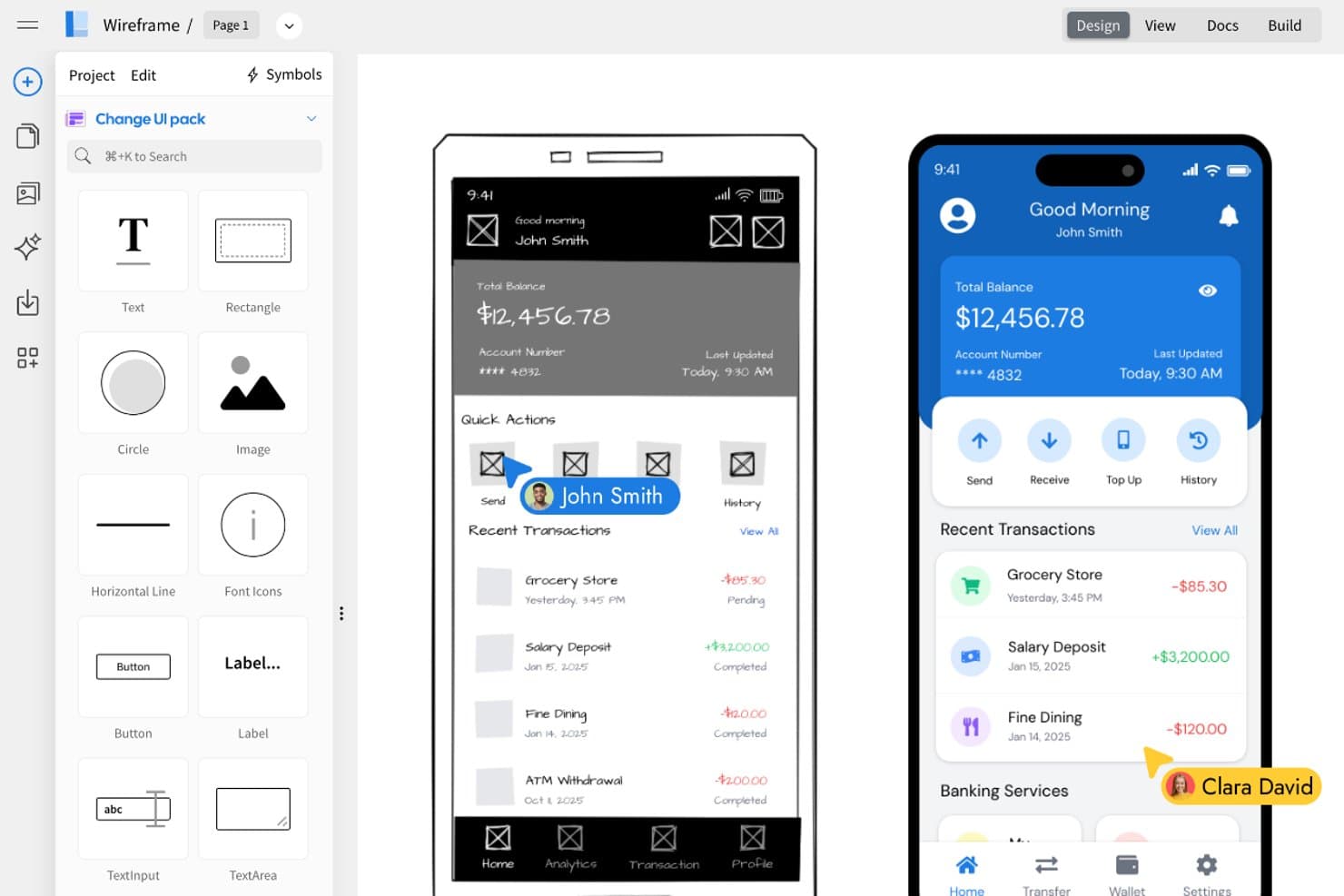
MockFlow ermöglicht es Benutzern, Drahtmodelle nebeneinander in ausgearbeitete Benutzeroberflächendesigns umzuwandeln. MockFlow ist ein kollaboratives Werkzeug für die Gestaltung von Benutzeroberflächen für Produktmanager, UX-Designer und Teams, die frühe Ideen in Drahtmodelle und Prototypen umwandeln müssen, ohne die umfassendere Designkomplexität von Figma.
Für wen ist MockFlow am besten geeignet?
Produktmanager und UX-Teams können MockFlow verwenden, um grobe Produktkonzepte vor der Übergabe an die Gestaltung und Entwicklung in kommentierte Drahtmodelle umzuwandeln.
Warum ich MockFlow ausgewählt habe
Ich habe MockFlow ausgewählt, weil mein Team es verwendet, um grobe Produktideen in strukturierte Drahtmodelle umzuwandeln, bevor die Gestaltung beginnt. Der Editor für Drahtmodelle und die Kommentierungswerkzeuge helfen uns dabei, Bildschirme, Interaktionen und offene Fragen in einem Arbeitsbereich zu dokumentieren. Anschließend können wir einen klickbaren Prototyp für Feedback teilen, bevor wir klarere Anforderungen an die Gestalter übergeben.
Wichtige Funktionen von MockFlow
- Vorlagen für Benutzeroberflächen: Projekte mit vorgefertigten Layouts für gängige Benutzeroberflächen starten.
- Komponentenbibliothek: Wiederverwendbare Benutzeroberflächenelemente zu Drahtmodellseiten hinzufügen.
- Seitenplan-Ersteller: Website-Seiten in einer visuellen Seitenstruktur organisieren.
- Exportoptionen: Designs in Formaten wie PDF und PNG herunterladen.
MockFlow-Integrationen
MockFlow bietet dokumentierte Integrationen mit Atlassian Jira, Atlassian Confluence, Google Drive, Google Docs, Slack, Microsoft Teams und Microsoft Word über Microsoft 365. Mit diesen Integrationen können Teams Drahtmodelle in ihren bestehenden Tools für Zusammenarbeit und Dokumentation erstellen, anhängen oder einfügen.
Pros and Cons
Pros:
- Schnelle Drahtmodelle verdeutlichen Produktanforderungen
- Kommentierte Abläufe unterstützen die Übergabe an die Gestaltung
- Seitenplan-Ersteller bildet die Informationsarchitektur ab
Cons:
- Die visuelle Detailtreue bleibt hinter ausgereiften Designwerkzeugen zurück
- Prototypeninteraktionen wirken vergleichsweise eingeschränkt
Learn more about MockFlow: Am besten geeignet für das Entwerfen mit produktionsreifen React-Komponenten
- Kostenloser Tarif + 14-tägige kostenlose Testversion verfügbar
- Ab $29/Benutzer/Monat (jährlich abgerechnet)
Visit WebsiteCustomer Rating:4.2/5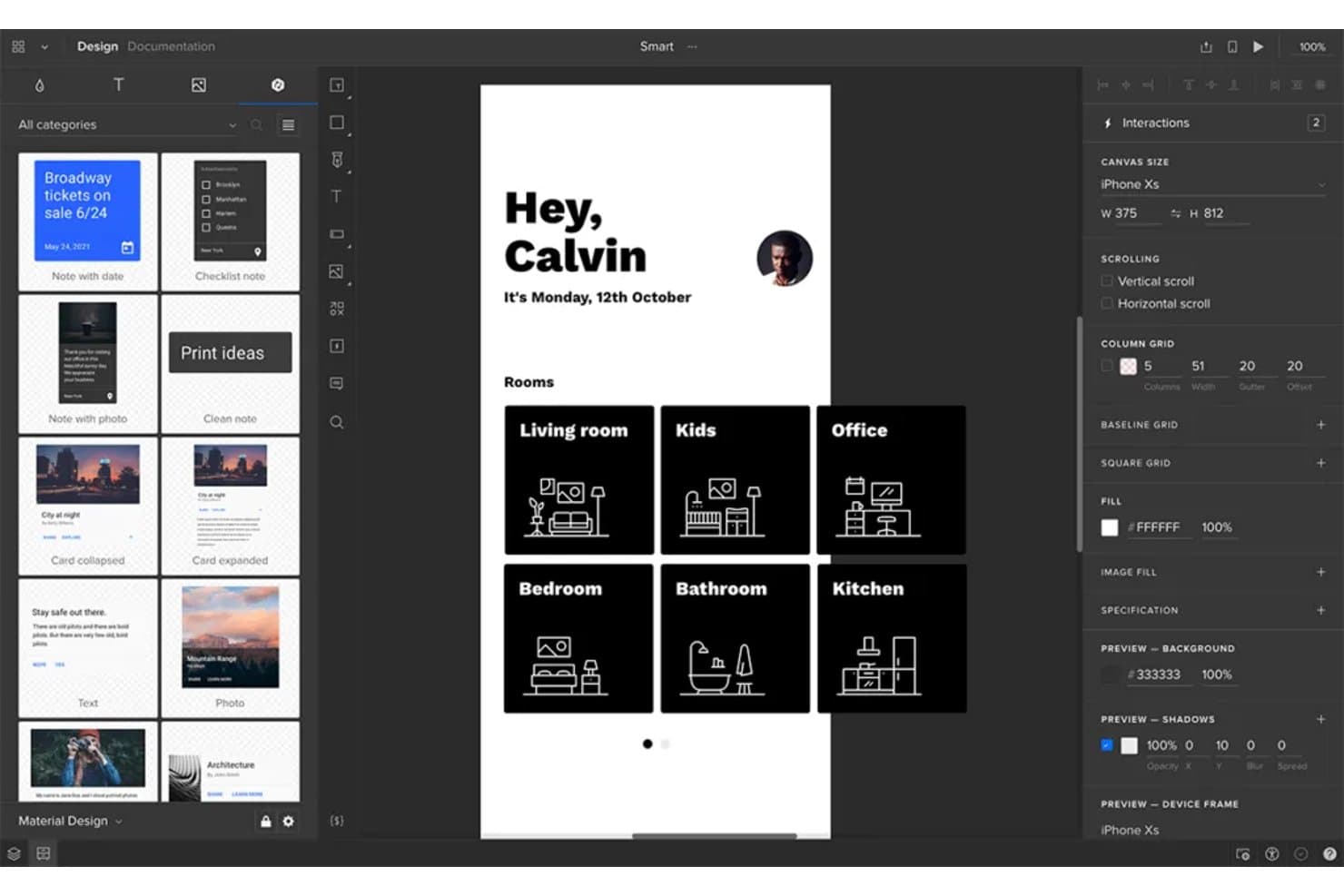
UXPin ermöglicht es Benutzern, Oberflächen für mobile Apps gemeinsam zu prototypisieren und zu entwerfen. UXPin ist eine UX-Designplattform für Produktteams, die hochwertige Benutzeroberflächen erstellen, testen und zur Übergabe bereitstellen müssen, während Designer, Entwickler und Stakeholder aufeinander abgestimmt bleiben.
Für wen ist UXPin am besten geeignet?
UXPin eignet sich für Produktteams, die gemeinsam mit Designern und Entwicklern Benutzeroberflächen mit produktionsreifen React-Komponenten erstellen müssen.
Warum ich mich für UXPin entschieden habe
Ich habe mich für UXPin entschieden, weil mein Team damit anstelle statischer Mockups mit produktionsreifen React-Komponenten entwerfen kann. Wir können codierte Komponenten, echte Eigenschaften und interaktive Zustände verwenden, um einen Checkout-Ablauf mit denselben UI-Bausteinen zu prototypisieren, die von den Entwicklern bereitgestellt werden. Dadurch konzentrieren sich Designprüfungen auf Verhalten und Implementierungsdetails.
Die wichtigsten Funktionen von UXPin
- Variablen: Benutzereingaben speichern und Werte in Prototypen wiederverwenden.
- Bedingte Interaktionen: Prototyp-Abläufe nach dem Muster Wenn-Dann und Wenn-Dann-Sonst erstellen.
- Automatisches Layout: Elemente innerhalb flexibler Layouts anordnen und in der Größe anpassen.
- Kommentare: Feedback direkt zu Designs und Prototypen hinzufügen.
Integrationen von UXPin
UXPin bietet dokumentierte Integrationen mit FullStory, Figma, Sketch, Git, Storybook, Jira, Adobe Fonts, Google Fonts und Slack. Die Git- und Storybook-Integrationen unterstützen das Entwerfen mit produktionsreifen React- und Webkomponenten, wodurch UXPin besonders für Teams nützlich ist, die Alternativen zu Figma prüfen.
Pros and Cons
Pros:
- Entwerfen mit produktionsreifen React-Komponenten
- Unterstützt Variablen und bedingte Prototyp-Logik
- Realistische Interaktionen vor der Entwicklung testen
Cons:
- Die Einrichtung von Komponenten erfordert die Einbindung von Entwicklern
- Die Arbeitsfläche wirkt weniger flüssig als in Figma
Learn more about UXPin: Am besten für interaktive Website-Prototypen geeignet
- Kostenloser Tarif verfügbar
- Ab $10/Monat (jährlich abgerechnet)
Visit WebsiteCustomer Rating:4.4/5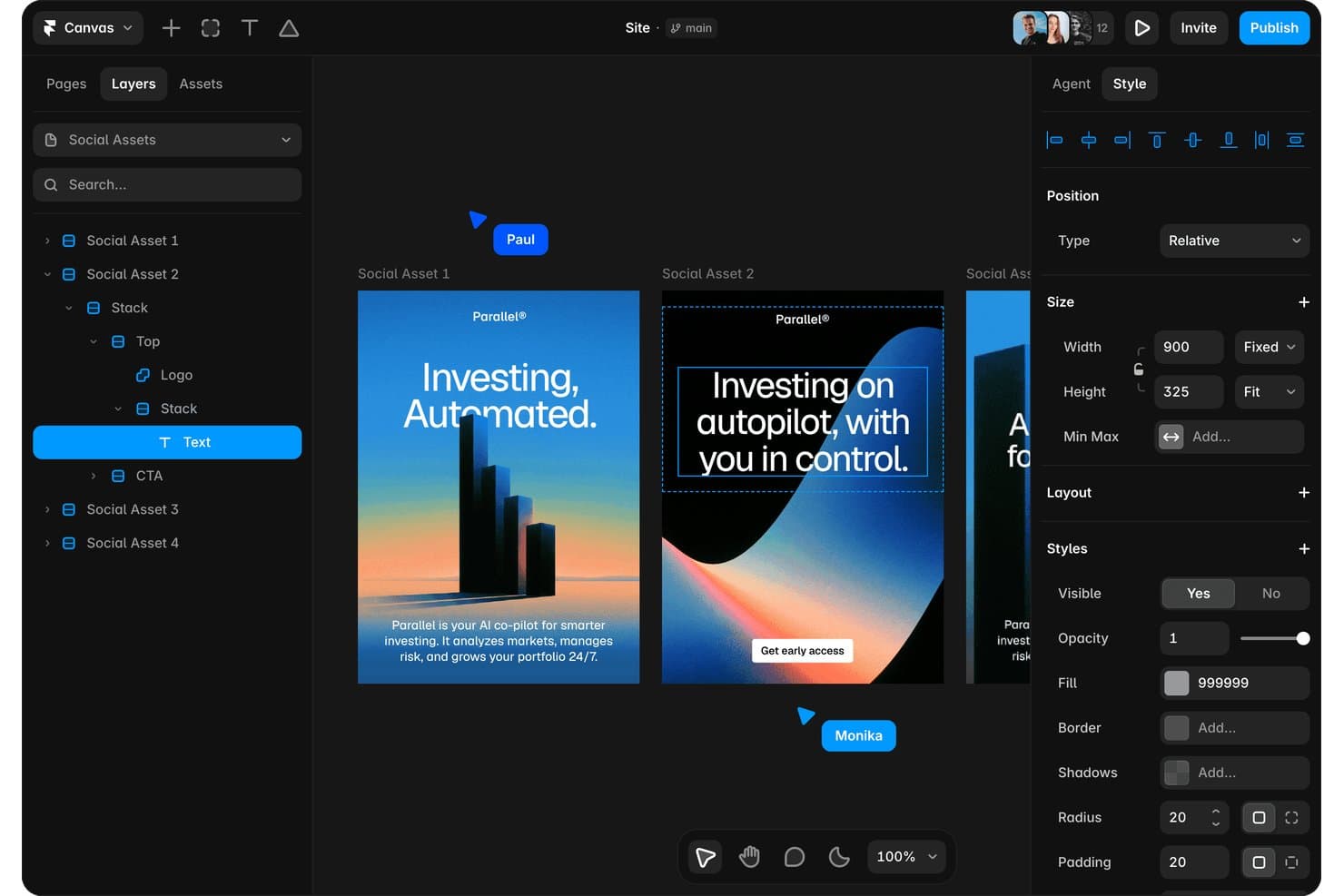
Mit Framer können Nutzer Social-Media-Assets visuell gestalten und bearbeiten. Framer ist eine visuelle Plattform für Website-Design und Prototyping für Produktdesigner und Marketingteams, die interaktive Erlebnisse erstellen, Ideen testen und ausgefeilte Websites veröffentlichen möchten, ohne zwischen verschiedenen Tools wechseln zu müssen.
Für wen ist Framer am besten geeignet?
Für Produktdesigner und Marketingteams, die responsive Websites prototypisieren und veröffentlichen müssen, ohne auf Entwickler angewiesen zu sein.
Warum ich mich für Framer entschieden habe
Ich habe mich für Framer entschieden, weil ich interaktive Website-Prototypen auf derselben visuellen Arbeitsfläche in veröffentlichte, responsive Seiten umwandeln kann. Ich verwende Breakpoints, um Layouts auf verschiedenen Bildschirmgrößen zu testen, und füge anschließend Scroll-Effekte, Hover-Zustände und Seitenübergänge für realistische Produktabläufe hinzu. So kann mein Team Marketing-Websites und Web-Erlebnisse validieren, bevor die Entwicklung beginnt.
Die wichtigsten Funktionen von Framer
- CMS-Sammlungen: Erstelle strukturierte Inhalte für Blogs, Fallstudien und andere Seiten.
- Lokalisierung: Übersetze Website-Inhalte und passe Seiten an verschiedene Regionen an.
- Formulare: Füge anpassbare Formulare hinzu, um Einsendungen von Besuchern zu erfassen.
- Komponenten: Erstelle wiederverwendbare Elemente mit gemeinsamen Eigenschaften und Varianten.
Framer-Integrationen
Framer bietet integrierte Integrationen mit Google Tag Manager, Formspark, Hotjar, HubSpot-Formularen, Intercom, Mailchimp, Marketo-Formularen, Meta Pixel, Typeform und Clay. Formspark unterstützt Slack, Zapier und Integromat, während Framer außerdem benutzerdefinierte Webhooks und eine Server-API für individuelle Integrationen bereitstellt.
Pros and Cons
Pros:
- Veröffentlicht responsive Prototypen ohne Übergabe an Entwickler
- Leistungsstarke Animationen, Übergänge und Scroll-Effekte
- Wiederverwendbare Komponenten unterstützen konsistente Seitensysteme
Cons:
- Weniger geeignet für das Prototyping nativer Apps
- Für fortgeschrittene Layouts können CSS-Kenntnisse erforderlich sein
 Am besten für logikgesteuerte No-Code-Prototypen geeignet
- 30-tägige kostenlose Testversion
- Ab $29/Benutzer/Monat (jährlich abgerechnet)
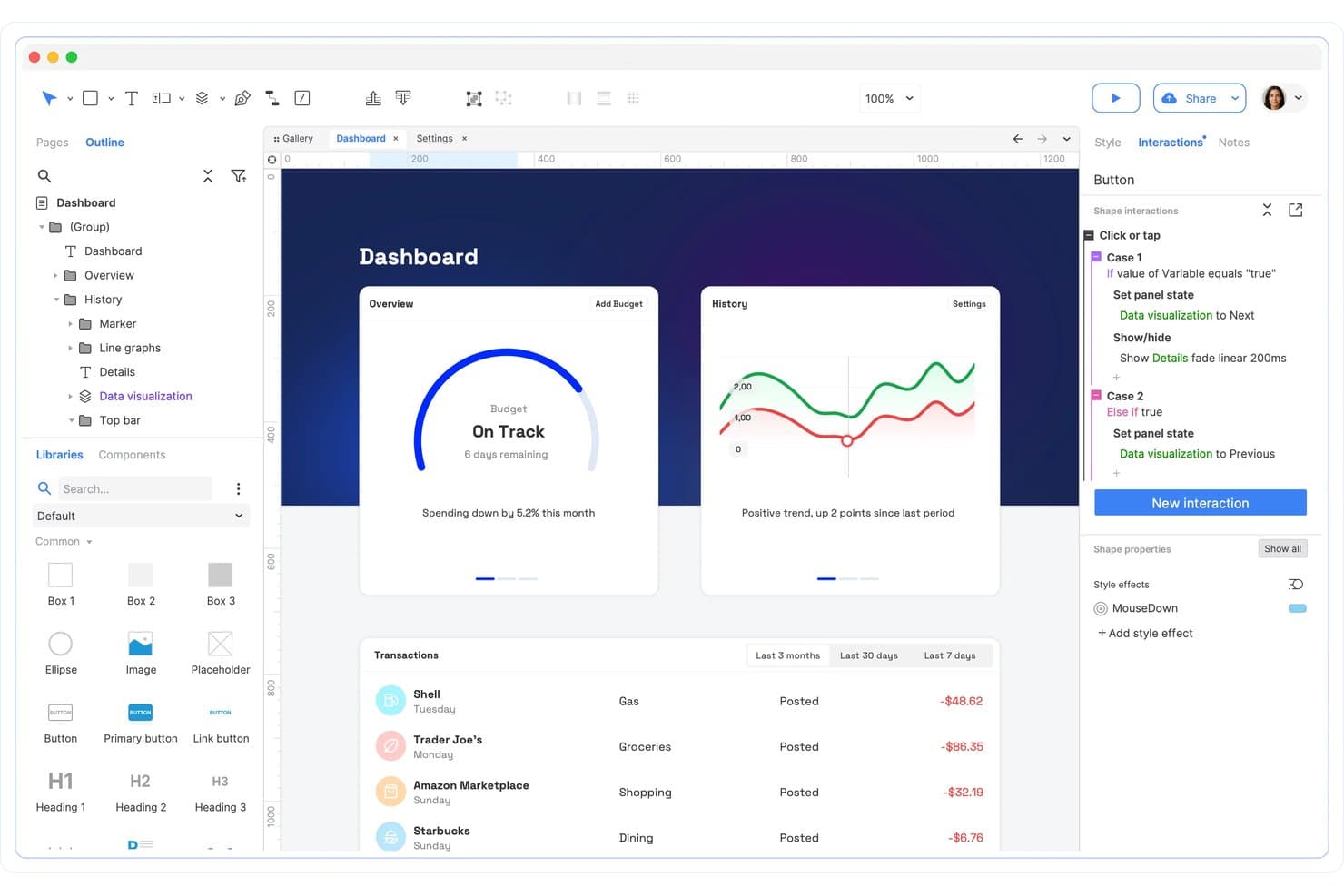
Axure RP unterstützt bedingte Interaktionen und die Logik von Bereichszuständen. Axure RP ist ein UX-Design- und Prototyping-Tool für Produktteams, die komplexe Benutzerabläufe abbilden, detaillierte Interaktionen testen und Stakeholder vor Beginn der Entwicklung aufeinander abstimmen müssen.
Für wen eignet sich Axure RP am besten?
UX-Designer und Produktteams, die bedingte Workflows, dynamische Benutzeroberflächen und detaillierte Benutzerinteraktionen vor der Entwicklung modellieren müssen.
Warum ich Axure RP ausgewählt habe
Ich habe Axure RP ausgewählt, weil es interaktionsintensive Produktkonzepte detaillierter abbilden kann, als Figma dies ermöglicht. Die bedingte Logik, Variablen und dynamischen Bereiche erlauben es meinem Team, verzweigte Onboarding-Abläufe, Berechtigungen und Formularvalidierungen ohne Code zu prototypisieren. Ich verwende es für logikgesteuerte No-Code-Prototypen, wenn Stakeholder realistische Workflows vor der Entwicklung durch das Engineering testen müssen.
Die wichtigsten Funktionen von Axure RP
- Adaptive Ansichten: Erstellen Sie Layouts für verschiedene Bildschirmgrößen und Ausrichtungen.
- Wiederholer: Erstellen Sie sortierbare und filterbare Listen aus wiederverwendbaren Datensätzen.
- Widget-Bibliotheken: Speichern und verwenden Sie benutzerdefinierte Benutzeroberflächenkomponenten projektübergreifend wieder.
- Prototyp-Notizen: Fügen Sie Anmerkungen, Anforderungen und Dokumentationen zu Interaktionen hinzu.
Integrationen von Axure RP
Axure RP bietet offizielle Integrationen mit Jira, Confluence, Slack und Microsoft Teams zum Einbetten von Prototypen und Teilen von Projektaktivitäten. Außerdem unterstützt es den Import von Design-Assets aus Figma, Sketch und Adobe XD über spezielle Plugins.
Pros and Cons
Pros:
- Bedingte Logik bildet verzweigte Workflows ab
- Wiederholer unterstützen sortierbare und filterbare Datenlisten
- Detaillierte Interaktionen validieren realistisches Formularverhalten
Cons:
- Das visuelle Design wirkt langsamer als in Figma
- Die Zusammenarbeit in Echtzeit bleibt hinter browserbasierten Wettbewerbern zurück
Learn more about Axure RP : Am besten für selbst gehostetes Open-Source-Design geeignet
- Kostenloser Tarif + 14-tägige kostenlose Testversion verfügbar
- Ab $7/Benutzer/Monat
Visit WebsiteCustomer Rating:4.5/5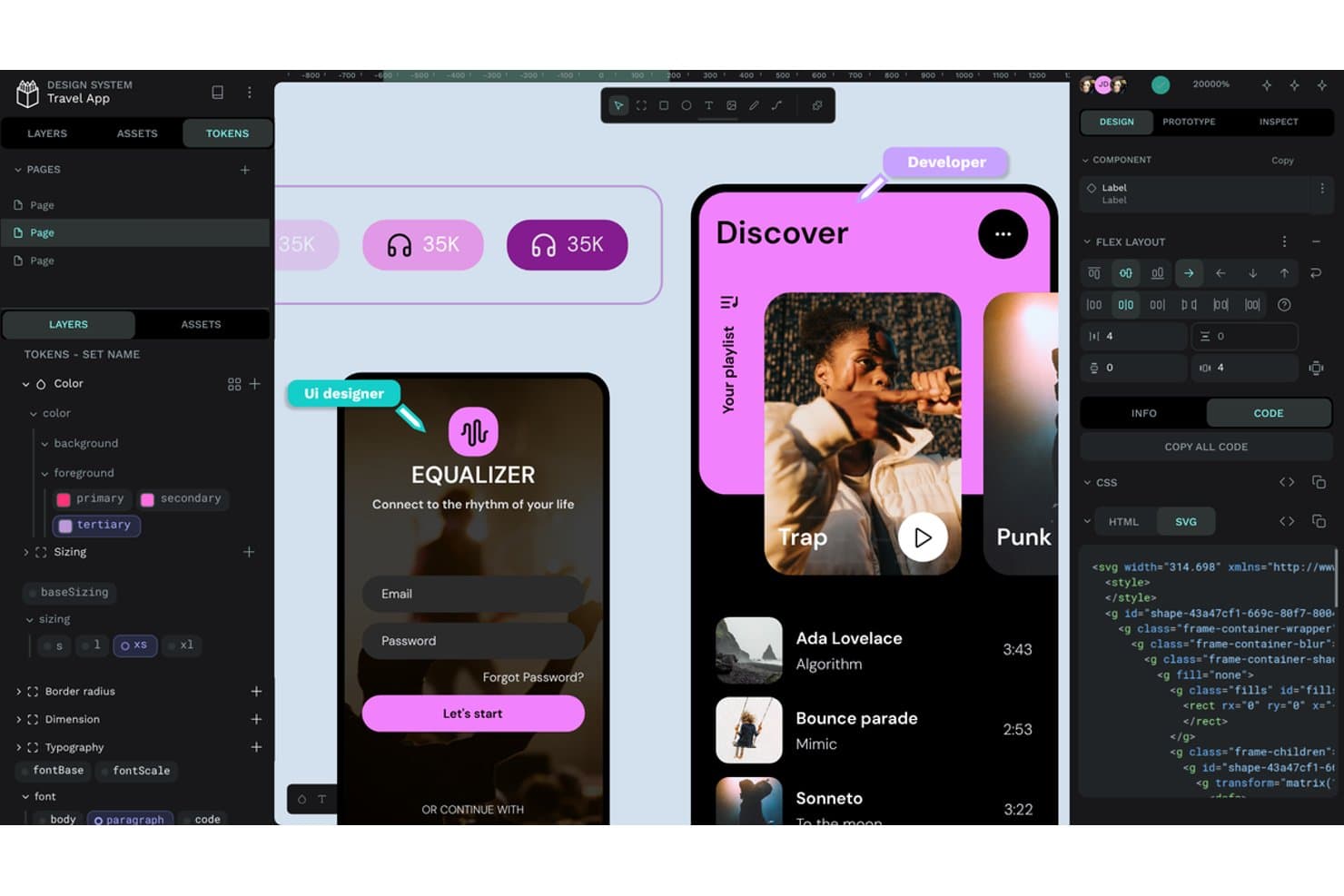
Penpot ermöglicht es Benutzern, Designtokens, CSS- und SVG-Code nebeneinander zu untersuchen. Penpot ist eine UX-Designplattform für Produktteams, die kollaboratives Wireframing, Prototyping und Designübergaben mit größerer Kontrolle über ihre Tools und Arbeitsabläufe benötigen.
Für wen ist Penpot am besten geeignet?
Penpot eignet sich für Produktteams, die eine Open-Source-Zusammenarbeit im Design benötigen und die Möglichkeit haben möchten, UX-Arbeitsabläufe auf ihrer eigenen Infrastruktur zu hosten.
Warum ich Penpot ausgewählt habe
Ich habe Penpot ausgewählt, weil es sich am besten für selbst gehostetes Open-Source-Design eignet. Ich kann es auf der Infrastruktur meines Teams bereitstellen, die Kontrolle über Projektdaten behalten und den Quellcode überprüfen. Die browserbasierten Arbeitsflächen, SVG-Arbeitsabläufe sowie die Unterstützung für CSS Grid und Flex Layout helfen meinem Team dabei, produktionsreife Benutzeroberflächen zu erstellen.
Die wichtigsten Funktionen von Penpot
- Komponenten: Erstelle wiederverwendbare Benutzeroberflächenelemente mit konfigurierbaren Eigenschaften und Varianten.
- Designtokens: Definiere wiederverwendbare Farben, Abstände, Typografie und andere Designwerte.
- Prototyping: Verbinde Bildschirme mit Interaktionen, Übergängen, Overlays und Animationen.
- Inspektionsmodus: Überprüfe Maße, Eigenschaften und Implementierungsdetails ausgewählter Objekte.
Penpot-Integrationen
Penpot verfügt über keine eindeutig dokumentierten nativen Integrationen mit Drittanbieter-Tools. Es unterstützt Plugins über PenpotHub oder direkte URLs sowie Webhooks zum Erstellen benutzerdefinierter Verbindungen mit anderen Diensten.
Pros and Cons
Pros:
- Selbst gehostete Bereitstellung hält Designdaten unter eigener Kontrolle
- CSS Grid und Flex Layout funktionieren direkt auf der Arbeitsfläche
- SVG-Arbeitsabläufe unterstützen eine entwicklerfreundliche Designübergabe
Cons:
- Große Dateien können merklich verzögert reagieren
- Einige Produktionsabläufe sind weniger ausgereift als bei Figma
Learn more about Penpot: Am besten für native macOS-Design-Workflows geeignet
- 30-tägige kostenlose Testversion
- Ab $12/Nutzer/Monat (jährlich abgerechnet)
Visit WebsiteCustomer Rating:4.5/5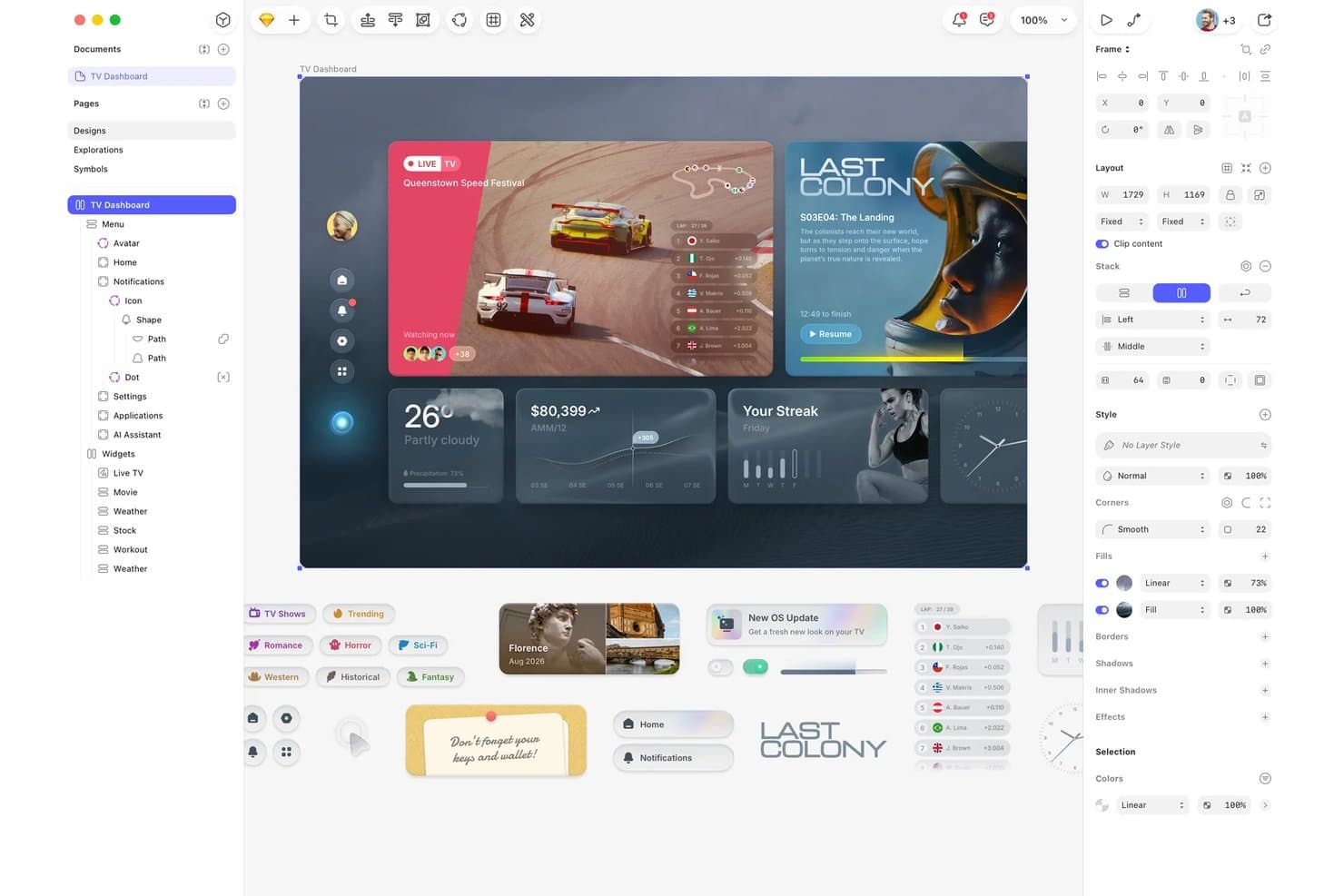
Sketch organisiert UI-Komponenten und Ebenen für das Design eines TV-Dashboards. Sketch bietet Produkt- und UX-Teams eine fokussierte Designplattform zur Erstellung von Benutzeroberflächen, Prototypen und Designsystemen und reduziert gleichzeitig Reibungsverluste bei der Zusammenarbeit zwischen Forschung, Design und Entwicklung.
Für wen ist Sketch am besten geeignet?
Sketch eignet sich für Produktdesigner und UX-Teams, die einen nativen macOS-Arbeitsbereich für Benutzeroberflächendesign, Prototyping und die Entwicklung von Designsystemen suchen.
Warum ich Sketch ausgewählt habe
Ich habe Sketch ausgewählt, weil die native macOS-App meinem Team einen fokussierten Arbeitsbereich für das Design von Benutzeroberflächen bietet. Wir verwenden Symbole, Komponenten und gemeinsam genutzte Bibliotheken, um konsistente Designsysteme über verschiedene Produktbildschirme hinweg zu pflegen. Die Prototyping- und Übergabefunktionen für Entwickler helfen uns, einen Mac-basierten Arbeitsablauf von den ersten Abläufen bis zur Implementierung fortzuführen.
Die wichtigsten Funktionen von Sketch
- Kommentare: Feedback direkt zu Designs hinzufügen und Diskussionsstränge auflösen.
- Versionsverlauf: Frühere Dokumentversionen überprüfen und vorherige Arbeiten wiederherstellen.
- Arbeitsbereichsberechtigungen: Steuern, wer Dokumente anzeigen, bearbeiten oder verwalten darf.
- Browserzugriff: Designs über die Web-App von Sketch öffnen, überprüfen und teilen.
Sketch-Integrationen
Sketch bietet über sein Erweiterungsökosystem Integrationen an, darunter Slack, Jira, Zeplin, ProtoPie, Principle, Frontify und Brandfolder. Außerdem stellt es eine offizielle JavaScript-API und eine Spezifikation des Dateiformats für benutzerdefinierte Integrationen bereit.
Pros and Cons
Pros:
- Die native macOS-Leistung wirkt schnell und reaktionsschnell
- Gemeinsam genutzte Bibliotheken unterstützen konsistente Designsysteme
- Die browserbasierte Inspektion hilft Entwicklern bei der Überprüfung von Designs
Cons:
- Die Mac-App schließt Designer aus, die Windows verwenden
- Die Echtzeit-Zusammenarbeit bleibt bei größeren Teams hinter Figma zurück
 10Am besten für die Übergabe von Design an Entwicklung mit KI-Programmieragenten geeignet
Zeplin
- Kostenloser Tarif verfügbar
- Ab $13.75/Projekt/Monat (jährlich abgerechnet)
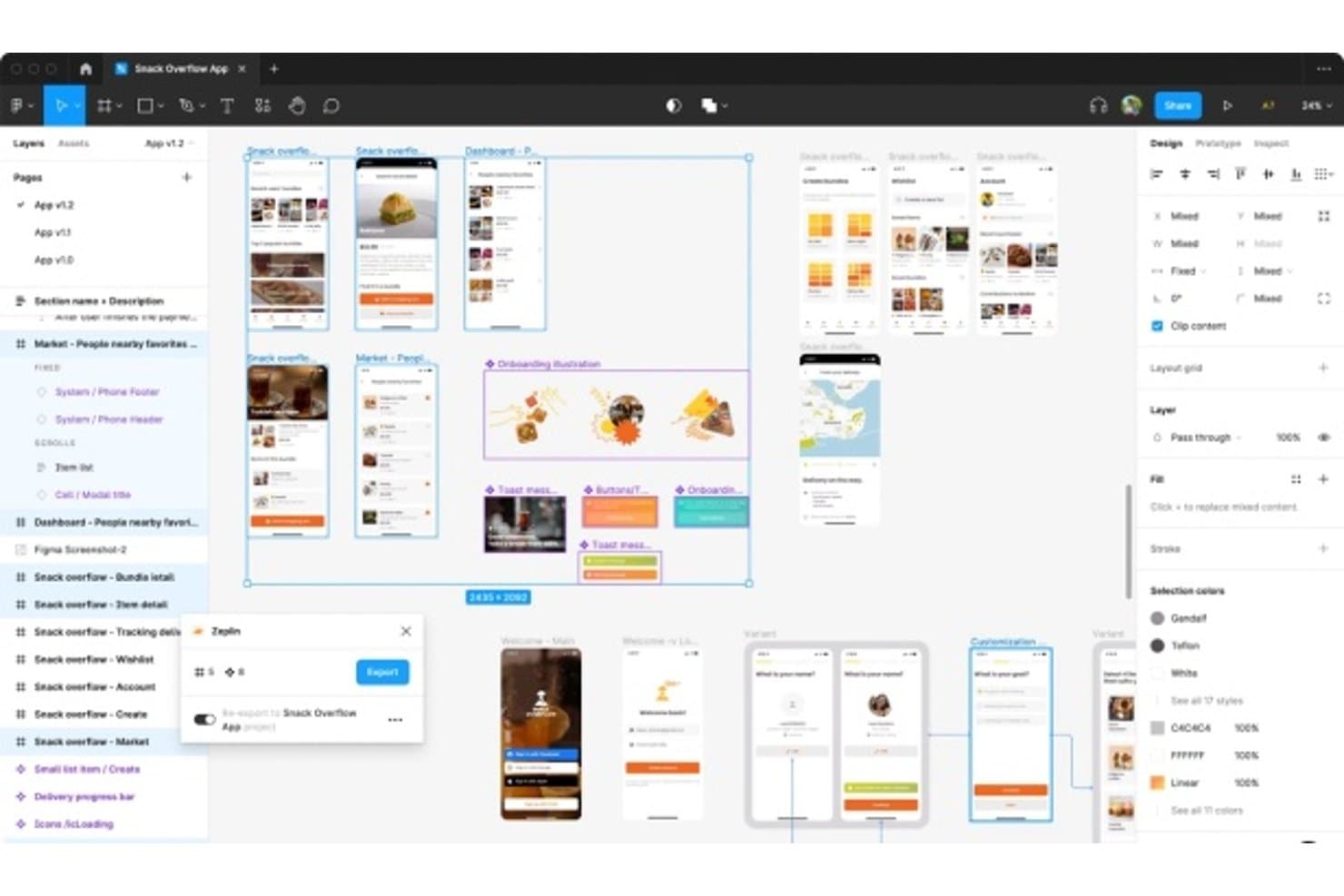
Zeplin verbindet Design und Entwicklung durch Exporte für die Übergabe. Für Produktteams, die nach einer Alternative zu Figma suchen, ist Zeplin eine Plattform für Designzusammenarbeit und Übergabe, die Designern, Entwicklern und Produktmanagern hilft, Spezifikationen, Assets und Kontext zu teilen, ohne die Abstimmung zu verlieren.
Für wen eignet sich Zeplin am besten?
Zeplin eignet sich für Produkt- und Entwicklungsteams, die Designkontext, Spezifikationen und Assets benötigen, um KI-Programmieragenten anhand freigegebener Designs anzuleiten.
Warum ich mich für Zeplin entschieden habe
Ich habe mich für Zeplin entschieden, weil es KI-Programmieragenten einen klaren Kontext aus freigegebenen Designs bietet. Mein Team nutzt die Designspezifikationen und exportierten Assets, um die Umsetzung anzuleiten, ohne sich ausschließlich auf Screenshots zu verlassen. Dadurch wird die Übergabe präziser, wenn Entwickler eine fertige Benutzeroberfläche in funktionierenden Code übersetzen müssen.
Wichtige Funktionen von Zeplin
- Designversionierung: Bildschirmaktualisierungen vergleichen und Änderungen über verschiedene Versionen hinweg prüfen.
- Designrichtlinien: Farben, Textstile, Abstände und Komponenten in gemeinsam genutzten Bibliotheken organisieren.
- Bildschirmanmerkungen: Notizen und Diskussionen direkt zu einzelnen Bildschirmen hinzufügen.
- Arbeitsablaufintegrationen: Projekte mit Tools wie Jira, Slack und Azure DevOps verbinden.
Zeplin-Integrationen
Zeplin bietet offizielle Integrationen mit Jira, Azure DevOps, Slack, Microsoft Teams, Storybook, Trello und VS Code sowie Integrationen zur Veröffentlichung von Designs für Figma, Sketch, Photoshop und Adobe XD. Außerdem stellt es eine API und Webhooks für benutzerdefinierte Arbeitsabläufe bereit, einschließlich MCP-Unterstützung für KI-Tools wie Claude, Cursor und VS Code.
Pros and Cons
Pros:
- Exportierte Spezifikationen unterstützen die Umsetzung über Screenshots hinaus
- Bildschirmanmerkungen halten Designentscheidungen direkt am jeweiligen Bildschirm fest
- Versionsvergleiche verdeutlichen freigegebene Änderungen an der Benutzeroberfläche
Cons:
- Unterstützt in erster Linie die Übergabe nach Abschluss des Designs
- Für die Erstellung ist ein separates Designtool erforderlich
Learn more about Zeplin:
Weitere Figma-Alternativen
Hier sind einige weitere Figma-Alternativen, die es nicht in meine Auswahlliste geschafft haben, aber dennoch einen Blick wert sind:
- 11ProtoPieAm besten für die Prototypisierung von Interaktionen auf mehreren Geräten geeignet
- 12InfragisticsAm besten für die Übergabe von Design an Code über mehrere Frameworks hinweg
- 13JustinmindAm besten für funktionale Prototypen mit Gebrauchstauglichkeitstests
- 14LunacyAm besten für ein Design mit Offline-First-Ansatz und privater Cloud
- 15MarvelAm besten geeignet für Prototypen ohne Code und ohne Designkenntnisse
- 16MiroAm besten für kollaboratives Whiteboarding in Echtzeit geeignet
- 17Adobe XDAm besten für in Creative Cloud integrierte Design-Arbeitsabläufe geeignet
- 18Brilliant.designIdeal für eine KI-native Übergabe von Design zu Code
Wie ich Figma-Konkurrenten bewerte
Ich teile meine Bewertung in drei Bereiche auf. Die Kernfunktionen haben das größte Gewicht: Ein Tool muss es ermöglichen, Benutzeroberflächen zu entwerfen und interaktive Prototypen zu erstellen. Danach suche ich nach herausragenden Funktionen wie KI-gestützter Layouterstellung oder integriertem Nutzertesten. Darüber hinaus berücksichtige ich das Preismodell und die Verständlichkeit der Einarbeitung.
Kernfunktionen (Grundvoraussetzungen für diese Liste)
Bei der Auswahl der Tools für meine Liste bewerte ich jedes einzelne für jede der unten aufgeführten Kernfunktionen auf einer Skala von 0 (bietet die Funktion nicht an) bis 5 (ist in diesem Bereich hervorragend). Anschließend wandle ich die Gesamtpunktzahl in einen Prozentsatz um, um die allgemeine Eignung jedes Tools besser beurteilen zu können, wobei Funktionen, die ich als unverzichtbar eingestuft habe, zusätzlich gewichtet werden.
- Oberflächendesign & Prototyping (unverzichtbar): Ich achte auf verknüpfte Bildschirme, realistische Übergänge und Interaktionszustände, die das Testen vollständiger Nutzerabläufe vor der Entwicklung ermöglichen.
- Echtzeit-Zusammenarbeit (unverzichtbar): Ich bewerte gleichzeitiges Bearbeiten, Anwesenheitsindikatoren und kontextbezogene Zusammenarbeit während Designprüfungen mit Produkt- und Entwicklungsteams.
- Designsysteme & Komponenten: Gemeinsame Komponenten, Varianten, Stile und Bibliotheksaktualisierungen sollten eine konsistente Benutzeroberfläche über Produkte und Projekte hinweg unterstützen.
- Übergabe an die Entwicklung: Ich prüfe, ob Entwickler Maße, Gestaltungsvariablen, Zustände und exportierbare Gestaltungselemente aus dem freigegebenen Design untersuchen können.
- Versionsverlauf & Dateiverwaltung: Ich bewerte benannte Versionen, durchsuchbare Dateien und Wiederherstellungsoptionen, wenn ein Team eine frühere Ausrichtung erneut aufgreift.
- Kommentare & Feedback: Kommentare mit Thread-Funktion auf Elementebene sollten Verantwortliche für Reviews, Statusänderungen und Entscheidungen unterstützen, die an bestimmte Bildschirme gebunden sind.
Sobald ich eine Liste von Tools habe, die die Kriterien erfüllen, prüfe ich, wodurch sich die einzelnen Plattformen voneinander unterscheiden.
Unterscheidungsmerkmale (wodurch sich Anbieter abheben)
So vergleiche ich verschiedene Anbieter miteinander:
Herausragende Funktionen
KI-gestützte Designgenerierung ist ein wichtiger Faktor. Ich bewerte, ob ein Tool eine Texteingabe in ein nutzbares Layout umwandeln kann, denn dadurch verkürzt sich die frühe Ideenfindung von Stunden auf Minuten – besonders wenn ein PM schnell Konzepte für eine Abstimmung mit Interessengruppen benötigt. Integriertes Nutzertesten ist ebenfalls wichtig. Mit Tools wie UXPin können Sie Rückmeldungen zur Benutzerfreundlichkeit direkt im Prototyp sammeln, wodurch der Aufwand entfällt, Bildschirme in eine separate Forschungsplattform zu exportieren. Ich achte auch auf die Offline-Leistung von Desktop-Anwendungen, da Teams mit strengen Regeln zur Datenresidenz oder unzuverlässiger Verbindung vollständige Bearbeitungsmöglichkeiten ohne Browser benötigen.
Über die Funktionen hinaus
Das Preismodell ist sehr wichtig. Ich prüfe, ob Personen ohne Design-Hintergrund kostenlose oder kostengünstige Lesezugänge erhalten, denn ein Tool, das für jeden PM und Entwickler, der lediglich Kommentare hinterlassen muss, den vollen Preis berechnet, kann Ihr Budget schnell sprengen. Die Integrationstiefe ist ebenso wichtig – ich suche nach direkten Anbindungen an Jira, Linear oder Notion, damit Designentscheidungen ohne manuelles Kopieren und Einfügen mit den Anforderungen verknüpft bleiben. Außerdem bewerte ich die Unternehmenssteuerung, insbesondere SSO, SCIM-Bereitstellung und Prüfprotokolle, da wachsende Teams Administrationsfunktionen benötigen, die mit der Mitarbeiterzahl skalieren.
Die wichtigsten Funktionen von Figma
Hier sind einige der wichtigsten Funktionen von Figma, die Ihnen dabei helfen, die Angebote alternativer Lösungen gegenüberzustellen und zu vergleichen:
- Zusammenarbeit in Echtzeit: Mehrere Benutzer können gleichzeitig am selben Design arbeiten, was Teamarbeit und Kommunikation verbessert.
- Automatisches Layout: Unterstützt responsives Design, indem Elemente je nach verfügbarem Platz automatisch in der Größe angepasst und neu positioniert werden.
- Designsysteme: Unterstützen die Erstellung und Verwaltung wiederverwendbarer Komponenten und Stile für ein konsistentes Erscheinungsbild in verschiedenen Projekten.
- Werkzeuge für die Prototyperstellung: Ermöglichen Designern, interaktive Prototypen zu erstellen, um Benutzerabläufe und Interaktionen zu visualisieren.
- Versionskontrolle: Protokolliert Änderungen am Design, sodass Benutzer bei Bedarf zu früheren Versionen zurückkehren können.
- KI-Funktionen: Figma bietet mehrere KI-Funktionen, von Texterstellung über Bildgenerierung bis hin zur Verbesserung der Auflösung.
- Plugins und Integrationen: Bietet eine Vielzahl von Plugins zur Erweiterung des Funktionsumfangs und zur Integration mit anderen Tools.
- FigJam: Ein virtuelles Whiteboard für Workshops und Brainstorming-Sitzungen, das die gemeinsame kreative Arbeit unterstützt.
- Plattformübergreifende Kompatibilität: Funktioniert sowohl auf Mac als auch auf Windows und ist dadurch für verschiedene Benutzer vielseitig einsetzbar.
- Intelligente Auswahl: Ermöglicht umfassende Anpassungen an mehreren Designelementen und beschleunigt sich wiederholende Aufgaben.
- UI-Kits: Stellen eine Bibliothek vorgefertigter Komponenten und Stile für die schnelle Erstellung von Mock-ups bereit.