

Bu kadar çok farklı ücretsiz prototipleme seçeneği varken hangisinin sizin için doğru olduğunu belirlemek zordur. Tasarım aşamasında ürünlerin etkileşimli ve görsel temsillerini oluşturmak ve ürün geliştirme sürecinde maliyetli yeniden çalışmalardan kaçınmak için tüm temel özelliklere ihtiyacınız var; ancak yine de sınırlı bir bütçeye bağlı kalmanız gerekiyor. Size yardımcı olabilirim! Bu yazıda, kısıtlı bir bütçeyle birden fazla ücretsiz aracı daha büyük ekiplerle ve düzinelerce ürün lansmanında kullanma deneyimlerimi paylaşarak, en iyi ücretsiz prototipleme araçları arasından seçim yapmanızı kolaylaştıracağım.
Why Trust Our Software Recommendations
6,700+
Reviews
20
Industry experts
16+
Evaluation factors
14
Years
Our team has been testing and reviewing software since 2012. As product managers ourselves, we know how difficult—and important—it is to choose the right software.
For this guide, we evaluated tools using hands-on testing and independent research, scoring tools using our selection criteria.
Our reviews reflect our human editorial judgment, not a sales pitch.
Expert reviewers:
- Andrew LumbySenior TPM
- Cristiano ValimSenior UI/UX Lead


Ücretsiz Prototipleme Araçları Karşılaştırma Tablosu
Kısa listeme giren araçların her biri için temel maliyetler şunlardır:
Score legend (out of 5)
- Excellent4.5–5
- Good4–4.4
- Average3–3.9
- Below average2–2.9
- Poor1–1.9
Sorted by: Default
| Tool | Starting Price | Website | |||||||
|---|---|---|---|---|---|---|---|---|---|
Best for UX flows grounded in real product context | 1.8 out of 5 | 2 | 1 | 2 | 1 | 2 | 3 | $16/month Free plan available | Website |
Best for AI-powered prototyping workflows | 3.0 out of 5 | 3 | 3 | 2 | 4 | 3 | 3 | $8/user/month Free plan + 14-day trial available | Book Demo |
Best for infinite canvas brainstorming | Not rated | 2 | Not rated | 1 | 5 | 3 | 2 | $9/user/month Free plan + 7-day trial + demo available | Website |
Best for prototyping without a design background | 3.3 out of 5 | 3 | 3 | 3 | 4 | 3 | 4 | $4.95/user/month Free plan + 30-day free trial + free demo available | Website |
Best for prototyping with 4,000+ UI components | 3.2 out of 5 | 5 | 3 | 2 | 2 | 4 | 3 | $19/user/month Free plan + 10-day trial available | Website |
For designers who follow the latest trends | 4.5 out of 5 | 5 | 4 | 5 | 5 | 4 | 4 | $3/user/month Free plan available | Website |
Best for non-designers who prototype with AI | 3.3 out of 5 | 4 | 1 | 3 | 4 | 4 | 4 | $14/user/month Free plan available | Website |
Best for prototyping with coded components | 3.7 out of 5 | 4 | 3 | 5 | 2 | 4 | 4 | $49/user/month Free plan + 14-day free trial + demo available | Website |
Best for open-source design and dev handoff | 3.3 out of 5 | 4 | 2 | 3 | 4 | 3 | 4 | $7/user/month Free plan + 14-day free trial + free demo available | Website |
Best for no-code logic and gesture-rich prototypes | 4.3 out of 5 | 3 | 5 | 5 | 3 | 5 | 5 | $24/user/month 15-day free trial | Website |


En İyi Ücretsiz Prototipleme Araçları İncelemesi
Aşağıda, kısa listeme giren en iyi ücretsiz prototipleme araçlarının ayrıntılı özetlerini bulabilirsiniz. İncelemelerim, sizin için en iyi aracı bulmanıza yardımcı olmak amacıyla her aracın temel özelliklerine, artılarına ve eksilerine, entegrasyonlarına ve ideal kullanım alanlarına ayrıntılı bir bakış sunuyor. Bu araçlardan bazıları tamamen ücretsiz bir sürüm sunarken bazıları ücretsiz deneme süresi sunuyor. İncelemelerimin her birinde nelerin ücretsiz olduğuna dair bir not ekledim.

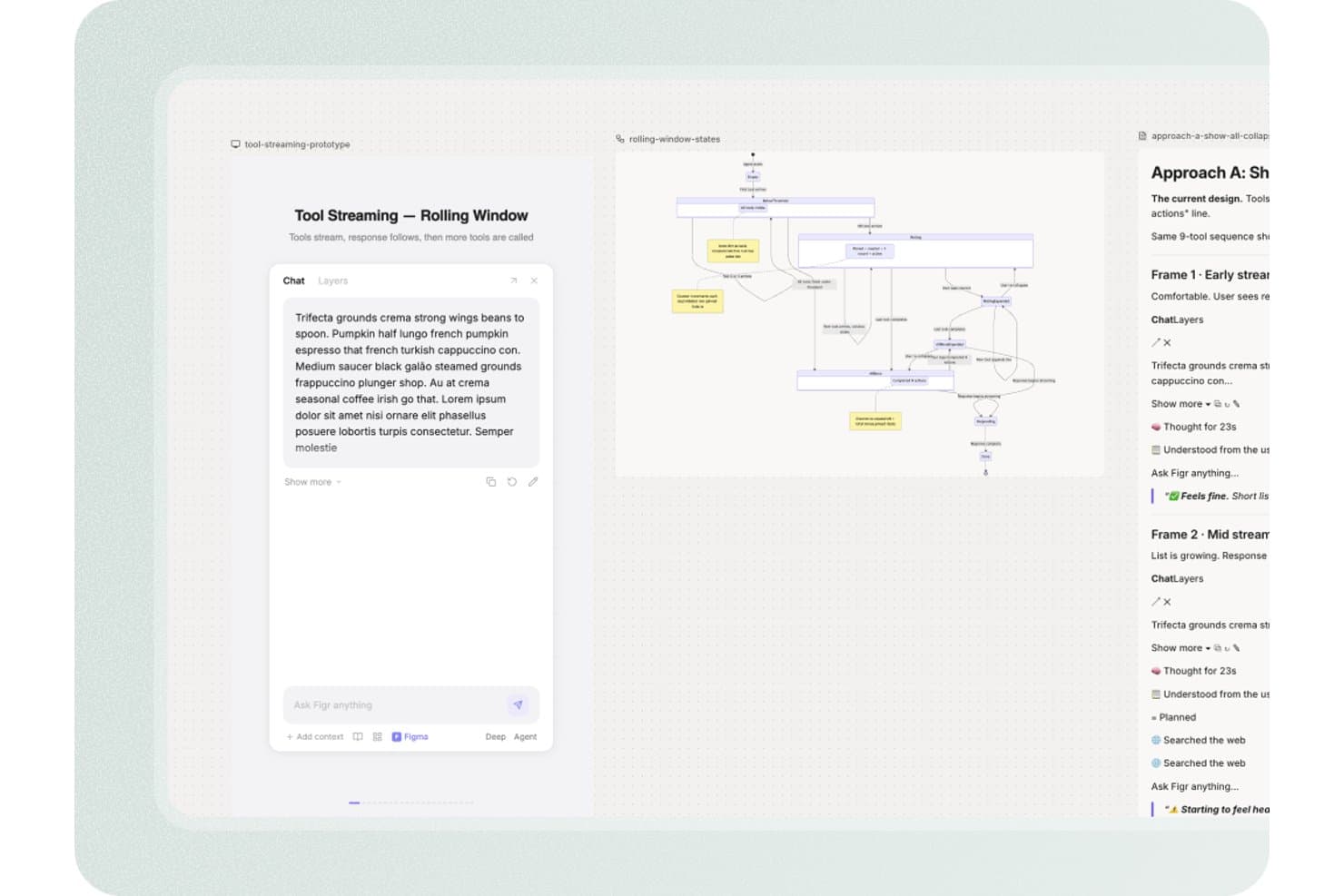
Figr offers a tool streaming rolling window prototype interface with a chat panel, state diagram, and design approach documentation for product design workflows. Figr is an AI-assisted prototyping and product design platform that turns PRDs, live product context, analytics, code, and Figma systems into UX flows, high-fidelity screens, interactive prototypes, edge-case maps, and UX reviews.
Who Is Figr Best For?
Figr suits product managers and startup founders who need to turn PRDs and live product context into UX flows without a dedicated design team.
Why I Picked Figr
I picked Figr because it is best for UX flows grounded in real product context. I use its Live Product Capture and Context Pods to connect existing screens, PRDs, analytics, and code before generating a flow. Its UX reasoning also maps edge cases and links requirements to high-fidelity prototypes, helping my team review product scenarios before development.
Figr Key Features
- Figma sync: Import and export designs between Figr and Figma.
- Analytics CSV uploads: Add product data as CSV files for design input.
- Version history: Review earlier work with 24 hours of history on Free.
- Image exports: Download screens as PNG or JPG files.
Figr Integrations
Figr offers native two-way integration with Figma. It also supports Chrome-based live product capture, Storybook and GitHub through Enterprise custom integrations, plus custom MCPs from Starter.
What's Free?
Figr has a free-forever plan with 10 monthly credits and no paid seats. It limits you to three canvases, one read-only Context Pod, 24-hour version history, and Figma or PNG exports.
Pros and Cons
Pros:
- Helps PMs create high-fidelity concepts
- Links PRDs to edge cases
- Grounds flows in real product context
Cons:
- Manual canvas controls remain limited
- Interactive behavior remains poorly documented
Learn more about Figr: 2Best for AI-powered prototyping workflows
Miro
- Free plan + 14-day trial available
- From $8/user/month (billed annually)
Visit WebsiteCustomer Rating:4.8/5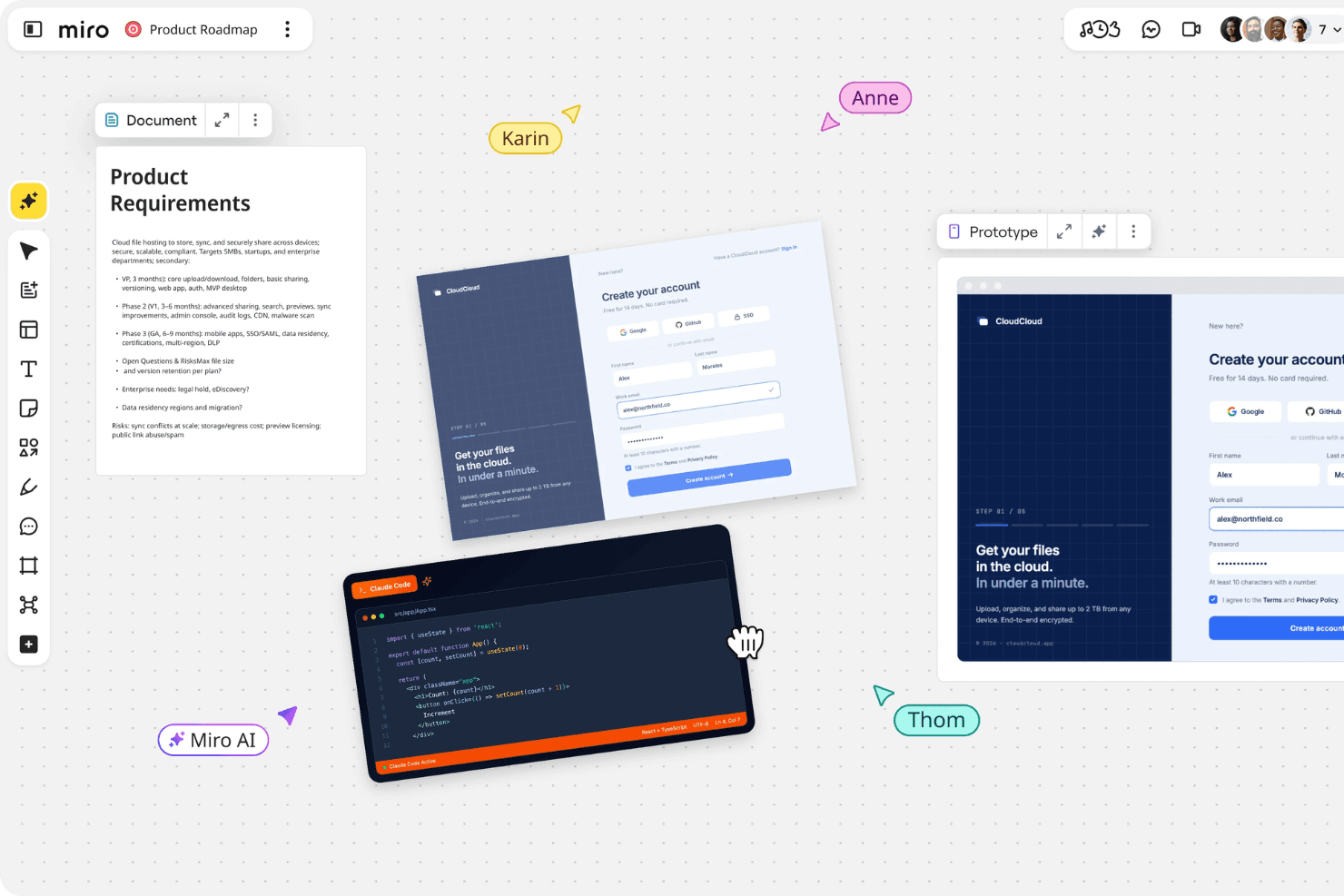
Miro brings product planning, design, and team collaboration together in one shared workspace. Miro is a prototyping and collaborative whiteboard platform that turns prompts, screenshots, sketches, and PRDs into editable, clickable flows alongside canvas-based wireframes, comments, templates, and stakeholder annotations.
Who Is Miro Best For?
Product managers and startup founders who need to turn rough ideas into low-fidelity clickable flows and align stakeholders quickly.
Why I Picked Miro
I picked Miro for AI-powered prototyping workflows because I can turn PRDs, sketches, screenshots, or sticky notes into editable, clickable flows. I use Explore to compare screen variations and Validate to identify usability gaps before testing. Comments and annotations stay beside the prototype, giving product teams one shared space for critique and iteration.
Miro Key Features
- Infinite canvas: Drag, drop, resize, layer, and edit prototype elements on a flexible workspace.
- Public preview links: Share prototypes for no-account viewing and commenting.
- Real-time co-editing: Work together with comments, reactions, and voting.
- Template library: Choose from more than 7,000 community and Miro templates.
Miro Integrations
Miro supports 250+ integrations, including Jira, Linear, Confluence, Notion, Slack, Microsoft, Google, and Adobe. Business adds two-way Jira and Linear sync, while the MCP server connects Claude, Cursor, and Copilot for developer handoff.
What's Free?
Miro offers a free-forever plan with unlimited team members and three editable boards; additional boards remain view-only unless they become one of the three most recent. It includes 10 AI credits per month, but excludes private board sharing, visitor editing, and guest access.
Pros and Cons
Pros:
- Offers mobile, desktop, and tablet concepts
- Keeps stakeholder feedback beside prototypes
- Turns rough notes into clickable flows
Cons:
- Interactions stop at basic navigation
- Core prototyping sits outside free access
 Best for infinite canvas brainstorming
- Free plan + 7-day trial + demo available
- From $9/user/month (billed annually)
Visit WebsiteCustomer Rating:4.5/5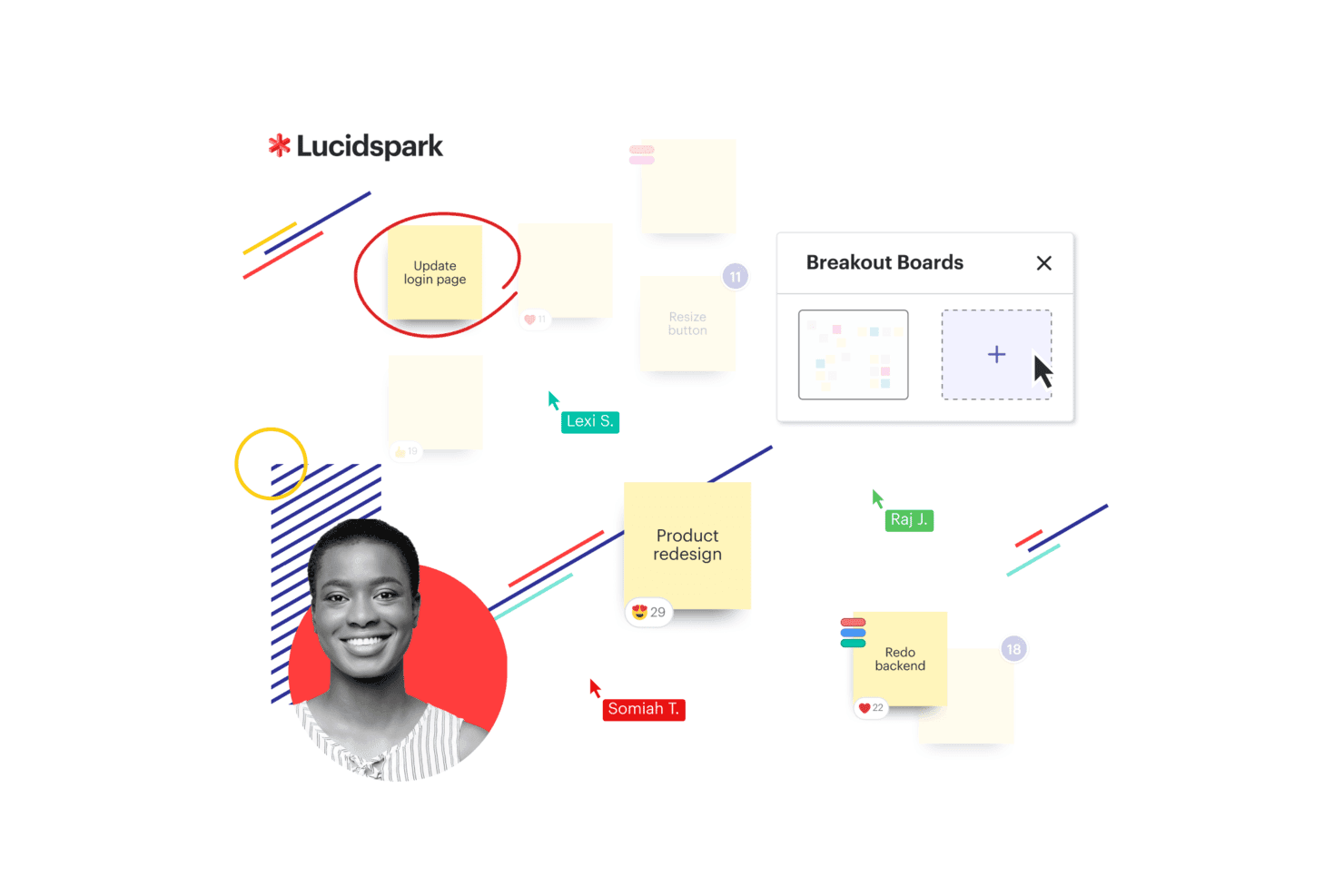
Lucidspark presents a Kanban board with workflow columns and task cards to help teams organize and track work visually. Lucidspark is a collaborative whiteboard for product design ideation, combining an infinite canvas with frames, templates, sticky notes, freehand drawing, presentation mode, and basic frame-to-frame links rather than full interactive prototyping.
Who Is Lucidspark Best For?
Product managers and startup founders who need a collaborative canvas for early discovery, brainstorming, and stakeholder alignment.
Why I Picked Lucidspark
I picked Lucidspark because it is Best for infinite canvas brainstorming when product ideas are still taking shape. Frames, sticky notes, and templates help my team map user flows, cluster research themes, and sketch rough concepts together. I also use frame links and presentation mode to walk stakeholders through early flows, though it suits discovery better than interactive prototype testing.
Lucidspark Key Features
- Lucid AI: Generates ideas, groups themes, and summarizes sessions.
- Visual Activities: Provides voting and structured feedback exercises.
- Lucid Cards: Connects ideas to Jira and Azure DevOps work items.
- Guest collaboration: Lets people contribute without a Lucid account.
Lucidspark Integrations
Lucidspark offers 100+ purpose-built integrations, including Jira and Azure DevOps through Lucid Cards, plus marketplace integrations such as Okta and GRID. Its developer platform supports custom integrations.
What's Free?
Lucidspark has a free-forever plan with three editable boards, unlimited shapes, Lucid AI, and basic Visual Activities. Paid plans unlock unlimited boards, premium Visual Activities, and additional collaboration features.
Pros and Cons
Pros:
- Templates help non-designers sketch concepts
- Live voting captures stakeholder feedback
- Infinite canvas supports early flow mapping
Cons:
- No device previews or reusable components
- Frame links replace true interactions
Learn more about Lucidspark: Best for prototyping without a design background
- Free plan + 30-day free trial + free demo available
- From $4.95/user/month (billed annually)
Visit WebsiteCustomer Rating:4.5/5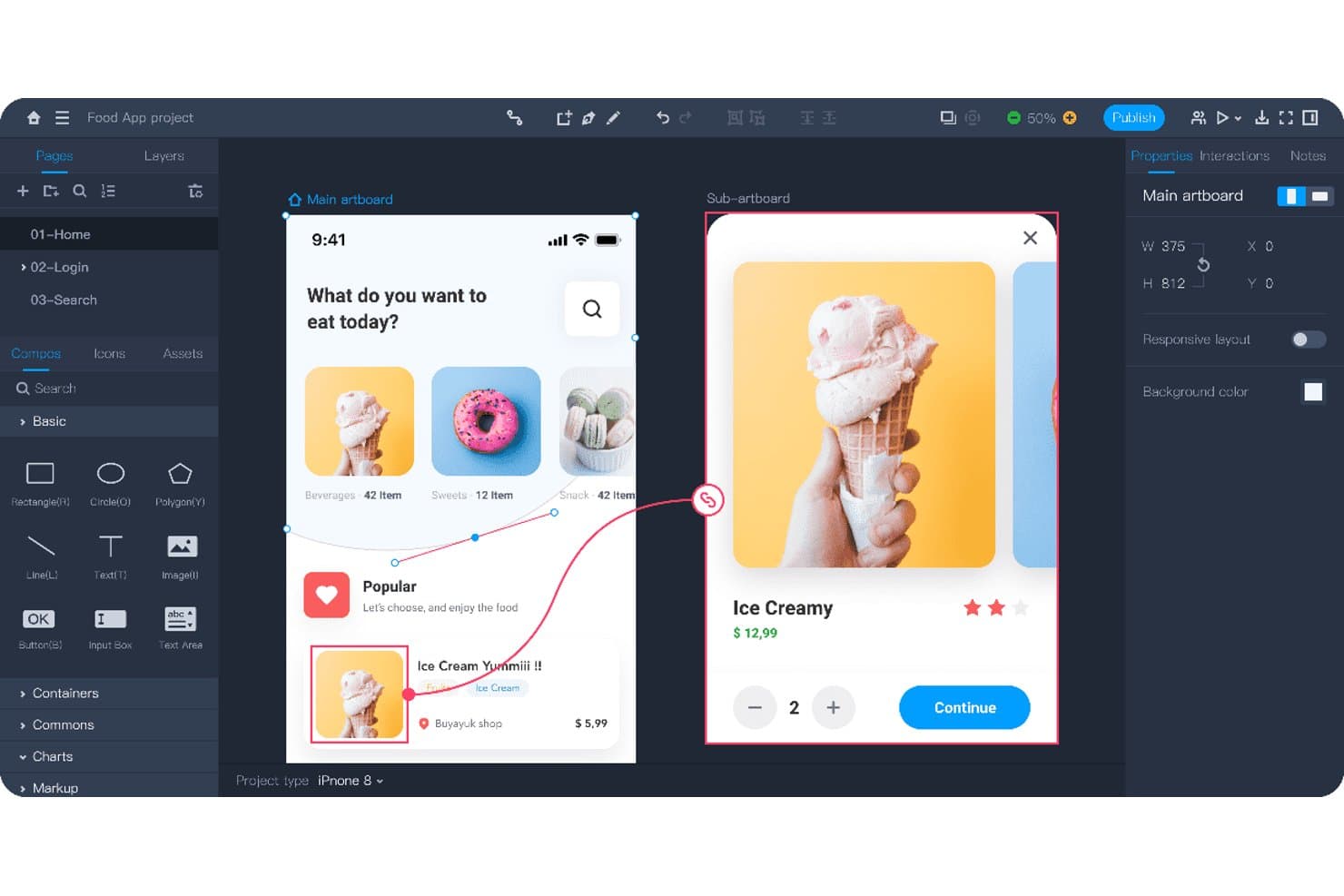
Mockplus lets users prototype interactive app flows with linked screens. Mockplus RP is a no-code prototyping tool for product design with drag-and-drop screens, interactive states, animations, responsive artboards, templates, annotations, and real-time co-design.
Who Is Mockplus Best For?
Product managers and startup founders who need to create and share interactive prototypes without formal design or development skills.
Why I Picked Mockplus
I picked Mockplus because it supports prototyping without a design background. I use drag-and-drop interactions, responsive artboards, and 500+ templates to map mobile onboarding flows or test web layouts quickly. Notes, flowcharts, and markup widgets keep product decisions clear when I share prototypes with stakeholders.
Mockplus Key Features
- Component states: Create pop-ups, overlays, and dynamic content variations.
- Interaction triggers: Add tap, swipe, slide, and time-based transitions.
- Axure import: Import Axure files while preserving interface and interaction details.
- Password-protected links: Secure shared prototypes with custom preview links.
Mockplus Integrations
Mockplus doesn't have any native integrations. It connects with Axure through RP file import and Mockplus Cloud for review and developer handoff.
What's Free?
Mockplus offers a free-forever plan with up to three prototypes and 10 pages per prototype. The plan supports one individual user or up to 10 team users, limits Axure imports to 10MB, and includes seven-day revision history.
Pros and Cons
Pros:
- Extensive templates accelerate stakeholder-ready prototypes
- Real-time co-design supports small product teams
- Drag-and-drop prototyping suits non-designers
Cons:
- Review comments require a paid upgrade
- Free limits restrict multi-flow validation
Learn more about Mockplus: Best for prototyping with 4,000+ UI components
- Free plan + 10-day trial available
- From $19/user/month
Visit WebsiteCustomer Rating:4.2/5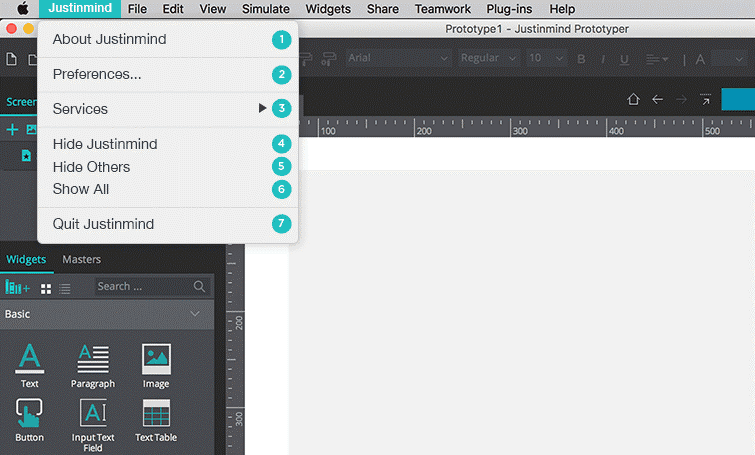
Justinmind has a simple layout that helps beginner designers to create interactive prototypes with ease. Justinmind is a product design prototyping tool with a high-fidelity design canvas, 4,000+ UI components, no-code interactions, working forms, device previews, and developer handoff specifications.
Who Is Justinmind Best For?
UX/UI designers who need high-fidelity prototypes, working forms, and developer-ready CSS and asset specifications will get the most from Justinmind.
Why I Picked Justinmind
I picked Justinmind because it’s best for prototyping with 4,000+ UI components. I use its web, iOS, and Android UI kits with vector and pen tools to build detailed product screens quickly. Working forms, validation, and error states also help me demonstrate realistic user flows before development begins.
Justinmind Key Features
- Unlimited screens: Create as many screens as needed on the Free plan.
- Unlimited viewers: Share prototypes with unlimited stakeholders.
- Feedback comments: Collect comments and chats on prototype components.
- Browser previews: Review prototypes with native browser display and device skins.
Justinmind Integrations
Integrations include Sketch, Adobe Photoshop, Illustrator, Adobe XD, Figma, Jira, and Azure DevOps, with Jira and Azure DevOps syncing available on Enterprise. Justinmind also provides an API and SDK for custom integrations and plugins.
What's Free?
Justinmind offers a free-forever plan after a 10-day trial, with UI design, interactive forms, vector tools, and unlimited screens. It limits you to one project and basic exports to PNG, JPG, and SVG; advanced interactions, HTML export, and Jira or Azure DevOps integrations require paid plans.
Pros and Cons
Pros:
- CSS and asset specs aid handoff
- Working forms demonstrate realistic user flows
- 4,000+ UI components speed screen creation
Cons:
- Advanced interactions require a paid upgrade
- Free plan limits teams to one project
Learn more about Justinmind: For designers who follow the latest trends
- Free plan available
- From $3/user/month
Visit WebsiteCustomer Rating:4.7/5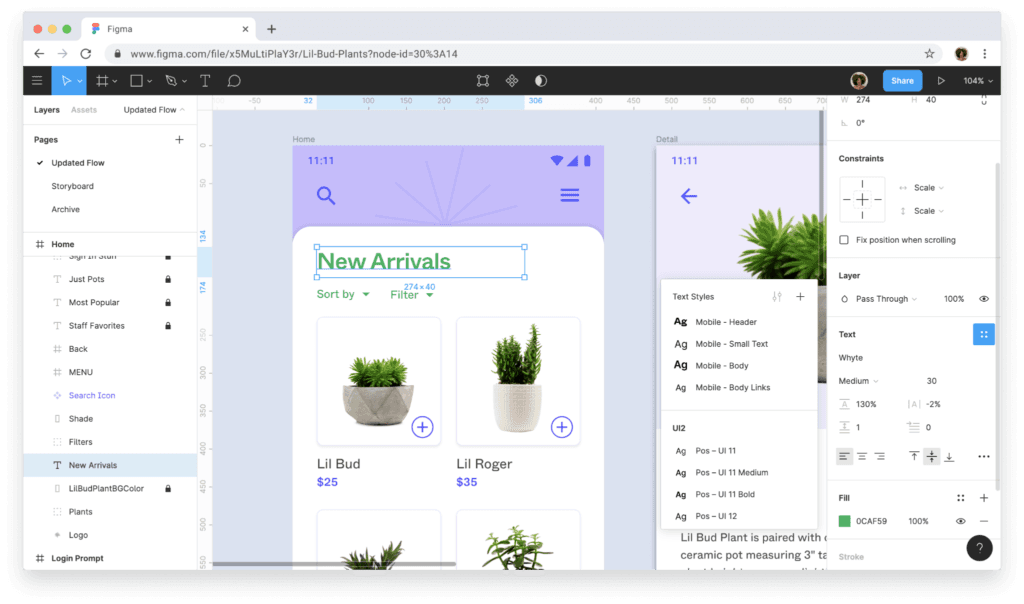
Figma helps you create high-fidelity prototypes from start to finish. Figma is a collaborative design and prototyping platform with vector tools, clickable flows, components, no-code logic, real-time editing, and developer handoff through Dev Mode.
Who Is Figma Best For?
Figma suits UX/UI designers and product teams that need collaborative, browser-based design, prototyping, and developer handoff.
Why I Picked Figma
I picked Figma for designers who follow the latest trends because Figma Draw brings custom brushes and text on a path into product concepts. Figma Motion adds timeline animation with keyframes, while Figma Make turns prompts into working web prototypes.
Figma Key Features
- Interactive triggers: Add overlays, transitions, animations, and multiple actions to prototype flows.
- Auto Layout: Arrange responsive elements that adapt as content or screen sizes change.
- Device frames: Preview prototypes inside phone, tablet, and desktop frames.
- Community resources: Browse user-created templates, UI kits, plugins, and widgets.
Figma Integrations
Figma offers marketplace integrations through Figma Community plugins and widgets. Figma Make supports Supabase and custom connectors for connecting prototypes to backend data.
What's Free?
Figma offers a free-forever Starter plan with unlimited draft files and unlimited viewers. Teams can co-edit up to three files, each limited to three pages, while advanced features require a paid plan.
Pros and Cons
Pros:
- Community templates speed early concept testing
- Browser-based co-editing keeps feedback immediate
- Interactive flows support variables and conditions
Cons:
- Advanced prototype logic requires a paid plan
- Free teams get only three shared files
 Best for non-designers who prototype with AI
- Free plan available
- From $14/user/month
Visit WebsiteCustomer Rating:4.8/5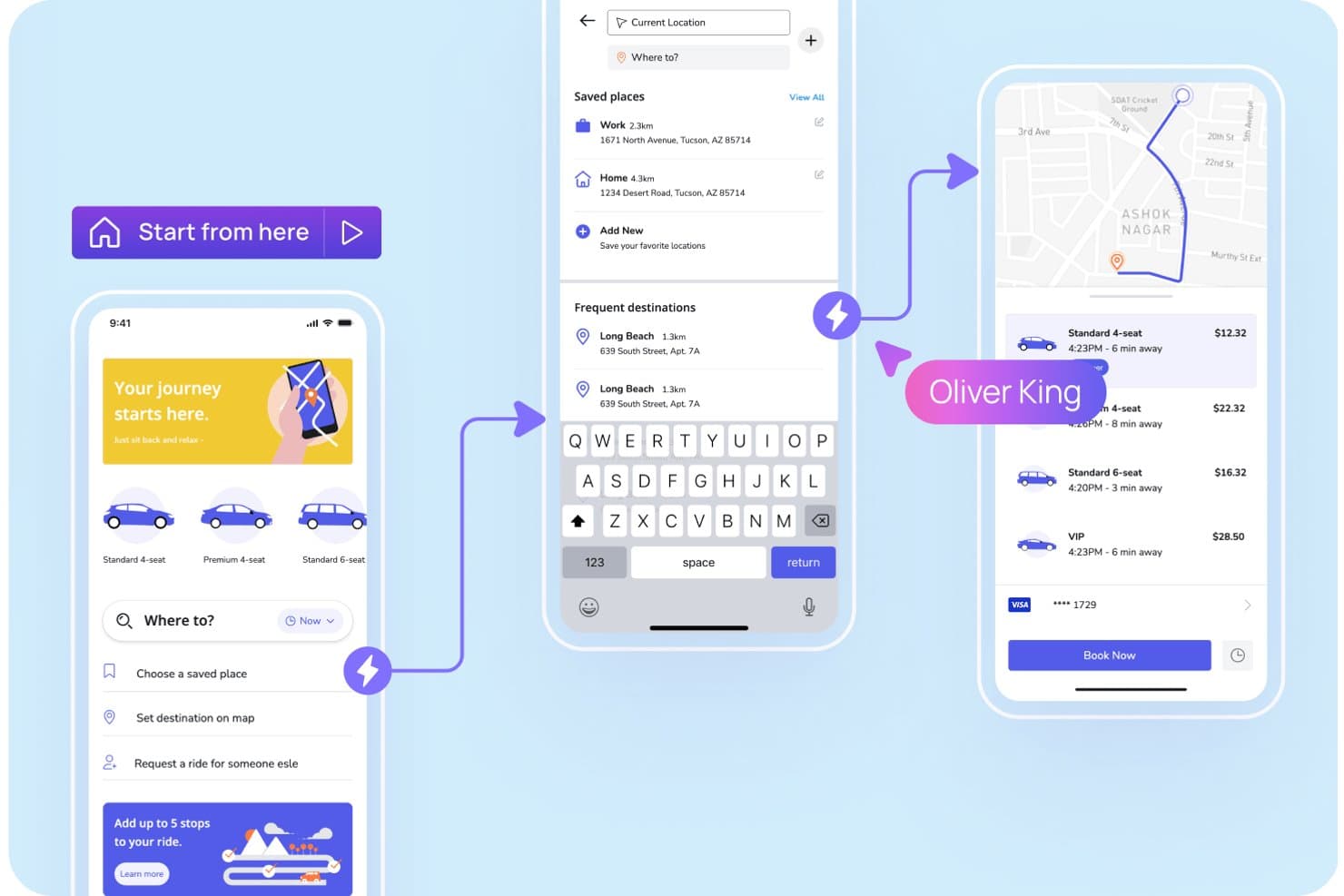
Visily lets users prototype ride-booking app flows with interactive screens. Visily is an AI-assisted prototyping platform with text, screenshot, and diagram-to-design tools, a drag-and-drop canvas, clickable flows, reusable templates, and real-time collaboration for low- and high-fidelity product designs.
Who Is Visily Best For?
Product managers and startup founders can use Visily to turn rough ideas into clickable app or website prototypes without design or coding experience.
Why I Picked Visily
I picked Visily because it’s best for non-designers who prototype with AI. I use text-to-design, Screenshot to Design, and Diagram to Design to turn product briefs, existing apps, or user flows into editable screens. Auto-Prototype then links those screens into clickable journeys for stakeholder reviews or early usability sessions.
Visily Key Features
- Layout grids: Add grid rows, gridlines, gradients, blur, and custom shadows.
- Public preview links: Share view-only boards without requiring Visily accounts.
- Presentation mode: Present prototypes as clickable simulations or slide decks.
- Design integrations: Embed boards in Jira, Notion, Google Docs, and other tools.
Visily Integrations
Visily offers native integrations with Figma, Slack, Jira, Notion, and Google Docs for design workflows, feedback, embeds, and handoff. It also supports a browser extension for Chrome, Edge, and Firefox.
What's Free?
Visily’s Starter plan is free forever, with no time-limited trial. It includes two editable boards per workspace, 2,500 elements per board, 300 AI credits monthly, and up to 50 workspace members; exports are low-resolution and watermarked, and private boards, Figma export, and code export aren’t included.
Pros and Cons
Pros:
- Free collaboration supports stakeholder feedback
- Auto-Prototype creates clickable flows quickly
- AI generates editable screens from rough ideas
Cons:
- Device-specific preview options remain limited
- Complex interactions lack conditional logic
Learn more about Visily: Best for prototyping with coded components
- Free plan + 14-day free trial + demo available
- From $49/user/month
Visit WebsiteCustomer Rating:4.2/5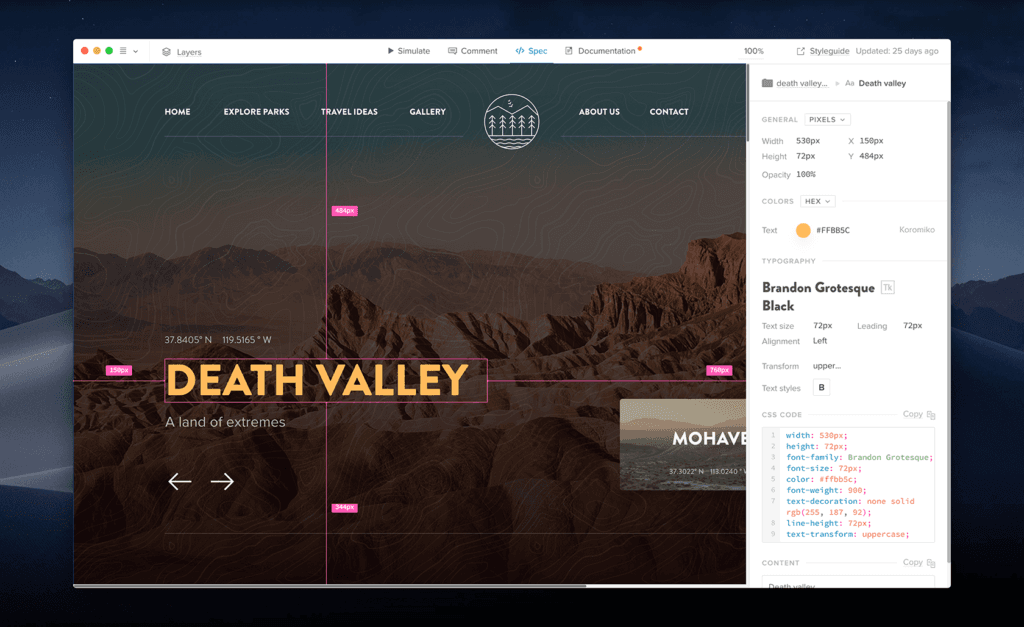
UXPin is a code-heavy prototyping tool that’s similar to web development. UXPin is a product design prototyping platform that combines a visual canvas, responsive layouts, conditional logic, variables, and interactive React or Web components.
Who Is UXPin Best For?
UXPin suits UX/UI designers and front-end developers who need interactive prototypes built with coded components.
Why I Picked UXPin
I picked UXPin for product teams that need prototypes built from real coded components. I use React or Web components to model responsive interfaces, then apply conditional logic, variables, and expressions to test realistic flows. Its developer handoff link includes specifications and production-ready code, helping engineers build from the same components designers tested.
UXPin Key Features
- AI prototyping assistant: Generate prototype elements with monthly AI credits across available plans.
- Built-in component libraries: Access MUI, Bootstrap, Tailwind, and Ant Design libraries by plan.
- Design file imports: Import Sketch files and use the Figma plugin on every plan.
- Version history: Restore earlier work with seven, 30, or unlimited days of history by plan.
UXPin Integrations
UXPin integrates with Figma, Sketch, Storybook, Git, and npm. Storybook supports public or private components from 15+ frameworks, while Git integration is available on Enterprise.
What's Free?
UXPin has a free-forever plan limited to two prototypes, 50 monthly AI credits, GPT-5-mini, and 20 MUI components. It also offers a 14-day free trial with full features and no credit card required, after which you can continue on the limited plan or upgrade.
Pros and Cons
Pros:
- Unlimited reviewers simplify stakeholder feedback
- Advanced logic supports realistic product flows
- Coded components improve developer handoff
Cons:
- Large projects can experience slowdowns
- Free plan limits active prototype work
Learn more about UXPin: Best for open-source design and dev handoff
- Free plan + 14-day free trial + free demo available
- From $7/user/month
Visit WebsiteCustomer Rating:4.5/5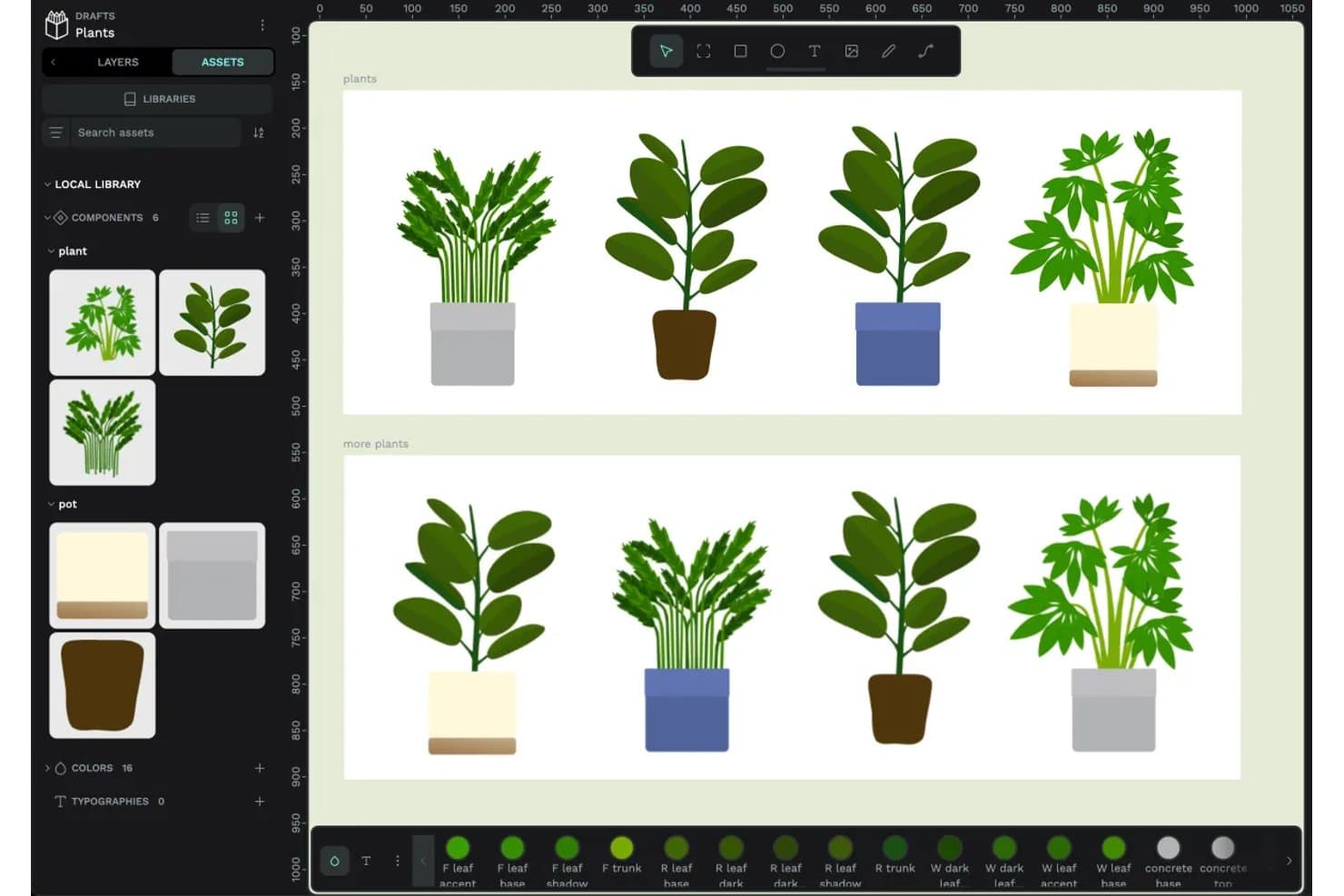
Penpot lets users create and reuse plant components across designs. Penpot is an open-source prototyping and product design platform with a responsive design canvas, clickable flows, real-time collaboration, shared libraries, and CSS, HTML, and SVG inspection.
Who Is Penpot Best For?
Penpot suits UX/UI designers and front-end developers who need collaborative prototypes, CSS-based handoff, and an open-source, self-hostable foundation.
Why I Picked Penpot
I picked Penpot because it combines clickable prototypes with open-source design and dev handoff. I use CSS Grid and Flex layouts, design tokens, and Code/Inspect mode to give developers matching CSS, HTML, and SVG. Its self-hostable, open file format also supports teams that need control over their design workflow.
Penpot Key Features
- Prototype triggers: Add click, hover, and delay triggers to boards and layers.
- Overlay actions: Create menus, dialogs, and hover effects with configurable overlays.
- Multiple flows: Build separate user journeys with individual starting boards and links.
- Fixed scrolling elements: Keep navigation bars, headers, and floating buttons visible while scrolling.
Penpot Integrations
Native integrations are not clearly documented. Penpot supports custom connectivity through its public API, plugin system, and MCP server for AI agents and LLM tools.
What's Free?
Penpot’s Professional plan is free forever, fully featured, and includes unlimited teams, files, and viewers. The hosted plan supports up to eight editors, provides 10 GB of storage, and retains version history and file recovery for seven days.
Pros and Cons
Pros:
- Overlays and hover triggers build realistic flows
- Shared libraries support consistent design systems
- CSS-based layouts support developer handoff
Cons:
- Cross-device simulation remains relatively limited
- Conditional logic and variables remain unavailable
Learn more about Penpot: 10Best for no-code logic and gesture-rich prototypes
Proto.io
- 15-day free trial
- From $24/user/month (billed annually)

Proto.io makes it easy to share your prototype in order to receive feedback. Proto.io is a browser-based prototyping tool for product design with no-code interactions, variables, gestures, animations, reusable components, templates, design-tool imports, and cross-device previews.
Who Is Proto.io Best For?
UX/UI designers and product teams that need to validate gesture-rich mobile and web experiences before development will find a strong fit here.
Why I Picked Proto.io
I picked Proto.io because it brings no-code logic and gesture-rich prototypes to product design. I use variables, conditional actions, and multi-touch gestures to model app flows such as onboarding, drag-and-drop tools, and orientation changes. Timeline animations and native-style components help my team test interactions that static mockups can’t capture.
Proto.io Key Features
- Design-tool imports: Bring in files from Sketch, Figma, Adobe XD, and Photoshop.
- Shareable preview links: Create password-protected links with snapshots, analytics, and reviewer access.
- Cross-device previews: Test prototypes in web browsers and native iOS or Android player apps.
- Version history: Restore earlier project versions from automatic backups.
Proto.io Integrations
Proto.io integrates with Sketch, Figma, Adobe XD, Photoshop, Jira, Confluence, Trello, UserTesting, UserZoom, Userlytics, Lookback, and UXArmy through plugins, embeds, Power-Ups, and share links.
What's Free?
Proto.io offers a 15-day free trial with full access to its prototyping features and no credit card required. After the trial, you can downgrade to a free plan with limited features, or upgrade to a paid subscription.
Pros and Cons
Pros:
- Reusable components accelerate iterative design work
- Variables support conditional prototype logic
- Gesture interactions model realistic mobile behaviors
Cons:
- Real-time co-editing isn’t documented
- Large projects can load slowly
Learn more about Proto.io:
Diğer Ücretsiz Prototipleme Araçları
Ücretsiz planlar veya deneme sürümleri sunan bazı ek prototipleme aracı seçeneklerini burada bulabilirsiniz. Bu araçlar kısa listeme girmemiş olsa da yine de göz atmaya değer:
How I Evaluate Prototyping Tools
First, I define what counts as free. A prototyping tool qualifies if it offers a free-forever plan or a full-featured trial of at least 14 days, with access to core prototyping and sharing features. From there, I split my evaluation into three parts: core functionality, which carries the most weight, like linking screens into interactive flows and building on a visual design canvas; standout features, like no-code logic builders; and what a tool offers beyond its feature set, like how well the free tier scales for small agile teams.
Core Functionality (Table Stakes for This List)
In addition to my free plan requirements, I use a scoring system to select tools for my list. I score each one on a scale from 0 (does not offer the functionality) to 5 (excels in this area) for each core functionality listed below, based on what's available on the free plan. I then convert the total into a percentage to help assess each tool's overall fit, with extra weight on any functionalities I've deemed essential.
- Interactive Prototyping (Essential): I check whether linked screens support multiple trigger types like tap, hover, and swipe—enough to simulate a realistic onboarding or checkout flow.
- Design Canvas (Essential): A workspace with layering, grouping, and alignment tools matters. I look for layout controls that let you build screens quickly without fighting the editor.
- Shareable Preview Links: Sharing a clickable prototype with a stakeholder who doesn't have the tool installed is a core use case. I evaluate how easy it is to generate a link and control viewer access.
- Real-Time Collaboration: I look at whether teammates can comment, co-edit, or leave feedback directly in the file. Tools like Figma and Penpot handle this differently, so I compare the depth of multi-user support.
- Component and Template Reuse: Reusable components save hours when you're iterating on a multi-screen flow. I evaluate whether updating one component pushes changes across every instance in the file.
- Cross-Device Preview: Prototypes need to look right on mobile and desktop alike. I check whether the tool lets you preview across common device sizes and orientations before sharing with testers.
Once I have a list of tools that meet the criteria, I consider what sets each platform apart.
Differentiating Factors (What Sets Vendors Apart)
Here's how I compare and contrast different vendors:
Standout Features
I look for a no-code logic builder that lets you add conditional navigation—like showing different screens based on a user's selection—without writing any code. This matters when you're simulating a signup flow with branching paths for a sprint review. I also evaluate feedback capture in preview mode, where stakeholders comment directly inside the shared prototype link. Tools like Figma and Marvel handle this differently, but the goal is the same: fewer meetings, faster alignment. Version history snapshots round things out by letting you roll back safely mid-experiment.
Beyond Features
I evaluate whether a tool lets someone without design training build and share a prototype within a single work session. Guided onboarding and simplified toolbars—like those in Marvel and Justinmind—cut ramp-up time so a PM can go from idea to sprint review artifact in hours. I also check how far the free tier scales for small teams, since hitting a file or collaborator cap mid-validation cycle forces an unplanned upgrade and stalls feedback loops.
Ücretsiz Prototipleme Aracı Nasıl Seçilir?
Karmaşık özellik listeleri ve fiyatlandırma yapıları, ücretsiz bir prototipleme aracından gerçekten ne elde ettiğinizi anlamanızı zorlaştırabilir. Yazılım seçme süreciniz boyunca odaklanmanızı korumanıza yardımcı olmak için göz önünde bulundurmanız gereken bazı faktörler şunlardır:
| Faktör | Dikkat Edilmesi Gerekenler |
|---|---|
| FaktörÜcretsiz Teklifin Kapsamı | Dikkat Edilmesi GerekenlerÜcretsiz plana hangi özelliklerin dahil olduğunu değerlendirin. Ekibinizin iş akışını etkileyebilecek proje, kullanıcı veya depolama sınırlamaları olup olmadığını kontrol edin. |
| FaktörÖlçeklenebilirlik | Dikkat Edilmesi GerekenlerAracın ekibinizle birlikte büyüyüp büyüyemeyeceğini değerlendirin. İhtiyaçlarınız arttıkça ücretli planlara kolayca yükseltme yapmanıza olanak tanıyan seçenekleri arayın. |
| FaktörEntegrasyonlar | Dikkat Edilmesi GerekenlerEkibinizin hâlihazırda kullandığı araçlarla uyumluluğu sağlayın. Süreçlerinizi kolaylaştırmak için Slack, Trello veya Google Drive gibi platformlarla entegrasyonları arayın. |
| FaktörKullanım Kolaylığı | Dikkat Edilmesi GerekenlerAracın sizin ve ekibiniz için ne kadar sezgisel olduğunu değerlendirin. Öğrenme eğrisini en aza indirmek ve üretkenliği artırmak için kullanıcı dostu bir arayüze sahip bir araç seçin. |
| Faktörİş Birliği | Dikkat Edilmesi GerekenlerAracın ekip iş birliğini ne ölçüde desteklediğini değerlendirin. Gerçek zamanlı düzenleme ve geri bildirim gibi özellikler ekip çalışmasını ve proje sonuçlarını iyileştirebilir. |
| FaktörÖzelleştirme | Dikkat Edilmesi GerekenlerSunulan özelleştirme düzeyine bakın. Aracı özel tasarım ihtiyaçlarınıza göre uyarlayabilmek, projenin başarısı için kritik olabilir. |
| FaktörDestek | Dikkat Edilmesi GerekenlerSunulan müşteri desteği düzeyini değerlendirin. Sorunlar ortaya çıktığında hızlı ve yararlı desteğe erişebilmek zamandan ve hayal kırıklığından tasarruf etmenizi sağlayabilir. |
| FaktörGüvenlik | Dikkat Edilmesi GerekenlerÖzellikle hassas verilerle çalışıyorsanız uygulanan güvenlik önlemlerini kontrol edin. Aracın ilgili veri koruma düzenlemelerine uygun olduğundan emin olun. |
Ücretsiz Prototipleme Araçları Nedir?
Ücretsiz prototipleme araçları, hiçbir ücret ödemeden etkileşimli tasarım maketleri oluşturmanızı sağlayan yazılımlardır. Tasarımcılar, öğrenciler ve küçük girişimler, kısıtlı bir bütçeyle fikirleri hızlıca test etmek ve paylaşmak için bu araçları kullanır. Daha gelişmiş yazılımlara para harcamadan önce temel tıklanabilir prototipler oluşturabilir ve geri bildirim alabilirsiniz.
Özellikler
Prototipleme araçlarında yaygın olarak bulunan özellikleri ve bunların ücretsiz ve ücretli planlarda genellikle hangilerinin sunulduğunu inceleyelim.
Genellikle Ücretsiz Sunulan Prototipleme Aracı Özellikleri
- Sürükle ve bırak arayüzü: İleri düzey teknik becerilere ihtiyaç duymadan tasarımları kolayca oluşturmanızı ve düzenlemenizi sağlar.
- Gerçek zamanlı iş birliği: Ekip üyelerinin tasarımlar üzerinde eş zamanlı olarak birlikte çalışmasını sağlayarak iletişimi ve verimliliği artırır.
- Şablon kitaplığı: Projeleri hızlıca başlatmanıza ve tutarlılığı korumanıza yardımcı olmak için hazır tasarım şablonları sunar.
- Yorum yapma: Ekip üyelerinin doğrudan tasarımlar üzerinde geri bildirim bırakmasını sağlayarak net iletişimi ve yinelemeyi kolaylaştırır.
- Sürüm denetimi: Tasarımlarda yapılan değişiklikleri takip ederek gerektiğinde önceki sürümlere dönmeyi kolaylaştırır.
- Temel vektör düzenleme: Logolar ve simgeler için kullanışlı olan, vektör grafikleri oluşturmak ve düzenlemek üzere temel araçlar sunar.
- Platformlar arası erişim: Tasarımlarınız üzerinde herhangi bir cihazdan çalışmanıza olanak tanıyarak esnekliği ve kullanım kolaylığını artırır.
Genellikle Ücretli Sunulan Prototipleme Aracı Özellikleri
- Gelişmiş prototipleme: Daha dinamik kullanıcı deneyimleri oluşturmak için etkileşimli durumlar ve animasyonlar gibi özellikler içerir.
- Özelleştirilebilir tasarım sistemleri: Ekiplere tasarım standartları belirleyerek projeler arasında tutarlı bir görünüm oluşturma ve sürdürme olanağı tanır.
- Geliştirilmiş dışa aktarma seçenekleri: Tasarımları farklı platformlar ve paydaşlar için çeşitli biçimlerde dışa aktarma esnekliği sunar.
- Gelişmiş araçlarla entegrasyon: Daha kapsamlı bir iş akışı için Adobe XD ve Sketch gibi diğer profesyonel araçlara bağlanır.
- Analiz ve kullanıcı testi: Tasarımları iyileştirmek ve geliştirmek için kullanıcı etkileşimleri ve geri bildirimleri hakkında içgörüler sunar.
- Sınırsız proje: Üzerinde çalışabileceğiniz proje sayısına yönelik kısıtlamaları kaldırarak daha büyük ekipleri ve devam eden projeleri destekler.
- Öncelikli destek: Sorunları çözmek ve soruları hızlıca yanıtlamak için daha hızlı ve özel müşteri desteği sağlar.
Avantajlar
Ücretsiz prototipleme araçlarını kullanmak ekibiniz ve işletmeniz için çeşitli avantajlar sağlar. Yararlanabileceğiniz avantajlardan bazıları şunlardır:
- Uygun maliyetli tasarım: Herhangi bir mali taahhütte bulunmadan temel tasarım ve prototipleme araçlarına erişmenizi sağlar; böylece ekibiniz bütçe kısıtlamaları olmadan yenilik yapabilir.
- Geliştirilmiş iş birliği: Gerçek zamanlı iş birliği özellikleri ekibinizin verimli bir şekilde birlikte çalışmasını sağlayarak iletişimi güçlendirir ve proje takvimlerini hızlandırır.
- Hızlı proje başlangıcı: Şablon kitaplıkları projeleri hızlıca başlatmanıza yardımcı olur, zamandan tasarruf sağlar ve tasarımlarınız arasında tutarlılık sunar.
- Esneklik ve kullanım kolaylığı: Platformlar arası erişim, sizin ve ekibinizin tasarımlar üzerinde herhangi bir cihazdan çalışmasını sağlayarak uyarlanabilirliği ve kullanım kolaylığını artırır.
- Geliştirilmiş geri bildirim döngüsü: Yorum yapma özellikleri doğrudan geri bildirim alınmasını sağlar; böylece ekibinizin paydaş katkılarına dayalı olarak tasarımları yinelemesi ve geliştirmesi kolaylaşır.
- Tasarımı keşfetme: Maliyetler konusunda endişelenmeden farklı tasarım fikirleri ve prototiplerle denemeler yaparak ekibinizde yaratıcılığı ve yenilikçiliği teşvik edin.
- Sürüm yönetimi: Sürüm denetimi, değişiklikleri izlemenize ve gerektiğinde önceki tasarımlara dönmenize yardımcı olarak projelerinizin planlandığı şekilde ilerlemesini sağlar.
Maliyetler & Fiyatlandırma
Bu makaleye ücretsiz olarak sunulan en iyi prototipleme aracı seçeneklerini aradığınız için geldiğinizi biliyorum. Ancak ücretsiz planlar yalnızca sınırlı özellikler sunduğundan gelecekte planınızı yükseltmeniz gerekebilir.
Aşağıdaki tablo, prototipleme aracı çözümlerinde yaygın planları, bunların ortalama fiyatlarını ve genellikle içerdiği özellikleri özetlemektedir:
Prototipleme Araçları İçin Plan Karşılaştırma Tablosu
| Plan Türü | Ortalama Fiyat | Yaygın Özellikler |
|---|---|---|
| Plan TürüÜcretsiz Plan | Ortalama Fiyat$0 | Yaygın ÖzelliklerTemel prototipleme, sınırlı sayıda proje ve temel iş birliği. |
| Plan TürüKişisel Plan | Ortalama Fiyat$5-$15/kullanıcı/ay | Yaygın ÖzelliklerEk depolama alanı, daha fazla proje ve geliştirilmiş iş birliği araçları. |
| Plan Türüİşletme Planı | Ortalama Fiyat$20-$50/kullanıcı/ay | Yaygın ÖzelliklerGelişmiş prototipleme özellikleri, profesyonel araçlarla entegrasyonlar ve analizler. |
| Plan TürüKurumsal Plan | Ortalama Fiyat$50+/kullanıcı/ay | Yaygın ÖzelliklerÖzelleştirme seçenekleri, öncelikli destek ve geliştirilmiş güvenlik özellikleri. |
Ücretsiz Prototipleme Araçları Hakkında SSS
Ücretsiz prototipleme araçları hakkında sık sorulan soruların bazı yanıtları aşağıda yer almaktadır:
Ücretsiz prototipleme araçları ücretli araçlarla karşılaştırıldığında nasıldır?
Ücretsiz prototipleme araçlarında, ücretli sürümlere kıyasla özellikler, depolama alanı ve destek bakımından genellikle sınırlamalar bulunur. Bununla birlikte, temel prototipleme ve iş birliği gibi temel işlevleri sunmaya devam ederler. Başlangıç aşamasındaki küçük ekipler veya bireyler için harikadırlar; ancak ihtiyaçlarınız arttıkça gelişmiş özellikler için ücretli bir plan gerekli olabilir.
Ücretsiz prototipleme araçlarını büyük projeler için kullanabilir miyim?
Ücretsiz araçlar temel projeleri destekleyebilse de depolama, iş birliği ve gelişmiş özelliklerdeki sınırlamalar nedeniyle büyük ölçekli projeleri desteklemeyebilir. Kapsamlı projeler için başarıya ulaşmak üzere ihtiyaç duyduğunuz kaynaklara ve işlevlere sahip olduğunuzdan emin olmak amacıyla ücretli bir plana geçmeyi değerlendirin.
Ücretsiz prototipleme araçlarının sınırlamaları nelerdir?
Ücretsiz prototipleme araçları genellikle proje, iş birliği yapan kişi ve depolama alanı sayısını sınırlar. Ayrıntılı analizler, özel entegrasyonlar ve kapsamlı dışa aktarma seçenekleri gibi gelişmiş özellikler genellikle ücretli planlara ayrılmıştır. Aracın ücretsiz sürümünün proje gereksinimlerinizle uyumlu olduğundan emin olmak için ihtiyaçlarınızı değerlendirin.
Ücretsiz prototipleme araçlarını öğrenmek kolay mıdır?
Birçok ücretsiz prototipleme aracı, kullanıcı dostu arayüzlerle tasarlanır ve başlamanıza yardımcı olmak için eğitimler veya kılavuzlar sunar. Özellikle tasarım konusunda yeniyseniz öğrenme eğrisi olabilir; ancak çoğu kullanıcı biraz pratikle bu araçları erişilebilir ve kullanımı kolay bulur.
Ücretsiz prototipleme araçları müşteri desteği sunar mı?
Ücretsiz kullanıcılar için destek, ücretli planlara kıyasla genellikle sınırlıdır. Topluluk forumlarına veya yardım merkezlerine erişiminiz olabilir; ancak canlı sohbet veya telefonla yardım gibi doğrudan destekler çoğunlukla ödeme yapan müşterilere sunulur. Destek sizin için öncelikliyse araç seçerken bunu göz önünde bulundurun.