

Bir ürün yöneticisi olarak yalnızca müşteri taleplerini karşılamakla kalmayan, aynı zamanda farklı cihazlara ve ekran boyutlarına uyum sağlayan projeler sunmanız yönünde sürekli bir baskıyla karşı karşıyasınız. Hızlı tasarım değişikliklerine ayak uydurma mücadelesi bunaltıcı olabilir ve ekibinizin verimliliğini ve yaratıcılığını etkileyebilir.
Duyarlı tasarım prototipleme araçları tasarım sürecini basitleştirerek ekibinizin uyarlanabilir ve kullanıcı dostu arayüzler oluşturmasına yardımcı olabilir. Deneyimlerime göre bu araçlar, tasarım ile geliştirme arasındaki boşluğu kapatmak için vazgeçilmezdir.
Bu makalede, özel zorluklarınızı ele alan özelliklere odaklanarak mevcut en iyi araçların tarafsız bir incelemesini paylaşacağım. Bu araçların iş akışınızı nasıl iyileştirebileceği ve ekibinizin üretkenliğini nasıl artırabileceği hakkında bilgiler bulacaksınız.
Why Trust Our Software Recommendations
6,700+
Reviews
20
Industry experts
16+
Evaluation factors
14
Years
Our team has been testing and reviewing software since 2012. As product managers ourselves, we know how difficult—and important—it is to choose the right software.
For this guide, we evaluated tools using hands-on testing and independent research, scoring tools using our selection criteria.
Our reviews reflect our human editorial judgment, not a sales pitch.
Expert reviewers:
- Andrew LumbySenior TPM
- Cristiano ValimSenior UI/UX Lead


Duyarlı Tasarım Prototipleme Araçları Karşılaştırma Tablosu
Bu karşılaştırma tablosu, en iyi duyarlı tasarım prototipleme aracı seçimlerim için fiyatlandırma ayrıntılarını özetlemektedir:
Score legend (out of 5)
- Excellent4.5–5
- Good4–4.4
- Average3–3.9
- Below average2–2.9
- Poor1–1.9
Sorted by: Default
| Tool | Starting Price | Website | |||||||
|---|---|---|---|---|---|---|---|---|---|
Best for Figma-to-code responsive handoff | 3.3 out of 5 | 4 | 3 | 2 | 4 | 4 | 3 | $20/user/month Free plan available | Website |
Best for prototypes that export real framework code | 3.0 out of 5 | 2 | 3 | 4 | 3 | 4 | 2 | Pricing upon request Free plan available | Website |
Best for prototypes that ship as real apps | 3.3 out of 5 | 2 | 4 | 3 | 3 | 4 | 4 | $39/month Free plan available | Website |
Best for dev-team responsive prototyping | 3.0 out of 5 | 3 | 2 | 4 | 3 | 4 | 2 | $24/user/month Free plan available | Website |
Best for production-ready responsive prototyping | 3.2 out of 5 | 2 | 4 | 4 | 4 | 4 | 1 | $39/month Free plan available | Website |
Best for web-based collaboration | 4.0 out of 5 | 4 | 5 | 5 | 4 | 3 | 3 | $3/user/month Free plan available | Website |
Best for design system integration | 3.5 out of 5 | 3 | 4 | 4 | 4 | 4 | 2 | $49/user/month Free plan + 14-day free trial + demo available | Website |
Best for interactive wireframes | 3.2 out of 5 | 3 | 4 | 4 | 2 | 3 | 3 | $19/user/month Free plan + 10-day trial available | Website |
Best for versatile macOS vector design | 3.3 out of 5 | 4 | 3 | 4 | 4 | 2 | 3 | $12/user/month 30-day free trial available | Website |
Best for complex prototypes | 3.2 out of 5 | 4 | 5 | 2 | 2 | 3 | 3 | $29/user/month Free plan + 30-day free trial available | Website |


En İyi Duyarlı Tasarım Prototipleme Araçları İncelemeleri
Aşağıda, kısa listeme giren en iyi duyarlı tasarım prototipleme araçlarının ayrıntılı özetlerini bulabilirsiniz. İncelemelerim, size en uygun aracı bulmanıza yardımcı olmak için her aracın temel özelliklerine, avantajlarına & dezavantajlarına, entegrasyonlarına ve ideal kullanım alanlarına ayrıntılı bir bakış sunmaktadır.
 Best for Figma-to-code responsive handoff
- Free plan available
- From $20/user/month (billed annually)
Visit WebsiteCustomer Rating:4.2/5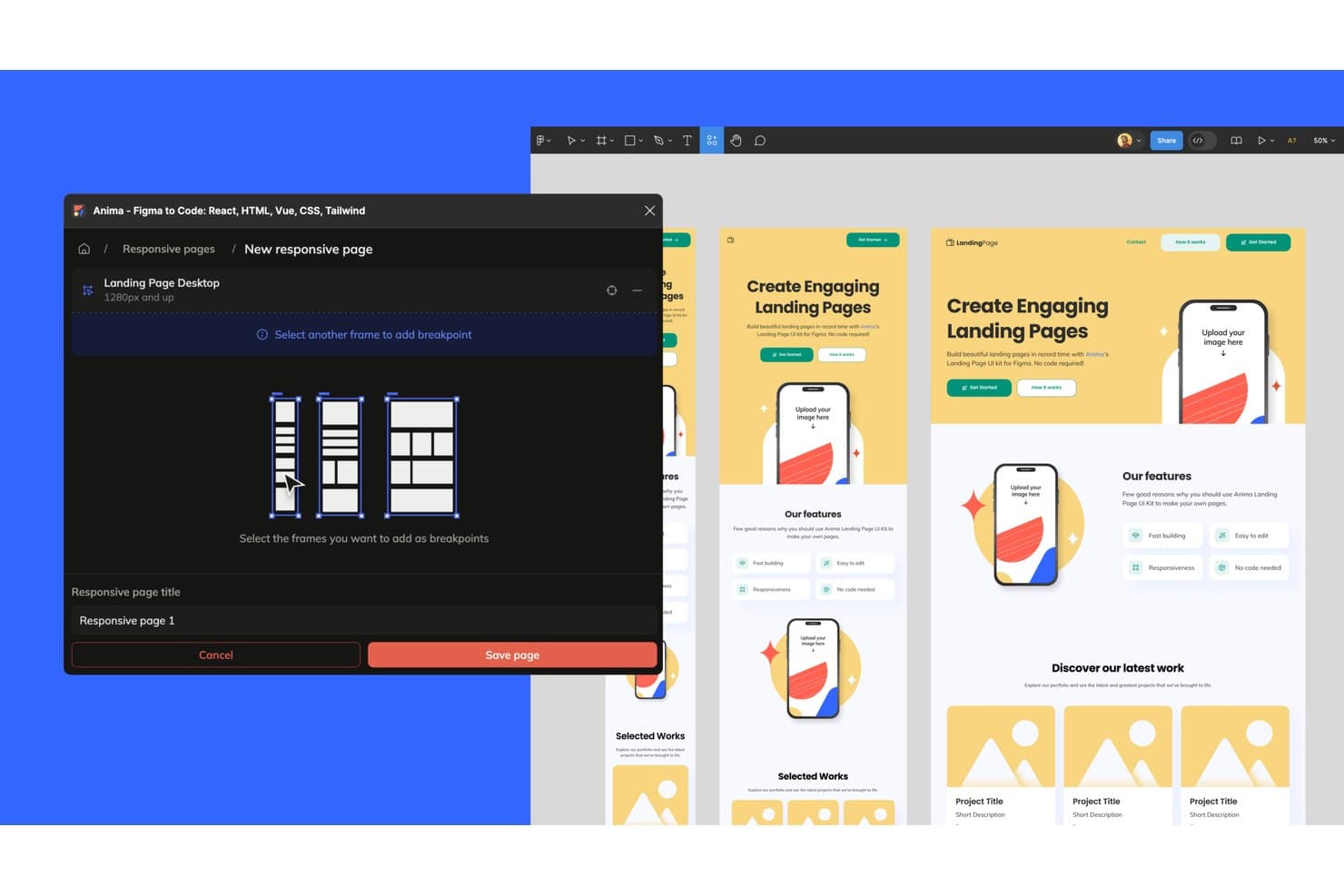
Anima lets users save responsive breakpoints across device sizes. Anima is a design-to-code platform that converts Figma designs into responsive, interactive prototypes and exportable HTML, React, or Vue code, with support for breakpoints, auto layout, and multi-screen flows.
Who Is Anima Best For?
Anima suits front-end developers and product teams who need prototypes that hand off as real, exportable code rather than static specs.
Why I Picked Anima
I picked Anima as one of the best because it's the only tool on this list where the prototype is the code. When you design across separate Figma frames for desktop, tablet, and mobile, Anima converts each frame's width into a CSS media query breakpoint, wiring them into one shareable link. The auto layout-to-Flexbox conversion means responsive behavior isn't approximated; it's structurally accurate. That's a meaningful difference when your handoff needs to be React or Vue, not a static spec.
Anima Key Features
- Multi-framework code export: Export your Figma designs as HTML, React, Vue, or Next.js code with styling options including Tailwind, CSS Modules, and styled-components.
- GitHub push: Send generated code directly to a GitHub repository from within Anima, keeping your codebase and design in sync.
- AI Playground flow builder: Connect screens by typing plain-language prompts in the Flow tab, wiring navigation between screens without writing code.
- Figma design system import: Bring your Figma design system into Anima to generate a live Storybook with variants, states, props, and tokens available across your team.
Anima Integrations
Anima offers documented integrations with Figma and GitHub, plus MCP connectivity for Claude Code, Cursor, and GitHub Copilot. Its API, SDK, and CLI support custom integrations.
Pros and Cons
Pros:
- Prototypes run as exportable real code
- Auto layout translates into CSS Flexbox
- Frame widths become responsive breakpoints
Cons:
- Contributor edits can overwrite changes
- No branching logic or variables
Learn more about Anima: Best for prototypes that export real framework code
- Free plan available
- Pricing upon request
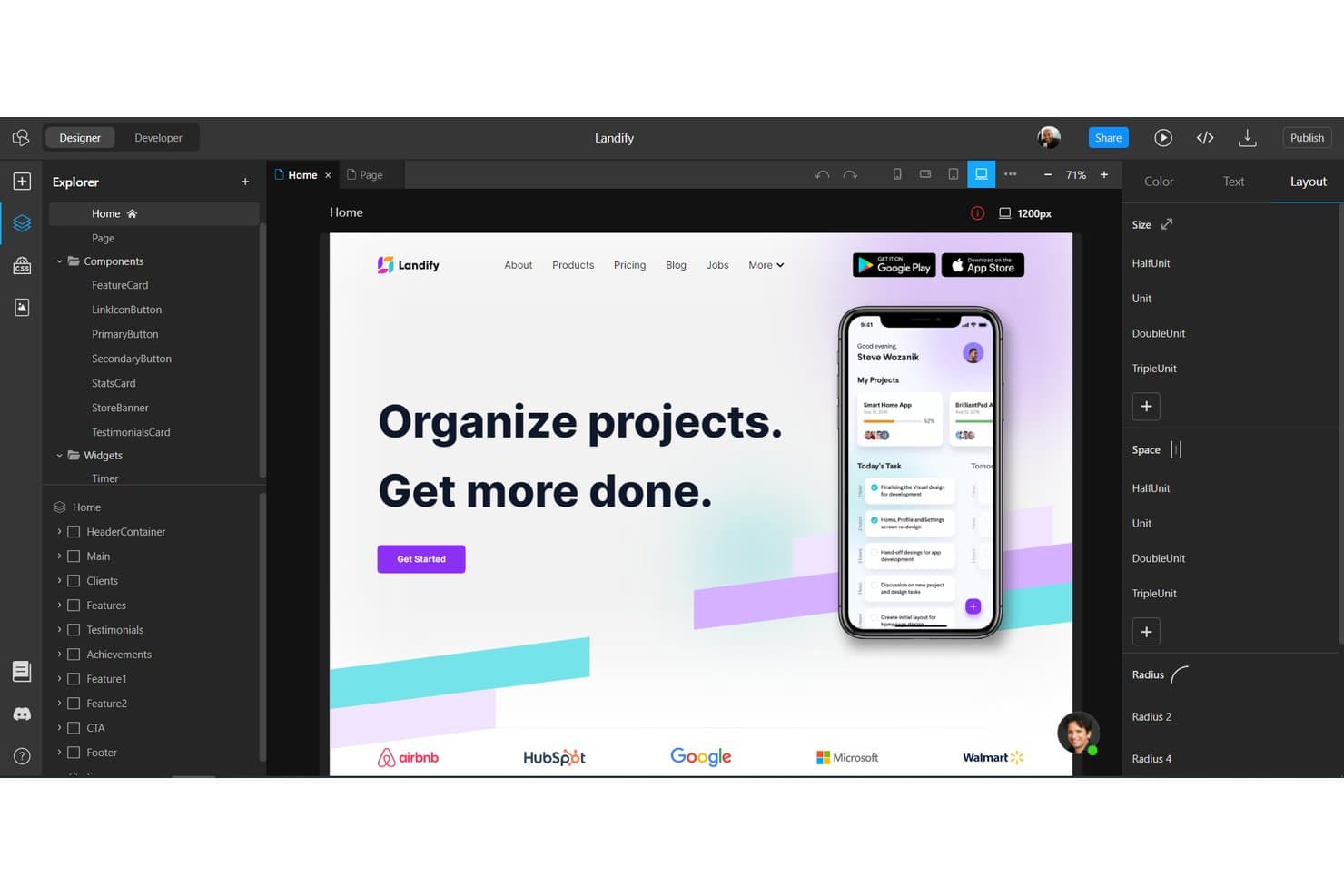
TeleportHQ lets users design responsive layouts with a visual drag-and-drop editor. TeleportHQ is a low-code web builder and prototyping tool that combines a visual editor with real CSS breakpoint controls, reusable components, design tokens, and code export across frameworks like React, Vue, Angular, and HTML.
Who Is TeleportHQ Best For?
TeleportHQ is a strong fit for developer-leaning teams who need prototypes that produce deployable React, Vue, or Angular code rather than static mockups.
Why I Picked TeleportHQ
I picked TeleportHQ as one of the best because it's the only tool on my list where the prototype is the production code. It ships real React, Vue, Angular, and HTML output, not a static mockup you hand off later. I also like that its built-in breakpoint system (991px, 767px, and 479px) lets you style each viewport independently in the visual editor, so what you're previewing accurately reflects production behavior.
TeleportHQ Key Features
- Conditional rendering: Toggle component-level states and events to build interactive UI patterns like tabs, accordions, and mobile menus directly in the editor.
- Live code panel: View generated React, Vue, Angular, or HTML/CSS code update in real time as you make visual edits on the canvas.
- Design tokens: Define and manage reusable color, typography, and spacing tokens across your project to maintain visual consistency at scale.
- Real-time co-editing: Multiple team members can edit the same project simultaneously, with a follow mode that lets you track a collaborator's live selections.
TeleportHQ Integrations
TeleportHQ offers integrations with Figma, GitHub, Vercel, Strapi, Contentful, and Google Analytics. It also connects to REST APIs, Supabase, PostgreSQL, Airtable, Google Sheets, and other data sources.
Pros and Cons
Pros:
- Supports real-time collaborative prototype reviews
- Provides genuine breakpoint-specific visual editing
- Exports working React and Vue prototypes
Cons:
- Offers no inspect mode or device mirroring
- Conditional flows require Developer mode testing
Learn more about TeleportHQ: Best for prototypes that ship as real apps
- Free plan available
- From $39/month
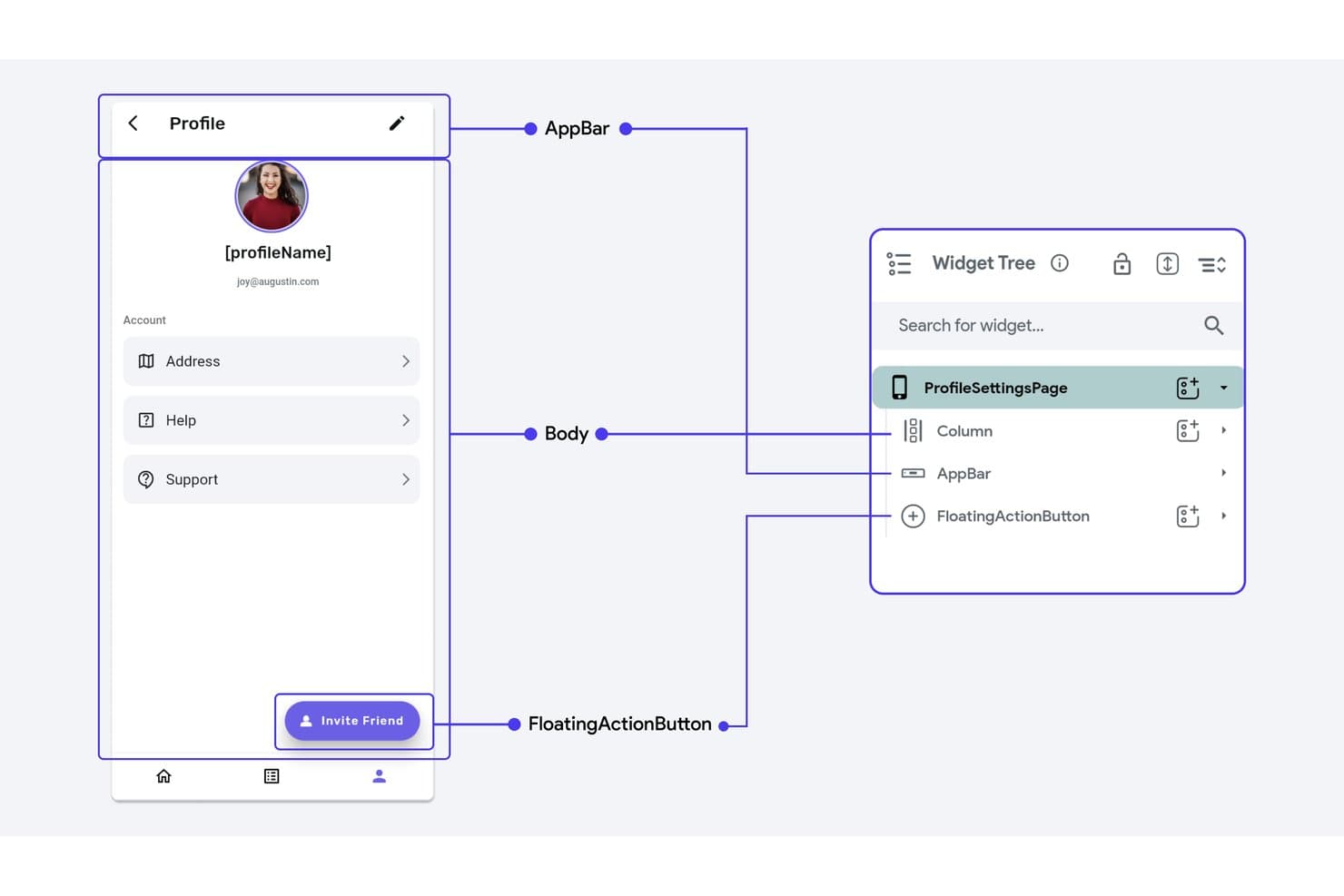
FlutterFlow's widget tree maps scaffold elements for responsive layouts. FlutterFlow is a visual, low-code builder that lets you create responsive prototypes for mobile, web, and desktop using real Flutter logic, conditional flows, and exportable production-ready code.
Who Is FlutterFlow Best For?
FlutterFlow suits product managers and developers who need prototypes that double as shippable apps, not just click-through mockups.
Why I Picked FlutterFlow
I've included FlutterFlow in my top picks because it's the only tool on this list where your prototype can become your actual product. Its Action Flow Editor lets you attach real conditional logic, state variables, and loops to UI elements, so a multi-step onboarding flow you build to test with stakeholders is already production-ready code. I also like that per-breakpoint responsive values and responsive visibility controls let you show entirely different navigation components on mobile versus desktop, not just scaled-down versions of the same layout.
FlutterFlow Key Features
- Action Flow Editor: A node-based visual editor that attaches conditional branches, loops, and state variables to UI triggers like taps, page loads, and gestures.
- Test Mode with QR code: Runs a live web build you can open on a real phone via QR code or shared link, with a debug panel showing live variable values.
- Design system library publishing: Publish your colors, typography, and theme widgets as a versioned library that other projects can import and pin to specific versions.
- FF Designer: A companion AI screen generator that produces editable screens from prompts, which you can copy directly into your FlutterFlow project.
FlutterFlow Integrations
FlutterFlow supports integrations with Firebase, Supabase, REST APIs, Swagger/OpenAPI, Figma, GitHub, and VS Code, plus CLI, Project API, and MCP server support for custom development workflows.
Pros and Cons
Pros:
- Physical-device testing catches layout issues
- Logic-driven flows validate real interactions
- Per-breakpoint controls support responsive layouts
Cons:
- Preview mode omits APIs and authentication
- No inspect panel for design handoff
Learn more about FlutterFlow : Best for dev-team responsive prototyping
- Free plan available
- From $24/user/month (billed annually)
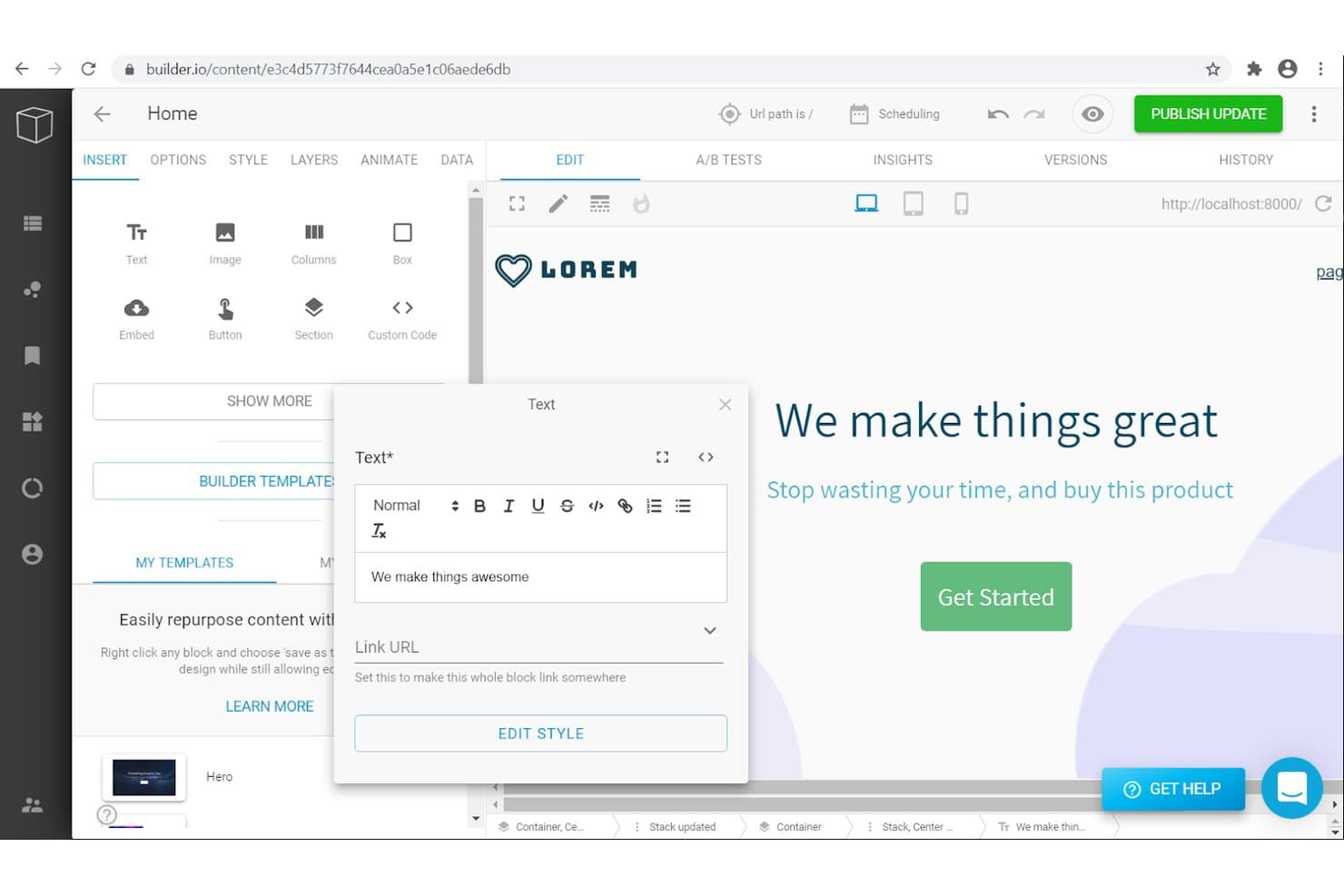
Builder.io lets users edit and prototype responsive text content visually. Builder.io is an AI-assisted visual development platform that lets teams build responsive prototypes as real, running code using their own design system, supported frameworks, and Git-based workflows.
Who Is Builder.io Best For?
Builder.io is a strong fit for front-end developers and technical product teams who want prototypes to double as real, shippable code from day one.
Why I Picked Builder.io
I've included Builder.io in my top picks because it's the only tool on this list where a responsive prototype is actual, runnable code in your own repo from the start. I love that breakpoint styles cascade down by pixel width, so a layout adjustment at tablet size won't silently break your desktop view. When you import multiple Figma frames at once, Builder maps each frame to a real breakpoint, giving dev teams a responsive component built on your existing design tokens rather than a throwaway mockup.
Builder.io Key Features
- Interact mode: A fully working preview environment where you can test user flows, hover states, button logic, and interactive elements against live product data.
- Element-pinned comments: Pin feedback directly to specific components in a branch, with automatic screenshots attached and a "Fix in AI chat" option to hand the comment straight to the AI.
- Design System Intelligence: Scans your repo, npm packages, and Figma files to catalog your components, tokens, and icons, then enforces them through Strict Mode.
- Figma-to-code output: Converts Figma designs into production-ready code across React, Vue, Angular, and Svelte, with Tailwind CSS or CSS Modules styling applied automatically.
Builder.io Integrations
Builder.io offers documented integrations with GitHub, GitLab, Bitbucket, Figma, Slack, Jira, Linear, and more. It also supports APIs and Webhooks.
Pros and Cons
Pros:
- Design tokens guide consistent responsive layouts
- Breakpoint styles cascade across smaller screens
- Prototypes run as production-ready responsive code
Cons:
- Device testing relies on browser previews
- No no-code screen-linking or hotspot builder
Learn more about Builder.io: Best for production-ready responsive prototyping
- Free plan available
- From $39/month (billed annually)
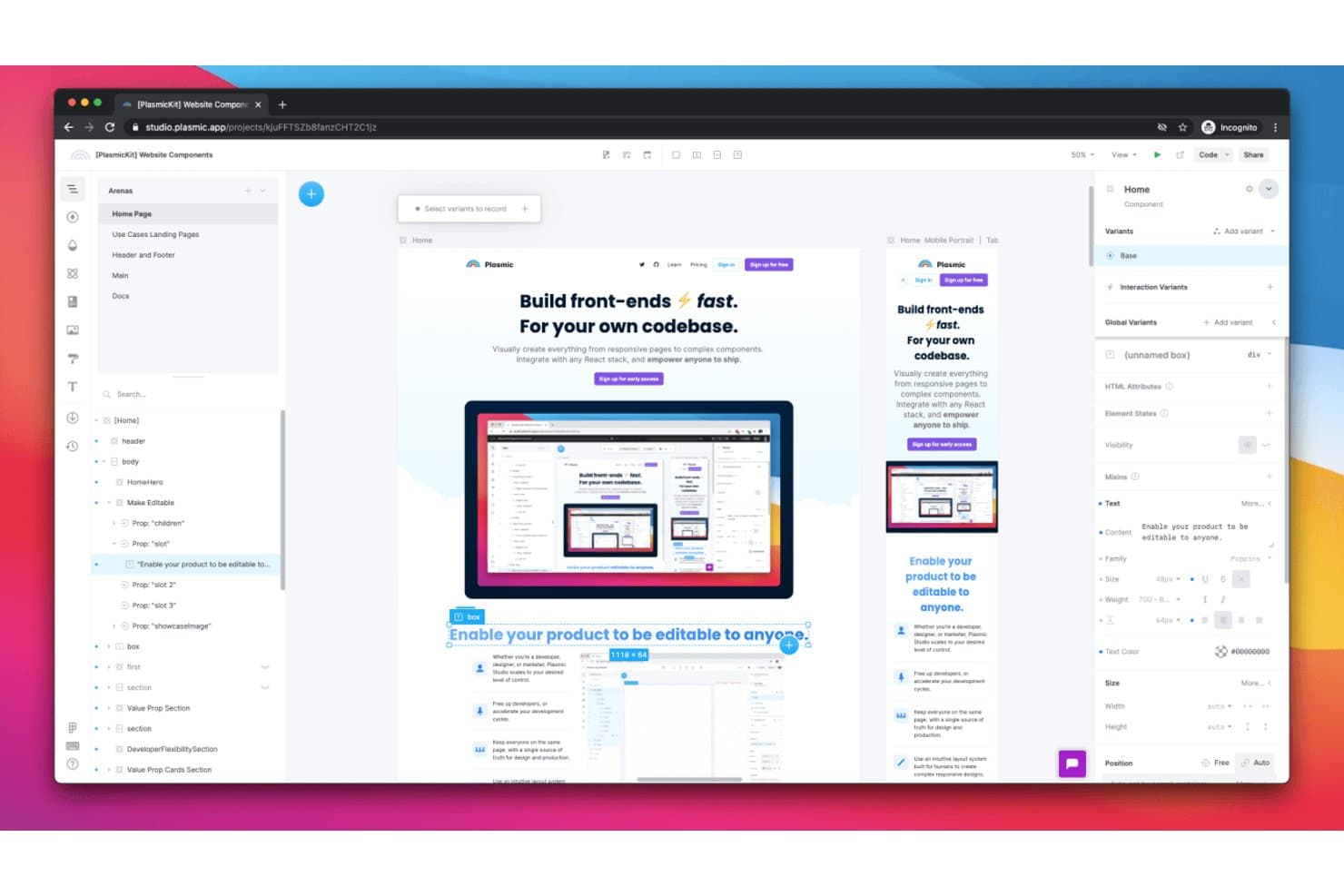
Plasmic lets users design responsive layouts across device sizes visually. Plasmic is an open-source visual builder that lets teams design responsive layouts, define breakpoints, wire up interaction logic, and generate production-ready React code—all within a single environment.
Who Is Plasmic Best For?
Plasmic is a strong fit for front-end developers and product teams who want to design responsive layouts and ship production React code from the same environment.
Why I Picked Plasmic
Plasmic earns its spot on my shortlist because it's the only tool here that closes the gap between responsive prototyping and production code in one environment. I love how screen variants let you define named breakpoints and record per-breakpoint overrides directly on the canvas, so what you see at 768px is exactly what ships. The state and interaction logic goes deep too: I've built conditional visibility, tab switching, and page navigation flows that behave like the finished product, not a simulation.
Plasmic Key Features
- Real-data binding: Connect prototypes directly to live data sources like Supabase, Airtable, or REST APIs so flows reflect actual content, not placeholder text.
- Multiplayer collaboration: Work alongside teammates in real time with shared cursors, in-canvas comment threads, , and role-based access controls.
- Style tokens: Define reusable values for color, spacing, typography, and opacity that map directly to CSS variables in the generated code.
- Codegen and loader sync: Export designs as React components via CLI or pull them at runtime, keeping your codebase in sync as designs change.
Plasmic Integrations
Plasmic offers documented integrations with Figma, GitHub, Vercel, Netlify, Supabase, Airtable, and PostgreSQL, plus REST and GraphQL connectivity. It also supports Zapier, webhooks, and custom integrations on Enterprise.
Pros and Cons
Pros:
- Code-based developer handoff
- Deep state-based interaction logic
- Production-ready responsive layouts
Cons:
- No traditional design specifications
- Limited real-device preview testing
Learn more about Plasmic: Best for web-based collaboration
- Free plan available
- From $3/user/month
Visit WebsiteCustomer Rating:4.7/5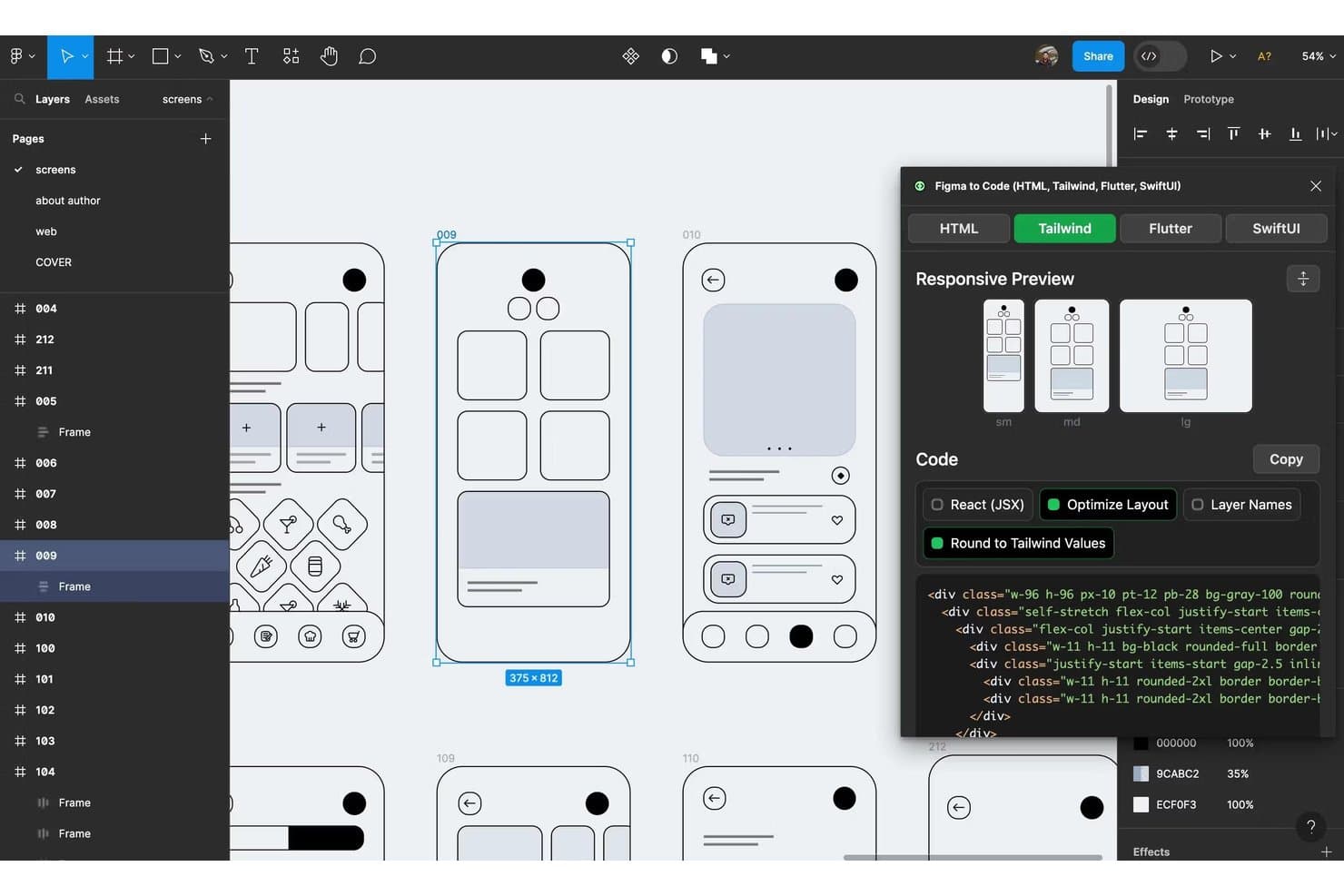
Figma converts designs into responsive Tailwind CSS code instantly. Figma is a browser-based design and prototyping tool that combines interactive prototyping, real-time multiplayer editing, component systems, and developer handoff into a single platform.
Who Is Figma Best For?
Figma is a strong fit for UX/UI designers and front-end developers who need to design, prototype, and hand off work within a single collaborative platform.
Why I Picked Figma
Figma earns its spot on my shortlist because no other tool matches its real-time, browser-based collaboration for design teams working across time zones. I love that multiplayer editing lets designers, developers, and stakeholders co-edit or comment in the same file simultaneously, with no seat required to view or leave feedback. Pair that with Smart Animate and interactive components, and my team can prototype realistic user flows without ever leaving the browser.
Figma Key Features
- Variables and conditional logic: Build complex, multi-state prototype flows using variables, conditional rules, and math expressions across frames.
- Dev Mode with Code Connect: Inspect designs, read auto-generated code snippets, and sync real component code directly to Figma's design specs.
- Figma Make: Generate a working, code-backed prototype or web app from a text prompt, with support for a Supabase backend and direct publishing.
- Auto layout: Create responsive frames that automatically resize and reflow nested elements as content or screen dimensions change.
Figma Integrations
Figma connects with VS Code through its extension, Code Connect, and MCP server, while Supabase supports Figma Make backends. Enterprise teams can use design system APIs for custom integrations.
Pros and Cons
Pros:
- Auto layout adapts nested components
- Advanced logic supports realistic user flows
- Real-time multiplayer design reviews
Cons:
- Large files can experience performance lag
- Limited native breakpoint testing
 Best for design system integration
- Free plan + 14-day free trial + demo available
- From $49/user/month
Visit WebsiteCustomer Rating:4.2/5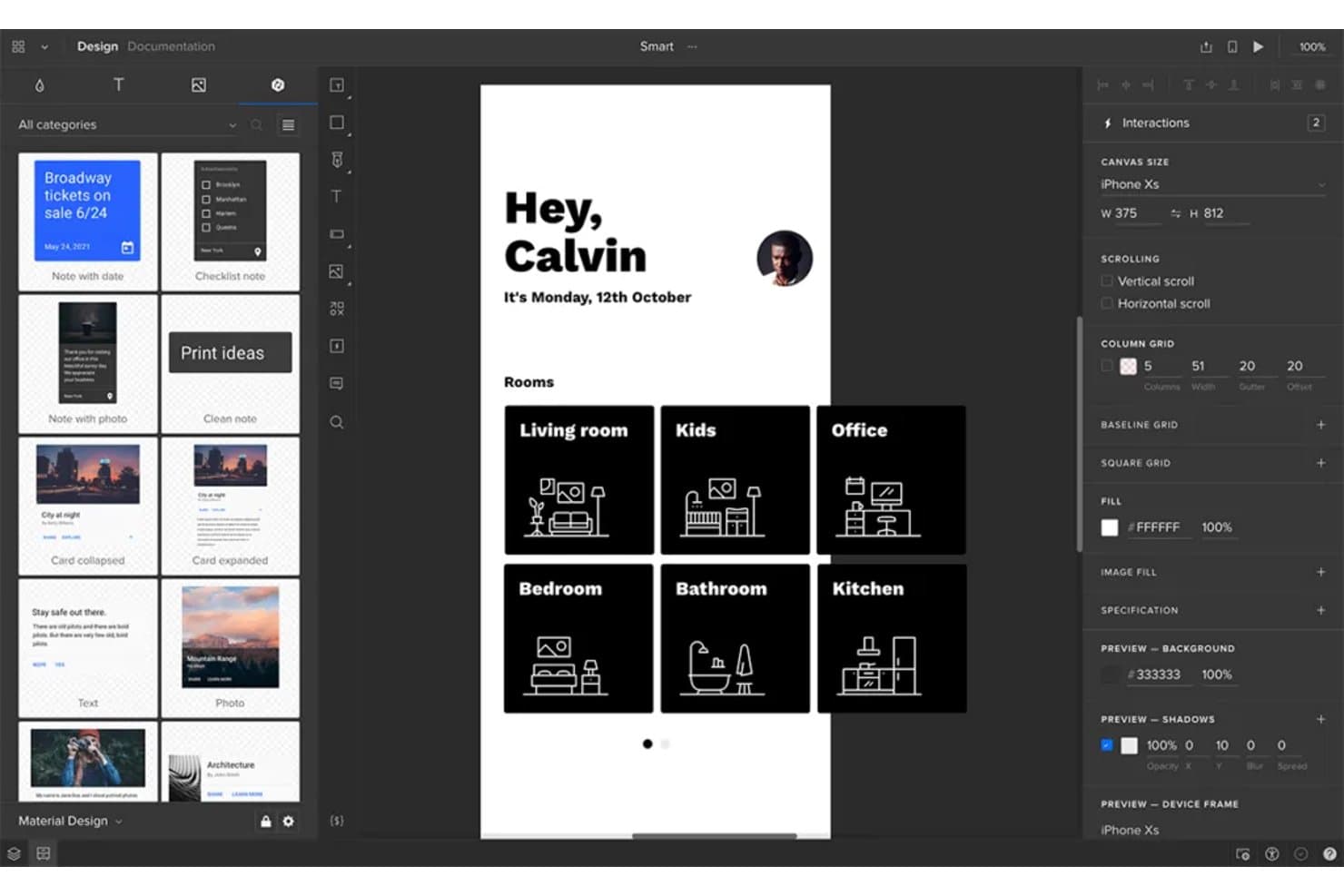
UXPin lets users prototype responsive layouts across device sizes visually. UXPin is a prototyping tool that lets you build interactive prototypes from real coded components, with support for conditional logic, variables, responsive breakpoint previews, and design system integration via Git, Storybook, and npm.
Who Is UXPin Best For?
UXPin is a strong fit for design teams and front-end developers who work within an established design system and need prototypes built from real, coded components.
Why I Picked UXPin
UXPin earns its spot on my shortlist because it's the only prototyping tool where your components are the actual coded components from your product. Through Merge, you can pull in React libraries like MUI, Fluent, or Bootstrap via Git or Storybook, so breakpoint reflow behaves exactly as it would in production. I also like that conditional logic and variables come with the entry-level plan, letting you prototype real decision trees without upgrading.
UXPin Key Features
- Responsive frames: Preview and test prototypes across multiple device sizes and screen widths within a single project, without duplicating your work.
- Built-in component libraries: Core includes MUI; Growth adds Bootstrap, Tailwind, and Ant Design so your team can prototype with real UI frameworks.
- Real-time collaboration: Every plan includes unlimited viewers and commenters, letting stakeholders review and annotate prototypes without needing a paid seat.
- Version history: Track and restore earlier prototype versions, with history extending from 7 days on Core up to unlimited on Enterprise.
UXPin Integrations
UXPin connects to Git, Storybook, and npm through Merge, with MUI, Fluent, Carbon, and Bootstrap libraries for coded-component prototyping. Growth also lists Jira, Slack, and FullStory, while UXPin offers a Figma plugin and Sketch import.
Pros and Cons
Pros:
- Unlimited commenters simplify stakeholder design reviews
- Conditional flows support complex interaction testing
- Real coded components preserve responsive behavior
Cons:
- Native non-code layout reflow remains limited
- Large prototypes can slow during editing
Learn more about UXPin: Best for interactive wireframes
- Free plan + 10-day trial available
- From $19/user/month
Visit WebsiteCustomer Rating:4.2/5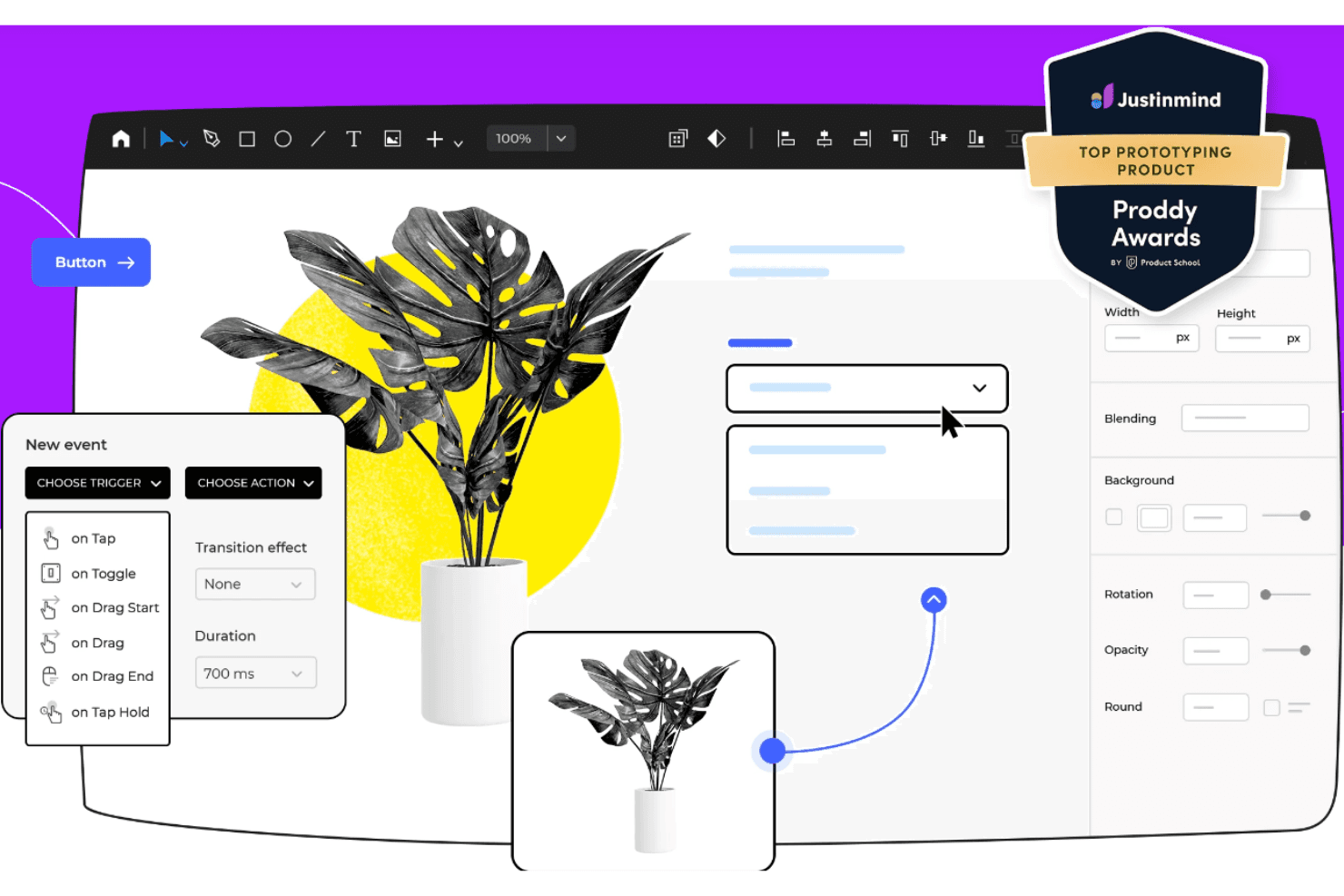
Justinmind enables UX pros to create interactive, lifelike wireframe prototypes. Justinmind is a desktop wireframing and prototyping tool that supports web, iOS, Android, VR, and AR design through interactive, data-driven prototypes built with conditions, variables, working forms, and a library of over 4,000 prebuilt UI components.
Who Is Justinmind Best For?
Justinmind is a strong fit for UX/UI designers and design team leads who need to build and share realistic, interactive wireframes without writing a single line of code.
Why I Picked Justinmind
Justinmind earns its spot on my shortlist because it goes further than static wireframing by letting you wire up real conditional logic, variables, and working forms without writing any code. I particularly like that you can import CSV data into Data Masters and run simulations against actual content, so a prototype behaves like a live product during stakeholder reviews. The 4,000-plus prebuilt UI components across web, iOS, and Android also mean I can build device-specific, interactive wireframes fast.
Justinmind Key Features
- Real-time co-editing: Multiple team members can edit the same prototype simultaneously, with comments and feedback tied to specific components.
- Cross-device preview: Test prototypes on real devices via the Justinmind mobile app or in any browser with native device skins.
- Smart Templates: Reusable headers, footers, and screen layouts stay consistent across your project and update globally when changed.
- Design handoff specs: Developers can inspect asset dimensions and CSS details directly from the prototype without needing a separate handoff tool.
Justinmind Integrations
Justinmind offers integrations with Jira, Azure DevOps, Doors, Sketch, Adobe Photoshop, and Adobe Illustrator. It also provides an API/SDK for custom integrations.
Pros and Cons
Pros:
- Unlimited viewers simplify stakeholder design reviews
- 4,000-plus components speed device-specific wireframes
- Conditions support realistic responsive user flows
Cons:
- Layout reflow lacks detailed auto-layout controls
- Breakpoint customization remains poorly documented
Learn more about Justinmind: Best for versatile macOS vector design
- 30-day free trial available
- From $12/user/month (billed annually)
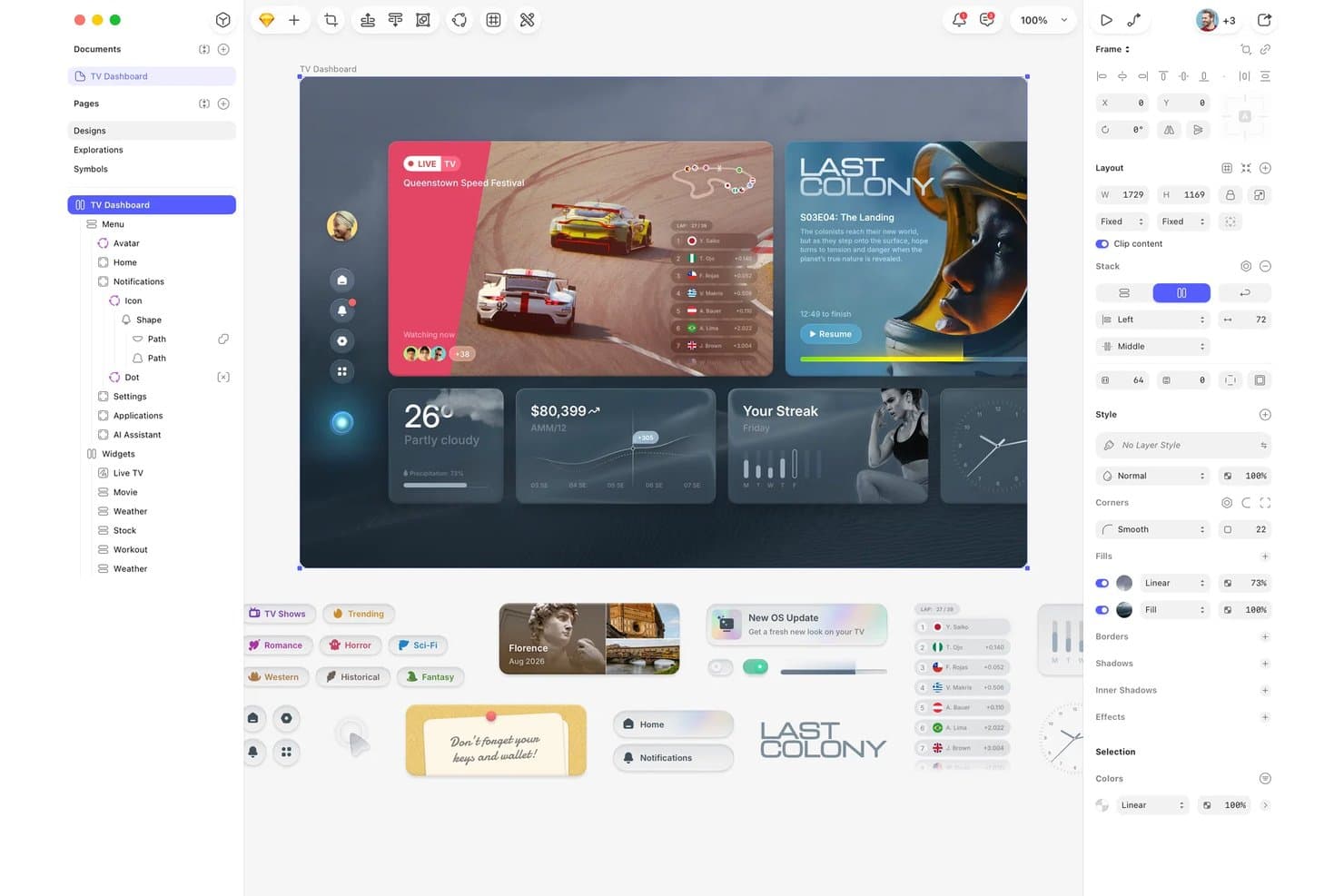
Sketch lets users design responsive TV dashboard layouts with layered components. Sketch is a Mac-native vector design and prototyping tool that combines symbol-based component libraries, auto-layout with Stacks, interactive prototype flows, and browser-based developer handoff.
Who Is Sketch Best For?
Sketch is a strong fit for macOS-based UI/UX designers and design team leads who need a fast, native vector editor with solid component libraries and free developer handoff.
Why I Picked Sketch
Sketch earns its spot on my shortlist because it's the most capable native Mac vector design tool I've worked with for building component-driven UI. I love how Stacks now support percentage sizing and min/max constraints, which means a card component genuinely reflows when its parent Frame resizes across mobile and desktop layouts. Pair that with free browser-based developer handoff, and my team can hand off annotated specs, CSS values, and design tokens without anyone needing a paid seat.
Sketch Key Features
- Frame linking with hotspots: Connect Frames into clickable prototype flows and define precise tap targets using Hotspot layers for more accurate interaction design.
- Smart Animate transitions: Apply animated transitions between Frames with controls for easing, duration, and direction to communicate motion intent to developers.
- Free browser-based developer handoff: Developers inspect measurements, copy CSS values, and download assets directly in a browser at no cost and without a Mac.
- MCP server for code generation: A local MCP server connects Sketch to AI clients like Claude and Cursor to generate code directly from your designs.
Sketch Integrations
Sketch offers documented integrations with GitHub, Jira, Slack, and Notion for sharing or embedding designs. Its local MCP server connects with Claude, Cursor, VS Code, Codex, and other MCP-compatible clients for AI-assisted design-to-code workflows.
Pros and Cons
Pros:
- Smart Animate clarifies interaction intent
- Native Mac editing handles complex files
- Stacks reflow components across parent sizes
Cons:
- Mac-only editing excludes Windows and Linux teams
- No true breakpoint system for responsive testing
Learn more about Sketch: 10Best for complex prototypes
Axure RP
- Free plan + 30-day free trial available
- From $29/user/month (billed annually)
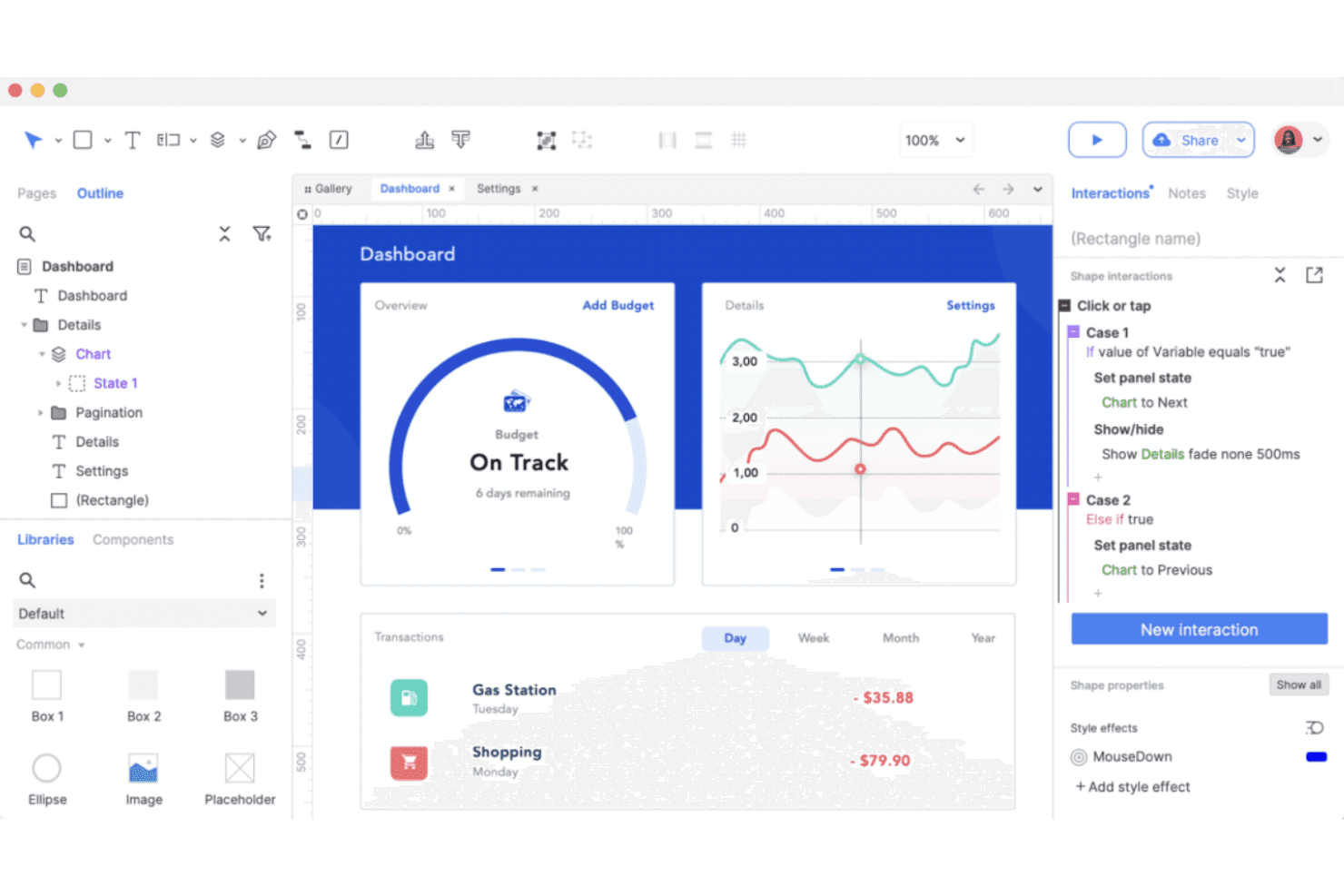
Axure RP builds detailed, interactive prototypes for complex UX needs. Axure RP is a desktop-based prototyping tool that combines wireframing, diagramming, and high-fidelity interactive prototyping with conditional logic, variables, working form widgets, and breakpoint-based adaptive views for responsive design.
Who Is Axure RP Best For?
Axure RP is a strong fit for UX designers and design teams building complex, logic-heavy prototypes for enterprise software and data-intensive applications.
Why I Picked Axure RP
Axure RP earns its spot on my shortlist because no other tool comes close to its conditional logic depth when prototyping complex, data-driven interfaces. I've used its Repeater widget to build sortable, filterable data grids that behave like real product tables, which is something most prototyping tools simply can't replicate. Its Adaptive Views let you define breakpoint-specific layouts with inherited base styles, so desktop, tablet, and mobile views stay consistent without rebuilding from scratch.
Axure RP Key Features
- Adaptive Views: Design desktop, tablet, and mobile layouts on a single page, with each view inheriting styles from the base and loading automatically based on window width.
- Repeater widget: Build sortable, filterable data grids that simulate real product tables, pulling from a built-in data set without any code.
- Free reviewer and developer access: Stakeholders and developers can view, comment on, and inspect prototypes via Axure Cloud at no cost, on every paid plan.
- Design file import: Bring in frames and layers from Figma, Sketch, or Adobe XD as editable widgets to add interactivity to existing design work.
Axure RP Integrations
Axure RP integrates with Jira, Confluence, Slack, Microsoft Teams, Figma, Sketch, and Adobe XD for handoff, embedding, imports, and notifications. No API for custom integrations is documented.
Pros and Cons
Pros:
- Repeater widgets model sortable data grids
- Adaptive Views preview breakpoint-specific layouts
- Simulates complex user flows without code
Cons:
- Check-in workflows slow collaborative design reviews
- Separate views limit fluid responsive reflow
Learn more about Axure RP :
Diğer Duyarlı Tasarım Prototipleme Araçları
Kısa listeme girmeyen ancak yine de göz atmaya değer bazı ek duyarlı tasarım prototipleme aracı seçenekleri şunlardır:
- 11Locofy.aiBest for Figma designs that test as real code
- 12FramerBest for interactive design with code
- 13OrigamiBest for Facebook design teams
- 14MarvelBest for quick prototypes without a design background
- 15MockplusBest for rapid prototyping
- 16PenpotBest for open-source design-to-dev handoff
- 17Adobe XDBest for Adobe product users
- 18WebflowBest for custom code integration
- 19ProtoPieBest for sensor-driven and hardware prototyping
- 20Proto.ioBest for interactive mobile prototypes
How I Evaluate Responsive Design Prototyping Tools
I split my evaluation into three parts, with core functionality carrying the most weight: a tool must let you design across breakpoints and link screens into navigable flows. From there, I look for standout features like conditional flow logic. Beyond features, I consider onboarding and pricing value.
Core Functionality (Table Stakes For This List)
When I'm selecting tools for my list, I score each one on a scale from 0 (does not offer the functionality) to 5 (excels in this area) for each core functionality listed below. I then convert the total into a percentage to help assess each tool's overall fit, with extra weight on any functionalities I've deemed essential.
- Responsive Breakpoint Preview (Essential): I check whether layouts adapt fluidly across custom breakpoints, not just a handful of fixed presets like "mobile" and "desktop."
- Interactive Prototyping (Essential): Tools earn higher marks when flows support conditional logic, variables, and micro-interactions rather than simple screen-to-screen taps.
- Component & Layout Reflow: I evaluate how nested auto-layout structures behave when the viewport shifts, since poorly handled reflow breaks every responsive design.
- Design Handoff & Specs: Developer-ready output matters here. I look for auto-generated specs with code snippets, exportable assets, and accurate spacing values.
- Real-Time Collaboration: Teams need more than view-only links. I look for co-editing, threaded comments, and permission controls that support async design reviews.
- Cross-Device Preview & Testing: I check whether you can push a prototype to a physical phone or tablet for live testing, not just resize a browser window.
Once I have a list of tools that meet the criteria, I consider what sets each platform apart.
Differentiating Factors (What Sets Vendors Apart)
Here's how I compare and contrast different vendors:
Standout Features
Conditional flow logic is the first thing I evaluate beyond core functionality. A prototype that branches based on user input—like showing different onboarding paths depending on a form selection—gives PMs far more useful validation data than static tap-throughs. I also check whether a tool syncs with shared design system libraries and tokens, since prototypes that drift from production components create confusion during handoff. Built-in usability testing matters too. Tools like Maze let you capture click paths and task completion rates natively, which removes the friction of stitching together separate research tools mid-sprint.
Beyond Features
I check how pricing scales as teams grow, since per-seat models can spike costs when you add PMs and engineers who only need view or comment access. Tools like Figma and Axure handle this differently, so I compare whether stakeholder seats are free or billed. Onboarding matters just as much. PMs without design backgrounds need guided templates and low-code interaction builders to start prototyping fast, and vendors with structured learning resources cut ramp-up time across cross-functional teams. I also evaluate integration depth with tools like Jira and Slack, because prototype feedback that can't reach a backlog quickly loses its value.
Duyarlı Tasarım Prototipleme Araçları Nasıl Seçilir?
Uzun özellik listeleri ve karmaşık fiyatlandırma yapıları arasında kaybolmak kolaydır. Kendinize özgü yazılım seçimi süreciniz üzerinde çalışırken odaklanmanıza yardımcı olmak için aklınızda bulundurmanız gereken faktörleri içeren bir kontrol listesi hazırladım:
| Faktör | Dikkat Edilmesi Gerekenler |
| Ölçeklenebilirlik | Performanstan ödün vermeden daha büyük projeleri ve daha fazla kullanıcıyı destekleyerek aracın ekibinizin ihtiyaçları doğrultusunda büyüyebildiğinden emin olun. |
| Entegrasyonlar | İş akışınızı kolaylaştırmak için aracın Sketch, Figma veya Adobe XD gibi mevcut yazılım araç setinizle entegre olup olmadığını kontrol edin. |
| Özelleştirilebilirlik | Özelleştirilebilir kullanıcı arayüzü öğeleri veya iş akışları gibi aracı tasarım süreçlerinize uyarlamanıza olanak tanıyan seçenekleri arayın. |
| Kullanım Kolaylığı | Ekibinizin hızlı bir şekilde tasarım yapmaya başlayabilmesi için öğrenme eğrisini en aza indiren sezgisel bir arayüze sahip bir araç seçin. |
| Bütçe | Her fiyat kademesinde hangi özelliklerin bulunduğunu ve ücretsiz deneme veya tanıtım sürümü sunulup sunulmadığını göz önünde bulundurarak maliyeti bütçenizle karşılaştırın. |
| Güvenlik Önlemleri | Tasarımlarınızı güvende tutmak için aracın şifreleme ve güvenli erişim denetimleri gibi veri koruma özellikleri sunduğundan emin olun. |
| İş Birliği | Ekibinizin farklı konumlardan verimli bir şekilde birlikte çalışmasını sağlayan gerçek zamanlı iş birliği özellikleri sunan araçları değerlendirin. |
| Destek | Sorunlar ortaya çıktığında veya araçla ilgili yardıma ihtiyaç duyduğunuzda size destek olması için canlı sohbet veya topluluk forumları gibi müşteri desteği seçeneklerini arayın. |
Duyarlı Tasarım Prototipleme Araçlarındaki Trendler
Araştırmam sırasında, farklı duyarlı tasarım prototipleme aracı sağlayıcılarından sayısız ürün güncellemesi, basın bülteni ve sürüm günlüğü derledim. Göz önünde bulundurduğum yeni ortaya çıkan trendlerden bazıları şunlar:
- Gerçek Zamanlı İş Birliği: Ekipler giderek daha fazla aynı anda tasarımlar üzerinde çalışabiliyor ve bu da üretkenliği artırıyor. Figma gibi araçlar, birden fazla kullanıcının gerçek zamanlı olarak düzenleme yapmasına ve yorum bırakmasına olanak tanıyan özelliklerle bu alana öncülük ederek iş birliğini kolaylaştırdı.
- Tasarım Sistemleri Entegrasyonu: Daha fazla araç, projeler arasında tutarlılığın korunmasına yardımcı olan tasarım sistemlerini destekliyor. UXPin ve Adobe XD, ekiplerin araç içinde tasarım sistemleri oluşturup yönetmesine olanak tanıyan özellikler sunarak güncellemeleri ve değişiklikleri kolaylaştırıyor.
- Gelişmiş Animasyon Yetenekleri: Prototipleme araçları daha gelişmiş animasyon özellikleri sunarak tasarımcıların gerçeğe yakın etkileşimler oluşturmasına olanak tanıyor. Principle ve Framer, ayrıntılı animasyon denetimleri sağlayarak gerçek dünyadaki uygulama davranışını yakından taklit eden prototiplerin oluşturulmasını mümkün kılıyor.
- Sesli ve Hareketli Prototipleme: Bazı araçlar artık sesli komutları ve hareket denetimlerini prototiplere dahil ediyor. Örneğin Adobe XD, tasarımcıların sesli etkileşimleri simüle etmesine olanak tanıyarak modern arayüzler için daha kapsamlı bir test ortamı sağlıyor.
- Yapay Zekâ Destekli Tasarım Önerileri: Yapay zekâ, tasarım önerileri sunarak yaratıcı süreci hızlandırmak için kullanılıyor. Araçlar, kullanıcı tercihlerine göre düzenler veya tasarım öğeleri öneren yapay zekâ özelliklerini uygulamaya başlıyor; ancak bu trend henüz gelişme aşamasında.
Duyarlı Tasarım Prototipleme Araçları Nedir?
Duyarlı tasarım prototipleme araçları, tasarımcıların farklı ekran boyutlarına uyum sağlayan etkileşimli tasarımlar oluşturmasına ve bunları test etmesine yardımcı olan yazılım çözümleridir. Bu araçlar genellikle UX/UI tasarımcıları, ürün yöneticileri ve geliştiriciler tarafından kullanıcı arayüzlerini görselleştirmek ve geliştirmek için kullanılır. Gerçek zamanlı iş birliği, gelişmiş animasyonlar ve tasarım sistemleri entegrasyonu gibi özellikler, ekiplerin verimli bir şekilde birlikte çalışmasına, gerçekçi prototipler oluşturmasına ve tutarlılığı korumasına yardımcı olur. Genel olarak bu araçlar, ekiplerin cihazlar arasında kullanıcı deneyimini iyileştiren kullanıcı dostu ve uyarlanabilir tasarımlar sunmasını sağlar.
Duyarlı Tasarım Prototipleme Araçlarının Özellikleri
Duyarlı tasarım prototipleme araçlarını seçerken aşağıdaki temel özelliklere dikkat edin:
- Etkileşimli Prototipleme: Kullanıcı etkileşimlerini görselleştirmek, tasarımları geliştirmek ve dijital ürünler için prototipleme sürecini iyileştirmek amacıyla dinamik, tıklanabilir prototipler oluşturun.
- Duyarlı Düzenler: Tasarımları çeşitli ekran boyutlarına otomatik olarak uyarlayarak mobil uygulamalarda, tabletlerde ve masaüstü bilgisayarlarda tutarlı bir deneyim sağlayın.
- Gerçek Zamanlı İş Birliği: Birden fazla ekip üyesinin aynı proje üzerinde eş zamanlı çalışmasını sağlayarak uygulama prototipleme süreci boyunca iletişimi ve üretkenliği artırın.
- Tasarım Sistemleri Entegrasyonu: Dijital ürünler ve kullanıcı arayüzleri arasında tutarlılığı ve verimliliği korumak için tasarım sistemlerinin oluşturulmasını ve yönetilmesini destekleyin.
- Gelişmiş Animasyonlar: Prototipleri özenli ve ilgi çekici hâle getirmek için gerçeğe yakın animasyonlar, geçişler ve mikro etkileşimler ekleyin.
- Sesli ve Hareketli Prototipleme: Ürün tasarımı ve kullanılabilirlik alanındaki modern trendleri yansıtmak için sesli komutları ve hareket denetimlerini prototiplere dahil edin.
- Sürüm Denetimi: Tasarım değişikliklerini kolayca izleyip yönetin; böylece ekipler önceki yinelemeleri inceleyebilir ve prototipleme sürecini düzenli tutabilir.
- Bileşen Kitaplıkları: Tasarım sürecini hızlandırmak ve prototipler arasında bütünlüğü sağlamak için önceden tasarlanmış kullanıcı arayüzü kitlerinden ve yeniden kullanılabilir öğelerden yararlanın.
- Mobil Önizleme: İşlevselliği doğrulamak ve daha küçük ekranlarda kullanıcı deneyimini iyileştirmek için prototipleri mobil uygulamalarda ve cihazlarda test edin ve görüntüleyin.
- Dışa Aktarma Seçenekleri: Paydaşlarla iş birliğini kolaylaştırmak ve ürün tasarımı yaşam döngüsü boyunca teslim süreçlerini basitleştirmek için prototipleri çeşitli biçimlerde dışa aktarın.
Duyarlı Tasarım Prototipleme Araçlarının Faydaları
Duyarlı tasarım prototipleme araçlarını uygulamak, ekibiniz ve işletmeniz için çeşitli faydalar sağlar. En iyi prototipleme araçlarından bazılarıyla elde edebileceğiniz avantajlardan birkaçı şunlardır:
- Geliştirilmiş iş birliği: Gerçek zamanlı iş birliği özellikleri, ekip üyelerinin daha etkili bir şekilde birlikte çalışmasına olanak tanıyarak yanlış anlaşılmaları azaltır ve tasarım sürecini hızlandırır.
- Geliştirilmiş kullanıcı deneyimi: Duyarlı düzenler, tasarımların tüm cihazlarda iyi görünmesini ve çalışmasını sağlayarak kullanıcılara tutarlı ve olumlu bir deneyimin yanı sıra kişiselleştirilmiş ve gelişmiş etkileşimler sunar.
- Daha hızlı tasarım yinelemesi: Bileşen kitaplıkları ve önceden tasarlanmış öğeler sayesinde ekibiniz fikirleri hızlı bir şekilde test edip geliştirebilir ve genel tasarım döngüsünü hızlandırabilir.
- Artan tasarım doğruluğu: Etkileşimli prototipleme ve gelişmiş animasyonlar, karmaşık etkileşimleri görselleştirmeye yardımcı olarak daha hassas ve güvenilir tasarımlar ortaya çıkarır.
- Projeler genelinde tutarlılık: Tasarım sistemleri entegrasyonu, stil ve bileşenlerde tek biçimliliği koruyarak bütünlüklü bir marka kimliği ve tasarım dili sağlar.
- Maliyet açısından verimli test: Mobil cihazlarda prototipleme, sorunların erken tespit edilmesini sağlayarak geliştirme öncesinde problemlerin ele alınmasıyla zamandan ve kaynaklardan tasarruf edilmesine yardımcı olur.
- Yenilikçi tasarımlar: Sesli ve hareket prototipleme gibi özellikler, ekibinizin en yeni etkileşimleri denemesine olanak tanıyarak tasarımlarınızın modern ve rekabetçi kalmasını sağlar.
Duyarlı Tasarım Prototipleme Araçlarının Maliyetleri ve Fiyatlandırması
Duyarlı tasarım prototipleme araçlarını seçmek, mevcut çeşitli fiyatlandırma modellerinin ve planların anlaşılmasını gerektirir. Maliyetler özelliklere, ekip büyüklüğüne, eklentilere ve daha fazlasına göre değişir. Aşağıdaki tabloda, duyarlı tasarım prototipleme aracı çözümlerinde yaygın olarak sunulan planlar, bunların ortalama fiyatları ve tipik olarak dahil edilen özellikler özetlenmektedir:
Duyarlı Tasarım Prototipleme Araçları İçin Plan Karşılaştırma Tablosu
| Plan Türü | Ortalama Fiyat | Yaygın Özellikler |
| Ücretsiz Plan | $0 | Temel prototipleme yetenekleri, sınırlı depolama alanı ve asgari iş birliği araçları. |
| Kişisel Plan | $5-$25 /kullanıcı/ay | Etkileşimli prototipler, orta düzeyde depolama alanı ve temel tasarım dışa aktarma seçenekleri. |
| İşletme Planı | $25-$50 /kullanıcı/ay | Gelişmiş animasyonlar, ekip iş birliği özellikleri ve tasarım sistemleriyle entegrasyon. |
| Kurumsal Plan | $50-$100 /kullanıcı/ay | Özelleştirilebilir iş akışları, öncelikli destek, sınırsız depolama alanı ve gelişmiş güvenlik özellikleri. |
Duyarlı Tasarım Prototipleme Araçları SSS
Duyarlı tasarım prototipleme araçları hakkında sık sorulan soruların bazı yanıtları şunlardır:
Bir uygulamanın prototipini oluşturmanın en hızlı ve en uygun maliyetli yolu nedir?
Hızlı prototipleme genellikle en hızlı ve en ekonomik yöntemdir. Tasarımınızın sürümlerini hızlı bir şekilde oluşturup test etmenize, yüksek başlangıç maliyetleri olmadan kullanıcı geri bildirimlerine göre düzenlemeler yapmanıza olanak tanır. Birçok araç, bu yinelemeli süreci destekleyen özellikler sunarak uygulamanızı verimli bir şekilde geliştirmenize yardımcı olur.
Sistem tasarımı sırasında prototipleme kullanıcılar için neden önemlidir?
Prototipleme, kullanıcıların ve tasarımcıların nihai ürünü görselleştirmesine yardımcı olarak tüm tarafların hedeflenen sonucu net bir şekilde anlamasını sağlar. Tasarım sorunlarının erken tespit edilmesine olanak tanır ve tam ölçekli üretimden önce kullanıcı geri bildirimleri toplama fırsatı sunar. Bu süreç uzun vadede zaman ve kaynak tasarrufu sağlar.
Etkileşimli prototipler oluşturmak için yaygın olarak hangi tasarım aracı kullanılır?
Figma, Adobe XD ve InVision, etkileşimli prototipler oluşturmak için popüler seçeneklerdir. Bu araçlar, gerçek kullanıcı etkileşimlerini taklit etmeye yardımcı olan tıklanabilir öğeler ve animasyonlar gibi özellikler sunar. Geliştirme aşamasına geçmeden önce kullanıcı deneyimini test etmenizi ve iyileştirmenizi sağlar.
Duyarlı tasarımlar için prototipleme araçlarını nasıl kullanabilirsiniz?
Prototipleme araçları, farklı ekran boyutlarına uyum sağlayan düzenler tasarlamanıza olanak tanıyarak tutarlı bir kullanıcı deneyimi sağlar. Bu araçları kullanarak tasarımlarınızın çeşitli cihazlarda nasıl göründüğünü ve çalıştığını test edebilir, tasarım sürecinin erken aşamalarında gerekli düzenlemeleri yapabilirsiniz.
Duyarlı tasarım hakkında bilmeniz gereken önemli bir şey nedir?
Görsel hiyerarşiyi anlamak, duyarlı tasarımda çok önemlidir. İçeriğinizin farklı cihazlarda kolayca erişilebilir ve ilgi çekici olmasını sağlar. Net bir yapı oluşturarak kullanılabilirliği ve kullanıcı memnuniyetini artırırsınız; bu da kullanıcıları elde tutmak için hayati önem taşır.
Prototipleme araçlarını kullanmanın herhangi bir sınırlaması var mı?
Prototipleme araçları güçlü olsa da karmaşık etkileşimleri veya gerçek dünya performansını her zaman tam olarak yansıtamayabilir. Bazı araçların öğrenme süreci uzun olabilir ya da belirli gelişmiş özellikleri bulunmayabilir. Projenizin ihtiyaçları ve ekibinizin yetkinlikleriyle uyumlu bir araç seçmeniz önemlidir.