

Bir ürün yöneticisi olarak, bir fikri çalışan bir prototipe dönüştürmenin zorluklarını bilirsiniz. Android protipleme araçları, kavramlarınızı hızlıca görselleştirmenize ve geliştirmenize yardımcı olarak bu süreci kolaylaştırabilir.
Deneyimlerime göre bu araçlar, iş birliğini teşvik etmek ve geliştirme sürecini hızlandırmak için paha biçilmezdir. Ekibinizin, maliyetli geliştirme çalışmalarına başlamadan önce tasarımları test etmesine ve yinelemesine olanak tanırlar.
Tarafsız bir en iyi seçenekler listesi sunmak için çeşitli Android protipleme araçlarını bağımsız olarak test edip inceledim. Bu makalede özellikler, kullanıcı deneyimleri ve her aracı öne çıkaran unsurlar hakkında bilgiler bulacaksınız.
Ekibinizin ihtiyaçları için en iyi çözümleri keşfetmek üzere bizi takip edin.
Why Trust Our Software Recommendations
6,700+
Reviews
20
Industry experts
16+
Evaluation factors
14
Years
Our team has been testing and reviewing software since 2012. As product managers ourselves, we know how difficult—and important—it is to choose the right software.
For this guide, we evaluated tools using hands-on testing and independent research, scoring tools using our selection criteria.
Our reviews reflect our human editorial judgment, not a sales pitch.
Expert reviewers:
- Andrew LumbySenior TPM
- Cristiano ValimSenior UI/UX Lead


Android Prototipleme Araçları Karşılaştırma Tablosu
Bu karşılaştırma tablosu, en iyi Android protipleme araçları seçimlerimin fiyatlandırma ayrıntılarını özetlemektedir.
Score legend (out of 5)
- Excellent4.5–5
- Good4–4.4
- Average3–3.9
- Below average2–2.9
- Poor1–1.9
Sorted by: Default
| Tool | Starting Price | Website | |||||||
|---|---|---|---|---|---|---|---|---|---|
Best for prototyping with a free perpetual team plan | 3.3 out of 5 | 3 | 2 | 3 | 4 | 4 | 4 | $4.95/user/month Free plan + 30-day free trial + free demo available | Website |
Best for facilitating design-to-dev handoff | 3.0 out of 5 | 3 | 2 | 4 | 4 | 2 | 3 | $12/month Free plan available | Website |
Best for integrating with other Adobe suite products | 3.2 out of 5 | 2 | 4 | 3 | 4 | 2 | 4 | $91.99/month Free trial available | Website |
Best for realistic app simulations | 3.3 out of 5 | 3 | 4 | 1 | 4 | 3 | 5 | $24/user/month 15-day free trial | Website |
Best for stakeholder feedback on early concepts | 3.0 out of 5 | 2 | 1 | 3 | 5 | 4 | 3 | $9/user/month Free plan available | Website |
Best for real-time collaboration | 4.5 out of 5 | 4 | 4 | 4 | 5 | 5 | 5 | $3/user/month Free plan available | Website |
Best for design system management | 4.0 out of 5 | 4 | 4 | 3 | 5 | 3 | 5 | $49/user/month Free plan + 14-day free trial + demo available | Website |
Best for responsive design adaptability | 4.0 out of 5 | 3 | 4 | 3 | 4 | 5 | 5 | $19/user/month Free plan + 10-day trial available | Website |
Best for complex prototypes with advanced features | 3.5 out of 5 | 3 | 4 | 3 | 4 | 2 | 5 | $29/user/month Free plan available | Website |
Best for creating highly interactive mobile prototypes | 3.5 out of 5 | 3 | 5 | 3 | 3 | 2 | 5 | $25/user/month Free plan + free demo available | Website |


En İyi Android Prototipleme Araçları İncelemeleri
Aşağıda, en iyi Android protipleme araçları kısa listemde yer alan seçeneklerin ayrıntılı özetlerini bulabilirsiniz. İncelemelerim, size en uygun aracı bulmanıza yardımcı olmak için her aracın temel özelliklerine, artılarına ve eksilerine, entegrasyonlarına ve ideal kullanım alanlarına ayrıntılı bir bakış sunmaktadır.
 Best for prototyping with a free perpetual team plan
- Free plan + 30-day free trial + free demo available
- From $4.95/user/month (billed annually)
Visit WebsiteCustomer Rating:4.5/5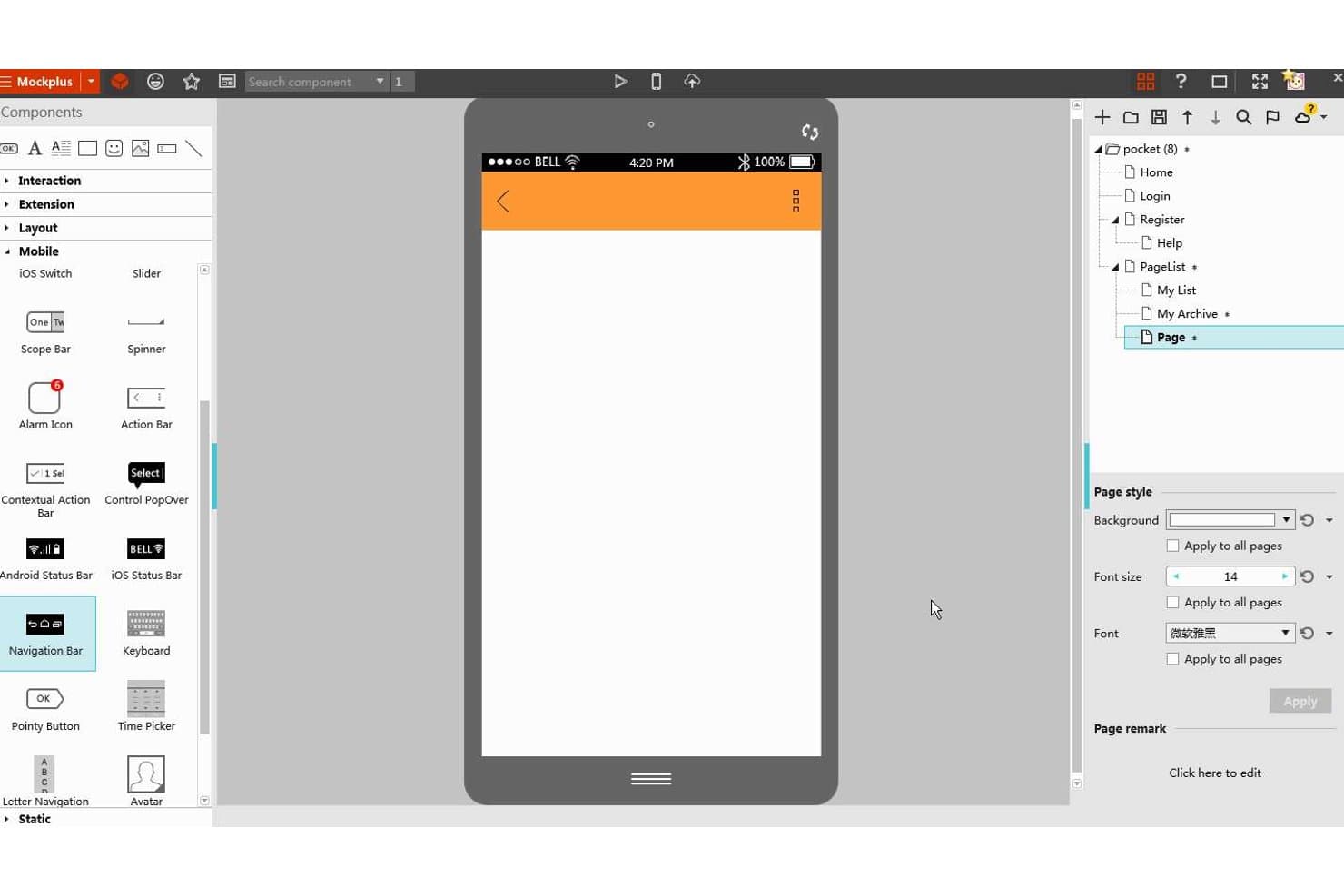
Mockplus lets users design Android app prototypes with mobile UI components. Mockplus RP is a browser-based, no-code prototyping tool that combines drag-and-drop wireframing, a built-in Material Design component library, interactive screen linking, and cloud-based collaboration and handoff.
Who Is Mockplus Best For?
Mockplus RP is a strong fit for small design teams and startups that need to move quickly from wireframe to interactive prototype without a steep learning curve or a heavy tool budget.
Why I Picked Mockplus
I've included Mockplus in my top picks because its free perpetual team plan gives up to 10 users real-time co-editing without an expiration date, which is rare in prototyping tools. I particularly like its dedicated Material Design library, added in 2023, which lets teams drag in pre-built Material 3 components with live style previews directly onto Android artboards. Its Connect Mode and Storyboard view also let you map full navigation flows visually, so stakeholders can trace screen-to-screen logic before a single line of code is written.
Mockplus Key Features
- Real-time co-editing: Multiple team members can edit the same prototype simultaneously, with changes syncing live across all collaborators.
- Axure file import: You can import Axure files directly into RP, preserving approximately 95% of the original UI and interaction detail.
- Cloud-based developer handoff: Publishing to Mockplus Cloud auto-generates specs, redlines, downloadable assets, and code snippets for Android, iOS, and web.
- Role-based access control: Teams can assign one of four permission roles—Super Admin, Admin, Member, or guest—to manage who can view, edit, or comment on projects.
Mockplus Integrations
Mockplus integrates with Figma, Sketch, Adobe XD, Photoshop, and Axure through Mockplus Cloud plugins. It also connects with Jira, Slack, Confluence, and Lark, but no public API is documented.
Pros and Cons
Pros:
- Real-time co-editing supports distributed design teams
- Storyboard maps multi-screen navigation clearly
- Material 3 components speed Android wireframing
Cons:
- Android-native code output remains unconfirmed
- Gesture triggers lack documented swipe depth
Learn more about Mockplus: Best for facilitating design-to-dev handoff
- Free plan available
- From $12/month (billed annually)
Visit WebsiteCustomer Rating:4.4/5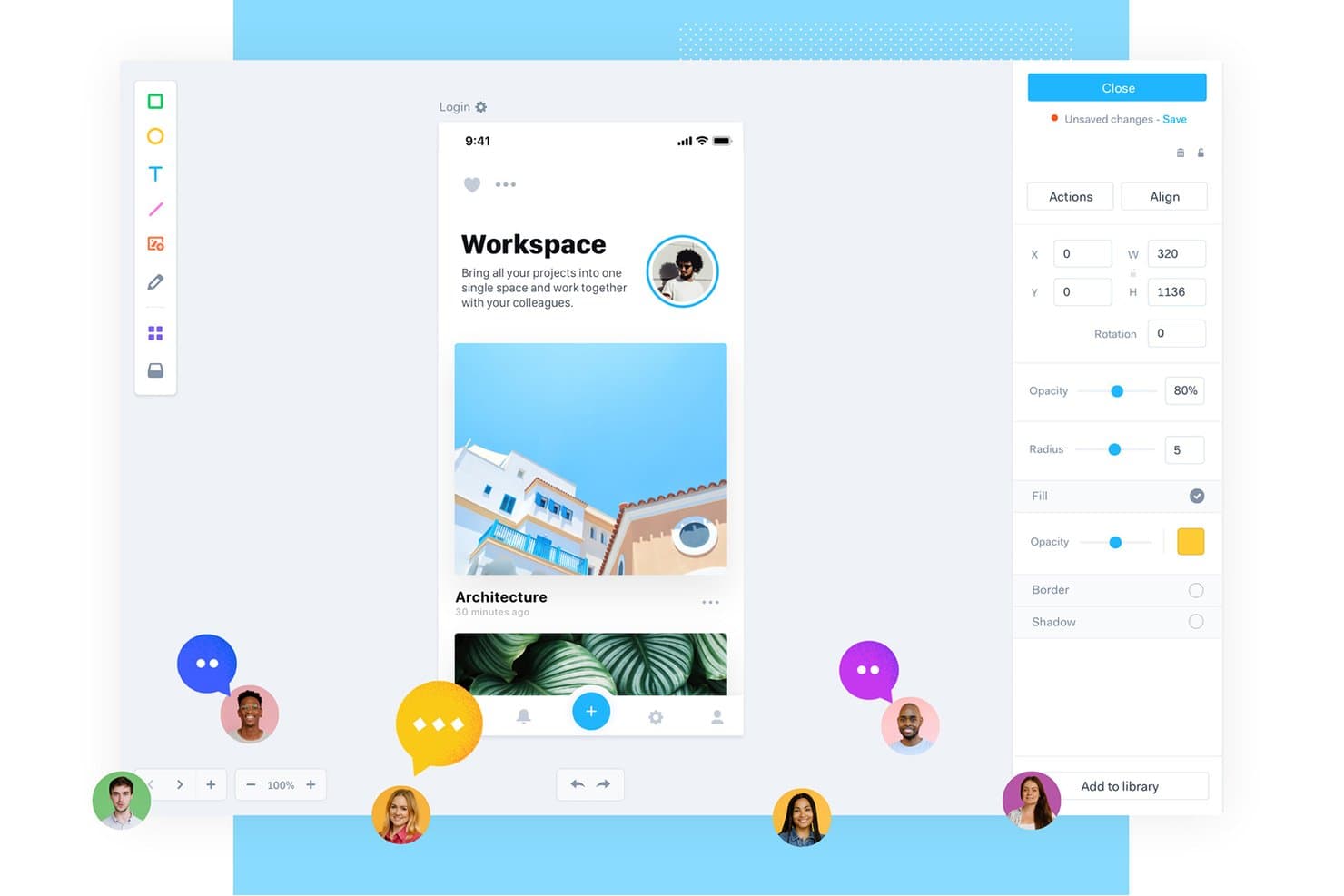
Marvel lets users prototype mobile apps with real-time collaboration tools. Marvel is a browser-based design and prototyping tool that covers wireframing, interactive screen linking, collaborative feedback, and developer handoff—including Android XML code generation.
Who Is Marvel Best For?
Marvel suits product managers and lean cross-functional teams who need to move from early concept to developer handoff without relying on a dedicated design team.
Why I Picked Marvel
I've included Marvel in my top picks because its automatic developer handoff genuinely sets it apart: it generates Android XML code snippets directly from your designs, so developers get exact measurements, typography specs, and exportable assets in WEBP and SVG without any manual redlining. I also like that pinned annotations and let stakeholders leave precise screen-level feedback before a single line of code is written. That combination of code-ready specs and structured feedback makes Marvel a strong fit for lean teams moving fast from concept to build.
Marvel Key Features
- Hotspot-based screen linking: Draw clickable areas on any screen and link them to other screens to build multi-screen prototypes without writing any code.
- On-device prototype playback: The Marvel Android app lets you open and play prototypes directly on an Android device for real-device preview.
- Sketch and Figma sync: Dedicated plugins let you import Sketch artboards or Figma frames directly into Marvel projects to keep designs current.
- User roles and permissions: Assign roles from admin down to external reviewer to control who can edit, comment, or view each project.
Marvel Integrations
Marvel supports integrations with Sketch, Figma, Jira, Confluence, Slack, Microsoft Teams, and Zeroheight. It also offers a GraphQL API and Zapier connectivity.
Pros and Cons
Pros:
- Android app previews hotspot prototypes
- Pinned annotations clarify screen-level feedback
- Generates Android XML handoff snippets
Cons:
- No native Material Design component library
- No conditional logic or state management
Learn more about Marvel: Best for integrating with other Adobe suite products
- Free trial available
- From CAD $91.99/month
Visit WebsiteCustomer Rating:4.3/5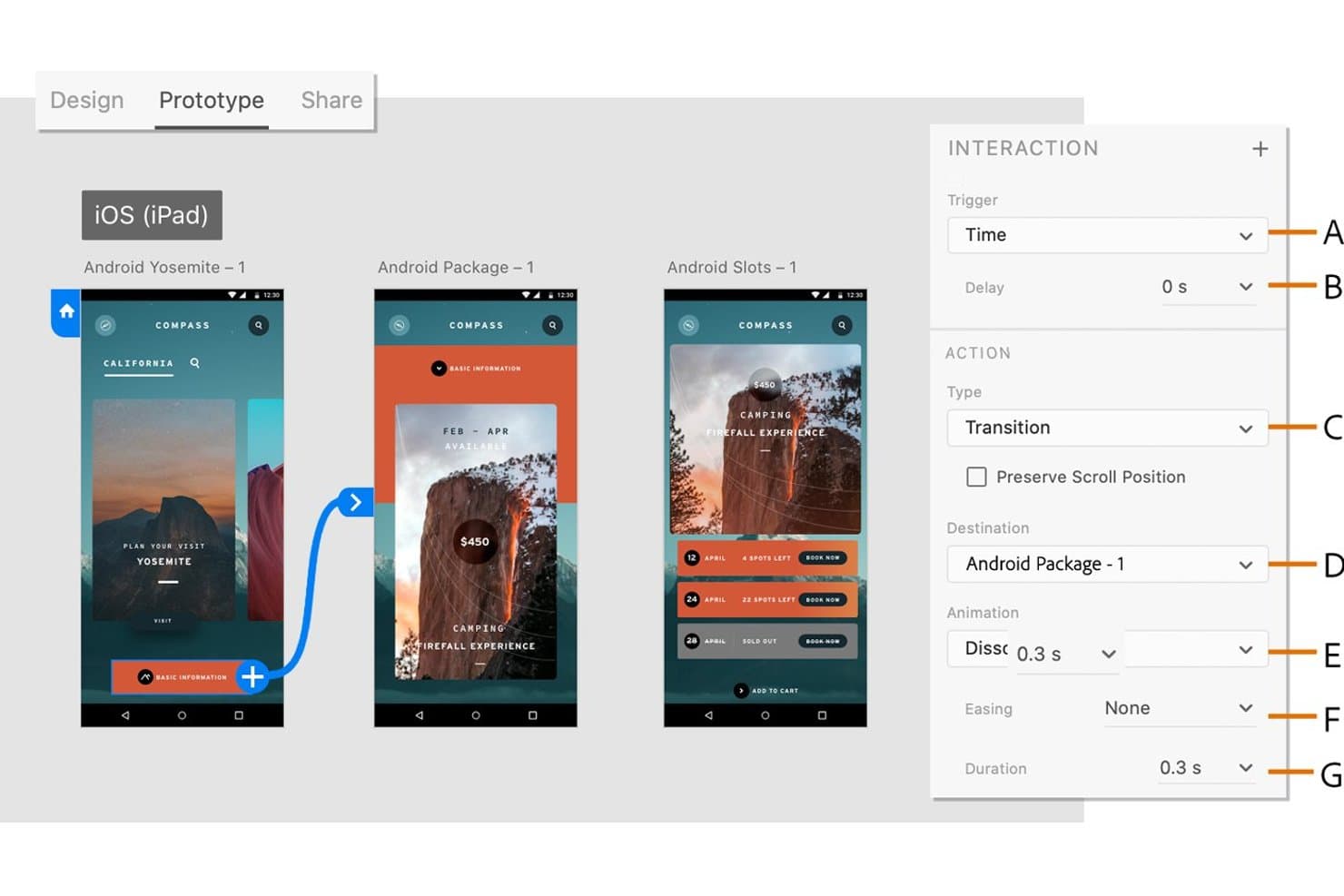
Adobe XD lets users define timed transitions between Android prototype screens. Adobe XD is a vector-based UI/UX design and prototyping tool that supports interactive screen linking, gesture and animation simulation, component-based design, and collaborative prototype sharing.
Who Is Adobe XD Best For?
Adobe XD is a strong fit for design teams already working within the Adobe ecosystem, where tight asset sharing between Photoshop, Illustrator, and After Effects is a daily workflow need.
Why I Picked Adobe XD
I've included Adobe XD in my top picks because it fits naturally into teams already working across the Adobe suite, where pulling vectors from Illustrator or layering motion from After Effects into a prototype is a daily reality. XD's Auto-Animate feature handles gesture and transition simulation well, matching layer names across artboards to produce smooth, convincing Android-style interactions without extra tooling. Creative Cloud Libraries keep shared components and assets in sync across Photoshop, Illustrator, and XD at once.
Adobe XD Key Features
- Component states: Define default, hover, toggle, and custom states for components, with interactions already wired to toggle states automatically.
- Android density export: Export assets at all standard Android densities, from ldpi to xxxhdpi, plus SVG with Presentation Attributes for direct Android Studio use.
- Version history: Name, describe, and search saved document versions, with autosaved versions retained for 60 days or kept indefinitely when marked.
- UI kit access: Download ready-made kits for Google Material, iOS, wireframes, and other platforms directly from the File menu.
Adobe XD Integrations
Adobe XD has native integrations with Photoshop, Illustrator, After Effects, and Creative Cloud Libraries. It also supports marketplace integrations with Jira and plugins for Slack and Zoom.
Pros and Cons
Pros:
- Supports pinned feedback and real-time coediting
- Simulates gestures, transitions, and scroll behavior
- Exports assets at every Android density
Cons:
- Handoff provides no native Android code
- Android preview excludes Windows USB workflows
 Best for realistic app simulations
- 15-day free trial
- From $24/user/month (billed annually)
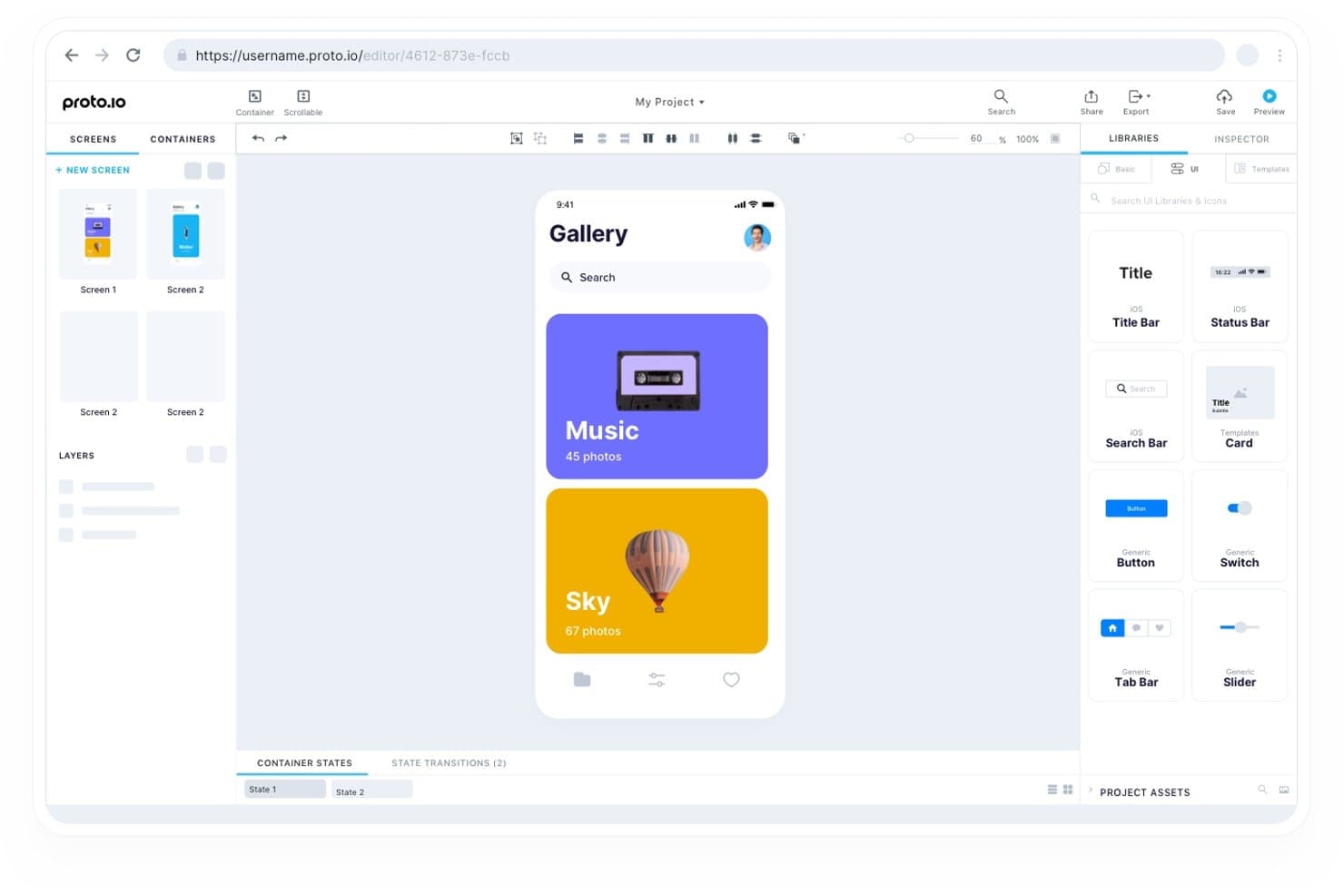
Proto.io lets users design mobile app screens with drag-and-drop UI components. Proto.io is a web-based prototyping tool that lets you build interactive app mockups using drag-and-drop UI components, multi-touch gesture simulation, timeline animations, and conditional logic across iOS, Android, and web platforms.
Who Is Proto.io Best For?
Proto.io fits UX/UI designers and design team leads who need to demo app behavior that feels indistinguishable from a real product, without writing a single line of code.
Why I Picked Proto.io
Proto.io earns its spot as one of the best on my shortlist because its variables and conditional logic let you build prototypes that genuinely behave like finished apps, covering states like logged-in vs. logged-out without a single line of code. I'm particularly impressed by the timeline animation system, which supports spring easing curves and Lottie files, so transitions feel native rather than staged. Add full multi-touch gesture support, including pinch, swipe, and drag with snapping bounds, and stakeholders rarely need to imagine what the real app will feel like.
Proto.io Key Features
- Material UI kit: A pre-built library of Material Design components, including side navigation, that you can drag directly onto your canvas.
- Reusable containers: Custom components that update across every screen automatically when you edit the source.
- Version control with rollback: The editor saves backups every minute and keeps named save points you can restore at any time.
- Role-based access controls: Assign owner, admin, designer, or reviewer roles at the project level to manage who can edit versus comment.
Proto.io Integrations
Proto.io offers native integrations with Figma, Sketch, Adobe XD, Photoshop, Jira, Confluence, Trello, UserTesting, UserZoom, and Lookback. These connections support design imports, project documentation, issue tracking, and usability testing.
Pros and Cons
Pros:
- Stakeholders can review live interactive flows
- Multi-touch gestures and spring animations feel native
- Realistic conditional navigation mirrors Android app states
Cons:
- Android companion app feels outdated
- Developer handoff lacks measurements and code exports
Learn more about Proto.io: Best for stakeholder feedback on early concepts
- Free plan available
- From $9/user/month (billed annually)
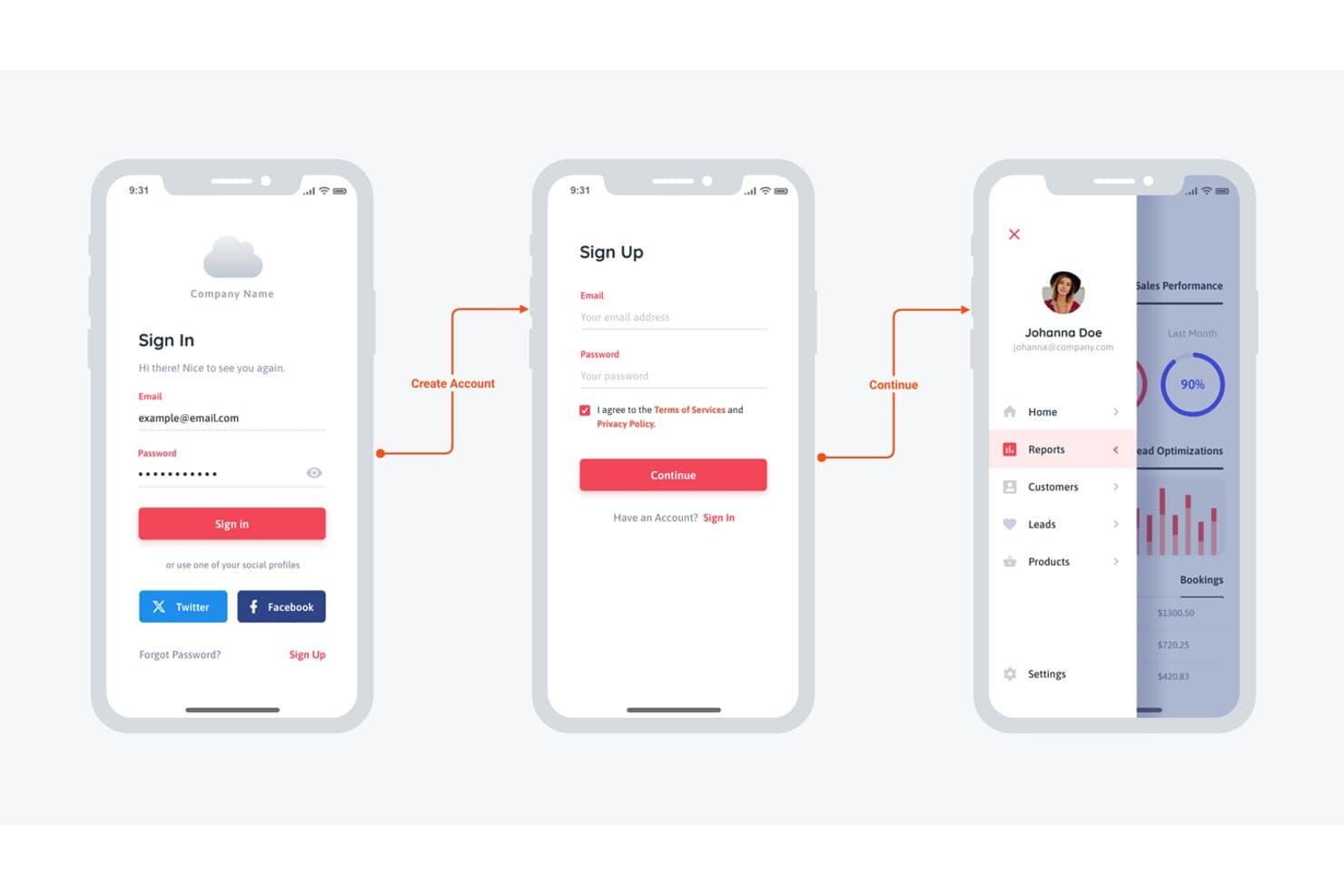
Moqups lets users design mobile app sign-in and dashboard wireframes. Moqups is a browser-based wireframing and mockup tool that combines prototyping, diagramming, and whiteboarding in a single workspace, with a Material Design 3 component library and click-through interaction support for mobile app concepts.
Who Is Moqups Best For?
Moqups is a strong fit for product managers who need to run stakeholder review cycles on early app concepts without pulling designers into every iteration.
Why I Picked Moqups
I've included Moqups in my top picks because it handles stakeholder feedback on early Android app concepts better than almost anything else I've tested. The commenting system lets reviewers drop notes directly on wireframe objects, and unlimited guests can join without a paid seat, so getting sign-off from a product director or client doesn't require any account setup. Pair that with an up-to-date Material Design 3 component library (including M3 Expressive additions like split buttons and docked toolbars) and you can put realistic Android screen concepts in front of stakeholders fast.
Moqups Key Features
- Material Design 3 component library: A full M3 kit—including M3 Expressive additions like split buttons, docked toolbars, and expanded FAB menus—available in light and dark themes with built-in resize constraints.
- Object interactions: Show, hide, or toggle the visibility of on-screen elements to simulate dropdowns, modals, and toggles without leaving the browser.
- Synced components: Reusable components with instance overrides that propagate edits across every linked instance automatically.
- Developer handoff panel: Displays measurements, colors, fonts, and copyable CSS or JSX code for any selected object on the canvas.
Moqups Integrations
Moqups offers documented integrations with Jira Cloud, Confluence Cloud, Trello, Slack, Google Drive, Dropbox, and Box, plus a Figma plugin and Balsamiq import.
Pros and Cons
Pros:
- Synced components maintain consistent screen patterns
- Stakeholders comment directly on wireframe objects
- Current Material 3 components support Android layouts
Cons:
- Handoff omits Android XML and Compose output
- No documented swipe or animation simulation
Learn more about Moqups: Best for real-time collaboration
- Free plan available
- From $3/user/month
Visit WebsiteCustomer Rating:4.7/5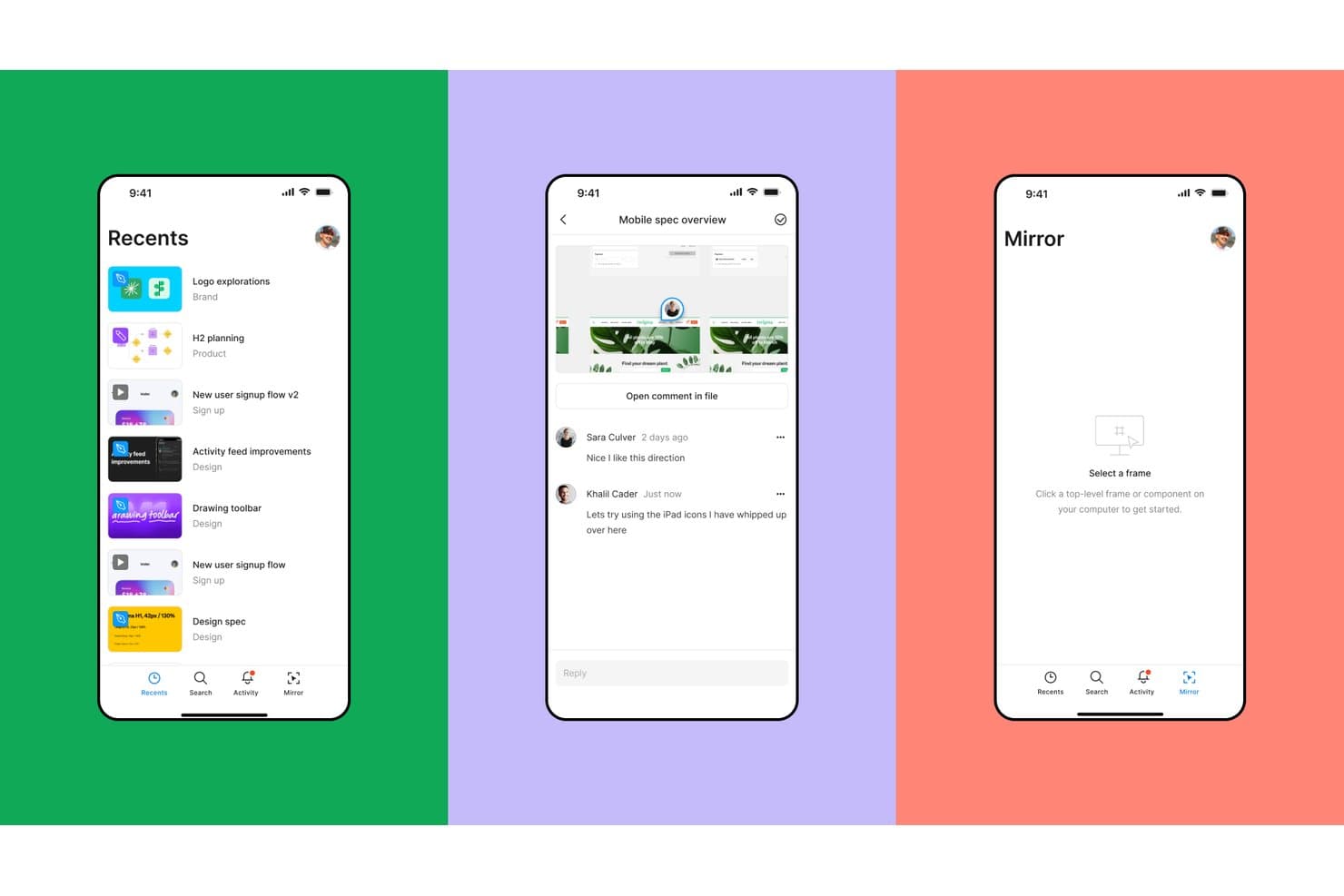
Figma lets users browse, comment, and mirror designs on mobile. Figma is a browser-based design and prototyping tool that combines interactive screen linking, variable-driven conditional logic, an official Google Material 3 component kit, and real-time multiplayer editing in a single environment.
Who Is Figma Best For?
Figma is a strong fit for design teams and product managers who need multiple collaborators reviewing, editing, and commenting on Android prototypes in real time.
Why I Picked Figma
Figma earns its spot on my shortlist because no other tool I've tested matches its real-time multiplayer editing for Android prototype reviews. I can have a product manager, a developer, and two designers all inside the same prototype file simultaneously, leaving pinned comments directly on Material 3 components while I'm still refining the flow. Variable-driven conditional logic also means I can simulate light/dark mode switching or multi-step onboarding without duplicating dozens of frames.
Figma Key Features
- Material 3 component kit: Google's official, Compose-first Material 3 kit ships with color, type, and state-layer variables, plus example Android screens you can use directly in your prototype files.
- Prototype flows: Each user journey, such as onboarding or checkout, can be scoped into a named flow with its own shareable link and description for usability testing.
- Smart Animate: Figma animates matching layers across frames, covering position, scale, opacity, and rotation, with adjustable easing and duration controls.
- Dev Mode code snippets: The inspect panel generates Jetpack Compose and XML snippets with dp and sp units, giving Android developers ready-to-reference specs directly from your design file.
Figma Integrations
Figma integrates with GitHub, Jira, Storybook, VS Code, Supabase, and the Material Theme Builder plugin. Its MCP Server connects with Claude, Cursor, Codex, and OpenAI for AI-assisted design and development workflows.
Pros and Cons
Pros:
- Conditional logic simulates complex app states
- Official Compose-first Material 3 components
- Real-time multiplayer Android prototype reviews
Cons:
- Manual updates for customized Material kits
- No sensor, tilt, or voice simulation
 Best for design system management
- Free plan + 14-day free trial + demo available
- From $49/user/month
Visit WebsiteCustomer Rating:4.2/5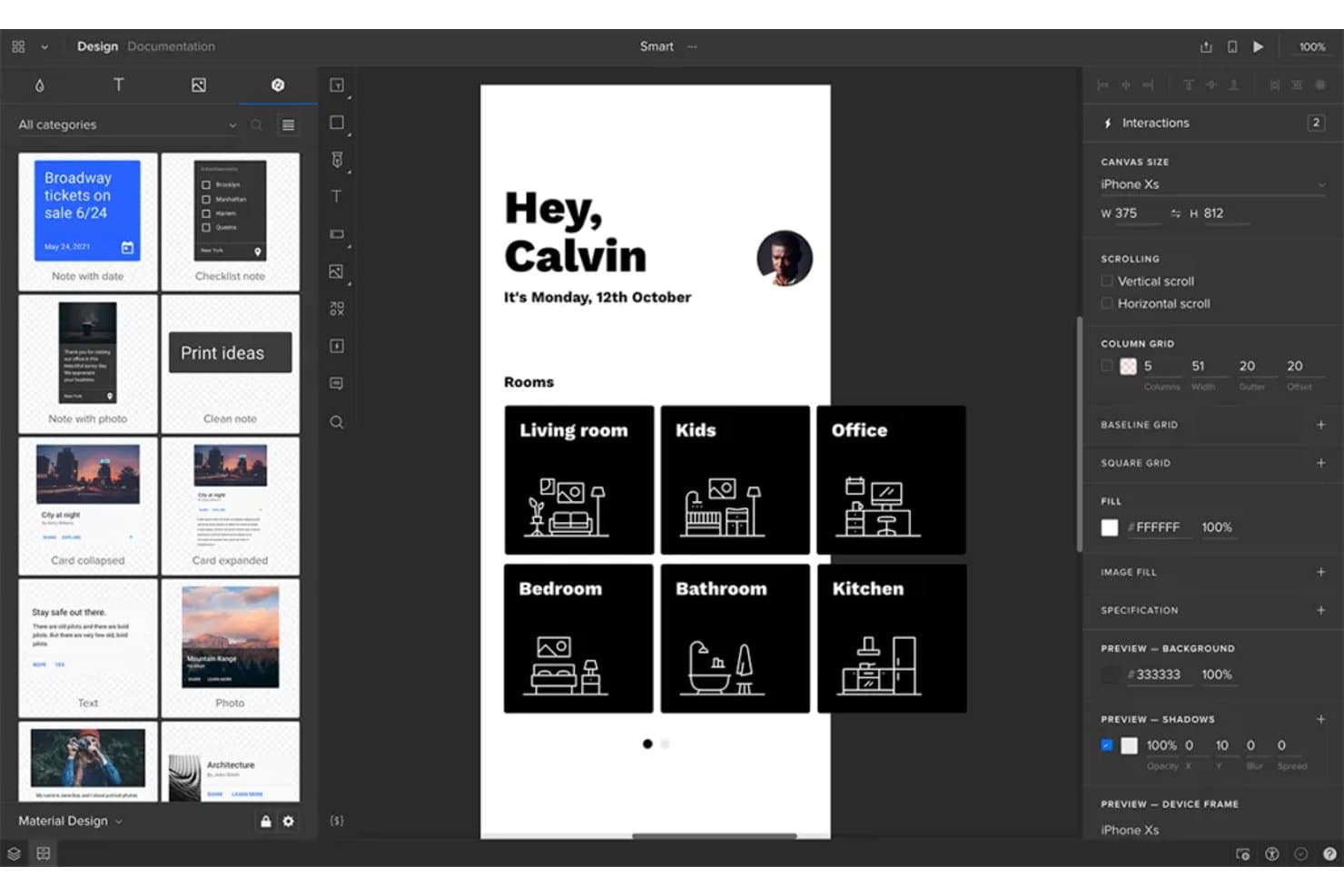
UXPin lets users prototype Android app screens with room-based navigation layouts. UXPin is a high-fidelity prototyping tool that lets you build interactive app prototypes using real, code-backed components, with support for conditional logic, variables, gesture triggers, and on-device preview via its Android Mirror app.
Who Is UXPin Best For?
UXPin is a strong fit for design teams managing a shared component library across multiple products or workstreams.
Why I Picked UXPin
UXPin earns its spot on my shortlist because of how seriously it takes design system management. With Merge, you can sync real React components directly from Git, Storybook, or npm, so your Material Design library in UXPin stays in lockstep with what developers are actually building. I also find Forge AI particularly useful here: it generates screens using your actual component library, not generic shapes, which means every AI-generated Android screen already respects your design system rules.
UXPin Key Features
- Conditional logic and variables: Set up if-then and if-else interactions that respond to user inputs, stored values, and state changes across your prototype.
- UXPin Mirror app: Preview your Android prototype on a real device in real time, without a USB cable or shared Wi-Fi network.
- Collaborative comments: Stakeholders and guests can leave threaded, comments directly on prototype screens without needing a paid account.
- Material Design UI kit: A built-in library of resizable, interactive Material components, including buttons, cards, and navigation, with pre-set interactions ready to use.
UXPin Integrations
UXPin integrates with Storybook, GitHub, Bitbucket, npm, Figma, Sketch, Slack, Jira, FullStory, StackBlitz, and CodeSandbox.
Pros and Cons
Pros:
- Guest comments support focused stakeholder feedback
- Mirror previews Android prototypes on physical devices
- Realistic flows use variables and conditional logic
Cons:
- Complex variables slow initial prototype setup
- React-based components miss native Android behavior
Learn more about UXPin: Best for responsive design adaptability
- Free plan + 10-day trial available
- From $19/user/month
Visit WebsiteCustomer Rating:4.2/5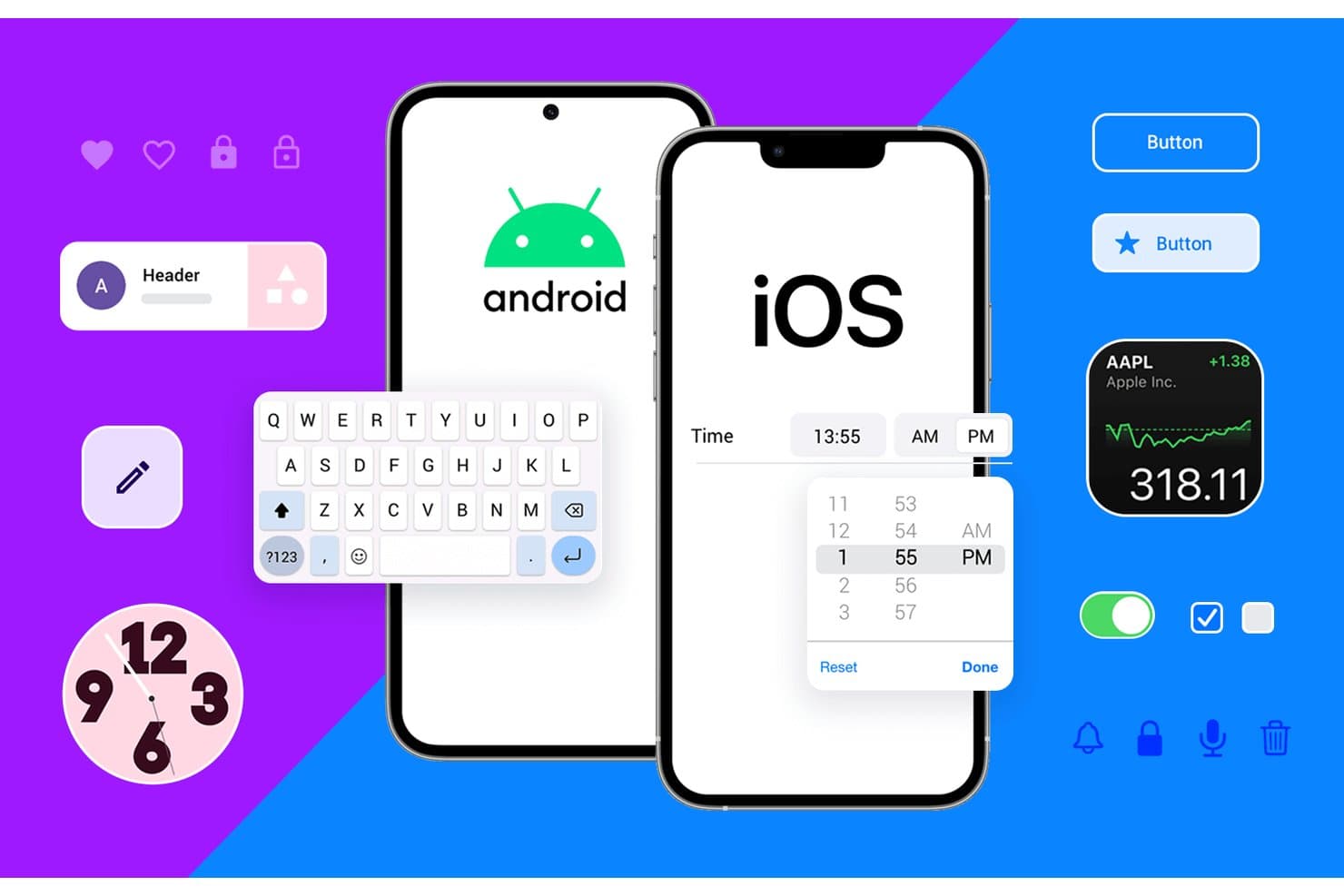
Justinmind supports both Android and iOS UI component prototyping. Justinmind is a desktop prototyping tool for macOS and Windows that combines wireframing, interactive simulation, and a Material Design 3 Android UI kit with conditional logic, variables, and responsive layout controls.
Who Is Justinmind Best For?
Justinmind is a strong fit for UX and product design teams that need to prototype complex, logic-driven Android app flows across multiple screen sizes without writing code.
Why I Picked Justinmind
Justinmind earns its spot on my shortlist because its responsive layout tooling is genuinely built for multi-screen Android prototyping. I can pin sticky headers, set element widths as percentages, and configure breakpoint events so the same prototype reflows across a phone, tablet, and foldable layout automatically. Paired with a Material Design 3 kit containing 350+ live components and current device frames like the Pixel 9 and Galaxy S25, I can validate real Android layouts at any screen size before a single line of code is written.
Justinmind Key Features
- Conditional logic builder: Set rules that control when and how interactions fire, so you can prototype different app states like logged-in views or form validation errors.
- CSV data import: Load real data into your prototype via CSV files to simulate dynamic content like user lists or product feeds.
- User flow diagram tool: Map out navigation paths between screens visually to document and validate your app's full flow structure.
- Developer handoff panel: Share a browser-based view that exposes measurements, spacing, color hex codes, CSS, and downloadable assets to developers without any additional installs.
Justinmind Integrations
Justinmind offers integrations with Figma, Sketch, Adobe XD, Jira, Azure DevOps, and Confluence, plus an API/SDK for custom plugins.
Pros and Cons
Pros:
- Conditions and variables simulate complex app states
- Responsive breakpoints validate phone, tablet, and foldable layouts
- 350-plus Material components support realistic Android screens
Cons:
- Handoff omits native XML and Compose output
- Desktop-only editor limits browser-based collaboration
Learn more about Justinmind: Best for complex prototypes with advanced features
- Free plan available
- From $29/user/month (billed annually)
Visit WebsiteCustomer Rating:3.6/5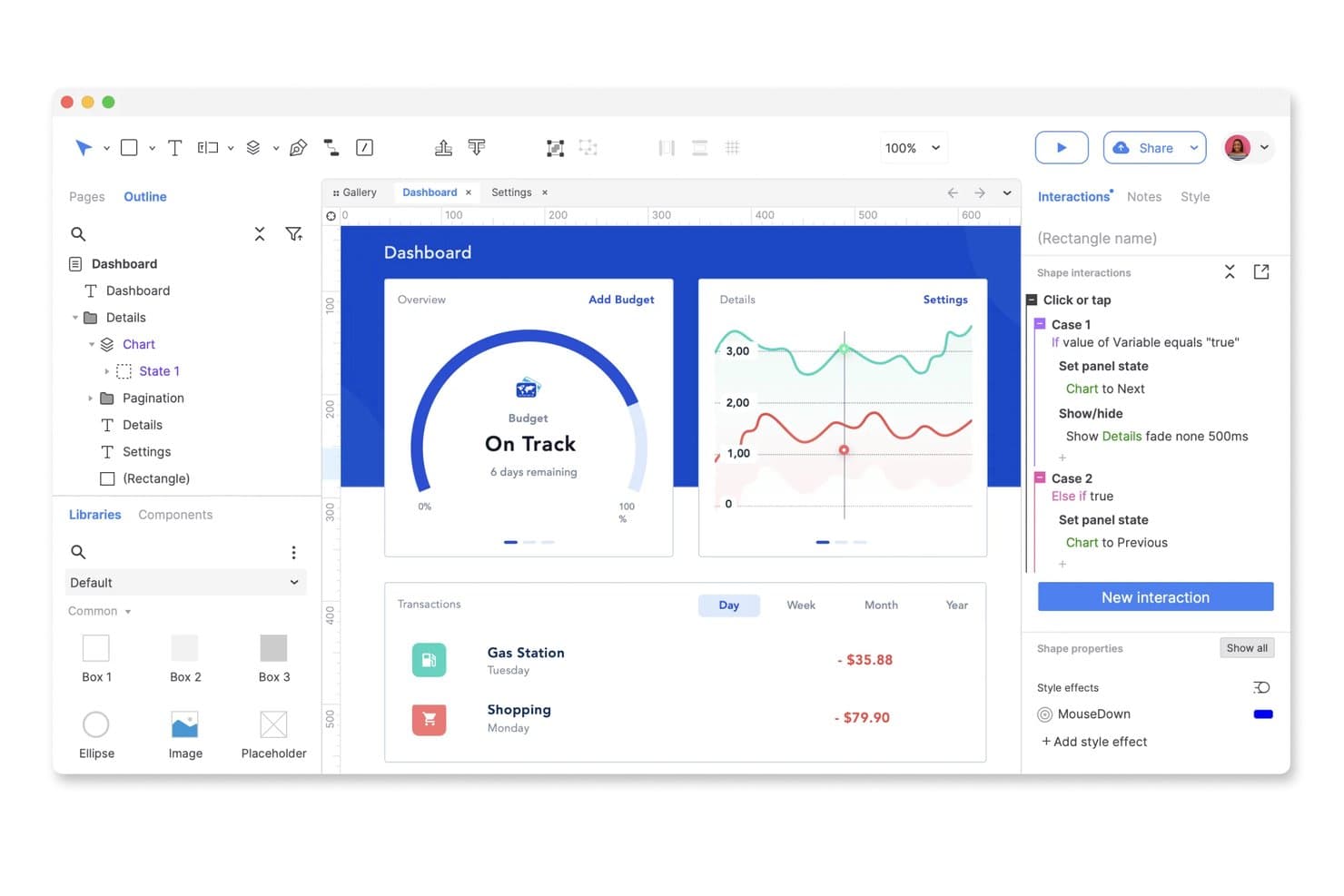
Axure RP lets users build interactive dashboard prototypes with conditional logic. Axure RP is a desktop prototyping tool that lets you build interactive, high-fidelity prototypes using conditional logic, dynamic panels, variables, and gesture-based interactions.
Who Is Axure RP Best For?
Axure RP is a strong fit for experienced UX designers and design team leads who need to build and test complex, logic-driven prototypes before handing off to development.
Why I Picked Axure RP
Axure RP earns its spot on my shortlist because no other tool comes close to its conditional logic and dynamic panel system for building complex, logic-driven prototypes. I've used it to simulate real app states, like switching between logged-in and logged-out views, using variables, repeaters, and branching conditions without writing a single line of code. The swipe and drag event support on dynamic panels also lets me prototype gesture-based navigation flows that actually feel like a working Android app.
Axure RP Key Features
- Adaptive views: Design phone, tablet, and desktop layouts on a single page using preset or custom device sizes, with separate inheritance chains for different platforms.
- Axure Cloud commenting: Stakeholders can leave threaded comments directly on prototype screens, mark them as resolved, and receive notifications via Slack or Microsoft Teams.
- Inspect mode: Developers can access redlines, measurements, typography details, hex colors, and downloadable image assets through Axure Cloud at no extra cost.
- Page check-out and check-in: The Team plan supports co-authoring with version history, restore points, and check-in notes to keep design files organized across contributors.
Axure RP Integrations
Axure RP integrates with Figma, Sketch, Adobe XD, Jira, Confluence, Slack, and Microsoft Teams. These connections support importing designs, embedding prototypes, linking tickets, and sending review notifications.
Pros and Cons
Pros:
- Provides detailed redlines and downloadable design assets
- Supports swipe, drag, scroll, and long-click interactions
- Simulates complex Android app states without code
Cons:
- Cannot export Android XML or Jetpack Compose code
- Requires third-party libraries for Material Design components
Learn more about Axure RP: 10Best for creating highly interactive mobile prototypes
ProtoPie
- Free plan + free demo available
- From $25/user/month
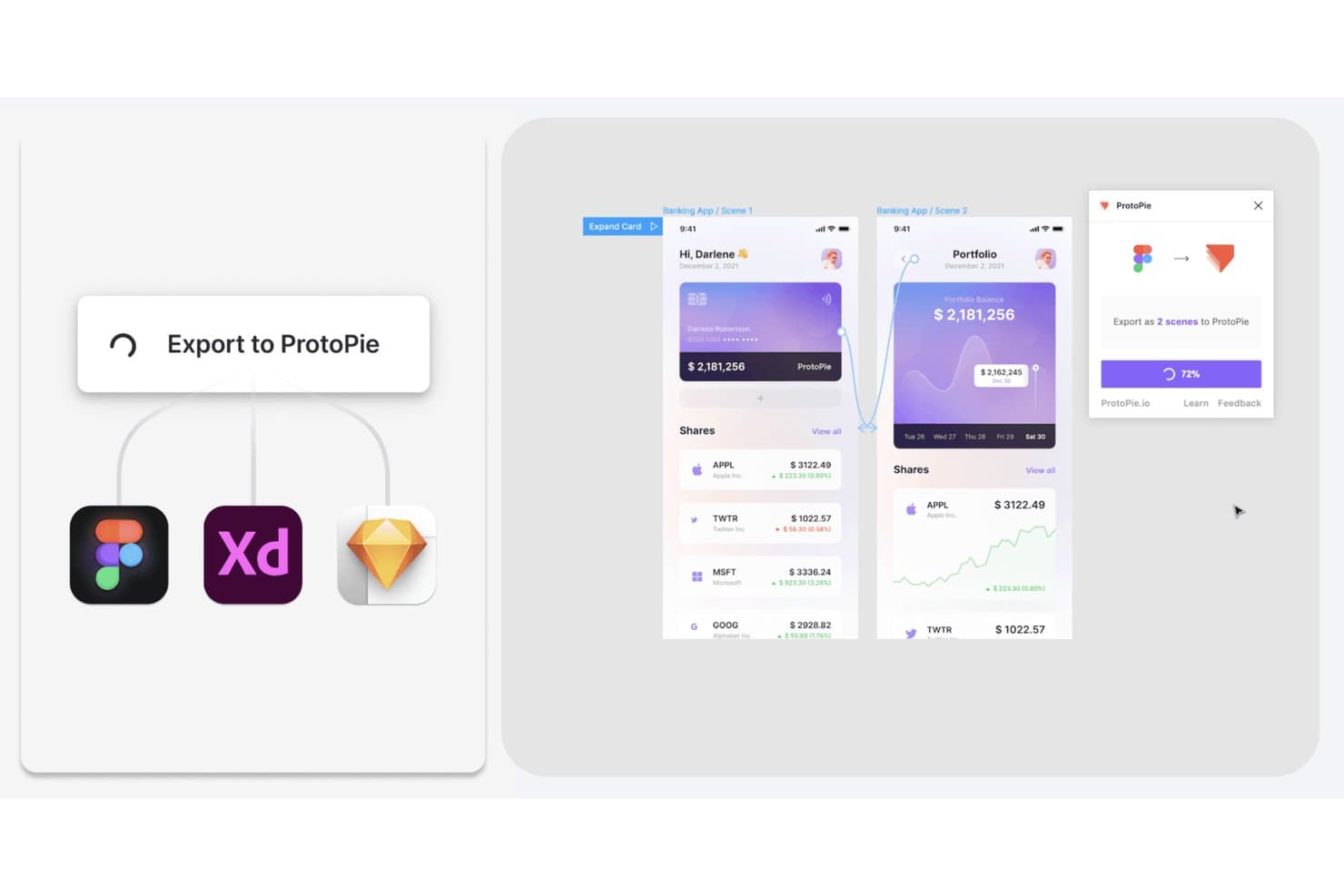
ProtoPie lets users export Figma, XD, and Sketch designs as interactive prototypes. ProtoPie is a no-code prototyping tool that lets you build highly interactive mobile and multi-device prototypes using logic, variables, conditional triggers, gestures, and sensor inputs.
Who Is ProtoPie Best For?
ProtoPie is a strong fit for UX/UI designers and design team leads who need to prototype complex, gesture-driven mobile interactions without writing code.
Why I Picked ProtoPie
ProtoPie earns its spot on my shortlist because no other tool I've tested matches its depth of gesture and sensor simulation for mobile prototypes. I can wire up pinch, multi-touch, tilt, and even Android-specific back and volume key triggers without touching a line of code. On top of that, conditional logic and variables let me prototype real decision flows, like validating a password field or gating a screen behind a rule, so stakeholders see something that behaves like a shipped app.
ProtoPie Key Features
- Figma import with component linking: Import Figma frames as scenes, with components and variants staying linked so re-importing preserves edits you've made in ProtoPie.
- ProtoPie Player for Android via USB: Preview prototypes on a physical Android device over a USB cable with USB debugging, a connection method exclusive to Android.
- Interaction recording and timeline inspection: Auto-generated recordings capture real usage scenarios and log triggers, responses, easing, and layer properties in a stepthrough timeline for developers.
- ProtoPie AI prompt-based interaction building: Build interactions from plain-language prompts using for specific layers, with Stop and Revert controls included.
ProtoPie Integrations
ProtoPie integrates with Figma, Sketch, and Adobe XD through plugins.
Pros and Cons
Pros:
- Captures interaction timing for developer handoff
- Tests complex flows with variables and conditions
- Simulates Android gestures, sensors, and hardware keys
Cons:
- Requires rerunning prototypes after desktop edits
- Offers limited native Android component coverage
Learn more about ProtoPie:
Diğer Android Prototipleme Araçları
Kısa listeme giremeyen ancak yine de göz atmaya değer bazı ek Android protipleme aracı seçeneklerini burada bulabilirsiniz:
- 11FlutterFlow Best for prototyping with exportable Flutter code
- 12Mockitt PrototypeBest for all-in-one prototyping with AI generation
- 13MockFlowGood for planning and documenting design decisions
- 14FramerBest for prototyping that publishes to a live site
- 15VisilyBest for AI-generated wireframes without design skills
- 16FluidUIGood for rapid low and high-fidelity prototyping
- 17DraftbitBest for prototyping with real app code output
- 18Indigo.DesignGood for unifying prototyping and user testing
How I Evaluate Android Prototyping Tools
I split my evaluation into three parts, with core functionality carrying the most weight: connect screens into clickable flows and preview Android gestures on-device. Next, I consider standout features such as conditional logic for logged-in and logged-out journeys. Finally, I weigh support, onboarding, and pricing beyond the feature set.
Core Functionality (Table Stakes For This List)
When I'm selecting tools for my list, I score each one on a scale from 0 (does not offer the functionality) to 5 (excels in this area) for each core functionality listed below. I then convert the total into a percentage to help assess each tool's overall fit, with extra weight on any functionalities I’ve deemed essential.
- Interactive Screen Linking (Essential): I look for linked screens, branching paths, and conditional flows that can represent journeys such as onboarding or account recovery.
- Android Design Components (Essential): I check for Material Design components and theming options that help teams prototype realistic Android screens without recreating common patterns.
- Gesture & Animation Simulation: I assess support for taps, swipes, scrolling, and transitions to see whether a prototype can communicate how interactions should feel.
- On-Device Preview: I look for a practical way to preview and test flows on an Android device, especially when reviewing touch targets and screen behavior.
- Collaborative Feedback: I consider whether stakeholders can comment on specific screens or elements, making it easier to resolve feedback during concept reviews.
- Developer Handoff: I check for inspectable specifications, measurements, and exportable assets that give Android developers clear implementation references.
Once I have a list of tools that meet the criteria, I consider what sets each platform apart.
Differentiating Factors (What Sets Vendors Apart)
Here's how I compare and contrast different vendors:
Standout Features
I evaluate whether a tool supports conditional logic and variables, which let me simulate real app states like logged-in vs. logged-out flows during usability reviews. Built-in testing analytics matter too—heatmaps and session recordings help me quantify where users hesitate or drop off. I also check for design system sync, since importing existing Figma or Sketch libraries saves weeks of rebuilding components from scratch.
Beyond Features
I check whether a tool connects to project management platforms like Jira or Asana, since linking prototypes to backlog items keeps sprint planning grounded in actual designs. Pricing flexibility matters too—per-seat models can strain growing teams, while per-project plans suit lean startups validating early concepts. I also evaluate how easily non-designers can participate; tools with presentation-ready sharing modes help PMs get faster stakeholder sign-off without scheduling a walkthrough.
Android Prototipleme Aracı Nasıl Seçilir?
Uzun özellik listeleri ve karmaşık fiyatlandırma yapılarına kapılmak kolaydır. Benzersiz yazılım seçimi sürecinizde ilerlerken odağınızı korumanıza yardımcı olmak için aklınızda bulundurmanız gereken faktörlerin bir kontrol listesi aşağıdadır:
| Faktör | Dikkat Edilmesi Gerekenler |
|---|---|
| FaktörÖlçeklenebilirlik | Dikkat Edilmesi GerekenlerAraç ekibinizle birlikte büyüyecek mi? İhtiyaçlarınız arttıkça daha fazla kullanıcıyı ve projeyi destekleyip destekleyemediğini kontrol edin. |
| FaktörEntegrasyonlar | Dikkat Edilmesi GerekenlerMevcut araçlarınıza bağlanıyor mu? Tasarım, iletişim ve proje yönetimi yazılımlarınızla sorunsuz entegrasyon sunan araçları tercih edin. |
| FaktörÖzelleştirilebilirlik | Dikkat Edilmesi Gerekenlerİş akışınıza uyacak şekilde uyarlayabiliyor musunuz? Şablonları ve arayüzleri ekibinizin süreçlerine uyacak şekilde özelleştirme olanağını değerlendirin. |
| FaktörKullanım kolaylığı | Dikkat Edilmesi GerekenlerHerkes için kullanıcı dostu mu? Öğrenme eğrisini ve ekibinizin kapsamlı bir eğitim almadan aracı kolayca benimseyip benimseyemeyeceğini göz önünde bulundurun. |
| FaktörUygulama ve kullanıma hazırlama | Dikkat Edilmesi GerekenlerNe kadar hızlı başlayabilirsiniz? Gecikmeleri önlemek için kullanıma hazırlama sürecini, eğitimlerin bulunabilirliğini ve ilk kurulum sırasında sunulan desteği inceleyin. |
| FaktörMaliyet | Dikkat Edilmesi GerekenlerBütçenize uygun mu? Fiyatlandırma planlarını karşılaştırın, gizli ücretleri kontrol edin ve özelliklerin maliyeti haklı çıkardığından emin olun. |
| FaktörGüvenlik önlemleri | Dikkat Edilmesi GerekenlerTasarımlarınız korunuyor mu? Çalışmalarınızı güvende tutmak için aracın şifreleme, güvenli veri depolama ve düzenli güvenlik güncellemeleri sunduğundan emin olun. |
| FaktörDestek bulunabilirliği | Dikkat Edilmesi Gerekenlerİhtiyacınız olduğunda yardım alabiliyor musunuz? Yardımın erişilebilir olduğundan emin olmak için destek saatlerini, kanalları (sohbet veya telefon gibi) ve yanıt sürelerini kontrol edin. |
Android Prototipleme Araçları Nedir?
Android prototipleme araçları, tasarımcıların ve geliştiricilerin Android uygulamalarının etkileşimli maketlerini oluşturmasına yardımcı olan yazılım çözümleridir. Bu araçlar genellikle ürün yöneticileri, UX/UI tasarımcıları ve geliştiriciler tarafından, geliştirme öncesinde uygulama tasarımlarını görselleştirmek ve kullanıcı etkileşimlerini test etmek için kullanılır. Etkileşimli tasarım, dokunma hareketi desteği ve gerçek zamanlı iş birliği gibi özellikler, ekiplerin uygulama prototiplerini verimli bir şekilde oluşturmasına ve geliştirmesine yardımcı olur. Genel olarak bu araçlar, uygulama tasarımlarını hızlı bir şekilde yinelemek ve iyileştirmek için bir yol sunarak zamandan ve kaynaklardan tasarruf sağlar.
Özellikler
Android prototipleme araçlarını seçerken aşağıdaki temel özelliklere dikkat edin:
- Etkileşimli tasarım: Kullanıcıların gerçek kullanıcı etkileşimlerini taklit eden dinamik prototipler oluşturmasına olanak tanıyarak ekiplerin uygulama işlevlerini görselleştirmesine yardımcı olur.
- Dokunma hareketi desteği: Sezgisel Android uygulamaları geliştirmek için kritik önem taşıyan dokunma tabanlı etkileşimlerin test edilmesini sağlar.
- Gerçek zamanlı iş birliği: Birden fazla kullanıcının aynı prototip üzerinde eş zamanlı çalışmasına olanak tanıyarak ekip çalışmasını kolaylaştırır, iletişimi ve verimliliği artırır.
- Platformlar arası uyumluluk: Prototiplerin çeşitli cihazlarda test edilip görüntülenebilmesini sağlayarak kullanılabilirlik testlerini geliştirir.
- Entegrasyon özellikleri: Diğer tasarım ve proje yönetimi araçlarıyla bağlantı kurarak iş akışını kolaylaştırır ve platformlar arasında tutarlılık sağlar.
- Özelleştirilebilir şablonlar: Belirli proje ihtiyaçlarına göre uyarlanabilen hazır tasarım şablonları sunarak zamandan ve emekten tasarruf sağlar.
- Bulut tabanlı depolama: Prototipler için güvenli çevrim içi depolama sunarak her yerden kolay erişim ve iş birliği sağlar.
- Kullanıcı testi özellikleri: Kullanıcılardan geri bildirim toplanmasına olanak tanıyarak tasarımların kullanıcı ihtiyaçlarını ve beklentilerini karşılamasını sağlar.
- Sürüm denetimi: Değişiklikleri izler ve önceki sürümlere geri dönülmesine olanak tanıyarak tasarım yinelemelerinin yönetilmesini kolaylaştırır.
- Güvenlik önlemleri: Hassas tasarım verilerini şifreleme ve düzenli güncellemelerle koruyarak yaratıcı çalışmaların güvenliğini sağlar.
Faydalar
Android prototipleme araçlarını uygulamak, ekibiniz ve işletmeniz için çeşitli faydalar sağlar. Yararlanabileceğiniz avantajlardan bazıları şunlardır:
- Geliştirilmiş iş birliği: Gerçek zamanlı iş birliği özellikleri, ekip üyelerinin daha etkili bir şekilde birlikte çalışmasına yardımcı olarak iletişim hatalarını azaltır ve tasarım sürecini hızlandırır.
- Daha hızlı yineleme: Etkileşimli tasarım ve sürüm denetimi, ekiplerin fikirleri hızlı bir şekilde test edip geliştirmesine olanak tanıyarak daha iyi nihai ürünlerin ortaya çıkmasını sağlar.
- Maliyet tasarrufu: Kullanıcı testi özellikleriyle tasarım kusurlarını erken tespit eden ekipler, geliştirme sırasında maliyetli düzeltmelerden kaçınabilir.
- Gelişmiş kullanıcı deneyimi: Dokunma hareketi desteği, prototiplerin gerçek etkileşimleri taklit etmesini sağlayarak daha sezgisel ve kullanıcı dostu uygulamaların ortaya çıkmasına yardımcı olur.
- Artırılmış erişilebilirlik: Bulut tabanlı depolama, prototiplere her yerden erişilebilmesini sağlayarak uzaktan çalışmayı destekler ve iş birliği olanaklarını genişletir.
- Kolaylaştırılmış iş akışı: Entegrasyon özellikleri, prototipleri diğer araçlarla bağlayarak daha verimli bir iş akışı oluşturur ve tekrarlayan görevleri azaltır.
- Veri güvenliği: Güvenlik önlemleri tasarım verilerini koruyarak ekiplerin fikri mülkiyetlerinin güvende olduğundan emin olmasını sağlar.
Maliyetler & Fiyatlandırma
Android prototipleme araçlarını seçmek, mevcut çeşitli fiyatlandırma modellerini ve planları anlamayı gerektirir. Maliyetler özelliklere, ekip büyüklüğüne, eklentilere ve daha fazlasına göre değişir. Aşağıdaki tablo, Android prototipleme aracı çözümlerinde yaygın planları, ortalama fiyatlarını ve genellikle sunulan özellikleri özetlemektedir:
Android Prototipleme Araçları İçin Plan Karşılaştırma Tablosu
| Plan Türü | Ortalama Fiyat | Yaygın Özellikler |
|---|---|---|
| Plan TürüÜcretsiz Plan | Ortalama Fiyat$0 | Yaygın ÖzelliklerTemel prototipleme, sınırlı şablonlar ve tek kullanıcı erişimi. |
| Plan TürüKişisel Plan | Ortalama Fiyat$5-$25/kullanıcı/ay | Yaygın ÖzelliklerEtkileşimli tasarım, dokunma hareketi desteği ve temel entegrasyonlar. |
| Plan Türüİşletme Planı | Ortalama Fiyat$30-$60/kullanıcı/ay | Yaygın ÖzelliklerGerçek zamanlı iş birliği, gelişmiş entegrasyonlar ve özel şablonlar. |
| Plan TürüKurumsal Plan | Ortalama Fiyat$100+/kullanıcı/ay | Yaygın ÖzelliklerTam özelleştirme, özel destek, güvenlik önlemleri ve gelişmiş analizler. |
Android Prototipleme Araçları Hakkında SSS
Android prototipleme araçları hakkında sık sorulan soruların bazı yanıtları:
Android prototipleme araçları çevrimdışı kullanılabilir mi?
Evet, bazı Android prototipleme araçları çevrimdışı kullanım olanağı sunar, ancak bu özellik tüm araçlarda bulunmaz. İnternet erişiminiz olmadan sık sık çalışıyorsanız çevrimdışı düzenlemeyi destekleyen ve yeniden çevrimiçi olduğunuzda değişikliklerinizi eşitleyen araçları tercih edin. Bu özellik sağlayıcılar arasında farklılık gösterebileceğinden, doğrulamak için aracın teknik özelliklerini kontrol edin.
Android prototipleme araçları ekip işbirliğini destekler mi?
Evet, çoğu Android prototipleme aracı ekip işbirliğini destekler. Birden fazla kullanıcının aynı proje üzerinde eşzamanlı olarak çalışmasına olanak tanıyarak ekibinizin geri bildirim paylaşmasını ve gerçek zamanlı olarak değişiklik yapmasını kolaylaştırır. Bu özellik özellikle uzaktan çalışan ekipler veya farklı konumlardaki paydaşlarla çalışırken oldukça kullanışlıdır.
Android prototipleme araçları yeni başlayanlar için uygun mu?
Evet, birçok Android prototipleme aracı yeni başlayanlar için uygundur. Başlamanıza yardımcı olacak sezgisel arayüzlere, eğitimlere ve şablonlara sahip araçları tercih edin. Bazı platformlar, soru sorabileceğiniz ve diğer kullanıcıların deneyimlerinden yararlanabileceğiniz etkileşimli tanıtımlar ve topluluk forumları sunarak yeni kullanıcıların öğrenme sürecini kolaylaştırır.
Diğer yazılımlardaki tasarımları Android prototipleme araçlarına aktarabilir miyim?
Evet, çoğu Android prototipleme aracı Sketch, Figma veya Adobe XD gibi popüler tasarım yazılımlarındaki tasarımları içe aktarmanıza olanak tanır. Bu özellik, mevcut çalışmalarınızı prototipleme sürecinize entegre etmenize yardımcı olarak zamandan tasarruf sağlar ve projeleriniz arasında tutarlılık sunar. Bir araç seçmeden önce uyumluluğu ve içe aktarma seçeneklerini kontrol edin.