

Ücretsiz tel kafesleme araçları, ücretsiz bir plan veya ücretsiz deneme aracılığıyla ödeme gerektirmeden web siteleri ya da uygulamalar için dijital taslaklar ve prototipler oluşturmanızı sağlayan yazılım platformlarıdır. Kullanıcı akışlarını haritalandırmanın, fikirleri görsel olarak paylaşmanın veya erken aşamadaki tasarımlar üzerinde bütçe kısıtlamaları olmadan iş birliği yapmanın yollarını arıyorsanız, temel özellikleri ödeme duvarının arkasına kilitlemeyen seçeneklere ihtiyacınız vardır. Bu liste, 2026 yılında kullanılabilen en iyi ücretsiz tel kafesleme araçlarını hızlıca karşılaştırmanıza yardımcı olacak; böylece ekibinizin iş akışına, iş birliği tarzına ve proje ihtiyaçlarına en uygun seçeneği belirleyebileceksiniz.
Why Trust Our Software Recommendations
6,700+
Reviews
20
Industry experts
16+
Evaluation factors
14
Years
Our team has been testing and reviewing software since 2012. As product managers ourselves, we know how difficult—and important—it is to choose the right software.
For this guide, we evaluated tools using hands-on testing and independent research, scoring tools using our selection criteria.
Our reviews reflect our human editorial judgment, not a sales pitch.
Expert reviewers:
- Andrew LumbySenior TPM
- Cristiano ValimSenior UI/UX Lead


Ücretsiz Tel Kafesleme Araçları Karşılaştırma Tablosu
Listemdeki tüm tel kafesleme araçları ücretsiz seçeneklere sahip olsa da yükseltme yapmak isterseniz ücretli planlar da sunarlar:
Score legend (out of 5)
- Excellent4.5–5
- Good4–4.4
- Average3–3.9
- Below average2–2.9
- Poor1–1.9
Sorted by: Default
| Tool | Starting Price | Website | |||||||
|---|---|---|---|---|---|---|---|---|---|
Best for real-time team collaboration | 4.7 out of 5 | 5 | 5 | 5 | 5 | 4 | 4 | $3/user/month Free plan available | Website |
Best for AI-powered wireframe generation | 3.8 out of 5 | 4 | 5 | 4 | 3 | 4 | 3 | $14/user/month Free plan available | Website |
Best for low-fidelity brainstorming sessions | 3.8 out of 5 | 4 | 4 | 4 | 4 | 4 | 3 | $16/user/month 14-day free trial | Website |
Best for rapid ideation with UI packs | 3.8 out of 5 | 3 | 4 | 4 | 5 | 3 | 4 | $9/user/month Free plan available | Website |
Best for accessibility-ready designs | 4.0 out of 5 | 4 | 3 | 5 | 4 | 5 | 3 | $49/user/month Free plan + 14-day free trial + demo available | Website |
Best for infinite canvas collaboration | 3.2 out of 5 | 4 | 5 | 4 | 2 | 2 | 2 | $8/user/month Free plan + 14-day trial available | Book Demo |
Best for high-fidelity interactive previews | 3.2 out of 5 | 4 | 4 | 2 | 2 | 4 | 3 | $10/month Free plan + free trial available | Website |
Best for open-source design workflows | 4.0 out of 5 | 4 | 4 | 4 | 4 | 4 | 4 | $7/user/month Free plan + 14-day free trial + free demo available | Website |
Best for macOS-native design workflows | 4.0 out of 5 | 4 | 3 | 4 | 5 | 4 | 4 | $12/user/month 30-day free trial available | Website |
Best for advanced logic and conditions | 4.0 out of 5 | 4 | 2 | 5 | 4 | 5 | 4 | $29/user/month Free plan + 30-day free trial available | Website |


En İyi Ücretsiz Tel Kafesleme Araçları İncelemeleri
Aşağıda, kısa listeme giren ücretsiz tel kafesleme araçlarının ayrıntılı özetlerini bulabilirsiniz. İncelemelerim, sizin için en iyi aracı bulmanıza yardımcı olmak amacıyla her aracın özelliklerine, en uygun kullanım alanlarına ve fiyatlandırmasına yakından bakar.
 Best for real-time team collaboration
- Free plan available
- From $3/user/month
Visit WebsiteCustomer Rating:4.7/5
Figma canvas displays multi-screen UI designs with a layers panel, assets, and prototype previews. Figma is a cloud-based design platform built for teams that need to collaborate on wireframes and prototypes in real time. It’s especially useful for product teams, UX designers, and agencies who want to co-create, comment, and iterate together from anywhere. If you’re looking for a free wireframing tool that supports live teamwork and feedback, Figma stands out for its multiplayer editing and sharing features.
Who Is Figma Best For?
Figma is a strong fit for distributed product and UX teams that need to collaborate on wireframes and prototypes in real time.
Why I Picked Figma
I picked Figma because its real-time collaboration features set it apart from other free wireframing tools. With multiplayer editing, I can see teammates’ changes instantly and leave comments directly on wireframes, which makes group feedback and iteration much faster. The browser-based platform means everyone can access and contribute to projects without worrying about software installs or version mismatches. For teams that need to co-create wireframes and prototypes together, Figma’s live collaboration and sharing tools are hard to beat.
Figma Key Features
Some other features in Figma make it a versatile choice for free wireframing beyond real-time collaboration:
- Component libraries: Create and reuse design elements across multiple projects to keep wireframes consistent.
- Auto layout: Arrange and resize frames and objects automatically for responsive wireframe designs.
- Version history: Access and restore previous versions of your wireframes at any time.
- Plugin support: Extend functionality with a wide range of community and official plugins for wireframing and prototyping.
Figma Integrations
Integrations include Slack, Jira, Microsoft Teams, Notion, Asana, Dropbox, Trello, Confluence, GitLab, and more.
What's Free?
Figma offers a free-forever plan that includes unlimited personal files, unlimited collaborators on public files, and up to three Figma and three FigJam files per workspace. The free plan limits team collaboration to two editors and does not include advanced prototyping or admin features
Pros and Cons
Pros:
- Large plugin library for added functionality
- Extensive free wireframe templates available
- Real-time collaboration supports unlimited editors
Cons:
- Advanced prototyping features require paid plan
- No offline editing in the free version
 Best for AI-powered wireframe generation
- Free plan available
- From $14/user/month
Visit WebsiteCustomer Rating:4.8/5
Visily dashboard shows AI-generated wireframes with templates, components, and editable layouts. If you want to speed up wireframing with AI, Visily is worth a look. This tool appeals to product teams and non-designers who need to turn ideas, screenshots, or text prompts into wireframes quickly. Visily’s AI-powered features help teams jump from concept to interactive wireframe with minimal manual effort.
Who Is Visily Best For?
Visily is a strong fit for product managers, founders, and early-stage teams who want to generate wireframes from text, images, or sketches using AI.
Why I Picked Visily
I picked Visily because its AI-powered wireframe generation stands out for teams that want to move from idea to wireframe with minimal manual work. The tool lets you create wireframes from text prompts, screenshots, or even hand-drawn sketches, which is especially useful for non-designers or teams working quickly. I also appreciate that Visily’s AI can suggest layouts and UI components based on your input, helping you get started even if you’re not sure where to begin. These features make it a practical choice for anyone looking for a free wireframing tool that leverages AI to accelerate the design process.
Visily Key Features
Some other features make Visily a flexible option for teams exploring free wireframing tools:
- Collaboration tools: Multiple users can comment, edit, and share feedback in real time within the same project.
- Template library: Access a wide range of pre-built templates for web and mobile app wireframes.
- Component management: Organize, reuse, and customize UI components across different projects.
- Export options: Export wireframes to PNG, PDF, or shareable links for easy stakeholder review.
Visily Integrations
Integrations include Figma, Notion, Slack, Jira, Google SSO, Okta, and more.
What's Free?
Visily offers a free-forever plan with unlimited projects and unlimited editors. Some advanced features, export options, and priority support are only available on paid plans.
Pros and Cons
Pros:
- Built-in component management and reuse
- Large template library for web and mobile
- AI generates wireframes from text or images
Cons:
- Mobile app wireframing options are less extensive
- Occasional AI misinterpretation of complex inputs
Learn more about Visily: Best for low-fidelity brainstorming sessions
- 14-day free trial
- From $16/user/month (billed annually)
Visit WebsiteCustomer Rating:4.3/5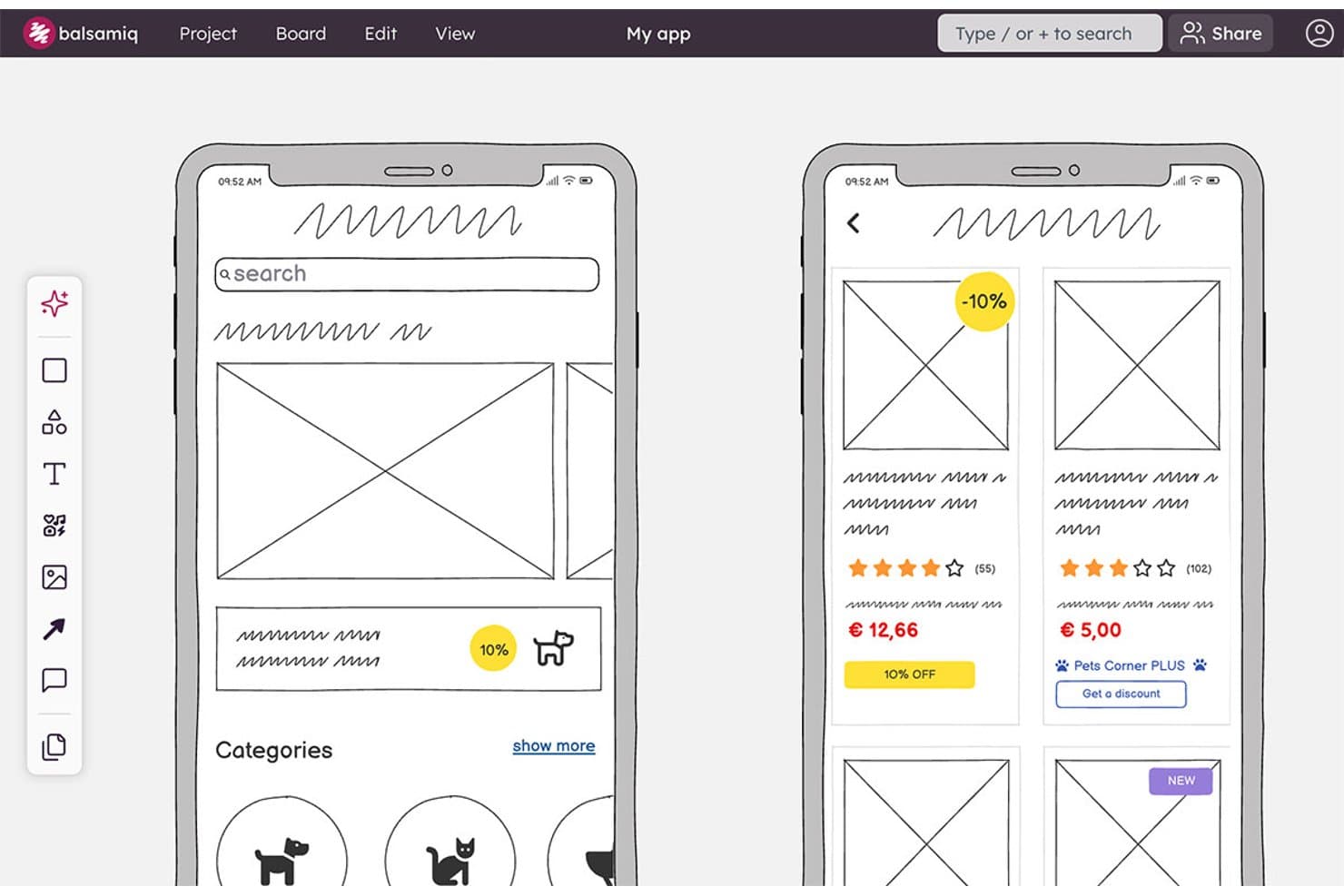
Balsamiq lets users wireframe mobile app screens with product cards and categories. Balsamiq is a browser-based wireframing and prototyping tool with a deliberately low-fidelity UI library, reusable components, clickable board links, AI wireframe generation, real-time collaboration, and Jira and Confluence integrations.
Who Is Balsamiq Best For?
Product managers and UX/UI designers who need to align stakeholders around rough concepts before development.
Why I Picked Balsamiq
I picked Balsamiq for Best Free Wireframing Tools because it keeps brainstorming focused on structure instead of visual polish. Its deliberately low-fidelity UI library, smart guides, and 1–12 column grids help me sketch flows quickly before development. I also use Alternates to compare concepts on one board, while AI can turn a prompt or hand-drawn sketch into an editable wireframe.
Balsamiq Key Features
- Public Review Links: Share boards with non-logged-in viewers who can comment.
- Threaded Comments: Add replies, , reactions, and resolved comment threads.
- Jira And Confluence Apps: Embed editable boards and prototypes in connected workspaces.
- Export Formats: Download projects as interactive PDFs, PNGs, or BMPR files.
Balsamiq Integrations
Balsamiq offers native integrations with Jira and Confluence, including Cloud and Data Center apps. It also supports embedding in Notion and project sharing through Slack.
What's Free?
Balsamiq offers a 14-day free trial, with no credit card required. It doesn’t have a free-forever plan, and you’ll need a paid subscription afterward to continue editing your projects.
Pros and Cons
Pros:
- Stakeholders can comment without accounts
- Clickable flows support early usability validation
- Deliberately low-fidelity for focused brainstorming
Cons:
- Shared components require template duplication
- No permanent free plan
Learn more about Balsamiq: Best for rapid ideation with UI packs
- Free plan available
- From $9/user/month (billed annually)
Visit WebsiteCustomer Rating:4.3/5
MockFlow editor shows drag-and-drop UI components, templates, and layout building tools. If you need to quickly turn ideas into wireframes, MockFlow is built for speed and flexibility. The platform’s unique UI packs let product teams and designers swap in ready-made components for different platforms and styles. MockFlow is a strong fit for anyone who wants to move from brainstorming to visual concepts without getting bogged down in setup.
Who Is MockFlow Best For?
MockFlow suits product teams and UX designers who need to rapidly ideate and prototype using a wide variety of pre-built UI packs.
Why I Picked MockFlow
I picked MockFlow because its rapid ideation capabilities stand out for teams who need to move quickly from concept to wireframe. The platform’s UI packs let you instantly switch between design systems and device types, which is especially useful for cross-platform projects. I also appreciate the built-in brainstorming and sitemap tools that help structure early-stage ideas before you commit to detailed wireframes. These features make MockFlow a strong choice for anyone prioritizing speed and flexibility in their free wireframing workflow.
MockFlow Key Features
Some other features in MockFlow that stand out for free wireframing include:
- Version history: Track and restore previous versions of your wireframes at any time.
- Commenting and feedback tools: Collect input from collaborators directly on wireframes for faster iteration.
- Export options: Download wireframes in multiple formats, including PNG, PDF, and HTML.
- Wireframe sharing: Share projects with team members or stakeholders using secure, permission-based links.
MockFlow Integrations
Integrations include Trello, Slack, Microsoft Teams, Microsoft Office 365, Atlassian Jira, Atlassian Confluence, Google Docs, Google Meet, Figma, and Visual Studio.
What's Free?
MockFlow offers a free-forever plan that allows one user and one project at a time. Some advanced features, UI packs, and integrations are only available on paid plans.
Pros and Cons
Pros:
- Version history included in the free plan
- Built-in sitemap and user flow tools
- Large library of UI packs for fast prototyping
Cons:
- No advanced animation or interaction features
- Free plan limits number of projects
Learn more about MockFlow: Best for accessibility-ready designs
- Free plan + 14-day free trial + demo available
- From $49/user/month
Visit WebsiteCustomer Rating:4.2/5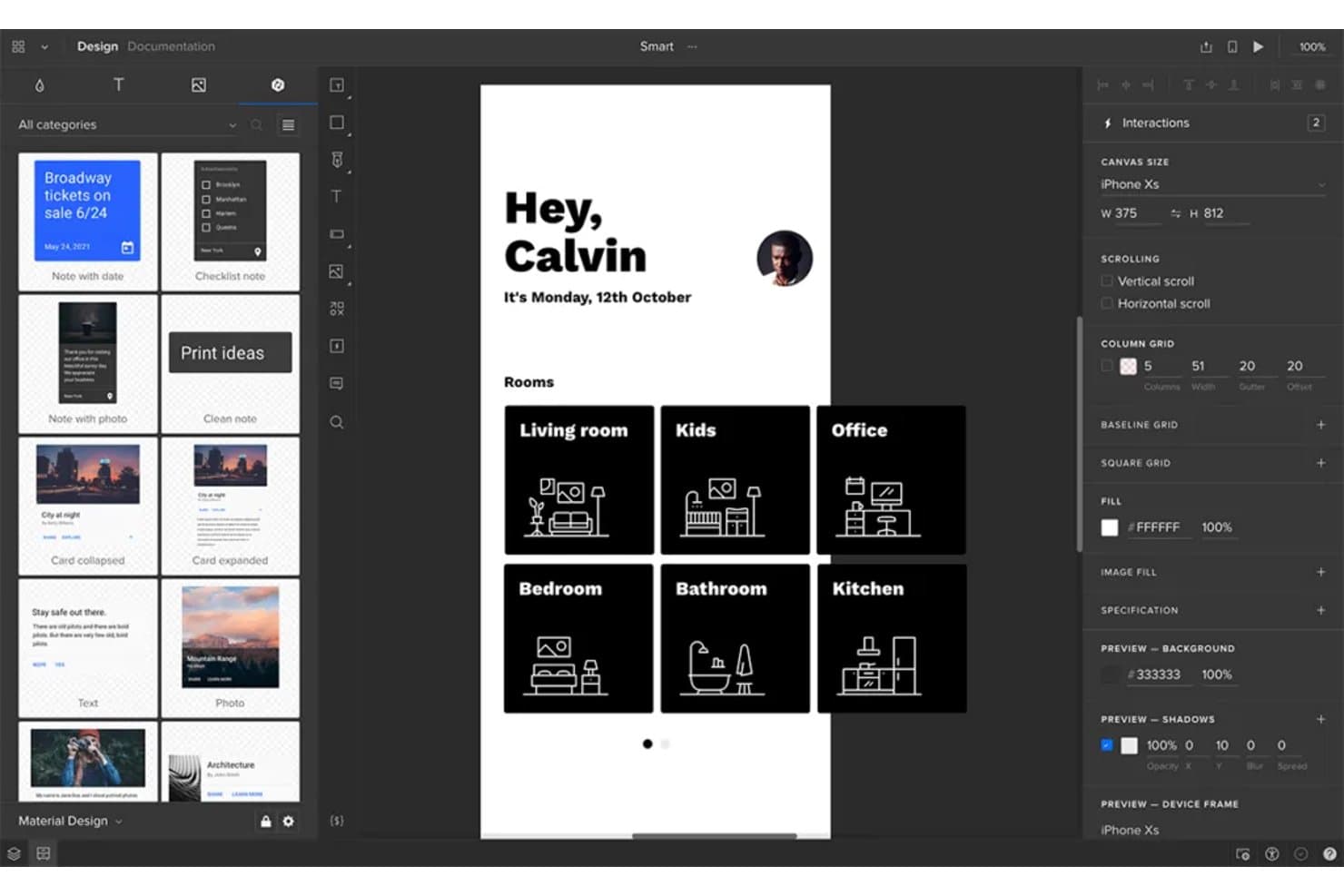
UXPin lets users design and prototype mobile app wireframes interactively. UXPin is a wireframing and interactive prototyping platform with layout grids, Auto Layout, reusable components, clickable flows, conditional logic, and HTML, CSS, and JavaScript-based rendering.
Who Is UXPin Best For?
UXPin suits UX/UI designers who need accessible, interactive prototypes that connect early wireframes with realistic product experiences.
Why I Picked UXPin
I picked UXPin because its wireframes support accessibility checks before development begins. I use the built-in WCAG contrast checker and color blindness simulator to catch visibility issues, then validate flows with interactive form controls and conditional logic.
UXPin Key Features
- Layout grids: Use column, baseline, and square grids with custom margins and gutters.
- Auto Layout: Set direction, spacing, padding, alignment, wrapping, and resizing rules.
- Reusable components: Create components and share styles across projects through team libraries.
- Export options: Export designs as PNG, PDF, or HTML with sitemap and documentation options.
UXPin Integrations
UXPin offers native integrations with Figma, Sketch, Jira Cloud, Slack, and FullStory, plus developer connections through Git, Storybook, and npm.
What's Free?
UXPin offers a 14-day free trial with access to all features and no credit card required. It doesn’t list a free-forever plan on its current pricing page, so you’ll need a paid Core, Growth, or Enterprise plan after the trial ends.
Pros and Cons
Pros:
- Stakeholders can review without creating accounts
- Functional form controls validate flows early
- Built-in WCAG contrast and color blindness checks
Cons:
- Free plan limits ongoing project work
- Interface feels technical for occasional users
Learn more about UXPin: 6Best for infinite canvas collaboration
Miro
- Free plan + 14-day trial available
- From $8/user/month (billed annually)
Visit WebsiteCustomer Rating:4.8/5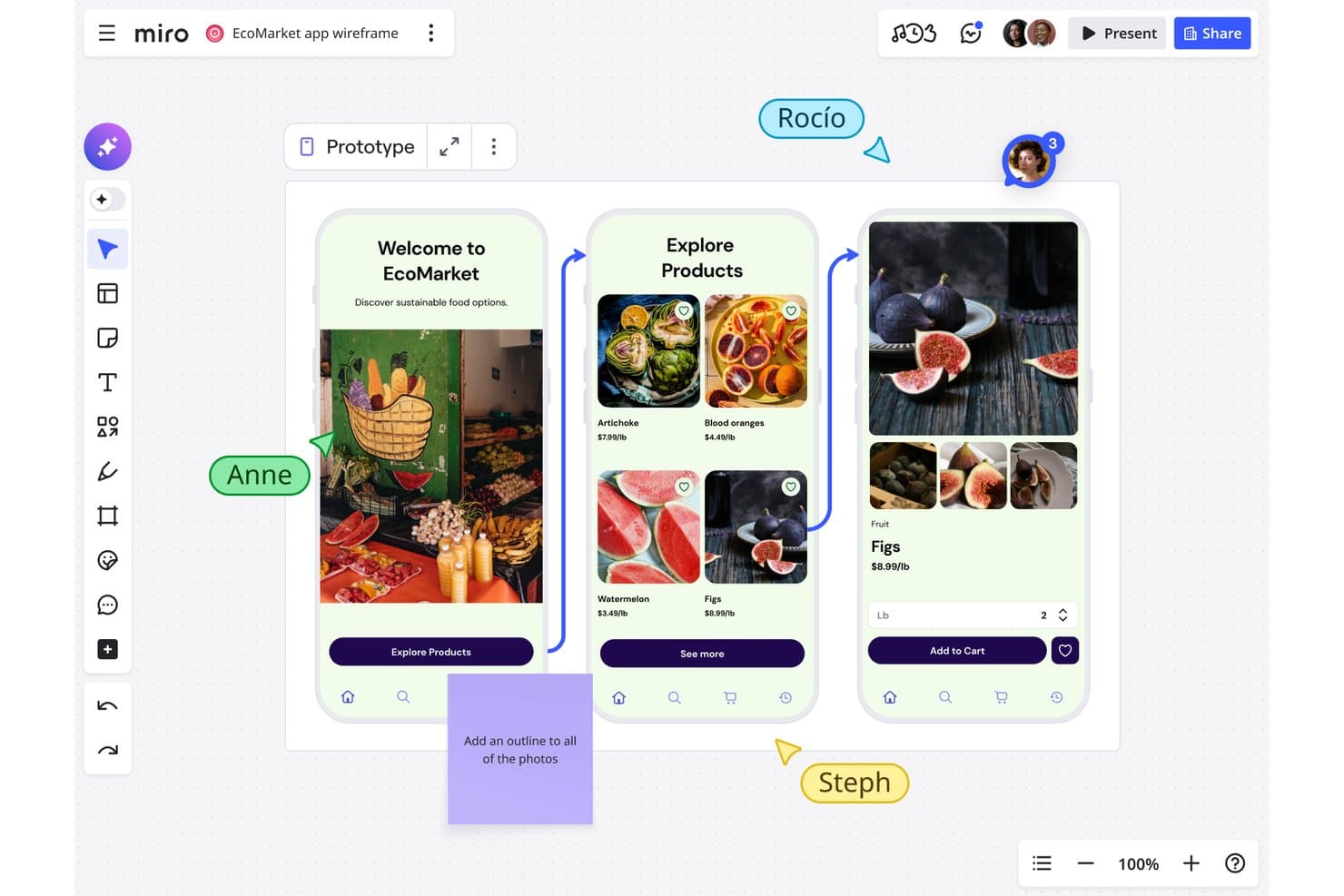
Miro lets users collaboratively wireframe mobile app flows in real time. Miro is a free wireframing and visual collaboration platform with a Prototyping Library, drag-and-drop UI components, templates, object linking, and real-time co-editing.
Who Is Miro Best For?
Miro suits product managers and startup teams that need to sketch ideas, map user flows, and collaborate on an infinite canvas.
Why I Picked Miro
I picked Miro because its infinite canvas collaboration keeps wireframes, user flows, research, and journey maps together. I use the free Prototyping Library to arrange device frames, interface components, and icons into static layouts. Live cursors, comments, and presentation mode help my team review screens with stakeholders, although clickable prototypes require the Business plan.
Miro Key Features
- Object linking: Connect objects to frames, boards, or external URLs.
- Smart guides: Align objects and maintain consistent spacing automatically.
- Wireframe templates: Start with prebuilt layouts for apps, websites, and landing pages.
- Grid app: Organize interface content in grids with up to 2,500 cells.
Miro Integrations
Miro offers 250+ integrations, including Microsoft 365, Google Workspace, Slack, Adobe, Figma, Confluence, Jira, and Notion. Its REST API and SDKs support custom integrations.
What's Free?
Miro offers a free-forever plan with unlimited team members and up to three editable boards. A 14-day trial is also available, while advanced features require a paid plan.
Pros and Cons
Pros:
- Static prototyping library supports quick layouts
- Real-time co-editing supports stakeholder reviews
- Infinite canvas connects flows and research
Cons:
- Three editable boards restrict ongoing projects
- Clickable prototypes require a paid plan
 Best for high-fidelity interactive previews
- Free plan + free trial available
- From $10/month (billed annually)
Visit WebsiteCustomer Rating:4.4/5
Framer design view displays interactive UI screens with animation controls and layout editing. Framer is a browser-based design platform built for teams that need high-fidelity, interactive wireframes and prototypes. It’s especially appealing to product designers and UX professionals who want to create realistic previews with advanced animations and interactions. If you’re looking to move beyond static wireframes and show stakeholders exactly how a product will feel, Framer offers the tools to make that possible.
Who Is Framer Best For?
Framer is a strong fit for product designers and UX teams at startups or digital agencies who need to create high-fidelity, interactive previews for web and mobile projects.
Why I Picked Framer
I picked Framer because it stands out for delivering high-fidelity interactive previews, which is rare among free wireframing tools. Framer lets you build wireframes that go far beyond static layouts by supporting advanced animations, transitions, and interactive components right in the browser. I appreciate that you can create clickable prototypes that closely mimic the final user experience, making it easier to communicate design intent to stakeholders. For teams that need to test and showcase realistic product flows without leaving the wireframing stage, Framer offers a unique advantage.
Framer Key Features
Some other features that make Framer a versatile option for free wireframing include:
- Component library: Access a collection of pre-built UI elements to speed up wireframe creation.
- Team collaboration: Invite team members to comment and co-edit projects in real time.
- Version history: Review and restore previous iterations of your wireframes as your project evolves.
- Mobile preview: View and test your wireframes directly on mobile devices for accurate feedback.
Framer Integrations
Integrations include Formspark, Hotjar, HubSpot, Intercom, Mailchimp, Marketo, Meta Pixel, Typeform, Google Analytics, and more.
What's Free?
Framer offers a free-forever plan that allows unlimited projects but limits you to two editors per team. Some advanced features and export options are only available on paid plans.
Pros and Cons
Pros:
- Mobile device preview for accurate testing
- Extensive library of pre-built UI components
- Interactive prototypes support advanced animations
Cons:
- No offline desktop application available
- Free plan limits to two editors
 Best for open-source design workflows
- Free plan + 14-day free trial + free demo available
- From $7/user/month
Visit WebsiteCustomer Rating:4.5/5
Penpot interface shows component-based UI design with layout controls and collaborative editing panels. Penpot is an open-source wireframing and design platform built for teams that value transparency and flexibility. It’s a strong choice for designers and developers who want full control over their workflows and data. If you’re looking for a free tool that supports collaborative design without vendor lock-in, Penpot stands out.
Who Is Penpot Best For?
Penpot is a good fit for design and development teams seeking an open-source, self-hosted wireframing solution that supports collaborative workflows and data ownership.
Why I Picked Penpot
I picked Penpot because it’s the only open-source wireframing tool that truly supports collaborative design without locking teams into a proprietary ecosystem. Its self-hosting option gives organizations full control over their data and security, which is rare among free design tools. I also appreciate how Penpot’s SVG-based design system makes it easy for designers and developers to work together on the same platform. For teams that prioritize transparency and flexibility in their workflows, Penpot offers a unique alternative to closed-source solutions.
Penpot Key Features
Some other features make Penpot stand out as a free wireframing tool:
- Component libraries: Create, reuse, and share design components across projects for consistency.
- Team workspaces: Organize projects and assets in shared spaces for easy team access.
- Interactive prototyping: Link wireframes and add interactions to simulate user flows.
- Export options: Export designs to SVG, PNG, or PDF formats for handoff or documentation.
Penpot Integrations
Integrations include GitHub, GitLab, Bitbucket, Slack, and more.
What's Free?
Penpot offers a free-forever plan with unlimited users and projects. Some advanced features and support options may be reserved for paid plans, but core wireframing and design tools are fully accessible without time limits.
Pros and Cons
Pros:
- SVG-based design for developer handoff
- Unlimited projects and users on free plan
- Fully open-source with self-hosting option
Cons:
- Performance can lag with large files
- Fewer templates compared to commercial tools
Learn more about Penpot: Best for macOS-native design workflows
- 30-day free trial available
- From $12/user/month (billed annually)
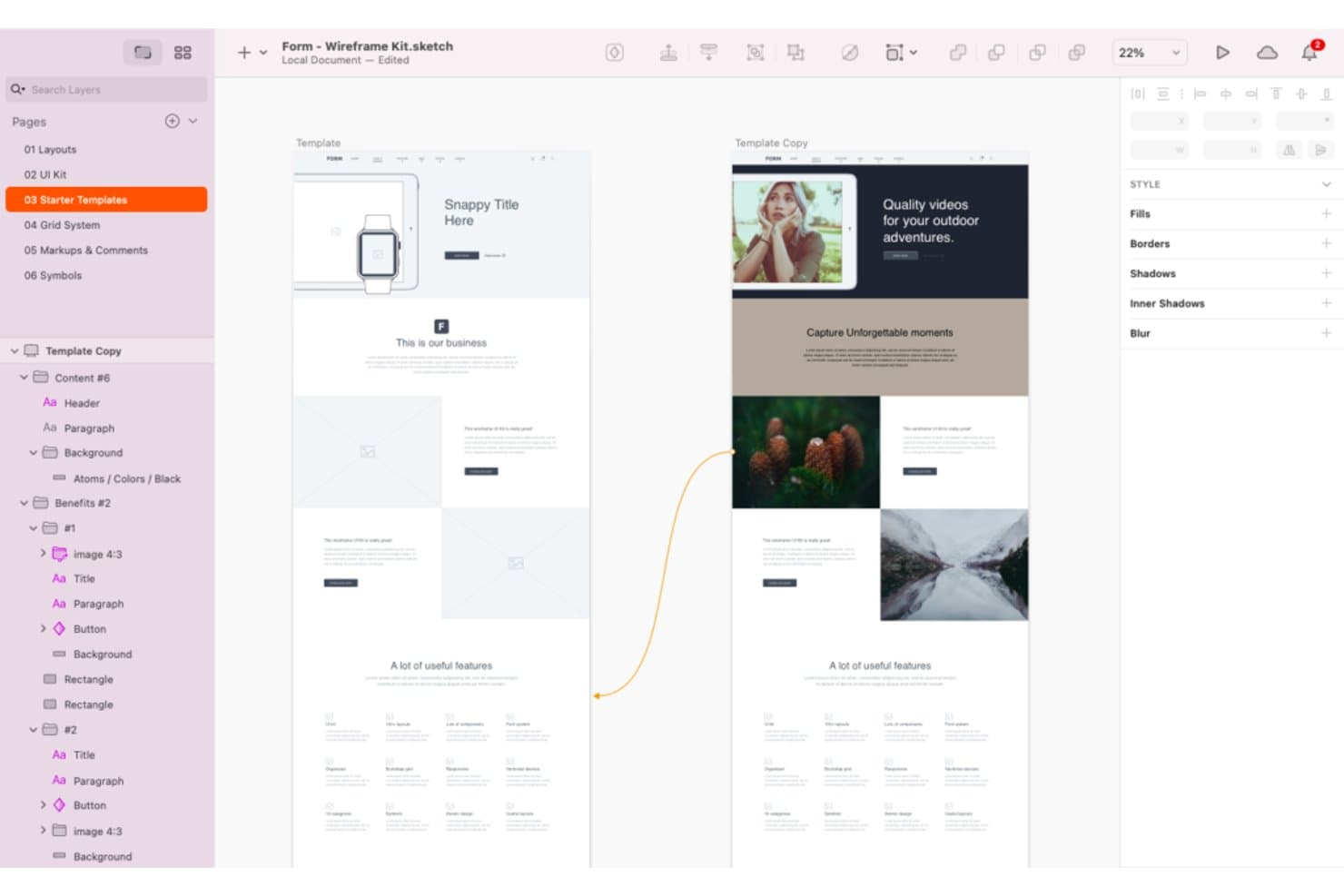
Sketch offers a wide range of wireframing tools and templates. Sketch is a wireframing and interface design platform with vector tools, frames, reusable Symbols and Libraries, interactive prototypes, real-time collaboration, and developer handoff.
Who Is Sketch Best For?
Sketch suits UX/UI designers and freelance product teams that work primarily on macOS.
Why I Picked Sketch
I picked Sketch because it brings macOS-native design workflows to wireframing with precise Frames, Stacks, grids, and vector tools. I use Symbols and Libraries to build reusable navigation, form, and card components across product concepts. Its hotspots, overlays, scrolling areas, and Smart Animate transitions let me test user flows before development begins.
Sketch Key Features
- Browser previews: Share password-protected prototype and page links with expiration dates.
- Developer handoff: Let developers inspect designs, copy values, and download assets in a browser.
- Threaded comments: Pin, mention, and resolve feedback on canvases or prototypes.
- Command Bar: Insert or swap design elements from a keyboard-driven menu.
Sketch Integrations
Sketch supports integrations with Slack, Jira, Notion, GitHub, Miro, and Zeplin through plugins, embeds, link sharing, or ContentSync. Its Sketch MCP Server connects with Claude, Cursor, VS Code, and Codex for custom workflows.
What's Free?
Sketch doesn’t offer a free-forever plan, but it provides a 30-day free trial without requiring a credit card. After the trial, you’ll need a paid subscription, while developers and other collaborators can still access shared files through free viewer and handoff tools.
Pros and Cons
Pros:
- Prototype flows include overlays and scrolling
- Reusable components keep wireframes consistent
- Mac-native workflows support offline design
Cons:
- No free-forever plan for ongoing editing
- Mac-only editing excludes mixed-OS teammates
Learn more about Sketch: 10Best for advanced logic and conditions
Axure RP
- Free plan + 30-day free trial available
- From $29/user/month (billed annually)
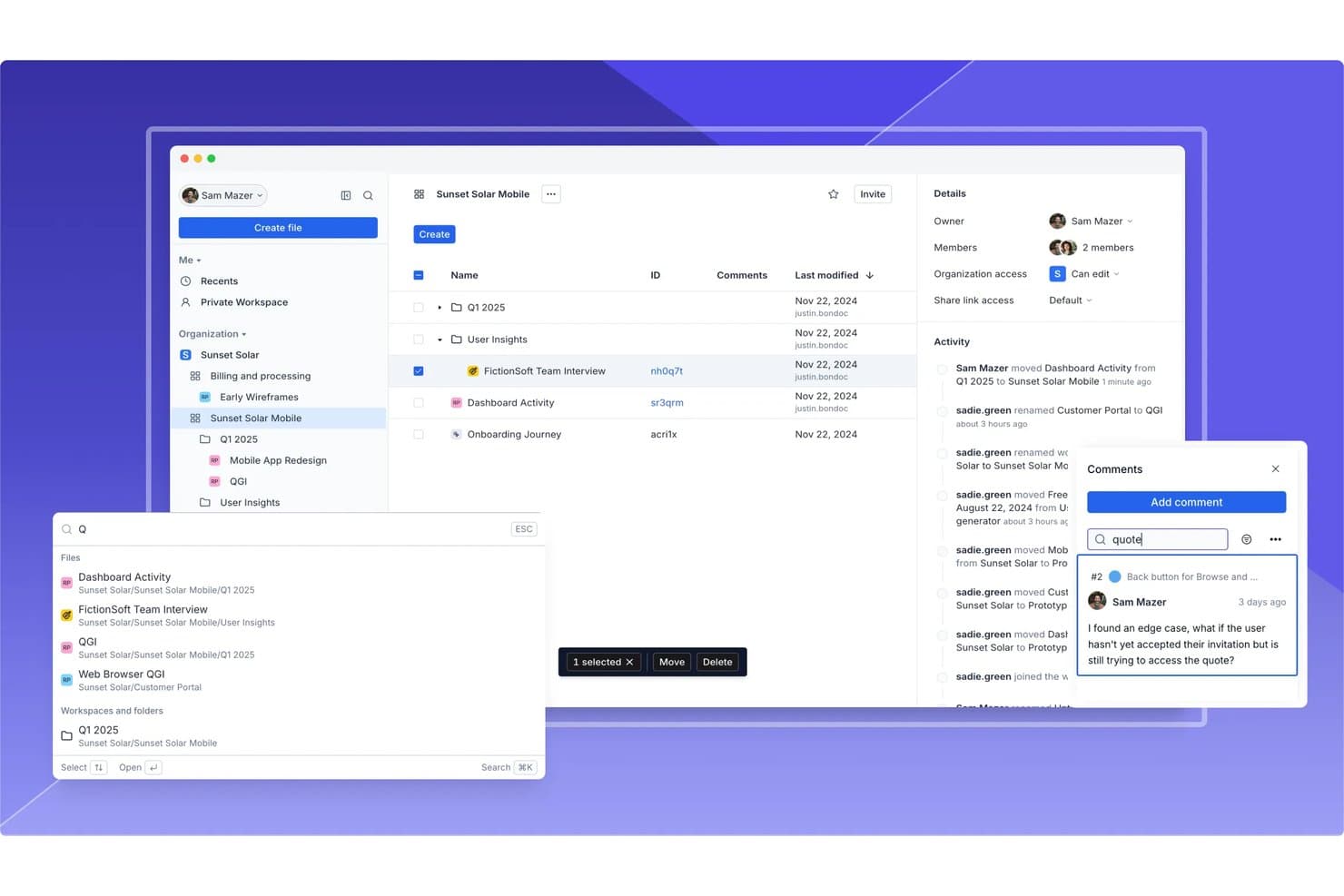
Axure RP supports team collaboration with comments, activity logs, and file sharing. Axure RP is a desktop wireframing and prototyping tool with widget libraries, adaptive views, flow diagrams, working forms, dynamic panels, reusable components, and cloud publishing.
Who Is Axure RP Best For?
Product managers and UX teams building complex, testable user flows will value Axure RP’s conditions, variables, and dynamic panels.
Why I Picked Axure RP
I picked Axure RP because it is best for advanced logic and conditions, even when a wireframe needs to behave like a working product. I use variables, conditional actions, and dynamic panels to test filtered tables, multi-step forms, and responsive states before development. Its 30-day fully functional trial lets me evaluate these workflows without committing upfront.
Axure RP Key Features
- Adaptive views: Create desktop, tablet, and phone layouts on one page.
- Working forms: Add text fields, dropdowns, and radio buttons to wireframes.
- Reusable components: Apply shared widget groups across pages with local overrides.
- Cloud publishing: Share hosted prototypes with reviewers through access-controlled links.
Axure RP Integrations
Axure RP offers documented integrations with Jira, Confluence, Slack, Microsoft Teams, Figma, Sketch, and Adobe XD. It also supports connections with third-party usability testing services.
What's Free?
Axure RP offers a fully functional 30-day free trial, not a free-forever plan. After the trial ends, you’ll need a paid plan to continue using the software.
Pros and Cons
Pros:
- Creates functional forms and filtered tables
- Supports reusable components across projects
- Models complex user flows without code
Cons:
- Desktop authoring limits live team collaboration
- Takes longer to learn than simpler tools
Learn more about Axure RP :
Diğer Ücretsiz Tel Kafesleme Araçları
İşte kısa listeme giremeyen ancak yine de göz atmaya değer bazı ek ücretsiz tel kafesleme aracı seçenekleri:
- 11draw.ioBest for Google Drive integration
- 12LucidchartBest for cross-functional wireframe review and sharing
- 13JustinmindBest for interactive prototyping features
- 14CanvaBest for drag-and-drop visual editing
- 15WhimsicalBest for wireframing within PM tool workflows
- 16MockplusBest for component-based design systems
- 17UizardBest for AI sketch-to-wireframe conversion
- 18Proto.ioBest for mobile app wireframe previews
- 19MoqupsBest for browser-based project sharing
How I Evaluate Free Wireframing Tools
First, I define what counts as free. A tool qualifies with a free-forever plan or a trial of at least 14 days with full core wireframing and collaboration access. For sprint flow mapping, I weigh core functionality most, like creating layouts and arranging elements; standout features, like ticket integrations; and beyond-feature factors, like free-plan limits for ongoing use.
Core Functionality (Table Stakes For This List)
In addition to my free plan requirements, I use a scoring system to select tools for my list. I score each one on a scale from 0 (does not offer the functionality) to 5 (excels in this area) for each core functionality listed below, based on what's available on the free plan. I then convert the total into a percentage to help assess each tool's overall fit, with extra weight on any functionalities I've deemed essential.
- Wireframe Creation Tools (Essential): I look for shapes, grids, and interface elements that let a team map a signup screen or dashboard at low to mid fidelity.
- Drag-and-Drop Editing (Essential): I assess how easily you can place, resize, and rearrange elements to explore layout changes without code or manual coordinates.
- Real-Time Collaboration: I check whether teammates can review, comment on, or edit a wireframe together during a flow-mapping session.
- Reusable Templates and Components: I look for customizable templates or reusable elements that help teams build recurring screens, such as forms or navigation bars.
- Export and Sharing: I assess whether you can share a review link or export a wireframe for stakeholder feedback outside the tool.
- Interactivity and Linking: I check whether you can link screens to map a simple user journey, such as moving from sign-up to confirmation.
Once I have a list of tools that meet the criteria, I consider what sets each platform apart.
Differentiating Factors (What Sets Vendors Apart)
Here's how I compare and contrast different vendors:
Standout Features
I check whether a tool offers a click-through preview mode so PMs can walk stakeholders through a flow without switching apps. Presentation mode in Figma or Balsamiq, for example, turns static screens into a guided narrative. I also evaluate commenting with @mentions, because feedback pinned to a specific element keeps sprint conversations focused and traceable.
Beyond Features
I evaluate whether a tool lets PMs share view-only links that don't require reviewers to create an account—crucial when a VP needs to approve a flow between meetings. I also check free-plan caps on projects and collaborators, since a PM juggling multiple product initiatives will hit those limits fast. Tools like Figma and Penpot handle stakeholder review links well, but their free tiers differ on how many files or editors you can sustain long-term. Speed to a presentable output matters too: pre-built UI kits help PMs without design training produce clean wireframes within a single sprint cycle.
Ücretsiz Tel Kafesleme Araçları Nasıl Seçilir?
Uzun özellik listeleri ve karmaşık fiyatlandırma yapıları arasında kaybolmak kolaydır. Kendinize özgü yazılım seçim sürecinizi yürütürken odağınızı korumanıza yardımcı olmak için göz önünde bulundurmanız gereken faktörlerin bir kontrol listesini aşağıda bulabilirsiniz:
| Faktör | Dikkat Edilmesi Gerekenler |
| Ölçeklenebilirlik | Ekip büyüdükçe araç ekibinizi destekleyecek mi? Kullanıcı sınırlarını, proje kotalarını ve yükseltme seçeneklerini kontrol edin. |
| Entegrasyonlar | Araç, mevcut tasarım, geliştirme veya proje yönetimi araç setinizle bağlantı kuruyor mu? Yerel entegrasyonları doğrulayın. |
| Özelleştirilebilirlik | Aracın çalışma alanını, şablonlarını veya iş akışlarını ekibinizin sürecine uyacak şekilde uyarlayabilir misiniz? |
| Kullanım kolaylığı | Yeni kullanıcılar ne kadar hızlı verimli çalışmaya başlayabilir? Sezgisel gezinme ve minimum başlangıç zorluğu sunan araçları arayın. |
| Uygulama ve işe alıştırma | Başlamak için hangi kaynaklar gerekiyor? İlk kez kullananlar için eğitim, geçiş ve desteği göz önünde bulundurun. |
| Maliyet | İhtiyaçlarınız büyüdükçe gizli maliyetler ortaya çıkıyor mu? Ücretsiz plan sınırlarını ve ücretli yükseltmeyi tetikleyen koşulları inceleyin. |
| Güvenlik önlemleri | Araç kuruluşunuz için yeterli veri koruması sunuyor mu? Şifreleme, erişim denetimleri ve uyumluluk özelliklerini kontrol edin. |
| Destek kullanılabilirliği | Sorunlarla karşılaşırsanız hangi destek kanalları kullanılabilir? Canlı sohbet, e-posta veya topluluk forumları sunan araçları arayın. |
Ücretsiz Tel Kafesleme Araçları Nedir?
Ücretsiz tel kafesleme araçları, kullanıcıların ödeme gerektirmeden dijital arayüzlerin görsel taslaklarını veya maketlerini oluşturmasına olanak tanıyan yazılım uygulamalarıdır. Bu araçlar, ekiplerin yerleşimleri planlamasına, kullanıcı akışlarını haritalandırmasına ve bir projenin erken aşamalarında tasarım fikirlerini paylaşmasına yardımcı olur. Ücretsiz tel kafesleme araçları genellikle sürükle ve bırak öğeleri, temel etkileşim ve iş birliği gibi temel özellikler sunarak sınırlı bütçeye sahip bireyler veya küçük ekipler için erişilebilir hale gelir.
Özellikler
Tel kafes oluşturma araçlarında yaygın olarak bulunan özellikleri ve bunların ücretsiz ve ücretli planlarda hangilerinin genellikle sunulduğunu inceleyelim.
Genellikle Ücretsiz Sunulan Tel Kafes Oluşturma Aracı Özellikleri
- Sürükle ve bırak düzenleyicisi: Kullanıcıların kod yazmadan arayüz öğelerini bir çalışma alanına hızlıca yerleştirip düzenlemesini sağlar ve fikirleri görsel olarak taslak hâline getirmeyi kolaylaştırır.
- Temel şekil ve UI kitaplıkları: Kullanıcıların tel kafesleri daha hızlı oluşturmasına yardımcı olmak için düğmeler, giriş alanları ve simgeler gibi standart bileşenlerden oluşan bir set sunar.
- Birden fazla sayfa veya ekran desteği: Kullanıcıların tek bir proje içinde birden fazla tel kafes oluşturup düzenlemesine olanak tanıyarak çok ekranlı akışları destekler.
- Basit bağlantı veya etkileşim: Temel gezinme ve kullanıcı akışlarını taklit etmek için ekranlar arasında tıklanabilir etkin noktalar veya bağlantılar oluşturulmasını sağlar.
- Gerçek zamanlı iş birliği: Birden fazla kullanıcının aynı çalışma alanında tel kafesleri birlikte görüntüleyip düzenlemesine olanak tanıyarak ekip çalışmasını ve geri bildirimi destekler.
- Yorum ve geri bildirim araçları: Tel kafeslerin doğrudan üzerine not veya yorum bırakma olanağı sunarak paydaşlarla iletişimi kolaylaştırır.
- Bulut tabanlı erişim: Projeleri çevrim içi olarak depolar; böylece kullanıcılar internet bağlantısı olan herhangi bir cihazdan tel kafeslerine erişip bunları düzenleyebilir.
- Görsel veya PDF olarak dışa aktarma: Kullanıcıların tel kafesleri platform dışında paylaşmak veya sunumlara eklemek üzere görsel ya da PDF olarak kaydetmesine olanak tanır.
Genellikle Ücretli Sunulan Tel Kafes Oluşturma Aracı Özellikleri
- Gelişmiş prototipleme ve animasyon: Gerçek kullanıcı deneyimlerini daha iyi taklit etmek için karmaşık geçişleri, mikro etkileşimleri ve animasyonlu akışları destekler.
- Tasarım teslim araçları: Tasarımdan geliştirmeye geçişi kolaylaştırmak için geliştiricilere kod parçacıkları, teknik özellikler ve varlık indirme seçenekleri sunar.
- Sürüm geçmişi ve geri alma: Zaman içindeki değişiklikleri izler ve gerektiğinde kullanıcıların tel kafesin önceki sürümlerine dönmesine olanak tanır.
- Özel varlık kitaplıkları: Ekiplerin kendi yeniden kullanılabilir bileşenlerini oluşturup yönetmesini sağlayarak projeler arasında tutarlılık sunar.
- Kullanıcı testi entegrasyonu: Araç içindeki etkileşimli prototiplerden doğrudan kullanıcı geri bildirimi veya analiz verileri toplanmasını sağlar.
- Role dayalı izinler: Yöneticilerin projeleri kimlerin görüntüleyebileceğini, düzenleyebileceğini veya yorumlayabileceğini kontrol etmesine olanak tanıyarak daha büyük ekipleri ve hassas projeleri destekler.
- Üçüncü taraf araçlarla entegrasyon: Daha geniş iş akışlarına uyum sağlamak için proje yönetimi, tasarım veya geliştirme platformlarına bağlanır.
- Çevrim dışı düzenleme: Kullanıcıların internet bağlantısı olmadan tel kafesler üzerinde çalışmasına ve yeniden çevrim içi olduklarında değişiklikleri senkronize etmesine olanak tanır.
- Öncelikli müşteri desteği: Ücretli kullanıcılara daha hızlı yanıt süreleri ve özel destek kanalları sunar.
- Özel markalama: Kuruluşların markalı bir deneyim sunmak amacıyla tel kafes oluşturma çalışma alanına kendi logolarını, renklerini veya alan adlarını eklemesine olanak tanır.
Avantajlar
Ücretsiz tel kafes oluşturma araçlarını kullanmak ekibiniz ve işletmeniz için çeşitli avantajlar sağlar. Faydalanabileceğiniz avantajlardan bazıları şunlardır:
- Daha düşük başlangıç maliyetleri: Ücretsiz planlar, ekiplerin bütçe onayı veya finansal risk olmadan tasarıma başlamasını sağlar ve bu planları yeni kurulan şirketler ile küçük işletmeler için erişilebilir hâle getirir.
- Fikirlerin daha hızlı doğrulanması: Sürükle ve bırak düzenleyicileri ile temel UI kitaplıkları, ekiplerin geliştirme başlamadan önce kavramları hızlıca görselleştirmesine ve tasarımlar üzerinde yineleme yapmasına yardımcı olur.
- Gelişmiş iş birliği: Gerçek zamanlı düzenleme, yorum yapma ve bulut tabanlı erişim, birden fazla paydaşın geri bildirim sunmasına ve tasarım süreci boyunca uyum içinde kalmasına olanak tanır.
- Erişilebilir öğrenme eğrisi: Basit arayüzler ve yerleşik şablonlar, daha önce tasarım deneyimi olmayan yeni kullanıcıların bile kolayca başlamasını sağlar.
- Uzaktan ve esnek erişim: Bulut tabanlı depolama ve tarayıcı tabanlı araçlar, kullanıcıların her yerden ve herhangi bir cihazdan çalışmasına olanak tanır.
- Kolay paylaşım ve geri bildirim: Dışa aktarma seçenekleri ile herkese açık veya özel paylaşım bağlantıları, müşterilerden, ekip arkadaşlarından ya da harici değerlendiricilerden görüş almayı kolaylaştırır.
- Çevik iş akışlarını destekler: Tel kafesleri hızlıca oluşturma, güncelleme ve paylaşma olanağı, yinelemeli ve çevik proje yönetimi yaklaşımlarıyla iyi uyum sağlar.
Maliyetler ve Fiyatlandırma
Bu makaleye ücretsiz olarak sunulan en iyi tel kafes oluşturma aracı seçeneklerini aradığınız için geldiğinizi biliyorum. Ancak ücretsiz planlar yalnızca sınırlı özellikler sunduğundan, gelecekte planınızı yükseltmeniz gerekme ihtimali oldukça yüksektir.
Aşağıdaki tablo, tel kafes oluşturma araçlarında yaygın olarak sunulan planları, bunların ortalama fiyatlarını ve içerdiği tipik özellikleri özetlemektedir:
Tel Çerçeve Araçları için Plan Karşılaştırma Tablosu
| Plan Türü | Ortalama Fiyat | Yaygın Özellikler |
| Ücretsiz Plan | $0 | Temel tel çerçeve oluşturma, sınırlı kullanıcı sayısı, basit kullanıcı arayüzü kütüphaneleri, temel paylaşım ve bulut depolama. |
| Kişisel Plan | $5-$15/kullanıcı/ay | Sınırsız proje, daha fazla kullanıcı arayüzü öğesi, dışa aktarma seçenekleri, öncelikli destek ve sınırlı entegrasyonlar. |
| İşletme Planı | $15-$30/kullanıcı/ay | Ekip iş birliği, gelişmiş prototip oluşturma, sürüm geçmişi, tasarımın geliştiriciye devri ve üçüncü taraf entegrasyonları. |
| Kurumsal Plan | $30-$60/kullanıcı/ay | Özel markalama, role dayalı izinler, geliştirilmiş güvenlik, özel destek ve uyumluluk özellikleri. |
Ücretsiz Tel Çerçeve Araçları Hakkında SSS
Ücretsiz tel çerçeve araçları hakkında sık sorulan bazı soruların yanıtları:
Ücretsiz tel çerçeve araçlarını ticari projeler için kullanabilir miyim?
Evet, çoğu ücretsiz tel çerçeve aracı platformunu ticari projeler için kullanmanıza izin verir. Ancak ticari kullanıma ilişkin herhangi bir kısıtlama veya teslimatlarınızda araca atıfta bulunma zorunluluğu olmadığını doğrulamak için aracın hizmet şartlarını her zaman inceleyin.
Ücretsiz tel çerçeve araçlarının temel sınırlamaları nelerdir?
Ücretsiz tel çerçeve araçları genellikle kullanılabilen proje, kullanıcı veya dışa aktarma seçeneklerinin sayısını sınırlar. Geliştiriciye devir, sürüm geçmişi ve diğer yazılımlarla entegrasyonlar gibi gelişmiş özellikler genellikle ücretli planlara ayrılmıştır.
Ücretsiz tel çerçeve araçları hassas projeler için ne kadar güvenlidir?
Güvenlik sağlayıcıya göre değişir, ancak saygın ücretsiz tel çerçeve araçlarının çoğu şifrelenmiş bağlantılar ve parola korumalı paylaşım gibi temel güvenlik önlemleri sunar. Son derece hassas projeler için uyumluluk sertifikalarını ve gelişmiş güvenlik özelliklerini kontrol edin; bunlar yalnızca ücretli planlarda kullanılabilir.
Ücretsiz tel çerçeve araçlarını kullanarak başkalarıyla gerçek zamanlı iş birliği yapabilir miyim?
Evet, birçok ücretsiz tel çerçeve aracı gerçek zamanlı iş birliğini destekleyerek birden fazla kullanıcının tel çerçeveleri aynı anda düzenlemesine ve yorum yapmasına olanak tanır. Bazı araçlar iş birliği yapan kişi sayısını sınırlayabilir veya tüm kullanıcıların hesap oluşturmasını gerektirebilir.
Ücretsiz plandan ücretli plana geçmek kolay mı?
Evet, çoğu tel çerçeve aracı ücretsiz plandan ücretli plana geçişi kolaylaştırır. Mevcut projeleriniz ve verileriniz genellikle korunur ve yükseltme yaptıktan hemen sonra ek özelliklere erişim kazanırsınız.