

Priorities, priorities—it's the ongoing challenge of every product manager, and the reason why product prioritization software is so critical to your day-to-day. With only so many hours in the day, a well-organized roadmap and crystal-clear task prioritization are the fuel that keeps a product team running at optimal productivity.
That's why I've put my own experience with prioritization and team management to work by rigorously testing and reviewing the best of the best product prioritization tools—so you don't have to!
What is product prioritization software?
Product prioritization software is a specialized tool designed to facilitate the decision-making process within product development teams. It aids in identifying and ranking tasks or features based on factors such as strategic alignment, customer impact, and feasibility, ensuring that the team focuses on the most valuable and impactful projects.
Typically, product prioritization software offers features like scoring mechanisms, user feedback integration, and collaboration tools. These allow teams to assign quantitative values to different criteria, helping objectively evaluate and compare various items on the product roadmap considering user inputs.
Why Trust Our Software Recommendations
6,700+
Reviews
20
Industry experts
16+
Evaluation factors
14
Years
Our team has been testing and reviewing software since 2012. As product managers ourselves, we know how difficult—and important—it is to choose the right software.
For this guide, we evaluated tools using hands-on testing and independent research, scoring tools using our selection criteria.
Our reviews reflect our human editorial judgment, not a sales pitch.
Expert reviewers:
- Andrew LumbySenior TPM
- Cristiano ValimSenior UI/UX Lead


Product Prioritization Software Comparison Table
The table below compares pricing details for my top product prioritization software selections.
| Tool | Best For | Trial Info | Price | ||
|---|---|---|---|---|---|
| 1 | Best for customer-driven insights | Free demo available | Pricing upon request | Website | |
| 2 | Best for user-driven feature prioritization | Free plan available | From $29/month (billed annually) | Website | |
| 3 | Best for AI-powered customer intelligence | Free demo available | Pricing upon request | Website | |
| 4 | Best for formula-based feature scoring | 30-day free trial + free demo available | From $9/user/month | Website | |
| 5 | Best for identifying the right tasks with charts | 14-day free trial + free demo available | Pricing upon request | Website | |
| 6 | Best for revenue-linked feedback-to-roadmap planning | Free demo available | Pricing upon request | Website | |
| 7 | Best for feedback-driven feature prioritization | Free demo available | Pricing upon request | Website | |
| 8 | Best for group scoring with customer feedback input | Free demo available | Pricing upon request | Website | |
| 9 | Best for inclusive, team-scored prioritization | 14-day free trial + free demo available | From $24/user/month | Website | |
| 10 | Best for portfolio roadmaps with feedback links | 14-day free trial + free demo available | From $10/user/month | Website |


Overviews Of The 10 Best Product Prioritization Software
Here’s a brief description of each product prioritization platform to showcase each tool’s best use case, some noteworthy features, and screenshots to give a snapshot of the user interface.
 Best for customer-driven insights
- Free demo available
- Pricing upon request
Visit WebsiteCustomer Rating:4.8/5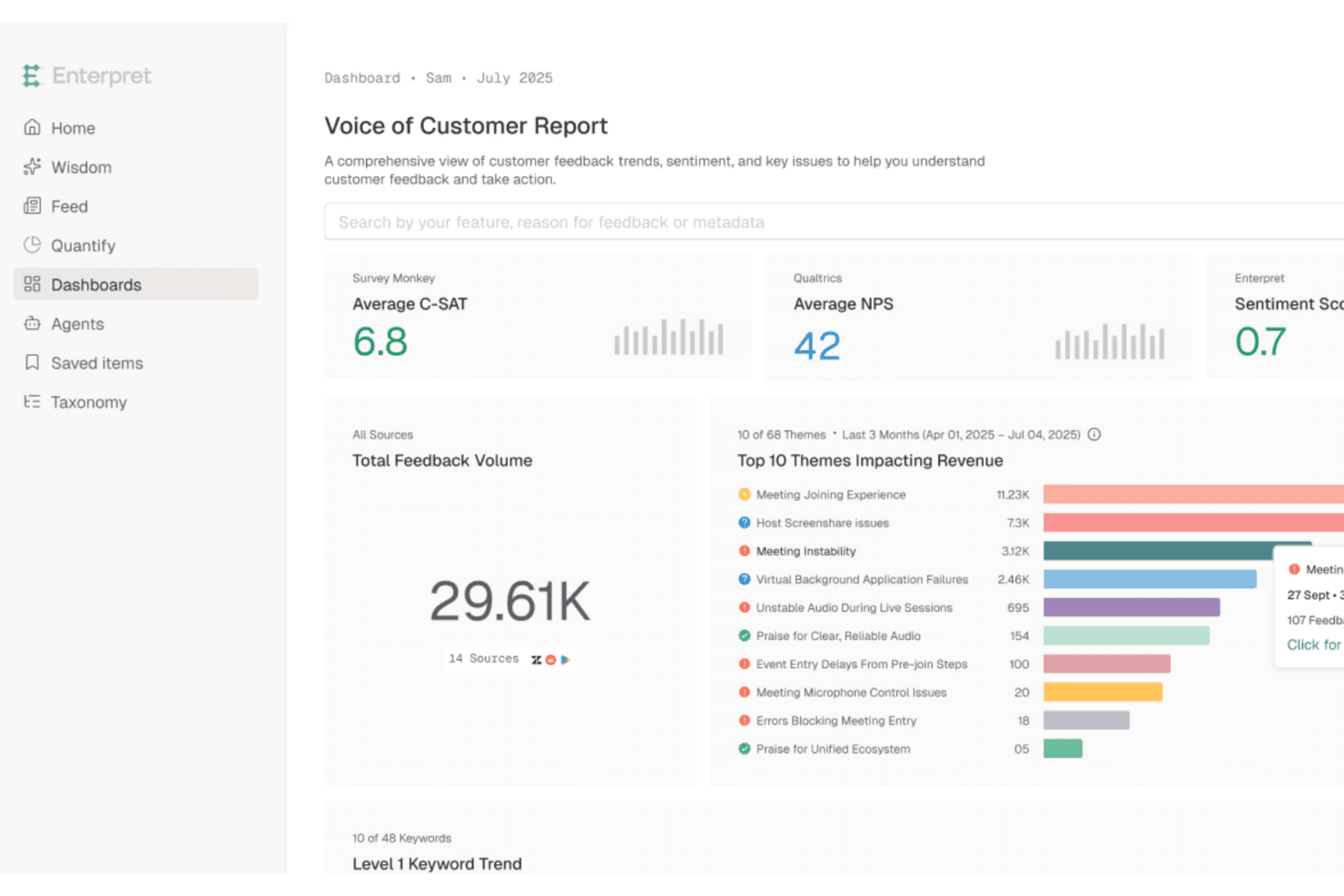
Enterpret ranks top customer-requested features using unified feedback insights Enterpret is a customer feedback intelligence platform that aggregates input from support tickets, sales calls, surveys, reviews, and product data, then uses AI to categorize themes and link them to business impact signals like churn, retention, and revenue.
Who Is Enterpret Best For?
Enterpret is a strong fit for product teams at mid-market and enterprise companies that need to quantify customer feedback at scale before deciding what to build next.
Why I Picked Enterpret
I've included Enterpret in my top picks because it does something most prioritization tools don't: it tells you exactly how much business impact sits behind each piece of customer feedback. Its Adaptive Taxonomy uses AI to sort incoming feedback into themes and sub-themes across support tickets, sales calls, surveys, and reviews, then links those themes to signals like churn and revenue. That means you can see not just what customers are asking for, but what it's costing you to ignore it.
Enterpret Key Features
- Adaptive taxonomy: AI automatically categorizes incoming feedback into themes and sub-themes that update as new feedback arrives.
- Customer Context Graph: Links feedback records to specific product features, customer segments, and outcomes like churn and adoption.
- Business impact measurement: Tracks metrics like retention, CSAT, and revenue before and after a fix or launch to show what changed.
- Enterpret AI Insights: Lets you query your entire feedback dataset in plain language to surface specific answers fast.
Enterpret Integrations
Enterpret integrates with Jira Software Cloud, Linear, Salesforce, HubSpot, Zendesk, Intercom, and Slack. It also supports webhooks and CSV uploads for custom feedback sources.
Pros and Cons
Pros:
- AI surfaces themes across customer conversations
- Links requests to revenue and churn
- Centralizes feedback for clearer demand signals
Cons:
- No roadmap or backlog planning views
- No built-in scoring or prioritization frameworks
Learn more about Enterpret: Best for user-driven feature prioritization
- Free plan available
- From $29/month (billed annually)
Visit WebsiteCustomer Rating:4.8/5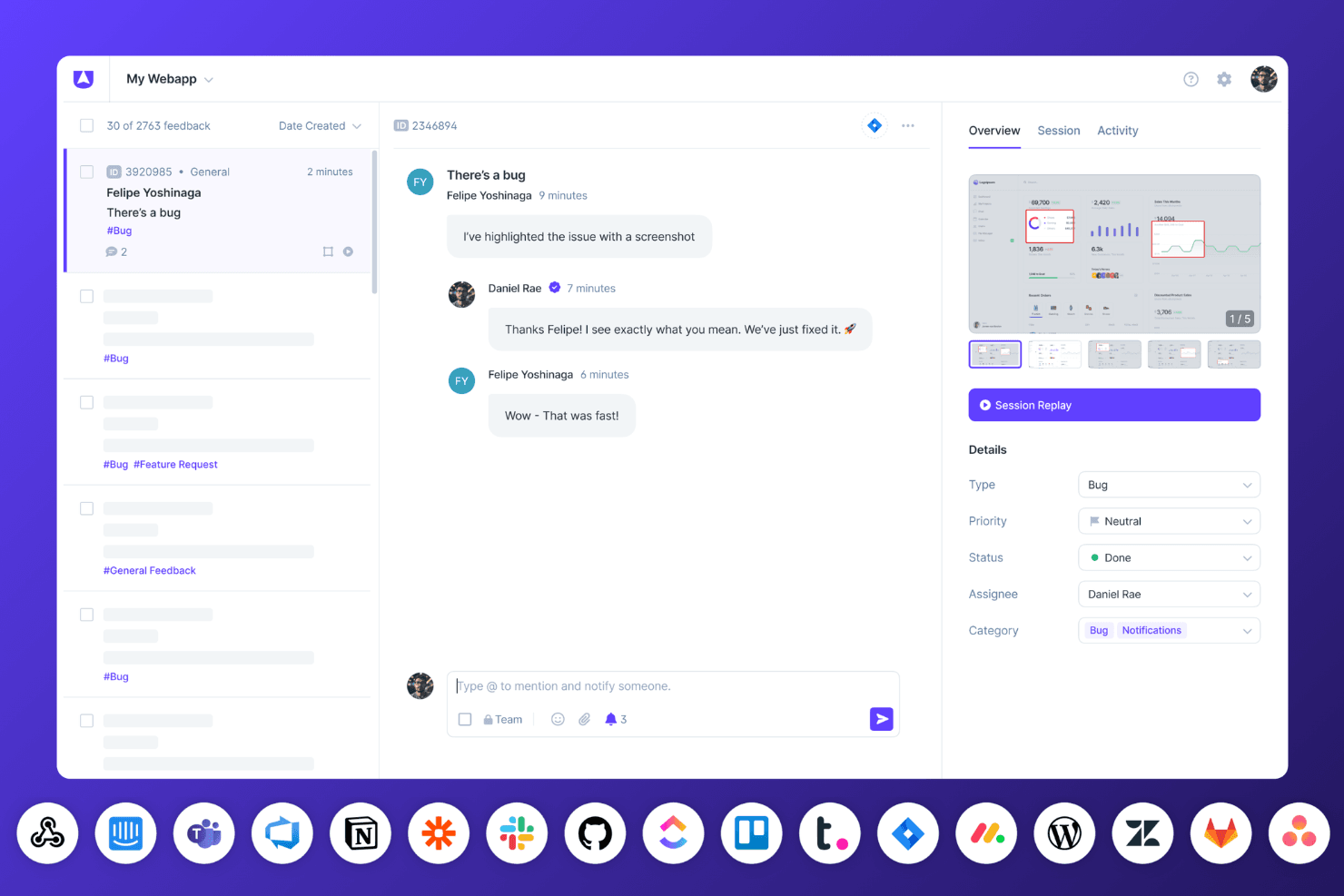
Userback’s bug tracking dashboard displays session replays, team conversations, and real-time status updates with connected integrations. Userback is a customer feedback platform that centralizes feature requests, user voting, session replays, and surveys into a public roadmap tied directly to what users asked for.
Who Is Userback Best For?
Userback is a strong fit for product teams that want customer voting and session replay to drive what gets built next.
Why I Picked Userback
I picked Userback as one of the best because it closes the loop between what users ask for and what actually gets built. I love that the Feature Portal lets customers submit requests, vote, and track their ideas through a public roadmap tied directly to that voting data. Pair that with session replay linked to individual feedback reports, and you get a uniquely grounded picture of which requests reflect real friction.
Userback Key Features
- AI feedback insights: Analyzes incoming feedback for patterns and sentiment to surface what users care about most.
- Session replay linked to feedback: Records user sessions and ties them directly to individual feedback reports for added context.
- Two-way sync with Jira, Linear, and ClickUp: Keeps feedback and development tickets in sync across tools automatically.
- Routing rules: Automatically direct bugs, feature requests, and general feedback to the right project or integration.
Userback Integrations
Userback offers native integrations with Jira, Linear, ClickUp, Asana, Azure DevOps, GitHub, GitLab, Monday.com, Trello, and Wrike, with two-way sync for Jira, Linear, and ClickUp. REST API and webhooks are available on Business Plus and above; it also supports Zapier.
Pros and Cons
Pros:
- Feedback includes screenshots, logs, and recordings
- Session replays reveal real user friction
- Customer voting directly informs feature priorities
Cons:
- Public roadmap lacks timeline-based prioritization views
- No RICE or weighted scoring frameworks
Learn more about Userback: Best for AI-powered customer intelligence
- Free demo available
- Pricing upon request
Visit WebsiteCustomer Rating:4.8/5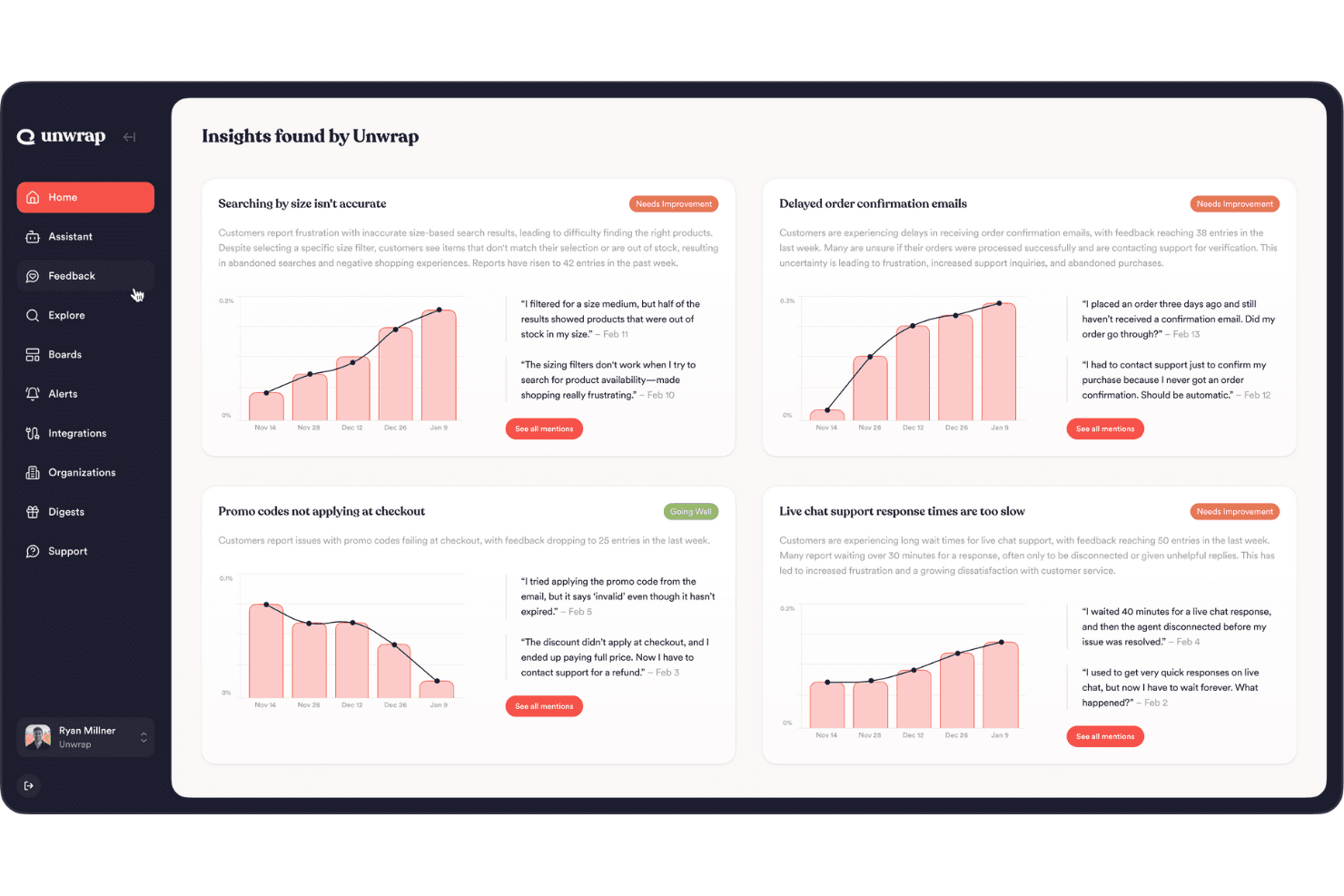
Unwrap offers automated feedback analysis for efficient customer insights. Unwrap is an AI-powered voice-of-customer platform that aggregates feedback from thousands of sources, auto-tags themes by meaning, and surfaces trending issues to help product teams understand what customers want most.
Who Is Unwrap Best For?
Unwrap is a strong fit for product operations leads and PMs at mid-market or enterprise companies who need to make sense of large volumes of customer feedback before deciding what to build next.
Why I Picked Unwrap
I've included Unwrap in my top picks because it's the strongest tool on this list for turning raw customer feedback into a clear picture of what to build next. Its Auto Tagger groups feedback by meaning across 3,000+ sources, so instead of manually combing through support tickets and reviews, you get ranked themes by frequency and growth rate. I also like how Alerts flag emerging issues automatically, like catching a 3x year-over-year spike in a specific bug before your team even notices it.
Unwrap Key Features
- Auto Tagger: Groups incoming feedback by meaning across 3,000+ sources, eliminating the need to manually build or maintain tag taxonomies.
- Alerts: Sends proactive notifications when a new issue is trending or a known problem is accelerating, so your team can respond before it escalates.
- Linked Actions: Connects feedback themes directly to work items in Jira or Asana, letting you track how customer sentiment shifts after a feature ships.
- Research Suite: A built-in feedback collection module for gathering direct customer input alongside aggregated data from external sources.
Unwrap Integrations
Unwrap integrates with Jira and Asana through Linked Actions, connecting customer feedback themes to work items. It also provides API access for custom integrations and connects to more than 3,000 feedback sources.
Pros and Cons
Pros:
- Shared dashboards support broad stakeholder access
- Alerts surface emerging customer issues proactively
- AI groups unstructured feedback by meaning
Cons:
- No roadmap or backlog views
- No structured prioritization frameworks
Learn more about Unwrap: 4Best for formula-based feature scoring
Aha!
- 30-day free trial + free demo available
- From $9/user/month
Visit WebsiteCustomer Rating:4.6/5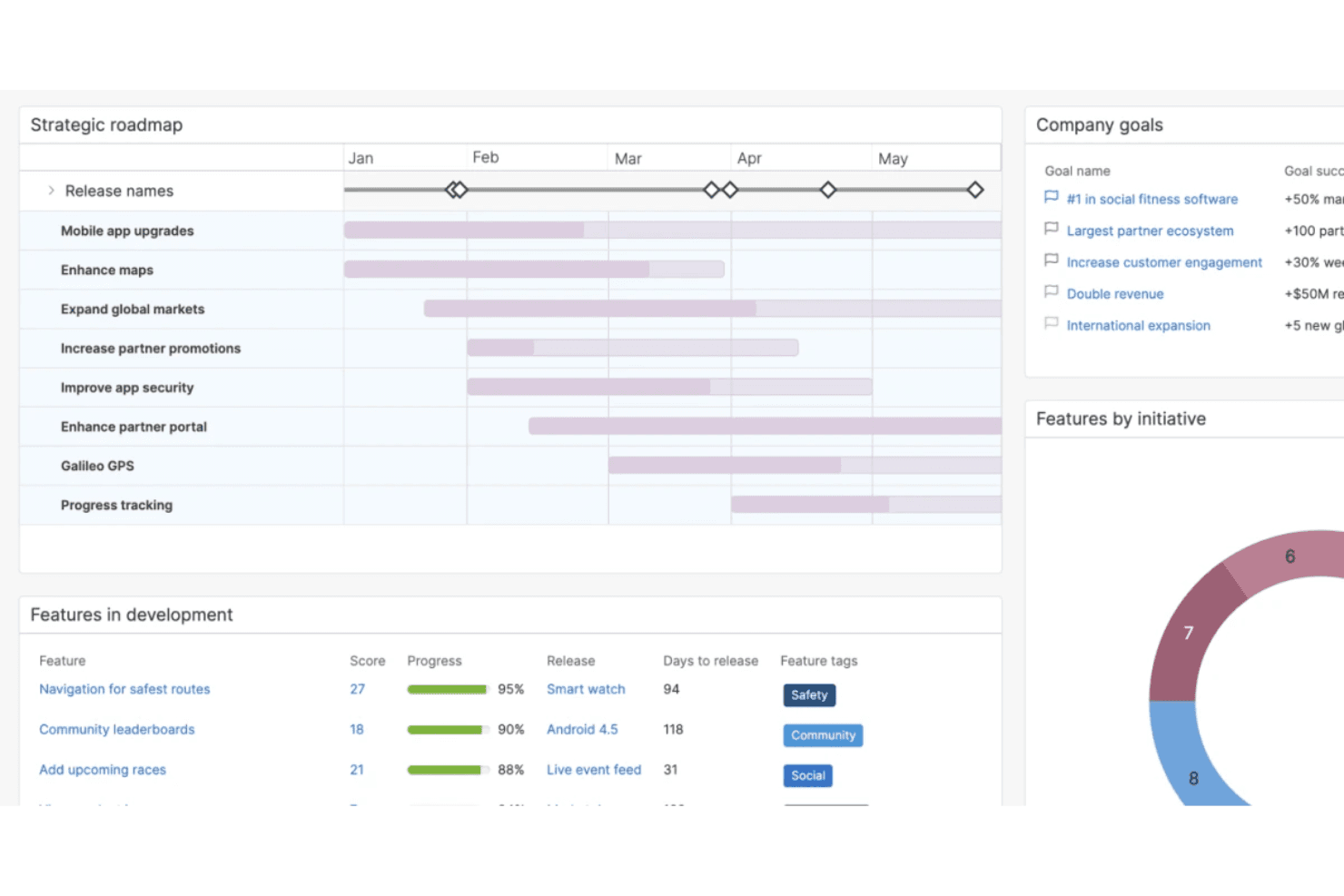
Aha! makes it easy to create a strategy, set goals, and prioritize your product decisions. Aha! is a product roadmap and prioritization platform that combines custom scorecards, ideas portals, roadmap visualization, backlog management, and delivery tool integrations into a single suite.
Who Is Aha! Best For?
Aha! is a strong fit for product teams that need to build custom scoring formulas—like RICE or value/effort models—directly into their prioritization workflow.
Why I Picked Aha!
I picked Aha! as one of the best because its scorecard engine lets you build scoring formulas from scratch, not just tweak a preset template. You can write advanced equations using RICE or value/effort logic, add conditional
if()logic, and apply those scorecards across features, initiatives, and ideas simultaneously. I especially like that the formula editor validates syntax in real time, so you're catching errors before they quietly skew your prioritization results.Aha! Key Features
- Ideas portal: A branded, voteable portal where customers submit and upvote ideas that you can promote directly into features on your roadmap.
- Two-way Jira and Azure DevOps sync: Changes made in Aha! or your delivery tool update both sides automatically, keeping roadmap priorities and development work aligned.
- Whiteboard smart zones: Dropping a record into a defined zone on a whiteboard updates its roadmap fields in real time, letting teams discuss tradeoffs visually.
- AI feedback theme analysis: Automatically groups incoming ideas and feedback into themes so you can spot patterns across customer input without manual tagging.
Aha! Integrations
Aha! offers 40+ integrations, including Jira, Azure DevOps, Salesforce, Zendesk, Slack, Power BI, and Google Analytics. Its API supports custom integrations, while scorecard values can map to matching fields in connected tools.
Pros and Cons
Pros:
- Stakeholder views clarify competing feature tradeoffs
- Customer votes connect directly to roadmap decisions
- Custom formulas support RICE and value-effort scoring
Cons:
- Custom reports take time to configure
- Score changes can erase historical metric data
Learn more about Aha!: Best for identifying the right tasks with charts
- 14-day free trial + free demo available
- Pricing upon request
Visit WebsiteCustomer Rating:4.2/5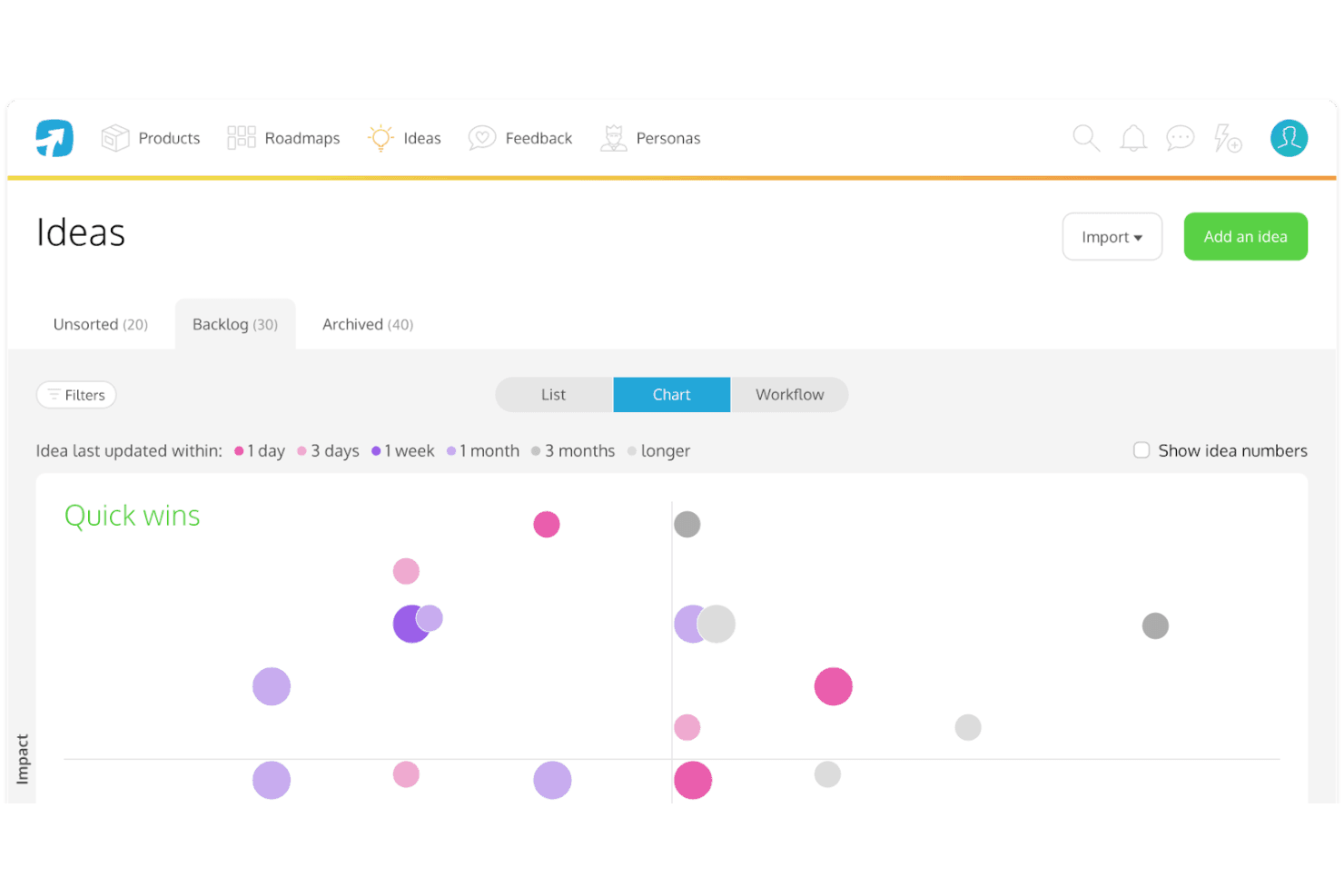
ProdPad’s “impact vs effort” chart helps you find the right product features to focus on. ProdPad is a product prioritization and roadmapping platform that connects customer feedback, ideas, and OKRs through impact vs. effort scoring, Now–Next–Later roadmaps, and AI-assisted feedback analysis.
Who Is ProdPad Best For?
ProdPad is a strong fit for product managers and heads of product who need to connect customer feedback, OKRs, and roadmap decisions in one place.
Why I Picked ProdPad
ProdPad earns its spot on my shortlist because its impact vs. effort charts make it genuinely easy to see which ideas deserve attention right now. I love how every idea links directly to OKRs and customer feedback, so you're not guessing at priorities. The AI Signals feature automatically surfaces emerging themes across large volumes of feedback, which means your chart data reflects what customers actually care about, not just what's loudest.
ProdPad Key Features
- Now–Next–Later roadmap: A structured roadmap format that organizes initiatives by time horizon without locking you into fixed dates or timeline views.
- AI Signals: An AI feature that automatically identifies emerging themes across large volumes of customer feedback to surface patterns you might otherwise miss.
- Unlimited free reviewer seats: Anyone in your organization can join as a reviewer at no cost, letting them submit ideas, add feedback, and comment on existing work.
- Jira and Azure DevOps two-way sync: Changes made in ProdPad reflect in your delivery tools and vice versa, keeping strategy and execution aligned without manual updates.
ProdPad Integrations
ProdPad offers native integrations with Jira, Azure DevOps, GitHub, Linear, Slack, Microsoft Teams, Salesforce, and Intercom. It also supports custom connections through its API and Zapier.
Pros and Cons
Pros:
- AI surfaces themes across feedback
- Impact-effort charts clarify tradeoffs
- Links feedback, ideas, and OKRs
Cons:
- No timeline views for dated planning
- No confirmed RICE or WSJF frameworks
Learn more about ProdPad: Best for revenue-linked feedback-to-roadmap planning
- Free demo available
- Pricing upon request
Visit WebsiteCustomer Rating:4.8/5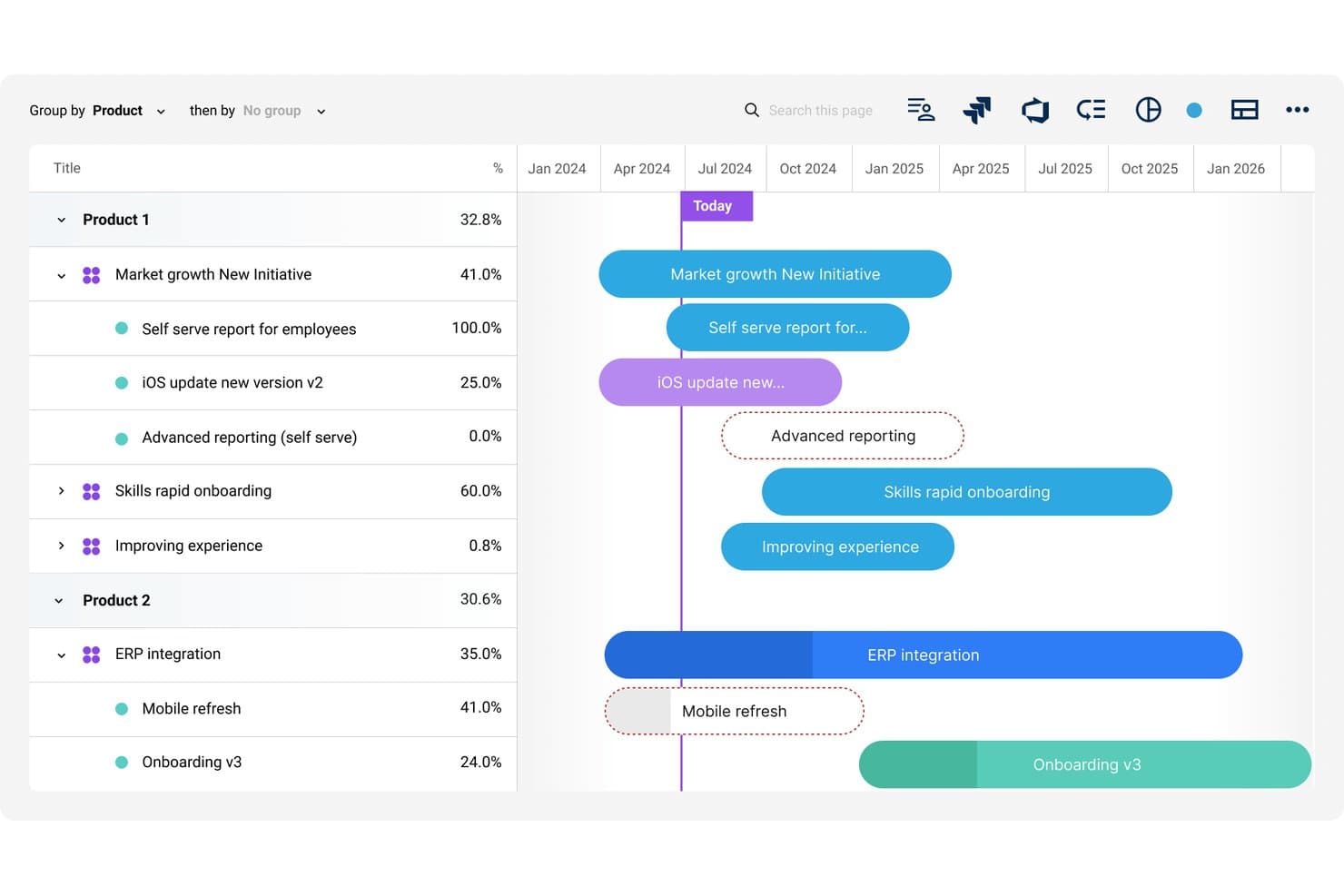
Dragonboat visualizes multi-product roadmaps with timeline progress tracking. Dragonboat is a product portfolio platform that connects strategy, customer feedback, and roadmaps through AI-assisted prioritization, scenario planning, and two-way delivery tool integrations.
Who Is Dragonboat Best For?
Dragonboat is a strong fit for product teams at mid-size to enterprise companies that need to connect customer feedback and revenue data directly to roadmap decisions across multiple product lines.
Why I Picked Dragonboat
I picked Dragonboat as one of the best because it's the only tool I've seen that directly ties customer feedback to revenue data before anything touches the roadmap. The Intake app pulls requests from Salesforce, Zendesk, and Slack, then layers in CRM revenue context so you can see exactly which customers and deal sizes sit behind each feature request. Pair that with AI-assisted scenario modeling in the Planner, and you can run what-if comparisons across competing initiatives before committing to a single plan.
Dragonboat Key Features
- Portfolio-wide roadmap views: Nest strategic bets, initiatives, and features into a single portfolio roadmap with audience-specific presentations for different stakeholders.
- AI-powered feedback tagging: Automatically tags, triages, and summarizes high volumes of incoming feedback into themes so your team can act on patterns faster.
- What-if scenario planning: Build and compare alternative portfolio plans side by side without overwriting your current plan of record.
- Two-way delivery tool sync: Pushes strategic context like OKRs and priorities down to Jira and ADO, while status and scope updates flow back up automatically.
Dragonboat Integrations
Dragonboat supports 200+ integrations, including two-way sync with Jira, Azure DevOps, and Rally, plus Salesforce, Zendesk, Slack, Microsoft Teams, UserVoice, and Pendo Listen. It also offers an API and MCP connector for custom connectivity.
Pros and Cons
Pros:
- Portfolio roadmaps align stakeholder priorities
- AI compares competing portfolio scenarios
- Revenue data sharpens feature prioritization
Cons:
- Enterprise structure may overwhelm smaller teams
- Built-in scoring frameworks remain unclear
Learn more about Dragonboat: Best for feedback-driven feature prioritization
- Free demo available
- Pricing upon request
Visit WebsiteCustomer Rating:4.5/5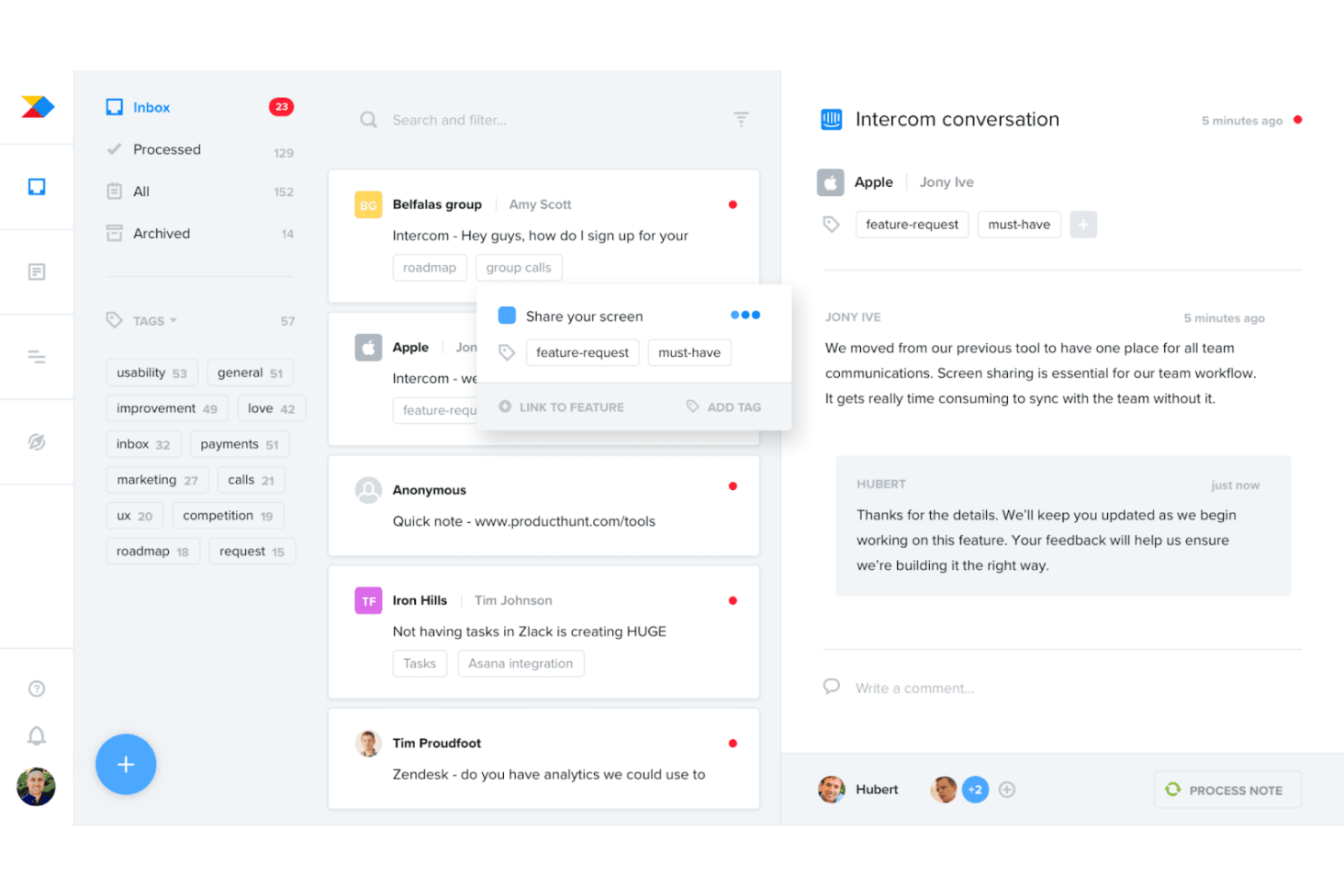
Productboard helps you collect and consolidate customer feedback to understand your users and identify patterns. Productboard is a product prioritization and roadmap platform that centralizes customer feedback from 25+ sources, links it directly to features, and uses customizable scoring formulas to help product teams decide what to build next.
Who Is Productboard Best For?
Productboard is a strong fit for product managers and heads of product who need to tie customer feedback directly to feature prioritization and roadmap decisions.
Why I Picked Productboard
Productboard earns its spot on my shortlist because it's the only tool I've used that treats customer feedback as the direct input to prioritization, not an afterthought. It pulls in feedback from 25+ sources, like Zendesk, Gong, and Intercom, and links each insight straight to the features being scored. I especially like the customer need scoring, where you can see demand intensity by segment and drill into the actual user quotes driving each score.
Productboard Key Features
- Portfolio view with OKRs: A single view surfaces objectives, initiatives, and features across your full portfolio, with progress and risk tracking on a timeline.
- Dynamic customer segments: Slice feedback and scoring by user segment, letting you see which features matter most to specific customer groups.
- Customer portal: A public-facing portal where customers can validate ideas and view what's shipped, keeping your users engaged in the discovery process.
- Two-way Jira and Azure DevOps sync: Push features to engineering tools and pull status updates back into Productboard, keeping strategy and delivery aligned.
Productboard Integrations
Productboard offers 25+ native integrations, including Jira, Azure DevOps, Zendesk, Intercom, Slack, Microsoft Teams, Gong, G2, Amplitude, and Mixpanel. It also provides API 2.0 and Zapier for custom connectivity.
Pros and Cons
Pros:
- Updates stakeholder roadmaps automatically
- Segments demand by customer type
- Links customer feedback directly to feature scores
Cons:
- Large portfolios can become difficult to navigate
- Named prioritization frameworks aren’t built in
Learn more about Productboard: Best for group scoring with customer feedback input
- Free demo available
- Pricing upon request
Visit WebsiteCustomer Rating:4.4/5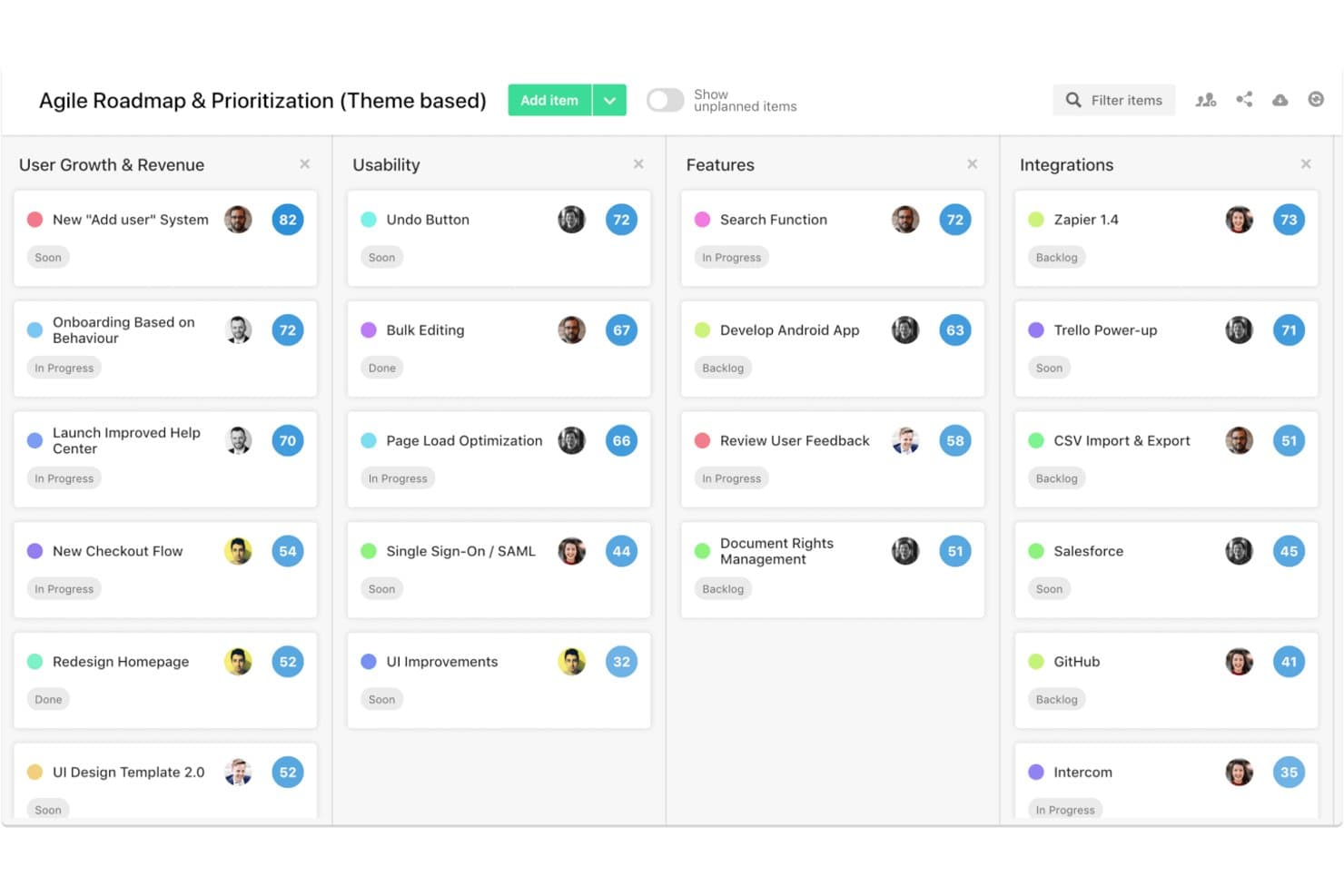
airfocus is a product prioritization platform that combines customizable scoring frameworks, multi-view roadmaps, customer feedback portals, and collaborative group scoring tools like Priority Poker.
Who Is airfocus Best For?
airfocus works well for product teams at mid-size to large organizations that need to align multiple stakeholders around priorities using structured, data-driven scoring methods.
Why I Picked airfocus
I've included airfocus in my top picks because Priority Poker is one of the most practical group scoring tools I've seen in this category. It lets stakeholders score items independently, surfaces disagreements in the data, and records how the group landed on a final decision. Pair that with customer voting portals and an insights score that feeds real feedback volume directly into prioritization, and you get a tool that makes customer input a first-class input to your scoring process.
airfocus Key Features
- Priority Ratings app: Score items against strategy criteria grouped into weighted factors to build a structured, repeatable scoring process.
- Custom prioritization formulas: Define your own scoring logic using custom fields and formula builders to match your team's specific framework.
- Branded customer feedback portals: Create password-protected portals where customers can submit, vote on, and react to feature ideas.
- Multi-view roadmaps: Switch between board, timeline, Gantt, table, chart, list, and document views to present priorities to any audience.
airfocus Integrations
airfocus offers integrations with Jira Cloud, Azure DevOps Cloud, Trello, Asana, Linear, GitHub, Intercom, Zendesk, Slack, and Microsoft Teams. It also supports two-way delivery-tool sync, an open API, webhooks, and Zapier.
Pros and Cons
Pros:
- Custom frameworks fit complex product strategies
- Priority Poker exposes stakeholder scoring disagreements
- Customer voting informs prioritization scores
Cons:
- Roadmap focus exceeds execution depth
- Enterprise gates automated feedback synthesis
 Best for inclusive, team-scored prioritization
- 14-day free trial + free demo available
- From $24/user/month
Visit WebsiteCustomer Rating:4.4/5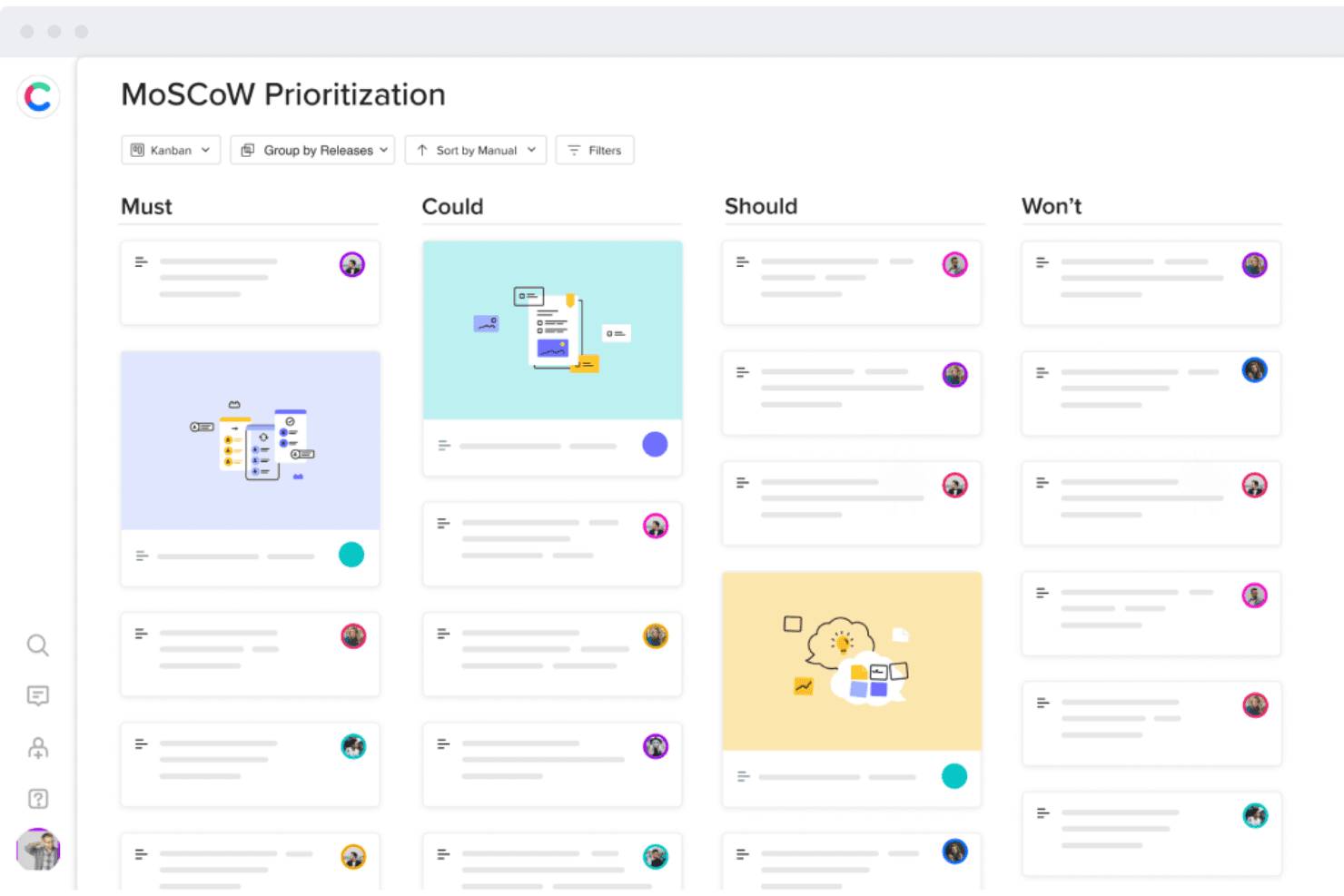
Craft.io helps you prioritize features based on the MoSCoW method or RICE score. Craft.io is a product management platform that combines multi-framework prioritization, roadmap visualization, backlog management, and collaborative stakeholder scoring across the full product lifecycle.
Who Is Craft.io Best For?
Craft.io is a strong fit for product teams at mid-sized to enterprise companies that need structured prioritization across multiple stakeholders and product lines.
Why I Picked Craft.io
I've included Craft.io in my top picks because its inclusive prioritization model is genuinely different from most tools I've used. Instead of one person scoring features in isolation, Craft.io lets each stakeholder group submit their own weighted scores, so a VP of Product and an engineering lead can both contribute without overriding each other. Pair that with built-in RICE, MoSCoW, and WSJF frameworks alongside a custom formula builder, and you get a structured, team-owned process for deciding what customers actually want most.
Craft.io Key Features
- Roadmap view types: Five distinct roadmap views—Table, Timeline, Kanban, Swimlane, and Release—let you tailor how you present priorities to different audiences.
- Feedback portal: A centralized hub where stakeholders can submit, vote on, and track the status of product ideas, linked directly to backlog items.
- Data hierarchy: A multi-level item hierarchy (up to four levels on Enterprise) lets you organize initiatives, features, and tasks in a structured, nested format.
- Delivery tool integrations: Two-way sync with Jira, Azure DevOps, GitHub, GitLab, and Linear keeps your product roadmap connected to engineering workflows.
Craft.io Integrations
Craft.io integrates with Jira, Azure DevOps, GitHub, GitLab, Linear, Zendesk, Figma, Slack, and Microsoft Teams. Enterprise plans include an API for custom integrations, while Zapier is also available.
Pros and Cons
Pros:
- Roadmaps communicate priorities across audiences
- Multiple frameworks support objective tradeoffs
- Team-scored prioritization aligns stakeholders
Cons:
- Reviewers report sync issues and navigation friction
- Advanced capabilities require paid add-ons
Learn more about Craft.io: Best for portfolio roadmaps with feedback links
- 14-day free trial + free demo available
- From $10/user/month
Visit WebsiteCustomer Rating:4/5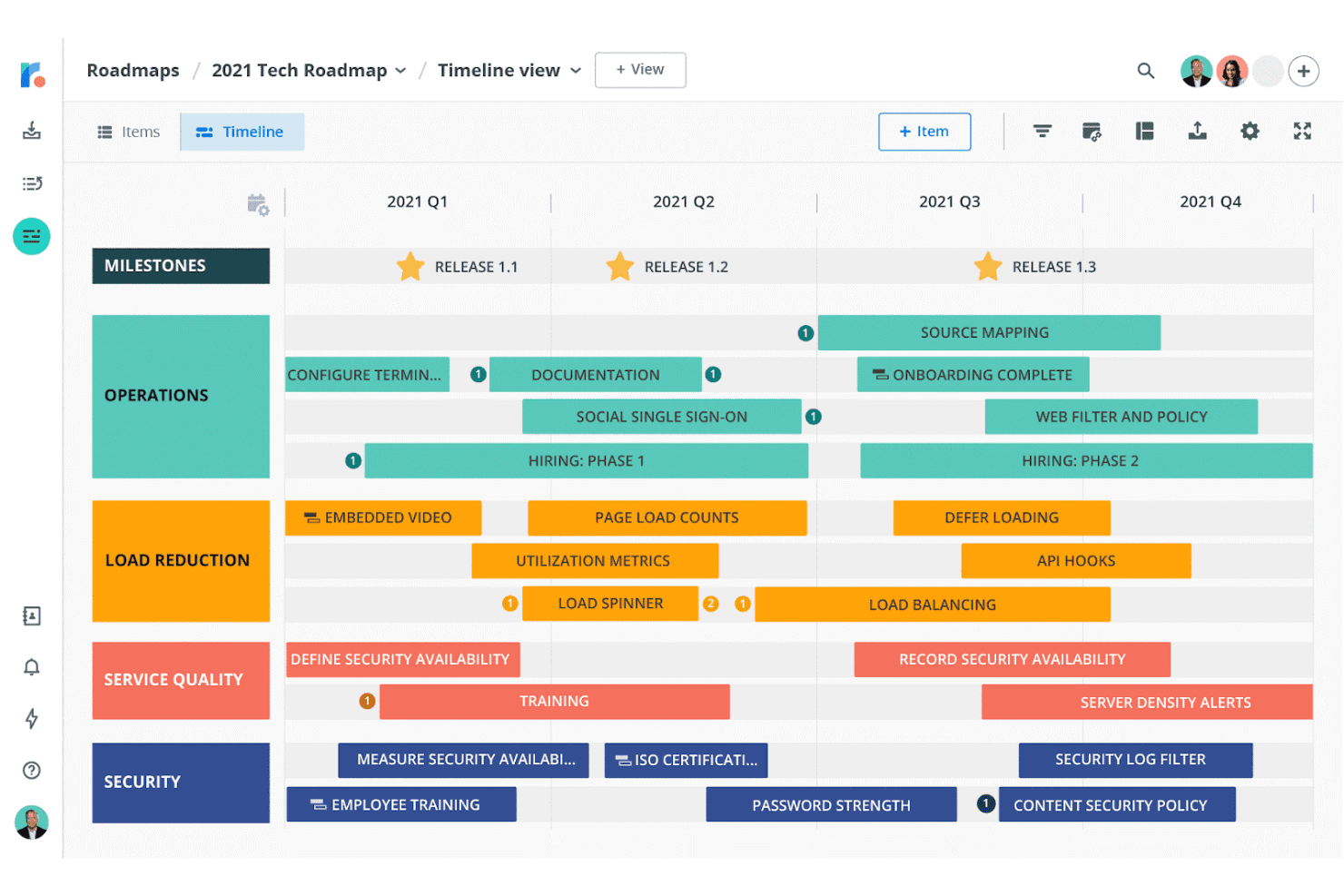
Roadmunk offers templates based on the RICE and Kano models to help you prioritize ideas. Tempo Roadmapping Software is a product roadmapping and prioritization platform that combines a customer feedback inbox, an idea manager with built-in RICE and value vs. effort scoring, and multi-view roadmaps that roll up into portfolio-level timelines.
Who Is Tempo Roadmapping Software Best For?
Tempo Roadmapping Software is a strong fit for product managers and heads of product who need to connect customer feedback directly to prioritized roadmaps across multiple teams.
Why I Picked Tempo Roadmapping Software
I picked Tempo Roadmapping Software because it's one of the few tools that lets you trace a customer feedback submission all the way through to a scored, ranked idea and then onto a published portfolio roadmap. I like how the feedback inbox connects directly to the Idea Manager, where you can apply RICE or value vs. effort scoring and roll individual team roadmaps up into a single portfolio view. That end-to-end traceability is what earns it the top spot for portfolio roadmaps with feedback links.
Tempo Roadmapping Software Key Features
- Value vs. effort scoring matrix: An interactive matrix view plots your ideas visually so you can spot high-value, low-effort items at a glance.
- Two-way Jira and Azure DevOps sync: Changes made in Jira or Azure DevOps reflect back in your roadmap, keeping delivery and strategy aligned without manual updates.
- Customer feedback portals: Customizable portals let customers submit feedback directly, which you can then tag by source and link to specific ideas in your backlog.
- Unlimited stakeholder viewing: Anyone without a paid license can still view shared or exported roadmaps, so you can loop in as many reviewers as you need without added cost.
Tempo Roadmapping Software Integrations
Tempo Roadmapping Software offers 9 documented integrations, including Jira, Azure DevOps, Trello, Asana, Monday.com, Pivotal Tracker, Shortcut, GitHub, and GitLab. Its API supports custom integrations, while two-way Jira and Azure DevOps sync is available on select plans.
Pros and Cons
Pros:
- Multiple roadmap views support stakeholder alignment
- Built-in RICE and value-effort frameworks
- Feedback links ideas to scored backlog
Cons:
- No scenario comparison or AI prioritization
- Deeper initiative hierarchy remains limited
Learn more about Tempo Roadmapping Software:
Other Options
Here are a few more that didn’t make the top list but are worth your consideration.
- 11CannyBest for custom scoring formulas
- 12StoriesOnBoardBest for story map–driven feature prioritization
- 13ProductPlanBest for roadmap prioritization with AI research
- 14PendoBest for revenue-linked customer feature voting
- 15PlanviewBest for enterprise portfolio-scale prioritization
- 16Jira Product DiscoveryBest for Jira-connected feature prioritization
- 17Ducalis.ioBest for role-based scoring and voter alignment
How I Evaluate Product Prioritization Software
My evaluation splits into three parts: core functionality (weighted most heavily), where I check whether a tool can score and rank initiatives using structured frameworks and generate shareable visual roadmaps; standout features like what-if scenario modeling; and beyond-feature factors such as onboarding support and pricing model fit for cross-functional teams.
Core Functionality (Table Stakes For This List)
When I'm selecting tools for my list, I score each one on a scale from 0 (does not offer the functionality) to 5 (excels in this area) for each core functionality listed below. I then convert the total into a percentage to help assess each tool's overall fit, with extra weight on any functionalities I've deemed essential.
- Prioritization Frameworks (Essential): I check whether a tool supports RICE, weighted scoring, or value vs. effort matrices with customizable criteria and editable weights.
- Roadmap Visualization (Essential): Each tool needs to produce shareable, filterable roadmaps I can tailor for executives, engineering leads, or customer-facing teams.
- Feedback & Input Aggregation: I look for tools that let you link customer requests or sales input directly to initiatives so scoring reflects real demand signals.
- Initiative & Backlog Management: A well-structured backlog with hierarchies, custom fields, and bulk actions matters when you're managing hundreds of feature ideas.
- Cross-Functional Collaboration: I evaluate whether stakeholders can vote, score, or comment within the tool rather than relying on side-channel conversations.
- Delivery Tool Integration: Two-way sync with platforms like Jira or Azure DevOps keeps priority decisions connected to sprint-level execution without manual updates.
Once I have a list of tools that meet the criteria, I consider what sets each platform apart.
Differentiating Factors (What Sets Vendors Apart)
Here's how I compare and contrast different vendors:
Standout Features
What-if scenario modeling is the feature I check first. Before locking in a quarter's priorities, I want to drag one initiative out of scope and see how that shifts timelines and scores across everything else. Customer voting portals also matter because they replace anecdotal requests with quantifiable demand signals tied directly to scored initiatives. I look for revenue and impact estimation fields that let you attach projected retention or cost-savings numbers to each item, giving finance and leadership a shared language for tradeoff conversations.
Beyond Features
Pricing model matters a lot here. Per-seat licensing gets expensive fast when you invite engineering leads, designers, and sales reps to weigh in on priorities. I check whether a tool offers viewer or commenter tiers so you're not paying full price for stakeholders who only need to vote or review scores. Onboarding support is the other factor I evaluate closely. A tool with built-in RICE or WSJF templates and guided setup saves weeks compared to one that drops you into a blank workspace.
How I Picked The Best Product Prioritization Software
What do I look for when I select the best product prioritization system? Here’s a summary of my evaluation criteria:
User Interface (UI)
Launching new features is difficult, but the tools you use to do it shouldn’t be. I look for solutions that have a clean user interface, so your team members can easily find the right functionalities and go back to what matters most - making a great product.
Usability
All the prioritization tools I selected fall into two categories - they’re either specially designed to serve product teams or they’re highly customizable, allowing you to create a custom solution that’s tailored to your needs. They’re easy to use and should make the prioritization process a breeze.
Integrations
I chose tools that integrate with all the popular product development and prototyping platforms, so you can integrate them into your software ecosystem.
Pricing
I selected tools that help you plan and prioritize new features from A to Z regardless of the prioritization method, so you can get the most out of your investment.
What are the key features of product prioritization software?
Here are some of the most important features when selecting a feature prioritization solution.
- Project and workflow planning: You can’t prioritize tasks if you don’t plan them first. The software should enable you to plan out your projects and workflows with ease.
- Task tracking: Project managers should always stay on top of tasks so they can identify bottlenecks and allocate the right resources to overcome potential roadblocks.
- Communication and collaboration: Teamwork helps you prioritize tasks and deliver them within deadlines. The app should enable your team members to communicate and collaborate in order to complete tasks.
- Customization: Your team’s projects might differ in scope and workflow. The solution should help you customize your approach by creating subtasks and dependencies, and enable you to create templates so you can save time on similar future projects.
- Backlogs: Organizing your deliverables helps you prioritize your initiatives. The tool should allow you to create release, sprint, and product backlogs so you can set expectations and meet your product goals.
Why do you need a prioritization scheme?
As Steve Cochran, Chief Technology Officer at ConnectWise, said:
In most businesses, you have a starting line and an end goal, with various steps in between. Without a prioritization scheme, it’s almost impossible to get those steps done and reach the end goal in a timely manner, devoid of issues. Rather than prioritizing projects based on how quickly you can start them, organize your teams to coincide with the company’s actual needs to prevent focusing on short-term items only. Make sure the priority scheme is clearly defined and visible to everybody; otherwise, you risk sub-optimizing your resources based on the individual product missions, derailing your overall road map in the process.
Launch better features with product prioritization tools
Product prioritization software helps you launch features that delight your customers and increase your business value. Learn more about feature prioritization frameworks, how to prioritize product features and which one is best. You will learn about prioritization scores like the weighted scoring model, priority poker, MoSCoW method, RICE score, value vs effort matrix, and other product prioritization frameworks.
Related tool lists:
Subscribe to the Product Manager newsletter to receive tips on how to launch amazing products directly in your inbox.