

With so many different free prototyping options available, figuring out which one is right for you is tough. You need all of the essential features to create interactive and visual representations of products during the design phase and avoid costly rework during the product development process, but you still have to stick to a limited budget. I've got you! In this post I'll help make your choice easy, sharing my experiences using multiple free tools with larger teams and dozens of product launches on a tight budget, with my picks of the best free prototyping tools.
Why Trust Our Software Recommendations
6,700+
Reviews
20
Industry experts
16+
Evaluation factors
14
Years
Our team has been testing and reviewing software since 2012. As product managers ourselves, we know how difficult—and important—it is to choose the right software.
For this guide, we evaluated tools using hands-on testing and independent research, scoring tools using our selection criteria.
Our reviews reflect our human editorial judgment, not a sales pitch.
Expert reviewers:
- Andrew LumbySenior TPM
- Cristiano ValimSenior UI/UX Lead


Free Prototyping Tools Comparison Table
Here are the base costs for each of the tools that made it onto my shortlist:
| Tool | Best For | Trial Info | Price | ||
|---|---|---|---|---|---|
| 1 | Best with direct prototyping on your codebase | Free plan + free demo available | From $20/user/month | Website | |
| 2 | Best for UX flows grounded in real product context | Free plan available | From $16/month | Website | |
| 3 | Best for AI-powered prototyping workflows | Free plan + 14-day free trial available | From $8/user/month (billed annually) | Website | |
| 4 | Best for infinite canvas brainstorming | Free plan available | From $9/month (billed annually) | Website | |
| 5 | Best for prototyping without a design background | Free plan available | From $24.90/user/month (billed annually) | Website | |
| 6 | For designers who follow the latest trends | Free plan available | From $16/user/month | Website | |
| 7 | Best for non-designers who prototype with AI | Free plan available | From $14/user/month | Website | |
| 8 | Best for prototyping with coded components | Free plan + 14-day free trial available | From $29/user/month (billed annually) | Website | |
| 9 | Best for open-source design and dev handoff | Free plan + 14-day free trial available | From $7/user/month | Website | |
| 10 | Best for no-code logic and gesture-rich prototypes | 15-day free trial + free plan available | From $29/month | Website |


Best Free Prototyping Tools Review
Below are my detailed summaries of the best free prototyping tools that made it onto my shortlist. My reviews offer a detailed look at the key features, pros & cons, integrations, and ideal use cases of each tool to help you find the best one for you. While some of these tools offer a completely free version, others offer a free trial period. I’ve added a note about what’s free in each of my reviews.
 Best with direct prototyping on your codebase
- Free plan + free demo available
- From $20/user/month
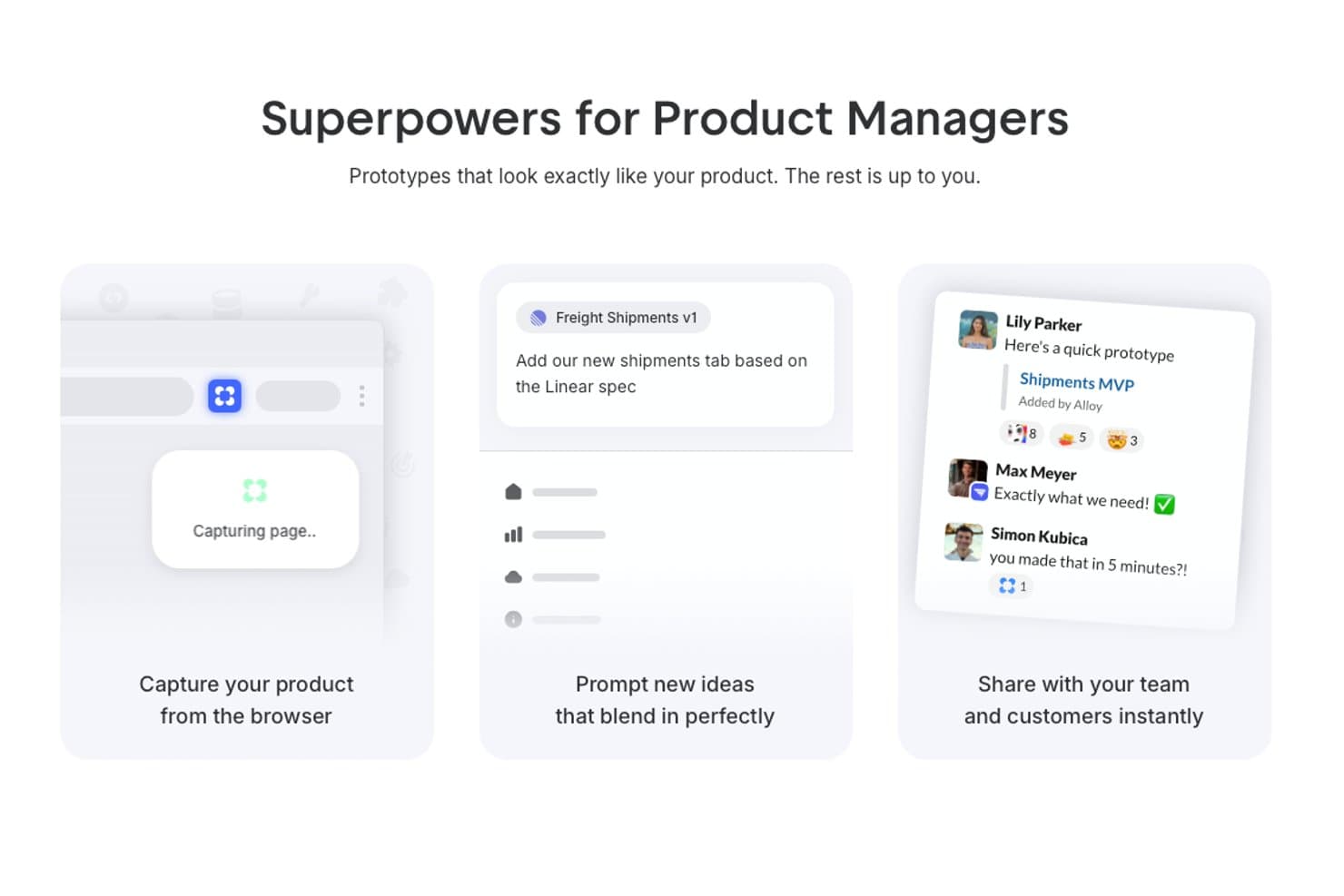
Alloy offers product managers a browser capture tool, AI-powered prototyping prompts, and instant team sharing features for realistic UI prototypes. Alloy is an AI prototyping tool that captures web apps or connects codebases, then generates interactive running prototypes through chat-based edits, visual changes, sharing, comments, and GitHub handoff.
Who Is Alloy Best For?
Product managers and startup founders who need to prototype changes directly on an existing web product.
Why I Picked Alloy
I picked Alloy for direct prototyping on your codebase, where chat prompts modify a running web app instead of static frames. I use its codebase connection to preserve real components, design tokens, and assets, then share previews with inline comments. GitHub pull request export connects validated product changes to development.
Alloy Key Features
- Browser capture extension: Capture existing web pages to start a prototype.
- Visual edits: Adjust generated interfaces manually without prompts.
- Version history: Review and restore earlier prototype versions.
- Figma export: Export prototypes to Figma from any plan.
Alloy Integrations
Alloy includes 30+ integrations, including Linear, Jira, Slack, and Intercom. It also connects with GitHub for pull requests, supports Figma export, and offers API access on Enterprise.
What's Free?
Alloy offers a free-forever plan, so you can explore its prototyping features without a time-limited trial. Paid plans start at $20 per user per month, while advanced needs such as larger teams or enterprise API access may require an upgrade.
Pros and Cons
Pros:
- Inline feedback stays pinned to interface elements
- Prompt-based edits help PMs skip wireframing
- Realistic prototypes inherit existing product components
Cons:
- Poor fit for blank-slate mobile concepts
- No traditional canvas for precise layout control
Learn more about Alloy:
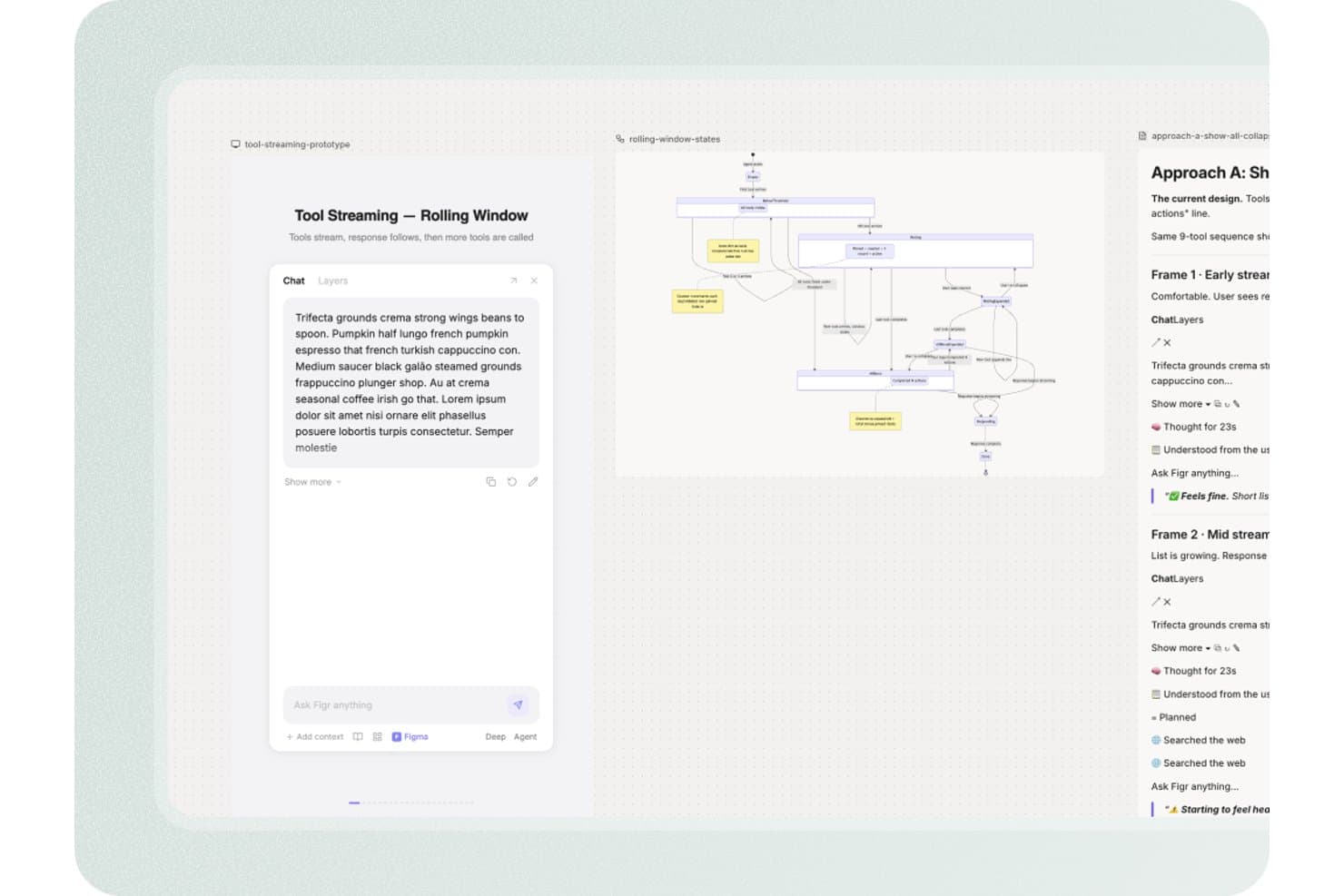
Figr offers a tool streaming rolling window prototype interface with a chat panel, state diagram, and design approach documentation for product design workflows. Figr is an AI-assisted prototyping and product design platform that turns PRDs, live product context, analytics, code, and Figma systems into UX flows, high-fidelity screens, interactive prototypes, edge-case maps, and UX reviews.
Who Is Figr Best For?
Figr suits product managers and startup founders who need to turn PRDs and live product context into UX flows without a dedicated design team.
Why I Picked Figr
I picked Figr because it is best for UX flows grounded in real product context. I use its Live Product Capture and Context Pods to connect existing screens, PRDs, analytics, and code before generating a flow. Its UX reasoning also maps edge cases and links requirements to high-fidelity prototypes, helping my team review product scenarios before development.
Figr Key Features
- Figma sync: Import and export designs between Figr and Figma.
- Analytics CSV uploads: Add product data as CSV files for design input.
- Version history: Review earlier work with 24 hours of history on Free.
- Image exports: Download screens as PNG or JPG files.
Figr Integrations
Figr offers native two-way integration with Figma. It also supports Chrome-based live product capture, Storybook and GitHub through Enterprise custom integrations, plus custom MCPs from Starter.
What's Free?
Figr has a free-forever plan with 10 monthly credits and no paid seats. It limits you to three canvases, one read-only Context Pod, 24-hour version history, and Figma or PNG exports.
Pros and Cons
Pros:
- Helps PMs create high-fidelity concepts
- Links PRDs to edge cases
- Grounds flows in real product context
Cons:
- Manual canvas controls remain limited
- Interactive behavior remains poorly documented
Learn more about Figr: 3Best for AI-powered prototyping workflows
Miro
- Free plan + 14-day free trial available
- From $8/user/month (billed annually)
Visit WebsiteCustomer Rating:4.8/5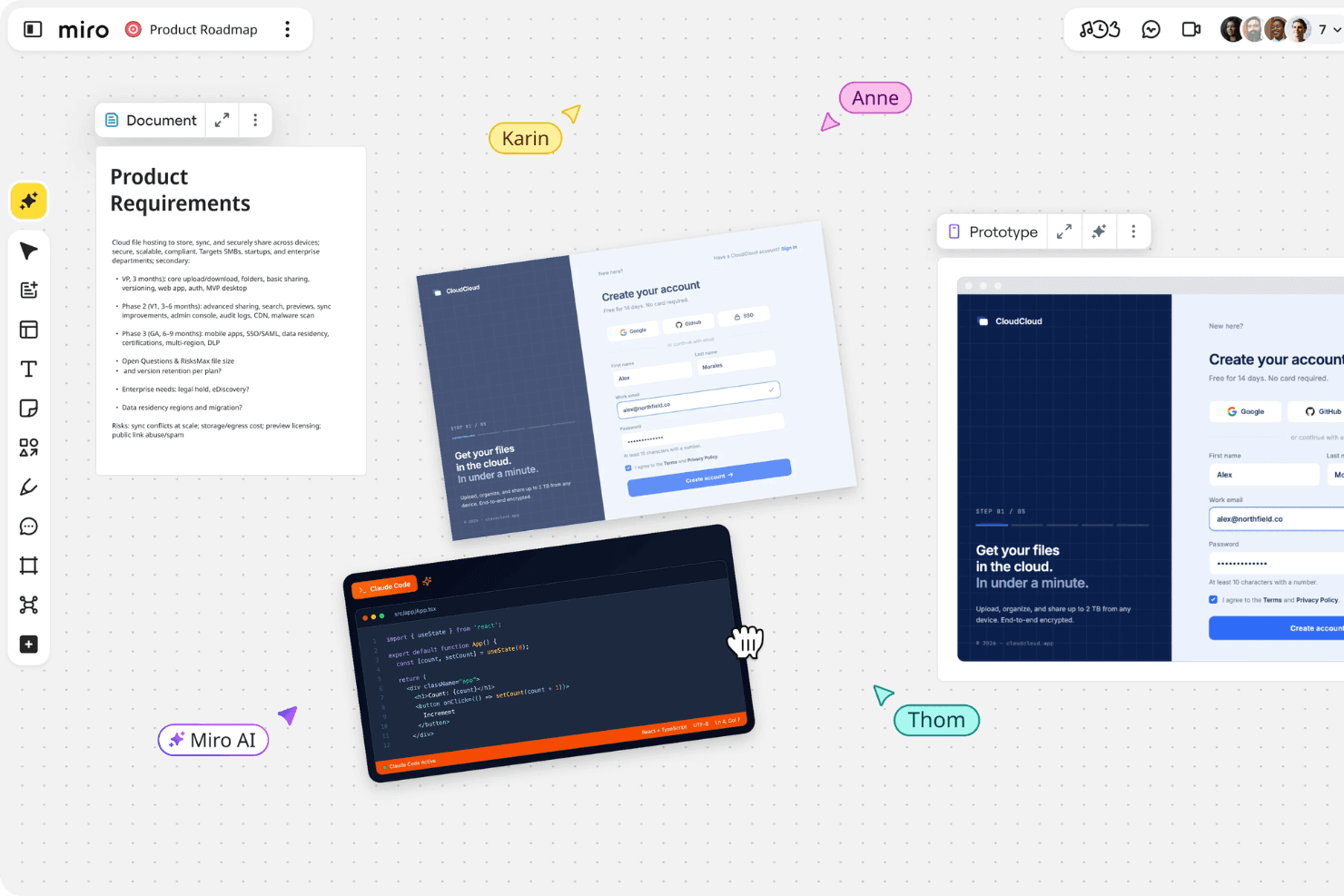
Miro brings product planning, design, and team collaboration together in one shared workspace. Miro is a prototyping and collaborative whiteboard platform that turns prompts, screenshots, sketches, and PRDs into editable, clickable flows alongside canvas-based wireframes, comments, templates, and stakeholder annotations.
Who Is Miro Best For?
Product managers and startup founders who need to turn rough ideas into low-fidelity clickable flows and align stakeholders quickly.
Why I Picked Miro
I picked Miro for AI-powered prototyping workflows because I can turn PRDs, sketches, screenshots, or sticky notes into editable, clickable flows. I use Explore to compare screen variations and Validate to identify usability gaps before testing. Comments and annotations stay beside the prototype, giving product teams one shared space for critique and iteration.
Miro Key Features
- Infinite canvas: Drag, drop, resize, layer, and edit prototype elements on a flexible workspace.
- Public preview links: Share prototypes for no-account viewing and commenting.
- Real-time co-editing: Work together with comments, reactions, and voting.
- Template library: Choose from more than 7,000 community and Miro templates.
Miro Integrations
Miro supports 250+ integrations, including Jira, Linear, Confluence, Notion, Slack, Microsoft, Google, and Adobe. Business adds two-way Jira and Linear sync, while the MCP server connects Claude, Cursor, and Copilot for developer handoff.
What's Free?
Miro offers a free-forever plan with unlimited team members and three editable boards; additional boards remain view-only unless they become one of the three most recent. It includes 10 AI credits per month, but excludes private board sharing, visitor editing, and guest access.
Pros and Cons
Pros:
- Offers mobile, desktop, and tablet concepts
- Keeps stakeholder feedback beside prototypes
- Turns rough notes into clickable flows
Cons:
- Interactions stop at basic navigation
- Core prototyping sits outside free access
 Best for infinite canvas brainstorming
- Free plan available
- From $9/month (billed annually)
Visit WebsiteCustomer Rating:4.5/5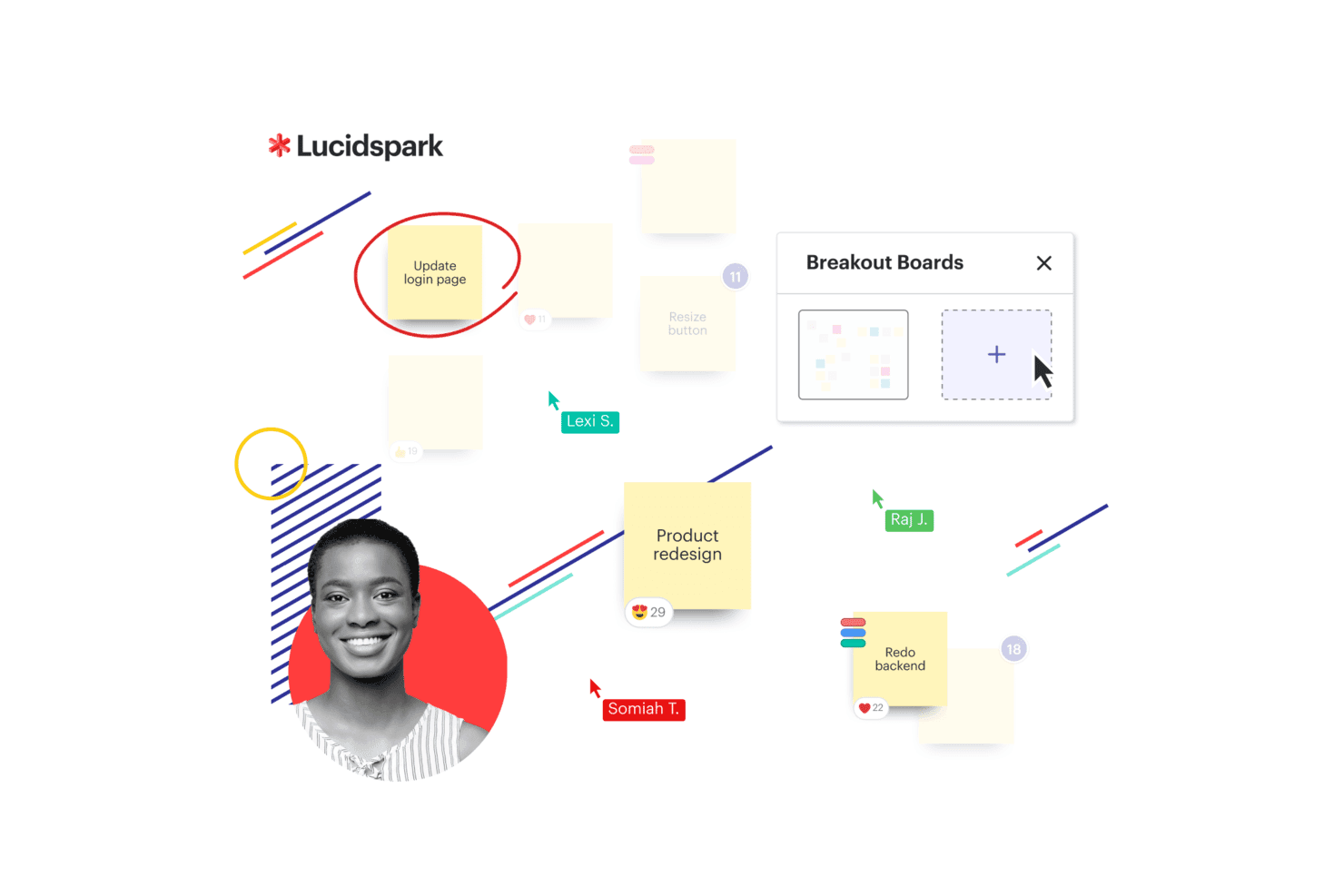
Lucidspark presents a Kanban board with workflow columns and task cards to help teams organize and track work visually. Lucidspark is a collaborative whiteboard for product design ideation, combining an infinite canvas with frames, templates, sticky notes, freehand drawing, presentation mode, and basic frame-to-frame links rather than full interactive prototyping.
Who Is Lucidspark Best For?
Product managers and startup founders who need a collaborative canvas for early discovery, brainstorming, and stakeholder alignment.
Why I Picked Lucidspark
I picked Lucidspark because it is Best for infinite canvas brainstorming when product ideas are still taking shape. Frames, sticky notes, and templates help my team map user flows, cluster research themes, and sketch rough concepts together. I also use frame links and presentation mode to walk stakeholders through early flows, though it suits discovery better than interactive prototype testing.
Lucidspark Key Features
- Lucid AI: Generates ideas, groups themes, and summarizes sessions.
- Visual Activities: Provides voting and structured feedback exercises.
- Lucid Cards: Connects ideas to Jira and Azure DevOps work items.
- Guest collaboration: Lets people contribute without a Lucid account.
Lucidspark Integrations
Lucidspark offers 100+ purpose-built integrations, including Jira and Azure DevOps through Lucid Cards, plus marketplace integrations such as Okta and GRID. Its developer platform supports custom integrations.
What's Free?
Lucidspark has a free-forever plan with three editable boards, unlimited shapes, Lucid AI, and basic Visual Activities. Paid plans unlock unlimited boards, premium Visual Activities, and additional collaboration features.
Pros and Cons
Pros:
- Templates help non-designers sketch concepts
- Live voting captures stakeholder feedback
- Infinite canvas supports early flow mapping
Cons:
- No device previews or reusable components
- Frame links replace true interactions
Learn more about Lucidspark: Best for prototyping without a design background
- Free plan available
- From $24.90/user/month (billed annually)
Visit WebsiteCustomer Rating:4.5/5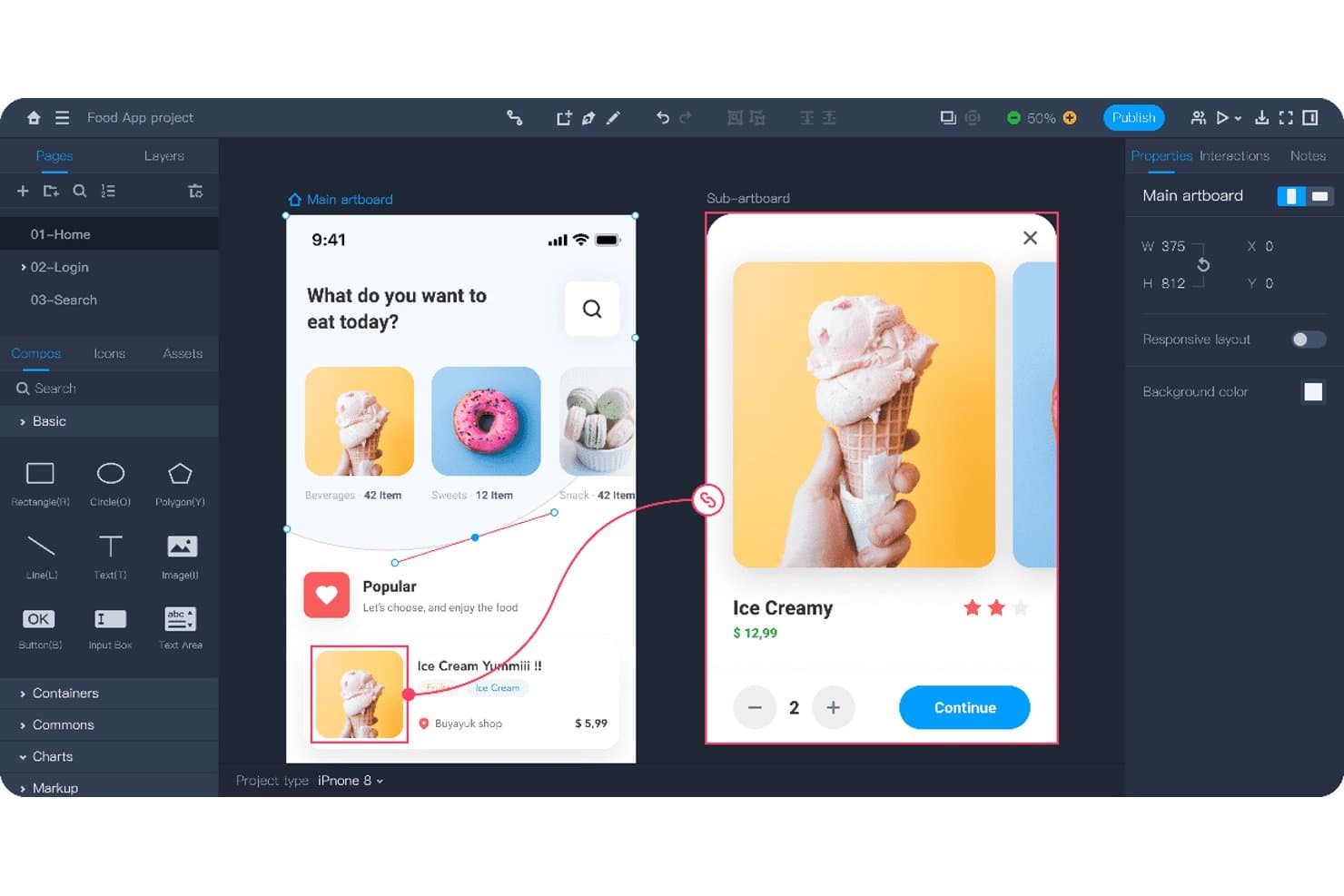
Mockplus lets users prototype interactive app flows with linked screens. Mockplus RP is a no-code prototyping tool for product design with drag-and-drop screens, interactive states, animations, responsive artboards, templates, annotations, and real-time co-design.
Who Is Mockplus Best For?
Product managers and startup founders who need to create and share interactive prototypes without formal design or development skills.
Why I Picked Mockplus
I picked Mockplus because it supports prototyping without a design background. I use drag-and-drop interactions, responsive artboards, and 500+ templates to map mobile onboarding flows or test web layouts quickly. Notes, flowcharts, and markup widgets keep product decisions clear when I share prototypes with stakeholders.
Mockplus Key Features
- Component states: Create pop-ups, overlays, and dynamic content variations.
- Interaction triggers: Add tap, swipe, slide, and time-based transitions.
- Axure import: Import Axure files while preserving interface and interaction details.
- Password-protected links: Secure shared prototypes with custom preview links.
Mockplus Integrations
Mockplus doesn't have any native integrations. It connects with Axure through RP file import and Mockplus Cloud for review and developer handoff.
What's Free?
Mockplus offers a free-forever plan with up to three prototypes and 10 pages per prototype. The plan supports one individual user or up to 10 team users, limits Axure imports to 10MB, and includes seven-day revision history.
Pros and Cons
Pros:
- Extensive templates accelerate stakeholder-ready prototypes
- Real-time co-design supports small product teams
- Drag-and-drop prototyping suits non-designers
Cons:
- Review comments require a paid upgrade
- Free limits restrict multi-flow validation
Learn more about Mockplus: For designers who follow the latest trends
- Free plan available
- From $16/user/month
Visit WebsiteCustomer Rating:4.7/5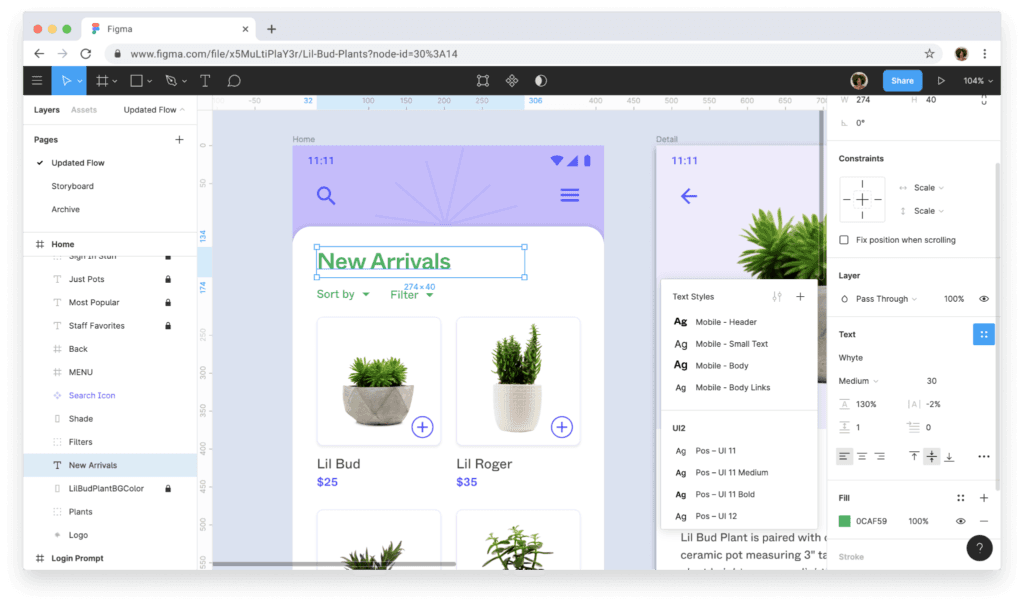
Figma helps you create high-fidelity prototypes from start to finish. Figma is a collaborative design and prototyping platform with vector tools, clickable flows, components, no-code logic, real-time editing, and developer handoff through Dev Mode.
Who Is Figma Best For?
Figma suits UX/UI designers and product teams that need collaborative, browser-based design, prototyping, and developer handoff.
Why I Picked Figma
I picked Figma for designers who follow the latest trends because Figma Draw brings custom brushes and text on a path into product concepts. Figma Motion adds timeline animation with keyframes, while Figma Make turns prompts into working web prototypes.
Figma Key Features
- Interactive triggers: Add overlays, transitions, animations, and multiple actions to prototype flows.
- Auto Layout: Arrange responsive elements that adapt as content or screen sizes change.
- Device frames: Preview prototypes inside phone, tablet, and desktop frames.
- Community resources: Browse user-created templates, UI kits, plugins, and widgets.
Figma Integrations
Figma offers marketplace integrations through Figma Community plugins and widgets. Figma Make supports Supabase and custom connectors for connecting prototypes to backend data.
What's Free?
Figma offers a free-forever Starter plan with unlimited draft files and unlimited viewers. Teams can co-edit up to three files, each limited to three pages, while advanced features require a paid plan.
Pros and Cons
Pros:
- Community templates speed early concept testing
- Browser-based co-editing keeps feedback immediate
- Interactive flows support variables and conditions
Cons:
- Advanced prototype logic requires a paid plan
- Free teams get only three shared files
 Best for non-designers who prototype with AI
- Free plan available
- From $14/user/month
Visit WebsiteCustomer Rating:4.8/5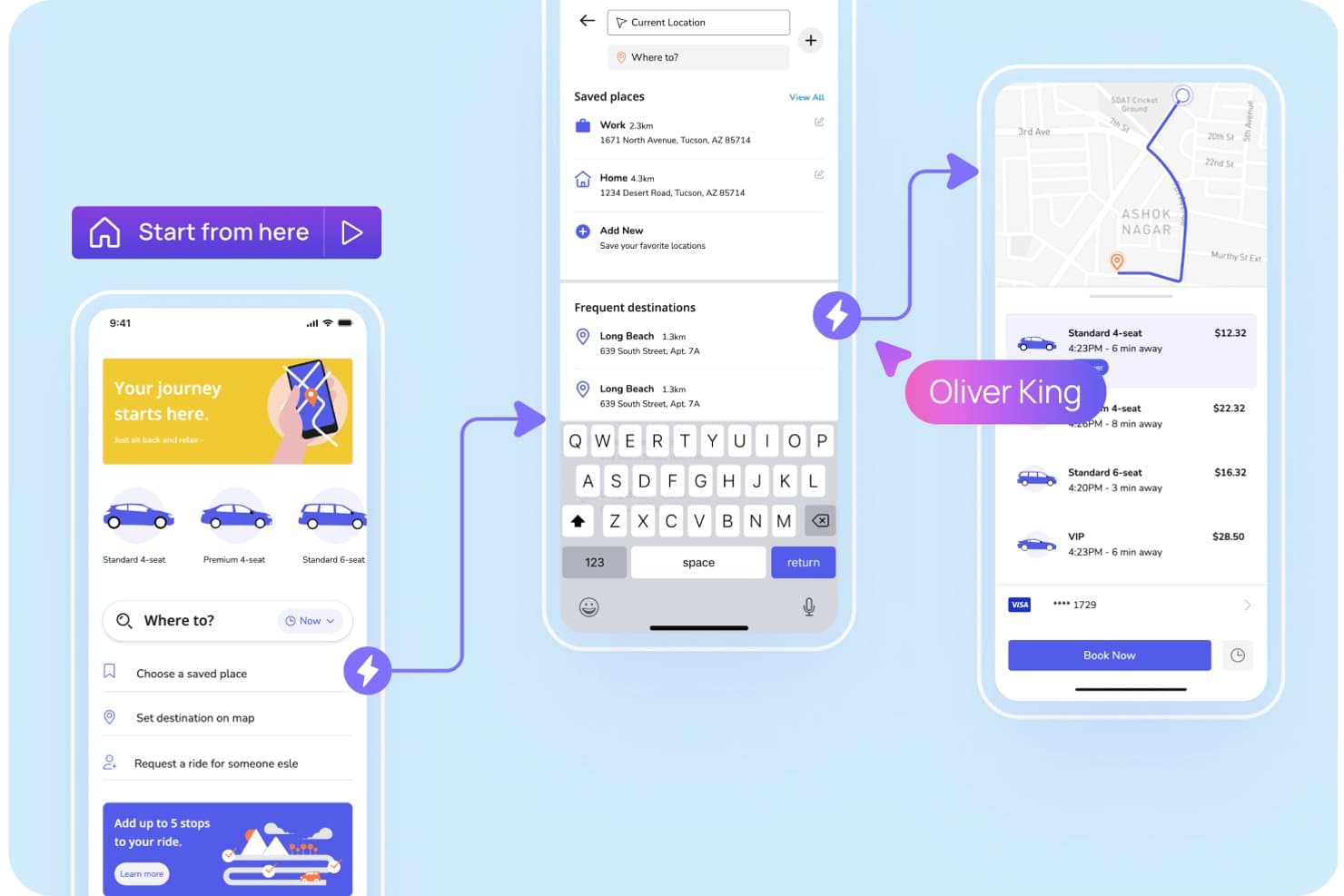
Visily lets users prototype ride-booking app flows with interactive screens. Visily is an AI-assisted prototyping platform with text, screenshot, and diagram-to-design tools, a drag-and-drop canvas, clickable flows, reusable templates, and real-time collaboration for low- and high-fidelity product designs.
Who Is Visily Best For?
Product managers and startup founders can use Visily to turn rough ideas into clickable app or website prototypes without design or coding experience.
Why I Picked Visily
I picked Visily because it’s best for non-designers who prototype with AI. I use text-to-design, Screenshot to Design, and Diagram to Design to turn product briefs, existing apps, or user flows into editable screens. Auto-Prototype then links those screens into clickable journeys for stakeholder reviews or early usability sessions.
Visily Key Features
- Layout grids: Add grid rows, gridlines, gradients, blur, and custom shadows.
- Public preview links: Share view-only boards without requiring Visily accounts.
- Presentation mode: Present prototypes as clickable simulations or slide decks.
- Design integrations: Embed boards in Jira, Notion, Google Docs, and other tools.
Visily Integrations
Visily offers native integrations with Figma, Slack, Jira, Notion, and Google Docs for design workflows, feedback, embeds, and handoff. It also supports a browser extension for Chrome, Edge, and Firefox.
What's Free?
Visily’s Starter plan is free forever, with no time-limited trial. It includes two editable boards per workspace, 2,500 elements per board, 300 AI credits monthly, and up to 50 workspace members; exports are low-resolution and watermarked, and private boards, Figma export, and code export aren’t included.
Pros and Cons
Pros:
- Free collaboration supports stakeholder feedback
- Auto-Prototype creates clickable flows quickly
- AI generates editable screens from rough ideas
Cons:
- Device-specific preview options remain limited
- Complex interactions lack conditional logic
Learn more about Visily: Best for prototyping with coded components
- Free plan + 14-day free trial available
- From $29/user/month (billed annually)
Visit WebsiteCustomer Rating:4.2/5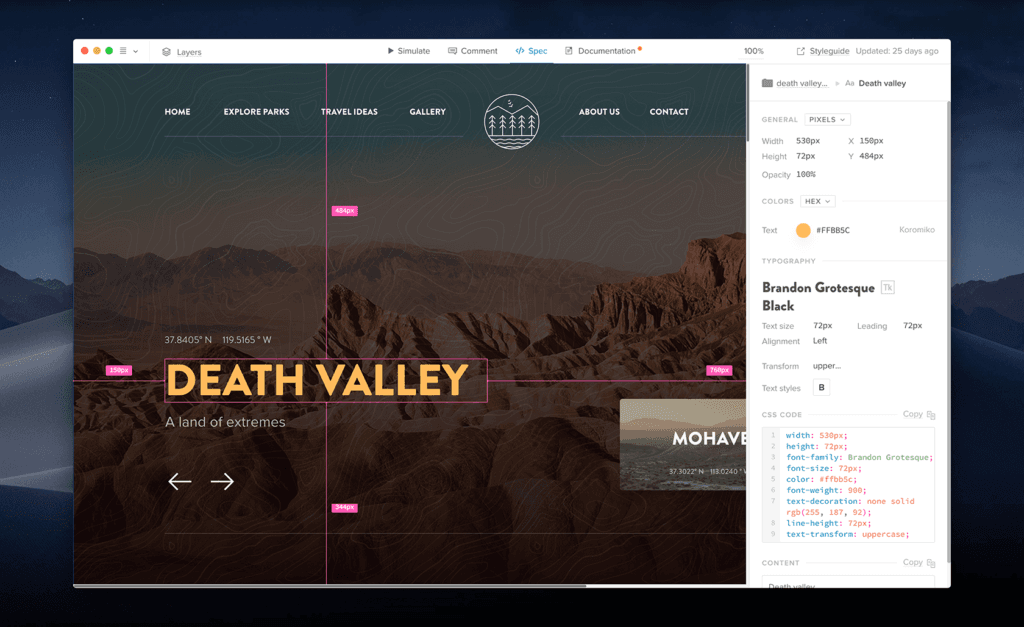
UXPin is a code-heavy prototyping tool that’s similar to web development. UXPin is a product design prototyping platform that combines a visual canvas, responsive layouts, conditional logic, variables, and interactive React or Web components.
Who Is UXPin Best For?
UXPin suits UX/UI designers and front-end developers who need interactive prototypes built with coded components.
Why I Picked UXPin
I picked UXPin for product teams that need prototypes built from real coded components. I use React or Web components to model responsive interfaces, then apply conditional logic, variables, and expressions to test realistic flows. Its developer handoff link includes specifications and production-ready code, helping engineers build from the same components designers tested.
UXPin Key Features
- AI prototyping assistant: Generate prototype elements with monthly AI credits across available plans.
- Built-in component libraries: Access MUI, Bootstrap, Tailwind, and Ant Design libraries by plan.
- Design file imports: Import Sketch files and use the Figma plugin on every plan.
- Version history: Restore earlier work with seven, 30, or unlimited days of history by plan.
UXPin Integrations
UXPin integrates with Figma, Sketch, Storybook, Git, and npm. Storybook supports public or private components from 15+ frameworks, while Git integration is available on Enterprise.
What's Free?
UXPin has a free-forever plan limited to two prototypes, 50 monthly AI credits, GPT-5-mini, and 20 MUI components. It also offers a 14-day free trial with full features and no credit card required, after which you can continue on the limited plan or upgrade.
Pros and Cons
Pros:
- Unlimited reviewers simplify stakeholder feedback
- Advanced logic supports realistic product flows
- Coded components improve developer handoff
Cons:
- Large projects can experience slowdowns
- Free plan limits active prototype work
Learn more about UXPin: Best for open-source design and dev handoff
- Free plan + 14-day free trial available
- From $7/user/month
Visit WebsiteCustomer Rating:4.5/5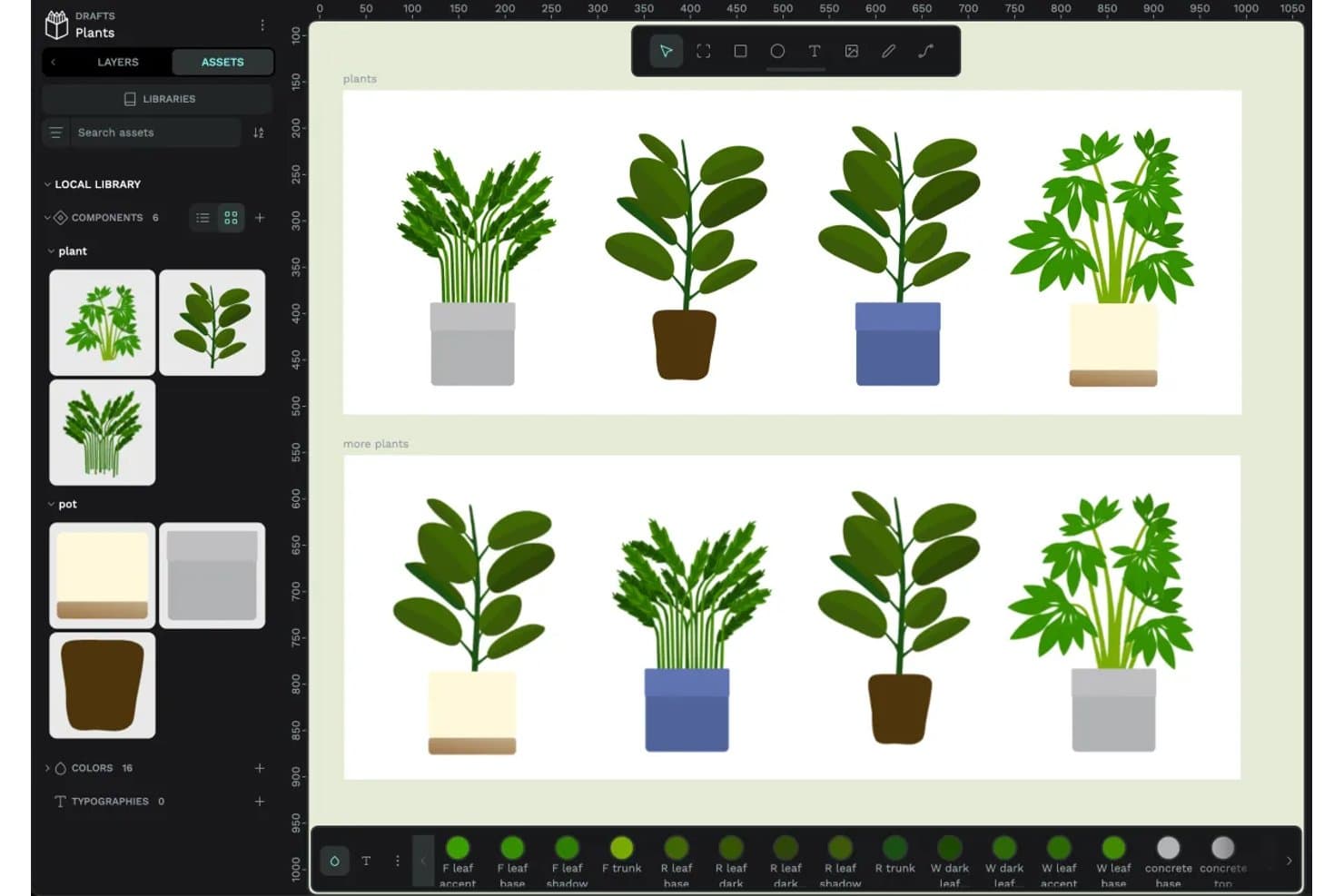
Penpot lets users create and reuse plant components across designs. Penpot is an open-source prototyping and product design platform with a responsive design canvas, clickable flows, real-time collaboration, shared libraries, and CSS, HTML, and SVG inspection.
Who Is Penpot Best For?
Penpot suits UX/UI designers and front-end developers who need collaborative prototypes, CSS-based handoff, and an open-source, self-hostable foundation.
Why I Picked Penpot
I picked Penpot because it combines clickable prototypes with open-source design and dev handoff. I use CSS Grid and Flex layouts, design tokens, and Code/Inspect mode to give developers matching CSS, HTML, and SVG. Its self-hostable, open file format also supports teams that need control over their design workflow.
Penpot Key Features
- Prototype triggers: Add click, hover, and delay triggers to boards and layers.
- Overlay actions: Create menus, dialogs, and hover effects with configurable overlays.
- Multiple flows: Build separate user journeys with individual starting boards and links.
- Fixed scrolling elements: Keep navigation bars, headers, and floating buttons visible while scrolling.
Penpot Integrations
Native integrations are not clearly documented. Penpot supports custom connectivity through its public API, plugin system, and MCP server for AI agents and LLM tools.
What's Free?
Penpot’s Professional plan is free forever, fully featured, and includes unlimited teams, files, and viewers. The hosted plan supports up to eight editors, provides 10 GB of storage, and retains version history and file recovery for seven days.
Pros and Cons
Pros:
- Overlays and hover triggers build realistic flows
- Shared libraries support consistent design systems
- CSS-based layouts support developer handoff
Cons:
- Cross-device simulation remains relatively limited
- Conditional logic and variables remain unavailable
Learn more about Penpot: 10Best for no-code logic and gesture-rich prototypes
Proto.io
- 15-day free trial + free plan available
- From $29/month

Proto.io makes it easy to share your prototype in order to receive feedback. Proto.io is a browser-based prototyping tool for product design with no-code interactions, variables, gestures, animations, reusable components, templates, design-tool imports, and cross-device previews.
Who Is Proto.io Best For?
UX/UI designers and product teams that need to validate gesture-rich mobile and web experiences before development will find a strong fit here.
Why I Picked Proto.io
I picked Proto.io because it brings no-code logic and gesture-rich prototypes to product design. I use variables, conditional actions, and multi-touch gestures to model app flows such as onboarding, drag-and-drop tools, and orientation changes. Timeline animations and native-style components help my team test interactions that static mockups can’t capture.
Proto.io Key Features
- Design-tool imports: Bring in files from Sketch, Figma, Adobe XD, and Photoshop.
- Shareable preview links: Create password-protected links with snapshots, analytics, and reviewer access.
- Cross-device previews: Test prototypes in web browsers and native iOS or Android player apps.
- Version history: Restore earlier project versions from automatic backups.
Proto.io Integrations
Proto.io integrates with Sketch, Figma, Adobe XD, Photoshop, Jira, Confluence, Trello, UserTesting, UserZoom, Userlytics, Lookback, and UXArmy through plugins, embeds, Power-Ups, and share links.
What's Free?
Proto.io offers a 15-day free trial with full access to its prototyping features and no credit card required. After the trial, you can downgrade to a free plan with limited features, or upgrade to a paid subscription.
Pros and Cons
Pros:
- Reusable components accelerate iterative design work
- Variables support conditional prototype logic
- Gesture interactions model realistic mobile behaviors
Cons:
- Real-time co-editing isn’t documented
- Large projects can load slowly
Learn more about Proto.io:
Other Free Prototyping Tools
Here are some additional prototyping tools options that also offer free plans or trials. While these tools didn’t make it onto my shortlist, they’re still worth checking out:
- 11JustinmindBest for prototyping with 4,000+ UI components
- 12Axure RP Best for high-fidelity logic-driven prototypes
- 13MockFlowBest for wireframing across web and mobile apps
How I Evaluate Prototyping Tools
First, I define what counts as free. A prototyping tool qualifies if it offers a free-forever plan or a full-featured trial of at least 14 days, with access to core prototyping and sharing features. From there, I split my evaluation into three parts: core functionality, which carries the most weight, like linking screens into interactive flows and building on a visual design canvas; standout features, like no-code logic builders; and what a tool offers beyond its feature set, like how well the free tier scales for small agile teams.
Core Functionality (Table Stakes for This List)
In addition to my free plan requirements, I use a scoring system to select tools for my list. I score each one on a scale from 0 (does not offer the functionality) to 5 (excels in this area) for each core functionality listed below, based on what's available on the free plan. I then convert the total into a percentage to help assess each tool's overall fit, with extra weight on any functionalities I've deemed essential.
- Interactive Prototyping (Essential): I check whether linked screens support multiple trigger types like tap, hover, and swipe—enough to simulate a realistic onboarding or checkout flow.
- Design Canvas (Essential): A workspace with layering, grouping, and alignment tools matters. I look for layout controls that let you build screens quickly without fighting the editor.
- Shareable Preview Links: Sharing a clickable prototype with a stakeholder who doesn't have the tool installed is a core use case. I evaluate how easy it is to generate a link and control viewer access.
- Real-Time Collaboration: I look at whether teammates can comment, co-edit, or leave feedback directly in the file. Tools like Figma and Penpot handle this differently, so I compare the depth of multi-user support.
- Component and Template Reuse: Reusable components save hours when you're iterating on a multi-screen flow. I evaluate whether updating one component pushes changes across every instance in the file.
- Cross-Device Preview: Prototypes need to look right on mobile and desktop alike. I check whether the tool lets you preview across common device sizes and orientations before sharing with testers.
Once I have a list of tools that meet the criteria, I consider what sets each platform apart.
Differentiating Factors (What Sets Vendors Apart)
Here's how I compare and contrast different vendors:
Standout Features
I look for a no-code logic builder that lets you add conditional navigation—like showing different screens based on a user's selection—without writing any code. This matters when you're simulating a signup flow with branching paths for a sprint review. I also evaluate feedback capture in preview mode, where stakeholders comment directly inside the shared prototype link. Tools like Figma and Marvel handle this differently, but the goal is the same: fewer meetings, faster alignment. Version history snapshots round things out by letting you roll back safely mid-experiment.
Beyond Features
I evaluate whether a tool lets someone without design training build and share a prototype within a single work session. Guided onboarding and simplified toolbars—like those in Marvel and Justinmind—cut ramp-up time so a PM can go from idea to sprint review artifact in hours. I also check how far the free tier scales for small teams, since hitting a file or collaborator cap mid-validation cycle forces an unplanned upgrade and stalls feedback loops.
How to Choose Free Prototyping Tool
Complex feature lists and pricing structures can make it hard to figure out what you’re really getting from a free prototyping tools. To help you stay focused as you work through your software selection process, here are some factors to keep in mind:
| Factor | What to Consider |
|---|---|
| FactorFree Offer Scope | What to ConsiderEvaluate what features are included in the free plan. Check if there are restrictions on projects, users, or storage that might affect your team's workflow. |
| FactorScalability | What to ConsiderConsider if the tool can grow with your team. Look for options that allow easy upgrades to paid plans as your needs expand. |
| FactorIntegrations | What to ConsiderEnsure compatibility with tools your team already uses. Look for integrations with platforms like Slack, Trello, or Google Drive to streamline your processes. |
| FactorEase of Use | What to ConsiderAssess how intuitive the tool is for you and your team. Choose a tool with a user-friendly interface to minimize the learning curve and boost productivity. |
| FactorCollaboration | What to ConsiderConsider how well the tool supports team collaboration. Features like real-time editing and feedback can enhance teamwork and project outcomes. |
| FactorCustomization | What to ConsiderLook at the level of customization available. Being able to tailor the tool to your specific design needs can be crucial for project success. |
| FactorSupport | What to ConsiderEvaluate the level of customer support offered. Access to quick and helpful support can save you time and frustration when issues arise. |
| FactorSecurity | What to ConsiderCheck the security measures in place, especially if you work with sensitive data. Ensure the tool complies with relevant data protection regulations. |
What Are Free Prototyping Tools?
Free prototyping tools are software that let you build interactive design mockups without paying anything. Designers, students, and small startups use these tools to quickly test and share ideas on a tight budget. You can create basic clickable prototypes and get feedback before spending money on more advanced software.
Features
Let’s go over the features commonly found in prototyping tools, and which ones are usually included in free vs. paid plans.
Typically Free Prototyping Tool Features
- Drag-and-drop interface: Allows users to easily create and adjust designs without needing advanced technical skills.
- Real-time collaboration: Enables team members to work together on designs simultaneously, improving communication and efficiency.
- Template library: Provides pre-made design templates to help users quickly start projects and maintain consistency.
- Commenting: Allows team members to leave feedback directly on designs, facilitating clear communication and iteration.
- Version control: Keeps track of changes made to designs, making it easy to revert to previous versions if needed.
- Basic vector editing: Offers essential tools for creating and editing vector graphics, useful for logos and icons.
- Cross-platform access: Lets users work on their designs from any device, increasing flexibility and convenience.
Typically Paid Prototyping Tool Features
- Advanced prototyping: Includes features like interactive states and animations to create more dynamic user experiences.
- Customizable design systems: Allows teams to create and maintain a consistent look across projects by setting design standards.
- Enhanced export options: Provides flexibility in exporting designs in various formats for different platforms and stakeholders.
- Integration with advanced tools: Connects with other professional tools like Adobe XD and Sketch for a more comprehensive workflow.
- Analytics and user testing: Offers insights into user interactions and feedback to refine and improve designs.
- Unlimited projects: Removes restrictions on the number of projects you can work on, supporting larger teams and ongoing projects.
- Priority support: Provides faster and more dedicated customer support to resolve issues and answer queries quickly.
Benefits
Implementing free prototyping tools provides several benefits for your team and your business. Here are a few you can look forward to:
- Cost-effective design: Access essential design and prototyping tools without any financial commitment, allowing your team to innovate without budget constraints.
- Improved collaboration: Real-time collaboration features enable your team to work together efficiently, enhancing communication and speeding up project timelines.
- Quick project start: Template libraries help you kickstart projects quickly, saving time and ensuring consistency across your designs.
- Flexibility and convenience: Cross-platform access lets you and your team work on designs from any device, increasing adaptability and convenience.
- Enhanced feedback loop: Commenting features allow for direct feedback, making it easier for your team to iterate and improve designs based on stakeholder input.
- Design exploration: Experiment with different design ideas and prototypes without worrying about costs, fostering creativity and innovation within your team.
- Version management: Version control helps you track changes and revert to previous designs if needed, ensuring your projects stay on track.
Costs & Pricing
I realize you came to this article looking for the best prototyping tools options that are available for free. However, since free plans only offer limited features, there's a good chance you'll need to scale your plan up in the future.
The table below summarizes common plans, their average prices, and typical features included in prototyping tools solutions:
Plan Comparison Table for Prototyping Tools
| Plan Type | Average Price | Common Features |
|---|---|---|
| Plan TypeFree Plan | Average Price$0 | Common FeaturesBasic prototyping, limited projects, and basic collaboration. |
| Plan TypePersonal Plan | Average Price$5-$15/user/month | Common FeaturesAdditional storage, more projects, and enhanced collaboration tools. |
| Plan TypeBusiness Plan | Average Price$20-$50/user/month | Common FeaturesAdvanced prototyping features, integrations with professional tools, and analytics. |
| Plan TypeEnterprise Plan | Average Price$50+/user/month | Common FeaturesCustomization options, priority support, and enhanced security features. |
Free Prototyping Tools FAQs
Here are some answers to common questions about free prototyping tools:
How do free prototyping tools compare to paid ones?
Free prototyping tools often have limitations in features, storage, and support compared to paid versions. However, they still offer essential functionalities like basic prototyping and collaboration. They’re great for small teams or individuals starting out, but as your needs grow, a paid plan might be necessary for advanced features.
Can I use free prototyping tools for large projects?
While free tools can handle basic projects, they may not support large-scale projects due to limitations in storage, collaboration, and advanced features. For extensive projects, consider upgrading to a paid plan to ensure you have the resources and functionalities needed for success.
What are the limitations of free prototyping tools?
Free prototyping tools often limit the number of projects, collaborators, and storage. Advanced features like detailed analytics, custom integrations, and extensive export options are usually reserved for paid plans. Evaluate your needs to ensure the tool’s free version aligns with your project requirements.
Are free prototyping tools easy to learn?
Many free prototyping tools are designed with user-friendly interfaces and offer tutorials or guides to help you get started. While they might have a learning curve, especially if you’re new to design, most users find them accessible and manageable with some practice.
Do free prototyping tools offer customer support?
Support for free users is typically limited compared to paid plans. You might have access to community forums or help centers, but direct support like live chat or phone assistance is often reserved for paying customers. Consider this when choosing a tool if support is a priority for you.