

I 10 migliori software open source per la progettazione web nel 2026

Elenco dei migliori software open source per la progettazione web


Per software open source per la progettazione web si intendono gli strumenti per la creazione e la modifica di siti web il cui codice sorgente può essere esaminato, modificato e condiviso da chiunque. Se cerchi modalità flessibili ed economiche per progettare, creare o gestire siti web, queste piattaforme ti consentono di personalizzare le funzionalità, collaborare con altri ed evitare il vincolo verso un singolo fornitore. Questo elenco ti aiuterà a confrontare le principali opzioni open source per qualsiasi esigenza, dalla modifica visuale alla gestione dei siti basata sul codice, così potrai scegliere quella più adatta al tuo flusso di lavoro e alle esigenze del tuo progetto.
Perché Fidarsi delle Nostre Recensioni Software
Testiamo e recensiamo software per il product management dal 2020. Come product manager sappiamo quanto sia fondamentale e difficile fare la scelta giusta in termini di software. Investiamo in una ricerca approfondita per aiutare il nostro pubblico a prendere decisioni migliori sugli acquisti di software. Abbiamo testato oltre 2.000 strumenti per diversi casi d’uso e scritto più di 1.000 recensioni approfondite.Scopri come assicuriamo la trasparenza & la nostra metodologia di recensione software.
Riepilogo dei migliori software open source per la progettazione web
Questa tabella comparativa riassume i dettagli dei prezzi delle mie migliori selezioni di software open source per la progettazione web, per aiutarti a trovare quello più adatto al tuo budget e alle esigenze della tua attività.
| Tool | Best For | Trial Info | Price | ||
|---|---|---|---|---|---|
| 1 | Ideale per l'estensibilità tramite plugin | Piano gratuito disponibile | Da $4/mese (fatturato annualmente) | Website | |
| 2 | Ideale per la gestione di siti multilingue | Not available | Piano gratuito per sempre | Website | |
| 3 | Ideale per la prototipazione UI di team | Piano gratuito e prova gratuita di 14 giorni disponibili | Da $7/utente/mese | Website | |
| 4 | Ideale per strutturazione di contenuti complessi | Not available | Piano gratuito per sempre | Website | |
| 5 | Ideale per l'anteprima in tempo reale del codice | Download gratuito disponibile | Gratuito (open-source) | Website | |
| 6 | Ideale per l'editing di codice leggero | Download gratuito disponibile | Gratuito (open-source) | Website | |
| 7 | Ideale per la creazione di siti drag-and-drop | Demo gratuita disponibile | Gratis | Website | |
| 8 | Ideale per l'editing visuale collaborativo | Piano gratuito + prova gratuita di 14 giorni disponibile | Da $15/mese (fatturazione annuale) | Website | |
| 9 | Ideale per la modifica dei contenuti dal vivo | Demo gratuita disponibile | Da $10/sito/mese ($1 per il primo mese) | Website | |
| 10 | Ideale per la creazione integrata di contenuti web | Download gratuito disponibile | Gratuito (open source) | Website |
Recensioni dei software open source per la progettazione web
Di seguito trovi i miei riepiloghi dettagliati dei software open source per la progettazione web inclusi nel mio elenco. Le mie recensioni offrono una panoramica dettagliata delle funzionalità, dei migliori casi d’uso e delle capacità di ciascuna piattaforma, per aiutarti a trovare quella più adatta a te.

Ideale per l'estensibilità tramite plugin
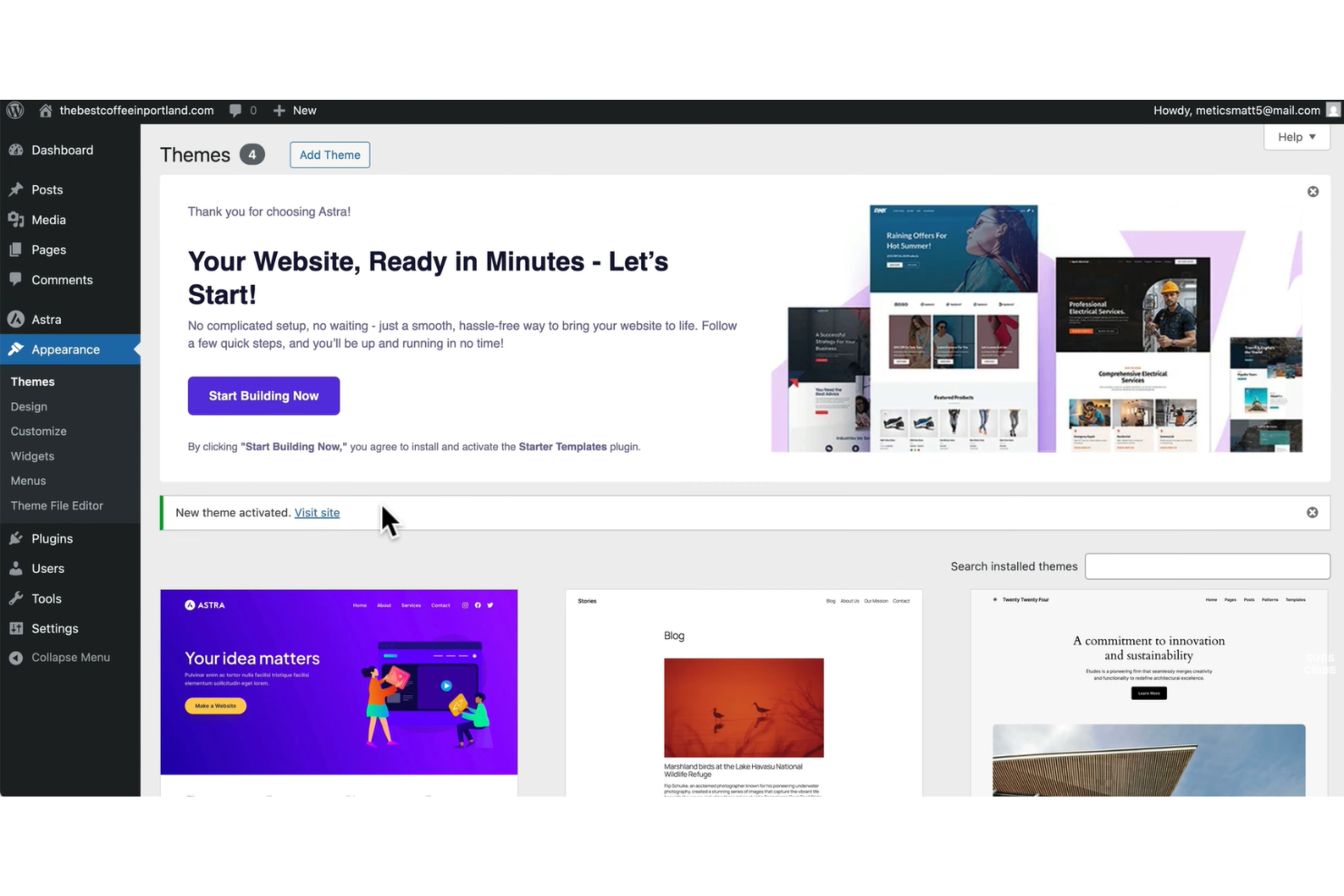
Se stai cercando un software open source per la progettazione di siti web con una flessibilità nei plugin senza eguali, WordPress si distingue. È una scelta solida per agenzie, liberi professionisti e aziende che desiderano creare siti altamente personalizzati senza programmare da zero. L'ampio ecosistema di plugin di WordPress permette di aggiungere quasi qualsiasi funzionalità o integrazione man mano che il tuo sito cresce o cambiano le tue esigenze.
Perché ho scelto WordPress
Ciò che rende WordPress una scelta eccezionale tra i software open source per il web design è la sua insuperabile estensibilità tramite plugin. Puoi scegliere tra migliaia di plugin gratuiti e a pagamento per aggiungere funzionalità come strumenti SEO, e-commerce, moduli avanzati o miglioramenti della sicurezza senza toccare il codice. Mi piace che l'architettura dei plugin di WordPress permetta di adattare le funzionalità del sito a quasi ogni esigenza aziendale o creativa. Questa flessibilità lo rende perfetto per chi desidera realizzare un sito unico che può evolversi nel tempo secondo necessità.
Funzionalità principali di WordPress
Oltre alla flessibilità dei plugin, WordPress offre anche altre funzionalità degne di nota:
- Editor a blocchi (Gutenberg): Crea e organizza i contenuti visivamente utilizzando blocchi drag-and-drop.
- Marketplace di temi: Scegli tra migliaia di temi gratuiti e a pagamento per controllare l'aspetto del tuo sito.
- Gestione dei ruoli utente: Assegna diversi permessi e livelli di accesso ai membri del team o ai clienti.
- Libreria multimediale: Carica, organizza e gestisci immagini, video e documenti direttamente dal tuo pannello di controllo.
Integrazioni di WordPress
Le integrazioni includono WooCommerce, Jetpack, Mailchimp, Yoast SEO e Google Analytics.
Pros and Cons
Pros:
- Migliaia di temi gratuiti
- Enorme ecosistema di plugin
- Molti builder visuali
Cons:
- I plugin possono causare conflitti
- Aggiornamenti costanti del core

Joomla
Ideale per la gestione di siti multilingue
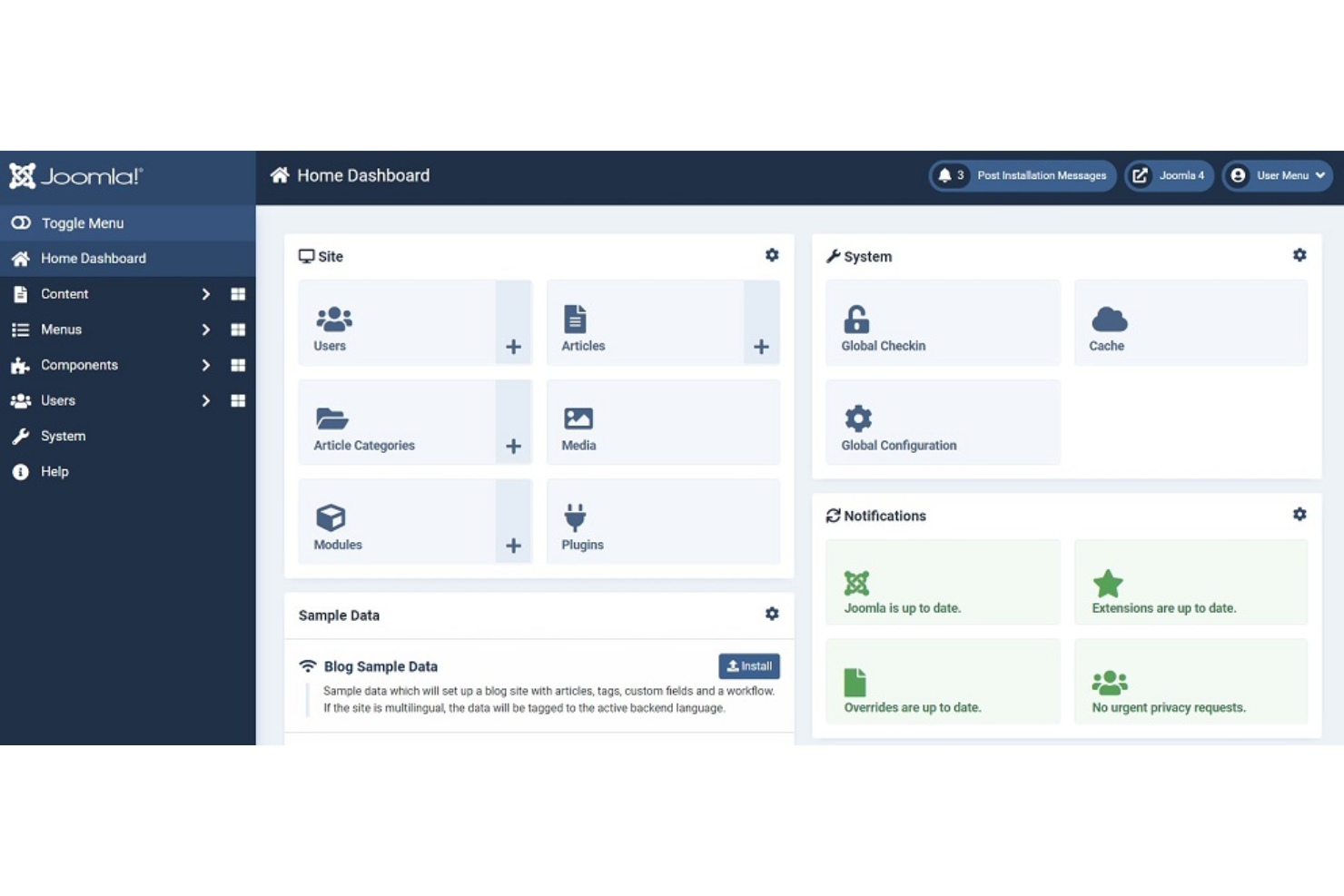
Joomla! si distingue per le organizzazioni e i professionisti del web che hanno bisogno di gestire siti in più lingue senza dover ricorrere a plugin di terze parti. I suoi strumenti integrati per la gestione multilingue lo rendono una scelta solida per aziende globali, istituzioni educative e organizzazioni no-profit con un pubblico variegato. Puoi creare, organizzare e visualizzare contenuti in decine di lingue da un'unica dashboard.
Perché ho scelto Joomla!
Le capacità multilingue native di Joomla! lo rendono un'opzione eccezionale per il web design open source quando è necessario raggiungere utenti in più lingue. Puoi assegnare lingue specifiche a singoli articoli, menu e moduli, ottenendo così un controllo dettagliato su come viene visualizzato il contenuto per diversi utenti. Apprezzo il fatto che Joomla! includa moduli per il cambio lingua e strumenti per la gestione delle traduzioni già pronti all'uso, senza dover dipendere da estensioni di terze parti. Questo approccio integrato aiuta i team a mantenere coerenza e precisione nei siti multilingue.
Caratteristiche principali di Joomla!
Altre funzionalità che rendono Joomla! una scelta flessibile per il web design open source includono:
- Directory delle estensioni molto ampia: Accedi a migliaia di componenti aggiuntivi per tutto, dalla SEO all'e-commerce.
- Controlli di accesso utente granulari: Imposta permessi dettagliati per diversi gruppi di utenti e collaboratori.
- Sistema di gestione dei template: Cambia e personalizza i template per controllare l'aspetto e il layout del sito.
- Media manager integrato: Organizza e gestisci immagini, documenti e altri file direttamente dalla dashboard.
Integrazioni di Joomla!
Le integrazioni includono Google Analytics, Mailchimp, VirtueMart, AcyMailing e JCE.
Pros and Cons
Pros:
- Diritti utente avanzati
- Tipologie di contenuto flessibili
- Ottimo per portali web
Cons:
- Pochi page builder visuali
- Bug negli aggiornamenti delle estensioni

Penpot
Ideale per la prototipazione UI di team
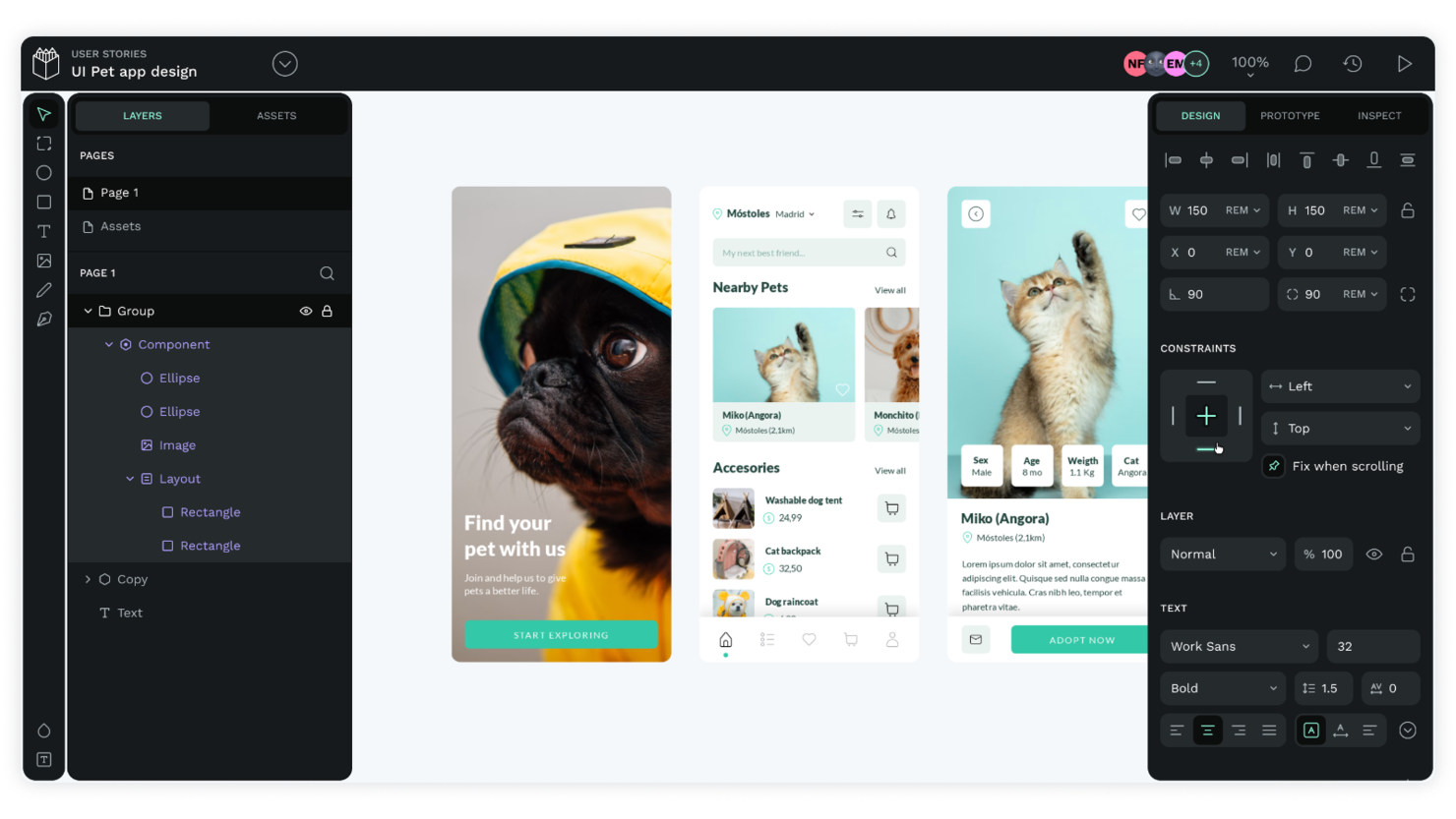
Penpot porta la prototipazione UI open source ai team che necessitano di collaborazione in tempo reale e flessibilità cross-platform. È una soluzione ideale per team di prodotto, designer UX e agenzie che desiderano co-progettare interfacce e condividere feedback senza essere vincolati a formati proprietari. La piattaforma di Penpot, basata sul browser e con un approccio focalizzato su SVG, la rende particolarmente utile per i team che lavorano su diversi sistemi operativi o che vogliono integrare i flussi di lavoro tra design e sviluppo.
Perché ho scelto Penpot
Ciò che distingue Penpot è l'attenzione alla prototipazione UI collaborativa all'interno di un framework open source. La piattaforma supporta la collaborazione in tempo reale, quindi più membri del team possono progettare, commentare e iterare insieme nello stesso spazio di lavoro. Apprezzo che Penpot utilizzi un sistema di design basato su SVG, che rende il passaggio agli sviluppatori più semplice e mantiene la coerenza dei design su tutte le piattaforme. Queste caratteristiche rendono Penpot una scelta solida per i team che vogliono co-creare e perfezionare interfacce utente senza doversi affidare a strumenti proprietari.
Funzionalità principali di Penpot
Altre funzionalità degne di nota di Penpot includono:
- Librerie di componenti: Crea, riutilizza e gestisci componenti di design tra diversi progetti.
- Prototipazione interattiva: Collega le schermate e aggiungi interazioni per simulare i flussi utente.
- Token di design personalizzabili: Definisci e gestisci colori, tipografia e spaziatura per garantire un branding coerente.
- Opzioni di esportazione: Esporta risorse in vari formati, tra cui SVG, PNG e CSS.
Integrazioni Penpot
Le integrazioni includono GitHub, GitLab, Docker, Taiga e Unsplash.
Pros and Cons
Pros:
- Facile da auto-ospitare
- Collaborazione in tempo reale tra team
- Formattazione nativa SVG
Cons:
- Ecosistema di plugin limitato
- Animazioni web di base

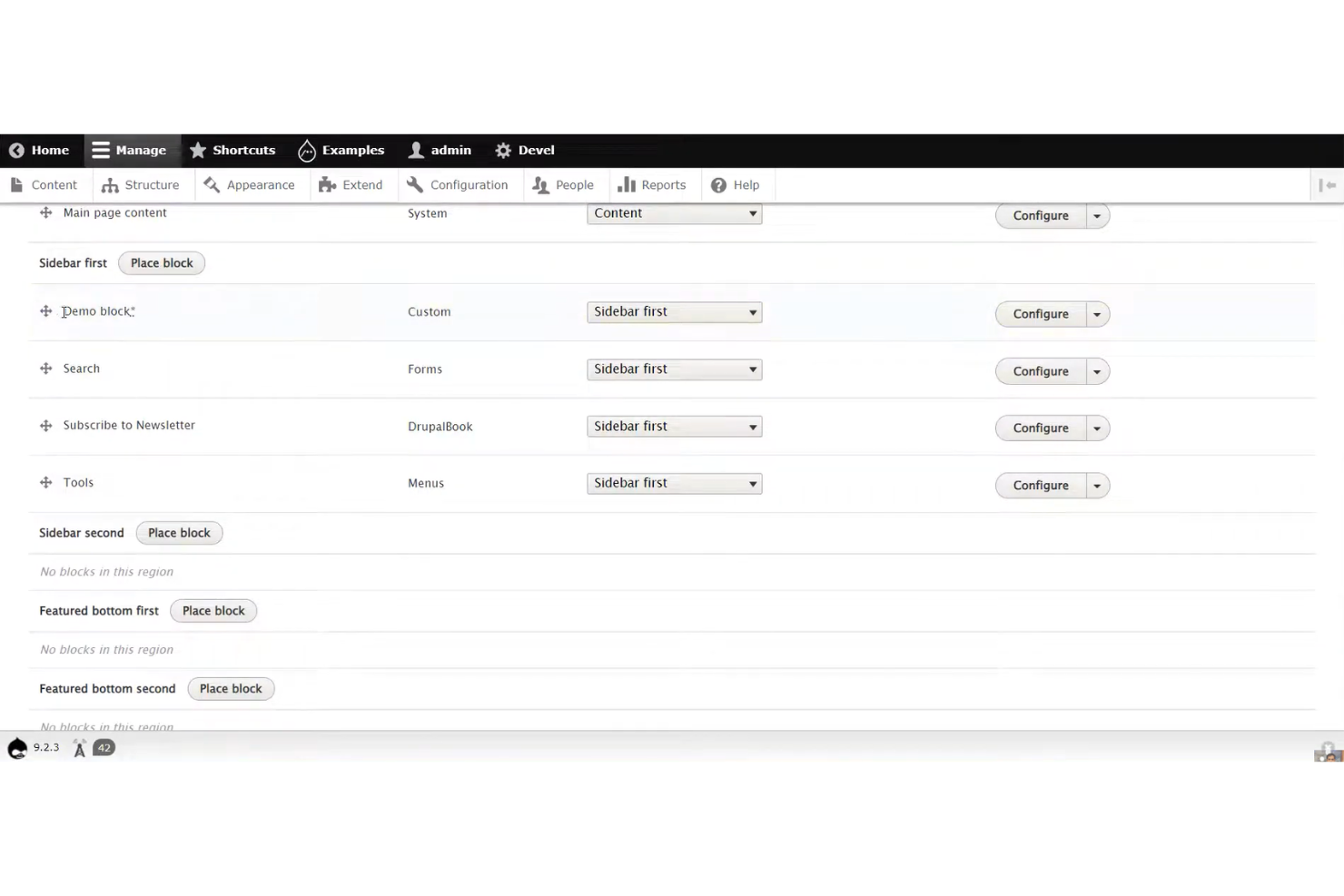
Se il tuo team ha bisogno di gestire tipi di contenuto complessi e relazioni tra essi, Drupal offre una struttura flessibile per costruire siti web strutturati. È particolarmente utile per ambiti come l'istruzione superiore, la pubblica amministrazione e le organizzazioni enterprise che necessitano di workflow personalizzati e permessi granulari sui contenuti. Gli strumenti di content modeling di Drupal ti permettono di definire, organizzare e visualizzare le informazioni in modi che si adattano alle esigenze specifiche del business.
Perché ho scelto Drupal
Ciò che distingue Drupal nel web design open source è la sua impareggiabile capacità di gestire strutture di contenuto complesse. Puoi creare tipi di contenuto personalizzati, definire campi e configurare relazioni articolate tra le varie parti dei contenuti, aspetto essenziale per organizzazioni con necessità informative stratificate. Apprezzo come il modulo Views di Drupal permetta di costruire elenchi e visualizzazioni dinamiche basate sulla struttura dei contenuti progettata. Questo livello di flessibilità rende Drupal una scelta eccellente per team che gestiscono siti web di grandi dimensioni e complessità, che richiedono più delle semplici pagine e articoli di base.
Caratteristiche principali di Drupal
Altre funzionalità che rendono Drupal una soluzione valida per il web design open source includono:
- Sistema granulare di ruoli utente e permessi: assegna livelli di accesso dettagliati a diversi utenti e team.
- Gestione multisito: esegui e gestisci più siti web da un'unica installazione di Drupal.
- Gestione della configurazione integrata: monitora, esporta e importa modifiche di configurazione del sito tra diversi ambienti.
- Vasto ecosistema di moduli: estendi le funzionalità del sito con migliaia di moduli contribuiti dalla community.
Integrazioni Drupal
Le integrazioni includono Salesforce, HubSpot, Google Analytics, Mailchimp e Apache Solr.
Pros and Cons
Pros:
- Ottimo per siti enterprise
- Backend altamente scalabile
- Comunità di sviluppatori solida
Cons:
- Manca di builder visuali
- Costi di sviluppo elevati

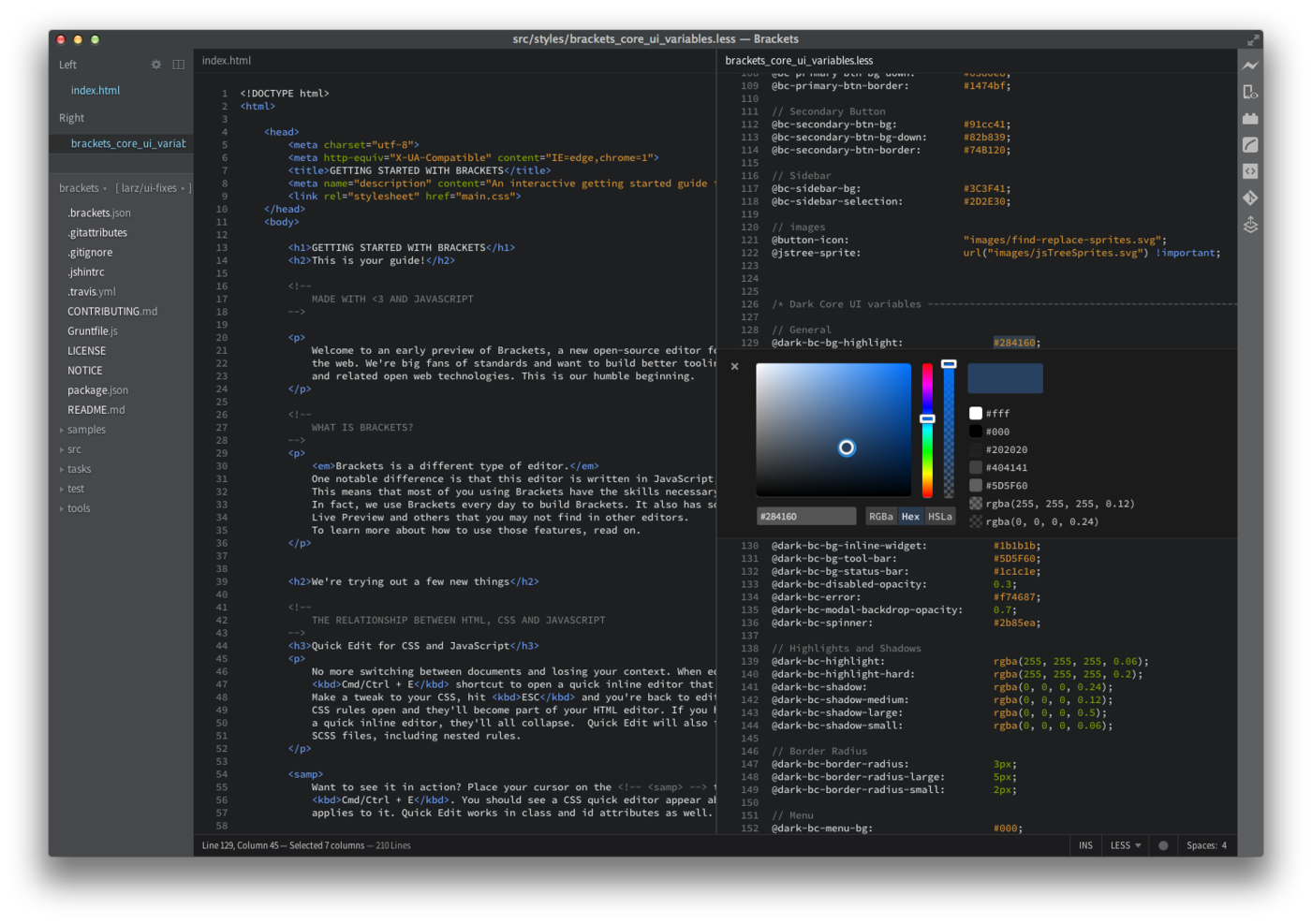
Sviluppatori front-end e designer che desiderano un feedback immediato sul proprio codice spesso scelgono Brackets per le sue capacità di anteprima dal vivo. Questo editor open source è particolarmente utile per i team che lavorano con HTML, CSS e JavaScript e hanno bisogno di vedere le modifiche in tempo reale nel browser. Brackets aiuta a ridurre le interruzioni di contesto permettendo di modificare e visualizzare l'anteprima del lavoro in un unico posto.
Perché ho scelto Brackets
Brackets si distingue per la sua anteprima in tempo reale del codice, che rappresenta un grande vantaggio per chiunque progetti e sviluppi interfacce web. La funzione di anteprima dal vivo consente di vedere immediatamente le modifiche a HTML e CSS nel browser, così da poter individuare problemi e perfezionare i layout mentre si lavora. Mi piace anche che Brackets offra la modifica in linea, permettendo di accedere rapidamente alle regole CSS collegate a elementi specifici senza uscire dal file HTML. Queste caratteristiche rendono Brackets una scelta solida per i web designer che desiderano un feedback visivo istantaneo durante la codifica.
Funzionalità principali di Brackets
Altre funzionalità che rendono Brackets interessante per il web design open source includono:
- Supporto per preprocessori: Lavora direttamente con file LESS e SCSS e visualizza gli aggiornamenti CSS compilati in tempo reale.
- Gestore delle estensioni: Sfoglia e installa estensioni create dalla community per aggiungere nuove funzionalità.
- Visualizzazione divisa: Modifica due file fianco a fianco nella stessa finestra.
- Apertura rapida: Cerca e apri istantaneamente i file del progetto tramite una scorciatoia da tastiera.
Integrazioni di Brackets
Le integrazioni includono Git, Node.js, Google Chrome, ESLint e Prettier.
Pros and Cons
Pros:
- Ottima modifica CSS in linea
- Creato per lo sviluppo front-end
- Molto leggero sulla CPU
Cons:
- Manca il drag & drop visuale
- Il mercato delle estensioni è inattivo

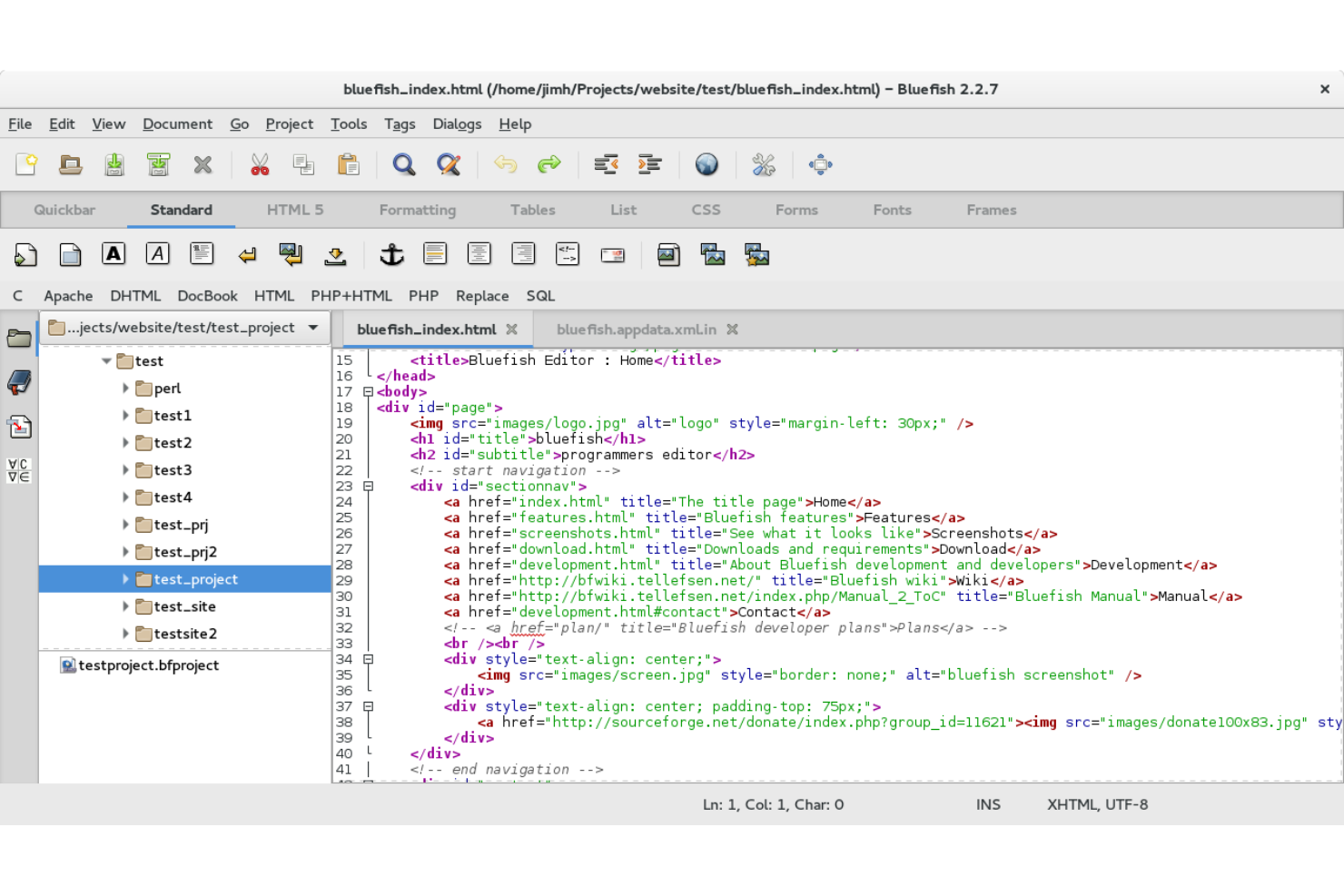
Se hai bisogno di un editor di codice veloce e leggero per progetti web, Bluefish merita uno sguardo. Questo strumento open source è progettato per sviluppatori e designer che desiderano un ambiente leggero che supporti comunque diversi linguaggi di programmazione e markup. Bluefish ti aiuta a lavorare in modo efficiente su file e progetti di grandi dimensioni senza rallentare il sistema.
Perché ho scelto Bluefish
Per i web designer che desiderano un editor di codice leggero che non appesantisca il proprio sistema, Bluefish è un'opzione valida. Il rapido avvio e il basso utilizzo di memoria lo rendono ideale per lavorare su grandi progetti o su hardware datato. Apprezzo il fatto che Bluefish supporti l'evidenziazione della sintassi per decine di linguaggi, così puoi passare facilmente da HTML, CSS e JavaScript senza interruzioni. Le funzioni di gestione dei progetti dello strumento aiutano anche a organizzare e navigare tra i file complessi di web design in modo efficiente.
Caratteristiche principali di Bluefish
Altre funzioni che rendono Bluefish utile per il lavoro di web design includono:
- Completamento automatico: l'editor suggerisce il completamento del codice per HTML, CSS e altri linguaggi mentre digiti.
- Interfaccia multi-documento: apri e modifica molti file contemporaneamente tramite finestre a schede.
- Evidenziazione sintassi personalizzabile: modifica schemi di colori e regole di evidenziazione per diversi linguaggi.
- Cerca e sostituisci con espressioni regolari: trova e aggiorna rapidamente il codice in interi progetti utilizzando pattern di ricerca avanzati.
Integrazioni di Bluefish
Le integrazioni includono GNOME, KDE, Make, GCC e HTML Tidy.
Pros and Cons
Pros:
- Carica rapidamente file di grandi dimensioni
- Supporta molti linguaggi
- Ottime funzioni di ricerca e sostituzione
Cons:
- Manca l'anteprima web dal vivo
- Non adatto ai creativi visivi

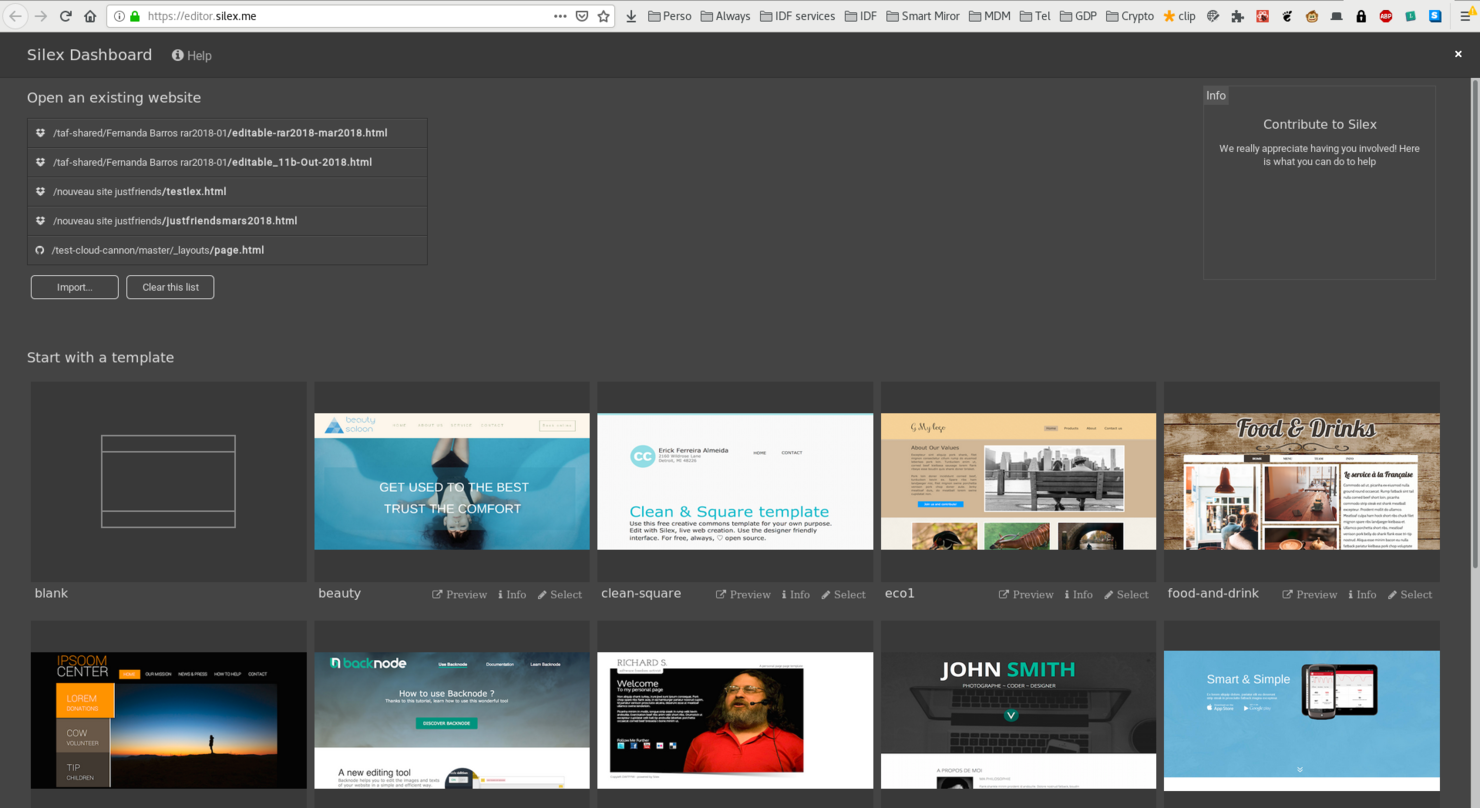
Se stai cercando uno strumento di web design open source e senza codice, Silex offre un editor drag-and-drop accessibile sia ai non sviluppatori che ai designer. È particolarmente utile per piccole imprese, freelance ed educatori che desiderano creare e pubblicare siti senza scrivere codice. Silex si distingue per la sua interfaccia basata su browser e per la possibilità di ospitare i siti ovunque, offrendo agli utenti pieno controllo sui propri progetti.
Perché ho scelto Silex
Ciò che mi ha attratto di Silex è la sua reale creazione di siti drag-and-drop, una caratteristica rara tra gli strumenti open source di web design. L'editor consente di disporre visivamente gli elementi sulla pagina, aggiungere testo, immagini e widget, e vedere le modifiche all'istante—senza bisogno di codifica. Apprezzo il fatto che Silex supporti HTML, CSS e JavaScript personalizzati per chi desidera estendere il proprio sito oltre le funzioni di base. Questa combinazione di editing visuale e accesso al codice rende Silex una scelta flessibile per chiunque voglia creare e pubblicare siti rapidamente.
Caratteristiche principali di Silex
Altre funzionalità di Silex che meritano attenzione includono:
- Galleria di template: Scegli tra una selezione di modelli predefiniti per avviare il tuo sito.
- Integrazione con archiviazione cloud: Connettiti a Dropbox o GitHub per salvare e gestire i file del tuo sito.
- Controlli di design responsive: Regola layout ed elementi per diverse dimensioni di dispositivo direttamente nell'editor.
- Strumenti di editing SEO: Modifica meta tag e titoli delle pagine per ottimizzare il sito per i motori di ricerca.
Integrazioni Silex
Le integrazioni includono WordPress, Strapi, GraphQL, Squidex e Supabase.
Pros and Cons
Pros:
- Nessun vincolo al fornitore
- Facile da ospitare autonomamente
- Ottimo per siti statici
Cons:
- Funzionalità CMS limitate
- Comunità di supporto ridotta

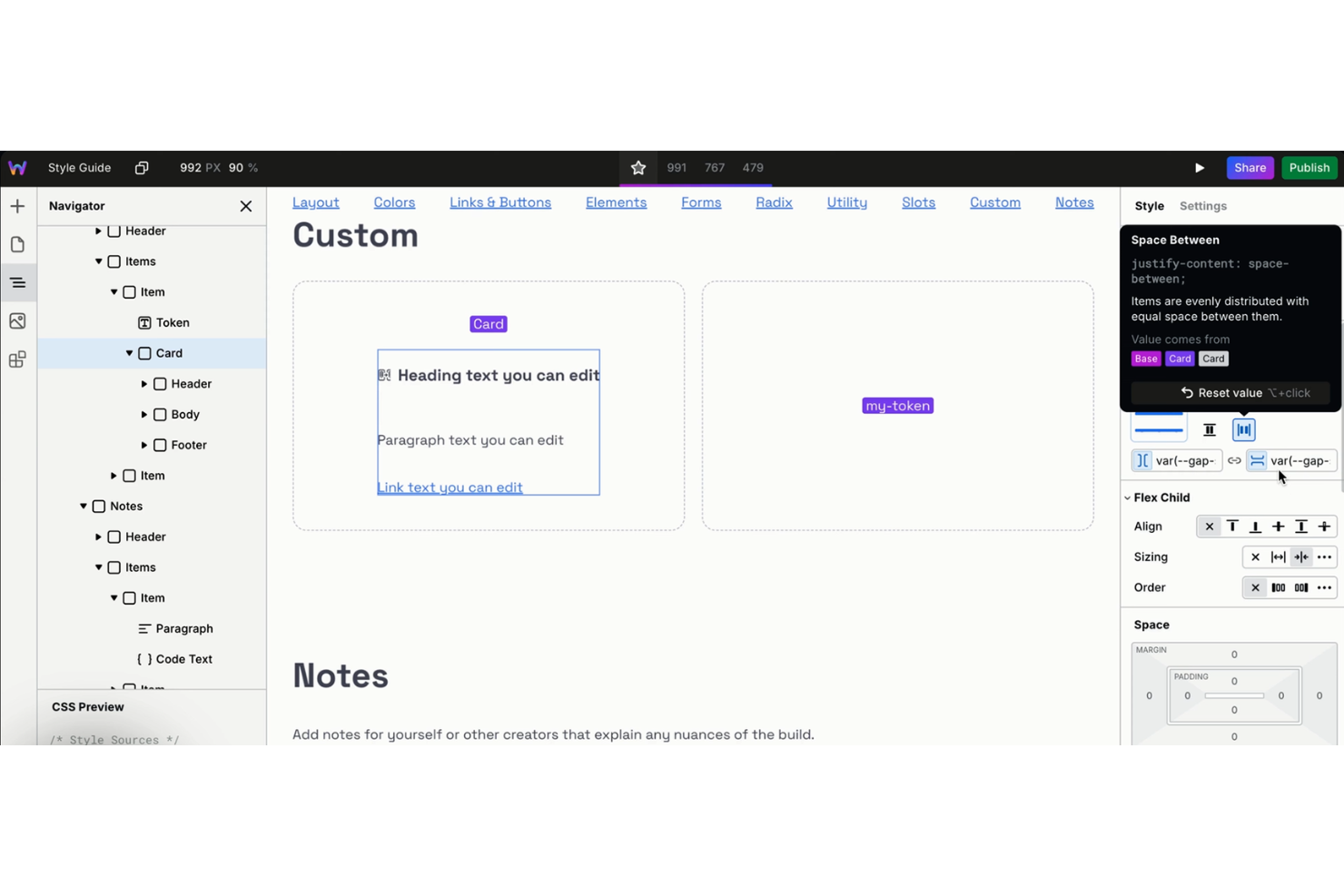
Webstudio offre una piattaforma di web design visuale pensata per team che necessitano di collaborare in tempo reale sui progetti. È una soluzione ideale per agenzie di design, team di prodotto e freelance che vogliono lavorare insieme su layout e componenti senza dover passare continuamente da uno strumento all'altro. L'approccio open source offre agli utenti la flessibilità di personalizzare i flussi di lavoro e integrarsi con lo stack di sviluppo preferito.
Perché ho scelto Webstudio
Ho scelto Webstudio perché il suo editing visuale collaborativo si distingue tra le piattaforme open source di web design. Lo strumento consente a più utenti di lavorare contemporaneamente sullo stesso progetto, con aggiornamenti in tempo reale e modifica condivisa, ideale per i team che devono coordinare rapidamente le modifiche di design. Apprezzo il flusso di lavoro basato sui componenti, che permette agli utenti di creare elementi riutilizzabili e mantenere la coerenza tra i progetti. Il modello open source di Webstudio consente inoltre ai team di adattare la piattaforma alle proprie esigenze di collaborazione uniche.
Funzionalità principali di Webstudio
Altre funzioni di Webstudio degne di nota includono:
- Modifica CSS e codice personalizzato: aggiungi stili o script personalizzati direttamente nella piattaforma per un controllo avanzato del design.
- Cronologia delle versioni: tieni traccia delle modifiche e ripristina le versioni precedenti del progetto quando necessario.
- Strumenti per design responsivo: visualizza in anteprima e adatta i layout per diverse dimensioni di schermo all'interno dell'editor.
- Sistema di plugin open source: estendi le funzionalità creando o installando plugin su misura per il tuo flusso di lavoro.
Integrazioni di Webstudio
Le integrazioni includono Airtable, Supabase, Ghost, Payload, Hygraph, Notion, Strapi, Baserow, Directus e WordPress.
Pros and Cons
Pros:
- Cloud o self-hosted
- Collaborazione in tempo reale
- Strumenti di esportazione codice puliti
Cons:
- Ancora in sviluppo attivo
- Template molto limitati

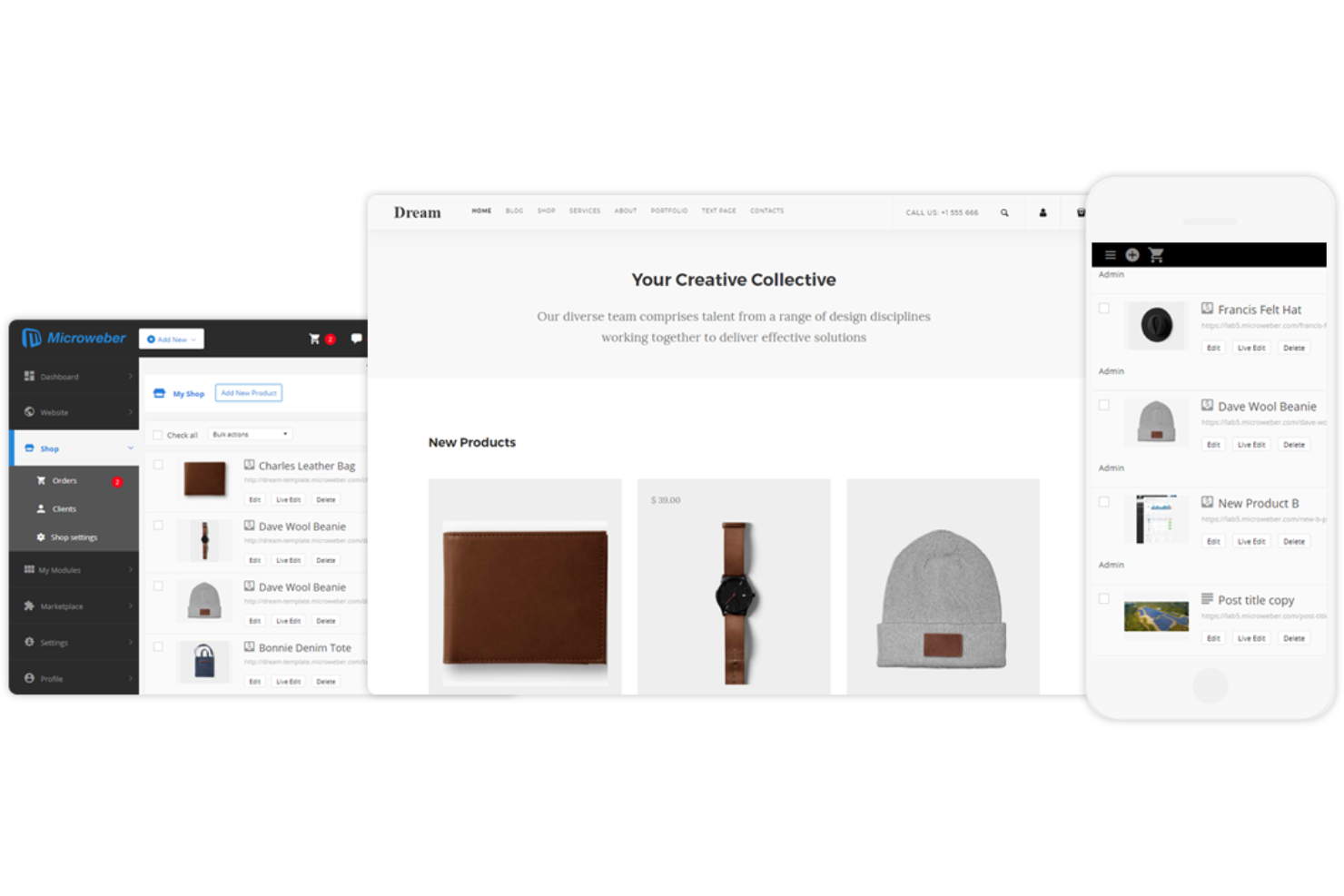
Microweber è pensato per team e individui che desiderano creare siti web con modifica dei contenuti in tempo reale tramite trascinamento. È particolarmente utile per piccole imprese, agenzie e creatori che hanno la necessità di vedere le modifiche mentre vengono effettuate. La funzione di modifica dal vivo consente di regolare rapidamente layout e contenuti senza passare dalla modalità di modifica a quella di anteprima.
Perché ho scelto Microweber
Ciò che distingue Microweber è la sua attenzione alla modifica dei contenuti dal vivo, caratteristica rara tra gli strumenti open source per il web design. Il costruttore con trascinamento permette di vedere le modifiche all'istante, così puoi adattare layout e contenuti in tempo reale. Apprezzo particolarmente come la funzione di modifica del testo in tempo reale consenta di cliccare direttamente sulla pagina e iniziare a scrivere, rendendo gli aggiornamenti dei contenuti rapidi e visivi. Questo approccio è molto utile soprattutto per team o clienti che vogliono collaborare alle modifiche del sito senza barriere tecniche.
Funzionalità principali di Microweber
Altre funzionalità che rendono Microweber interessante per il web design open source sono:
- Marketplace di template: Accedi a una varietà di template già pronti per diversi settori e tipologie di sito.
- Modulo e-commerce: Aggiungi e gestisci prodotti, ordini e pagamenti direttamente dal tuo sito web.
- Gestione utenti: Assegna ruoli e permessi a diversi utenti per una gestione collaborativa del sito.
- Backup e ripristino: Crea e ripristina backup del tuo sito web per proteggere dati e contenuti.
Integrazioni Microweber
Le integrazioni includono Mailchimp, Google Analytics, PayPal, Stripe e WHMCS.
Pros and Cons
Pros:
- Negozio online integrato
- Configurazione self-hosting semplice
- Modifiche visive in tempo reale
Cons:
- Bug nel builder visuale
- Documentazione per sviluppatori limitata

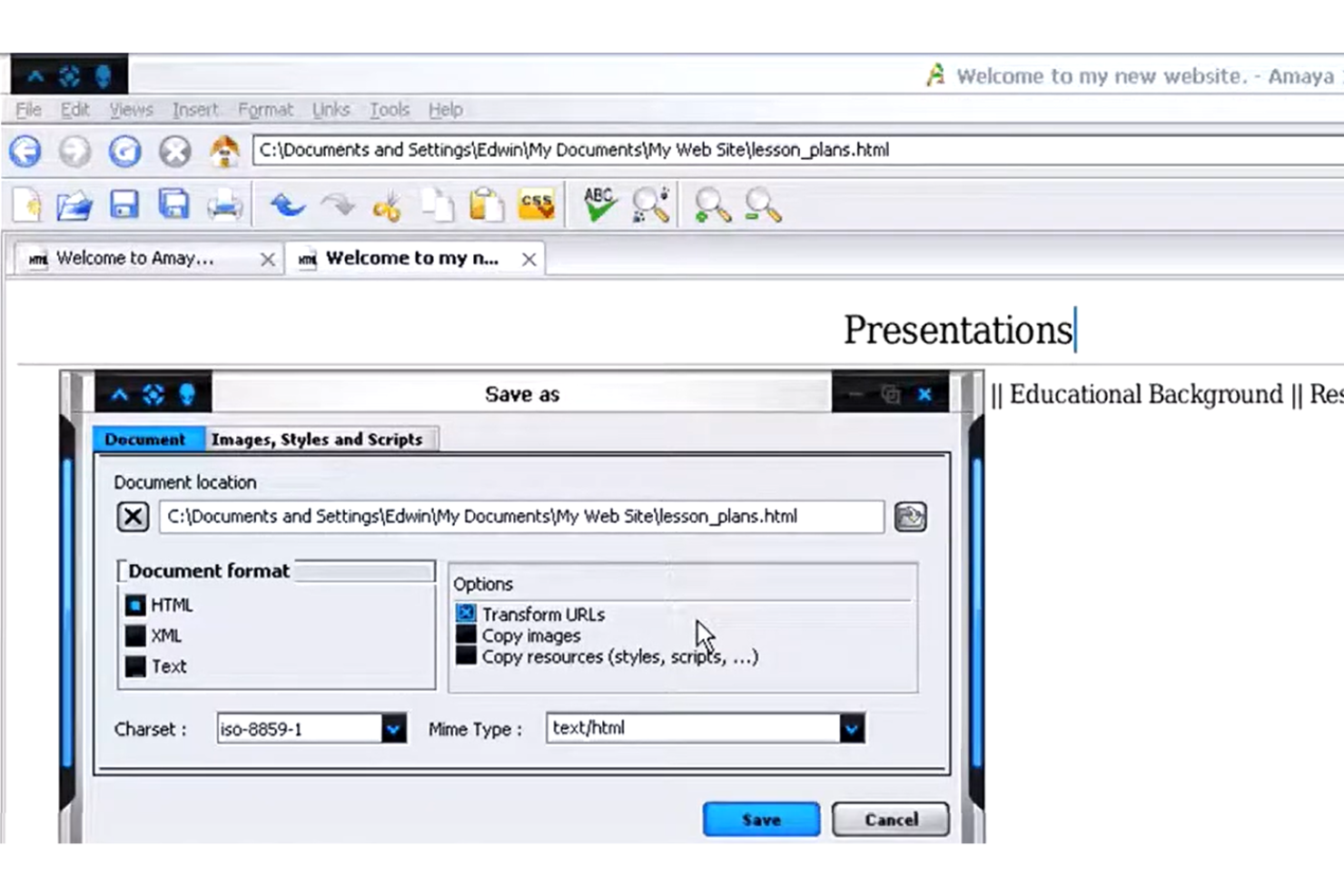
Amaya si distingue per i team e i singoli utenti che desiderano modificare e consultare documenti web in un unico ambiente. Sviluppato dal W3C, è particolarmente utile per i professionisti del web che devono lavorare direttamente con HTML, CSS e XML visualizzando al contempo le modifiche in tempo reale. L'approccio integrato di Amaya consente di gestire sia la creazione dei contenuti sia la struttura del sito senza dover passare da uno strumento all'altro.
Perché ho scelto Amaya
Ciò che distingue Amaya è la capacità di combinare la navigazione web e la modifica dei contenuti in un unico ambiente, una caratteristica rara tra gli strumenti open source per il web design. Questo approccio integrato consente di visualizzare, modificare e aggiornare documenti HTML, CSS e XML senza dover passare da applicazioni separate. Ho scelto Amaya perché permette di vedere le modifiche in tempo reale mentre si lavora, rendendo più semplice comprendere in che modo gli interventi influenzano il risultato finale. Lo strumento supporta inoltre la manipolazione diretta della struttura delle pagine web, una funzione utile per chi gestisce sia i contenuti sia il layout.
Funzionalità principali di Amaya
Alcune altre funzionalità che rendono Amaya utile per i progetti di web design includono:
- Supporto per MathML: Crea e modifica notazioni matematiche direttamente all'interno dei documenti web.
- Modifica di SVG: Lavora con grafica vettoriale scalabile insieme a contenuti HTML e CSS.
- Strumenti per le annotazioni: Aggiungi e gestisci annotazioni alle pagine web per la collaborazione o la documentazione.
- Compatibilità multipiattaforma: Esegui Amaya su sistemi Windows, macOS e Linux.
Integrazioni di Amaya
Le integrazioni includono Annotea, MathML, SVG, RDF e WebDAV.
Pros and Cons
Pros:
- Browser web integrato
- Conforme agli standard web
- Modifica direttamente il codice
Cons:
- Interfaccia molto datata
- Non più mantenuto
Altri software open source per la progettazione web
Ecco alcune ulteriori opzioni di software open source per la progettazione web che non sono entrate nel mio elenco, ma che vale comunque la pena prendere in considerazione:
- Ghost
Ideale per la creazione di siti orientati alla pubblicazione
- Odoo
Il migliore con moduli di applicazioni aziendali integrati
- Open Source Web Design
Ideale per modelli HTML scaricabili gratuitamente


Come Valuto il Software Open Source per il Web Design
Divido la mia valutazione in due livelli: la base che uno strumento deve superare per qualificarsi—come una vera licenza OSI e il supporto all'autoinstallazione—e i fattori che ne determinano la migliore adattabilità per i team di prodotto.
Funzionalità Core (Requisiti Minimi Per Questa Lista)
Quando seleziono gli strumenti per la mia lista, ne valuto ciascuno su una scala da 0 (non offre la funzionalità) a 5 (eccelle in quest'area) per ciascuna delle funzionalità principali elencate di seguito. Poi, calcolo il punteggio totale dello strumento in percentuale. Ogni strumento deve raggiungere un punteggio totale minimo del 65% per essere preso in considerazione.
- Licenza Open Source: Verifico che lo strumento abbia una licenza OSI riconosciuta e un repository pubblico accessibile—i progetti source-available con termini restrittivi non sono idonei.
- Capacità di Web Design: Qui valuto strumenti di layout, anteprime responsive e output pronto per il web come l'esportazione HTML/CSS, dato che gli editor vettoriali generici non bastano.
- Opzione di Autoinstallazione: I team di prodotto spesso devono eseguire gli strumenti su infrastrutture proprie per il controllo sui dati, quindi cerco opzioni documentate per il deployment in Docker o su container.
- Prototipazione & Wireframing: Valuto se lo strumento supporta prototipi interattivi e cliccabili—non solo mockup statici—così i PM possono validare i flussi utente prima di coinvolgere gli ingegneri.
- Collaborazione sul Design: Editing multiutente, commenti e cronologia delle versioni sono essenziali quando prodotto, design e sviluppo lavorano sugli stessi file durante uno sprint.
- Librerie di Risorse & Componenti: Componenti riutilizzabili e librerie condivise mantengono coerenza nell'interfaccia del prodotto su tutte le pagine, quindi verifico la presenza di sistemi di simboli o supporto a librerie cross-project.
Una volta ottenuta una lista di strumenti che soddisfano i criteri, considero cosa distingue ciascuna piattaforma.
Fattori Differenzianti (Cosa Distingue i Fornitori)
Ecco come confronto e metto a confronto diversi fornitori:
Caratteristiche Distintive
Un ecosistema di plugin è un grande elemento differenziante—i team che possono aggiungere regole personalizzate di linting, importare risorse o collegarsi a strumenti di project management ottengono molto più valore dalla piattaforma nel tempo. Valuto anche l'integrazione con il controllo versione, soprattutto il branching basato su Git che permette alle modifiche nel design di essere tracciate insieme ai commit di codice nello stesso repository. I controlli di accessibilità integrati completano la mia valutazione, dal momento che rilevare in anticipo problemi di contrasto o colore secondo WCAG evita costosi rifacimenti negli sprint successivi.
Oltre le Caratteristiche
La salute della community conta molto nell'open source—guardo la frequenza dei commit, i tempi di risposta alle issue, e se esiste un forum attivo o un canale chat dove sia davvero possibile ottenere aiuto. Anche i termini di licenza meritano attenzione, dato che una licenza AGPL comporta implicazioni diverse per l'uso commerciale rispetto a MIT o Apache. Valuto come ciascuno strumento si integra nello stack di prodotto più ampio, in particolare con connessioni dirette a Jira, GitHub o Slack, perché uno strumento di design che rimane fuori dai processi esistenti del team genera attriti che si sentono ad ogni sprint.
Come scegliere un software open source per la progettazione web
È facile perdersi in lunghi elenchi di funzionalità e strutture tariffarie complesse. Per aiutarti a rimanere concentrato mentre affronti il tuo particolare processo di selezione del software, ecco una lista di fattori da tenere a mente:
| Fattore | Elementi da considerare |
|---|---|
| Scalabilità | Lo strumento supporterà il tuo sito man mano che cresce in dimensioni, complessità o traffico di utenti? Considera le esigenze future, non solo i progetti attuali. |
| Integrazioni | Il software si collega agli strumenti che già utilizzi (CMS, analisi, controllo delle versioni)? Verifica la presenza di integrazioni native o API disponibili. |
| Personalizzazione | Puoi modificare la base di codice o aggiungere plugin per adattarli al tuo flusso di lavoro? Valuta quanta flessibilità ti serve per il design e le funzionalità. |
| Facilità d'uso | Con quale rapidità il tuo team può imparare a utilizzare lo strumento? Cerca una documentazione chiara, interfacce intuitive e comunità di utenti attive. |
| Implementazione e avviamento | Quali risorse sono necessarie per iniziare? Considera le fasi della migrazione, le esigenze di formazione e la disponibilità di guide o modelli per l'avviamento. |
| Costo | Esistono costi nascosti per componenti aggiuntivi, assistenza o aggiornamenti? Confronta il costo totale di possesso, non solo il prezzo iniziale o il livello gratuito. |
| Misure di sicurezza | Lo strumento offre aggiornamenti di sicurezza regolari e consente di gestire le autorizzazioni? Valuta come gestisce le vulnerabilità e i dati degli utenti. |
| Disponibilità dell'assistenza | Quali canali di assistenza sono disponibili (forum, e-mail, chat dal vivo)? Considera i tempi di risposta e se l'assistenza è fornita dalla comunità o dal fornitore. |
Che cos'è un software open source per la progettazione web?
Il software open source per la progettazione web è un tipo di strumento che consente agli utenti di creare, modificare e gestire siti web accedendo al codice sorgente sottostante. Questi strumenti sono generalmente gratuiti da usare, modificare e distribuire, il che li rende popolari tra sviluppatori e designer che desiderano flessibilità e controllo. Le opzioni open source spesso supportano la collaborazione, la personalizzazione e l'integrazione con altre tecnologie web, aiutando i team a creare siti adatti alle loro esigenze specifiche.
Caratteristiche del software open source per la progettazione web
Quando selezioni un software open source per la progettazione web, presta attenzione alle seguenti caratteristiche principali:
- Editor visuale: consente di progettare e disporre gli elementi delle pagine web utilizzando un'interfaccia con trascinamento o WYSIWYG, così puoi vedere le modifiche mentre le apporti.
- Editor del codice: offre uno spazio per scrivere, modificare ed evidenziare HTML, CSS e JavaScript, dandoti il controllo diretto sulla struttura e sullo stile del sito.
- Strumenti per il design responsivo: consentono di visualizzare in anteprima e adattare i layout per diverse dimensioni dello schermo, assicurando che il sito abbia un buon aspetto su computer desktop, tablet e telefoni.
- Libreria di modelli: offre una raccolta di layout e temi predefiniti che puoi personalizzare, aiutandoti ad avviare rapidamente i progetti e a mantenere la coerenza del design.
- Integrazione con il controllo versione: si connette a sistemi come Git per monitorare le modifiche, gestire le revisioni e collaborare con altri senza perdere il lavoro svolto.
- Gestione delle risorse: organizza immagini, caratteri e altri file multimediali all'interno del progetto, facilitando l'aggiornamento e il riutilizzo delle risorse tra le pagine.
- Anteprima in tempo reale: mostra gli aggiornamenti del sito in tempo reale durante la modifica, così puoi vedere immediatamente l'impatto delle modifiche prima della pubblicazione.
- Supporto per plugin o estensioni: consente di aggiungere nuove funzionalità o strumenti al software, ampliandone le capacità per adattarle al tuo flusso di lavoro o alle esigenze del progetto.
- Supporto multilingue: consente di creare e gestire contenuti in più lingue, una funzione utile per realizzare siti web internazionali o localizzati.
Vantaggi del software open source per la progettazione web
L'implementazione di un software open source per la progettazione web offre diversi vantaggi al tuo team e alla tua azienda. Eccone alcuni di cui potrai beneficiare:
- Accesso completo al codice: puoi modificare il codice sorgente per adattarlo esattamente ai tuoi requisiti, supportando flussi di lavoro specifici e funzionalità personalizzate.
- Nessun costo di licenza: la maggior parte degli strumenti open source è gratuita, aiutandoti a ridurre i costi del software e a destinare il budget ad altro.
- Miglioramenti guidati dalla comunità: aggiornamenti frequenti, correzioni di bug e nuove funzionalità vengono spesso forniti da una comunità globale di sviluppatori.
- Integrazioni flessibili: le soluzioni open source supportano spesso plugin, estensioni e API, semplificando la connessione con altri strumenti del tuo ecosistema.
- Collaborazione migliorata: molti strumenti offrono funzionalità come il controllo versione e le annotazioni, consentendo ai team di lavorare insieme e monitorare le modifiche in modo efficiente.
- Supporto agli standard moderni: i progetti open source tendono ad adottare rapidamente le nuove tecnologie web, aiutandoti a creare siti conformi alle attuali migliori pratiche.
- Trasparenza e sicurezza: con il codice aperto puoi verificare la presenza di vulnerabilità e assicurarti che il software soddisfi i requisiti di sicurezza della tua organizzazione.
Costi e prezzi del software open source per la progettazione web
La scelta di un software open source per la progettazione web richiede la comprensione dei vari modelli di prezzo e dei piani disponibili. I costi variano in base alle funzionalità, alle dimensioni del team, agli strumenti aggiuntivi e ad altri fattori; alcuni team scelgono strumenti gratuiti per la progettazione web per ridurre al minimo le spese. La tabella seguente riepiloga i piani più comuni, i relativi prezzi medi e le funzionalità tipicamente incluse nelle soluzioni software open source per la progettazione web:
Tabella comparativa dei piani per il software open source per la progettazione web
| Tipo di piano | Prezzo medio | Funzionalità comuni |
|---|---|---|
| Piano gratuito | $0 | Accesso alle funzionalità principali, supporto della comunità, modelli di base e codice open source. |
| Piano personale | $4-$20/mese | Modelli aggiuntivi, aggiornamenti prioritari, supporto via email e accesso a plugin o estensioni. |
| Piano aziendale | $25-$75/mese | Strumenti per la collaborazione del team, integrazioni avanzate, gestione delle risorse e opzioni di sicurezza avanzate. |
| Piano aziendale | $950+/mese | Avvio personalizzato, supporto dedicato, strumenti per la conformità, analisi avanzate e garanzie SLA. |
Domande frequenti sui software open source per la progettazione web
Ecco alcune risposte alle domande comuni sui software open source per la progettazione web:
Posso utilizzare i software open source per la progettazione web per progetti commerciali?
Sì, la maggior parte dei software open source per la progettazione web può essere utilizzata per progetti commerciali. Esamina sempre i termini della licenza specifica per assicurarti di rispettarli, ma le licenze open source consentono in genere sia l’uso personale sia quello aziendale senza costi aggiuntivi.
Come faccio a sapere se i software open source per la progettazione web sono sicuri?
Verifica la presenza di aggiornamenti regolari, di una comunità di sviluppatori attiva e di una documentazione trasparente delle pratiche di sicurezza. Esamina il sistema di tracciamento dei problemi del progetto per capire con quale rapidità vengono risolte le vulnerabilità e valuta se il software supporta le autorizzazioni degli utenti e le funzionalità di protezione dei dati.
Quali competenze tecniche sono necessarie per utilizzare i software open source per la progettazione web?
Per la maggior parte degli strumenti sono necessarie conoscenze di base di HTML, CSS e, talvolta, JavaScript. Alcuni offrono editor visuali per principianti, ma la personalizzazione dei modelli o l’aggiunta di funzionalità avanzate richiede solitamente la modifica del codice o dei file di configurazione.
Come funziona il supporto per i software open source per la progettazione web?
Il supporto viene spesso fornito tramite forum della comunità, documentazione e gruppi di utenti. Alcuni progetti offrono supporto a pagamento o servizi di consulenza, ma la maggior parte si affida all’aiuto tra pari e ai contributi di sviluppatori volontari.
Posso personalizzare i software open source per la progettazione web per adattarli al mio flusso di lavoro?
Sì, i software open source per la progettazione web sono progettati per essere personalizzati. È possibile modificare il codice sorgente, installare moduli aggiuntivi o sviluppare le proprie estensioni per adattare lo strumento alle esigenze e ai processi specifici del proprio team.