

Como gerente de producto, conoces la importancia de contar con las herramientas adecuadas para la creación de prototipos y el diseño. Adobe XD es popular, pero puede que no se adapte a las necesidades específicas de tu equipo. Quizá tengas dificultades con la colaboración multiplataforma y en tiempo real, el precio o determinadas funciones.
Por mi experiencia, encontrar la alternativa adecuada puede marcar una gran diferencia en tu flujo de trabajo y en los resultados. He evaluado varias opciones para ayudarte a descubrir cuál encaja mejor con tu equipo.
En este artículo, ofreceré una reseña imparcial de las principales alternativas a Adobe XD. Encontrarás información sobre sus funciones, la experiencia de usuario y sus posibles ventajas, todo ello orientado a ayudarte a tomar una decisión informada.
¿Qué es Adobe XD?
Adobe XD es una herramienta de creación de prototipos diseñada para crear interfaces y experiencias de usuario. La utilizan ampliamente diseñadores de UI/UX, gerentes de producto y desarrolladores para dar vida a sus ideas. Funciones como las herramientas de diseño vectorial, los prototipos interactivos y las capacidades de colaboración ayudan a lograr precisión en el diseño, mejorar la comunicación del equipo y realizar pruebas con usuarios. En general, Adobe XD ofrece una plataforma versátil para diseñar y perfeccionar productos digitales.
Por qué confiar en nuestras recomendaciones de software
6,700+
Reviews
20
Industry experts
16+
Evaluation factors
14
Years
Nuestro equipo lleva probando y evaluando software desde 2012. Como gestores de producto, sabemos lo difícil —y lo importante— que es elegir el software adecuado.
Para esta guía, evaluamos las herramientas mediante pruebas prácticas e investigación independiente, puntuando las herramientas según nuestros criterios de selección.
Nuestras reseñas reflejan nuestro criterio editorial humano, no un discurso de ventas.
Revisores expertos:
 Hannah ClarkSenior TPM
- Cristiano ValimSenior UI/UX Lead

Tabla comparativa de alternativas a Adobe XD
Esta tabla comparativa resume los detalles de precios de mi selección de las mejores alternativas a Adobe XD:
| Tool | Best For | Trial Info | Price | ||
|---|---|---|---|---|---|
| 1 | Ideal para trabajos de diseño en Windows, Mac o Linux | Plan gratuito disponible | Desde $11.99/usuario/mes (facturado anualmente) | Website | |
| 2 | La mejor opción para crear esquemas de estructura rápidamente mediante arrastrar y soltar | Hay un plan gratuito disponible | Desde $24.9/usuario/mes (facturado anualmente) | Website | |
| 3 | La mejor opción para que quienes no son diseñadores creen estructuras alámbricas de conceptos iniciales | Hay un plan gratuito disponible | Desde $9/usuario/mes (facturado anualmente) | Website | |
| 4 | Ideal para crear prototipos sin código con datos reales | Plan gratuito disponible | Desde $19/usuario/mes | Website | |
| 5 | Ideal para prototipos basados en lógica a escala empresarial | Plan gratuito disponible | Desde $29/usuario/mes (facturado anualmente) | Website | |
| 6 | Ideal para la edición multijugador entre equipos de diseño | Plan gratuito disponible | Desde $16/usuario/mes | Website | |
| 7 | Ideal para diseñar sitios web interactivos | Plan gratuito disponible | Desde $10/mes (facturado anualmente) | Website | |
| 8 | La mejor opción para prototipos impulsados por componentes de código reales | Plan gratuito + prueba gratuita de 14 días disponible | Desde $49/usuario/mes | Website | |
| 9 | Ideal para trabajos de diseño de código abierto y autohospedados | Plan gratuito disponible | Desde $7/usuario/mes | Website | |
| 10 | Ideal para trabajar en diseño en Mac sin conexión | Prueba gratuita de 30 días | Desde $12/usuario/mes (facturado anualmente) | Website |


Reseñas de las mejores alternativas a Adobe XD
A continuación encontrarás mis resúmenes detallados de las mejores alternativas a Adobe XD que entraron en mi lista breve. Mis reseñas ofrecen un análisis detallado de las funciones principales, las ventajas y desventajas, las integraciones y los casos de uso ideales de cada herramienta para ayudarte a encontrar la mejor opción para ti
 Ideal para trabajos de diseño en Windows, Mac o Linux
- Plan gratuito disponible
- Desde $11.99/usuario/mes (facturado anualmente)
Visit WebsiteCustomer Rating:4.4/5This rating combines scores from multiple user review sites to reflect overall customer sentiment about the product.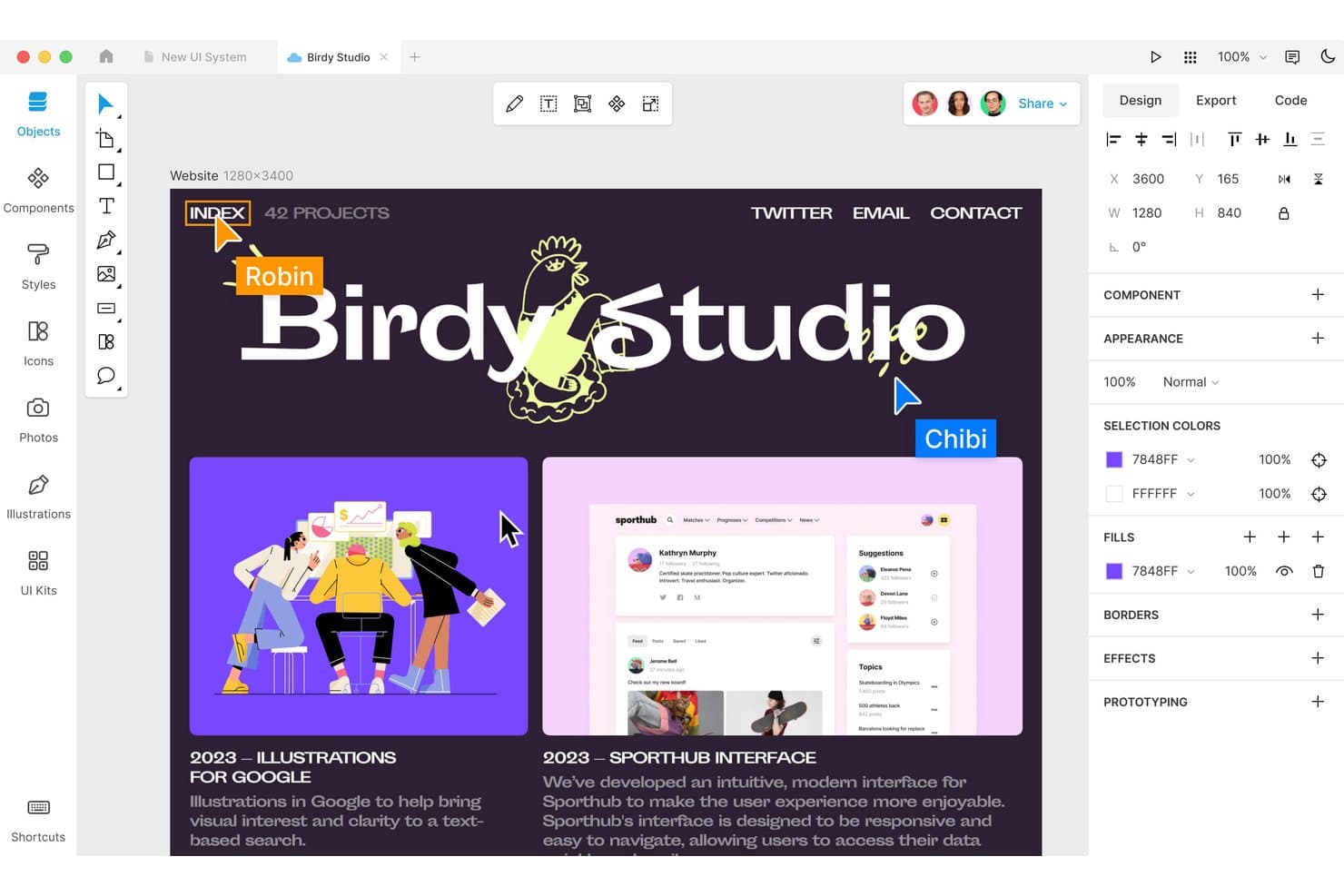
Lunacy permite a los usuarios diseñar y colaborar en una interfaz de macOS. Lunacy es una herramienta de diseño UX para equipos de producto que necesitan crear interfaces, prototipos y recursos visuales sin depender del ecosistema ni de la nube de Adobe XD.
¿Para quién es más adecuada Lunacy?
Lunacy es adecuada para diseñadores de UX y de productos que necesitan un espacio de trabajo de escritorio multiplataforma para el diseño de interfaces, la creación de prototipos y los recursos visuales.
Por qué Lunacy es una de las mejores alternativas a Adobe XD
Elegí Lunacy porque proporciona a mi equipo un espacio de trabajo de diseño UX de escritorio en Windows, Mac y Linux. Utilizamos su edición sin conexión y sus iconos, fotos e ilustraciones integrados para crear conceptos de interfaces sin depender de Adobe XD ni de una conexión constante a Internet. Sus herramientas de creación de prototipos nos ayudan a convertir esas pantallas en flujos de producto que se pueden probar.
Características principales de Lunacy
- Diseño automático: Organiza los elementos de la interfaz con reglas de espaciado y alineación adaptables.
- Componentes: Crea elementos de interfaz reutilizables con instancias editables.
- Colaboración en tiempo real: Invita a tus compañeros de equipo a editar juntos el mismo archivo de diseño.
- Historial de versiones: Revisa versiones anteriores de los archivos y restaura diseños previos.
Integraciones de Lunacy
Lunacy no cuenta con integraciones nativas de terceros; Icons8 afirma específicamente que actualmente no se admiten integraciones de terceros. Importa documentos de Figma y archivos de Sketch, y su repositorio oficial de complementos proporciona una API de automatización HTTP para integraciones personalizadas.
Pros and Cons
Pros:
- Se ejecuta de forma nativa en Windows, Mac y Linux
- Admite la edición sin conexión con documentos locales
- Incluye iconos, fotos e ilustraciones integrados
Cons:
- Los usuarios de Mac informan de bloqueos frecuentes de la aplicación
- Los proyectos grandes pueden experimentar problemas de rendimiento
Learn more about Lunacy: La mejor opción para crear esquemas de estructura rápidamente mediante arrastrar y soltar
- Hay un plan gratuito disponible
- Desde $24.9/usuario/mes (facturado anualmente)
Visit WebsiteCustomer Rating:4.5/5This rating combines scores from multiple user review sites to reflect overall customer sentiment about the product.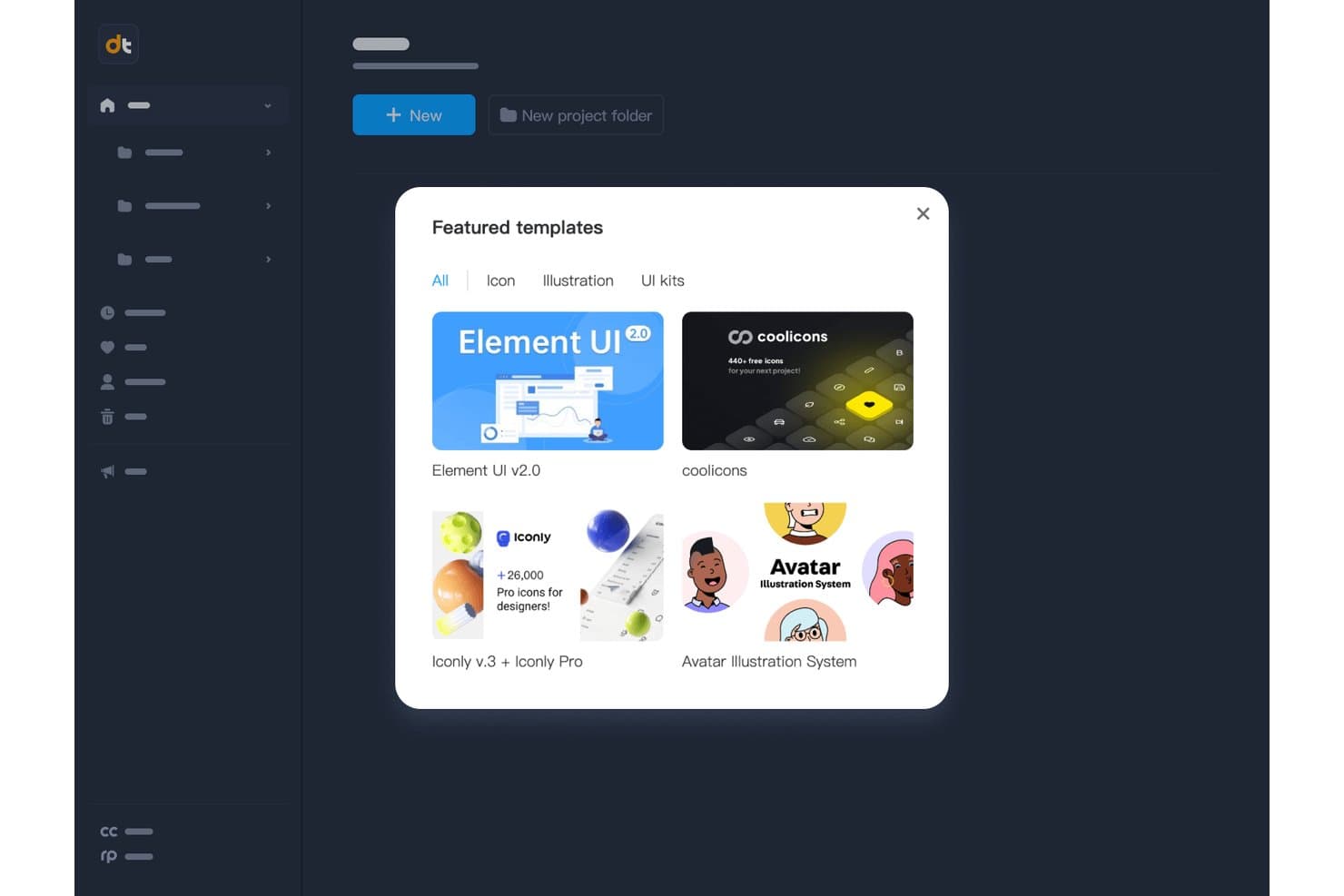
Mockplus ofrece plantillas prediseñadas de interfaz de usuario e iconos para iniciar rápidamente los diseños. Mockplus es una herramienta de diseño de experiencia de usuario y creación de prototipos para equipos de producto y diseño que necesitan convertir ideas en interfaces comprobables, alinear a las partes interesadas y pasar de los conceptos a decisiones de producto validadas.
¿Para quién es más adecuado Mockplus?
Mockplus es adecuado para gerentes de producto y diseñadores de experiencia de usuario que necesitan esbozar, probar y revisar ideas de interfaz antes de comenzar el desarrollo.
Por qué Mockplus es una buena alternativa a Adobe XD
Elegí Mockplus porque su creación rápida de esquemas de estructura mediante arrastrar y soltar me ayuda a convertir rápidamente ideas de producto iniciales en pantallas comprobables. Utilizo sus componentes de interfaz de usuario prediseñados y puntos de acceso interactivos para representar flujos de incorporación, paneles y recorridos móviles antes de entregar el diseño. Mi equipo puede revisar conceptos interactivos desde el principio y modificar los diseños antes de que comience el trabajo de ingeniería.
Características principales de Mockplus
- Vista previa en varios dispositivos: Obtén una vista previa de los prototipos en dispositivos de escritorio, tableta y móvil.
- Edición vectorial: Edita formas vectoriales directamente dentro del lienzo de diseño.
- Importación de archivos de Axure: Importa archivos de Axure a proyectos de Mockplus RP.
- Historial de revisiones: Revisa y restaura versiones anteriores de los proyectos.
Integraciones de Mockplus
Mockplus documenta integraciones y conexiones de flujo de trabajo con Figma, Sketch, Axure, Adobe XD, Photoshop, Slack, Jira, Confluence y Lark. Las integraciones nativas, la compatibilidad con Zapier y una API para integraciones personalizadas no están documentadas claramente.
Pros and Cons
Pros:
- La creación de esquemas de estructura mediante arrastrar y soltar agiliza las primeras pruebas de conceptos
- La amplia biblioteca de componentes acelera la creación de interfaces
- Los puntos de acceso interactivos permiten crear flujos de usuario interactivos
Cons:
- Los prototipos complejos requieren soluciones alternativas adicionales
- Las capacidades de diseño visual están por detrás de las herramientas de diseño especializadas
Learn more about Mockplus: La mejor opción para que quienes no son diseñadores creen estructuras alámbricas de conceptos iniciales
- Hay un plan gratuito disponible
- Desde $9/usuario/mes (facturado anualmente)
Visit WebsiteCustomer Rating:4.3/5This rating combines scores from multiple user review sites to reflect overall customer sentiment about the product.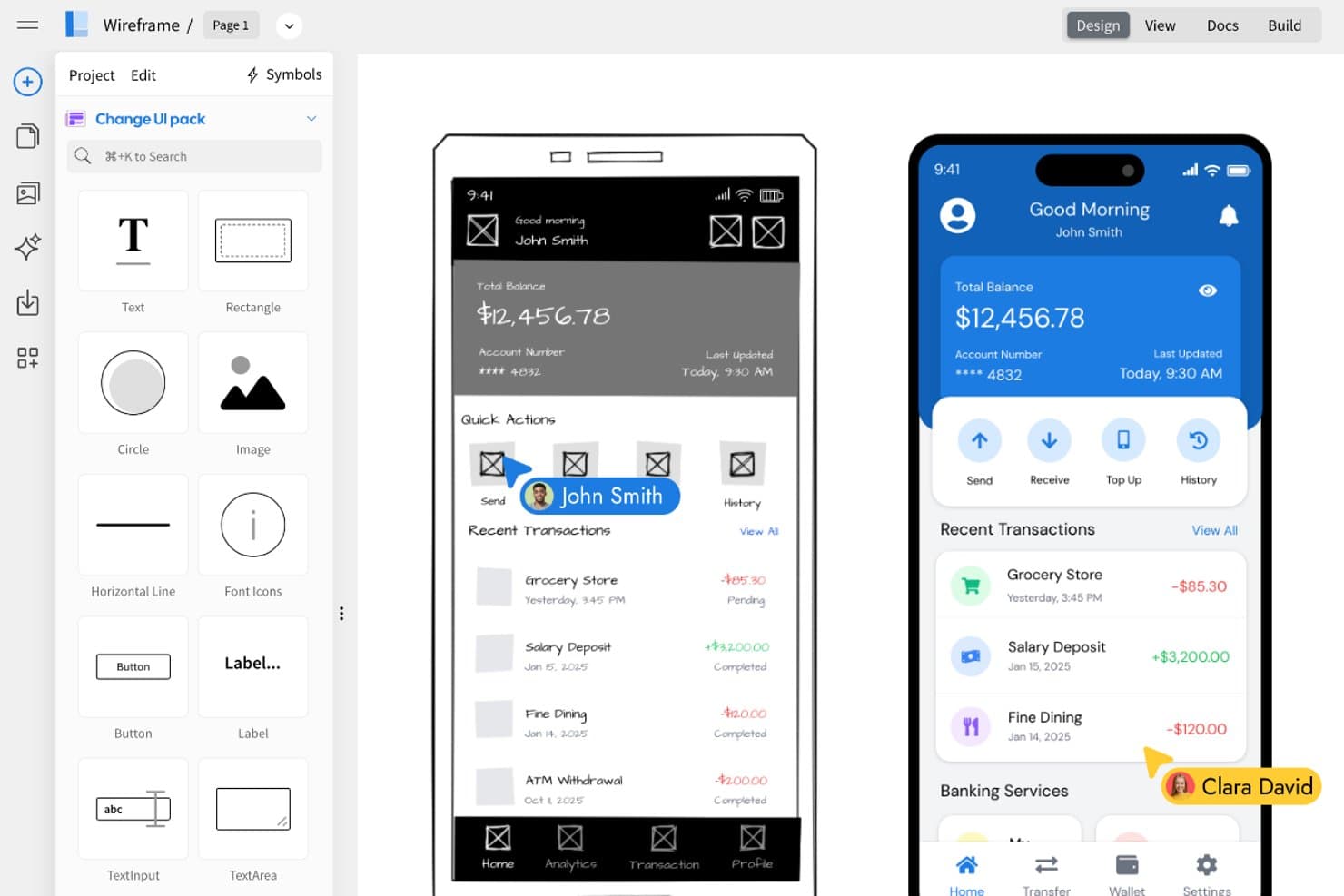
MockFlow permite a los usuarios convertir estructuras alámbricas en diseños de interfaz de usuario pulidos, uno al lado del otro. MockFlow es una herramienta de diseño UX para equipos de producto, profesionales de marketing y partes interesadas del negocio que necesitan convertir ideas iniciales en estructuras alámbricas claras sin conocimientos avanzados de diseño.
¿Para quién es más adecuado MockFlow?
MockFlow es adecuado para equipos de producto, profesionales de marketing y partes interesadas del negocio que necesitan esbozar conceptos iniciales sin conocimientos avanzados de diseño.
Por qué MockFlow es una buena alternativa a Adobe XD
Elegí MockFlow porque permite a personas que no son diseñadoras crear estructuras alámbricas de conceptos iniciales con un editor especializado y bibliotecas de componentes de interfaz de usuario. Mi equipo puede esbozar un flujo de compra, organizar pantallas y compartir el concepto para recibir comentarios antes de comenzar el diseño o el desarrollo. Este enfoque convierte a MockFlow en una opción práctica como alternativa a Adobe XD.
Características principales de MockFlow
- Diagramas de mapa del sitio: Crea jerarquías visuales de páginas para las estructuras de los productos.
- Diagramas de flujo de usuario: Traza las rutas de navegación entre pantallas.
- Mapas mentales: Organiza ideas de productos y la arquitectura de la información.
- Formatos de exportación: Guarda los elementos visuales del proyecto como archivos PNG o PDF.
Integraciones de MockFlow
MockFlow ofrece integraciones con Google Drive, Google Docs, Atlassian Jira, Atlassian Confluence, Slack, Microsoft Teams, Microsoft 365 y Trello, lo que ayuda a los equipos a compartir estructuras alámbricas dentro de sus flujos de trabajo de colaboración existentes.
Pros and Cons
Pros:
- Creación rápida de estructuras alámbricas mediante arrastrar y soltar para quienes no son diseñadores
- Incluye mapas del sitio, flujos de usuario y mapas mentales
- Facilita los comentarios iniciales de las partes interesadas mediante exportaciones fáciles de compartir
Cons:
- Interacciones de alta fidelidad limitadas para prototipos pulidos
- Los sistemas de diseño avanzados quedan fuera de su enfoque
Learn more about MockFlow: Ideal para crear prototipos sin código con datos reales
- Plan gratuito disponible
- Desde $19/usuario/mes
Visit WebsiteCustomer Rating:4.2/5This rating combines scores from multiple user review sites to reflect overall customer sentiment about the product.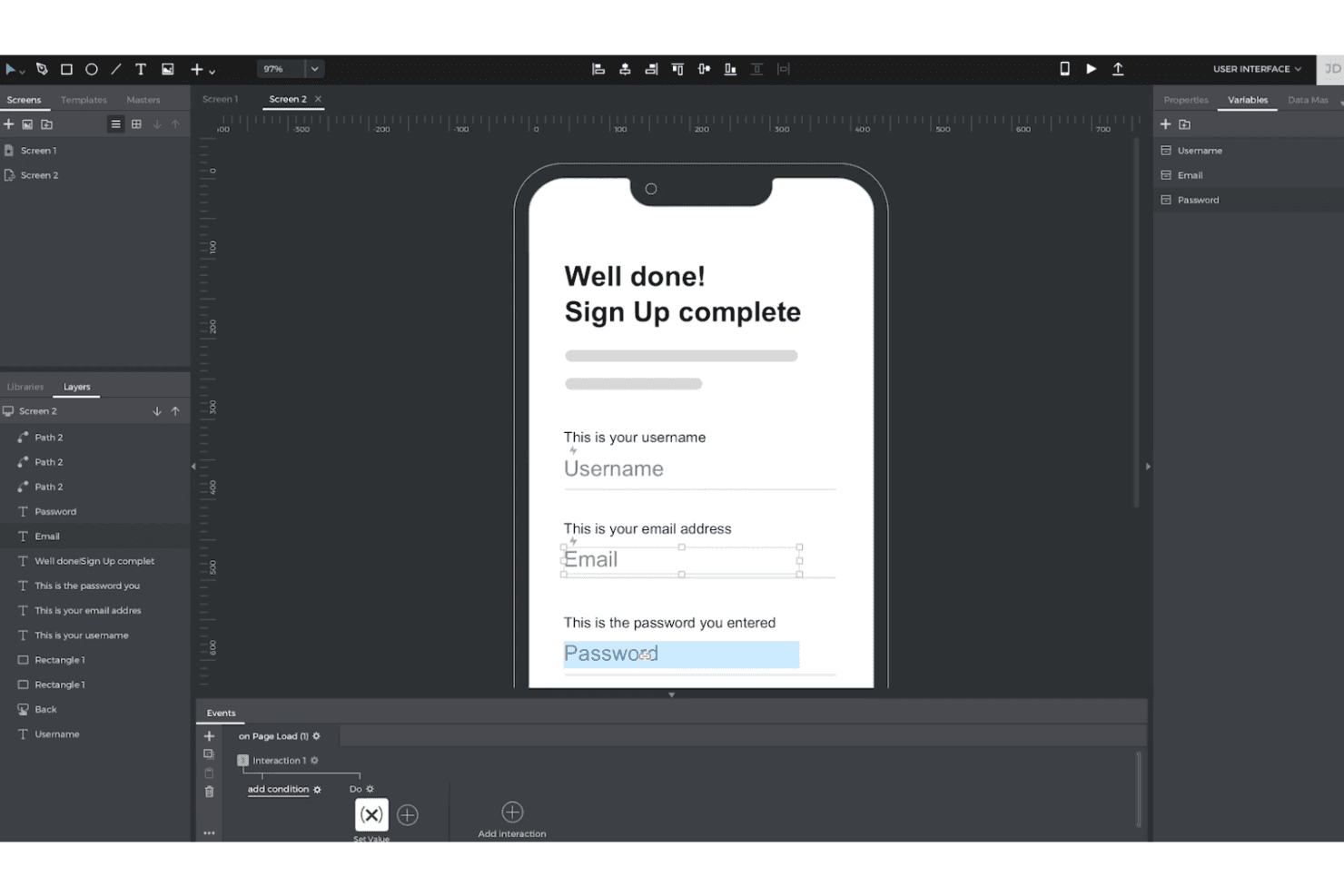
Justinmind permite crear prototipos interactivos de alta fidelidad con lógica y datos, sin necesidad de código. Justinmind ofrece a los equipos de UX y producto un espacio de trabajo visual para diseñar conceptos interactivos de aplicaciones y sitios web, aclarar flujos de usuario complejos y validar ideas antes de que comience el trabajo de ingeniería.
¿Para quién es más adecuado Justinmind?
Justinmind es ideal para gerentes de producto y diseñadores de UX que necesitan probar experiencias realistas de aplicaciones o sitios web sin escribir código.
Por qué Justinmind es una buena alternativa a Adobe XD
Elegí Justinmind porque permite crear prototipos sin código con datos reales. Utilizo Data Masters para rellenar listas de productos, perfiles de usuario y estados de compra con registros realistas. Las interacciones condicionales permiten entonces que mi equipo pruebe flujos que responden a diferentes entradas antes de que comience el trabajo de ingeniería.
Características principales de Justinmind
- Diseño adaptable: Crea diseños para puntos de interrupción de escritorio, tableta y móvil.
- Bibliotecas de widgets de UI: Añade controles, menús, formularios y elementos de navegación reutilizables.
- Animaciones y transiciones: Configura efectos de página, movimiento y transiciones basadas en gestos.
- Colaboración en equipo: Comparte prototipos para recibir comentarios en el navegador y revisiones de las partes interesadas.
Integraciones de Justinmind
Justinmind cuenta con una integración nativa con Atlassian Jira, además de integraciones o herramientas de importación documentadas para Sketch, Adobe Creative Cloud, Figma, Confluence y Azure DevOps. También ofrece una API y un SDK para integraciones personalizadas.
Pros and Cons
Pros:
- Los datos reales permiten probar flujos de producto realistas
- Las condiciones avanzadas simulan recorridos de usuario complejos
- Las vistas previas en dispositivos permiten validar las interacciones adaptables en móviles
Cons:
- Los proyectos compartidos no permiten la coedición simultánea de pantallas
- La configuración de interacciones complejas ralentiza los primeros prototipos
Learn more about Justinmind: Ideal para prototipos basados en lógica a escala empresarial
- Plan gratuito disponible
- Desde $29/usuario/mes (facturado anualmente)
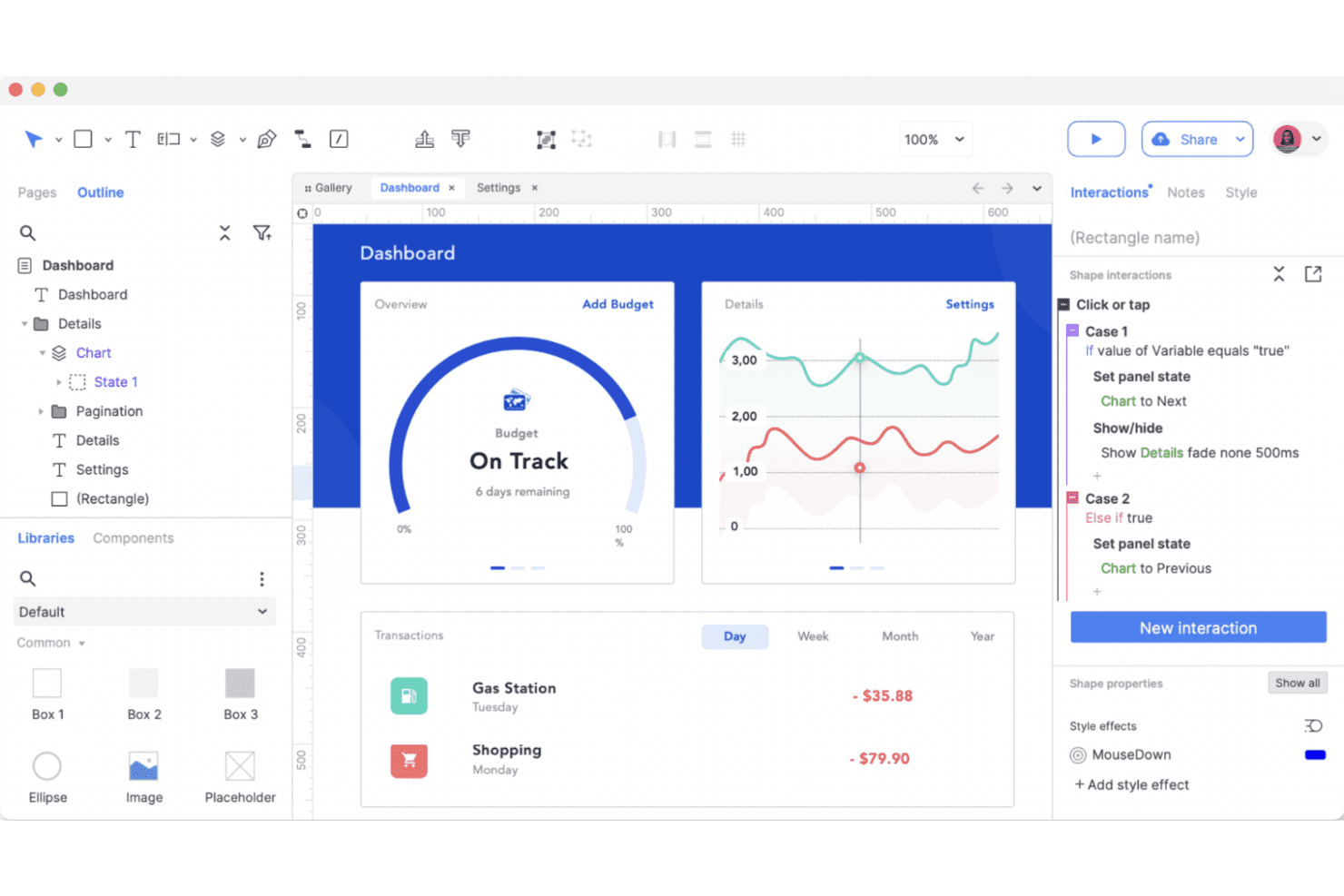
Axure RP da vida a la creación avanzada de prototipos con una lógica potente, estados interactivos y flujos de usuario basados en condiciones, todo ello sin escribir código. Axure RP es una herramienta de diseño y creación de prototipos de UX para equipos de productos empresariales que necesitan wireframes detallados, flujos interactivos y especificaciones listas para desarrolladores para experiencias web y de software complejas.
¿Para quién es más adecuado Axure RP?
Axure RP es adecuado para arquitectos de UX y diseñadores de productos que necesitan validar flujos de trabajo complejos y condicionales antes del desarrollo.
Por qué Axure RP es una de las mejores alternativas a Adobe XD
Elegí Axure RP porque es ideal para prototipos basados en lógica a escala empresarial. Utilizo lógica condicional, variables y paneles dinámicos para modelar flujos de aprobación, permisos y estados complejos de productos antes del desarrollo. Sus vistas adaptables y las especificaciones generadas también ayudan a los equipos de ingeniería a comprender el comportamiento adaptable y las reglas de interacción.
Funciones principales de Axure RP
- Bibliotecas de widgets: Añade elementos de interfaz reutilizables desde bibliotecas integradas o personalizadas.
- Repetidores: Crea tablas, listas y cuadrículas basadas en datos con registros de muestra.
- Controles de formulario: Añade campos de texto, menús desplegables, casillas de verificación, botones de opción y botones.
- Anotaciones: Adjunta notas a widgets, páginas e interacciones para las entregas de diseño.
Integraciones de Axure RP
Axure RP se conecta con Jira, Confluence, Slack y Microsoft Teams mediante aplicaciones oficiales, incluidas las aplicaciones de Atlassian Marketplace para Jira y Confluence. También admite complementos oficiales para Figma, Sketch y Adobe XD con los que puedes importar diseños a Axure RP o publicarlos en Axure Cloud.
Pros and Cons
Pros:
- La lógica condicional modela flujos de trabajo complejos de productos
- Los repetidores permiten crear prototipos de interfaces con gran cantidad de datos
- Las especificaciones generadas facilitan las entregas a los desarrolladores
Cons:
- La lógica condicional requiere tiempo para dominarla
- El diseño visual parece anticuado frente a herramientas más nuevas
Learn more about Axure RP : Ideal para la edición multijugador entre equipos de diseño
- Plan gratuito disponible
- Desde $16/usuario/mes
Visit WebsiteCustomer Rating:4.7/5This rating combines scores from multiple user review sites to reflect overall customer sentiment about the product.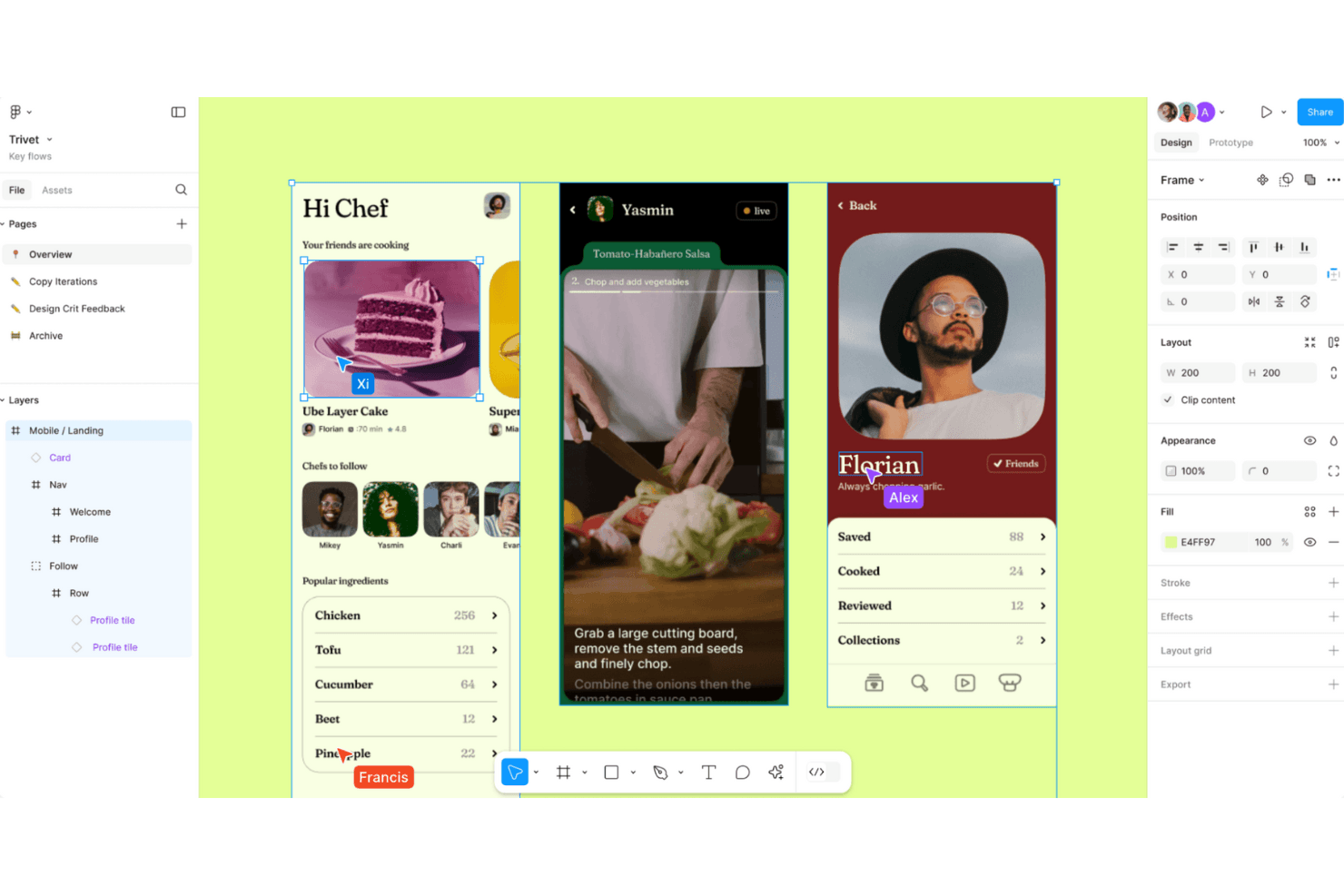
Figma permite diseñar interfaces de usuario con fluidez y colaborar en tiempo real, lo que ayuda a los equipos a crear, probar e iterar simultáneamente en el navegador. Figma es una plataforma de diseño UX basada en la nube para equipos de producto que necesitan crear interfaces, prototipos y sistemas de diseño, al tiempo que mantienen alineados a diseñadores, ingenieros y partes interesadas.
¿Para quién es más adecuado Figma?
Equipos de diseño de producto que necesitan colaboración en tiempo real entre diseñadores, ingenieros y partes interesadas durante las fases de descubrimiento y entrega.
Por qué Figma es una buena alternativa a Adobe XD
Elegí Figma como una de las principales alternativas a Adobe XD porque su edición multijugador mantiene a diseñadores, ingenieros y partes interesadas en un mismo archivo compartido. Mi equipo utiliza cursores en directo, comentarios y bibliotecas de componentes para perfeccionar las pantallas conjuntamente durante las revisiones de diseño. Esta colaboración es adecuada para equipos de producto distribuidos que necesitan comentarios inmediatos sin intercambiar archivos entre herramientas.
Funciones principales de Figma
- Diseño automático: Organiza y cambia el tamaño de los elementos de la interfaz según el contenido y las reglas de espaciado.
- Prototipado interactivo: Conecta pantallas y define transiciones, superposiciones e interacciones.
- Variables: Almacena valores reutilizables para colores, dimensiones y modos de diseño adaptable.
- Modo Dev: Permite inspeccionar diseños, consultar especificaciones y acceder a los detalles para la entrega a desarrolladores.
Integraciones de Figma
Figma admite integraciones con Jira, Slack, Microsoft Teams, Google Workspace, Notion, Asana, Linear, Zoom, GitLab y Zapier. También proporciona una API para integraciones y flujos de trabajo personalizados.
Pros and Cons
Pros:
- La edición multijugador en tiempo real reduce el intercambio de archivos
- El acceso desde el navegador simplifica la revisión por parte de las partes interesadas
- Las variables permiten sistemas de diseño escalables
Cons:
- Los archivos grandes pueden afectar al rendimiento del navegador
- El prototipado avanzado requiere soluciones alternativas de terceros
 Ideal para diseñar sitios web interactivos
- Plan gratuito disponible
- Desde $10/mes (facturado anualmente)
Visit WebsiteCustomer Rating:4.4/5This rating combines scores from multiple user review sites to reflect overall customer sentiment about the product.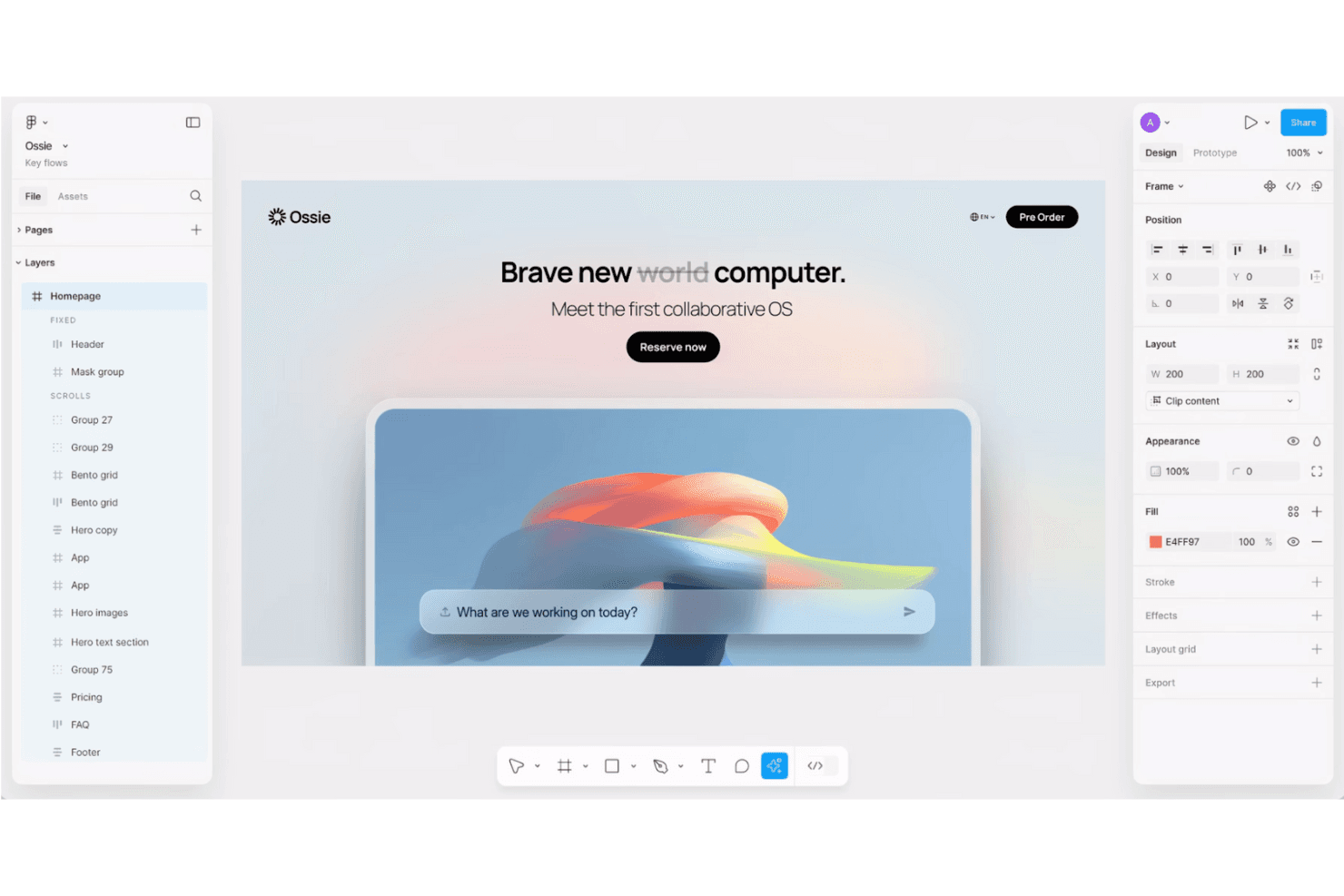
Framer te permite diseñar y publicar sitios web totalmente interactivos y adaptables sin escribir código. Framer es una plataforma de diseño de sitios web para diseñadores de UX, equipos de producto y agencias que necesitan crear experiencias web pulidas, probar interacciones y pasar del diseño al lanzamiento sin tener que unir varias herramientas.
¿Para quién es mejor Framer?
Framer es ideal para diseñadores de UX, agencias creativas y equipos de producto que necesitan crear prototipos de sitios web pulidos y adaptables sin una transferencia de trabajo de desarrollo independiente.
Por qué Framer es una buena alternativa a Adobe XD
Elegí Framer porque puedo convertir un concepto de UX en un sitio web adaptable e interactivo sin salir del lienzo de diseño. Utilizo sus puntos de interrupción visuales, variantes de componentes y animaciones integradas para probar la navegación, los estados al pasar el cursor y los efectos de desplazamiento en prototipos realistas de páginas de destino. Framer es una sólida alternativa a Adobe XD cuando el entregable debe pasar del diseño de interacción a un sitio publicado.
Características principales de Framer
- Colecciones de CMS: Crea y administra contenido estructurado para páginas dinámicas.
- Localización: Traduce el contenido del sitio y administra versiones localizadas de las páginas.
- Configuración de SEO: Edita los metadatos, las imágenes para redes sociales y los controles de indexación.
- Formularios: Crea formularios y dirige los envíos a correos electrónicos o webhooks.
Integraciones de Framer
Framer documenta conexiones con Google Tag Manager, Google Analytics, Hotjar, HubSpot Forms, Intercom, Mailchimp, Marketo Forms, Meta Pixel y Typeform mediante elementos incrustados, scripts o componentes de formulario. También admite integraciones personalizadas de JavaScript y webhooks para enviar los envíos de formularios a servicios externos.
Pros and Cons
Pros:
- Publica prototipos como sitios web adaptables
- Las animaciones se renderizan directamente en los navegadores
- Admite contenido de CMS listo para producción
Cons:
- Menos adecuado para prototipos exclusivos de aplicaciones
- El CMS avanzado requiere soluciones alternativas
 La mejor opción para prototipos impulsados por componentes de código reales
- Plan gratuito + prueba gratuita de 14 días disponible
- Desde $49/usuario/mes
Visit WebsiteCustomer Rating:4.2/5This rating combines scores from multiple user review sites to reflect overall customer sentiment about the product.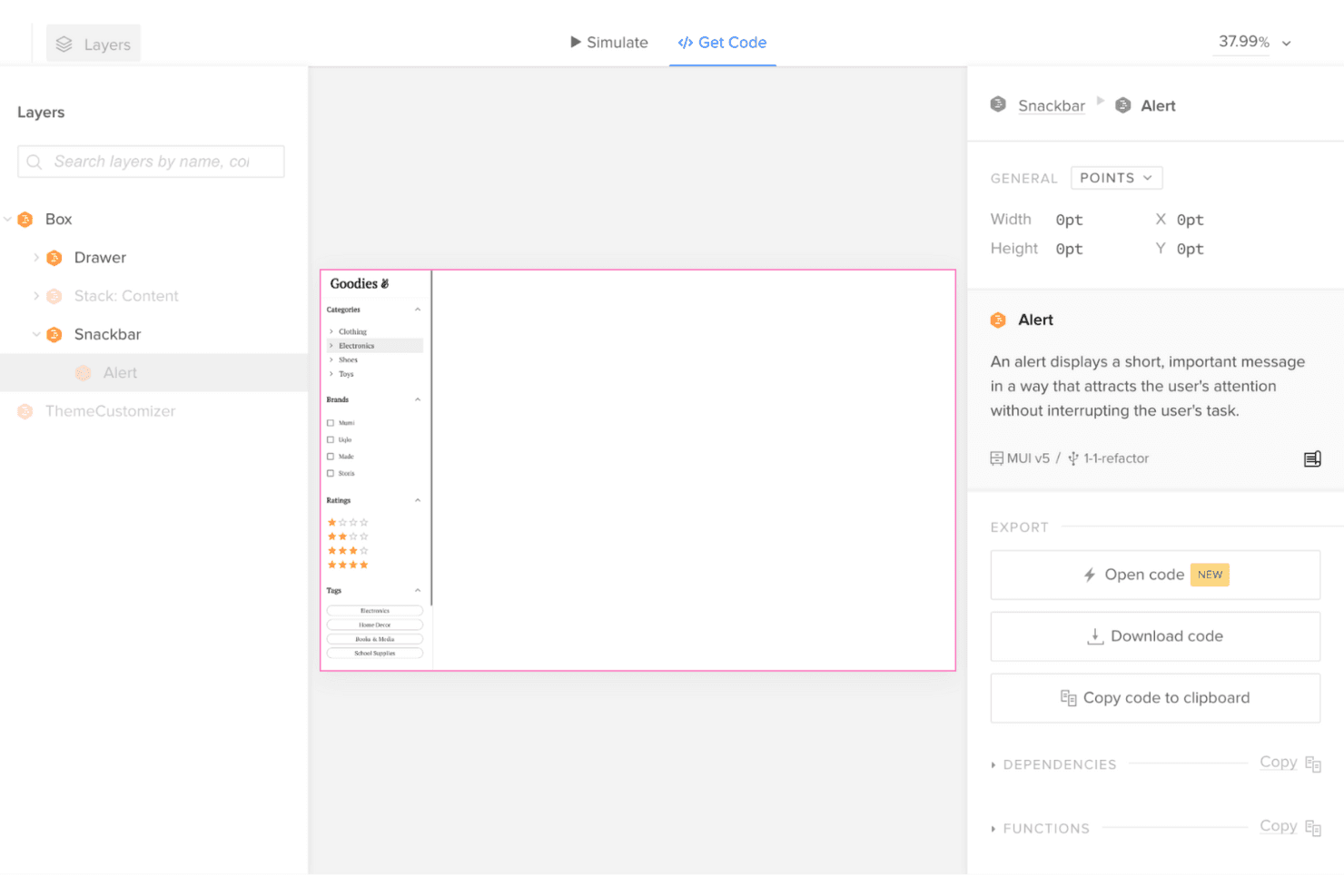
UXPin conecta el diseño y el desarrollo mediante prototipos interactivos que utilizan componentes reales y permiten exportar código listo para producción. UXPin es una plataforma de diseño UX para equipos de producto que necesitan un diseño de interfaces realista, una alineación más rápida con las partes interesadas y menos brechas en la entrega al evaluar alternativas a Adobe XD.
¿Para quién es más adecuado UXPin?
UXPin es adecuado para equipos de diseño de productos que necesitan que ingenieros y diseñadores creen interfaces de alta fidelidad a partir de componentes de código reutilizables.
Por qué UXPin es una buena alternativa a Adobe XD
Elegí UXPin porque su posicionamiento como “La mejor opción para prototipos impulsados por componentes de código reales” encaja con los equipos de producto que prueban interfaces realistas. Mi equipo puede crear prototipos con componentes de código reutilizables y, después, validar estados, interacciones y comportamiento adaptable antes de que comience la ingeniería. Esto nos ayuda a detectar brechas de diseño e implementación al evaluar alternativas a Adobe XD.
Características principales de UXPin
- Editor de arrastrar y soltar: Crea pantallas con elementos de interfaz reutilizables.
- Bibliotecas de interfaz integradas: Comienza los diseños con componentes de Material Design y Bootstrap.
- Variables: Almacena y actualiza valores en las pantallas del prototipo.
- Lógica condicional: Define reglas que controlan el comportamiento del prototipo.
Integraciones de UXPin
UXPin documenta integraciones con Figma, GitHub, Jira, Slack, Storybook, Photoshop y Sketch, además de la sincronización de bibliotecas de componentes personalizadas de Git.
Pros and Cons
Pros:
- Los prototipos utilizan componentes de código reutilizables
- Las variables permiten cambios de estado realistas
- La lógica condicional modela interacciones complejas
Cons:
- La configuración de componentes de código requiere conocimientos técnicos
- Comunidad más pequeña que la de Figma
Learn more about UXPin: Ideal para trabajos de diseño de código abierto y autohospedados
- Plan gratuito disponible
- Desde $7/usuario/mes
Visit WebsiteCustomer Rating:4.5/5This rating combines scores from multiple user review sites to reflect overall customer sentiment about the product.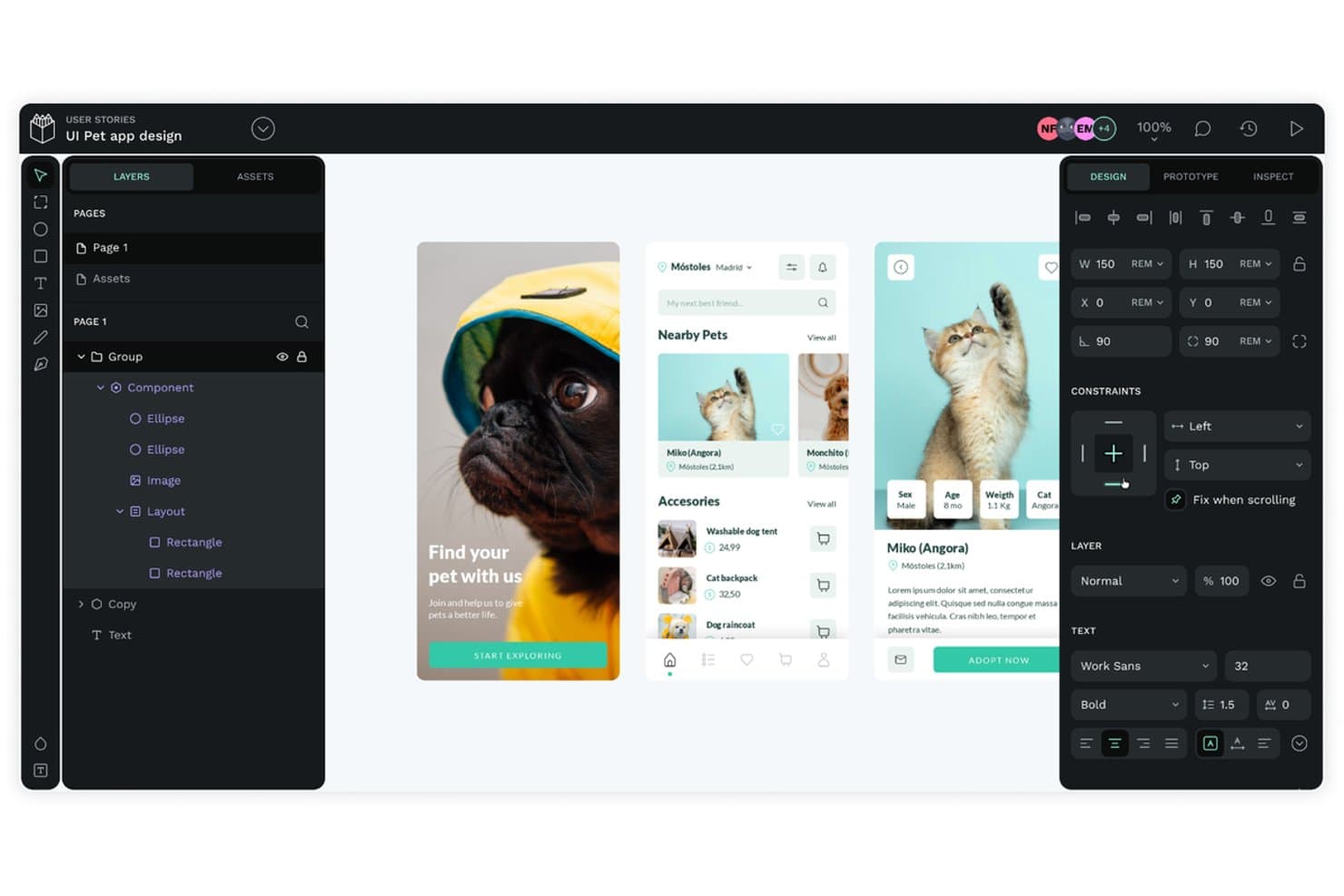
Penpot permite a los usuarios diseñar interfaces de aplicaciones móviles con capas y componentes. Penpot es una plataforma de diseño UX basada en navegador para equipos de producto que necesitan diseño colaborativo de interfaces, creación de prototipos y transferencia a desarrolladores sin el flujo de trabajo propietario de Adobe XD.
¿Para quién es más adecuado Penpot?
Penpot es adecuado para equipos de producto y diseño que necesitan control de código abierto y autohospedado sobre el diseño de interfaces y la colaboración.
Por qué Penpot es una buena alternativa a Adobe XD
Elegí Penpot porque su diseño de código abierto y autohospedado se adapta a equipos que necesitan controlar su entorno de UX. Mi equipo puede implementarlo en la infraestructura interna, crear interfaces basadas en SVG e inspeccionar diseños con código preparado para CSS para facilitar la transferencia a los desarrolladores. Esta configuración es adecuada para productos con estrictos requisitos de gobernanza de datos o de alojamiento personalizado.
Funciones clave de Penpot
- Componentes reutilizables: Crea elementos de interfaz compartidos para mantener la coherencia entre las pantallas del producto.
- Diseño flexible: Crea diseños adaptables con controles de CSS flexbox.
- Diseño de cuadrícula: Organiza los elementos de la interfaz con estructuras de cuadrícula configurables.
- Prototipos interactivos: Conecta pantallas mediante transiciones e interacciones de usuario.
Integraciones de Penpot
Las integraciones nativas de Penpot no están documentadas con claridad. Admite conexiones personalizadas mediante complementos, webhooks salientes, acceso a la API con tokens de acceso y flujos de trabajo con GitHub Actions, GitLab CI/CD y Slack.
Pros and Cons
Pros:
- Opciones de implementación de código abierto y autohospedada
- Los flujos de trabajo basados en SVG facilitan una transferencia clara a los desarrolladores
- Los diseños flexibles y de cuadrícula reflejan CSS
Cons:
- Ecosistema de complementos más pequeño que el de Figma
- Las interacciones de creación de prototipos siguen siendo relativamente limitadas
Learn more about Penpot: 10Ideal para trabajar en diseño en Mac sin conexión
Sketch
- Prueba gratuita de 30 días
- Desde $12/usuario/mes (facturado anualmente)
Visit WebsiteCustomer Rating:4.5/5This rating combines scores from multiple user review sites to reflect overall customer sentiment about the product.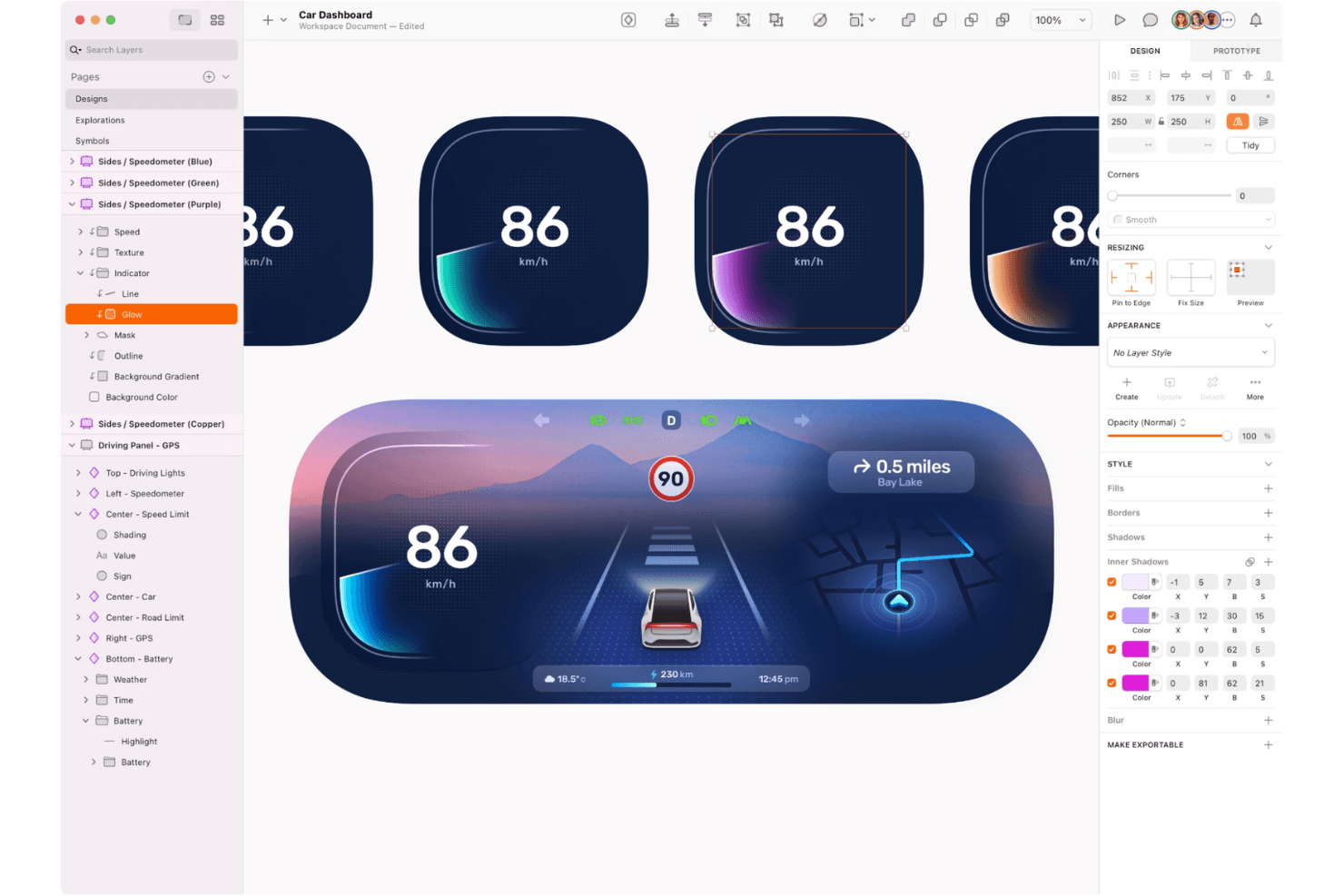
Sketch permite a los diseñadores crear interfaces de usuario sorprendentes y prototipos interactivos con precisión, flexibilidad y una experiencia fluida nativa de macOS. Sketch es una plataforma de diseño de UX centrada en Mac para diseñadores de productos y equipos que necesitan diseño vectorial, creación de prototipos, entrega a desarrolladores y colaboración como una alternativa integral a Adobe XD.
¿Para quién es mejor Sketch?
Diseñadores de productos y equipos de UX en Mac que necesitan acceso sin conexión junto con creación de prototipos, colaboración y entrega a desarrolladores.
Por qué Sketch es una buena alternativa a Adobe XD
Elegí Sketch porque su aplicación nativa para Mac permite trabajar en diseño en Mac sin conexión, sin depender de una conexión al navegador. Utilizo sus herramientas vectoriales y el almacenamiento de documentos sin conexión para perfeccionar diseños de interfaces durante viajes o sesiones con acceso restringido. Cuando hay conexión, la creación de prototipos y la entrega a desarrolladores permiten revisar y entregar esos diseños.
Características principales de Sketch
- Bibliotecas compartidas: Reutiliza componentes, estilos de texto y variables de color en distintos documentos.
- Diseño inteligente: Establece reglas de redimensionamiento para ajustar automáticamente el tamaño y el espaciado de las capas.
- Cuadrículas de diseño: Aplica cuadrículas de columnas, filas y cuadrados a los lienzos de diseño.
- Historial de versiones: Revisa estados anteriores de los documentos y restaura versiones previas.
Integraciones de Sketch
El directorio oficial de complementos de Sketch incluye integraciones y complementos para Slack, Notion, Jira, Zeplin, ProtoPie y Overflow; su aplicación de Slack ofrece vistas previas enriquecidas de documentos y comentarios. Sketch también ofrece una API oficial de JavaScript para crear complementos personalizados y conexiones con flujos de trabajo.
Pros and Cons
Pros:
- La edición sin conexión en Mac facilita los flujos de trabajo durante los viajes
- Las bibliotecas compartidas mantienen la coherencia de los componentes de la interfaz
- La entrega a desarrolladores incluye especificaciones de diseño inspeccionables
Cons:
- Los flujos de trabajo centrados en Mac excluyen a los equipos de diseño que usan Windows
- La colaboración en tiempo real requiere conexión a Internet
Otras alternativas a Adobe XD
Estas son algunas alternativas adicionales a Adobe XD que no entraron en mi lista breve, pero que aún merece la pena considerar:
- 11MoqupsIdeal para que personas que no son diseñadoras revisen diseños con sus equipos
- 12PixsoLa mejor opción para migrar desde XD con una implementación autoalojada
- 13LucidchartIdeal para mapear flujos sin experiencia en diseño
- 14MiroIdeal para tableros de ideación que enlazan con flujos interactivos
- 15ProtoPieIdeal para prototipos multidispositivo basados en sensores
- 16Proto.ioIdeal para la creación de prototipos de aplicaciones móviles sin código
Cómo evalúo las alternativas a Adobe XD
Divido mi evaluación en tres partes. Primero, la funcionalidad principal: cualquier alternativa debe crear prototipos interactivos y en los que se pueda hacer clic, además de gestionar trabajos de diseño de interfaz de usuario basados en vectores; esto es lo que más peso tiene. Después, busco características destacadas, como una lógica de creación de prototipos avanzada. Por último, considero el valor de los precios y las licencias.
Funcionalidad principal (requisitos básicos de esta lista)
Cuando selecciono herramientas para mi lista, puntúo cada una en una escala de 0 (no ofrece la funcionalidad) a 5 (sobresale en esta área) para cada funcionalidad principal que se indica a continuación. Después convierto el total en un porcentaje para ayudar a evaluar la adecuación general de cada herramienta, dando un peso adicional a las funcionalidades que he considerado esenciales.
- Creación de prototipos interactivos (esencial): Compruebo si se pueden vincular mesas de trabajo en flujos en los que se pueda hacer clic, con activadores, transiciones y superposiciones que se parezcan a una aplicación real.
- Edición de diseños basados en vectores (esencial): Busco un conjunto completo de herramientas vectoriales con operaciones booleanas, herramientas de pluma y controles de diseño necesarios para crear pantallas de interfaz de usuario desde cero.
- Colaboración en tiempo real: Los equipos necesitan editar archivos conjuntamente, así que evalúo los cursores en directo, los comentarios integrados y la fluidez con la que la edición multiusuario gestiona archivos más grandes.
- Sistemas de diseño y componentes: Analizo cómo gestiona cada herramienta los componentes reutilizables, las variantes y las bibliotecas compartidas que permanecen sincronizadas en varios archivos de proyecto.
- Transferencia a desarrolladores: Una buena transferencia implica especificaciones generadas automáticamente, recursos exportables y atributos de estilo que los desarrolladores puedan inspeccionar sin complementos adicionales ni trabajo manual.
- Accesibilidad multiplataforma: Compruebo si la herramienta funciona en macOS, Windows y el navegador web, para que los equipos con distintos sistemas operativos no queden excluidos del flujo de trabajo.
Una vez que tengo una lista de herramientas que cumplen los criterios, considero qué diferencia a cada plataforma.
Factores diferenciadores (qué distingue a los proveedores)
Así es como comparo y contrasto los distintos proveedores:
Características destacadas
La lógica avanzada de creación de prototipos es lo primero que evalúo. Las herramientas compatibles con variables, flujos condicionales y expresiones permiten crear prototipos que imitan estados reales de una aplicación, como un formulario de registro que cambia en función de los datos introducidos por el usuario. Ese nivel de fidelidad reduce los malentendidos entre los equipos de producto e ingeniería. También busco la generación de diseños asistida por IA, que acelera la conceptualización inicial al producir opciones de diseño o sugerencias de texto que se pueden iterar, en lugar de empezar con un lienzo en blanco. La gestión de tokens de diseño también es importante, especialmente para los equipos que trabajan con varios productos; compruebo si una herramienta permite administrar los tokens de color, espaciado y tipografía desde una fuente central, de modo que las actualizaciones se propaguen sin tener que editar manualmente cada archivo.
Más allá de las características
La migración y la compatibilidad de archivos son muy importantes cuando se abandona Adobe XD. Compruebo si una herramienta puede importar archivos de XD, Sketch y SVG sin alterar los diseños automáticos ni las anulaciones de componentes. La estructura de precios es igual de importante: analizo si hay disponibles puestos gratuitos de visualización para los responsables de producto y las partes interesadas que solo necesitan comentar, ya que los costes por puesto aumentan rápidamente en los equipos interfuncionales. También evalúo la estabilidad del proveedor, especialmente la frecuencia de publicación de versiones y la forma en que la empresa ha gestionado transiciones de plataforma anteriores, porque nadie quiere migrar dos veces.
¿Por qué buscar una alternativa a Adobe XD?
Aunque Adobe XD es una buena opción como herramienta de creación de prototipos, hay varios motivos por los que algunos usuarios buscan soluciones alternativas. Puede que estés buscando una alternativa a Adobe XD porque…
- Necesitas funciones de colaboración en tiempo real
- Tu equipo necesita trabajar sin conexión
- Quieres herramientas de animación más avanzadas
- Tu presupuesto es limitado o ajustado
- Necesitas una mejor integración con otras herramientas
- Tu equipo prefiere una interfaz más sencilla
Si alguna de estas situaciones te resulta familiar, has llegado al lugar adecuado. Mi lista incluye varias opciones de herramientas de creación de prototipos más adecuadas para equipos que afrontan estos desafíos con Adobe XD y buscan soluciones alternativas, de forma similar a como los equipos exploran alternativas a Framer.
Funciones principales de Adobe XD
Estas son algunas de las funciones principales de Adobe XD, para ayudarte a contrastar y comparar lo que ofrecen las soluciones alternativas:
- Herramientas de diseño: Crea mesas de trabajo, gestiona capas y edita trazados para crear diseños que se ajusten a tu visión.
- Prototipado: Desarrolla prototipos interactivos con animaciones y transiciones programadas para dar vida a tus diseños.
- Colaboración: Comparte prototipos con tu equipo, establece permisos de acceso y recopila comentarios mediante anotaciones.
- Accesibilidad: Utiliza la gestión del color y los atajos de teclado para garantizar que tus diseños sean accesibles para todos los usuarios.
- Sistemas de diseño: Gestiona recursos y componentes mediante la integración con las bibliotecas de Adobe Creative Cloud.
- Documentos en la nube: Colabora en documentos basados en la nube con funciones de edición conjunta en tiempo real.
- Integraciones: Compatible con diversos recursos de Photoshop e Illustrator, y permite utilizar complementos para herramientas como Jira y Slack.
- Compatibilidad con plataformas: Funciona correctamente en una amplia variedad de plataformas, como Windows, macOS y Linux, lo que garantiza la accesibilidad independientemente del sistema operativo de tu equipo. Una interfaz basada en el navegador también permite diseñar y colaborar sin necesidad de instalar software, algo perfecto para equipos que trabajan en entornos o dispositivos diversos.
- Compatibilidad móvil: Previsualiza tus diseños en dispositivos iOS y Android para comprobar cómo se ven en diferentes pantallas.
- Componentes y estados: Utiliza componentes y estados reutilizables para mantener la coherencia y la eficiencia en tus diseños.
- Cambio de tamaño adaptable: Adapta tus diseños a diferentes tamaños y resoluciones de pantalla fácilmente.