

10 mejores programas de diseño del aprendizaje analizados para 2026

10 La lista de los mejores programas de diseño del aprendizaje


Solo quienes hemos trabajado en el diseño instruccional entendemos realmente lo difícil que es enseñar cosas nuevas a las personas, por eso soy extremadamente exigente con mis programas de diseño del aprendizaje. Ya es bastante difícil equilibrar todos los aspectos que hacen que el contenido formativo sea eficaz, así que las herramientas que utilices deberían hacer que tu proceso de diseño sea lo más eficiente posible.
Hablando de aprender cosas nuevas, me he propuesto formarme por mi cuenta en docenas de herramientas de software de diseño del aprendizaje y seleccionar las mejores opciones. Estas son las herramientas que obtuvieron una A+ de mi parte, con todos los detalles relevantes que necesitas para contrastarlas y compararlas.
¿Qué es el software de diseño del aprendizaje?
El software de diseño del aprendizaje (también conocido como software de diseño instruccional, o IDS) es una herramienta digital que facilita la creación y la impartición de experiencias de aprendizaje digitales. Utilizado a menudo por educadores, diseñadores instruccionales y formadores corporativos, permite producir cursos de aprendizaje electrónico estructurados, contenido multimedia interactivo y bases de conocimientos integrales.
Entre las características importantes del software de diseño del aprendizaje se incluyen:
- Elementos de gamificación
- Personalización
- Bibliotecas de contenido
- Creadores de tutoriales
- Creadores de evaluaciones interactivas
- Presentaciones de lecciones
- Integración de vídeo
Por Qué Confiar en Nuestras Reseñas de Software
Llevamos revisando y probando software de gestión de productos desde 2020. Como product managers, sabemos lo crucial y complicado que es tomar la decisión correcta al seleccionar software. Invertimos en investigación profunda para ayudar a nuestra audiencia a tomar mejores decisiones de compra de software. Hemos probado más de 2,000 herramientas para distintos casos de uso y escrito más de 1,000 reseñas exhaustivas. Conozca cómo mantenemos la transparencia & nuestra metodología de reseñas de software.
| Tool | Best For | Trial Info | Price | ||
|---|---|---|---|---|---|
| 1 | Ideal para creación de cursos impulsada por IA | Plan gratuito + demo gratuita disponible | Desde $119/mes (facturado anualmente) | Website | |
| 2 | Ideal para contenido eLearning interactivo y multimodal | Prueba gratuita de 14 días disponible | Desde $970/autor (facturado anualmente) | Website | |
| 3 | Ideal para el desarrollo integral de aprendizaje en línea (eLearning) | Prueba gratuita de 30 días disponible | Desde $1,449/usuario (facturado anualmente) | Website | |
| 4 | Ideal para el diseño colaborativo de cursos en la nube | Prueba gratuita de 14 días + demo gratis disponible | Desde $1,650/usuario (facturado anualmente) | Website | |
| 5 | Ideal para agilizar la creación de contenidos con potentes herramientas de autoría | Prueba gratuita disponible | Precios bajo solicitud | Website | |
| 6 | Ideal para crear contenido eLearning interactivo | Prueba gratuita disponible | Desde $33.99/mes | Website | |
| 7 | Ideal para crear bases de conocimiento y manuales de usuario | Prueba gratuita de 30 días | $29.99/usuario/mes. | Website | |
| 8 | Ideal para incrementar la productividad con capacidades de formación a demanda | Demostración gratuita disponible | Precio a consultar | Website | |
| 9 | Ideal para autoría en PowerPoint e integración con LMS | Prueba gratuita de 14 días | $67/usuario/mes (facturado anualmente) | Website | |
| 10 | Ideal por su función de desarrollo rápido de eLearning | Prueba gratuita de 30 días + demo gratuita disponible | Desde $129/mes (facturación anual) | Website |

Descripción general de los 12 mejores programas de diseño del aprendizaje

Ideal para creación de cursos impulsada por IA
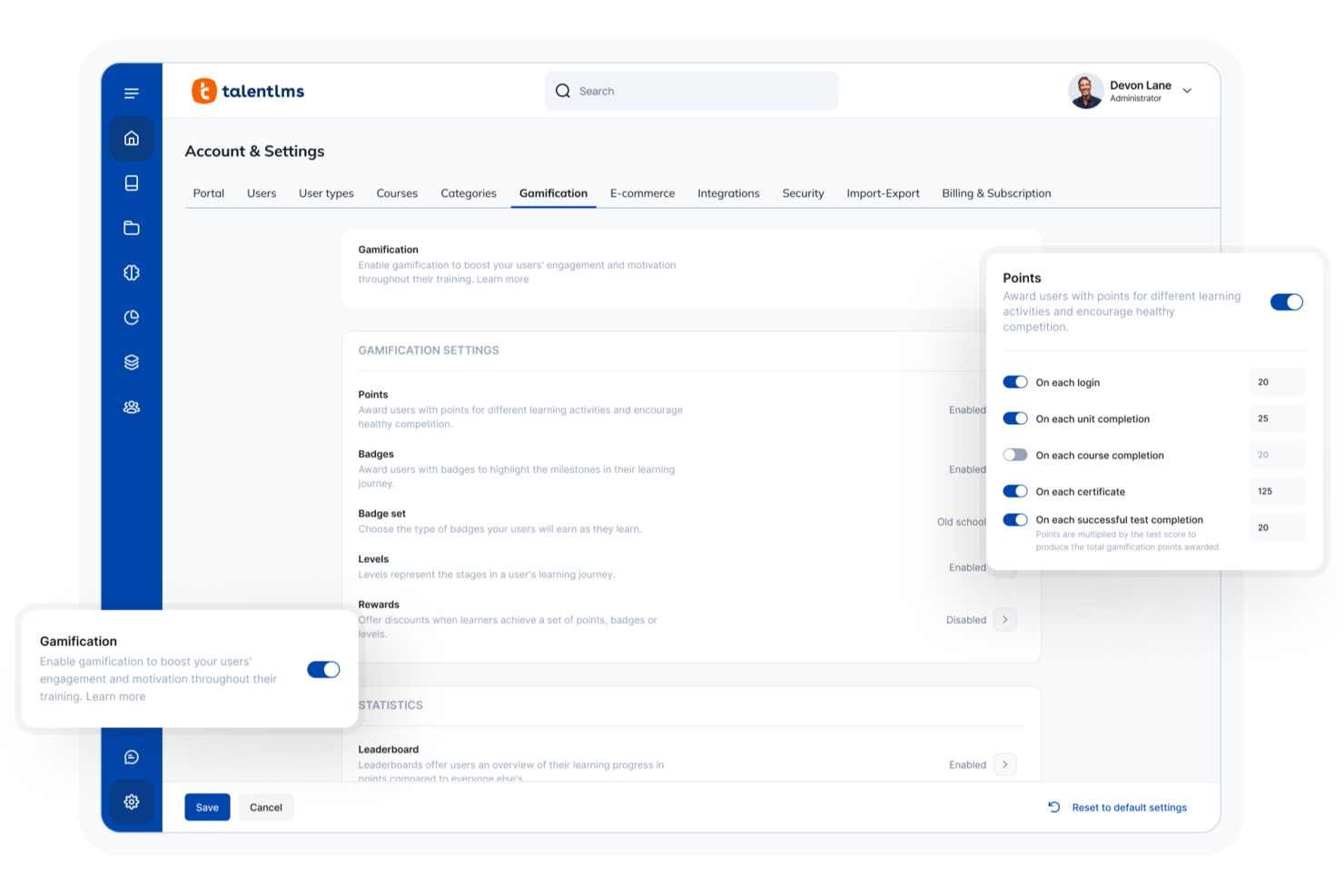
Para quienes buscan un software de diseño de aprendizaje adaptable, TalentLMS ofrece una plataforma versátil que se adapta a diversas necesidades de formación. Ya sea en capacitación corporativa, educación o en una industria especializada, TalentLMS ofrece creación de cursos impulsada por IA y una amplia biblioteca de recursos para mejorar tus programas de aprendizaje. Su capacidad para integrarse con diversas herramientas garantiza una experiencia fluida, ayudándote a enfrentar desafíos de formación como la incorporación de nuevos empleados, el cumplimiento normativo y el desarrollo de competencias.
Por qué elegí TalentLMS
Elegí TalentLMS por su enfoque innovador en el diseño de aprendizaje, especialmente por su función de creación de cursos con IA, que simplifica el desarrollo de contenido educativo. Esta herramienta te permite crear rutas de aprendizaje personalizadas, asegurando que cada aprendiz reciba la formación más relevante. Además, sus capacidades de capacitación basada en habilidades te ayudan a enfocar competencias específicas, lo que lo convierte en una excelente opción para organizaciones centradas en el desarrollo de la fuerza laboral. Con estas características, TalentLMS aborda el desafío de ofrecer soluciones de formación personalizadas a gran escala.
Características clave de TalentLMS
Además de la creación de cursos y la capacitación por habilidades, también encontré varias funciones valiosas para el diseño de aprendizaje:
- Elementos de gamificación: Incorpora elementos similares a juegos para aumentar la participación y motivación de los estudiantes.
- Personalización de marca: Personaliza tu portal de formación con el logotipo, los colores y los temas de tu organización para mantener la coherencia de la marca.
- Accesibilidad móvil: Asegura que los estudiantes puedan acceder a los materiales de formación en cualquier momento y lugar, desde dispositivos móviles.
- Analíticas en tiempo real: Obtén información sobre el progreso de los estudiantes y la efectividad de los cursos con herramientas detalladas de análisis e informes.
Integraciones de TalentLMS
Las integraciones incluyen Salesforce, Shopify, WordPress, Zoom, Microsoft Teams, GoTo, BigBlueButton, Intercom, Zendesk Chat, LinkedIn Learning y más.
Pros and Cons
Pros:
- La personalización de la marca ayuda a mantener la identidad organizacional
- La creación de cursos flexible responde a diversas necesidades de aprendizaje
- Las herramientas impulsadas por IA simplifican la creación y gestión de cursos
Cons:
- La biblioteca de contenidos puede carecer de profundidad en áreas especializadas
- Fallas técnicas ocasionales afectan la experiencia del usuario
New Product Updates from TalentLMS
TalentLMS Adds Learning Paths, AI Video, and Learner Experience Updates
TalentLMS introduced updates across learning management, content creation, and learner experience, including Learning Paths for Groups, AI video generation in TalentCraft, video bookmarking, and expanded administration tools. For more information, visit TalentLMS’s official site.

Ideal para contenido eLearning interactivo y multimodal

iSpring Suite es una herramienta de autoría que te permite convertir diapositivas de PowerPoint, archivos PDF o notas en bruto de expertos en la materia en cursos interactivos en tiempo récord. La herramienta funciona directamente en PowerPoint, por lo que trabajarás en una interfaz familiar desde el principio, sin curva de aprendizaje.
Por qué elegí iSpring Suite
Además de la interfaz fácil de usar, me encanta iSpring Suite por la amplia gama de formatos de contenido disponibles para un desarrollo rápido. Puedes crear atractivos cursos basados en diapositivas, videos tutoriales, simulaciones de roles y cuestionarios interactivos, todo en un solo lugar. Además, su reproductor adaptable hace que el contenido se vea bien en una variedad de dispositivos y tamaños de pantalla. La herramienta también cuenta con una Biblioteca de Contenidos integrada con más de 120.000 recursos listos para usar, como ubicaciones, personajes, iconos y plantillas de cursos.
Características clave de iSpring Suite
Además de sus capacidades multimodales e interactivas de eLearning, iSpring Suite ofrece varias características valiosas adicionales:
- Capacidad de convertir presentaciones a archivos SCORM: Abre diapositivas existentes, mejóralas con cuestionarios y otros contenidos, y obtén un curso SCORM listo para usar en segundos.
- Constructor de personajes incorporado: Te permite crear personajes personalizados que hacen que tus cursos sean más atractivos y envolventes.
- Narración y subtítulos: Añade narraciones de voz y subtítulos a tus cursos para adaptarte a distintas necesidades y preferencias de aprendizaje.
- Asistente de IA: Para generación instantánea de contenido e imágenes, así como traducción de cursos (solo en la versión premium, iSpring Suite AI).
Integraciones de iSpring Suite
Las integraciones incluyen Zoom, Microsoft Teams, Google Meet, Salesforce, Shopify, Tilda, Udemy, Go1, LinkedIn Learning y GoodHabitz. Para integraciones personalizadas, los usuarios pueden utilizar Albato o la API REST de iSpring LMS.
Pros and Cons
Pros:
- Un asistente de IA integrado que acelera la redacción, edición y formato
- Colaboración y trabajo en equipo en tiempo real
- Generación de imágenes y voz en off mediante IA, además de traducción
Cons:
- Gráficos limitados en comparación con la competencia
- Carece de cierta compatibilidad con macOS

Ideal para el desarrollo integral de aprendizaje en línea (eLearning)
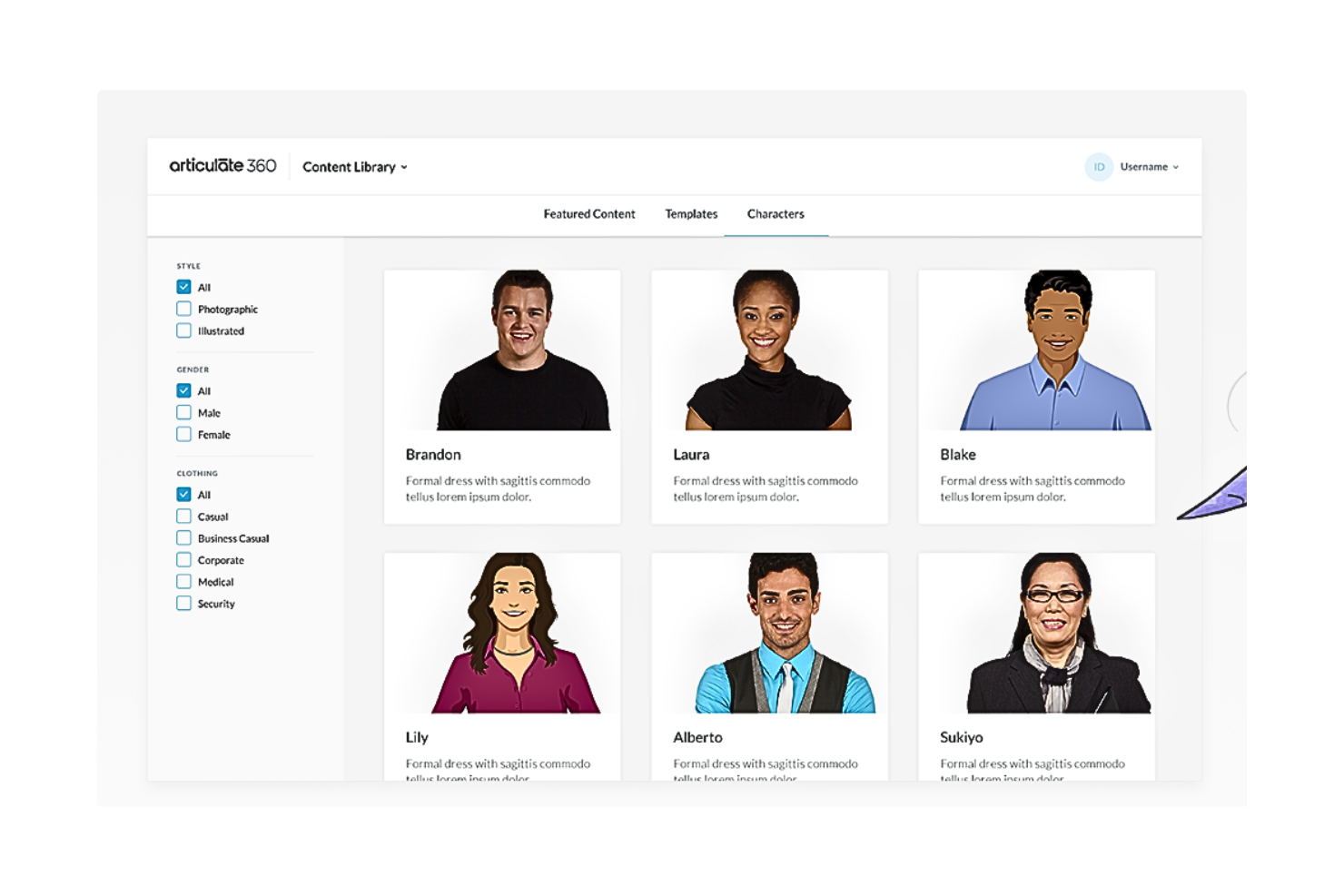
Articulate 360 es una opción ideal para profesionales que buscan crear experiencias de aprendizaje en línea atractivas, especialmente en entornos corporativos y educativos. Ofrece una completa suite de herramientas diseñadas para simplificar el proceso de desarrollo de cursos interactivos, lo que la convierte en un recurso valioso para diseñadores instruccionales y responsables de formación. Al abordar desafíos como la interactividad de los cursos y el compromiso de los estudiantes, Articulate 360 te permite ofrecer experiencias de aprendizaje impactantes con confianza.
Por qué elegí Articulate 360
Elegí Articulate 360 por su reputación como solución integral para el desarrollo de cursos de aprendizaje en línea (eLearning), proporcionando todo lo necesario para crear contenidos interactivos y atractivos. Con su potente herramienta Storyline 360, puedes diseñar cursos personalizados que incluyan cuestionarios, interacciones y elementos multimedia. Además, Rise 360 te permite crear cursos adaptativos que lucen perfectamente en cualquier dispositivo, asegurando que tus estudiantes tengan una experiencia fluida. Estas características convierten a Articulate 360 en una opción destacada para quienes buscan potenciar sus capacidades de diseño instruccional.
Características clave de Articulate 360
Además de sus herramientas principales, Articulate 360 ofrece varias características que respaldan aún más tus esfuerzos de creación de cursos.
- Content Library 360: Acceso a una amplia colección de plantillas, personajes y recursos gráficos para mejorar el diseño de tus cursos.
- Review 360: Una plataforma colaborativa que permite recopilar comentarios de los interesados y agilizar el proceso de revisión.
- Articulate Live: Webinarios en vivo y recursos de formación para ayudarte a dominar el software y mejorar tus habilidades en aprendizaje en línea (e-learning).
- Soporte de traducción: Herramientas para traducir fácilmente tus cursos a varios idiomas, ampliando tu alcance a audiencias globales.
Integraciones de Articulate 360
Las integraciones incluyen Slack, Microsoft Teams, Zapier y opciones de API personalizadas.
Pros and Cons
Pros:
- Diseño adaptativo para una funcionalidad fluida en cualquier dispositivo.
- Amplia biblioteca de recursos con plantillas personalizables.
- Suite de herramientas integral para el desarrollo completo de cursos.
Cons:
- Puede resultar abrumador para usuarios que buscan soluciones sencillas
- Flexibilidad limitada para estilos de aprendizaje autodirigidos.
- El precio puede ser una barrera para particulares u organizaciones pequeñas.

Elucidat
Ideal para el diseño colaborativo de cursos en la nube
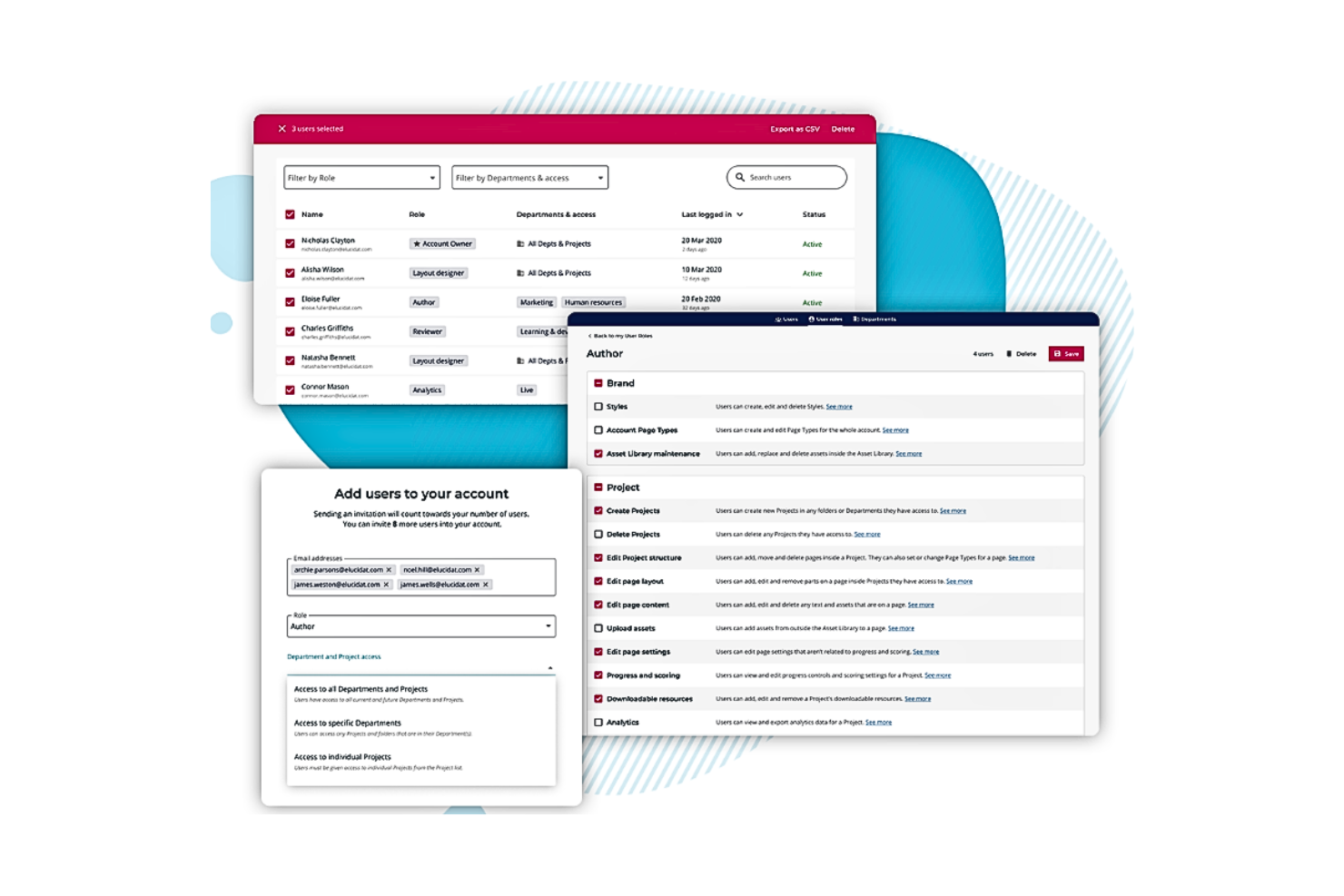
Elucidat es un software de diseño de aprendizaje basado en la nube que atiende a grandes organizaciones que buscan mejorar sus programas de capacitación. Su plataforma respalda la colaboración y la escalabilidad, lo que la hace ideal para equipos que necesitan crear contenidos de aprendizaje digital atractivos. Con funciones diseñadas para simplificar la creación y gestión de cursos, Elucidat ayuda a ofrecer experiencias de aprendizaje de alta calidad en diversas industrias.
Por qué elegí Elucidat
Elegí Elucidat por sus excepcionales capacidades en el diseño de cursos colaborativos a través de su plataforma en la nube. Esta herramienta permite que tu equipo trabaje conjuntamente sin problemas, ofreciendo características como edición en tiempo real y control de versiones para asegurar que todos estén alineados. Las analíticas de la plataforma brindan información detallada sobre la participación de los alumnos, lo que te permite perfeccionar tu contenido basándote en datos reales. Además, sus herramientas de diseño responsivo garantizan que tus cursos se vean bien en cualquier dispositivo, adaptándose a las necesidades del alumno moderno.
Principales características de Elucidat
Además de sus capacidades colaborativas de diseño de cursos, Elucidat ofrece varias otras funciones que la convierten en una opción destacada:
- Acelerador de aprendizaje: Esta función ayuda a agilizar el proceso de creación de contenido proporcionando plantillas y temas prediseñados, permitiéndote producir materiales de capacitación más rápido.
- Traducción automática: Con soporte para más de 75 idiomas, esta función garantiza que tu contenido sea accesible para una audiencia global sin necesidad de extensos trabajos de traducción manual.
- Cumplimiento SCORM: La compatibilidad de Elucidat con SCORM asegura que tus cursos puedan integrarse fácilmente con varios sistemas de gestión de aprendizaje, manteniendo la coherencia y el seguimiento del progreso de los alumnos.
- Analíticas avanzadas: La plataforma provee análisis detallados que ofrecen información sobre el comportamiento del alumno y la eficacia del curso, ayudándote a tomar decisiones basadas en datos para mejorar tus programas de capacitación.
Integraciones de Elucidat
Las integraciones incluyen Moodle, SAP Litmos, Cornerstone, Degreed, Docebo, SuccessFactors, Saba, TalentLMS, Absorb LMS y LearnUpon.
Pros and Cons
Pros:
- Interfaz fácil de usar que no requiere conocimientos de programación.
- Basado en la nube para facilitar el acceso desde cualquier dispositivo.
- Ideal para la colaboración, con actualizaciones en tiempo real.
Cons:
- El alto costo puede no ser asequible para pequeñas empresas
- Los usuarios pueden experimentar una curva de aprendizaje debido a la amplia gama de funciones.
- Carece de algunas funciones avanzadas de personalización.

Ideal para agilizar la creación de contenidos con potentes herramientas de autoría
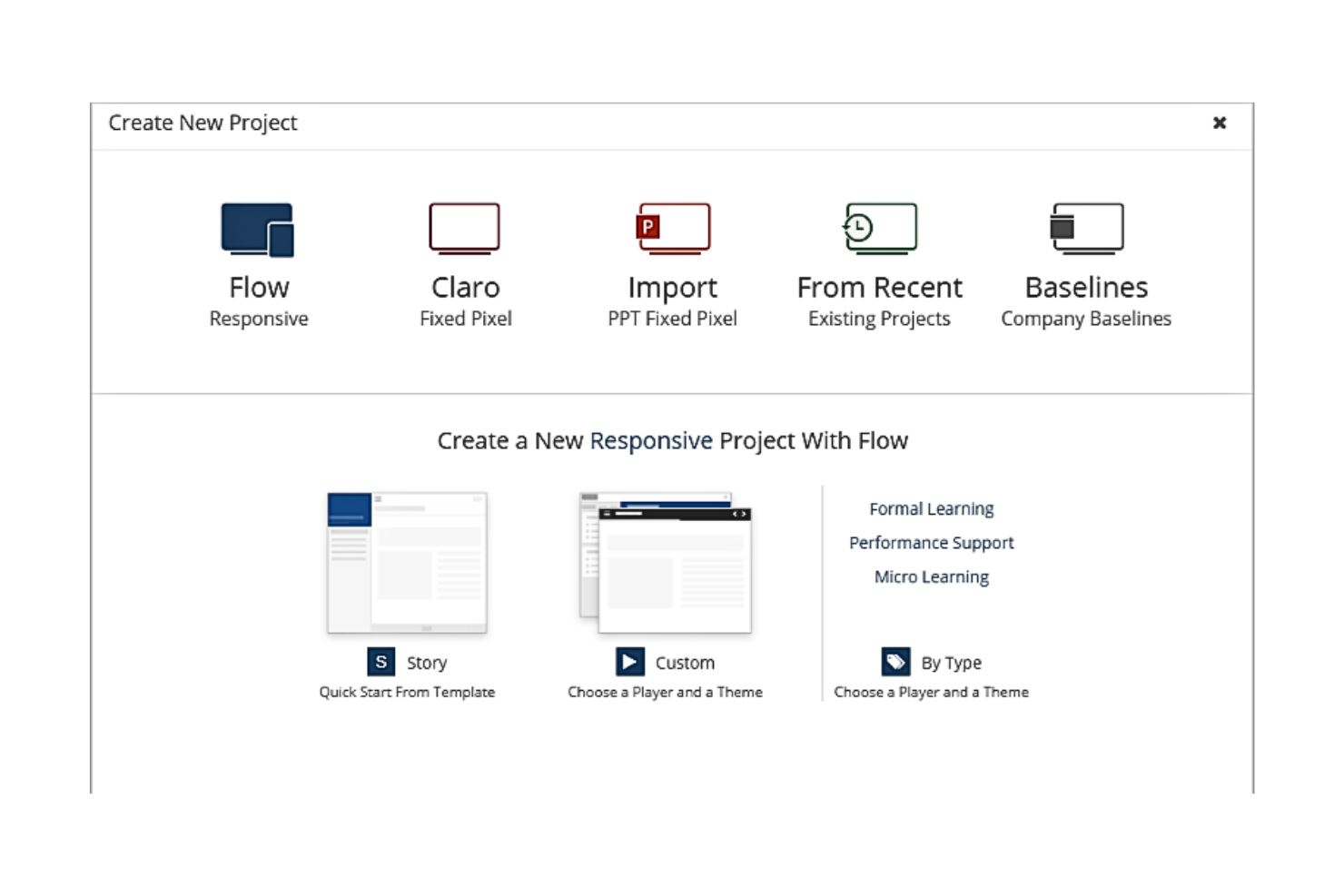
DominKnow es una herramienta de eLearning altamente versátil diseñada para simplificar el proceso de creación de contenidos. Con una variedad de funciones de autoría en su núcleo, te permite crear, compartir, reutilizar y colaborar en cursos y materiales de aprendizaje de manera ágil, lo que la hace especialmente eficaz para quienes buscan optimizar su proceso de creación de contenido.
Por qué elegí DominKnow: Elegí DominKnow por su capacidad para transformar el panorama del eLearning al ofrecer un conjunto completo de potentes herramientas de autoría. En comparación con otros programas de diseño de aprendizaje, DominKnow destaca por su capacidad para simplificar la creación de contenido, convirtiendo tareas complejas en manejables. Por eso considero que es la mejor para agilizar la creación de contenidos.
Características destacadas e integraciones
DominKnow cuenta con un potente conjunto de funciones que incluyen gestión de contenidos, diseño de cursos responsivos y autoría colaborativa. Estas capacidades garantizan la colaboración y la coherencia en todos los cursos. Las integraciones clave incluyen sistemas de gestión del aprendizaje (LMS) como Moodle y Canvas, y otras plataformas como xAPI y SCORM para el seguimiento del avance del estudiante.
Pros and Cons
Pros:
- Capacidades de autoría completas
- Fuerte integración con varias plataformas LMS
- Permite la colaboración en la creación de cursos
Cons:
- Precio más alto en comparación con otras opciones
- Curva de aprendizaje más pronunciada para nuevos usuarios
- La facturación anual puede ser un compromiso para algunos
Ideal para crear contenido eLearning interactivo
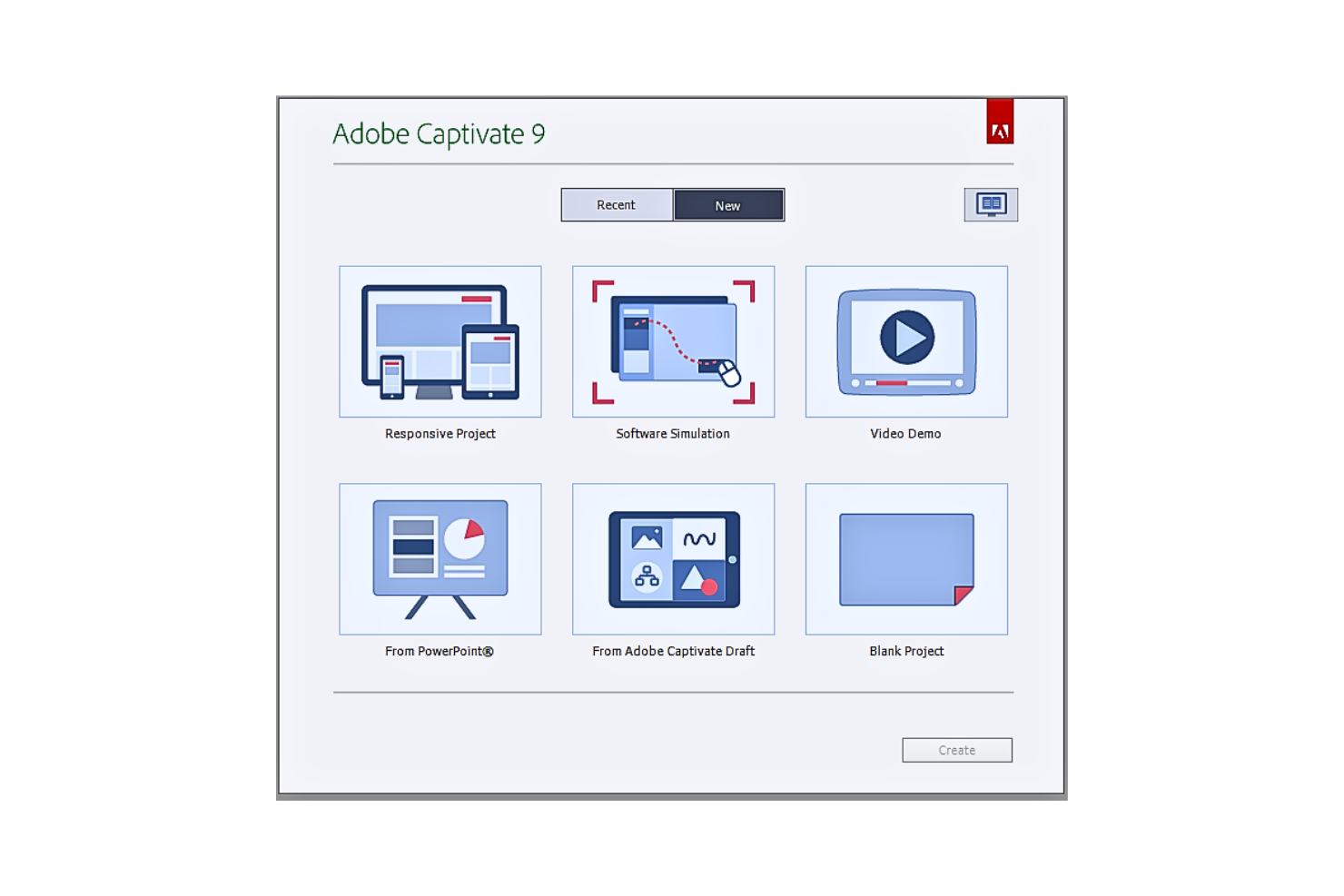
Adobe Captivate es una potente herramienta de autoría de eLearning, reconocida por su capacidad para crear contenido de aprendizaje en línea dinámico e interactivo. Permite a los desarrolladores diseñar experiencias de aprendizaje digital únicas y atractivas, encajando perfectamente con su reputación como la herramienta ideal para la creación de contenidos eLearning interactivos.
Por qué elegí Adobe Captivate: Escogí Adobe Captivate por sus sólidas capacidades para crear contenido eLearning altamente interactivo. Ofrece un nivel de interactividad que muchas otras herramientas no tienen, permitiendo a los diseñadores de cursos involucrar a los estudiantes de manera más efectiva. Este alto grado de personalización e interacción es la razón por la que determiné que Adobe Captivate es la mejor herramienta para la creación de contenido eLearning interactivo.
Funciones destacadas e integraciones
Las funciones de Adobe Captivate incluyen el diseño de cursos responsivos, la conversión de PowerPoint a contenido eLearning y escenarios avanzados de evaluación. Se integra con Adobe Creative Cloud, lo que ofrece recursos adicionales para la creación de contenidos, así como con los principales Sistemas de Gestión de Aprendizaje (LMS) para la entrega de contenidos.
Pros and Cons
Pros:
- Capacidades avanzadas para la creación de contenido interactivo
- Integración con Adobe Creative Cloud y varias plataformas LMS
- Funciones para convertir presentaciones de PowerPoint en cursos eLearning
Cons:
- El software puede ser complejo para principiantes
- El precio puede ser elevado para individuos u organizaciones pequeñas
- La complejidad de la herramienta puede generar una curva de aprendizaje más pronunciada

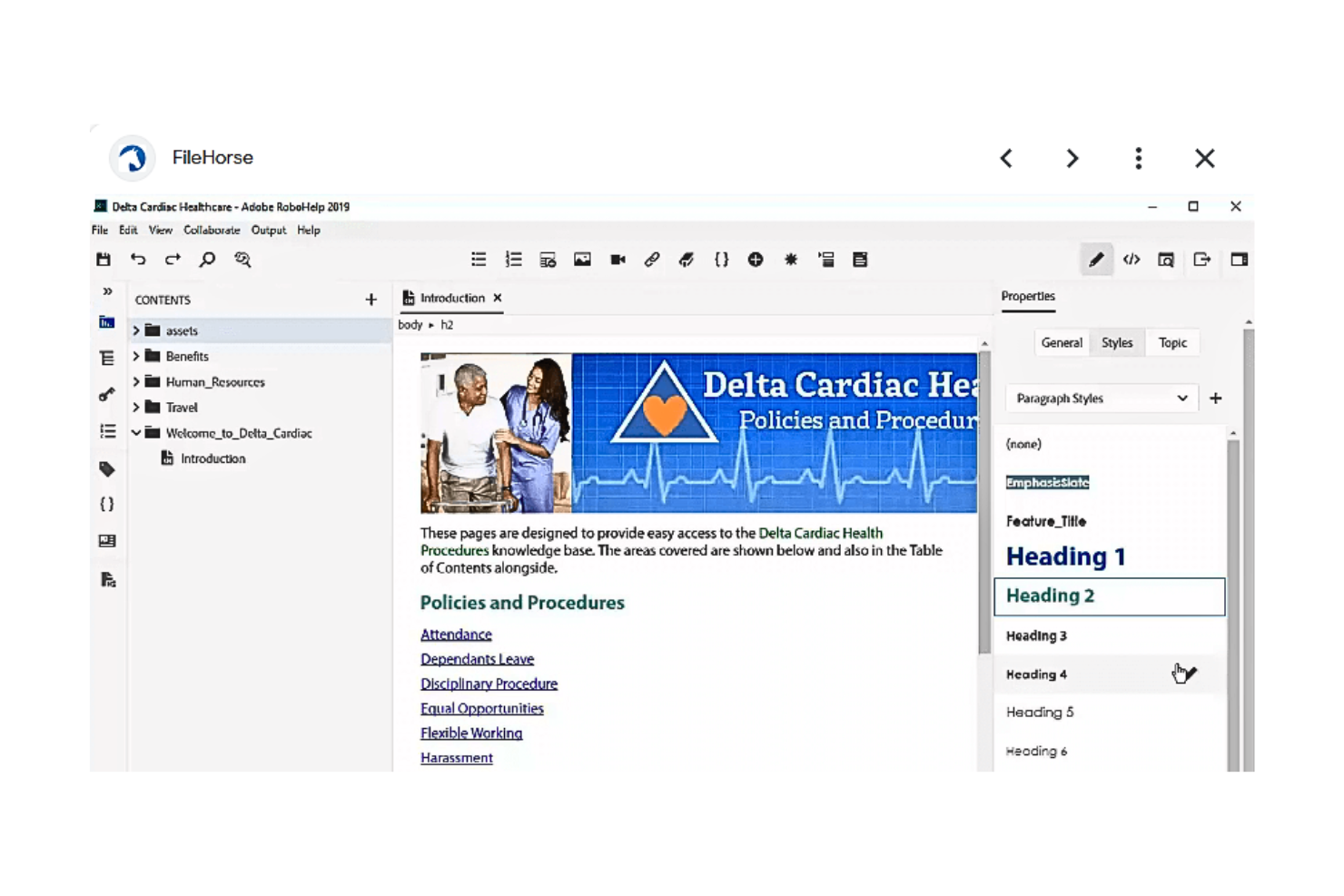
Adobe RoboHelp es una herramienta de autoría profesional ideal para desarrollar sistemas de ayuda, contenido de aprendizaje electrónico, bases de conocimiento y más. Combina un conjunto de funciones completas con una interfaz de usuario intuitiva para permitir la creación de diversos tipos de contenido informativo, lo que lo convierte en la elección perfecta para bases de conocimiento y manuales de usuario.
Por qué elegí Adobe RoboHelp: En mi búsqueda del mejor software para diseño de aprendizaje, Adobe RoboHelp destacó por su fortaleza específica en la creación de bases de conocimiento y manuales de usuario. Ofrece una combinación de funcionalidades que satisfacen precisamente estas necesidades, en las que muchos otros en el mercado no se especializan. Por eso elegí RoboHelp como la mejor herramienta para crear bases de conocimiento y manuales de usuario.
Funciones destacadas e integraciones
Adobe RoboHelp ofrece funciones como un editor HTML WYSIWYG, publicación desde una única fuente, salida multilingüe y gestión de contenidos. Puede integrarse con Adobe Captivate para importar simulaciones y demostraciones, y con otras herramientas de Adobe Creative Cloud para mejorar las capacidades multimedia.
Pros and Cons
Pros:
- Funciones sólidas para crear bases de conocimiento y manuales de usuario
- Integración con Adobe Creative Cloud
- Salida de contenido multilingüe
Cons:
- El precio puede ser elevado para organizaciones pequeñas
- Tiene una curva de aprendizaje para principiantes
- Integraciones limitadas fuera del ecosistema de software de Adobe

Ideal para incrementar la productividad con capacidades de formación a demanda

Brainshark ofrece una plataforma innovadora orientada a mejorar el aprendizaje y la productividad mediante sus capacidades de formación a demanda. Su conjunto de herramientas y funciones permite crear, distribuir y hacer seguimiento del contenido, alineándose perfectamente con la necesidad de las empresas de impulsar la productividad y la eficiencia en la capacitación.
Por qué elegí Brainshark: Elegí Brainshark por su capacidad para elevar la experiencia de aprendizaje tradicional, poniendo especial énfasis en la formación a demanda. Tras comparar varias plataformas, consideré que Brainshark cuenta con las funciones más efectivas para facilitar módulos de entrenamiento flexibles y accesibles. Por ello, estoy convencido de que Brainshark es la mejor opción para impulsar la productividad gracias a sus incomparables capacidades de formación a demanda.
Características y conectores destacados
Brainshark ofrece una gran variedad de funciones, como autoría de contenido, coaching y analítica, que permiten a las organizaciones llevar a cabo capacitaciones cuando más se necesitan. Su integración con plataformas destacadas como Salesforce, Microsoft Dynamics y Seismic la convierte en una herramienta versátil y adaptable a distintos entornos empresariales.
Pros and Cons
Pros:
- Funciones de formación a demanda
- Integración con los principales sistemas CRM
- Potentes capacidades de análisis e informes
Cons:
- Tarifa base adicional por uso
- Puede requerir tiempo de adaptación para los usuarios
- Las opciones de personalización pueden ser limitadas para algunos casos específicos

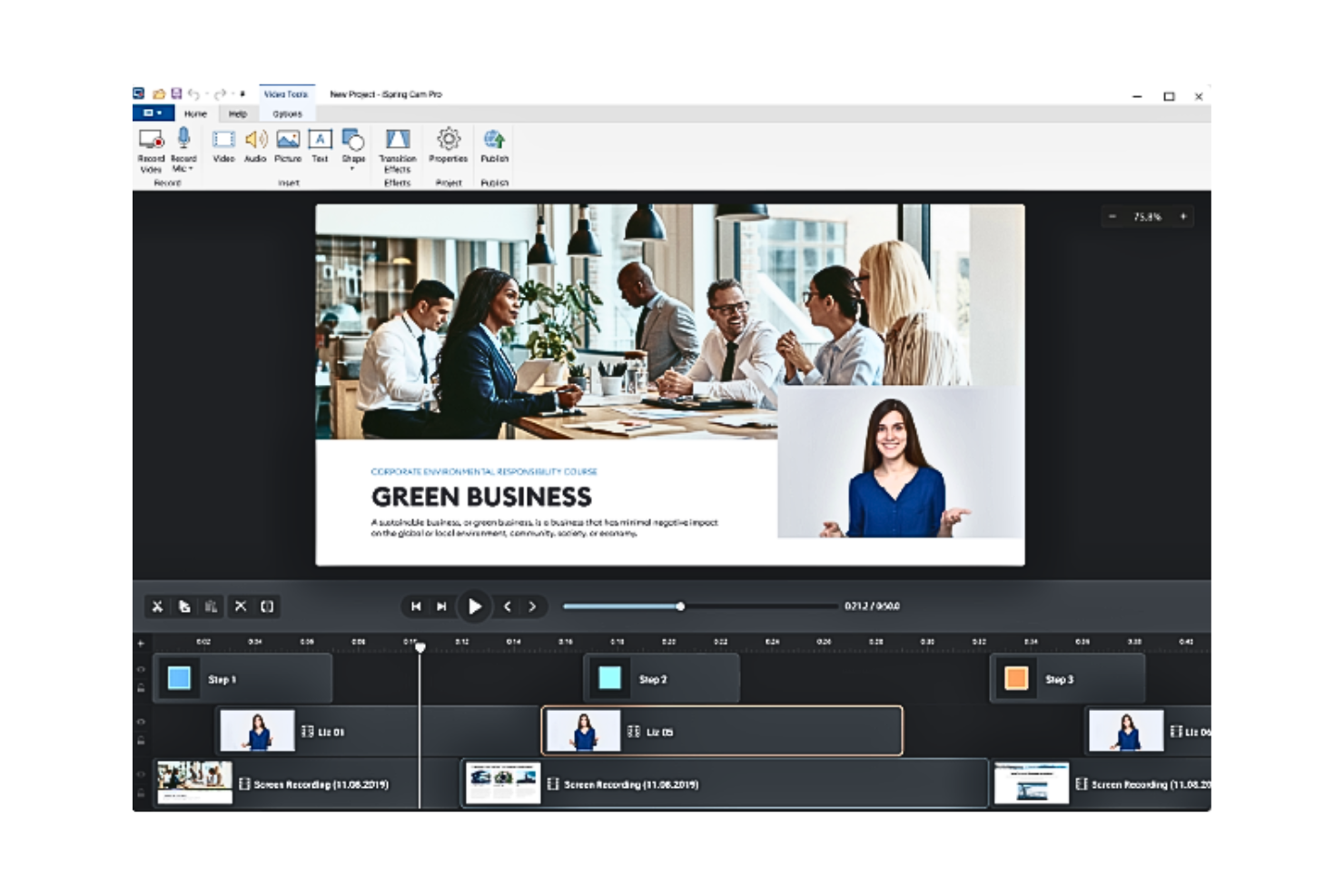
iSpring Suite 11 funciona como una herramienta versátil de autoría de eLearning, integrándose perfectamente con PowerPoint para transformar tus presentaciones en cursos interactivos y atractivos. Diseñada para educadores y equipos de formación, ofrece una solución práctica para quienes buscan mejorar su contenido didáctico sin recurrir a software complejo. Aprovechando sus capacidades, puedes afrontar el reto de crear experiencias de aprendizaje dinámicas que cautiven y eduquen a tu audiencia.
Por qué elegí iSpring Suite 11
Elegí iSpring Suite 11 por su capacidad excepcional para mejorar la autoría de cursos basados en PowerPoint y su integración fluida con sistemas LMS. Su característica más sobresaliente es la conversión de presentaciones de PowerPoint en cursos compatibles con SCORM, lo que te permite aprovechar el contenido existente y asegurar la compatibilidad con los principales sistemas de gestión de aprendizaje. La inclusión de elementos interactivos, como cuestionarios y simulaciones, no solo enriquece la experiencia de aprendizaje, sino que también responde a la necesidad de una entrega de contenidos atractiva. Esto convierte a iSpring Suite 11 en una opción práctica para quienes buscan optimizar sus procesos de diseño instruccional.
Características clave de iSpring Suite 11
Además de su integración con PowerPoint y compatibilidad con LMS, también encontré varias otras funciones destacables en iSpring Suite 11:
- Cuestionarios gamificados: Crea cuestionarios interactivos que aumentan la participación del alumno con diversos tipos de preguntas y opciones de retroalimentación.
- Simulaciones basadas en personajes: Diseña escenarios ramificados y juegos de rol para simular situaciones reales, brindando a los alumnos experiencia práctica.
- Producción de videos de formación: Desarrolla tutoriales en video completos y guías paso a paso para explicar procesos complejos de manera efectiva.
- Soporte técnico 24/7: Accede a asistencia en cualquier momento para asegurar un funcionamiento fluido y la resolución oportuna de cualquier inconveniente.
Integraciones de iSpring Suite 11
Las integraciones incluyen Moodle, Google Classroom y una API de JavaScript para integraciones personalizadas.
Pros and Cons
Pros:
- Integración con PowerPoint para la autoría de cursos
- Soporta la creación de cursos compatibles con SCORM para facilitar la integración con LMS
- Convierte presentaciones en archivos SCORM para compatibilidad con LMS.
Cons:
- Puede ser limitado para usuarios que no dependan mucho de PowerPoint
- Las funciones avanzadas pueden requerir una curva de aprendizaje para principiantes.
- El precio elevado puede ser una barrera para organizaciones pequeñas.

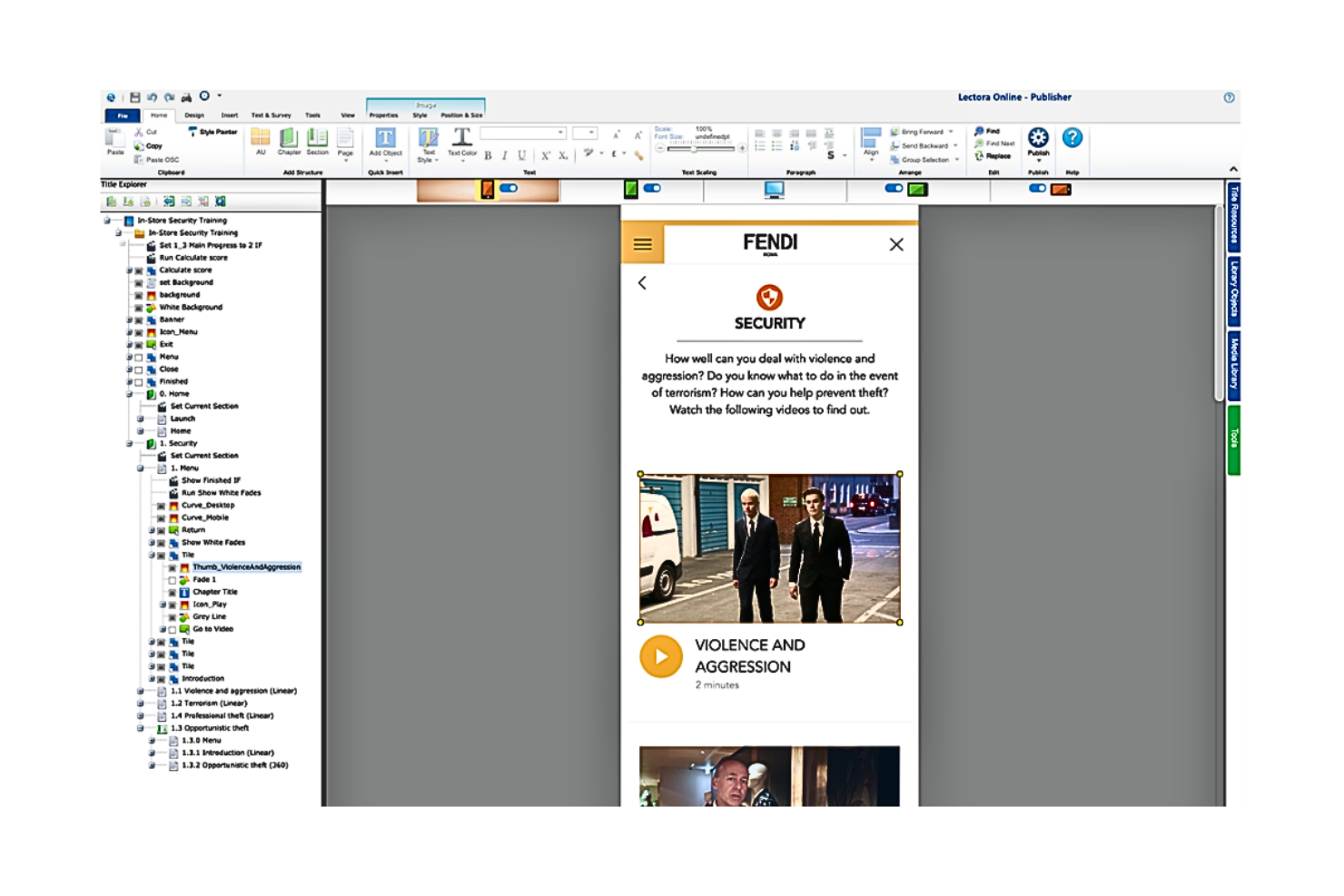
Lectora es una herramienta integral para el desarrollo de eLearning que se centra en la creación rápida y eficiente de cursos. Su potente conjunto de funciones permite a los usuarios desarrollar contenido eLearning interactivo y de nivel profesional de manera ágil, alineándose perfectamente con las necesidades de entornos de aprendizaje acelerados.
Por qué elegí Lectora: Lectora me llamó la atención al seleccionar entre muchos programas de diseño de aprendizaje debido a su énfasis en el desarrollo rápido de eLearning. Destaca de manera única por su capacidad de facilitar la creación rápida de experiencias de aprendizaje interactivas.
Dada su apuesta por la creación de contenidos de aprendizaje a ritmo acelerado, consideré que Lectora es la mejor opción para el desarrollo rápido de eLearning.
Características destacadas e integraciones
Lectora ofrece una serie de funciones útiles, incluyendo plantillas personalizables, una interfaz intuitiva y herramientas para desarrollar contenido responsivo y accesible.
Permite la integración con varias plataformas LMS, como Moodle, Blackboard y Canvas, junto con otras herramientas como Tin Can API y SCORM para el seguimiento de contenidos.
Pros and Cons
Pros:
- Capacidad de desarrollo rápido de eLearning
- Integración sencilla con plataformas LMS populares
- Plantillas personalizables para la creación versátil de cursos
Cons:
- El precio puede ser una barrera para pequeñas organizaciones
- Requiere una curva de aprendizaje para aprovechar todas las funciones
- No ofrece opción de pago mensual, solo planes anuales disponibles
Otros programas destacados de diseño del aprendizaje
A continuación se muestra una lista de programas adicionales de diseño del aprendizaje que seleccioné, pero que no llegaron a estar entre los 12 mejores.
- Lectora Inspire
Mejor para crear experiencias de aprendizaje inmersivas
- dominKnow | ONE
Ideal por su sistema versátil de gestión de contenido eLearning
- Adapt Learning
Ideal para crear aprendizaje responsivo y multidispositivo
- Rise
Ideal por su interfaz fácil de usar y diseño adaptable


Cómo evalúo el software de diseño de aprendizaje
Evalúo estas herramientas en dos niveles: las capacidades principales de autoría y evaluación que toda plataforma debe tener, y los diferenciadores—como el mapeo de habilidades o flujos de trabajo para expertos técnicos (SME)—que determinan la adecuación.
Funcionalidad principal (requisitos básicos para esta lista)
Cuando selecciono herramientas para mi lista, califico cada una en una escala del 0 (no ofrece la funcionalidad) al 5 (destaca en este aspecto) para cada funcionalidad principal que se indica a continuación. Luego, calculo la puntuación total de la herramienta en porcentaje. Cada herramienta debe lograr una puntuación mínima total del 65% para ser considerada en la selección.
- Herramientas de autoría de cursos: Busco editores flexibles que permitan construir módulos completos con video, texto y recursos integrados, como grabar un recorrido por un marco de priorización e insertarlo en una lección.
- Elementos interactivos de aprendizaje: Las evaluaciones y comprobaciones de conocimiento son indispensables, pero también evalúo si la herramienta admite ejercicios basados en escenarios, como simulaciones de decisiones de compromiso entre partes interesadas.
- Diseño de rutas de aprendizaje: Reviso si se pueden secuenciar cursos en planes formativos estructurados, por ejemplo, mapeando el recorrido de un nuevo PM desde fundamentos de descubrimiento hasta temas avanzados de planificación.
- Biblioteca de contenidos y plantillas: Las plantillas prediseñadas y los bloques de contenido reutilizables ahorran horas de trabajo de diseño, así que evalúo la profundidad y variedad de lo que cada plataforma ofrece de serie.
- Seguimiento del progreso del alumno: Las tasas de finalización por sí solas no son suficientes. Busco informes que muestren puntuaciones de evaluaciones, tendencias de participación y progresión de habilidades en un equipo de PM.
- Flujos de trabajo de colaboración y revisión: Los líderes de producto y los SME deben revisar y aprobar el contenido antes de su publicación, por lo que evalúo cómo maneja cada herramienta la retroalimentación de varios interesados y el control de versiones.
Una vez que tengo una lista de herramientas que cumplen estos criterios, considero qué diferencia a cada plataforma.
Factores diferenciadores (lo que distingue a los proveedores)
Así comparo y contraste a los diferentes proveedores:
Características destacadas
La generación de contenido impulsada por IA es un gran diferenciador. Las herramientas que pueden redactar preguntas de prueba o esquemas de cursos a partir de un documento de producto ahorran a los responsables de habilitación horas de trabajo manual. También evalúo el mapeo de habilidades y competencias, que permite etiquetar lecciones a habilidades de PM específicas como descubrimiento o gestión de partes interesadas, y seguir el crecimiento del equipo en relación con esos puntos de referencia. Los flujos de contribución de SME también son muy importantes, ya que los líderes de producto suelen necesitar aportar su experiencia a un curso sin aprender toda una herramienta de autoría.
Más allá de las características
La profundidad de las integraciones es relevante. Reviso si una plataforma se conecta a LMS como Docebo o Cornerstone y herramientas de PM como Jira o Productboard, ya que esto determina lo fácil que es incorporar el aprendizaje a los flujos de trabajo existentes. La estructura de licencias es otro factor clave: la facturación por autor es adecuada para equipos pequeños de habilitación, mientras que los modelos por alumno tienen más sentido para implementaciones a nivel organizativo. También evalúo si una herramienta puede vincular los datos de finalización de cursos con resultados medibles, como conectar un programa de certificación de PM con hitos reales de habilidades en el equipo.
Cómo elegir un programa de diseño del aprendizaje
Al evaluar las opciones de software de diseño del aprendizaje, considera lo siguiente:
- ¿Cuáles son tus objetivos con los materiales que estás creando? -Comienza por identificar los objetivos clave que tus usuarios esperan alcanzar y determina el conjunto de materiales que necesitarás crear para ayudarles a conseguirlos.
- ¿Quién necesitará utilizarlo? - Evalúa el número de personas de tu equipo que necesitarán utilizar el software, ya sea como usuarios activos o como lectores/comentaristas.
- ¿Con qué otras herramientas debe funcionar? - Determina qué herramientas estás reemplazando, cuáles conservarás y con qué herramientas existentes necesitarás integrarlo (si corresponde), como tu sistema de gestión del aprendizaje. Decide si tus herramientas actuales deben integrarse con tu nueva herramienta de diseño del aprendizaje.
- ¿Qué resultados son importantes? - Ten en cuenta el resultado que el software debe proporcionar para considerarse un éxito. Considera qué capacidad quieres obtener o qué quieres mejorar, y cómo medirás el éxito. Por ejemplo, es posible que necesites que tu software te ayude a realizar un seguimiento y comparar los resultados de las evaluaciones a lo largo del tiempo. Mantén presentes los resultados que deseas mientras evalúas las diferentes opciones para priorizar el máximo impacto para tu equipo.
- ¿Cómo funcionaría dentro de tu organización?- ¿Las características y funciones del software se ajustan a los objetivos y requisitos de tu organización? ¿Existen similitudes entre las interfaces de la nueva herramienta y la actual que faciliten que las personas de tu equipo aprendan a utilizarla? Como ocurre con todas las herramientas de software, el número de características no es tan importante como el valor que cada una aporta a tu organización.
Preguntas más frecuentes sobre el software de diseño del aprendizaje
¿Cuáles son los beneficios de utilizar software de diseño del aprendizaje?
El software de diseño del aprendizaje ofrece varios beneficios, entre ellos:
- Eficiencia: agiliza el proceso de creación y distribución de cursos, lo que te permite ahorrar tiempo y esfuerzo.
- Participación: gracias a funciones como cuestionarios, contenido interactivo y compatibilidad con contenido multimedia, mejora la participación y la retención de los estudiantes.
- Flexibilidad: estas herramientas suelen ser compatibles con el aprendizaje móvil, lo que permite a los estudiantes acceder a los cursos en cualquier momento y lugar.
- Integración: muchas herramientas de diseño del aprendizaje se integran fácilmente con LMS, sistemas de recursos humanos o sitios web, creando un ecosistema de aprendizaje.
- Información: las sólidas funciones de generación de informes ofrecen información sobre el progreso de los estudiantes y la eficacia de los cursos, lo que sirve de base para futuras estrategias de desarrollo de cursos.
¿Cuánto suelen costar las herramientas de software de diseño del aprendizaje?
El precio del software de diseño del aprendizaje varía significativamente en función de las características específicas, el número de usuarios y el nivel de asistencia al cliente proporcionado. Normalmente, se utiliza un modelo de precios basado en suscripciones, con cobros mensuales o anuales.
¿Cuáles son los modelos de precios habituales del software de diseño del aprendizaje?
La mayoría de las herramientas de software de diseño del aprendizaje siguen un modelo de precios basado en suscripciones. Algunas ofrecen precios escalonados, con distintos niveles de funcionalidad y características disponibles a diferentes precios. Otras pueden cobrar por usuario o por curso, o proporcionar acceso ilimitado por una tarifa fija.
¿Cuál es el rango de precios habitual del software de diseño del aprendizaje?
El precio del software de diseño del aprendizaje puede oscilar entre unos $20 al mes para las herramientas básicas y varios cientos de dólares al mes para soluciones más completas de nivel empresarial.
¿Cuáles son los software de diseño del aprendizaje más baratos y más caros?
El software de diseño del aprendizaje menos costoso suele partir de unos $20 al mes para funcionalidades básicas. En el extremo superior, las soluciones completas con funciones avanzadas pueden costar varios cientos de dólares al mes. Por ejemplo, Adobe Captivate comienza en $33.99 por usuario al mes, mientras que Articulate 360 comienza en $999 por usuario al año (unos $83 por usuario al mes).
¿Existen opciones gratuitas de software de diseño del aprendizaje?
Sí, existen opciones gratuitas disponibles, como Moodle, que es un sistema de gestión del aprendizaje de código abierto. Sin embargo, ten en cuenta que, aunque el software en sí puede ser gratuito, puede haber costes asociados al alojamiento, la personalización y la asistencia. Además, las versiones gratuitas del software de pago suelen tener limitaciones en cuanto a las funciones, el número de usuarios o los cursos.
Otras reseñas de software de diseño
- Herramientas de retroalimentación sobre diseño
- Herramientas de creación de prototipos para Android
- Software de diseño de productos
- Software de diseño colaborativo
Resumen
En conclusión, la selección de un software de diseño del aprendizaje es un aspecto crucial para crear cursos de aprendizaje electrónico atractivos y eficientes. La herramienta que elijas no solo debe poder ofrecer tu contenido de manera eficaz, sino también proporcionar funciones adicionales, como la integración con otros sistemas, un diseño fácil de usar y generación de informes útiles.
Conclusiones clave
- Define tus necesidades: el «mejor» software de diseño del aprendizaje es subjetivo y depende en gran medida de tus necesidades y contexto específicos. Define las funciones esenciales que necesitas, tu presupuesto y el nivel de asistencia que deseas antes de comenzar tu búsqueda.
- Considera la facilidad de uso y la asistencia: incluso el software con más funciones puede quedarse corto si no es fácil de usar o carece de una asistencia adecuada al cliente. Considera la curva de aprendizaje y el nivel de asistencia que proporciona el proveedor del software.
- Evalúa las funciones clave: considera la propuesta de valor única de cada herramienta. Algunas destacan por su interactividad, otras por su integración y otras por la experiencia del usuario. Identifica las funciones que mejor se alinean con tus objetivos de aprendizaje electrónico.
Si tienes en cuenta estos factores, estarás bien preparado para elegir el software de diseño del aprendizaje que mejor se adapte a tus necesidades.
¿Qué sigue?
Para ampliar tu conjunto de herramientas, también puedes consultar algunos de estos excelentes pódcast sobre diseño instruccional, porque para crear excelentes productos de aprendizaje necesitarás excelentes herramientas y también grandes habilidades.
No olvides suscribirte a nuestro boletín para recibir más recursos y guías de gestión de productos, además de los pódcast, entrevistas y otras novedades más recientes de líderes y expertos del sector.