

Bir ürün yöneticisi olarak yaratıcı tasarım ihtiyaçlarını pratik iş hedefleriyle dengeleme konusunda zorluklarla karşılaşırsınız. Sketch, tercih edilen bir araç olmuştur ancak kendine özgü gereksinimlerinize uymayabilir. Bunun nedeni uyumluluk sorunları, ekip iş birliği ihtiyaçları veya eksik olan belirli özellikler olabilir.
Deneyimlerime göre doğru tasarım aracını bulmak iş akışınızı dönüştürebilir ve verimliliğinizi artırabilir. Bu nedenle çeşitli Sketch alternatiflerini bağımsız olarak test edip inceledim. Amacım, ekibinizin ihtiyaçlarına daha uygun olabilecek araçlar hakkında tarafsız bilgiler sunmak.
Bu makalede, benzersiz özelliklerini ve avantajlarını öne çıkararak Sketch'in en iyi alternatiflerini paylaşacağım. Amacım, tasarım sürecinizi iş hedeflerinizle uyumlu hâle getirerek bilinçli bir seçim yapmanıza yardımcı olmak.
Sketch Nedir?
Sketch, kullanıcı arayüzleri ve dijital sanat eserleri oluşturmak için kullanılan bir ürün tasarımı aracıdır. İlgi çekici ve kullanıcı dostu dijital deneyimler geliştirmesi gereken tasarımcılar, UX/UI profesyonelleri ve ürün yöneticileri arasında popülerdir. Vektör düzenleme, prototip oluşturma ve iş birliğine dayalı tasarım gibi özellikler ekibinizin yaratıcı sürecini destekler ve verimliliği artırır. Genel olarak Sketch, tasarım fikirlerinizi gerçeğe dönüştürmek için değerli olanaklar sunar.
Why Trust Our Software Recommendations
6,700+
Reviews
20
Industry experts
16+
Evaluation factors
14
Years
Our team has been testing and reviewing software since 2012. As product managers ourselves, we know how difficult—and important—it is to choose the right software.
For this guide, we evaluated tools using hands-on testing and independent research, scoring tools using our selection criteria.
Our reviews reflect our human editorial judgment, not a sales pitch.
Expert reviewers:
- Andrew LumbySenior TPM
- Cristiano ValimSenior UI/UX Lead


Sketch Alternatifleri Karşılaştırma Tablosu
Bu karşılaştırma tablosu, Sketch için en iyi alternatif seçimlerimin fiyatlandırma ayrıntılarını özetlemektedir.
Score legend (out of 5)
- Excellent4.5–5
- Good4–4.4
- Average3–3.9
- Below average2–2.9
- Poor1–1.9
Sorted by: Default
| Tool | Starting Price | Website | |||||||
|---|---|---|---|---|---|---|---|---|---|
Best for offline design on Windows and Linux | 3.2 out of 5 | 4 | 4 | 4 | 3 | 3 | 1 | $11.99/user/month Free plan + free demo available | Website |
Best for free real-time co-editing on any OS | 3.3 out of 5 | 3 | 3 | 5 | 4 | 3 | 2 | $4.95/user/month Free plan + 30-day free trial + free demo available | Website |
Best for Creative Cloud users prototyping on Windows | 3.2 out of 5 | 4 | 4 | 2 | 4 | 3 | 2 | $91.99/month Free trial available | Website |
Best for data-driven functional prototyping | 3.2 out of 5 | 2 | 3 | 4 | 5 | 3 | 2 | $19/user/month Free plan + 10-day trial available | Website |
Best for logic-heavy UX documentation | 3.0 out of 5 | 3 | 3 | 2 | 5 | 3 | 2 | $29/user/month Free plan + 30-day free trial available | Website |
Best for browser-based design collaboration | 4.8 out of 5 | 5 | 4 | 5 | 5 | 5 | 5 | $3/user/month Free plan available | Website |
Best for responsive web design and publishing | 3.8 out of 5 | 4 | 2 | 5 | 4 | 4 | 4 | $10/month Free plan + free trial available | Website |
Best for code-based component prototyping | 3.7 out of 5 | 4 | 3 | 3 | 5 | 5 | 2 | $49/user/month Free plan + 14-day free trial + demo available | Website |
Best for open-source cross-platform UI design | 4.0 out of 5 | 4 | 4 | 4 | 4 | 5 | 3 | $7/user/month Free plan + 14-day free trial + free demo available | Website |
Best for one-time lifetime design licensing | 3.7 out of 5 | 4 | 4 | 4 | 4 | 4 | 2 | $4/user/month Free plan + free trial available | Website |


2020'den beri ürün yönetimi yazılımlarını test ediyor ve inceliyoruz. Ürün yöneticileri olarak doğru yazılımı seçerken doğru kararı vermenin ne kadar kritik ve zor olduğunu biliyoruz. Okuyucularımızın daha iyi yazılım satın alma kararları vermesine yardımcı olmak için kapsamlı araştırmalara yatırım yapıyoruz.
Farklı ürün yönetimi kullanım senaryoları için 2.000'den fazla aracı test ettik ve 1.000'den fazla kapsamlı yazılım incelemesi yazdık. Şeffaflığımızı nasıl koruduğumuzu öğrenin & yazılım inceleme metodolojimize göz atın.
En İyi Sketch Alternatifleri İncelemeleri
Aşağıda, kısa listeme giren en iyi Sketch alternatiflerinin ayrıntılı özetlerini bulabilirsiniz. İncelemelerim, size en uygun aracı bulmanıza yardımcı olmak için her aracın temel özelliklerine, avantajlarına & dezavantajlarına, entegrasyonlarına ve ideal kullanım alanlarına ayrıntılı bir bakış sunar.
 Best for offline design on Windows and Linux
- Free plan + free demo available
- From $11.99/user/month (billed annually)
Visit WebsiteCustomer Rating:4.4/5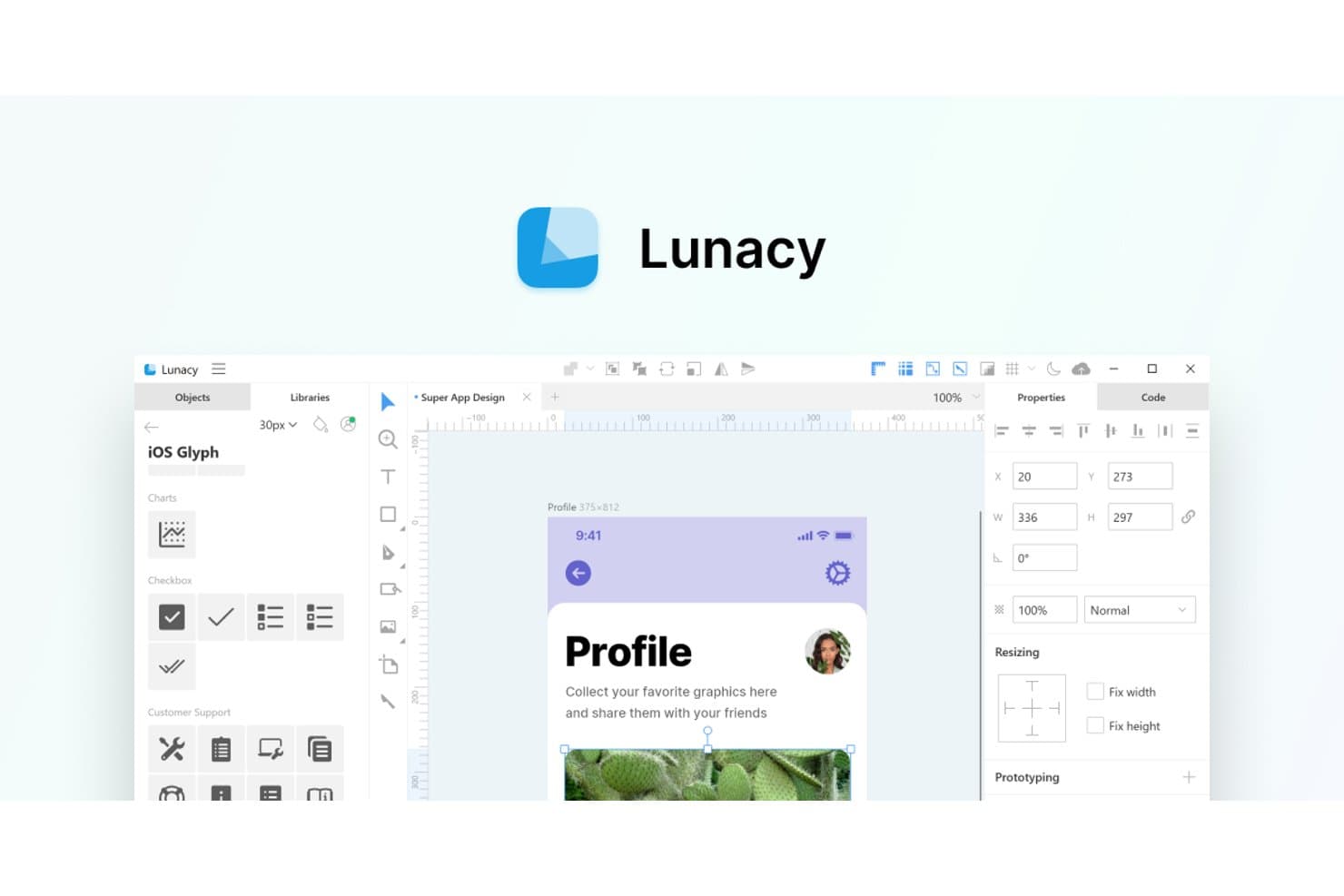
Lunacy offers a Sketch-like UI with built-in icon libraries and design tools. Lunacy is a free, native design app from Icons8 that opens and edits
.sketchfiles directly, making it a practical pick for UI/UX designers and freelancers who want a full-featured vector tool without a browser-based editor or a paid subscription.Who Is Lunacy Best For?
Lunacy is a strong fit for UI/UX designers and freelancers who work on Windows or Linux and want a full-featured, free design tool that handles
.sketchfiles natively.Why I Picked Lunacy
I picked Lunacy as one of the best because it's the only tool on my shortlist that runs as a true native app on Windows, macOS, and Linux, with full offline support for local
.sketchfiles. I appreciate that you can open, edit, and save.sketchfiles directly, no conversion needed, which makes it a natural landing spot if you're moving off Sketch on a non-Mac machine. Auto layout, nested frames, and real-time cloud collaboration round out a surprisingly complete feature set for a free editor.Lunacy Key Features
- Real-time cloud collaboration: Multiple editors can work on the same cloud document simultaneously, with observer mode, canvas comments, and version history included on the free plan.
- Component states and variants: Lunacy's component states system lets you define and swap interactive states within a single component, similar to Figma variants.
- AI-assisted design tools: A built-in AI chat supports Claude, Gemini, OpenAI, and Grok models and can generate and modify layouts using auto layout directly on the canvas.
- Prototyping with Smart Animate: You can link frames with triggers, overlays, spring animations, and scrolling interactions, then share prototypes via a web player link.
Lunacy Integrations
Lunacy doesn't have any native integrations. It lists Zeplin, Abstract, Simpli, and Avocode as compatible handoff tools, and supports custom connections through its MCP/HTTP Automation API.
Pros and Cons
Pros:
- Live editing includes observer mode
- Edits Sketch files without conversion
- Reviewers praise fast offline desktop performance
Cons:
- Shared libraries require cloud documents
- Large files can crash or freeze
Learn more about Lunacy: Best for free real-time co-editing on any OS
- Free plan + 30-day free trial + free demo available
- From $4.95/user/month (billed annually)
Visit WebsiteCustomer Rating:4.5/5
Mockplus enables real-time collaboration with multiple users on web designs. Mockplus RP is a browser-based wireframing and prototyping tool that suits UX designers, product managers, and design team leads who need to build interactive flows, gather feedback, and hand off specs without being tied to a single operating system.
Who Is Mockplus Best For?
Mockplus RP is a strong fit for design team leads who need free real-time co-editing across Mac, Windows, and Linux without locking the team into a single OS.
Why I Picked Mockplus
I've included Mockplus in my top picks because it's the only tool on this list that lets up to 10 co-editors work simultaneously in real time on the free plan, with no save conflicts, across Mac, Windows, and Linux. I particularly like that Connect mode lets my team map out user flows and sitemaps alongside interactive prototypes in the same file, without switching tools. The browser-based editor means a Linux developer and a Mac designer can review the same prototype together without anyone installing anything.
Mockplus Key Features
- Axure file import: Import Axure files in one click with up to 95% of the UI and interactions preserved and editable.
- Connect mode: Build flowcharts, user flows, and sitemaps directly alongside your prototypes in the same file.
- PRD editor: Create and version product requirements documents with built-in comparison tools on the Ultimate plan.
- Offline HTML export: Export interactive prototypes as standalone HTML files for sharing without an internet connection.
Mockplus Integrations
Mockplus documents integrations and plugins for Sketch, Figma, Adobe XD, Photoshop, Axure, Jira, Slack, Confluence, and Lark. No public API or plugin marketplace is documented.
Pros and Cons
Pros:
- Reviewers praise fast team collaboration
- Maps user flows beside interactive prototypes
- Free real-time co-editing across operating systems
Cons:
- No direct Sketch file import
- Vector tools trail dedicated UI design
Learn more about Mockplus: Best for Creative Cloud users prototyping on Windows
- Free trial available
- From CAD $91.99/month
Visit WebsiteCustomer Rating:4.3/5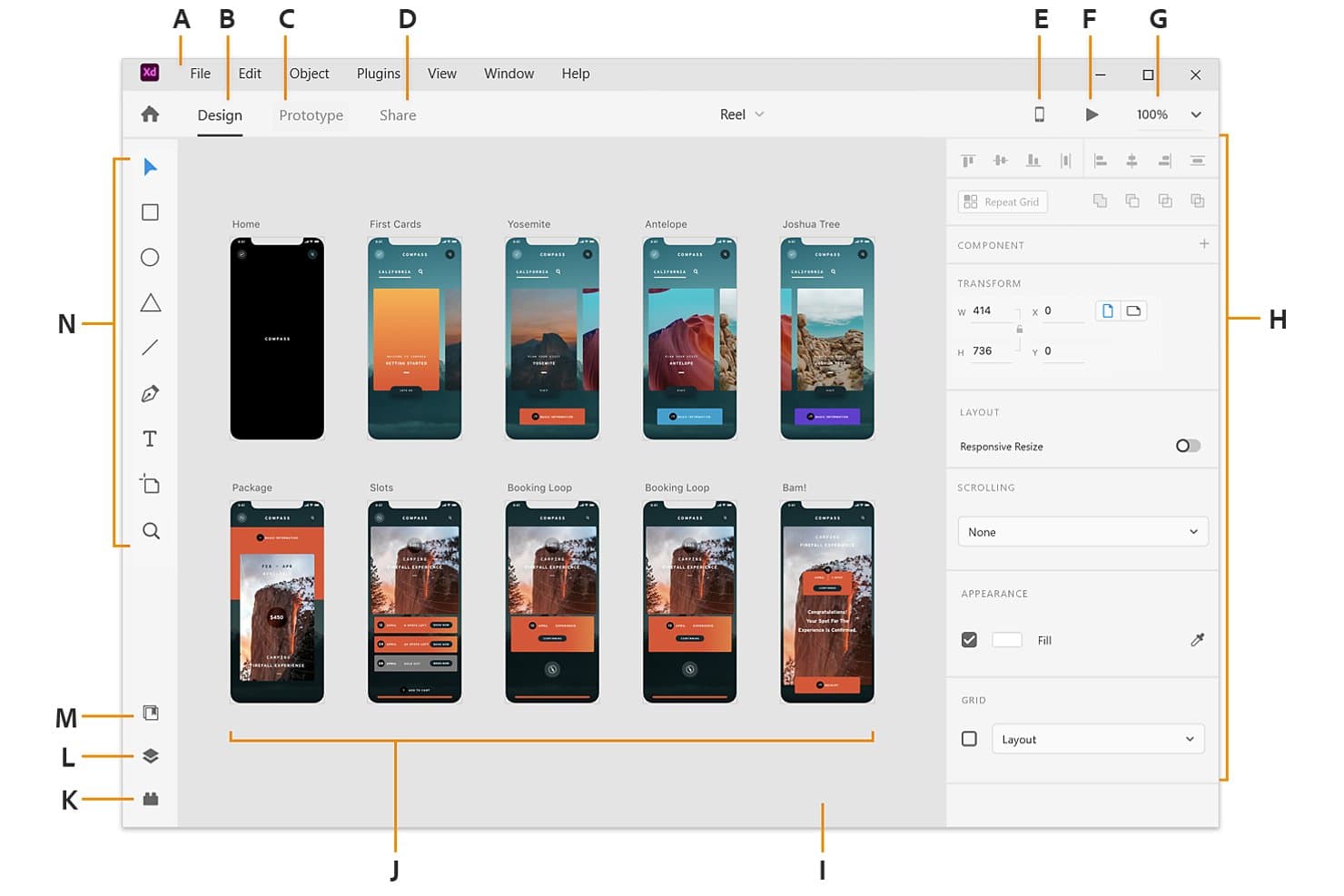
Adobe XD displays multiple artboards in a visual workspace for app design. Adobe XD is a vector-based UI/UX design and prototyping tool that appeals to designers already embedded in the Adobe ecosystem, offering cross-platform support on both Mac and Windows alongside tight integration with Photoshop, Illustrator, and After Effects.
Who Is Adobe XD Best For?
Adobe XD suits designers already working in Creative Cloud who need a familiar, cross-platform prototyping tool for Windows-based workflows.
Why I Picked Adobe XD
I've included Adobe XD in my top picks because it's one of the few Sketch alternatives that runs natively on Windows, making it a direct solution for designers who can't work on macOS. I appreciate how its Auto-Animate feature lets you create fluid transitions between artboards by simply matching layer names, which is genuinely useful for prototyping micro-interactions for stakeholder reviews. It also connects directly with Photoshop and Illustrator, so Creative Cloud workflows stay intact without manual asset exporting.
Adobe XD Key Features
- Repeat Grid: Automatically duplicates UI elements like lists and cards into repeating patterns, letting you populate designs with real content quickly.
- Component states: Assign Default, Hover, Toggle, and custom states to components that respond to tap, voice, keyboard, and gamepad triggers.
- Sketch file import: Open .sketch files directly in XD without a conversion tool, bringing in artboards, layers, groups, and color swatches.
- Shareable design specs: Publish browser-based spec links so developers can inspect sizes, spacing, colors, and typography without a paid seat.
Adobe XD Integrations
Adobe XD has native integrations with Photoshop, Illustrator, After Effects, and Creative Cloud Libraries. Marketplace integrations include Jira, Slack, Zoom, and Microsoft Teams; no public REST API is documented.
Pros and Cons
Pros:
- Opens Sketch files directly
- Auto-Animate creates fluid stakeholder demos
- Runs natively on Windows and macOS
Cons:
- No variables or design tokens
- Maintenance mode risks long-term adoption
 Best for data-driven functional prototyping
- Free plan + 10-day trial available
- From $19/user/month
Visit WebsiteCustomer Rating:4.2/5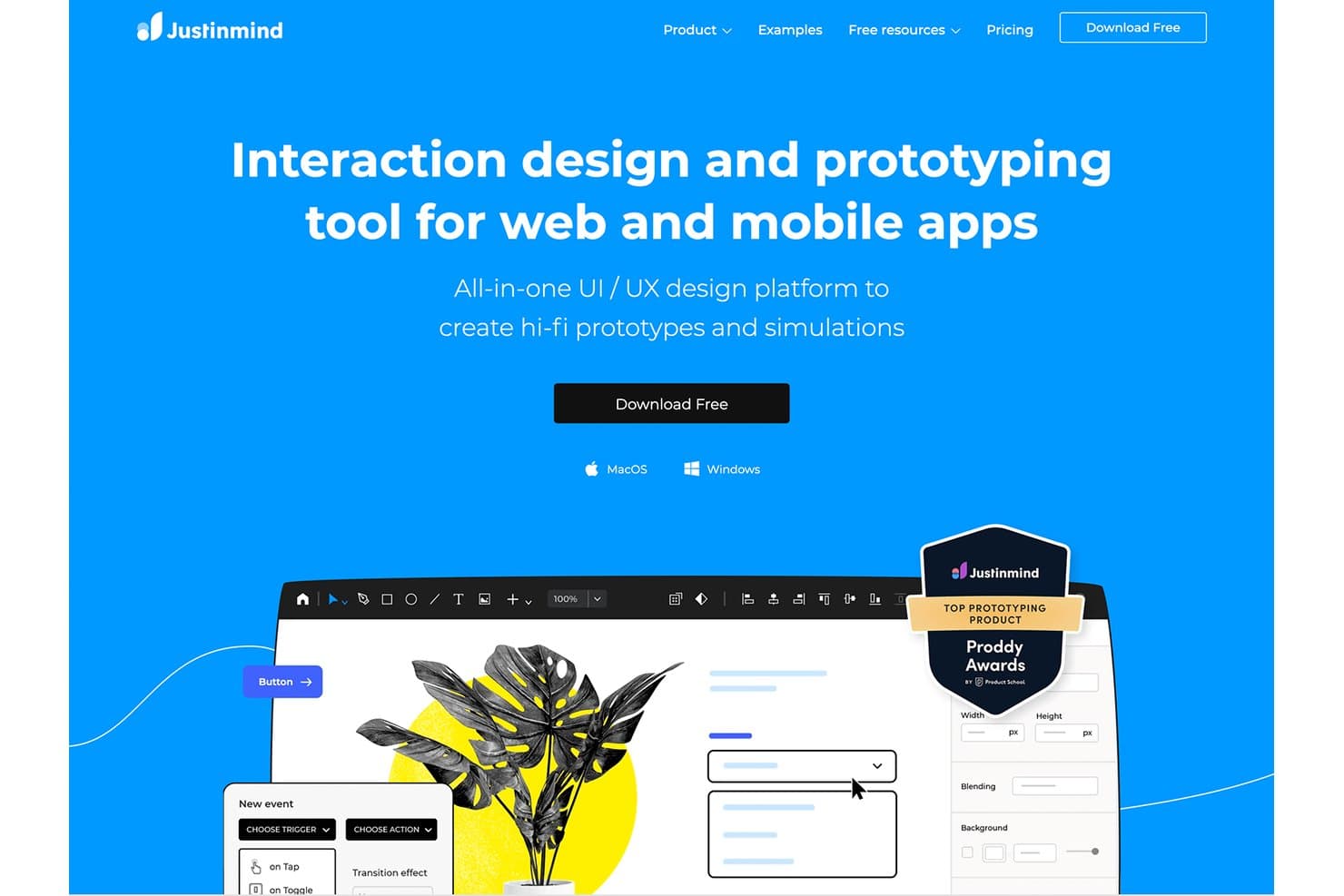
Justinmind lets users build hi-fi prototypes with interactions for web and mobile. Justinmind is a desktop prototyping tool for Windows and macOS that takes your designs from low-fidelity wireframes to interactive, data-driven simulations—making it a strong fit for teams that need to test functional flows, not just static screens.
Who Is Justinmind Best For?
Justinmind is a strong fit for product teams and UX professionals who need to build and test functional, data-driven prototypes rather than pixel-perfect visual designs.
Why I Picked Justinmind
Justinmind earns its spot on my shortlist because it goes further than any other tool here when it comes to data-driven functional prototyping. I can wire up real CSV data to simulate populated tables, run conditional logic across screens, and validate forms exactly as a live product would, all before a single line of code is written. That level of simulation is what separates it from tools that stop at linked screens.
Justinmind Key Features
- Cross-platform desktop app: Justinmind runs natively on both Windows and macOS, including Apple Silicon, with one login covering both.
- Sketch, Figma, and Adobe XD import: You can bring in designs from all three tools on every plan, including Free, with layers and text staying editable.
- Real-time co-editing and version history: Multiple team members can edit the same prototype simultaneously, with version tracking and offline work support.
- 4,000+ pre-built UI components: Web, iOS, Android, and Material Design 3 kits are included, so you're not building common UI patterns from scratch.
Justinmind Integrations
Native integrations include Jira, Azure DevOps, Doors, and Confluence on applicable plans. Justinmind also supports Sketch, Figma, Adobe XD, Photoshop, and Illustrator imports, plus API and Java/Eclipse SDK access for custom integrations.
Pros and Cons
Pros:
- Reviewers praise its clear, intuitive interface
- Runs natively on Windows and macOS
- Simulates data-driven flows with conditional logic
Cons:
- Unsuitable for highly detailed mockups
- No true artboards or auto-layout
Learn more about Justinmind: Best for logic-heavy UX documentation
- Free plan + 30-day free trial available
- From $29/user/month (billed annually)
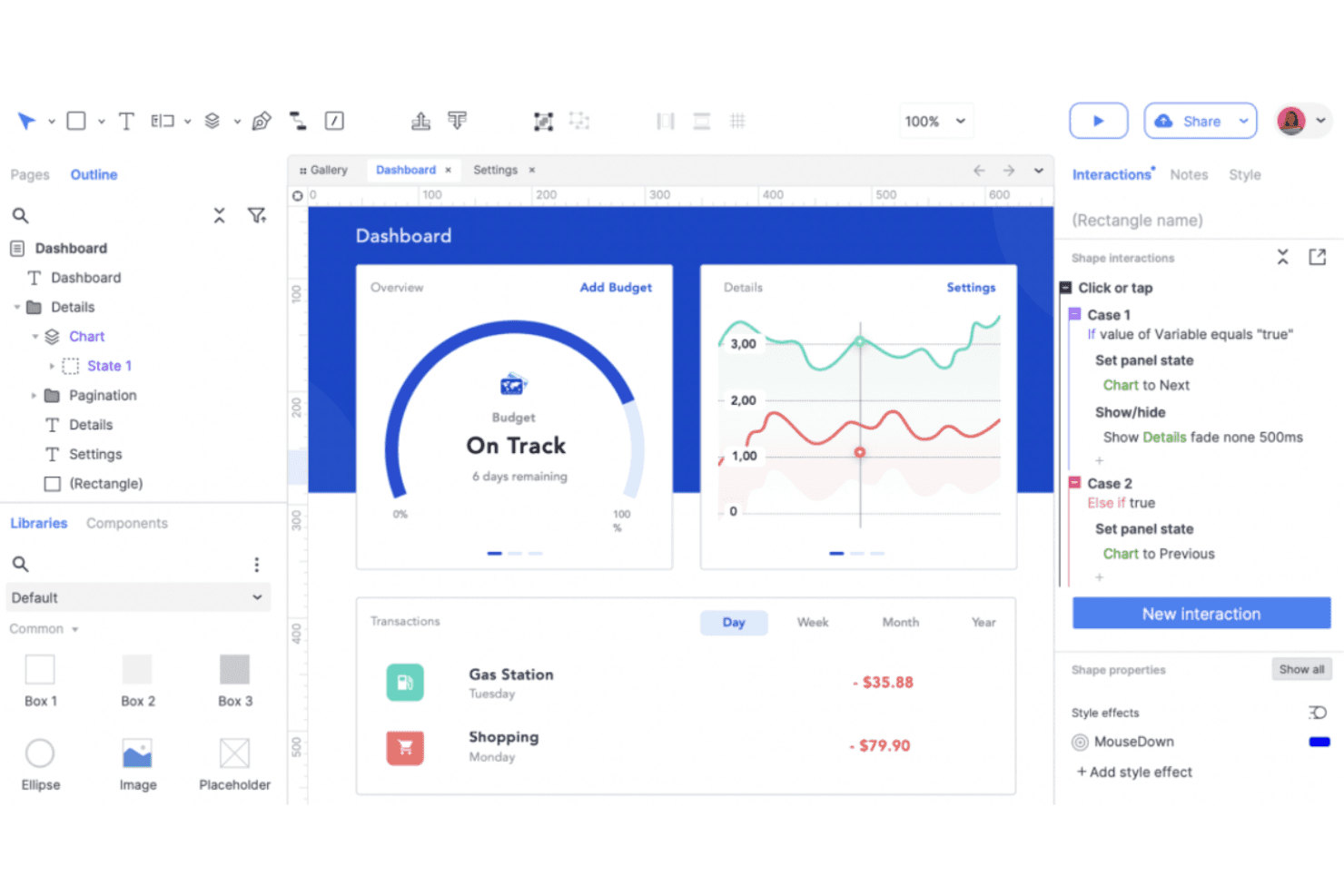
Axure RP lets users build interactive dashboards with conditional logic. Axure RP is a desktop prototyping tool for Windows and Mac that appeals to UX designers, product managers, and business analysts who need to build and document complex interactive flows with conditional logic, variables, and data-driven components.
Who Is Axure RP Best For?
Axure RP is a strong fit for product managers and business analysts who need to document complex user flows with conditional logic, variables, and data-driven components.
Why I Picked Axure RP
I picked Axure RP as one of the best because no other tool on this list handles logic-heavy UX documentation the way it does. I can build conditional logic flows with real variables, wire up working form fields, and use the repeater widget to simulate data-driven tables that filter and sort on click. When I'm documenting a complex multi-step user flow for a product review, everything lives in one file: the wireframes, the flow diagrams, and the specs.
Axure RP Key Features
- Adaptive views: Define alternate page layouts for different screen sizes, with inheritance chains that cascade from a base view down to mobile.
- Repeater widget: Build data-driven tables and lists that stakeholders can sort and filter directly in the prototype.
- Developer Inspect: Gives developers automated redlines, CSS inspection, and image asset export from published prototypes at no cost.
- Check-out/check-in co-authoring: Team edition lets multiple authors work on separate pages simultaneously, with version history and intelligent merging on check-in.
Axure RP Integrations
Axure RP has documented integrations with Figma, Sketch, Adobe XD, Jira, Confluence, Slack, and Microsoft Teams. Axure Cloud supports prototype embeds, while no public plugin marketplace or extension API is documented.
Pros and Cons
Pros:
- Keeps flows, specs, and prototypes together
- Data-driven repeaters test sortable tables
- Conditional logic simulates complex user journeys
Cons:
- No auto-layout or design tokens
- No live multiplayer page editing
Learn more about Axure RP : Best for browser-based design collaboration
- Free plan available
- From $3/user/month
Visit WebsiteCustomer Rating:4.7/5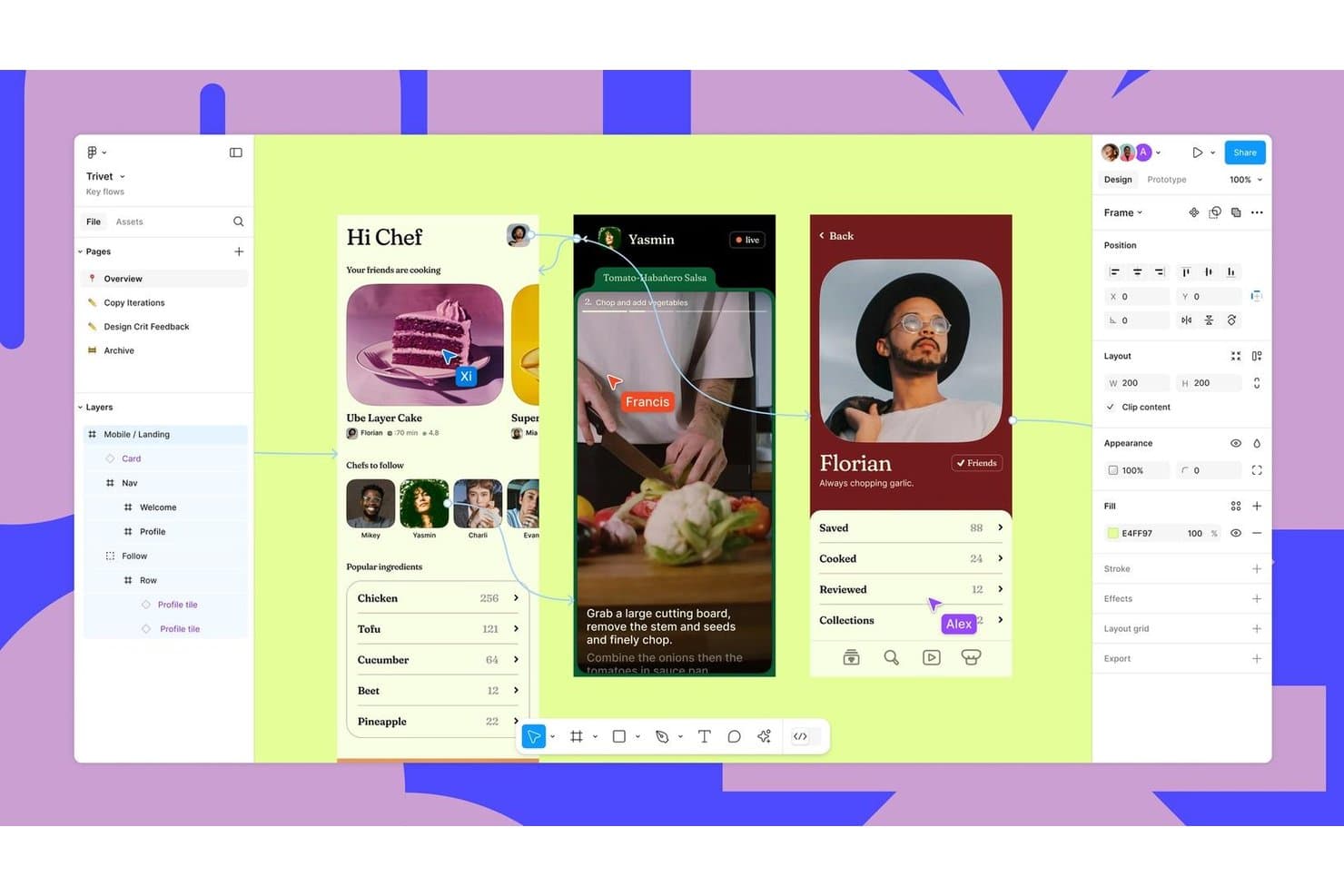
Figma supports real-time collaboration across mobile UI design flows. Figma is a browser-based design tool built for UI/UX designers and product teams who need to move from mockup to prototype to developer handoff without switching apps.
Who Is Figma Best For?
Figma fits UI/UX designers and product design teams who need to collaborate across Mac, Windows, and browser without being locked into a single operating system.
Why I Picked Figma
Figma earns its spot as one of the best on my shortlist because real-time, browser-based collaboration is built into its core, not bolted on. I love that multiple designers can edit the same file live, with visible cursors and comments, while stakeholders follow along in observation mode without disrupting the canvas. Sketch's Mac-only limitation disappears entirely here, since Figma runs on any OS without installation.
Figma Key Features
- Auto layout: Frames automatically resize and reflow content as you add, remove, or rearrange elements within them.
- .sketch file import: Figma opens Sketch files natively, converting symbols to components and flagging missing fonts without requiring a plugin.
- Variables with modes: Define color, spacing, and typography tokens that switch between multiple modes, such as light and dark themes or breakpoint sizes.
- Dev Mode: Developers can inspect designs and copy code as CSS, JSON, or React, with components linked directly to your production codebase via Code Connect.
Figma Integrations
Figma integrates with Jira, Linear, Notion, GitHub, Storybook, and VS Code for Dev Mode workflows. Its Plugin, Widget, REST, Embed Kit, and SCIM APIs support custom integrations.
Pros and Cons
Pros:
- Imports Sketch files without plugins
- Live cursors support collaborative design reviews
- Runs on Mac, Windows, and browsers
Cons:
- Requires internet; no local file saving
- Large files can drain memory and lag
 Best for responsive web design and publishing
- Free plan + free trial available
- From $10/month (billed annually)
Visit WebsiteCustomer Rating:4.4/5
Framer lets users design and publish responsive websites visually. Framer is a browser-based design and publishing platform that lets web designers, freelancers, and agencies take a site from initial layout to live deployment without switching tools.
Who Is Framer Best For?
Framer is a strong fit for freelance web designers and agencies who need to design, prototype, and publish client websites without handing off to a developer.
Why I Picked Framer
I've included Framer in my top picks because it's the only tool on this list that takes your design all the way to a live, published website without a handoff step. I love how its AI-assisted responsive layout adapts breakpoints across desktop, tablet, and phone automatically, so what you design is exactly what gets shipped. Branching with staging previews and merge changelogs means design reviews happen in context, not in a static file.
Framer Key Features
- Real-time multiplayer editing: Co-edit with teammates simultaneously using live cursors, pinned threaded comments, and version history with rollback.
- Component variables: Each instance of a reusable component can independently control its own labels, icons, and colors without breaking the shared component.
- CMS integration: Connect design elements directly to a built-in CMS with CSV, Google Sheets, and Airtable sync for dynamic, data-driven pages.
- AI design review: An automated review checks your project for SEO gaps, contrast issues, missing alt text, typos, and inconsistent styles before publishing.
Framer Integrations
Framer offers hundreds of marketplace plugins, including Figma Sync, Unsplash, Tally Forms, and Draw. It also provides Plugins, Fetch, and Server APIs for custom integrations, plus CSV, Google Sheets, and Airtable content connections.
Pros and Cons
Pros:
- Branch previews support contextual design reviews
- Interactive prototypes publish as working websites
- Responsive layouts adapt across device breakpoints
Cons:
- Website focus limits general and mobile mockups
- Advanced vector path editing remains undocumented
 Best for code-based component prototyping
- Free plan + 14-day free trial + demo available
- From $49/user/month
Visit WebsiteCustomer Rating:4.2/5
UXPin lets users build and preview custom blog card components visually. UXPin is a design and prototyping platform built for product design teams who want to work directly with real, coded components rather than static mockups.
Who Is UXPin Best For?
UXPin is a strong fit for product design teams that prototype directly with real components and need their designs to stay in sync with engineering.
Why I Picked UXPin
UXPin earns its spot on my shortlist because it's the only tool here where your prototype actually runs on real React components. I love that with Merge, you can sync your team's live Storybook or Git library directly into the canvas, so designers are literally dragging in production-grade components, not approximations. Add conditional logic and variables on top of that, and your prototype behaves exactly like the shipped product.
UXPin Key Features
- Sketch file import: Drag and drop .sketch files directly into UXPin and open them on Windows or Mac without a Sketch license.
- Accessibility tools: Built-in WCAG contrast checking and color-blindness simulation help you catch issues before handoff.
- Stakeholder approval workflows: Share a preview link and collect approve/reject feedback from stakeholders without requiring them to hold a paid seat.
- Mirror app: Preview your prototype live on iOS or Android devices as you design, without exporting or rebuilding anything.
UXPin Integrations
UXPin offers integrations with GitHub and Bitbucket through Git on Enterprise, plus Storybook, Slack, and FullStory. Jira is available through the Atlassian Marketplace; UXPin has no public REST API.
Pros and Cons
Pros:
- Reviewers praise high-fidelity interactive prototypes
- Reusable components keep designs implementation-ready
- Prototypes behave like real React interfaces
Cons:
- Vector illustration tools trail Figma
- Sketch imports lose symbols and styling
Learn more about UXPin: Best for open-source cross-platform UI design
- Free plan + 14-day free trial + free demo available
- From $7/user/month
Visit WebsiteCustomer Rating:4.5/5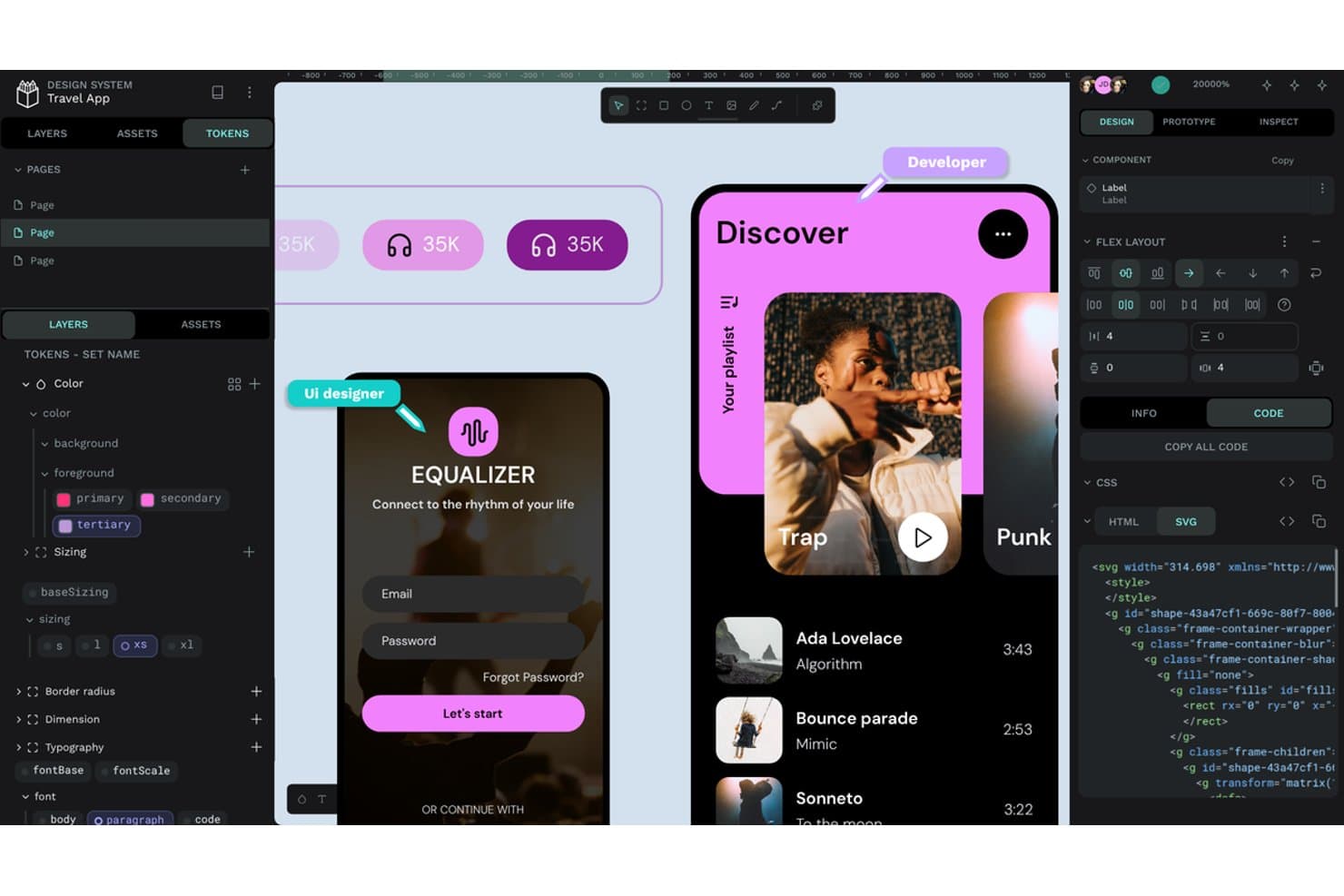
Penpot offers design tokens, flex layout, and SVG code export. Penpot is an open-source, browser-based UI design tool that appeals to designers and product teams who need real-time collaboration, design system support, and cross-platform access without being locked into a Mac-only workflow.
Who Is Penpot Best For?
Penpot is a strong fit for UI/UX and product designers who need a fully featured, browser-based design tool that works on any OS—not just macOS.
Why I Picked Penpot
Penpot earns its spot on my shortlist because it's the only fully open-source UI design tool that runs in the browser on Windows, Linux, or macOS, which makes it a direct answer to Sketch's Mac-only limitation. I particularly like its native DTCG design tokens: you can reference tokens within other tokens, write math expressions, and rename a token to update every instance across your files. Its Flex Layout and CSS Grid Layout also map directly to real code behavior, so handoff between design and engineering is cleaner from the start.
Penpot Key Features
- Real-time multi-user editing: Multiple teammates can edit the same file simultaneously, with live comments and role-based permissions for viewers, editors, and admins.
- CSS Grid Layout: A grid layout tool that maps directly to code behavior, letting you define rows, columns, and alignment that engineers can implement without translation.
- Inspect tab: A built-in developer handoff panel that surfaces CSS, HTML, and SVG code alongside measurements and exportable assets.
- Prototyping with flows: A prototype mode where you link boards using triggers, overlays, and animations, then share individual flow links with stakeholders for review.
Penpot Integrations
Penpot Hub lists 125 marketplace plugins, including connections to GitHub, GitLab, Azure DevOps, Bitbucket, Miro, and VS Code. Penpot also provides a REST/RPC API, personal access tokens, and team-level outgoing webhooks for custom integrations.
Pros and Cons
Pros:
- Real-time editing keeps design reviews in-file
- Native design tokens map cleanly to code
- Runs in browsers across desktop operating systems
Cons:
- Smaller plugin and template ecosystem
- Sketch files require an SVG migration
Learn more about Penpot: 10Best for one-time lifetime design licensing
Pixso
- Free plan + free trial available
- From $4/user/month
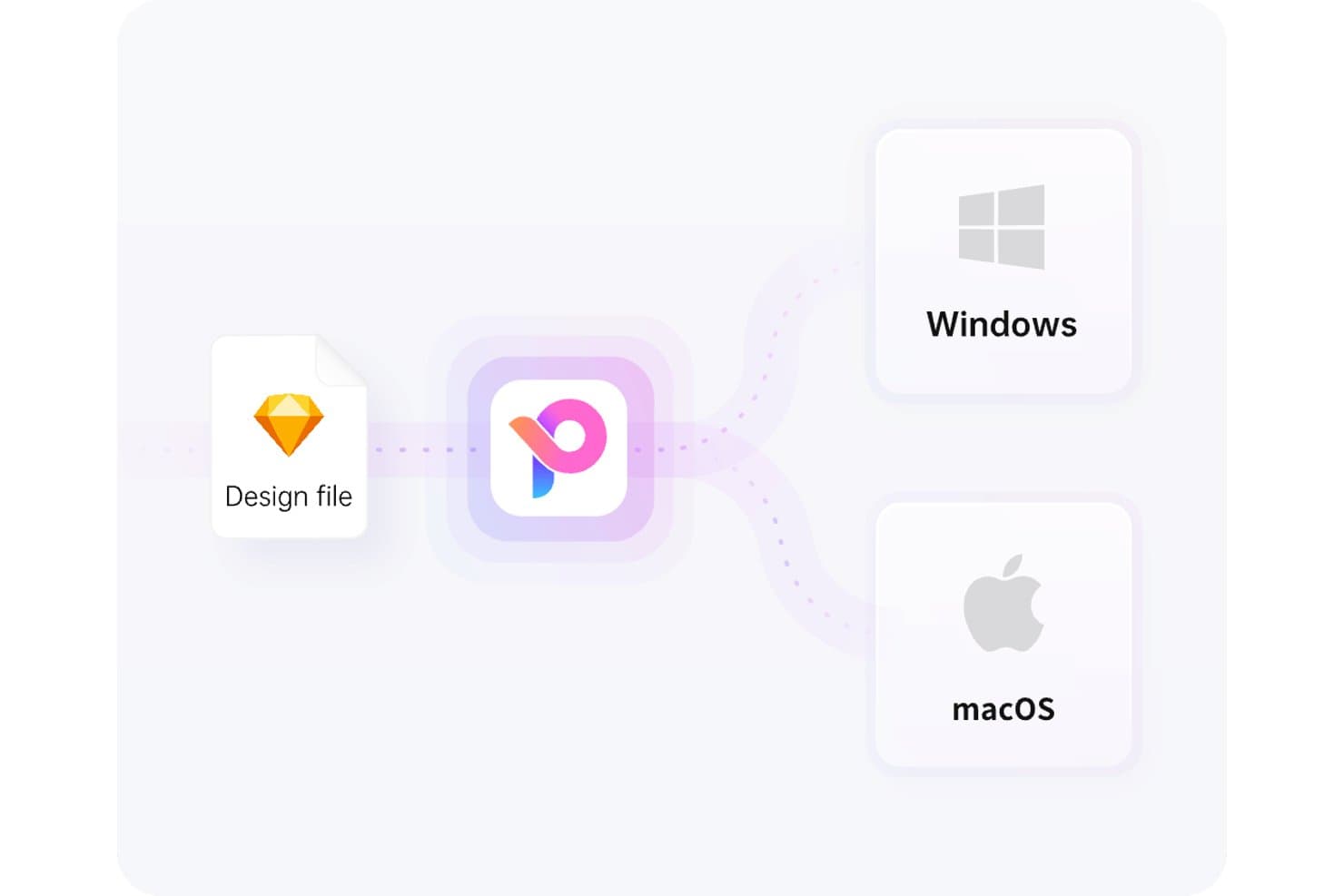
Pixso supports both Windows and macOS from a single design file. Pixso is a cross-platform design tool that covers UI/UX design, prototyping, and design systems in one workspace—making it a practical pick for designers and product teams who need Sketch-level capability on Windows or in the browser.
Who Is Pixso Best For?
Pixso is a strong fit for freelance designers and small teams who want a full UI/UX design and prototyping workspace without paying recurring subscription fees.
Why I Picked Pixso
I've included Pixso in my top picks because it's one of the only design tools offering a one-time lifetime license, which means no recurring subscription fees eating into your budget. I particularly like that the lifetime plan includes a full Professional Team workspace with variables, variants, and interactive components, so you're not trading features for affordability. The cross-platform browser and desktop apps also make it a direct answer to Sketch's macOS-only limitation.
Pixso Key Features
- Real-time co-editing: Multiple team members can edit the same file simultaneously, with live cursor presence and comments on the canvas.
- AI-powered text-to-UI generation: Pixso AI converts text prompts into editable, fully layered UI designs without starting from a blank canvas.
- Dev view with multi-framework code snippets: Developers can inspect specs, measurements, and auto-generated reference code in React, HTML, Vue, SwiftUI, Flutter, and ArkUI.
- Sketch file import with batch support: Pixso accepts .sketch files directly and supports batch importing, preserving blend modes, vector shapes, and boolean operations.
Pixso Integrations
Pixso doesn't have any native integrations with Jira, Linear, Notion, Slack, or Git. It supports custom integrations through a public Plugin API and offers marketplace-style plugins, including Pexels and Phosphor Icons.
Pros and Cons
Pros:
- Supports live co-editing and design tokens
- Preserves Sketch vectors and blend modes
- Runs on Windows, macOS, and browsers
Cons:
- No .fig export complicates Figma handoffs
- Advanced projects may feel too basic
Learn more about Pixso:
Diğer Sketch Alternatifleri
İşte kısa listeme girmeyen ancak yine de incelemeye değer bazı ek Sketch alternatifleri:
How I Evaluate a Sketch Alternative
I split my evaluation into three parts. Core functionality carries the most weight: a tool must handle precise vector drawing and editing, and support multiple artboards with device presets. From there, I look at auto-layout responsiveness and design tokens. I also consider pricing clarity and how well the tool fits into a dev handoff workflow.
Core Functionality (Table Stakes For This List)
When I'm selecting tools for my list, I score each one on a scale from 0 (does not offer the functionality) to 5 (excels in this area) for each core functionality listed below. I then convert the total into a percentage to help assess each tool's overall fit, with extra weight on any functionalities I’ve deemed essential.
- Vector Editing (Essential): I look for precise path editing, boolean operations, and alignment controls for icons, scalable UI elements, and detailed interface mockups.
- Artboards & Frames (Essential): Can I organize multiple screens with device presets, resize variations, and constraints for a flow spanning mobile and desktop?
- Design Systems: I check whether reusable components and shared libraries keep buttons, typography, and color styles consistent across files.
- Real-Time Collaboration: I consider live editing, cursors, comments, and version history for design reviews with product and engineering teammates.
- Prototyping: I look for linked screens, transitions, and interactive states that let teams review a user flow before development.
- Plugins & Integrations: I assess whether plugins and integrations support practical tasks such as exporting assets or handing designs to development.
Once I have a list of tools that meet the criteria, I consider what sets each platform apart.
Differentiating Factors (What Sets Vendors Apart)
Here's how I compare and contrast different vendors:
Standout Features
Auto-layout responsiveness matters when I'm reviewing how a tool handles content reflow across breakpoints. I check whether resizing a frame updates padding, spacing, and child elements without manual fixes—something that saves hours on responsive design reviews. Design tokens and variables are just as important: I evaluate whether a tool lets teams manage color, spacing, and typography values centrally and sync them across themes or platforms. Native code export is another factor I weigh. Tools like Framer and Anima generate front-end code directly, which shortens handoff cycles when engineering needs production-ready output instead of redlines.
Beyond Features
I check how each tool handles file imports from Sketch and Figma, since a migration that drops symbols or layer styles costs the team days of cleanup. Pricing clarity matters just as much—I look at whether viewer and commenter seats are free, because locking product managers behind paid editor licenses inflates costs fast. I also evaluate integrations with tools like Jira and Linear to confirm design work stays connected to sprint and roadmap workflows.
Neden Sketch Alternatifi Aramalısınız?
Sketch iyi bir ürün tasarımı yazılımı seçeneği olsa da bazı kullanıcıların alternatif çözümler aramasının çeşitli nedenleri vardır. Örneğin, aşağıdaki nedenlerden herhangi biri nedeniyle Sketch alternatifi arıyor olabilirsiniz.
- Windows uyumluluğuna ihtiyacınız var
- Ekibiniz gerçek zamanlı iş birliğine ihtiyaç duyuyor
- Daha düşük maliyetli bir seçenek arıyorsunuz
- Daha gelişmiş prototip oluşturma özellikleri istiyorsunuz
- Diğer araçlarla entegrasyona ihtiyacınız var
- Ekibiniz bulut tabanlı çözümleri tercih ediyor
Bunlardan herhangi biri size uyuyorsa doğru yere geldiniz. Listemde, Sketch ile ilgili bu zorluklarla karşılaşan ve alternatif çözümler arayan ekipler için daha uygun birkaç ürün tasarımı yazılımı seçeneği bulunuyor.
Sketch'in Temel Özellikleri
Alternatif çözümlerin sunduklarını karşılaştırmanıza yardımcı olmak için Sketch'in temel özelliklerinden bazıları şunlardır:
- Akıllı Animasyon: Çalışma yüzeyleri arasındaki animasyonları geliştirerek tasarımlarınıza akıcı geçişler ekler.
- Renk Değişkenleri: Tasarımlar genelinde tutarlı renk yönetimi sağlar ve marka renklerinin korunmasını kolaylaştırır.
- Gerçek Zamanlı İş Birliği: Birden fazla kullanıcının aynı proje üzerinde eşzamanlı çalışmasını sağlayarak ekip çalışmasını ve verimliliği artırır.
- Semboller: Tek bir değişiklikle birden fazla örneği güncellemenizi sağlayarak tutarlılığı koruyan ve zamandan tasarruf ettiren yeniden kullanılabilir tasarım öğeleridir.
- Prototip Oluşturma: Kullanıcı akışlarını ve etkileşimlerini test etmek için katmanlar, kaplamalar ve animasyonlarla etkileşimli prototipler oluşturun.
- Kütüphaneler: Varlık yönetimini ve paylaşımını destekleyerek ekibinizin ortak bileşenleri ve stilleri kullanmasına olanak tanır.
- Akıllı Düzen: İçerik değişikliklerine göre düzenleri otomatik olarak ayarlayarak tasarımlarınızı düzenli ve duyarlı tutar.
- Dışa Aktarma Seçenekleri: Varlıkları dışa aktarmak için birden fazla dosya biçimi ve hazır ayar sunarak çalışmalarınızı geliştiricilerle paylaşmanızı kolaylaştırır.
- Yorum Ekleme: Doğrudan tasarımlar üzerinde geri bildirim verilmesini kolaylaştırarak ekibiniz içinde açık iletişim kurulmasını sağlar.
- Katman Yönetimi: Katmanları düzenlemek, kilitlemek ve hizalamak için araçlar sunarak çalışma alanınızı düzenli tutmanıza yardımcı olur. Mesajınız kesilmiş gibi görünüyor. Lütfen daha fazla ayrıntı sağlayabilir veya size nasıl yardımcı olabileceğimi bildirebilir misiniz?