

10 Best Product Design Software Reviewed in 2026

10 Best Product Design Software Shortlist


Product design is HARD (especially if you have high standards!), so there's nothing more essential than product design tools that share in the heavy lifting. In my career, I've done it all—developing product models, collaborating with a variety of opinionated stakeholders, you name it—and I know how important it is to see your design software as your sidekick, not your nemesis.
With that in mind, I've put my own high standards to work by testing out a litany of product design tools and picking out the best of the best. Here are the tools I've given the seal of approval, along with product-specific details to help you compare.
Why Trust Our Software Reviews
We’ve been testing and reviewing product management software since 2020. As product managers ourselves, we know how critical and difficult it is to make the right decision when selecting software.
We invest in deep research to help our audience make better software purchasing decisions. We’ve tested more than 2,000 tools for different product management use cases and written over 1,000 comprehensive software reviews. Learn how we stay transparent & our software review methodology.
What is Product Design Software?
Product design software refers to a type of program used to create and develop digital designs for products. This software is typically used by product designers, engineers, and manufacturers to create 2D and 3D designs that can be used to prototype and manufacture physical products.
Product design software typically includes a range of tools and features, such as 3D modeling, prototyping, rendering, simulation, and collaboration tools, to support the design process and ensure the final product meets the desired specifications and requirements.
Overviews Of The 10 Best Product Design Software
Here’s a brief description of each product design solution to showcase each tool’s best use case and standout features.

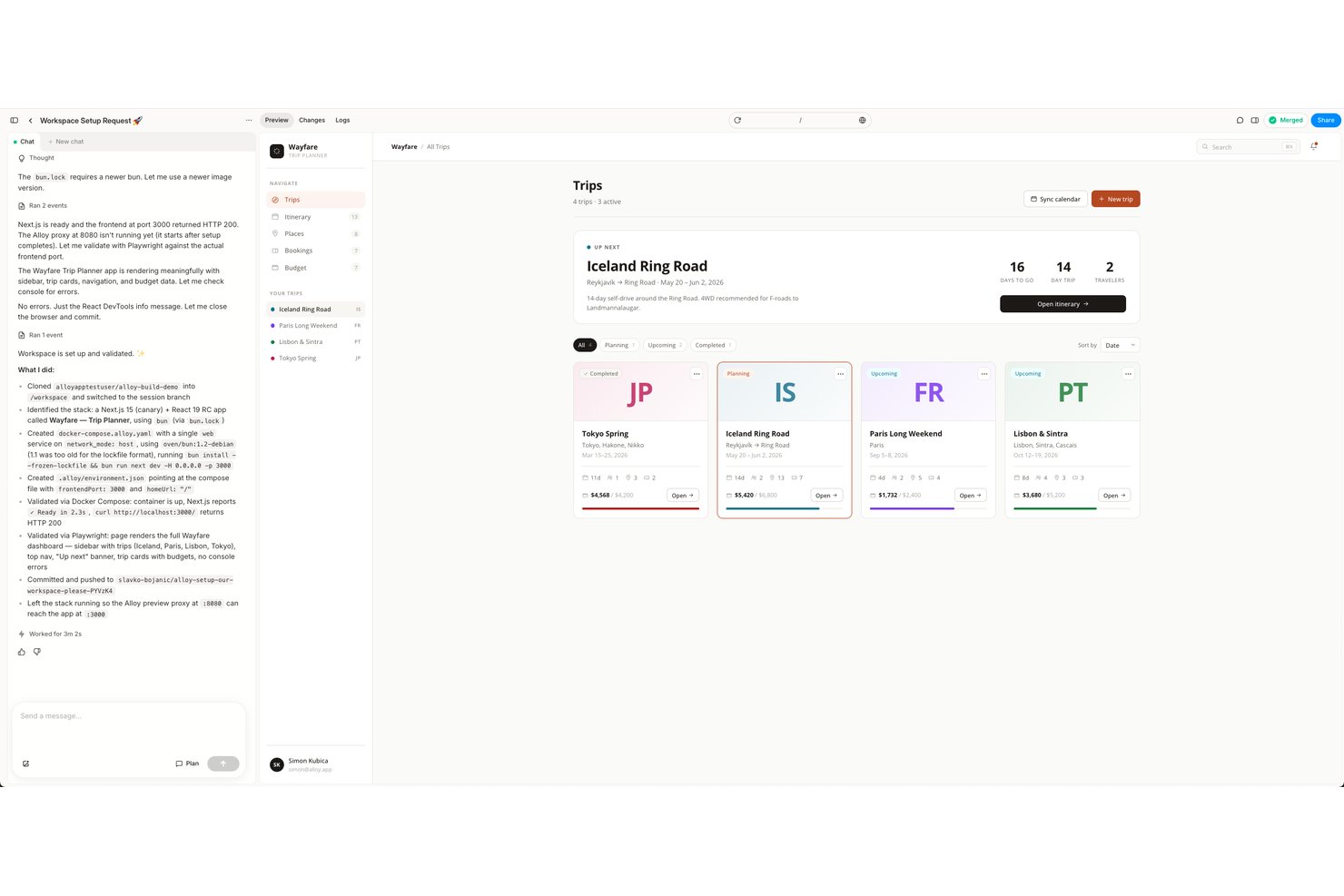
Alloy is an AI prototyping tool that captures your live web app via a browser extension and generates interactive, high-fidelity prototypes that inherit your product's actual design system, components, and code.
Who Is Alloy Best For?
Alloy is a strong fit for product managers at companies with existing web apps who want to prototype feature ideas without relying on designers or developers.
Why I Picked Alloy
I picked Alloy as one of the best because it's the only tool I've seen that starts from your actual live product, not a blank canvas. Its browser extension captures any page of your web app, and the AI immediately understands your component library, fonts, and tokens. I can then prompt new features into existence using natural language and push changes directly to a GitHub Pull Request.
Alloy Key Features
- Inline feedback with pinned comments: Add contextual feedback directly to specific prototype elements for rapid iteration.
- Exportable React component code: Generate React code from prototypes to simplify developer handoff.
- Workspace integrations: Connect with tools like Jira, Linear, Notion, and Slack for streamlined product workflows.
- SOC 2 Type II compliance and SSO options: Ensure enterprise-grade security and single sign-on for team management.
Alloy Integrations
Alloy offers native integrations with Jira, Linear, GitHub, Notion, and Slack, and provides an API for custom integrations.
Pros and Cons
Pros:
- GitHub PR export speeds developer handoff
- AI generates screens from natural language
- Prototypes inherit real component styles automatically
Cons:
- Smaller community than Figma or Sketch
- Web apps only, no mobile support

Figma
Best for product design collaboration

Figma is a browser-based UI/UX and product design platform that covers wireframing, prototyping, design systems, and real-time multiplayer collaboration across the full design-to-development workflow.
Who Is Figma Best For?
Figma is a strong fit for product designers, UX teams, and design-led startups who need a shared workspace where designers and developers can collaborate on the same files in real time.
Why I Picked Figma
Figma earns its spot as one of the best on my shortlist because its multiplayer editing lets my whole team work inside the same product design file at once—commenting, iterating, and resolving feedback without a single export. I particularly like how shared component libraries keep product teams consistent across every screen and surface. Dev Mode also means developers can inspect dimensions and assets directly in Figma, removing the need for a separate handoff tool.
Figma Key Features
- Auto layout: Automatically resizes and reflows frames and components as content changes, keeping design elements aligned across breakpoints.
- Interactive prototyping: Adds clickable interactions, transitions, and overlays to design frames so you can simulate real product flows.
- Variables: Stores reusable values for color, spacing, and text that update across an entire file when changed.
- Branching: Creates a separate copy of a design file for testing changes without affecting the main working file.

Best for consumer packaged goods companies

Nuxeo Platform is a cloud-native enterprise content management (ECM) and digital asset management (DAM) platform that centralizes rich media assets, automates workflows, and connects information across large-scale organizations.
Who Is Nuxeo Platform Best For?
Nuxeo Platform is a strong fit for large enterprises and regulated industries that manage high volumes of complex digital content across distributed teams.
Why I Picked Nuxeo Platform
Nuxeo Platform handles the content complexity that CPG companies deal with daily. CPG teams manage enormous, fast-changing product portfolios across retail partners, and Nuxeo's DAM capabilities let you create separate branded portals for each retailer, so partners access only the assets they're permitted to use. Nuxeo also connects data from procurement, accounting, and warehouse management systems in one place, which cuts down the back-and-forth that slows product launches.
Nuxeo Platform Key Features
- AI-powered metadata tagging: Nuxeo Insight automatically enriches assets with metadata tags to make large product content libraries searchable at scale.
- Version control and audit trail: Track every change made to product documents and assets across their full lifecycle, with a complete history of edits and approvals.
- Configurable approval workflows: Build multi-step review and sign-off workflows to manage content review cycles across cross-functional teams.
- Faceted search and filtering: Search across content repositories using metadata, file type, or custom attributes to locate specific assets quickly.


Adobe Creative Cloud is a suite of creative tools that spans 2D and 3D design, including dedicated apps for 3D modeling, texturing, material authoring, and photorealistic product rendering.
Who Is Adobe Creative Cloud Best For?
Adobe Creative Cloud is a strong fit for product designers, 3D artists, and creative teams in industries like consumer goods, packaging, and industrial design.
Why I Picked Adobe Creative Cloud
I've included Adobe Creative Cloud in my top picks because its mobile offering is more tightly woven into a 3D product design workflow than any competitor I've used. Adobe Capture, for example, lets you point your phone's camera at a real-world surface and generate PBR materials on the spot, with those textures syncing directly to Substance 3D apps via Creative Cloud Libraries. Photoshop on iPad carries over the same compositing and selection tools you'd use on desktop, so you can review and adjust product renders on the go without losing fidelity.
Adobe Creative Cloud Key Features
- Substance 3D Painter: Paint textures and materials directly onto 3D model surfaces using smart materials and parametric brushes.
- Adobe Dimension: Place 3D models into photorealistic scenes with automatic perspective and lighting matching against background images.
- Substance 3D Sampler: Convert real-world photographs into tileable PBR materials ready for use in 3D product scenes.
- Substance 3D Stager: Assemble and render product scenes using photographer-designed lighting templates for photorealistic output.


The Autodesk Product Design & Manufacturing Collection is a CAD/CAM suite that brings together parametric 3D modeling, engineering simulation, 2D drafting, and high-fidelity rendering tools for designing complex physical products and equipment.
Who Is Autodesk Suite Best For?
The Autodesk Product Design & Manufacturing Collection is a strong fit for mechanical engineers, industrial designers, and product development teams in manufacturing.
Why I Picked Autodesk Suite
I've included the Autodesk Product Design & Manufacturing Collection in my top picks because it's one of the few suites that combines Class-A surface modeling with engineering-grade CAD in one package. I use Autodesk Alias for sculpting organic, production-ready surfaces on consumer products—the kind of precise surface continuity that industrial design requires before handoff to manufacturing. Paired with Inventor's parametric modeling, I can move from aesthetic form exploration to a fully dimensioned, toleranced mechanical model without switching platforms.
Autodesk Suite Key Features
- 3ds Max rendering: Create photorealistic product visuals using physically based materials, custom lighting setups, and camera effects directly from your 3D model.
- Inventor Nastran FEA: Test product geometry under real-world load and stress conditions using embedded finite element analysis before moving to manufacturing.
- Generative design: Input load cases and manufacturing constraints in Fusion to generate optimized geometry options for product structures.
- ReCap Pro 3D scanning: Convert physical objects or prototypes into precise 3D point clouds to use as reference geometry in your modeling workflow.


CATIA is a 3D product design and engineering platform from Dassault Systèmes that covers surface modeling, solid modeling, Class-A surfacing, simulation, and photo-realistic visualization in a unified environment.
Who Is CATIA Best For?
CATIA is a strong fit for engineering and design teams in automotive, aerospace, and industrial manufacturing who work on complex, geometry-intensive product models.
Why I Picked CATIA
I picked CATIA for automotive design because its Class-A surfacing tools are built to meet the precision and quality standards automotive manufacturers demand. I use the surface refinement workflow to take a concept all the way to production-ready geometry, where every curvature and highlight line meets OEM specs. The Virtual Twin experience also lets my team evaluate full vehicle designs in immersive VR before building a physical prototype.
CATIA Key Features
- 3D natural sketch: Draw and sketch directly in 3D space using gesture-based input to rough out product shapes early in the design process.
- Subdivision surface modeling: Create smooth, organic forms using subdivision surfaces, ideal for consumer product and transportation exterior design.
- Photo-realistic rendering: Generate high-fidelity rendered visuals of product models from within the design environment without exporting to a separate tool.
- Generative shape design: Build complex parametric surface geometry using rule-based tools to maintain design intent across model iterations.


SketchUp is a 3D modeling and design platform built for architects, builders, and designers, with tools for creating detailed models, generating photoreal visuals, and collaborating across teams.
Who Is SketchUp Best For?
SketchUp is a natural fit for architects, construction professionals, and urban planners who need to model and visualize buildings and built environments.
Why I Picked SketchUp
SketchUp earns its spot on my shortlist because of how well it handles sustainable building design, specifically through Sefaira, its built-in building performance analysis tool. I can model a building's massing directly in SketchUp, then run full annual energy simulations, daylight analysis, and thermal comfort studies within minutes. Sefaira also tracks CO2 emissions and HVAC sizing, so I'm making performance-informed decisions at the concept stage, before costly changes become an issue.
SketchUp Key Features
- Push/pull 3D modeling: Draw and extrude flat shapes into 3D forms using SketchUp's signature push/pull tool, without needing advanced CAD skills.
- LayOut: Create presentation-ready 2D construction documents, annotated drawings, and scaled floor plans directly from your 3D model.
- 3D Warehouse: Browse and import from a library of millions of pre-built 3D models and materials to speed up the modeling process.
- Scan Essentials: Import point cloud data from real-world scans and use it as a reference to build precise 3D models.


SOLIDWORKS is a 3D CAD and product development platform that covers parametric modeling, freeform sculpting, photorealistic rendering, simulation, and cloud-based product lifecycle management.
Who Is SOLIDWORKS Best For?
SOLIDWORKS is a strong fit for product designers and mechanical engineers who need to move from concept sketching through detailed 3D modeling and rendering in one platform.
Why I Picked SOLIDWORKS
SOLIDWORKS earns its spot on my shortlist because its subdivision surface modeling, available through 3D Sculptor on the 3DEXPERIENCE platform, lets me push and pull geometry into organic, freeform shapes that parametric modeling alone can't achieve. I use the xShape environment specifically when designing curved consumer products where precise surface continuity matters. The ability to bridge SubD sculpts directly into SOLIDWORKS parametric parts keeps my workflow intact without rebuilding geometry from scratch.
SOLIDWORKS Key Features
- Parametric solid modeling: Allows precise 3D models through dimension-driven features such as extrudes, revolves, and sweeps that update when dimensions change.
- NURBS surface modeling: For smooth, complex surfaces, NURBS geometry provides tight control over curvature and surface quality.
- SOLIDWORKS Visualize rendering: Generates photorealistic product images with physically based materials, lighting, and environment controls.
- Appearance and material libraries: Offer real-world material properties, textures, and finishes applied directly to model surfaces to show final product appearance.


Blender is a free, open-source 3D creation suite that covers the full production pipeline — from mesh modeling and UV unwrapping to physically based rendering, sculpting, and texture painting.
Who Is Blender 3D Computer Graphics Software Best For?
Blender is a great fit for independent 3D artists, product designers, and small studios who need a full-featured modeling and rendering environment without a software licensing budget.
Why I Picked Blender 3D Computer Graphics Software
Blender earns its spot on my shortlist because no other free tool gives you this level of photorealistic rendering capability — specifically the Cycles ray-trace engine, which handles global illumination, caustics, and Principled BSDF shading to produce product renders that are nearly indistinguishable from studio photography. I also rely on its PBR material system to build physically accurate surfaces like brushed metal, frosted glass, or matte plastic directly in the node editor. Additionally, Blender's sculpting and UV unwrapping tools let me take a product model from rough shape to detailed, texture-mapped asset all within a single environment.
Blender 3D Computer Graphics Software Key Features
- EEVEE real-time render engine: Preview complex shading and lighting setups in the viewport instantly, without waiting for a full Cycles render.
- Geometry nodes: Build procedural, non-destructive models using a node-based editor to iterate on product shapes during design.
- Texture painting: Paint directly onto 3D model surfaces in the viewport to add surface detail, wear, or branding graphics.
- Non-destructive modifier stack: Apply and adjust modeling operations like booleans, bevels, and subdivisions without permanently altering the base mesh.


Onshape is a cloud-native CAD and PDM platform for product designers that covers parametric 3D modeling, built-in version control, real-time collaboration, and photorealistic rendering through its Render Studio.
Who Is Onshape Best For?
Onshape is a strong fit for mechanical engineers and product design teams in manufacturing, hardware, and industrial design who need a full CAD and data management platform.
Why I Picked Onshape
I've included Onshape in my top picks because its built-in workflow automation sets it apart from CAD tools that treat design and approval as separate processes. I particularly like the automated release management workflows, which move designs through the statuses Pending Approval, Approved, and Released without manual handoffs. FeatureScript also lets my team write custom automation directly inside the modeling environment—things like auto-generating wire routing tables from a CSV or creating geometry-specific features that repeat across dozens of product variants.
Onshape Key Features
- Render Studio: A built-in rendering environment that uses NVIDIA Iray technology to produce photorealistic, high-resolution product images directly from your 3D model.
- Materials and textures: A pre-built collection of real-world material finishes you can apply to model surfaces to simulate how a product will look.
- Decal application: A tool for placing surface graphics or labels onto 3D geometry without altering the underlying model structure.
- Parametric part modeling: A constraint-based modeling environment that supports solid, surface, and sheet metal design within a single part studio.
The Best Product Design Software Comparison Chart
Here is a table where you can compare all the tools we just covered in the overviews.
| Tool | Best For | Trial Info | Price | ||
|---|---|---|---|---|---|
| 1 | Best for prototyping from live product code | Free plan + free demo available | From $20/user/month | Website | |
| 2 | Best for product design collaboration | Free plan available | From $16/user/month (billed annually) | Website | |
| 3 | Best for consumer packaged goods companies | Free demo available | Pricing upon request | Website | |
| 4 | Best mobile version | 14-day free trial | From $37.99/month (billed annually) | Website | |
| 5 | Best for industrial design | 30-day free trial | From $245/user/month | Website | |
| 6 | Best for automotive designs | Free demo available | Pricing upon request | Website | |
| 7 | Best for modelling sustainable buildings | 30-day free trial | From $119 /year | Website | |
| 8 | Best for 3D sculpting | Free demo available | Pricing upon request | Website | |
| 9 | Best free open-source 3D creation suite | Free product | Free product | Website | |
| 10 | Best for workflow automation | Free version available | From $1,500/user/year | Website |
Other Product Design Options
Here are a few more that didn’t make the top list but are worth your consideration.
- Inkybay
Web-to-print solution
- KRFTWRK
For app & website design
- Affinity Designer
Vector and raster design tools for concept art, UI, and mockups optimized for Mac, Windows and iPad
- Mastercam
CAM product design software with direct modeling, file import functionality, and model prep toolset
- Ansys
Product design tools for design, simulation, and additive manufacturing
- KeyShot
3D product design software for high-end visualization & animations
- Houdini
Advanced 3D modeling software for film, TV, and game dev
- ZBrush
Digital sculpting tool that combines 3D modeling, painting, and texturing in one program
- FreeCAD
Free, open source 3D product design software for SMBs & startups
- Tinkercad
Free 3D product design software for 3D design, electronics, and coding
- Rhinoceros
Rhino is a free-form 3D modeling tool to create illustrations, renders, NURBS, and animations
- OpenSCAD
Free product design software with a bit of a learning curve for new users
- Creo
3D CAD/CAM/CAE software for product design and development
- Siemens Solid Edge
Portfolio of affordable, easy-to-use product design software, 3D modeling, manufacturing, and simulation tools


How I Picked the Best Product Design Software
First of all, I started with product design software that has high user review and satisfaction ratings. Then, using my experience in product management, I discerned what key criteria were most important for product design software and compared how each of them stacked up against the rest.
I empathize with how much time it takes to source the right software for a job. I do this work so that you don't have to. I've been using and reviewing product design software for years so you can trust me to do the heavy lifting and compile all the facts you need to make your final decision.
How I Evaluate Product Design Software
I break my evaluation into two layers: the core capabilities like prototyping and developer handoff every tool must offer, and the differentiators that make one a better fit for specific teams.
Core Functionality (Table Stakes For This List)
When I'm selecting tools for my list, I rank each one on a scale from 0 (does not offer the functionality) to 5 (excels in this area) for each core functionality listed below. Then, I calculate the tool's total score into a percentage. Each tool needs to achieve a minimum total score of 65% to be considered for inclusion.
- Prototyping & Wireframing: I evaluate whether a tool can take you from a rough wireframe to a clickable prototype with realistic transitions, conditional logic, and state changes.
- Real-Time Collaboration: Multiple designers and PMs should be able to work in the same file at once, with live cursors, inline comments, and clear presence indicators.
- Design System & Component Libraries: I look for shared component libraries with variants and overrides that keep a product's UI consistent as teams scale across multiple files and projects.
- Developer Handoff: Good handoff means engineers can inspect spacing, grab CSS or platform-specific code, and export assets directly rather than pinging a designer for every spec.
- Vector & UI Design Tools: I check for native vector editing alongside UI-specific features like auto-layout, responsive frames, and grid systems built for screen-based design work.
- Stakeholder Feedback & Review: Product managers and execs need shareable links where they can leave contextual comments on specific frames, track version history, and resolve threads.
Once I have a list of tools that meet this criteria, I consider what sets each platform apart.
Differentiating Factors (What Sets Vendors Apart)
Here's how I compare and contrast different vendors:
Standout Features
AI-assisted design is a big differentiator I evaluate. Tools that generate layouts or suggest components from a prompt save real time during early ideation sprints. I also look for built-in or integrated user testing, where PMs can run prototype tests and review heatmaps without leaving the platform. A strong plugin ecosystem matters too, since teams often need third-party extensions for accessibility audits, icon libraries, or workflow automations the core tool doesn't cover.
Beyond Features
Product stack integrations are one of the first things I check. A design tool that connects to Jira, Linear, or Slack keeps product teams from context-switching during sprint cycles. Pricing structure matters too, especially for mixed teams where PMs need editing access alongside designers. I evaluate whether a vendor's seat model charges viewers or limits them to free access, since that directly affects how broadly a team can collaborate. Cross-platform accessibility rounds things out. Browser-based access makes it easy for stakeholders to review work without installing anything.
Product Design Software FAQs
Find answers to common questions other people ask about this topic.
What is product design?
Product design is a process in which you visually design a customer-centric experience that takes into account the company’s strategy and product vision. Using a value proposition canvas, the design team can find out more about the customer’s needs, pains, habits, and wants. Then, using that information, they can design a product that satisfies customers and place the outcome in a user journey map. Finally, the journey map can be iterated on to polish the experience.
Find more about the topic in our product design 101 article.
What are the benefits of product design software?
- Improved Efficiency: Product design software can help streamline the design process by providing tools for creating and modifying designs quickly and easily. This can save time and reduce errors, allowing designers to create more products in less time.
- Enhanced Creativity: With product design software, designers can experiment with different design concepts, colors, materials, and textures, and visualize them in 3D. This can inspire creativity and help designers come up with more innovative and visually appealing designs.
- Better Collaboration: Product design software allows designers, engineers, and other stakeholders to collaborate and share design files and feedback in real-time. This can facilitate communication and ensure that everyone is on the same page, leading to better design outcomes.
- Cost Savings: By simulating and testing designs in a virtual environment, product design software can help identify and resolve potential issues before physical prototypes are created. This can save time and money on expensive prototypes and prevent costly mistakes.
- Improved Product Quality: By providing tools for simulation and analysis, product design software can help ensure that the final product meets the desired specifications and requirements, resulting in higher quality products that meet customer needs and expectations.
What are the key features of product design software?
The key features of the best product design software can vary depending on the specific needs and requirements of the user, but some of the most important features include:
- 3D Modeling for Marketing Visuals: Some tools let you repurpose 3D models to create photorealistic marketing assets. This feature helps save time and costs by eliminating the need for physical prototypes and photoshoots. It also enables faster turnaround for promotional visuals, accelerating your product’s time to market.
- Simulation and Analysis: The software should include simulation and analysis tools to test and verify the design, such as stress testing, fluid dynamics, and thermal analysis.
- Collaboration and Sharing: The software should allow for easy collaboration and sharing of designs with team members, clients, and suppliers.
- Version Control: The software should include version control capabilities to keep track of changes made to the design and allow for easy access to previous versions.
- Compatibility and Integration: The software should be compatible with other tools and software commonly used in the industry, such as CAD software and 3D printing software.
- Customization: The software should allow for customization and configuration to meet the unique needs of the user and their specific project requirements.
- Component library: The software should have a wide range of embedded crucial components, like buttons and accordions, to make design easier.
- Asset management/document management: The software should be able to store, track, and share product assets and documents.
- Modeling Versatility: Software that works well with different 3D modeling methods like direct modeling or parametric modeling.
- Design Automation: The software should automates repetitive processes and tasks like generating design variants, updating assemblies, creating drawings from 3D models, batch file processing for manufacturing. streamlining workflows and reducing manual errors. manufacturing.
What are the three types of 3D modeling?
If you are using Computer-Aided Design (CAD) for your products, you can use three types of modelling: wireframe, surface, and solid.
- Wireframe: This type of CAD modelling is used when your product has more curved edges. In this kind of modelling, you use lines, circles, arcs, and other shapes to define your objects. unlike 2D versions of a product that you can wireframe using a wireframe tool or your notebook, CAD lets you build 3D versions where you can see your product from all angles.
- Surface: Among these three methods, surface modelling is the most advanced. It operates by using guiding lines to delineate the contours and curvature of a component. Subsequently, the software computes a seamless surface that links these guiding lines. Some of the tools on this list will have this as a feature called Loft.
- Solid: Think of this one as playing an advanced version of tetris where you put three dimensional shapes together as building blocks. And if you need to make a hole in your design, you can also use some of the shapes to remove (subtract) material from it.
What’s Next:
If you're in the process of researching product design software, connect with a SoftwareSelect advisor for free recommendations.
You fill out a form and have a quick chat where they get into the specifics of your needs. Then you'll get a shortlist of software to review. They'll even support you through the entire buying process, including price negotiations.