

Managing a project is never easy, especially when you're juggling multiple tasks and trying to keep your team on the same page. Mood board creators can help you bring your ideas to life and foster collaboration among your team members.
In my experience, the right tool can make all the difference. It helps you visualize concepts, share inspiration, and get everyone aligned without the usual headaches. I’ve done the hard work for you, testing and reviewing various options to find the best solutions on the market.
In this article, I’ll share my top picks for mood board creators, highlighting what makes each one unique. You'll find insights to help you choose the right tool for your team’s needs.
Why Trust Our Software Recommendations
6,700+
Reviews
20
Industry experts
16+
Evaluation factors
14
Years
Our team has been testing and reviewing software since 2012. As product managers ourselves, we know how difficult—and important—it is to choose the right software.
For this guide, we evaluated tools using hands-on testing and independent research, scoring tools using our selection criteria.
Our reviews reflect our human editorial judgment, not a sales pitch.
Expert reviewers:
- Andrew LumbySenior TPM
- Cristiano ValimSenior UI/UX Lead


Mood Board Creator Comparison Table
This comparison table summarizes pricing details for my top mood board creator selections:
| Tool | Best For | Trial Info | Price | ||
|---|---|---|---|---|---|
| 1 | Best for pitch-ready boards with brand controls | Free plan + demo available | From $12.25/user/month (billed annually) | Website | |
| 2 | Best for Adobe ecosystem brand design | Free plan available | From $7.99/user/month (billed annually) | Website | |
| 3 | Best for cross-functional creative kickoffs | Free plan available | From $9.99/user/month (billed annually) | Website | |
| 4 | Best for canvas-based inspiration gathering | 7-day free trial available | From $11.99/month (billed annually) | Website | |
| 5 | Best for AI-generated visuals in Creative Cloud | Free plan available | From $9.99/month | Website | |
| 6 | Best for cross-functional team visual planning | Free plan + 14-day free trial available | From $8/user/month (billed annually) | Website | |
| 7 | Best for drag-and-drop visual brainstorming | Free trial + free plan available | From $144/user/year (billed annually) | Website | |
| 8 | Best for design collaboration | Free plan available | From $3/user/month | Website | |
| 9 | Best for creative professionals and teams | Free plan + free trial + free demo available | From $9.99/user/month (billed annually) | Website | |
| 10 | Best for pitch-ready boards built with AI | Not available | From $7.99/month (billed annually) | Website |


Best Mood Board Creator Reviews
Below are my detailed summaries of the best mood board creation tools that made it onto my shortlist. My reviews offer a detailed look at the key features, pros & cons, integrations, and ideal use cases of each tool to help you find the best one for you.
 Best for pitch-ready boards with brand controls
- Free plan + demo available
- From $12.25/user/month (billed annually)
Visit WebsiteCustomer Rating:4.5/5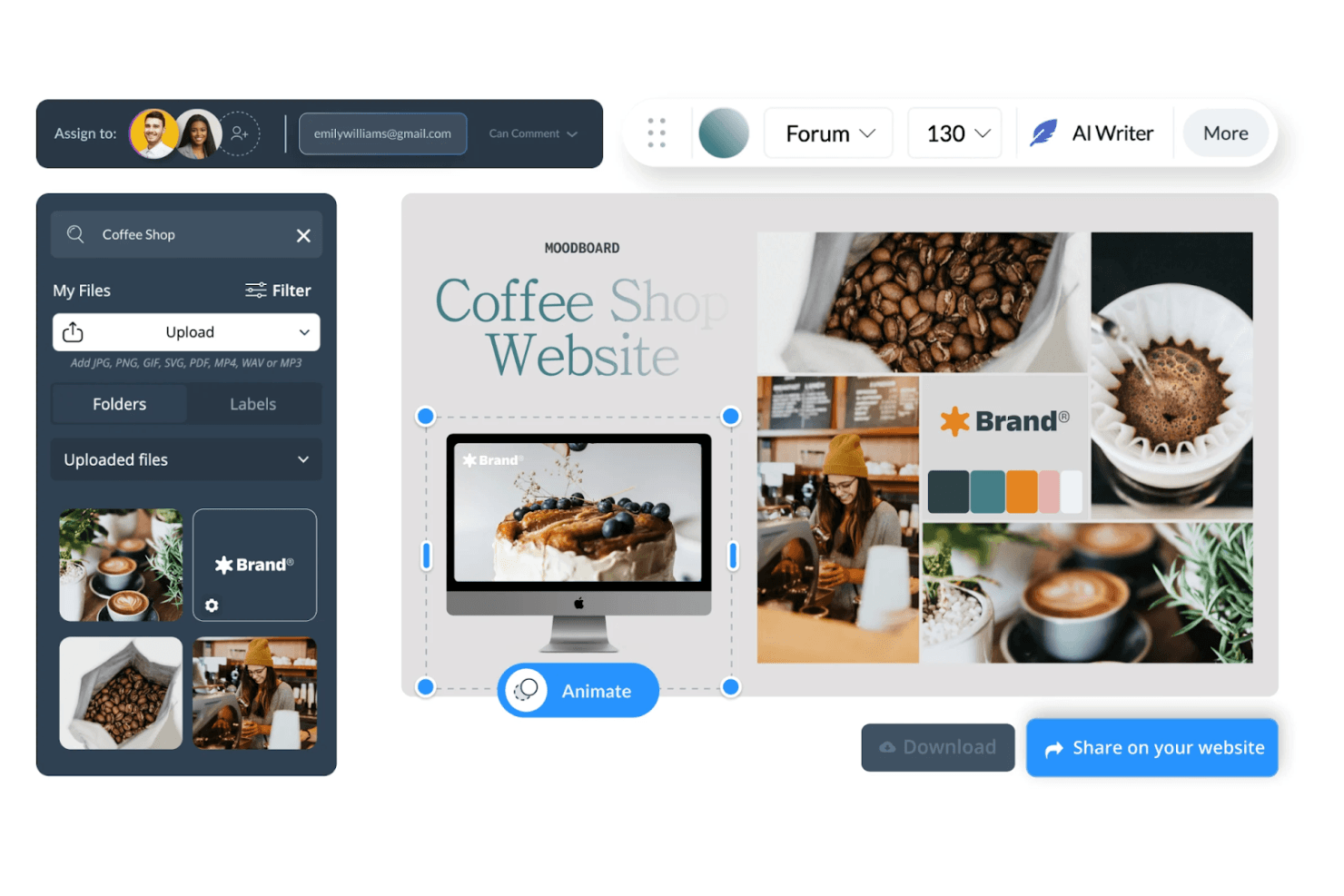
Visme lets users build coffee shop moodboards with photos and brand assets. Visme is an all-in-one visual content platform that lets you build mood boards, presentations, and branded visuals using a template library, drag-and-drop editor, stock asset library, and built-in brand kit tools.
Who Is Visme Best For?
Visme suits marketing and brand teams that need to build polished, presentation-ready mood boards with consistent brand controls baked in.
Why I Picked Visme
I picked Visme as one of the best because it's purpose-built for turning mood boards into pitch-ready presentations. The Brand Kit pulls your logo, fonts, and color palette into one place, so every board your team builds stays visually consistent without manual setup. I also love that you can export directly to PPTX or HTML5, or share a live link with view analytics, which means a mood board moves straight into a client presentation without rebuilding it elsewhere.
Visme Key Features
- Brand Wizard: Enter a website URL and Visme automatically pulls your logo, fonts, and color palette into a ready-to-use Brand Kit.
- 17 mood board templates: Pre-built layouts cover interior design, fashion, makeup, and brand marketing, each sized at 1366×768 px with customizable dimensions.
- In-editor pinned comments: Leave threaded, annotated feedback directly on board elements using pins, shapes, or freehand drawing, with @-tags and resolve controls.
- Multi-format asset library: Pull in visuals from Unsplash, GIPHY, Brandfetch, Google Drive, Dropbox, and a built-in stock library of 3M+ photos, videos, and graphics.
Visme Integrations
Visme offers integrations with Unsplash, GIPHY, Brandfetch, Google Drive, Dropbox, OneDrive, Widen, Slack, and monday.com, plus Zapier. These connections support visual asset sourcing, storage, sharing, and team workflows.
Pros and Cons
Pros:
- Pinned comments support detailed stakeholder feedback
- Brand controls keep visual direction consistent
- Pitch-ready boards become polished presentations
Cons:
- Image-based palette extraction remains limited
- Fixed slides limit freeform visual arrangement
Learn more about Visme: Best for Adobe ecosystem brand design
- Free plan available
- From $7.99/user/month (billed annually)
Visit WebsiteCustomer Rating:4.5/5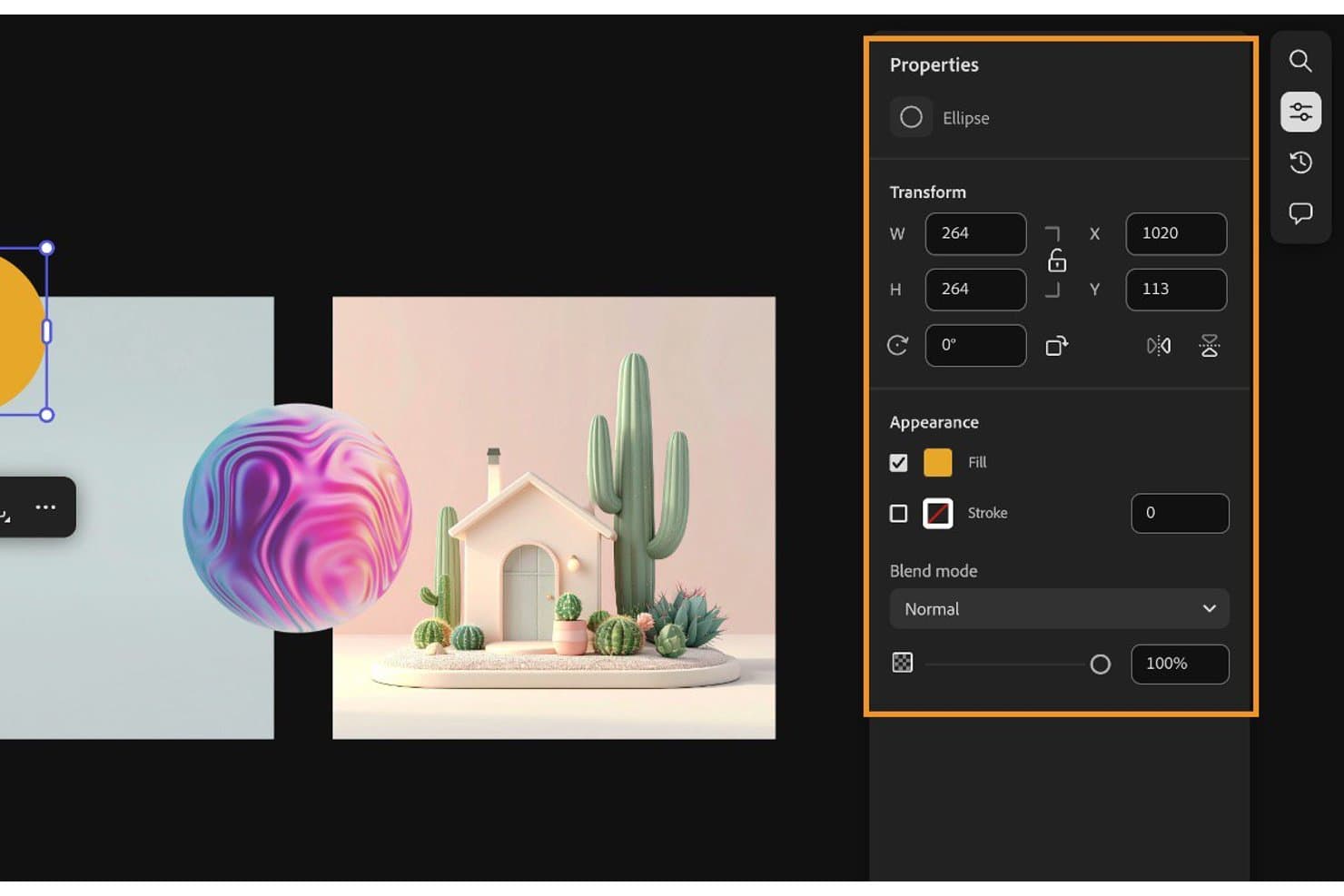
Adobe Express lets users customize ellipse shapes with fill, stroke, and blend options. Adobe Express is a design platform from Adobe that lets you build mood boards, presentations, and branded visuals using a drag-and-drop editor, 200M+ stock assets, AI-powered image generation, and real-time collaboration tools.
Who Is Adobe Express Best For?
Adobe Express is a strong fit for marketing and brand teams that already live in the Adobe ecosystem and need polished, on-brand visuals fast.
Why I Picked Adobe Express
I picked Adobe Express as one of the best because it's the strongest option for teams already working inside the Adobe ecosystem who need mood boards that look polished and stay on-brand. Brand Kit lets you store logos, colors, and fonts in one place, and Brand Check flags anything off-brand before a design goes out. The review-and-approval workflow, with "Needs work" and "Approve" statuses, makes stakeholder sign-off clean and traceable.
Adobe Express Key Features
- AI image generation: Firefly-powered text-to-image, Generative Fill, and object removal let you create or modify visuals directly inside your design canvas.
- Presentation mode: Switch between design and presentation views, set element click-order, preview animations, and export to PDF or PowerPoint for client-ready deliverables.
- Color extraction: Pull a palette automatically from any image, adjust hue and saturation, and save the result directly to your Brand Kit.
- Creative Cloud Libraries: Link assets across Adobe apps so any update to a shared element syncs automatically across every design that uses it.
Adobe Express Integrations
Adobe Express has native integrations across Adobe products, including Photoshop, Firefly, Creative Cloud Libraries, Lightroom, Adobe Stock, and Adobe Fonts. It also connects with Google Drive, Dropbox, OneDrive, SharePoint, and Figma through add-ons.
Pros and Cons
Pros:
- Review approvals clarify stakeholder feedback
- Brand controls protect visual consistency
- Polished presentation exports support creative pitches
Cons:
- Moodboarding splits across separate products
- Fixed canvases restrict freeform layouts
Learn more about Adobe Express: Best for cross-functional creative kickoffs
- Free plan available
- From $9.99/user/month (billed annually)
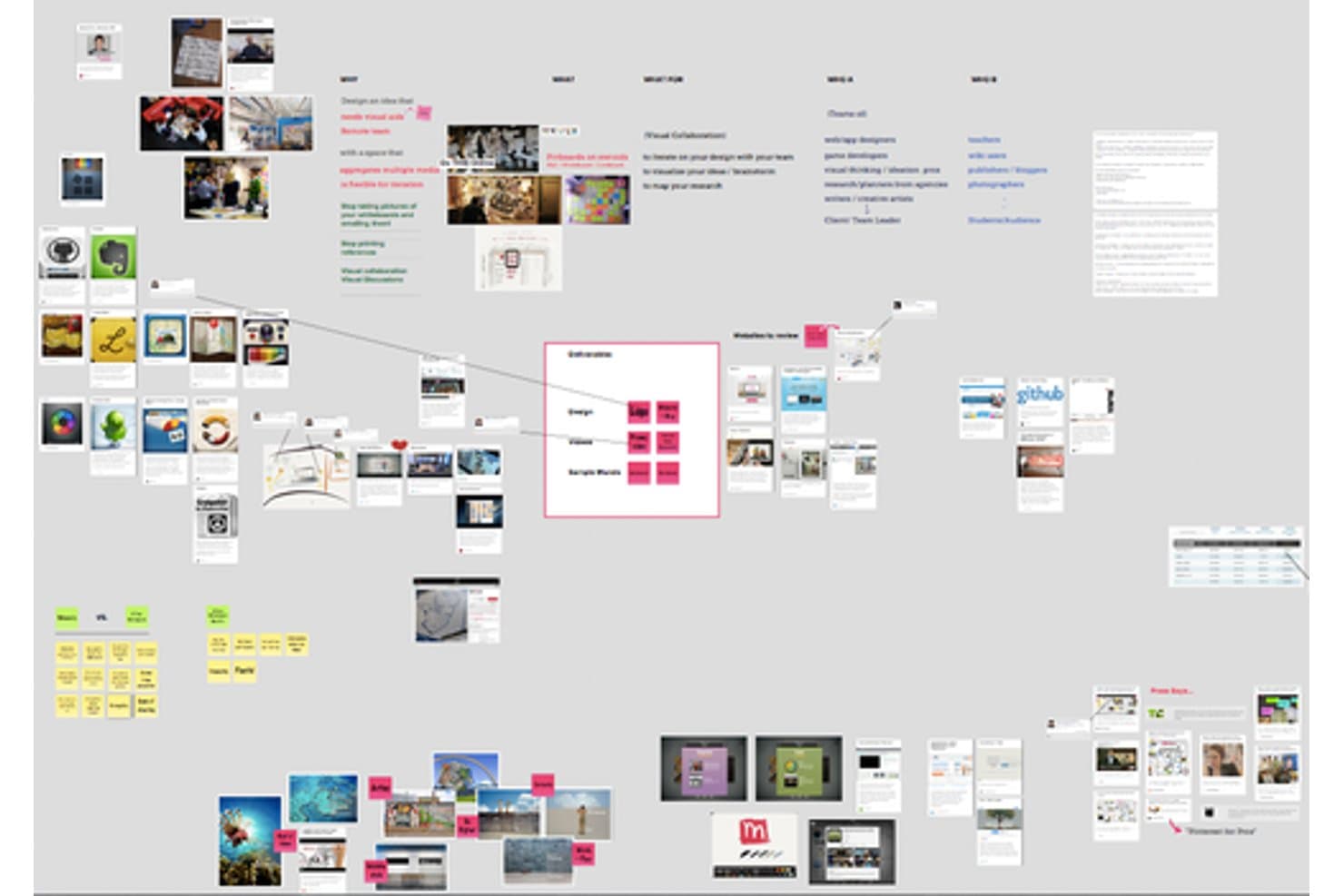
Mural lets users build visual mood boards with images and sticky notes. Mural is a visual collaboration whiteboard that combines an infinite freeform canvas, real-time co-editing, facilitation tools, and a mood board template to support creative and cross-functional teamwork.
Who Is Mural Best For?
Mural is a strong fit for product managers and UX teams who need a shared visual space to run creative kickoffs, align stakeholders, and gather structured feedback in real time.
Why I Picked Mural
I've included Mural in my top picks because it's the best option when a mood board needs to become a working session, not just a static deliverable. Its infinite canvas paired with a dedicated mood board template gives cross-functional teams a shared visual space to arrange images, sticky notes, and embedded content in real time. I especially like the anonymous voting sessions, which let everyone weigh in on visual directions without groupthink skewing results before the conversation starts.
Mural Key Features
- Mood board template: A pre-built template for arranging images, text, and sticky notes into a visual direction for brand, campaign, or product work.
- Presentation mode: Plays your canvas as a slide-by-slide presentation with laser pointer, timer, and full-screen controls built in.
- Live content embedding: Embed external documents, videos, dashboards, and designs directly on the canvas so collaborators can interact with them in place.
- Figma and Adobe CC integration: Import Figma frames or Adobe Creative Cloud assets directly onto the canvas to keep design assets in sync with your board.
Mural Integrations
Mural has native integrations with Figma, Adobe Creative Cloud Libraries, Unsplash, GIPHY, The Noun Project, Google Drive, Dropbox, OneDrive, Jira, and Azure DevOps. It also offers a public API and Zapier.
Pros and Cons
Pros:
- Presentation mode supports polished visual pitches
- Anonymous voting reduces stakeholder groupthink
- Real-time collaboration supports creative kickoff sessions
Cons:
- Limited image sourcing weakens inspiration gathering
- No automatic palette or font extraction
Learn more about Mural: Best for canvas-based inspiration gathering
- 7-day free trial available
- From $11.99/month (billed annually)
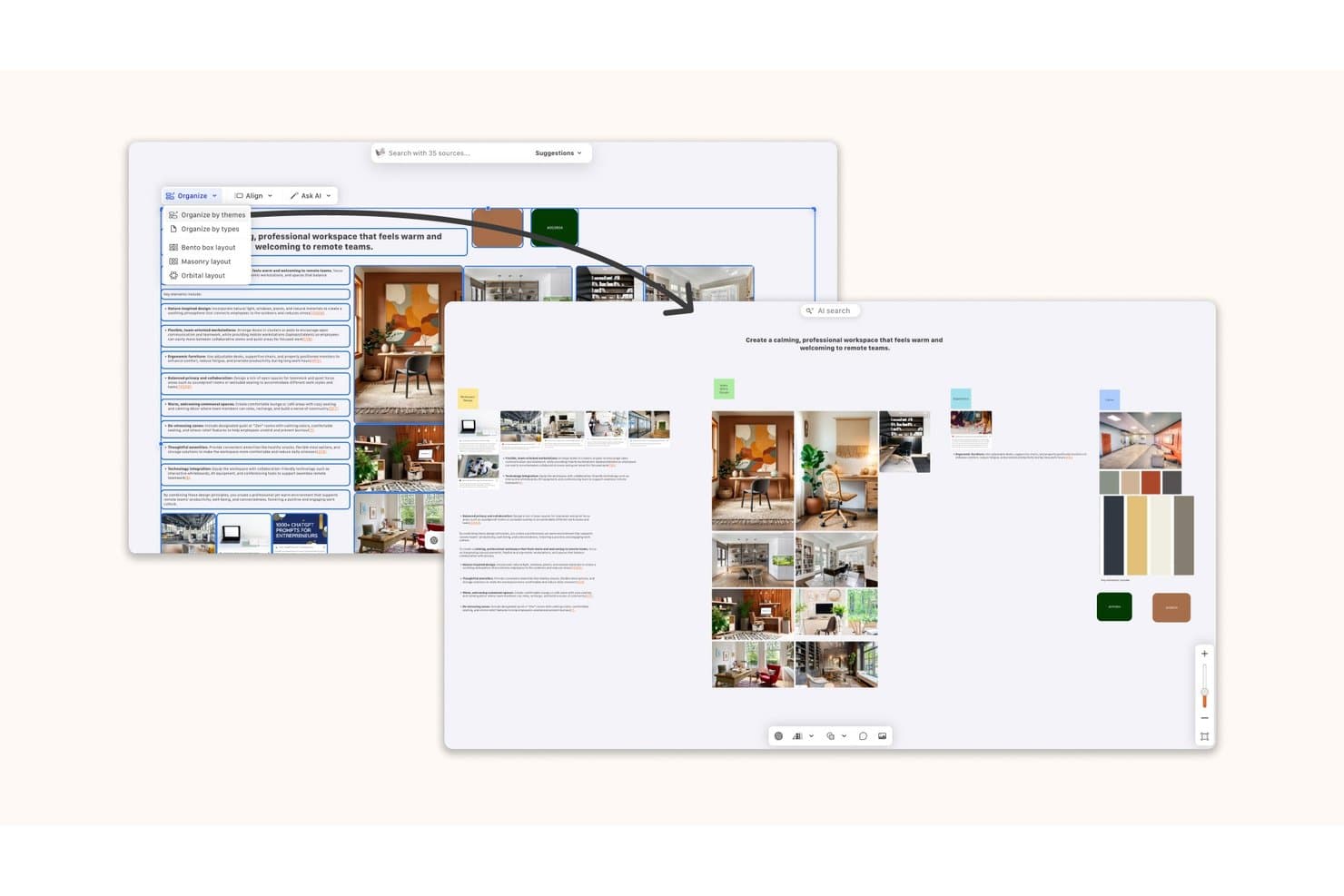
Kosmik lets users organize mood board content with AI-powered layout options. Kosmik is an infinite-canvas mood board app that combines a built-in web browser with capture mode, a Chrome web clipper, AI-powered asset discovery, and drag-and-drop file importing to gather images, videos, PDFs, and web content into a single workspace.
Who Is Kosmik Best For?
Kosmik suits graphic designers and creative researchers who need to pull assets from many sources—web pages, PDFs, videos—into a single infinite canvas workspace.
Why I Picked Kosmik
I picked Kosmik as one of the best because its built-in browser with capture mode is genuinely unlike anything else in this category. I can browse, click an image, and drop it straight onto the canvas without switching apps or losing context. The AI Asset Finder takes that further by searching the web and YouTube for related visuals based on what's already on my board, surfacing assets I wouldn't have found manually.
Kosmik Key Features
- Built-in PDF reader: Import PDFs and drag highlights or images directly from documents onto your canvas.
- Frames: Group and label collections of assets with customizable frames that stay readable at any zoom level.
- AI "Organize by Themes": Select a group of assets and let Kosmik automatically cluster them by visual or conceptual similarity.
- Publish link with duplicate toggle: Share a read-only link to any board and let recipients copy it into their own workspace as a starting template.
Kosmik Integrations
Kosmik’s documented connectivity includes Google Gemini for AI features, Google Drive, and a Chrome/Chromium web clipper for asset capture. No Slack, Jira, Notion, Figma, or API integrations are documented.
Pros and Cons
Pros:
- Frames turn scattered assets into visual sections
- AI clusters inspiration by themes and moods
- Captures web visuals without leaving the canvas
Cons:
- Exports raw assets, not finished boards
- Sunset status makes continued access uncertain
Learn more about Kosmik: Best for AI-generated visuals in Creative Cloud
- Free plan available
- From $9.99/month
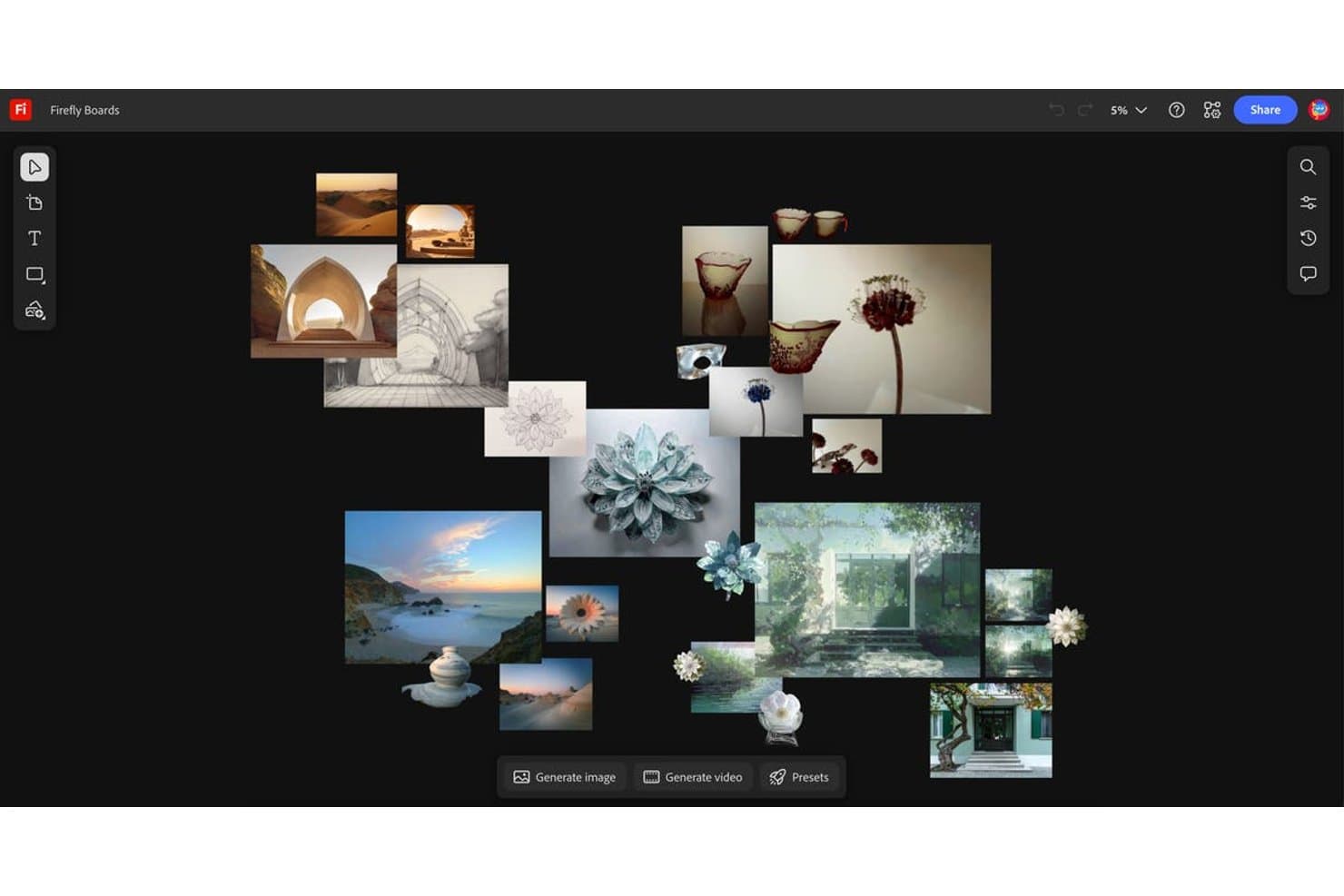
Adobe Firefly Boards lets users arrange AI-generated images into visual mood boards. Adobe Firefly Boards is an AI-first mood board tool with an infinite canvas that lets you collect, generate, and arrange visuals using built-in Adobe Firefly models, Adobe Stock search, and linked Creative Cloud files from Photoshop, Illustrator, and Lightroom.
Who Is Adobe Firefly Boards Best For?
Adobe Firefly Boards is the right fit for graphic, fashion, and interior designers who already live in Creative Cloud and want AI generation built directly into their mood-boarding workflow.
Why I Picked Adobe Firefly Boards
Adobe Firefly Boards earns its spot on my shortlist because it's the only mood board tool where AI generation and Creative Cloud assets coexist on the same infinite canvas. I love that you can generate an image from a text prompt, pull a linked PSD from Photoshop, and search Adobe Stock all without leaving the board. The Style Reference and Composition Reference tools let you lock in a visual direction and apply consistent lighting, texture, or color across every generated asset.
Adobe Firefly Boards Key Features
- Real-time co-editing: Multiple collaborators can work on the same board simultaneously, with live visibility into who's active.
- Linked Creative Cloud documents: PSD and AI files placed on the canvas stay connected to their source files, so board assets update automatically when edited in Photoshop or Illustrator.
- Adobe Stock search: A built-in Stock browser lets you search and pull licensed images directly onto the canvas without leaving the board.
- Artboards: Group and frame sections of the infinite canvas to organize concepts, compare directions, or structure client-ready presentations.
Adobe Firefly Boards Integrations
Adobe Firefly Boards offers native integrations with Photoshop, Illustrator, Lightroom, Adobe Express, Adobe Stock, and Creative Cloud storage. No native Jira, Slack, Notion, or Figma Boards integrations are documented.
Pros and Cons
Pros:
- Real-time comments support review cycles
- Infinite canvas supports precise layouts
- AI-generated visuals directly on canvas
Cons:
- Exported presentations can scramble layouts
- Client sharing requires Adobe ID
Learn more about Adobe Firefly Boards: 6Best for cross-functional team visual planning
Miro
- Free plan + 14-day free trial available
- From $8/user/month (billed annually)
Visit WebsiteCustomer Rating:4.8/5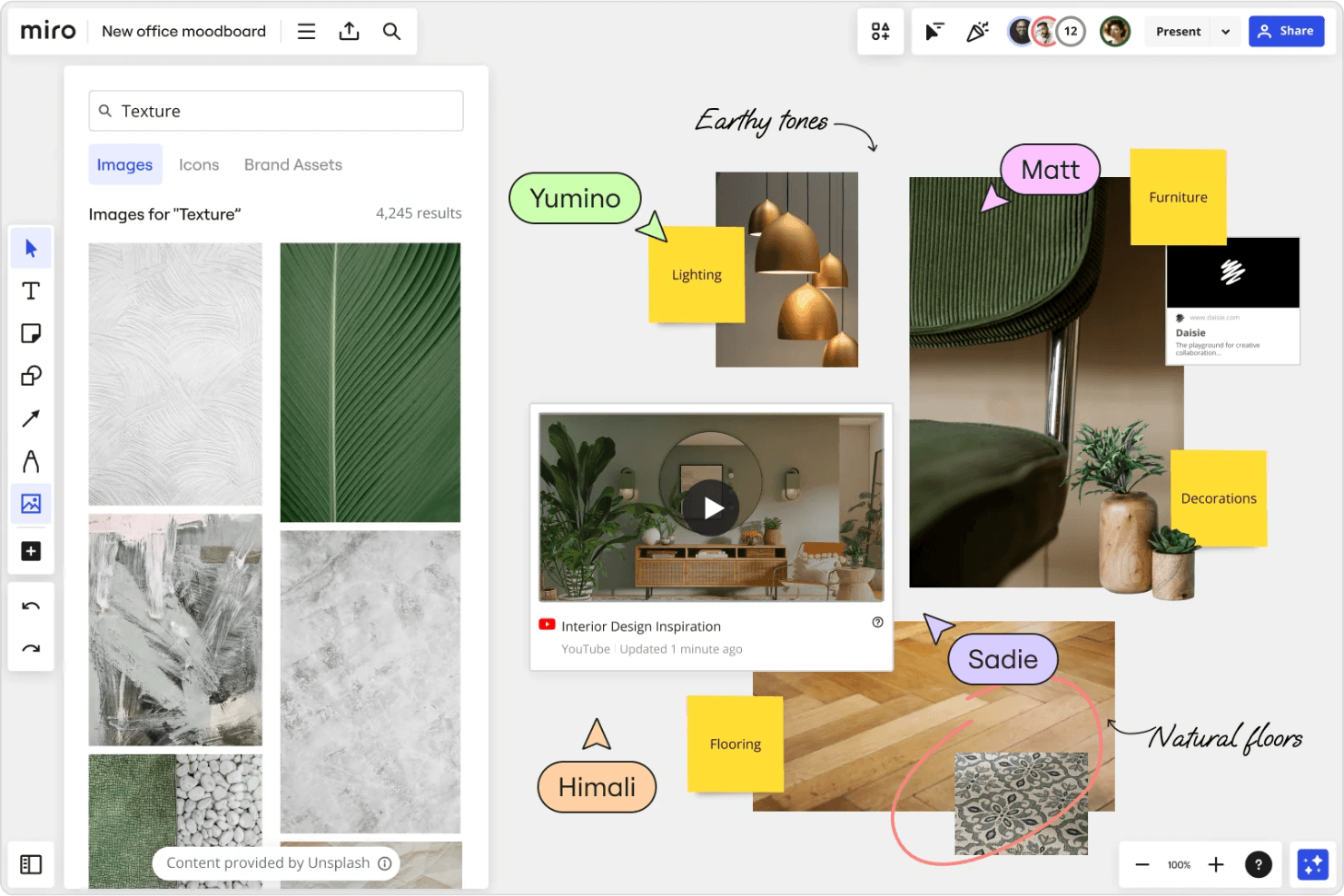
Miro lets you create collaborative mood boards with real-time feedback tools. Miro is a visual collaboration platform with an infinite canvas that supports mood board creation through drag-and-drop asset collection, AI image generation, real-time co-editing, and presentation mode.
Who Is Miro Best For?
Miro works well for product and cross-functional teams who want mood boards to live alongside personas, journey maps, and wireframes in one shared workspace.
Why I Picked Miro
I've included Miro in my top picks because it's the only tool on this list where a mood board can live on the same canvas as your personas, journey maps, and wireframes. I love that cross-functional teams can co-edit boards in real time, then flip directly into Presentation Mode to walk stakeholders through a zoomable, frame-by-frame visual story. The AI Image Creator also generates concept visuals from board content, which speeds up early ideation without leaving the workspace.
Miro Key Features
- Infinite canvas layout: An expandable workspace lets you arrange hundreds of images, links, and files without size constraints.
- Talktrack async recording: Record a narrated walkthrough of your board so stakeholders can review visual concepts on their own time.
- Built-in voting: Team members can vote anonymously on images or concepts directly within the board, with set vote counts and timers.
- Figma live embed: Embed Figma files and frames directly onto your Miro board so design assets stay current without manual re-uploading.
Miro Integrations
Miro offers 250+ integrations, including Figma, Adobe Creative Cloud, Google Drive, Dropbox, Slack, Jira, Asana, Linear, ClickUp, and Azure DevOps. Its APIs and SDKs support custom integrations.
Pros and Cons
Pros:
- Presentation mode turns boards into walkthroughs
- Real-time co-editing supports stakeholder feedback
- Infinite canvas accommodates hundreds of visual assets
Cons:
- Palette extraction requires separate tools
- Image-heavy boards can become sluggish
 Best for drag-and-drop visual brainstorming
- Free trial + free plan available
- From $144/user/year (billed annually)
Visit WebsiteCustomer Rating:4.7/5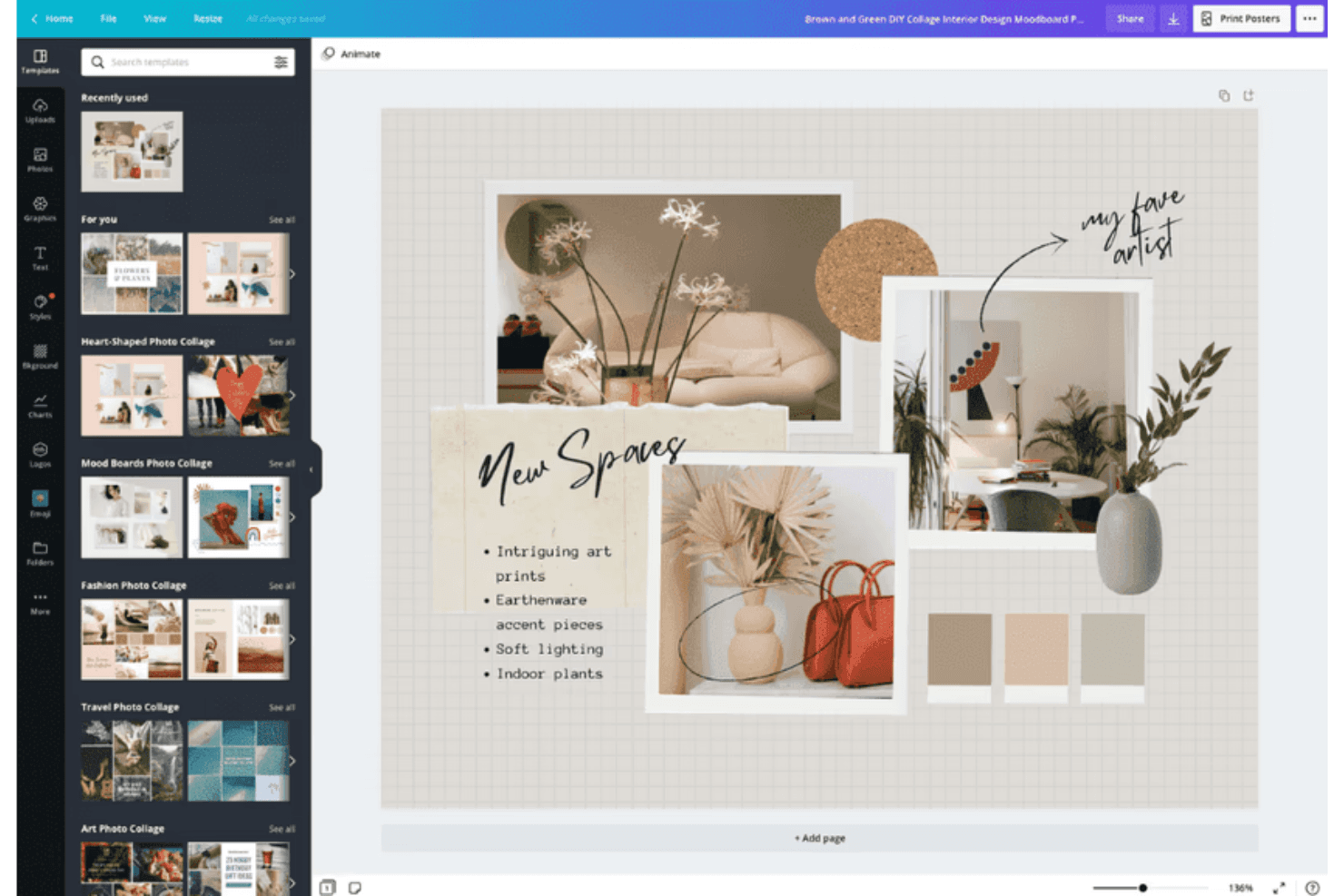
Canva makes it easy to design cozy interior mood boards with stylish templates. Canva is a visual design platform with an infinite-canvas whiteboard, drag-and-drop mood board templates, a 141M+ asset stock library, and real-time co-editing tools.
Who Is Canva Best For?
Canva is a strong fit for designers, marketers, and brand teams who want to build and share polished mood boards without a steep learning curve.
Why I Picked Canva
Canva earns its spot as one of the best on my shortlist because its infinite-canvas whiteboard makes drag-and-drop visual brainstorming feel genuinely fluid. I love how you can pull assets from a 141M+ stock library, clip images directly from the web with the Chrome extension, and arrange everything on a freeform board without ever leaving the platform. The automatic color palette generator, which extracts hex codes straight from uploaded photos, is a feature I find myself using constantly when building cohesive visual directions.
Canva Key Features
- Real-time co-editing: Multiple collaborators can edit the same board simultaneously, with each person shown as a distinct colored cursor.
- Brand Kit storage: Save your brand colors, fonts, and logos in one place so they're always available when building a mood board.
- Present and Record mode: Record yourself presenting a mood board and share the video directly with clients or stakeholders.
- Bulk cloud import: Pull entire folders from Google Drive, Dropbox, or OneDrive directly into Canva, preserving your existing folder structure.
Canva Integrations
Canva’s Apps Marketplace connects with over 100 tools, including Slack, Google Drive, Dropbox, and OneDrive. A third-party Figma to Canva app supports importing Figma files into editable Canva designs.
Pros and Cons
Pros:
- Real-time collaboration supports shared creative feedback
- Extensive templates accelerate polished mood boards
- Infinite canvas supports flexible visual exploration
Cons:
- Large projects may experience performance slowdowns
- Popular templates can produce generic-looking designs
Learn more about Canva: Best for design collaboration
- Free plan available
- From $3/user/month
Visit WebsiteCustomer Rating:4.7/5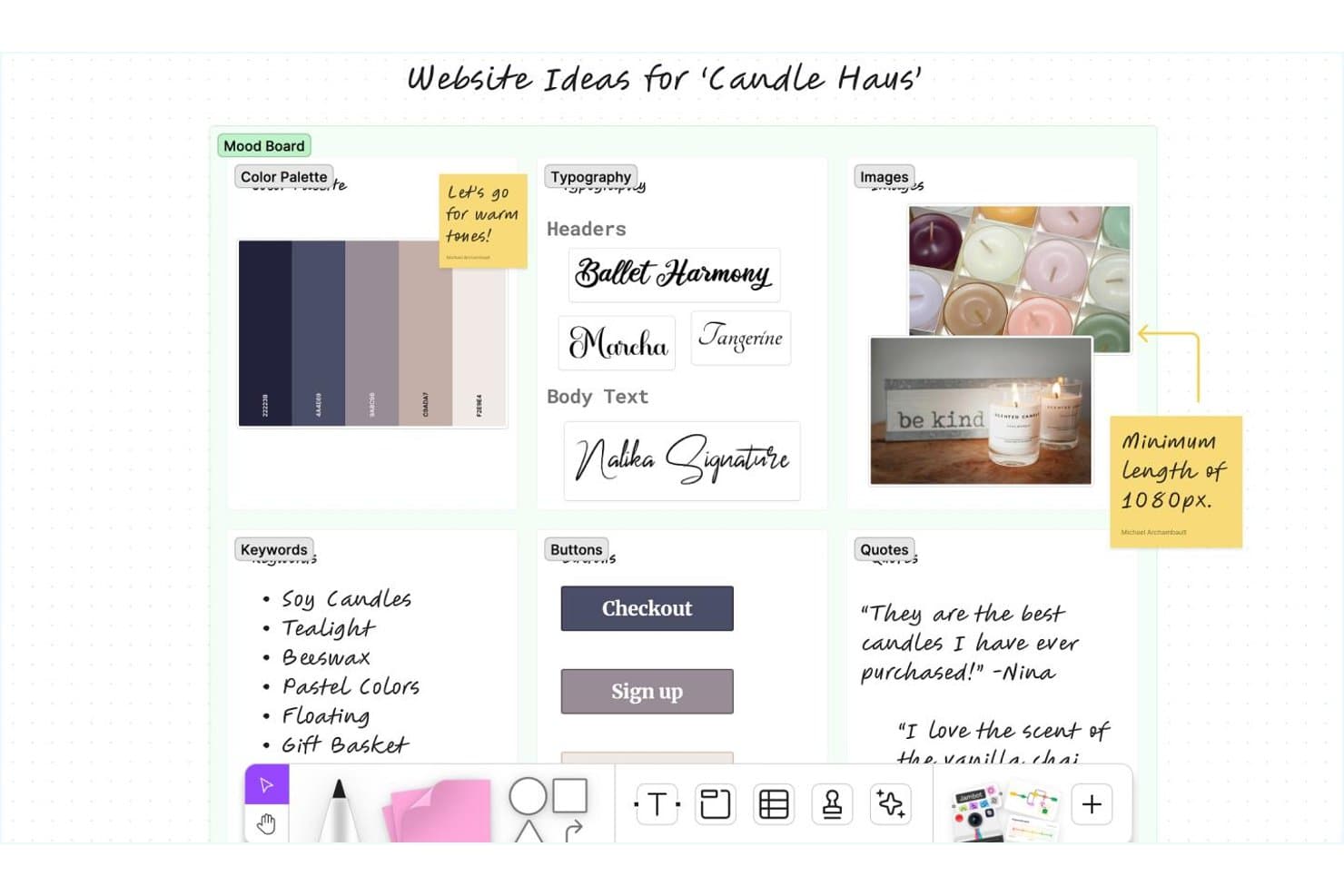
Figma lets users build visual mood boards with colors, fonts, and images. Figma is a design and whiteboarding platform that combines an infinite freeform canvas, real-time multi-user editing, AI image generation, and a direct path from mood boards to polished presentations via Figma Slides.
Who Is Figma Best For?
Figma is a strong fit for product and UX teams who want to move from early visual exploration directly into design and presentation without switching tools.
Why I Picked Figma
Figma earns its spot on my shortlist because real-time collaboration is genuinely where it pulls ahead of other mood board tools. I love that unlimited teammates can edit a FigJam board simultaneously, leave comments, and use cursor chat to react in the moment, which makes visual alignment fast when you're working across design, product, and marketing. From there, any FigJam board converts directly into a Figma Slides deck, so moving from raw inspiration to a polished stakeholder presentation doesn't require rebuilding anything.
Figma Key Features
- AI image generation: Generate reference images from a text prompt directly on the FigJam canvas when you can't find the right visual inspiration elsewhere.
- FigJam-to-Slides conversion: Turn any FigJam board into a Figma Slides deck without rebuilding your layout from scratch.
- Stakeholder voting sessions: Run structured voting in FigJam where votes stay hidden until the session ends, useful for narrowing down visual directions with a team.
- Image Color Picker tool: Upload an image to automatically extract a color palette in HEX, RGB, HSL, or HSB, then open it directly in Figma.
Figma Integrations
Figma offers native integrations with Jira, Asana, Slack, Microsoft Teams, Google Chat, Zoom, Google Meet, and Frontify. It also supports Zapier.
Pros and Cons
Pros:
- AI generates missing visual references
- FigJam boards become polished presentation decks
- Real-time co-editing keeps teams aligned
Cons:
- Palette extraction requires separate tools
- No native stock library or web clipper
 Best for creative professionals and teams
- Free plan + free trial + free demo available
- From $9.99/user/month (billed annually)
Visit WebsiteCustomer Rating:4.7/5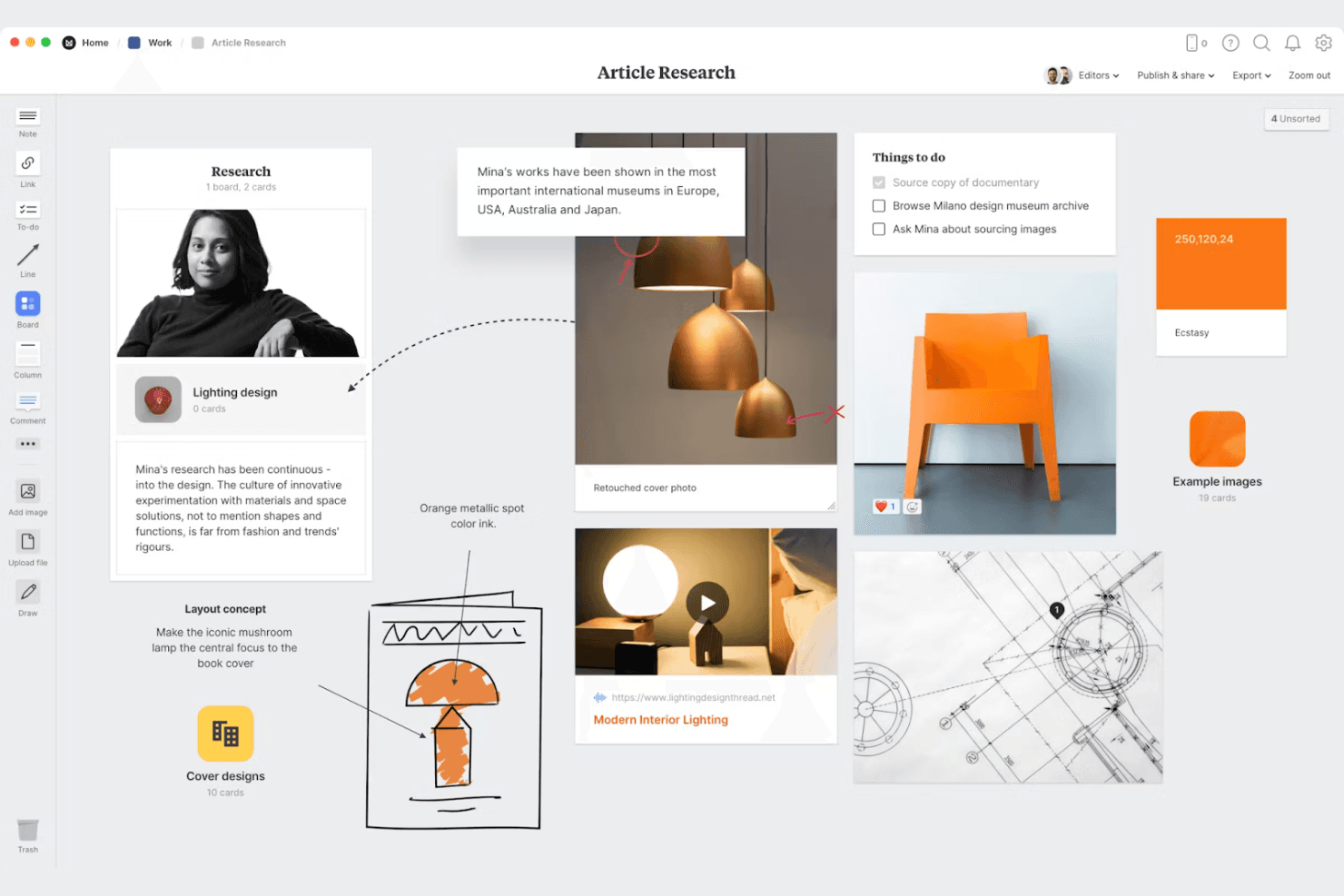
Organize your creative ideas visually with Milanote’s flexible drag-and-drop boards for research, notes, images, and tasks. Milanote is a visual mood board creator with an infinite freeform canvas, built-in Pexels stock image search, a five-browser web clipper, real-time collaboration, and flexible client sharing tools.
Who Is Milanote Best For?
Milanote fits graphic designers, interior designers, and fashion designers who need a visual-first workspace for gathering inspiration and presenting creative direction to clients.
Why I Picked Milanote
Milanote earns its spot as one of the best on my shortlist because it's purpose-built for the way creative teams actually gather and present inspiration. I love that its Web Clipper works across five browsers, letting you pull images, text, and links from any site directly onto your board in one click. The built-in Pexels library (3M+ images) means you rarely need to leave the canvas to find strong visual references, and the freeform infinite canvas makes arranging a cohesive creative direction feel natural rather than forced.
Milanote Key Features
- Real-time co-editing: Multiple team members can work on the same board simultaneously, with changes visible to everyone instantly.
- Presentation mode: A full-screen view that hides editing tools, lets you focus on individual cards, and supports zooming during live presentations.
- Nested boards: You can place boards inside other boards to organize large projects into structured, folder-like hierarchies.
- Color swatches with eyedropper: Pull exact colors from images on your board using the eyedropper, then save them as swatches with HEX, RGB, or HSL values.
Milanote Integrations
Milanote doesn't have any native integrations with tools such as Slack, Figma, Jira, or Notion. It supports Dropbox link cards, YouTube and Vimeo embeds, and website embeds, but no public API is documented.
Pros and Cons
Pros:
- Presents polished boards in focus mode
- Supports real-time visual collaboration
- Clips inspiration from five browsers
Cons:
- Search becomes difficult across many boards
- Large boards can export too small
Learn more about Milanote: Best for pitch-ready boards built with AI
- Not available
- From $7.99/month (billed annually)
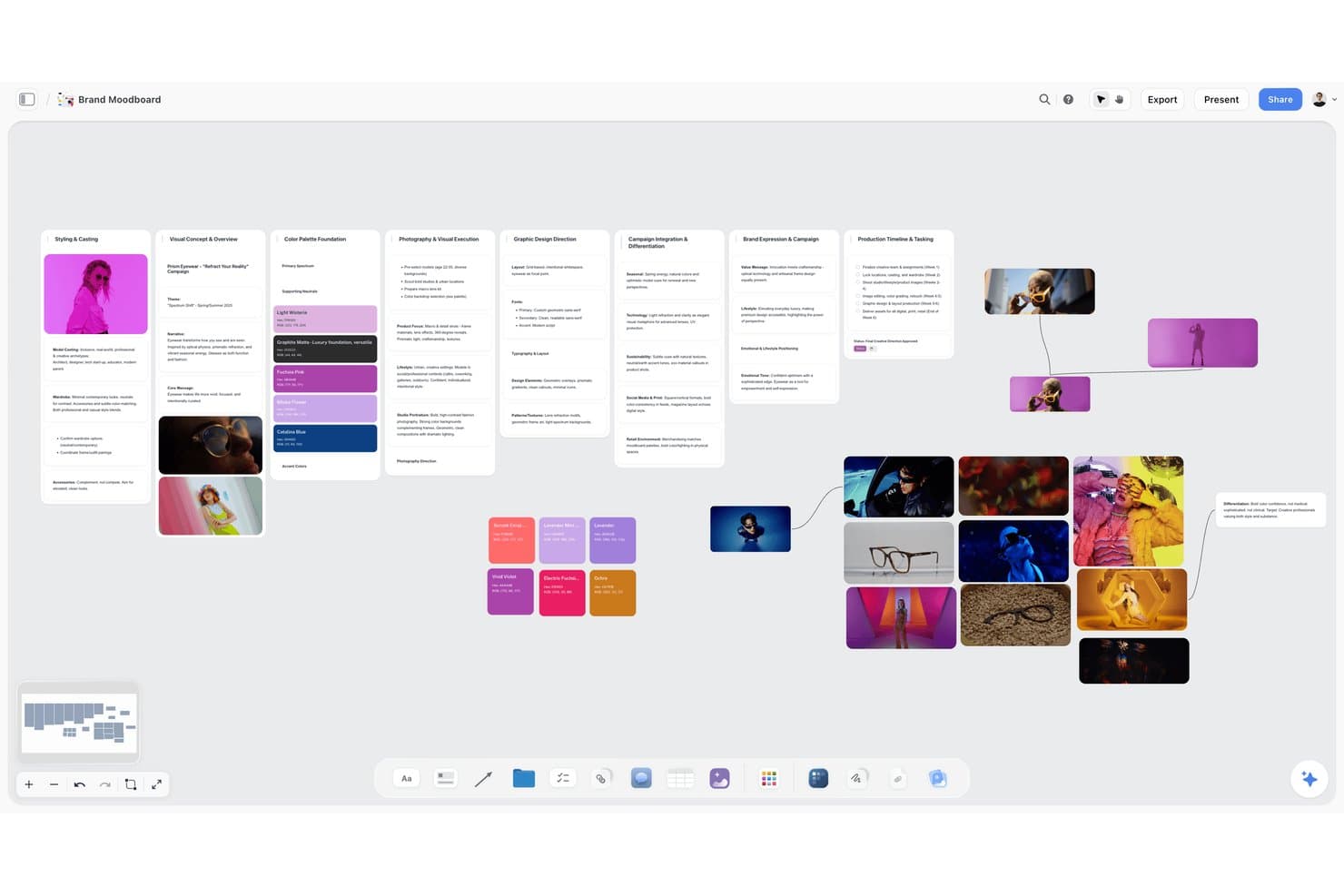
Storyflow lets users build visual brand moodboards with images, color palettes, and text. Storyflow is an AI visual workspace for creative teams that combines infinite-canvas moodboards, AI image generation, color palette extraction, and built-in presentation and export tools.
Who Is Storyflow Best For?
Storyflow is a strong fit for designers and brand teams who need to go from creative brief to client-ready pitch without switching tools.
Why I Picked Storyflow
I picked Storyflow as one of the best because it's built around turning a creative brief into a client-ready board without leaving the canvas. Describe a vibe in a single prompt and the AI drafts a full moodboard with images, named color swatches, and layout in one pass. From there, Presentation Mode lets you step through frames like slides and record a walkthrough, so the same board that held your inspiration becomes the pitch itself.
Storyflow Key Features
- AI image generation: Pro and Max plans let you generate images directly on the canvas, with support for reference images, aspect ratio control, background removal, and upscaling.
- Palette extraction from images: Upload any image and the AI reads its colors, outputting a named swatch grid with hex and RGB values for each tone.
- Presentation Mode with recording: Step through board frames like slides in fullscreen, reorder them on the fly, and record a video walkthrough without leaving the canvas.
- Brief-to-board import: Drop a PDF, Word, PowerPoint, or CSV file onto the canvas and the AI converts it into a laid-out, visual board.
Storyflow Integrations
Storyflow doesn't have any native integrations. It supports Pinterest, YouTube, and Vimeo link previews, plus imports from PDF, Word, PowerPoint, Excel, and CSV files.
Pros and Cons
Pros:
- Presentation mode supports recorded client walkthroughs
- Palette extraction includes named hex swatches
- AI drafts complete moodboards from briefs
Cons:
- Formal approval workflows aren't included
- Web inspiration collection remains largely manual
Learn more about Storyflow:
Other Mood Board Creators
Here are some additional mood board creator options that didn’t make it onto my shortlist, but are still worth checking out:
- 11Morpholio BoardBest for interior and fashion design boards
- 12DesignFilesBest for interior designers sourcing and pitching
- 13Adobe PhotoshopBest for layer-based compositing and color extraction
- 14MattoBoardBest for 3D material boards from real product catalogs
- 15PinterestBest for visual inspiration at massive scale
- 16EagleBest for solo visual asset collection and search
How I Evaluate Mood Board Creators
I split my evaluation into three parts, giving the most weight to core functionality: collect visual references and arrange them freely to shape a product direction. Next, I look for differentiators like AI image generation for missing concepts. Finally, I consider onboarding, support, and pricing for cross-functional teams.
Core Functionality (Table Stakes For This List)
When I'm selecting tools for my list, I score each one on a scale from 0 (does not offer the functionality) to 5 (excels in this area) for each core functionality listed below. I then convert the total into a percentage to help assess each tool's overall fit, with extra weight on any functionalities I’ve deemed essential.
- Visual Asset Collection (Essential): I look for ways to add images, colors, and textures from uploads or web sources, so teams can gather references for a product concept in one place.
- Freeform Board Layout (Essential): I assess whether you can resize, layer, and freely arrange assets to compare visual directions without being locked into a rigid template.
- Collaboration & Sharing: I check for shared editing, comments, or view links that let design, product, and business stakeholders discuss a board.
- Multi-Board Organization: I look for ways to sort separate boards by project or concept, so a team can return to the right visual direction.
- Export & Presentation Output: I assess whether you can share a board as a clear export or presentation when pitching a concept or gathering stakeholder feedback.
- Color & Asset Extraction: I check whether tools can pull palettes or other useful details from images to help teams shape a cohesive visual direction.
Once I have a list of tools that meet the criteria, I consider what sets each platform apart.
Differentiating Factors (What Sets Vendors Apart)
Here's how I compare and contrast different vendors:
Standout Features
I check whether a tool offers AI image generation, which helps when a product concept has no existing reference imagery to pull from. Stakeholder feedback voting is another feature I evaluate—tools like Milanote and miro let reviewers react or vote on directions inside the board, cutting out side-channel debates. I also look for browser clipping extensions that capture competitor UI screenshots straight into a board during research sprints.
Beyond Features
I check whether a tool fits the existing stack—boards that connect to Jira, Slack, or Notion save PMs from re-uploading assets across apps during discovery sprints. Pricing models matter too, since per-seat plans can lock out occasional reviewers like leadership or marketing. I also evaluate workspace permissions and private link controls, because mood boards often hold pre-release concepts or competitor teardowns that need tighter access than a shared drive.
How to Choose a Mood Board Creator
It’s easy to get bogged down in long feature lists and complex pricing structures. To help you stay focused as you work through your unique software selection process, here’s a checklist of factors to keep in mind:
| Factor | What to Consider |
| Scalability | Ensure the tool can grow with your team. Look for features that accommodate increasing users and projects without compromising performance. |
| Integrations | Check if it integrates with design tools your team already uses, like Adobe Creative Cloud or Slack, to streamline your workflow. |
| Customizability | Make sure you can tailor the tool to fit your specific needs, such as adjusting templates or setting up custom workflows. |
| Ease of Use | The interface should be intuitive for all users. Consider the learning curve and how quickly your team can get up and running. |
| Budget | Compare pricing plans to find one that fits your budget. Evaluate what features you get for the price and consider any discounts for annual subscriptions. |
| Security Safeguards | Prioritize tools that offer robust security measures, like data encryption and user access controls, to protect your creative assets. |
| Collaboration | Look for features that support teamwork, like real-time editing and comment threads, to ensure efficient collaboration among your team. |
| Support | Consider the availability of customer support options, such as live chat or phone support, to assist your team when issues arise. |
Trends in Mood Board Creator
In my research, I sourced countless product updates, press releases, and release logs from different mood board creator vendors. Here are some of the emerging trends I’m keeping an eye on:
- AI-Driven Design Suggestions: More tools are incorporating AI to offer design suggestions and automate repetitive tasks. This helps users create visually appealing boards faster. For instance, some vendors now use AI to suggest color palettes and layout options based on the content.
- 3D Visualization: The addition of 3D elements allows users to create more immersive and realistic mood boards. This trend is especially useful for industries like interior design and architecture, where visualizing depth and space is crucial.
- Collaboration Enhancements: Real-time collaboration features are becoming more sophisticated, enabling users to work together more effectively. Tools now offer advanced commenting systems and version control to keep projects organized and teams aligned.
- Augmented Reality (AR) Integration: Some vendors are exploring AR to allow users to visualize their mood boards in real-world settings. This is particularly useful for retail and event planning, where seeing designs in context can enhance decision-making.
- Sustainability Features: There's a growing focus on sustainability, with tools offering features that help users create eco-friendly designs. This includes options for selecting sustainable materials and reducing digital waste by optimizing file sizes.
What Is a Mood Board Creator?
Mood board creator is a digital tool used to compile images, text, and other visual elements to convey a concept or theme. Designers, marketers, and creative professionals often use these tools to organize ideas and present visual concepts effectively. Features like drag-and-drop interfaces, real-time collaboration, and customizable templates help users quickly bring their ideas to life, improve teamwork, and enhance creativity. Overall, these tools simplify the process of visual storytelling and idea sharing.
Features of a Mood Board Creator
When selecting a mood board creator, keep an eye out for the following key features:
- Drag-and-drop interface: Allows users to easily arrange and organize visual elements, making the design process intuitive and efficient.
- Real-time collaboration: Enables team members to work together simultaneously, enhancing communication and teamwork on projects.
- Customizable templates: Offers pre-designed layouts that can be tailored to fit specific needs, saving time and effort in creating mood boards from scratch.
- Image library access: Provides a collection of stock photos and graphics, giving users a wide range of visual resources to enhance their boards.
- AI design suggestions: Uses artificial intelligence to recommend design elements, such as color palettes and layouts, helping users create aesthetically pleasing boards.
- 3D visualization: Allows users to incorporate 3D elements for a more immersive and realistic representation of ideas.
- Export options: Supports exporting boards in various formats, such as PDF or image files, for easy sharing and presentation.
- Annotation tools: Includes features for adding text and notes, enabling users to provide context and explanations for their visual elements.
- Mobile app availability: Ensures users can create and edit mood boards on the go, providing flexibility and convenience.
- Security safeguards: Offers data encryption and user access controls to protect creative assets and sensitive information.
Benefits of a Mood Board Creator
Implementing a mood board creator benefits your team and your business. Here are a few you can look forward to:
- Enhanced creativity: The use of customizable templates and an extensive image library sparks new ideas and helps visualize concepts more effectively.
- Improved collaboration: Real-time collaboration features allow team members to work together efficiently, leading to better teamwork and communication.
- Time savings: Drag-and-drop interfaces and AI design suggestions speed up the design process, making it easier to create mood boards quickly.
- Better presentation: Export options let you share polished and professional-looking boards in various formats, enhancing presentations to clients or stakeholders.
- Flexibility: Mobile app availability ensures you can create and edit mood boards from anywhere, providing convenience and adaptability to different work environments.
- Informed decision-making: Features like 3D visualization help teams visualize ideas in context, leading to more informed and confident decisions.
- Data security: Security safeguards protect your creative assets and sensitive information, giving you peace of mind when sharing and collaborating online.
Costs and Pricing of Mood Board Creator
Selecting a mood board creator requires an understanding of the various pricing models and plans available. Costs vary based on features, team size, add-ons, and more. The table below summarizes common plans, their average prices, and typical features included in mood board creator solutions:
Plan Comparison Table for Mood Board Creator
| Plan Type | Average Price | Common Features |
| Free Plan | $0 | Access to basic templates, limited storage, and basic editing tools. |
| Personal Plan | $5-$25/user/month | Customizable templates, access to stock image library, and export options in multiple formats. |
| Business Plan | $25-$50/ user/month | Real-time collaboration, advanced editing tools, and integration with third-party apps. |
| Enterprise Plan | $50-$100/ user/month | Unlimited storage, dedicated support, advanced security features, and custom onboarding services. |
Mood Board Creator FAQs
Here are some answers to common questions about mood board creators:
What do mood boards need to include?
There are no strict rules for creating mood boards, but they should effectively convey your theme, color, and motif direction. Focus on creating a cohesive look that aligns with your project’s goals. Remember, a mood board is a tool to inspire and guide your design process.
What are the disadvantages of mood boards?
Mood boards often show only one angle, providing a static view of your concept. They can’t mimic lighting or dynamic elements, which can be a limitation for some projects. Additionally, mood boards lack realism, as they can’t fully represent how a design will function in real life.
What 5 elements must you include on a mood board?
A successful mood board should include a creative concept that goes beyond aesthetics and color schemes. While consistent design concepts and a color palette are important also consider typography choices, swatches for textures and prints, visual direction, and relevant imagery. These elements help create a cohesive visual representation of your project vision.
What makes a successful mood board?
A perfect mood board sets a clear project direction and includes a variety of inspiring materials and design inspiration concepts. Whether a physical or digital mood board, it should be organized, with a balance of colors, fonts, and curated imagery that aligns with your project’s goals. Be open to inspiration from various sources to enhance your own mood board.
How do I choose photos for my mood board?
Choose photos that align with your project’s theme and evoke the desired mood to create engaging and beautiful moodboards. Consider trying mood board templates and playing around with the color palette, composition, and overall aesthetic when selecting images. Mix different types of visuals, like textures and patterns, to add depth and interest to your grids.
Can mood boards be used for non-design projects?
Yes, mood boards can be used for a variety of projects beyond design. They’re great for planning events, developing marketing strategies, or brainstorming ideas for new products. The visual format helps communicate concepts and align team members on a shared vision.