Det kan være overveldende å administrere et prosjekt for en mobilapp. Du møter stramme tidsfrister, komplekse brukerkrav og behovet for å samarbeide effektivt med teamet ditt. Programvare for design av mobilapper bidrar til å forenkle disse utfordringene ved å tilby verktøy som gjør webdesign og prototyping enklere.
Etter min erfaring kan det å velge riktig programvare utgjøre en betydelig forskjell i arbeidsflyten din. Derfor har jeg testet og vurdert ulike alternativer for å gi deg en objektiv liste over de beste valgene.
I denne artikkelen finner du innsikt i de unike funksjonene til hvert verktøy og hvordan de kan være til nytte for teamet ditt. Enten du ser etter samarbeid, prototyping med mockup-generatorer eller funksjoner for brukertesting, har jeg det du trenger. La oss se nærmere på den beste programvaren for design av mobilapper som er tilgjengelig i dag.
Why Trust Our Software Recommendations
6,700+
Reviews
20
Industry experts
16+
Evaluation factors
14
Years
Our team has been testing and reviewing software since 2012. As product managers ourselves, we know how difficult—and important—it is to choose the right software.
For this guide, we evaluated tools using hands-on testing and independent research, scoring tools using our selection criteria.
Our reviews reflect our human editorial judgment, not a sales pitch.
Expert reviewers:
- Andrew LumbySenior TPM
- Cristiano ValimSenior UI/UX Lead


Sammenligningstabell for programvare til design av mobilapper
Denne sammenligningstabellen oppsummerer prisopplysningene for mine beste utvalgte programmer for design av mobilapper:
| Tool | Best For | Trial Info | Price | ||
|---|---|---|---|---|---|
| 1 | Best for cross-functional design handoff | Free plan available | From $3/user/month | Website | |
| 2 | Best for AI-generated wireframes without design skills | Free plan available | From $14/user/month | Website | |
| 3 | Best for prototyping mobile apps from scratch | Free plan available | From $24.90/user/month (billed annually) | Website | |
| 4 | Best for code-backed mobile design systems | Free plan + 14-day free trial available | From $29/user/month (billed annually) | Website | |
| 5 | Best for Adobe Creative Cloud prototyping | Free trial available | From $22.99/month (billed annually) | Website | |
| 6 | Best for open-source app UI and dev handoff | Free plan + 14-day free trial available | From $7/user/month | Website | |
| 7 | Best for functional wireframes with working forms | Free plan available | From $19/user/month | Website | |
| 8 | Best for macOS-native UI design | 30-day free trial | From $12/user/month (billed annually) | Website | |
| 9 | Best for logic-driven mobile wireframing | 30-day free trial | From $29/user/month (billed annually) | Website | |
| 10 | Best for sensor-driven interaction prototyping | Free plan available | From $25/month (billed annually) | Website |


Anmeldelse av den beste programvaren for design av mobilapper
Nedenfor finner du mine detaljerte sammendrag av den beste programvaren for design av mobilapper som kom med på listen min. Anmeldelsene mine gir en detaljert gjennomgang av de viktigste funksjonene, fordeler & ulemper, integrasjoner og ideelle bruksområder for hvert verktøy, slik at du kan finne det beste alternativet for deg.
 Best for cross-functional design handoff
- Free plan available
- From $3/user/month
Visit WebsiteCustomer Rating:4.7/5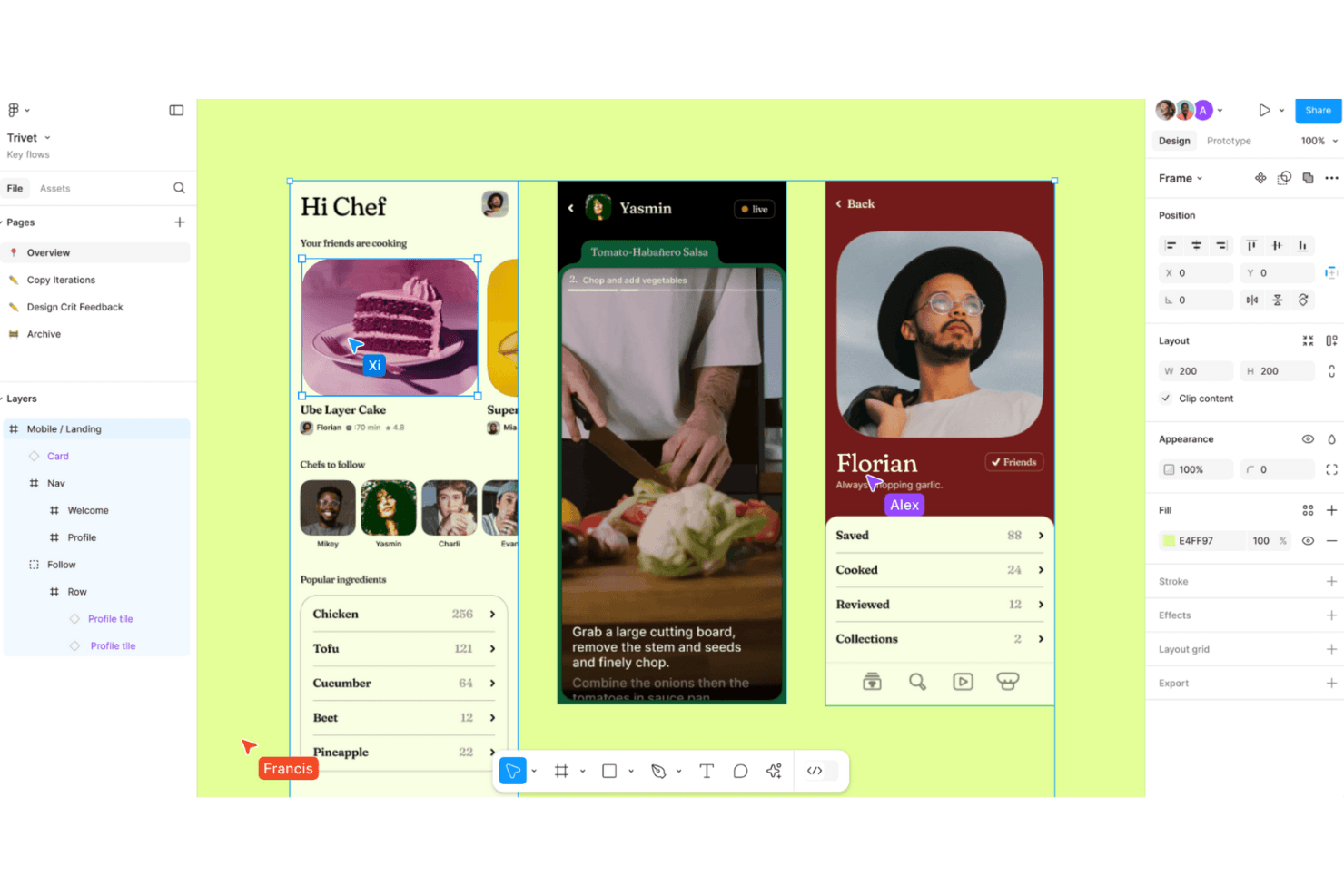
Figma enables collaborative design workflows with real-time editing and prototyping for seamless creativity. Figma is a browser-based UI design tool that combines screen design, interactive prototyping, design system management, and developer handoff in a single collaborative environment.
Who Is Figma Best For?
Figma is a strong fit for cross-functional product teams where designers, product managers, and developers need to collaborate on app design without switching tools.
Why I Picked Figma
Figma earns its spot on my shortlist because no other tool collapses the gap between design and development the way it does. Dev Mode generates iOS and Android code snippets directly from your design layers, and Code Connect maps those layers to real production components in your codebase. I also love that product managers, QA, and other stakeholders can comment and inspect specs without needing a paid seat, which makes cross-functional handoff genuinely frictionless.
Figma Key Features
- Smart Animate: Automatically animates matching layers between frames to create realistic transitions, parallax effects, and touch gestures in prototypes.
- Interactive components: Switch between component variants automatically, reducing the number of frames needed to represent animated states.
- Variable modes: Define and apply multiple themes, such as light and dark mode, across your designs using a single set of variables.
- Figma Mirror: View and play desktop frames on a real iOS or Android device in real time through the Figma mobile app.
Figma Integrations
Figma connects with Slack, Jira, Notion, Google Workspace, GitHub, and Storybook, with a VS Code extension for developer workflows. Its REST API, plugins, webhooks, Code Connect, and MCP Server support custom design-to-development integrations.
Pros and Cons
Pros:
- Developer specs connect designs to implementation
- Prototypes support complex conditional user flows
- Real-time multiplayer keeps app reviews aligned
Cons:
- Mobile app cannot edit design files
- Large files can cause noticeable performance slowdowns
 Best for AI-generated wireframes without design skills
- Free plan available
- From $14/user/month
Visit WebsiteCustomer Rating:4.8/5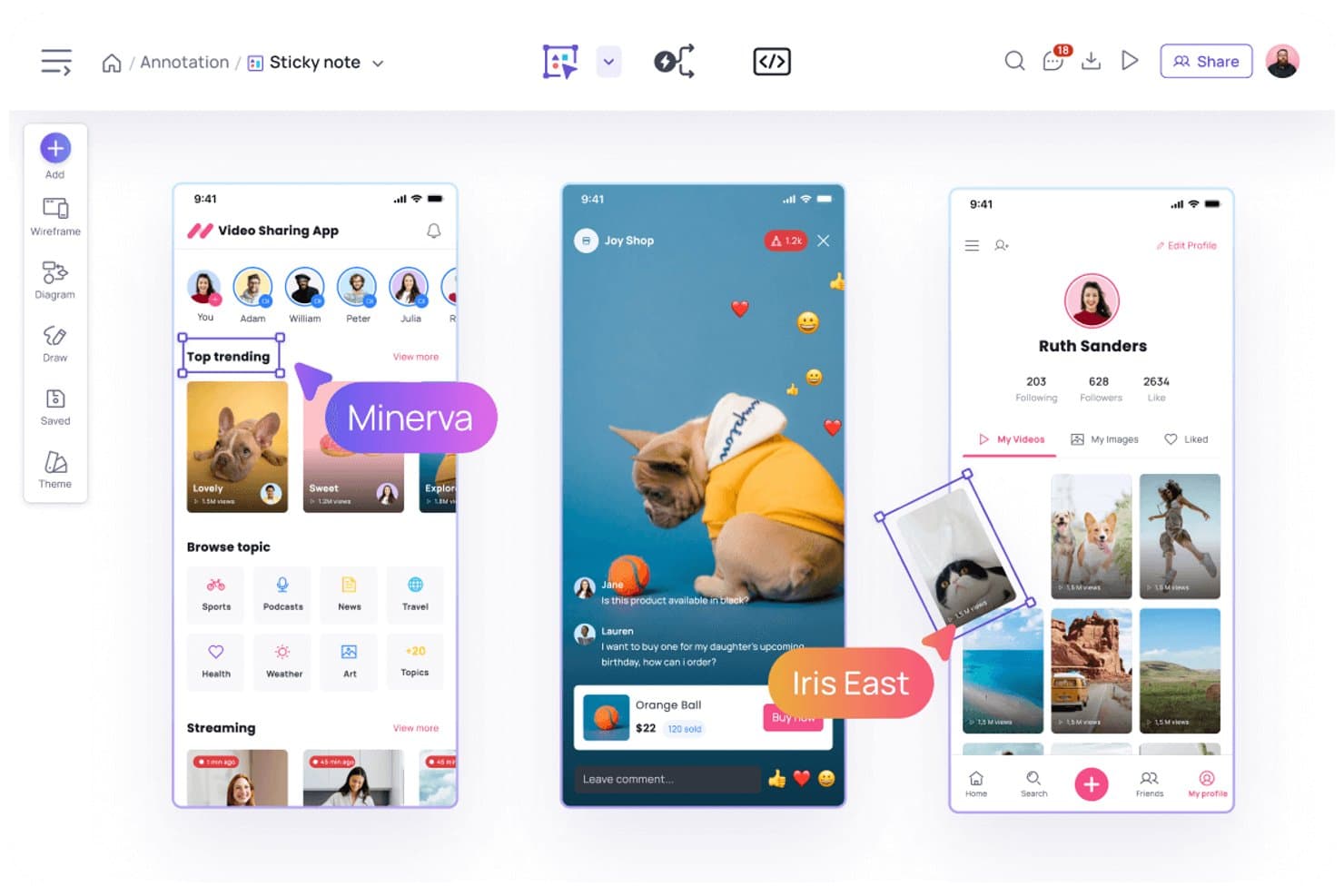
Visily lets users annotate designs with sticky notes and comments. Visily is a browser-based AI design tool that lets you create mobile and web app wireframes, mockups, and interactive prototypes using text prompts, screenshots, sketches, or templates.
Who Is Visily Best For?
Visily is a strong fit for product managers and non-designers who need to turn ideas into wireframes and prototypes quickly, without relying on a dedicated design team.
Why I Picked Visily
I picked Visily as one of the best because it's the only tool on my list where you can go from a rough sketch or a screenshot to a structured mobile wireframe in seconds, no design background required. I love how the AI UI Design Generator handles multiple input types: paste in a screenshot of an existing app, describe a screen in plain text, or draw a rough diagram, and Visily converts it into an editable wireframe. Auto-Prototype then links those screens into a clickable flow automatically, without any manual wiring.
Visily Key Features
- Fidelity switching: Toggle between high-fidelity and low-fidelity views instantly, keeping all elements in place while only the visual style changes.
- Smart Components: Prebuilt, editable UI elements—like nav bars, cards, tables, and charts—that can be broken down into individual parts or populated with CSV data.
- Real-time collaboration: Co-edit boards simultaneously with teammates using cursor chat, commenting, emoji reactions, and follower mode.
- Inspect Mode: View element specs, CSS and Tailwind properties, pixel spacing, and exportable assets directly from any design board.
Visily Integrations
Visily offers integrations with Figma, Jira, Slack, and Notion. Its MCP server connects to Claude Code, Codex, Cursor, Gemini CLI, ChatGPT, and Lovable for developer handoff.
Pros and Cons
Pros:
- Inspect Mode provides detailed developer specifications
- Auto-Prototype creates linked mobile app flows
- AI converts screenshots and sketches into wireframes
Cons:
- Manual adjustments replace missing auto-layout capabilities
- No native device-specific mobile simulators
Learn more about Visily: Best for prototyping mobile apps from scratch
- Free plan available
- From $24.90/user/month (billed annually)
Visit WebsiteCustomer Rating:4.5/5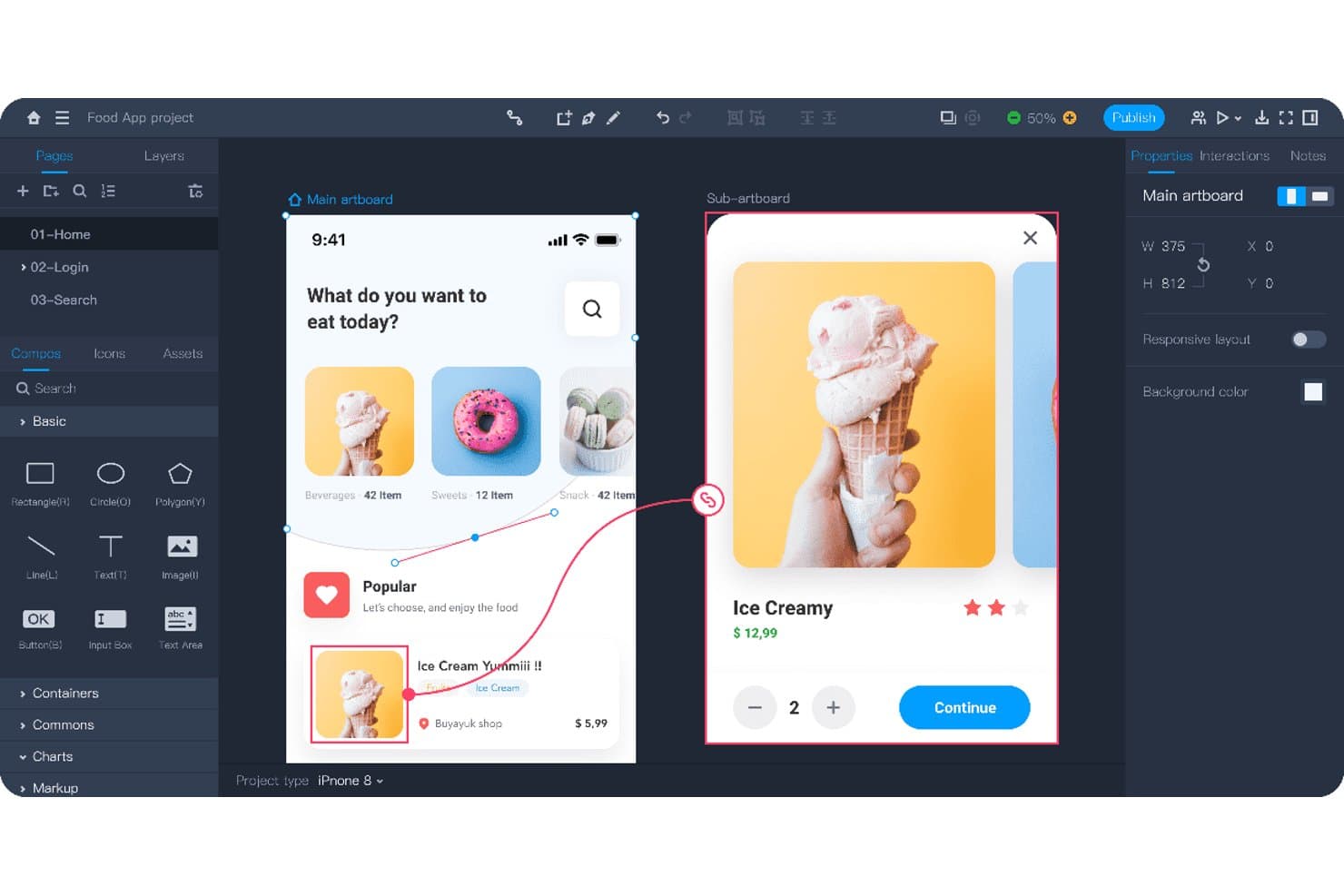
Mockplus lets users design and prototype mobile app screens interactively. Mockplus RP is a browser-based prototyping and wireframing tool that combines drag-and-drop screen design, interactive prototype building, flowcharts, and real-time team collaboration across web, iOS, and Android projects.
Who Is Mockplus Best For?
Mockplus RP is a strong fit for UX/UI designers who need to go from blank canvas to testable mobile prototype without a steep learning curve or a high price tag.
Why I Picked Mockplus
I picked Mockplus RP as one of the best because it's built specifically for taking a mobile app from zero to testable prototype, and it shows in the details. I love that preset iOS, Android, and Material Design artboards let you skip the blank-canvas friction, while a library of 3,000+ UI components means you're building real screens, not placeholders. Component states (hover, pressed, selected, and custom) combined with tap, swipe, and slide gesture interactions let me simulate actual mobile UX flows without writing a line of code.
Mockplus Key Features
- Flowchart and sitemap builder: Drag-and-drop user flow and sitemap diagrams that connect directly to your artboards.
- Axure import: Import existing Axure projects with up to 95% of details preserved and fully editable in Mockplus RP.
- Real-time co-editing: Teams of up to 10 users can design together simultaneously on the free plan, with comments and activity feeds included.
- QR code preview sharing: Share prototypes instantly via QR code so stakeholders can review designs on a real mobile device.
Mockplus RP Integrations
Through Mockplus Cloud, Mockplus RP integrates with Figma, Sketch, Adobe XD, Photoshop, Axure, Slack, Jira, Confluence, and Lark. No public API or GitHub integration is documented.
Pros and Cons
Pros:
- Axure imports preserve editable details
- Real-time co-design supports stakeholder feedback
- Rapid screen creation from templates
Cons:
- Design systems need separate product
- Prototype logic requires rebuilding in code
Learn more about Mockplus: Best for code-backed mobile design systems
- Free plan + 14-day free trial available
- From $29/user/month (billed annually)
Visit WebsiteCustomer Rating:4.2/5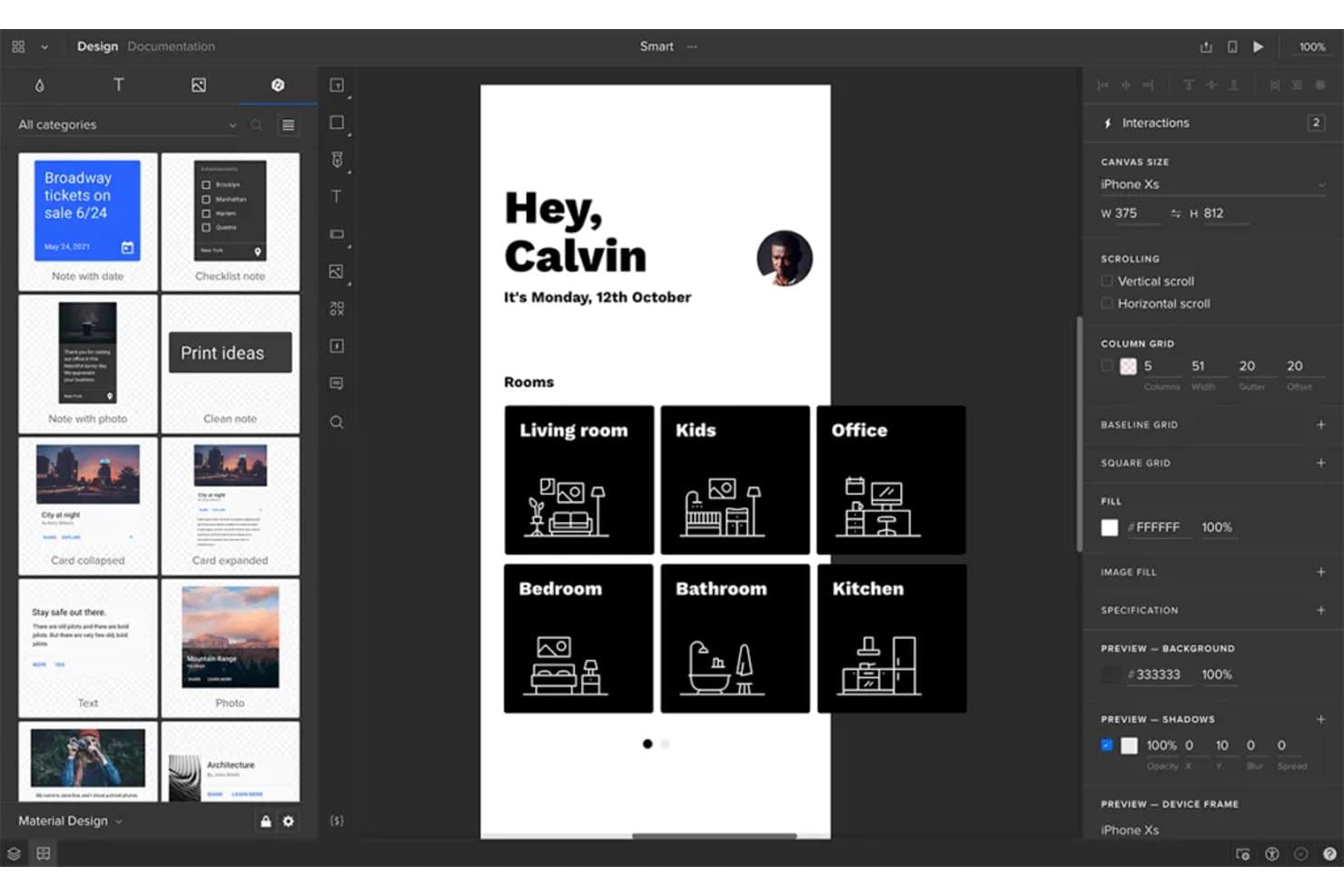
UXPin lets users design and prototype mobile app screens visually. UXPin is a browser-based mobile app design tool that combines wireframing, high-fidelity prototyping, and code-backed design systems built on real React components synced from Git, Storybook, or npm.
Who Is UXPin Best For?
UXPin is a strong fit for UX/UI designers and front-end developers who need design systems backed by real production components.
Why I Picked UXPin
UXPin earns its spot on my shortlist because it's the only mobile app design tool where your prototypes run on actual production React components, not vector replicas. I love how Merge pulls components directly from Git, Storybook, or npm so your design system and codebase stay in sync by default. When a developer updates a component, every design instance updates too, which eliminates the drift that makes most handoffs painful.
UXPin Key Features
- Mobile gesture triggers: UXPin supports tap, swipe, press and hold, touch down, and touch up interactions for building realistic mobile prototypes.
- UXPin Mirror: Scan a QR code to preview live prototypes on real iOS or Android devices, with the canvas updating on your phone as you edit.
- Conditional logic and variables: Set up if/else interactions, regex validation, and expressions to create prototypes that respond dynamically to user input.
- Developer handoff specs: UXPin auto-generates CSS, dimensions, and element notes that developers can inspect and copy directly from a shared preview link.
UXPin Integrations
UXPin integrates with Storybook, npm, Figma, Sketch, Jira, Slack, FullStory, StackBlitz, and CodeSandbox. Enterprise plans add Git integration for GitHub and Bitbucket.
Pros and Cons
Pros:
- Live device previews update as designs change
- Advanced logic models real app behavior
- Production components keep prototypes aligned with code
Cons:
- Design tokens remain limited beyond colors
- React-centric workflows limit native mobile coverage
Learn more about UXPin: Best for Adobe Creative Cloud prototyping
- Free trial available
- From $22.99/month (billed annually)
Visit WebsiteCustomer Rating:4.3/5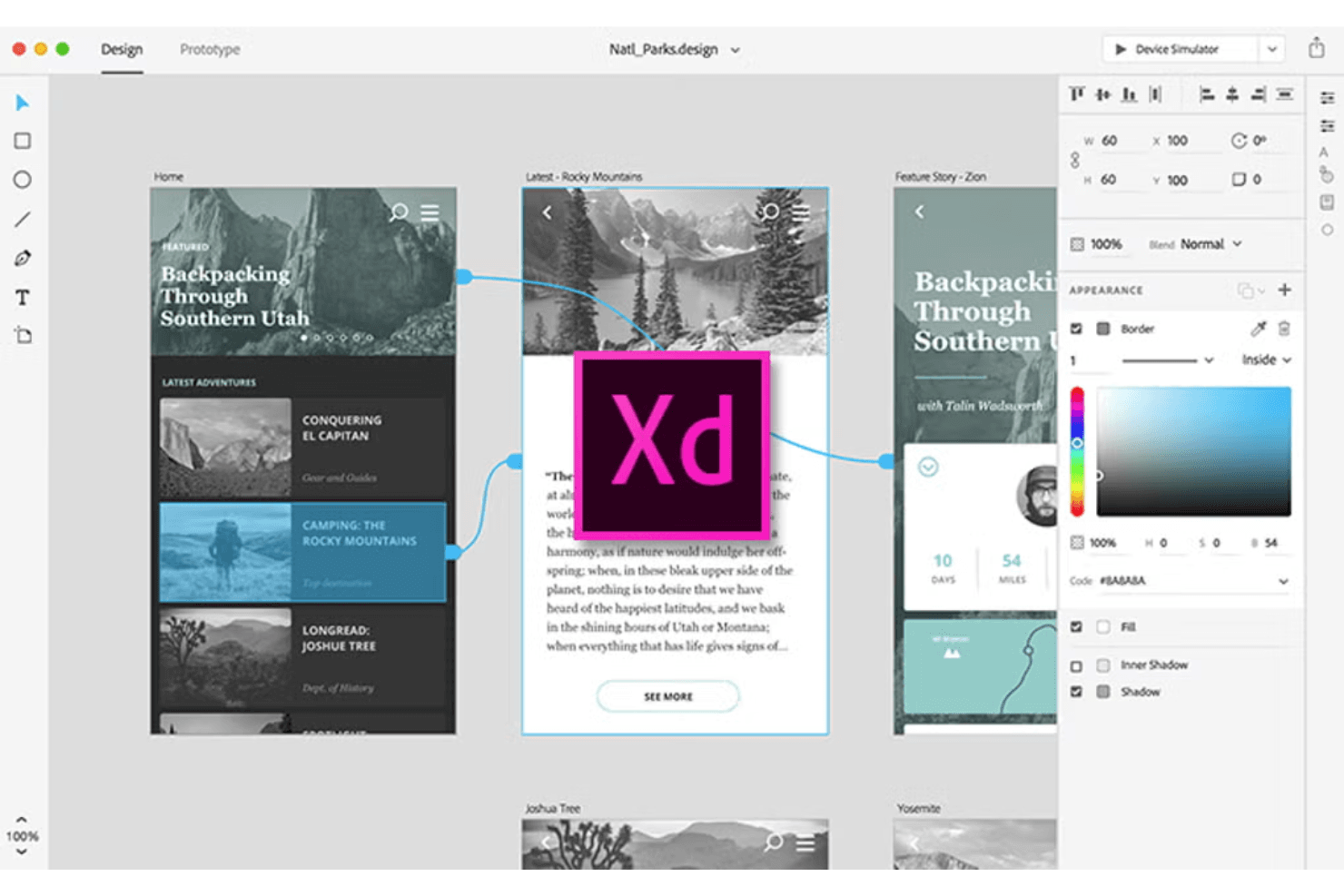
Adobe XD supports UI/UX design with interactive prototypes. Adobe XD is a desktop-based UI/UX design tool that covers screen design, interactive prototyping, component libraries, and developer handoff within the Adobe Creative Cloud ecosystem.
Who Is Adobe XD Best For?
Adobe XD fits UX/UI designers and product designers who are already working within the Adobe Creative Cloud ecosystem and want a familiar, fast tool for building interactive prototypes.
Why I Picked Adobe XD
I picked Adobe XD as one of the best because it's the natural home for prototyping when your team already lives in Creative Cloud. Auto-Animate lets you wire up micro-interactions between artboards using matched layer names, so swipe gestures and ripple effects feel close to native without extra tooling. Component states add Hover and Toggle behaviors automatically, which means interactive flows come together fast when you're validating a mobile UI before handing off specs.
Adobe XD Key Features
- UI kits: Access pre-built iOS, Android, and Windows UI kits directly from the File menu to jump-start mobile screen design.
- Repeat grid: Select any element or group and tile it into a repeatable grid pattern, then drag to resize rows and columns instantly.
- Multiple flows: Organize and share distinct user flows from a single document without creating separate prototype files.
- Live mobile preview: Connect iOS or Android devices via USB to see your designs update in real time as you edit on desktop.
Adobe XD Integrations
Documented integrations include Photoshop, Illustrator, After Effects, Creative Cloud Libraries, and Adobe Asset Link. Marketplace plugins connect Adobe XD with Jira, Slack, and Zoom, while third-party plugins support code export.
Pros and Cons
Pros:
- Multiple flows simplify stakeholder review
- Live USB previews expose mobile behavior early
- Auto-Animate supports native-feeling microinteractions
Cons:
- Collaboration lacks presence indicators and granular permissions
- Maintenance mode limits long-term product viability
 Best for open-source app UI and dev handoff
- Free plan + 14-day free trial available
- From $7/user/month
Visit WebsiteCustomer Rating:4.5/5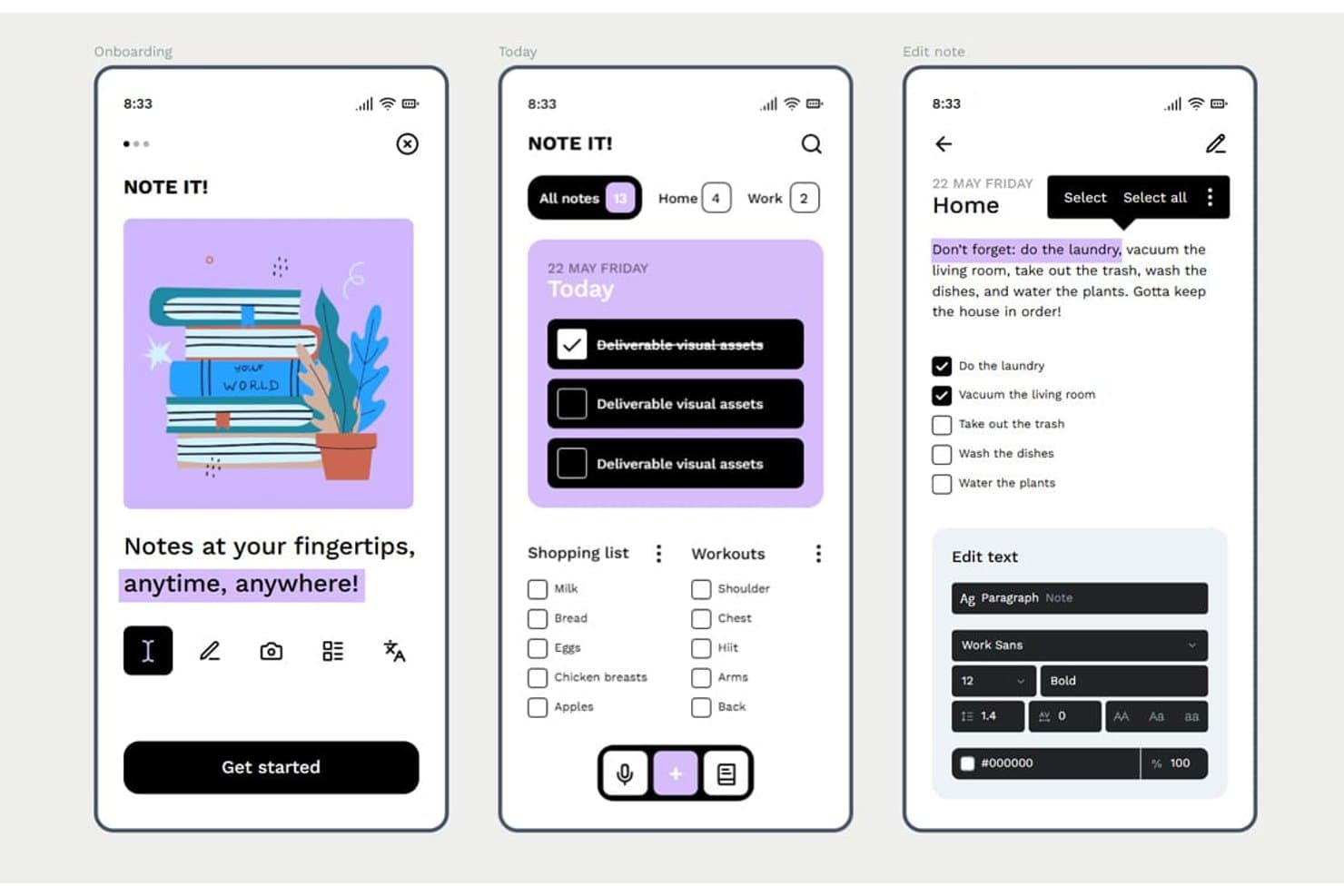
Penpot lets users design mobile app screens with rich text and task UIs. Penpot is an open-source, browser-based UI design tool that offers vector editing, Flex and CSS Grid layout, component libraries with design tokens, interactive prototyping, and developer handoff through an Inspect mode and Code tab.
Who Is Penpot Best For?
Penpot is a strong fit for UX/UI designers and front-end developers who need a free, open-source design tool with CSS-native layouts and built-in developer handoff.
Why I Picked Penpot
I've included Penpot in my top picks because it's the only open-source design tool with native CSS Flex and Grid layouts, which means the specs your developers see in the Code tab map directly to how they'll build the UI. I also like that design tokens follow the W3C DTCG format, so a color or spacing change in a token set cascades across components automatically. That combination of layout fidelity and token-driven components makes Penpot a strong fit for teams maintaining a mobile UI design system alongside a live codebase.
Penpot Key Features
- Boolean operations: Combine, subtract, intersect, or exclude vector shapes to build custom UI elements and icons directly on the canvas.
- Shared component libraries: Publish design assets across files and teams so all collaborators always pull from the same up-to-date components.
- Multiplayer editing with comments: Edit files simultaneously with teammates and leave threaded comments with replies, notifications, and read/unread tracking.
- Version history with pinned saves: Manually pin named versions alongside autosaved history to restore or preview earlier states of a file.
Penpot Integrations
Penpot supports integrations with GitHub, GitLab, Slack, and Storybook through its REST/RPC APIs and webhooks. It also offers a free, open-source MCP server for design-to-code workflows and custom integrations.
Pros and Cons
Pros:
- Native tokens support consistent design systems
- CSS-native layouts simplify developer handoff
- Open-source design control
Cons:
- No adaptive mobile device previewing
- Prototyping lacks gestures and conditional logic
Learn more about Penpot: Best for functional wireframes with working forms
- Free plan available
- From $19/user/month
Visit WebsiteCustomer Rating:4.2/5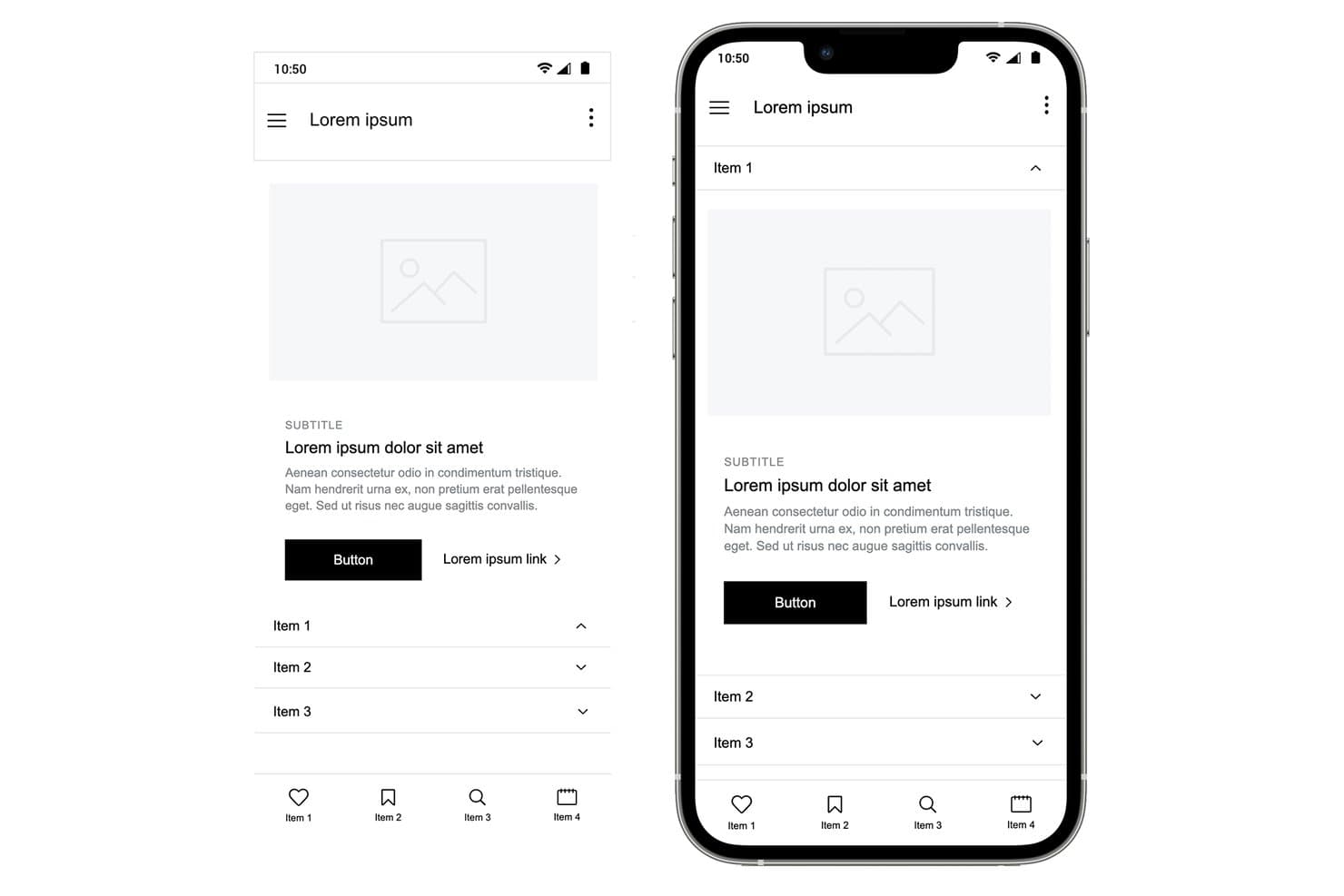
Justinmind lets users design mobile wireframes with accordion menus and nav bars. Justinmind is a desktop-based UI design and prototyping tool for web and mobile apps that covers wireframing, interactive prototyping, user flows, and developer handoff specifications.
Who Is Justinmind Best For?
Justinmind is a strong fit for UX designers and product managers who need to prototype realistic, data-driven interactions—especially working forms—without writing code.
Why I Picked Justinmind
I picked Justinmind as one of the best because its functional wireframing capabilities go well beyond basic click-through prototypes. I love that you can build form fields with real validation logic, populate data grids from a CSV file using Data Masters, and wire up conditional business rules, all without writing a single line of code. In practice, that means my team can simulate a working loan application or onboarding flow that behaves like the real thing before any developer writes a line of code.
Justinmind Key Features
- iOS and Android UI kits: Access 4,000+ prebuilt components for iOS and Android, including an iOS 18 UI library and current device frames like iPhone 16 and Galaxy S25.
- Mobile gesture support: Wire up tap, swipe, pinch, scroll, and rotate interactions to simulate native mobile app behavior in your prototype.
- On-device preview app: Use the Justinmind Viewer app on iPhone, iPad, or Android to test your prototype live via QR code scanning.
- Figma and Sketch import: Bring in existing design files from Figma or Sketch and continue building your prototype without starting from scratch.
Justinmind Integrations
Justinmind offers native integrations with Jira and Azure DevOps, plus the Justinmind+ for Confluence add-on. It also supports Figma and Sketch imports and provides an API/SDK for custom integrations.
Pros and Cons
Pros:
- Mobile gestures and device previews improve validation
- CSV-backed data grids support realistic testing
- Functional forms simulate real app logic
Cons:
- Advanced interactions require higher-tier plans
- Desktop-only editing limits distributed design collaboration
Learn more about Justinmind: Best for macOS-native UI design
- 30-day free trial
- From $12/user/month (billed annually)
Visit WebsiteCustomer Rating:4.5/5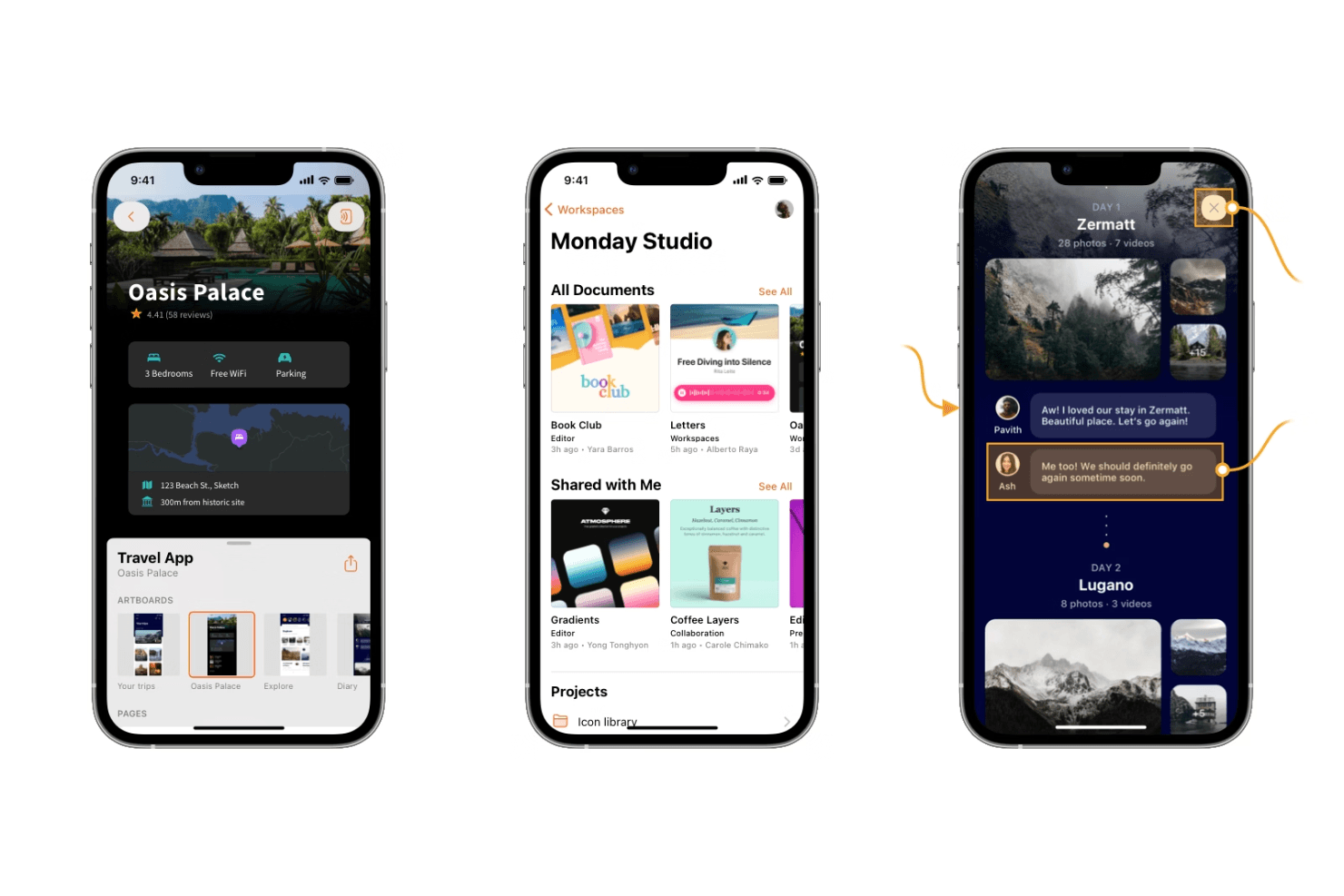
Sketch offers powerful design tools for creating sleek, modern mobile interfaces. Sketch is a macOS-native UI design tool that combines vector editing, auto-layout, interactive prototyping, design system management, and developer handoff in a single offline-capable editor.
Who Is Sketch Best For?
Sketch is the go-to choice for UI and product designers who work primarily on macOS and build iOS-focused mobile app interfaces.
Why I Picked Sketch
Sketch earns its spot on my shortlist because it's the most refined macOS-native editor available for UI design work. I love how Stacks auto-layout handles padding, distribution, and wrapping natively in the Mac app, which speeds up building mobile screens considerably. The vector tools, smooth corners, and P3 color support also make iOS-style UI feel genuinely native to design in Sketch.
Sketch Key Features
- Free developer handoff: Developers can inspect layers, copy CSS and SwiftUI color values, measure between elements, and export assets directly in the browser—no paid seat required.
- MCP server with AI integration: A built-in, local-only MCP server connects Sketch to Claude, Cursor, and other AI coding tools, letting agents read frames and generate implementation-ready code.
- Workspace Libraries with admin controls: Admins can manage who updates or uses a shared component library and control when updates roll out across the team.
- Design tokens export: Color Variables, Layer Styles, and Text Styles can be exported as CSS or JSON, or shared via a live public token link that stays current automatically.
Sketch Integrations
Sketch offers integrations with Slack, Jira, Notion, Zeplin, ProtoPie, Principle, Proto.io, and Origami, plus an open JavaScript API for custom extensions.
Pros and Cons
Pros:
- Private AI supports design-to-code workflows
- Free developer handoff supports unlimited developers
- Native offline Mac editor
Cons:
- No Android preview app complicates testing
- Mac-only editor limits cross-platform teams
 Best for logic-driven mobile wireframing
- 30-day free trial
- From $29/user/month (billed annually)
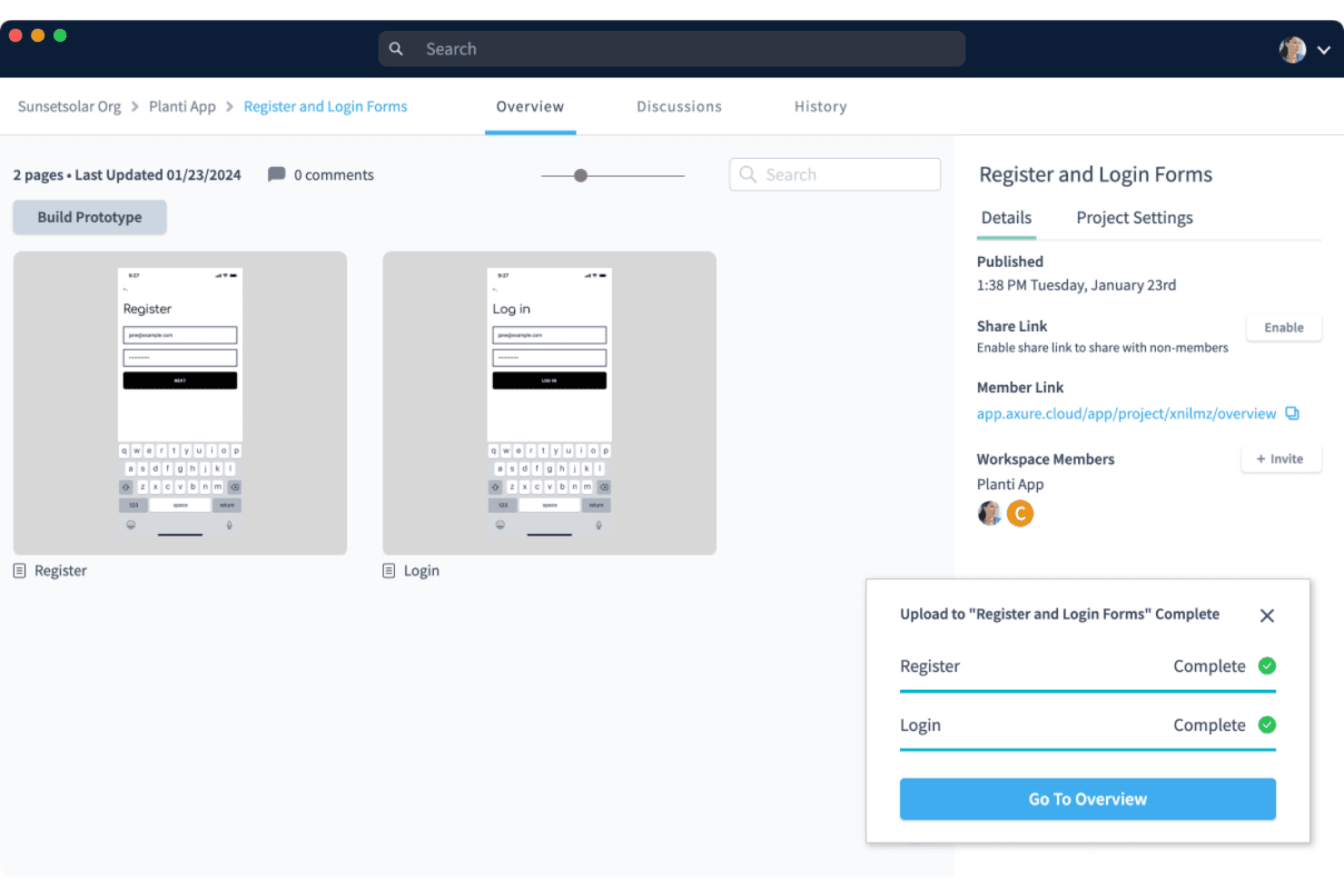
Axure RP supports wireframing and prototyping with a clean, user-friendly interface for building interactive designs. Axure RP is a desktop-based wireframing and prototyping tool that lets you build interactive mockups using conditional logic, variables, dynamic panels, and adaptive views for multiple screen sizes.
Who Is Axure RP Best For?
Axure RP is a strong fit for UX designers and product designers who need to prototype complex, logic-driven mobile app flows without writing code.
Why I Picked Axure RP
I've included Axure RP in my top picks because no other tool on this list matches its depth of interaction logic for mobile wireframing. I can build dynamic panels with multiple states to simulate swipeable carousels or conditional nav flows, add real variables, and wire up working form inputs without touching code. For complex mobile app flows where click-through prototypes simply don't cut it, Axure RP handles the logic that other tools can't.
Axure RP Key Features
- Adaptive views: Create alternate versions of a single page for different screen sizes, with device presets for iOS, Android, and desktop that auto-display the correct view in the browser.
- Free reviewer accounts: Stakeholders and developers can view, comment on, and inspect prototypes at no extra cost, with access to redlines, measurements, and CSS via Axure Cloud Inspect.
- Repeater widgets: Build data-driven tables and grids that users can sort and filter directly within a running prototype.
- Check-in/check-out team authoring: Team plan users can check out pages to edit offline, then check in with notes, with automatic style merging and full version history.
Axure RP Integrations
Axure RP has seven documented integrations, including Jira, Confluence, Slack, Microsoft Teams, Figma, Sketch, and Adobe XD. These support prototype embedding, activity notifications, and importing or hosting design content in Axure Cloud.
Pros and Cons
Pros:
- Adapts layouts across multiple screen sizes
- Supports working forms and filterable data
- Simulates complex mobile flows without code
Cons:
- Mobile previews lack native OS simulation
- Requires desktop installation for authoring
Learn more about Axure RP : 10Best for sensor-driven interaction prototyping
ProtoPie
- Free plan available
- From $25/month (billed annually)
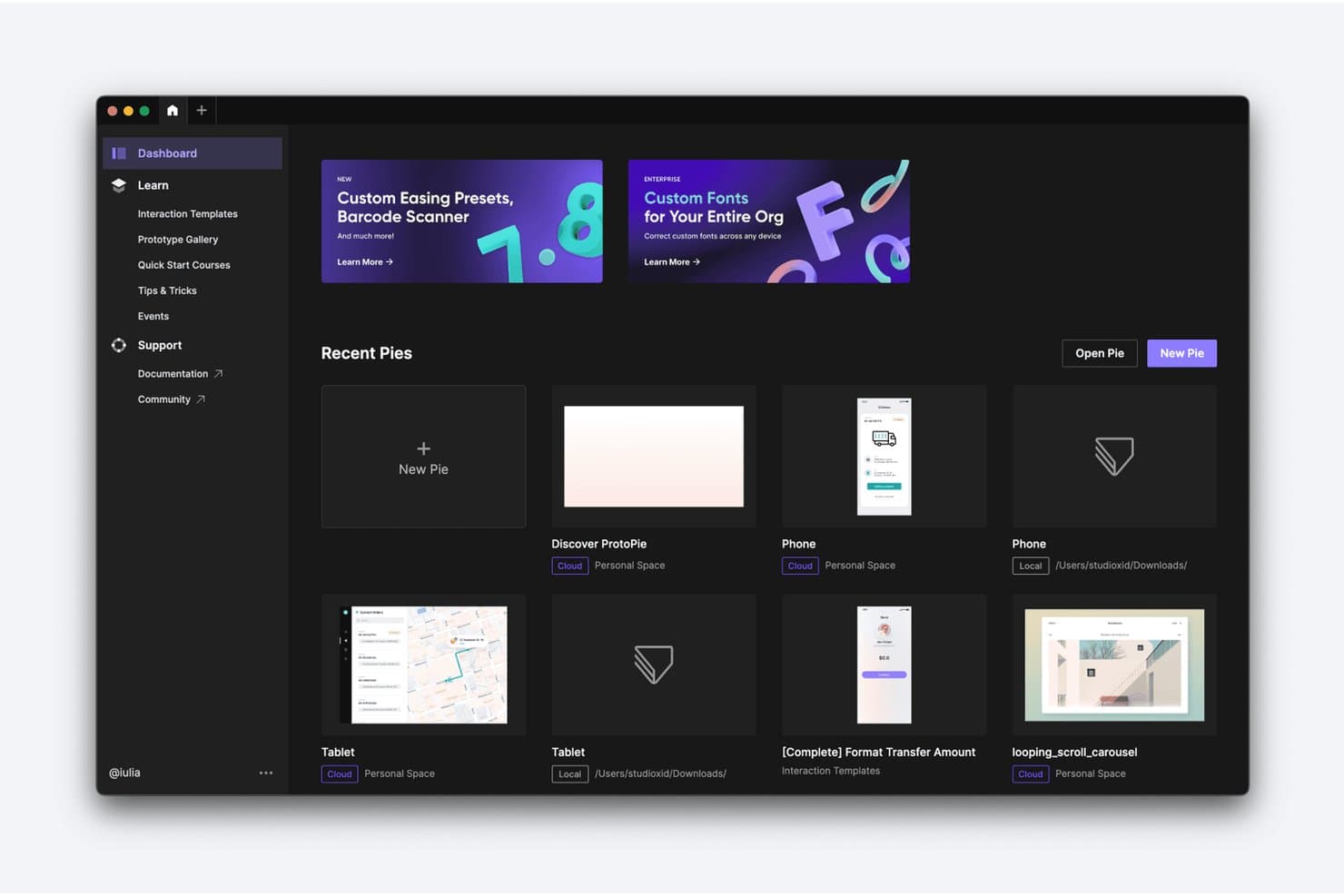
ProtoPie lets users manage and organize prototypes from a central dashboard. ProtoPie is a high-fidelity interactive prototyping tool that lets you layer conditional logic, variables, device sensors, voice triggers, and multi-device communication onto screens imported from Figma, Sketch, or Adobe XD.
Who Is ProtoPie Best For?
ProtoPie is a strong fit for UX and product designers who need to prototype gesture-based, sensor-driven, or multi-device interactions that standard design tools can't replicate.
Why I Picked ProtoPie
ProtoPie earns its spot on my shortlist because no other tool I've tested comes close for sensor-driven interaction prototyping. I've used it to build prototypes that respond to a phone's gyroscope and compass in real time, something Figma's prototyping simply can't do. Its conditional logic and variable system let you wire up branching flows and error states that behave like the real app, and the free Player app delivers those interactions on an actual iOS or Android device, sensors included.
ProtoPie Key Features
- Multi-device communication: Link two or more devices running ProtoPie Player so they send and receive data from each other in real time during prototype testing.
- ProtoPie MCP: Exports your prototype's triggers, variables, and formulas as structured data that AI coding agents like Cursor and Claude Code can read directly.
- Interaction recordings: Auto-generates frame-by-frame playback of user flows, capturing easing, delay, and layer properties so developers can inspect every interaction detail.
- ProtoPie Connect add-on: Connects prototypes to external hardware, APIs, and platforms like Unity and Unreal for testing interactions beyond standard mobile screens.
ProtoPie Integrations
ProtoPie integrates with Figma, Sketch, and Adobe XD through plugins, plus Claude Code, Cursor, VS Code, and Codex through ProtoPie MCP. ProtoPie Connect supports APIs, Unity, Unreal, Arduino, and custom Socket.IO plugins.
Pros and Cons
Pros:
- Frame-by-frame handoff clarifies motion behavior
- Conditional logic models complex app states
- Sensor prototypes behave authentically on devices
Cons:
- Complex interaction setup demands practice
- Screen design requires importing elsewhere
Learn more about ProtoPie:
Annen programvare for design av mobilapper
Her er noen flere alternativer for programvare til design av mobilapper som ikke kom med på listen min, men som likevel er verdt å se nærmere på:
- 11Proto.ioBest for pre-dev app behavior simulation
- 12FramerBest for AI-assisted web-to-app design iteration
- 13MockFlowBest for wireframe-to-dev token handoff
- 14BalsamiqBest for early-stage mobile app wireframing
- 15Fluid UIBest for quick stakeholder feedback on mobile flows
- 16MarvelBest for in-prototype usability testing
- 17UizardBest for AI-generated app screen mockups
- 18PrincipleBest for USB-mirrored iOS animation prototyping
- 19MoqupsBest for wireframing without design experience
- 20Origami StudioBest for near-native iOS interaction prototyping
How I Evaluate Mobile App Design Software
I split my evaluation into three parts, giving the most weight to core functionality: create screens, link flows, and preview mobile interactions. Next, I look for standout features such as design tokens. Finally, I consider support, onboarding, collaboration, and pricing value.
Core Functionality (Table Stakes For This List)
When I'm selecting tools for my list, I score each one on a scale from 0 (does not offer the functionality) to 5 (excels in this area) for each core functionality listed below. I then convert the total into a percentage to help assess each tool's overall fit, with extra weight on any functionalities I’ve deemed essential.
- Screen & Interface Design (Essential): I look for precise canvases, layout controls, and mobile UI elements for creating complete screens across multiple app flows.
- Interactive Prototyping (Essential): I assess links, gestures, transitions, and conditional paths that let teams test realistic onboarding, forms, and navigation.
- Components & Design Systems: Shared components, variants, styles, and libraries should keep repeated UI consistent across screens and projects.
- Developer Handoff & Specs: I check inspectable measurements, exportable assets, and implementation details developers can use without guessing.
- Real-Time Collaboration: I look for co-editing, visible presence, comments, and feedback threads that support product, design, and engineering reviews.
- Device Previewing: I assess interactive previews across mobile sizes and devices for checking responsive layouts, gestures, and app behavior.
Once I have a list of tools that meet the criteria, I consider what sets each platform apart.
Differentiating Factors (What Sets Vendors Apart)
Here's how I compare and contrast different vendors:
Standout Features
I look for design token support that syncs structured color, spacing, and type values directly into codebases. Without it, teams end up patching theme mismatches across iOS and Android builds. I also evaluate plugin and API ecosystems, since connecting design tools to issue trackers or content sources cuts repetitive manual work. AI-assisted design generation is worth checking too. Tools like Figma and Uizard approach it differently, but the goal is the same: faster exploration of layout and copy variations before committing engineering effort.
Beyond Features
I check how well each tool plugs into sprint-based workflows—Jira and GitHub integrations, for example, cut down on status meetings and duplicate specs. Scaling matters too: a three-person startup and a 50-seat product org need very different permission tiers and licensing models. I also evaluate data security, especially SSO and SOC 2 compliance, since pre-launch mobile designs are sensitive IP that one shared link can expose.
Slik velger du programvare for design av mobilapper
Det er lett å gå seg vill i lange lister over funksjoner og komplekse prismodeller. For å hjelpe deg med å holde fokus mens du går gjennom den unike prosessen med å velge programvare, får du her en sjekkliste over faktorer du bør ha i bakhodet:
| Faktor | Hva du bør vurdere |
| Skalerbarhet | Sørg for at programvaren kan vokse med teamet ditt. Se etter løsninger som støtter et økende antall brukere, prosjekter og økt kompleksitet uten ytelsesproblemer. |
| Integrasjoner | Kontroller om verktøyet integreres med annen programvare teamet ditt bruker, for eksempel prosjektstyringsverktøy, kommunikasjonsplattformer og utviklingsmiljøer. |
| Tilpasningsmuligheter | Se etter verktøy som lar deg tilpasse grensesnittet og funksjonene slik at de passer arbeidsflyten din. Vurder alternativer som lar deg opprette egendefinerte komponenter eller maler. |
| Brukervennlighet | Velg programvare med et brukervennlig grensesnitt som teamet ditt raskt kan lære. Se etter funksjoner som dra-og-slipp-funksjonalitet og intuitiv navigasjon. |
| Budsjett | Ta hensyn til både innledende kostnader og langsiktige utgifter. Sørg for at prisene samsvarer med budsjettet ditt, og vurder om funksjonene forsvarer kostnaden. |
| Sikkerhetstiltak | Sørg for at programvaren overholder bransjens sikkerhetsstandarder for å beskytte dataene dine. Se etter funksjoner som datakryptering, brukerautentisering og regelmessige oppdateringer. |
| Samarbeid | Vurder hvor godt verktøyet støtter teamsamarbeid. Se etter funksjoner for redigering i sanntid, kommentarer og tilbakemeldinger for å styrke samarbeidet. |
| Kundestøtte | Vurder tilgjengeligheten og kvaliteten på kundestøtten. Se etter alternativer som tilbyr hjelp døgnet rundt, omfattende dokumentasjon og aktive brukerfora. |
Trender innen programvare for design av mobilapper
I undersøkelsen min hentet jeg inn utallige produktoppdateringer, pressemeldinger og lanseringslogger fra ulike leverandører av programvare for design av mobilapper. Her er noen av trendene i fremvekst som jeg følger med på:
- Samarbeid i sanntid: Team trenger i stadig større grad å jobbe sammen i sanntid, uavhengig av hvor de befinner seg. Programvare som Figma lar flere brukere redigere design samtidig, noe som gjør samarbeidet mer effektivt og reduserer misforståelser.
- Integrasjon av utvidet virkelighet (AR): AR-funksjoner blir stadig vanligere i designverktøy, slik at designere kan skape oppslukende opplevelser. Denne trenden støtter bransjer som detaljhandel og spill, der det er nyttig å visualisere produkter i virkelige omgivelser.
- Design av talegrensesnitt (VUI): Etter hvert som stemmestyrte enheter blir stadig mer populære, tilpasses verktøyene for å støtte design av VUI. Adobe XD har for eksempel funksjoner for prototyping av taleinteraksjoner, noe som hjelper designere med å skape mer inkluderende og moderne brukeropplevelser.
- Håndtering av designsystemer: Flere verktøy tilbyr nå funksjoner for å håndtere og vedlikeholde designsystemer, slik at det blir konsekvent på tvers av prosjekter. UXPin tilbyr biblioteker for designsystemer som hjelper team med å holde designelementene ensartede og oppdaterte.
- AI-drevne designforslag: AI begynner å spille en rolle når det gjelder å foreslå designforbedringer, generere mockuper og automatisere repetitive oppgaver. Noen verktøy tar i bruk AI for å hjelpe designere med å optimalisere oppsett og fargevalg, noe som sparer tid og fremmer kreativiteten.
Hva er programvare for design av mobilapper?
- Samarbeid i sanntid: Jobb samtidig med teammedlemmer på tvers av ulike plattformer – enten på Mac, Windows eller mobile enheter – for å oppdatere design, gi tilbakemeldinger og unngå problemer med versjonskontroll.
- Interaktiv prototyping: Simuler brukerinteraksjoner med dynamiske prototyper som etterligner appens funksjonalitet. Verktøy som InVision gjør det enkelt å teste brukervennlighet og få tilbakemeldinger fra interessenter tidlig i prosessen.
- Håndtering av designsystemer: Oppretthold visuell og funksjonell konsistens med sentraliserte biblioteker med gjenbrukbare komponenter, skrifttyper og designmaler som kan skaleres på tvers av prosjekter.
- Dra-og-slipp-grensesnitt: Denne funksjonen er ideell for brukere uten erfaring med koding og lar designere bygge oppsett og endre elementer visuelt – noe som gjør den tilgjengelig enten du designer for Android- eller Apple-enheter.
- Integrasjon av utvidet virkelighet: Skap oppslukende appopplevelser ved å forhåndsvise hvordan digitale elementer samhandler med den virkelige verden, noe som er spesielt nyttig for produktforhåndsvisninger eller posisjonsbaserte apper.
- Design av talegrensesnitt: Legg til rette for fremveksten av taleorienterte opplevelser ved å designe og teste taleinteraksjoner direkte i brukergrensesnittet til mobilappen.
- Avanserte animasjonsverktøy: Gi design liv med overganger, bevegelser og animasjoner som bidrar til å visualisere hvordan appen vil reagere på brukerinput.
- Funksjoner for brukertesting: Samle inn innsikt i sanntid fra testere for å evaluere brukervennlighet og identifisere problemområder før lansering – noe som er avgjørende for å forbedre både webdesign og mobilflyter.
- AI-drevne designforslag: Bruk innebygd intelligens til å automatisere repetitive oppgaver, forbedre oppsett og inspirere kreativitet med smarte anbefalinger.
- Eksporter designelementer: Overfør enkelt filer og designelementer til utviklere, slik at det er samsvar mellom designplattformen og produksjonsmiljøet, enten det gjelder App Store, Google Play eller intern distribusjon.
Funksjoner i programvare for design av mobilapper
Når du velger programvare for design av mobilapper, bør du se etter følgende viktige funksjoner:
- Intuitivt grensesnitt: Gjør det mulig for designere å lage prototyper og videreutvikle dem raskt uten en bratt læringskurve.
- Kompatibilitet på tvers av plattformer: Gjør det mulig for brukere å designe for både iOS og Android samtidig, slik at utviklingen effektiviseres.
- Samarbeid i sanntid: Støtt flere brukere som arbeider sammen på det samme prosjektet, slik at tilbakemeldinger og videreutvikling går raskere.
- Verktøy for responsivt design: Sørg for at oppsett automatisk tilpasses ulike skjermstørrelser og enhetsretninger.
- Komponentbiblioteker: Tilby gjenbrukbare brukergrensesnittelementer for å opprettholde konsistens og fremskynde designprosessen.
- Interaktiv prototyping: La designere simulere appinteraksjoner og brukerflyter uten å skrive kode.
- Versjonskontroll: Spor designendringer og gjør det mulig å gå tilbake til tidligere versjoner ved behov.
- Verktøy for overlevering til utviklere: Generer designspesifikasjoner og ressurser for å forenkle overgangen fra design til utvikling.
- Integrasjoner med tredjeparter: Koble til andre verktøy som Slack, Jira eller plattformer for brukervennlighetstesting for å forbedre arbeidsflyten.
- Skylagring og synkronisering: Sørg for tilgang til design fra alle enheter og sikkerhetskopier arbeidet automatisk.
Fordeler med programvare for design av mobilapper
Implementering av programvare for design av mobilapper gir flere fordeler for teamet og virksomheten din. Her er noen av fordelene du kan se frem til:
- Bedre samarbeid: Funksjoner for redigering i sanntid gjør det mulig for teamet å arbeide effektivt sammen, uansett hvor de befinner seg.
- Raskere prototyping: Dra-og-slipp-grensesnitt og interaktive verktøy for app-prototyping gjør det mulig å raskt opprette og teste appdesign.
- Konsistent design: Administrasjon av designsystemer sørger for at alle prosjektene dine har et ensartet utseende og preg.
- Økt kreativitet: AI-drevne designforslag og avanserte animasjonsverktøy bidrar til å skape nye ideer og videreutvikle eksisterende design.
- Bedre brukerengasjement: Funksjoner for brukertesting lar deg samle inn tilbakemeldinger for å lage design som appellerer til målgruppen.
- Bedre tilgjengelighet: Funksjoner som design av stemmestyrte brukergrensesnitt gjør appene dine mer inkluderende og moderne.
- Sømløs overlevering til utvikling: Eksporter designressurser enkelt for å sikre en smidig overgang fra design til utvikling av mobilapper.
Kostnader og priser for programvare for design av mobilapper
Valg av programvare for design av mobilapper krever en forståelse av de ulike prismodellene og abonnementene som er tilgjengelige. Kostnadene varierer basert på funksjoner, teamstørrelse, tillegg og mer. Tabellen nedenfor oppsummerer vanlige abonnementer, gjennomsnittsprisene deres og typiske funksjoner som er inkludert i løsninger for programvare for design av mobilapper:
Sammenligningstabell for abonnementer for programvare for design av mobilapper
| Abonnementstype | Gjennomsnittspris | Vanlige funksjoner |
| Gratisabonnement | $0 | Grunnleggende prototyping, begrenset lagring og brukerstøtte fra fellesskapet. |
| Personlig abonnement | $5-$25/user/ måned | Avansert prototyping, egendefinerte maler og brukerstøtte via e-post. |
| Bedriftsabonnement | $25-$50/ bruker/måned | Verktøy for teamsamarbeid, administrasjon av designsystemer og prioritert brukerstøtte. |
| Abonnement for store virksomheter | $50-$100/ bruker/måned | Tilpassede integrasjoner, dedikert kontoadministrasjon og forbedrede sikkerhetsfunksjoner. |
Vanlige spørsmål om programvare for design av mobilapper
Her er noen svar på vanlige spørsmål om programvare for design av mobilapper:
Hva er den viktigste faktoren å ta hensyn til når man designer mobilapper?
Den viktigste faktoren er enkelhet. Designet bør være intuitivt og lett å forstå for brukerne uten omfattende veiledning. Fokuser på tydelig navigasjon, og sørg for at appen fungerer slik brukerne forventer. Dette bidrar til å øke brukertilfredsheten og redusere frustrasjon.
Hva er forskjellen mellom en apputvikler og en appdesigner?
En apputvikler fokuserer på å bygge appen slik at den er rask, sikker og effektiv. Designeren sørger på sin side for at appen er visuelt tiltalende og enkel å navigere i. Begge rollene er avgjørende for å skape en vellykket app som oppfyller brukernes behov og forventninger.
Hvilke fem viktige spørsmål bør man stille en kunde før man bygger appen deres?
Spør om appens formål, ønskede funksjoner, målgruppe, budsjett og eventuelle designbegrensninger. Når du forstår disse aspektene, kan du tilpasse designet til kundens forventninger og sørge for at appen effektivt oppfyller den tiltenkte funksjonen.
Hvordan velger man riktig programvare for design av mobilapper?
Når du velger et designverktøy for mobilapper, bør du vurdere faktorer som brukervennlighet, tilgjengelige funksjoner, integrasjonsmuligheter og skalerbarhet. Evaluer programvarens evne til å dekke dine spesifikke behov innen produktdesign, og sørg for at den støtter samarbeid i designteamet.
Hva er de vanligste utfordringene innen design av mobilapper?
Vanlige utfordringer omfatter å opprettholde en konsekvent brukeropplevelse på tvers av ulike enheter, sikre god appytelse og holde designet intuitivt. Det er også viktig å balansere estetikk med funksjonalitet for å møte brukernes forventninger.
Hvordan kan programvare for design av mobilapper forbedre samarbeidet i teamet?
Mange verktøy tilbyr funksjoner for samarbeid i sanntid, slik at teammedlemmer kan jobbe med design samtidig. Dette reduserer misforståelser og fremskynder designprosessen, samtidig som det sikrer at alle er samkjørte og kan bidra effektivt.