

10 mejores programas de diseño de productos reseñados en 2026

10 Lista de los mejores programas de diseño de productos


El diseño de productos es DIFÍCIL (¡especialmente si tienes estándares altos!), así que no hay nada más esencial que contar con herramientas de diseño de productos que compartan la carga de trabajo. A lo largo de mi carrera, lo he hecho todo: desarrollar modelos de productos, colaborar con una variedad de partes interesadas con opiniones firmes, lo que se te ocurra; y sé lo importante que es ver el software de diseño como tu compañero de equipo, no como tu enemigo.
Con eso en mente, he puesto a prueba mis propios estándares exigentes probando una gran cantidad de herramientas de diseño de productos y seleccionando las mejores entre las mejores. Estas son las herramientas a las que he dado mi sello de aprobación, junto con detalles específicos de cada producto para ayudarte a compararlas.
Por Qué Confiar en Nuestras Reseñas de Software
Llevamos revisando y probando software de gestión de productos desde 2020. Como product managers, sabemos lo crucial y complicado que es tomar la decisión correcta al seleccionar software. Invertimos en investigación profunda para ayudar a nuestra audiencia a tomar mejores decisiones de compra de software. Hemos probado más de 2,000 herramientas para distintos casos de uso y escrito más de 1,000 reseñas exhaustivas. Conozca cómo mantenemos la transparencia & nuestra metodología de reseñas de software.
¿Qué es el software de diseño de productos?
El software de diseño de productos hace referencia a un tipo de programa utilizado para crear y desarrollar diseños digitales para productos. Este software suele ser utilizado por diseñadores de productos, ingenieros y fabricantes para crear diseños en 2D y 3D que pueden emplearse para crear prototipos y fabricar productos físicos.
El software de diseño de productos suele incluir una variedad de herramientas y funciones, como modelado 3D, creación de prototipos, renderizado, simulación y herramientas de colaboración, para respaldar el proceso de diseño y garantizar que el producto final cumpla con las especificaciones y los requisitos deseados.
Reseñas de los 10 mejores programas de diseño de productos
Aquí tienes una breve descripción de cada solución de diseño de productos para mostrar el caso de uso más adecuado y las características más destacadas de cada herramienta.

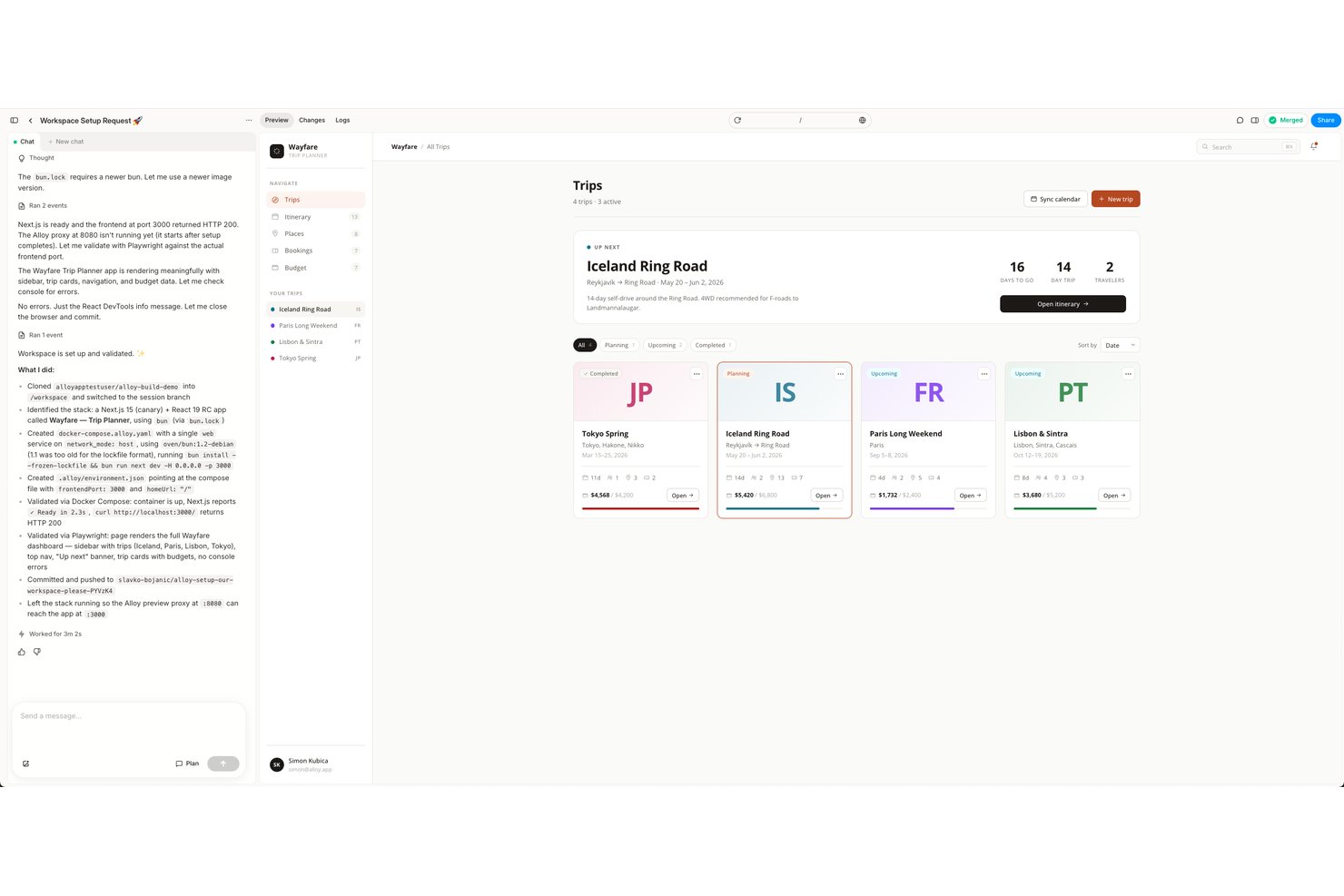
Alloy es una herramienta de prototipado con IA que genera prototipos interactivos y fieles al código al capturar páginas web activas o conectarse directamente a tu base de código de GitHub.
¿Para quién es más adecuado Alloy?
Alloy es una excelente opción para gerentes de producto de empresas con un producto web existente que desean crear prototipos de cambios basados en código real sin involucrar al equipo de ingeniería.
Por qué elegí Alloy
Elegí Alloy como una de las mejores opciones porque crea prototipos directamente a partir de tu producto web activo, lo que significa que lo que ven las partes interesadas no es una simulación, sino tu interfaz de usuario real, utilizando tu CSS y tus componentes reales. Me encanta que la extensión del navegador capture al instante cualquier página activa y que las sesiones de la base de código inicien tu repositorio en un entorno aislado en la nube, para que el prototipo se ejecute como código genuino e interactivo. Para validar un cambio propuesto comparándolo con el producto que se va a publicar antes de redactar una sola tarea de ingeniería, ninguna otra herramienta que haya probado se acerca tanto al resultado real.
Funciones principales de Alloy
- Comentarios insertados: Fija comentarios en hilos a elementos específicos de una página de prototipo y adminístralos desde un panel de Comentarios dedicado.
- Bibliotecas y componentes: Sube una carpeta del sistema de diseño para que Alloy extraiga tokens, recursos de marca y componentes con vistas previas en vivo para usarlos en distintas sesiones.
- Selección de modelos: Elige un modelo de IA por indicación entre Anthropic, OpenAI y xAI, con valoraciones de coste, velocidad e inteligencia para orientarte en tu elección.
- Habilidades: Crea conjuntos de instrucciones reutilizables y con nombre que puedes invocar mediante un comando de barra para aplicar una lógica de indicaciones coherente en distintas sesiones.
Integraciones de Alloy
Alloy ofrece más de 30 integraciones documentadas, incluidas GitHub, Figma, Jira, Linear, Slack y Productboard. Los planes Enterprise incluyen acceso a la API para integraciones personalizadas, y también se admite Zapier.
Pros and Cons
Pros:
- Los prototipos utilizan el código y el CSS reales del producto
- Los cambios se previsualizan como sesiones activas e interactivas
- Las bibliotecas extraen y reutilizan tokens de diseño
Cons:
- No incluye una herramienta vectorial para diseñar pantallas personalizadas
- Requiere un producto o una base de código existentes

Lunacy
La mejor opción para diseñar interfaces gratis en Windows, Mac y Linux
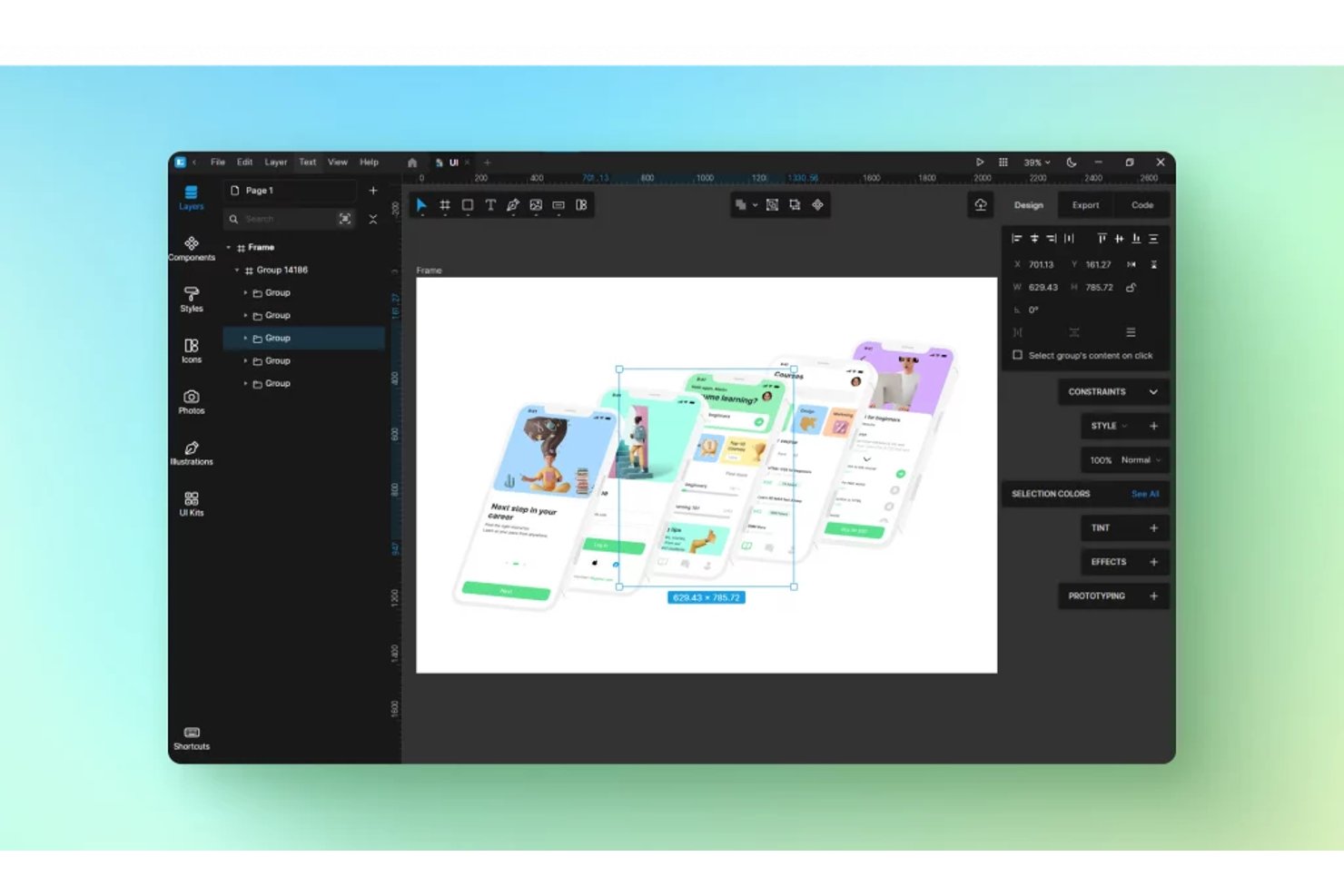
Lunacy es una herramienta de diseño de interfaces multiplataforma de Icons8 que incluye edición vectorial, creación de prototipos interactivos, colaboración en tiempo real y gestión de sistemas de diseño, con acceso integrado a una amplia biblioteca de recursos y utilidades basadas en IA.
¿Para quién es más adecuada Lunacy?
Lunacy es una excelente opción para diseñadores de UX/UI y diseñadores de productos que necesitan una herramienta de diseño gratuita y competente que funcione de forma nativa en Windows, Mac o Linux.
Por qué elegí Lunacy
Lunacy ocupa un lugar en mi lista de favoritas porque es la única herramienta de diseño de interfaces que funciona de forma nativa en Windows, Mac y Linux con un nivel completamente gratuito, algo importante cuando tu equipo está distribuido entre distintos sistemas operativos. La elegí específicamente por su capacidad multiplataforma sin conexión: puedes abrir, editar y guardar archivos de Sketch en una máquina Linux sin suscripción. También me gusta que la biblioteca de recursos integrada incluya aproximadamente 1,5 millones de iconos, fotos e ilustraciones directamente dentro del editor, por lo que no tienes que cambiar de pestaña para buscar componentes de interfaz durante el diseño.
Funciones principales de Lunacy
- Diseño automático: Cambia de tamaño y reorganiza automáticamente los marcos de interfaz a medida que añades, eliminas o reorganizas elementos en su interior.
- Animación inteligente: Crea transiciones animadas fluidas entre los marcos del prototipo detectando capas coincidentes e interpolando sus propiedades.
- Bibliotecas compartidas: Permite a los equipos publicar y sincronizar componentes, estilos y variables entre varios archivos de diseño desde una única fuente.
- Diseño vinculado: Genera códigos de inserción CSS que envían los cambios de diseño de Lunacy directamente a una página web activa sin necesidad de volver a exportarlos manualmente.
Integraciones de Lunacy
Lunacy admite archivos de Sketch e importaciones de Figma
.fig
, además de ser compatible con Avocode, Zeplin, Abstract y Simpli. Su API de MCP admite integraciones personalizadas, mientras que el chat de IA se conecta con Claude, Gemini, OpenAI y Grok.
Pros and Cons
Pros:
- Compatibilidad multiplataforma real, incluido Linux
- Biblioteca integrada de recursos y plantillas
- Edición de archivos de Sketch sin necesidad de un Mac
Cons:
- No admite CMYK para resultados de impresión
- La creación de prototipos no incluye variables ni lógica

Adobe XD
Ideal para usuarios de Adobe CC que crean prototipos de flujos
Adobe XD es una herramienta de diseño de UI/UX basada en escritorio que combina la edición vectorial, la creación de prototipos interactivos, la coedición de documentos en la nube y la entrega a desarrolladores en una sola aplicación integrada con Creative Cloud.
¿Para quién es mejor Adobe XD?
Adobe XD es ideal para diseñadores que ya trabajan con Creative Cloud y necesitan una herramienta familiar y sencilla para crear y compartir prototipos interactivos con clientes o partes interesadas.
Por qué elegí Adobe XD
Adobe XD ocupa un lugar en mi lista de favoritos porque encaja de forma natural en un flujo de trabajo de Creative Cloud, lo que permite a los diseñadores extraer recursos directamente de Photoshop e Illustrator sin problemas de conversión. He utilizado la función Auto-Animate de XD para crear flujos de prototipos convincentes con varias pantallas que los clientes pueden recorrer mediante un enlace compartido, sin necesidad de instalar ninguna aplicación. Las bibliotecas de CC también garantizan que los elementos de marca, como los colores y los estilos tipográficos, se mantengan sincronizados automáticamente en todos los archivos.
Funciones principales de Adobe XD
- Transiciones Auto-Animate: Anima automáticamente las diferencias entre los estados de las mesas de trabajo para crear previsualizaciones de movimiento realistas en prototipos interactivos.
- Estados de los componentes: Define varios estados —al pasar el cursor, pulsado o activado— para cualquier componente, de modo que el prototipo responda como una interfaz real.
- Previsualización en dispositivos móviles: Transmite tu diseño en directo a un dispositivo iOS o Android mediante la aplicación móvil de Adobe XD para probar la interacción directamente en el dispositivo.
- Enlaces para compartir con fines de desarrollo: Genera enlaces de especificaciones inspeccionables que ofrecen a los desarrolladores acceso directo a medidas, estilos tipográficos, colores y recursos exportables.
Integraciones de Adobe XD
Adobe XD se integra con Photoshop, Illustrator, Adobe Fonts, Adobe Stock, After Effects, Jira, Slack, Zoom y Microsoft Teams. Su mercado de complementos y la API UXP admiten conexiones adicionales de diseño, colaboración y entrega a desarrolladores.
Pros and Cons
Pros:
- Auto-Animate crea flujos de movimiento de productos convincentes
- Flujos de trabajo familiares para usuarios habituales de Adobe Creative Cloud
- Creación rápida de prototipos de escritorio sin depender del navegador
Cons:
- Descontinuado y sin nuevas funciones previstas
- A los nuevos usuarios les resulta difícil acceder a la herramienta o instalarla

La mejor opción para mantener la continuidad del diseño entre el ordenador y el móvil

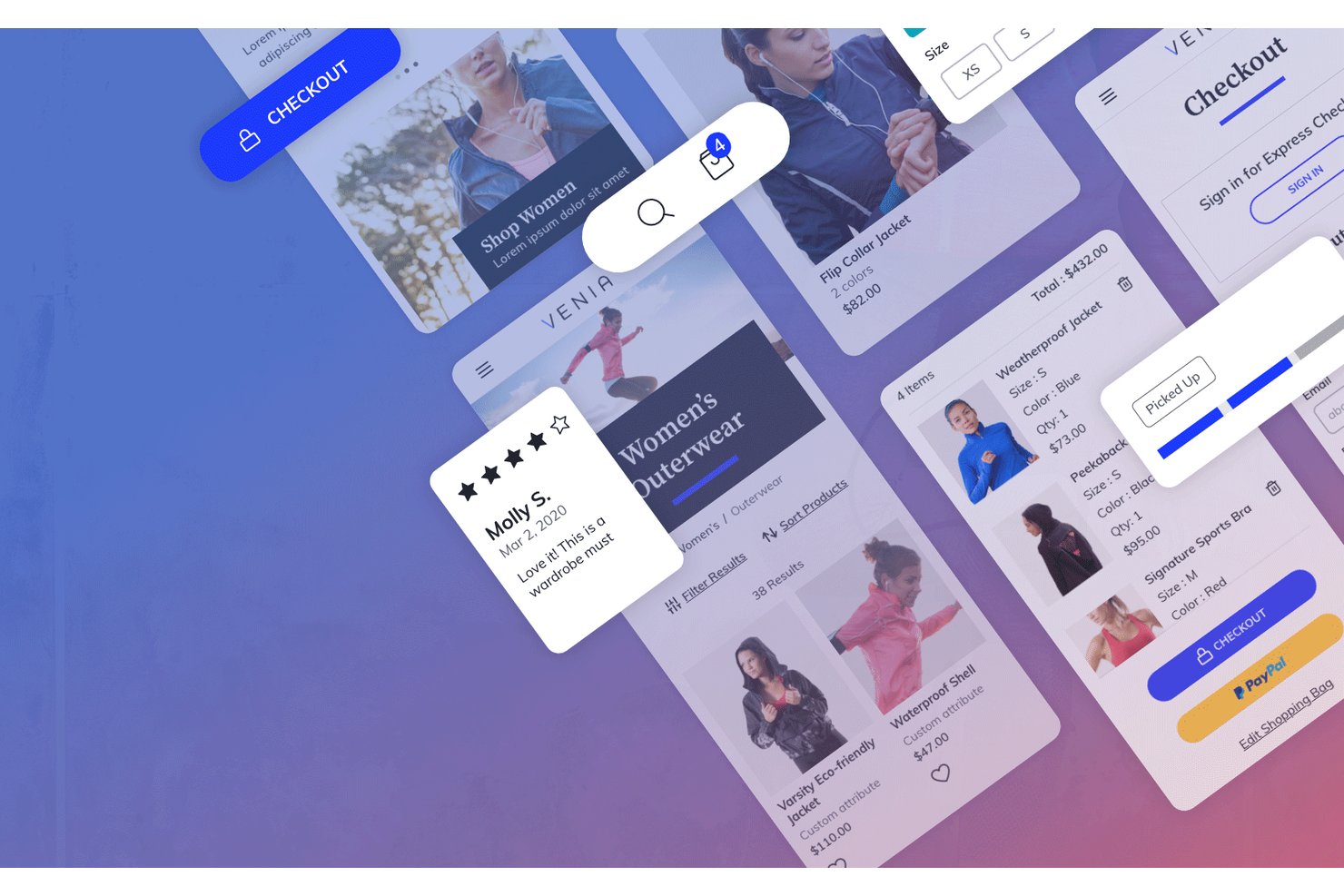
Adobe Creative Cloud es un conjunto de aplicaciones de diseño que abarca edición vectorial, composición rasterizada, diseño basado en plantillas, inteligencia artificial generativa y herramientas 3D, creado para respaldar los flujos de trabajo de diseño de productos en ordenadores de escritorio, la web y dispositivos móviles.
¿Para quién es más adecuado Adobe Creative Cloud?
Adobe Creative Cloud es adecuado para equipos de diseño que trasladan recursos entre ordenadores de escritorio y dispositivos móviles, y necesitan herramientas profesionales de diseño vectorial y rasterizado respaldadas por una gobernanza empresarial.
Por qué elegí Adobe Creative Cloud
He incluido Adobe Creative Cloud entre mis principales opciones porque el motor vectorial de Illustrator permite aplicar ilustraciones directamente a maquetas realistas de productos en el ordenador de escritorio y, después, continuar trabajando con el mismo archivo en un iPad o iPhone mediante el completo conjunto de herramientas de capas y composición de Photoshop para dispositivos móviles. Esa continuidad entre el ordenador y el móvil es auténtica: tu suscripción se activa en todos los dispositivos, por lo que un diseño de empaque iniciado en Illustrator en tu portátil sigue disponible y editable en tu teléfono. También me gusta que la inteligencia artificial generativa de Firefly esté integrada en ambas plataformas, lo que permite iterar sobre las imágenes de productos sin interrumpir el flujo de trabajo a mitad de la sesión.
Características principales de Adobe Creative Cloud
- Bibliotecas de Creative Cloud: Sincroniza logotipos, colores, tipografía y recursos reutilizables entre Illustrator, Photoshop y Express desde una única biblioteca compartida.
- Relleno generativo (Photoshop): Utiliza la inteligencia artificial para añadir, eliminar o reemplazar elementos en imágenes de productos directamente en el ordenador de escritorio, la web o dispositivos móviles.
- Historial de versiones de 180 días: Restaura cualquier versión anterior de un documento en la nube de hasta 180 días atrás en los planes para equipos y empresas.
- Paneles de Firefly: Un lienzo de pizarra con inteligencia artificial y colaboración multijugador para recopilar referencias visuales de productos, generar conceptos y compartir paneles de inspiración con tu equipo.
Integraciones de Adobe Creative Cloud
Adobe Creative Cloud ofrece conexiones nativas entre Photoshop, Illustrator, Adobe Stock, Firefly y las Bibliotecas de Creative Cloud, además de integraciones de XD con Jira, Slack y Zoom. Los planes de Illustrator también incluyen colaboración y revisión mediante Frame.io.
Pros and Cons
Pros:
- Ofrece resultados vectoriales y rasterizados líderes en el sector
- Auténtica continuidad del diseño entre el ordenador y el móvil
- Inteligencia artificial generativa avanzada para crear conceptos rápidamente
Cons:
- La creación de prototipos interactivos depende de XD, que ya no recibe mantenimiento
- No cuenta con una herramienta especializada de transferencia de UX de extremo a extremo

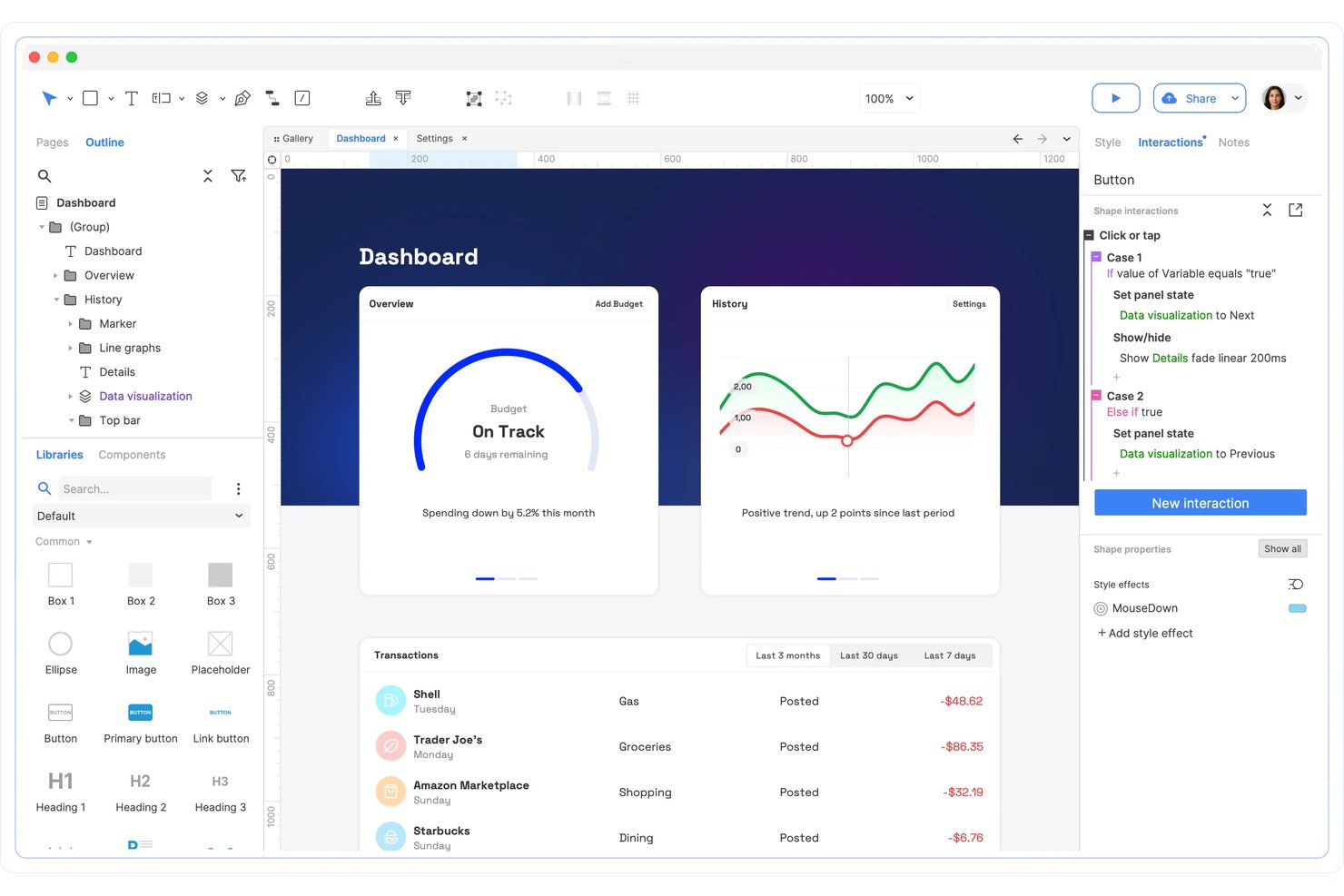
Axure RP es una herramienta de diseño de productos y creación de prototipos basada en escritorio que combina la creación de wireframes, diagramas de flujo y prototipos interactivos sin código con lógica condicional, paneles dinámicos, variables y vistas adaptables.
¿Para quién es más adecuado Axure RP?
Axure RP es una excelente opción para gerentes de producto y profesionales de UX que necesitan simular un comportamiento de software realista y funcional sin escribir una sola línea de código.
Por qué elegí Axure RP
Axure RP ocupa un lugar en mi lista de favoritos porque ninguna otra herramienta sin código se acerca a simular cómo se comporta realmente el software. He creado prototipos con campos de formulario reales que aceptan texto, lógica condicional que cambia de rama según las acciones del usuario y paneles dinámicos que reproducen pantallas móviles desplazables, todo sin tocar código. El widget Repeater por sí solo permite crear tablas de datos ordenables y filtrables que tienen el aspecto y funcionan como un producto real, algo que las maquetas en las que se puede hacer clic de otras herramientas sencillamente no pueden hacer.
Funciones clave de Axure RP
- Vistas adaptables: Diseña distribuciones para escritorio, tableta y móvil en una sola página, con la vista correcta cargándose automáticamente según la pantalla del usuario.
- Widget Repeater: Crea tablas y cuadrículas basadas en datos que se pueden ordenar y filtrar dinámicamente para simular el comportamiento de un producto real.
- Inspección para desarrolladores: Las líneas rojas automatizadas, la inspección de CSS y los recursos descargables proporcionan a los desarrolladores lo que necesitan directamente desde Axure Cloud.
- Cuentas gratuitas para revisores: Un número ilimitado de partes interesadas puede ver prototipos, dejar comentarios e inspeccionar recursos sin necesidad de una licencia de pago.
Integraciones de Axure RP
Axure RP ofrece integraciones nativas con Jira, Confluence, Slack, Microsoft Teams, Figma, Sketch y Adobe XD. También admite servicios de pruebas de usabilidad de terceros integrados y SSO SAML 2.0 para flujos de trabajo empresariales.
Pros and Cons
Pros:
- Simula el comportamiento de productos reales sin código
- Admite lógica condicional y variables avanzadas
- Cuentas de visualización gratuitas para un número ilimitado de partes interesadas
Cons:
- Carece de herramientas avanzadas de edición de diseño visual
- La colaboración se realiza mediante bloqueo y desbloqueo, no en tiempo real

Figma
Ideal para la colaboración en el diseño de productos

Figma es una plataforma de diseño de productos basada en el navegador que combina la edición vectorial, la creación de prototipos interactivos, la gestión de sistemas de diseño y la transferencia a desarrolladores en un único espacio de trabajo colaborativo.
¿Para quién es más adecuado Figma?
Figma es una excelente opción para equipos de productos multifuncionales en los que diseñadores, desarrolladores y gerentes de producto necesitan trabajar dentro de los mismos archivos sin tener que transferir el trabajo entre herramientas independientes.
Por qué elegí Figma
Figma se gana un lugar en mi lista de favoritos porque ninguna otra herramienta de diseño de productos hace que la colaboración resulte tan natural entre diseñadores, desarrolladores y gerentes de producto. Me encanta que la edición multiusuario permita a todo mi equipo trabajar dentro del mismo archivo en tiempo real, con cursores activos y comentarios, para que nunca haya dudas sobre cuál es la versión actual. Si a esto le sumamos los fragmentos de código de Dev Mode y Code Connect, la transferencia a desarrolladores deja de ser un paso independiente.
Características principales de Figma
- Variables y lógica condicional: Configura valores dinámicos para colores, espaciado y texto que se actualizan en todo el diseño cuando cambian las condiciones.
- Transiciones de animación inteligente: Crea movimientos fluidos que tienen en cuenta la física entre los fotogramas del prototipo mediante la interpolación automática de las capas coincidentes.
- Comprobación del diseño: Analiza un archivo comparándolo con el sistema de diseño de tu equipo y corrige las discrepancias —tokens incorrectos, componentes desvinculados— con un solo clic.
- Figma Make: Genera un prototipo web funcional respaldado por código a partir de una instrucción de texto o de un archivo de diseño existente, con compatibilidad de backend mediante Supabase.
Integraciones de Figma
Figma ofrece integraciones con Jira, Asana, GitHub, Storybook y VS Code para la planificación de productos, el contexto del repositorio, las referencias de componentes y la transferencia a desarrolladores. Sus API REST, de complementos, widgets y MCP permiten conexiones personalizadas, mientras que Supabase admite los backends de Figma Make.
Pros and Cons
Pros:
- Permite crear prototipos y editar en directo entre varios diseñadores
- Simula interacciones avanzadas con variables y lógica
- La fidelidad del diseño coincide estrechamente con el aspecto del producto final
Cons:
- Se ralentiza con archivos de diseño muy grandes
- Las funciones avanzadas de creación de prototipos requieren planes de nivel superior

UXPin
Ideal para crear prototipos con componentes codificados reales
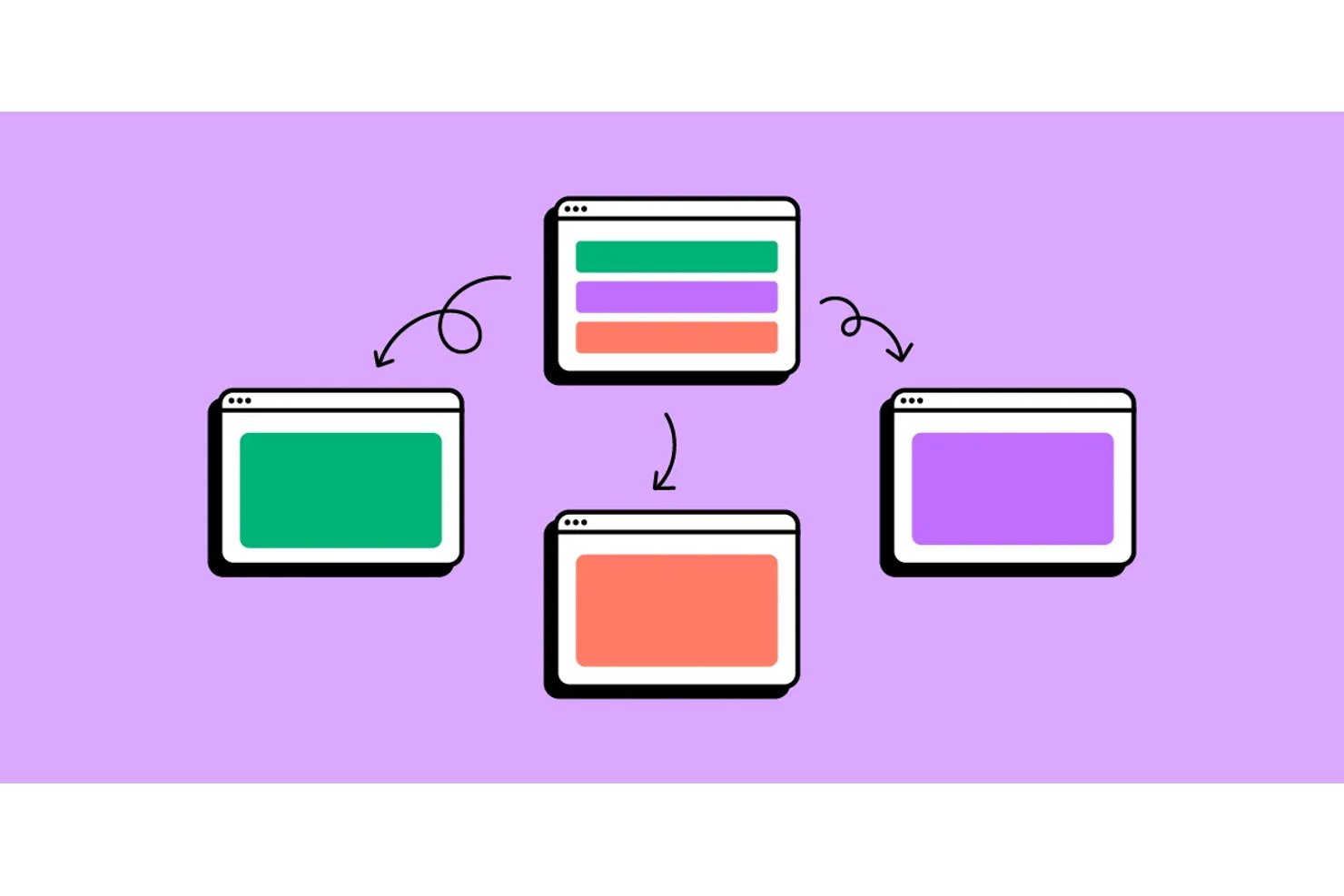
UXPin es una herramienta de diseño de productos basada en el navegador y el escritorio que combina la edición vectorial con la creación de prototipos interactivos respaldados por código, lo que permite crear y probar diseños de alta fidelidad mediante componentes React reales, lógica condicional, variables y datos dinámicos.
¿Para quién es más adecuado UXPin?
UXPin es una opción excelente para diseñadores de productos y líderes de equipos de diseño en organizaciones medianas y grandes que crean prototipos complejos respaldados por código y que deben reflejar componentes listos para producción.
Por qué elegí UXPin
UXPin ocupa un lugar en mi lista de favoritos porque es la única herramienta de diseño que he utilizado cuyos prototipos se comportan realmente como software funcional. Su función Merge permite incorporar componentes React de producción directamente al lienzo, por lo que el prototipo se ejecuta con los mismos componentes que utiliza el equipo de ingeniería. Añade lógica condicional, variables y datos dinámicos reales, y podrás crear un prototipo funcional de un formulario de varios pasos con validación o de un panel basado en datos sin escribir una sola línea de código.
Características principales de UXPin
- Lógica condicional y variables: Crea prototipos con interacciones ramificadas, cambios de estado y datos que persisten entre pantallas para simular flujos de usuario reales.
- Bibliotecas de componentes codificados integradas: Accede directamente en el lienzo a bibliotecas React interactivas prediseñadas, como MUI, Tailwind UI, Ant Design y Bootstrap.
- Modo de especificaciones: Comparte un único enlace que muestra CSS, JSX, medidas y documentación para que los desarrolladores puedan inspeccionar y consultar los diseños sin un paso de entrega independiente.
- Gestión de sistemas de diseño: Crea y mantén una biblioteca centralizada de componentes, estilos, tipografía y patrones reutilizables con control de versiones para todo tu equipo.
Integraciones de UXPin
UXPin ofrece integraciones con Storybook, GitHub, Bitbucket, npm, Jira, FullStory, Slack, StackBlitz y CodeSandbox. Estas conexiones son compatibles con bibliotecas de componentes de producción, prototipos realistas y la entrega a los desarrolladores.
Pros and Cons
Pros:
- Los prototipos se ejecutan con componentes React reales
- La lógica condicional permite crear flujos de usuario fieles a la realidad
- El modo de especificaciones agiliza la entrega a los desarrolladores
Cons:
- No incluye una cuenta gratuita para espectadores o comentaristas
- Las funciones avanzadas están limitadas a los planes superiores

Penpot
Ideal para el diseño de interfaces de código abierto sin límites de usuarios
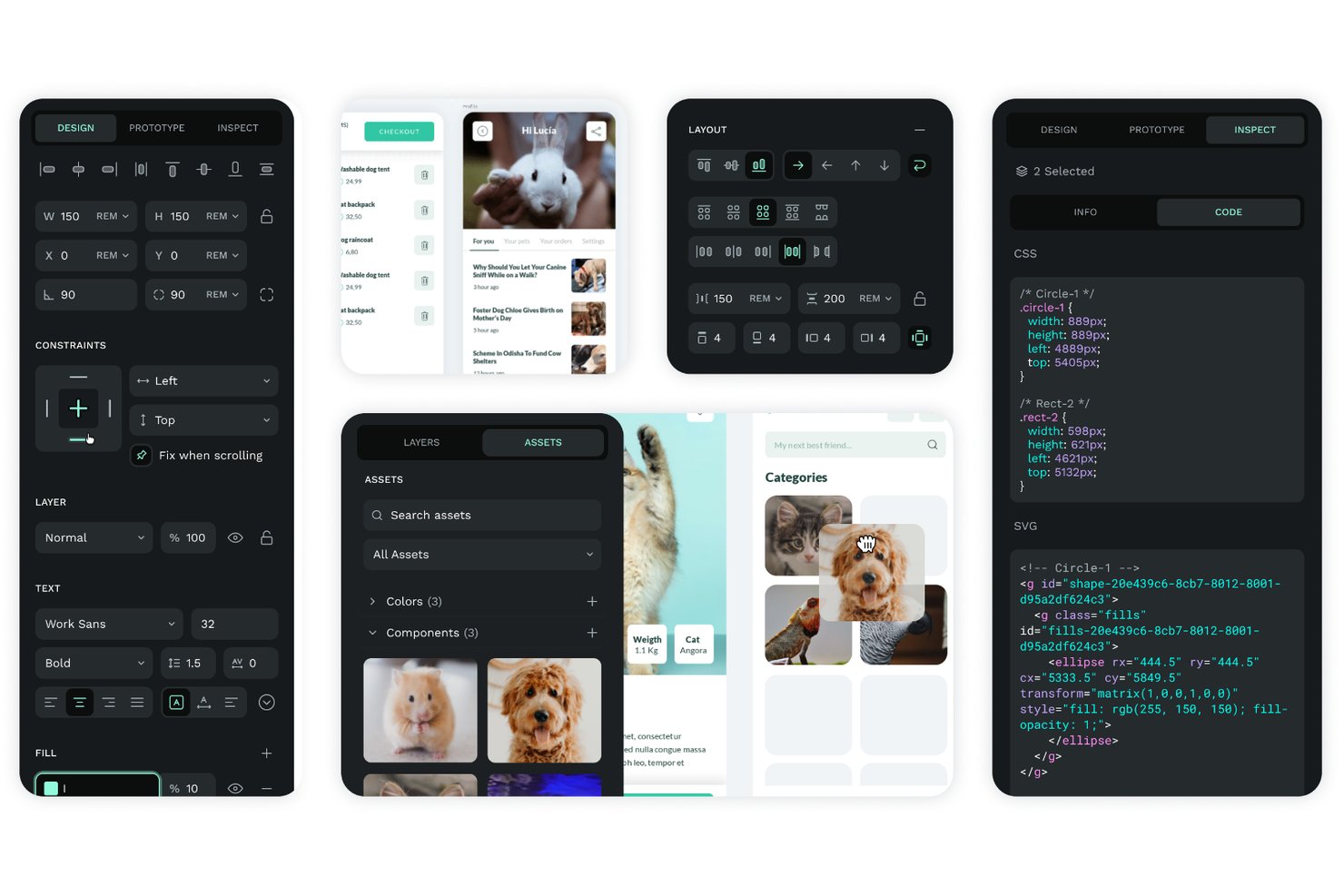
Penpot es una herramienta de diseño de interfaces de usuario de código abierto y basada en navegador que combina edición vectorial, diseños CSS Grid/Flex, creación de prototipos interactivos, colaboración en tiempo real y traspaso a desarrolladores en una única plataforma autohospedable.
¿Para quién es más adecuado Penpot?
Penpot es una excelente opción para equipos de producto multifuncionales que necesitan que diseñadores, desarrolladores y partes interesadas trabajen en la misma herramienta sin pagar por usuario.
Por qué elegí Penpot
He incluido Penpot entre mis principales opciones porque su base de código abierto permite que todo tu equipo multifuncional, incluidos diseñadores, desarrolladores y responsables de producto, trabaje dentro de los mismos archivos sin límites de usuarios que reduzcan tu presupuesto. Me gusta especialmente que sus diseños CSS Grid y Flex generen una salida de inspección que se corresponde directamente con la implementación real, por lo que el traspaso a los desarrolladores evita la habitual capa de traducción. Los tokens de diseño nativos del W3C, gestionados sin necesidad de un complemento, mantienen coherentes los valores de color y espaciado de tu sistema de diseño en todos los componentes desde el primer día.
Características principales de Penpot
- Operaciones booleanas: Combina, resta, interseca y excluye formas vectoriales para crear elementos de interfaz de usuario precisos y complejos directamente en el lienzo.
- Flujos de prototipos interactivos: Define varios puntos de inicio por página para simular diferentes recorridos de usuario o contextos de dispositivo en un solo archivo.
- Inspector de código: Genera código CSS y SVG listo para usar a partir de tus diseños, basado en los mismos estándares Flex y Grid utilizados para crearlos.
- Bibliotecas de componentes compartidas: Publica cualquier archivo como biblioteca compartida para que los equipos puedan acceder a componentes, colores y tipografías reutilizables, y sincronizarlos entre proyectos.
Integraciones de Penpot
Penpot ofrece una API REST abierta y webhooks para flujos de trabajo personalizados, además de compatibilidad de importación con Figma y Adobe XD. Su Penpot Hub, con unos 125 complementos, incluye Locofy Lightning y Design Tokens Export & Deploy, que se conecta con GitHub, GitLab, Bitbucket y Azure DevOps.
Pros and Cons
Pros:
- Miembros ilimitados del equipo sin costes adicionales
- Los tokens de diseño nativos garantizan la fidelidad de las especificaciones
- Los diseños basados en CSS real facilitan el traspaso a los desarrolladores
Cons:
- Los archivos grandes pueden provocar un rendimiento lento
- No ofrece lógica ni variables avanzadas para la creación de prototipos

Ideal para la creación de prototipos interactivos basados en lógica
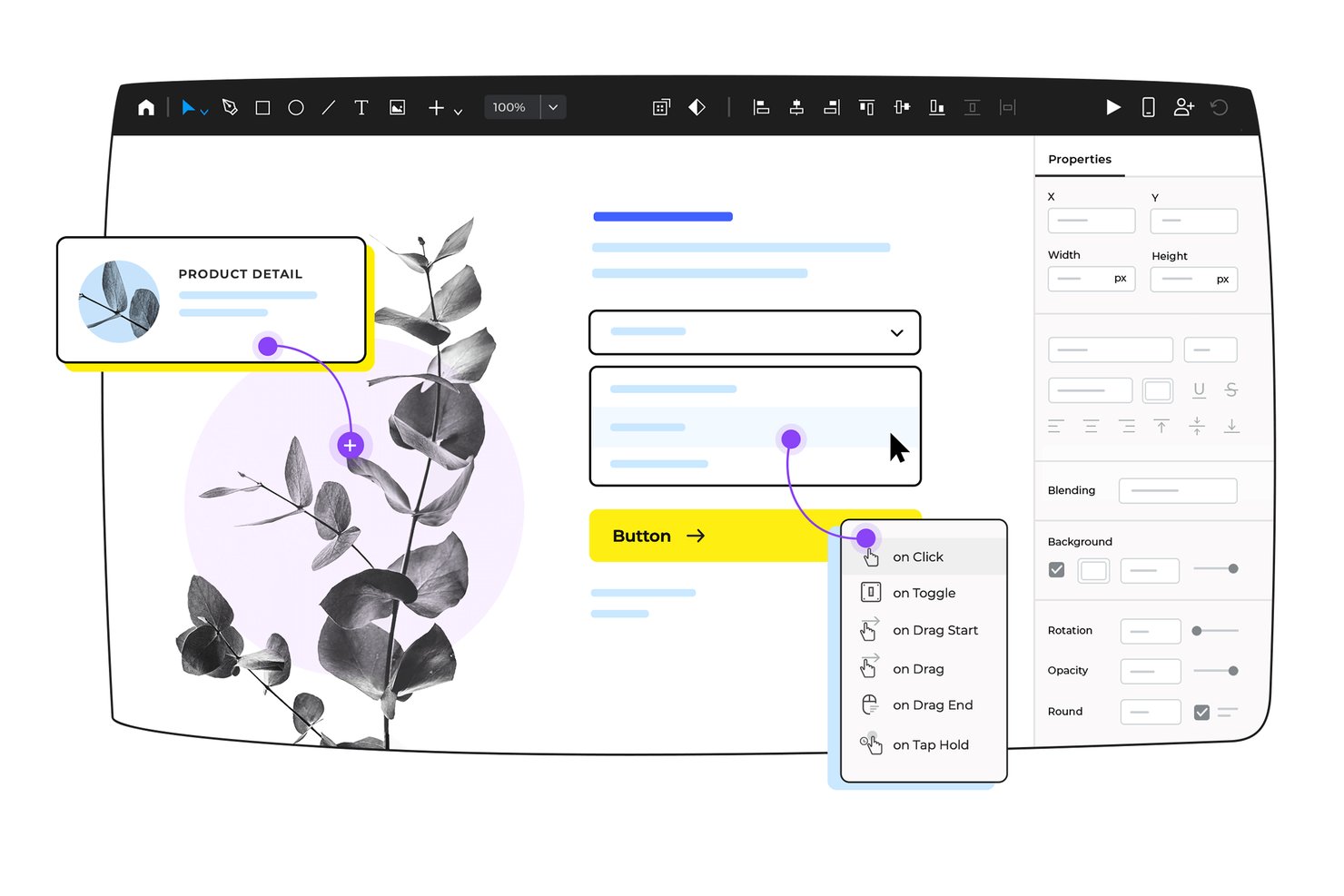
Justinmind es una herramienta de diseño de productos basada en escritorio que combina el diseño de interfaces vectoriales, una biblioteca de más de 4.000 componentes interactivos y la creación de prototipos basada en lógica con condiciones, variables y simulación de datos.
¿Para quién es más adecuado Justinmind?
Justinmind es una opción ideal para diseñadores de UX/UI y gerentes de producto que necesitan crear y probar prototipos basados en lógica y altamente interactivos sin escribir código.
Por qué elegí Justinmind
Elegí Justinmind como una de las mejores opciones porque su creación de prototipos basada en lógica va más allá que la de la mayoría de las herramientas que he probado. Puedes crear condiciones, variables y secuencias que simulan el comportamiento real de una aplicación, como la validación de formularios en línea que activa mensajes de error o cuadrículas de datos rellenadas a partir de archivos CSV importados. Ese nivel de fidelidad permite que las partes interesadas experimenten algo muy parecido a un producto funcional, no solo una maqueta en la que se puede hacer clic.
Características principales de Justinmind
- Más de 4.000 componentes de interfaz prediseñados: Una biblioteca de componentes interactivos de interfaz para web, iOS y Android que puedes añadir directamente a tus diseños.
- Importación de datos CSV: Extrae datos reales de archivos CSV a los Maestros de datos para rellenar cuadrículas y listas en tu prototipo.
- Aplicaciones visor nativas para dispositivos: Prueba tu prototipo en dispositivos iOS o Android reales mediante las aplicaciones visor específicas de Justinmind.
- Exportación de documentos con un clic: Genera especificaciones de diseño completas como documento de Word o PDF directamente desde tu prototipo.
Integraciones de Justinmind
Justinmind cuenta con integraciones nativas con Jira, Azure DevOps/TFS, Confluence, Figma, Sketch, Adobe Photoshop, Adobe Illustrator y Adobe XD. Su API pública y su SDK permiten crear integraciones y entregables personalizados.
Pros and Cons
Pros:
- Simula lógica funcional con condiciones y variables
- Importa datos CSV para modelar datos reales
- Genera especificaciones y prototipos detallados para realizar pruebas
Cons:
- La colaboración en tiempo real utiliza un sistema de registro de entrada y salida
- Los prototipos grandes pueden experimentar un rendimiento lento
Justinmind
Ideal para la creación de prototipos interactivos basados en lógica
Justinmind es una herramienta de diseño de productos basada en escritorio que combina el diseño de interfaces vectoriales, una biblioteca de más de 4.000 componentes interactivos y la creación de prototipos basada en lógica con condiciones, variables y simulación de datos.
¿Para quién es más adecuado Justinmind?
Justinmind es una opción ideal para diseñadores de UX/UI y gerentes de producto que necesitan crear y probar prototipos basados en lógica y altamente interactivos sin escribir código.
Por qué elegí Justinmind
Elegí Justinmind como una de las mejores opciones porque su creación de prototipos basada en lógica va más allá que la de la mayoría de las herramientas que he probado. Puedes crear condiciones, variables y secuencias que simulan el comportamiento real de una aplicación, como la validación de formularios en línea que activa mensajes de error o cuadrículas de datos rellenadas a partir de archivos CSV importados. Ese nivel de fidelidad permite que las partes interesadas experimenten algo muy parecido a un producto funcional, no solo una maqueta en la que se puede hacer clic.
Características principales de Justinmind
- Más de 4.000 componentes de interfaz prediseñados: Una biblioteca de componentes interactivos de interfaz para web, iOS y Android que puedes añadir directamente a tus diseños.
- Importación de datos CSV: Extrae datos reales de archivos CSV a los Maestros de datos para rellenar cuadrículas y listas en tu prototipo.
- Aplicaciones visor nativas para dispositivos: Prueba tu prototipo en dispositivos iOS o Android reales mediante las aplicaciones visor específicas de Justinmind.
- Exportación de documentos con un clic: Genera especificaciones de diseño completas como documento de Word o PDF directamente desde tu prototipo.
Integraciones de Justinmind
Justinmind cuenta con integraciones nativas con Jira, Azure DevOps/TFS, Confluence, Figma, Sketch, Adobe Photoshop, Adobe Illustrator y Adobe XD. Su API pública y su SDK permiten crear integraciones y entregables personalizados.
Pros and Cons
Pros:
- Simula lógica funcional con condiciones y variables
- Importa datos CSV para modelar datos reales
- Genera especificaciones y prototipos detallados para realizar pruebas
Cons:
- La colaboración en tiempo real utiliza un sistema de registro de entrada y salida
- Los prototipos grandes pueden experimentar un rendimiento lento
Tabla comparativa de los mejores programas de diseño de productos
Aquí tienes una tabla en la que puedes comparar todas las herramientas que acabamos de analizar en las reseñas.
| Tool | Best For | Trial Info | Price | ||
|---|---|---|---|---|---|
| 1 | Ideal para crear prototipos a partir del código del producto activo | Plan gratuito disponible | Desde $20/usuario/mes | Website | |
| 2 | La mejor opción para diseñar interfaces gratis en Windows, Mac y Linux | Plan gratuito disponible | Desde $4.99/usuario/mes | Website | |
| 3 | Ideal para usuarios de Adobe CC que crean prototipos de flujos | Prueba gratuita de 30 días | Precio bajo consulta | Website | |
| 4 | La mejor opción para mantener la continuidad del diseño entre el ordenador y el móvil | Prueba gratuita de 14 días | Desde $37.99/mes (facturado anualmente) | Website | |
| 5 | La mejor opción para lograr realismo en prototipos interactivos sin código | Prueba gratuita de 30 días disponible | Desde $29/usuario/mes (facturado anualmente) | Website | |
| 6 | Ideal para la colaboración en el diseño de productos | Plan gratuito disponible | Desde $16/usuario/mes (facturado anualmente) | Website | |
| 7 | Ideal para crear prototipos con componentes codificados reales | Prueba gratuita de 14 días | Desde $49/mes (facturado anualmente) | Website | |
| 8 | Ideal para el diseño de interfaces de código abierto sin límites de usuarios | Plan gratuito y prueba gratuita de 14 días disponibles | Desde $7/usuario/mes | Website | |
| 9 | Ideal para la creación de prototipos interactivos basados en lógica | Plan gratuito disponible | Desde $19/usuario/mes | Website | |
| 10 | Ideal para la creación de prototipos interactivos basados en lógica | Plan gratuito disponible | Desde $19/usuario/mes | Website |
Otras opciones de diseño de productos
Estas son algunas opciones más que no llegaron a la lista principal, pero que vale la pena tener en cuenta.
- Sketch
Ideal para el diseño de interfaces nativo de Mac con entrega gratuita para desarrolladores
- Pixso
Ideal para equipos que migran desde Figma con un presupuesto limitado
- Framer
Ideal para diseños de sitios web generados por IA
- ProtoPie
Ideal para pruebas de prototipos de hardware y múltiples dispositivos


Cómo elegí el mejor software de diseño de productos
En primer lugar, comencé con programas de diseño de productos que tenían altas calificaciones de los usuarios en cuanto a reseñas y satisfacción. Después, basándome en mi experiencia en gestión de productos, determiné qué criterios clave eran más importantes para el software de diseño de productos y comparé el rendimiento de cada uno con el resto.
Entiendo cuánto tiempo lleva encontrar el software adecuado para un trabajo. Hago este trabajo para que tú no tengas que hacerlo. Llevo años utilizando y analizando software de diseño de productos, así que puedes confiar en que me encargaré de la parte más pesada y recopilaré todos los datos que necesitas para tomar tu decisión final.
Cómo Evalúo el Software de Diseño de Productos
Divido mi evaluación en dos capas: las capacidades principales como el prototipado y la entrega a desarrolladores que toda herramienta debe ofrecer, y los diferenciadores que hacen que una sea mejor opción para equipos específicos.
Funcionalidad Principal (Requisitos Indispensables para Esta Lista)
Cuando selecciono herramientas para mi lista, clasifico cada una en una escala del 0 (no ofrece la funcionalidad) al 5 (sobresale en esta área) para cada funcionalidad principal que se menciona a continuación. Luego, calculo la puntuación total de la herramienta en porcentaje. Cada herramienta debe alcanzar una puntuación mínima total del 65% para ser considerada en la inclusión.
- Prototipado y Wireframing: Evalúo si una herramienta puede llevarte desde un wireframe básico hasta un prototipo interactivo con transiciones realistas, lógica condicional y cambios de estado.
- Colaboración en Tiempo Real: Varios diseñadores y PMs deben poder trabajar en el mismo archivo al mismo tiempo, con cursores en vivo, comentarios en línea e indicadores claros de presencia.
- Sistemas de Diseño y Bibliotecas de Componentes: Busco bibliotecas de componentes compartidas con variantes y personalizaciones que mantengan la coherencia de la IU de un producto a medida que los equipos se expanden en múltiples archivos y proyectos.
- Entrega a Desarrolladores: Una buena entrega significa que los ingenieros pueden inspeccionar espacios, obtener CSS o código específico de la plataforma y exportar recursos directamente, en vez de molestar al diseñador por cada especificación.
- Herramientas Vectoriales y de Diseño UI: Verifico que haya edición vectorial nativa junto a funciones propias de UI como auto-layout, marcos responsivos y sistemas de cuadrícula diseñados para trabajo digital en pantalla.
- Retroalimentación y Revisión de Interesados: Los gerentes de producto y directivos necesitan enlaces compartibles donde puedan dejar comentarios contextuales en marcos específicos, seguir el historial de versiones y resolver hilos.
Una vez que tengo una lista de herramientas que cumplen con este criterio, considero qué distingue a cada plataforma.
Factores Diferenciadores (Qué Distingue a los Proveedores)
Así es como comparo y contrasto los distintos proveedores:
Funciones Destacadas
El diseño asistido por IA es un gran diferenciador que evalúo. Las herramientas que generan diseños o sugieren componentes a partir de un prompt ahorran tiempo real durante las etapas iniciales de ideación. También busco pruebas de usuario integradas u opcionales, donde los PMs pueden ejecutar tests de prototipos y revisar mapas de calor sin salir de la plataforma. Un buen ecosistema de plugins también es importante, ya que los equipos suelen necesitar extensiones de terceros para auditorías de accesibilidad, bibliotecas de iconos o automatizaciones de flujo de trabajo que la herramienta principal no cubre.
Más Allá de las Funciones
Las integraciones con otras herramientas del stack de producto es una de las primeras cosas que reviso. Una herramienta de diseño que se conecta con Jira, Linear o Slack evita que el equipo tenga que cambiar de contexto durante los ciclos de sprint. La estructura de precios también es relevante, especialmente en equipos mixtos donde los PMs necesitan acceso de edición junto con los diseñadores. Evalúo si el modelo de usuarios cobra a los espectadores o les permite acceso gratuito, ya que esto afecta directamente el alcance de la colaboración. La accesibilidad multiplataforma completa el panorama. El acceso vía navegador facilita que los interesados revisen el trabajo sin instalar nada.
Preguntas frecuentes sobre el software de diseño de productos
Encuentra respuestas a preguntas frecuentes que otras personas hacen sobre este tema.
¿Qué es el diseño de productos?
El diseño de productos es un proceso mediante el cual se diseña visualmente una experiencia centrada en el cliente que tiene en cuenta la estrategia y la visión de producto de la empresa. Mediante un lienzo de propuesta de valor, el equipo de diseño puede conocer mejor las necesidades, los problemas, los hábitos y los deseos del cliente. Después, utilizando esa información, puede diseñar un producto que satisfaga a los clientes y plasmar el resultado en un mapa del recorrido del usuario. Por último, el mapa del recorrido puede iterarse para perfeccionar la experiencia.
Obtén más información sobre el tema en nuestro artículo introductorio sobre diseño de productos.
¿Cuáles son las ventajas del software de diseño de productos?
- Mayor eficiencia: el software de diseño de productos puede ayudar a agilizar el proceso de diseño al proporcionar herramientas para crear y modificar diseños de forma rápida y sencilla. Esto puede ahorrar tiempo y reducir errores, lo que permite a los diseñadores crear más productos en menos tiempo.
- Mayor creatividad: con el software de diseño de productos, los diseñadores pueden experimentar con diferentes conceptos de diseño, colores, materiales y texturas, y visualizarlos en 3D. Esto puede inspirar la creatividad y ayudar a los diseñadores a crear diseños más innovadores y visualmente atractivos.
- Mejor colaboración: el software de diseño de productos permite a diseñadores, ingenieros y otras partes interesadas colaborar y compartir archivos de diseño y comentarios en tiempo real. Esto puede facilitar la comunicación y garantizar que todos estén al tanto de la situación, lo que conduce a mejores resultados de diseño.
- Ahorro de costes: al simular y probar diseños en un entorno virtual, el software de diseño de productos puede ayudar a identificar y resolver posibles problemas antes de crear prototipos físicos. Esto puede ahorrar tiempo y dinero en prototipos costosos y evitar errores caros.
- Mejora de la calidad del producto: al proporcionar herramientas de simulación y análisis, el software de diseño de productos puede ayudar a garantizar que el producto final cumpla las especificaciones y los requisitos deseados, lo que da como resultado productos de mayor calidad que satisfacen las necesidades y expectativas de los clientes.
¿Cuáles son las características principales del software de diseño de productos?
Las características principales del mejor software de diseño de productos pueden variar según las necesidades y los requisitos específicos del usuario, pero algunas de las más importantes incluyen:
- Modelado 3D para recursos visuales de marketing: algunas herramientas permiten reutilizar modelos 3D para crear recursos de marketing fotorrealistas. Esta función ayuda a ahorrar tiempo y costes al eliminar la necesidad de prototipos físicos y sesiones fotográficas. También permite una producción más rápida de los recursos visuales promocionales, acelerando la llegada del producto al mercado.
- Simulación y análisis: el software debe incluir herramientas de simulación y análisis para probar y verificar el diseño, como pruebas de resistencia, dinámica de fluidos y análisis térmico.
- Colaboración y uso compartido: el software debe permitir colaborar fácilmente y compartir diseños con miembros del equipo, clientes y proveedores.
- Control de versiones: el software debe incluir funciones de control de versiones para realizar un seguimiento de los cambios efectuados en el diseño y permitir acceder fácilmente a versiones anteriores.
- Compatibilidad e integración: el software debe ser compatible con otras herramientas y programas utilizados habitualmente en el sector, como el software CAD y el software de impresión 3D.
- Personalización: el software debe permitir la personalización y configuración para satisfacer las necesidades únicas del usuario y los requisitos específicos de su proyecto.
- Biblioteca de componentes: el software debe contar con una amplia variedad de componentes esenciales integrados, como botones y acordeones, para facilitar el diseño.
- Gestión de recursos y documentos: el software debe poder almacenar, rastrear y compartir recursos y documentos de productos.
- Versatilidad de modelado: software que funcione bien con distintos métodos de modelado 3D, como el modelado directo o paramétrico.
<liAutomatización del diseño: el software debe automatizar procesos y tareas repetitivas, como generar variantes de diseño, actualizar ensamblajes, crear dibujos a partir de modelos 3D y procesar archivos por lotes para fabricación, optimizando los flujos de trabajo y reduciendo los errores manuales.
¿Cuáles son los tres tipos de modelado 3D?
Si utilizas diseño asistido por ordenador (CAD) para tus productos, puedes emplear tres tipos de modelado: alámbrico, de superficies y sólido.
- Alámbrico: este tipo de modelado CAD se utiliza cuando el producto tiene más bordes curvos. En este tipo de modelado, se utilizan líneas, círculos, arcos y otras formas para definir los objetos. A diferencia de las versiones 2D de un producto, que puedes representar mediante un herramienta para crear estructuras alámbricas o tu cuaderno, el CAD permite crear versiones 3D en las que puedes ver el producto desde todos los ángulos.
- Superficies: de estos tres métodos, el modelado de superficies es el más avanzado. Funciona mediante líneas guía que delimitan los contornos y la curvatura de un componente. Posteriormente, el software calcula una superficie continua que conecta estas líneas guía. Algunas de las herramientas de esta lista ofrecen esta función con el nombre de solevado.
- Sólido: piensa en este método como una versión avanzada del Tetris, en la que juntas formas tridimensionales como si fueran bloques de construcción. Si necesitas hacer un agujero en el diseño, también puedes utilizar algunas de las formas para eliminar (restar) material.
¿Qué sigue?
Si estás investigando software de diseño de productos, conecta con un asesor de SoftwareSelect para obtener recomendaciones gratuitas.
Rellenas un formulario y mantienes una breve conversación en la que profundizan en los detalles de tus necesidades. Después recibirás una lista corta de opciones de software para revisar. Incluso te ayudarán durante todo el proceso de compra, incluidas las negociaciones de precios.