

Product management comes with a lot of moving parts—tight timelines, team input, and the pressure to keep ideas on track. That’s where storyboard software can help. It gives shape to your concepts and helps everyone stay on the same page.
From my experience, the right tool can cut down on confusion and bring structure to your creative process. I’ve looked into the most reliable options out there and pulled together a shortlist worth considering.
In this article, you’ll get a clear look at the top storyboard tools—their features, what they do well, and where they might fall short—so you can decide which one works best for your team.
Why Trust Our Software Recommendations
6,700+
Reviews
20
Industry experts
16+
Evaluation factors
14
Years
Our team has been testing and reviewing software since 2012. As product managers ourselves, we know how difficult—and important—it is to choose the right software.
For this guide, we evaluated tools using hands-on testing and independent research, scoring tools using our selection criteria.
Our reviews reflect our human editorial judgment, not a sales pitch.
Expert reviewers:
- Andrew LumbySenior TPM
- Cristiano ValimSenior UI/UX Lead


Storyboard Software Comparison Table
This comparison table summarizes pricing details for my top storyboard software selections:
| Tool | Best For | Trial Info | Price | ||
|---|---|---|---|---|---|
| 1 | Best for Figma-native product team ideation | Free plan available | From $16/user/month | Website | |
| 2 | Best for AI-generated storyboards from text prompts | Free plan available | From $14/user/month | Website | |
| 3 | Best for cross-functional storyboard workshops | Free plan available | From $9.99/user/month (billed annually) | Website | |
| 4 | Best for speed-focused manual storyboarding | Free trial available | From $12/user/month (billed annually) | Website | |
| 5 | Best for real-time camera and scene previsualization | Free demo available | From $39.99/month | Website | |
| 6 | Best for polished storyboard slides for non-designers | Free trial + free plan available | From $144/user/year (billed annually) | Website | |
| 7 | Best for educational use | Free trial + free plan available | From $14.99/month | Website | |
| 8 | Best for script-synced animatic collaboration | Free plan + free trial available | From $50/month (billed annually) | Website | |
| 9 | Best for animation studio pre-production | 14-day free trial | From $90/month | Website | |
| 10 | Best for script-to-animated pitch deck export | Free plan + free demo available | From $12/month (billed annually) | Website |


Best Storyboard Software Review
Below are my detailed summaries of the best storyboard software that made it onto my shortlist. My reviews offer a detailed look at the key features, pros & cons, integrations, and ideal use cases of each tool to help you find the best one for you.
 Best for Figma-native product team ideation
- Free plan available
- From $16/user/month
Visit WebsiteCustomer Rating:4.7/5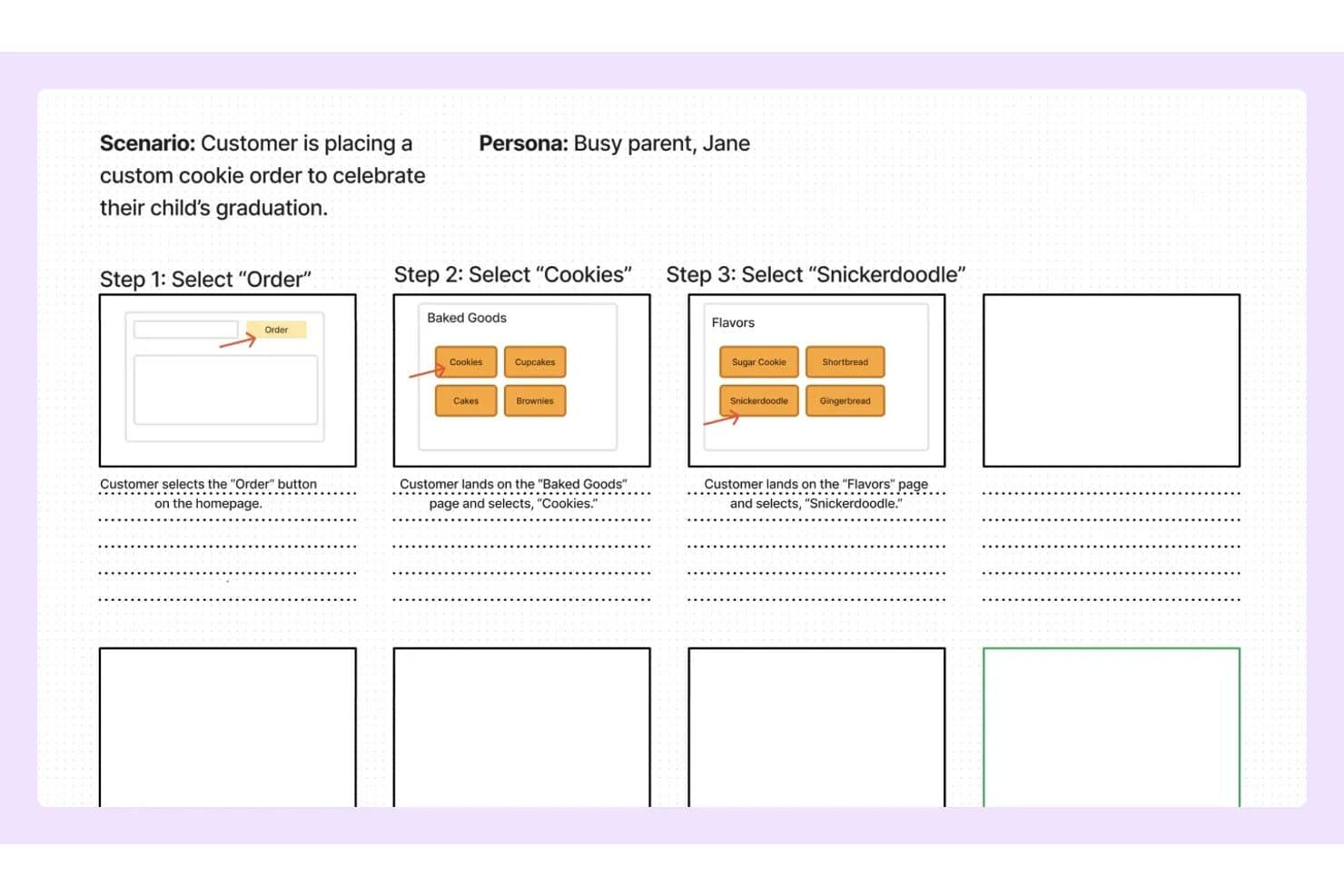
FigJam lets users map storyboard steps with wireframes and notes. My Evaluation Score
- Pre-Built Asset Library
- Adequate
- Real-Time Collaboration
- Excels
- Export & Sharing Options
- Adequate
- Frame-by-Frame Sequencing
- Minimal
- Annotation & Text Overlays
- Excels
- Drag-and-Drop Visual Editor
- Strong
FigJam is Figma's collaborative whiteboard tool that combines an infinite canvas, pre-built product and UX templates, real-time multi-user editing, and AI-assisted board generation for ideation and visual mapping.
Who Is FigJam Best For?
FigJam is a natural fit for product and UX teams already working in Figma who want their ideation and storyboarding to live in the same ecosystem as their design work.
Why I Picked FigJam
I picked FigJam as one of the best because it lives where product teams already work: inside Figma. If your team is mapping a user journey in FigJam one day and building the actual screens in Figma Design the next, that handoff is instant, not a file export ritual. I especially like FigJam AI's ability to generate a fully structured board from a single text prompt, which makes spinning up a storyboard for a sprint or discovery session genuinely fast. The customer journey map and storyboard templates are purpose-built for product workflows, not generic placeholders.
FigJam Key Features
- Real-time multi-user editing: Unlimited collaborators can work on the same board simultaneously, with live cursors and cursor chat for in-session communication.
- Audio huddles: Built-in voice calls let your team talk through a storyboard or discovery session without switching to an external conferencing tool.
- Jira widget: Embed Jira issue cards and task boards directly on the canvas to connect storyboard work to your active sprint backlog.
- Guest open sessions: External stakeholders can join and collaborate on a board for up to 24 hours without needing a Figma account.
FigJam Integrations
FigJam offers native integrations with Jira, Asana, Slack, Microsoft Teams, Google Workspace, Figma Design, and more. It also supports Confluence and Notion embeds, marketplace widgets, Zapier, and a REST API for custom integrations.
Pros and Cons
Pros:
- Specialized templates for product and UX workflows
- Real-time collaboration supports unlimited editors
- AI can generate storyboard templates instantly
Cons:
- Cannot export as video or animated file
- No built-in storyboard sequencing tools
Learn more about FigJam: Best for AI-generated storyboards from text prompts
- Free plan available
- From $14/user/month
Visit WebsiteCustomer Rating:4.8/5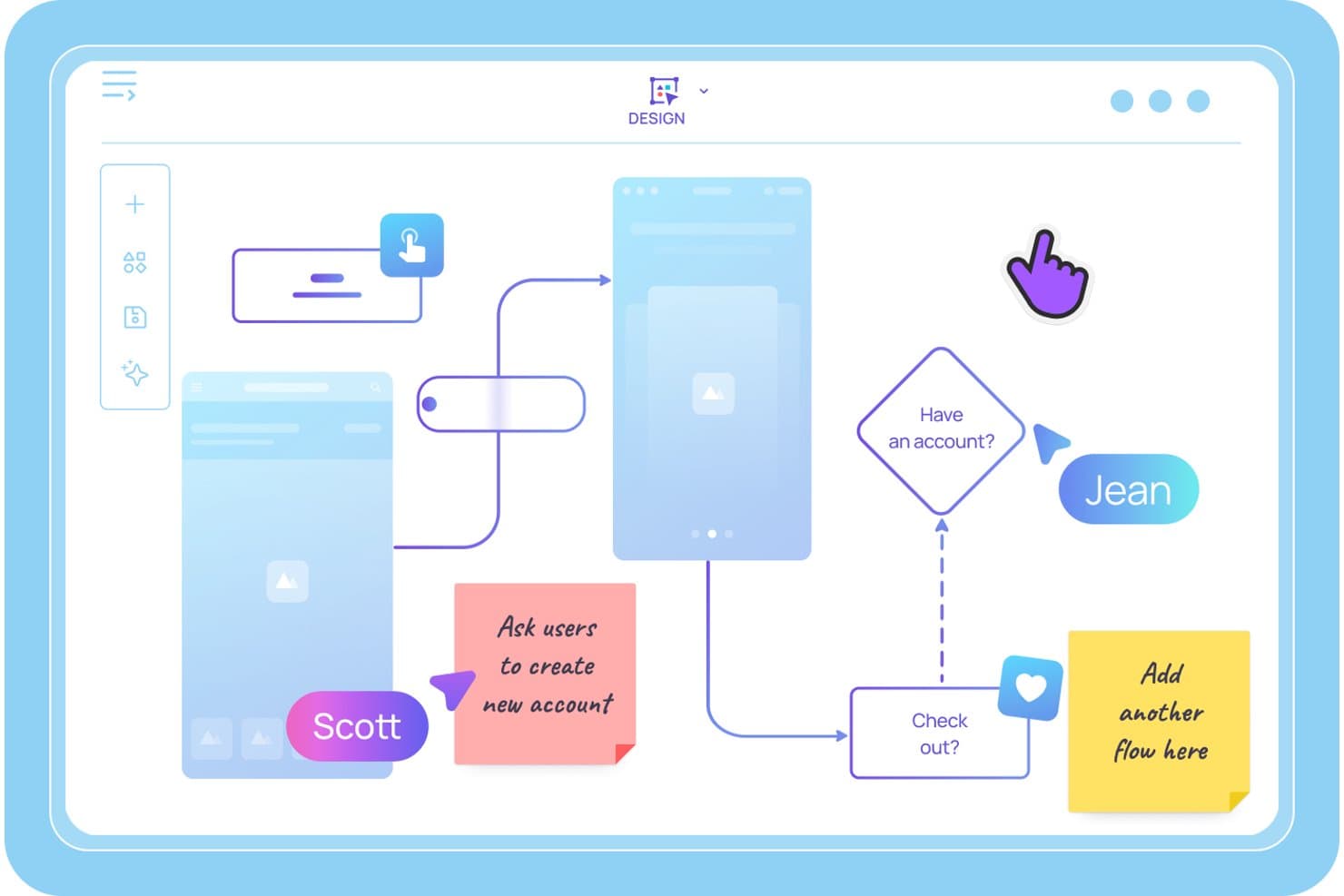
Visily lets users map user flows and storyboards with sticky notes. My Evaluation Score
- Pre-Built Asset Library
- Excels
- Real-Time Collaboration
- Excels
- Export & Sharing Options
- Adequate
- Frame-by-Frame Sequencing
- Strong
- Annotation & Text Overlays
- Excels
- Drag-and-Drop Visual Editor
- Excels
Visily is an AI-powered storyboard and wireframing tool that lets product teams generate sequential storyboard panels from text prompts, build interactive prototypes, and collaborate on user journey maps and UX flows in real time.
Who Is Visily Best For?
Visily is a strong fit for product managers and agile product owners who need to turn ideas into storyboards and interactive prototypes quickly—without relying on a dedicated designer.
Why I Picked Visily
I picked Visily as one of the best because it's the only tool I've seen that lets you type a plain-language scene description and get a structured, editable storyboard panel back in seconds. The AI Storyboard Maker turns a rough scenario into a sequenced set of frames, and Auto-Prototype then links those frames into a clickable user flow without any manual wiring. I've found that combination especially useful when you need to pressure-test a user journey before a sprint kickoff.
Visily Key Features
- Multimodal AI input: Combine text prompts, screenshots, existing diagrams, and canvas selections into a single AI generation request to build storyboard panels from wherever your ideas already live.
- Real-time co-editing with Cursor Chat: Multiple teammates can edit the same board simultaneously, with live cursors and in-canvas chat visible to everyone in the session.
- Workspace Library: Share custom templates, themes, and synced assets across all projects in your workspace, keeping storyboards consistent across your product team.
- Draw Mode: Use a freehand pen or highlighter directly on the canvas to sketch ideas or annotate storyboard panels without switching to a separate tool.
Visily Integrations
Visily connects with Figma, Claude Code, Cursor, Lovable, and ChatGPT via a plugin, and offers native integrations with Notion, Jira, and Slack.
Pros and Cons
Pros:
- Real-time collaboration supports cross-functional teams
- Auto-Prototyping links storyboard frames instantly
- AI turns text prompts into storyboard panels
Cons:
- Editing with AI overwrites manual screen changes
- No video or animation export options
Learn more about Visily: Best for cross-functional storyboard workshops
- Free plan available
- From $9.99/user/month (billed annually)
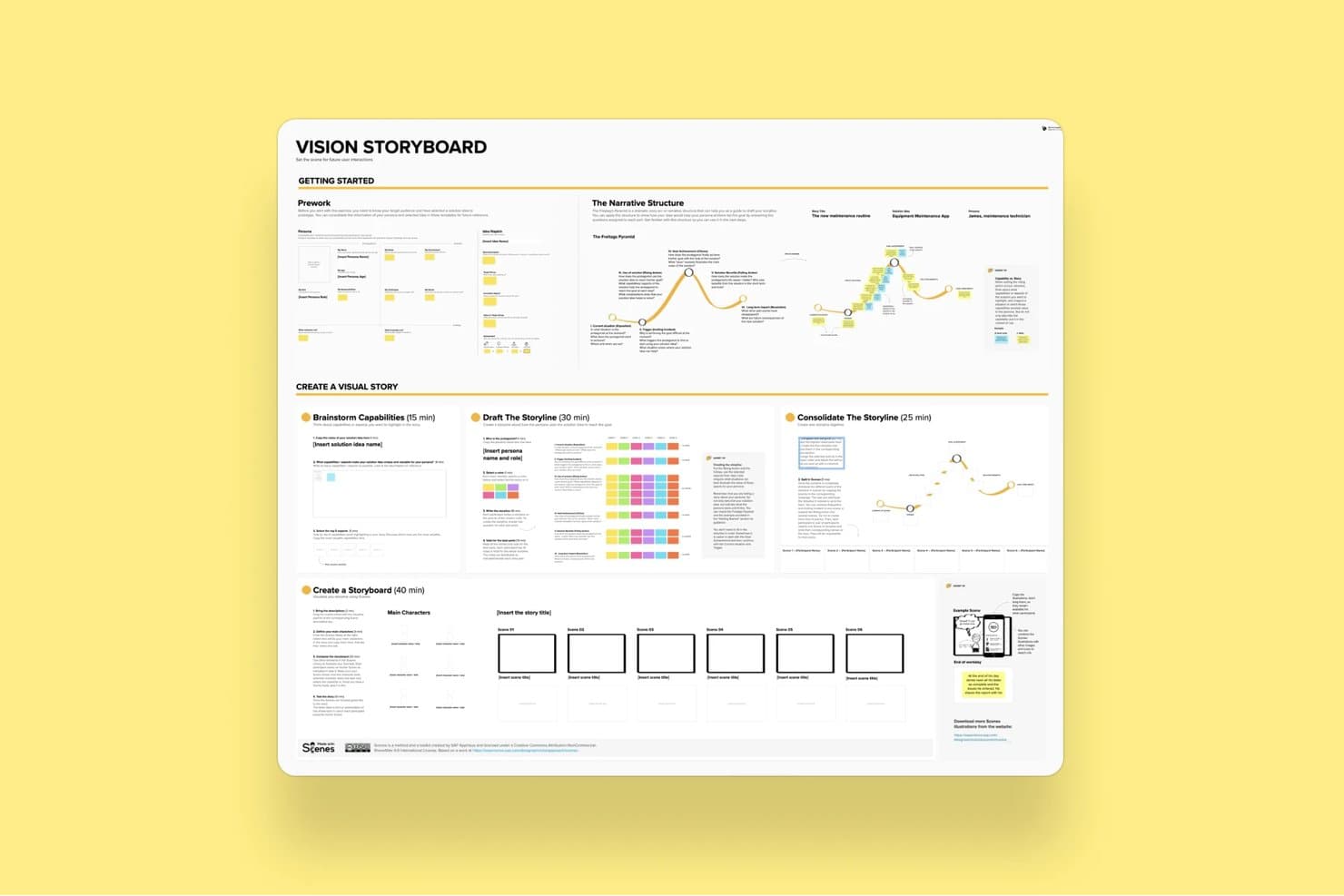
Mural's Vision Storyboard template guides users through building visual stories. My Evaluation Score
- Pre-Built Asset Library
- Strong
- Real-Time Collaboration
- Excels
- Export & Sharing Options
- Adequate
- Frame-by-Frame Sequencing
- Adequate
- Annotation & Text Overlays
- Strong
- Drag-and-Drop Visual Editor
- Strong
Mural is a visual collaboration platform that combines an infinite canvas, a storyboard template, drag-and-drop editing, real-time co-editing, and facilitation tools for running structured ideation and product workshops.
Who Is Mural Best For?
Mural fits cross-functional product teams that run structured workshops, design sprints, or discovery sessions with multiple stakeholders involved in real time.
Why I Picked Mural
Mural earns its spot on my shortlist because its Facilitation Superpowers® toolkit is purpose-built for the kind of messy, multi-stakeholder storyboard sessions that product teams actually run. I love that features like Private Mode and Anonymous Voting let every participant contribute to a storyboard sequence without groupthink shaping the output. The dedicated Storyboard Template gives cross-functional teams a shared structure to build on, while the Summon feature lets me redirect everyone's view to a specific frame mid-session.
Mural Key Features
- Storyboard template: A pre-built, panel-based framework that guides teams through sequential frame creation using sticky notes and captions.
- Mural AI clustering: Automatically groups sticky notes by topic and rearranges them by criteria to help teams synthesize ideas across storyboard frames.
- Anonymous voting: Lets participants vote on storyboard ideas without seeing others' selections, reducing groupthink during collaborative sessions.
- PowerPoint export: Converts your mural canvas directly into a PowerPoint file for sharing storyboard work with stakeholders outside the tool.
Mural Integrations
Mural offers native integrations with Figma, Jira, Azure DevOps, GitHub, Confluence, Notion, Microsoft Teams, and more. It also provides an API for custom integrations and supports Zapier.
Pros and Cons
Pros:
- Extensive template and asset library for PMs
- Powerful real-time facilitation tools for teams
- Dedicated storyboard template for product sessions
Cons:
- Cluttered interface with many objects
- No video or animation export supported
Learn more about Mural: Best for speed-focused manual storyboarding
- Free trial available
- From $12/user/month (billed annually)
Visit WebsiteCustomer Rating:4.7/5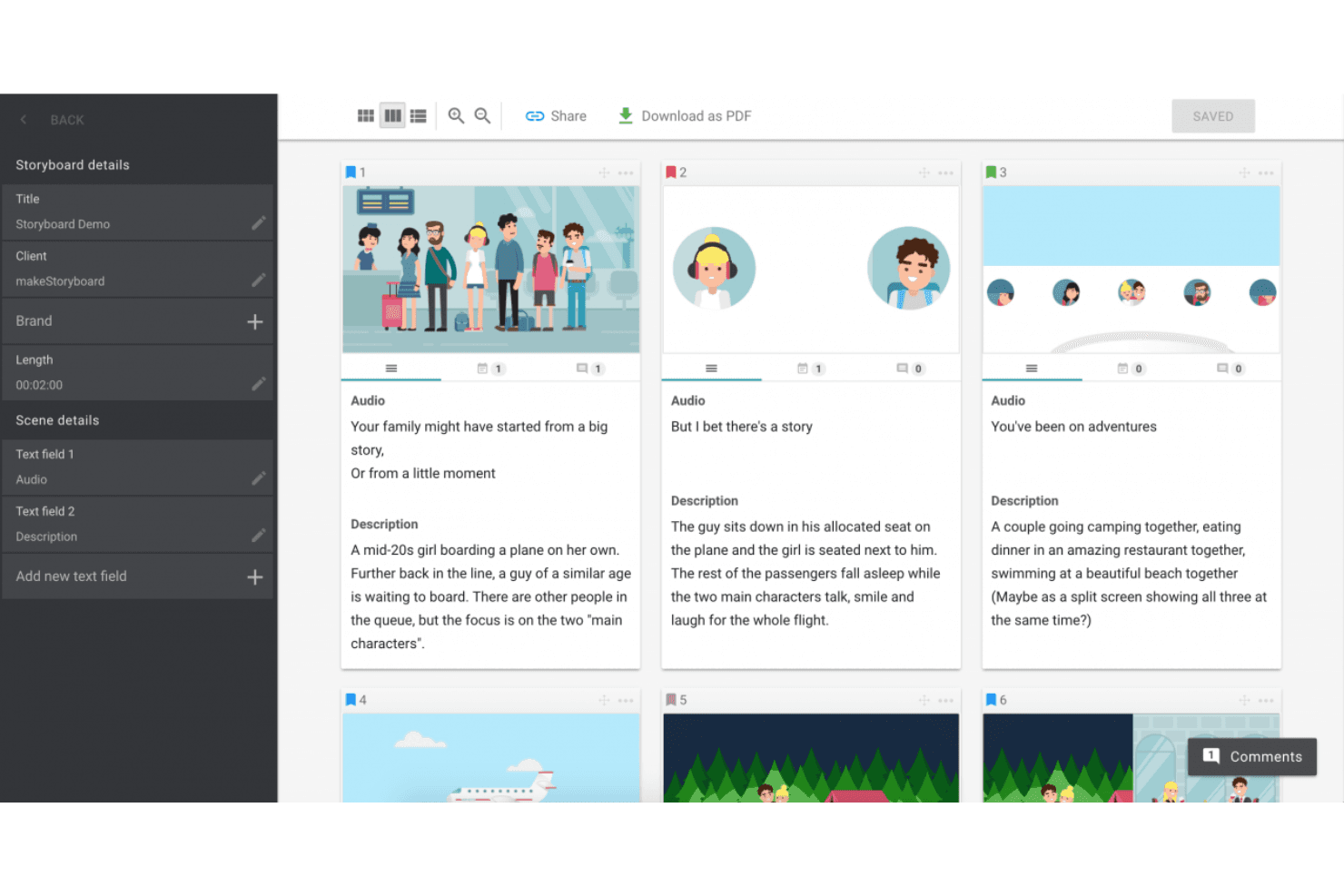
MakeStoryboard simplifies scene planning with organized frames, audio integration, and easy PDF exports. My Evaluation Score
- Pre-Built Asset Library
- Minimal
- Real-Time Collaboration
- Strong
- Export & Sharing Options
- Strong
- Frame-by-Frame Sequencing
- Strong
- Annotation & Text Overlays
- Adequate
- Drag-and-Drop Visual Editor
- Adequate
MakeStoryboard is a browser-based storyboarding tool built around frame-by-frame sequencing, a drag-and-drop canvas editor, real-time collaboration, and animatic MP4 export.
Who Is MakeStoryboard Best For?
MakeStoryboard is a good fit for video producers, animators, and content teams who need to build and present storyboards quickly without a steep learning curve.
Why I Picked MakeStoryboard
I picked MakeStoryboard as one of the best because it's purpose-built for getting storyboards done fast, without fighting the tool. The script-to-frames feature is what I find most useful: paste in a script, split it into frames automatically, then drop images and set camera angles per frame. When I need to hand off work to a client quickly, the animatic export lets me stitch frames into a playable MP4 with audio, which lands far better than a static PDF ever does.
MakeStoryboard Key Features
- Real-time collaboration: Multiple team members can edit the same storyboard simultaneously, with per-frame commenting and role-based access controls.
- Passphrase-protected review links: Share storyboards with external clients via a dedicated review link that doesn't require them to create an account.
- Custom branding on exports: Add your company logo and a bespoke cover page to PDF exports before sending them to clients or stakeholders.
- Camera angle indicators: Each frame supports predefined, industry-standard camera motion and shot angle labels for production-ready documentation.
MakeStoryboard Integrations
Native integrations are not publicly listed.
Pros and Cons
Pros:
- Camera angle indicators for production notes
- Passphrase-protected client review links
- Animatic MP4 export for visual storytelling
Cons:
- Lacks templates for user journeys or personas
- No AI-assisted frame or scene generation
Learn more about MakeStoryboard: Best for real-time camera and scene previsualization
- Free demo available
- From $39.99/month
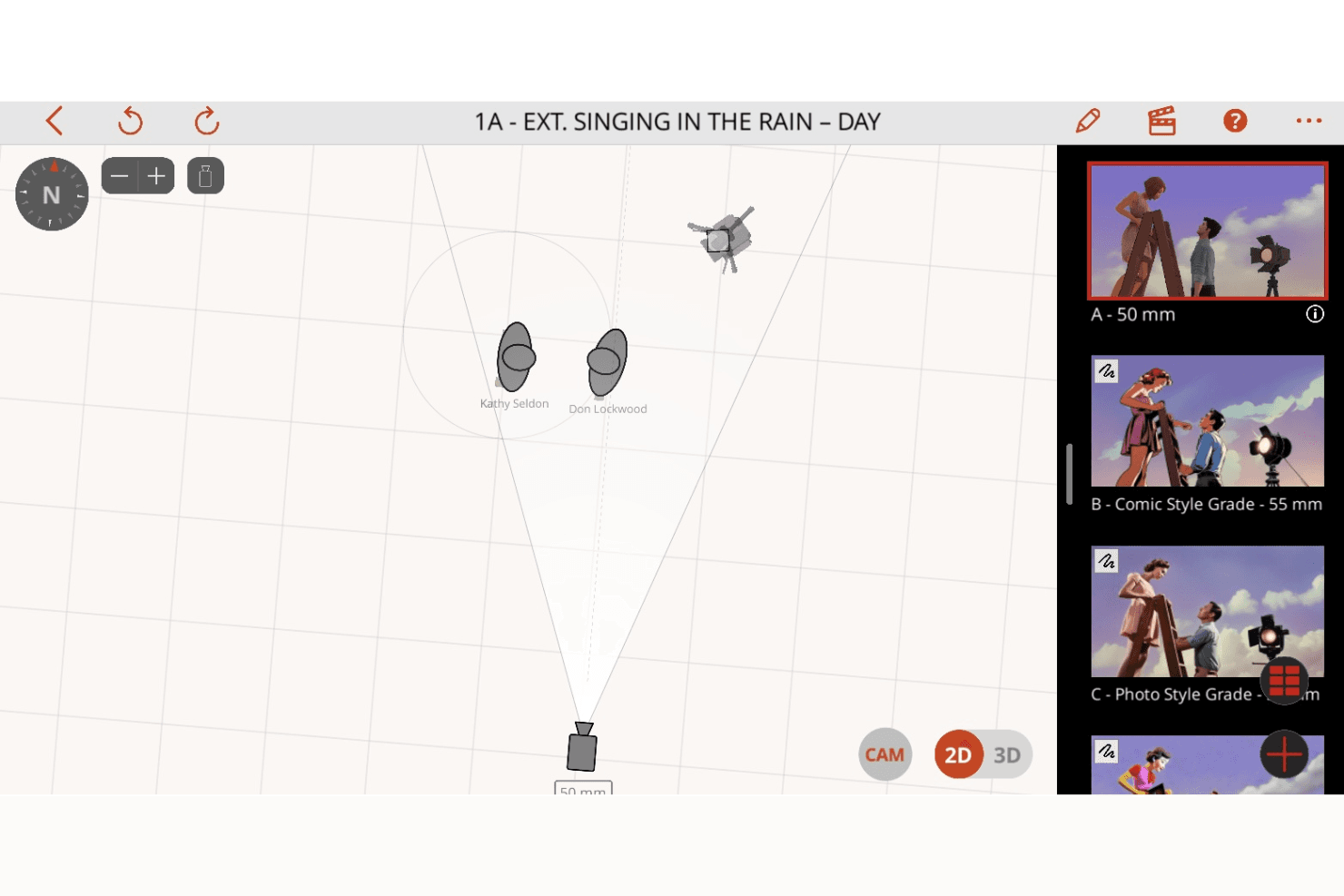
Previs Pro enhances shot planning with 2D and 3D scene visualization, camera controls, and dynamic storyboard creation. My Evaluation Score
- Pre-Built Asset Library
- Minimal
- Real-Time Collaboration
- Minimal
- Export & Sharing Options
- Excels
- Frame-by-Frame Sequencing
- Excels
- Annotation & Text Overlays
- Adequate
- Drag-and-Drop Visual Editor
- Adequate
Previs Pro is a 3D storyboard and previsualization tool for film and TV production that lets you build scenes with real lens physics, animate shots on an editorial timeline, and import screenplays to auto-generate shot outlines.
Who Is Previs Pro Best For?
Previs Pro is built for film and TV professionals—directors, cinematographers, and previs artists—who need to block shots and visualize camera setups before stepping on set.
Why I Picked Previs Pro
Previs Pro earns its spot as one of the best on my shortlist because it simulates real camera optics inside a 3D scene builder, letting directors and cinematographers block shots with accurate lens physics before a single crew member steps on set. I love how the Virtual Camera feature lets you walk through an actual location with your iPhone and preview character blocking in AR against the real environment. Screenplay import is another standout: drop in a Final Draft or Fountain file and Previs Pro auto-generates a shot outline, complete with scene and cast details.
Previs Pro Key Features
- Animatics timeline: Sequence and animate shots across a multi-scene editorial timeline with four dedicated audio lanes for dialogue, music, SFX, and voiceover.
- Screenplay import: Drop in a Final Draft, Fountain, Fade In, or Celtx file and Previs Pro auto-populates scene descriptions, cast details, and shot outlines directly from the script.
- AI prop and character generation: Use text descriptions to generate custom props and characters via PropGen and ActorGen without sourcing external 3D assets.
- NLE timeline export: Export your storyboard as an FCP7 XML file for direct handoff into Premiere Pro, DaVinci Resolve, or Final Cut Pro.
Previs Pro Integrations
Native integrations are not publicly listed.
Pros and Cons
Pros:
- AI generates props and characters from text
- Imports screenplays and auto-generates storyboards
- Animates shots with real lens physics
Cons:
- No live, real-time collaborative editing
- Only available for Mac, iPad, iPhone
Learn more about Previs Pro: Best for polished storyboard slides for non-designers
- Free trial + free plan available
- From $144/user/year (billed annually)
Visit WebsiteCustomer Rating:4.7/5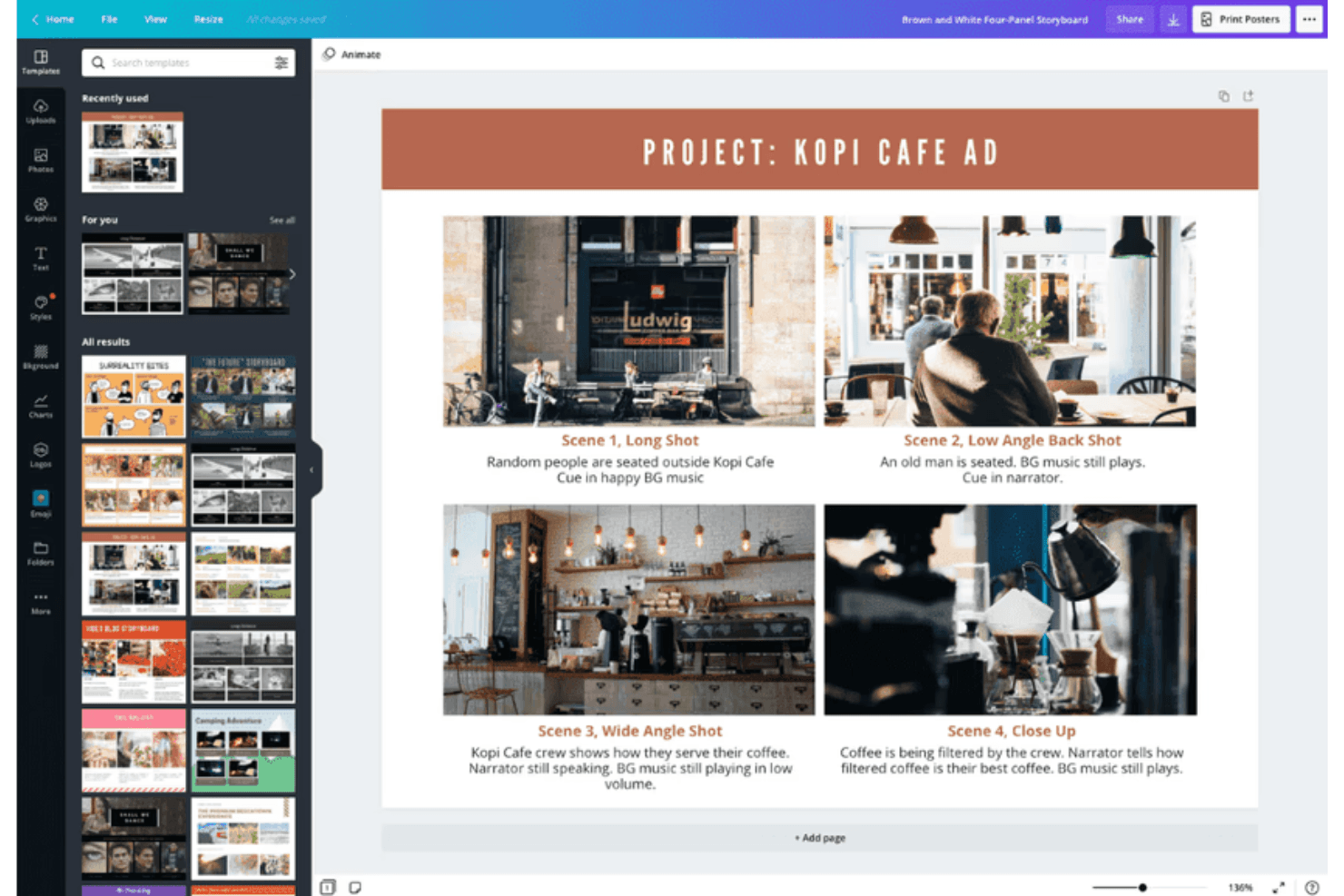
Canva supports storyboard creation with customizable templates for visuals. My Evaluation Score
- Pre-Built Asset Library
- Excels
- Real-Time Collaboration
- Excels
- Export & Sharing Options
- Strong
- Frame-by-Frame Sequencing
- Adequate
- Annotation & Text Overlays
- Strong
- Drag-and-Drop Visual Editor
- Excels
Canva is a general-purpose visual design tool that supports storyboard creation through a drag-and-drop editor, a large template library, real-time collaboration, AI-assisted design generation, and multi-format export including video and animation.
Who Is Canva Best For?
Canva is a great fit for product managers and product marketing managers who need to produce polished storyboard slides quickly, without relying on a designer.
Why I Picked Canva
I've included Canva in my top picks because it's the tool I'd hand to any product manager who needs a polished storyboard by end of day without touching a single design tool before. The template library includes dedicated storyboard and customer journey map templates, so you're not starting from scratch. Magic Studio's AI suite can generate layouts and captions from a text prompt, which cuts the time from "blank canvas" to "share-ready slides" significantly.
Canva Key Features
- Magic Studio AI suite: Over 20 AI tools—including text-to-design generation, AI writing, and conversational editing—let you build storyboard frames from a text prompt.
- Real-time co-editing: Multiple team members can edit the same storyboard simultaneously, with comments and threaded feedback on individual frames.
- Video and animation export: Animate individual frames with Magic Animate and export finished storyboards as MP4 or GIF files for stakeholder presentations.
- Customer journey map templates: Dedicated templates for user journey mapping and product scenario storyboards are available on both free and paid plans.
Canva Integrations
Canva offers native integrations with Slack, Google Photos, YouTube Embed, Pinterest, Brandfetch, Dropbox, Notion, Asana, and more. Zapier and Canva’s API support additional connections, with custom apps and integrations available on Enterprise.
Pros and Cons
Pros:
- Real-time co-editing with approval workflows
- Magic Studio AI rapidly generates storyboard slides
- Millions of storyboard and journey map templates
Cons:
- No native Jira, Figma, or Notion connections
- No interactive prototyping between storyboard frames
Learn more about Canva: Best for educational use
- Free trial + free plan available
- From $14.99/month
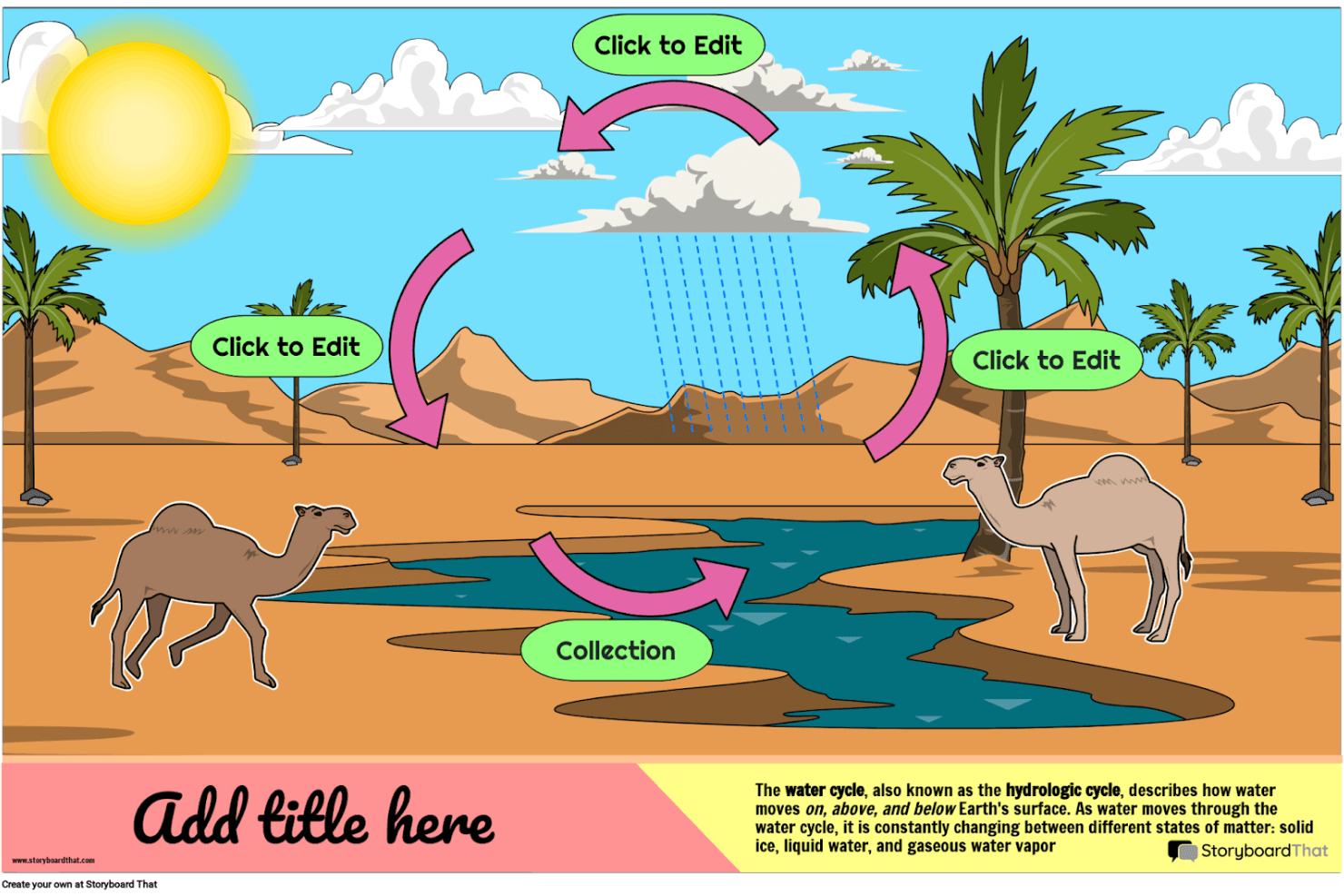
Storyboard That helps you create engaging visual stories and educational diagrams with customizable characters, scenes, and templates. My Evaluation Score
- Pre-Built Asset Library
- Strong
- Real-Time Collaboration
- Adequate
- Export & Sharing Options
- Strong
- Frame-by-Frame Sequencing
- Adequate
- Annotation & Text Overlays
- Strong
- Drag-and-Drop Visual Editor
- Strong
Storyboard That is a drag-and-drop storyboard tool with a large illustrated asset library, business and education templates, and export options including PDF, PowerPoint, and animated GIF.
Who Is Storyboard That Best For?
Storyboard That is a strong fit for educators, instructional designers, and academic teams who need an approachable visual storytelling tool with built-in LMS integrations and student-safe privacy compliance.
Why I Picked Storyboard That
I've included Storyboard That in my top picks because it's built from the ground up for educational environments in a way no other tool on this list matches. It connects directly with Google Classroom, Canvas, and Schoology via LTI, so teachers can assign storyboard projects without leaving their LMS. Its FERPA and COPPA compliance also means student data is genuinely protected, which is a requirement most education teams can't compromise on.
Storyboard That Key Features
- Drag-and-drop canvas editor: Build storyboards by dragging characters, scenes, props, and text elements onto frames without any design expertise required.
- Animated GIF export: Convert finished storyboards into animated GIFs directly from the platform, alongside PDF and PowerPoint export options.
- Audio narration recording: Record and attach spoken narration to individual storyboard frames on paid plans.
- Presentation mode: Walk stakeholders through storyboard frames in a built-in slideshow view without leaving the tool.
Storyboard That Integrations
Storyboard That offers native integrations with Google Classroom, Clever, ClassLink, Canvas, Schoology, Blackbaud, Buzz LMS, and D2L.
Pros and Cons
Pros:
- Supports recorded audio narration per frame
- Extensive illustrated library with business templates
- Built-in presentation mode for direct walkthroughs
Cons:
- Only exports static or animated GIF formats
- No AI or interactive prototyping features
Learn more about Storyboard That: Best for script-synced animatic collaboration
- Free plan + free trial available
- From $50/month (billed annually)
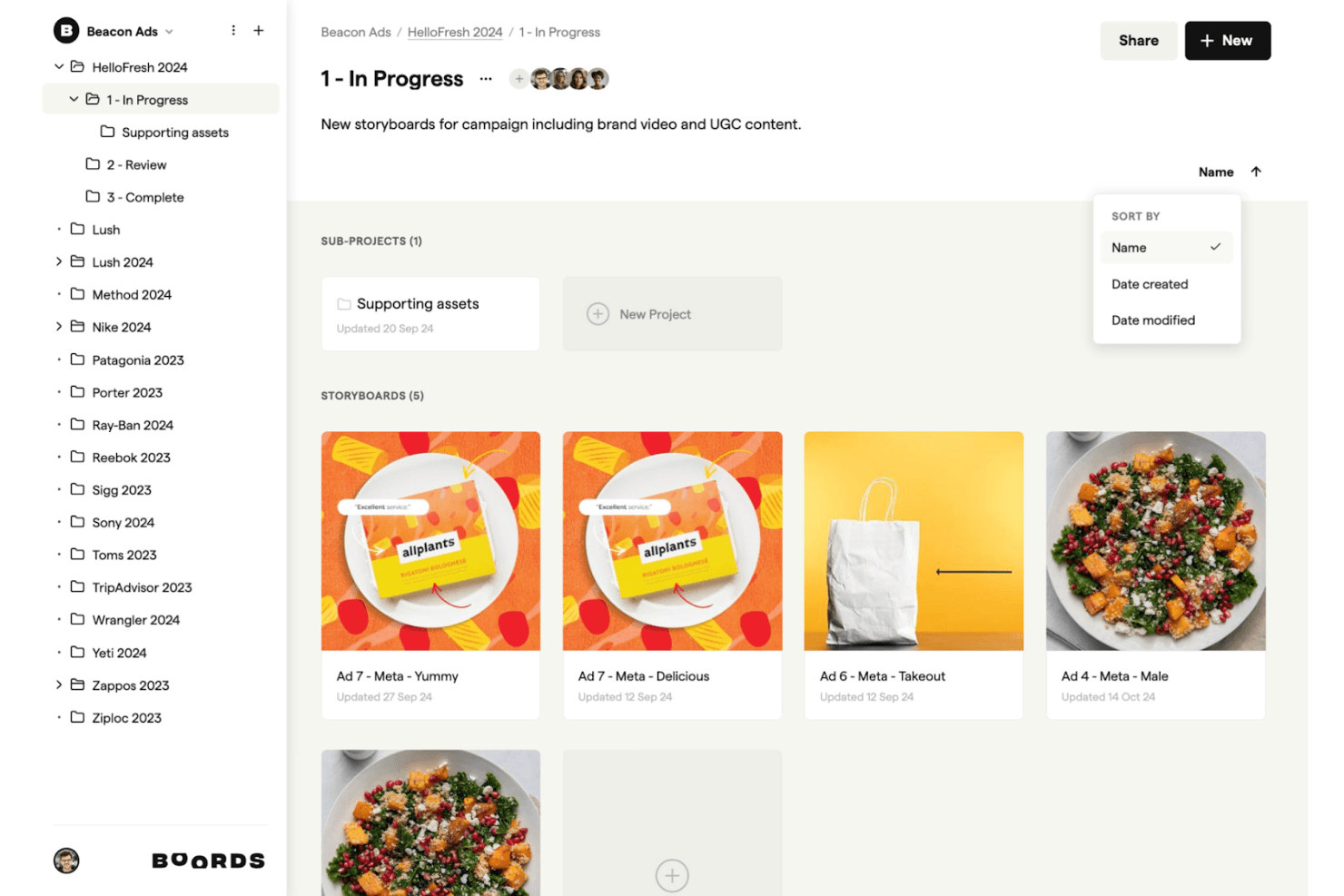
Boords supports your creative process by allowing you to intuitively organize, edit, and share storyboards for campaigns and branded content. My Evaluation Score
- Pre-Built Asset Library
- Minimal
- Real-Time Collaboration
- Excels
- Export & Sharing Options
- Excels
- Frame-by-Frame Sequencing
- Excels
- Annotation & Text Overlays
- Strong
- Drag-and-Drop Visual Editor
- Minimal
Boords is a browser-based storyboard software that combines a script editor, AI storyboard generation, frame-by-frame sequencing, and an in-browser animatic editor with MP4 export.
Who Is Boords Best For?
Boords is a strong fit for creative teams and product marketers who need to build script-synced animatics and share polished video previews with clients or stakeholders.
Why I Picked Boords
Boords earns its spot on my shortlist because the script-to-animatic pipeline it offers is genuinely hard to replicate in a single tool. I love how the built-in script editor syncs directly with the storyboard timeline, so when I adjust voiceover timing, the frame sequence updates alongside it. The in-browser animatic editor then lets me export a finished MP4 without touching any external software, which is exactly what I need when presenting a narrative vision to stakeholders fast.
Boords Key Features
- AI storyboard generator: Paste a script or brief and Boords automatically builds a structured storyboard with AI-generated images for each frame.
- PDF Builder: Customize and export your storyboard as a formatted PDF, giving you full control over how frames and text fields appear in client deliverables.
- Team asset library: Upload and organize shared images in a centralized library so your whole team can reuse approved visuals across multiple projects.
- Guest review links: Share storyboards with clients via password-protected links that require no account signup to view or comment.
Boords Integrations
Boords has 3 documented native integrations: Slack, Dropbox, and Google Drive. It also offers a public API and webhooks for custom integrations with product and design tools.
Pros and Cons
Pros:
- Guest review links require no signup
- In-browser animatic editor with MP4 export
- Script-to-storyboard automation with AI images
Cons:
- Lacks UX or product journey templates
- No interactive prototyping or clickable flows
Learn more about Boords: Best for animation studio pre-production
- 14-day free trial
- From $90/month
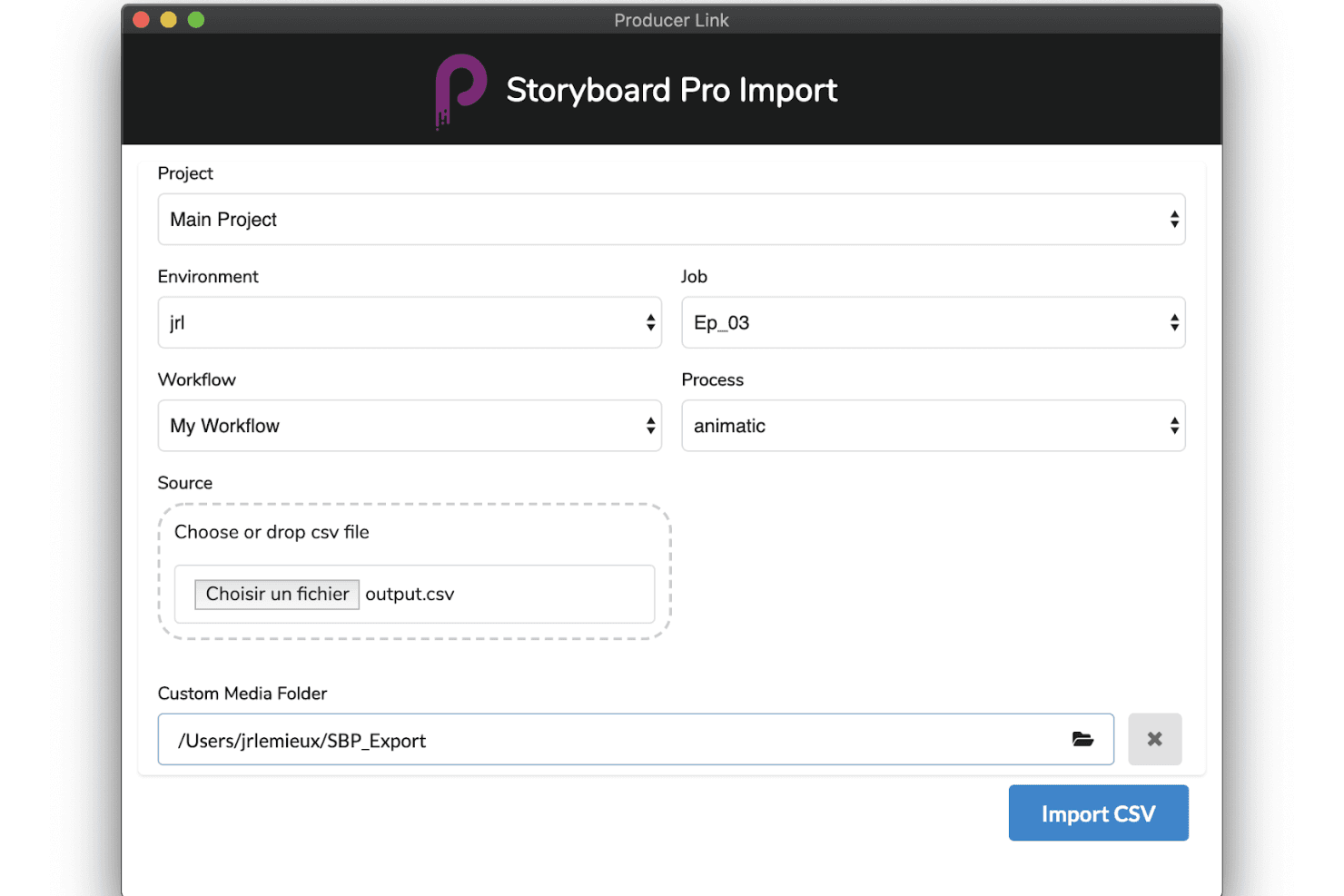
Toon Boom Storyboard Pro supports production with advanced importing tools, customizable workflows, and smooth animatic creation. My Evaluation Score
- Pre-Built Asset Library
- Minimal
- Real-Time Collaboration
- Does not offer
- Export & Sharing Options
- Strong
- Frame-by-Frame Sequencing
- Excels
- Annotation & Text Overlays
- Strong
- Drag-and-Drop Visual Editor
- Minimal
Toon Boom Storyboard Pro is a professional desktop storyboarding application built for animation pre-production, offering panel-based sequencing, a full animatic timeline, 3D camera tools, multi-track audio sync, and AI-assisted script breakdown via its Ember toolset.
Who Is Toon Boom Storyboard Pro Best For?
Toon Boom Storyboard Pro is built for professional animators and animation studios that need a dedicated pre-production pipeline from script to animatic.
Why I Picked Toon Boom Storyboard Pro
Toon Boom Storyboard Pro earns its spot on my shortlist because it's the closest thing animation studios have to a dedicated pre-production command center. I love how the Panel Timer lets you capture live panel timing by tapping along to a performance, which is a genuinely unique feature for studios building animatics frame by frame. Paired with the 3D camera system and multi-track audio sync, you can move directly from a rough script to a fully timed, camera-animated preview without switching tools.
Toon Boom Storyboard Pro Key Features
- 3D camera system: Animate virtual camera moves—pan, zoom, and tilt—within a 3D environment directly inside your storyboard panels.
- Toon Boom Ember AI script breakdown: Analyzes screenplays to auto-identify scenes, characters, and assets, then auto-populates dialogue and action panels.
- Multi-track audio sync: Import, layer, and scrub multiple audio tracks with waveform display for precise panel-level synchronization.
- Harmony scene export: Exports full storyboard scenes—including layers and timing—directly into Toon Boom Harmony for animation production.
Toon Boom Storyboard Pro Integrations
Toon Boom Storyboard Pro offers native integrations with Toon Boom Harmony and Adobe Photoshop, plus AAF/XML workflows for Pro Tools and video editing software.
Pros and Cons
Pros:
- Integrated 3D camera and asset support
- AI-assisted script breakdown speeds up workflow
- Comprehensive animatic tools for animation storyboarding
Cons:
- Requires professional illustration or animation skills
- No real-time cloud-based collaboration features
Learn more about Toon Boom Storyboard Pro: Best for script-to-animated pitch deck export
- Free plan + free demo available
- From $12/month (billed annually)
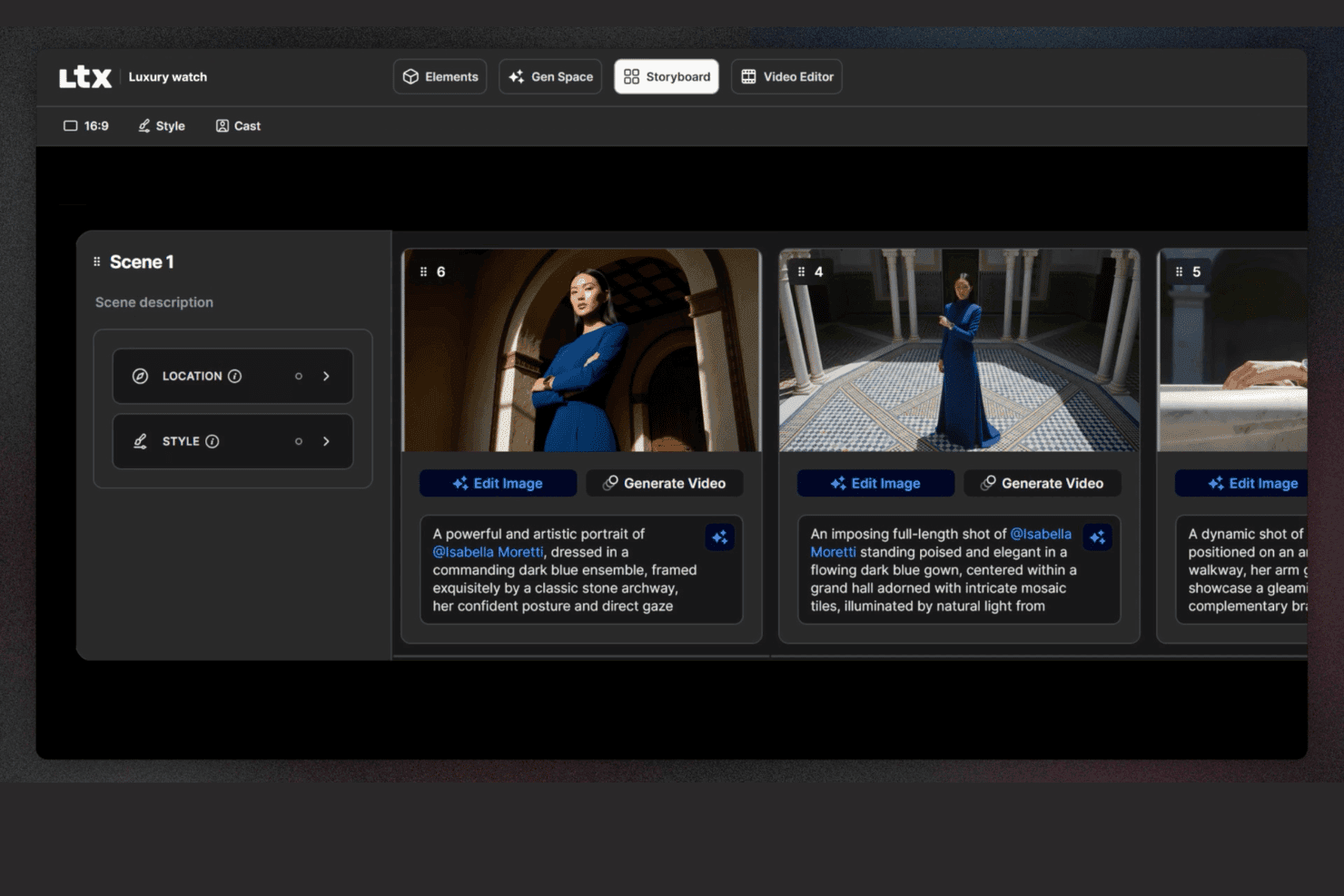
LTX Studio lets users edit storyboards with descriptions, locations, and image editing. My Evaluation Score
- Pre-Built Asset Library
- Minimal
- Real-Time Collaboration
- Adequate
- Export & Sharing Options
- Excels
- Frame-by-Frame Sequencing
- Strong
- Annotation & Text Overlays
- Minimal
- Drag-and-Drop Visual Editor
- Limited
LTX Studio is an AI-driven storyboard platform that generates scene-by-scene visual sequences from scripts or text prompts, with built-in timeline editing, animated MP4 export, and a pitch deck generator.
Who Is LTX Studio Best For?
LTX Studio fits product marketing managers and creative teams who need to turn a script or concept into an animated, presentation-ready pitch deck without relying on a designer.
Why I Picked LTX Studio
I picked LTX Studio as one of the best because it's the only tool on my list that takes a raw script and turns it into an animated, presentation-ready pitch deck without a single design asset required. Paste in your product narrative, and the AI breaks it into sequenced shots, generates cinematic frames, and assembles everything into an exportable MP4 or PDF. The Pitch Deck Generator then compiles those visuals into a structured format you can put in front of stakeholders the same day.
LTX Studio Key Features
- AI model selection: Choose from multiple AI generation models—including Google Veo 3.1, Kling 2.6/3.0 Pro, and the proprietary LTX-2—at the project, board, or frame level.
- Persistent character elements: Define a character's appearance once, and the platform maintains consistent facial details, wardrobe, and style across every frame automatically.
- Built-in audio generation: Generate and sync background music, ambient audio, and voice-over narration directly within the timeline editor without a separate audio tool.
- Node-based automation flows: Build custom AI generation workflows using a visual node-based system, available on Standard and above plans.
LTX Studio Integrations
Native integrations are not publicly listed.
Pros and Cons
Pros:
- Exports as MP4 and structured pitch deck
- Persistent characters and elements stay consistent
- AI generates animated storyboards from scripts
Cons:
- Collaboration is limited on non-enterprise plans
- No canvas-based editor or UX templates
Learn more about LTX Studio:
Other Storyboard Software
Here are some additional storyboard software options that didn’t make it onto my shortlist, but are still worth checking out:
- 11MiroBest for storyboards linked to your dev backlog
- 12LucidsparkBest for mapping user journeys across product teams
- 13WhimsicalBest for lo-fi wireframe and flow storyboarding
- 14Adobe FireflyBest for brand-governed AI visual ideation
- 15StudioBinderBest for film production team storyboarding
- 16KatalistBest for script-to-video storyboard production
How I Evaluate Storyboard Software
I split my evaluation into two layers: whether a tool can build and annotate sequential product flows, then what sets the strongest options apart.
Core Functionality (Table Stakes For This List)
When I'm selecting tools for my list, I rank each one on a scale from 0 (does not offer the functionality) to 5 (excels in this area) for each core functionality listed below. Then, I calculate the tool's total score into a percentage. Each tool needs to achieve a minimum total score of 65% to be considered for inclusion.
- Frame-by-Frame Sequencing: I evaluate how each tool handles building ordered panels, like mapping a user's onboarding flow from sign-up through activation step by step.
- Drag-and-Drop Visual Editor: The editor should let PMs place characters, UI elements, and scenes on a canvas without needing design skills or external tools.
- Pre-Built Asset Library: I check for template variety and asset relevance, looking for things like persona placeholders, device mockups, and environment scenes.
- Real-Time Collaboration: Product teams co-create during discovery sprints, so I look for live co-editing, commenting, and presence indicators within the workspace.
- Annotation & Text Overlays: Each frame should support captions, speech bubbles, or contextual notes that explain what's happening at each step of the story.
- Export & Sharing Options: I consider whether you can share storyboards as PDFs, images, or links for async reviews with stakeholders who don't have tool access.
Once I have a list of tools that meet the criteria, I consider what sets each platform apart.
Differentiating Factors (What Sets Vendors Apart)
Here's how I compare and contrast different vendors:
Standout Features
AI-assisted generation is a big differentiator. Tools that can turn a text prompt into a rough storyboard give PMs a faster path from idea to visual during early discovery. I also look for interactive prototyping, where clickable hotspots on frames let you simulate a user flow and gather feedback before any design handoff. Pre-built user journey templates matter too. Starting from a customer onboarding or feature adoption template saves hours compared to building frames from scratch every sprint.
Beyond Features
Integrations with the broader product stack matter a lot. I check whether storyboards can link to Jira epics or embed in Confluence pages, since that's where most PM teams already work. Learning curve is another key factor. Most PMs aren't designers, so I evaluate how quickly someone can produce a share-ready storyboard in their first session. Pricing structure also plays a role, especially whether guest access lets stakeholders review and comment without requiring paid seats for everyone on the team.
How to Choose Storyboard Software
It’s easy to get bogged down in long feature lists and complex pricing structures. To help you stay focused as you work through your unique software selection process, here’s a checklist of factors to keep in mind:
| Factor | What to Consider |
| Scalability | Ensure the software can grow with your team, accommodating more users or projects without a hitch. Think about future needs and whether the tool can handle increased demand. |
| Integrations | Check if it integrates with other tools you use, like Adobe Creative Suite or project management apps, to streamline your workflow and enhance productivity. |
| Customizability | Look for features that let you tailor the software to your workflow, like customizable templates, to save time and match your team’s specific needs. |
| Ease of Use | The software should be intuitive with a minimal learning curve. Look for drag-and-drop interfaces or tutorials that make it easier for your team to get started quickly. |
| Budget | Consider the software’s cost against your budget. Look for flexible pricing plans or discounts for longer commitments to ensure it fits financially. |
| Security Safeguards | Your team’s data should be protected. Check for features like encryption, secure access controls, and compliance with data protection regulations. |
| Collaboration | Ensure the tool supports real-time collaboration, allowing team members to work together efficiently and provide feedback directly within the platform. |
| Support | Consider the level of customer support available. Look for 24/7 support options, detailed documentation, and responsive assistance to solve any issues promptly. |
Trends
In my research, I sourced countless product updates, press releases, and release logs from different storyboard software vendors. Here are some of the emerging trends I’m keeping an eye on:
- AI-Assisted Storyboarding: AI is being used to suggest storyboard layouts and scenes, saving time and sparking creativity. Some tools now offer AI-generated images, helping users visualize concepts quickly.
- 3D Visualization: More storyboard software is incorporating 3D features, allowing users to create and view scenes in three dimensions. This trend helps teams better understand spatial relationships and scene dynamics.
- Interactive Storyboards: Tools are evolving to include interactive elements, enabling users to add clickable links, audio, and video. This makes storyboards more engaging and useful for presentations.
- Real-Time Collaboration: Enhanced collaborative features let teams work on storyboards simultaneously from different locations. This trend is crucial for remote teams needing to maintain efficiency and alignment.
- Cloud-Based Solutions: Cloud storage and access are becoming standard, allowing teams to work from anywhere without losing data. This trend supports remote work and ensures that storyboards are always accessible and up-to-date.
What is Storyboard Software?
Storyboard software is a digital tool that helps users create visual representations of stories, often used in film, animation, and marketing. Filmmakers, animators, and creative professionals generally use these tools to plan scenes and visualize narratives, enhancing communication and project planning. Drag-and-drop interfaces, AI-assisted layouts, and real-time collaboration features support creative workflows and team alignment. Overall, these tools help users save time and improve the clarity and effectiveness of their visual storytelling.
Features
When selecting storyboard software, keep an eye out for the following key features:
- Drag-and-drop interface: This lets you quickly arrange, move, and resize storyboard panels with simple clicks and drags. You get to visualize your project flow just the way you imagine it—no technical expertise required.
- Customizable templates: Choose from a variety of pre-built templates tailored for different types of storytelling, like commercials, film scenes, or animations. Templates save time and help you stay organized, especially when you’re fast-tracking ideas.
- Collaboration tools: Share storyboards in real time, assign tasks, or leave comments for team members. These features keep everyone on the same page (literally), making group projects quicker and more fun.
- Integrated script editor: Pair your visuals with dialogue and descriptions right in the tool—no need for back-and-forth between apps. This streamlines your creative process and keeps everything in context.
- Export and sharing options: Save your storyboards as PDFs, images, or presentation slides, or share them with a quick link. This way, you can present your ideas to clients or teammates without any technical hurdles.
- Version control: Track revisions, restore old versions, and see who made changes. This is a lifesaver when you need to revisit past ideas or undo an accidental edit.
- Audio and video support: Add voiceovers, sound effects, or video clips to bring your storyboard to life. Being able to integrate multimedia means you can communicate your vision more clearly.
- Organization and tagging: Group scenes by acts, use color tags, or add labels to keep everything tidy. When your project gets complex, these tools help you navigate with ease.
Common AI Features
Beyond the standard storyboard software features listed above, many of these solutions are incorporating AI with features like:
- Speech-to-text input: Convert spoken ideas directly into storyboard text elements. You can brainstorm out loud, and the tool organizes your words into descriptions or dialogue within your boards.
- Auto image generation: AI creates visual panels based on your written descriptions, turning your script ideas into pictures quickly and reducing manual illustration time.
- Smart scene suggestions: The software recommends possible next shots, camera angles, or scene transitions based on the context of your story, keeping your creative momentum going.
- Automated dialogue enhancement: AI reviews your script and suggests improvements or flags awkward phrasing, helping your characters sound more authentic and engaging.
- Story structure analysis: AI scans your storyboard and identifies pacing issues, story gaps, or areas lacking tension, so you can fine-tune your narrative.
Benefits
Adopting digital storyboard tools can transform how your team plans, shares, and refines creative projects. Here’s what you can expect:
- Boosted creativity: AI-assisted layouts and flexible templates give you room to explore new directions without starting from scratch.
- Team collaboration made easier: Real-time updates and cloud-based access let your team contribute from anywhere, keeping everyone connected.
- Faster workflows: Drag-and-drop tools and prebuilt templates reduce setup time, so you can focus on the actual storytelling.
- Stronger visual communication: With 3D storyboards and interactive features, your team and stakeholders can visualize the concept more clearly.
- Remote storyboard creation: Cloud-based access ensures you’re not tied to one location, which is especially helpful for distributed teams.
- Detailed planning support: Timeline and drawing tools help map out scenes, manage complexity, and maintain creative quality.
- Flexible sharing: With various export options, it's easy to share your work on social media or in whatever format suits your collaborators or clients best.
Costs and Pricing
Selecting storyboard software requires an understanding of the various pricing models and plans available. Costs vary based on features, team size, add-ons, and more, with free storyboard software covering one end of the spectrum for teams that can work within feature limitations.
The table below summarizes common plans, their average prices, and typical features included in storyboard software solutions:
Plan Comparison Table for Storyboard Software
| Plan Type | Average Price | Common Features |
| Free Plan | $0 | Basic storyboard creation, limited templates, and basic export options. |
| Personal Plan | $5-$30/user/ month | Customizable templates, drag-and-drop interface, and cloud-based access. |
| Business Plan | $30-$80/ user/month | Real-time collaboration, advanced drawing tools, and timeline management. |
| Enterprise Plan | $80-$100+/ user/month | 3D visualization, AI-assisted layouts, dedicated support, and comprehensive security safeguards. |
Storyboard Software FAQs
Here are some answers to common questions about storyboard software:
Can a storyboard be copyrighted?
Yes, you can copyright a storyboard. Once it’s created, it’s protected as a piece of original work, which means others can’t legally copy or distribute it without permission. Just keep in mind that copyright protects the actual content, not the general idea or concept behind it.
What should a storyboard not include?
A storyboard shouldn’t include anything that distracts from the main story. That means skipping unnecessary scenes, overly detailed visuals, or too much text. The goal is to communicate the core flow of your project clearly, not overwhelm your team with every tiny detail.
How do I choose the right storyboard software for my team?
Start by thinking about how your team works. Do you need real-time collaboration? Drawing tools? Integration with other platforms? Look for software that checks those boxes, is easy to learn, and fits your budget. Bonus if it can scale with your team as your projects grow.
What are the benefits of using storyboard software over traditional methods?
Storyboard software helps you work faster and stay organized. It makes it easier to update your visuals, share feedback, and collaborate with your team—all without printing or scanning anything. Compared to pen and paper, it’s more flexible, especially for fast-paced or remote teams.
Are there free storyboard software options available?
Yes, quite a few tools offer free plans with basic features. These are great for freelancers, students, or small teams just starting out. Just be aware that free versions often come with limitations—like fewer templates or limited exports—so you might outgrow them over time.
How do I ensure my storyboard software is secure?
Look for tools that use encryption, offer user permissions or access controls, and follow standard data protection practices. It’s also worth checking how often the software gets updates or security patches. Keeping your software up to date is one of the easiest ways to stay protected.